ESP VOLKSWAGEN BEETLE 2004 User Guide
[x] Cancel search | Manufacturer: VOLKSWAGEN, Model Year: 2004, Model line: BEETLE, Model: VOLKSWAGEN BEETLE 2004Pages: 138, PDF Size: 48.59 MB
Page 57 of 138
Downloaded from www.Manualslib.com manuals search engine Lights and vision
Lights
Introduction
Th1s ·hapt r c nt 1n inf rm lion on th e f llowing
utject :
lnd1 ator lamps . . <>-~ • .. .. .. .. .. • .. .. ~ • .. • .. • • .. •
Turn s1gnal and main beam lever ..•.......
Svvitching lights on and off .............. .
Lights
and v1sion -functions ............ .
~1ain beam ass1st . . . . . . . . . . . . . . . . ... .
Ma king or sv itching over headlights for
dnving abroad (travel mode) . . . . ........ .
Commg Home and Leaving Home functions
(onentation
lighting) . . . . . . . ............ .
Headl i
ght range control, instrument and
s~ itch lighting . . . . . . . . . . . . . . . ....
Interior and reading hght s ...............•.
105
106
107
108
110
111
111
112
113
Observe any country-spec•fic regu lations when us
ing veh1c le lighting.
The driver 1s responsib le for the correct headlight
pos1t1on and the correct headlight settm g.
Addit ional information and warnings:
• Exterior views ~page 6
• lnfotamment system ~page 31
• Changing bulbs ~page 362
Indicator lamps
A WARNING
Accidents and serious injuries can occur if
roads are not sufficiently illuminated and oth
er r oad users have d ifficulty seeing the vehi
cle, or cannot see it at all.
• Always switch the dipped beam head
lights on if it is dark, raining or visibility is
poor.
A WARNING
Setting headlights too high, and the incorrect
use of the main beam, could d istract and daz
zle other road users. This can lead to acci
dents and serious injuries.
• Always ensure that the headlights are ad
justed correctly.
• Never use the main beam or the headlight
flasher if other road users could be dazzled.
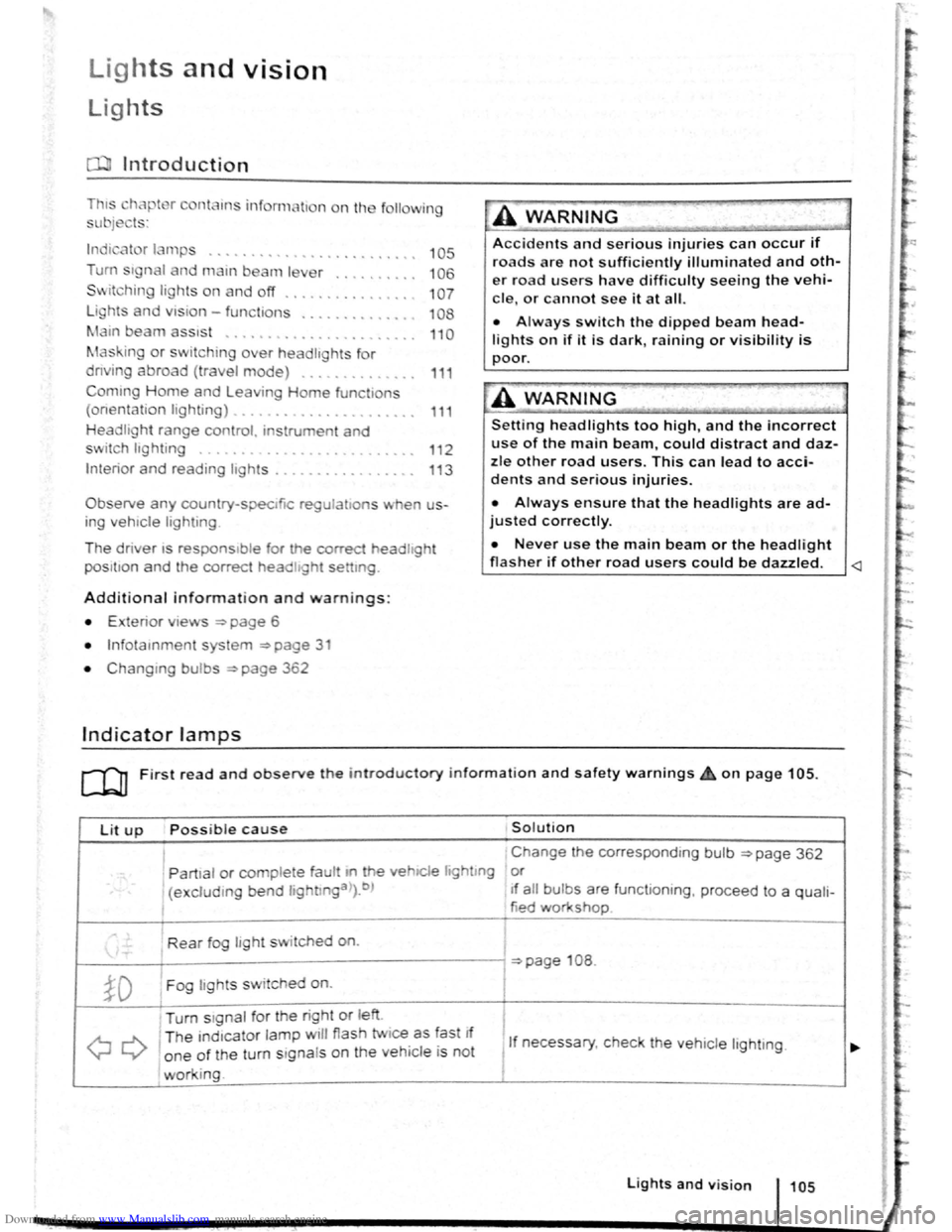
Lit up Possi ble cause Solution
I Change the corresponding bulb ~page 362
' Partial or complete fau tt m he vehiCle hghtmg or
(excluding bend lightlnga>).b ) If a ll bulbs are functioning , proceed to a quali-
tied workshop
Rear fog light switched on.
~page 108 .
~D Fog lights sw itched on. I
Turn stgnal for the right or left i
I
QQ
T he ind1cator lamp will flash twice as fast If
1 If necessary, c heck the vehicle lighting. o ne of the turn signals on the vehicl e is not
working. I
Lights and v is ion 105
Page 62 of 138
Downloaded from www.Manualslib.com manuals search engine f!l In cool or damp wea her, the mtenor of the
L!J headltgh s. rear lights and turn stgnals may
m1st up bm.:fly Thts 1s normal and does not affect
the serv•ce life of the hghts on your vehicle
l'('n First read and observo the Introductory
L-..kJ.J Information and safety warnings.&. on
page 105 .
Main beam assist (Light Assist)
W•thtn the limit s of th e sy s te m , th e main b eam as
sis t au t
omatically swi tc h es the main bea m on at
speeds o f o ve r approxim ate ly 60 km/h (3 7 m ph) ,
depending on environm ent al a nd traffic condttions,
and swi tc hes it off again at spee ds und er appr oxi
mately 30 km /h (18 mph) ~&.The fun ction is
controlled by a came ra lo ca te d nea r the int erior
mirro r.
Main beam ass is t n ormall y recog nises illumin ate d
areas such as to wn s and deac tivates
the main
beam while driving throug h th em .
Automatic main beam assist (Dynamic Light
Assist)
W ithin the limits of the sys tem , the aut omatic main
beam assist (Dynamic Light A ssist) ca n minimi se
or even prevent dazzling of other road use rs ~ &.
The system detects other road users and their dis
tan ce from your vehic le and covers part o f th e
he adlights appropriately .
If dazz ling other road u
so rs canno t be
pre vented , th e ligh t dtstnbution rs
automa ticall y se t to d1pped beam headlights . The
func tion is controlled by a camera located on the
in side of th e wind screen above the mterior m~rror
The automatic m am beam assist automati cally
s w it c hes the main beam on at speeds
of more than
approximately 60 km /h (37 m ph) and off again at
speeds under approxima te ly 30 km /h (18 mph ) de
pending on whether there a re vehicles ahead.
wh eth er t here is oncoming traffic, and also on
oth
e r g eneral factors and traffic conditions .
Th e
automat1c main beam assist does no t work
w hen
travel mode is ac tt v ated ~page 111.
If the dynamt c bend llgh ttng is deac tivate d
~page 109 , or t he headltgh t switc h -ove r is acti va
t ed
~page 111, the f ull beam lights are only
s w it ched on and off automa ttcall y. This occurs i n
r esponse to
the v ehtcles ahead, oncoming traffic
a nd
the road lighting
Aut oma t
1c main beam assist normally dete cts illu
min ate d areas such as to wns and deac tiv a tes the
mai n beam wh ile dnving throug h them .
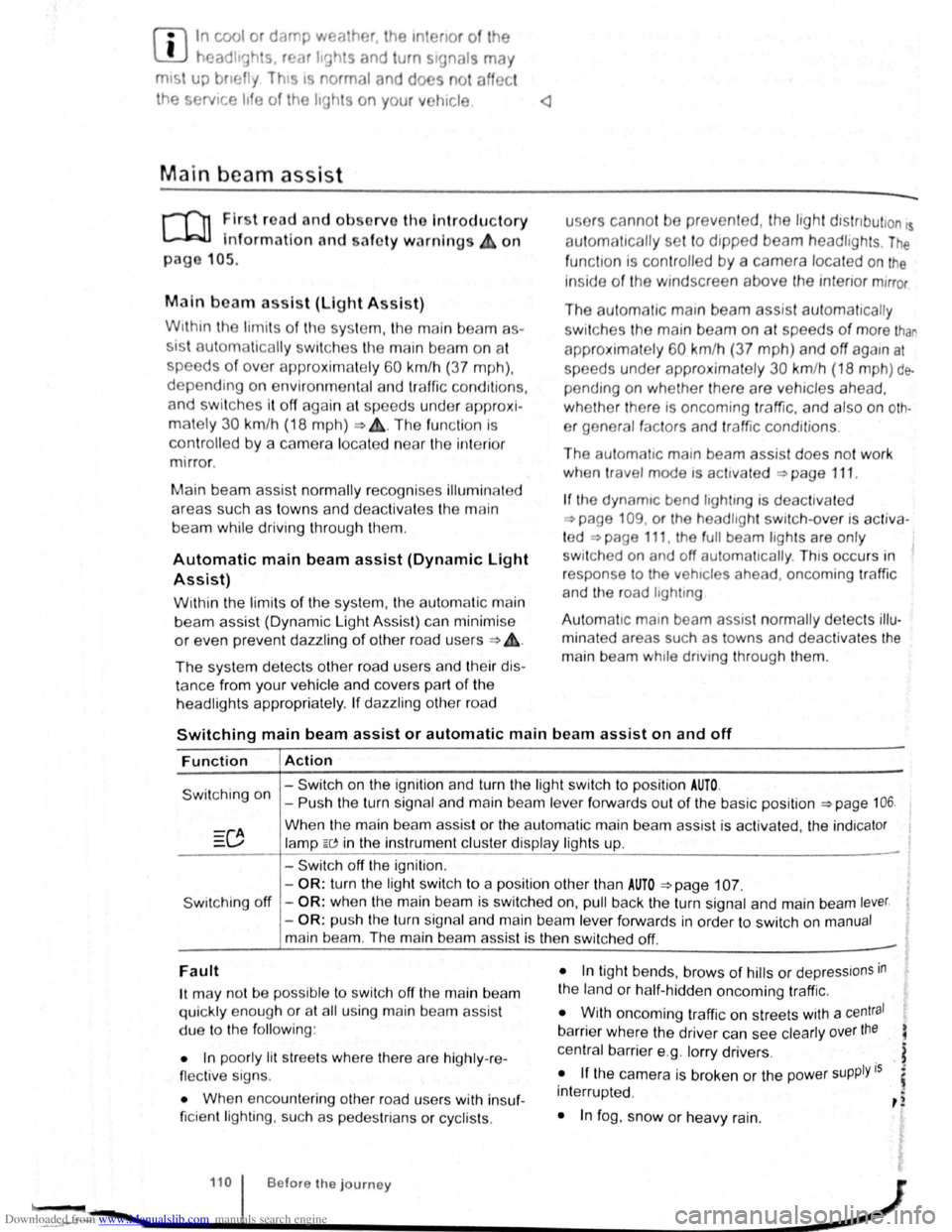
Switching main beam assist or automatic main beam assist on and off
Function Action
- Switch on the ignition and turn the light switch to positio n AUTO.
Switching on -Push the turn signal and main be am le ve r forwards out of the basic position ~page 106.
Wh en the m ain beam assis t or the au tom atic main beam assist is activ ated, the indica tor
la mp W in the instrument clu ste r display ligh ts up .
- Swi tc h off
the ignition .
-
OR : turn the light swit ch to a position other than AUTO ~page 107.
S wit ching off -OR : when the main bea m is swi tc h ed on, pull back the turn signal a nd main beam lever.
- OR : push the turn signa l and main beam le ver forwards in order to switch on manual
main bea m. The main beam assist is then switched off. -
Fault
1t may not be pos sibl e to switch off the main beam
qui ckly e nou gh or at all using main bea m assist
due to
the follo win g:
• In poo rly lit
str ee ts whe re the re are highly -re
flec tiv e sig ns.
• Wh en enco unt ering other road u sers with insuf
ficie nt lighting , su ch as p ed es trian s or cyc lis ts .
• In tigh t bends, brows of hills or dep ressions in
the land or h alf-h idde n oncomi ng traffic.
• W ith oncoming traff ic on str eets with a central
barrier where the driver can see clearly over the
central barrier e .g . lo rry drivers .
• If the came ra is broken or the pow er supply is
interrupt ed .
• In fog , sno w or hea vy rain.
... ~.==~~~~~~------1•1•0.i .. B .. ef•o •re .. th •e• j•o •u •rn•e•y._ .................. __________________ .............. ~ -.,
Page 69 of 138
Downloaded from www.Manualslib.com manuals search engine -~
....,
m
.u \ 1n j w v ip r 1 switched on auto
.1t1 ',111 if the front -.. ind creen wipers are
<::' t ' ' r ~ rse gear i eng ged.
m The automatic switch-on function when in. re
W verse gear can be switched on and off us1ng
the@] button and the G and (Mirror and wipers ) func
tion buttons in the infotainment system ~page 31.
ro Fi tread and observe the introductory information and safety warnings & on page 117.
iper response in various situat ions:
\.._e t e e d~ sat na•y
Healed a her jet
Headlight
hen sw1tched on , the wipers will temporarily be switched to the
ext setting down.
T e C hmatromc w1ll sw1tch to air recirculation mode for approxits ru -n a e l 30 seconds to prevent the smell of the windscreen wash-
a s t
er utd from entering the vehicle interior.
T e
rper in tervals are adjusted depending on the vehicle
speed. The faster the vehicle is travelling, the shorter the inter
a!
nses on
ward s the steering wheel when the dipped beam
headlights or main beam are switched on. Clean
off stubborn dirt (msects, etc.) from the headl ights
at regular intervals, for instance when filling the
tank .
In winter, you should remove any snow from the
headligh t w as her nozzles in the
bumper to keep
the headligh t washer system in work ing order. Re
move any ice with a de-icer spray.
r:l The w1per will try to wipe away any obstacles
L!J that are on the wind screen . The w 1per will
sop moving 1f the obstacle blocks its path . Re-
mo e the obstacle and swttch the wiper back on
agam
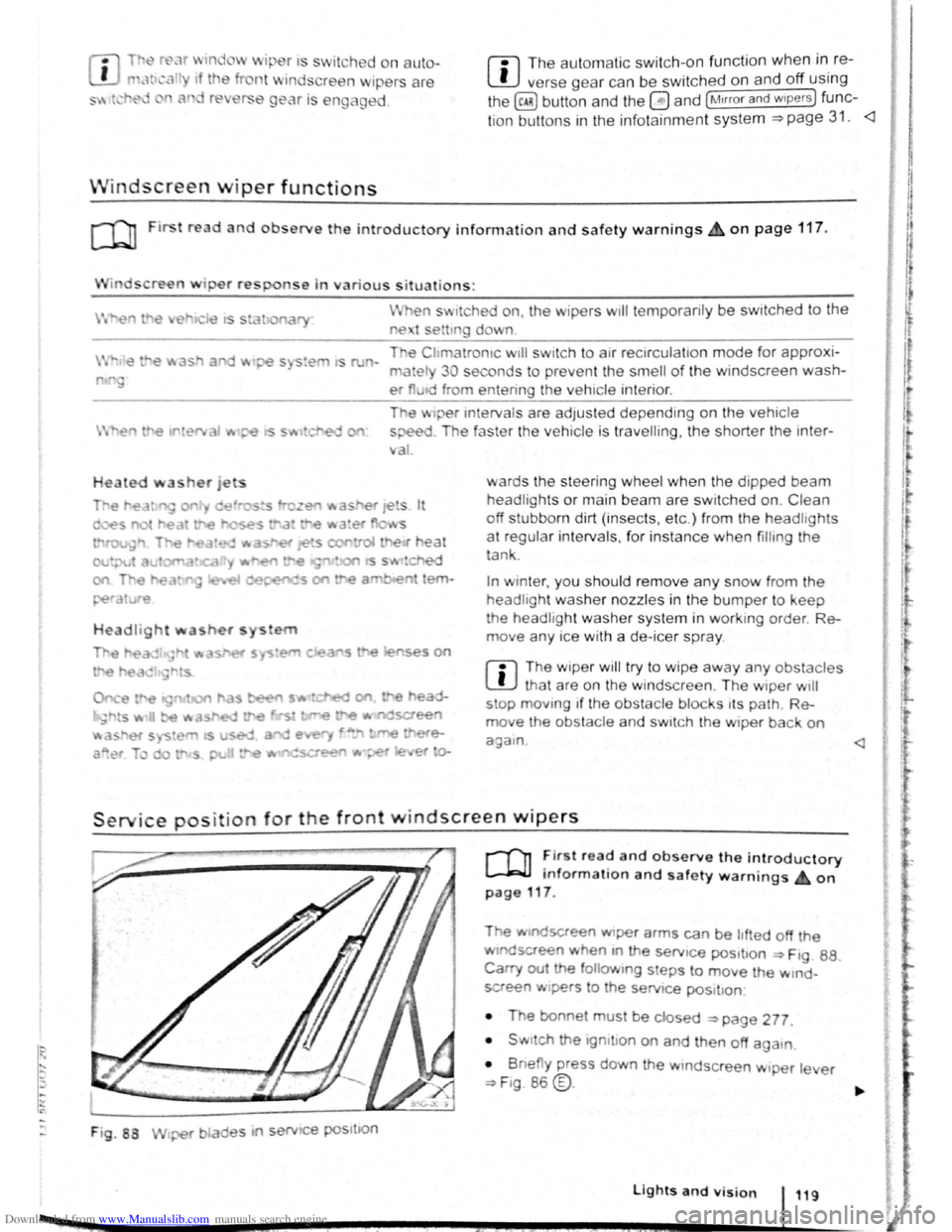
Service position for the front windscreen wipers
F ig . 88
2 -!.
r-T'n ~lr t rea~ and observe the introductory
L-Jr:J.J mformat1on and safety warnings on
page 117 .
Tt>e .vtndscreen Wlper arms can be h fted off the
ndsaeen when 10 the serv1ce pos1t1on ~ Ftg. 88.
Carry out e followtng s eps to move the w rnd
screen w1pers
t o the servtce pos1t1on
• The bonnet must be closed ~page 277.
• Swrtch the 1gntlton on and then off aga
1n
•
B ne y press down the wtndsc reen w1per le er
~F1g. 86 @.
Lights and vision 119
I 3£
Page 76 of 138
Downloaded from www.Manualslib.com manuals search engine Sele1:• r
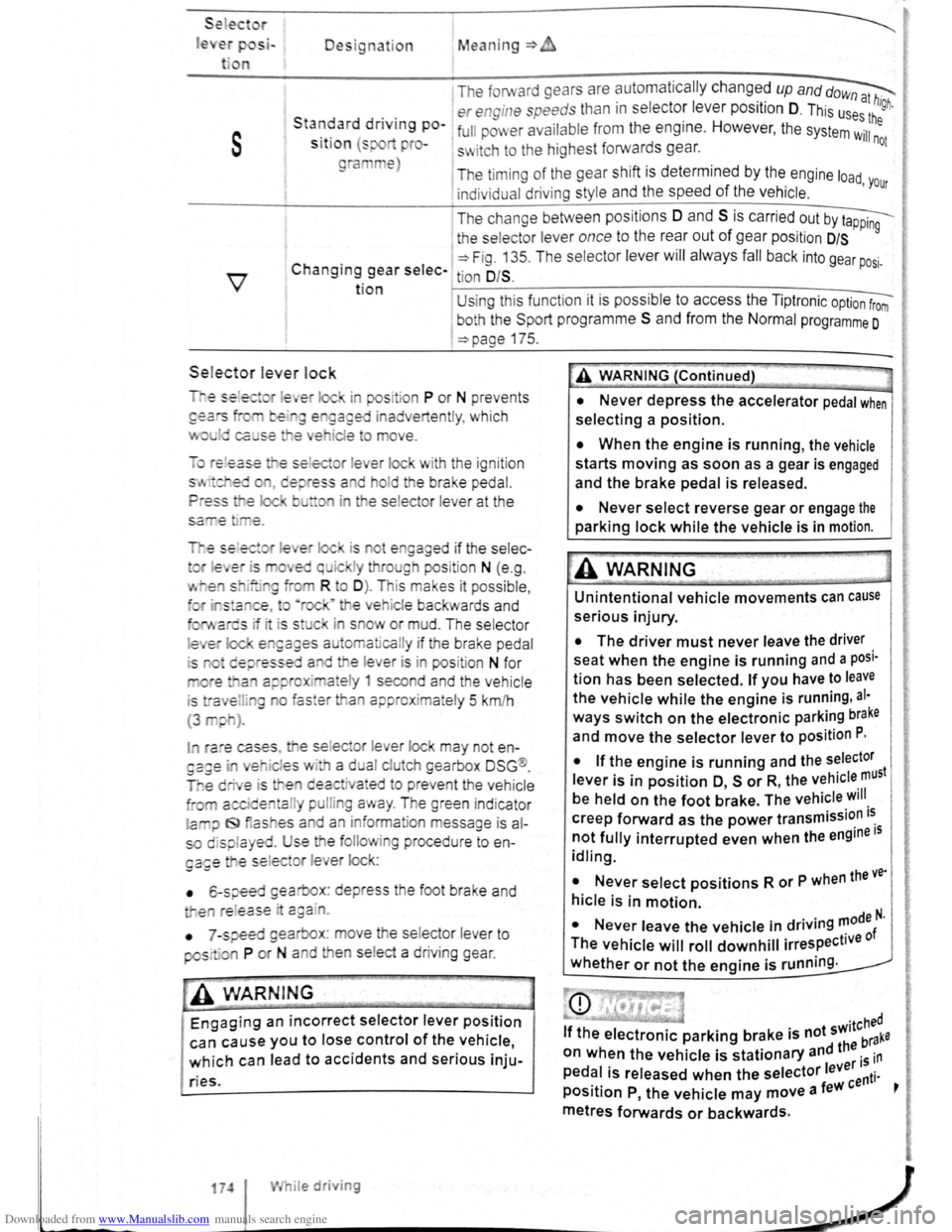
le Designation Mean ing=>
1 The forward gears are automa tic ally changed up and dow~
. . er engine speeds than in s electo: leve r position D. This us~:! high.
s
Sta~~ard dnvtng po-1 full pm er ava ilabl e from the eng1ne. However , the system Wil:he
S lt lo n (s pro-s~ itch to the highest forwards gear. not
ra e)
The timi ng of the gear shift is determined by the engine load
indivi dual driving style and the speed of the vehicle . 'Your
I T he change between positions 0 and S is carried out by t~
1 the selecto r lever once to the rear out of gear pos it ion D/S 9
C . 1 ~Fig. 13 5. T he se lec tor lever will alwa ys fall back into gear po .
h angtng gear selec- tion O/S . SI·
t ion U sing thi s funct ion it is possible to access the Tipt ronic option from
I
bo h the Spo rt programm e S and from the Normal programme 0
=>page 175.
Sele.ctor le ver lock
is ot e gaged if the selec-
I ra e cases , e se lec or lever lock may not en
es · a d al clu eh gearbox DSG ®.
e deactiva•ed to preve nt the vehicle
a l pulli g a ay . The green ind icator
la iJ f9 as es a d an inform ation message is al
so displa yed. Use the folio ing procedu re to en
ga£e e se lec or l e er lock:
• 6-speed gearbox: depress the foot brake and
e re l
ease · c:gain.
•
7 -speed gearbox : move he se lector lever to
pos· ·a P or N and en se lect a driv ing gear .
-• ·----
A WARNIN G
Engaging an incorrect selector lever position
can cause you to lose control of the vehicle,
which can lead to accidents and serious inju-
ries.
174 I While driving
A WARNING (Continued)
• Never depress the accelerator pedal when
selecting a position.
• When the engine is running, the vehicle
starts moving as soon as a gear is engaged
and the brake pedal is released.
• Never select reverse gear or engage the
parking lock while the vehicle is in motion.
A WARNING
Unintentional vehicle movements can cause
serious injury.
• The driver must never leave the driver
seat when the engine is running and a posi·
tion has been selected. If you have to leave
the vehicle while the engine is running , al·
ways switch on the electronic parking brake
and move the selector lever to position P.
I
• If the engine is running and the selector
lever is in position O, s or R, the vehicle must
be held on the foot brake. The vehicle will
creep forward as the power transmission i~
not fully interrupted even when the engine IS
idling.
• Never select positions R or P when the ve·
hicle is in motion.
N I . . d . . ..,0de N. • ever eave the vehicle m nv.ng '" f
The vehicle will roll downhill irrespective 0
whether or not the engine is running .
Page 79 of 138
Downloaded from www.Manualslib.com manuals search engine • Please note that the driven wheels can
\start to spin and the vehicle can skid If the
lCS i w1tched off, especially If the road Is
slippery.
•
Switch the TCS back on after acceleration.
attempt to stop it from rolling back by depress·
lng the accelerator while a position is still se
lected. The automatic gearbox could overheat
and be damage d .
• Never allow the vehicle to roll In posi tion N ,
particularly If the Ignition is s w itched off. The
automatic gearbox w ill not be lubricated and
could be damaged .
r-'('n F irst read and observe the introductory
L-Wl Information and safety warnings .&. on
page 169 .
Emergency programme
There is a fault in the system if all the displays on
the mstrument clu ste r for the se lector le ve r posi
tions have a light background. The automatic gear
box is running in an emergency programme. The
vehicle can still be driven in the eme rg ency pro
gramme, but only at reduced speed and not in all
gear s.
In vehicles with a dual clutch gearbox DSG®, y o u
may
no longer be able to select reverse gear.
In all cases the automatic gearbox should be
checke d
by a qualified workshop immediately.
Overheating of the dual clutch gearbox
DSG®
The dual clutch gearbox can overheat when th e
vehicle pulls off re
gularly, travels at a crawl for long
penods, or in s
top and go traffic . Gearbox over- .
heating
is i ndi cate d by the w arning lamp 0 and tn
some cases by a text m essage in the instrument
cluste r d1splay . An acoustic warni ng may also be
heard . Stop the ve hi cle and allow th e gea rbox to
cool down
~CD.
The vehicle will not move forwards or
backwards even though a gear has been
selected
If the veh1cle w11l not move in the requi red direc
tio n, the system may have selected the pos1tion m
correctly Depress the bra e pedal and reselect the
pOSitiOn
If th e vehicle st1ll does not move tn the requ1red di
re ction , th ere IS a system fault. Seek expert assis
tance and have the system checked
• If the display indicates that the gearbox is
overheating for the first time, the vehicle will
have to be parked safely or driven faster than
20 km/h (12 mph) .
• If the text message and acoustic warning
are repeated approximately every 10 seconds,
the vehicle must be parked safely immediately
and the engine switched off. Allow the gearbox
to cool down.
•
In order to prevent damage to the gearbox,
you should not drive on unti l the acousti c
warning stops. You should not pull away or
drive the vehicle at very low speeds while the
gearbox is overheated.
' 177
~
l
I
i
t
Page 80 of 138
Downloaded from www.Manualslib.com manuals search engine Gear-change indicator
B~K-O~Y8
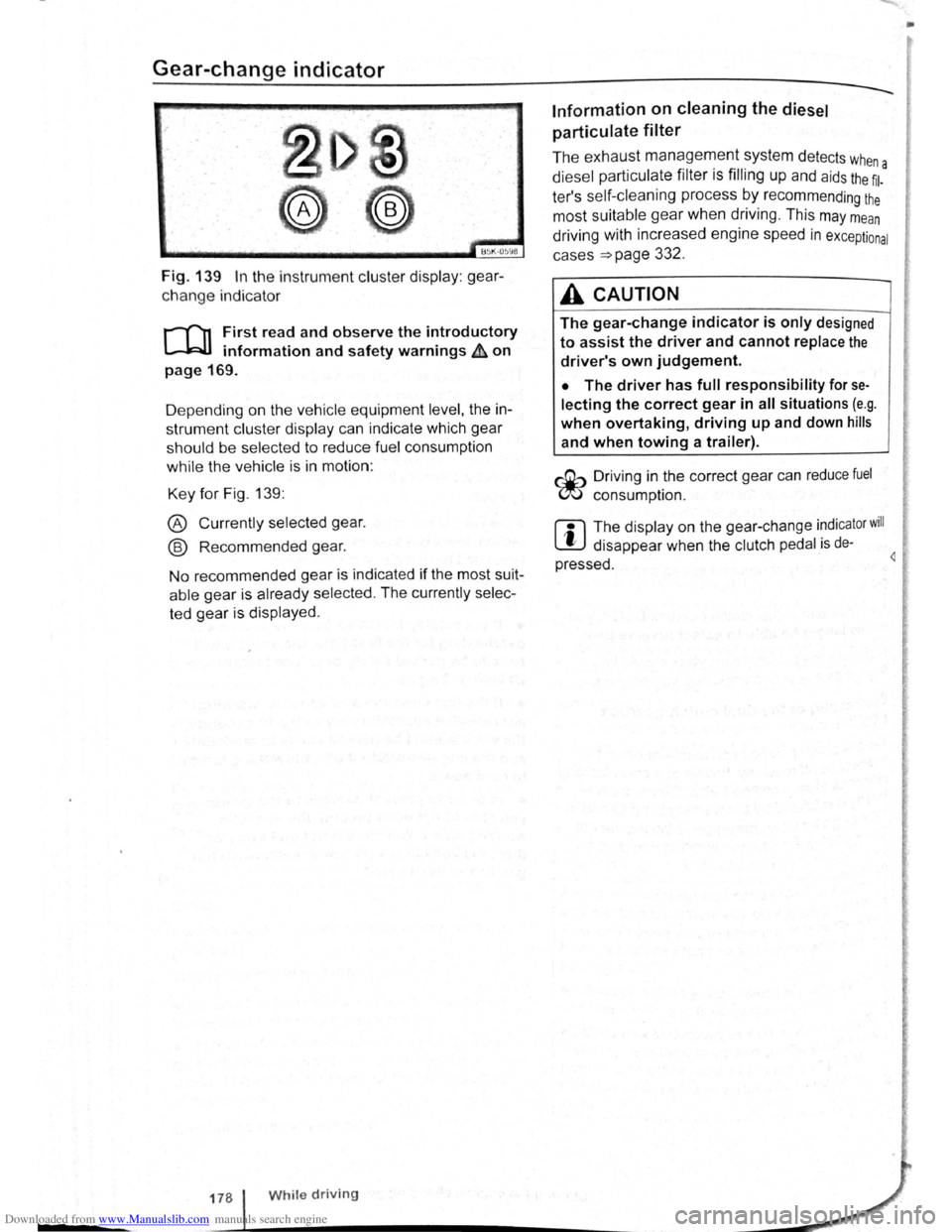
Fig. 139 In the instrument cluster display: gear
change indicator
r-T'n First read and observe the introductory
L-.WI information and safety warnings ~ on
page 169.
D epending on the vehicle equipment
level, the in
strument cluster display can indicate which gear
should be selected to reduce fuel consumption
while the vehicle is in motion :
Key for Fig. 139:
® Currently selected gear.
@ Recommended gear.
No recommended gear is indicated if the most suit
able gear is already selected . The currently selec
ted gear is displayed .
178 While driving
Information on cleaning the diesel
particulate
filter
The exhaust management system detects whe
diesel particulate filter is filling up and aids the ~l-a
ter's self-cleaning process by recommending the
most suitable gear when driving . This may mean
driving with increased engine speed in exceptional
cases
=>page 332 .
A CAUTION
The gear-change indicator is only designed
to assist the driver and cannot replace the
driver's own judgement.
• The driver has full responsibility for se
lecting the correct gear in all situations (e.g .
when overtaking, driving up and down hills
and when towing a trailer).
r::Gb Driv ing in the correct gear can reduce fuel
W consumpt ion.
m The display on the gear-change indicator will
W disappear when the clutch pedal is de·
pressed . 4
•
Page 85 of 138
Downloaded from www.Manualslib.com manuals search engine Activating and deactivating the start/stop
system manually
• Press the 0 button in the centre console
~Fig. 146.
• If the start/stop system has been deactivated,
the indicator lam p in the button lights up.
The engine will start if the vehicle is in stop mode
when the system is deactivated manually.
Start/stop
mode when adaptive cruise
control (ACC) is active
The engine will be switched off after the adaptive
cruise control (ACC) has brought the vehicle to a
standstill with an active braking intervention
~page 226.
In the following instances, the engine will restart
when the ACC is active:
• If the accelerator is depressed.
• When the ACC has resumed speed and dis
tance control.
• If the vehicle ahead has moved on.
The brake servo and the electromechanical
steering will not function if the engine is
switched off.
• Never allow the vehicle to roll if the engine
is switched off.
• The start/stop system must be deactivated
if work is to be carried out in the engine com
partment.
Downhill driving assistant
rf'n First read and observe the introductory
~ information and safety warnings £ on
page 196.
The downhill driving assistant in veh icles with an
~utomatic gearbox helps when braking and travel
ling downhill ~ £. The downhill driving assistant
uses the braking power of the engine .
The automatic gearbox selects the best gear for
t~e circums tances by taking the steepness of the
h1l.l and the current speed into consideration. To do
th1s the selector lever must be in position D or S.
The downhill driving assistant is not active in Tip
Ironic mode .
As the downhill driving assistant can only shift
down as far as the 3rd gear, it may be necessary
to activate the Tiptronic mode when driving down
If the start/stop system is used in very high
outside temperatures over a long period, the
vehicle battery can be damaged.
m In some cases, it may be necessa ry to restart
L!J the engine manually. F ollow any correspond
ing messag es on the instrument cluste r display.
m The start/stop system is automatically activa
L!J ted when the Eco driving mode is selected in
vehicles that have Driving Mode Selection
~page 248 .
select the 2nd or 1st gear manually in order to
make use of the braking effect of the engine and to
relieve the brakes .
Activating the downhill driving assistant
automatically:
• If the incline is greater than approximately 6%.
• AND: if the selector lever is in position 0 or s.
• In addition, if the CCS or ACC is switched
off: if the vehicle speed is less than approximately
80 km/h (50 mph) or the brake pedal is depressed.
• In addition if the CCS or ACC is active: if the
stored speed is exceeded .
Driver
assist systems 199
..
Page 87 of 138
Downloaded from www.Manualslib.com manuals search engine CD
• The ultrasound sensors should only be
sprayed briefly when cleaning with pressure
hoses and steam cleaners. A distance
of more
than
10 cm between the ultrasound sensors
and the steam/hose nozzle must
be observed.
• Sources of noise can lead to errors in the
ParkPilot system, e.g. rough asphalt, cobble
stones, induction loops, building equipment,
or
interference from other vehicles.
• Any equipment that has been retrofitted to
the vehicle, e.g . bicycle carriers, can prevent
the ParkPilot from functioning properly.
Operating ParkPilot
If an ultrasound sensor fails, the corrrespond.
ing area of the ultrasound sensor cluster is
switched off and cannot be reactivated until th
fault has been rectified. Consult a qualified
workshop in the event
of a system fault. Volks.
wagen recommends using a Volkswagen deal.
ership for this purpose .
r::l Volkswagen recommends that drivers prac
L!J tise using the ParkPilot in a traffic-calmed
area or car park to allow them to familiarise them
selves with the system and its functions.
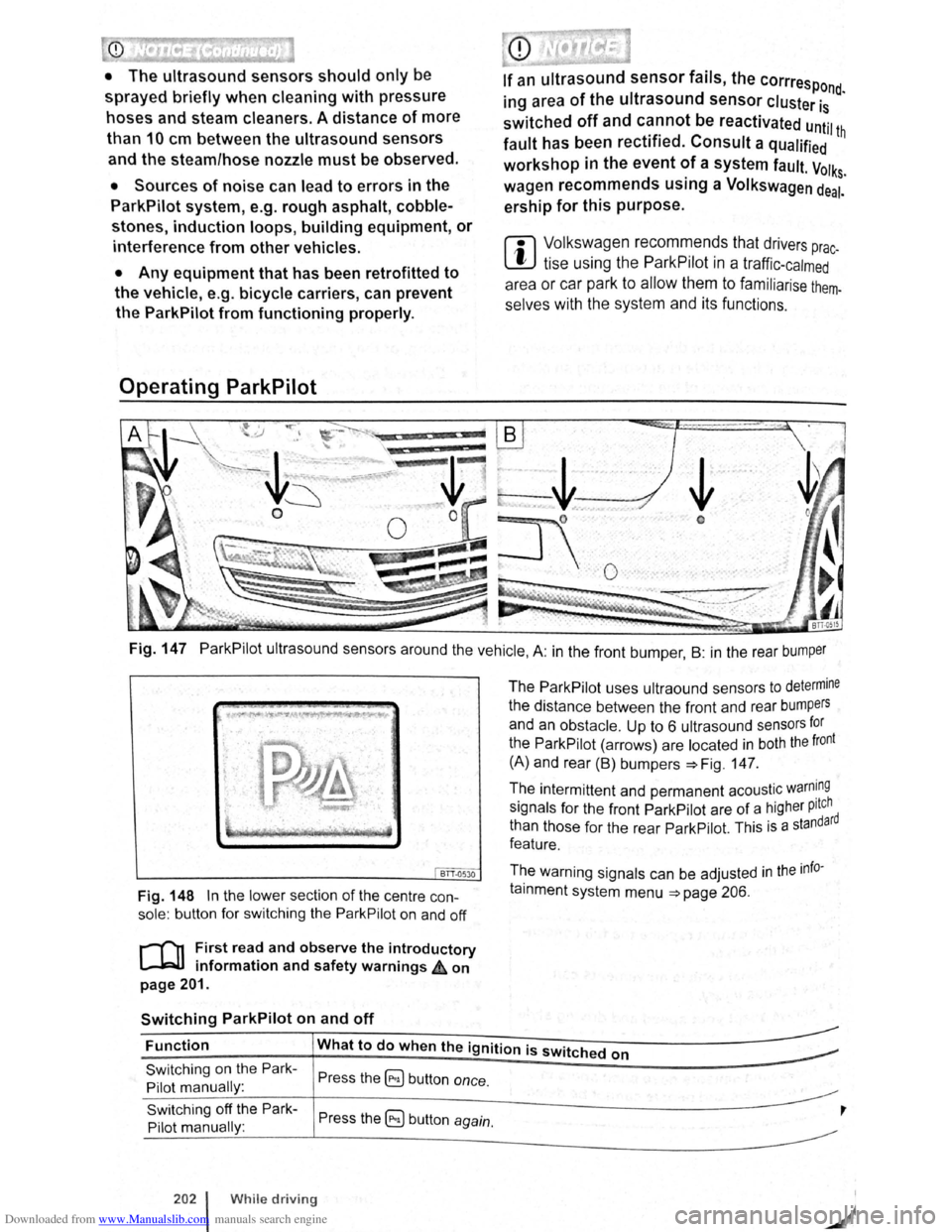
Fig. 147 ParkPilot ultrasound sensors around the vehicle, A: in the front bumper , B : in the rear bumper
BTT.Q530
Fig. 148 In the lower section of the centre con
sole: button for switching the ParkPilot on and off
r-('n First read and observe the introductory
l.-JRlJ information and safety warnings ,£ on
page 201.
Switching ParkPilot on and off
The ParkPilot uses ultraound sensors to determine
the distance between the front and rear bumpers
and an obstacle. Up to 6 ultrasound sensors for
the ParkPilot (arrows) are located in both the front
(A) and rear (B) bumpers :::.Fig. 147.
The intermittent and permanent acoustic
warn~ng
signals for the front ParkPilot are of a higher pitch d
than those for the rear ParkPilot. This
is a standar
feature.
The warning signals can be adjusted
in the info
tainment system menu :::.page 206.
Function What to do when the ignition is switched on
Switching on the Park
Pilot manually :
Switching off the Park
Pilot manually :
202 l While driving
Press the ~ button once.
Press the 5) button again.
,
Page 100 of 138
Downloaded from www.Manualslib.com manuals search engine ' '' '
-
,li ~lP lllP lUll' slynr~l for tl1e s.ide o f th e s tree t
11 1, ,,u v ;:~r1l t
o l P lP ·t a pllrk111g space . Th e ,,, ,, 11 ' ' ~1,, ruli11\.l ~ide f the lr ells sl1own o n the tn-
'''"P , ~\111111P11 l itlq{(ll displlly
I p8d,ir1\-J ~pc:n·e i s t gmdod as suit ab le i f it is
:IIPR~l o a 11, lo11u o r lllall llle ve hi cle.
1'~1 "'" • WIIPil 1 AI kin g prtrall el to the road: driv e pas t
thE~ pe~'"'''~ Rp;:~ce Rl a SI ee d of no m ore than
~~ ~rll'h ( r. rnpll) and at a d is ta n ce betw een ap
pr\.l\llllRlr l Q .r. Ill cmd 2 rn from the parking sp ace .
, Wlum p~r kin perpendicular to the road:
dn\ e pns tllle p;:1rl~i11 space a t a sp ee d of n o mor e
lhan :£0 ""'11' (1 2 111~h) and a t a dista nce be tw ee n
ili'P' \ltmle ly 0.5 m a nd 2 m from the parking
~I'R '9 .
• Yuu \1 ill R ·lli eve b st parkin g result s if yo u stop
, ur el11 ·le a para lle l as possib le to the parke d
veh1 ·I o r tll o edge of til e road.
• If a ullal>l e par king space is indi cated in the in-
l1lll11e llt ·lust r disp la y, s lop the ve hicle and , after
a brief pause, se lect rev erse gear.
• F 11 w til e Ins tructions in the instrum ent cluster
dtSIJI~y
• Rei :la e til e steeri ng wheel wh en th e following
me· age Is sh ow n ~ in Introduc tio n on
Page21 teering intervent. active!
Monitor the area around vehicle.
• Clle k the area aro und the ve hi cle and careful-
1 depress til e acce lerator p e dal - do not exceed
7 hm/11 (4 nliJh).
• The Park Ass is t sys te m will only operate the
steenng wheel duri ng the parki ng pro ced ure. The
driver operates the accelerator, clutch, gear
hift and bra ke .
• r=ollow the vis ual in stru ctions and the acoustic
Wan~ing to nes of the Park As sis t system until the
Palkll1g procedur e has bee n completed .
• lhe Park Assis t sys te m will guide the vehicle
\Vhen d rivin g fo rw ards and re ve rsing until the vehi
cle Is parked straig ht in the parking space.
t Wait until the stee ring has completed the steer
ng P1~C dure at the e nd of eve ry parking move
nlent In orde r to ac hieve an optimal p arking result.
; )
A n1es age is display ed on the instrument clus
Ger one the parking procedure is completed and
n ~cou tic s ignal tone may b e he ard .
... .__ -.. -r ---.J'-
Interrupting or automatically stopping the
parking procedure
The Park Ass is t system will stop the parking proce
dure if th e following happens :
• The 8 button is pressed.
• The ve hi cle spee d when parking is higher than
app roxim ate ly
7 km /h (4 mph).
• The driver operates the steering wheel.
• The parking procedure was not completed with
in approximately 6 minutes of activating the auto
matic stee ring intervention .
• There is a system fault (system is temporarily
un ava ilable) .
•
The TCS is switched off or the TCS or ESP
starts to regulate .
r::l The Park Assist system has system-related
l!J limitations . For example, the Park Assist sys
t e m cannot help you to park the
vehicle on tight
b e nd s.
r::l Wh en parking parallel to the road , a warning
L!J signal can be heard to tell the driver to switch
between driving forwards and reversing because
the change
of direct ion should not take place in the
permanent tone area
of the ParkPilot.
r::l The progress bar in the instrument cluster
l!J display will symbolically indicate the relative
distance remaining .
W If the Park Assist system turns the steering
l!J wheel when the vehicle is stationary , the 6l
symbol appears as well. Depress the brake pedal
so that the steering movement takes place with the
vehicle stationary, keeping the required number of
parking movements to a minimum.
r::l If the parking result worsens after a wheel is
~ changed, the system will first have to syn
chronise
itself with the new wheel. The synchroni
sation procedure is carried out
automatically while
the vehicle is in motion. You can support this proc
ess by driving slowly (less than 20 km/h (12 mph))
through a bend, e.g. in an empty car park.
Page 101 of 138
Downloaded from www.Manualslib.com manuals search engine Driving out of a parking space with the Park Assist system (only parking
spaces
parallel to side of road)
..-T'n First read and observe the introductory
L-1:J.I information and safety warnings & on
page
213.
Getting out of a parking space
• Sta rt th e e ngin e.
• Pr es s the~~ Fig . 158 button . An indicator
lamp lights up in the button when the function is
switch ed on .
• Press the turn sign al lever for the side of the
str ee t wh ere the parking space is that you want to
g e t
out of.
• Sele ct re verse gear.
• Follow the instructions of the Park Assist sys
tem .
• Release the steer ing wheel when the following
mess age is shown ~ ~ in Introdu ction on
page 213
Steering intervent. active!
Monitor the area around vehicle.
• Check the area around the vehicle and careful
ly depress the accelerator pedal -do not exceed
7 km /h (4 mph) .
Automatic brake intervention
r-('n :irst rea~ and observe the introductory
L-lc:JJ 1nformat1on and safety warnings ~ on
page
213.
The park assist system helps the driver by braking
automatically . The automatic braking does not re
place the driver's responsibility for the accelerator
brake and
clutch ~ £. '
A parking manoeuvre will be interrupted if a speed
of approximately 7 km /h (4 mph) is exceeded .
Automatic brake intervention to avoid
excess speed
An automatic brake intervention may occur to pre
vent .the
vehicle from exceeding a speed of ap
proximately 7 km/h (4 mph) . The parking manoeu
vre can be cont inued after the automatic brake in
t e rvention .
The automatic br a
ke intervention can take place
once per parking manoeuvre .
216 I While driving
---• The Park Assi~t syste.m will operate only the
steering wheel whrle gettrng out of the parking
space .
The driver operates the accelerator
. ' clutch, gear shaft and brake.
• If it is possible to pull out of the parking space
the Park Assist
system is ended automatically . '
Take
over steering and, if the traffic situation allows
it, pull out of the parking space.
Automatic cancellation for getting out of a
parking space
The Park Assist system will cancel the procedure
of getting out of the parking space if one of the fo l
lowing happens :
• The vehicle speed when getting out of the park
ing space is higher than approximately 7 km/h
(4 mph).
• The driver operates the steering wheel.
•
There is a system fault (system is temporarily
unavailable).
• The TCS is switched off or the TCS or ESP
starts to regulate . ~
Automatic brake intervention to minimise
damage
~hen approaching an obstacle, automatic braking
Intervention may occur. The Park Assist system
may bring the vehicle to a standstill before the ob
stacle under certain conditions , e .g . weather, ultra
sound detection , conditions of the car, load or in
cline .
•
Depress the brake pedal ~ &!
The. Park Assist system is ended following an auto
matic brake intervention to minimise damage.
A WARNING
Do not let the extra convenience afforded bY
the P~rk Assist system tempt you into takin~
any nsks when driving -this can cause accl
dents. The system is not a substitute tor the
full concentration of the driver.
• You should always be prepared to brake ,
the
vehicle yourself.