tow VOLKSWAGEN BEETLE 2011 Owner´s Manual
[x] Cancel search | Manufacturer: VOLKSWAGEN, Model Year: 2011, Model line: BEETLE, Model: VOLKSWAGEN BEETLE 2011Pages: 138, PDF Size: 49.24 MB
Page 80 of 138
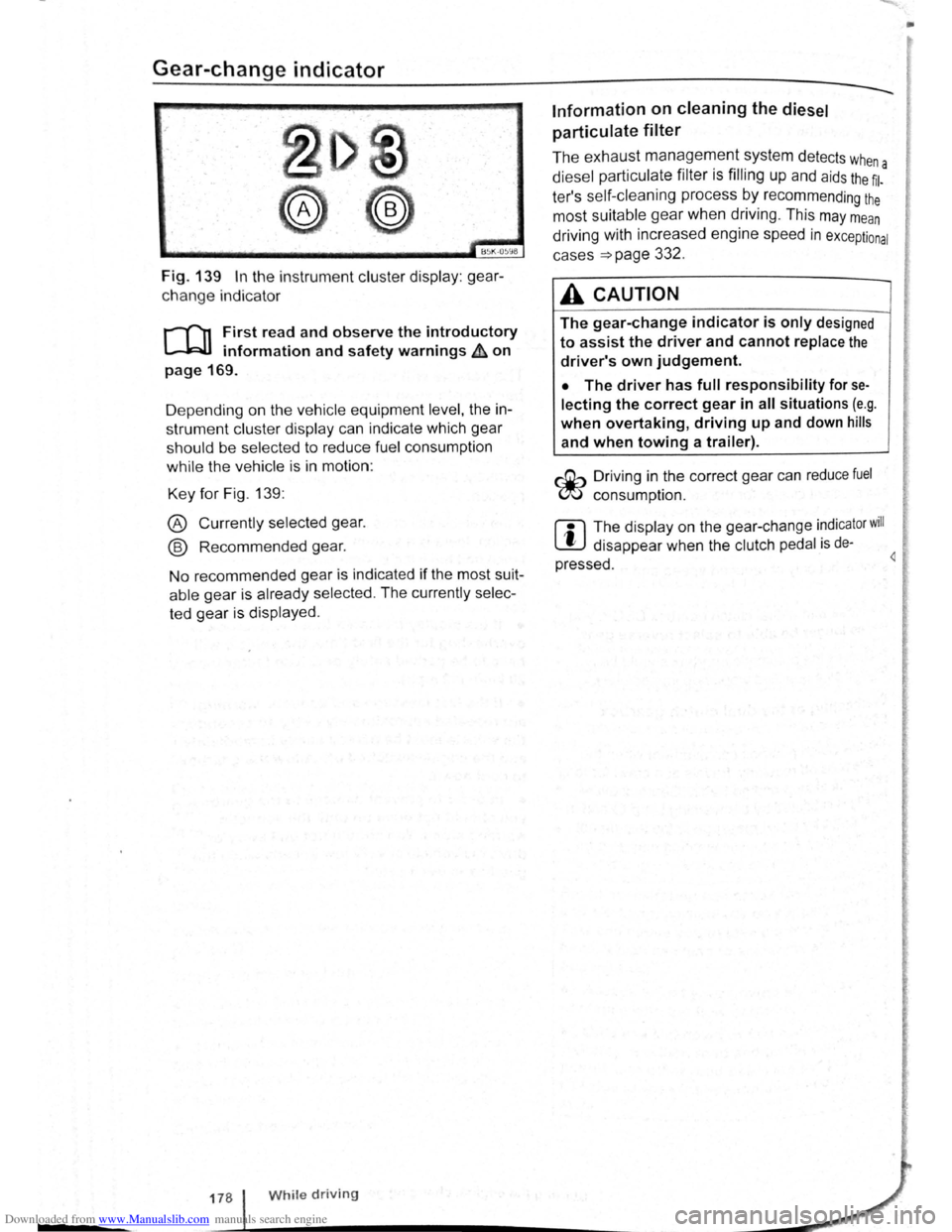
Downloaded from www.Manualslib.com manuals search engine Gear-change indicator
B~K-O~Y8
Fig. 139 In the instrument cluster display: gear
change indicator
r-T'n First read and observe the introductory
L-.WI information and safety warnings ~ on
page 169.
D epending on the vehicle equipment
level, the in
strument cluster display can indicate which gear
should be selected to reduce fuel consumption
while the vehicle is in motion :
Key for Fig. 139:
® Currently selected gear.
@ Recommended gear.
No recommended gear is indicated if the most suit
able gear is already selected . The currently selec
ted gear is displayed .
178 While driving
Information on cleaning the diesel
particulate
filter
The exhaust management system detects whe
diesel particulate filter is filling up and aids the ~l-a
ter's self-cleaning process by recommending the
most suitable gear when driving . This may mean
driving with increased engine speed in exceptional
cases
=>page 332 .
A CAUTION
The gear-change indicator is only designed
to assist the driver and cannot replace the
driver's own judgement.
• The driver has full responsibility for se
lecting the correct gear in all situations (e.g .
when overtaking, driving up and down hills
and when towing a trailer).
r::Gb Driv ing in the correct gear can reduce fuel
W consumpt ion.
m The display on the gear-change indicator will
W disappear when the clutch pedal is de·
pressed . 4
•
Page 84 of 138
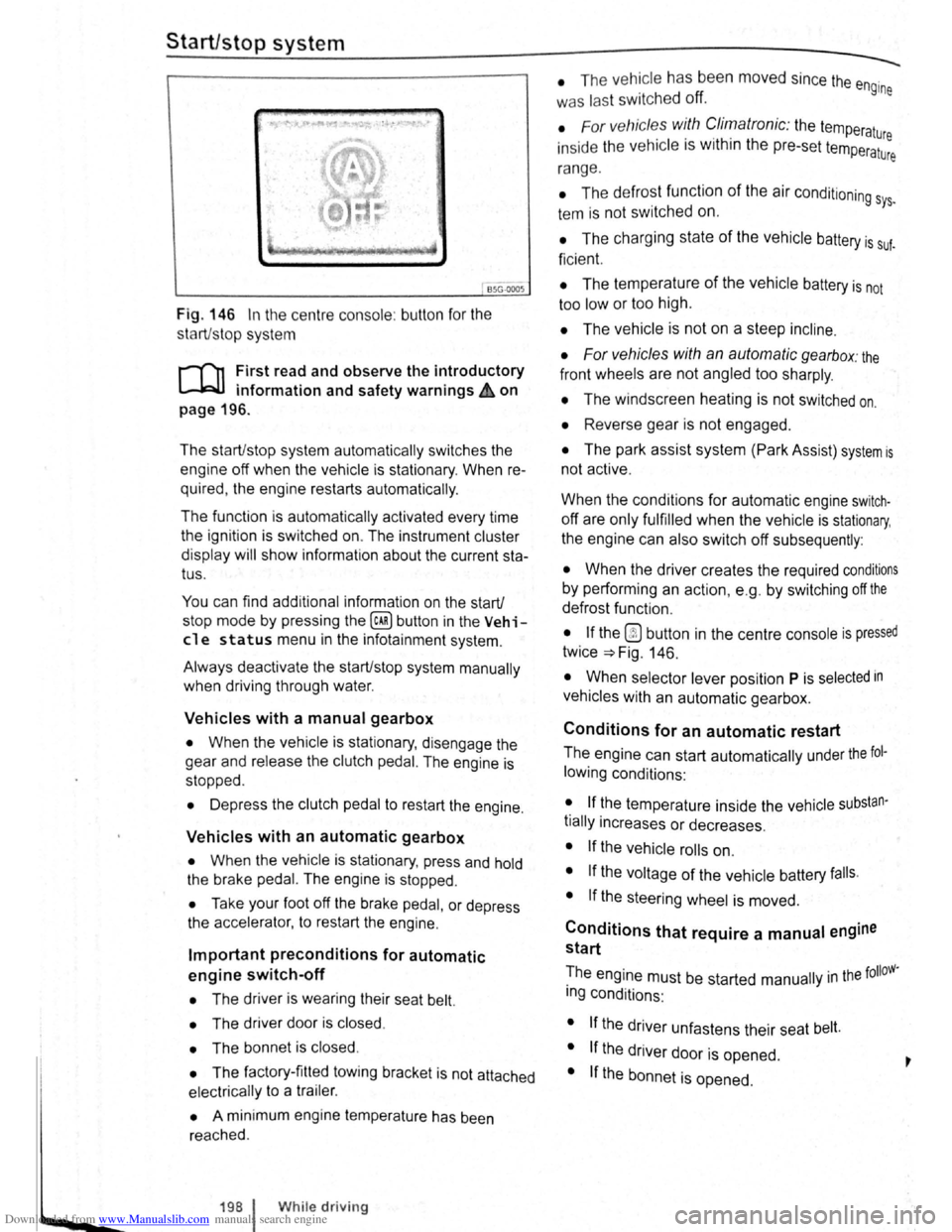
Downloaded from www.Manualslib.com manuals search engine ~S~ta~~~st~o~p~s~y~s~te~m~--------------------------------------
BSG-0005
Fig. 146 In the centre consol e: butt on for the
s tart/s top syst em
r-T'n First read and observe the introductory
L-lcJJ information and safety warnings .&. on
page
196.
The start/stop system automatically switches the
engine off when the vehicle is stationary . When re
quired , the engine restarts automatically .
The function is automatically activated every time
the ignit ion is switched on. The instrument cluster
display will show information about the current sta
tus .
You can find additional information on the start/
stop mode by pressing
the~ button in the Vehi
cl e status menu in the infota inment system .
Always deactivate the start/stop system manually
when driving through water.
Vehicles with a manual gearbox
• When the vehicle is stat ionary , d isengage the
g e
ar and release the clutch pedal. The engine is
stopped .
• Depress the clutch pedal to restart the engine .
Vehicles with an automatic gearbox
• When the vehicle is stationary , press and hold
the brake pedal. The engine
is stopped.
• Ta ke your foot off the brake pedal, or depress
the acce lerator, to restart the engine .
Important preconditions for automatic
engine switch-off
• The driv er is wearing their seat belt.
• The driver door is closed .
• The bonnet is closed .
• The factory-fitted towing bracket is not attached
ele ctrically to a trailer .
• A minimum engine temperature has been
rea ched .
198 I While driving
• The ve hicle has been moved since the engine
was las t switc he d off.
• F or v ehicle s with Climatronic: the temperatu
inside the ve hicle is within the pre-set temperat~~e
ra nge .
• The de frost function of the air conditioning sys.
tem is not switched on.
• The charging state of the vehicle battery is suf.
ficient.
• The temperature of the vehicle battery is not
too
low or too high .
• The vehicle is not on a steep incline.
• For vehicles with an automatic gearbox: the
front wheels are not angled too sharply .
• The windscreen heating is not switched on.
• Reverse gear is not engaged .
• The park assist system (Park Assist) system is
not active .
When the condit ions
for automatic engine swit ch
off are only fulfilled when the vehicle is stationary,
the engine can also switch off subsequently :
• When the driver creates the required conditions
by performing an action , e .g . by switching off the
defrost function .
• If the @ button in the centre console is pressed
twice ~Fig. 146.
• When selector lever position P is selected in
vehicles with an automatic gearbox.
Conditions for an automatic restart
The engine can start automatically under the fol
lowing conditions :
• If the temperature inside the vehicle substan
tially increases or decreases .
• If the vehicle rolls on.
• If the voltage of the vehicle battery falls.
• If the steering wheel is moved.
Conditions that require a manual engine
start
The engine must be started manually in the folloW·
ing conditions :
• If the driver unfastens their seat belt.
• If the driver door is opened .
• If the bonnet is opened.
Page 86 of 138
Downloaded from www.Manualslib.com manuals search engine -•
parkPilot
COl Introduction
This chapter contains information on the following
subjects:
Operating ParkPilot . . . . . . . . . . . . . . . . . . . . . . 202
parkPilot display
. . . . . . . . . . . . . . . . . . . . . . . . 204
ParkPilot menu . . . . . . . . . . . . . . . . . . . . . . . . . 206
Vehicle path display . . . . . . . . . . . . . . . . . . . . . 207
Towing a trailer . . . . . . . . . . . . . . . . . . . . . . . . . . 208
The ParkPilot assists the driver when manoeuvring
and parking . If the vehicle is approaching an obsta
cle located in the range of the ultrasound sensors ,
an intermittent acoustic warning is sounded , de
pending on the distance . The shorter the distance ,
the shorter the intervals . The acoustic warning will
sound continuously if the obstacle is very close .
The ultrasound sensors in the bumpers transmit
and receive ultrasound waves. The system uses
the time difference between the ultrason ic waves
(i.e. between the transmission and reflection from
obstacles and the point of reception) to continu
ously calculate the distance between the bumper
and the obstacle.
Additional information and warnings:
• Exterior views ~page 6
• lnfotainment system ~page 31
• Braking , stopping and parking ~page 179
• Reverse assist system (Rear Assist)
~page 209
• Park
assist system (Park Assist) ~page 213
• Cleaning and caring for the vehicle exterior
~page 294
• Accessories , modificat ions , repairs and renewal
of parts ~page 320
A WARNING
The ParkPilot cannot replace the full concen
tration of the driver.
• Unintentional vehicle movements can
cause serious injury.
• Always adapt your speed and driving style
to suit visibility, weather, road and traffic con
ditions.
• Ultrasound sensors have blind spots in
Which obstacles and people cannot be detec
ted '--.
A WARNING (Continued) ~-
• Always monitor the area around the vehi
cle as the ultrasound sensors will not always
detect infants, animals and objects.
• Certain surfaces of objects and clothes
cannot reflect the signals from the ultrasound
sensors. The system is unable to detect
these objects or people wearing this type of
clothing, or they may be detected incorrectly.
• External sources of sound can affect the
signals of the ultrasound sensors. In certain
circumstances, the system may not recog
nise people or objects.
A WARNING ~-.
Automatic activation of the ParkPilot only oc
curs at very low speeds. An inappropriate
driving style can cause accidents and serious
injuries.
• Always bear in mind the time delay be
tween the signals.
• The ultrasound sensors may not always be
able to detect objects such as trailer drawbars,
thin rails, fences, posts, trees and open or
opening tailgates. This can result in damage to
your vehicle.
• If the ParkPilot has detected an obstacle
and issued a warning, the obstacle may move
out of the detection range of the sensors as the
vehicle approaches it, particularly if the object
is very high or very low. These objects are no
longer registered.
• The vehicle can sustain considerable dam
age if the warning given by the ParkPilot is ig
nored.
• The ultrasound sensors in the bumper can
be displaced or damaged through impacts, e.g.
when parking.
• The ultrasound sensors in the bumpers
must be kept clean and free of ice and snow
and not be covered up by stickers or other
items, as these may prevent the system from
working properly.
Driver assist systems 2o1
Page 89 of 138
Downloaded from www.Manualslib.com manuals search engine ParkPilot di play
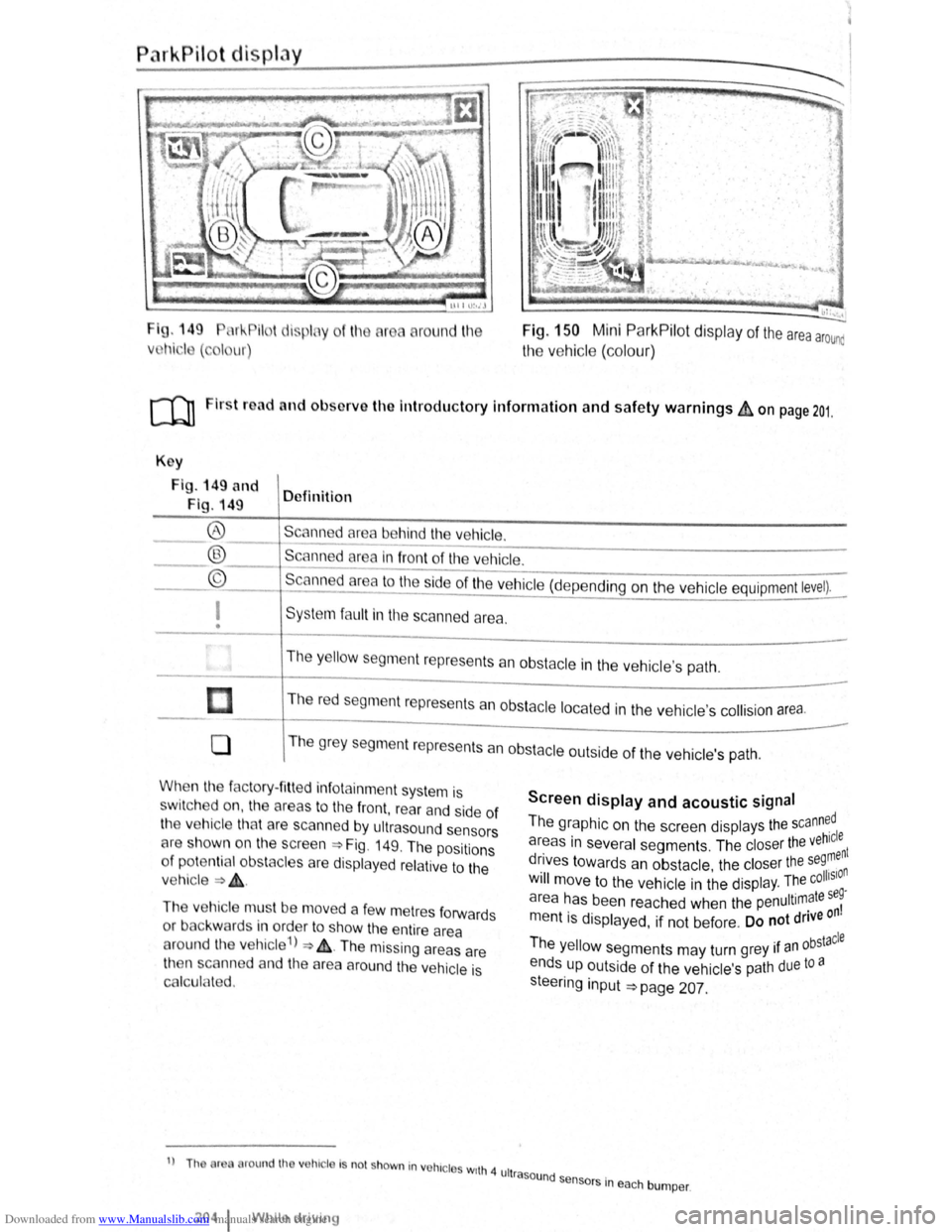
I g. 149 11 !--Pilot lispl y
Vl l~i ·I ( , I ur)
round l11e Fig. 150 Mini ParkPilot display of the area arounc
the vehic le (co lo ur)
ro Firs t road and ol>sorve the Introductory Information and safety warnings&, on page 201.
Key
Fig . 149 and
Fig. 149 Definition
Scann d
area behind the vehicle. ®
® ©
------------------------ -----------Scanned area in front of the ve hicle.
--------------------------------Scanned area to the ~ide of the vehic le (depe nding on the ve hicl e equipment level).
I
• Sys te m fa ult in the scanned area .
The
y ello w segm ent represents an obstacle in the vehic le's path .
Th e r
ed segment represents an obsta cle loca te d in the vehicle's collision a rea.
0 T he grey segment represents a n obstacle outside of the ve hicl e's path.
When the factory- fitt ed inf otainment syste m is
sw it c h ed on , the a reas to the front , rear and side of
the vehicle tha t are scanned by ultrasound sensors
cH e sh own o n the scree n =>Fig. 149. The positions
o f
potentia l obs tacles are displa ye d re lative to the
v e hic le
=> & .
The vehicle mus t be move d a fe w m etres forwards
or back war
ds in order to show the e ntire area
around the vehicle 1
) => & . The missing areas are
t11en scanned and the area around the vehic le is
Cf'llcula ted.
1
) Th or round th v hic le Is no t shown in vohrc l s wrth 4 ult
2o4 1 Whil e driving
Screen display and acoustic signal
The graphic on the screen displays the scann~dl
areas in several segments . The closer the veh~:nt
drives towards an obstacle the closer the se9, n . • olhSIO Will move to the ve hicle in the displ ay. The c .
a r
ea has been reache d when the penultimate se~
m entis displayed, if not be fore . Do not drive on
Th . bstacle e yello w segments may turn grey 1f an °
ends up outside of the vehi cle's path due to a
s teeri
ng input =>page 207.
rasound se .
n sors m eac h bumper .
Page 93 of 138
Downloaded from www.Manualslib.com manuals search engine l
• All s m nts r di ... plny d m gr y and the ve
hicl p Hll dtspl y 1 h1dd n wh n th e electron re
< rk1n bruke 1 clos d.
• All s m nts are dtsplayed tn grey and the ve
hi cle path d1sploy
IS htdden when the selector lever
IS in po 1t10n P (: nd the ParkPrlot ts activated
Towing a trailer
The vehtcle path drsplay IS not sho\\'n v.hen toy, tng
a trarler .
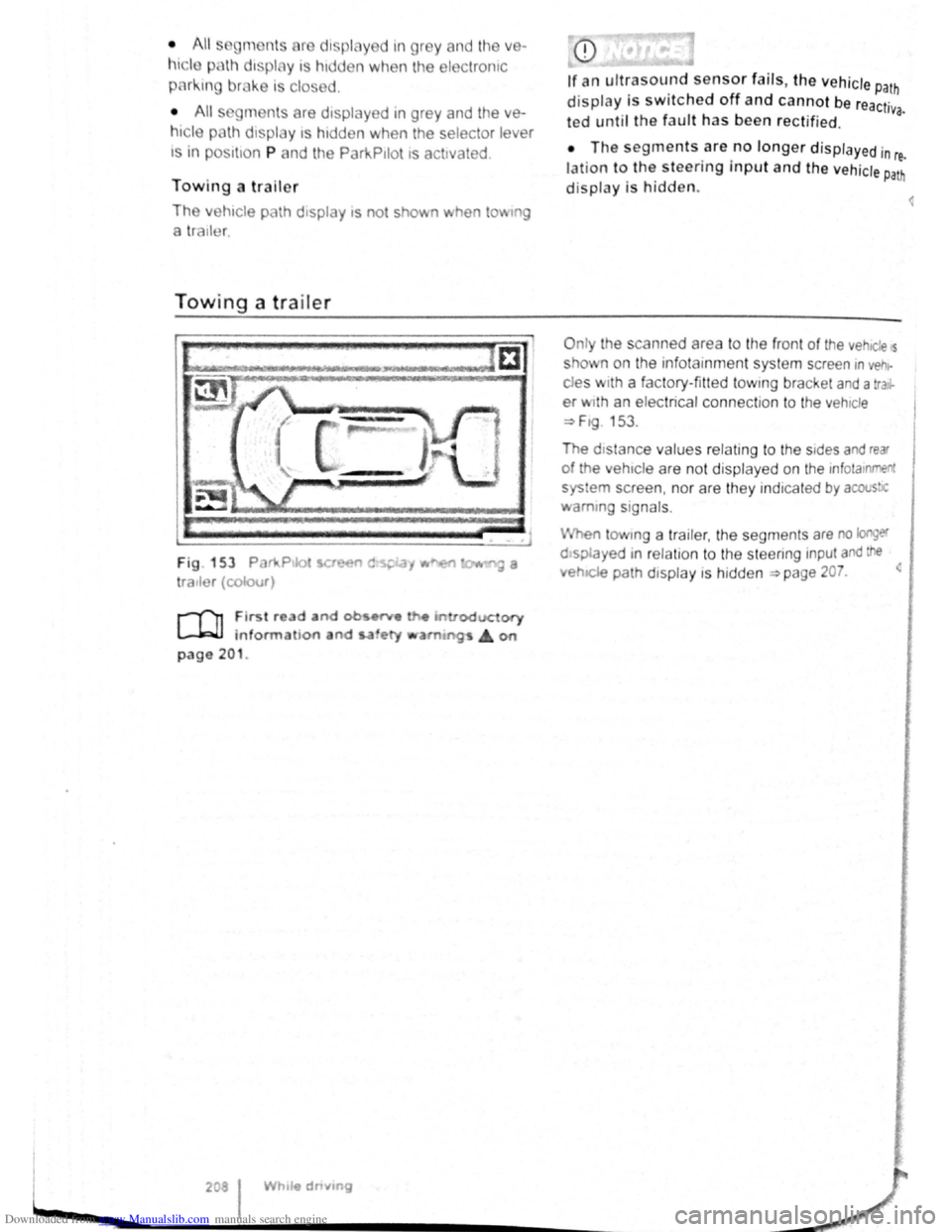
Towing a trailer
Fig . 153 Par111.Ptlot !et
tratler (colour)
r-('n First re d and ob •~
L-.l.:JJ information and s.a ety
page 201 .
208 I While dnvmg
display is switched off and cannot be reactr· va. ted until the fault has been rectified.
• The segments are no longer d isplayed in re.
lation to the steering input and the vehicle Path
display is hidden.
O nly the scan ned area to the front of the vehtcle s
s o' n on the infotain ment system screen rn vehr
des w rth a factory-fitted towtng bracket and a tra.r
er w1th an electrical connection to the vehtcle
~F1g 153 .
The dtstance values relating to the stdes and rear
of the ehtcle are not displ ayed on the infotamment
sys em screen , nor are they ind rcated by acous!JC
amm g signals .
en tow1ng a tra iler, the segments are no longer
o splayed 1n r elatron to the steenng input and the
.. e~IC!e path drsplay is hidden ~page 207. <
<
Page 97 of 138
Downloaded from www.Manualslib.com manuals search engine Parking
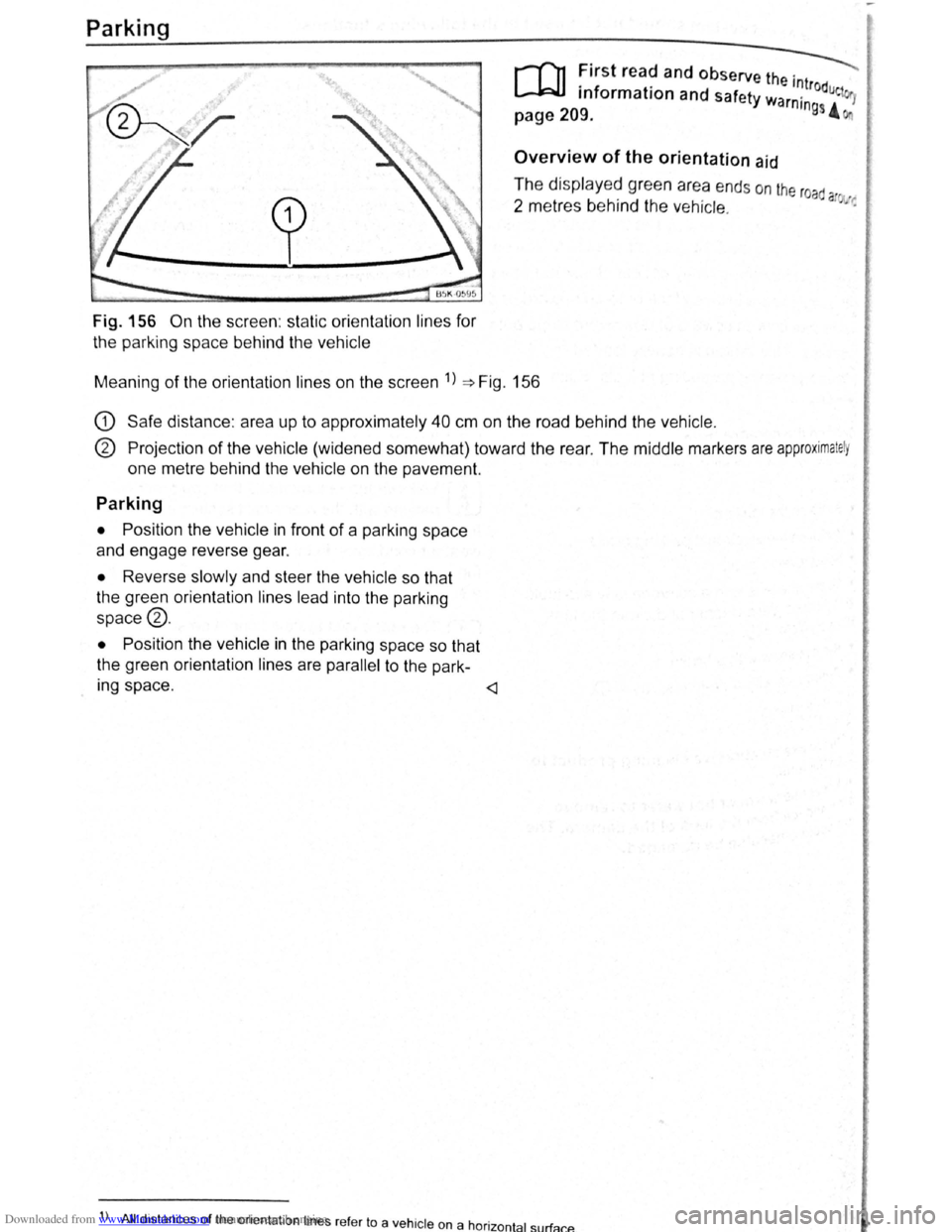
Fig. 156 On the screen : static orientation lines for
the parking space behind the vehicle
r-T'n First read and observe the . ---._
L..-J.=JJ information and safety wa '~trodue 1
page 209. rntngs 4
Overview of the orientation aid
The displayed green area ends on the road
2 metres behind the vehicle. a ~·:
Meaning of the orientation lines on the screen 1
) ~Fig. 156
G) Safe distance : area up to approximately 40 cm on the road behind the vehicle.
® Projection of the vehicle (widened somewhat) toward the rear . The middle markers are approximately
one metre behind the vehicle on the pavement.
Parking
• Position the vehicle in front of a parking space
and engage reverse gear.
• Reverse slowly and steer the vehicle so that
the green orientation lines lead into the parking
space®.
•
Position the vehicle in the parking space so that
the green orientation lines are
parallel to the park-
Ing space .
) All distances of the orient ation lines refer to a vehicle on a hor · t 1 rf 1zon a su a cP..
Page 98 of 138
Downloaded from www.Manualslib.com manuals search engine park Assist system
WJl Introduction
is c ha pt er contain s information on th e following
5 bJects :
par in g using the Park Assist system . . . . . . . 214
Driv in g out of a parkin g space with the Park
Assist s y stem (only parking spaces paralle l to
s id e of
road) . . . . . . . . . . . . . . . . . . . . . . . . . . . . 216
A
toma ti c brak e intervention . . . . . . . . . . . . . . 216
; e Park As sist s y stem helps the driver in findi ng
su·table park in g spaces, when parking in suitable
p a ra
lle l or perpend icu lar parking spaces and whe n
get ·n g o ut of para lle l parking spaces.
T
e Park Ass ist system has certa in system-rela ted
limitations and th e driver should be particularly
carefully when using the Park Assist system => 4::,..
One element of the Park Assi st system is the Park
Pilo~ which is des igned to provide assist an ce
when parkin g.
In vehicles w ith ParkP ilot optical display the scan
ned area to the front , rear and to the sides of the
vehicle will be shown on the screen of the radio or
the navigat ion sys tem. W ith in the scope permitted
by the sys tem , the pos it ion of obstacles w ill be
s
hown in rel at ion to the vehicle .
T he
Park Ass is t system cannot be sw itched on if
the factory -fitted towing bracket is e lectrically co n
n e
cted to the trailer.
Additional information and warnings:
• Exterior views =>page 6
• Braking , stopp ing and parking =>page 179
• ParkPilo t =>page 201
•
C leaning and caring for the vehicle exterior
~page 294
• Accessor ies, mod ificatio ns, repairs and renew al
of Parts =>page 320
..._A W ARN ING
D o not le t the extra convenience afforded by
the Park Assist system tempt you into taking
any risks when driving-this can cause acci
dents. The system is not a substitute for the
full concentration of the driver.
• Un intentional vehicle movements can
cause serious injury.
A WARNING (Continuec;f) -
• Always adapt your speed and driving style
to suit visibility, weather, road and traffic con
ditions.
• The surface of certain objects, including
clothing, as well as external noise sources do
not reflect the signals from the Park Assist
system or the parking distance warning sen
sors or can cause the system to fail to detect
objects or persons.
• Sensors have blind spots in which obsta
cles and people cannot be detected.
• Always monitor the area around the vehi
cle as the sensors will not always detect in
fants, animals and objects.
..
A WARNING .. p k
When driving into or out of a parking space
using the Park Assist system, the steering
wheel will automatically make quick turning
movements. You could be injured if you at
tempt to touch the steering wheel spokes.
• The Park Assist system uses parked vehi
cles, the kerb and other objects as guidance.
Please ensure that the wheels and tyres are not
damaged when parking the vehicle. If necessa
ry, stop the parking procedure in good time to
prevent damage to the vehicle.
• The sensors may not always be able to de
tect objects such as trailer drawbars, thin rails,
fences, posts, trees and open or opening tail
gates. This can result in damage to your vehi
cle.
•
If the ParkPilot has detected an obstacle
and issued a warning, the obstacle may move
out of the detection range of the sensors as the
vehicle approaches it, particularly if the object
is very high or very low. These objects are no
longer registered. The vehicle can sustain con
siderable damage if the warning given by the
ParkPilot is ignored. The same applies to the
Park Assist system, for example when parking
behind a lorry o r a motorbike. Therefore, al
ways check the space in front of and behind
the vehicle and stop the vehicle in good time if
necessary.
I D•ive• assist systems 12t3
~~------------------~-~! ----------------~~@~-~· ~---J~-
Page 118 of 138
Downloaded from www.Manualslib.com manuals search engine Possible radar sensor function impairments
The adaptive cruise control will switch off tempora
rily if th e radar sensor function is impaired , e .g .
due to heavy rain, spray , snow, ice or mud . A cor
responding message will appear in the instrument
clu ster display .
Clean the radar sensors as re
quired .
The adaptive cruise control will automatically be
available again as soon as the radar sensors are
no longer impaired . The message in the instrument
cluster display goes out, and the adaptive cruise
control can be reactivated .
~trong. reflected radiation of the radar signal , e.g.
1n mult1-storey car parks , can impair the function of
the radar sensor .
Towing a trailer
The adaptive cruise control operates with reduced
dynamics when the
vehicle is towing a trailer .
Overheated brakes
If the brak~s. overheat , e .g . following heavy braking
or when
dnv1ng down steep inclines for long peri
ods , the
ada~tive cruise control may be deactiva
ted
t~mpor~nly. A correspond ing message will ap
p e ar
.m the tns~rument cluster display. lt is then not
poss1ble to act1vate the adaptive cruise control.
As soon as the temperature of the brakes has de
creased sufficiently , the adaptive cruise control can
be activated again. The message in the instrument
cluster
display goes out. If the message ACC not
ava i 1 ab 1 e does not go out for a long time, there
is a fault. Proceed to a qualified workshop. Volks
wagen recommends using a Volkswagen dealer
ship for this purpose.
.,. . ..,,
... -,
If the message ACC ready for start ap·
pears
in the instrument cluster display and
th_e vehicle in front moves off, your vehicle
w1ll move off automatically. In some cases
the radar
sensor may be unable to detect ob·
st~cles that are located in the vehicle's path.
Th1s can result in serious injury and acci·
dents.
l
• Always check the road ahead before the
veh~cle pulls away. If necessary, cancel the
pulling away procedure by depressing the
brake
pedal.
~--~--------------------~~
Page 122 of 138
Downloaded from www.Manualslib.com manuals search engine Activating and deactlv ting th ' r ,
monitoring sy stcn1
Front Assis t can be active t d o r ciE, cllv to d L fnl ..
lo w s when th e igniti on Is witcl1 d on :
• U sing the butt on f or drlv r c , sl." l y.._ \c 1n~~, " n ..
lect the corresp o ndin g m nu opti on ~ pr a ·
• OR : activate or d Clctlv ate tho • s tc n1 ll! I no
the (c AR ) button and the G a nd Drlvtll ,:,: l: ' '"''c ., fun , ..
t ion buttons in the
fo la inm nt sy s t( 111 • png 3 1.
Activating and deactivating advanced
warning
The adv a nced w arning ca n be ocllv nto d or dO;"lCti
va te d using the (tAR) butto n and the G and
(Driver a ss istf m ce ) function buttons in the lnf ot._ lnrn Jlll
syst en1 ~pag e 31.
IIHJ y: lrH ll tl: n ru t:iln· lt1n fH J(Jnnr1111,J tl .
I , •,lltw~
wiH 11 tiH lq11ltlnn "' x t wltt,h n d rJt ':f
V n il . w : t(JOfl r fH,Oir IItH HId ttu d tt HJ ; 1dvqw 1 • '
J W·Hrt
In n yt 1t '"I wlt<.IHJd on tl tlllllrw,·,,
A c
tlvntln J or do a tlv atlnu th <.JI itt"tnc;o
w. r u in g
1 ho <11 tn nc< wru nlno (11 pi:Jy c :u1 b o tu ,llv;''' 'd r1r
d< \cllvnl( cl I If lrl(J ttll ( tARj tHJliCJt ' Hlfj lhtJ f "J ~Httj
Q >rlvnt ru1 iJ ,I,.r~e:t, fune11on t) IJlt CHl In U1 irlfCJ!:Jir tt n rsnt
y~torn >pno 3 1.
h l y! torn nit o r lHir H lho proor:srnrnnrJ (,lt1n g
wi H n l11 lunlll or I noxl witch od or,
V olk . w . oon ror,ornrnf nd UHtl Ulo tJI tnrtt,(j W~rrt·
lng 1:1 'w lt c t lO d on Ht oil tlm' ( .
Temporarily switch off the area monitoring system (Front Assist) in the
following situations
r-f'n First read and observe the introductory
L-Wl information and safety warnings £ on
page 235.
The area monitoring system (Front Assist) s h o uld
b e switched off
in the following situations due to
syst em limit
ations ~ £ .:
• If the ve hicl e is being towed.
• If the ve hicl e is on a rolling road test be d .
• If the radar senso r is faulty.
• On exter na l force on the radar sensor, e .g . afte r
a
rea r-end collision . •
In
the ev nt of mu ltip le unwanted intorventioM
• If tt1e ra d or se nso r Is co ve red tornpo rarily by
a ny a uxili nry equipm ent , e.g . a uxiliury headlights.
• If the vehic le i s being loaded onto a lorry, car
f e rry or m oto rail tr ain.
Failure to switch off Front Assist In the
named situations can cause accident s and
serious injuries.
't ' 1 situa· • Switch off Front Assist In en tea <
tions.
System limits ~
---------------------------------------------------
[Q] ~irst rea~ and observe the introductory
anformatton and safety warnings & on
page 235.
The ~rea monitoring system (Front Assist) has
phys1cal and syste~-relate.d limit s. The driv er m ay
there for e feel that, 1n certa m circums tances s
F
t A . t
. , ome
r o n
ssls react ions occur unexpec te dly or with a
de la y. You should the re fore alw ays be prepare d t
take full control of the vehicle if necessar y. 0
The .following conditions can prevent Front
Assast from reacting, or cause a dela . .
reaction: Y 1
" Its
• In tig ht bends .
• If the acce lerato r is fully depressed .
. a fault
• If Front Ass is t i s s wit c h e d off or there 15
• If TCS is m anu ally swit ch ed off .
• If the ESC is ta king corrective action. tne
• If there is a fa ult in se vera l brake lightsnonnectioO
. · al eo vehtcle or on a traile r with an electnc
to the ve hi cle .
• If the ra d ar senso r is dirty or cove red.
• If the vehicle is re ve rsing .
• Under hard acce le ra tion .
• In snow or hea vy ra in . bikeS·
motor
• In case of n a rrow ve hicl es, e.g . left or
• If ve hicl es are tr ave lling slightly to the
right
of y o ur ve hicl e. vehicle·
• If vehic les are crossing in front of your
Page 126 of 138
Downloaded from www.Manualslib.com manuals search engine 'Vhen traffic sign recognition is switched on, traffic
;igns in fron t of the vehicl~ are. regi~tered by a
:amera in the base of the mtenor m1rror. After in
spection a nd evaluation of the information from the
camera, the navigation system and the current ve
hicle data , up to 3 valid traffic signs ~Fig. 175 B
w ill be disp layed with the accompanying addit ional
s i
gns:
1st posit ion : the traffic sign that currently applies
for the driver is shown on the left-hand side
of the display. For example, a speed limit of
130 km/h ~Fig. 175 A.
2nd position : traffic signs that do not always apply
(e.g . 100 km/h "In wet" ) are shown in sec
ond place.
Additional sign: If the vehicle ra in sensor detects
rain while the vehicle is in motion , the traffic
sign with the addit ional
" In wet" sign that
now applies will be moved left to the first po
sition .
3rd position : an additional traffic sign that does not
always apply will be displayed in the third
position , e .g . overtaking temporarily
not per
mitted
~Fig. 175 C .
Town or village boundary signs trigger the display
of the standard speed limit for urban or country
roads in the relevant country. If the town or village
boundary signs have an add itional sign showing a
speed limit, this sign will appear in the display . S
ig ns ind icating the
end of a speed limit or over
taking restriction will not be displaye d .
There is no warning when you exceed the dis
played
speed limits . The legal regulations apply.
Switching the traffic sign display on and off
in the instrument cluster
The continuous display of traffic signs in the instru
ment cluster can be switched on and off using the
(ili) button and the G and (Driver assista nce) function
buttons .
Trailer mode
In vehicles with a factory-fitted towing bracket and
an electrical connection to the vehicle , the display
of traffic signs that may apply to the vehicle when
towing a trailer, e.g. applicable speed limits and
no-overtaking signs, can be switched on or off us
ing the~ button and the G!) and (Driv er a ssist ance}
function buttons in the infotainment system
~page 31. <1
Driver assist systems I 245