page 92 VOLKSWAGEN GOLF 2007 Workshop Manual
[x] Cancel search | Manufacturer: VOLKSWAGEN, Model Year: 2007, Model line: GOLF, Model: VOLKSWAGEN GOLF 2007Pages: 444, PDF Size: 92.7 MB
Page 180 of 444
and Equipment
The front spoiler also en sures proper bution of the cooling a ir w hen t he vehicle is mov in g. The engin e could overheat if th e spoiler
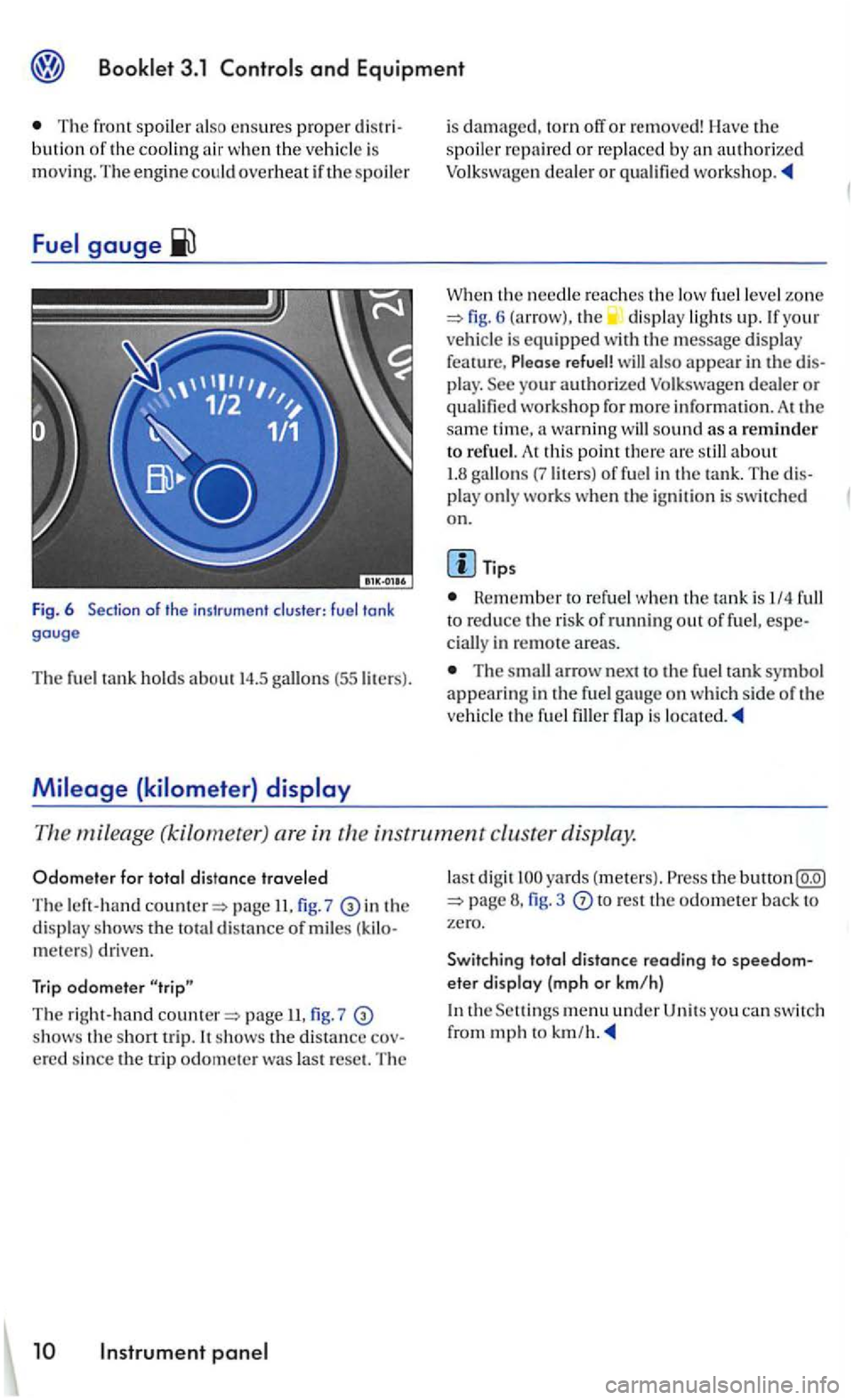
Fig. 6 of the instrument cluster: fuel tank gauge
Th e fuel tank hold s about 14.5 (55 liters).
is damaged, torn off or removed! Ha ve the spoil er repaire d or rep laced by an autho rized Volkswagen deale r or
W he n the needle reaches th e low fuel le ve l zo ne 6 (arrow), the displa y ligh ts up. If you r
ve hicle is equipped with th e message display
fea ture, Please refuel! a lso appear in the play. workshop fo r more informatio n. At the sam e tim e, a warning sound as a reminder to refu el. A t thi s point th ere
Tips
Rem ember to refuel when th e tank is I/4 to reduce the risk of running out of fuel, in remote a reas.
The arrow n ex t to the fue l tank symbol appearing in the fu el gau ge o n wh ic h side of th e
ve hicl e th e fuel is
mileage (kilometet ) are in th e in strument cluster display.
Odom ete r f or t otal distance travele d
The left-han d page II. 7 in th e displ ay shows the to tal distance of mile s meters) driven.
Trip odomete r
T he right-hand page 7 shows th e s ho rt trip. It shows th e distance
la st di gi t yards ( mete rs) . Press the button 3 to res t th e odometer back to zero.
Swit ching tota l
distance reading to eter display (mp h o r km/h)
the men u under U ni ts you can switc h
from mph to km /h.
Page 181 of 444
Informational or malfunction messages are identified by a warning light or
symbo l and, depending on the
kind of instrument cluster in your vehicle , with a
matching text in the display.
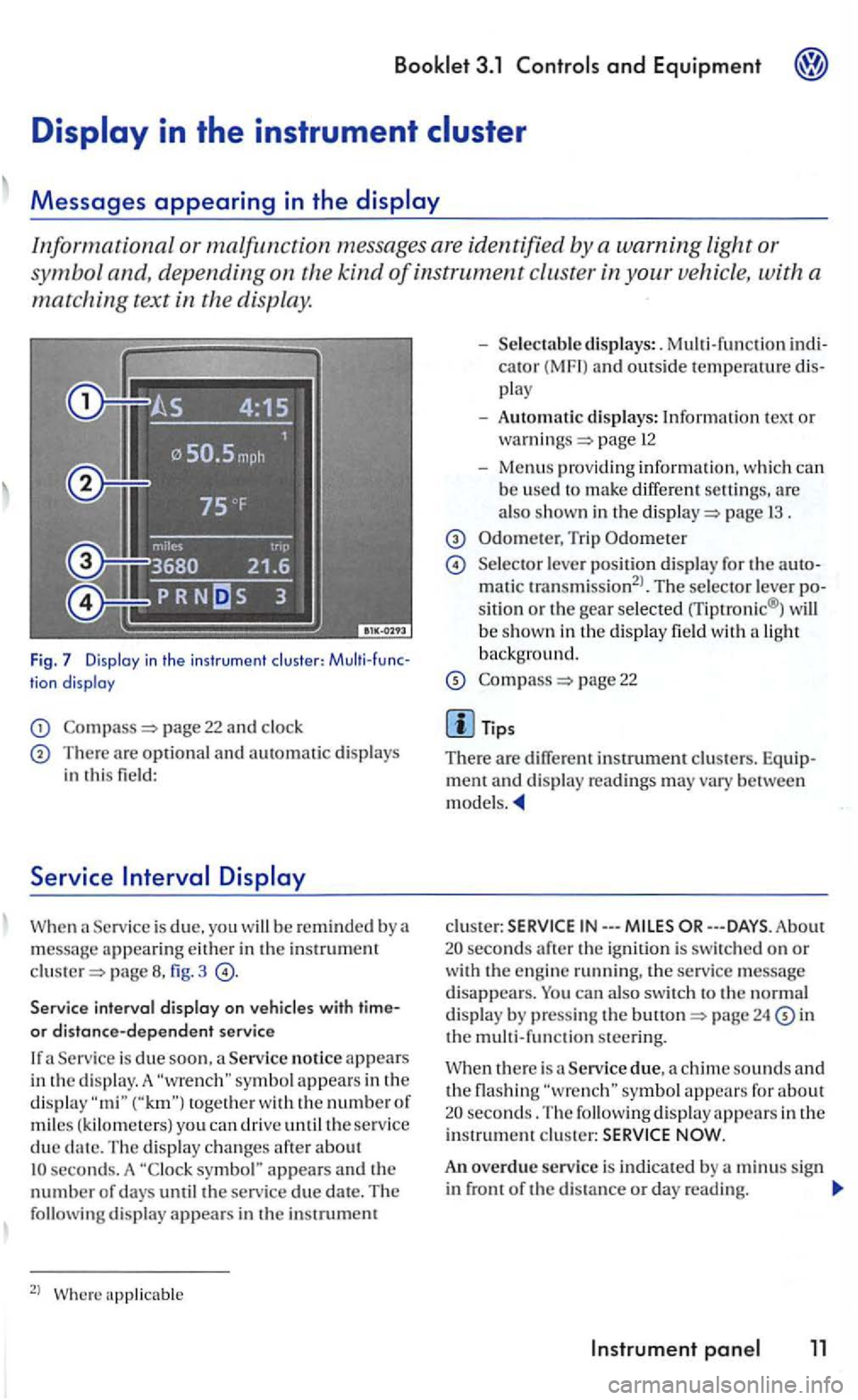
Fig. 7 Display in the in str umen t clu ste r: tion display
page 22 and clock
There are optional and automatic displays in this field:
Serv ice
page fig. 3
Service interval display on
Service is due soon , a Service notice appears
i n the d is play. A togeth e r with the numbe r of miles ( kilom ete rs) you can driv e until the service due seconds. A symbol" appears and the number of days until the service due date. The following display appear s in the instrumem
2
l
cator (MF I) and outside temperawre play
- Automatic displays: Information tex t or page 12
-Menus providing informatio n, w hich can b e used to make differ ent are also shown in the page 1 3 .
Trip Odometer
Selecto r lever positio n di splay for the matic transmission2
l. The selector lever sitio n or the gear selected rriptronic® ) will
b e show n in th e display field wit h a light backg round.
page 22
m ent and disp lay rea dings may vary between models.
clus te r: IN---
24 in the m ult i-function steering.
Service due, a chime sounds and the flashing seconds. The following display appears in the i nstrument c lu ster:
An overdue service is indicated by a m inus sign in front of the di sta nce or day reading.
Instrument 11
Page 183 of 444
3.1 and Equipment
Failure to heed warning light s and other important vehicl e information can lead to a
breakdown in traffi c, collis io n and se rious personal injury.
Never ignore warni ng lights and warning m essages !
Wheneve r stall ed or stopped for repair,
m ove the vehicle a safe distance off the road,
s top th e e ngin e, and turn on th e emergency flas he r a nd use other warn ing dev ices to warn approaching traffic.
Before workin g in the engine compartment, always read and heed all WARNLNGS bookle t 3.2 in the engine The engi ne compartmen t of motor ve hicl e is a potentially dangerous area and can cause serio us personal injury .
Note
Failure to observe warning lights or wa rning
text s can cause damage to you r veh icle.
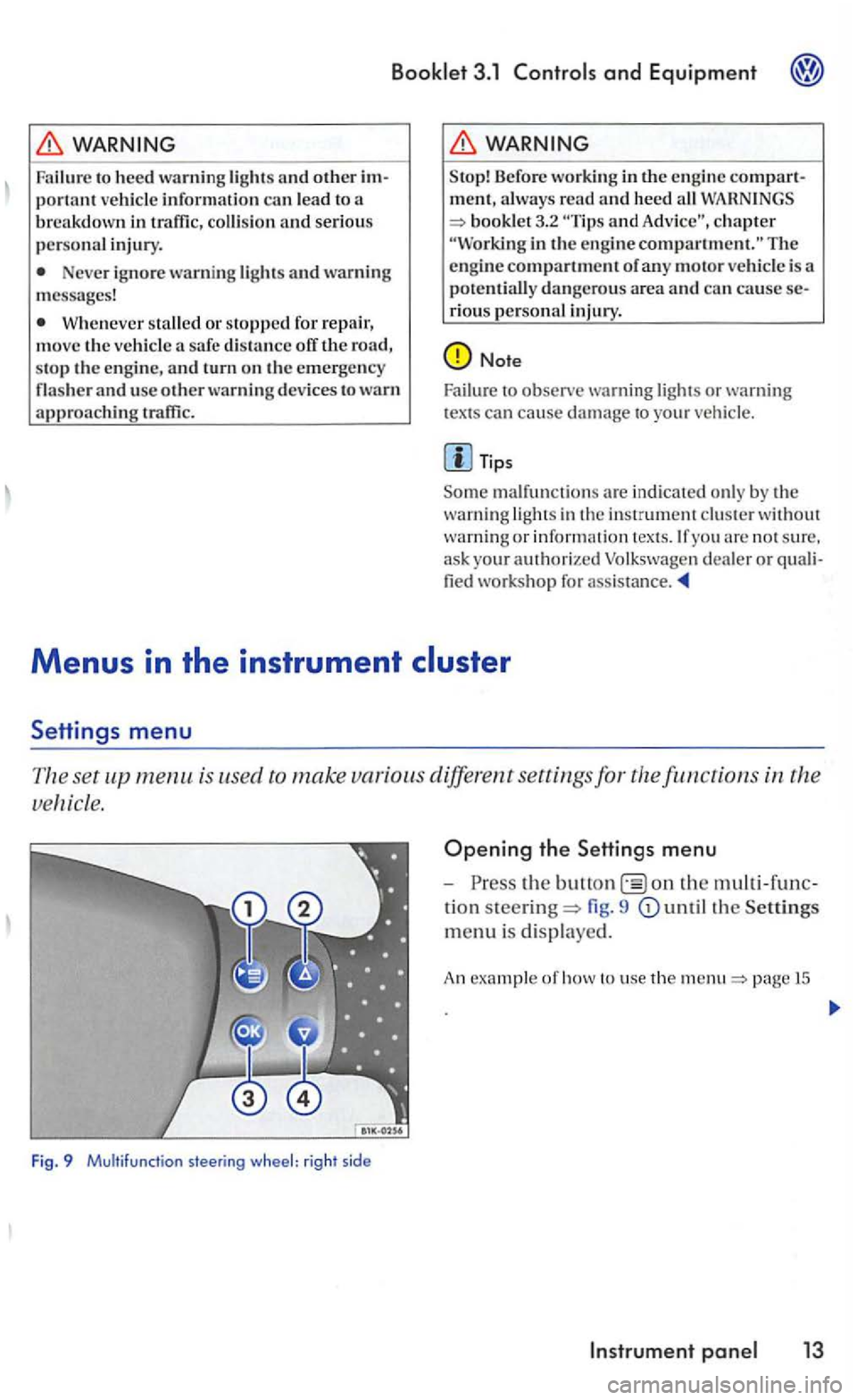
is used to make various different settings for the
Fig. 9 Multifunction steering wheel: right sid e
Opening the Settings menu
-the on the
tion steering= fig. 9
page 15
Page 187 of 444
Convenience
Door open
ATA confirm
Conv. mode
Mirrors
adjust
Fa cto ry setti ng
Back
Booklet 3.1 and Equipment
Function
The ve hicle locks doors w he n the veh icle is m ov ing and unl ocks the doors w hen the key is remo ved from the ig n ition lock.
The activation of the q ui red.
Co nve
nience operation of the po wer windows: determines if the drive rs doo r window , windows or no window s ho ul d be ope ned when th e ve hicle is unlocke d. This function can only be activa te d
via the drive r's door.
The front passenger sid e mirror be adjusted automatically
of these fu nctio ns to the ori gin al factory ring s.
men u.
The menus shown in the dis p lay de pends on th e
ve hicle electron ics and the option s
Lights & Vision menu
Vario us se ttings can be made for vehicle Lighting
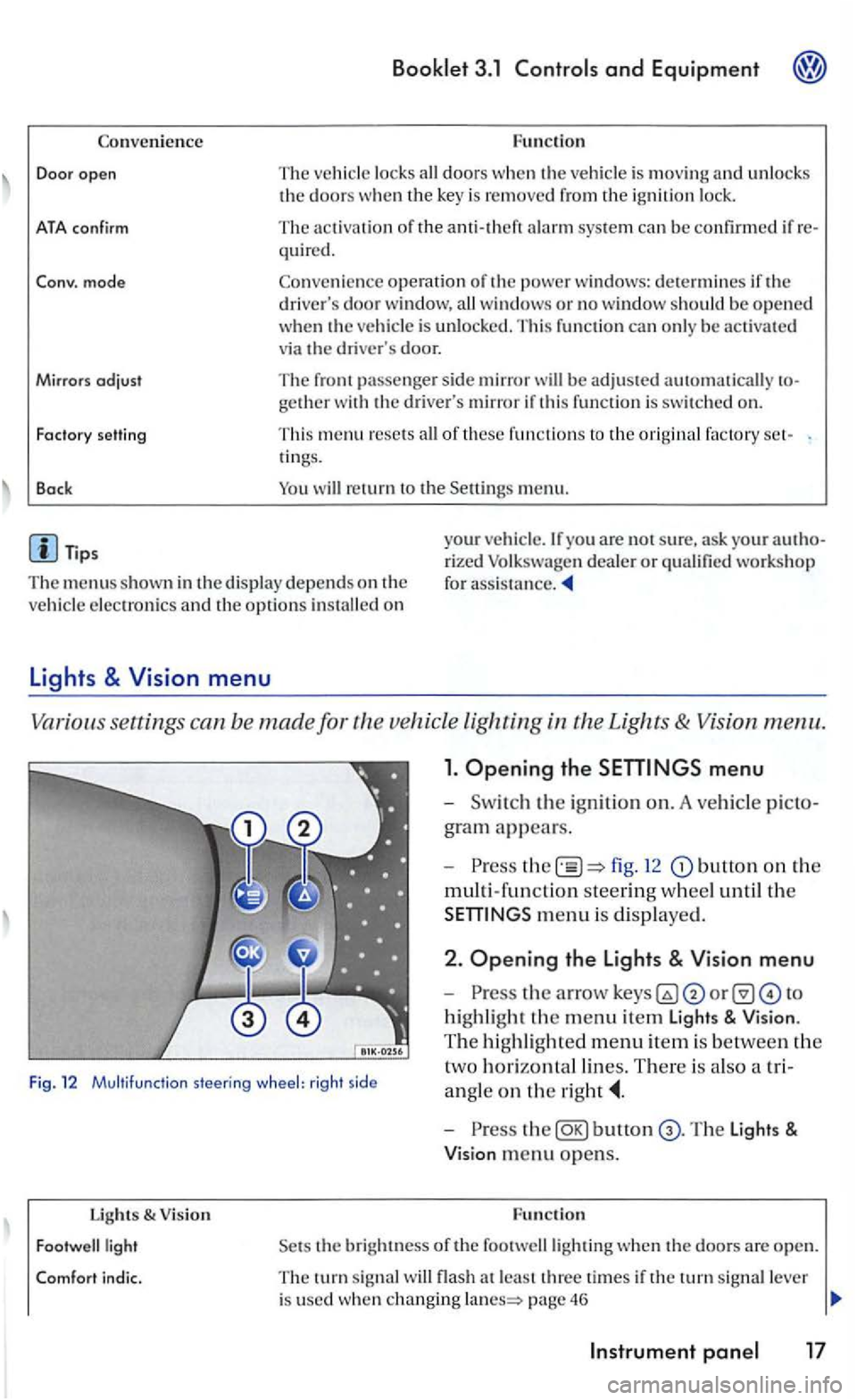
1. Opening the
fig. 12 button on the
multi-fun ction steering w hee l until th e
m enu is dis played .
Fig. 12 Multifu nctio n steering wheel: rig ht side
2 . Opening the Lights & Vision menu
-
highli ght the m enu item Light s & Vision .
T he hi ghli gh te d m e
nu item is be tween the
t
wo h orizontal lin es. There is als o a tri
a n gle
on the
Lights & V ision
bunon
the bright ness of the footwelllighting when th e doo rs a re open.
T he turn sig nal flash a t le ast thre e time s if the tu rn sig nal lever
i s used whe n changing page 46
Page 188 of 444
Booklet 3 .1 Controls and Equipment
Functio n lights & Vision
Factory setting This menu resets all of these functio ns to the original factory tings.
Back Heturn to the m enu.
Tips
The menus shown in the dis play depends o n ve hicle electronics and the options installed on
Applies to with sound system
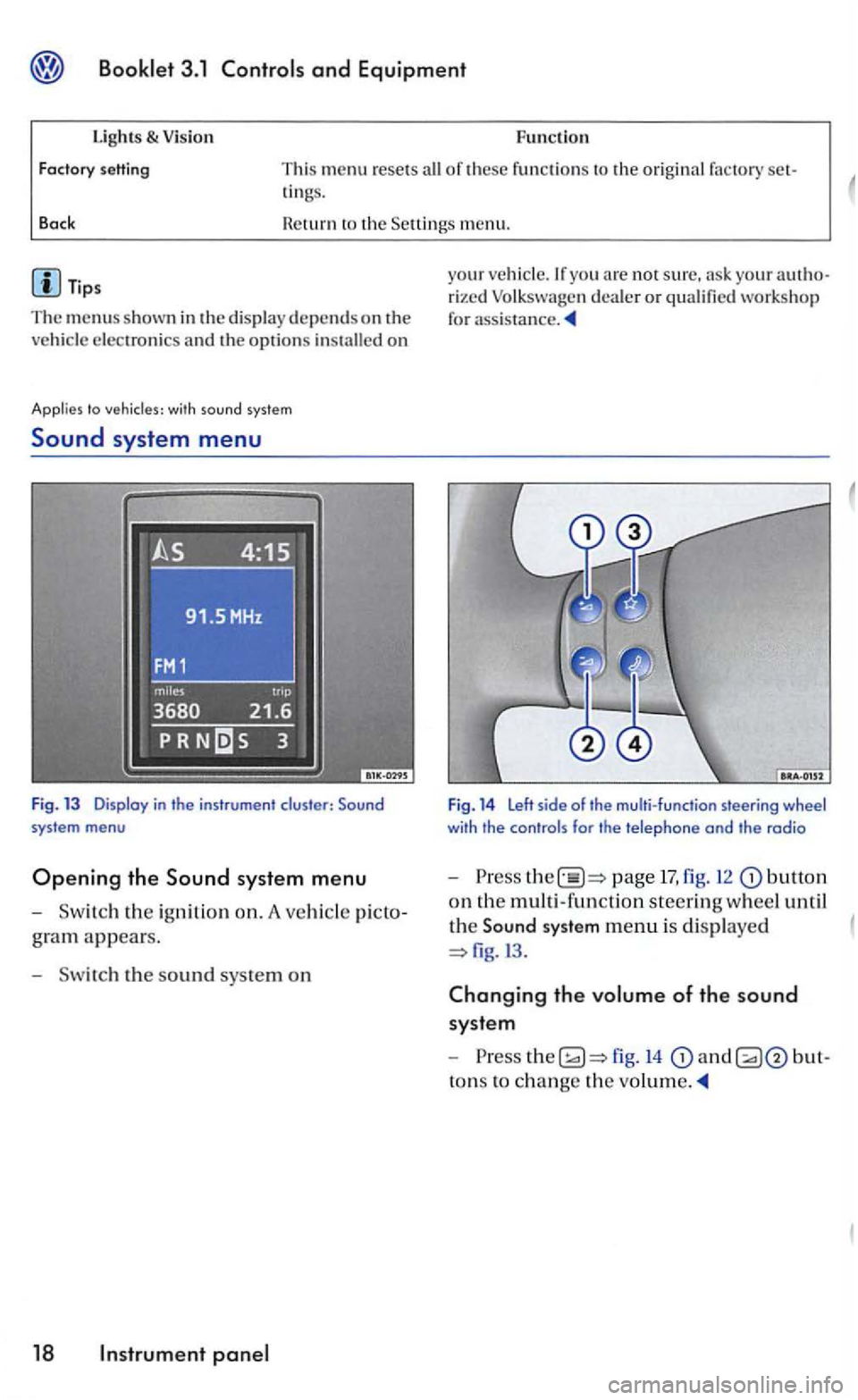
Sound system menu
Fig. 13 Display in the instrument cluster:
gram appears.
- Sw itch the s
ound sys te m on
18 panel
your veh icle.lfyou arc not sure, your rized Volk swage n dea ler or qualified workshop
for
Fig. 14 Left side of the multi-function steering wheel with the controls for the telephone and the radio
-Press page 17, fig. 12 butto n
on th e multi -functio n steerin g wheel until
th e
Sound system menu is di splaye d
fig.l3 .
Changing the volume of the sound
syste m
-
to ns to ch ange the
Page 193 of 444
Booklet 3.1 Controls and Equipment
with compass and sound syste m
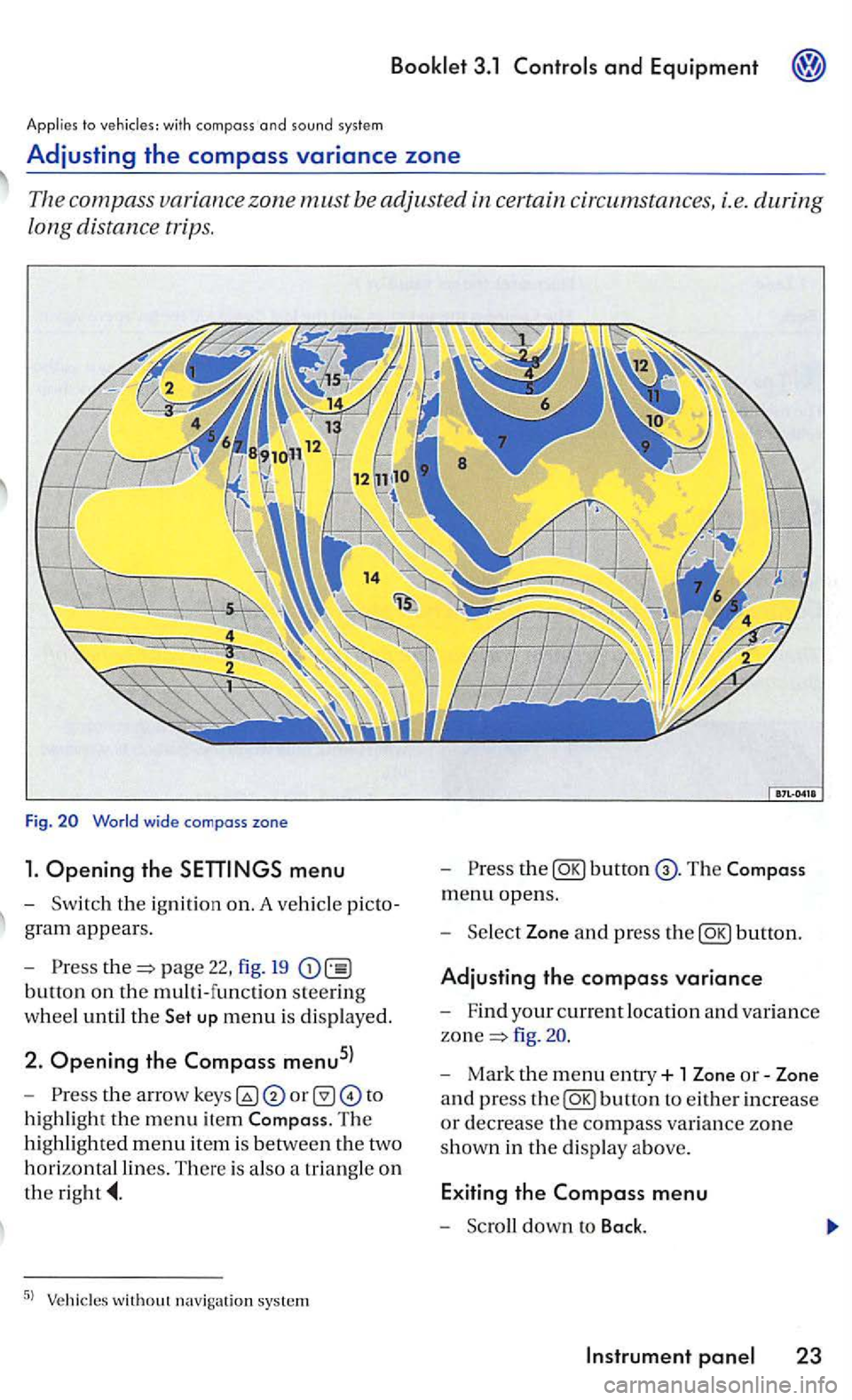
Adjusting the compass variance zone
Th e com pass zone must be adjusted certain circum stances, i.e. during
long distance trips.
Fig.
menu
-Sw itch the ignition on. A ve hicl e picto
g ra m
appears.
- Pre
ss page 22, fig. 19
button on the multi-function steering
w h
eel until the up menu is displayed.
2. Opening the Compass menu5l
-th e arrow to
h ig hli
ght the m enu item The
hi ghlighted menu item is betwee n th e two
h
orizontal lines. There is also a triangle o n
the
the
menu opens.
- Sel
ect Zone and press the
fig .
- Mark the menu entry+ 1 Zone or-Zone
a n d press
the
Page 199 of 444
Booklet 3.1
harm the
U sing the wron g batteries can damage the
remot e con trol key. Rep lace used batteries with
new ones of the same
Tips
page o r by your authorized dealer o r bul!on once to unlock just the drivers 's page the button a second time to unl ock a lithe doors and the rear lid.
When yo u unlock your with therem ote control, you have seconds to open a door or the rear lid. lfyou do the will
Resetting the remote control key
automatically re lock itself. This safety re lock feature prevents you from leaving your un
locked.
it may have to be synchronized again page 29.
the r emote controlmay not work and have to be reset page29.
Use the remote control only if yo u intend to
use one of the fun ctio ns. terrain and cond iti on s may pressing the remote may un
lo ck the
Th e operation of the remote control key can b e temporarily disrupted by interference from transminers in the vic inity of the that work in the same frequency range (e.g. radio equipment, cellular phone).
The remote key has to be reset if it does not lock or unlock the vehicle.
Resetting the remote control ke y
-Unlock the driver's door m anually by
inserting the em erg ency key in the door
Tips
The remote control ke y will have to be reset if you press the several times outside it s
effective range and the
Opening and closing 29
Page 200 of 444
and Equipment
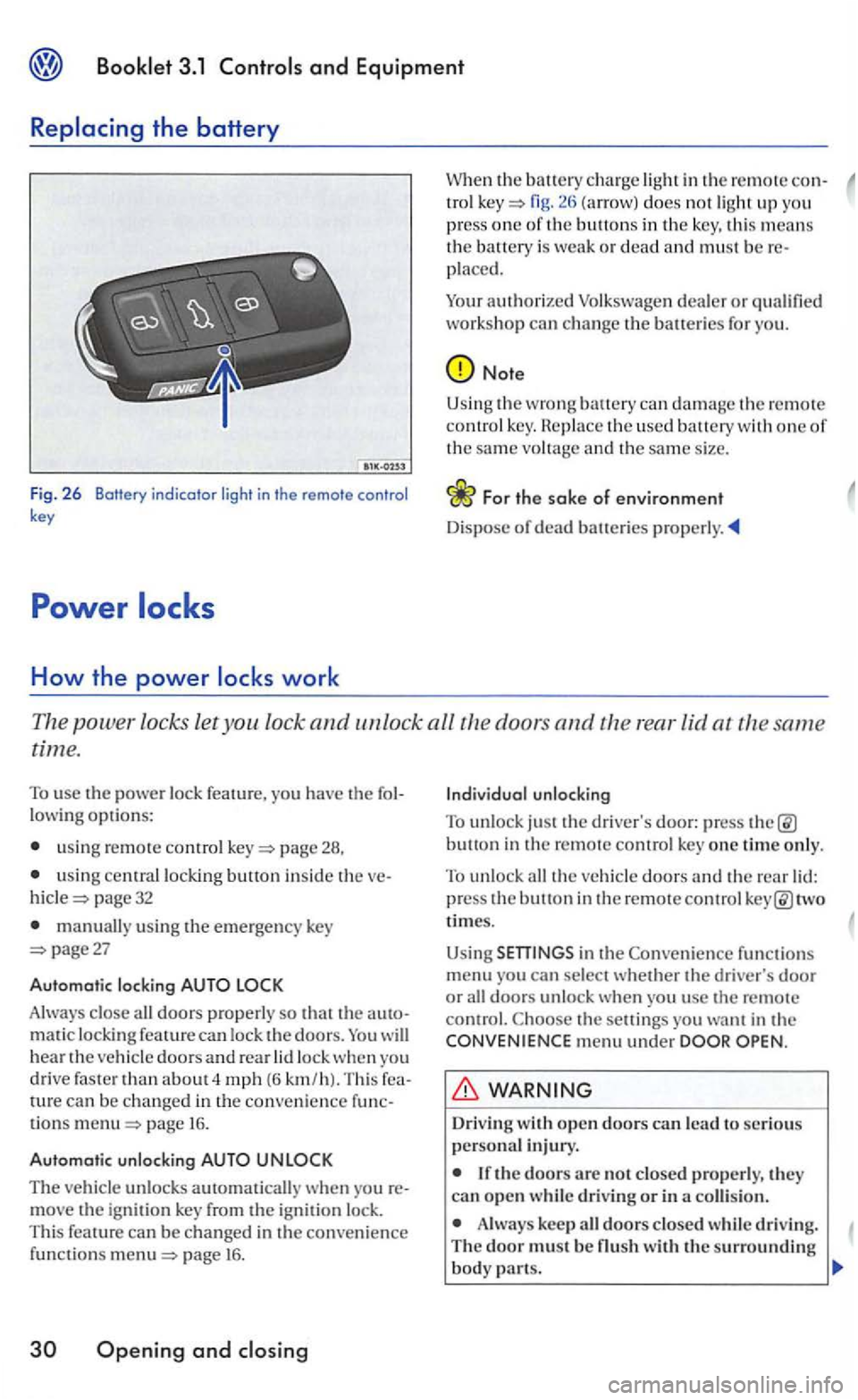
Fig. 2 6 Botfery indicator light in the remote control key
How the power
in the remote con-tro l fig. does not ligh t up you
press one of th e buttons in the key, this means the battery is weak or dead and must be placed.
Your
authorized
Note
Using the wrong can damage t h e remote co ntrol key. th e used battery with one of the same vo ltage and th e same size.
Th e power locks let you lock and unlock all the doors and the rear lid at the same
time.
To use the power lock feature, you have the
usin g remote control page 28,
u sing central locking button inside the page 32
manually using the emergency key page27
Automatic locking
Always close all doors properly so that the matic locking feature can lock the doors. will hear the vehicle doors an d rear lock when yo u
drive faster than about 4 mph (6 km /h). Thi s can be changed in the convenience tions page 16.
Automatic unlocking
The vehicle unlocks automatically w hen yo u move the ignit ion key from the ignition lock.
This feature can be changed in the convenience funct io ns page 16 .
Openin g and
button in the remote control key one time only.
To unlock all the veh icle doors and the rear two
times.
Using
functions menu you can sel ect whether the driver's door or all doors unlock when you usc the remote control. the setti ngs you want in the menu under
Driv ing
Always keep all doors closed whil e driving. The door must be
Page 202 of 444
Booklet 3.1
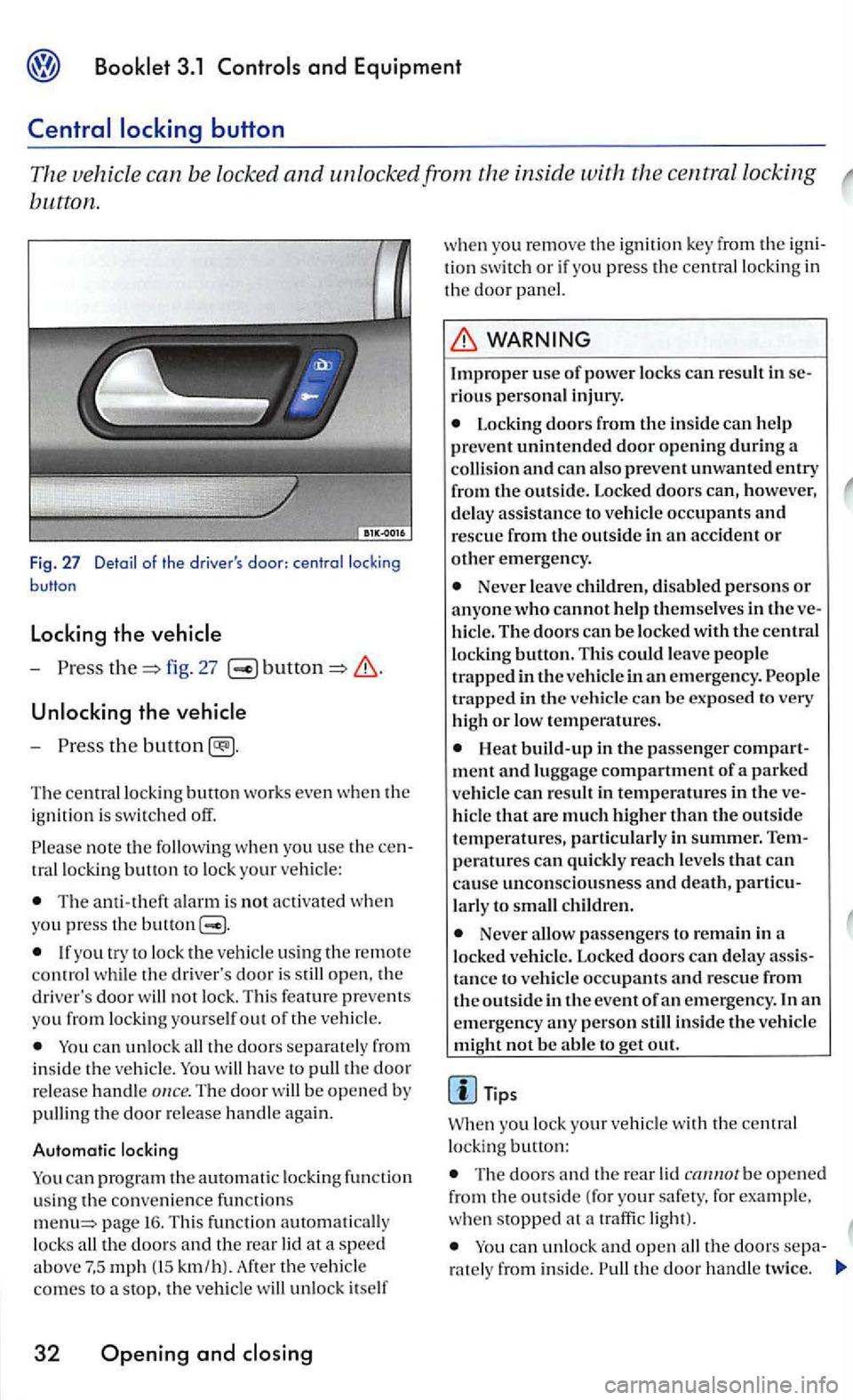
button.
Fig . 27 Detail of the driver's
-fig. 27
Unlocking the vehicle
-
th e
Th e ce ntr al lo ckin g button works even whe n th e
i g nition is switched off.
note th e w he n yo u use th e tr allock ing button to lo ck your ve hicle:
The ala rm is not activated whe n you press the buuon
th e driver's door is open, th e
driver 's door not lock. Thi s feature preve ms
yo u from lock ing you rse lf out o f the vehi cle.
ca n unlock th e doors se parat ely from i n side th e vehicl e. have to th e door
re lease handle The door b e opene d by
pullin g the door re le ase ha nd le again .
Automatic locking
can progr am the autom atic locki ng fun ction using the co nve nience f un ctions page 16. Thi s fun cti on loc ks km /h) . th e veh icle
co mes to a stop, th e veh icle unlo ck itself
32 Opening and
w he n you remo ve the ig ni tio n key fro m the tion swit ch or if you press th e central locking in th e doo r
rious personal injury .
Locking doors from the in sid e can h elp
prevent unintended door opening during a and can als o prevent unwanted entry
fr om the outside. Locked doors can, however, d e lay ass istance to vehicle occupants and resc ue from the outside in an accident or other emergency.
Neve r le ave childr en, disable d person s or anyon e who cannot help the m selves in the hicl e. The doors can be locked with the central
l oc king button. Thi s could leave peo pl e
t ra pped in the ve hicl e in an em erge ncy.
Heat build-up in the passe nger ment and lu ggage compartment of a parked vehi cle can result in temperatures in the hicl e that a re muc h highe r than the outside
temperatures, parti cularl y in summer.
la rl y to c hild ren.
Neve r passenge rs to remain in a
l ock ed ve hicle. Lock ed doors can d elay tance to vehicle occupan ts and rescue from
th e o ut side in the event of an emergency . In an
e m ergency any pe rson still inside the ve hicle
mi ght not be abl e to g et out.
Tips
yo u lock your vehicl e with the central
lo ckin g button:
Th e doo rs a nd the rear be o pen e d
from the outside ( fo r your safety. for example .
w he n stopped at a traffi c light).
the doors ra te ly from inside. th e door handl e tw ice.
Page 204 of 444
and Equipment
Engaging th e
- Unlock the veh icle.
-
I page 33, fig. 29
-the door . T he door cannot be
opened from the insi de.
Disengaging the safety
- Unlock the ve hicle.
The ch ild safety lock can be activa ted to prevent
children opening the rea r doors by accident.
Never leave ch ildren, disabl ed persons or anyone w ho cannot h elp themselves in the ve
h iclewh en lockingthedoors. This co uld r esult
in people bei n g trapped in the ve hicl e in an -
- Use a ve hicle key to turn th e s lot in the
open door to the position shown in
-the door. The door can open ed
f ro m
the in side .
Anti-theft
with alarm
time of year, people trapped in the vehicl e can
b e expose d to very high or low
Description of anti-theft
sys te m
- Lock the ve hicle.
Switching the
i n the remote control key or
swit c h on the ign itio n.
Opening the
chapter clo sing
or Th e ala rm is tri ggered imme
d ia te l
y.
34 Opening and
-on the ignitio n with in
the ve
hicle.
yo u lock the veh icle, the ami-th eft alarm system is automatically switched on.
W ha t tri
ggers th e alarm?
the vehicle locked, th e alarm will go ofT under the following circumstances:
the engine hood.
the rear lid,
Manually opening the veh icle using th e emergency key.