tow VOLKSWAGEN GOLF 2008 User Guide
[x] Cancel search | Manufacturer: VOLKSWAGEN, Model Year: 2008, Model line: GOLF, Model: VOLKSWAGEN GOLF 2008Pages: 444, PDF Size: 92.7 MB
Page 195 of 444
Applies to vehicles' with
and drive 1:
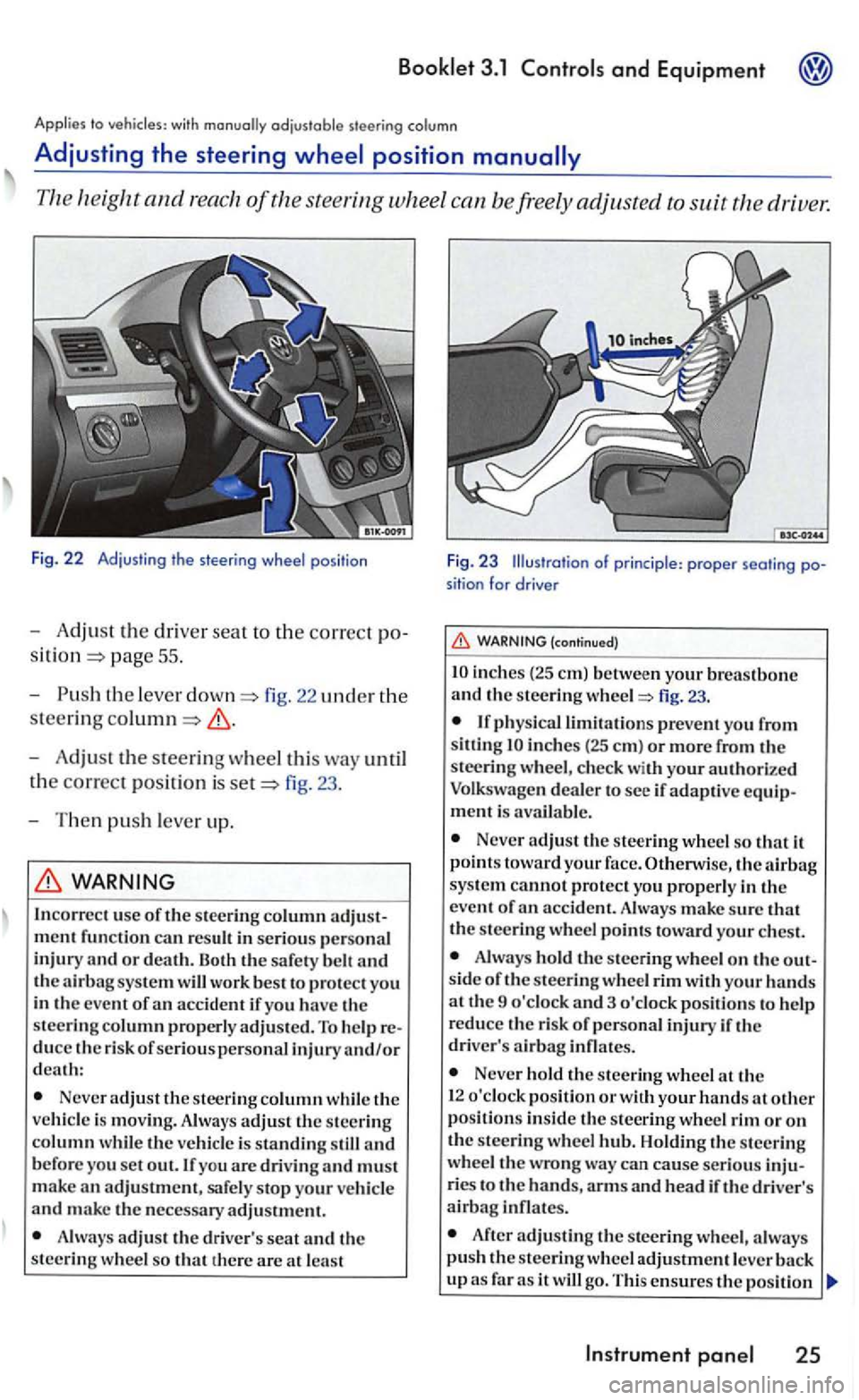
Fig. 22 Adjust in g t he s tee ring wheel pos itio n
-Adjust the dri ver seat to the correct po
pag e 55 .
- Push
the leve r fig. 22 uncl er the
steering
-Adjust the steering wheel this way until
t h e
correct posit ion is fig. 23 .
- T hen
push lever up.
WARNING
In correc t use of the stee ring column
Neve r adjust the steer ing column while th e
ve hicl e is movin g. Always adjust th e steering column w hil e th e veh icle is standing still and b efore you set out. If you are drivin g and must
m ake an adjustment, safe ly stop your ve hicl e and make the necessary adjustment.
A lways adjus t th e driv er's seat and th e
steering w hee l so that th ere are at lea st
F ig. 23 Illustration of princi ple : proper seati ng position for drive r
(continued)
inch es (2 5 em) betwe en your breastbone and th e s teering fig. 23.
inches (25 em ) or more from the
steeri ng w heel, c hec k with your authori ze d
Volkswagen deale r to see if adaptive equipment is avai la ble .
Never adjust the steering wheel so that it
p oin ts toward your face. Otherwise, the sys te m cannot protect yo u properly in the
e ve nt of
Alwa ys hold the s teering wheel o n the out
s id e of the s teering whee l rim with your hands at th e 9 o'clock and 3 o 'clock pos itions to help
r educe th e risk of p ersonal injury if th e
driver' s
Never hold the stee rin g wheel th e
1 2 o'clock pos ition or w ith your hands at other position s in side th e s teering wheel rim or on the steerin g wheel Holdin g th e s teerin g
wheel the wrong wa y ca n cause serious inju
ries t o the hands, arm s and hea d if the driver's airbag infl ates.
After adjusting the stee rin g wheel, a lwa ys push the s teerin g wh eel adjustment leve r
Instrument
Page 215 of 444
3.1
Emergency switch
Use the eme1gency flasher del ete space to attention
your icle in cas e of an emerge ncy.
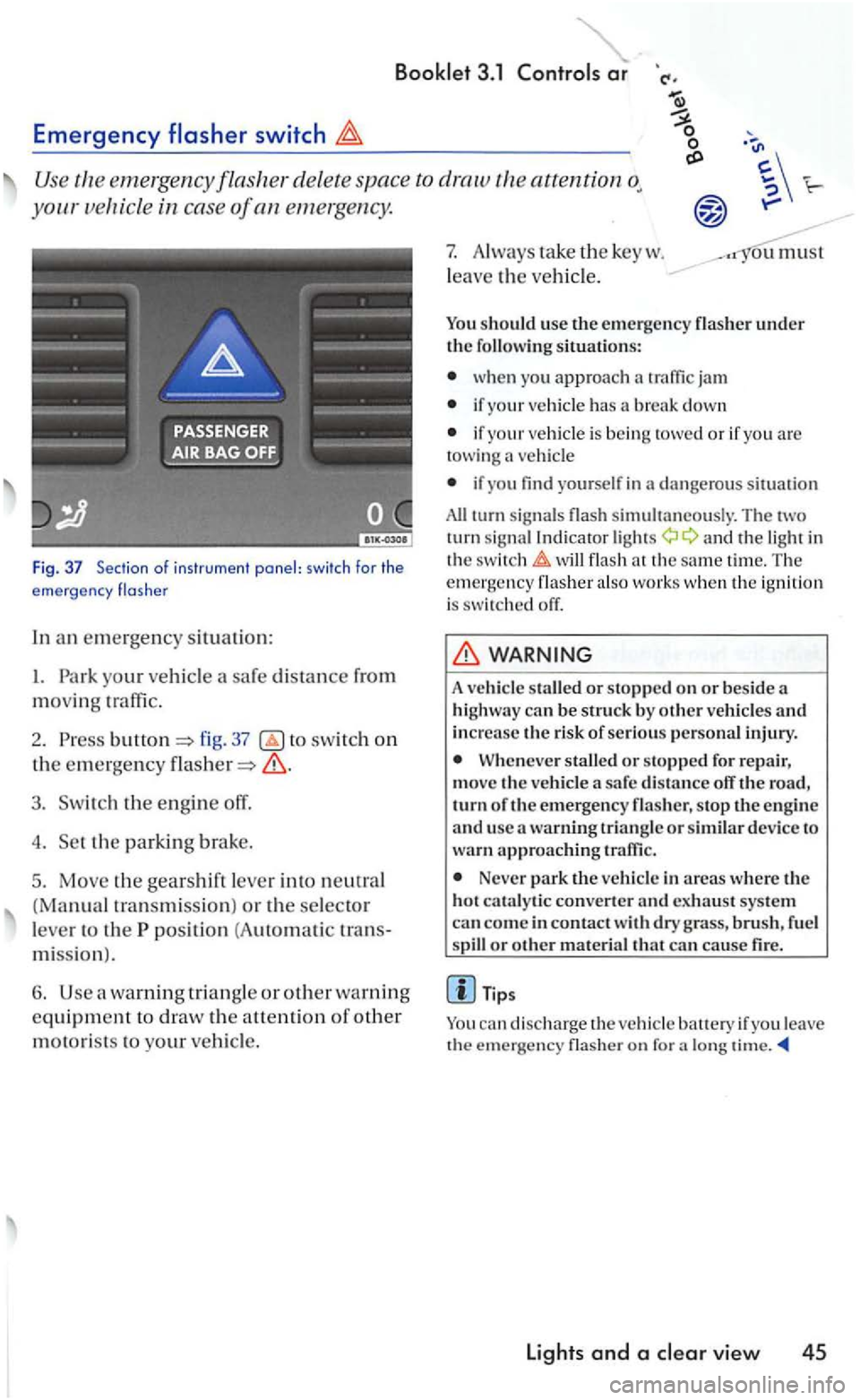
Fig. 37 Section o f ins trume nt panel: swi tch for the
e mergency flas he r
In an em ergen cy situation:
I. Park your vehicl e
fig. 37 switch on
the emergency
3. Switch the engine off.
4. Set the parkin g brake.
5. Move the gea rshift lever into neutral
(Manual tra nsmiss ion ) or the selector
l e ve r to the
position (A uto m ati c tran s
mi ssio n
).
6. Use warning tria ng le or other warning
equipme nt to draw the a uention of other
motorists to your vehicl e.
7. Always ta ke the key w .
l
eave the ve hicl e.
ou must
You should use th e e mergency
wh en you approach
if your vehicle has a break down
if your vehicle is bein g towed or if yo u are towing vehicl e
if yo u find yourself in dange ro us s ituation
All turn sig nal s simultaneously. Th e tw o
turn sig nal Indi cator a nd the light in
the t im e. Th e emergency also wo rk s w he n th e ig n ition is switch ed off.
WARNING
A vehicle staUed or stopp ed on or bes ide a
hi ghway can b e struck by o ther ve hicle s and increase the risk of se rious pe rso nal injury.
When eve r stalled or stopped for re pair,
mov e th e vehicle a safe dis ta n ce off the road, turn o f th e emerg ency flas her, s top the e n gin e
a nd usc a warning triangl e or similar device to wa rn ap proac hing traffic .
Never park the ve hicle in areas where the
hot cat a ly tic converter and exhaust syste m
can co me in contact dry grass , brush , f uel or othe r mate rial that can cause fire.
a lo ng
lights and a
Page 216 of 444
and Equipment
and high beam
signa l and high leve r also operates
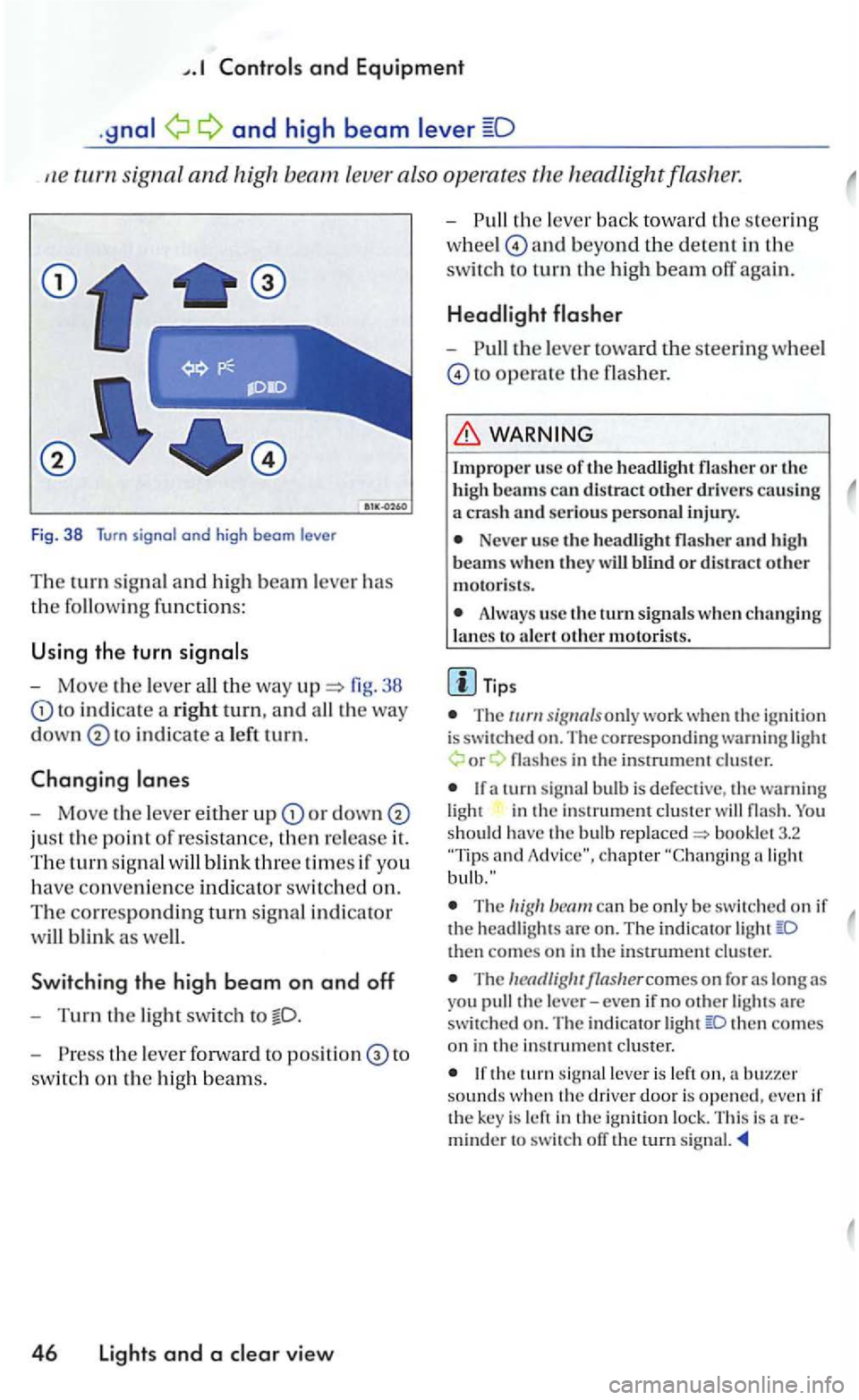
Fig. 38 Turn signal and high beam le ve r
Th e turn signal a n d hi gh beam lever has
the followin g functions:
U sing the turn
- Move the lever 38
to in d icate a rig ht tu rn, and
in dicate a le ft tu rn.
Changing
-Move the leve r either u p or down
just the point of resistance, then re lease it.
The tu rn sig n al
Sw itchin g the high b eam on and off
-Turn the light swit ch to
- P ress the lever forward to to
switc h on the hig h beam s.
4 6 Lights and a view
-th e lever back to wa rd th e s teering
w hee l
and beyond the dete n t in the
switc h to turn th e high beam off again.
-the lever toward the steeri ng wheel
to operate the flasher.
Impro per usc of th e headli ght flasher o r the
h igh beams can distract other drive rs causing a crash an d serious personal injury.
Neve r use the headli gh t flasher and h igh
beam s w hen th ey w ill blind o r distract other motoris ts .
Always use the turn s ig nals w hen ch a nging
l a nes to a le rt oth e r m otori sts .
T ips
T he only work whe n the ig nition is switched on. The co rre sponding warning or
in the in strument cluster
and
The can be only be sw itc hed on if the head ligh ts are o n . The indi cator then comes on in the instrument cluster.
The
then co mes on in the in strument cluster.
the tu rn leve r is left sounds w hen th e driver door is opened, even if the key is left in the ign ition lock. This is areminder to switch ofT the rurn signal.
Page 220 of 444
and Equipment
Brief wiping
- Move the lever down to positi on
give the windshi eld a briefwip e. The w iper
will begin to m ove faster if yo u keep th e
l ever pre
ssed down for longer than
2 seconds.
Switching off the wipers
-Move the leve r up to
Windshield wiper and washer system
(windshi eld)
-th e lever toward the s teerin g wheel
t o
pos iti on
win ter position
The windshi eld wipers will move to th e ''Se rvice if yo u switch the igniti on on br iefly and then it ofT aga in, w hile press in g t he
win dshi eld wiper lever dow n The w indshie ld wiper arms ca n be moved forward so that they do not free ze to the
the wind shield be fo re
driving ofT.
Worn or dirt y wiper blades will reduce bility and increase th e risk of colli sions and rio us inju ry.
Never use t11e front wiper/wash er in
free zing weat her fi rst defro sting the
(continued)
wi ndshie ld . T he washer solution m ay freeze on the window and reduce
Always clean th e windshield wiper blades and all windows regu larly .
A lway s replace wi per blades that are worn, damaged or do not kee p the windshie ld clear.
Note
Befo re u sin g th e wiper s for the fir st tim e in co ld weather, m ake su re the wiper blades are not
fro zen t o th e windshield. To p revent damage to
th e w iper b lades and the wip er motor, a lways
l oose n blades frozen to the windsh ie ld b efore operating the w ipers. Usin g th e serv ice po sition describe d above can be a convenience in co ld weather.
Th e w indshie ld wipe rs will onl y wo rk when the ig nition is switch e d on and th e e ngin e hood
is close d.
Th e prev iou s w iping sp ee d will be cally selec ted when the vehi cle s top s, when wiping page 49, fig. 44 or is lected . The selected wipin g spee d will resume when the ve hicle drives off aga in.
The windshi eld will be wiped aga in after about five second s once the windshie ld wiper and was her sys te m h as been operated if th e
hicl e is mov ing.
If th e "int ermittent feature has been
se lec te d, the int ervals are linked to th e speed of the ve hicl e i.e. the interva ls will b e sh o rt er w he n
th e vehicle is trave ling faster.
T he wiper will try to wipe away an y obstacles that are on t h e windshield . The w ip er will stop
m oving if the obstacle blocks its pat11. Remo ve
t h e o bstacle and switch the wip er back on
Page 221 of 444
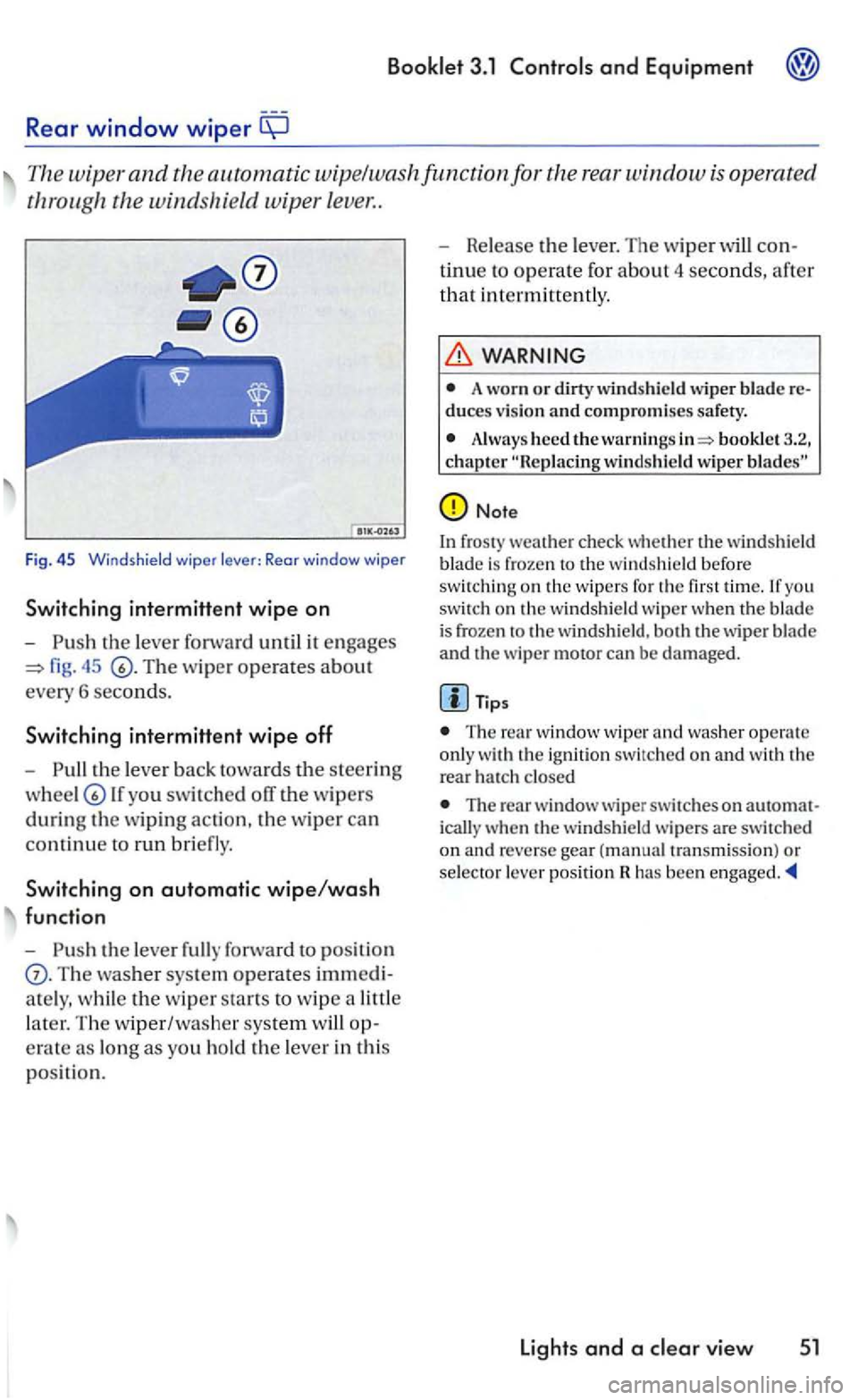
Rear window wiper
The wiper and the automatic wipe/wa sh func tion for the rear w indow
fig. 45
th e lev er back tow ard s th e s teering
lf you swit ch ed off the w ipers
during th e w ipin g action , th e w iper ca n
c
ontinu e to run bri efly.
Switching on automatic wipe/wash
function
-
Th e washer sys te m operates imm edi
a te ly , w hi le
the w ip er sta rts to wip e a littl e
l
ater. Th e w iper/washe r system op
e rat e as long
as you ho ld the le ver in th is
p os itio n. -
Release th
e le ver. The wip er will con
t
inue to operate for abou t 4 seconds, afte r
th
at i n termitt en tly .
WARNING
A worn or dirty wind shield wiper blade re duces v ision and compromises safety.
Alway s heed the warni ngs booklet 3.2, chapter
Note
In fros ty weat he r check whether the win dshield
b lade is froze n the w indshi eld befo re swit chin g on th e w ipers for you switch on th e w indshield wip e r when th e blade is frozen th e w ind shi eld, bot h th e wiper b lade
and the wiper motor can be damage d.
Tips
The window wi per and was her ope rat e
o nl y the rear h a tc h closed
The rear w indow wiper swi tc hes on auto m at
i c all y w hen th e windsh ie ld w ip ers are switc hed
o n an d reverse gear (manual tra n sm iss ion) or selec to r l ever pos ition has been
Lights and a
Page 222 of 444
with headlight washer system
l1eadlig ht
49, 44 is pulled toward s the ste ering
w heel -while low or high beams turned on. llowever, insect
WARNING
A lways read and heed the ..
Note
To avoid make sure that the headlight washers work properly in winter. Keep the n ozzle in the bumper free of snow and remove any ice with de-icer
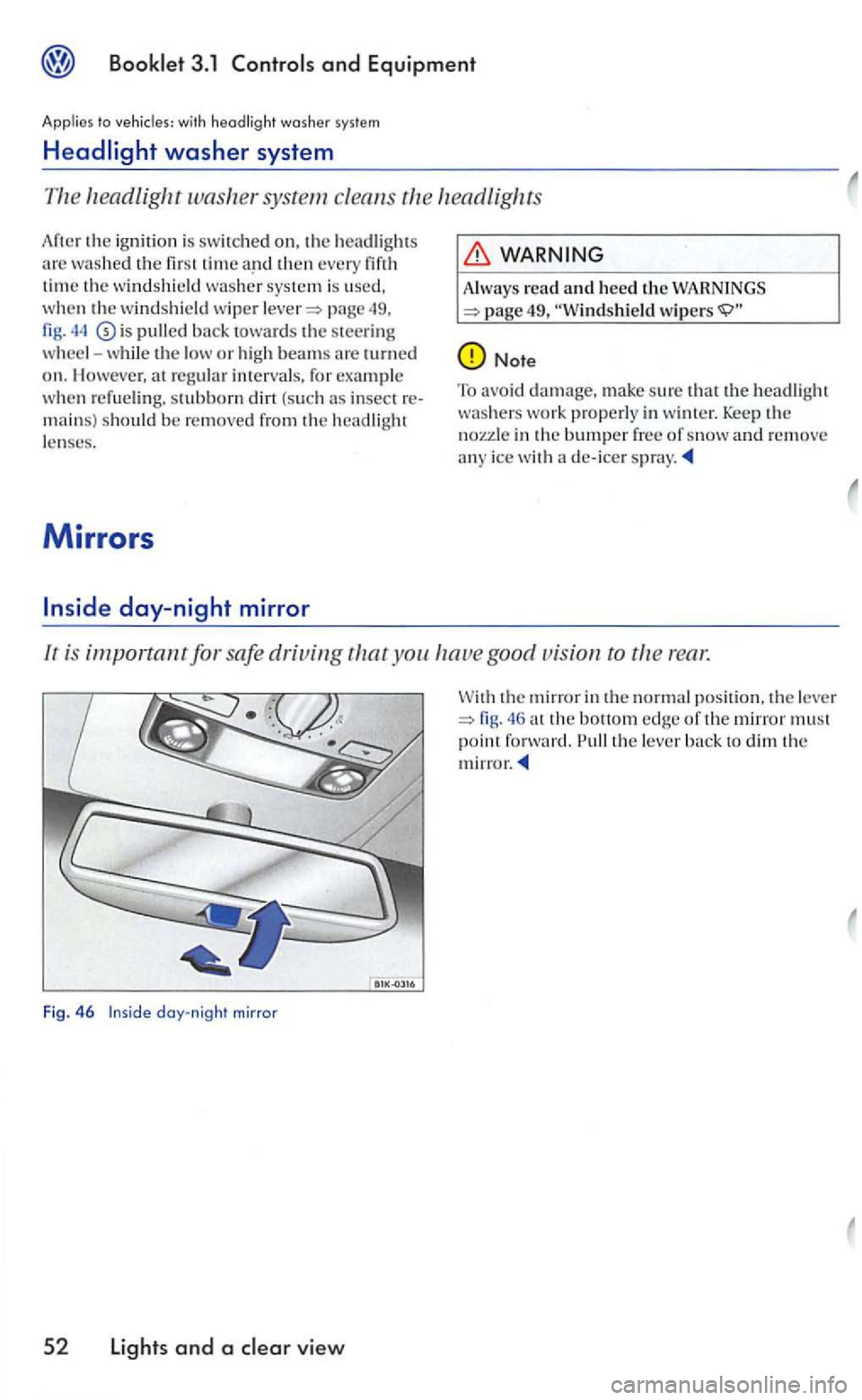
lr is important for safe driving you good vision ro rear.
Fig. 46 day-night mirror
5 2 Lights and a view
the mirror in the normal position. th e le ve r the bottom edge of th e mirror must point forward. the lever
Page 233 of 444
vehicle has an the center of the rear backrest, which en ables
to transport long objects, which do not fit the luggage compartment.
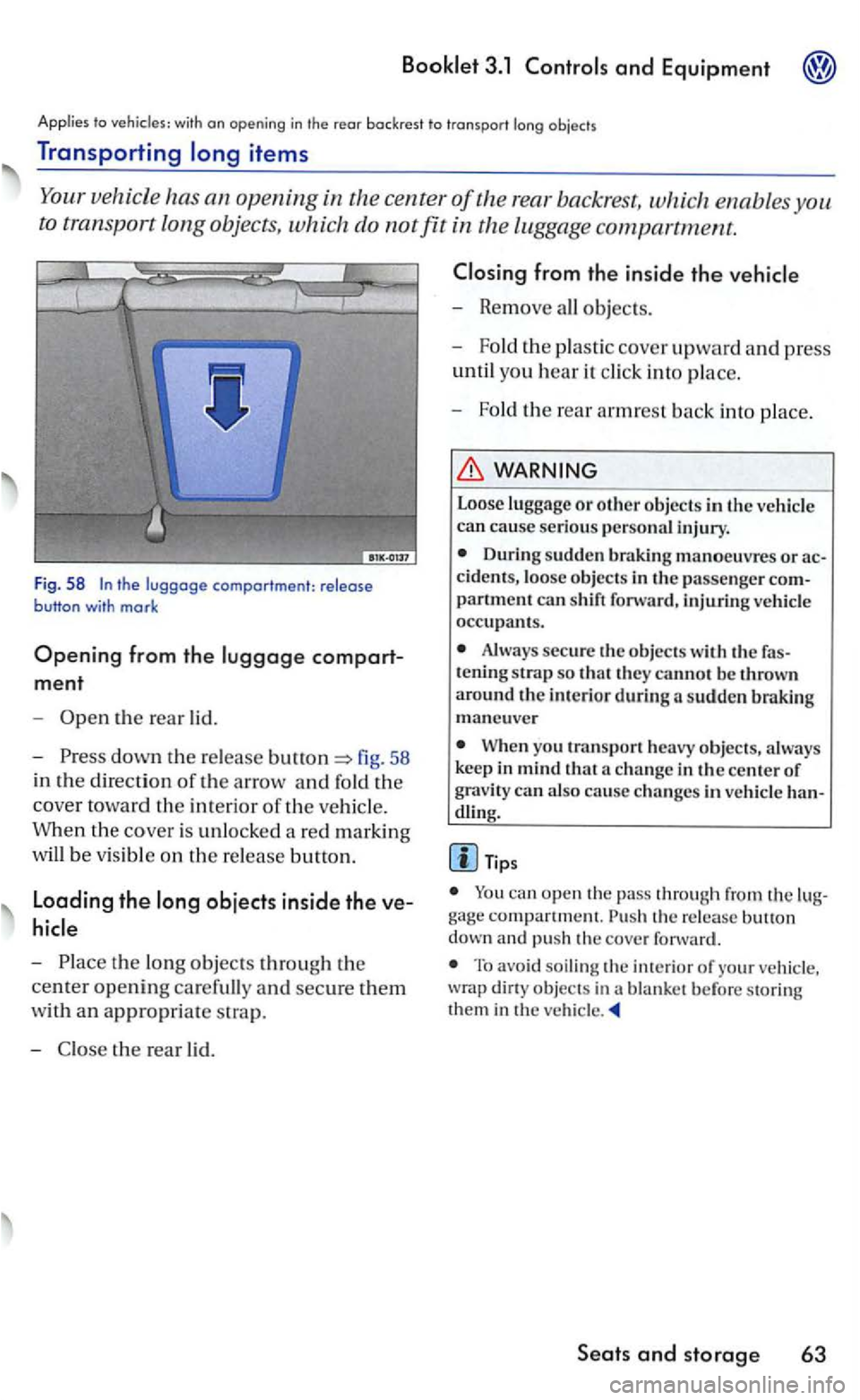
F ig. 58
compart
ment
-the rear lid.
-
down the r e lease fig. 58
in the
direction of the arrow and fold the
cover toward the interio r of the ve hicl e.
When the cove r is
unlocked a red marking
wi
ll be v is ible on the re lease button.
Loading the
-
- Remove all objects.
- Fold
the plastic cover upward and p ress
until you hear it click into p lace.
-
Fol d th e rear armrest back into place.
WARNING
Loose luggage or other objec ts in the ve hicle can cause serious personal injury.
D uring sudden braking manoeuvres or
partment can shift forward, injtuing vehicl e occupants.
Always secure the objects the tening strap so they cannot be thrown around th e in te ri or during sudden maneu ve r
Whe n yo u transpo rt heavy objects, always
keep in mind that
dl ing.
Tip s
can open the pass through from the compartment. release down and pu sh the cove r forward.
To avoid soiling the of your vehicle , dirty objec ts in a blanket before storing them in the vehicle
Seats and storage 63
Page 239 of 444
and Equipment
the following points to make sure
the ve hicl e handles well:
- D is tribute
the load as even ly as
heavy objects as far forward in the
lu ggage compartment as possibl e.
-
luggage in the lug gage compart
men t w ith suitable s traps o n the tie-down
hooks.
WARNING
Improperly stored luggage or other item s can become airborne mi ssi les, fly ing through the
ve hicl e ca using seriou s personal inju ry in the even t of hard braking or an acc ident. To help
reduce th e risk of serio us personal injury:
Always put objec ts , for example, lu ggage or other heavy item s in the lugg age compartment.
Always secure objec ts in the luggag e partment usi ng the ti e-down hook s and suit able straps.
WARN ING
Heavy loads will influ ence the way your hicl e handles and heavy loads that arc no t properly s towed or secured serious i njury.
Always keep in mind when transp o rtin g
heav y objec ts, that change in the center of g ravity can also cause ch anges in vehicle
eve nly as possible.
- Sec
ure heavy objects prop erl y ward in the compartment sibl e.
Where applicahlc
(con tinued)
- Alwa ys secure heavy item s securely
u sing the ti e-downs provided w ith suitable
straps.
Neve r exceed the Gro ss Axle Weight Rating or th e G ross Vehi cle Weig ht Rating on the safety compliance sticker on th e
Always read and heed add itional tant information on safe booklet 2.1 chapter driving"
WARNING
To help prevent po isonous exhaus t gas from being drawn into the veh icle, always keep th e rear lid
Never transport objec ts larger than tho se
fittin g co mpletel y into th e luggag e area cause the rear lid cannot be fully closed.
Lfyo u absolu te ly must drive wi th the rear lid open, observe the following notes to reduce the risk or poi soning:
-
the pow er roof14l,
-all a ir o utle ts in th e in strument pane l,
- Switch
the air recirculation ,
-
Set the fr es h air fan to the highe st sp eed.
WARNING
A lwa ys make sure that the doors and rear lid are securel y clo sed and locke d to red uce the
risk of in jury when the vehicl e is not bein g
u sed.
locke d.
Seats and storage 69
Page 258 of 444
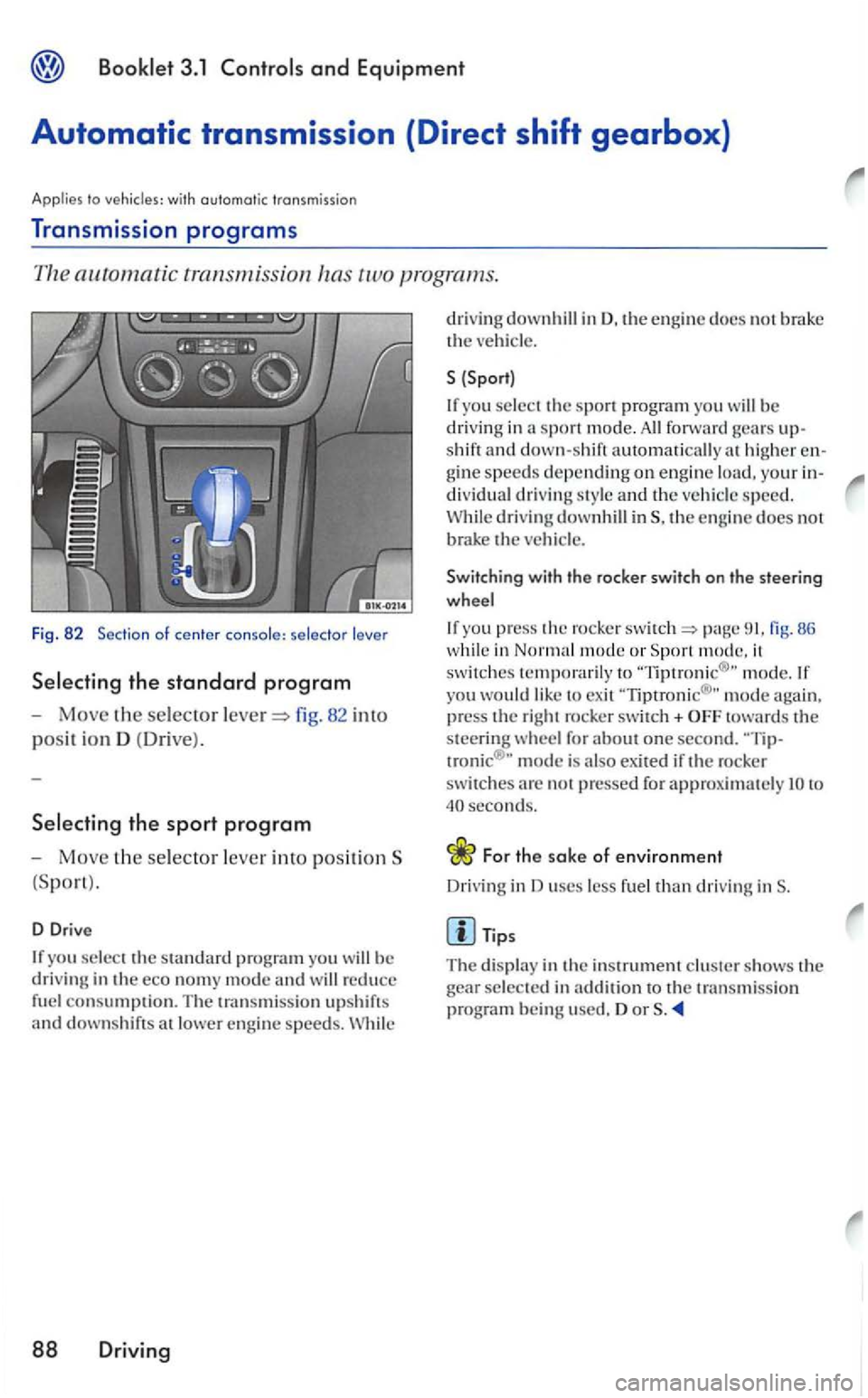
Booklet 3.1 Controls and Equipment
Automatic transmission (Direct shift gearbox}
Applies to vehicles: with automatic transmission
Transmission programs
82 into
posit ion D (Dri ve ).
Selecting the sport program
-Move the selector lever into positionS
D Dri ve
If you select the standard program you
88 Driving
drivin g downhill in D. the eng in e docs not brak e
the
{Sport)
If yo u selec t th e spo rt pro gram you be driving in sport mod e. forward shift and down-shift automaticall y higher gine s peeds depending on en gin e load, your dividual driving style and the vehicle speed.
While driving downhill the e ngin e doe s not brak e the
Switching with the rocker switch on the steering
w heel
If yo u pres s the rocker page fig. 86 while in mode or Sport m ode. it
sw itches temporarily to m ode. If yo u would like to exit 'Tiptronic® " mod e again,
press the right rocker switch+ towards the
steering w heel for about one second. mode is also exited if the rocker switches not pressed for approx im atel y lO to seconds.
For the sake of environment
Driving in uses less fuel than driving inS.
Tips
The displa y in the inst rum ent clu ster shows the
gear selected in ad dition to the t ra n smission
pro gram being used. or
Page 262 of 444
to
s hift.
-
Move the s e lector lever back
downs hift.
Shifting with
-right paddle+
page
fig. 86.
-
l e ft paddle-towards th e steerin g
w h
eel ch ange dow n.
If the paddles on the steering w heel no t used. the auto m atic tra nsm ission switch es back to the previously sele cted D or afte r a delay of about
to with
s hiftin g into a lower gear, the downs h ift only when the re is no
bilit y of overrevving.
If
the i s sele cted while th e ve hicl e is
i n motion and the automatic tra n smissio n is in the 3 rd gear in selector leve r posit ion D. the then also be in the 3rd
86
w hile in Normal mode or mode, it switches tempo raril y to yo u would like to exi t mode agai n. press th e right rocke r switch+
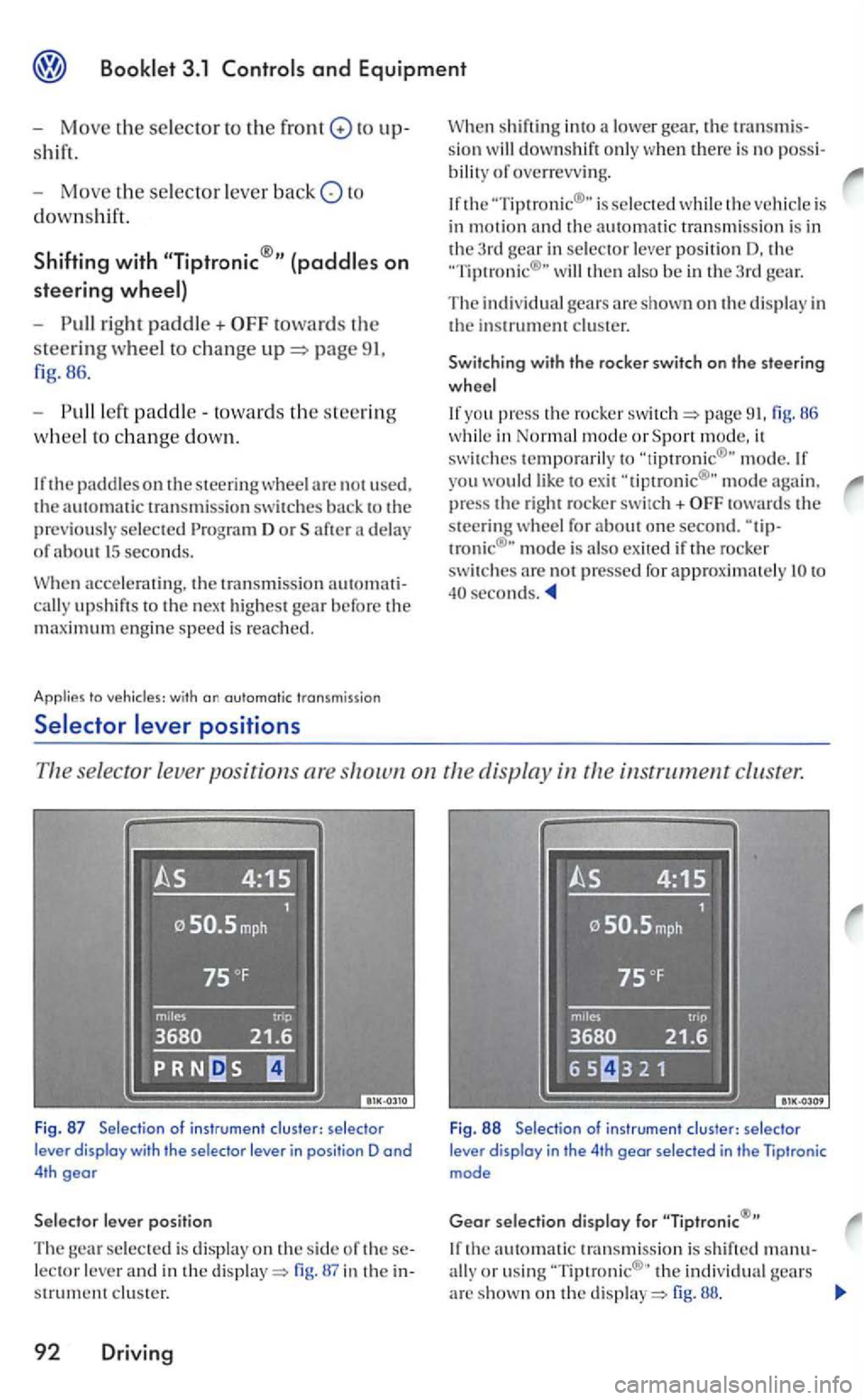
se lector leve r po sition s are instrument cluster.
Fig . 87 Selection of instru ment clus ter: se lecto r
lever display with the selector lever in posi tion D and 4th gear
lever position
The selected is displa y on the side of lector lever and in the display=> in the s trument clus ter.
92 Driving
Fig . 88 Selectio n of ins trumen t clu ster: selec tor lever display in the 4th gear selec ted in the Tiptronic mode
Gear selection display for
th e automatic transmissio n is s hift ed manu-
ally o r usin g th e in di vidual gears arc shown on the di sp la y=> fig. 88.