light VOLKSWAGEN GOLF 2008 Repair Manual
[x] Cancel search | Manufacturer: VOLKSWAGEN, Model Year: 2008, Model line: GOLF, Model: VOLKSWAGEN GOLF 2008Pages: 444, PDF Size: 92.7 MB
Page 216 of 444
and Equipment
and high beam
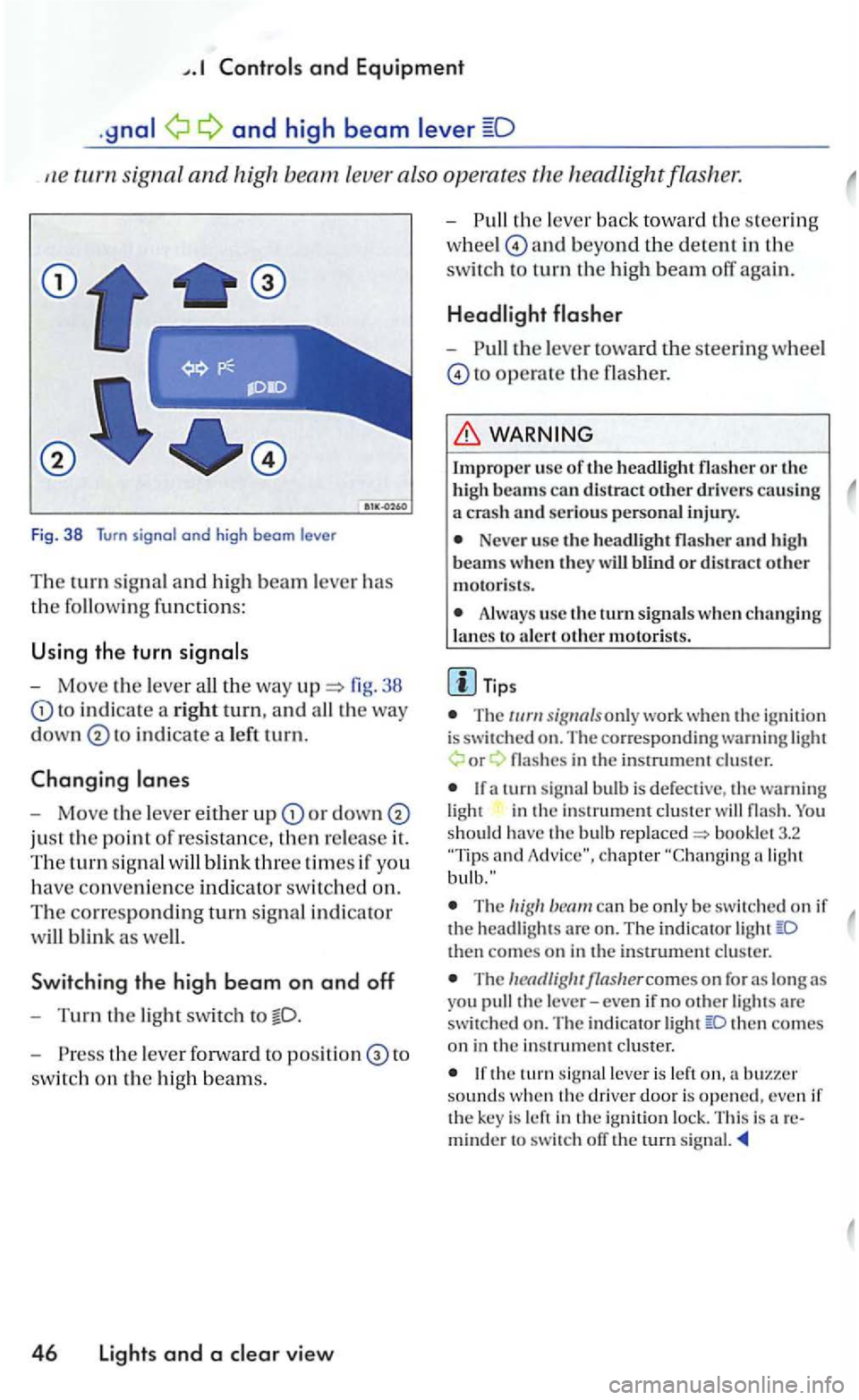
signa l and high leve r also operates
Fig. 38 Turn signal and high beam le ve r
Th e turn signal a n d hi gh beam lever has
the followin g functions:
U sing the turn
- Move the lever 38
to in d icate a rig ht tu rn, and
in dicate a le ft tu rn.
Changing
-Move the leve r either u p or down
just the point of resistance, then re lease it.
The tu rn sig n al
Sw itchin g the high b eam on and off
-Turn the light swit ch to
- P ress the lever forward to to
switc h on the hig h beam s.
4 6 Lights and a view
-th e lever back to wa rd th e s teering
w hee l
and beyond the dete n t in the
switc h to turn th e high beam off again.
-the lever toward the steeri ng wheel
to operate the flasher.
Impro per usc of th e headli ght flasher o r the
h igh beams can distract other drive rs causing a crash an d serious personal injury.
Neve r use the headli gh t flasher and h igh
beam s w hen th ey w ill blind o r distract other motoris ts .
Always use the turn s ig nals w hen ch a nging
l a nes to a le rt oth e r m otori sts .
T ips
T he only work whe n the ig nition is switched on. The co rre sponding warning or
in the in strument cluster
and
The can be only be sw itc hed on if the head ligh ts are o n . The indi cator then comes on in the instrument cluster.
The
then co mes on in the in strument cluster.
the tu rn leve r is left sounds w hen th e driver door is opened, even if the key is left in the ign ition lock. This is areminder to switch ofT the rurn signal.
Page 217 of 444
Bookle t 3.1 and Equipment
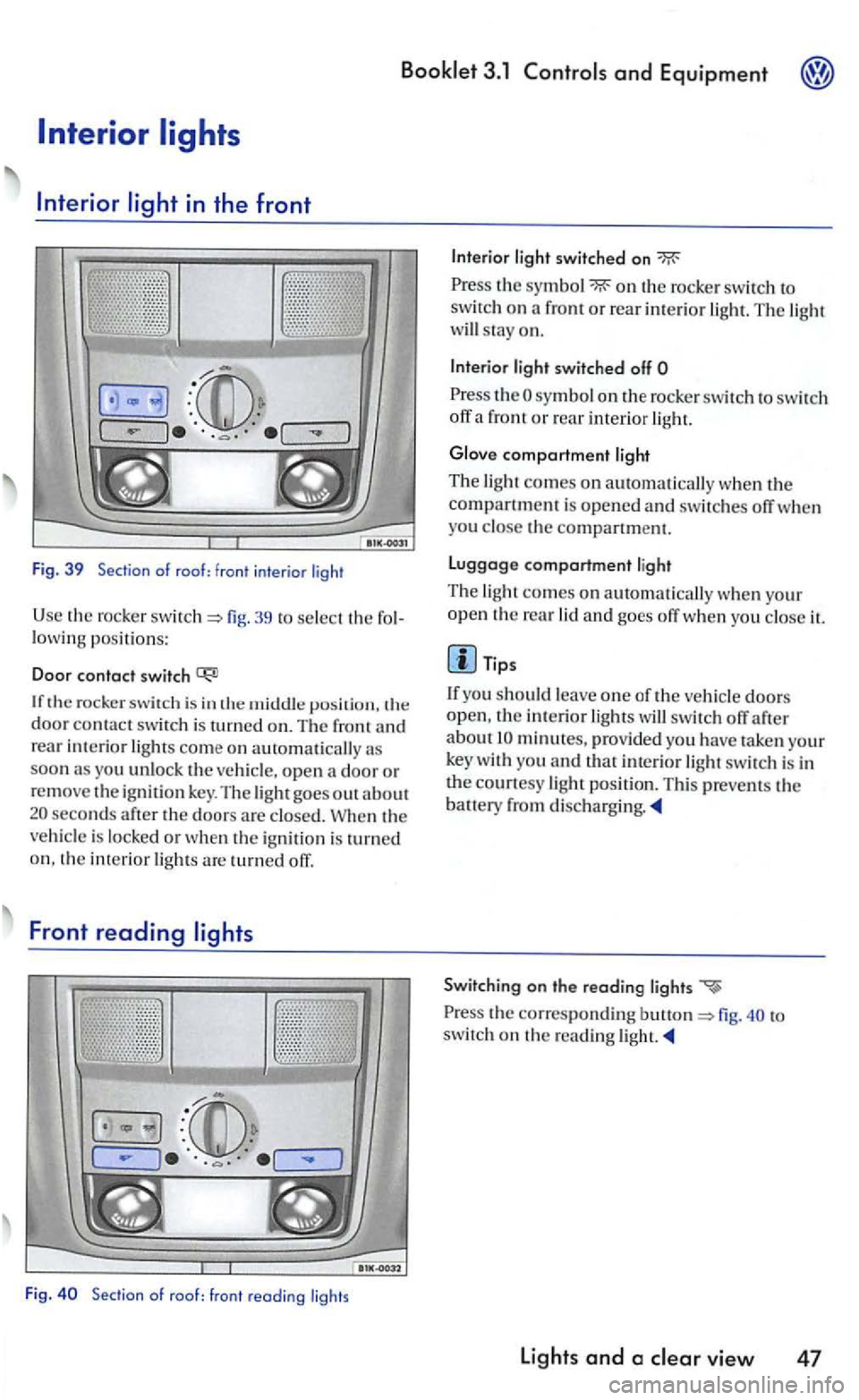
39 to select the lowing positions:
Doo r contact switch
door contac t swi tch is turned on. The front rear interior lights come on automatically as soon as you unlock the
seconds the doors are is locked or is o n. the interior are turned orr.
Front reading
th e on the rocker switch o n a front or rear interior The light will stay on.
light switched off
!h e sy mbol on the rocke r switc h to switch off a front or rear interior light.
Glove compartment ligh t
The light comes on
yo u the compartment.
Luggage compartment light
Th e light comes on au tomat ically when your open the rear lid and goes orr when you it.
Tips
doors
open, !he incerior orr after
is in
Switching on the reoding lights
to
switc h on !h e reading light.
Light s and a clear view 47
Page 218 of 444
and Equipment
Background
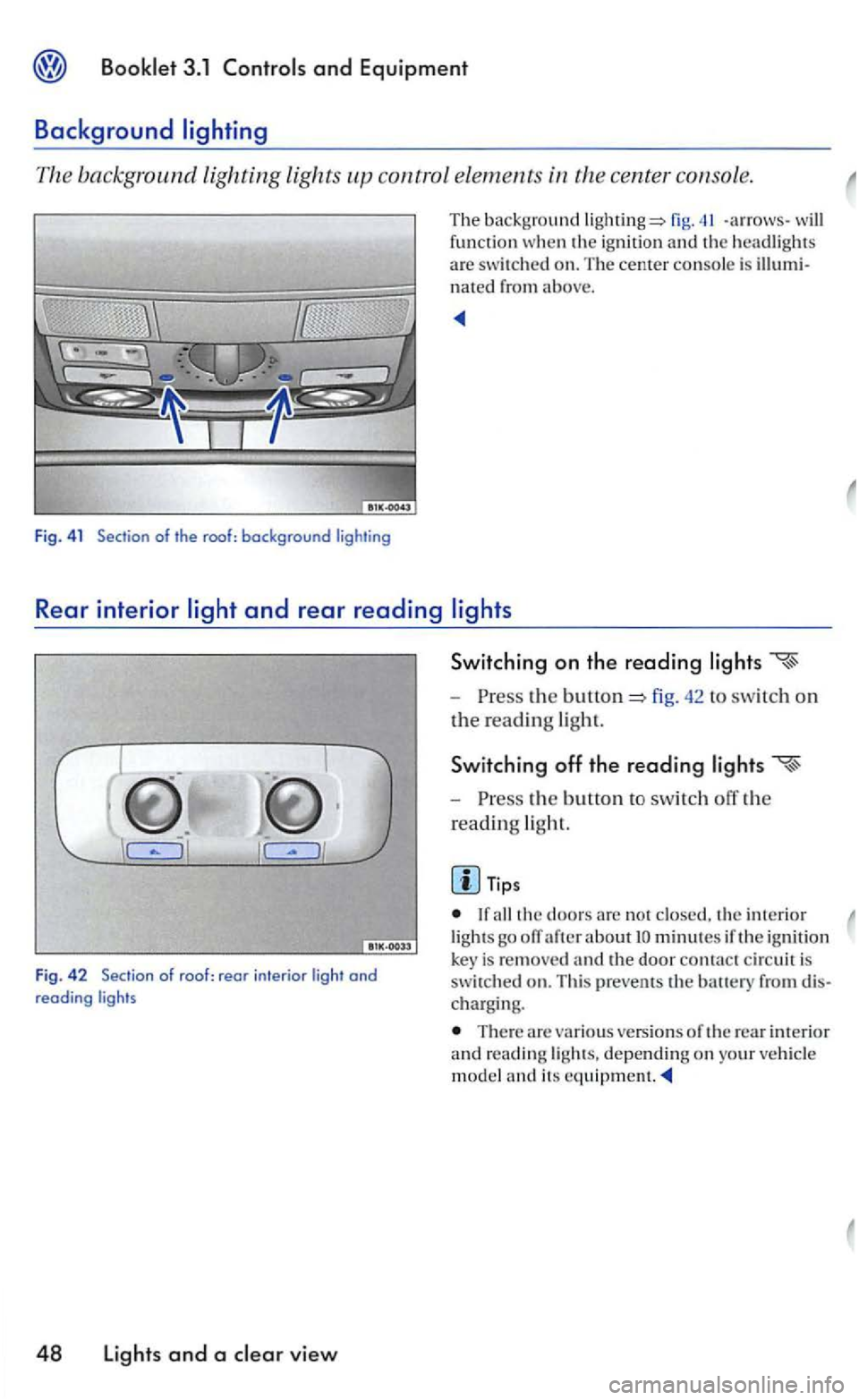
The background lighting lights control elements
fig. -arrows -the ignit io n and headlights
a re swit ch ed on. The cente r console is nated from above.
Rear interior
J
Switching on the reading
-the fig. 42 to swi tc h on
t h e read ing ligh t.
Switching off the reading
-the b utto n to switch off the
read ing
light.
Tips
the doo rs are n o t interio r
Fig . 42 Sec tion of roof : rear in te rior light and reading ligh ts
48 Lights and a view
lig hts go ofT after about minutes if the ig n ition is re m ove d and the door contact c ircuit is switched on. Thi s prevems th e
There are variou s versions of the rear interior reading ligh ts. dependin g on your m odel and its
Page 219 of 444
The su n viso r for th e drive r a nd the fro nt senger can be pulled out of its re taining clip in the of the vehicle and lUrned fig.
The mirrors in the sun viso rs have covers. yo u open the cover® . the light in
the com es on.
Tip s
Before you leave your vehicle , make sure that the make-up mirror cover in th e visor is closed.
the ignition key is re m oved, the light in the headliner goes out after about minutes.
This prevents th e
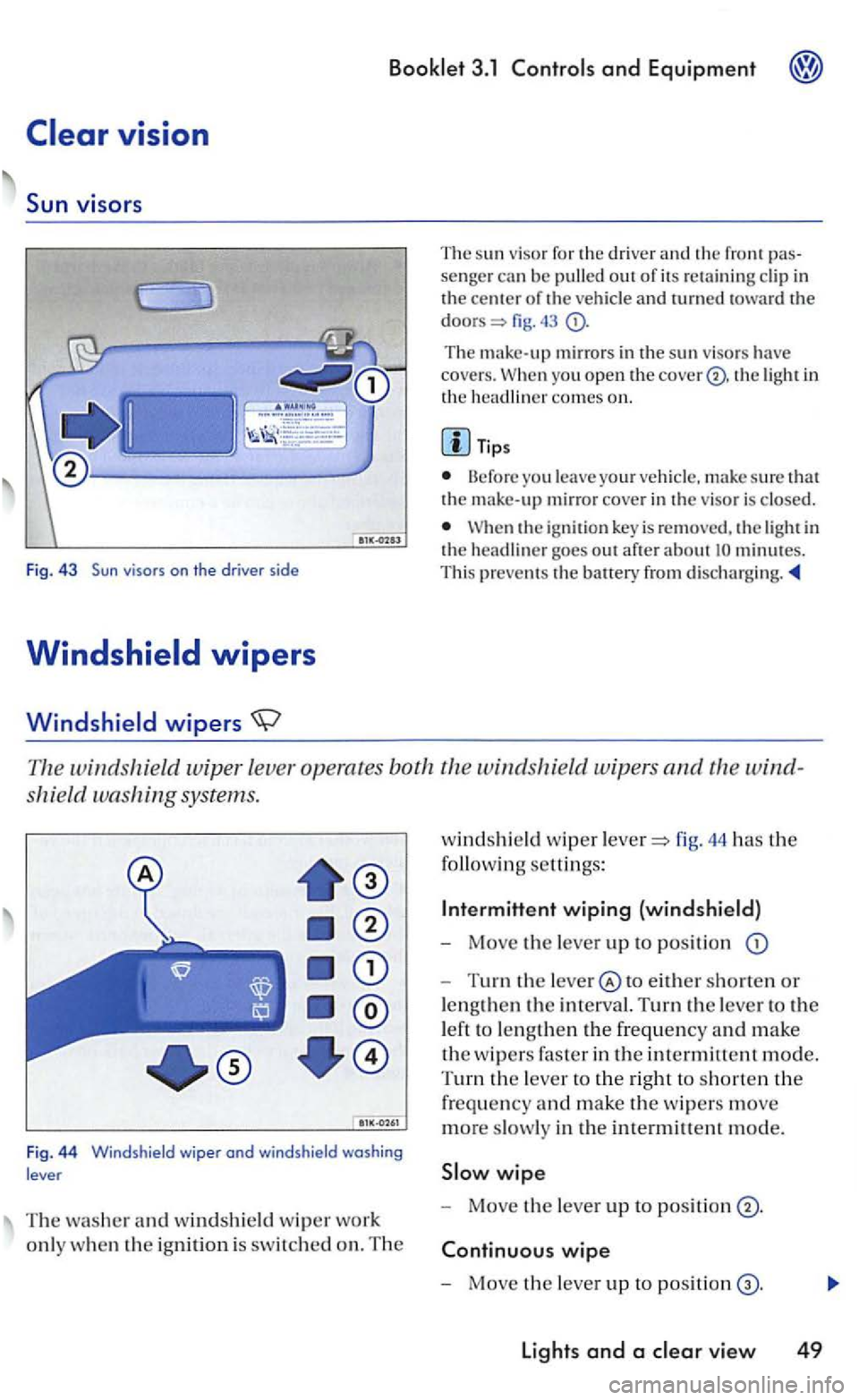
windshie ld wiper leve r operates both the windshield wip ers and
shield washing systems.
Fig . 4 4 Windshield wiper ond windshield washing
lever
T he washer and windshield w ip er wo rk
onl y w hen
the ignition is switch ed on. The
windshi eld wip er fig. 44 has the
following settings:
Inte rmittent wiping (windshield)
- Move the lever up to position
-Turn the to either shorten or
lengt hen
the in terval. Turn the lever to the
l eft to le n g
then the frequency and make
the w ipers faste r in the intermittent mode.
T
urn the lever to the right to shorten the
frequency and make the w ipers move
more slowly in the intermittent mode.
wipe
- Move the lever up to positi on
wipe
- Mo ve the lever up to positi on
Lights and a
Page 221 of 444
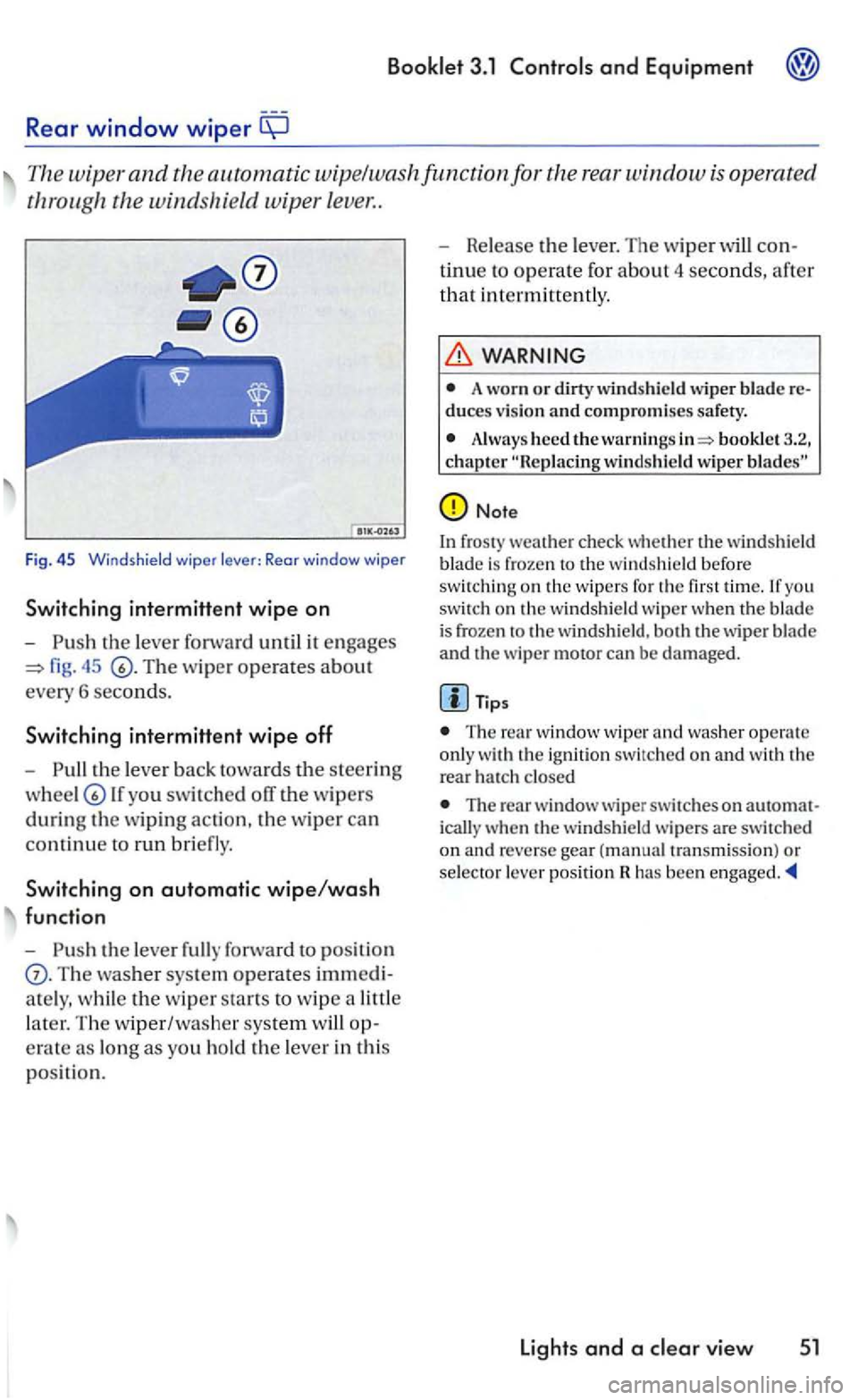
Rear window wiper
The wiper and the automatic wipe/wa sh func tion for the rear w indow
fig. 45
th e lev er back tow ard s th e s teering
lf you swit ch ed off the w ipers
during th e w ipin g action , th e w iper ca n
c
ontinu e to run bri efly.
Switching on automatic wipe/wash
function
-
Th e washer sys te m operates imm edi
a te ly , w hi le
the w ip er sta rts to wip e a littl e
l
ater. Th e w iper/washe r system op
e rat e as long
as you ho ld the le ver in th is
p os itio n. -
Release th
e le ver. The wip er will con
t
inue to operate for abou t 4 seconds, afte r
th
at i n termitt en tly .
WARNING
A worn or dirty wind shield wiper blade re duces v ision and compromises safety.
Alway s heed the warni ngs booklet 3.2, chapter
Note
In fros ty weat he r check whether the win dshield
b lade is froze n the w indshi eld befo re swit chin g on th e w ipers for you switch on th e w indshield wip e r when th e blade is frozen th e w ind shi eld, bot h th e wiper b lade
and the wiper motor can be damage d.
Tips
The window wi per and was her ope rat e
o nl y the rear h a tc h closed
The rear w indow wiper swi tc hes on auto m at
i c all y w hen th e windsh ie ld w ip ers are switc hed
o n an d reverse gear (manual tra n sm iss ion) or selec to r l ever pos ition has been
Lights and a
Page 222 of 444
with headlight washer system
l1eadlig ht
49, 44 is pulled toward s the ste ering
w heel -while low or high beams turned on. llowever, insect
WARNING
A lways read and heed the ..
Note
To avoid make sure that the headlight washers work properly in winter. Keep the n ozzle in the bumper free of snow and remove any ice with de-icer
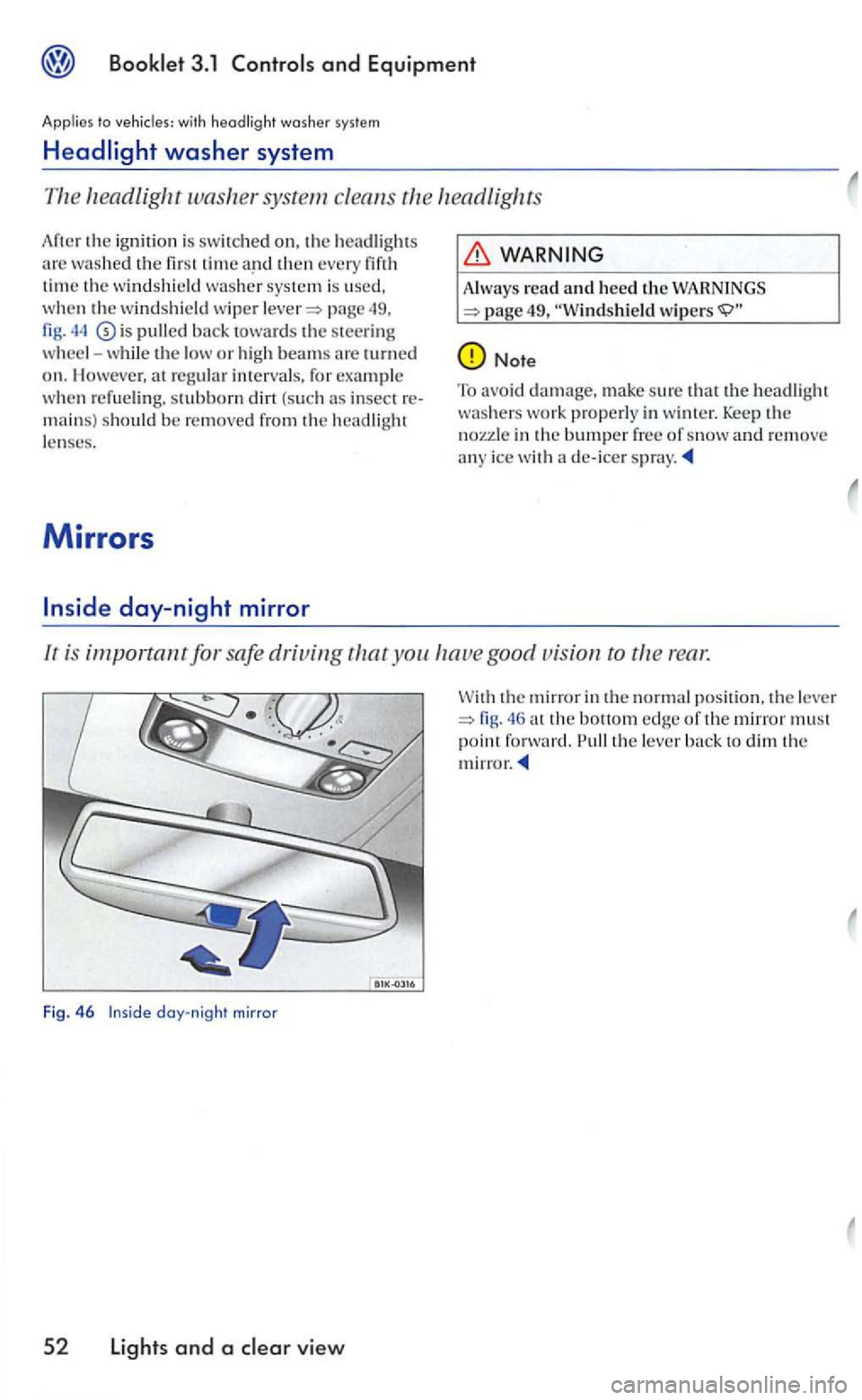
lr is important for safe driving you good vision ro rear.
Fig. 46 day-night mirror
5 2 Lights and a view
the mirror in the normal position. th e le ve r the bottom edge of th e mirror must point forward. the lever
Page 223 of 444
Applies to with power outside mirrors
Outside mirrors
It is important for safe driving to properly adjust outsid e mirrors using the joy
stic k in the ce nter consol e.
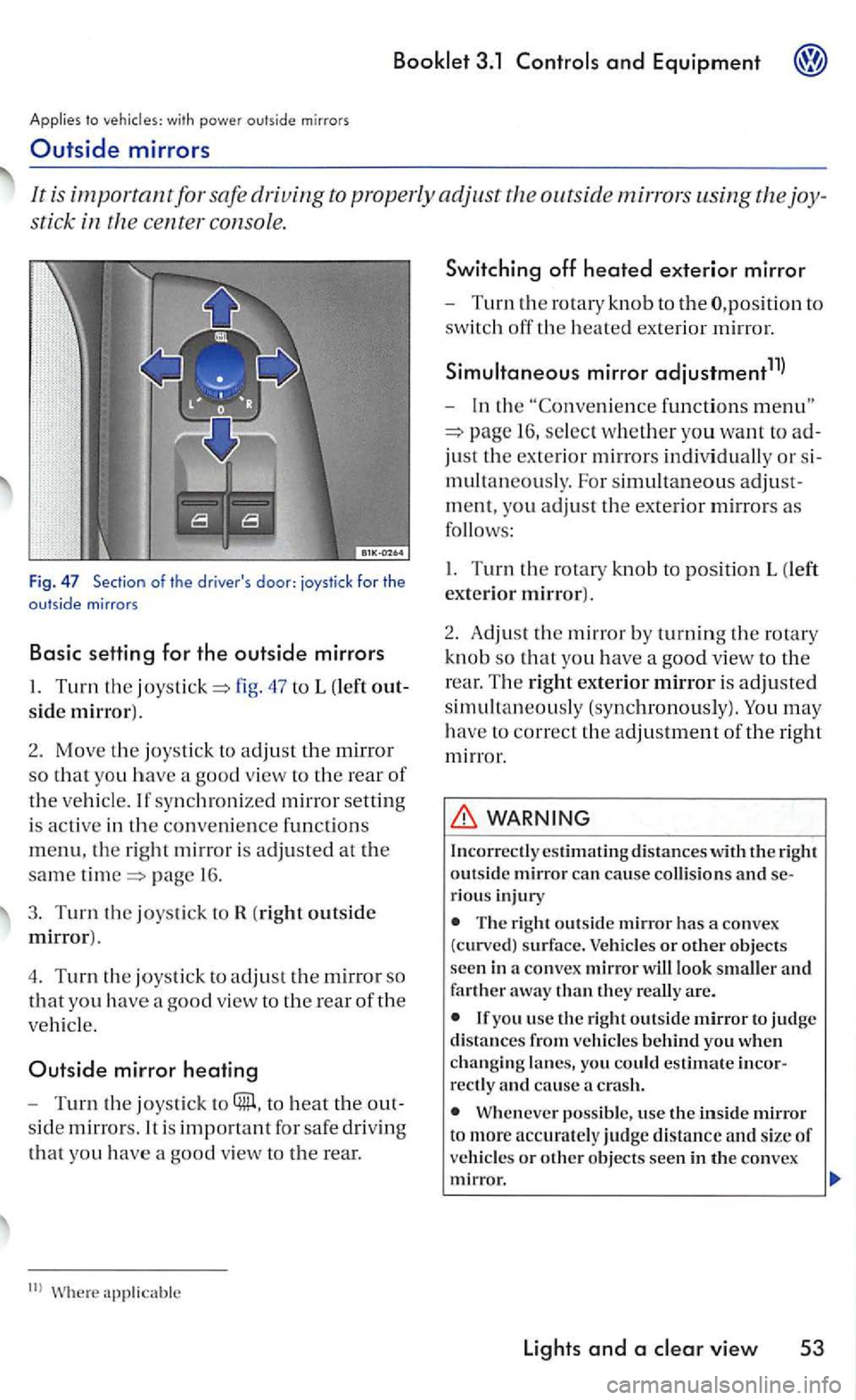
Fig . 47 Section of the driver's door: joystick for the outside mirrors
Basic setting for the outside mirrors
47 to L (left out
side mirror).
2. Mov e the joystic k to adjus t th e mirror
so tha t yo u have a good view to th e rear of
the vehicl e. If synch roni zed mirror setting
i s
active in the conve nience fun ctions
menu, the right m irr or is adjusted at the
same page 1 6 .
3. Turn the joystick to R (right outside
mirror).
4. T
urn the joystick to adjust th e mirror so
that yo u have a good view to the rear of the
ve hicl e.
Outside mirror heating
-Turn the joysti ck to to heat the out
s id e
mirrors. It is fo r safe driv in g
that yo u have a goo d view to the rear.
functions
16 , select w hether yo u want to ad
just th e ex terior mirrors indi vidual ly or s i
m ultan
eously. For simultaneo us adjust
m ent, you
adjust th e exterior mirrors as
follows :
I. Turn the rotary kn o b to pos ition L (left
exte rio r mirror).
2 .
Adjust th e m irr or by turning th e rotary
kn ob
so that yo u have a goo d vie w to the
r ear. T
he right exterior mirror is adjusted
simultaneou sly (synchronously). You may
h ave to correct th e adjustment of the right
mirror .
WARNING
Incorrectl y estim ating d is ta n ces with the right outsid e mirror can cause co llision s and serious injury
The right outs id e mirror has a convex
(curved) s urfa ce. Vehicles or other objects
seen in a co nvex mirror will look smaller and farther away than they re all y are.
you usc the right outside m irror to judge distances from vehicle s behind you when changin g lanes, yo u could estimate incorrectly and cause crash.
Wheneve r possible, use the inside mirror t o more accurately judge distance and s ize of ve hicl es or other objects seen in th e convex mirror.
lights and a
Page 224 of 444
and Equipment
(continued)
Make sure th at you do n ot get your fin ger trapped between the mirror and the mirror base when moving the mirrors.
Always make sure you have a good vis ion to the rear.
54 Light s and a
For the sake of environment
The exterior mirror hea ting be sw itch ed
off when it is no needed o th erwise you
wasle
Page 236 of 444
and Equipment
Other storage areas
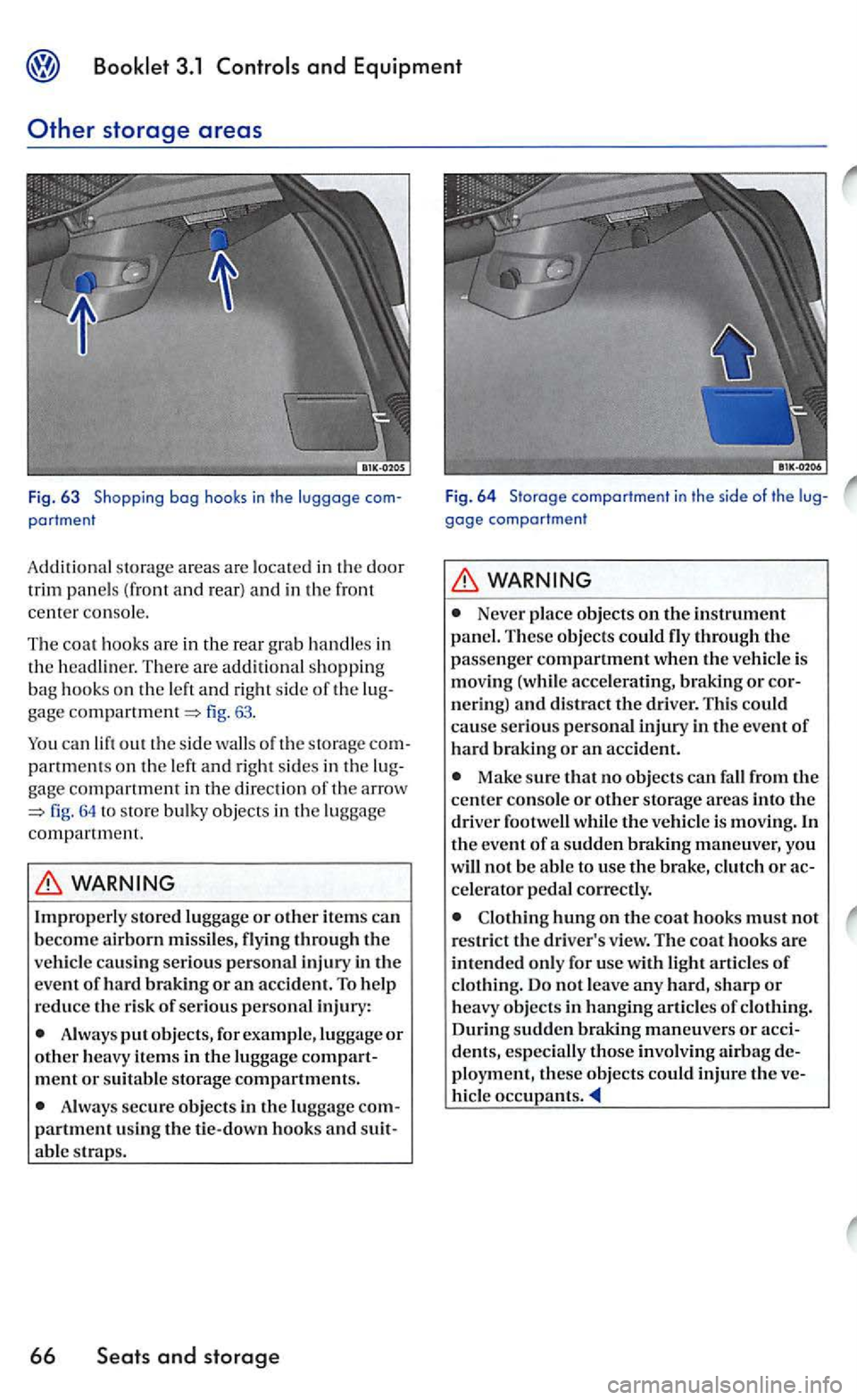
Fig. 63 Shopping bog hooks in the luggage portment
Additiona l s torage areas are located in the door
trim panel s (f ront and rear ) and in the front
center console.
The coat hooks are
in the rear grab hand le s in th e There are add itional shopping
bag hook s on the and right side of the fig. 63.
out the s ide of the storage partm ent s on the and right sides in the
fig. 64 store bulky objects in the luggage
com partm ent.
Always put objects, for example, lug gage or other heavy items in the luggag e compartment or suitabl e storage compartments.
Always secure objects in the lu ggage partment using the tie-down hooks and able straps.
66
gage comportment
Never place objects on the instrument
panel. These objects could fly through the
passeng er compartm ent when th e is mov ing (w hile acce lerating, braking or n ering) and
Make sure that no objects fall from the cente r console o r other sto rage areas into the
dri ver footwell while the is m ov ing. In the event of a sudden brakin g maneuver, you
w ill not be able to usc tl1e brake,
hung on tl1e coat hooks must not rest rict the dri ver's view . The coat hooks arc intended only for usc with light of
of During sudden braking maneuvers or acci-
d e nts, especially those inv olv in g airbag de
ployment , these objects could inj ure the ve-occupants.
Page 245 of 444
Applies to with
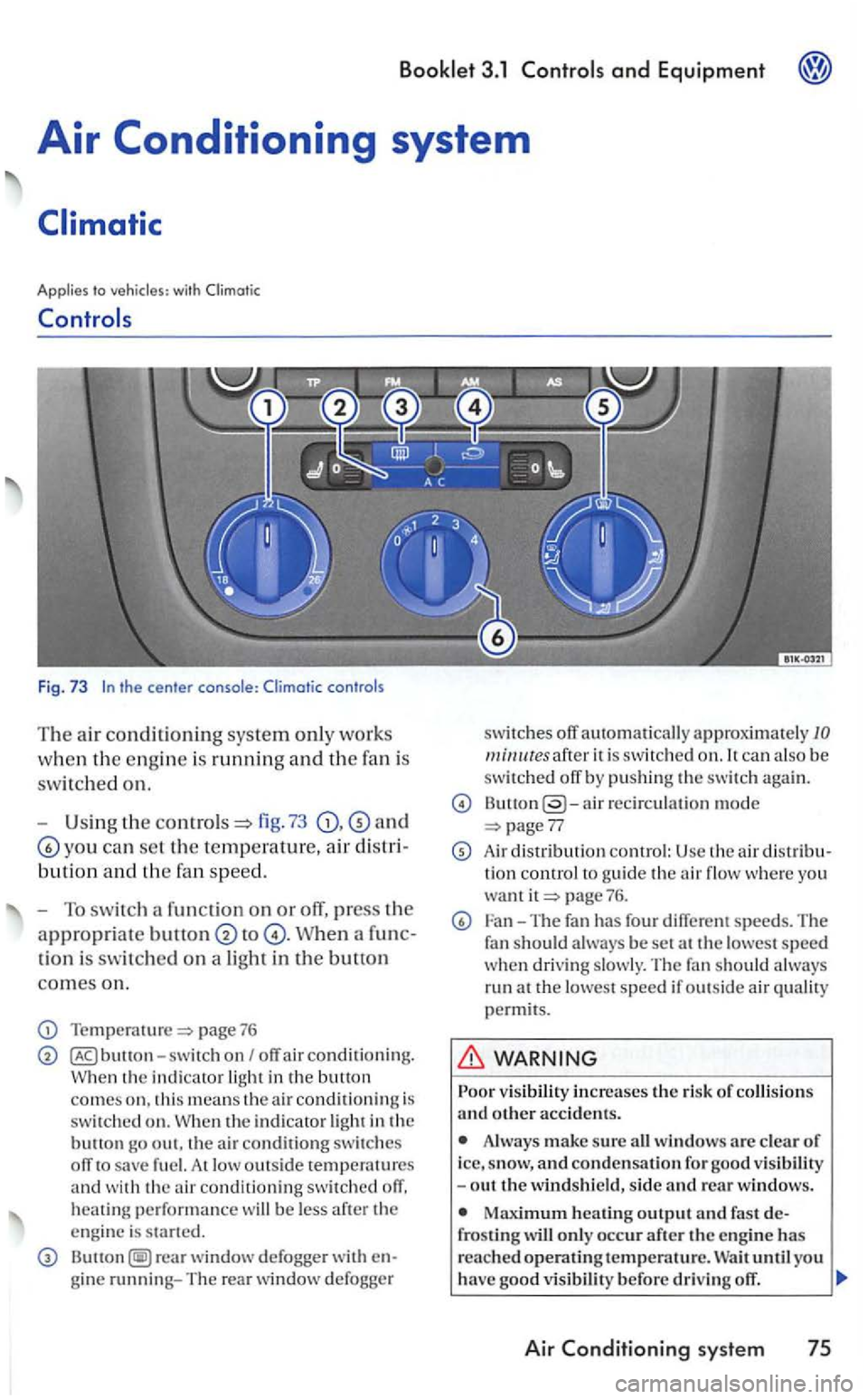
Fig. 73
fig. 73 and
yo u can se t the temperature, air d is t
bution a nd the fa n sp eed.
-
To s wit ch a fun ction on or off, press the
appropriate to
tion is switc hed on a light in the button
comes on.
Temperature=> page 76
switc h on I off air conditioning. the indi cator
the indicator
At low outs id e temperatures and wit h th e air conditioning switched off, heating performan ce will be less
rear window defogge r with
ca n al so b e
s witched off by pushing the s witch again.
air recircu lation mode 77
Air distri bution control: Usc the air d is tribu tion control to guide the air flow whe re yo u want page 76.
Fan-The fan has four different speeds. The
f a n should always be set at the lowest speed w hen dri vin g s lowly. The fan should a lways
run at the l owest speed if out sid e air
Always make sure all windows are clear of icc, sn ow, and conden sation for goo d -out th e winds hield, side and re a r windows .
frosting will onl y occ ur after th e engin e has
rea ch ed operatin g temperature. until yo u
h ave good v is ib ilit y before drivin g off.
Air Conditioning system 75