navigation system VOLKSWAGEN GOLF 2009 User Guide
[x] Cancel search | Manufacturer: VOLKSWAGEN, Model Year: 2009, Model line: GOLF, Model: VOLKSWAGEN GOLF 2009Pages: 516, PDF Size: 105.12 MB
Page 73 of 516
on page 3, note the ry and heed the on pag e 51.
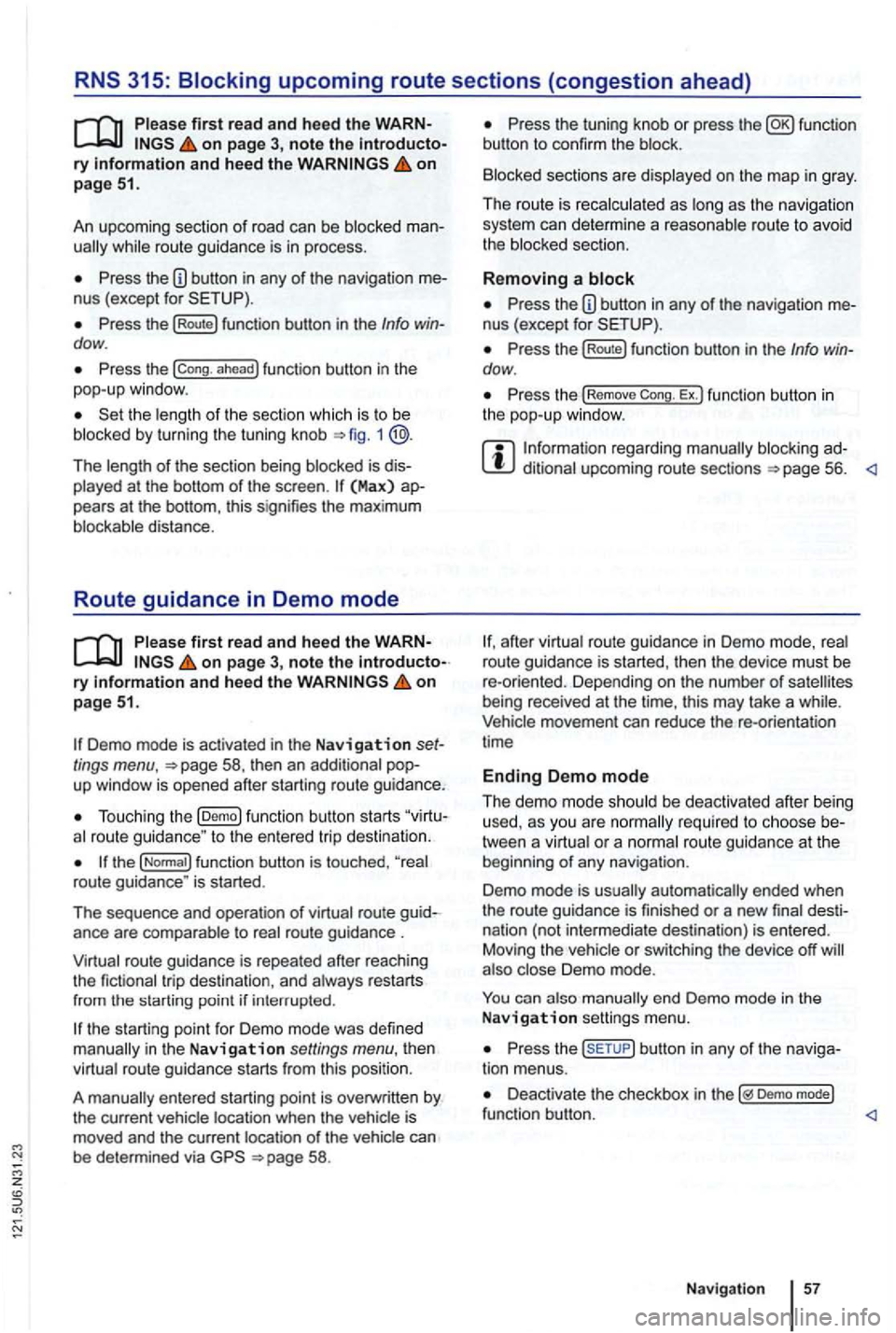
An upcoming section of road can be blocked
while route guidance is in process.
Pre ss the nus (exce pt for
Press the (Route) function button in the Info dow .
Press the ahead ) function button in the
pop-up window.
the length of the section which is to be
blocked by turning the tuning knob 1 @.
The length of the section being blocked is played at the bottom of the screen . (Max) pears at the bottom , thi s signifies the max imum distance.
Route guidance in Demo mode
on page 3, note the introductory on page 51.
Demo mode is activated in the Navigation tings menu ,
Touch ing the (D emo ) function button starts route guidance " to the entered trip destinatio n.
ance are compa rable to route guidance .
route guidance is repeated after reaching
the fictional trip destinat ion, and always restarts
from
in t he Navigation settings menu, the n
virtual route guidance starts from this position.
A
entered starting point is overwr itten by
the current vehicle location when the is
moved and the current location of the vehicle can
be determined via
Press the tun ing knob or press the function
button to confirm the block.
Blocked sections are displayed on the map in gray.
The route is recalculated
as as the navigation
system can determi ne a reasonable route to avoid
the blocked section.
R e
moving a
Pre ss the button in any of the navigation
Pre ss the (Rout e) function button in the Info dow .
Press the Rem ove Ex.) function button in the pop-up window .
regarding manually blocking ditional upcoming route sections 56.
afte r virtua l route guidance in Demo mode, rea l
route guidance is started , then the device must be
re -orien ted . Depending on the number of being received at the time, this may take a wh ile. movement can reduce the re-o rientation
t ime
Ending D emo mode
The demo mode should be deactivated after being
used , as you are
tween a virtua l or a normal route guidance at the
beg inning of any naviga tion .
Demo mode is
automatically ended when
the route guidance is fini shed or a new final
also Demo mode.
You end Demo mode in the
N av ig a tion settings menu.
Press the button in any of the naviga
tion menus.
Deactivate the checkbox in Demo mode) functio n button .
Navigation
Page 78 of 516
Please first read and note the introductory information and hee d the WARN on page 59.
A
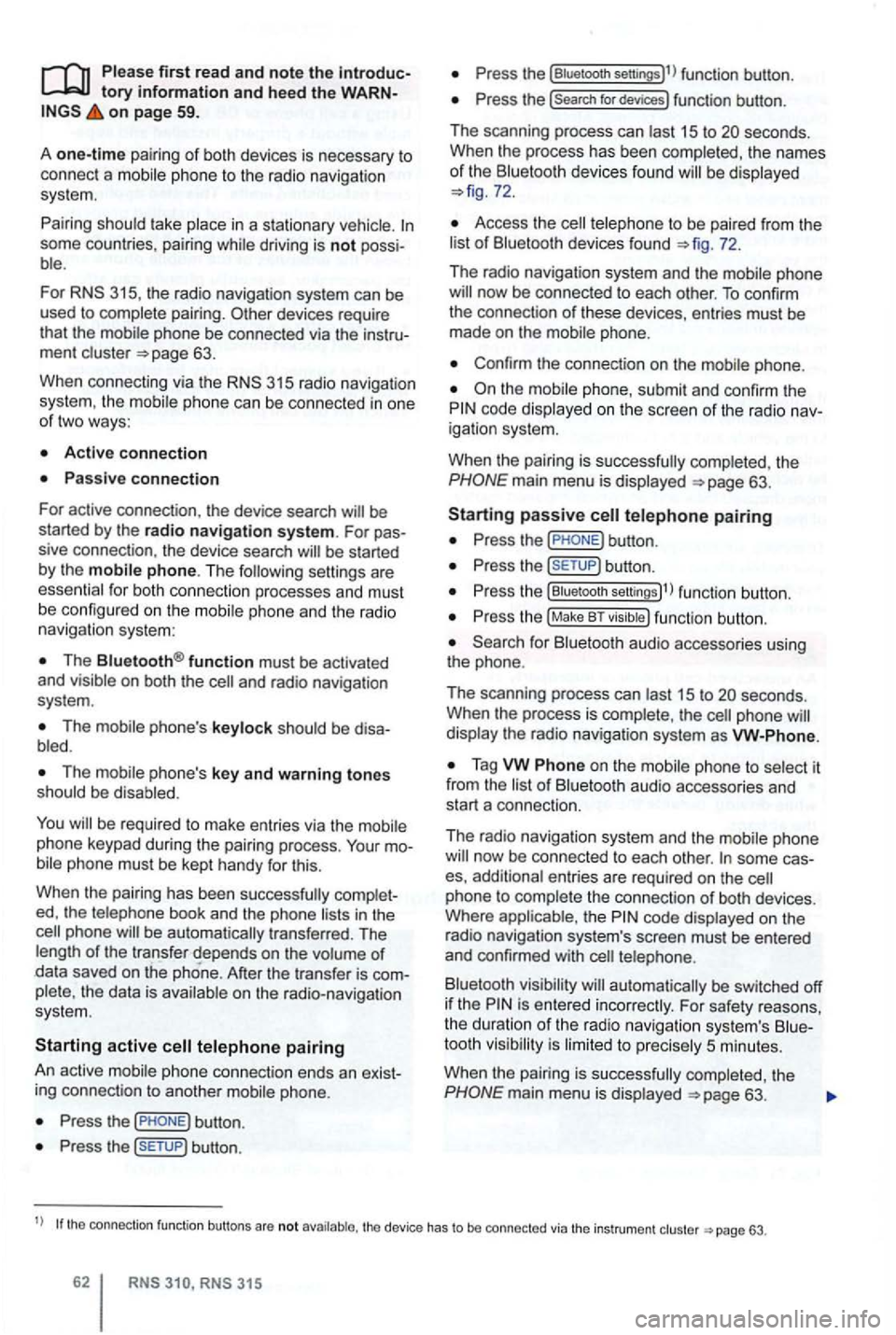
one-time pairi ng of both devices is necessary to
connect a
some countries , pairing driving is not possi
For 315, the radio navigation system can be
used to complete pairing.
63.
When connecting via the
315 radio navigation
system , the mobile ph one can be connected in one
of two ways :
Active connection
The Bluetooth® function must be activated
and v isible on both the
The should be disa
The phone's key and warning tones should be disabled .
You
phone be automatically transferred . T he
length of the transfer depends on the volume of data saved on the phone . After the transfer is com
p lete , the data is
active telephone pairing
An active mobile phone connection ends an exist
ing connection to anot her mobile phone.
Press the button.
Press the (SETUP ) button.
Press the [Biuetooth settings)l l func tion button .
Press the [search for devices) function button.
T he scan ning process can
15 to seconds .
When the process has bee n comple ted, the names
o f t he Bluetoot h devices f ound
72.
Access the telephone to be paired from the 72.
T he radio navigation system and the mobile phone
code displaye d on th e screen of th e rad io nav
i gation system.
When the pairing is successfully completed, the
63 .
passive telephone pairing
Press the button.
Press button.
Press th e [Biuetooth settings)1l funct ion button.
Press the (Make BT fu nc tion butto n .
15 to phone
of Bluetooth audio accesso ries and
start a connec tion.
T he radio naviga tio n system and the
some cases, additional entries are required on the phone to complete the connection of both devices.
Where the code displayed on the
radio navigation system's screen must be entered
and confirmed with
is entered inco rrectly. For safety reasons ,
t h e duration of the radio navigatio n system's toot h visibil ity is li m ited to precisely 5 min utes.
When the pairing is successfully completed, the
63 .
tho connection function butto ns are not the d evice has to be connected via the instrument p age 63.
Page 79 of 516
z
Pairing and connecting
There can be up to four one can be connected to the rad io -navigation system at any one time.
When the radio navigation system
is switched on,
it
connect
ed.
attempt to connect to
t h e next phone on the of paired devices.
T
he maximum reception distance for a connection is con
nection be interru pted if this distance is ex- ceeded
. The connection
as soon as a paired device is within range again.
four one is to be connected , one
Press button .
Press the (Biuetooth settings)1l function button.
Press the (Paired device lis t) function bu tto n.
of paired devices, tag the phon e to be
Connecting the
Please first read and note the introductory information and heed the WARNon page 59.
is connected , via the radio naviga
tion system.
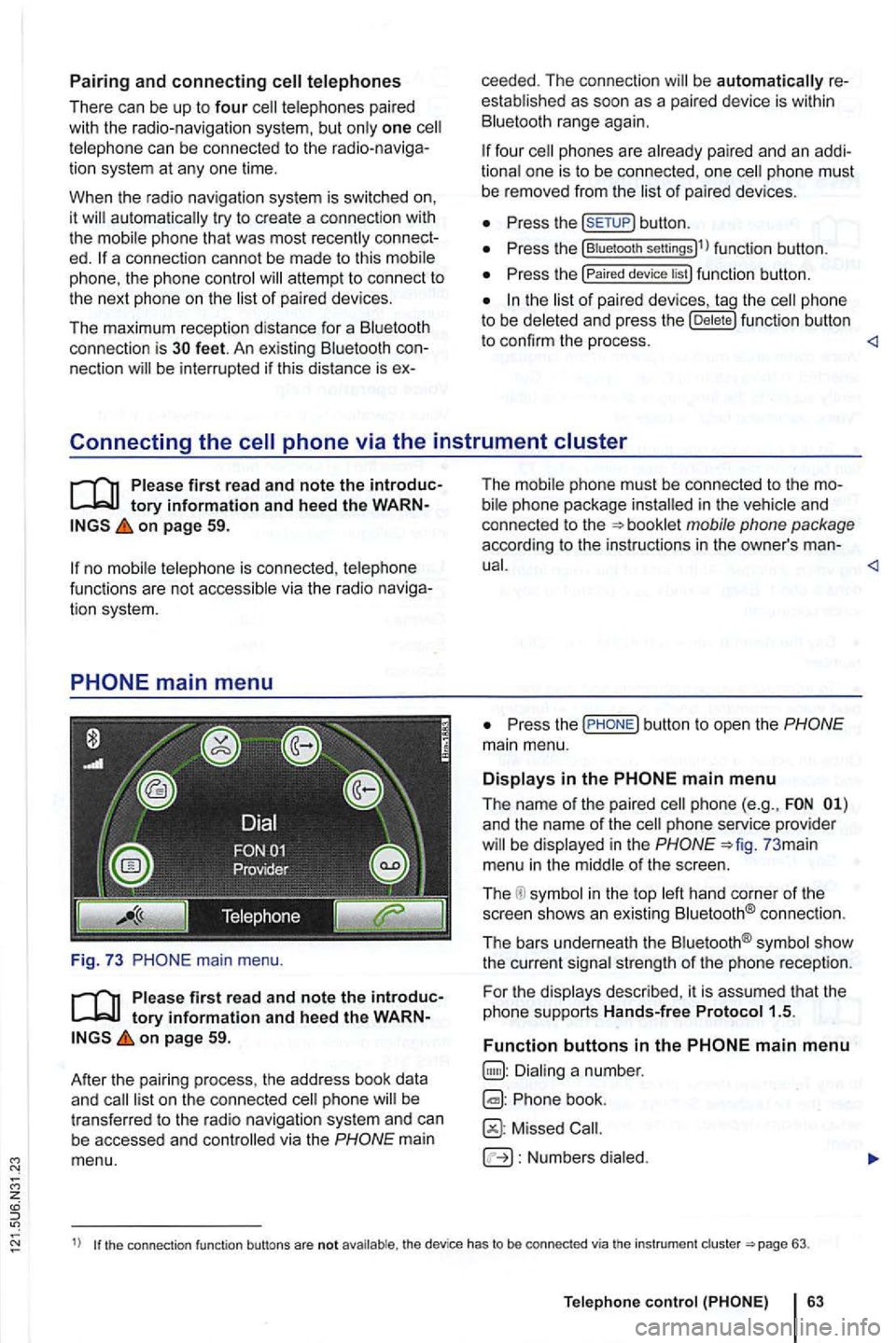
main menu.
first read and note the introductory information and heed the WARNon page 59.
After
the pair ing process , the address book data
and
mai n
menu. T
he i
n the and
co nnected to the
P ress the
and the name of the phone service provider in the 73 mai n
menu in the
in the top connect io n .
The bars underneath the
strength of the phone reception.
F or th e
Phone book.
Missed
Numbers
1) the connection function buttons are not the device has to be connected via th e instrument 63.
Telep hone
Page 83 of 516
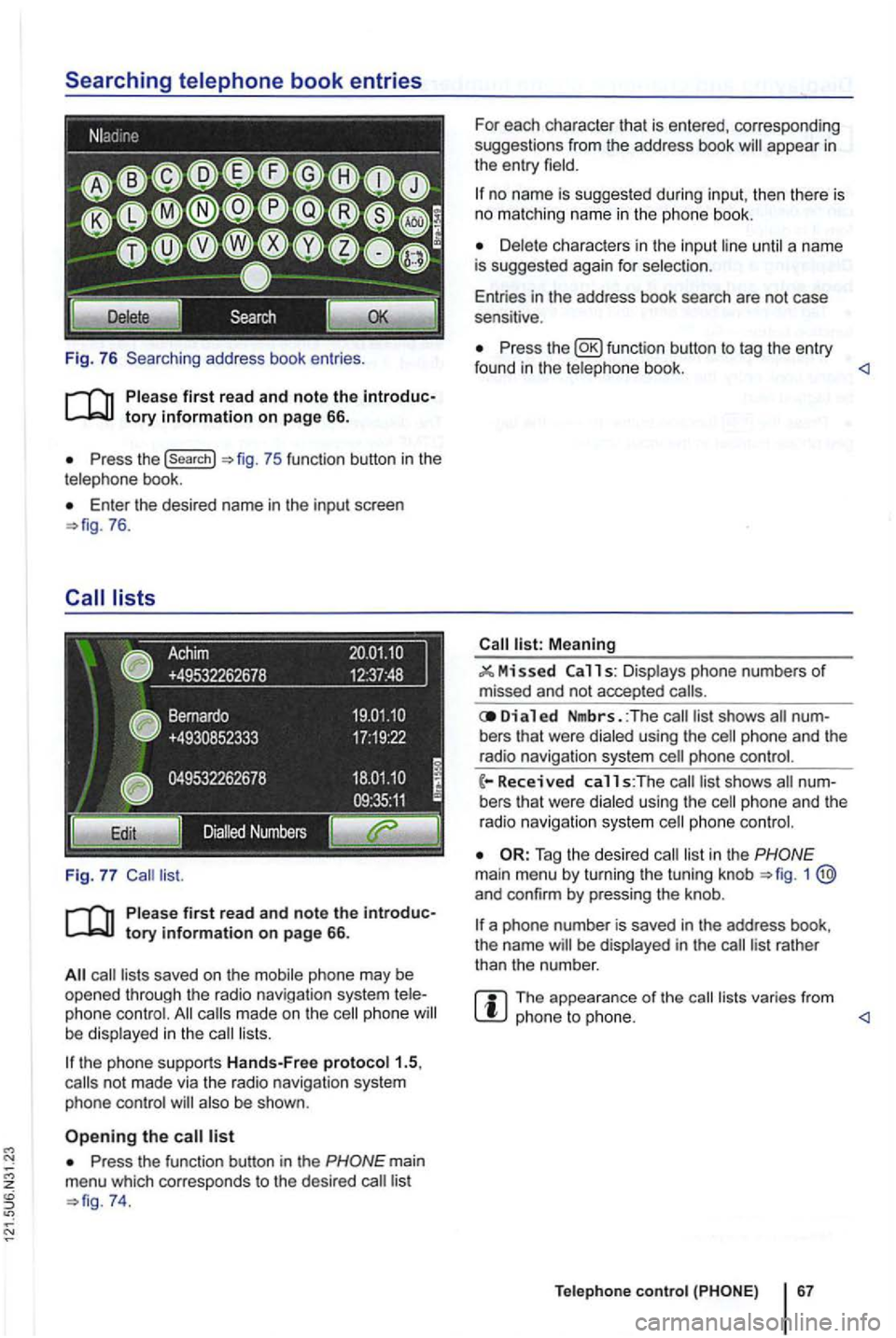
Fig. 76 Searching address book entries .
Press the (search}
Enter th e desired name in the input screen 76.
saved on the mobile phone may be opened through the radio navigation system phone made on the phone lists.
the phone supports Hands-Free proto col1.5,
also be shown .
Press the function button in the
74. For
each character that is entered, corresponding
suggestions from the address book
no name is suggested during input, then th ere is no matching name in the phone book.
until a name
is suggested again for selec tion .
Entries in the address book search are not case
sensitive .
Press the function button to tag the entry
found in the telephone book. <1
Meaning
11 s: Displays phone numbers of missed and not accepted
Di a 1 ed Nmbrs. :The bers that were dialed using the
phone and the
radio navigation system
list in the 1 and confirm by pressing the knob .
a phone number is saved in the address book,
the name be displayed in the
The appearance of the lists varies from phone to phone. <1
Teleph one c ontro l
Page 89 of 516
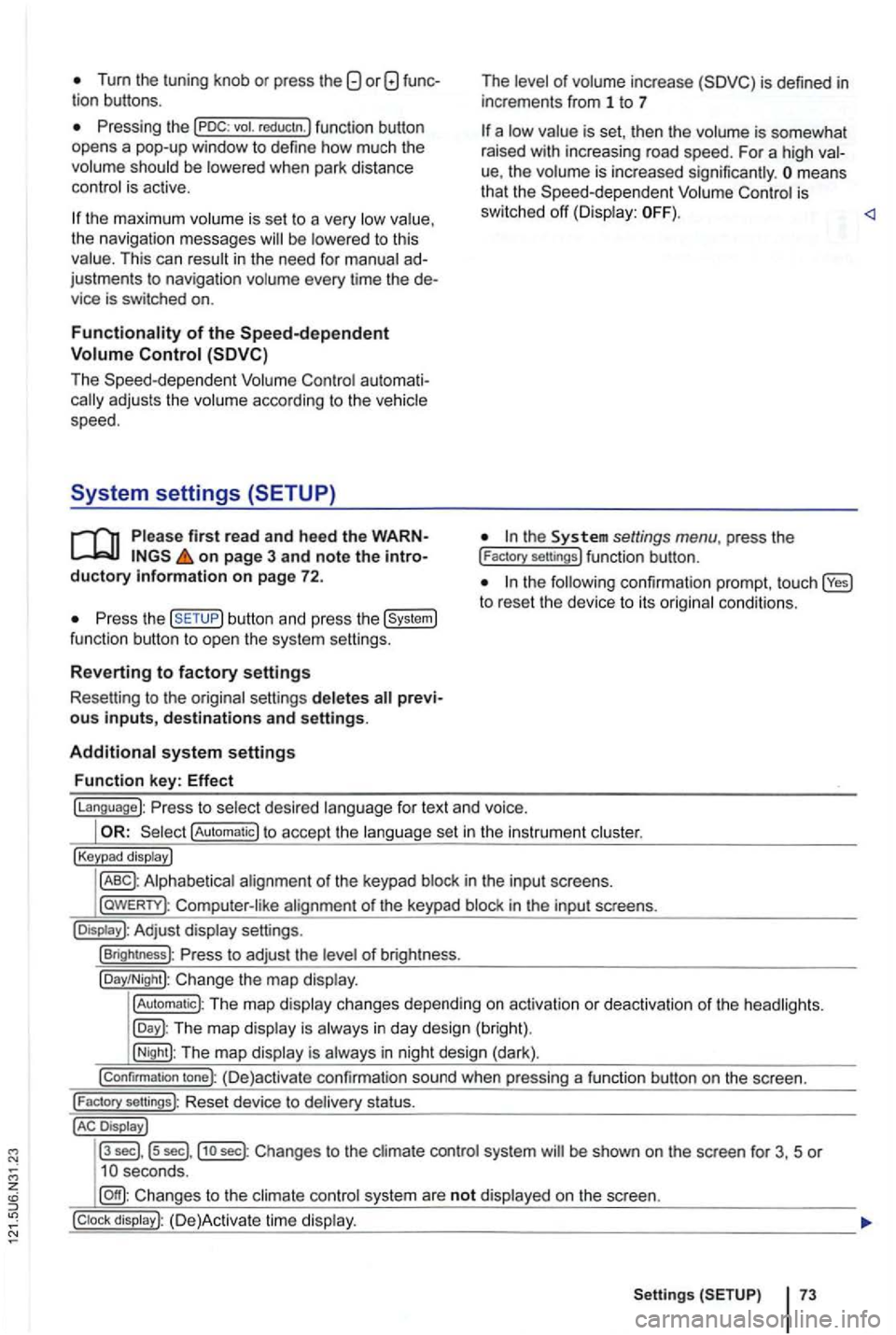
Tum the tuning knob or press the
be
the maximum is se t to a very the navigation messages to this This can in the need for ad
justments to navigation every time the de
vice is switched on.
au toma ti
firs t read and heed the WARNon page 3 and note the introductory information on page 72.
the button and press the
of inc rease
is set , th en the is somewhat
rai sed with increasing road speed. For a high
ue, the means
that the is
sw itched off
the to reset the device to its
fo r text and voice.
!Automatic) to accept the set in the instru ment
!Keypad display)
in th e inpu t sc reens.
l
aWERTY) : in the input screens.
settings.
!Brightness): of br igh tness.
!Day/Night): Change the map
!Automatic): The map changes depending on activation or deactiva tion of th e head lights.
The map in day design (bright).
!Night): The map is in night design (dark).
!Confirmation tone): (D e)activate confirmation sound when pressing a function button on the screen.
!
Factory sellings): Reset dev ice to stat us.
Display J
l3
sec] , ls sec],j1o sec) : Changes to the system be shown on the screen for 3, 5 or
system are not on the screen.
Setting s 73
Page 104 of 516
About this
At the end or this Manual , you
The list or Abbrevia tions at the end or the Man
ual explains the technical abbreviations and desig
nations.
Directions
Ill ustrations are only expla in the text descriptions
and instructions .
Any technical modifications to the vehicle that
were introduced
fere nces between your vehicle and the information
in this No the information , illu strations , or descr iptio ns in thi s
you
set
Warranty and Maintenance booklet
Owner's Manual
The set may
Supplemen t
Radio or Navigation system
Mobile Phone Package
Page 110 of 516
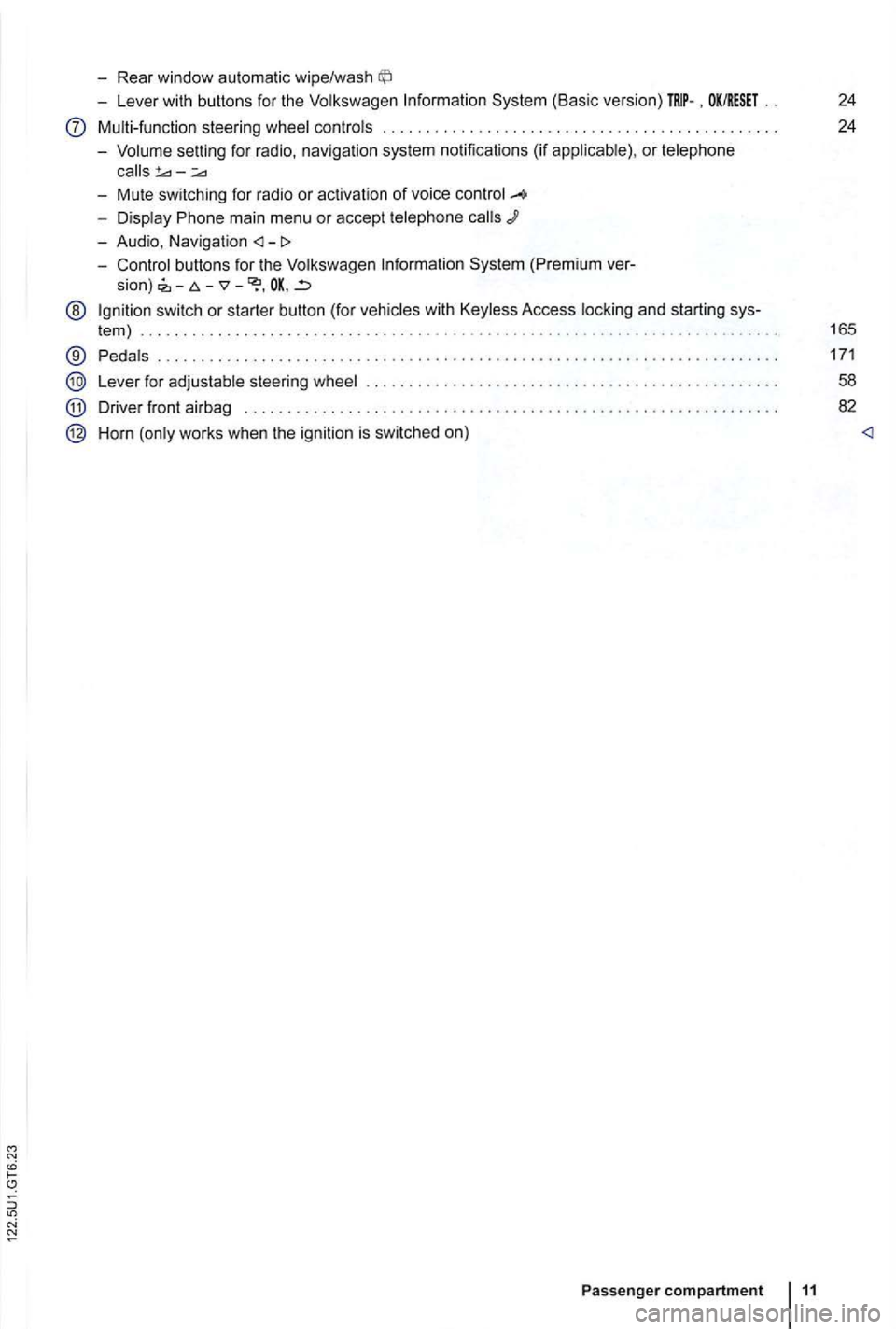
-Rear window automatic wipe/wash
-Lever with buttons for the Volkswagen Information System (Basic version) . OK/RESET 24
Multi-function steering wheel controls . . . . . . . . . . . . . . . . . . . . . . . . . 24
- Volume setting for radio , naviga
tion system notifications (if applicab le) , or telephone
- Display Phone main menu or accept telephone
- Audio, Navigation
sion) -
@ Ign ition switch or starter button (for vehicles with Keyless Access locking and starting sys-
tem ) . . . . . . . . . . . . . . . . . . . . . . . . . . . . . . . . . . . . . . . . . . . . . 165
® Pedals ............ .................................... ....................... .
Lever for adjustable steering wheel
Driver front airbag . . . . . . . . . .
.............................................. .
Horn (only works when the ignition is switched on)
Passenger compartment 11
171
58
82
Page 111 of 516
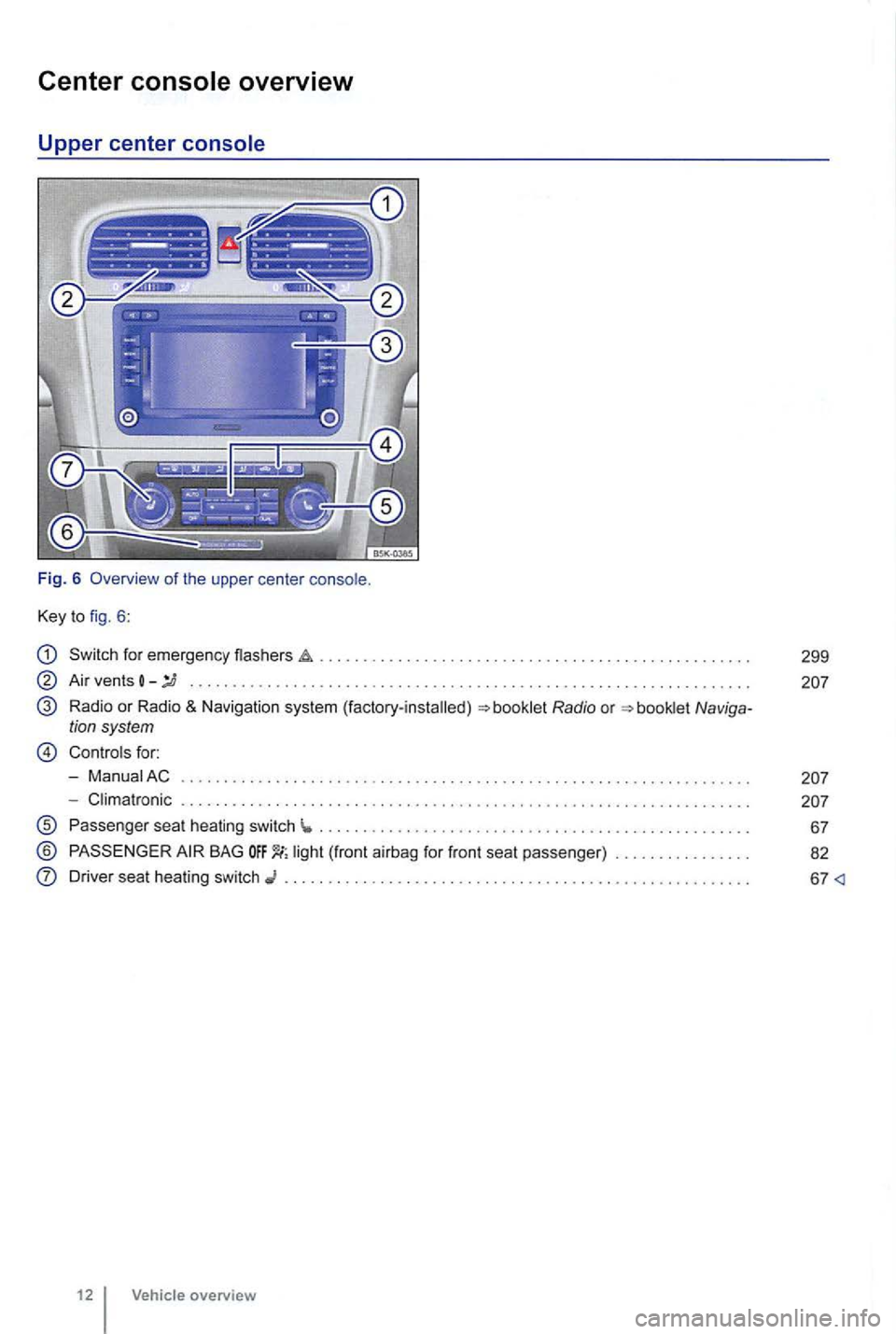
Center
Key to fig. 6 :
Switch for emergency flashers
Air vents -........... ... ..................... .... .. ............ .......... . .
Radio or Radio & Navigation system (factory-installed)
Controls for:
- ManuaiAC
- Climatronic . . . . .
............................................ .
Passenger seat heating switch ...... ........................................ ... .
® BAG
Driver seat heating switch ......................................... .
12 Vehicle overview
299
Page 119 of 516
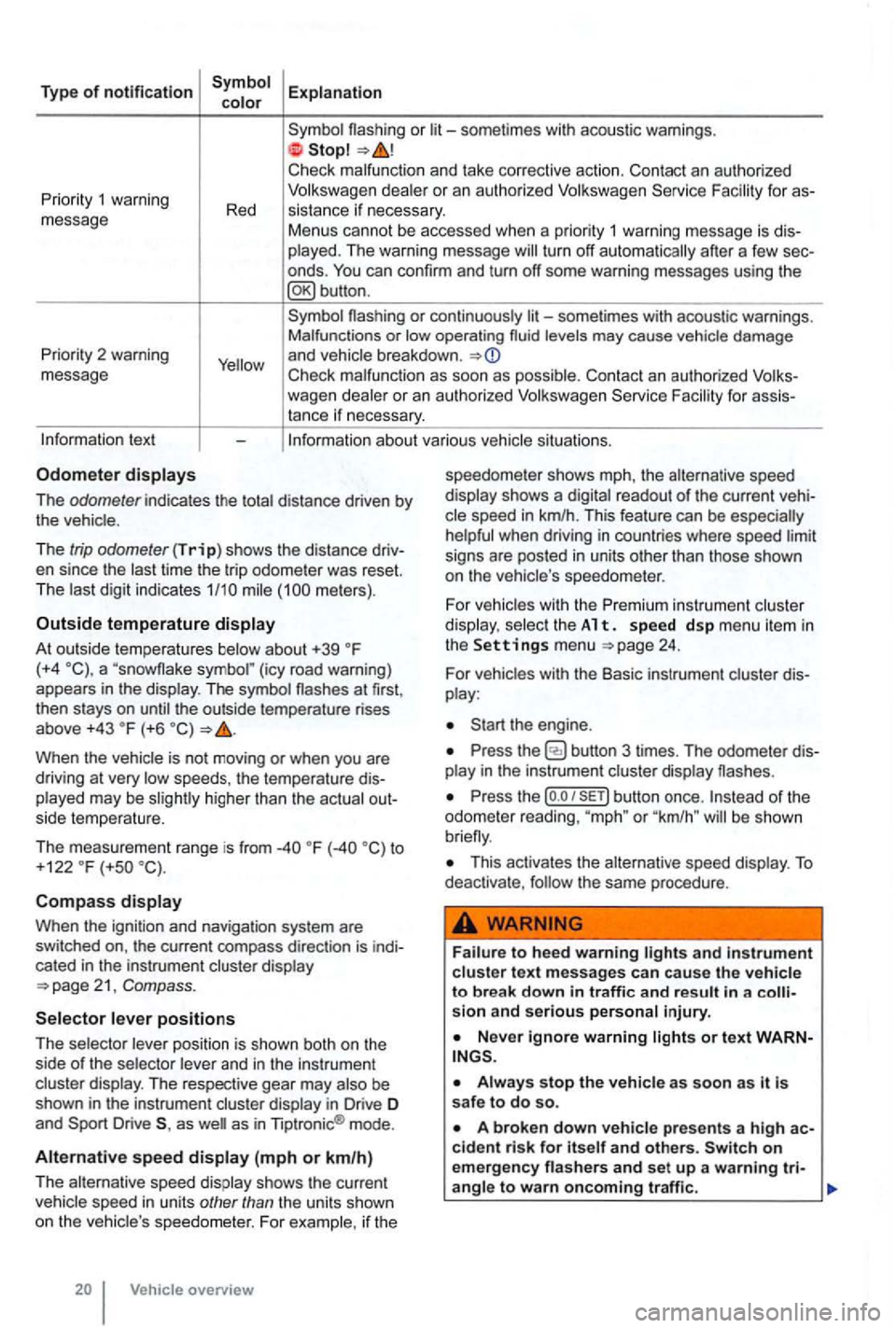
Type of notification
or
deale r o r an autho rized
turn off automatically after a few sec
onds .
Priority 2 warning
message
or continuously levels may cause vehicle damage
and vehicle breakdown .
Check malfunc tion as soon as possib le. Con tact an authorized for assistance if necessary.
tex t
The odometer indicates the distance driven by the vehic le .
The
trip odometer (Trip) shows the distance driv
en since the time the trip odometer was reset.
The meters) .
Outside temperature
At out side temperatures (+4 (icy road warning)
appears in the display . The symbol the outside temperature rises
above +43 (+6
higher than the actual out
side temperature.
The measurement range is from
to
+122 (+so
Compass
Whe n the ignit ion and navigation system are
switched on, the current compass direction is indi
cated
in the instrument cluster display
position is shown both on the
side of the selector and in the instrument
cluster display. The respective gear may
as as in Tiptronic ® mode .
Alternative speed (mph or km/h)
The alternative speed display shows the current
Vehicle overview speedometer
shows mph, the alternative speed
display shows a
readout of the current veh i
signs are posted in units other than those shown
on the vehicle 's speedo meter .
For
vehicles with the Premi um instrument cluster
di splay. select th e A 1 t. s pe ed d sp me nu it em in the Settings menu 24.
For vehicles with the Basic instrument cluster dis
play :
Press the
Press the (o .o button once. or "km /h " be shown
This activates the alternative speed display . To deactivate , the same procedure .
and in strument cluste r text messages can cause the vehicle to break down in traffic and result in a sion and serious personal injury.
on emergency
Page 121 of 516
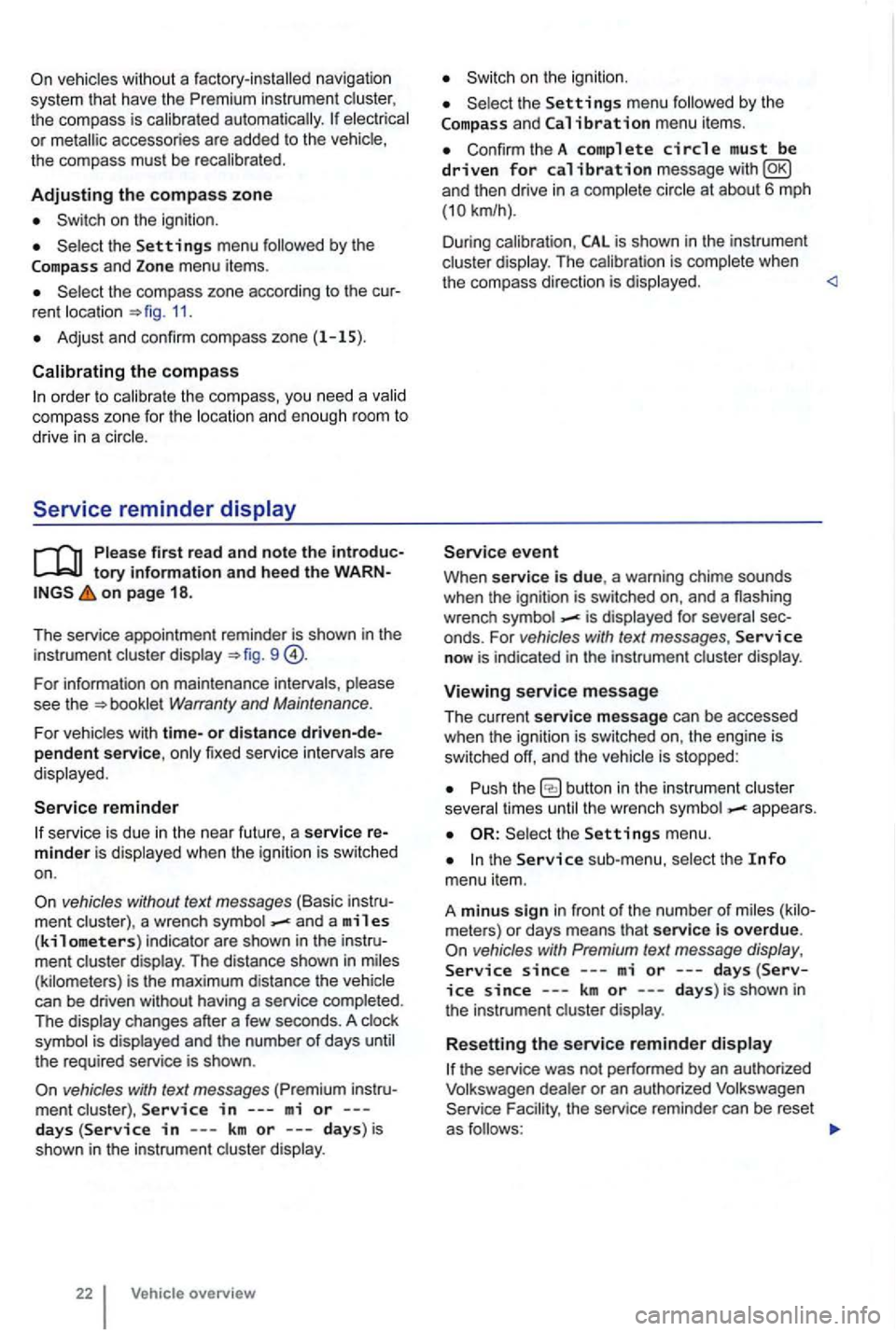
vehicles with out a factory-installed navigation
system th at have th e instrument the compass is calibrated automatically. or metallic accessories are added to the the compass must be recal ibrated .
Adjusting the compass zone
on the ignition .
and Zone menu items.
rent location =>fig. 11.
Adjust and confirm compass zone (1 -15).
order to cal ib rate the compass, you need a
Serv ice reminder
on page 18 .
The service appointment reminder is shown in the
instrument =>fig . 9
For information on maintenance intervals, Warranty and Maintenance.
For vehicles with time-or distance fixed service intervals a re
displayed .
Service reminder
service is due in the near future, a service
vehicles without text messages (Basic a wrench and a miles (kilometers) indicator are shown in the display . The distance shown in (kilometers) is the maximum distance the
the required service is shown .
vehicles with text messages
and Calibration menu items .
ConfirmtheA complete circle must be driven for calibration message
is complete when
the compass direction is displayed.
When service is due, a warning chime sounds
when the ignition is sw itched on, and a flashing
wrench
- is displayed for
now is indicated in the instrument display.
Viewing service message
The current service message can be accessed
when the ignition is switched on, the engine is
switched off, and the
times -appea rs .
the sub-menu,
since---mi or---days(Service since ---km or ---days) is shown in
the instrument
or an authorized Volkswagen the service reminder can be reset
as