ignition VOLKSWAGEN GOLF 2010 Owners Manual
[x] Cancel search | Manufacturer: VOLKSWAGEN, Model Year: 2010, Model line: GOLF, Model: VOLKSWAGEN GOLF 2010Pages: 516, PDF Size: 105.12 MB
Page 24 of 516
Operation basics
Introduction
. . . . . . . . . . . . 9
Additional displays and options . . . . . . . . . . . . 9
Funct ion buttons and device buttons
........
Therefore Volkswagen recommends reset
ting the device to the factory settings via the sys
tem settings when first used
Device overview
Multi-function steering to change tracks
or stations manual , chapt er Vehicle overvi ew
Switching on or off
page 3 and note the introductory information on page 8.
1 to
minutes (timeout).
3 15
A screen is sufficien t to operate the device .
Due to coun try-sp ecific requirements , some functions are not
Operating a cause noise in the speakers .
some vehicles with park distance control, the lowered when shifting into reverse.
Anti-theft coding
The anti-theft code number remains stored in the
in
a differen t vehicle,
battery was disconnected , switch on
the ignition before switching on the device .
Page 110 of 516
-Rear window automatic wipe/wash
-Lever with buttons for the Volkswagen Information System (Basic version) . OK/RESET 24
Multi-function steering wheel controls . . . . . . . . . . . . . . . . . . . . . . . . . 24
- Volume setting for radio , naviga
tion system notifications (if applicab le) , or telephone
- Display Phone main menu or accept telephone
- Audio, Navigation
sion) -
@ Ign ition switch or starter button (for vehicles with Keyless Access locking and starting sys-
tem ) . . . . . . . . . . . . . . . . . . . . . . . . . . . . . . . . . . . . . . . . . . . . . 165
® Pedals ............ .................................... ....................... .
Lever for adjustable steering wheel
Driver front airbag . . . . . . . . . .
.............................................. .
Horn (only works when the ignition is switched on)
Passenger compartment 11
171
58
82
Page 121 of 516
vehicles with out a factory-installed navigation
system th at have th e instrument the compass is calibrated automatically. or metallic accessories are added to the the compass must be recal ibrated .
Adjusting the compass zone
on the ignition .
and Zone menu items.
rent location =>fig. 11.
Adjust and confirm compass zone (1 -15).
order to cal ib rate the compass, you need a
Serv ice reminder
on page 18 .
The service appointment reminder is shown in the
instrument =>fig . 9
For information on maintenance intervals, Warranty and Maintenance.
For vehicles with time-or distance fixed service intervals a re
displayed .
Service reminder
service is due in the near future, a service
vehicles without text messages (Basic a wrench and a miles (kilometers) indicator are shown in the display . The distance shown in (kilometers) is the maximum distance the
the required service is shown .
vehicles with text messages
and Calibration menu items .
ConfirmtheA complete circle must be driven for calibration message
is complete when
the compass direction is displayed.
When service is due, a warning chime sounds
when the ignition is sw itched on, and a flashing
wrench
- is displayed for
now is indicated in the instrument display.
Viewing service message
The current service message can be accessed
when the ignition is switched on, the engine is
switched off, and the
times -appea rs .
the sub-menu,
since---mi or---days(Service since ---km or ---days) is shown in
the instrument
or an authorized Volkswagen the service reminder can be reset
as
Page 124 of 516
Avg. Consu m.
Route
Avg . speed
Dig it. speed
warning
Back
Compass
Convenience
ATAconfirm
Dooropen
Manual
(All doors , door, Veh . si de,
Automa tic (Auto Lock, Auto Unlock)
Mirror adjust
Factory
Lights & Vision
Background lighting
Footwell ligh ting
L n. Chg.
F actory setting
Ti me
Units
Alternative speed display
Reset
Factory setting
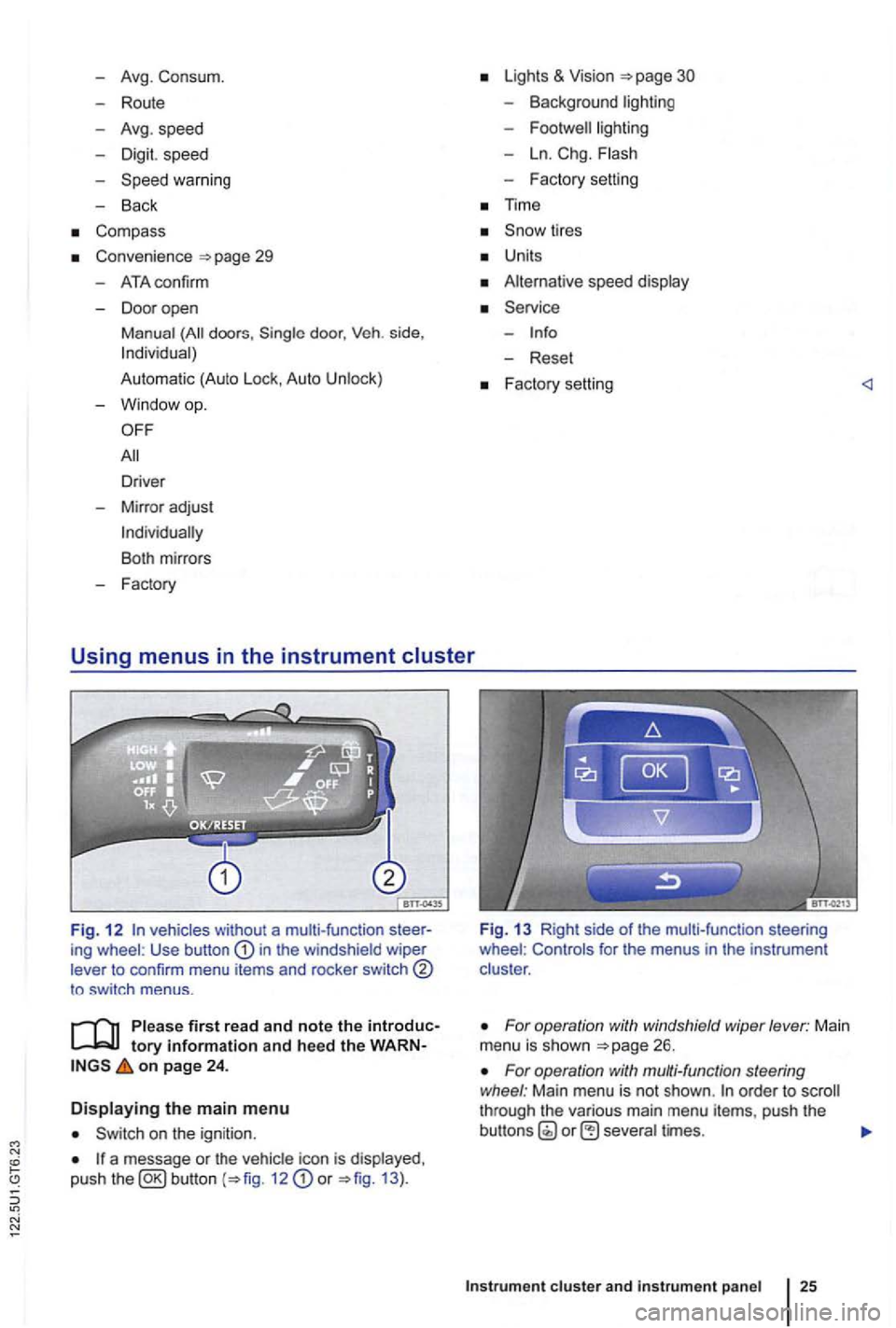
Fig. 1 2 vehicles without a multi-function ing wheel : Use button in the windshield wiper
lever to confirm menu items and rocker switch
to sw itch menus .
tory information and heed the on page 24 .
Displaying the main menu
on the ignition .
a message or the vehi cle icon is displayed ,
push the 12 or 13 ).
Fig. 13 Right side of the mult i-func tion steering
wheel : Controls for the menus in the instrumen t
clus ter .
For operation with windshield wiper lever: Main
menu is shown
For operation with multi-function steering
wheel : Main menu is not shown . order to through the various main menu items, push the
cluster and instr um ent pan el
Page 126 of 516
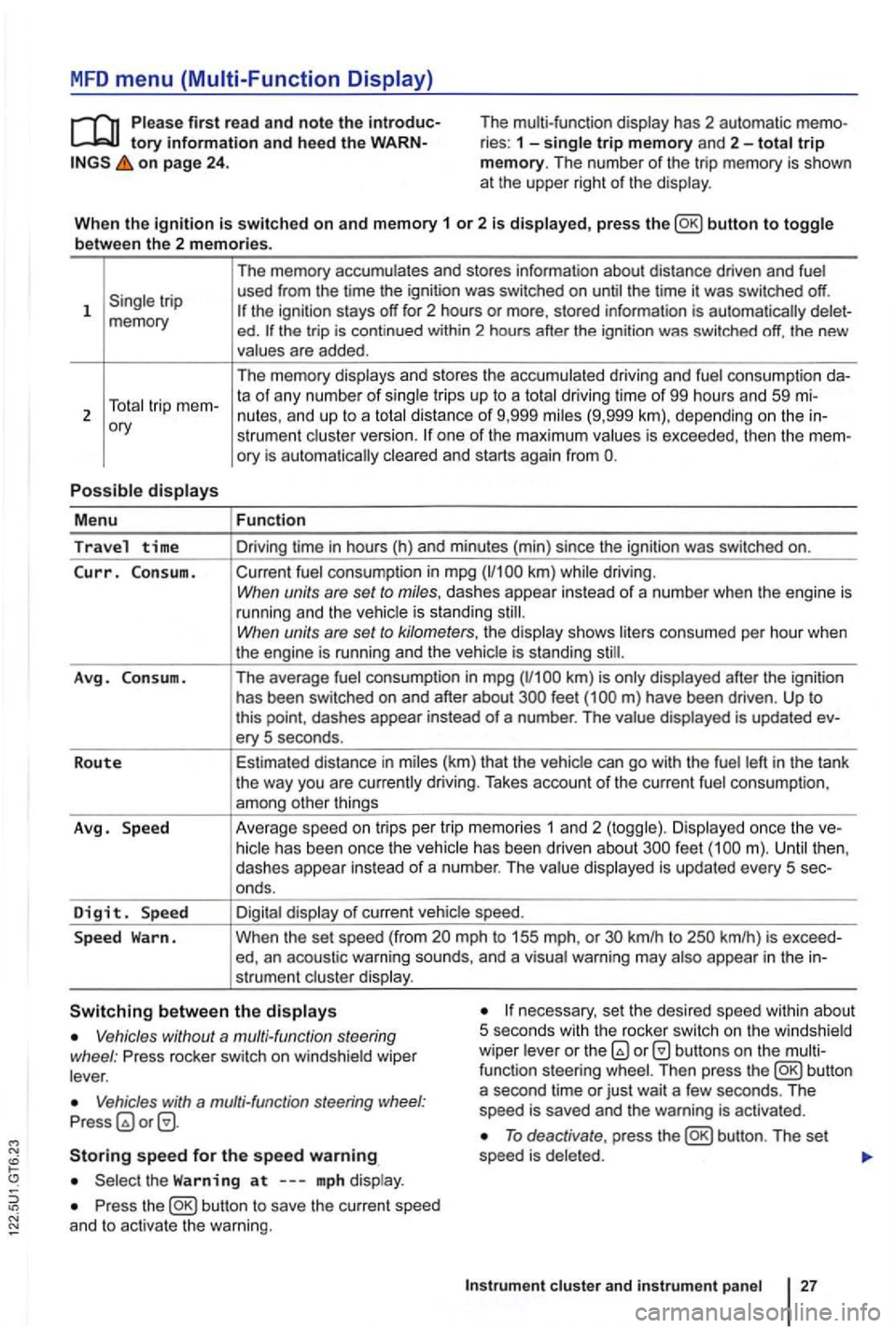
MFD menu (Multi-Function Display)
tory information and hee d the on page 24 . The multi-function
display has 2 automatic ries : 1 -single trip memory and 2-total trip memory. The number of the trip memory is shown
at the upper right of the display .
Wh en th e
ignition is switched on and memory 1 or 2 is displayed, press button to toggle
b etwee n the 2 m em ories.
1
ory
P o
ssible displays
M enu
Travel time
Curr. C on sum.
A vg . Consu m .
R o
ute
Avg . Speed
D
igit. Sp ee d
S p ee d
Warn. The
memory accumulates and stores information about distance driven and fuel
used from the time the ignition was switched on until the time it was switched off.
ed . the trip is cont inued within 2 hours after the ignition was switched off, the new
values are added .
The memory displays and stores the accumulated driving and fuel consumption
strumen t cluste r version. one of the maximum values is exceeded, then the
Fun ction
Driving time in hours (h) and minu tes (min) since the ignition was switched on.
Current fuel consumption in mpg
have been driven . Up to this point , dashes appear instead of a number . The value displayed is updated ery 5 seconds .
Estimated distance in miles (km) that the vehic le can
go with the fuel left in the tank
the way you are currently driving. Takes account of the current fuel consumpt ion ,
among other things
Ave rage speed on tri
ps per tr ip memor ies 1 an d 2 (toggle) . Di splayed once the feet
mph to 155 mph, or km/h to
necessary, set the desired speed within about
5 seco nds with th e rocker switch on the w indshield
wiper leve r or the Vehicles without a multi-function steering
wheel : Press rocker switch on windshie ld wiper
lever .
Vehicles with a multi-fun ction steering Press
Storing speed for the speed warning
Press the
To deactivate , press
Instrum ent cluste r and in str um en t panel
Page 129 of 516
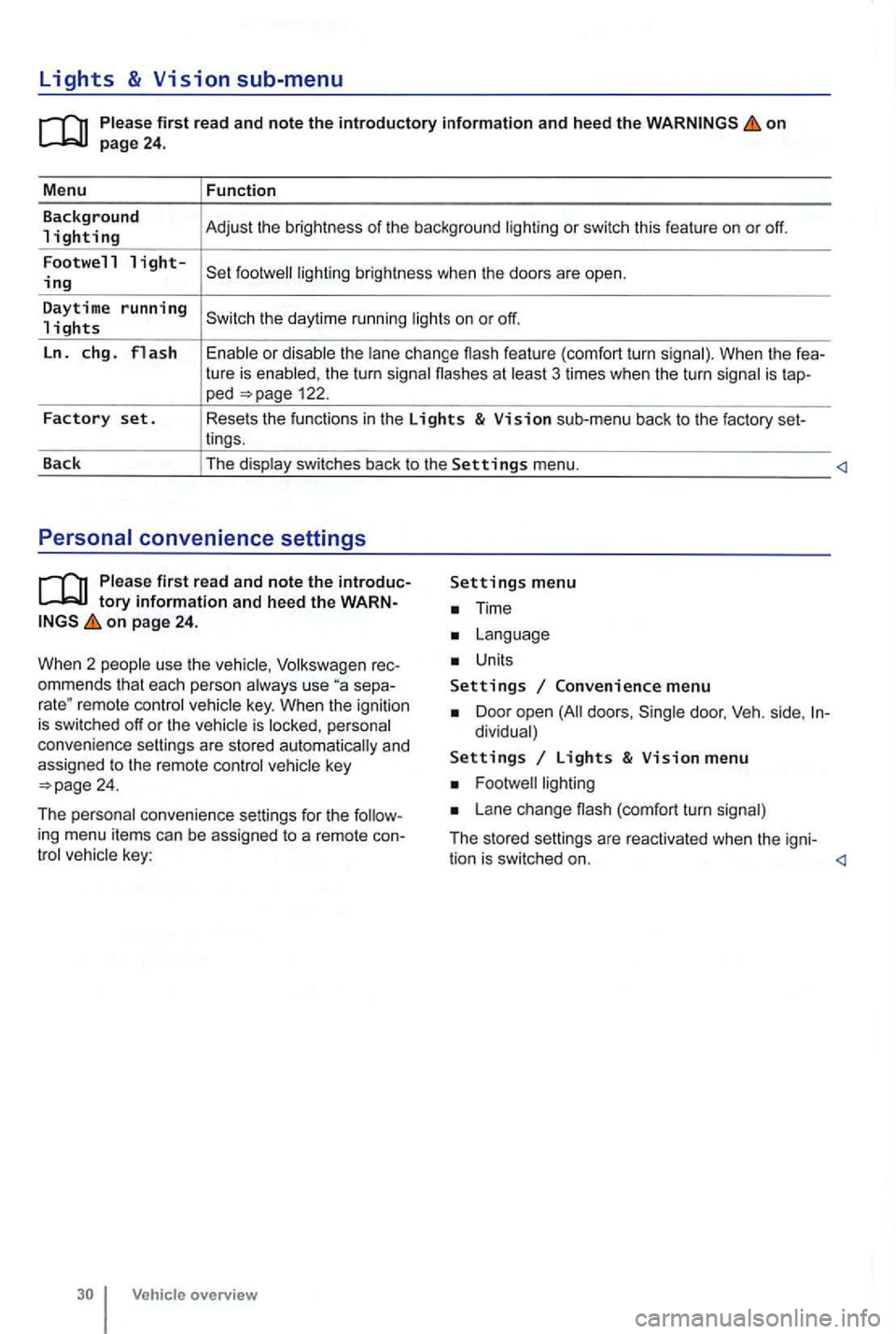
Lights & Vision sub-menu
on
the turn signa l flashes at 3 times when the turn signal is tap-ped 122.
Factory set. Resets the functions in the Lights & Vision sub-menu back to the factory set-
lings.
Back The display switches back to the
Settings menu.
tory information and heed the WARNon page 24.
W hen 2 people use th e
Volksw agen rec
ommends that each person always use separemote control veh icle key. When the ignition is switched off or the vehicle is personal
convenience settings are stored automatically and
assigned
to the remote control
Time
Units
Settings Convenience menu
Door open doors , dividual)
Settings Lights & Vision menu
Lane change (com fort turn signal)
The stored settings are reac tivated when the igni-
tion is switched on.
Page 142 of 516
the driver door is open , th e vehicle cannot be with the remote contro l vehicle key.
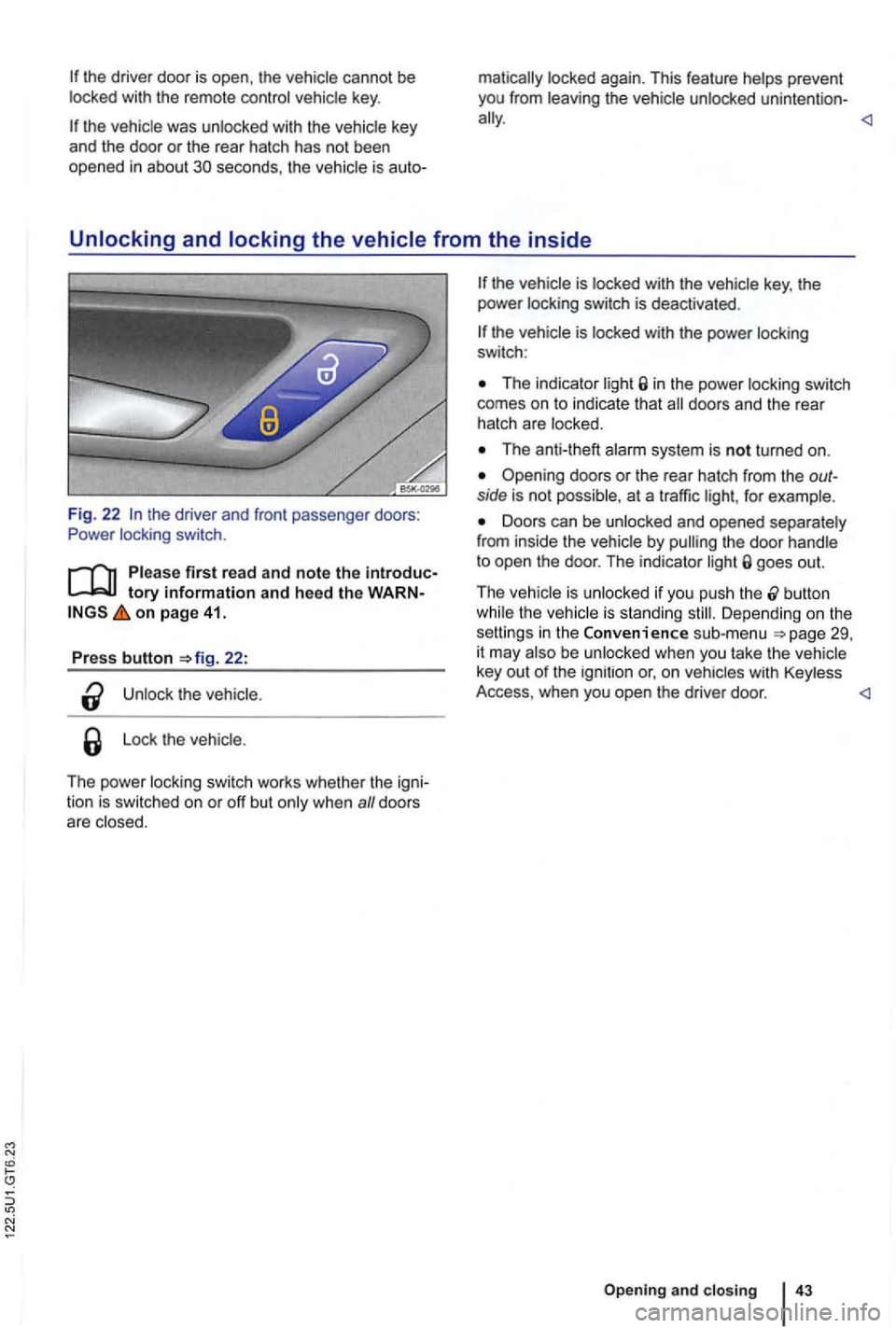
Unlocking and locking the vehicle from the inside
Fig. 22 the driver and front passenger doors:
Power locking switch.
tory information and heed the WARN on page 41.
Press button 22:
the
Lo ck the vehicle .
The power locking switch works whethe r th e igni
tion is switched on or off but
The indicator in the power locking switch
comes on to indicate that
The anti-theft
Opening doors or the rea r hatch from the outside is not possible, at a traffic for example.
Doors can be unlocked and opened separately
from inside the vehicle by goes out.
T he vehicle is unlocked if you push the
button the vehicle is standing Depending o n the
setti ngs in the Convenience sub-menu be unlocked when you take th e vehicle
key out of the ignition or, o n
Opening and closing
Page 146 of 516
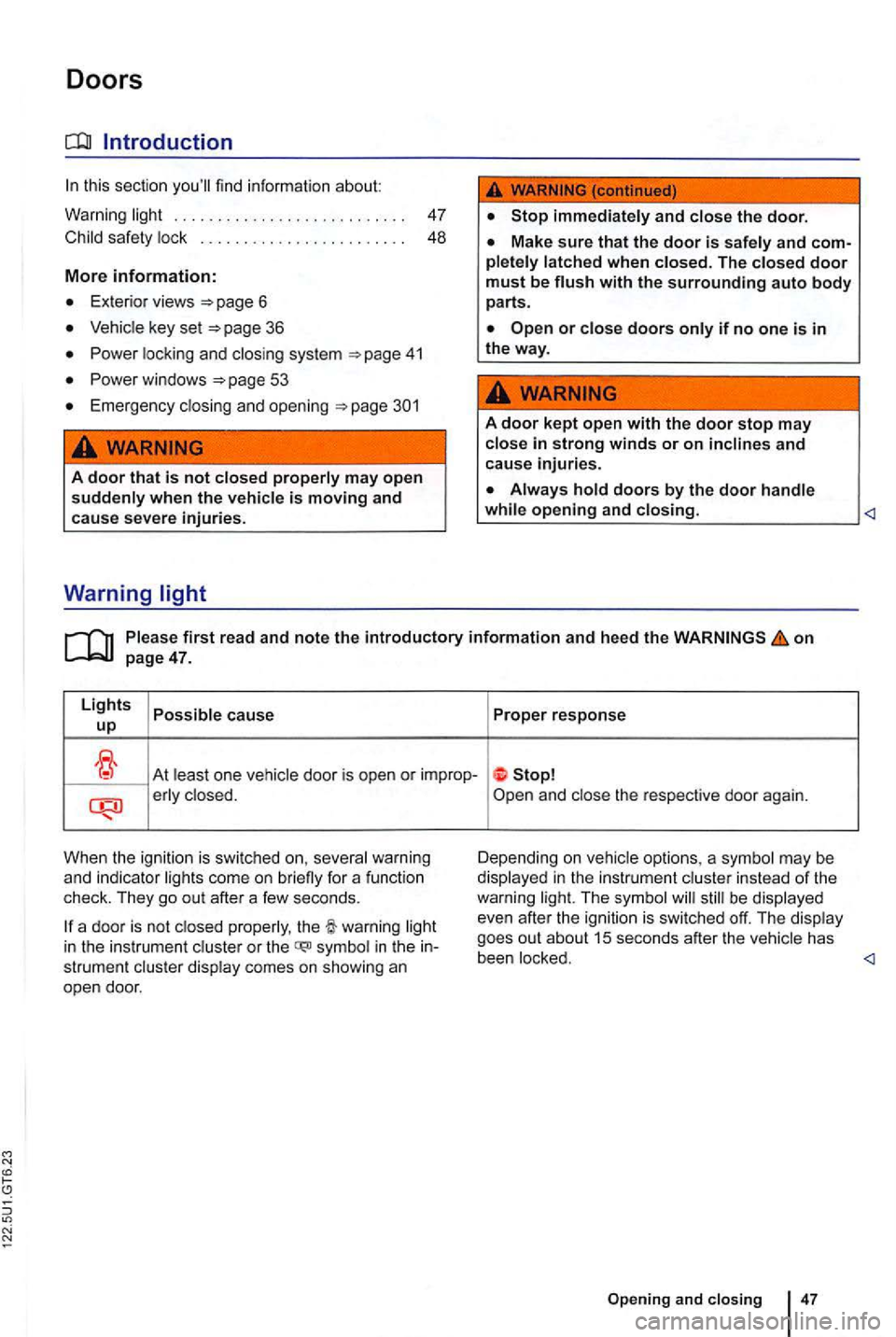
Doors
. . . . . . . . . . . . . . . . . . . . . . . . . . . 47
Child
saf ety lock . . . . . . . . . . . . . . . . . . . . . . . . 48
More information:
Exterior views 6
Vehicle key set
Power loc king and closing sys tem
Power windows
Emergency clo sing an d opening
...
A door that is not closed properly may open suddenly when the vehicle is moving and cause severe injuries.
Warning
A door kept open with the door stop may
close in strong winds or on inclines and cause injuries.
on
At least on e vehicle door is open or improp-erly clo sed.
When the ignition is swi tc h
ed on, several warning
and indi cato r lig hts come on briefly for a function
check. They go out after a few seconds.
be displayed
even after the ignition is swi tched off. The display
goes out about
15 seconds after the vehicle has
in the instrument cluster or the symbol in the strument cluste r display comes on showing an
open door. been locked.
47
Page 152 of 516
Power windows
Volkswagen
Power locking and closi ng system
.
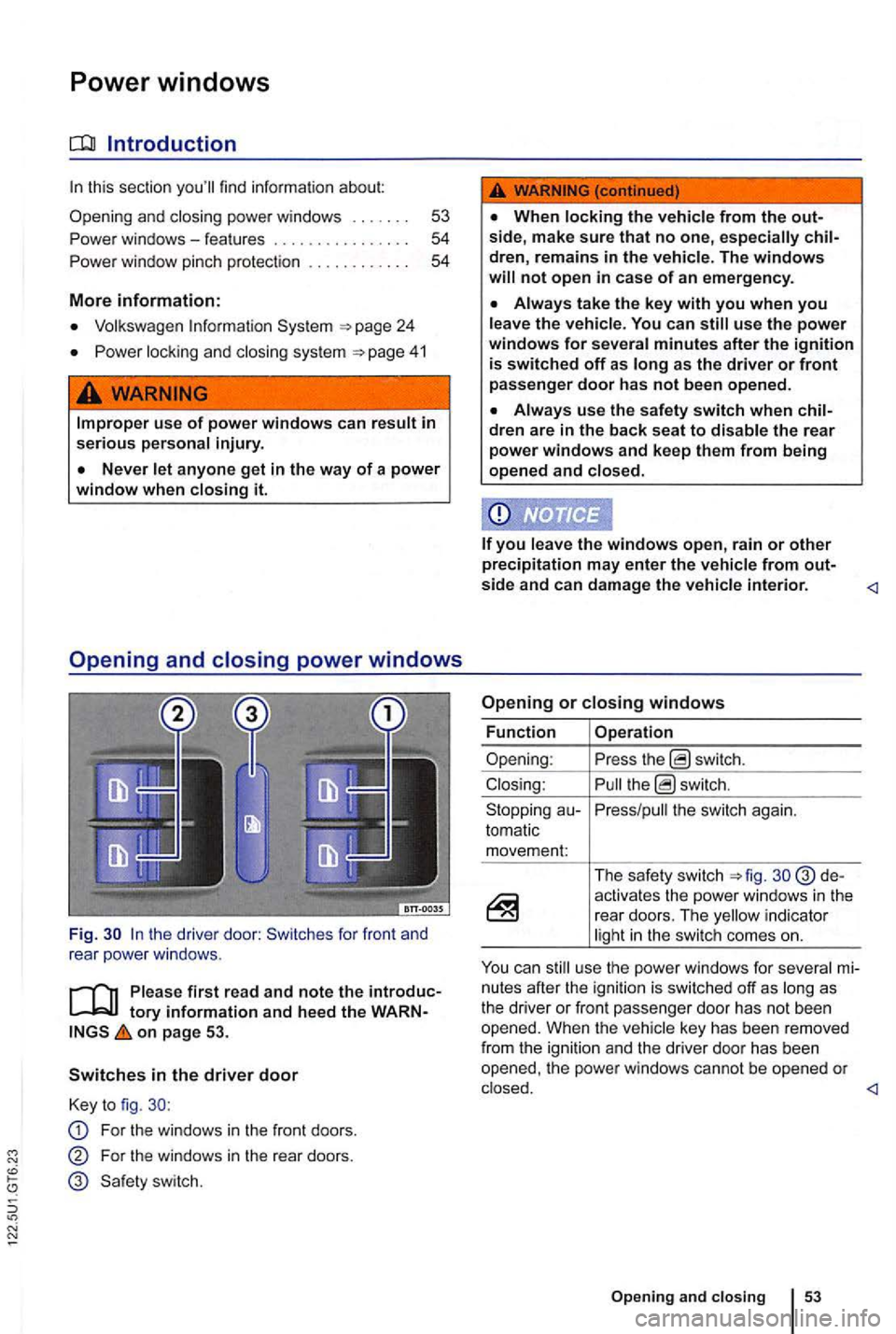
the driver door: Switches for front and
rear powe r windows .
first read and note the introduc
on page 53.
Switches in the driver door
Key to fig.
For the windows in the front doors.
For the windows in the rear doors.
not open in case of an emergency .
the vehicle. You can use the power windows for several minutes after the ignition is switched off as as the driver or front passenger door has not b een opened.
dren are in the back seat to disable the rear power windows and keep them from being
opened and closed.
the switch again.
tomatic movem en
t:
The safety switch d e
activates the power windows in the rear doors. The indicator
mi
nutes after the ignit ion is sw itched off as
Page 153 of 516
Power windows-features
on page 53.
One-touch opening and closing
The one-touch feature automatically opens/closes
a power window
the switch for the
window up briefly as far as it goes.
For one-touch opening: Press lhe switch for the
window down brie fly as fa r as it goes.
touch feature
Close
up the switch for the respect ive window
and hold it for at least 2 seconds in this position.
Release the switch, up and hold again. The
one -touch feature is now reactivated .
T h e one-touch feature can be reactivated for one
or more windows at the same time.
Convenience closing
T he convenience closing feature lets you close the
windows and the power sunroof as follows:
Power window pinch protection
on page 53.
Pinch protection can help reduce the risk
of
one-touc h wi ndow closing meets res istan ce or
there is something in the way, the window stop
a nd go down again.
Check why the window did not close.
Try one -touch window closing again.
Before driving
up and hold the
switch for the drive r wi ndow until
Improper use of power windows can result in serious personal injury.
use the power windows for several minutes after the ignition is switched off as long as the driver or front passenger door has not been opened .
the power windows malfunction, the touch feature, as as pinch protection
the windo w meets resistance a second time,
so that it stops and goes back down, one-touch
closing is deactivated for about
seconds.
you the powe r w indow button up the
way and hold it duri ng this close without pinch protection