Synchro VOLKSWAGEN GOLF 2011 Owner´s Manual
[x] Cancel search | Manufacturer: VOLKSWAGEN, Model Year: 2011, Model line: GOLF, Model: VOLKSWAGEN GOLF 2011Pages: 138, PDF Size: 49.24 MB
Page 29 of 138
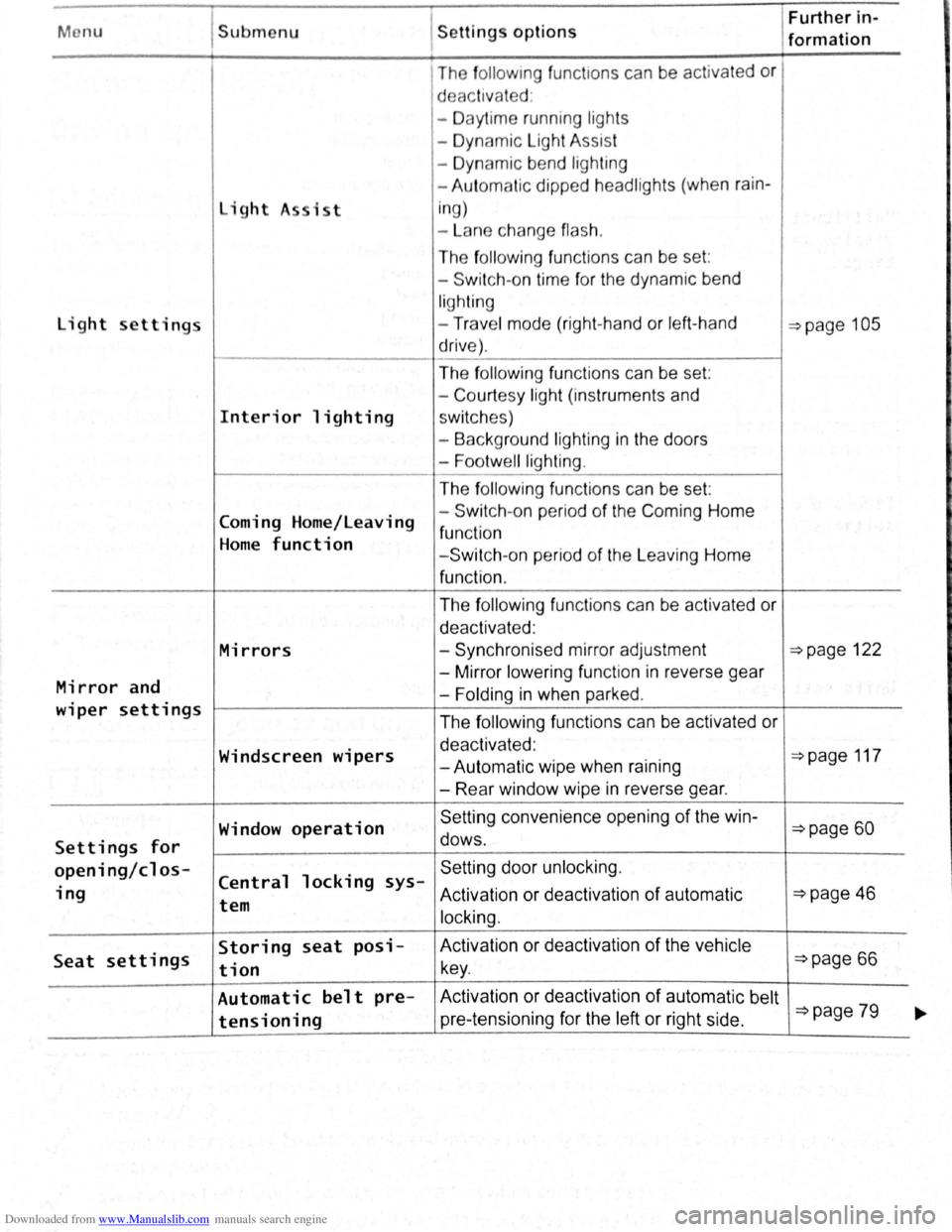
Downloaded from www.Manualslib.com manuals search engine Menu Submenu Further in-Settings options formation
The fo llo w ing func t1ons can be activated or
d eac tivated :
- Daytime running ligh ts
- Dynamic Light Assist
- Dynamic bend lighting
- Aut omatic dipped headlights (when
rain-
light A sist i
n g)
- La n e change
flash.
The following func tio ns can be set :
- Switch -on time for the dynamic bend
lighting
light settings -Trav e l mode (right-hand or left -hand ~page 105
drive) .
The
f ollo win g functions can be set:
- Court
esy light (instruments and
Interior lighting sw itc hes)
- Background lighting
in the doors
-
Footwell lighting .
The following fun ctions can be set:
Coming Home/Leaving -
Switch -
on pe riod of the Com ing Home
function Home function - Switch -on period of the L eaving Home
function .
The
f ollowing fun ctions can be activated or
deactivated :
Mirrors -Synchronised mirror adjustment ~page 122
Mirror and -
Mirror lower ing function in reverse gear
-Folding in when parked .
wiper settings The following functions can be activated or
Windscreen wipers deactivated : ~page 117 -Autom atic wipe when raining
- Rear window wipe
in reverse gear.
Window
operation Se tting convenience opening of the win-~page 60
Settings for dows .
opening/cl os-Central locking sys-Setting door unlock ing.
ing Activation or deact ivat ion of automatic ~page 46 tem
locking.
Seat settings Storing seat posi- Activation
or deactivation of the vehicle
tion key . ~page 66
Automatic belt pre- Activ ation or deactivation of automatic belt ~page 79 tensioning pre-tensioning for the left or right side . ~
Page 34 of 138
Downloaded from www.Manualslib.com manuals search engine The remote control transmitte r and the battery are
integrated in the key. Th e receiver is located
in the
vehicl e int erio r. The remote control range is several
metres around the vehicle when the battery is
fully
charged.
If the vehicle cannot be opened and closed using
the vehicle key, the vehi cle key
will have to be re
synchro
nise d ~page 45 , or the battery in the key
r ep laced
~page 45 .
Several vehicle keys can be used .
Opening and closing the key bit
Press button ~Fig. 22 G) or ~Fig. 23 G) to re
lease the key bit and
fold it out.
To fold in, press button G) and simultaneously fold
in the key bit until it clicks into place .
Alarm button
Only press the alarm button 0 in the event of an
emergency .
Once the button is pressed , the horn is
sounded and the vehicle lights flash.
Press the
alarm button again to switch off the alarm.
Replacement key
You will need to quote the vehicle chassis number
when ordering a replacement key or additional re
mote control keys.
Every new key contains a microchip which must be
encoded with the data for the
vehicle 's electronic
immobilizer . The vehicle key will not work if it is not
fitted with a micro chip, or if the microchip has not
been encoded. The same goes for keys that have
been cut to fit the
vehicle .
New keys or replacement keys are available from
Volkswagen dealerships or from qualifi
ed work
shops and authorised key services that are quali
fied to manufacture these
vehicle keys.
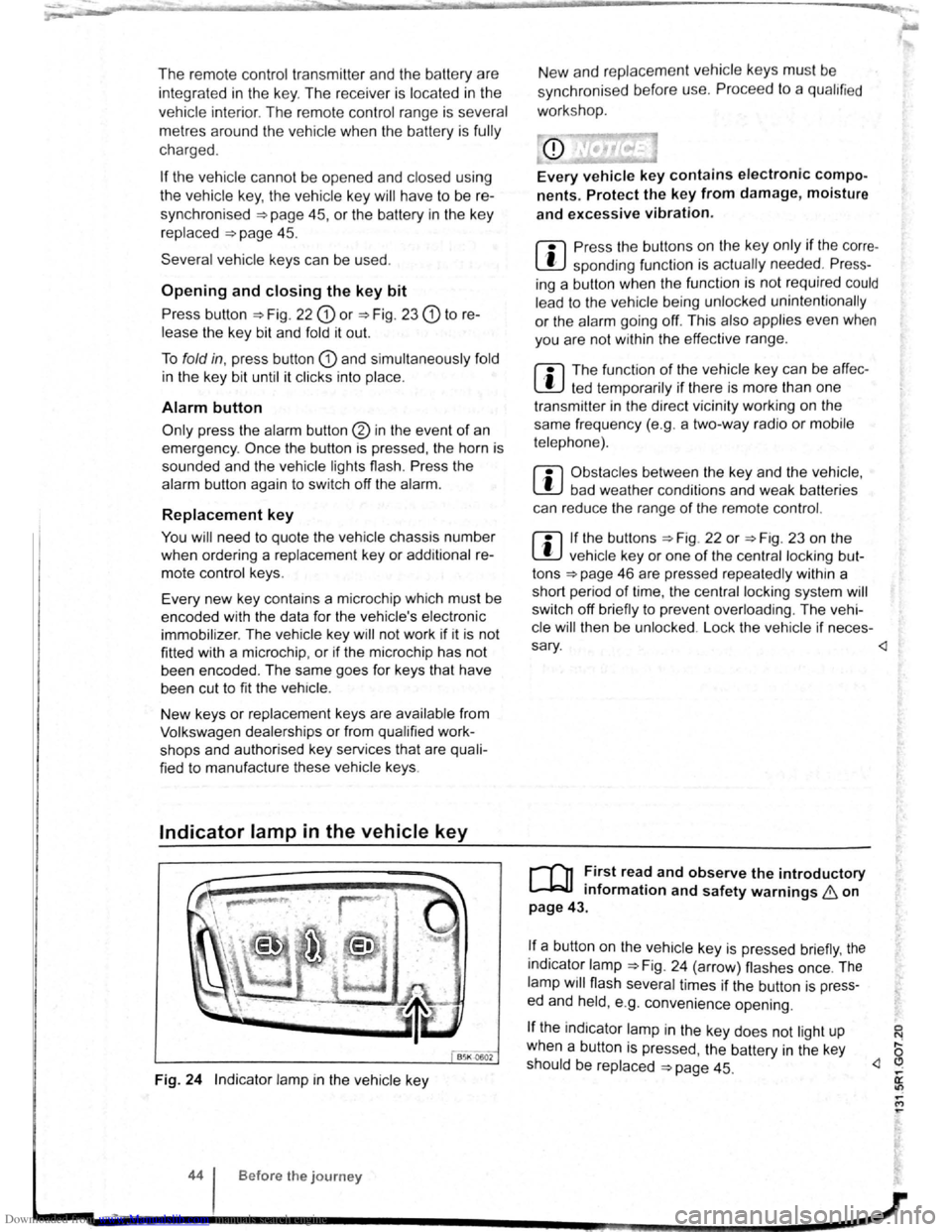
Indicator lamp in the vehicle key
B5K 0602
Fig. 24 Indicator lamp in the vehicle key
44 Before the journey
New and replace ment veh icle keys must be
sync hron ise d before use.
Proce ed to a qu alified
work sho p.
nents. Protect the key from damage, moisture
and excessive vibration.
m Press the buttons on the ke y only if the corre
L!J spending function is actually needed. Press
ing a button when the functio n is not required could
lead to the vehicle be ing unlocked unintentionally
or the alarm going off. Thi s also applies even when
you are not wi
thin the effective range.
m The functio n of the vehicle ke y can be affec
W ted temporarily if there is more than one
transmitte r in the direct vicinity working on the
same frequency (e.g . a two -way radio
or mobile
telephone).
m Obstacles between the ke y and the vehicle ,
W bad weather conditions and weak batteries
can reduce the range
of the remote control.
m If the buttons ~Fig. 22 or ~Fig. 23 on the
W vehicle key or one of the central lock ing but
tons
~page 46 are pressed repeated ly within a
short period
of time, the central locking system will
switch off briefly to prevent overloading . The vehi
cle
will then be unlo cked . Lo ck the vehicle if neces -
sary .
mformat1on and safety warnings 8 on
page 43.
!f a_ button on the vehicle key is pressed briefly, the
1nd1cator lamp ~Fig. 24 (arrow) flashes once. The
lamp will flash several times if the button is press
ed and held, e .
g. convenience opening.
If the indicator lamp in the key does not light up
when a button is pressed , the battery
in the key
should be replaced
~page 45. ,... a: "? ,... M ,...
Page 35 of 138
Downloaded from www.Manualslib.com manuals search engine 0 N t--o ~
Replacing the battery
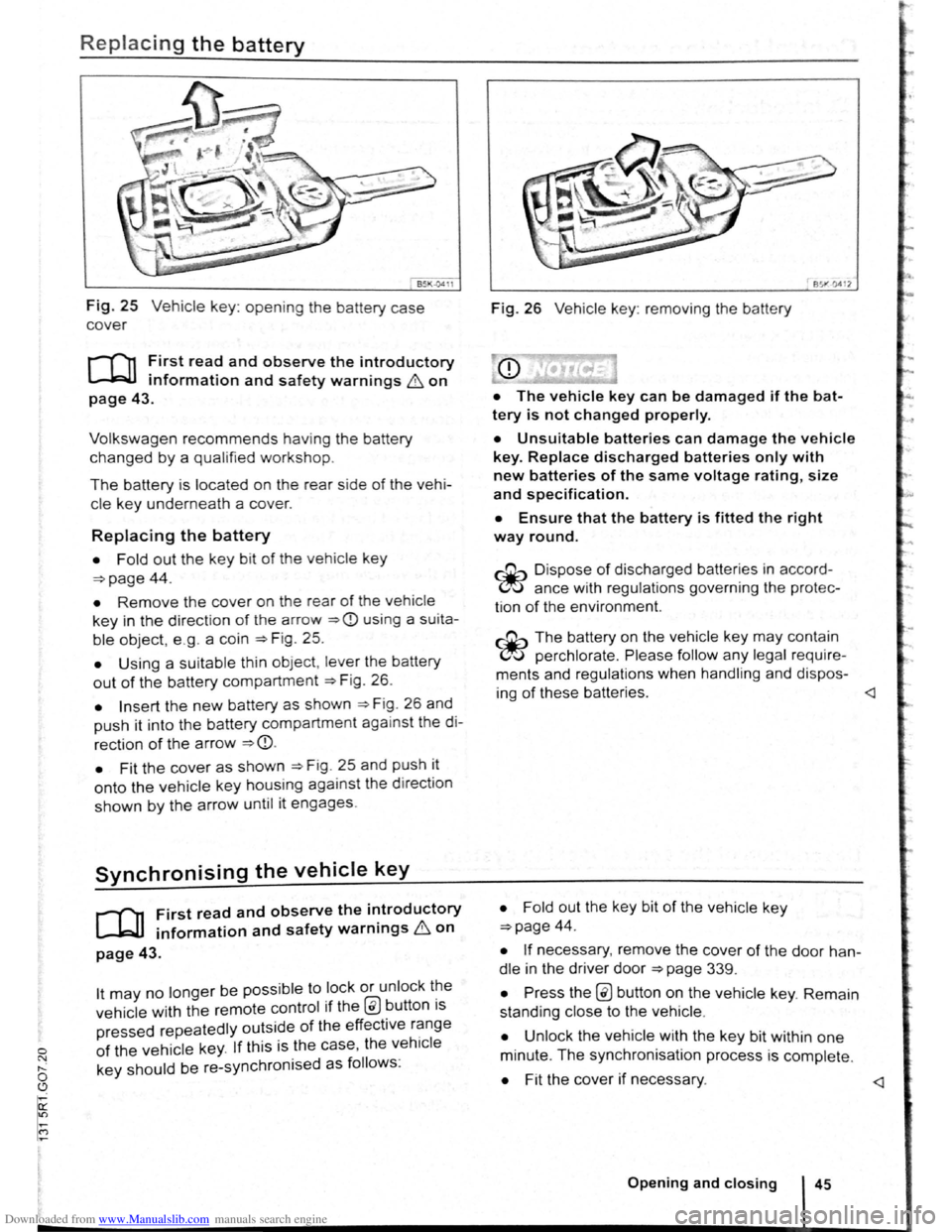
Fig. 25 Vehicle key: opening the battery case
cover
r-f""n First read and observe the introductory
L-kJJ information and safety warnings & on
page 43.
Volkswagen recommends having the battery
changed by a qualified workshop.
The battery is located on the rear side of the vehi
cle ke y underneath a cover.
Replacing the battery
• Fold out the key bit of the vehicle key
=>page 44.
• Remove the cover on the rear of the vehicle
key in the direction of t h e a rrow =>CD using a su ita
ble object, e .g . a coin =>Fig . 25.
• Using a suitable th in object, lever the battery
out of the battery compartment =>F ig . 26.
• Insert the new battery as shown =>F ig . 26 and
push it into the battery compartment against the di
rection of the arrow =>CD.
•
Fit the cover as shown =>F ig . 25 and push it
onto the vehicle key housing against the d irect ion
shown by the arrow until it engages.
Synchronising the vehicle key
r-f11 First read and observe the i~troductory
~ information and safety warnmgs 6 on
page 43.
lt may no longer be possible to lock or unlock t~e
vehicle with the remote control if the @ button ts
pressed repeatedly outside of the effective r~nge
of the vehicle key. If this is the case, the vehtcle
key should be re-synchronised as follows:
851"·0412
Fig. 26 Vehicle key: removing the battery
• The vehicle key can be damaged if the bat
tery is not changed properly.
• Unsuitable batteries can damage the vehicle
key. Replace discharged batteries only with
new batteries of the same voltage rating, size
and specif ication.
• Ensure that the battery is fitted the right
way round.
~ Dispo se of discharged batteries in accord
~ ance with regulations governing the protec
tion
of the enviro nment.
~ The battery on the vehicle key may contain
~ perchlorate . Please follow any legal require
ments and regulations when handling and dispos-
ing
of these batteries.
=>page 44.
• If necessary, remove the cover of the door han
dle in the driver door =>page 339.
• Press the @ button on the vehicle key. Remain
standing close to the vehicle .
• Unlock the vehicle w ith the key bit within one
minute. The synchronisation process is complete.
• Fit the cover if necessary.
Page 100 of 138
Downloaded from www.Manualslib.com manuals search engine ' '' '
-
,li ~lP lllP lUll' slynr~l for tl1e s.ide o f th e s tree t
11 1, ,,u v ;:~r1l t
o l P lP ·t a pllrk111g space . Th e ,,, ,, 11 ' ' ~1,, ruli11\.l ~ide f the lr ells sl1own o n the tn-
'''"P , ~\111111P11 l itlq{(ll displlly
I p8d,ir1\-J ~pc:n·e i s t gmdod as suit ab le i f it is
:IIPR~l o a 11, lo11u o r lllall llle ve hi cle.
1'~1 "'" • WIIPil 1 AI kin g prtrall el to the road: driv e pas t
thE~ pe~'"'''~ Rp;:~ce Rl a SI ee d of no m ore than
~~ ~rll'h ( r. rnpll) and at a d is ta n ce betw een ap
pr\.l\llllRlr l Q .r. Ill cmd 2 rn from the parking sp ace .
, Wlum p~r kin perpendicular to the road:
dn\ e pns tllle p;:1rl~i11 space a t a sp ee d of n o mor e
lhan :£0 ""'11' (1 2 111~h) and a t a dista nce be tw ee n
ili'P' \ltmle ly 0.5 m a nd 2 m from the parking
~I'R '9 .
• Yuu \1 ill R ·lli eve b st parkin g result s if yo u stop
, ur el11 ·le a para lle l as possib le to the parke d
veh1 ·I o r tll o edge of til e road.
• If a ullal>l e par king space is indi cated in the in-
l1lll11e llt ·lust r disp la y, s lop the ve hicle and , after
a brief pause, se lect rev erse gear.
• F 11 w til e Ins tructions in the instrum ent cluster
dtSIJI~y
• Rei :la e til e steeri ng wheel wh en th e following
me· age Is sh ow n ~ in Introduc tio n on
Page21 teering intervent. active!
Monitor the area around vehicle.
• Clle k the area aro und the ve hi cle and careful-
1 depress til e acce lerator p e dal - do not exceed
7 hm/11 (4 nliJh).
• The Park Ass is t sys te m will only operate the
steenng wheel duri ng the parki ng pro ced ure. The
driver operates the accelerator, clutch, gear
hift and bra ke .
• r=ollow the vis ual in stru ctions and the acoustic
Wan~ing to nes of the Park As sis t system until the
Palkll1g procedur e has bee n completed .
• lhe Park Assis t sys te m will guide the vehicle
\Vhen d rivin g fo rw ards and re ve rsing until the vehi
cle Is parked straig ht in the parking space.
t Wait until the stee ring has completed the steer
ng P1~C dure at the e nd of eve ry parking move
nlent In orde r to ac hieve an optimal p arking result.
; )
A n1es age is display ed on the instrument clus
Ger one the parking procedure is completed and
n ~cou tic s ignal tone may b e he ard .
... .__ -.. -r ---.J'-
Interrupting or automatically stopping the
parking procedure
The Park Ass is t system will stop the parking proce
dure if th e following happens :
• The 8 button is pressed.
• The ve hi cle spee d when parking is higher than
app roxim ate ly
7 km /h (4 mph).
• The driver operates the steering wheel.
• The parking procedure was not completed with
in approximately 6 minutes of activating the auto
matic stee ring intervention .
• There is a system fault (system is temporarily
un ava ilable) .
•
The TCS is switched off or the TCS or ESP
starts to regulate .
r::l The Park Assist system has system-related
l!J limitations . For example, the Park Assist sys
t e m cannot help you to park the
vehicle on tight
b e nd s.
r::l Wh en parking parallel to the road , a warning
L!J signal can be heard to tell the driver to switch
between driving forwards and reversing because
the change
of direct ion should not take place in the
permanent tone area
of the ParkPilot.
r::l The progress bar in the instrument cluster
l!J display will symbolically indicate the relative
distance remaining .
W If the Park Assist system turns the steering
l!J wheel when the vehicle is stationary , the 6l
symbol appears as well. Depress the brake pedal
so that the steering movement takes place with the
vehicle stationary, keeping the required number of
parking movements to a minimum.
r::l If the parking result worsens after a wheel is
~ changed, the system will first have to syn
chronise
itself with the new wheel. The synchroni
sation procedure is carried out
automatically while
the vehicle is in motion. You can support this proc
ess by driving slowly (less than 20 km/h (12 mph))
through a bend, e.g. in an empty car park.