Navi VOLKSWAGEN GOLF 2012 User Guide
[x] Cancel search | Manufacturer: VOLKSWAGEN, Model Year: 2012, Model line: GOLF, Model: VOLKSWAGEN GOLF 2012Pages: 516, PDF Size: 105.12 MB
Page 48 of 516
Operation via the radio navigation system
External data media con nec ted to the multimedia interface can be ope rated via the radio
navigation system.
D epend i
ng on th e de vic e, it m ay be necessary to launch playback on t he radio na vigat ion
s ys te m afte r co nn ec ting an d swi tch ing the extern al
d a ta medium on.
back from external data media
con trol of th e externa l data media (ac-
cessing tr ack change, track selectio n and playb ack
m odes) takes plac e as described in the corre-
spon ding ch apt ers
and
When and TM is connected , an list view is displayed on the highest
selec tion 35 .
Th e
The music co ntro l of a conn ected
Cause Remedy
Device is not s upp orted. of the external data
medium or communication via
the adap ter cable is not
ble . Check
the adapter cable.
Update software
of the media interfac e via t he Volkswage n er. possible , update th e software of th e
exte rnal data me diu m .
Device no t functional Co mmu nicatio n malfunctio nin g . Ve rify the con nect io n an d fu n ct ion ality of externa l data m ediu m.
D ue to the large num be r of different types
of d ata media and several gene rations,
no gua ran tee can be made that fu nctions described can be executed without errors.
iTunes Tagging
first read and heed th e on page 3 and note the ductory Information on page
Radio mode, track information Tags) for a played track can be tr ansm itted to a
connected
necting to a compu ter.
Requirements
multimedia interface .
Radio mode.
Track and artist are disp layed .
Track in forma tion is available as a Tag .
N ot
for iTunes TM Tagging.
Compatible Tags or
RNS 315
current track information
th e (Options ) function butt on in the
1
is conne cted to the
as a Tag .
When the track informa tion for the current track is
n ot ava ilab le as a
Tag, or th e tr ack has
tion buttoni s inactive.
When no is currently connect ed , up to
Page 49 of 516
sage is shown one time that no
as the number of Tags that can
Tags or if the is Tags). After press ing function butt on , a corresponding message follows.
The next time an
saved
in the naviga-
system . The Song Tags saved on the can be displayed and purchased over the ternet.
Display and
Media mode, press the
the (Song Tags) function button in the Media settings menu.
The saved Tags are displayed in a one
after the other .
the functio n button to delete saved Tags, after further confirmation.
Audio mode
Page 50 of 516
External
this section find inform ation about:
External
at the factory .
standard 4.75 in ch audio
Loaded via the ra
dio naviga tion system.
More information:
page 3
Device overview 6
Operation basics
Media page
Audio data cannot be played back in the external changer.
Copy-protected and CD-RW media may possibly provide lim
ited or no playback.
No back in the external changer .
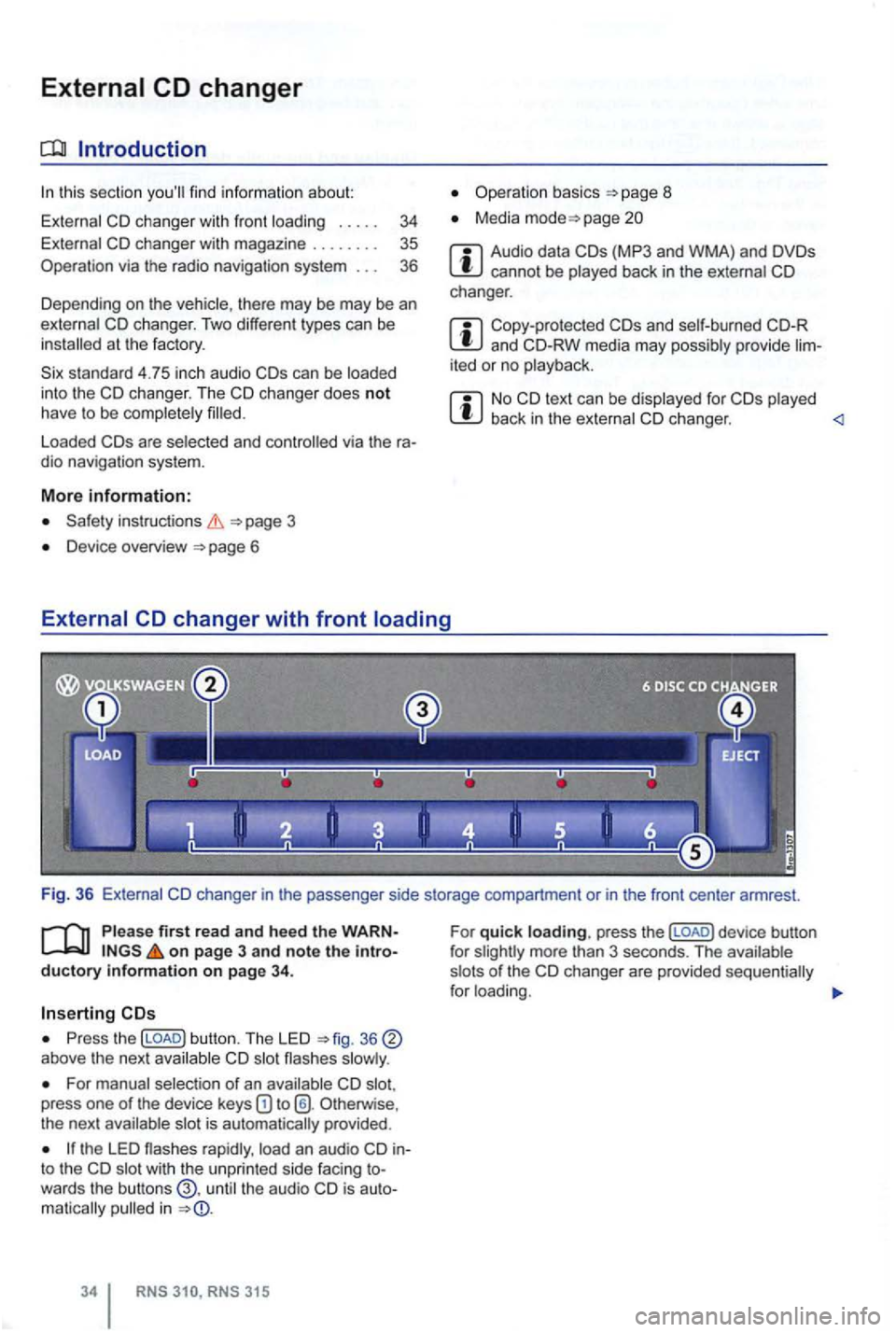
Please firs t read and hee d the WARNon page 3 and note the introductory infonmation on pag e 34 .
Press the (LOAD) button. The LED above the next
For manual selection of an press one of the device keys Otherw ise ,
the next
the LED rapidly , into the wit h t he un pr inted side facing towards the butt ons the audio in
315
For quick loading. press the (LOAD) d evice button
f or
Page 53 of 516
Navigation
Introduction to navigation
Introduction
find infor ma tion about:
Navigation limitations . . . . . . . . . . . . . . . . . . . .
37
315: Using or
screens with on-screen keyboard
Gener a l information
The current driving posit ion is determined via the Positioning measu re d istances driven. men t gation data media maps and in accordance with
stored traffic routing. Based on this data , the
gation system
can be entered as a destinat ion.
Acoustic navigation messages and graphic
on the navigation system and in the instrument gu ide to t h e des tination 5 1.
Depending upon the country, some functions
of the
radio naviga tion system may not be
regulations.
Navigation limitations
first r ea d and heed the o n pa ge 3 and note th e ductory informatio n on page 37.
P
ossi b le navigation erro rs
the navigation system cannot receive data from
tized on lhe data medium (e.g. one-way streets
and street type not sufficiently cap tured) , the gation syst em route guidance.
Navigation da ta
different device generations are used in
contact a
necessary navigation data comes this data needs to be
updated , a memory card with the navigat ion
Device overview
Operation basics
Destination input
Destination memory 4 7
Destination guidance 51
the case of missing or incompl ete navigation ta, the posi tion may not be determined curalely. This may in naviga tion that is not as
accurate as
Navigatio n r egion and navigatio n d ata
r efresh r ate
The refore, route guidance can be inaccurate or
Page 54 of 516
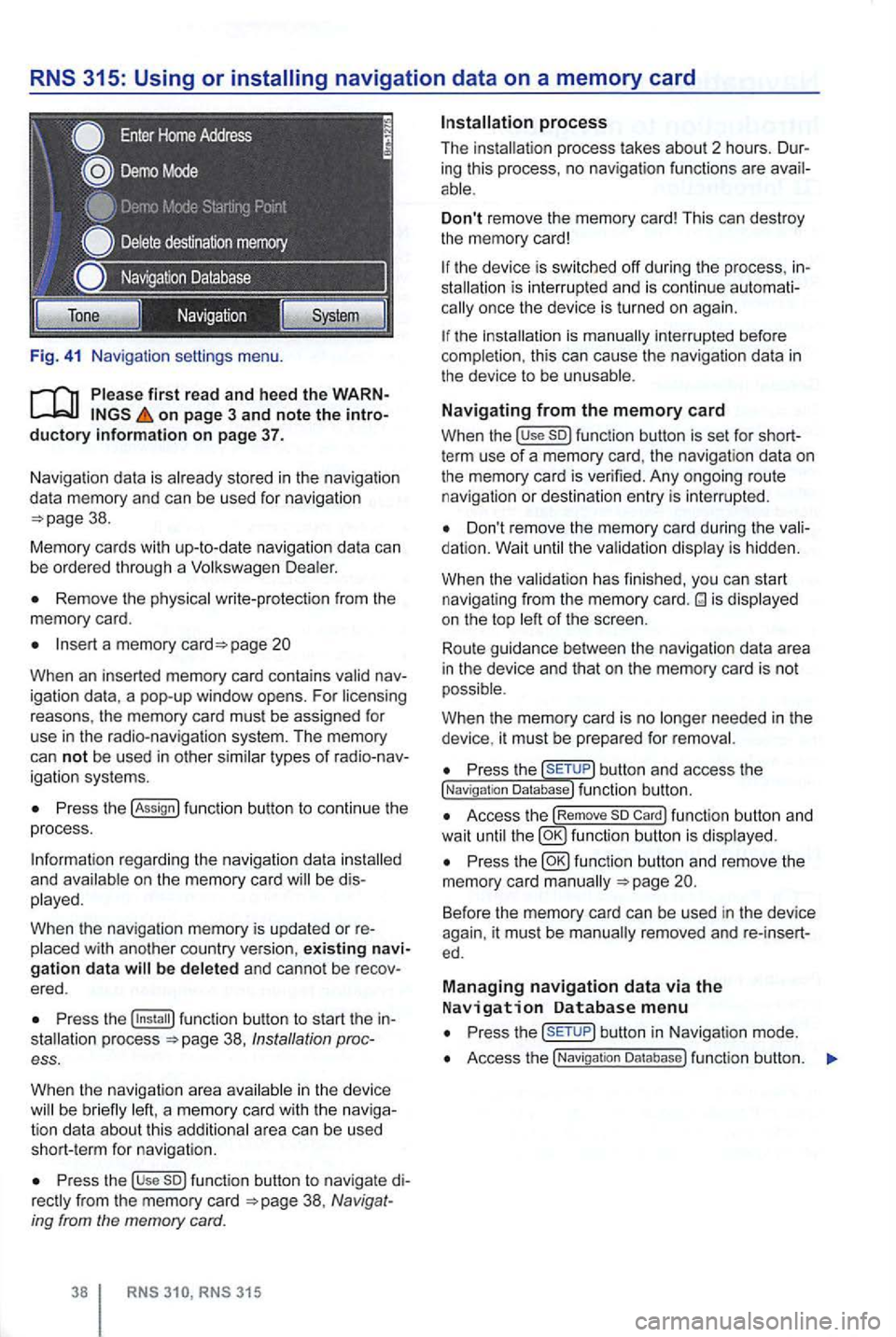
Fig. 41 Na vigatio n setti ngs menu.
on page 3 and note the introductory information on page 37.
Naviga tion data is already stored in the naviga tion
da ta memory and can be used for nav igation
Remove the physica l write-p rotection from the
memory card.
Insert a memory page 20
Whe n an inserted memory card conta ins
P ress the !Assign
a nd b e di s
played.
When
the navigation memory is updated or re
Press the 38, Ins tallation process.
When the navigat ion a
rea in the device be brie fly
Press the use so) func tion button to navigate di38 , Navig at
ing from the memory card.
RNS RNS 315
Don't remove the memory card! This can dest roy
the memory card!
the device is sw itched off during the process , inis inte rrupt ed and is conti nue automationce the device is turned on again.
the is manually interrupted before
completion , this can cau se the naviga tion data in the device to be unusable .
Navigating from the memory card
When the !use so) function button is set for shortterm use of a memory card, the navigat ion data on
the memory card is verified. Any ongoing route navigatio n or destination en try is interrupted .
Don't remove the memory card during the dation. Wait the va lidat ion disp lay is hidden.
When the validat ion has finished , you
can start
navigat ing from the memory card. is displayed
on the top of the screen .
Route guidance
betwee n the navigation data area
i n the device and that on the memory card is not
possible.
W hen
the memory card is no needed in the
device , it must be prepa red for removal.
Press the button and access the !Naviga tion Database) function button.
Access the !Remove so Card) function button and
wait until fu nc tio n butto n is displ ayed.
Press the
Press but ton in Navigat ion mode .
Access the !Navigatio n Da tabase ) function butt on.
Page 55 of 516
Function key: Effect
the navigation
area and the version number of the navigation data stored in the device .
the navigation
a rea and the version number of the navigation data stored in the device.
so Datal:
Prepares the memory card for re
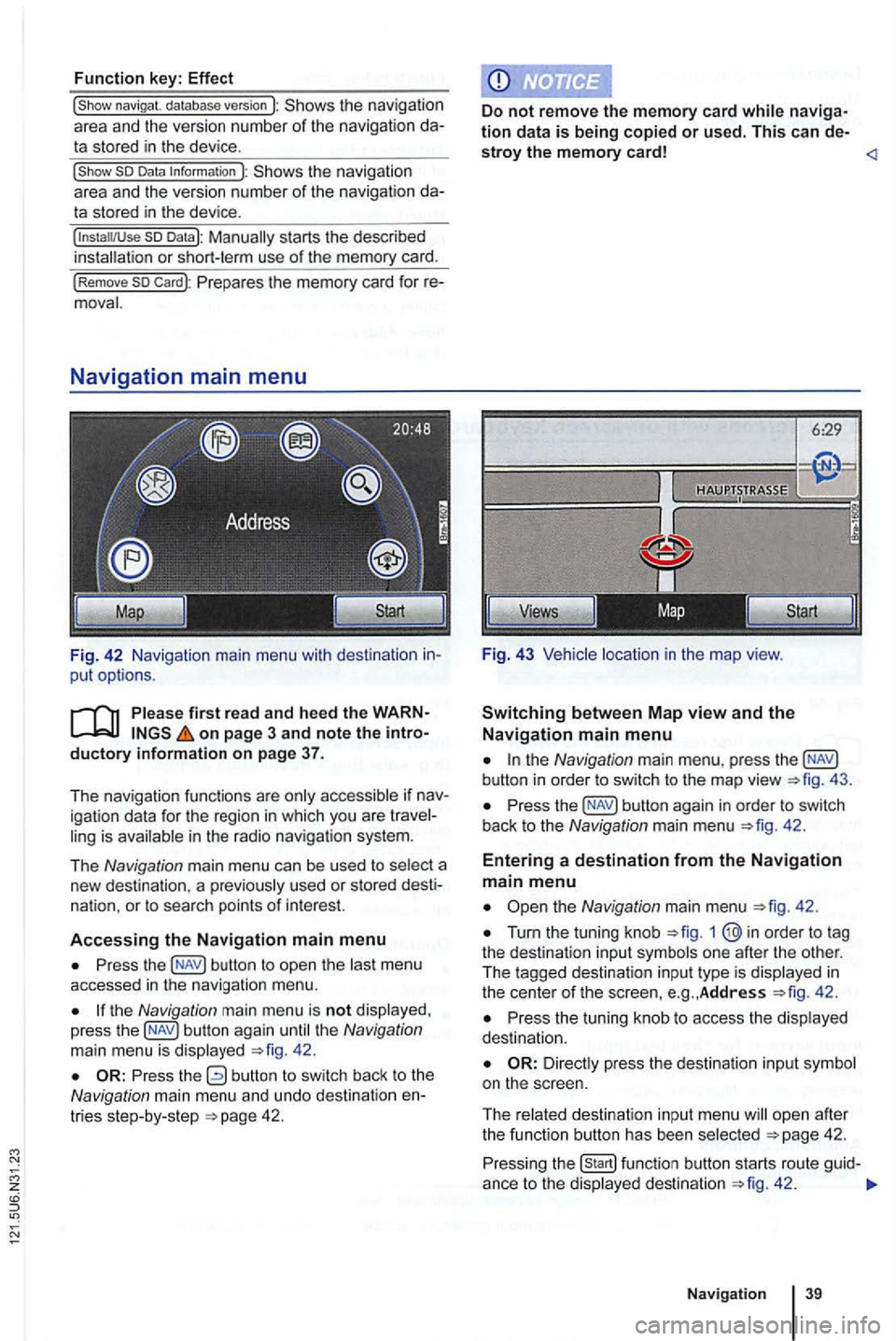
F ig. 42 Navigation main menu with destination in
put options.
on page 3 and note the introductory i nformation on page 37.
T he nav igation functions are only accessible if nav
igation data for the region in which you are travel
ling is available in the radio navigation system.
The
N avig ation main menu can be used to select a
new destina tion . a pr eviously used or stored desti
nat ion.
or to sea rch points of interest.
A
ccessing the Navigation main menu
Press the button to op en the las t menu
accessed in the navigation menu.
the Navigation main menu is not disp layed ,
press the 42.
the Navigation main menu , press the
Press the 42.
Entering a destination from the Navigation main menu
Turn the tuning knob 1
42 .
Press the tuning knob to access the disp layed
dest inatio n.
ope n afte r
t h e function butt on has been select ed 42.
Press ing the 42 .
Naviga tion
Page 56 of 516
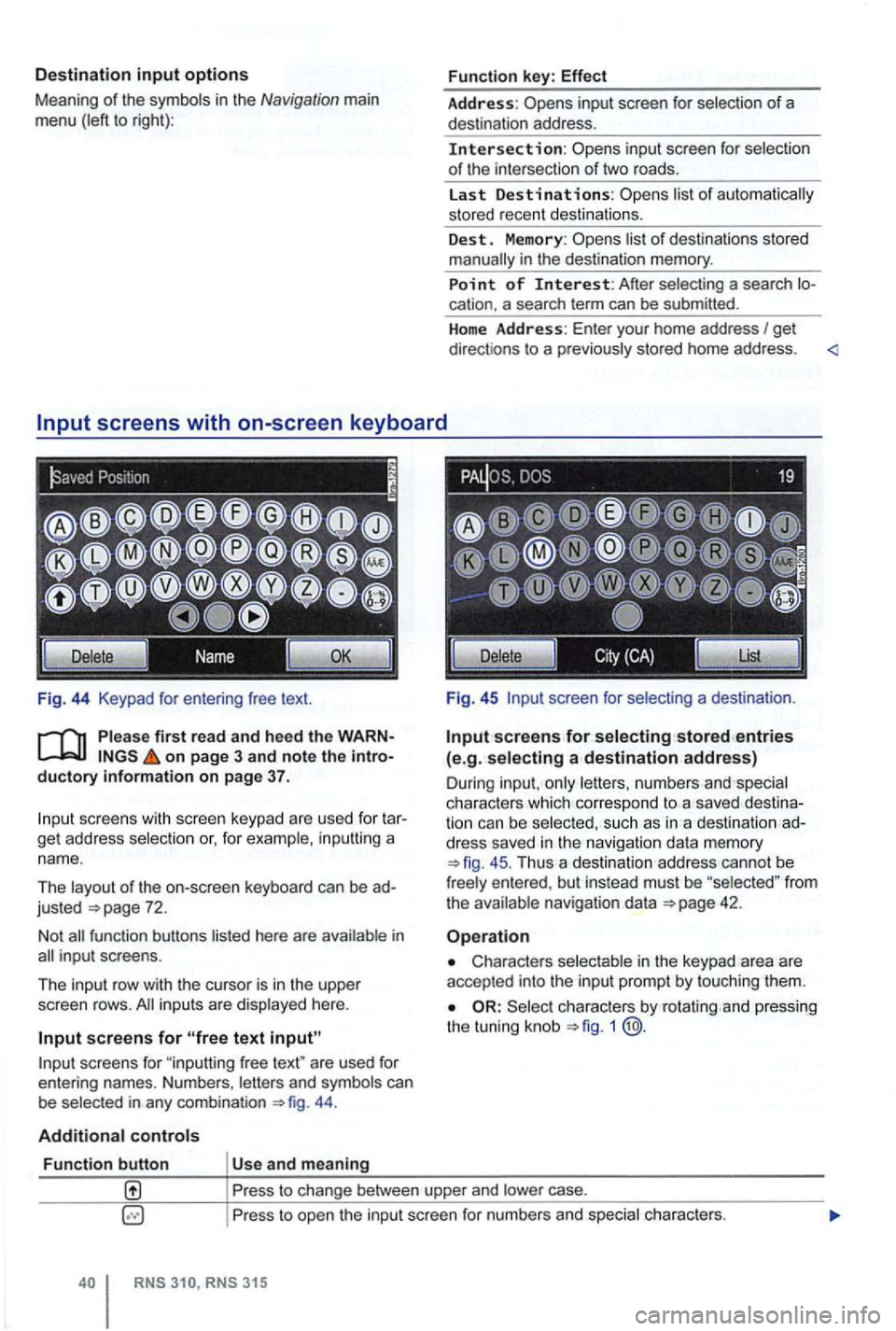
Destination input options
Meaning of the symbo ls in the Navigation main
menu (left to right):
Fig . 44 Keypad
on page 3 and note the introductory information on page 37.
scree ns with scree n keypad are use d fo r t ar
get address selection or, for example , in puttin g a
nam e.
Th e layout of the on-screen keyboard
can be ad
justed
44 .
Additional controls
Function button Us e and meaning Function
key:
Effect
Address: inp ut screen for selection of a
des tination address .
Intersection: selectio n
o f the inte rsection of tw o road s.
La st
Destinations:
list o f destinations sto red
manually in the destination memory.
Point of Interest: A fter sele cting a sea rch location. a search term can be submitted .
H
ome Address: Enter your home address I get
direct ions to a p rev ious ly stored home address . <
Fig . 45 screen for selecting a dest inatio n.
Input screens for selecting stored entries (e.g. selecting a destination address)
Dur ing inpu t, on ly lett ers , n umbers and spec ia l
c h arac ters which co rre spond to a sav ed dest ination can b e selec ted, s uch as in a des tinati on ad
dress saved in the navigation data mem ory
45 . Thu s a de stination address cannot be
fr ee ly e ntered , bu t in stead must be "selected " fro m the ava ilable navigat ion data
Characters selectable in the keypad area are
accepted into the inpu t pro mpt by to uching them .
Select ch arac ters by rota ting and pressing
the tunin g knob 1 @.
Pr ess to change between upper and lower case.
P ress to ope n the input screen for numbers a
nd special ch arac ters.
RNS
Page 59 of 516
Press view of the destination 45.
tions .
on page 3 and note the introductory information on page 42.
You can start route guidance to a saved home ad
dress or to an
the Navigation main menu and access Home Address
4 7.
Starting route guidance to a stored destination
Destinations which were ente red for route guid
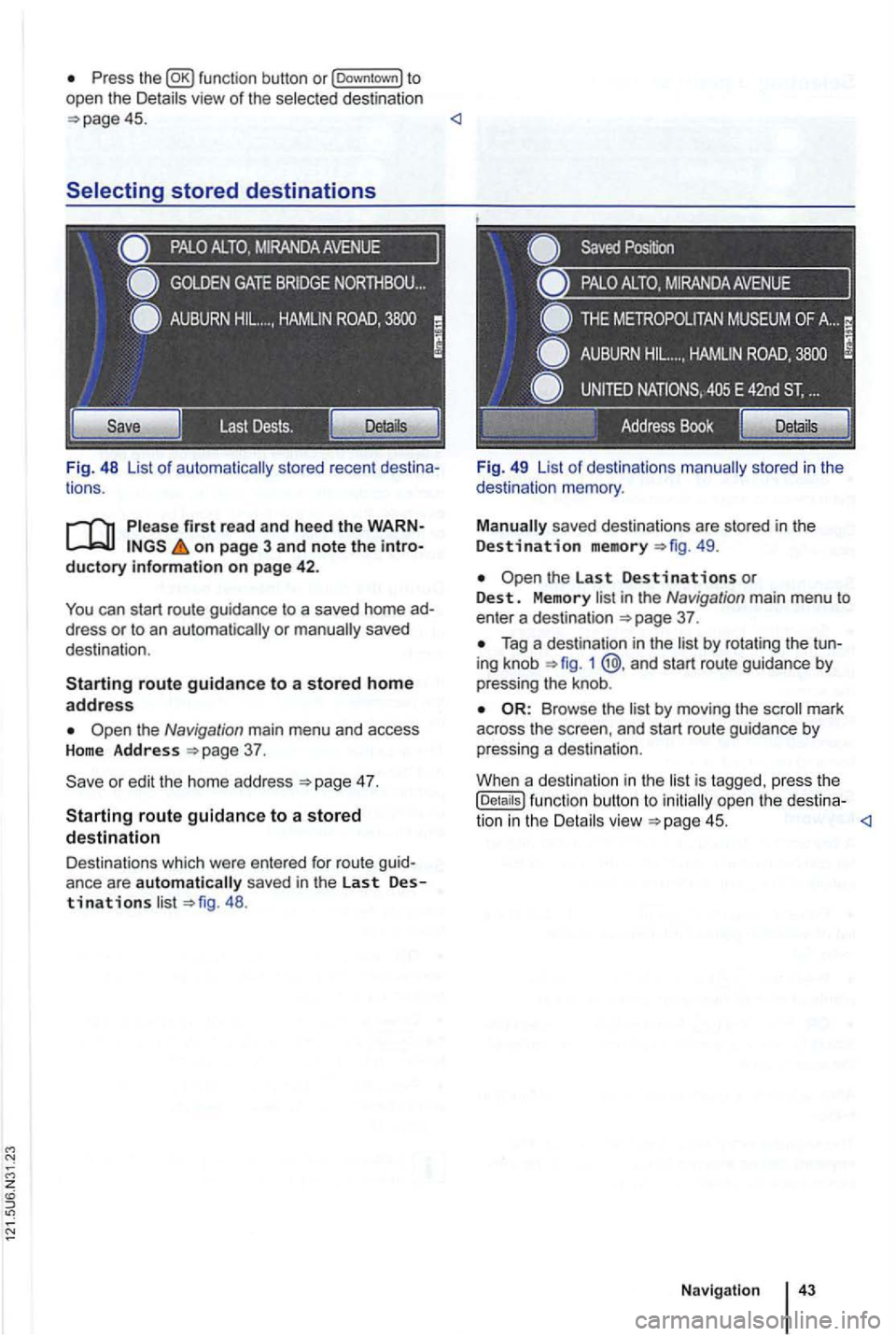
ance are automatically saved in the last Destinations 48 . Fi
g. 49 List
of destinations
49.
in the Navigation main menu to enter a destination 37 .
Tag a destination in the 1 @ .and start route guidance by
pressing the knob .
by moving the mark
across the and start route guidance by
pressing a destination .
Whe n a destination in the
is tagged. press the (Details ) function button to open the destina-
tion in the
Page 60 of 516
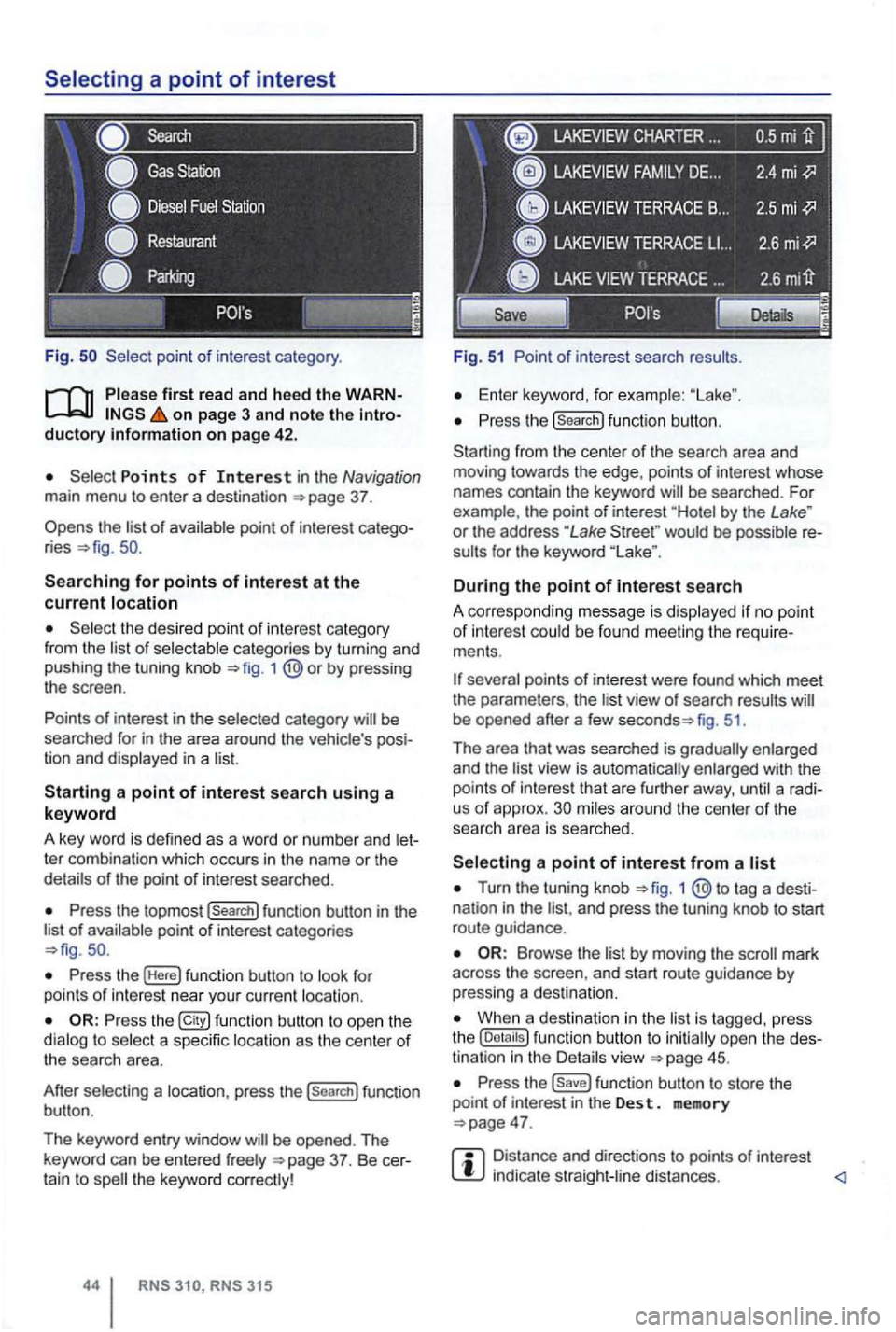
Fig .
on page 3 and note the introductory on pag e 42 .
Points of Interest in the Navigation main menu to enter a destination
Searching for points of interest at the current location
the desired point of interest category
from the list of selectable categories by turning and
pushing the tuning knob 1
Press the topmost (Search] function button in the
list of availab le point of interest categories
Press the (Here] function button to look for
points of int erest near your current location.
Press the function button to ope n the
dialog to select a specific location as the center of the searc h area.
After selecting a location, press the
(search] function
button .
The keyword entry window
CHARTER ...
Fig. 51 Point of interest search results.
Enter keyword, for examp le:
Press the (search] function button.
Starting from the center
of the search area and
moving towards the edge , points of interest whose
names contain the keyword
by the Lake " or the address "Lake would be possible re
sults for the keyword
During the point of interest search
A correspo nding message is disp layed if no point of interest could be found meeting the require
ments .
fig. 51.
Th e area that was searched is gradually enlarged
and the
view is automatically enlarged with the
points of int erest that are further away, until a radi
us of approx. mi les around the center of the
searc h area is searched.
Turn the tuning knob 1 tag a desti
nation in the and press the tuning knob to start
route guidance .
by moving the mark
across the screen , and start route guidance by pressing a destina tion.
When a destination in the is tagg ed , press
the
Press the function button to store the
point of in terest in the Des t. memory
Distance and directions to points of interest indica te straight -line distances.
Page 61 of 516
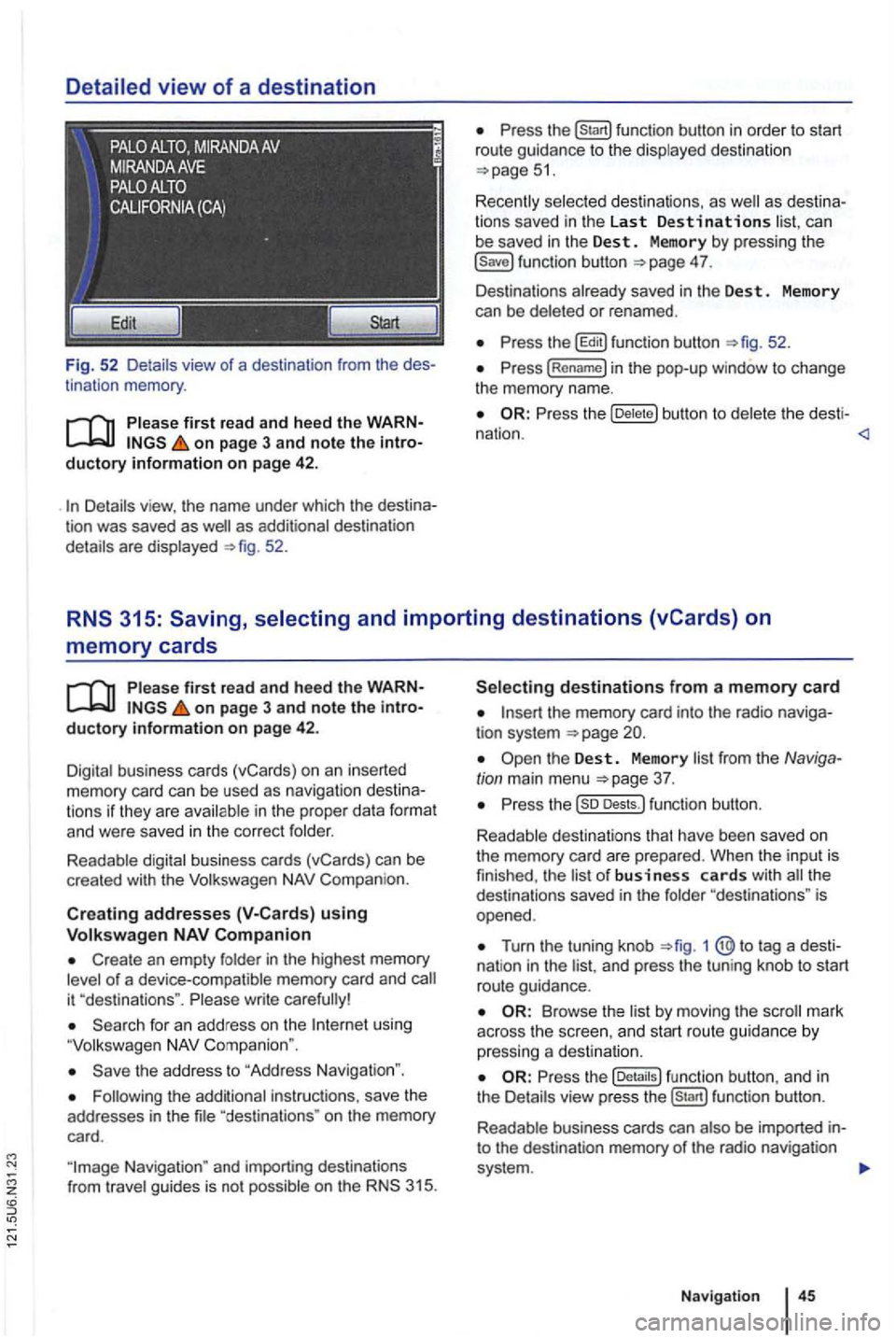
Detailed view of a destination
Fig. 52 Detail s view of a destination from the des
tinat ion memory .
first read and heed the WARNon page 3 and note the introductory information on page 42 .
as additional destination
details are displayed 52.
can
be saved in the Dest . Memory by pressing the 4 7.
Des tinations already saved in the Des t. Memory
can be deleted or renamed .
the b utton to del et e t he desti -
nation .
memory cards
on page 3 and note the introductory information on page 42.
Digital business cards (vCards) on an inserted memory card can be used as naviga tion des tin a
t ions if they are avai lable in th e proper data format and were saved in the cor rect folder.
Readable digital business cards (vCards) can be
crea ted with the
Compan ion.
Creat ing addresses using
Create an empty folder in the highest memory of a device-compatible memory card and
using
the address to "Address Navigation ".
"destina tions " on the memory
card.
the memory card into the radio naviga
tion system
Turn the tuning knob 1 @ to tag a dest i
nat ion in the and press the tun ing knob to start
route guidance.
Browse th e list by moving the
the fu nc tion button , a nd in
the Details view pre ss function button.
R eadab le business cards can also
be imported into the destination memory of the radio navigation
system .
Navigation