engine VOLKSWAGEN GOLF 2012 User Guide
[x] Cancel search | Manufacturer: VOLKSWAGEN, Model Year: 2012, Model line: GOLF, Model: VOLKSWAGEN GOLF 2012Pages: 516, PDF Size: 105.12 MB
Page 120 of 516
Park the
etc.
Roads and bridges may be dangerously icy
even if the outside air temperature is above freezing .
you use the outside temperature
remember : even
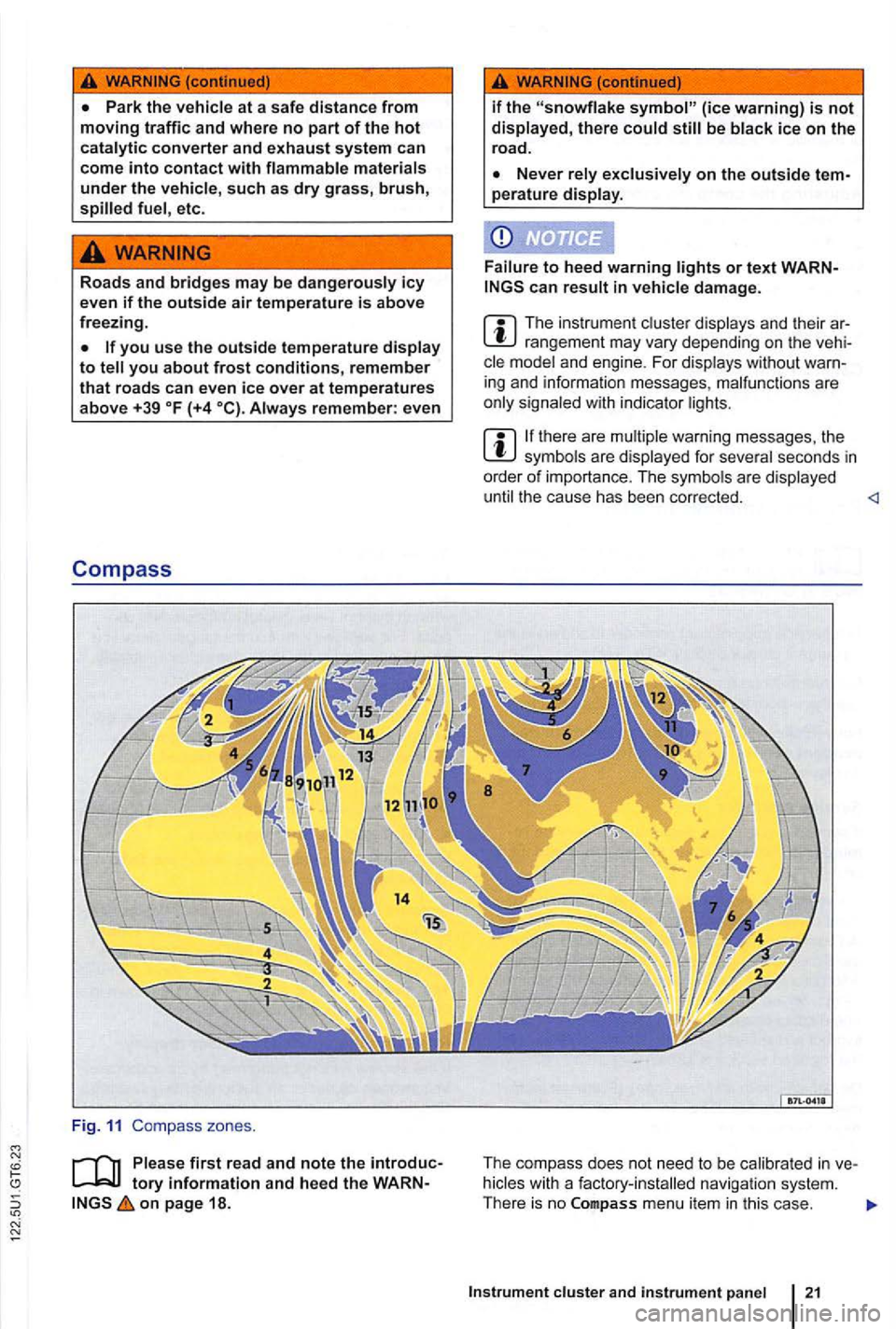
Compass
Fig . 11 Compass zones .
on page 18.
if the be
perature display .
to heed warning or text can in damage .
The ins trum ent rangeme nt may vary depending on the and engine . F or displays without
ther e are warning messages , th e are displayed for
the ca use ha s bee n co rrected.
T he re is no
Instrument cluster and instrument panel 21
Page 121 of 516
vehicles with out a factory-installed navigation
system th at have th e instrument the compass is calibrated automatically. or metallic accessories are added to the the compass must be recal ibrated .
Adjusting the compass zone
on the ignition .
and Zone menu items.
rent location =>fig. 11.
Adjust and confirm compass zone (1 -15).
order to cal ib rate the compass, you need a
Serv ice reminder
on page 18 .
The service appointment reminder is shown in the
instrument =>fig . 9
For information on maintenance intervals, Warranty and Maintenance.
For vehicles with time-or distance fixed service intervals a re
displayed .
Service reminder
service is due in the near future, a service
vehicles without text messages (Basic a wrench and a miles (kilometers) indicator are shown in the display . The distance shown in (kilometers) is the maximum distance the
the required service is shown .
vehicles with text messages
and Calibration menu items .
ConfirmtheA complete circle must be driven for calibration message
is complete when
the compass direction is displayed.
When service is due, a warning chime sounds
when the ignition is sw itched on, and a flashing
wrench
- is displayed for
now is indicated in the instrument display.
Viewing service message
The current service message can be accessed
when the ignition is switched on, the engine is
switched off, and the
times -appea rs .
the sub-menu,
since---mi or---days(Service since ---km or ---days) is shown in
the instrument
or an authorized Volkswagen the service reminder can be reset
as
Page 123 of 516
sectio n find informat ion about:
Menu structure-overv iew .......... .
U sing
menus in the instrument
..
Settings menu ................ .
Convenience sub-menu
Lights & Vision sub-menu ............ . convenience settings .. .
24
25 26
27
28
29
different types of information in the instrument ter. The menu options vary depending on whether you h ave a Basic or Premium version of th e
you can
operate the menus for Basic instrument The Premium version has con tro l buttons on the right side of the
An authorized to add or modify functio ns depending on you r vehicle's
equ ipment.
on page 24.
Multi-Function Display (MFD)
Travel time
Curr. Consum.
Avg. Consum.
Route
Avg.speed
Digit. speed
Back
24 Vehicle overview
menus, the warning by press
in g the button on the steeri ng
134
D river assistance systems 195
Radio or Navigation system
Mobile Phone
Package
Driving on today's roads demands the attention of the driver at times. Driver distraction causes accidents, and serious persona l injuryl
is moving.
Start ing the engine with a very weak battery and emergency starting may change or delete system settings (including time, date , per
sonal convenience settings and programming) .
Check the settings and correct as necessary once the
Radio or
26
Corn ering light I
V ehicle s tatus 26
Settings 2 8
Mult i-Functi on Displa y (MFD) da ta
T ravel time
- C urr. Consum.
Page 133 of 516
Introduction
137
Saving fuel and helping the environment
WVlJ J L9
3C25LD
Lirn
147kW D6F
352 BTC
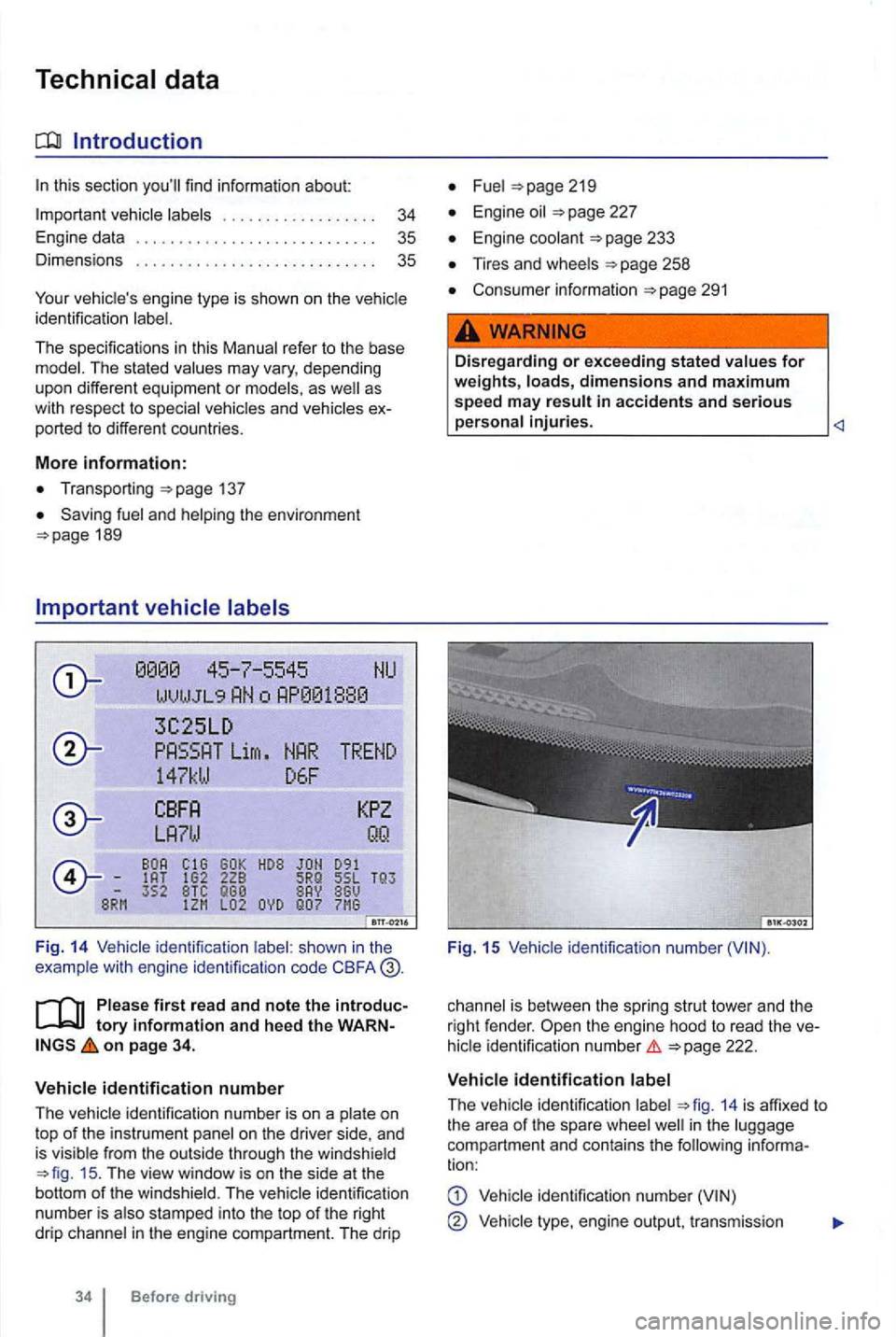
F ig . 14 Vehicle identification shown in the
example wit h engine identificalion code CBFA
first read and n ote the int roductory information and h eed t he WA RNon page 34.
V ehicle id entification numb e r
The
ide ntifica tion number is on a and
is visib le from the outside through the windshield 15 . The view window is on the side at the
botto m of the winds hie ld. The identification
n umber is also stamped into the top of the right
drip channel in the engine compartment. The drip
Before driving
Fuel
Engine oil
Engine coolant
Tires and wheels
Consumer informatio n 291
.
Dis regarding or exceeding s tat ed values for weights, loads, dimensions and m aximum speed m ay result in accidents and s erious ____________________
Fig. 15
is bet ween the spring strut tower and the
right fende r.
ident ificat io n numbe r
ide ntification 14 is affixed to
t h e a rea of the spare well in the comp artment an d contains the following informa
tion:
identification number
Vehicl e engine ou tput, tr ansmission
Page 134 of 516
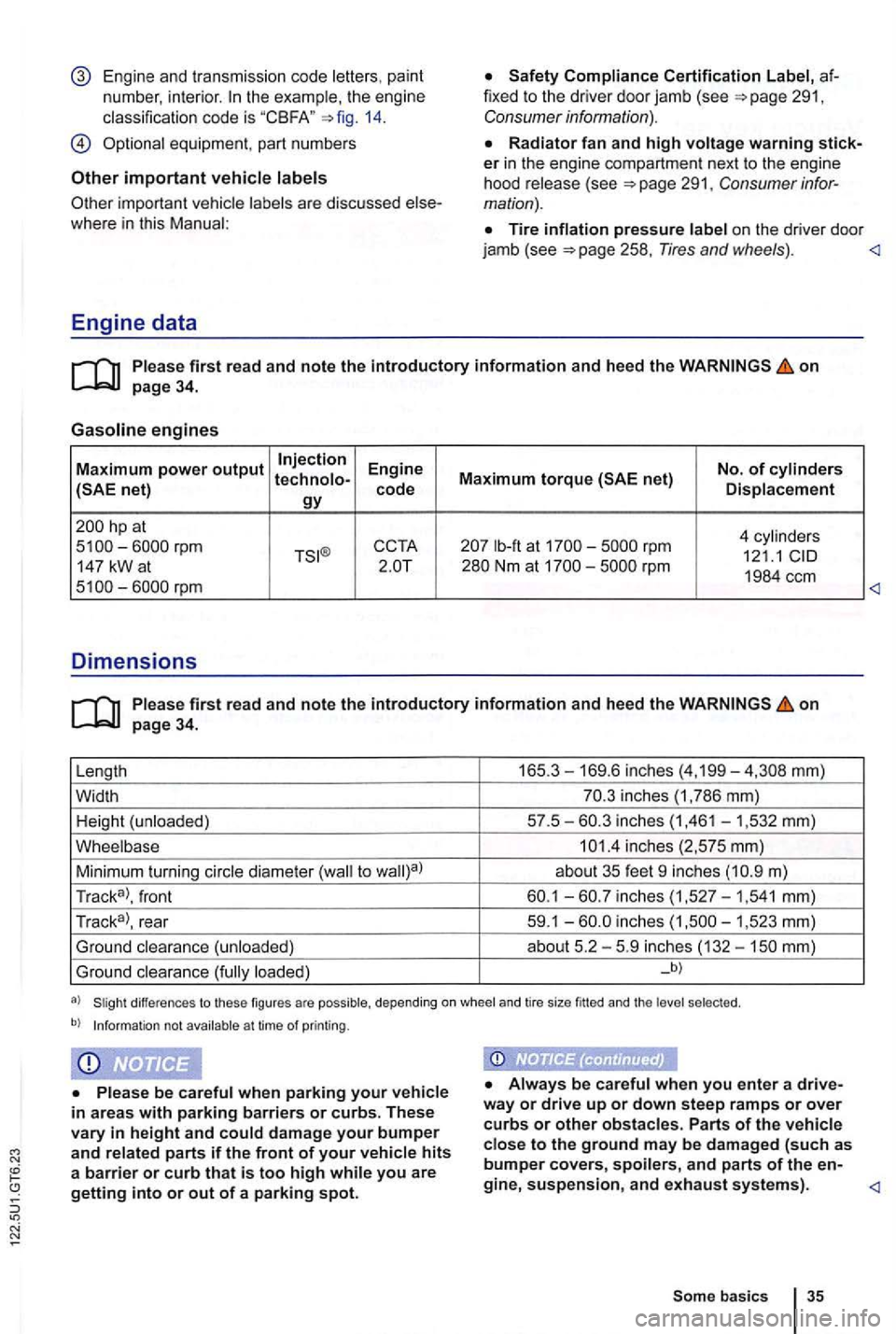
Engine and transmiss ion code letters , pain t
numbe r, interio r.
14.
important vehicle
Radiator fan and high voltage warning sticker in the engine compartment next to th e engine
hood re lease (see
Tire inflation pressure la bel on the drive r door
jamb (see
Engine data
on page 34.
Gasoline engines
Maximum power output Injection Engine No. of cylinders
hp at
4 cy lin d er s lb-ft at rpm 121.1 147 kW a t
on page 34.
Length 165 .
3-169.6 inches (4,199-
m)
Tr ac k
a>, front
inches
loaded) _b)
differences to these figures are possible, depending on whee l and tire size fitted and the selec ted .
b) Informat ion not avail able a t time of printing .
Always be careful when you enter a drive
way or drive up or down stee p ramps or over curbs or other obstacle s. Parts of the vehicle close to the ground may be dam ag ed (such as bumper covers, spoilers, and parts of the en-
Page 135 of 516
Opening and closing
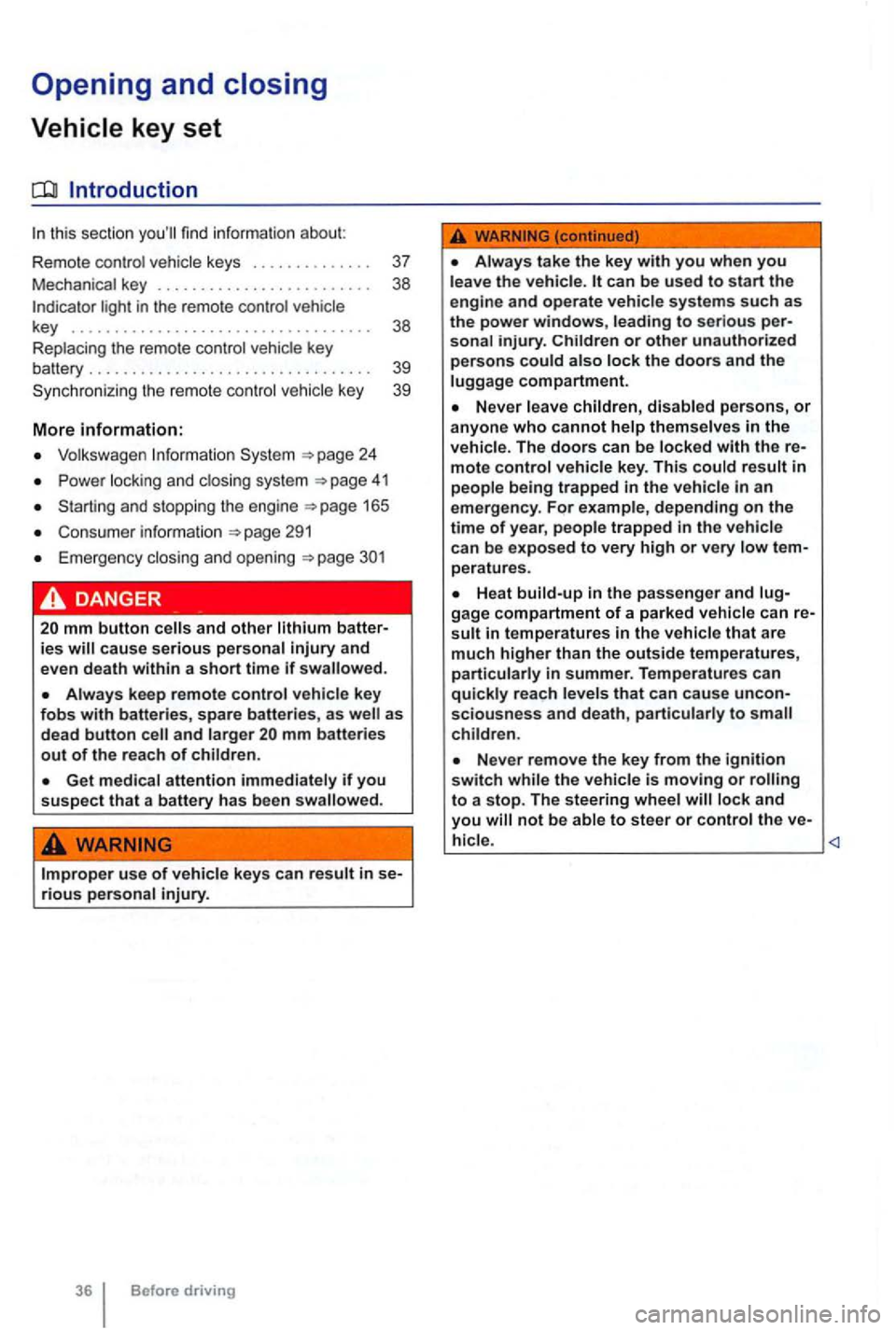
this section find info rmation about:
R em o
te control vehicle keys . . . . . . . . . . . . . . 37
Mec hanical key . . . . . . . . . . . . . . . . . . . . . . . . . 38
Volkswagen
Power locking and clos ing system 41
Starti ng and stopping the engine
Cons ume r inf ormat ion
Eme rgen cy closin g and opening
Always keep remote control vehicle key fobs with batteries, spare batterie s, as as
dead button mm batteries out of the reach of children.
Get medical attention immediately if you suspect that a battery has been swallowed .
use of vehicle key s can result in se-rious personal injury.
36 Before driving
Always take the key with you when you leave the vehicle . can be used to start the
engine and operate vehicle systems s uch as
the powe r windows, leading to se rious personal injury.
the vehicle is moving or to a stop. The steering wheel lock and you
Page 137 of 516
21 or the power locking buttons 22 are pushed repeatedly in quick succes
sion , the power locking system is switched off for a
br i
ef period to help keep it from being overloaded.
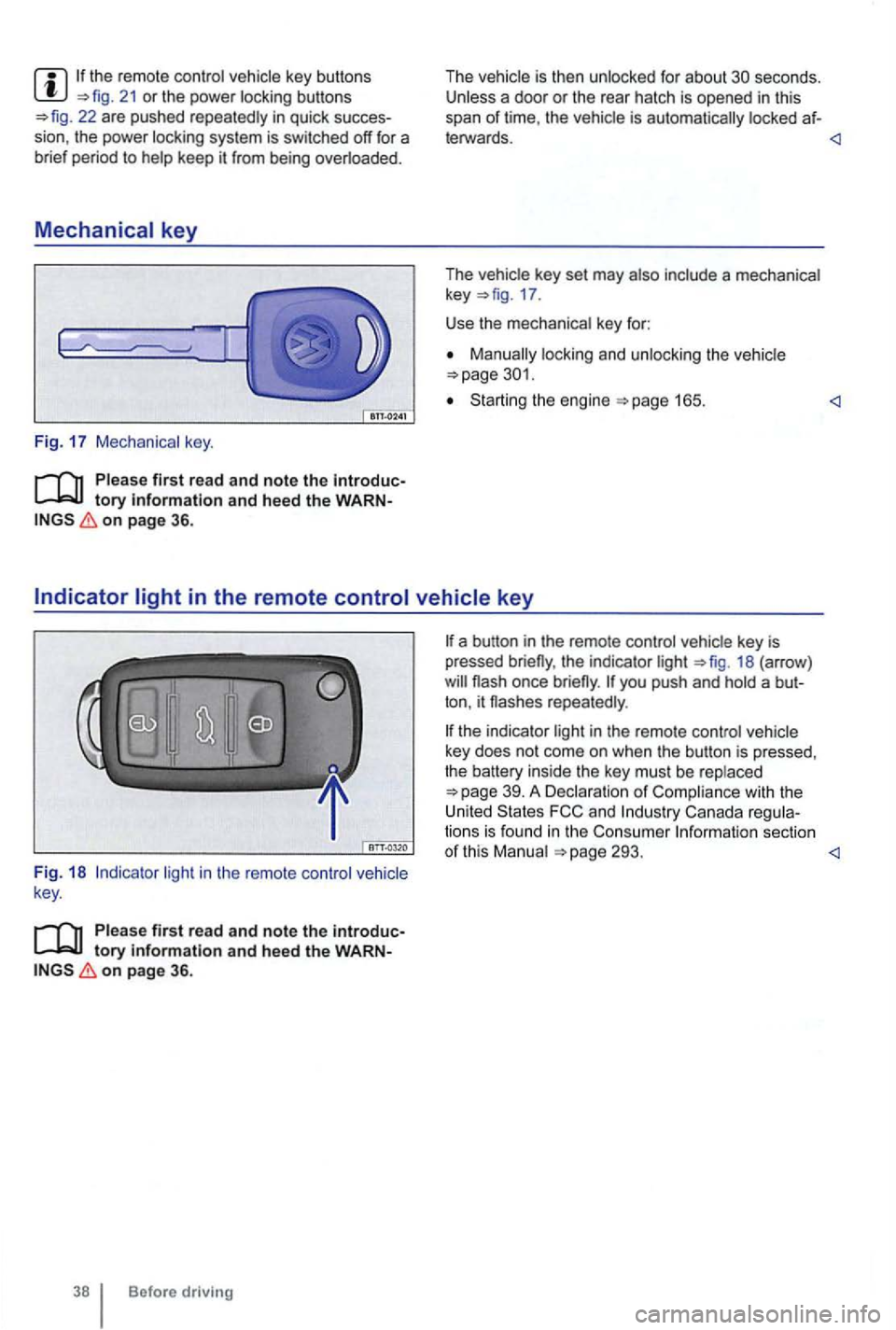
Mechanical key
Fig. 17 Mechanical key.
tory information and heed the WARNon page 36.
The vehicle is then unlocked for about secon ds. Unless a door or the rear hatch is opened in this
span of lime , th e vehicle is automatically locked af-
leiWards.
key 17 .
Use the mechanical key for:
locking and unlocking the vehicle
Starting the engine
light in the remote control vehicle
key .
Please first read and note the introductory information and heed the WARNon page 36.
Before driving
the indicator light 18 (arrow )
repeatedly .
the indicator light in the remote control vehicle
key does not come on whe n the button is pressed,
t he battery inside
the key mus t be rep laced
293.
Page 141 of 516
Automatic locking (Auto Lock)
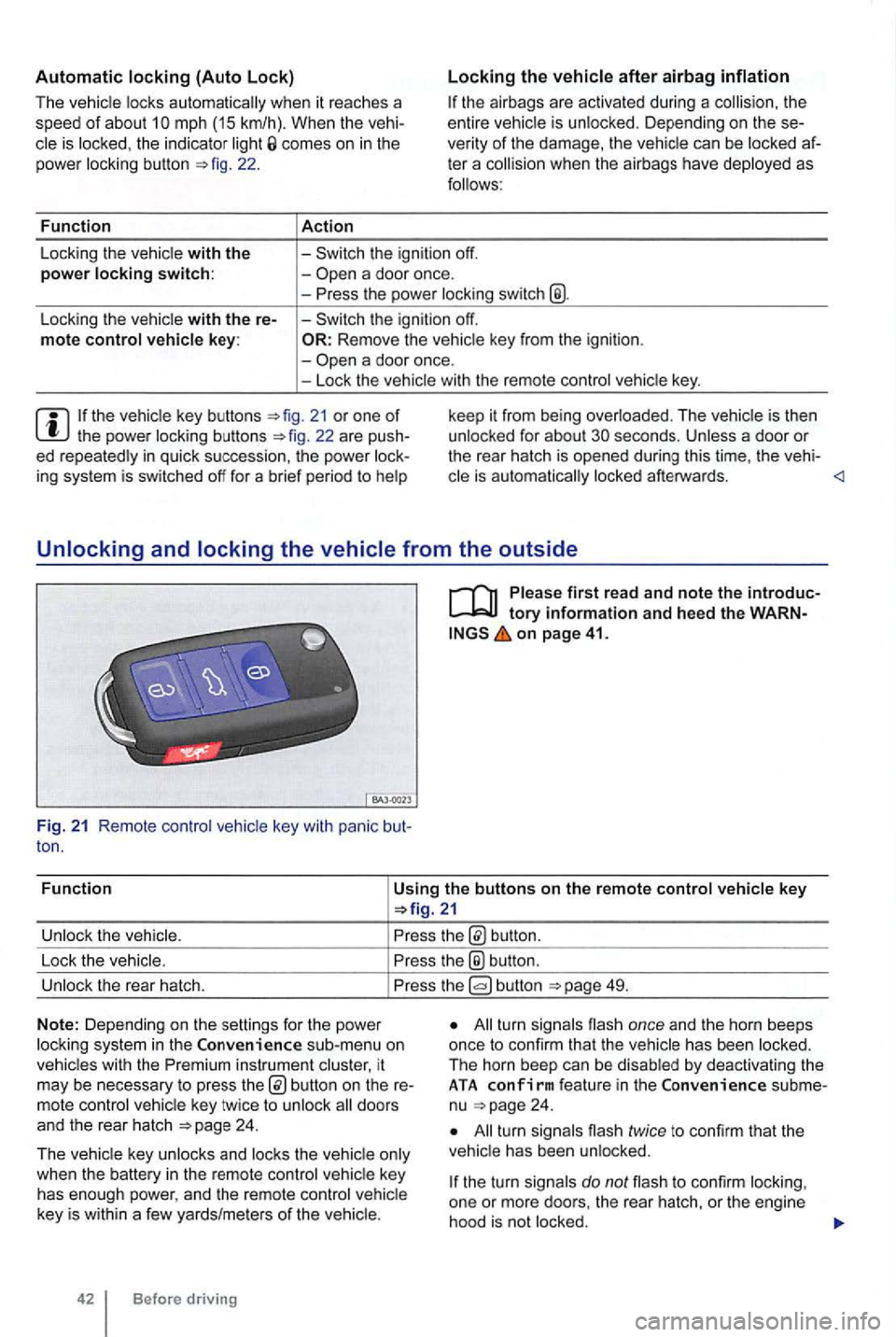
The vehicle locks au tomatically when it reaches a
speed of about 10 mph (15 km/h) . When the vehi
cle is locked , the indicator light comes on in the
power lock ing button
a door once.
-
a door once.
- Lock the vehicle with the remote control vehicle key.
21 or one of th e power locking buttons
on page 41.
Fun c
tion
Using the buttons on the remote control vehicle key
button.
Lock the vehic le.
the® button .
Unlock the rear hatch. button 49.
N o
te: Depending on the settin gs for the power
l ock ing system in the sub-menu on
vehicles with the instrument cluster, it
may be necessary to press
24 .
T he vehicle key unlocks and locks the vehicle only
when the battery
in the remote control vehicle key
has enough power, and the remote control vehicle
key is wi
thin a few yards/me ters of the vehicle.
42 Before driving
All turn signals flash once and the horn beeps
once to confirm that the vehic le has been locked.
The horn beep can be disabled
by deactivating the ATA co nfirm feat ure in the subme
nu 24 .
All turn signals flash twice to confirm that the
vehicle has been unlocked.
the turn signals do not flash to confirm lock ing,
one or mor e doors , the rear hatch, or the engine
hood is not
locked.
Page 144 of 516
N
if a seco nd valid
by press ing a button on the deactivated key.
by pressing a door handle sensor when the de
activated key is outside of the vehicle , but with in
range .
by starting the engine with the starter butto n.
Automatic deactivation of sensors
deactivated .
is activated too often, for instance by a bush or hedge that rubs against the the sensors in the door handle on that side of the vehicle are
switched off for a short time.
T he door handle sensors become active again if
one of the even ts occurs:
A short time has passed.
The rear hatch is opened .
The key .
Anti-theft
tory information and hee d the WARN on page 41.
T he anti-theft alarm system makes it more difficult
for someon e to break into or steal the veh icle .
The anti-theft alarm system is
key i s within range of the vehicle.
T he door may not open if the outside and in side door handles are used at the same time.
the vehicle battery or the battery in the remote control vehicle key is weak or dead , it
might not be possible to unlock and using Keyless Access. The vehicle can locked or unlocked with the key bit
The driver message Key not in ra nge ap pears in the instrument cluster display if there
is no remote control vehicle key inside the vehicle
or if the system does not recognize the
key. The key may not be recognized , for example, if it is
covered by something that interferes with the sig
(such as a briefcase) , or if the remote control
vehicle key battery is weak. Electronic devices
such
as phones can interfere with the sig
Dirt on the door handles that conta ins a of in winter) can affect the way
the door handle sensors work.
with this problem .
Automatic transmissio n vehic les can
Opening a door that has been un
locked and not switching on the igni tion with in
about 15 seconds.
Forcibly opening a door.
Forcibly opening the engine hood.
Forcib ly opening the rea r hat ch.
and closi ng 45
Page 155 of 516
Power
protection for the power sunroof
More information:
Volkswagen 24
locking and closi ng system
Emergency closing and opening
56
57
57
cess to the vehicle key. Unsupervised use of the remote control vehicle key makes it sible to lock the vehicle, start the engine, turn on the ignition and operate the sliding and tilting roof.
Remove leaves and other objects from the sunroof guiderails regularly either by hand or
using a vacuum cleaner.
the powe r sunroof malfunctions, pinch tection may not function properly . an
Opening and
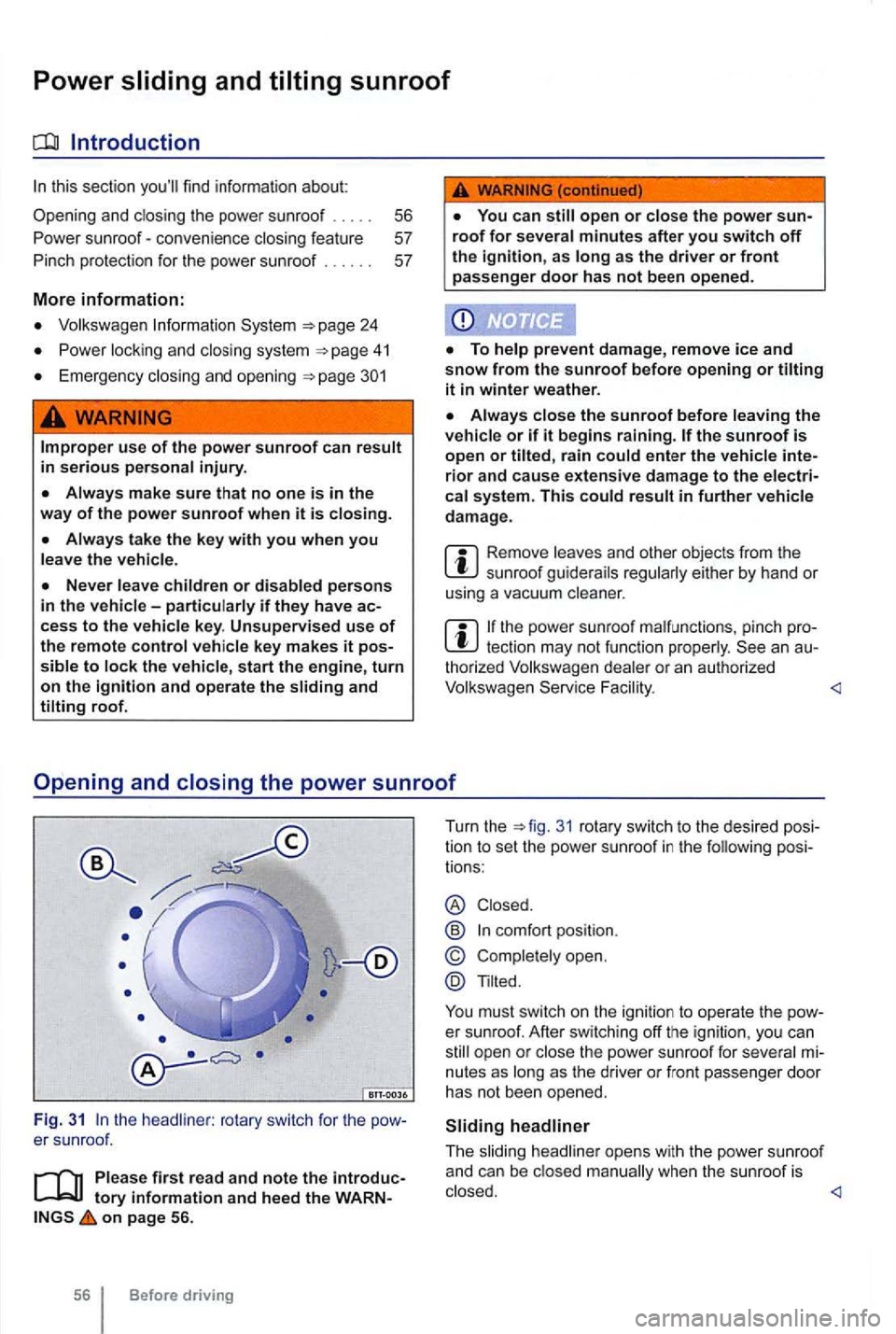
the headliner : rotary switch for the
on page 56.
56 Before driving Turn
the
31 rotary switch to the desi red pos i
tio n to set the power sunroof in the following posi
tions :
® Closed .
@
Tilted.
You must switch on the ignition to operate the