light VOLKSWAGEN GOLF 2012 User Guide
[x] Cancel search | Manufacturer: VOLKSWAGEN, Model Year: 2012, Model line: GOLF, Model: VOLKSWAGEN GOLF 2012Pages: 516, PDF Size: 105.12 MB
Page 124 of 516
Avg. Consu m.
Route
Avg . speed
Dig it. speed
warning
Back
Compass
Convenience
ATAconfirm
Dooropen
Manual
(All doors , door, Veh . si de,
Automa tic (Auto Lock, Auto Unlock)
Mirror adjust
Factory
Lights & Vision
Background lighting
Footwell ligh ting
L n. Chg.
F actory setting
Ti me
Units
Alternative speed display
Reset
Factory setting
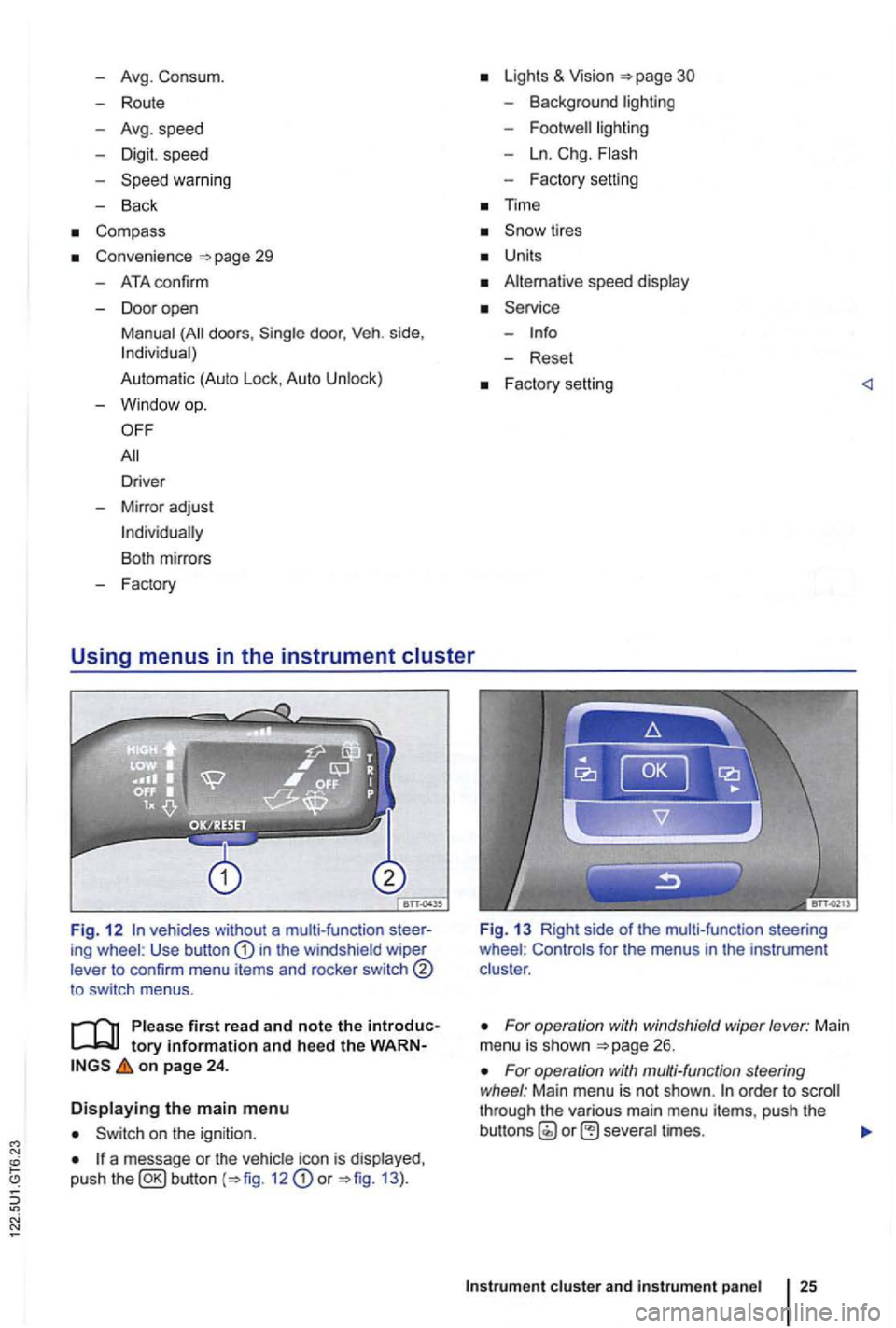
Fig. 1 2 vehicles without a multi-function ing wheel : Use button in the windshield wiper
lever to confirm menu items and rocker switch
to sw itch menus .
tory information and heed the on page 24 .
Displaying the main menu
on the ignition .
a message or the vehi cle icon is displayed ,
push the 12 or 13 ).
Fig. 13 Right side of the mult i-func tion steering
wheel : Controls for the menus in the instrumen t
clus ter .
For operation with windshield wiper lever: Main
menu is shown
For operation with multi-function steering
wheel : Main menu is not shown . order to through the various main menu items, push the
cluster and instr um ent pan el
Page 125 of 516
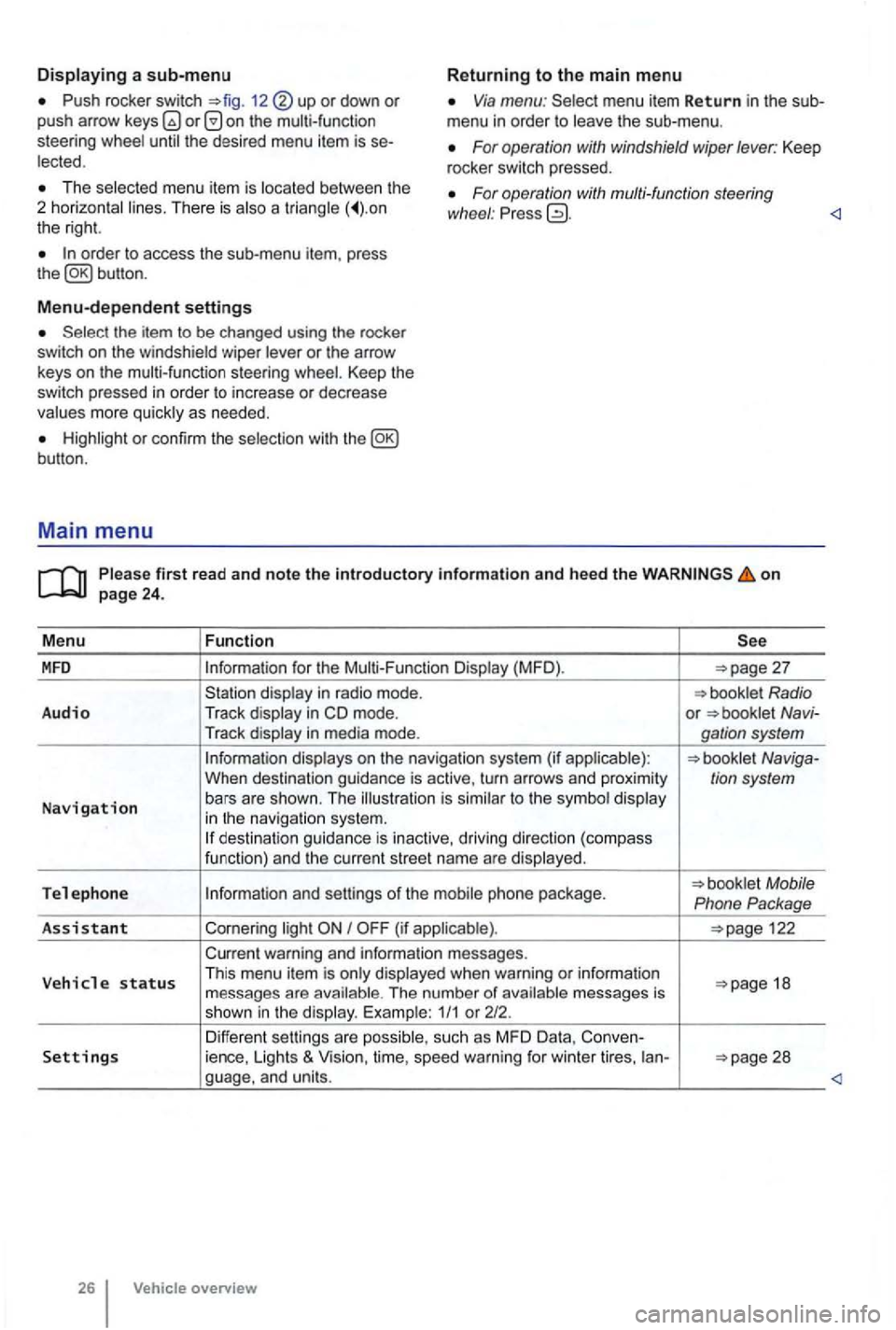
Push rocker switch 12 or down or push arrow on the multi-function
steering Via menu: menu item Return in the sub
menu in order to
For operation with windshield wiper lever: Keep
rocker switch pressed. The menu item is There is a the right.
For operation with multi-function steering
wl1eel : Pr ess
Menu-dependent settings
or the arrow
keys on the multi-function steering Keep the switch pressed in order to increase or decrease
or con firm the
first read and note the introductory information and heed the on
for the (MFD ).
in m ode. or Navi-
Tr ack
to the in navigat io n system. des tination guida nce is inactive, driving direction (compass
funct ion) and th e cur ren t street name are
Tel e ph one Mobile
Phone Package
As sis
tant Cornering I
warning and information messages.
V eh
icle status Th is menu item is when warning or information 18
messages are The number of 1/1 or 212.
Differen t sett ings are Settings ience, Lights & Vision, time, speed warning for winter tires, ian-
overview
Page 127 of 516
erasing memory 1 or 2
Press button for about 2 seconds.
and
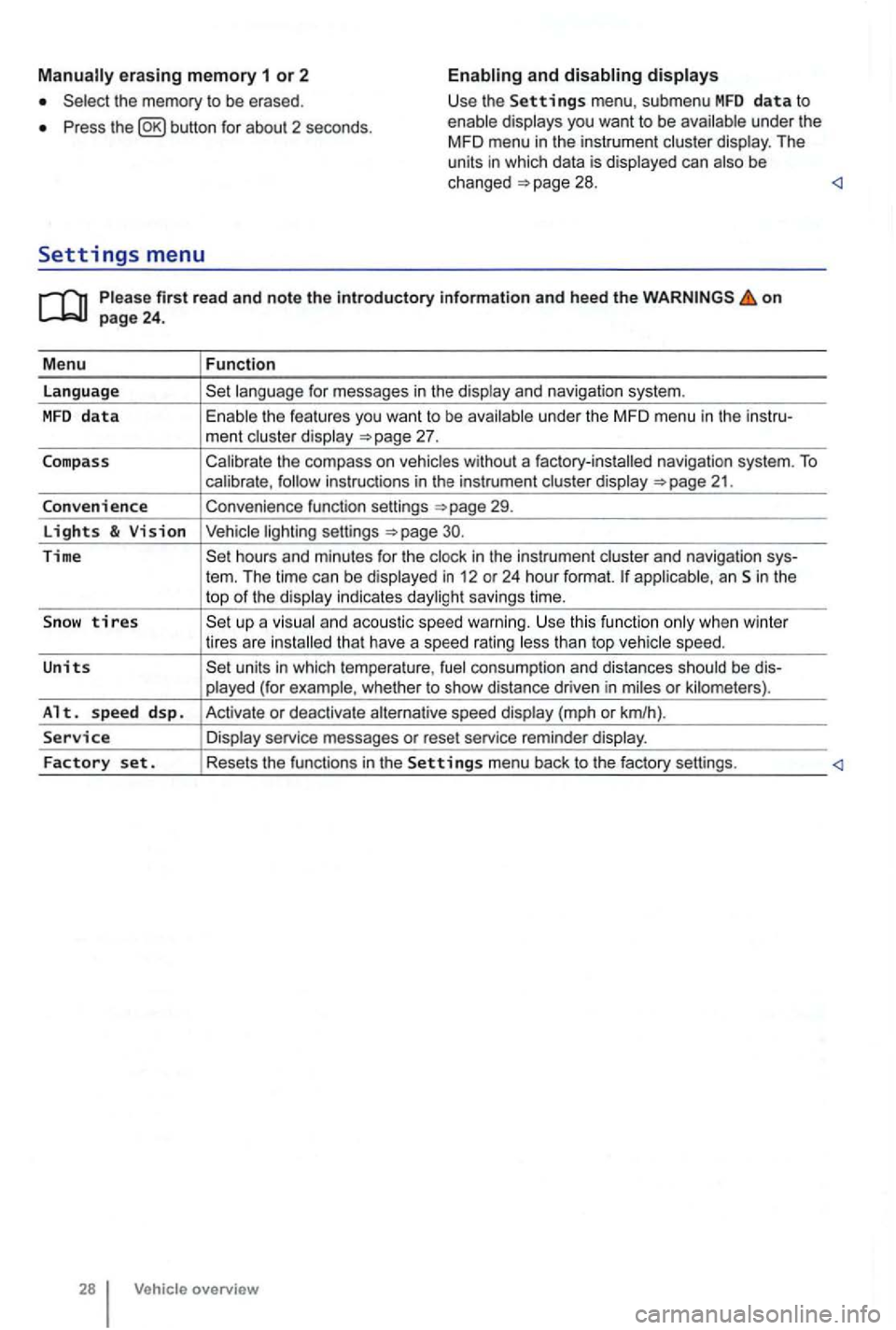
Please firs t r ead and note t he i ntrodu ctory infor ma tion an d heed th e o n page 24 .
M enu
Function
language
unde r the MFD menu in the instru-
ment cluste r display
Calibrate the compass on vehicles without a factory-installed navigation system. To calibrate ,
Convenience function settings
30.
Time hours and minutes for the and navigation sys-
tern. The time can be displayed in 12 or 24 hour format. applicab le, an Sin the
top of the disp lay indicates daylight savings time.
S
now tires t han top vehicle speed.
Units units in which tempera ture , consumption and distances should be dis-
p layed (for example , whet her to show distance driven in miles or kilomete rs).
Alt. s p ee d d sp. Activate or deactiva te speed display (mph or km/h).
Service Display service messages or reset service reminder display.
Factory set . Resets the functions in the Se tting s menu back to the factory settings.
Vehicle overv ie w
Page 129 of 516
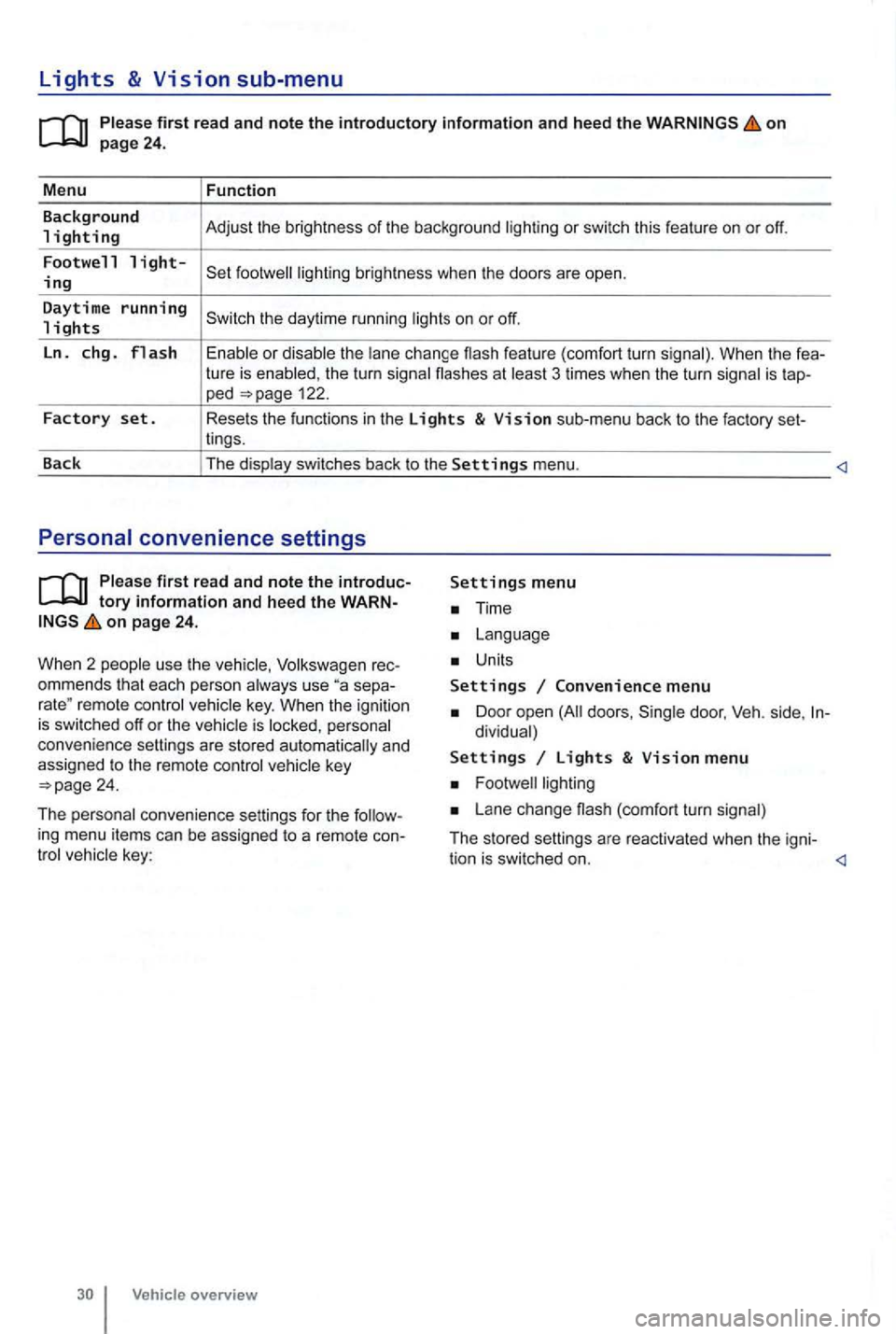
Lights & Vision sub-menu
on
the turn signa l flashes at 3 times when the turn signal is tap-ped 122.
Factory set. Resets the functions in the Lights & Vision sub-menu back to the factory set-
lings.
Back The display switches back to the
Settings menu.
tory information and heed the WARNon page 24.
W hen 2 people use th e
Volksw agen rec
ommends that each person always use separemote control veh icle key. When the ignition is switched off or the vehicle is personal
convenience settings are stored automatically and
assigned
to the remote control
Time
Units
Settings Convenience menu
Door open doors , dividual)
Settings Lights & Vision menu
Lane change (com fort turn signal)
The stored settings are reac tivated when the igni-
tion is switched on.
Page 130 of 516
Before driving
this sectio n yo u'll find infor ma tion about
Gett ing ready and driving safely . . . . . . . . . . . 3 1
Driving in other countr ies . . . . . . . . . . . . . . . 32
Driving through
water on ro ads . . . . . . . . . . 33
More information:
S tarting , shift ing, pa rking 1 65
189
Consumer information
Driving under the influence of alcohol,
on
the following points be fore and during every drive for you r own safe ty, the safety of passengers
and other s
Check proper functio n of lights and turn signa ls .
Check tire pressu re
258) and fuel 214) .
Make su re that win dows are .
137 .
Always make sure tha t nothing keeps th e pedals from moving freely .
Make sure that children are properly sec
ured by a rest raint sys tem appropriate for their size and
weigh t .
Proper ly ad just front seats , head restraints and mirrors to the correct height
give your feet a good grip, and that give you a feel for the peda ls .
M ake sure that the floormat on the drive r side is properly fastened and canno t interfere with the
peda ls .
Assume a prope r sea ti
ng posi tion before the vehicle starts to move and keep this positio n whil e
driving. Make sure that passe ngers do the same 58 .
P roper ly fasten your safe ty bel t before
driving the vehic le and wear you r safety belt properly at times while driving. Make sure that passe ngers do the same
or
Som e basics 31
Page 137 of 516
21 or the power locking buttons 22 are pushed repeatedly in quick succes
sion , the power locking system is switched off for a
br i
ef period to help keep it from being overloaded.
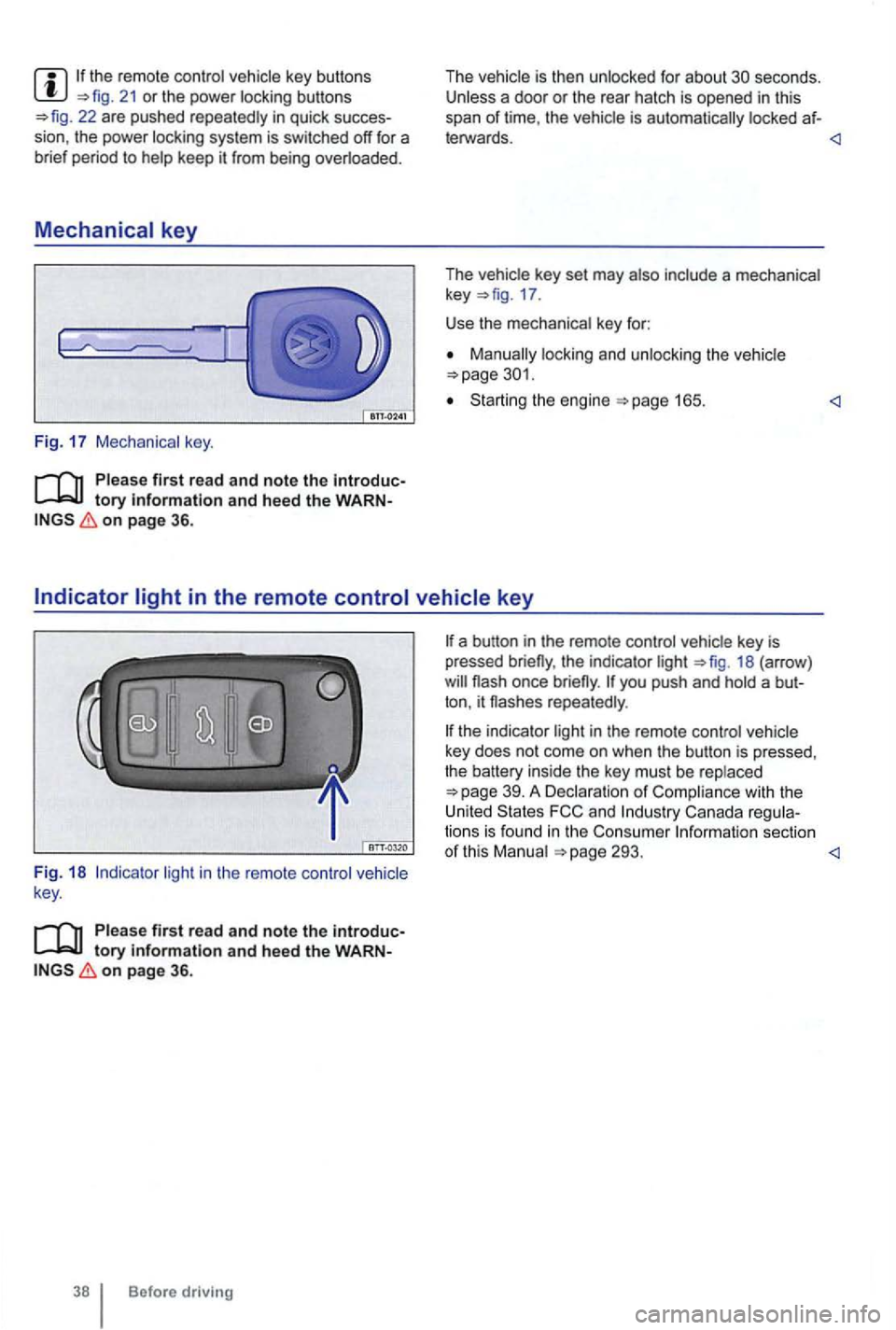
Mechanical key
Fig. 17 Mechanical key.
tory information and heed the WARNon page 36.
The vehicle is then unlocked for about secon ds. Unless a door or the rear hatch is opened in this
span of lime , th e vehicle is automatically locked af-
leiWards.
key 17 .
Use the mechanical key for:
locking and unlocking the vehicle
Starting the engine
light in the remote control vehicle
key .
Please first read and note the introductory information and heed the WARNon page 36.
Before driving
the indicator light 18 (arrow )
repeatedly .
the indicator light in the remote control vehicle
key does not come on whe n the button is pressed,
t he battery inside
the key mus t be rep laced
293.
Page 141 of 516
Automatic locking (Auto Lock)
The vehicle locks au tomatically when it reaches a
speed of about 10 mph (15 km/h) . When the vehi
cle is locked , the indicator light comes on in the
power lock ing button
a door once.
-
a door once.
- Lock the vehicle with the remote control vehicle key.
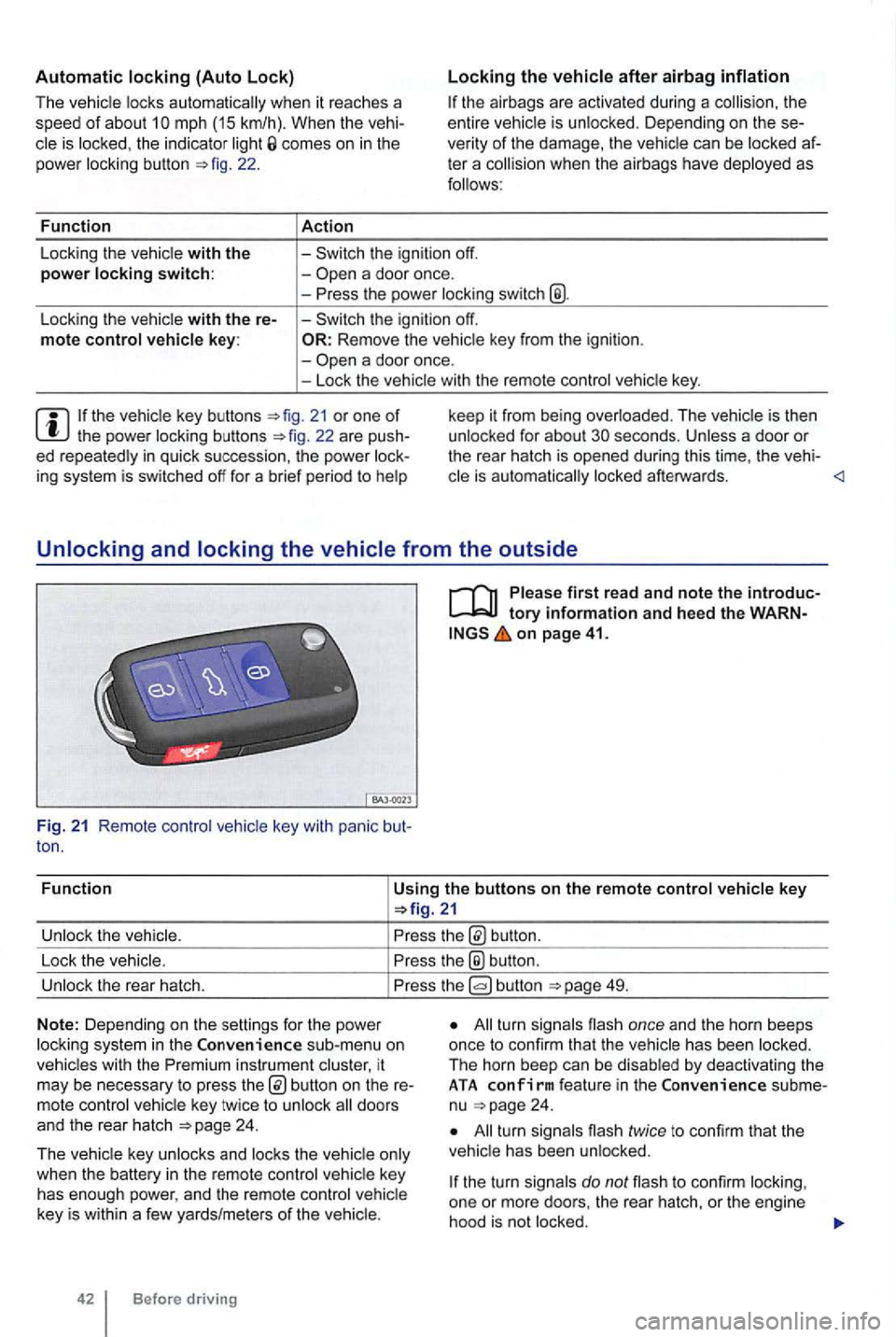
21 or one of th e power locking buttons
on page 41.
Fun c
tion
Using the buttons on the remote control vehicle key
button.
Lock the vehic le.
the® button .
Unlock the rear hatch. button 49.
N o
te: Depending on the settin gs for the power
l ock ing system in the sub-menu on
vehicles with the instrument cluster, it
may be necessary to press
24 .
T he vehicle key unlocks and locks the vehicle only
when the battery
in the remote control vehicle key
has enough power, and the remote control vehicle
key is wi
thin a few yards/me ters of the vehicle.
42 Before driving
All turn signals flash once and the horn beeps
once to confirm that the vehic le has been locked.
The horn beep can be disabled
by deactivating the ATA co nfirm feat ure in the subme
nu 24 .
All turn signals flash twice to confirm that the
vehicle has been unlocked.
the turn signals do not flash to confirm lock ing,
one or mor e doors , the rear hatch, or the engine
hood is not
locked.
Page 146 of 516
Doors
. . . . . . . . . . . . . . . . . . . . . . . . . . . 47
Child
saf ety lock . . . . . . . . . . . . . . . . . . . . . . . . 48
More information:
Exterior views 6
Vehicle key set
Power loc king and closing sys tem
Power windows
Emergency clo sing an d opening
...
A door that is not closed properly may open suddenly when the vehicle is moving and cause severe injuries.
Warning
A door kept open with the door stop may
close in strong winds or on inclines and cause injuries.
on
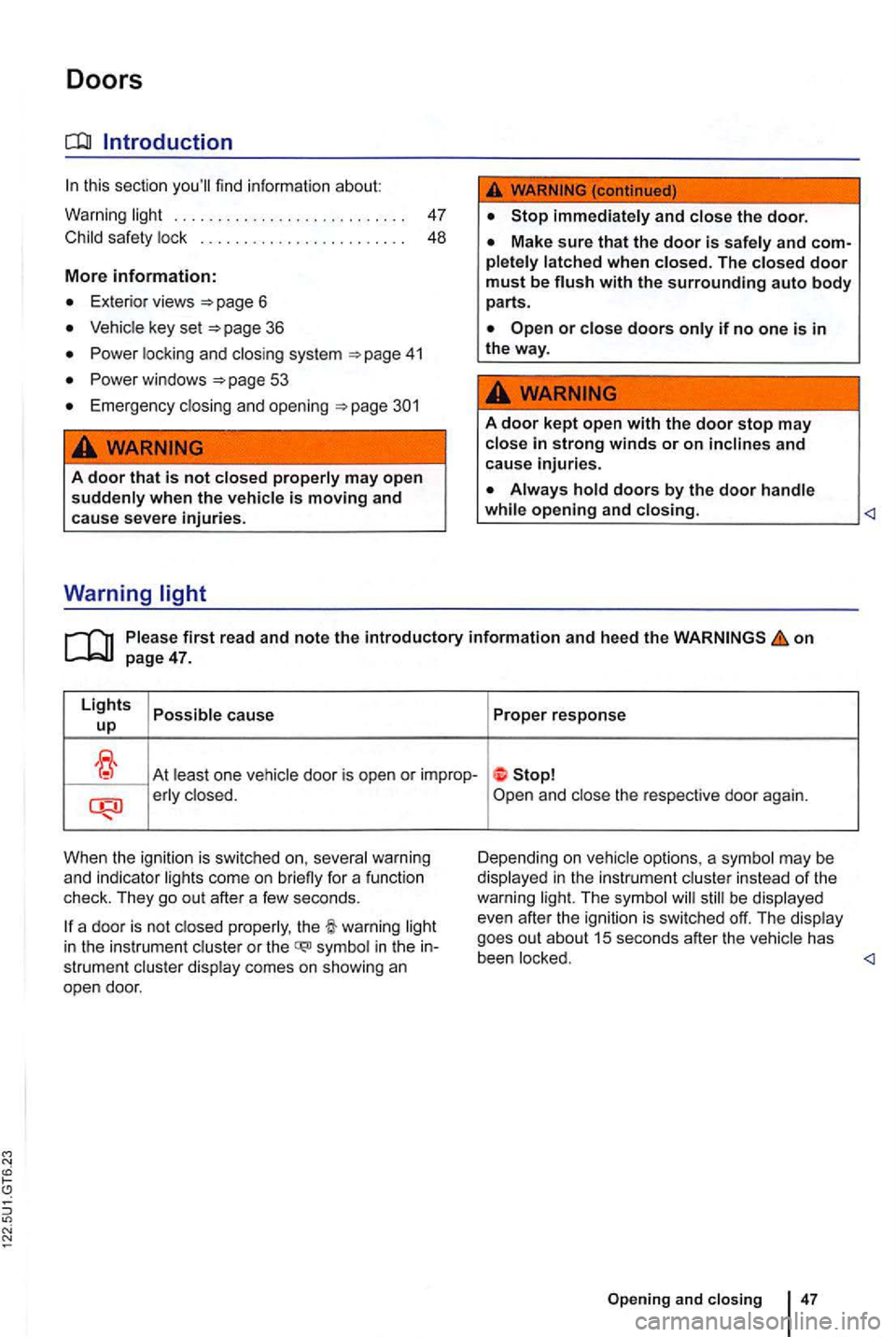
At least on e vehicle door is open or improp-erly clo sed.
When the ignition is swi tc h
ed on, several warning
and indi cato r lig hts come on briefly for a function
check. They go out after a few seconds.
be displayed
even after the ignition is swi tched off. The display
goes out about
15 seconds after the vehicle has
in the instrument cluster or the symbol in the strument cluste r display comes on showing an
open door. been locked.
47
Page 149 of 516
Warning light
first read and note the introductory information and heed the on page 49.
Lights cause up
icon
appears Rear hatch open or
When the ignitio n is swi tc hed on,
the rear hatch is no t the red comes on in the instrum ent or the icon appears in the Premium
instrument
be
has been
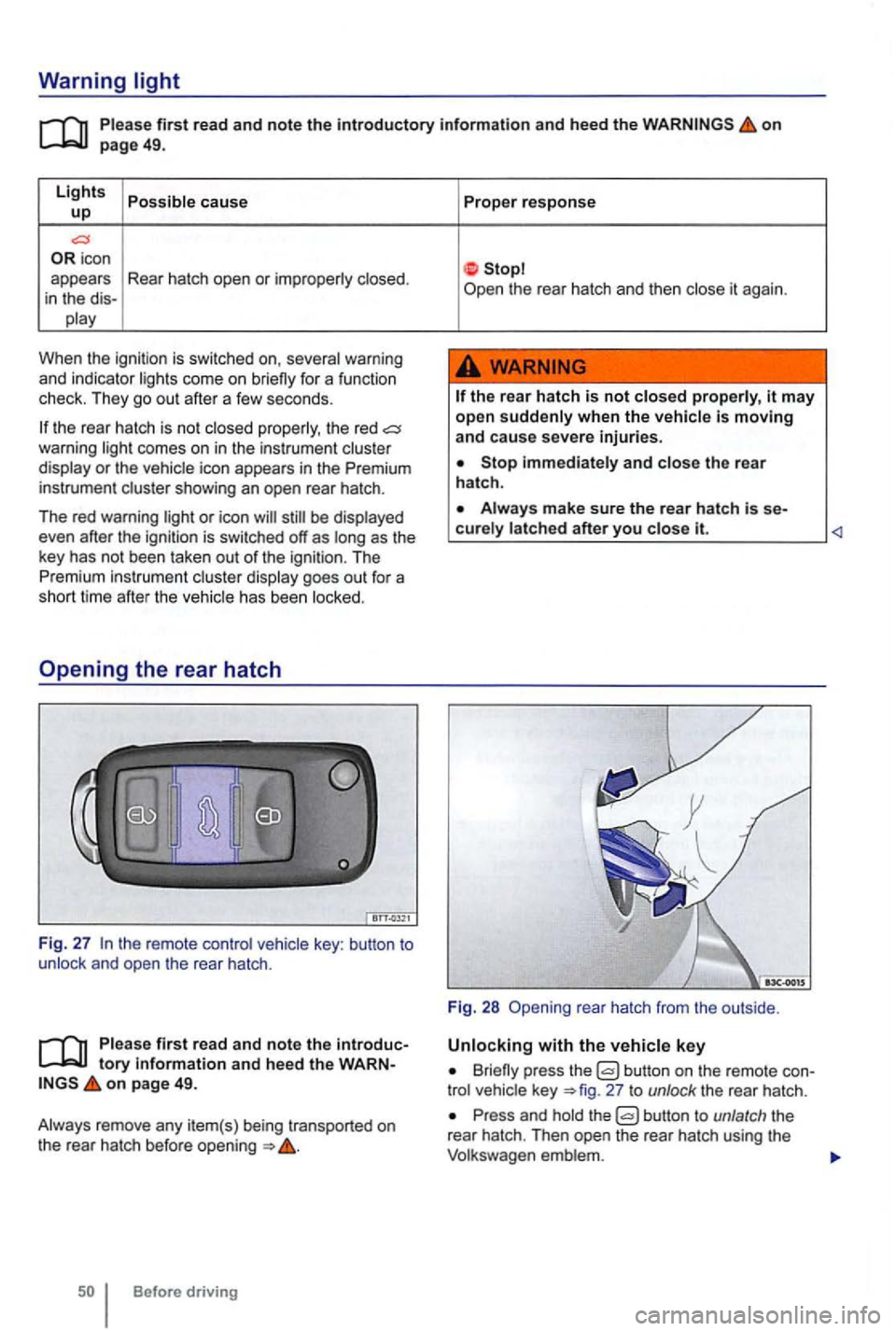
key : button to and open the rear hatch .
first read and note the tory informa tion and heed the on page 49.
Before driving Proper
response
the
rear hatch is not it may
open when the
Stop and the rear
hatch .
it.
Fig. 28 rea r hatch from the outside .
Briefly press the button on the remote 27 to unlock the rear hatch .
Press and the
Page 157 of 516
Adjusting the seating position
Introduction
this section find inf ormation about:
Examp les
of improper seat ing pos itions . . . 59
Pr ope r seating position . . . . . . . . . . . . .
Manual contr ols on the driver and passe nger
seat . . . . . . . . . . . . . . . . . . . . . . . . . . . . . . . . . . . 61 Ele ctrica l co ntr ols o n the driver and front
passenger seats . . . . . . . . . . . . . . . . . . . . . . . . 62
Adj ustin g
the head restra ints . . . . . . . . . . . . . 63
R emoving and re in stalling head restraints . . . 64
Adj usting the stee
ring whee l position . . . . . . . 65
Cen te r armrest . . . . . . . . . . . . . . . . . . . . . . . . . . 66
Number of seats
Th e vehicle
has a t otal of 5 seat ing posit ions: 2 in front and 3 in the rea r. Eac h seating pos ition has a
safety belt.
More information:
funct ions 67
page 69
Ai r ba g syste m 82
safety and child restraints
WARNING
Improper seat ing pos itions increase the risk of severe or fatal injuries in a crash or other accidents,
times .
Never
Always secure children in the vehicle with a n approved and suitable restraint system appropriate for their age, weight, and height 82 .
Always keep your feet on the in front of the seat. Never rest them on the seat,
Always adjust seat , safety belts, and head straints properly before driving and make sure that
inches (25 em) betw een the front pa ssenger' s breastbone and the in strument panel.
ches (25 em) between your breastbone and the steering wheel.
Adjust the driver's seat so that you can push the pedals while keeping your knee(s) slightly bent. The
di stance to the instrument panel in the knee
a rea must be at least 4 inche s
these requirements cannot be met for physical reason s, contact an authorized
Volk swagen dealer or an auth orized gen Facility to see whether adaptive equipment is avai la bl e.
Always hold the steering wheel on the side of the steering wheel rim with your hands at the 9 o'clock and 3 o'clock positions to help reduce the risk of personal injury if the driver's airbag inflates .
Never hold the steering whee l a t the
12 o'clock position or with your hands at e r places inside the steering whee l rim or on the steering wheel hub. Holding the steering wheel the wrong way can cause serious rie s to the hand s, arm s, and head if the
Pointing the steer ing whe el t oward your face dec reases the of the driver's bag to h elp protect you in a
Never drive with backrest s reclined or ed back farthe r than necessary to drive