key VOLKSWAGEN GOLF 2012 Owner's Manual
[x] Cancel search | Manufacturer: VOLKSWAGEN, Model Year: 2012, Model line: GOLF, Model: VOLKSWAGEN GOLF 2012Pages: 516, PDF Size: 105.12 MB
Page 109 of 516
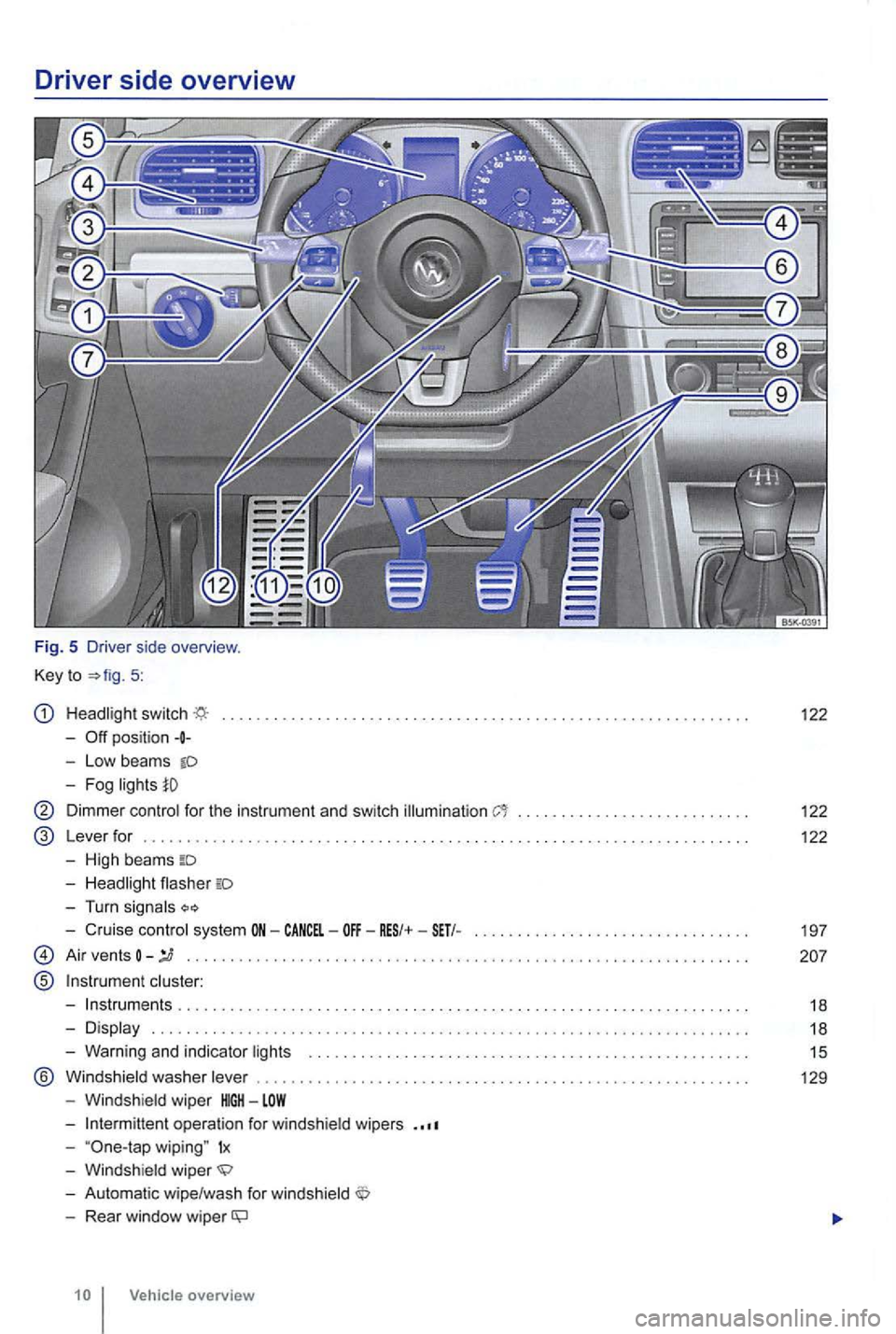
Driver side overv iew
Fig. 5 Driver side overview .
Key to
5:
switch
-
Low beams
122
Dimmer for the instrument and switch illumination . . . . . . . . . . . . . . . . . . . . . . 122
L ever for . . . . . . . . . . . . . . . . . . . . . . . . . . . . . . . . . . . . . . . . . . . . . . . . . . . . . . . . . . . . . . . . . . . . . . 122
High beams
Turn
Cruise system CANCEL-
A ir vents
®
......... ... .
Warn ing and indicator
® ................. .
operat ion for
wiping" 1x
Rear window wiper
Page 110 of 516
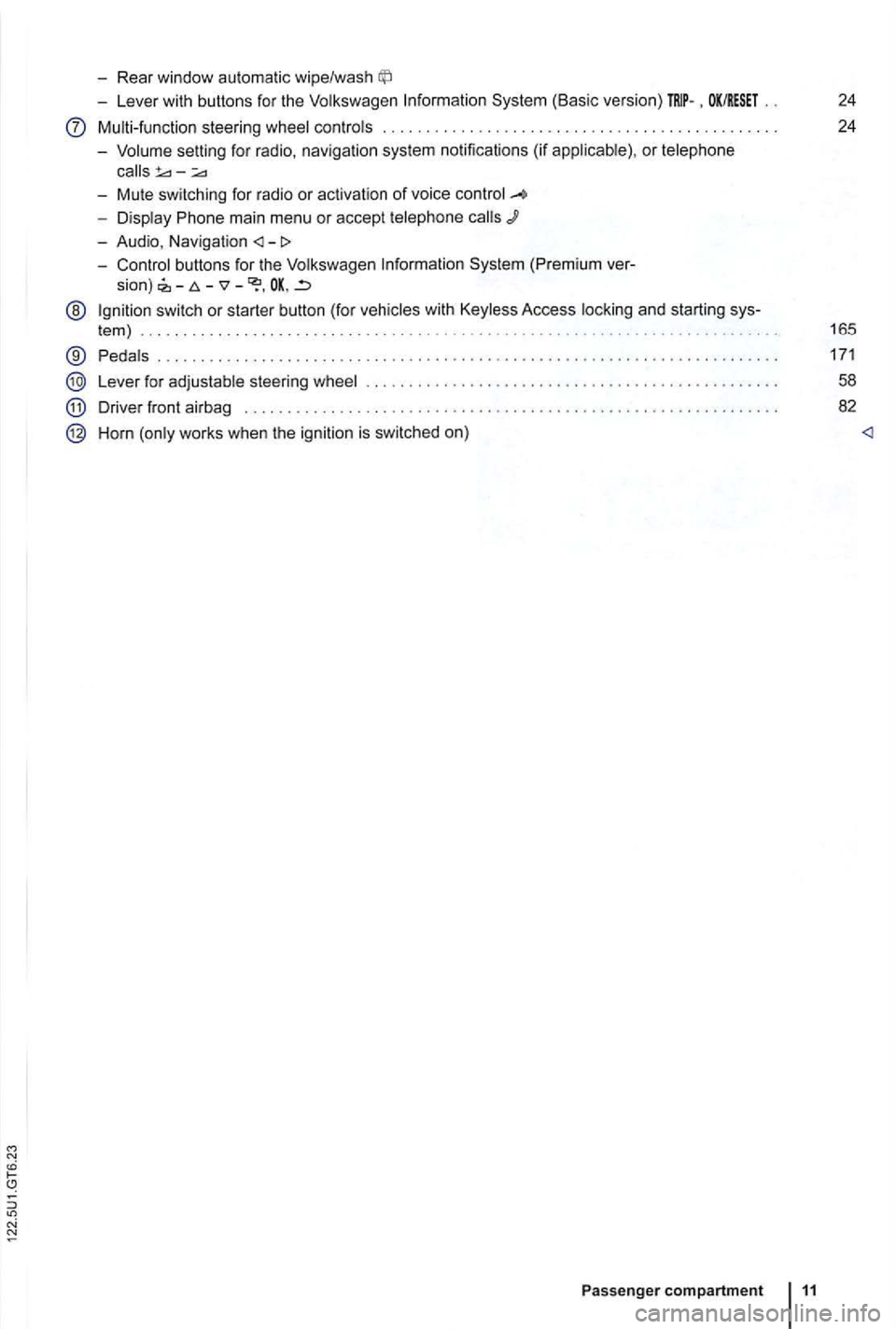
-Rear window automatic wipe/wash
-Lever with buttons for the Volkswagen Information System (Basic version) . OK/RESET 24
Multi-function steering wheel controls . . . . . . . . . . . . . . . . . . . . . . . . . 24
- Volume setting for radio , naviga
tion system notifications (if applicab le) , or telephone
- Display Phone main menu or accept telephone
- Audio, Navigation
sion) -
@ Ign ition switch or starter button (for vehicles with Keyless Access locking and starting sys-
tem ) . . . . . . . . . . . . . . . . . . . . . . . . . . . . . . . . . . . . . . . . . . . . . 165
® Pedals ............ .................................... ....................... .
Lever for adjustable steering wheel
Driver front airbag . . . . . . . . . .
.............................................. .
Horn (only works when the ignition is switched on)
Passenger compartment 11
171
58
82
Page 111 of 516
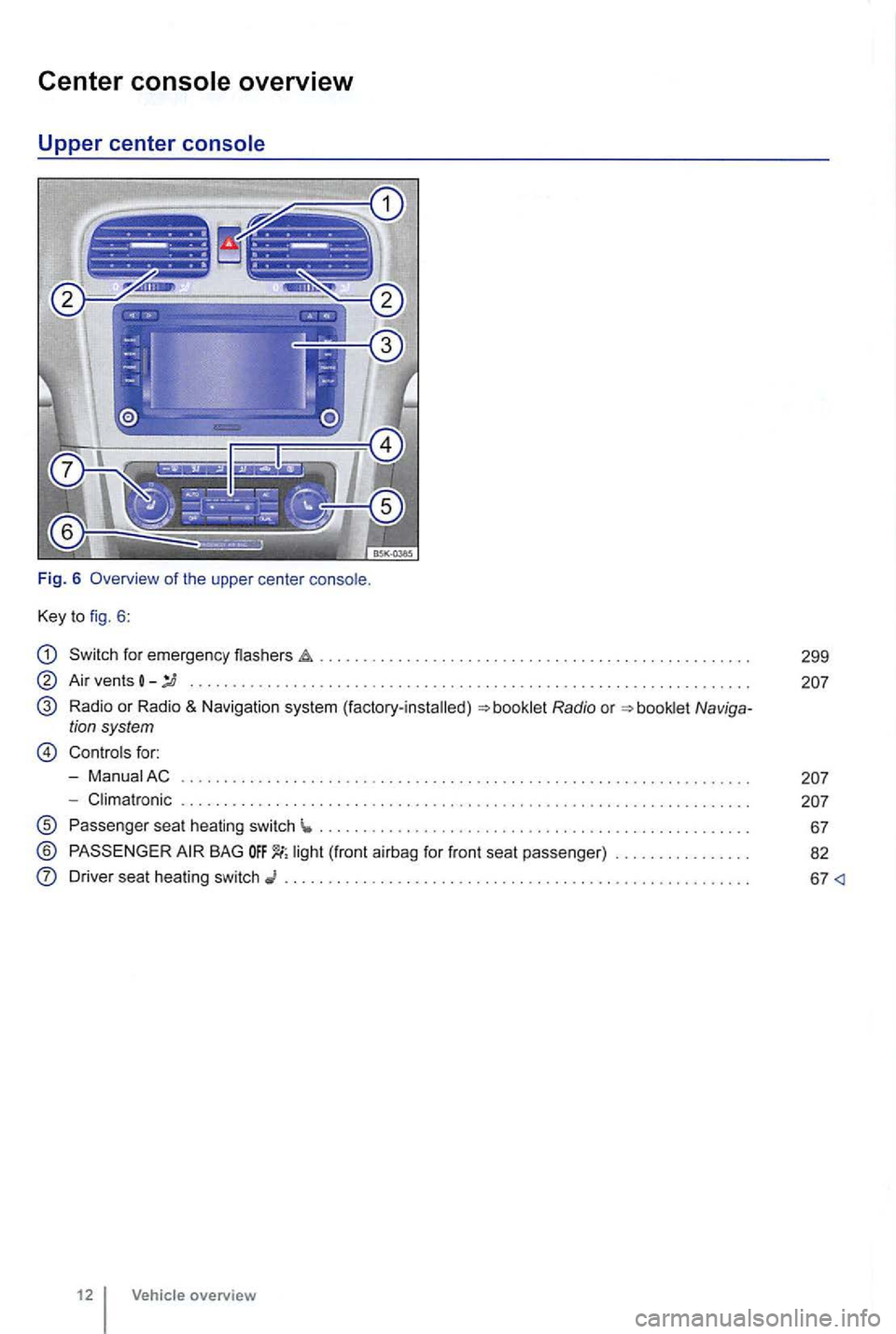
Center
Key to fig. 6 :
Switch for emergency flashers
Air vents -........... ... ..................... .... .. ............ .......... . .
Radio or Radio & Navigation system (factory-installed)
Controls for:
- ManuaiAC
- Climatronic . . . . .
............................................ .
Passenger seat heating switch ...... ........................................ ... .
® BAG
Driver seat heating switch ......................................... .
12 Vehicle overview
299
Page 113 of 516
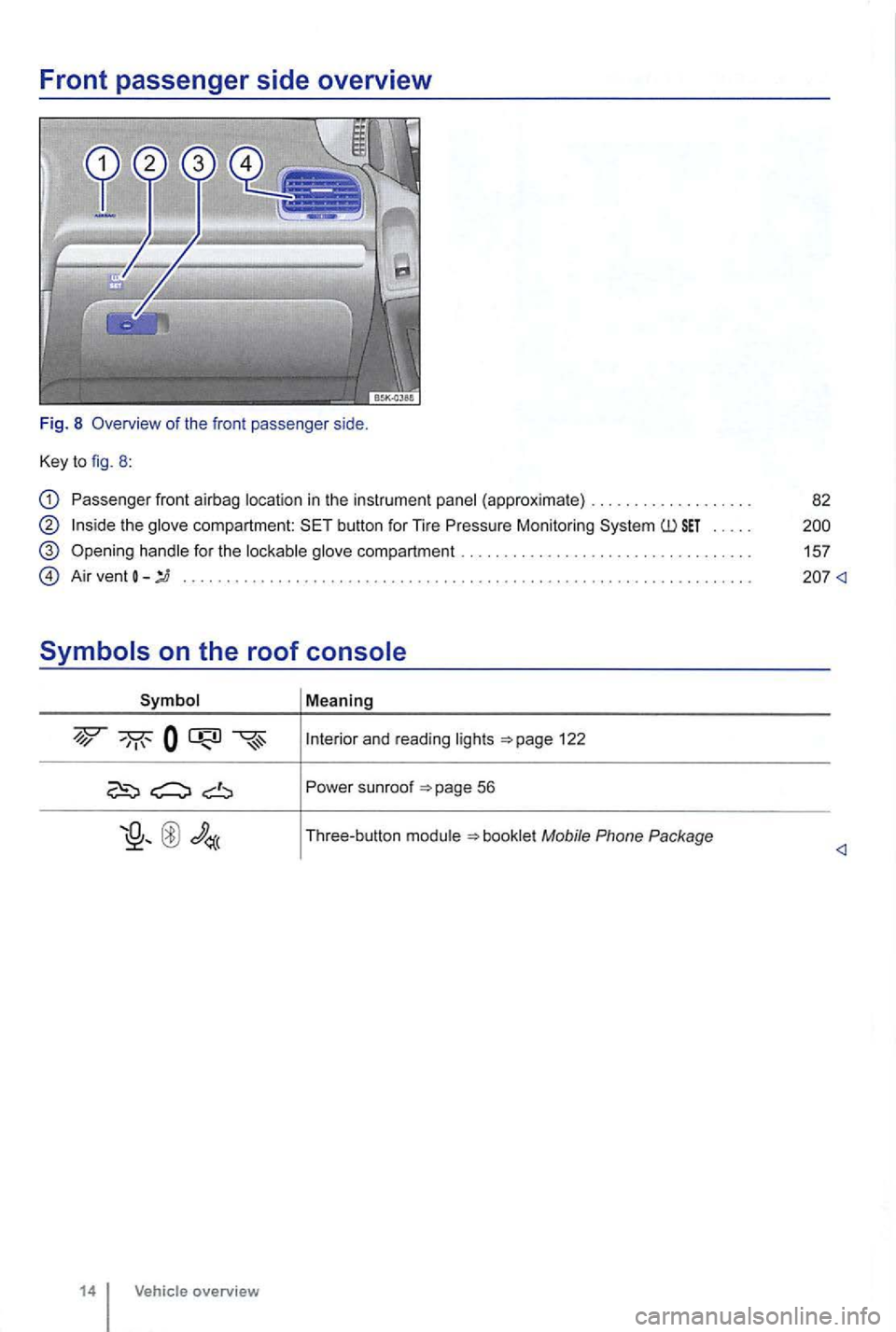
Front passenger side overview
Fig. 8 Overview of the fron t passenger side.
Key to fig. 8 :
Passenger front airbag location in the instrument panel (approxima te) .... .............. .
the glove compartment: button for Tire Pressure Monitoring .....
handle for the lockable glove compartment .
A ir vent
Symbol Mea ning
and read ing lights 122
Po wer sunroof
Page 125 of 516
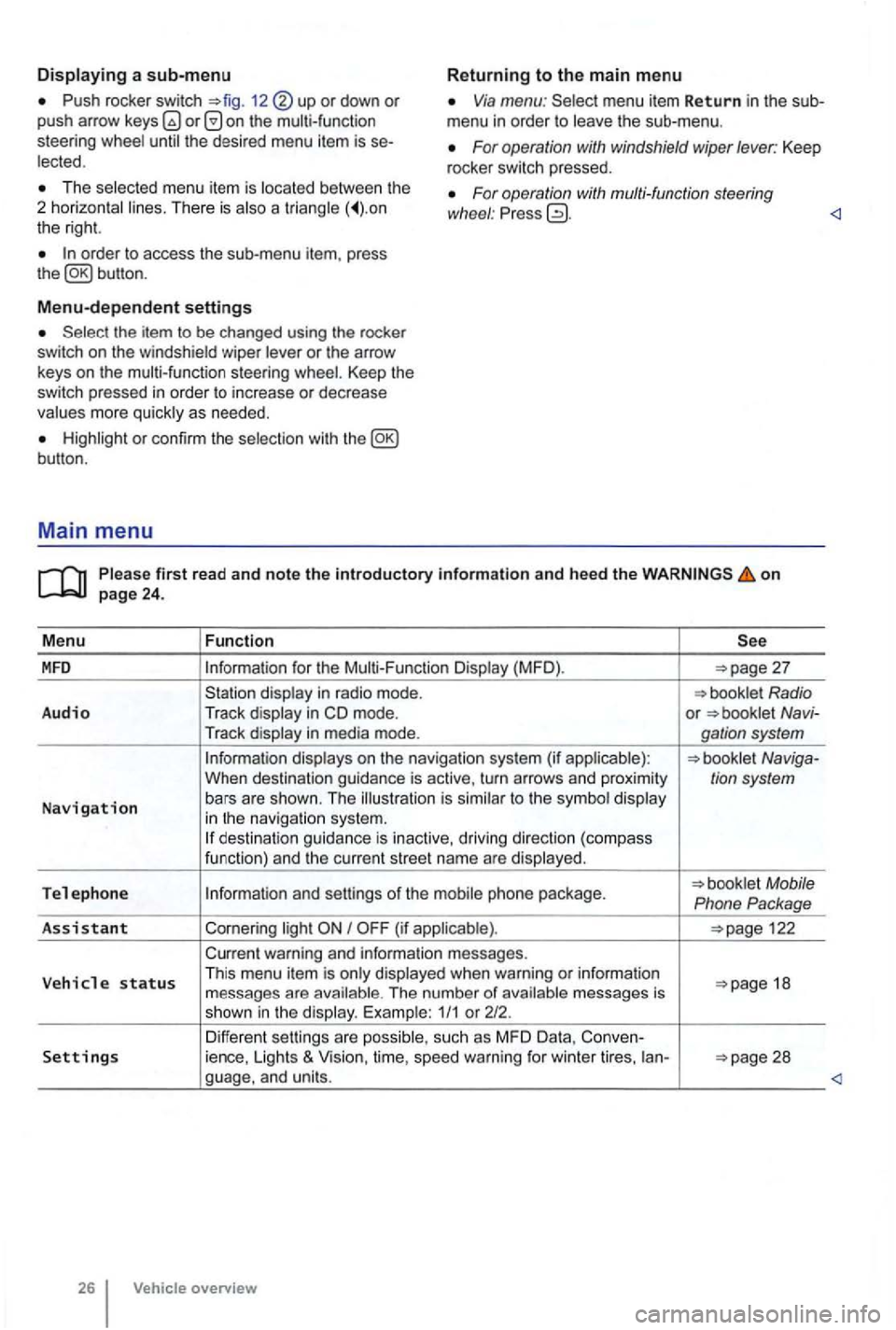
Push rocker switch 12 or down or push arrow on the multi-function
steering Via menu: menu item Return in the sub
menu in order to
For operation with windshield wiper lever: Keep
rocker switch pressed. The menu item is There is a the right.
For operation with multi-function steering
wl1eel : Pr ess
Menu-dependent settings
or the arrow
keys on the multi-function steering Keep the switch pressed in order to increase or decrease
or con firm the
first read and note the introductory information and heed the on
for the (MFD ).
in m ode. or Navi-
Tr ack
to the in navigat io n system. des tination guida nce is inactive, driving direction (compass
funct ion) and th e cur ren t street name are
Tel e ph one Mobile
Phone Package
As sis
tant Cornering I
warning and information messages.
V eh
icle status Th is menu item is when warning or information 18
messages are The number of 1/1 or 212.
Differen t sett ings are Settings ience, Lights & Vision, time, speed warning for winter tires, ian-
overview
Page 128 of 516
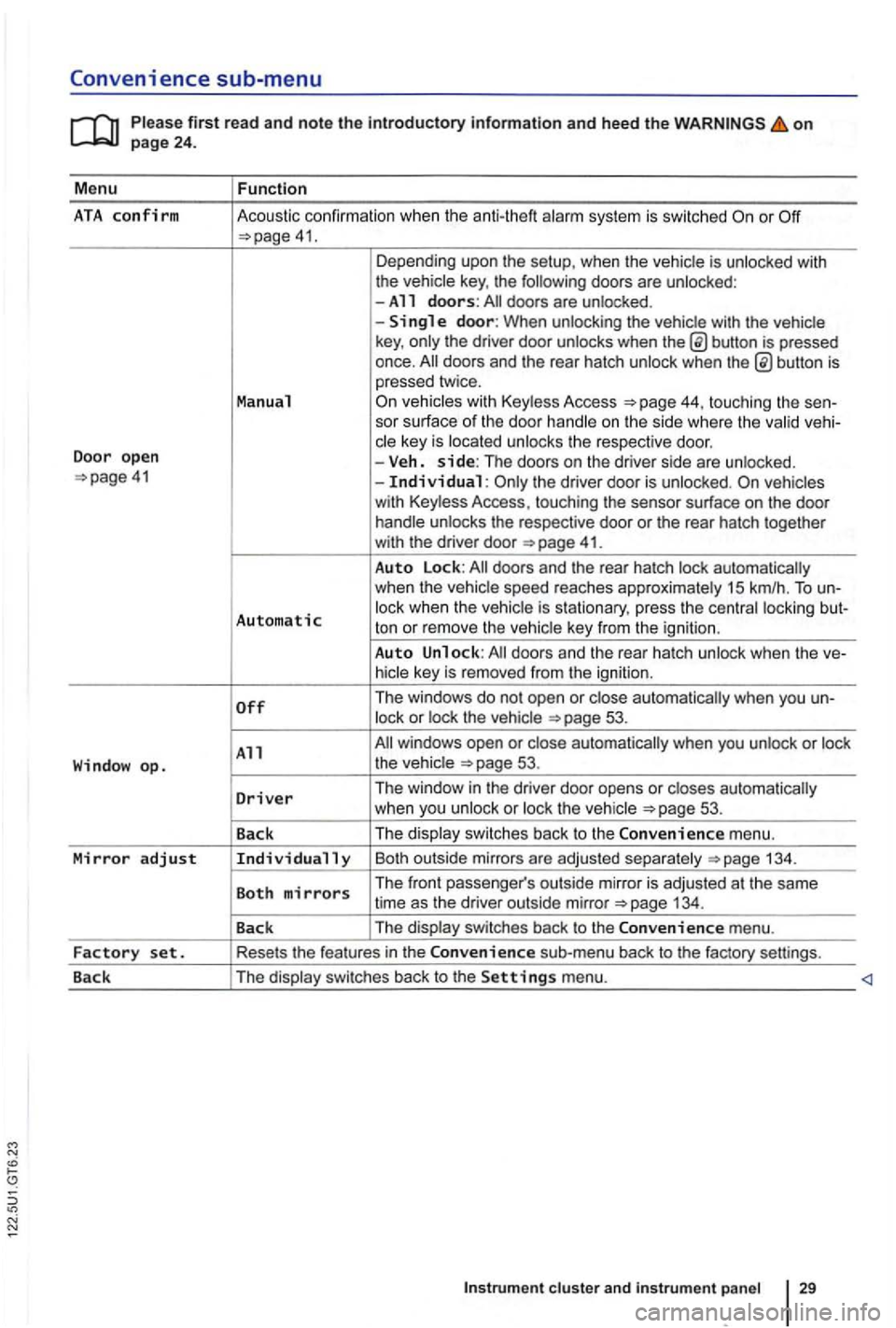
Convenience sub-menu
on
41. Depending upo n the setup, when the vehicle is unlocked with
the vehic le key , the following doors are unlocked :
-All doors: doors are un locked .
-
button is pressed
once.
44, touching the sen-
sor surface of the door handle on the s ide where the valid vehi-
c le key is located unlocks the respective doo r.
Door open -Veh. side: The doors on the dr iver side are unlo cked. the driver door is unloc ked.
41.
Auto Lock:
Automatic lock when the vehic le is s tationary, press the centra l locki ng but-
ton or rem ove the ve hic le key from the igni tion .
Auto Unlock:
53.
All 53.
D
river Th e window in the driver door opens or closes automatically
w hen you unlock or loc k th e ve hicle 53 .
Back The
displa y swi tc
hes back to the Convenience m enu.
Mirror adjust Individually Bo th outsi de mirrors a re ad juste d sepa ra te ly 134 .
Both mirrors The front passe nger's outs ide mirro r is adj usted at th e same
time as the driver out side mirror
Page 129 of 516
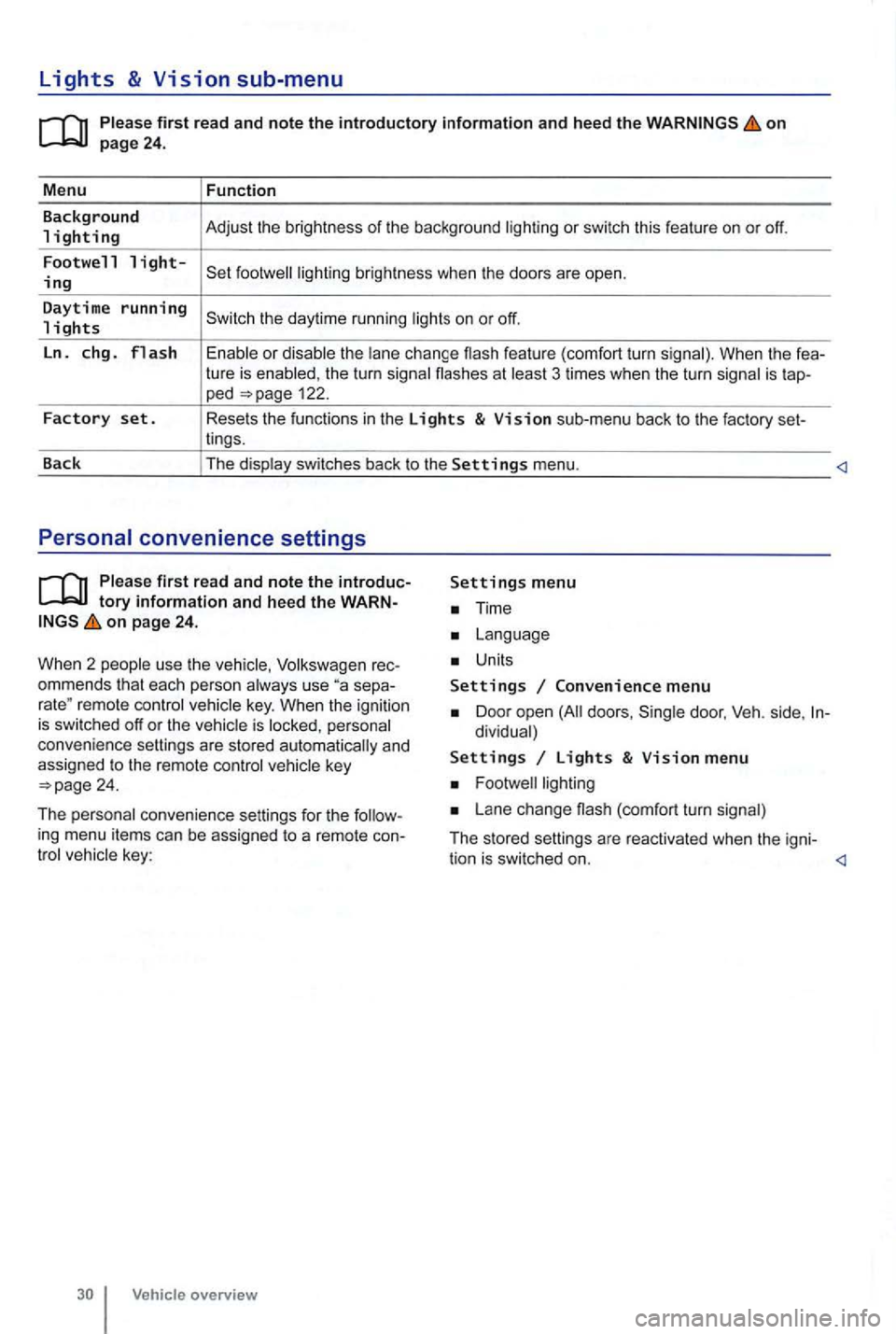
Lights & Vision sub-menu
on
the turn signa l flashes at 3 times when the turn signal is tap-ped 122.
Factory set. Resets the functions in the Lights & Vision sub-menu back to the factory set-
lings.
Back The display switches back to the
Settings menu.
tory information and heed the WARNon page 24.
W hen 2 people use th e
Volksw agen rec
ommends that each person always use separemote control veh icle key. When the ignition is switched off or the vehicle is personal
convenience settings are stored automatically and
assigned
to the remote control
Time
Units
Settings Convenience menu
Door open doors , dividual)
Settings Lights & Vision menu
Lane change (com fort turn signal)
The stored settings are reac tivated when the igni-
tion is switched on.
Page 135 of 516
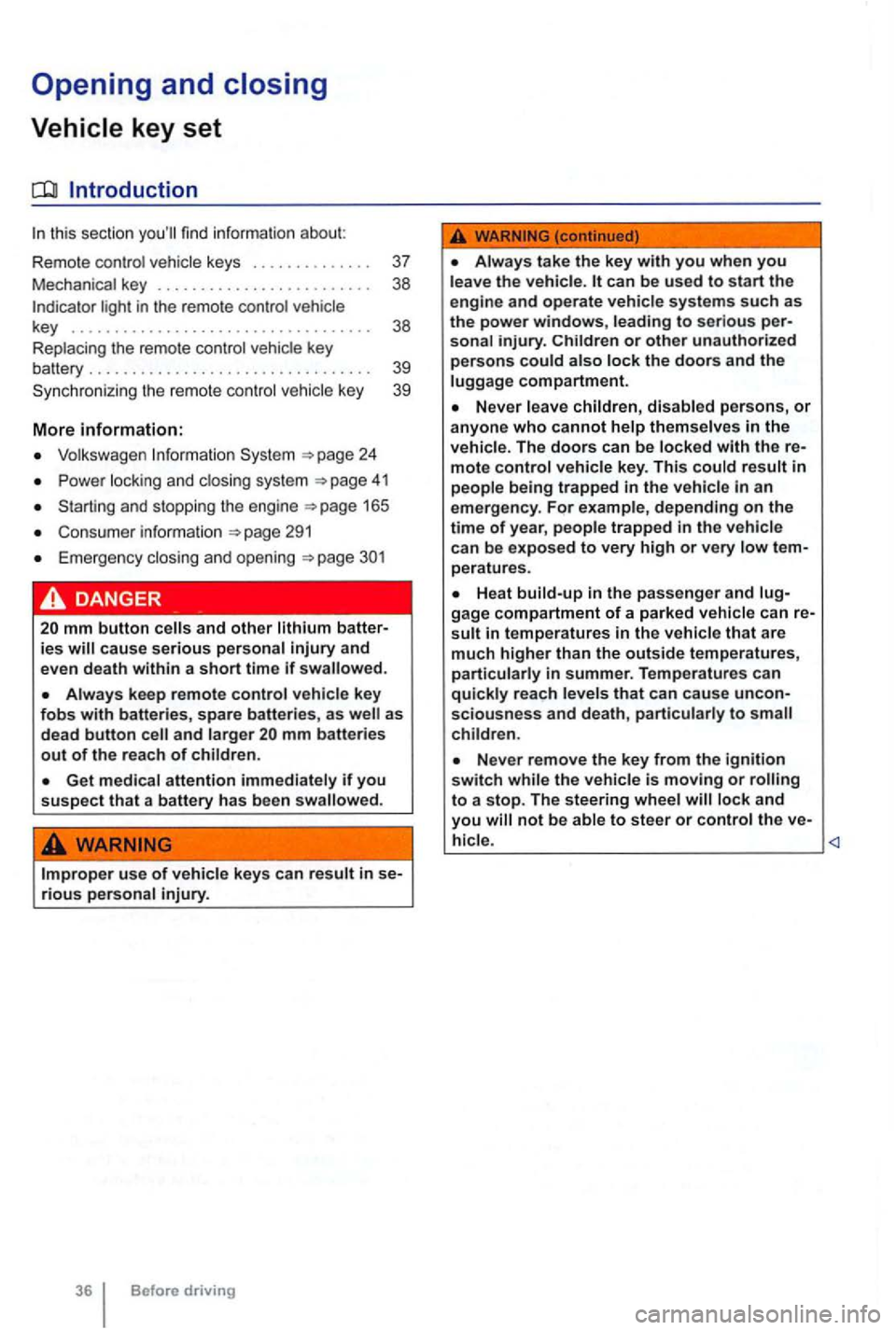
Opening and closing
this section find info rmation about:
R em o
te control vehicle keys . . . . . . . . . . . . . . 37
Mec hanical key . . . . . . . . . . . . . . . . . . . . . . . . . 38
Volkswagen
Power locking and clos ing system 41
Starti ng and stopping the engine
Cons ume r inf ormat ion
Eme rgen cy closin g and opening
Always keep remote control vehicle key fobs with batteries, spare batterie s, as as
dead button mm batteries out of the reach of children.
Get medical attention immediately if you suspect that a battery has been swallowed .
use of vehicle key s can result in se-rious personal injury.
36 Before driving
Always take the key with you when you leave the vehicle . can be used to start the
engine and operate vehicle systems s uch as
the powe r windows, leading to se rious personal injury.
the vehicle is moving or to a stop. The steering wheel lock and you
Page 136 of 516
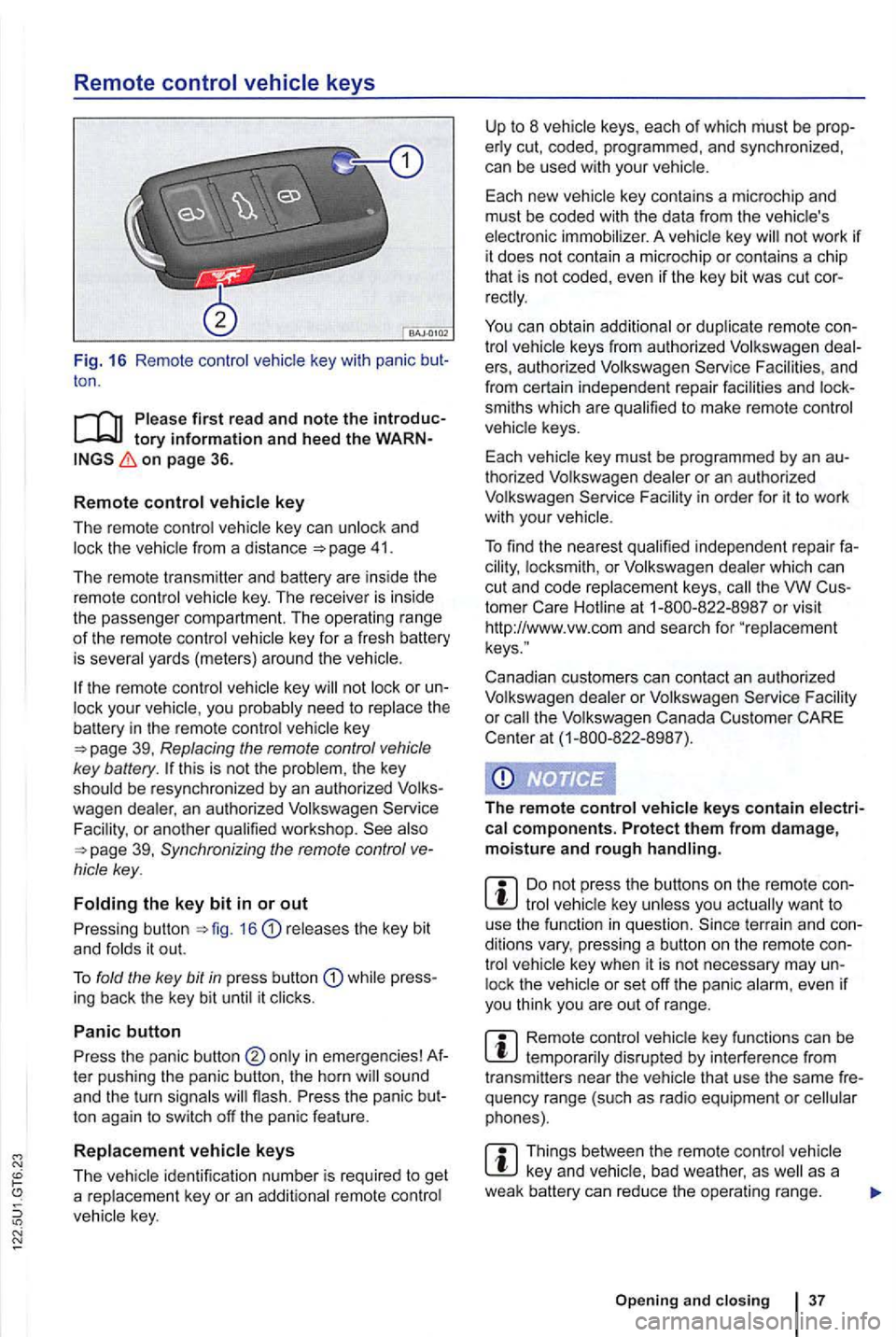
Remote control vehicle keys
Fig. 16 Remote contro l key with panic ton .
on page 36.
R
emot e control key
The remote control vehicle key can unlock and 41.
The remote transmitter and battery are ins ide the
remot e control vehicle key . The receiver is inside
the passenger compartment. The operating ra
nge of th e remote control key for a fresh battery
is severa l yards (meter s) around the
key or your vehic le , you probably need to rep lace the battery in the remote control key
this is not the problem , the key
should be resynchronized by an authorized
39, Synchronizing the remote control
releases the key bit
and fo lds it out.
T o fold the key
bit in press butt on while press
ing back the key bit until it clicks .
Panic button
Press the panic button ter pushing the panic button , the horn
ton again to switch off the panic feature .
R
eplacement vehicle keys
The
not work if it does not contain a microchip or contai ns a chip
th at is not coded, even if the key bit was cut
keys from authorized Volkswagen e rs, au thorized Volkswagen Service and
from certain independent repair facilities and
smiths which are qualified to make remote control
vehicle keys.
Each vehicle key must be programmed by an
thorized Volkswagen dealer or an au thorized
Volkswagen Service
th e VW
Canadian customers can contact an authorized
Volkswagen dealer or Volkswagen Service
the Volkswagen Canada Customer CARE
Center at (1-800-822 -8987).
The r
emote control vehicle keys contain electrical components. Protect them from damage, moisture and rough handling.
tro l lock the
Remote control disrupted by interferenc e from
transmitters near the vehicle that use the same
Things between the remo te control vehicle as a
weak battery can re duce the opera ting range.
Open ing and clo sin g 3 7
Page 137 of 516
21 or the power locking buttons 22 are pushed repeatedly in quick succes
sion , the power locking system is switched off for a
br i
ef period to help keep it from being overloaded.
Mechanical key
Fig. 17 Mechanical key.
tory information and heed the WARNon page 36.
The vehicle is then unlocked for about secon ds. Unless a door or the rear hatch is opened in this
span of lime , th e vehicle is automatically locked af-
leiWards.
key 17 .
Use the mechanical key for:
locking and unlocking the vehicle
Starting the engine
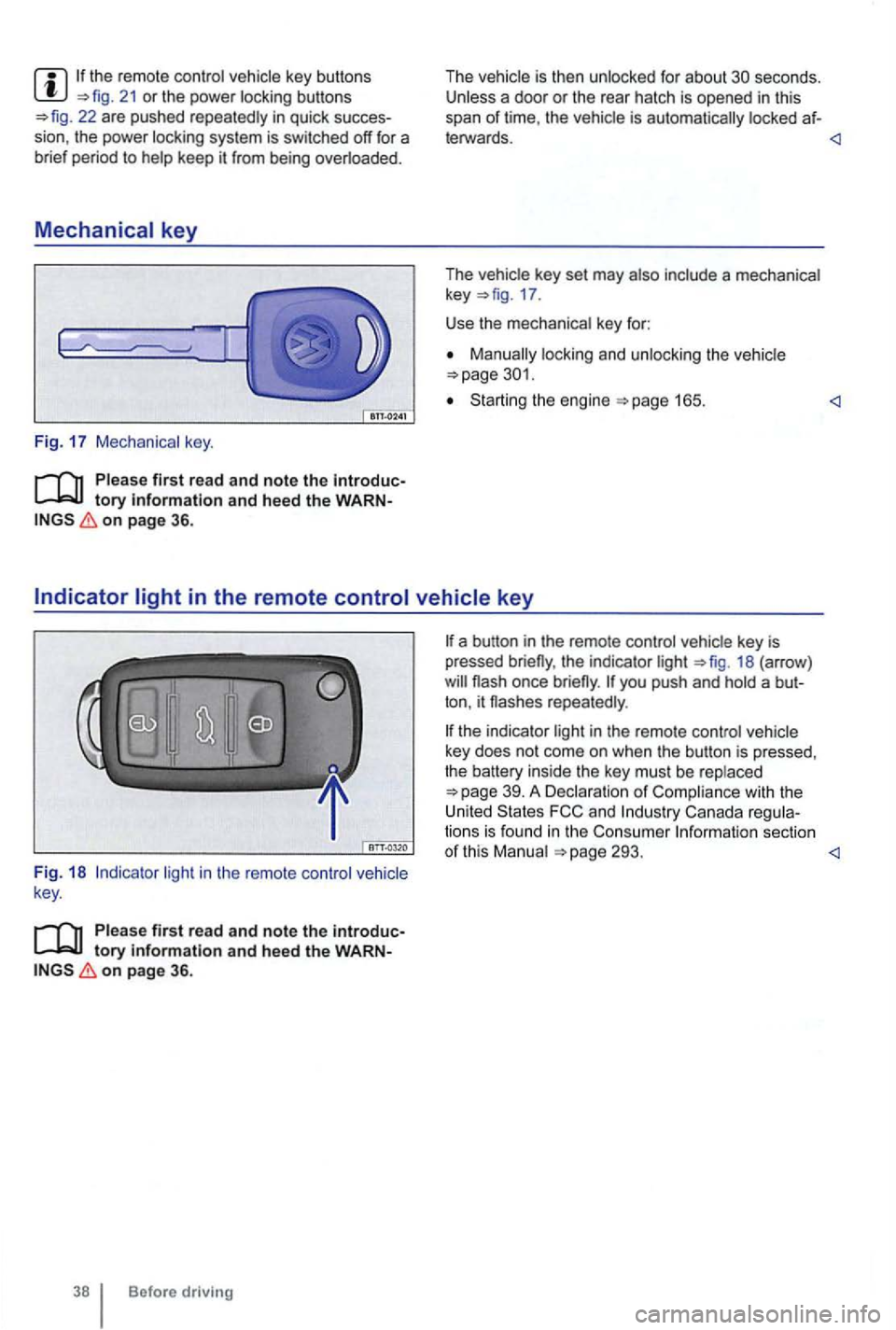
light in the remote control vehicle
key .
Please first read and note the introductory information and heed the WARNon page 36.
Before driving
the indicator light 18 (arrow )
repeatedly .
the indicator light in the remote control vehicle
key does not come on whe n the button is pressed,
t he battery inside
the key mus t be rep laced
293.