lock VOLKSWAGEN GOLF 2012 Workshop Manual
[x] Cancel search | Manufacturer: VOLKSWAGEN, Model Year: 2012, Model line: GOLF, Model: VOLKSWAGEN GOLF 2012Pages: 516, PDF Size: 105.12 MB
Page 274 of 516
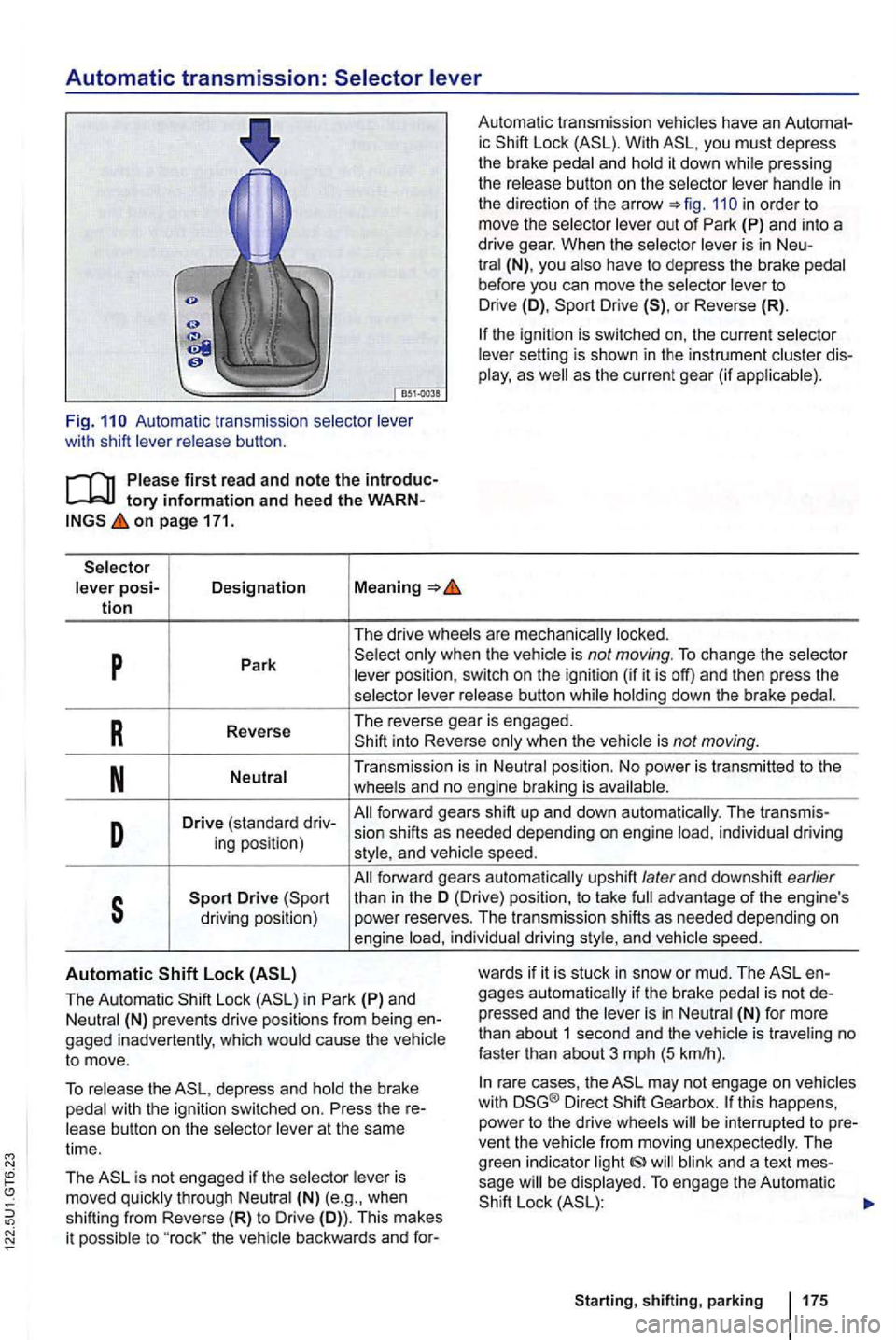
Automatic transmission:
Auto mati c transmissio n wit h sh ift
first re ad and note the tory information and heed the on page 171.
posi-Designation Meaning tion
Automa tic tra nsm issio n ic With you must depress
th e brake and pres sing
th e
in order to
move the
is in Neu-(N) , yo u before you can move the to Drive (D), Drive or Reverse (R).
sett ing is sho wn in the ins trument as the current gear (if
p Park is not moving. To change the
button
R Reverse The
re ver se gea r is en gage d. into Reverse when the
Transmis sion is in
D Drive (sta ndard dri v-fo rwa rd gears shift up and down auto m atica lly. The transmi s-
ing pos ition) sion
shifts as needed depending on engine individual driving and
forward gears automa tica lly upshift later and dow nshift earlier
s than in th e (Dri ve) position , to take advan ta ge of the engin e's
driving position) p
ower reserves. The tran smi ssion shift s as needed dependi ng on
e ng ine in divid ual driving and speed.
Automatic
The Automati c Lock in Park (P) and (N) prevents drive posit ions fro m b eing g aged inadvertentl y, w hich ca use the to move.
wards if it is stuc k in sno w or mud. The gages automa tically if th e brake pr esse d and the is in is traveling no
fast er than abo ut 3 mph (5 km/h ).
To the depress and the brake wit h th e ign ition switched on. Press the
(N) (e.g ., when shifting from Reverse (R) to Drive (D)). Th is mak es
i t possib le to "roc k" the
ra re cases , th e m ay not eng age on vehicles
w ith Direct Gea rbox. this happens,
power to th e drive ven t th e and a tex t sage Lock
sh ift ing , parking 175
Page 278 of 516
Braking, stopping, and parking
this sectio n
Parking brake . . . . . . . . . . . 182
P arking . . . . . . . . . . . . . .
. . . . . . . . . . . . . . . . . 182
About the brakes . . . . . . . . . . . . . . . . . . . . . . . . 183
Braking assistance systems
Switching
L ock Brake System (ABS) . Br ak e Assist System
(BAS ), Ele ctronic Differential Lock (EDL), R eg ulatio n (ASR) and Electronic C ontrol
(ESC).
More information:
Trai ler towi ng 149
Starting assistance systems 1 95
Tires and whee ls 258
Driving with bad brakes or worn brake pads can cause a and serious personal
injury.
lights up in the instrument cluster display, whether alone or together with a text message, immediately contact an authorized Volkswagen dealer or authorized Facility to have the brake pads checked and, if necessa
ry, replaced .
Parking improperly can cause serious sonal injury.
lock and you
haust system or catalytic converter could
fu el, etc.
riously injure you and your passengers.
sonal injury.
mote control vehicle key, trapping passengers in the vehicle in an emergency. For ample, depending on the time of year, people trapp ed in the vehicle can be exposed to very high or very low temperatures.
children.
Starting, shifting, parking 179
Page 280 of 516
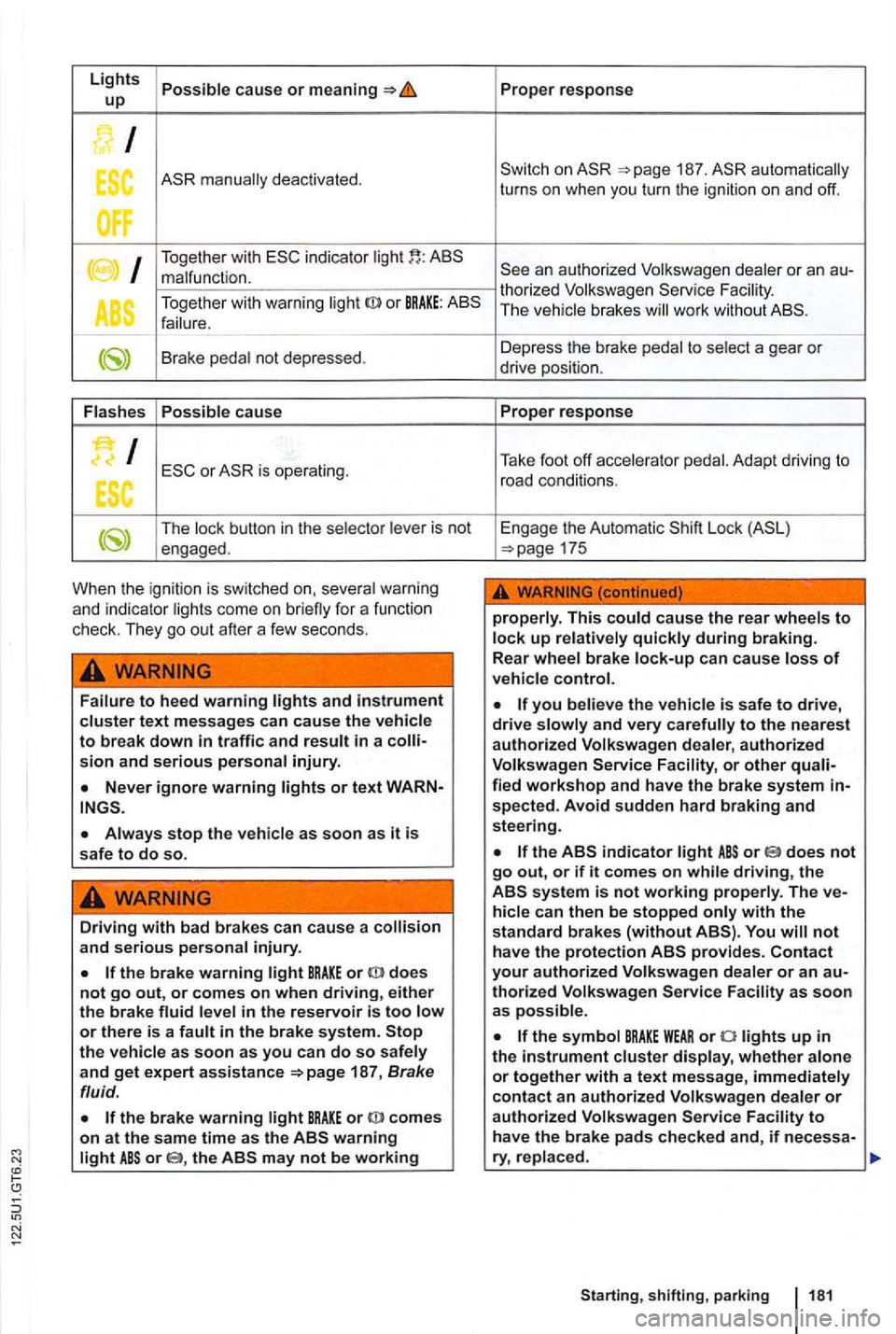
Lights cause or up
I
ES deactivated.
I Together with indicator malfunction .
T ogethe r with warning
or BRAKE:
Brake not dep ressed.
cause
I
The butt on in the is not
engaged .
When the ign ition is switch ed on,
text messages can cause the to break down in traffic and
or text WARN
stop the as soon as it is safe to do so.
Driving with bad brakes can cause a and serious
the brake warning BRAKE or does not go out, or comes on when driving, either the brake or there is a the as soon as you can do so and get expert assistance 187, Brake
fluid.
the brake warning comes on at the same time as the or the
187 . automatically
turns on when you turn the ignition on and off.
an authorized Volkswagen or an thorized Volkswage n The brake s work without
to
Adapt driving to
road conditions.
E ngage the Automatic
Lock
This up brake
you is safe to drive, drive and very authorized Volkswagen Service or other
spected. Avoid sudden hard braking and steering.
or does not go out, or if it comes on while driving, the system is not working can then be stopped with the
s tandard brakes (without not have the protection
thorized Volkswagen Service as soon as
Starting, shifting, parki ng 181
Page 281 of 516
Failure to heed warning lights or t ex t WARN-can result in vehicle damage .
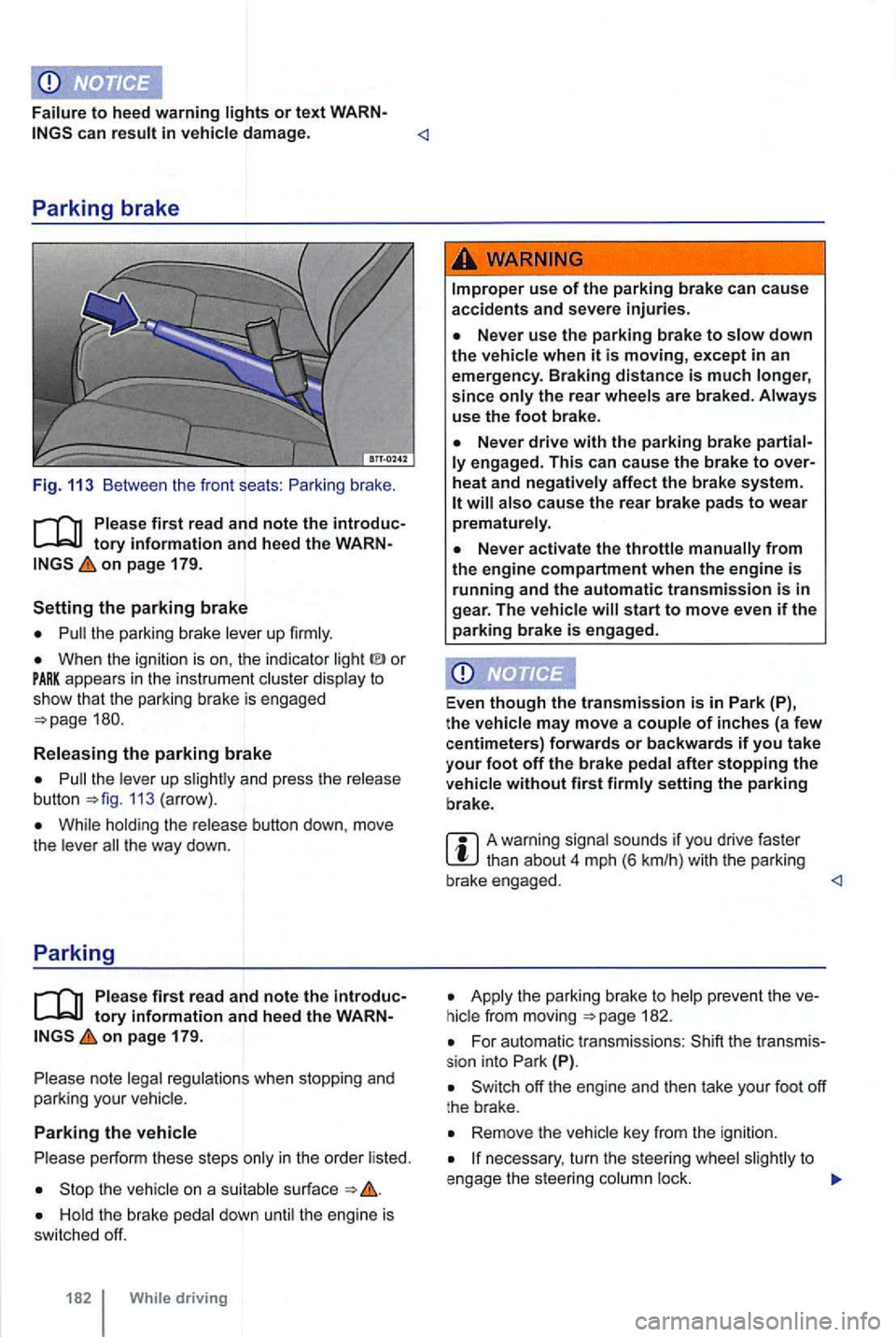
Fig. 113 Between the front seats :
on page 179.
the parking brake lever up firmly.
When the ignition is on , the indicator or appears in the instrume nt c luster display to show th at the park ing brake is engaged
the leve r up 113 (arrow) .
While hold ing the release button down, move
t h e lever t he way down.
Parking
Ple ase firs t r ea d and note the introductory info rm ation and heed the WARNon pa ge 179.
note legal regulations when stopping and
parking your vehicle.
Parking the vehicle
p erform these steps only in the order listed.
the vehicle on a suitab le surface
the rear wheels are braked . Always
use the foot bra ke.
engag ed. This c an cause the brak e to over
heat and neg ati vely affec t the b rak e sys te m .
start to move even if the parking brake is e ngag ed .
Even
though the tra nsmission is in P ark (P),
t h e vehi cle may move a couple of inche s (a fe w
c entimeters) forwards or backwards if you take
your f oot off the brake pedal after stopping the
ve hicl e without fir s t firmly setting the parking
b rake .
A warning signal sounds if you drive faster
Apply t he parking brake to 182.
For automatic transmissions : (P).
Remove the vehicle key from the igni tion.
necessary , turn the steer ing whee l to
e ngage the steer ing column lock.
Page 284 of 516
When th e front brakes are serviced , you
checked The best way to check for brake pad wear is to have your author-
Braking assistance systems
first read and note the introductory information and heed the WARNon pag e 179.
The and EDL braking assistance systems work
to improve road dynamics to of skidding and of when the engine is running . driving situations ,
you to get the
the
has of physics. not
may not be
or snow,
(r ides on a cushion of water instead of the road surface) , not be because contact with the pavement has been interrupted and the
as with difficult driving situations as it can at speeds. When towing a to if you were not towing a
to visiroad, traffic , and weather conditions . cannot override the in crease the trac tion , o r keep a
of keeping the and on the road ized
inspect the pads through the openings in the necessary, the can be taken
off for a more thorough inspection.
extreme maneuvers by using the driver's
s teeri ng inputs to
can provide any assistance, you may not experience the benefits of
and/or works together wi th the EDL, and XDL systems (see the time and cannot be switched off. certain situations when you need traction cannot be achieved, you can switch off by pressing the button on again when you no traction .
Anti-Lock Brake
to keep the to maintain the driver's to steer and the This means the is
down hard and
Do not "pump" the brake
the
notice a
cannot shorten the stopping distance
under all conditions. The stopping distance may even be for instance , when driving on gravor on snow covering an icy or pery surface.
Brake Assis t
can you press the brake very detects an emergency situation. brake system pres
sure , maximizing braking power and reducing the stopping distance. This way, and efficiently.
Page 285 of 516
Do not reduce pressure on the brake
up on the brake.
Lock (EDL and XDL)
EDL is applied during regular straight -line
traction (spinning) and redirec ts the drive force to other drive wheels. extreme cases , EDL swi tches off to keep the brake from
switches on again .
XDL is an extension of the Electronic Differential
Lo ck sys tem . X DL does not react to drive wheel
s lippage when driving straight ahead .
XDL
detects slippage of the inside front wheel during
fast corne ring . X DL app lies enough brake pressure
to
this wheel in order to stop the slippage. This
Driving fast on icy, or wet roads can to a of control and result in serious persona l injury for you and your passengers.
Always adjust your speed and driving
style to roa d , traffic, weather, and visibility conditions. Never the additiona l sa fety that and EDL can
come the of physics and always prevent and wet
roads are dangero us eve n with and the o ther syste ms!
to A vehicle that has
1861 While driving
tance from the vehicle in front of you.
cele rator Even with these syste m s,
th e wheels may start to spin, le ading to a
The effectiveness of ca n be significantly reduced if other components and sys te m s that a ffect vehicle dynamic s, including but not limite d to bra kes , tires, and other te m s mention ed above , are not properly
maintained or fun ctioning.
Always remembe r that vehicle alterations or modifications can affect the functioning of the EDL, and systems.
Changing the vehicle su spension or using an unappro ved tire I wheel combination can
c han ge the way the EDL ,
and system s work and re duce their fectiveness .
The effectiveness of is als o
tires in orde r for and to work erly . Diff eren ces in the tread circumference of the
tir es can cause the system to r educ e the engine
p ower when it is not expected .
is not working, and EDL not work .
may hear noises when these systems are
Page 286 of 516
Switching
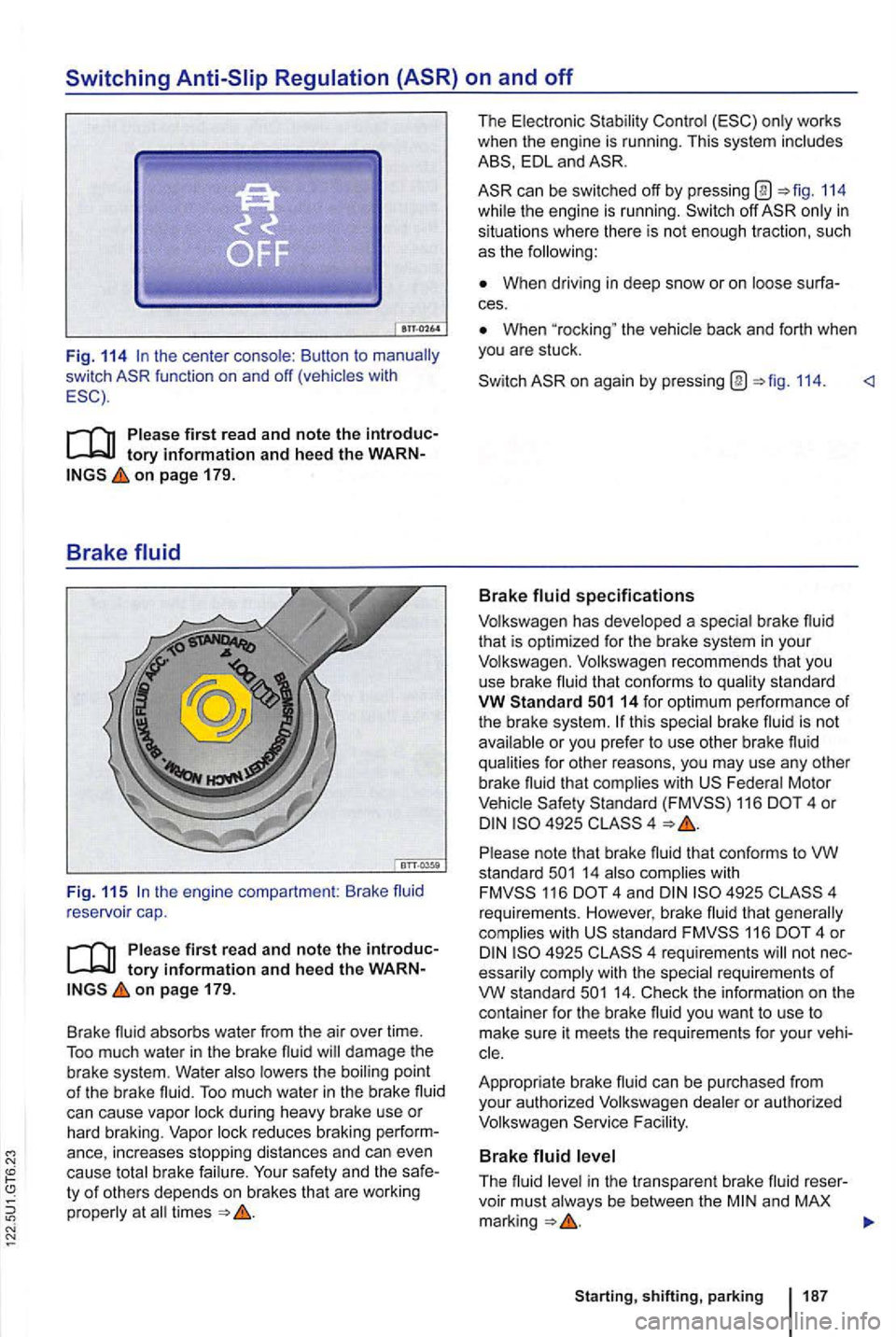
Fig. 114
on page 179.
Brake fluid
Fig. 11 5
on pag e 179.
Brake fluid
absorbs water from the air over time.
To o much water in the brake fluid will damage the brake system. Water also lowers th e boiling point of the brake fluid. Too much water in the brake flu id can cause vapor lock during heavy brake use or hard braking. Vapor lock reduces braking
ty of others depends on brakes that are worki ng
properly at all times
The Electronic
EDL and
can be switched off by pressi ng @ 114
wh ile the engine is running. off
When driving in deep s now o r on loose
When the vehicle back and forth when you are stuck.
on again by pressing @ 114.
Volkswagen has developed a special brake fluid
that is optimized for the brake system in your Volkswagen. Volkswagen recommends that you
use brake fluid that conforms to qua lity standa rd VW Standard
F ederal Motor Vehicle 116 4 o r
14 also complie s wi th 116 4 and 4925 4
requ irements . However. brake fluid that generally complies with s ta ndard 116 4 o r 4925 essarily comply with the special requirements of VW s ta ndard
cle.
Appropriate bra ke fluid
can be purchased from
you r authorized Volkswagen dealer or authorized
Volkswagen
The f lu id level in the transparent brake fluid voir must always be between the and MAX marking
Page 287 of 516
you cannot
clearly see th e brake fluid level in the brake fluid
r eservoir , p lea se see an authorized Volkswagen
dealer or authorized Volkswagen Service Facility.
Th e brake
Br ake fluid must be changed according to the serv
ice schedule in your =>booklet Warranty and Main
tenance . Have the brake fluid ch ecked by an au
t h orized Volkswagen dealer or an aut horized
Volk swage n Service tha t m ee ts the standa rds
Brake failure and reduced brake pe rformance
can be caused by not having enough brake
f luid in the reservoir or by old or incorrect brake fluid.
Always change the brake fluid according to the service sch edule in book-let Warranty and Mainten ance.
Hard braking with old brake fluid may cause vapor lock. Vapor lock reduces braking performance , increases stopping distances
and can even cau se total brak e failure.
Always make sure that only the correct brake fluid is used. standard 14 or standa rd 116
standard s tand ard 116 4, do not use it.
The brake fluid must be new .
Brake fluid is poisonous.
To reduce the risk of poisoning, never use food, beverage or other non-original contain-ers to store brake fluid.
store brake fluid in its clo sed , origi-nat container and keep it out of the reach of children.
Brake fluid will damage vehicle paint. Wipe any brake fluid off vehicle paint immediately.
Brake the envir onment. Brake fluid tha t has leaked out must be col
lec ted and disposed of properly , cable e nvir onmen tal reg ulatio ns.
Page 292 of 516
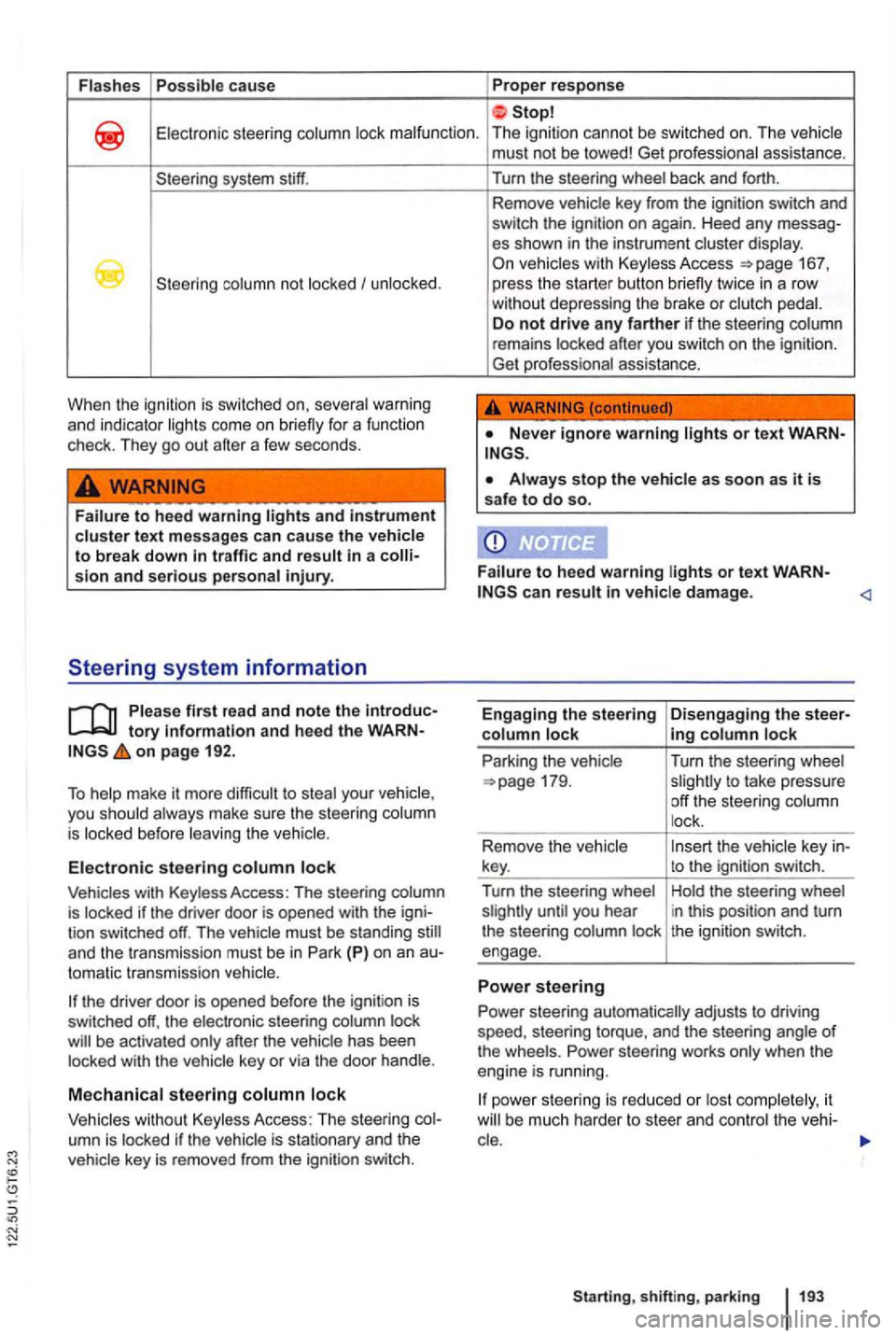
Flashes Possible ca use Proper response
Electronic steering column lock malfunction . The ignition cannot be switched on. The vehicle
system stiff.
column not locked I unlocked .
When the
ignition is switched severa l warni ng
a n d indicator lights come on briefly for a function
check . T hey go out after a few seconds.
Failure to heed warning lights and instrument cluster text messages can ca use the vehicle to break down sion and serious personal injury.
tory Information and heed the on page 192.
To
tomatic transmiss ion vehicle.
press the starter button briefly twice in a row
without depressing the brake or clutch pedal.
D o
not drive any farther if the steering column
remains locked after you switch on the ignition.
Get professional assistance.
Always stop the vehicle as soon as it is safe to do so.
F a
ilure to heed warning lights or text can resu lt vehicle damage .
Engaging the steering
co lumn lock
Park ing the vehicle
ing column lock
Turn the steering wheel
slightly to take pressure
off the steering column
l ock .
to the ignition switch.
Hold the steer ing wheel
i n this position and turn
the ignition switch.
Power steering automatically adjusts to driving
speed , steering torque, and the steering angle
of the wheels . Power steering works only when the
engine is running .
it
Sta rting, sh ift ing , park ing
Page 293 of 516
Counter-steering assistance
Counter-steering assistance is part of Electronic
Stability Control (ESC). This feature makes it ier for the driver to control the vehic le in difficult
uation and helps the driver counter-steer with
The counter-steering assistance in can do no more than help the driver steer in
self with feature!
194 driving
the ignition is off, the steer ing column lock engage and the vehicle cannot be steered. For this reaso n, you must leave the ignition on
when going through an automatic car wash, for example, so that the wheels will still steer.