171 VOLKSWAGEN GOLF 2012 Owners Manual
[x] Cancel search | Manufacturer: VOLKSWAGEN, Model Year: 2012, Model line: GOLF, Model: VOLKSWAGEN GOLF 2012Pages: 516, PDF Size: 105.12 MB
Page 102 of 516
4
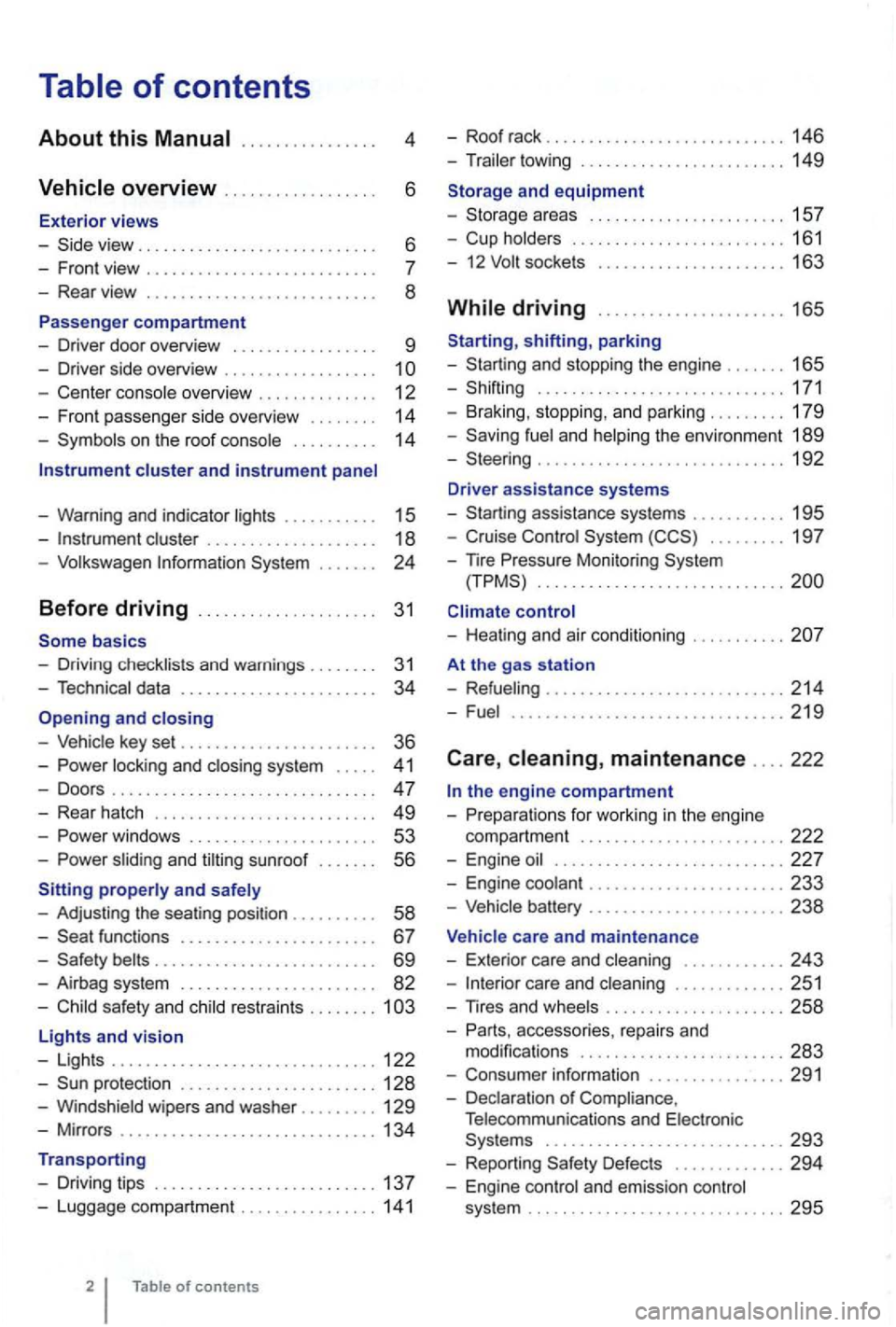
. . . . . . 6
- Front view . . . . . . . . . . . . . . . . . . . .
- Center console overview . . . . . . . . . . . . . . 12
- Fron t pa sse nger side overvi ew . . . . . . . .
14
- Symbo ls o n the roo f console . . . . . . . . . . 14
Instrument cluster and instrument panel
- Warning and indica tor
lights . . . . . . . . . . 15
-cluster . . . . . . . . . . . . . . . . . . . 18
-Volk swage n Information System . . .
basics
- Driv ing check lists and warnings .
....... 31
- Techn ical data . . . . . . . . . . . . . . . . . . . . . . . 34
and closing
- Vehic le key set . . . . . . . . . . . . . . . . . . . . . . . 36
-locking and closing system . . . . . 4 1
- Doo rs . . . . . . . . . . . . . . . . . . . . . . . . . . . . . . . 47
- Rear hatch . . . . . . . . . . . . . . . . . . . . . . . . . 49
-. . . 53
-s lidin g and sunroof . . . . . . . 56
properly and safely
- Adjusting the sea ting position . . . . . . .
. . 58
-functions . . . . . . . . . . . . . . . . . . . . . . 67
- Safety . . . . . . . . . . . . . . . . . . . . . . . . . . 69
- Airbag system . . . . . . . . . . . . . . . . . . . . . . . 82
-Child sa fety and child restraints ........ 1
Lights and vision
- Lights ............................... 122
-protectio n ....................... 128
-Windshield wipers and washer ......... 129
-Mir ro rs .............................. 134
Transporting
- Driving tips
.......................... 137
-Luggage compa rtment ................ 141
of contents
- Roof rack . . . . . . . . . . . . . . . . . . . . . . . . . 146
- Trailer towing ...... ............•. .... 149
1 5 7
- Cup holders
......................... 161
- 12
sockets . . . . . . . . . . . . . . . . . . . . . 163
shifting, park ing
- Sta rting and stoppin g
the engin e ....... 165
- Shifting ................... .......... 171
- Brak ing , stop ping , and park ing
......... 179
- Sav ing
fuel a nd helping the environm ent 189
-Steering ............................. 192
Driver assistance systems
- Starting assistance systems
........... 195
-Cruise Control System ......... 19 7
-
nre Mo nitori ng System .............................
control
- Healing and air cond itioning
At the gas station
- Refueling
........................ .... 214
-Fuel ...........................•.... 2 19
Care , maintenance .... 222
fo r work ing in the engin e
compartment
................... ..... 222
- Engine oil ........................... 227
- Engine coolant ....................... 233
-Vehicle battery ....................... 238
Vehicle care and maintenance
- Exteri or
care and cleaning ............ 243
-care and cleaning ............. 251
-
accesso ries, repa irs and
modi fications ........................ 283
- Consumer information ................ 291
- Declaration
of Complia nce,
T elecomm unicat ions and Electro nic
Systems
............................ 293
- Report ing Safe ty Defects ............. 294
- Engin e con trol and emission control
system .............................. 295
Page 110 of 516
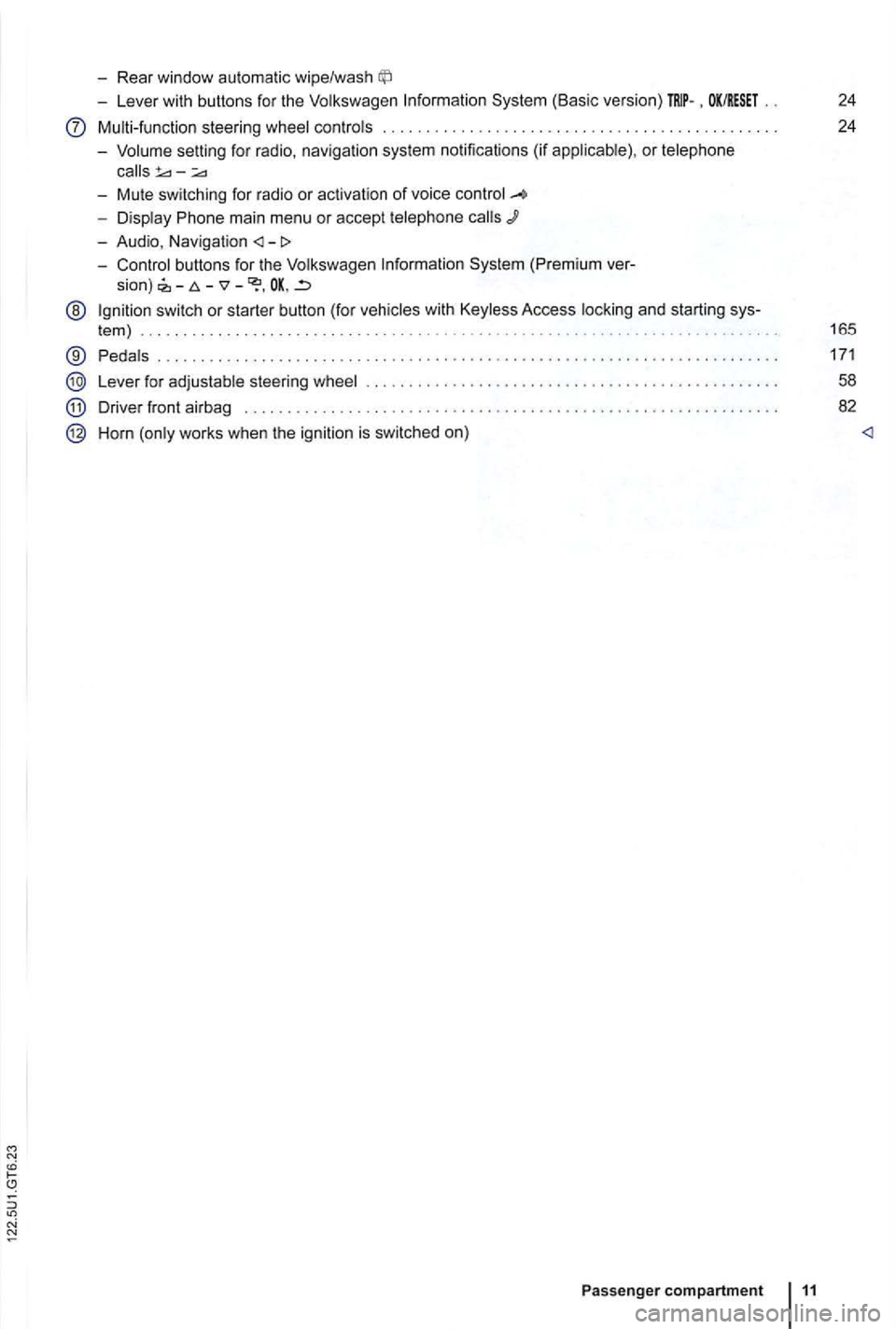
-Rear window automatic wipe/wash
-Lever with buttons for the Volkswagen Information System (Basic version) . OK/RESET 24
Multi-function steering wheel controls . . . . . . . . . . . . . . . . . . . . . . . . . 24
- Volume setting for radio , naviga
tion system notifications (if applicab le) , or telephone
- Display Phone main menu or accept telephone
- Audio, Navigation
sion) -
@ Ign ition switch or starter button (for vehicles with Keyless Access locking and starting sys-
tem ) . . . . . . . . . . . . . . . . . . . . . . . . . . . . . . . . . . . . . . . . . . . . . 165
® Pedals ............ .................................... ....................... .
Lever for adjustable steering wheel
Driver front airbag . . . . . . . . . .
.............................................. .
Horn (only works when the ignition is switched on)
Passenger compartment 11
171
58
82
Page 114 of 516
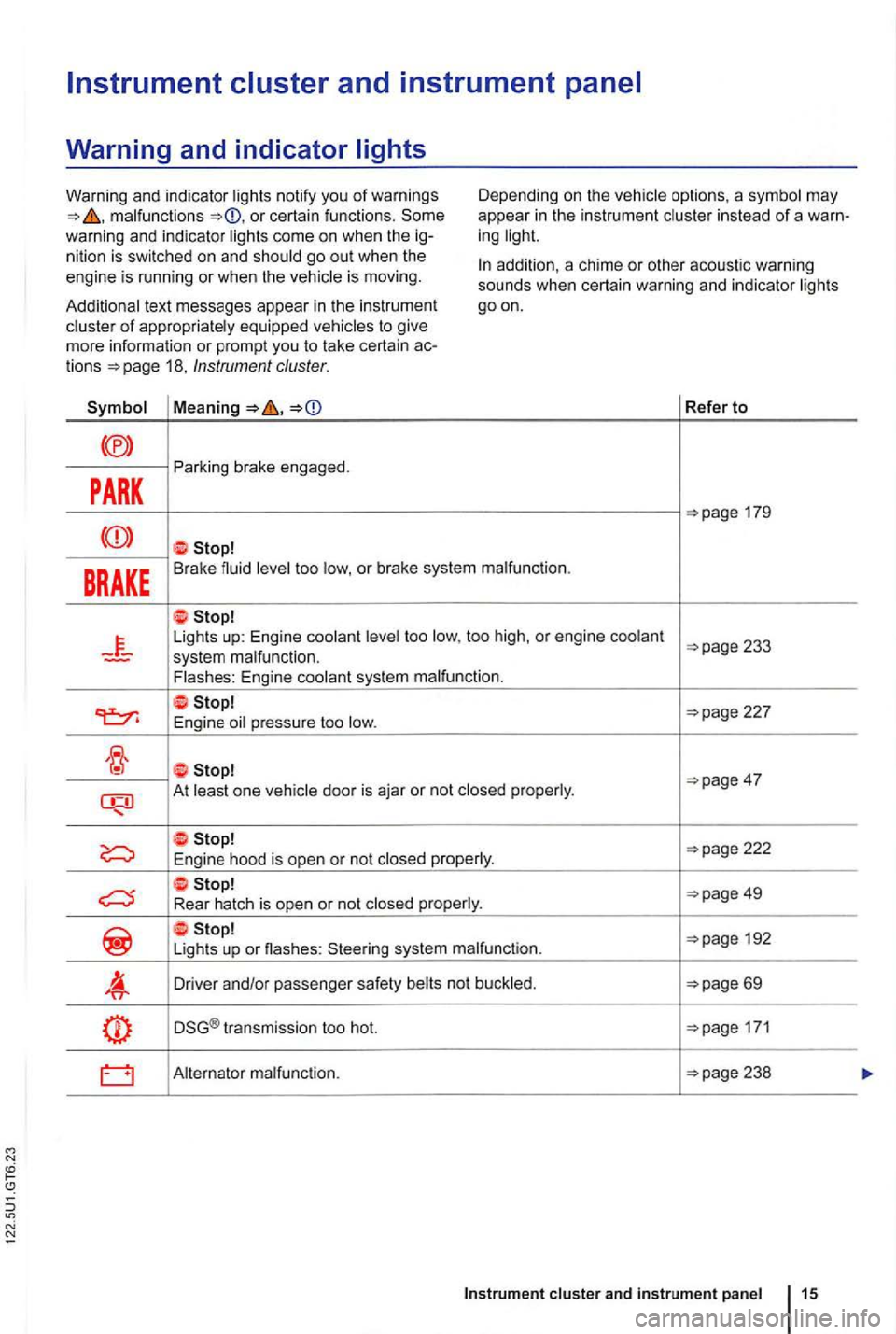
malfunctions or certain functions . Some
warning and indicator ligh ts come on when the ig
nition is swi tched on and shou ld go out when the
engine is running or when the vehicle is moving. D
epending on the vehicle options, a symbol may
appea r
in the instrum en t cluster in stead of a warn
ing light.
Additional text messages appear in th e instrumen t
cluster
of appropriately equipped vehicles to give
mo re information or prompt you to take certain actions 18, Instrument cluster.
addition, a chime or other acoustic warning
sounds when certain warning and indicator lights
goon.
Refer to
PARK
Parking brake engaged.
BRAKE Brake fluid level too low, o r brake system malfunction .
Lights up: Engine coolant level too low, too high , or engine coolant
227
E ngine oil pressure too low.
At least one vehicle door is aja r or not closed properly .
192
Li gh ts up or nashes : Steering system malfunction.
Driver and/or passenger safety belts not buckled .
DSG® transmission too hot. 171
Alternator malfunction.
cluster and instrument panel 15
Page 116 of 516
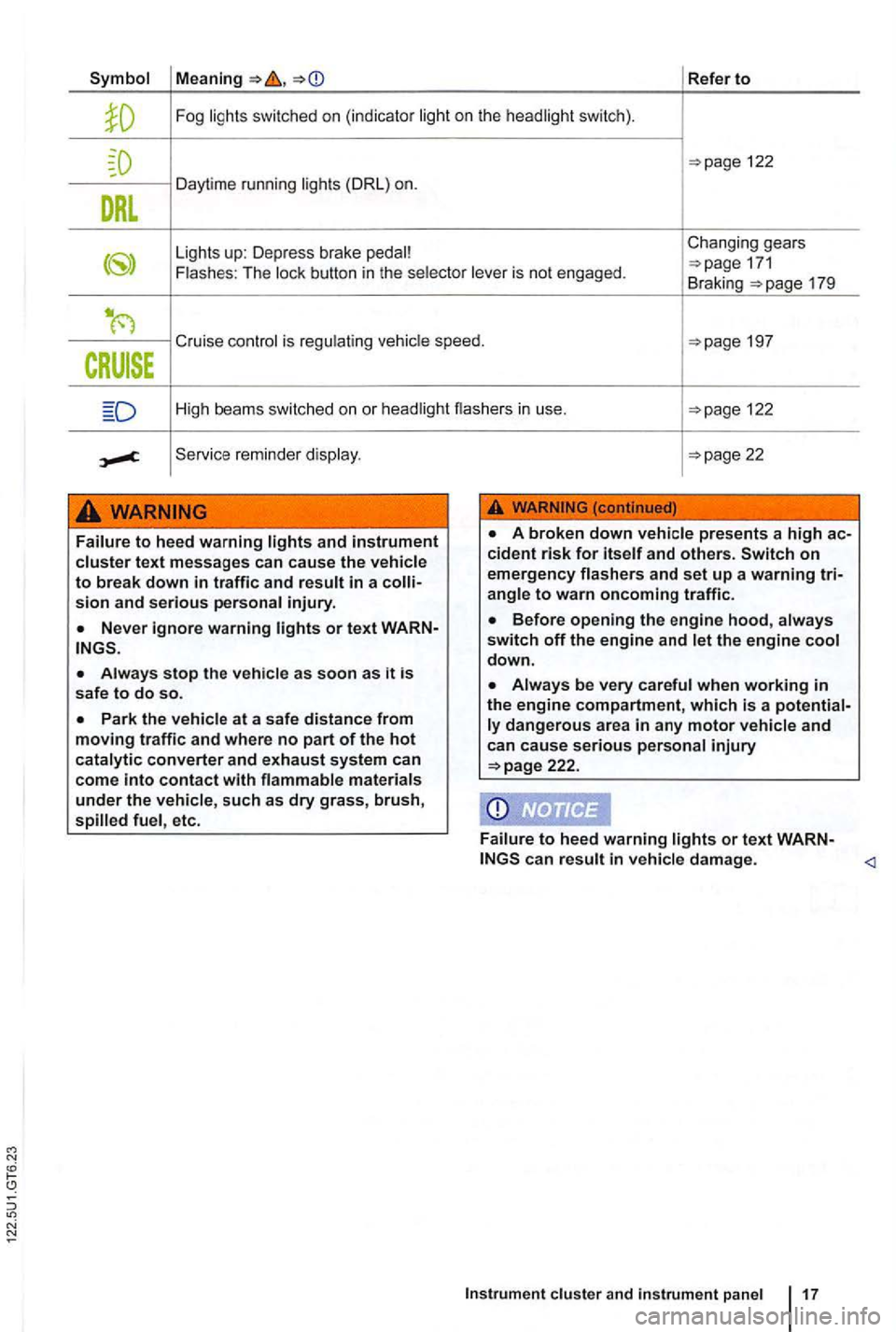
Refer to
Fog
122
Da ytime running
Changing gears
button in the is not engaged . 171 Braking 179
Cruise is
High beams switched on or 122
reminde r
sion and serious
as soon as it is safe to do so.
such as dry grass, brush, etc.
down.
when working in the engine compartment, which is a and can cause serious 222.
damage.
Page 117 of 516
Instrument cluster
Introduction
this section find information about:
overview . . . . . . . . . . . . . . . . . . . . . 18
Displays . . . . . . . . . . . . . . . . . . . . . . . . . . .
. . . 19
Compass . . . . . . . . . . . . . . . . . . . . . . . . . . . . . .
21 Service reminder display . . . . . . . . . . . . . . . . . 22
More information:
Warning and indicator
Display of the selected gears (automatic transmiss ion ) 171
Service reminder inform ation Warranty and Maintenance.
overview
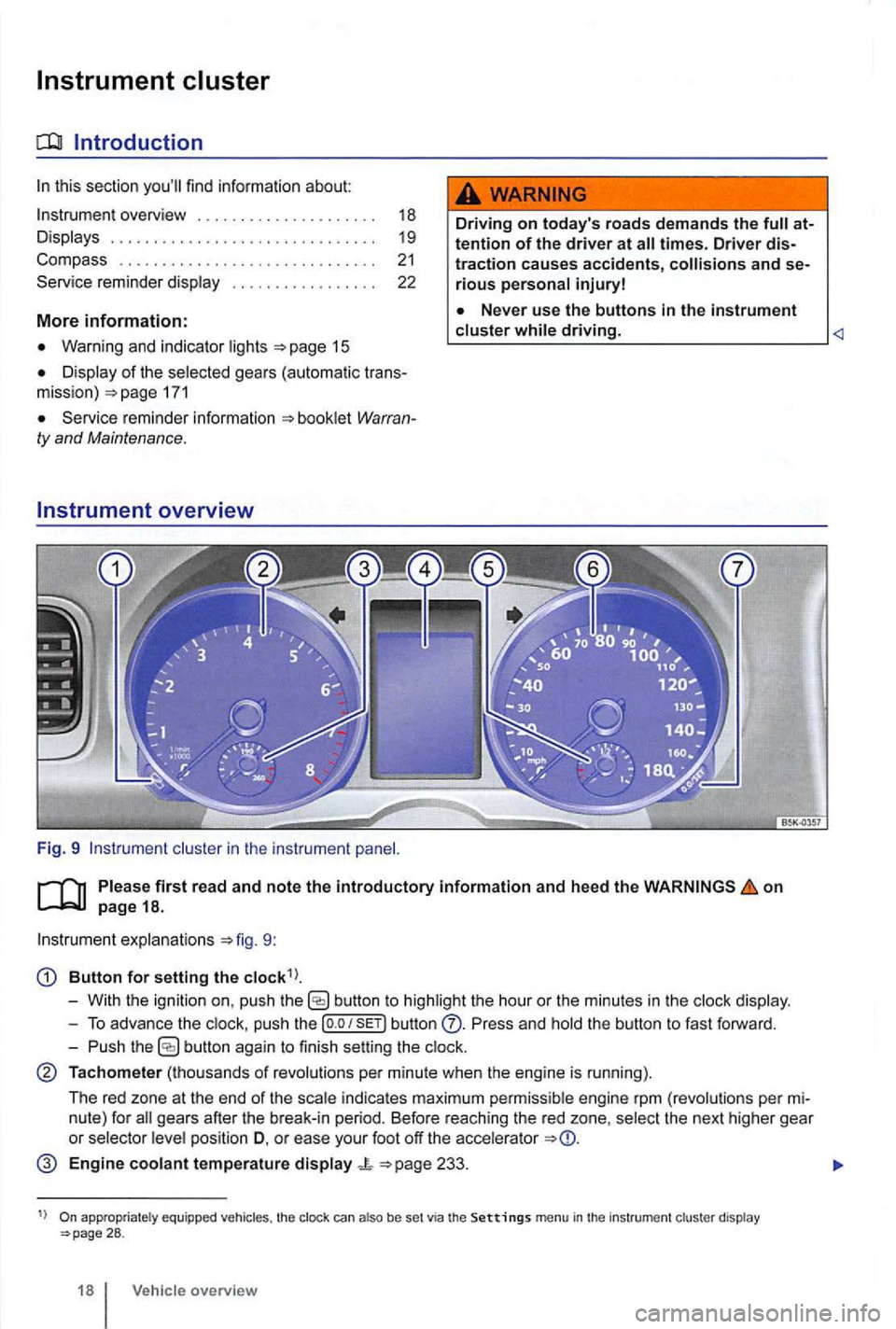
Fig. 9 cluster in the instrument
Driving on today 's roads demands the attention of the driver at
driving.
explanations 9:
Button for setting the
butto n to highlight the hour or the minutes in the
push the button Press and the button to fast forward.
- Push
button again to finish setting the
Tachometer (thousands of revolutions per minute when the engine is running).
The red zone at the end of the
indi cates maximum pe rmi ssibl e engi ne rpm (revolution s pe r
pos ition D, o r ease your foot off the accele rator
Engine coolant temperature display 233.
appropriate ly equ ippe d vehicles , the clock can also be set via the Settings menu in the instrumen t cl uster display 28 .
18 Vehicle overview
Page 118 of 516
N
19.
gauge
Reset button fo r t he trip odome te r (trip).
- P
ush th e
eter
saves
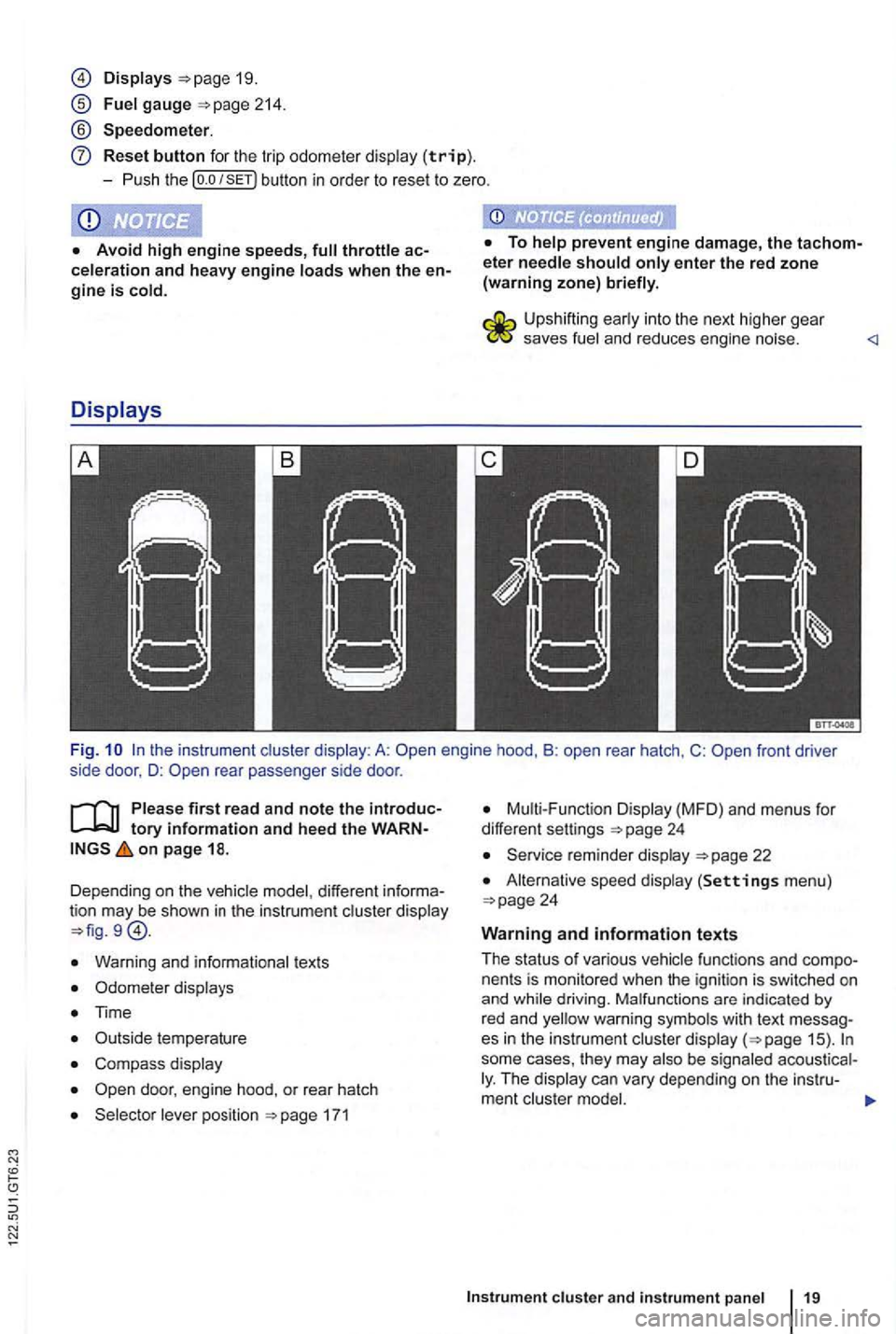
Fi g. rear passenger side door .
first read and note the tory information and heed the on page 18.
Dependi ng o n the vehic le model , different
Warn ing and informationa l tex ts
Odomete r disp lays
Time
C omp ass display
171
Disp lay (MFD ) and menu s for
differe nt settings
22
A lternat ive speed display (Settings men u)
fu nctions and nents is mon itored when the ign ition is switch ed on
and
some cases, they may The
Page 252 of 516
Volkswagen Service Vehicles with Xenon
gas-discharge self-adjust to vehicle load
and do not need manual adjustment.
Special towing considerations
th e t railer has an overrun brake, apply the
br akes
Due to the combined towing weight including
the higher gross vehicle weight, the stopping
tance is longer.
Be fo re drivi ng especially on
The vehicle's center of grav ity and , in turn, the
Weight distribution is especially bad if the is emp ty and the trailer is loaded.
Depending on how steep the is an d the
backwards when you first start moving.
When starting off with a tra iler on a
Depress and hold the brake pedal and depress
and hold the clutch (manu al transmission).
171, Shifting .
Unlock the parking brake a nd gently release it
whi le holding the unlock button. At the same time,
release the brake pedal and
depress the
accelerator and, for manual transmissions , let out
the clutch
you can feel the car moving ward . applicable, follow the instruct ions for the Hold feat ure
Do not release the parking brake lever until the
engine starts to move the vehicle forward. your
vehicle has an automatic tr ansmission , you can
so depress and hold the brake peda l for added
b raking and then Jet up on the brake pedal when
you feel that the to move forward .
Drive ahead slowly.
hicle contro l and serious per sonal injury.
dles and increases the distance it needs to stop safely .
Always adapt your sp ee d and driving to th e heavier loa d and the weight distribution in the vehicle. Tak e road , weather , traffic, and visibility conditions into account as well .
Always avoid sudde n maneuv ers and ha rd braking.
atin g.
som e areas
s p ee d for vehicles towing trailers are
lower than for vehicles without trailers.
Page 271 of 516
Warning and indica tor lights
on page 171.
L
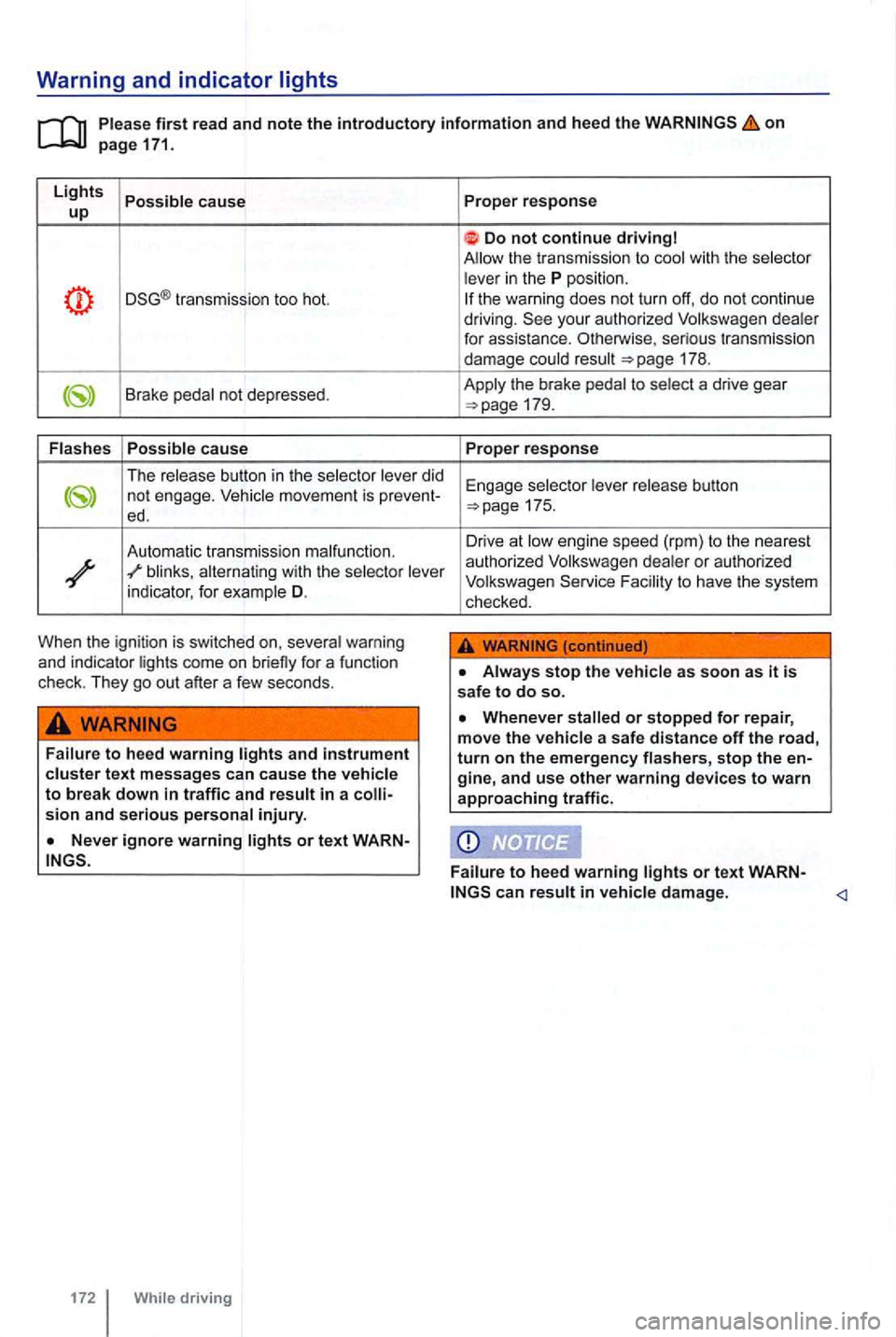
ights Possible cause up
transmission too hot.
Brake pedal not depressed.
Flash es Possible
cause
The release button in the selector lever did not engage.
blinks, alternating with the selector lever
indicator , for example D.
When the ignition is switched on, several warning
and indicator lights come on briefly for a funct ion
check . They go out after a few seconds .
Failure to heed warning text messages can cause the vehicle to break down in traffic and result in a injury.
or t ext WARN
172 While driving Proper
response
Do not continue driving
the warni ng does not turn off, do not continue
driving.
175.
Drive at low en gine speed (rpm) to th e nearest
autho rized Vol kswagen dealer or authorized
Volkswagen F acility to have th e system
checked .
Always stop the vehicle as soon as it is safe to do so.
damage.
Page 272 of 516
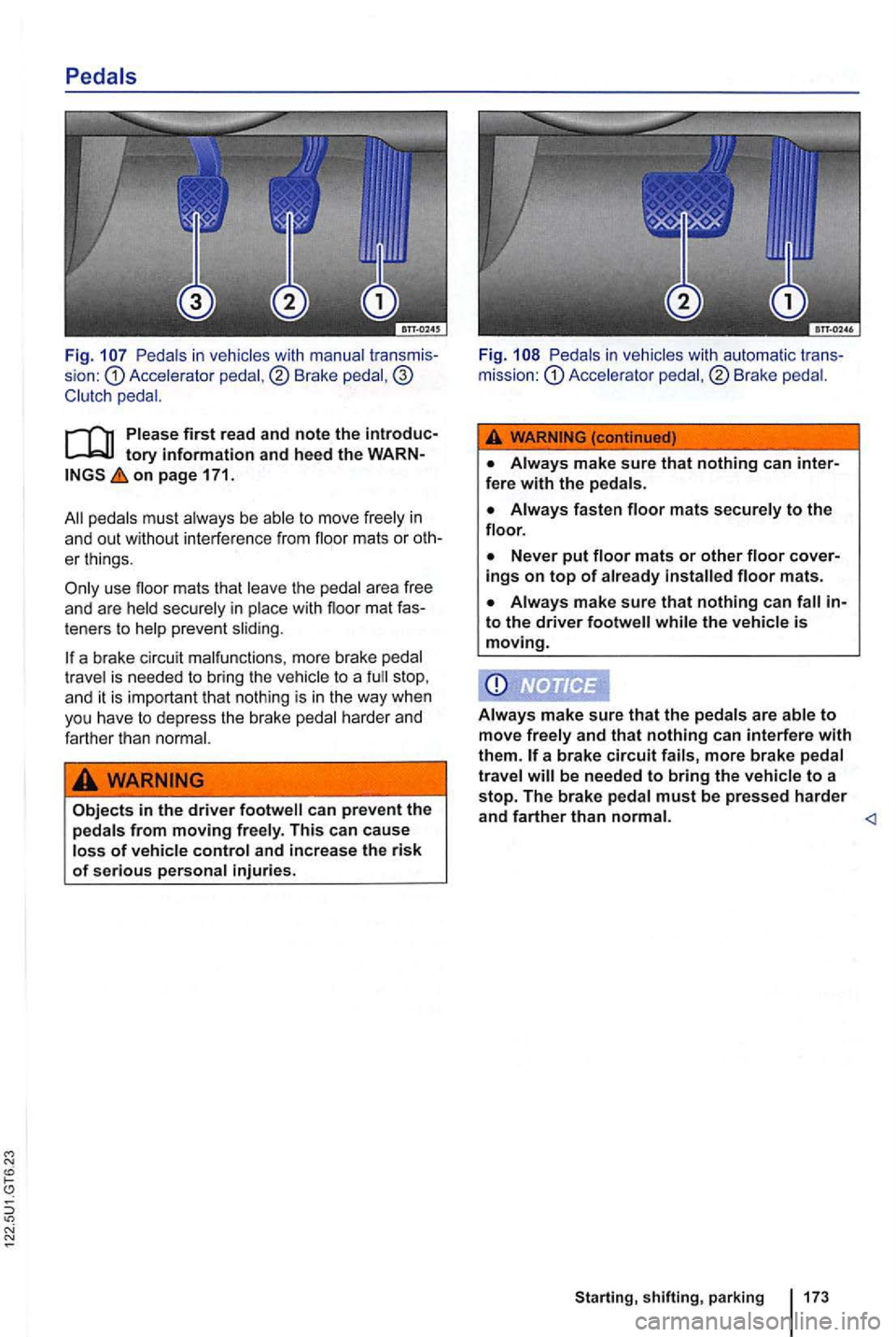
Pedals in vehicles with manual sion : Accele rator pedal ,® Brake
on page 171.
peda ls must always be able to move freely in
a n d out without interference from floor mats or oth
er thing s.
te ners to help preve nt slid ing.
a brake circu it malfunct ions, more brake pedal
tr ave l is needed to bring the ve hic le to a stop ,
and it is important that noth ing is in the way when
yo u have to depress the brake pedal harde r and
farth er than
Objects in the driver footwell can prevent the pedals from moving freely . This can cause loss of vehicle control and increase the risk of serious personal injuries. Fig.
Pedals
in vehicles with au tomatic Acce le rator pedal ,® Brake
a brake circuit fails, more brake pedal
travel will be needed to bring the vehicle to a
stop. The brake pedal must be pressed harder and farther than normal.
Starting, shifting, parking
Page 273 of 516
Manual transmission: Gearshift lever
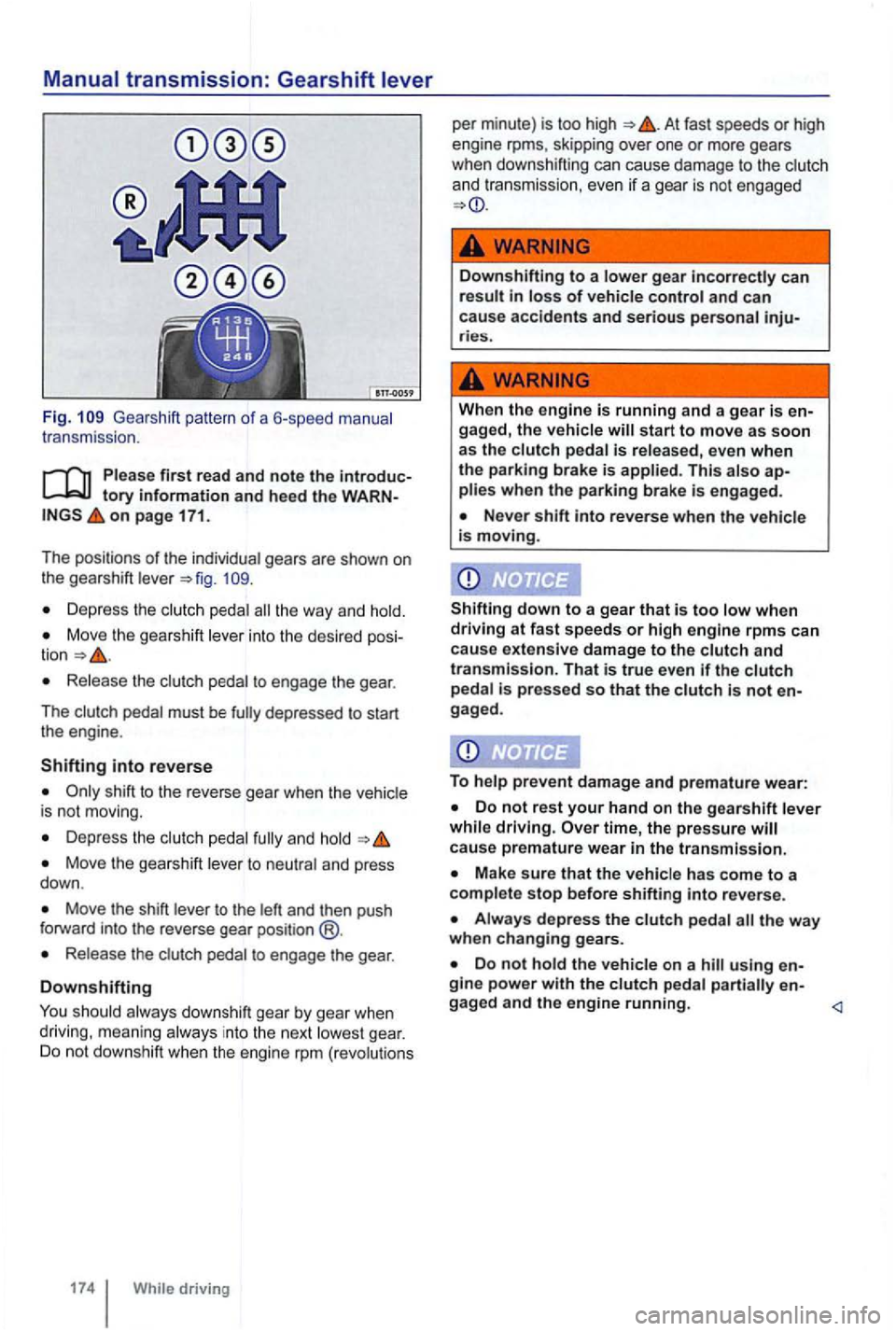
Fig. Gea rshift pattern of a 6-speed manual
t r ansmission .
Please first read and note the introductory information and heed the o n page 171.
The positions of the
individua l gea rs are shown on
t he gearshift leve r
Depress the clutch pedal the way and hold.
Move the gearshift lever into the desired
Release the clutc h pedal to engage the gear.
T he c
lutch pedal must be
shift to the reverse gear when the vehic le
is not moving.
Depr ess the and hold
Move the gearshift lever to neutral and press
down .
Move the shift lever to the left and then push
f orward into the reverse gear position @.
Release the clut ch pedal to engage the gear .
Downshifting
You should always downshift gear by gear when
driving , meaning always in to the next lowes t gear. Do not downshift when the engine rpm (revo lutions
At fast speeds or high
engine rpms, skipping over one or more gears
when downshifting can cause damage to the clutch
and transmission, even
if a gear is not engaged
... -
Down shifting to a lowe r gear incorrectly can result in loss of vehicle control and can
cause accidents and serious personal inju-ries.
When the engine is running and a gear is en-
gaged, the vehic le will start to move as soon
as the c lutch pedal is released, even when
th e parking brake is applied. This a lso ap-plies when the parking brake is engaged.
Never shift into reverse when the vehicle
is moving.
Shifting
down to a gear that is too low when driving at fa st spee ds or high engine rpms can
cause extensive damage to the clutch and
transmission. That is true even if the clutch pedal is pressed so that the clutch is not
To help prevent damage and premature wear:
Do not rest your hand on the gearshift leve r
while driving. time, the pressure ca use premature wear in the transmission.
Make sure that the vehicle has come to a
comple te stop before shifti ng into reve rse.
Do not hold the vehicle on a hill using