turn signal VOLKSWAGEN GOLF 2012 Owners Manual
[x] Cancel search | Manufacturer: VOLKSWAGEN, Model Year: 2012, Model line: GOLF, Model: VOLKSWAGEN GOLF 2012Pages: 516, PDF Size: 105.12 MB
Page 86 of 516
Making a to a saved phone number
th e te lephone book or list and 66.
Telephone book entry
Tag the desi re d entry by turning the tuning kn ob 1 and mak e a connection by pressi ng the
t uni ng knob .
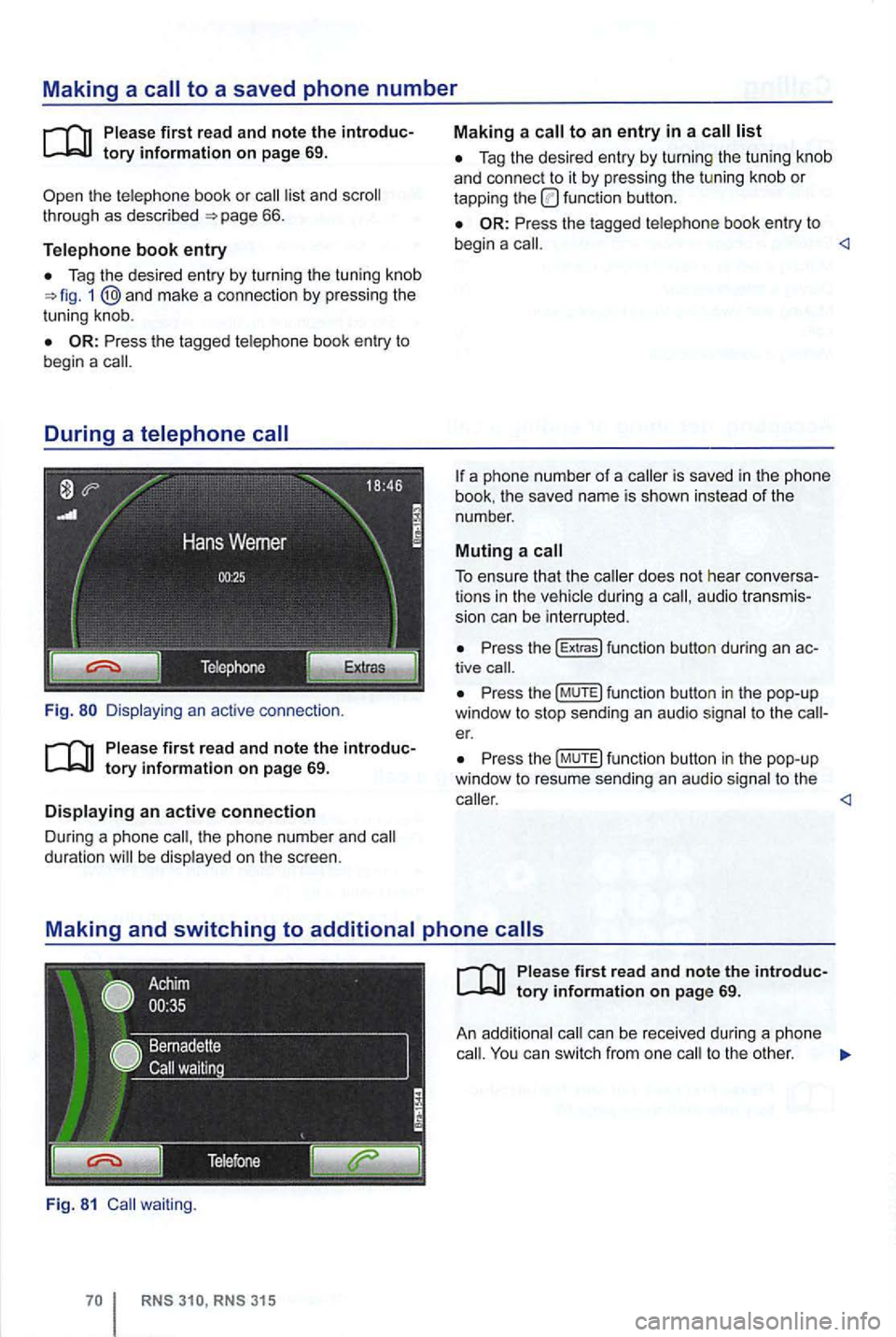
Fig.
th e pho ne n umber and duration be disp layed on the sc reen .
Fig. 81 waiting .
Tag the desired entry by turnin g the tu nin g knob
a nd con nect to it by pressing the tu ning knob or tapping the function button.
Press the tagged telephone book entry to
begin a
book . the save d name is sho wn instead of the
number .
Muting a call
To ensure that the during a audio transmis
s ion can be interrupted .
Press the (E xtr a s) funct ion button during an tive
Pr ess th e (M UTE) fun ction butto n in the pop-up
window to stop sending an audio signal to t he er.
P ress th e (MUTE) function button in the pop-up
window to resu me sendi ng an aud io sig nal to the
ca ll. You can switch from one to the other .
Page 105 of 516
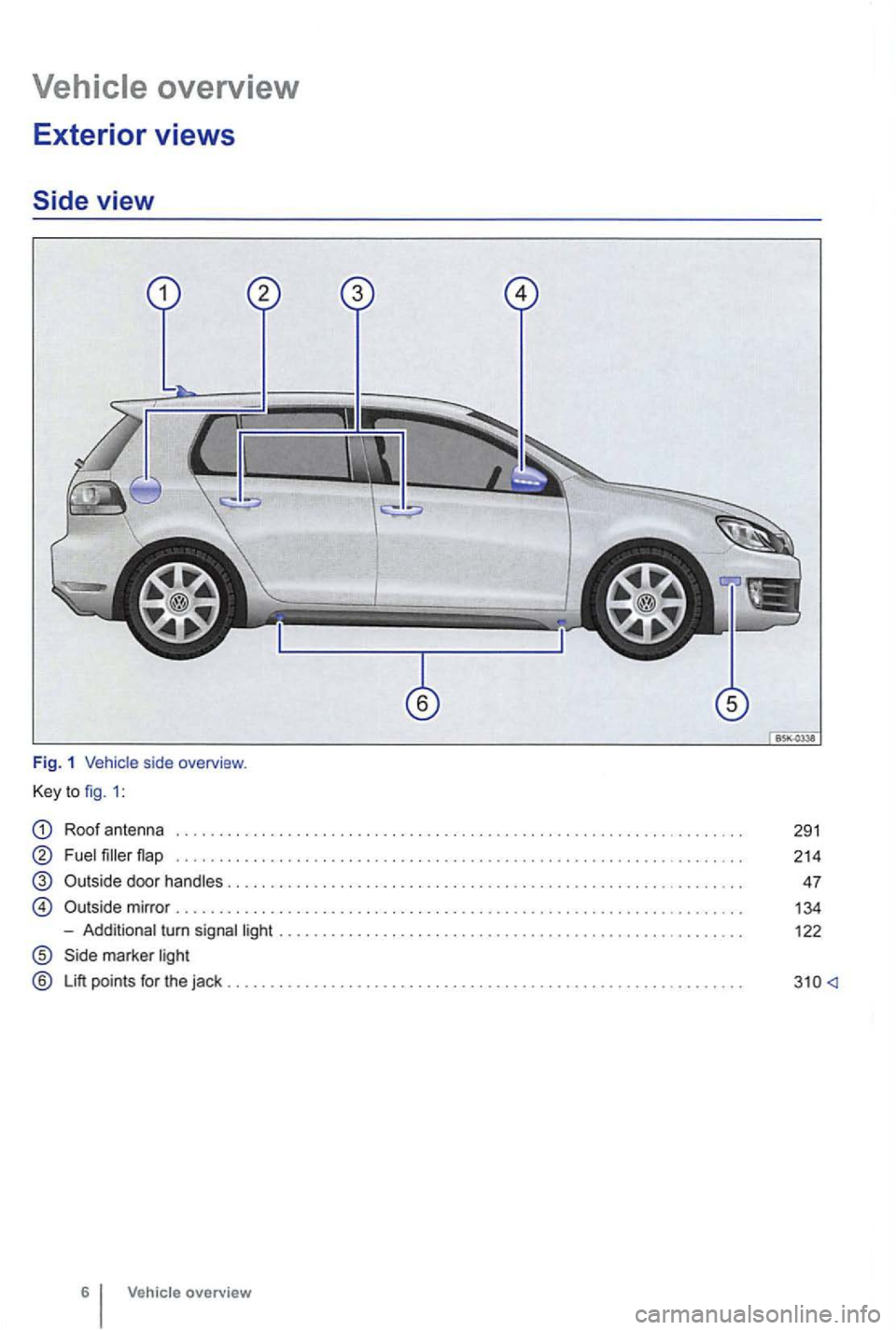
Roof antenna
Fuel filler
-Additional turn signal light ................. ................ .. ..... .... ...... ... .
marker light
® Lift points for the jack
Vehic le overview
291
214
47
134
122
Page 129 of 516
Lights & Vision sub-menu
on
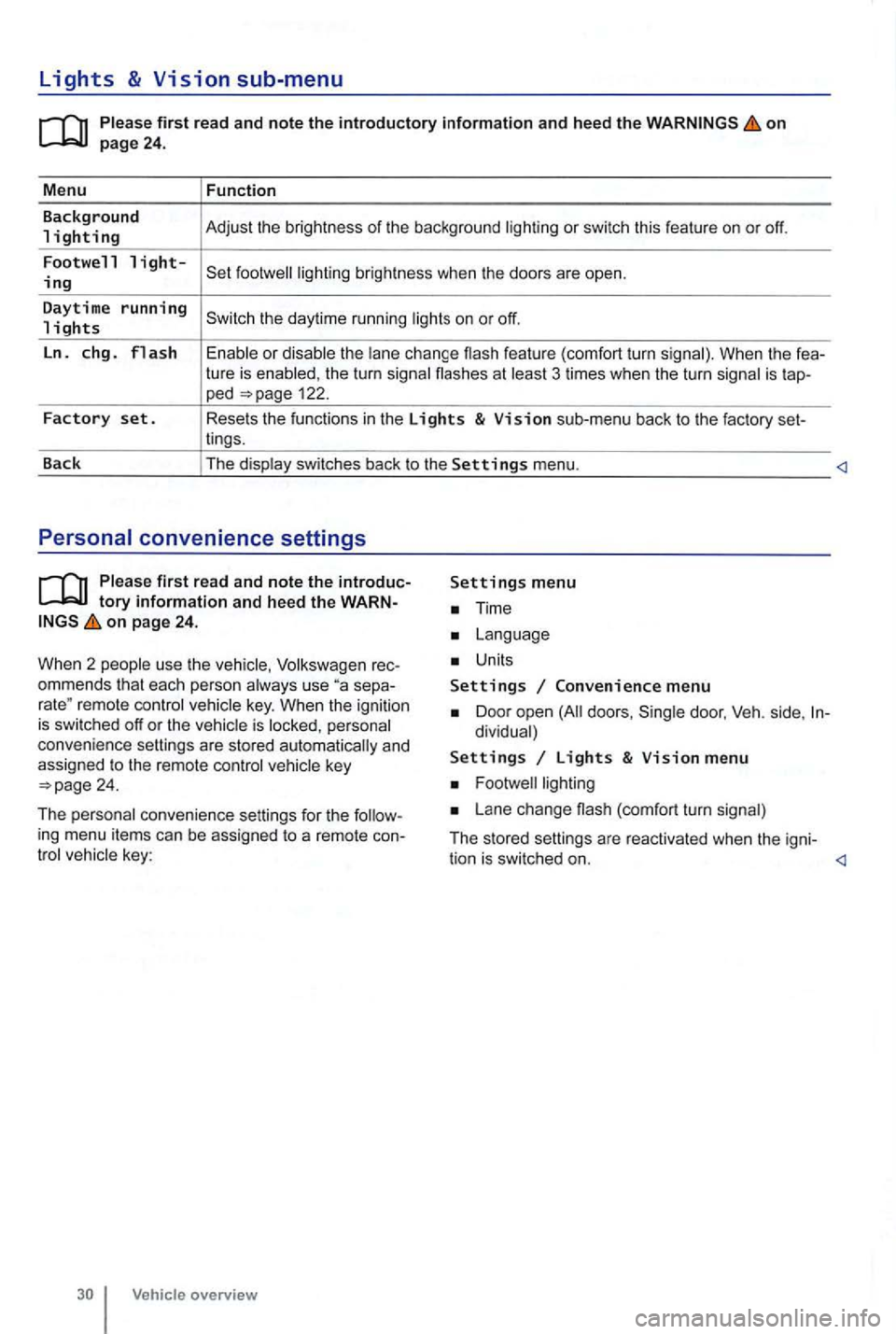
the turn signa l flashes at 3 times when the turn signal is tap-ped 122.
Factory set. Resets the functions in the Lights & Vision sub-menu back to the factory set-
lings.
Back The display switches back to the
Settings menu.
tory information and heed the WARNon page 24.
W hen 2 people use th e
Volksw agen rec
ommends that each person always use separemote control veh icle key. When the ignition is switched off or the vehicle is personal
convenience settings are stored automatically and
assigned
to the remote control
Time
Units
Settings Convenience menu
Door open doors , dividual)
Settings Lights & Vision menu
Lane change (com fort turn signal)
The stored settings are reac tivated when the igni-
tion is switched on.
Page 141 of 516
Automatic locking (Auto Lock)
The vehicle locks au tomatically when it reaches a
speed of about 10 mph (15 km/h) . When the vehi
cle is locked , the indicator light comes on in the
power lock ing button
a door once.
-
a door once.
- Lock the vehicle with the remote control vehicle key.
21 or one of th e power locking buttons
on page 41.
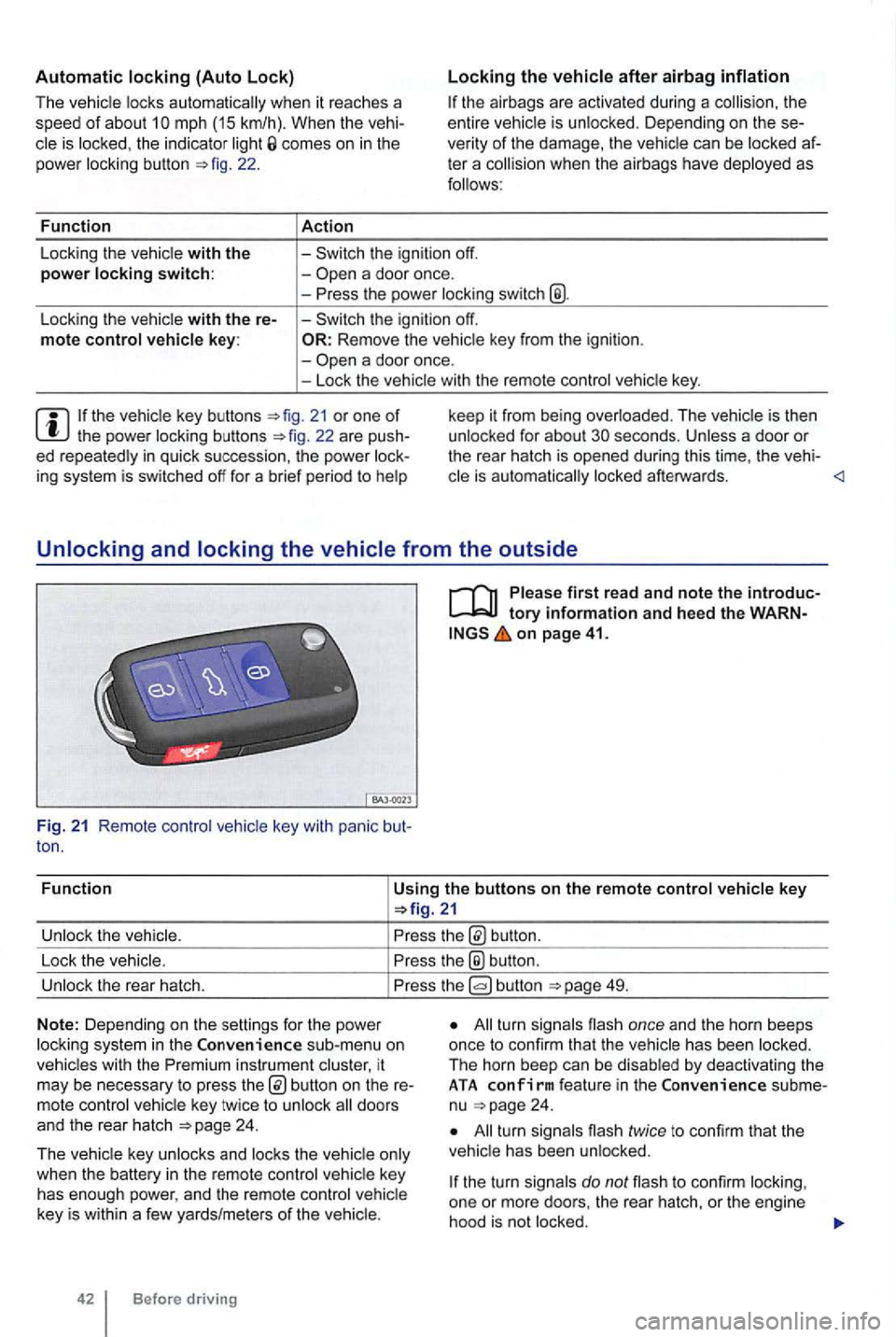
Fun c
tion
Using the buttons on the remote control vehicle key
button.
Lock the vehic le.
the® button .
Unlock the rear hatch. button 49.
N o
te: Depending on the settin gs for the power
l ock ing system in the sub-menu on
vehicles with the instrument cluster, it
may be necessary to press
24 .
T he vehicle key unlocks and locks the vehicle only
when the battery
in the remote control vehicle key
has enough power, and the remote control vehicle
key is wi
thin a few yards/me ters of the vehicle.
42 Before driving
All turn signals flash once and the horn beeps
once to confirm that the vehic le has been locked.
The horn beep can be disabled
by deactivating the ATA co nfirm feat ure in the subme
nu 24 .
All turn signals flash twice to confirm that the
vehicle has been unlocked.
the turn signals do not flash to confirm lock ing,
one or mor e doors , the rear hatch, or the engine
hood is not
locked.
Page 184 of 516
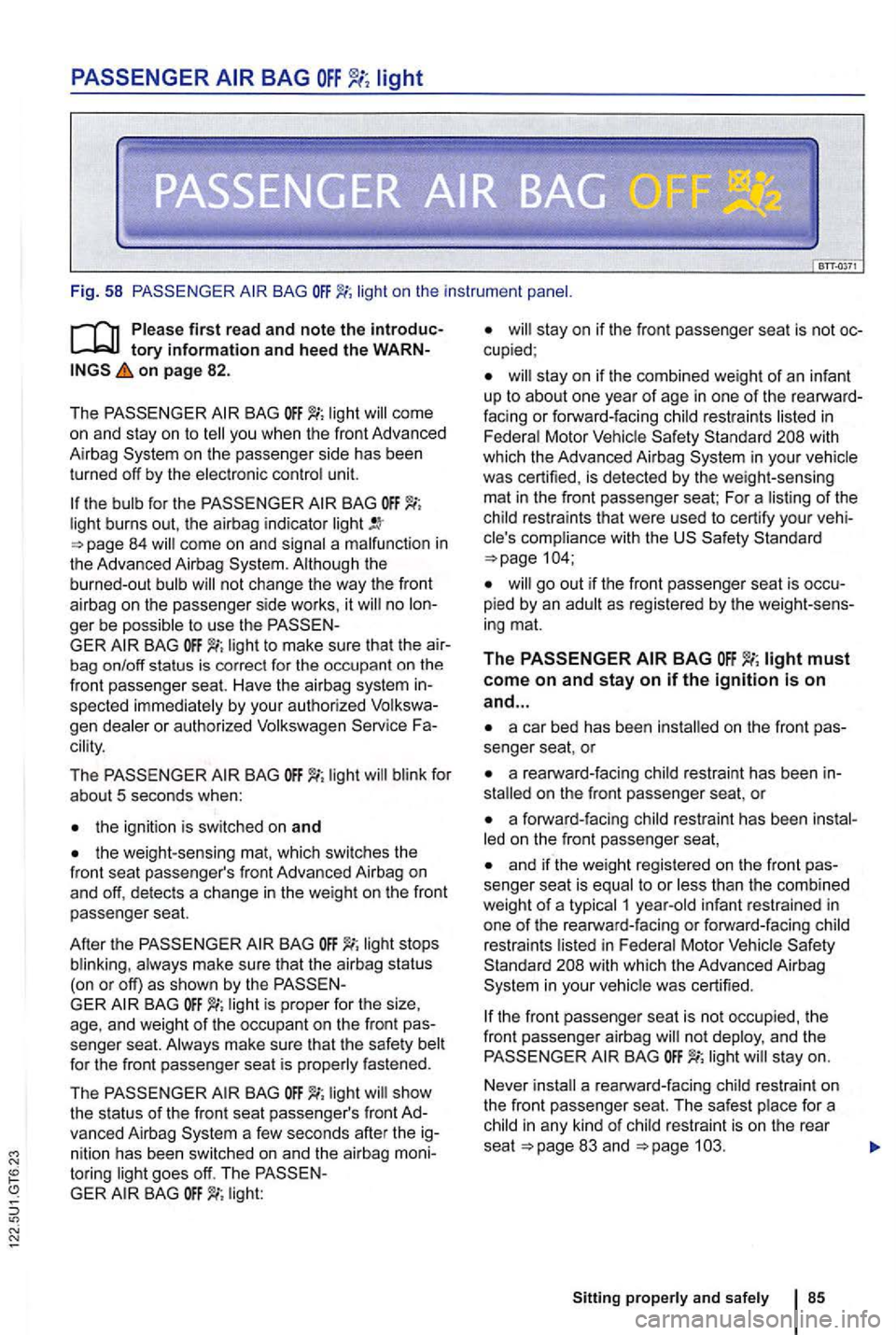
Fig. 58 BAG lig ht o n the instrument
on page 82 .
T he
BAG
on the passenge r side has been
turned off by the electronic con trol unit.
th e bulb for the BAG light burns out, th e airbag indicator come on and signal a malfunction in
the Advanced Airbag
no ger be possible to use the BAG light to make sure that th e bag on/off status is correc t fo r the occupant on the
front passenger seat. Have the air bag system spected immediate ly by your auth orized gen dea le r or authorized Volkswagen cility .
The BAG light blink for
about 5 seconds when:
BAG always make sure that the airbag status
(on or off) as shown by the
GER BAG light is proper for the size ,
age , and weight of the occupant on the fron t
light show
the status of the front seat passenger's front vanced Airbag
toring light goes off. The GER light:
stay on if the combined weight of an infant
up to about one year of age in one of the facing or forward- fac ing restraints listed in
Federal Motor Vehicle with
which the Advanced Airbag in your vehicle
was certified , is detected by the weigh t-sensing
mat in the front passenger seat; For a lis ting
of the
child restraints th at were used to certify your
go out if the front passe nger seat is
ing mat.
The must come on and stay on if the ignition is on
and ...
a car bed has been on the front senger seat, or
a rearward-facing child restraint has been
a forwa rd-facing child restrai nt has been
and if the weight registered on the f ront senger seat is equal to or less than the combined
weight of a typical 1 yea r-old infant restrained in
one of the rearward-facing or forward-facing child
restrain ts listed in Fede ra l Motor
in your vehic le was certified .
the fr ont passenger seat is no t occupied , th e
front passenge r airbag no t deploy, and the light
a rearward -facing child restrain t on
the front passenger seat. The safest place for a
chi ld in any kind of
rest raint is on the rear
seat page
Sitting properly and safely
Page 221 of 516
Lights and vision
Lights
lights . . . . . . . . . . . . . . . . . . . . . . . . . . 122
Turn signal lever and high beam switch . . . . . 123
Switching li ghts on and off . . . . . . . . . . . . . . . . 124
lights and Vision functions . . . . . . . . . . . . . . . . 125
and reading lights . . . . . . . . . . . . . . . . . 127
A lways obey loca l ve
hicle lighting laws.
The drive r is always responsible for the correct
headlight settings.
More information:
Exterior views
Volkswagen
Changing a light bulb
Headlights that are aimed too high and
an d distract other drive rs. This can lea d to a crash and serious personal injuri es .
Always make sure that are properly adjusted .
or distrac t other drive rs .
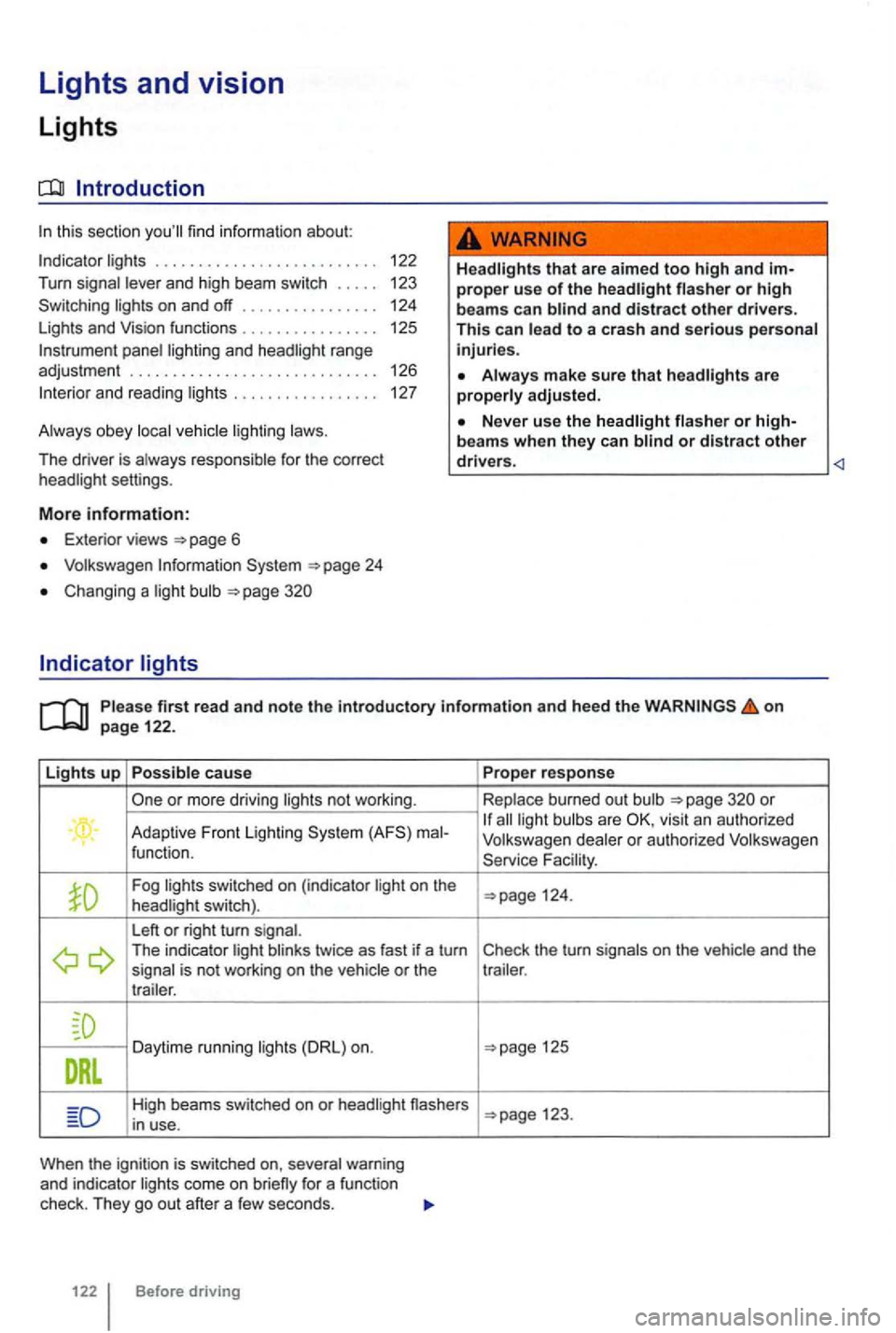
Lights up Possible cause
or more driving lights not wor king .
. Adaptive Front lighting ma l-
function.
Fog lig hts switched on (ind icator light on the
headlight switch).
L eft
or right turn signal. The indicator light blinks twice as fast if a turn
signal is not working on the vehicle or the
t r a iler .
Daytime running lights
High beams switched on or headl ight nashers
i n u se.
When the ignit io n is sw itched on, several warning
and indicator lights come on
122 Before driving Prope
r response
Replace burn ed out bulb
all light bulb s are
Fa cility .
125
123.
Page 222 of 516
sion and serious personal injury.
on emergency flashers and set up a warning
can result in vehicle damage.
Discharge head lig ht s provide bright, uniform lightin g to help you
see and be seen. The light comes from an electric
arc between 2 electrodes in the gas-filled bulb.
lamp's
contro l un it then inc reases th e vo ltage to keep th e
arc 's bright ness consta nt. However , the commo nly
called bulb s will also ultimately burn out. Before they burn o ut, lamps can flicker . A
message will then appear in the MFD. This is your
r emi nder to see an aut ho rized Volkswagen dealer or an authorized Volkswage n
Turn
tory information and heed the on page 122.
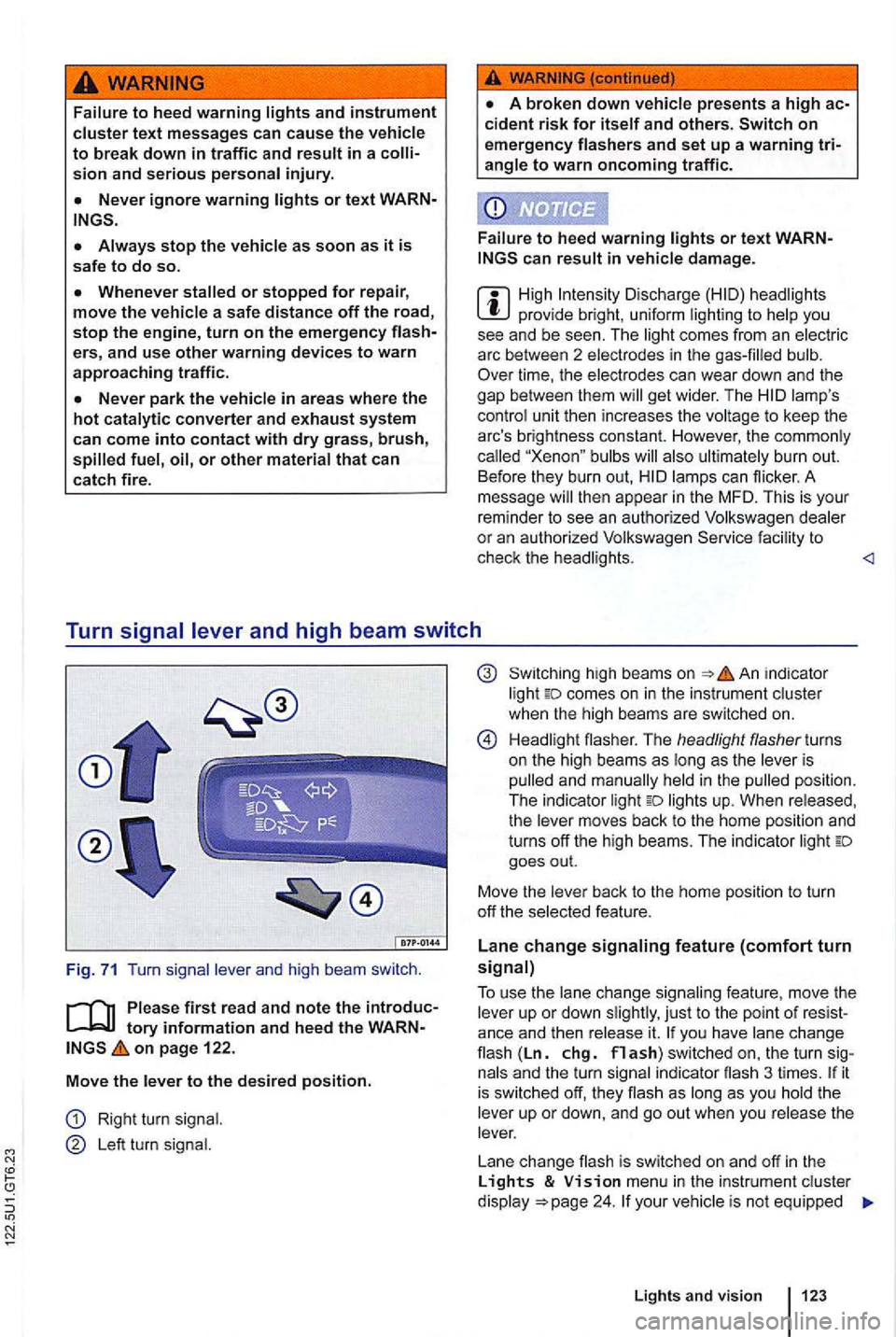
Move
the l ever to the des ired position.
Right turn signal .
Le ft turn signal.
high bea ms on in dicator
light comes on in the instrument cluster
when the hig h beams are switc hed on.
H ead li gh t flasher. The headlight flasher turns
on the high beams as long as the leve r is
p ulled and man ually held
in the pulled position .
The indica tor light lights up. When released,
the lever moves back to the home position and
turns off the high beams. The indic ator light goes out.
Move the lever back to t
he home posit io n to turn
off th e se lected feature.
Lane change signaling feature (comfort turn signal)
T o use
the lane change sig n aling feature , move the
lever up or down slightly , just to th e point of you have lane cha n ge flash (Ln. chg. flash) switched on, the turn si gnals and the turn sign al in dicator flash 3 ti mes . it is sw itched off, they flash as long as you hold th e
leve r up or down, and go out when you release the
lever.
L ane change flash is switched on and off
in the Lights & menu in the instr ument cluster
d isplay your vehic le is not equipped
Lights and vision 123
Page 225 of 516
Adaptive Front Lighting
The Adaptive Front Lighting works only
with the low beams switched on and only at
speeds above about 6 mph
improve road
vehicles equipped with the Adaptive Front
Lighting the feature is switched on and off
via the Assistant menu
the roadway. Th e headlights re
t urn to their original position after a delay , depend
in g on the speed of the
Crashes and other accidents can happen when you cannot see the road ahead and when you cannot be seen by other motorists.
not be able to see
f a r enough ahead for safety, especially at dusk or when it is dark . Always switch on the low-beam headlights at dusk or when it is dark.
The taillights do not come on when the daytime running lights are switched on. Avehicle without
cool or hum id weather, th e insides of th e headlights , th e rea r li ghts, and turn signals
can temporarily fog up. This is normal and does
not affect the service life
of the vehic le's lightin g
system.
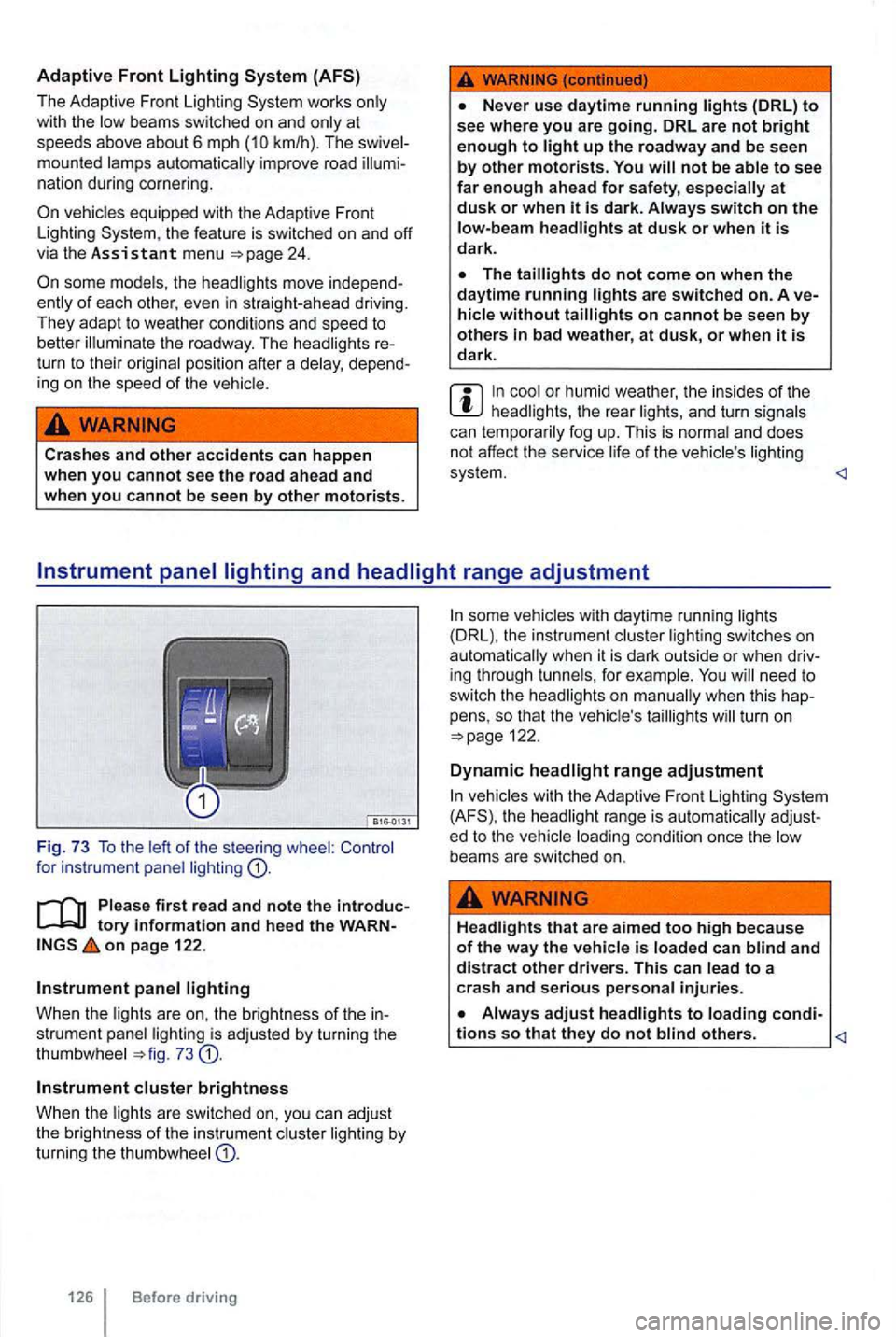
Instrument panel lighting
Whe n the lights are on, the brightness of the in
strument panel lighting is ad justed by turning the
thumbwhee l
Instrument cluster brightness
Whe n t he lights are sw itched on, you can adjust
the brightness of the in strument cluster li ghting by turning the thumbw hee l
Before driving
some vehicles with daytime running lights
(DRL), the instrument lighting switches on
need to
switch the head lights on
turn on
the headlight range is
Headlights that are aimed to o high because of the way the vehicle is loaded can blind and distract other drivers. This can lead to a
crash and serious per sonal injuries.
Always adjust headlights to loading condi-tions so that they do not blind others.
Page 281 of 516
Failure to heed warning lights or t ex t WARN-can result in vehicle damage .
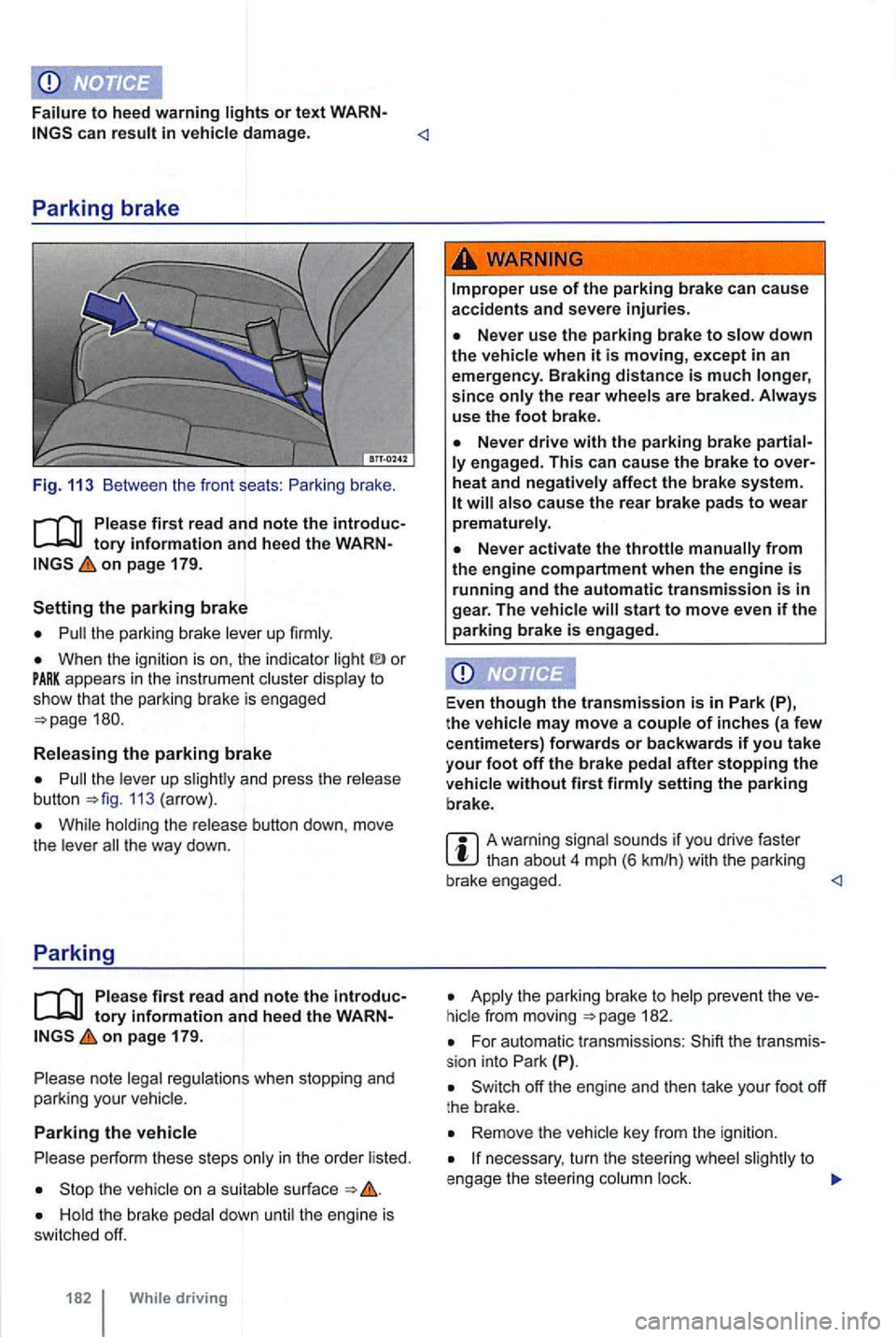
Fig. 113 Between the front seats :
on page 179.
the parking brake lever up firmly.
When the ignition is on , the indicator or appears in the instrume nt c luster display to show th at the park ing brake is engaged
the leve r up 113 (arrow) .
While hold ing the release button down, move
t h e lever t he way down.
Parking
Ple ase firs t r ea d and note the introductory info rm ation and heed the WARNon pa ge 179.
note legal regulations when stopping and
parking your vehicle.
Parking the vehicle
p erform these steps only in the order listed.
the vehicle on a suitab le surface
the rear wheels are braked . Always
use the foot bra ke.
engag ed. This c an cause the brak e to over
heat and neg ati vely affec t the b rak e sys te m .
start to move even if the parking brake is e ngag ed .
Even
though the tra nsmission is in P ark (P),
t h e vehi cle may move a couple of inche s (a fe w
c entimeters) forwards or backwards if you take
your f oot off the brake pedal after stopping the
ve hicl e without fir s t firmly setting the parking
b rake .
A warning signal sounds if you drive faster
Apply t he parking brake to 182.
For automatic transmissions : (P).
Remove the vehicle key from the igni tion.
necessary , turn the steer ing whee l to
e ngage the steer ing column lock.
Page 432 of 516
N
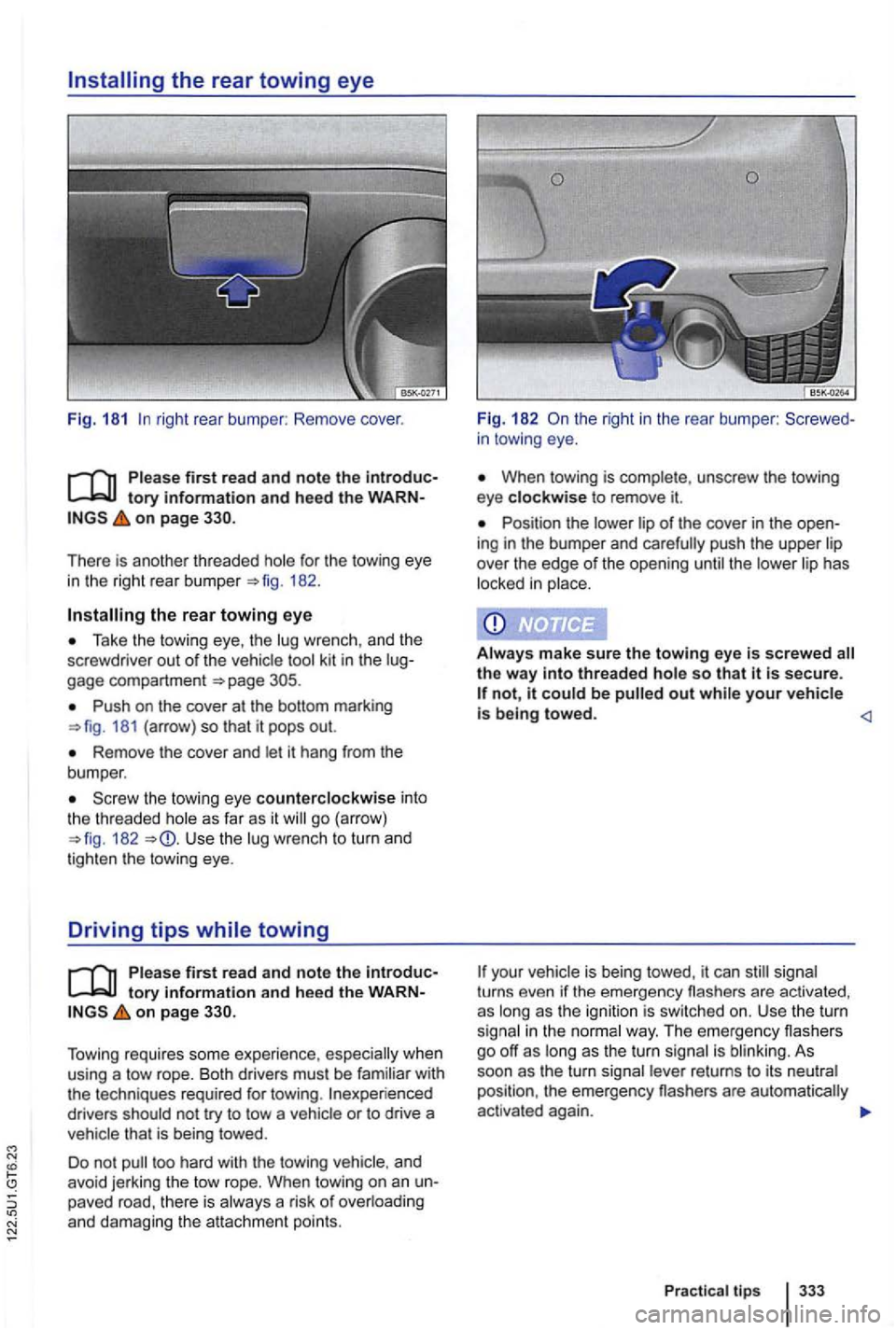
right rear bumper : Remove cover.
on page
for the towing eye
in the right rear bu mper 182 .
the rear towing eye
Take the tow ing eye , th e wrenc h, and the
screwdrive r out of the vehicle gage compartment
Push on the cover at the bottom marking 181 (arrow) so that it pops out.
Remove the cover and let it hang from the
bumper .
the towing eye counterclockwise int o the th readed as far as it go (arrow) 182 Use the lug wrench to turn and
t ighten th e towing eye.
Driving tips while towing
tory information and hee d the on page
Tow ing requires some experie nce , whe n
u sin g a tow rope. Both drivers must be familiar with
the techniques required for towing .
drivers should not try to tow a that is being towed.
Do not
in towing eye.
When towing is complete , unscrew the towing
eye clockwise to remove it.
Position the of the cover in the ing in the bumper and the
Aiways make sure the towing eye is screwed so that is secure. not, it out
your turns even if the eme rgency flashers are activated ,
as
i n the way. The em ergency flashers
go off as long as the turn signal is As soon as the turn re turns to its
Pr actica l tips