light VOLKSWAGEN GOLF MK5 2006 Workshop Manual
[x] Cancel search | Manufacturer: VOLKSWAGEN, Model Year: 2006, Model line: GOLF MK5, Model: VOLKSWAGEN GOLF MK5 2006Pages: 444, PDF Size: 92.7 MB
Page 188 of 444
Booklet 3 .1 Controls and Equipment
Functio n lights & Vision
Factory setting This menu resets all of these functio ns to the original factory tings.
Back Heturn to the m enu.
Tips
The menus shown in the dis play depends o n ve hicle electronics and the options installed on
Applies to with sound system
Sound system menu
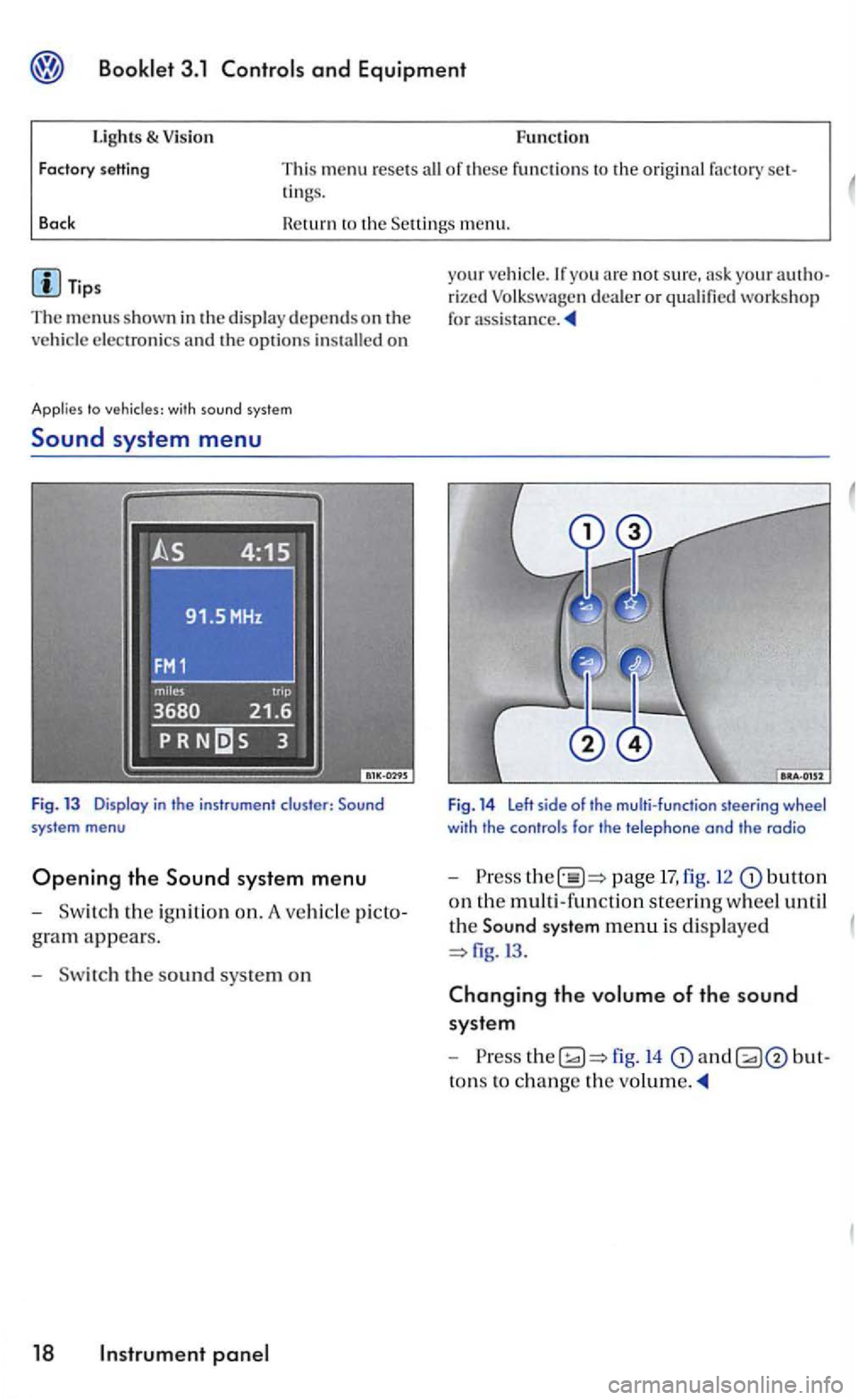
Fig. 13 Display in the instrument cluster:
gram appears.
- Sw itch the s
ound sys te m on
18 panel
your veh icle.lfyou arc not sure, your rized Volk swage n dea ler or qualified workshop
for
Fig. 14 Left side of the multi-function steering wheel with the controls for the telephone and the radio
-Press page 17, fig. 12 butto n
on th e multi -functio n steerin g wheel until
th e
Sound system menu is di splaye d
fig.l3 .
Changing the volume of the sound
syste m
-
to ns to ch ange the
Page 192 of 444
and Equipment
Tips
The
and "Average
Th e display may look diiTerent in you r
vehicle because there are diiTere nt instrument
Applies to
yo u are not sure . ask your authorized Volk swage n dealer or qualified workshop for sistance.
the vehi cle is ling ar very low speeds, the tempera tu re pla yed may be slighLiy higher than the actua l
o u tside temperature as a result of th e heat
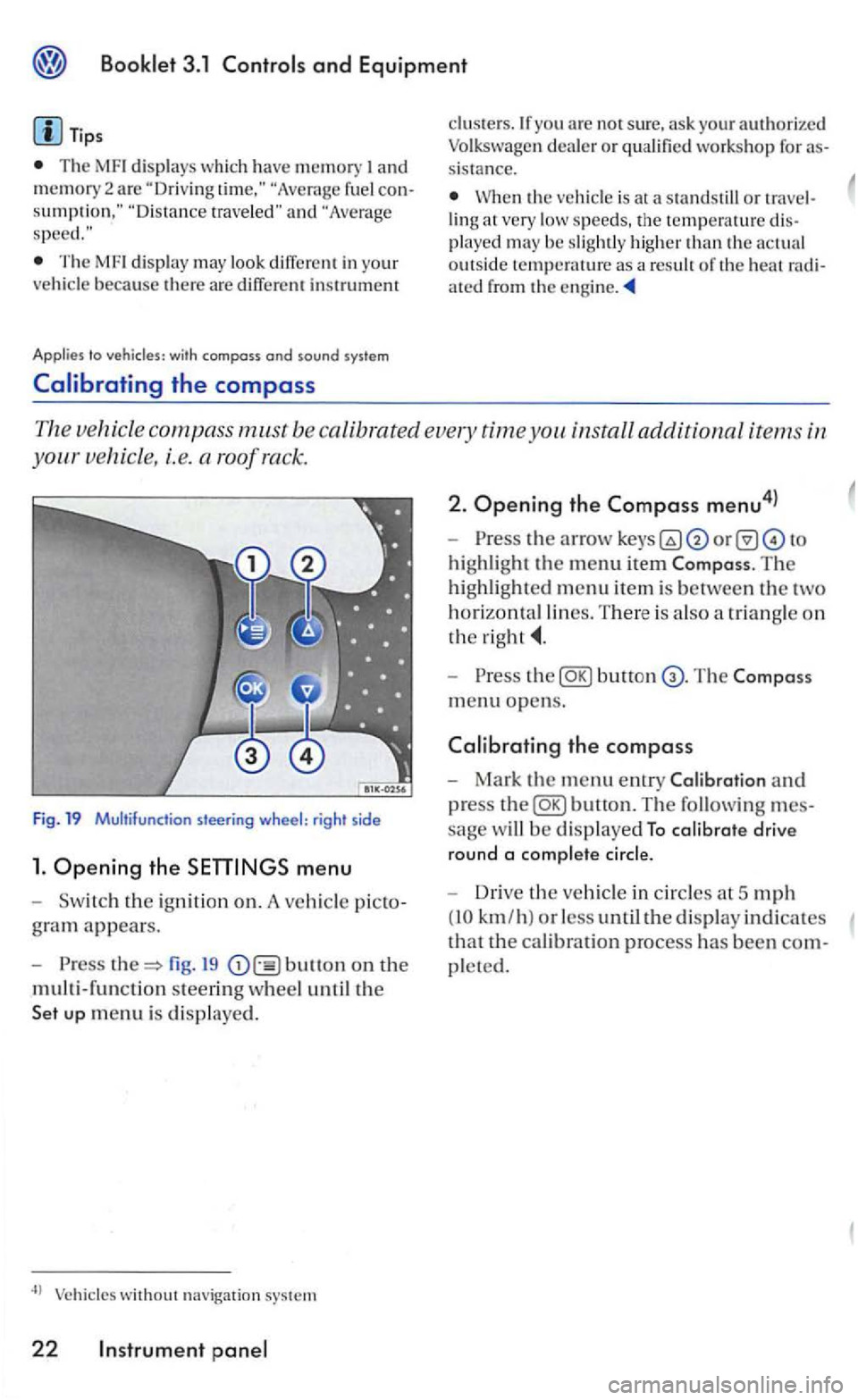
The ve hicle compass m.ust be ca libra ted every time you install additional items in
s teering wheel: rig ht side
1. Ope ning the menu
th e ig niti on on. A vehicl e
fig. 19 bullon on the
multi-functio n steerin g w heel u n til the
without navigation system
22 Instrument
2. Ope ning the Compass menu4l
highlight the menu item The
highlighted m enu item is between the two
horizontal lines. T here is a lso a tr iangle o n
the
Press butt on
m en u o pens.
the compass
Mark the menu entry and
press
sage w ill be d isplaye d To calibrate drive
round a comp lete cir
cle.
Driv e the vehicle in circles a t 5 mph
(10 km/h ) or less until the display indicates
tha t the cal ibration process has been
pleted.
Page 193 of 444
Booklet 3.1 Controls and Equipment
with compass and sound syste m
Adjusting the compass variance zone
Th e com pass zone must be adjusted certain circum stances, i.e. during
long distance trips.
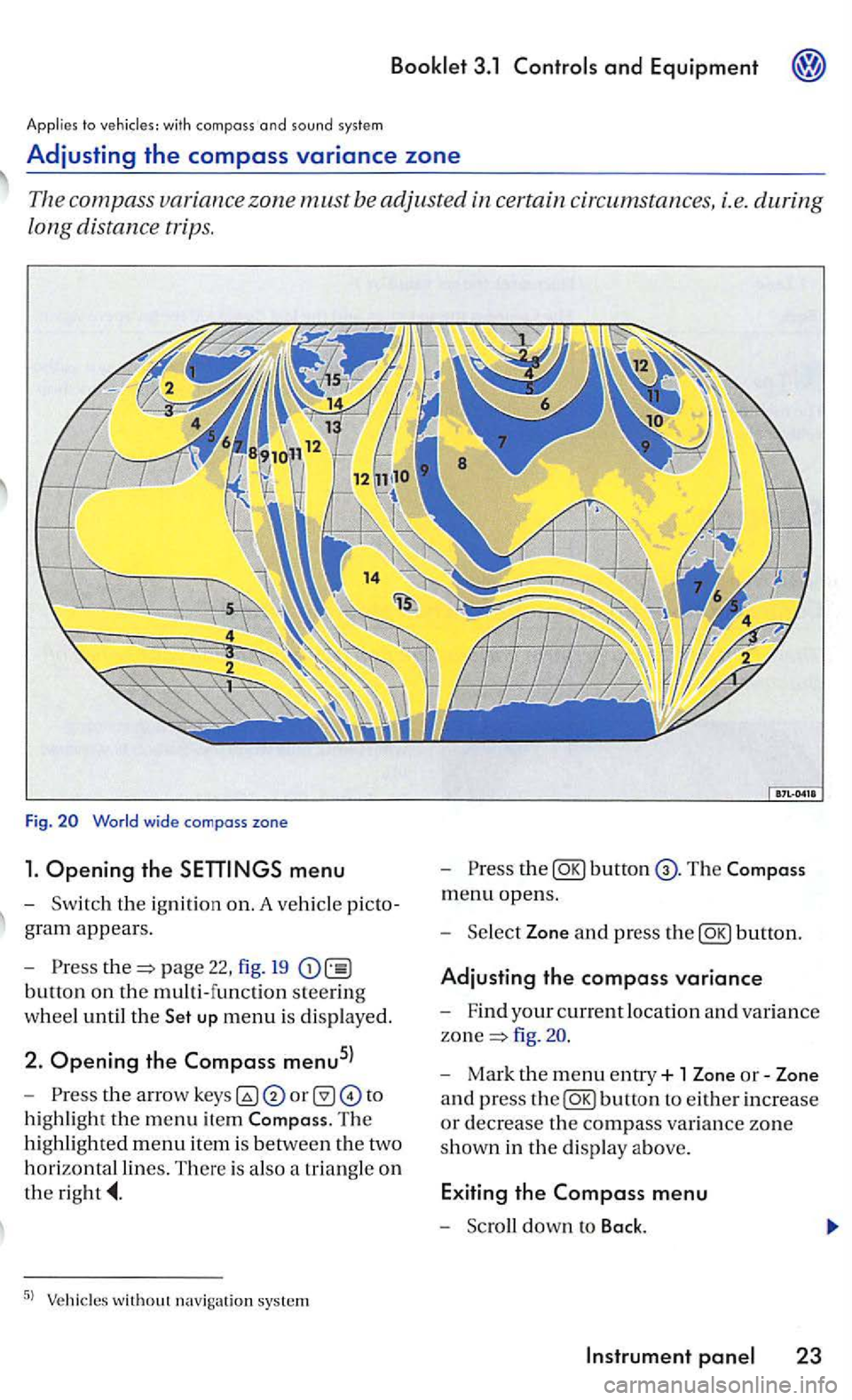
Fig.
menu
-Sw itch the ignition on. A ve hicl e picto
g ra m
appears.
- Pre
ss page 22, fig. 19
button on the multi-function steering
w h
eel until the up menu is displayed.
2. Opening the Compass menu5l
-th e arrow to
h ig hli
ght the m enu item The
hi ghlighted menu item is betwee n th e two
h
orizontal lines. There is also a triangle o n
the
the
menu opens.
- Sel
ect Zone and press the
fig .
- Mark the menu entry+ 1 Zone or-Zone
a n d press
the
Page 200 of 444
and Equipment
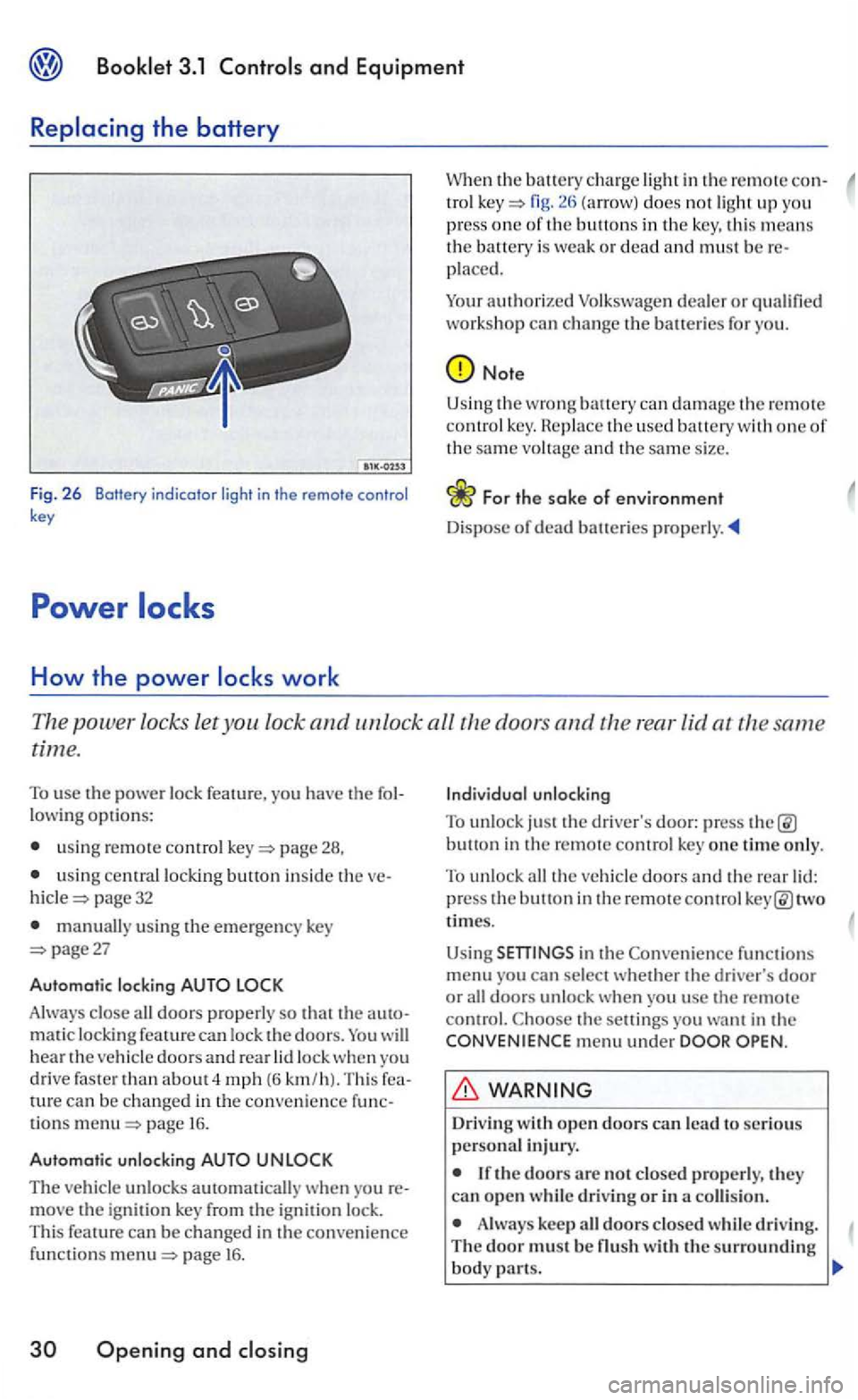
Fig. 2 6 Botfery indicator light in the remote control key
How the power
in the remote con-tro l fig. does not ligh t up you
press one of th e buttons in the key, this means the battery is weak or dead and must be placed.
Your
authorized
Note
Using the wrong can damage t h e remote co ntrol key. th e used battery with one of the same vo ltage and th e same size.
Th e power locks let you lock and unlock all the doors and the rear lid at the same
time.
To use the power lock feature, you have the
usin g remote control page 28,
u sing central locking button inside the page 32
manually using the emergency key page27
Automatic locking
Always close all doors properly so that the matic locking feature can lock the doors. will hear the vehicle doors an d rear lock when yo u
drive faster than about 4 mph (6 km /h). Thi s can be changed in the convenience tions page 16.
Automatic unlocking
The vehicle unlocks automatically w hen yo u move the ignit ion key from the ignition lock.
This feature can be changed in the convenience funct io ns page 16 .
Openin g and
button in the remote control key one time only.
To unlock all the veh icle doors and the rear two
times.
Using
functions menu you can sel ect whether the driver's door or all doors unlock when you usc the remote control. the setti ngs you want in the menu under
Driv ing
Always keep all doors closed whil e driving. The door must be
Page 201 of 444
Booklet 3.1
(continued)
If you ever notice that the doors no t erly closed when th e vehicl e is movin g, stop as soo n as it is sa fe to do so and close th e door properly.
rious person al in jury.
The power lock ing button locks all th e h icle doors. Locking doors from the in side can he lp prevent unintended door o pening during
a co llision and can als o prevent unwa nted
entry from th e outsid e. Locked doors ca n,
how ever, delay ass istance to ve hicle pants and rescue from th e outside in an
Never leave children , di sabled persons or anyon e who cannot help themselves in the hicl e. The doors can be locked with the power
lo ck butt on. Thi s co uld leave people trapped in the ve hicle in an emergency. trapped
in the vehicle can be exposed to very high or low temperatures.
Heat build-up in the passe nger
hicle that are much high er than th e outside
temperatures , parti cularly in summer. peratures can quickly reach leve ls that ca n
(con tinued)
cause unconscio usn ess and death,
Neve r allow passe nge rs t o remain in a
locked vehicle. Locked doo rs can de lay
any airbag deploys. the vehicle doors lock automat ically, automatically un less the
When you lock you r veh icle with the ce ntra l
l ocking button:
The doors and the rear lid can not be
opened from the outside (for your safe ty, for examp le. when stopped at a traffi c light).
you try to lock the vehicle using the
Page 202 of 444
Booklet 3.1
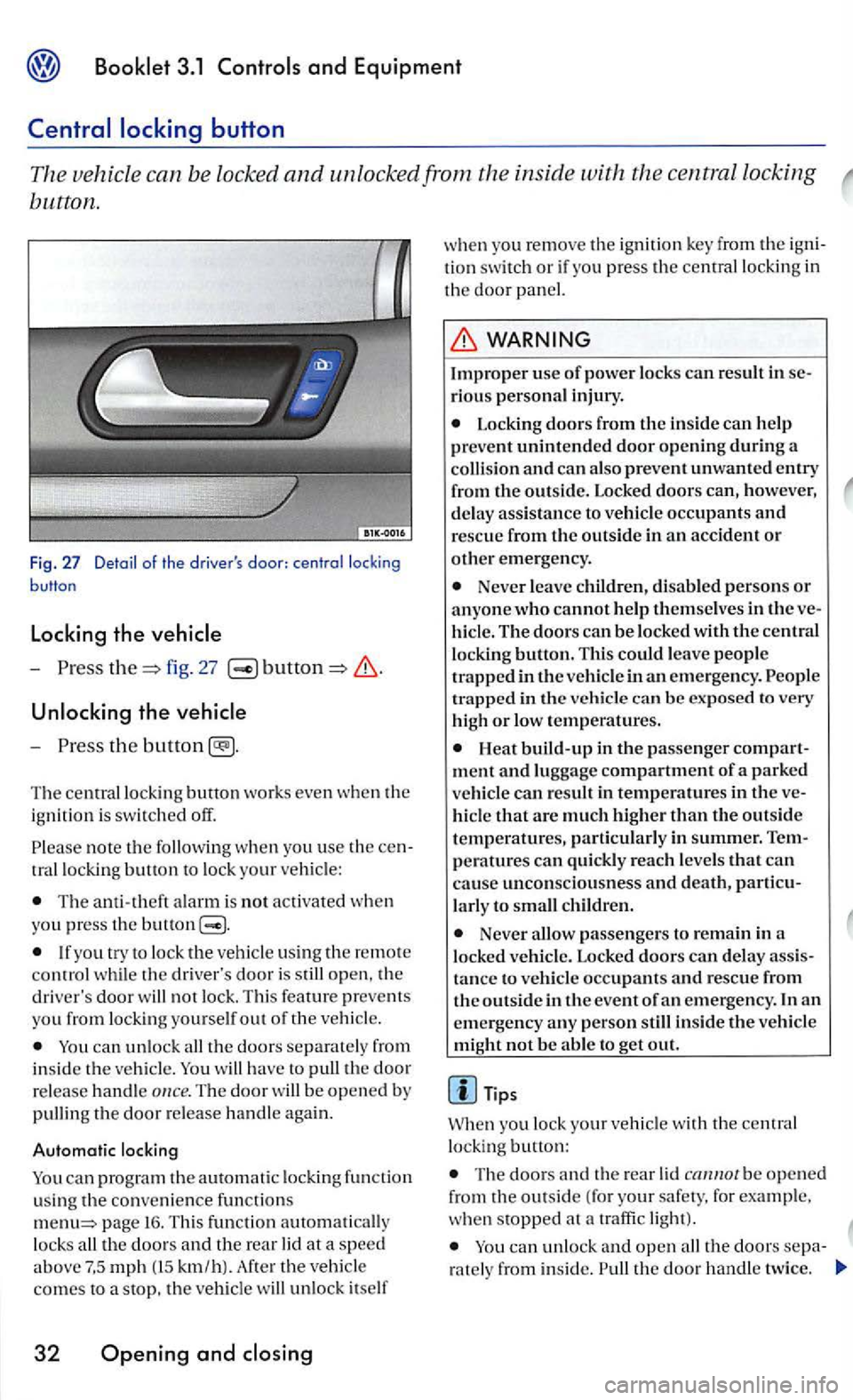
button.
Fig . 27 Detail of the driver's
-fig. 27
Unlocking the vehicle
-
th e
Th e ce ntr al lo ckin g button works even whe n th e
i g nition is switched off.
note th e w he n yo u use th e tr allock ing button to lo ck your ve hicle:
The ala rm is not activated whe n you press the buuon
th e driver's door is open, th e
driver 's door not lock. Thi s feature preve ms
yo u from lock ing you rse lf out o f the vehi cle.
ca n unlock th e doors se parat ely from i n side th e vehicl e. have to th e door
re lease handle The door b e opene d by
pullin g the door re le ase ha nd le again .
Automatic locking
can progr am the autom atic locki ng fun ction using the co nve nience f un ctions page 16. Thi s fun cti on loc ks km /h) . th e veh icle
co mes to a stop, th e veh icle unlo ck itself
32 Opening and
w he n you remo ve the ig ni tio n key fro m the tion swit ch or if you press th e central locking in th e doo r
rious personal injury .
Locking doors from the in sid e can h elp
prevent unintended door opening during a and can als o prevent unwanted entry
fr om the outside. Locked doors can, however, d e lay ass istance to vehicle occupants and resc ue from the outside in an accident or other emergency.
Neve r le ave childr en, disable d person s or anyon e who cannot help the m selves in the hicl e. The doors can be locked with the central
l oc king button. Thi s could leave peo pl e
t ra pped in the ve hicl e in an em erge ncy.
Heat build-up in the passe nger ment and lu ggage compartment of a parked vehi cle can result in temperatures in the hicl e that a re muc h highe r than the outside
temperatures, parti cularl y in summer.
la rl y to c hild ren.
Neve r passenge rs to remain in a
l ock ed ve hicle. Lock ed doors can d elay tance to vehicle occupan ts and rescue from
th e o ut side in the event of an emergency . In an
e m ergency any pe rson still inside the ve hicle
mi ght not be abl e to g et out.
Tips
yo u lock your vehicl e with the central
lo ckin g button:
Th e doo rs a nd the rear be o pen e d
from the outside ( fo r your safety. for example .
w he n stopped at a traffi c light).
the doors ra te ly from inside. th e door handl e tw ice.
Page 203 of 444
3.1
lock th e veh icle usin g the centra l
l ock ing button whil e th e driver's doo r is still open, the driver 's door will not lock. Th is featu re
Doors
Doo rs which are not closed prop erly can open while you are driving.
If a door is not clo sed properly, th e
wa rnin g
light in the instrume n t clust er
or a m essage in the disp lay7
> appears. T he
m essa ge al so
comes on wit h th e ignition
switched off and goes out approximately
I S
seconds a fte r locking the ve hicl e.
- Stop th e vehicle.
-
t h e door and close it again (to th e
second catch).
Applies to doors
WARNING
A door whi ch is no t closed properly can accident ally open and cause injuri es and accidents.
Never close a door in attentive ly or w ith out checkin g first -can i nju re yourse lf or o ther peopl e. Always make certain that no o ne is
s ta nd in g w ithin range of the door that is bein g
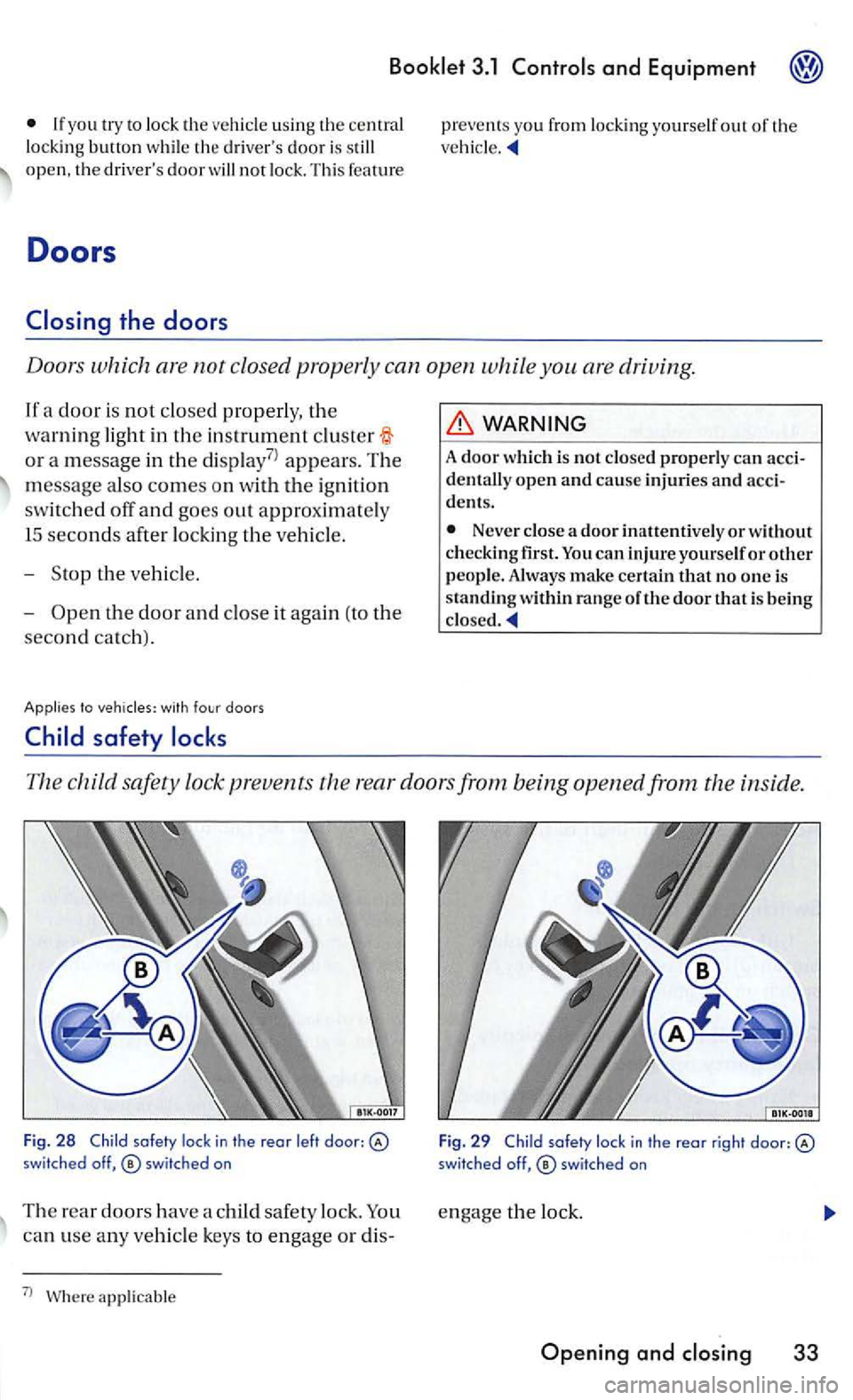
The child safety lock prevents th e r ear doors from being opened from the inside.
Fig. 2 8 Child lock in th e reor l eft door: switched off,
can use any ve hicle keys to e ngage or dis-
7
l applicable F
ig .
29 Child
Page 213 of 444
and Equipment
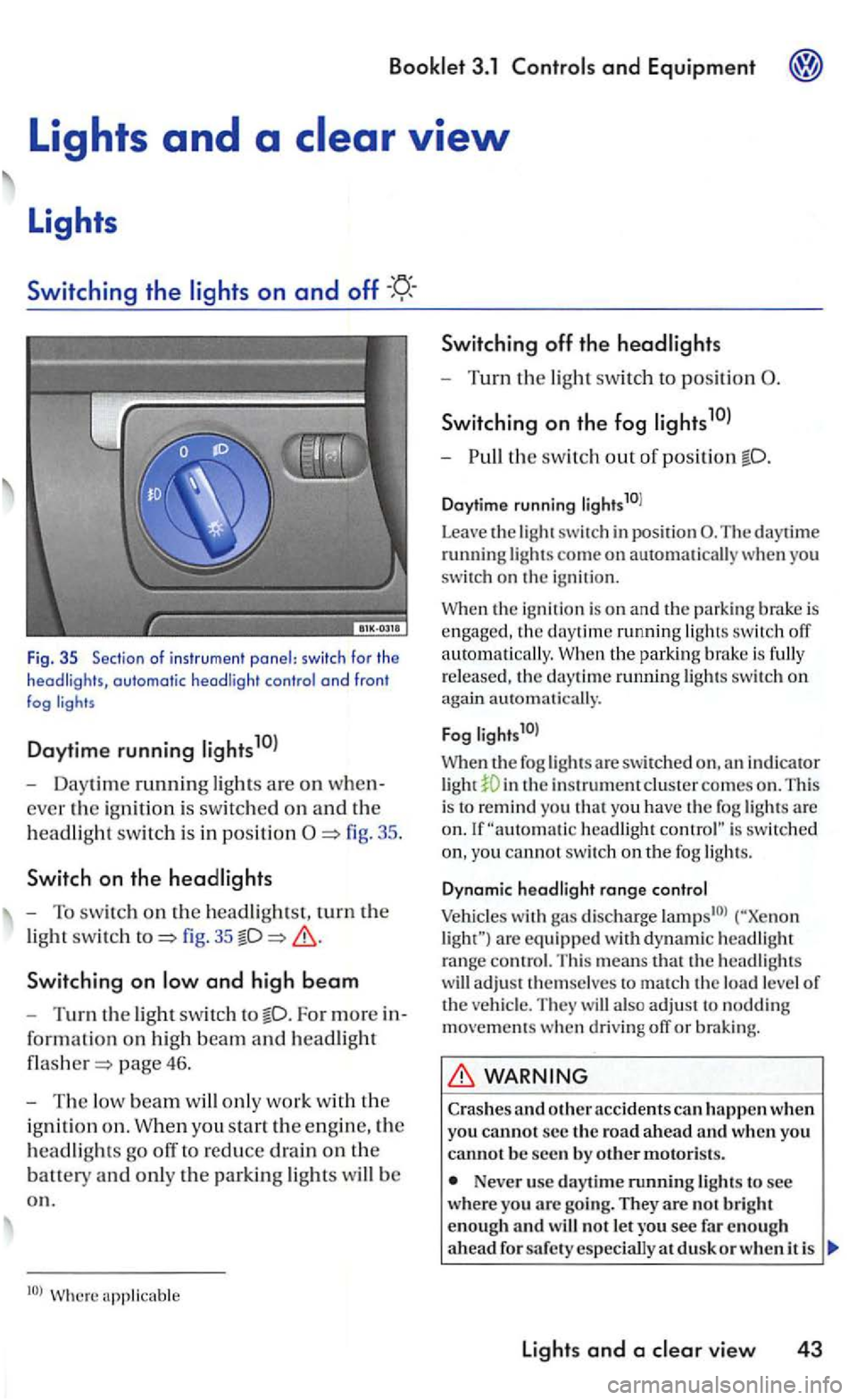
Fig . 35 Sec tio n of i nstr u m ent panel: switc h fo r th e headligh ts, automatic headli ght contro l a nd fron t fog
Daytime running
- Daytime running ligh ts are on when
ever the ig ni tio n i s sw itc hed on an d th e
h
eadlig ht swit c h i s in positi on
fig. 35
Switchin g on
For more in
for ma
tion on hig h beam an d headlight
page 46.
-The low beam w ill only work w it h th e
i g ni
tion o n . W hen you sta rt the e ngin e, the
h
eadlights go off to reduce drain on the
batt ety an d only th e parkin g lights will b e
o n .
Switching off th e headlights
- Turn the light swit ch to position
S wi tch ing on the fog
-th e switch out o f position
Daytime running li g hts10l
Leave
the light switch in posit ion The daytime running lights come on automatically you
switch on the igni tio n.
the ignition is o n and the parking brake is engaged , the daytime running ligh ts switch off
a uto m atically. the park in g bra ke is fully
r e leased , th e daytime ru nning lights swit c h on again automati cally.
F
og l ights1 0l
When th e fog lights a re swit ch ed in th e instrument clus te r comes on . This
i s to remind you t h at yo u have the fog lights are headlight is switc hed
yo u cannot switc h on th e fog ligh ts.
D ynam ic hea d light range co ntrol
Vehicles with gas discharge are eq uip ped w ith d yn am ic headlig h t range contro l. T his means that th e headlig hts
w ill adjust t hemselves to match th e load level of the ve hicl e. They will also ad ju st to noddin g movements when d riving off or braking.
WARNING
Crashes and o ther acc idents can h appen when you cannot s e c the ro a d a head and w hen you canno t b e seen by o th er motoris ts.
Never use day tim e running lights to see wher e you arc goi ng. They are no t b rig h t
enough an d w ill not le t you see fa r en o ug h
a head d usk o r w hen i t is
lights and a vie w 43
Page 214 of 444
Booklet 3.1 Controls and Equipment
Always tu rn on the headlights befo re dus k
a nd in rain or fog s o tha t you can sec a head and so that others can sec yo ur ve hicl e from the back.
yo u r em ove the key fro m the ign it io n lock
w ith th e lig h ts s o und
the orr.
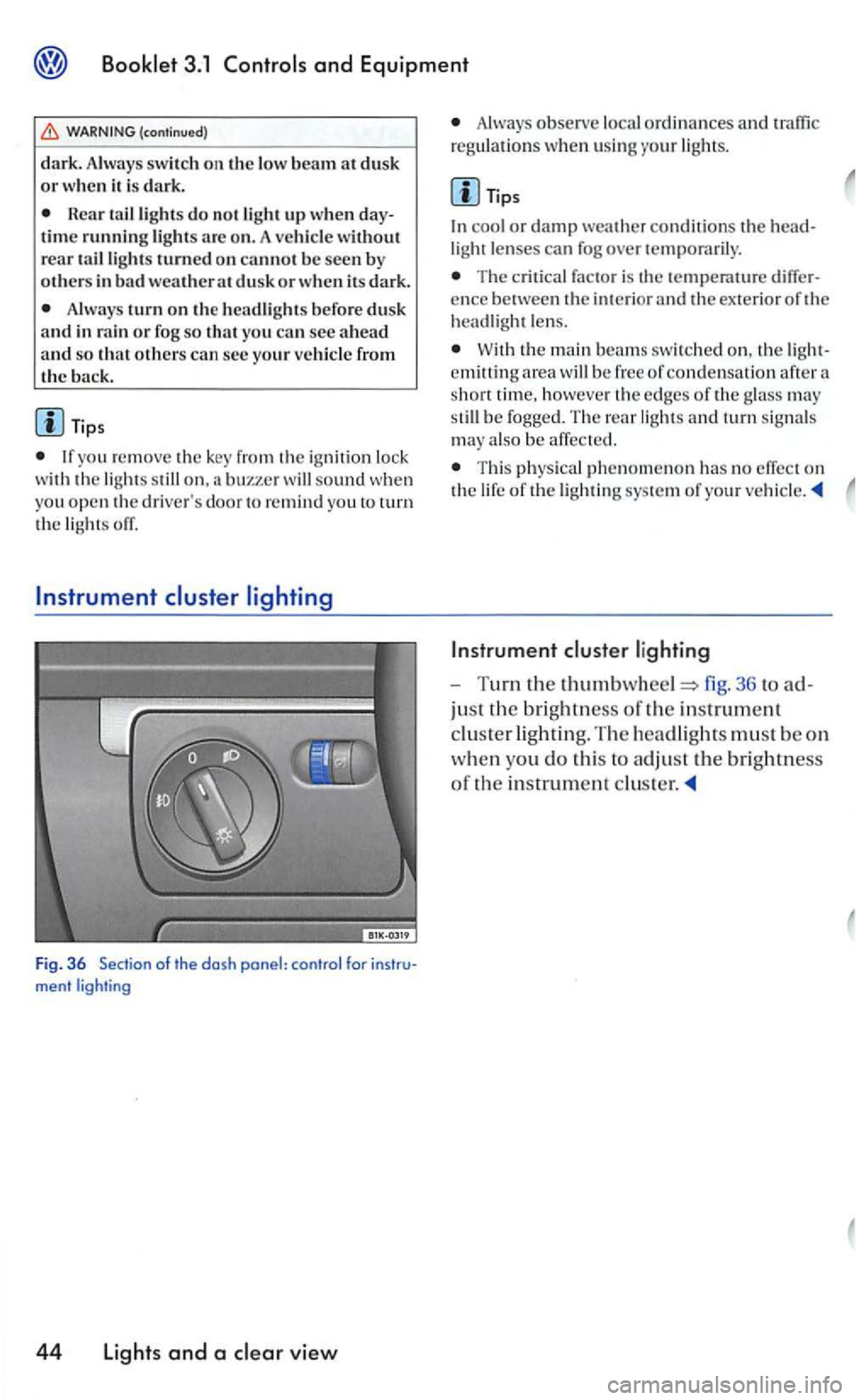
Fig. 36 Se ction of the dosh ponel: control
Always observe loca l o rd in ances and
cool or dam p weather conditions th e light len ses can fog over temporarily .
The c ritical factor is ence between the i nterior and the ex terior of hea dlight le n s.
W ith the main bea ms swit c h ed on, area h oweve r edge s of th e glass may be fogge d. Th e rear lig h ts and turn signa ls
may also be affect e d.
T hi s physical phe nomeno n has no effect on lig htin g sys tem of you r
36 to
jus t the brig htn ess of the in strument
cluster lig h ting. The headligh ts must b e on
w h
en yo u d o this to adjus t the bri gh tness
o f the in strume nt
Page 215 of 444
3.1
Emergency switch
Use the eme1gency flasher del ete space to attention
your icle in cas e of an emerge ncy.
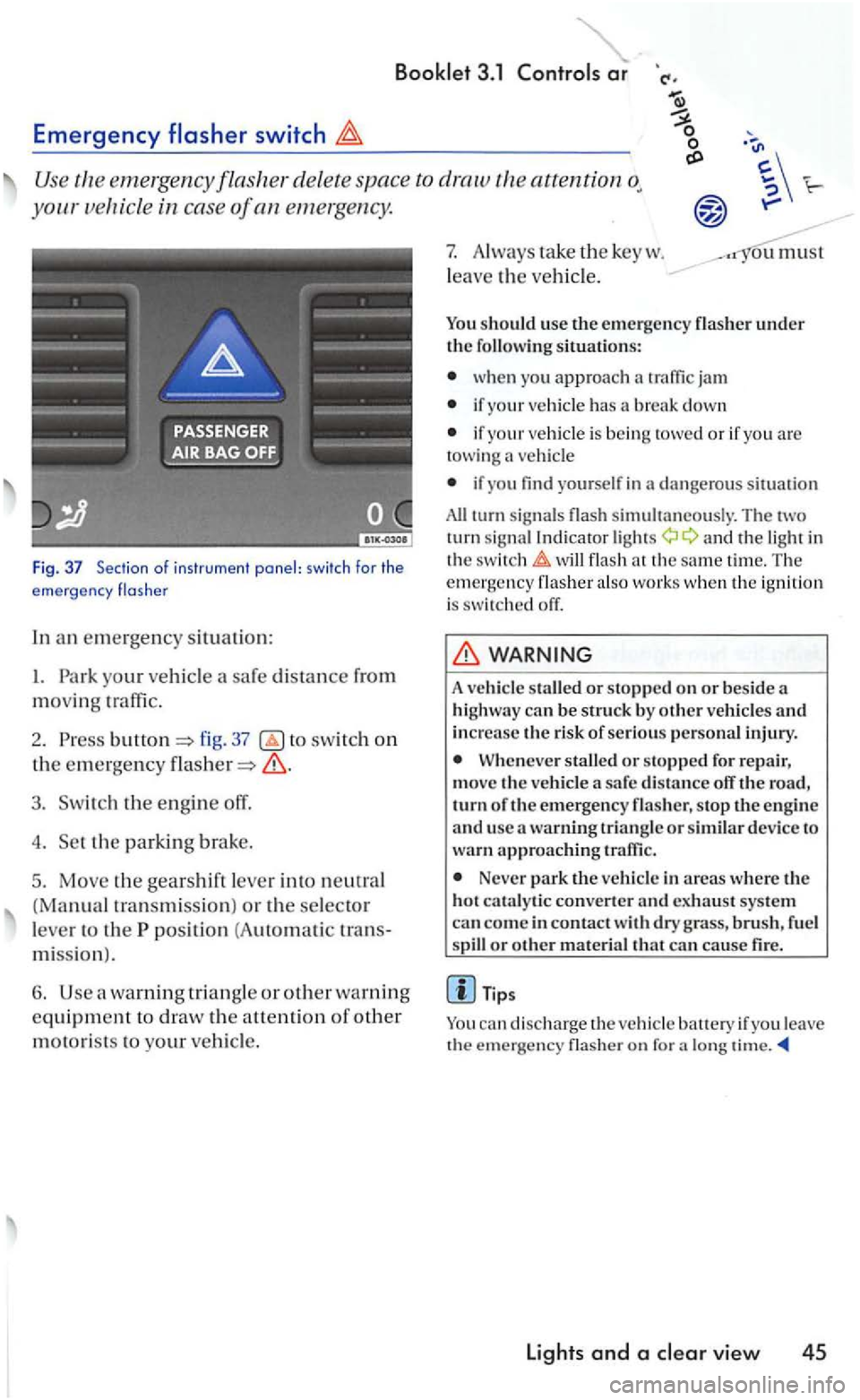
Fig. 37 Section o f ins trume nt panel: swi tch for the
e mergency flas he r
In an em ergen cy situation:
I. Park your vehicl e
fig. 37 switch on
the emergency
3. Switch the engine off.
4. Set the parkin g brake.
5. Move the gea rshift lever into neutral
(Manual tra nsmiss ion ) or the selector
l e ve r to the
position (A uto m ati c tran s
mi ssio n
).
6. Use warning tria ng le or other warning
equipme nt to draw the a uention of other
motorists to your vehicl e.
7. Always ta ke the key w .
l
eave the ve hicl e.
ou must
You should use th e e mergency
wh en you approach
if your vehicle has a break down
if your vehicle is bein g towed or if yo u are towing vehicl e
if yo u find yourself in dange ro us s ituation
All turn sig nal s simultaneously. Th e tw o
turn sig nal Indi cator a nd the light in
the t im e. Th e emergency also wo rk s w he n th e ig n ition is switch ed off.
WARNING
A vehicle staUed or stopp ed on or bes ide a
hi ghway can b e struck by o ther ve hicle s and increase the risk of se rious pe rso nal injury.
When eve r stalled or stopped for re pair,
mov e th e vehicle a safe dis ta n ce off the road, turn o f th e emerg ency flas her, s top the e n gin e
a nd usc a warning triangl e or similar device to wa rn ap proac hing traffic .
Never park the ve hicle in areas where the
hot cat a ly tic converter and exhaust syste m
can co me in contact dry grass , brush , f uel or othe r mate rial that can cause fire.
a lo ng
lights and a