SET button VOLKSWAGEN GOLF MK6 2012 Owners Manual
[x] Cancel search | Manufacturer: VOLKSWAGEN, Model Year: 2012, Model line: GOLF MK6, Model: VOLKSWAGEN GOLF MK6 2012Pages: 516, PDF Size: 105.12 MB
Page 22 of 516
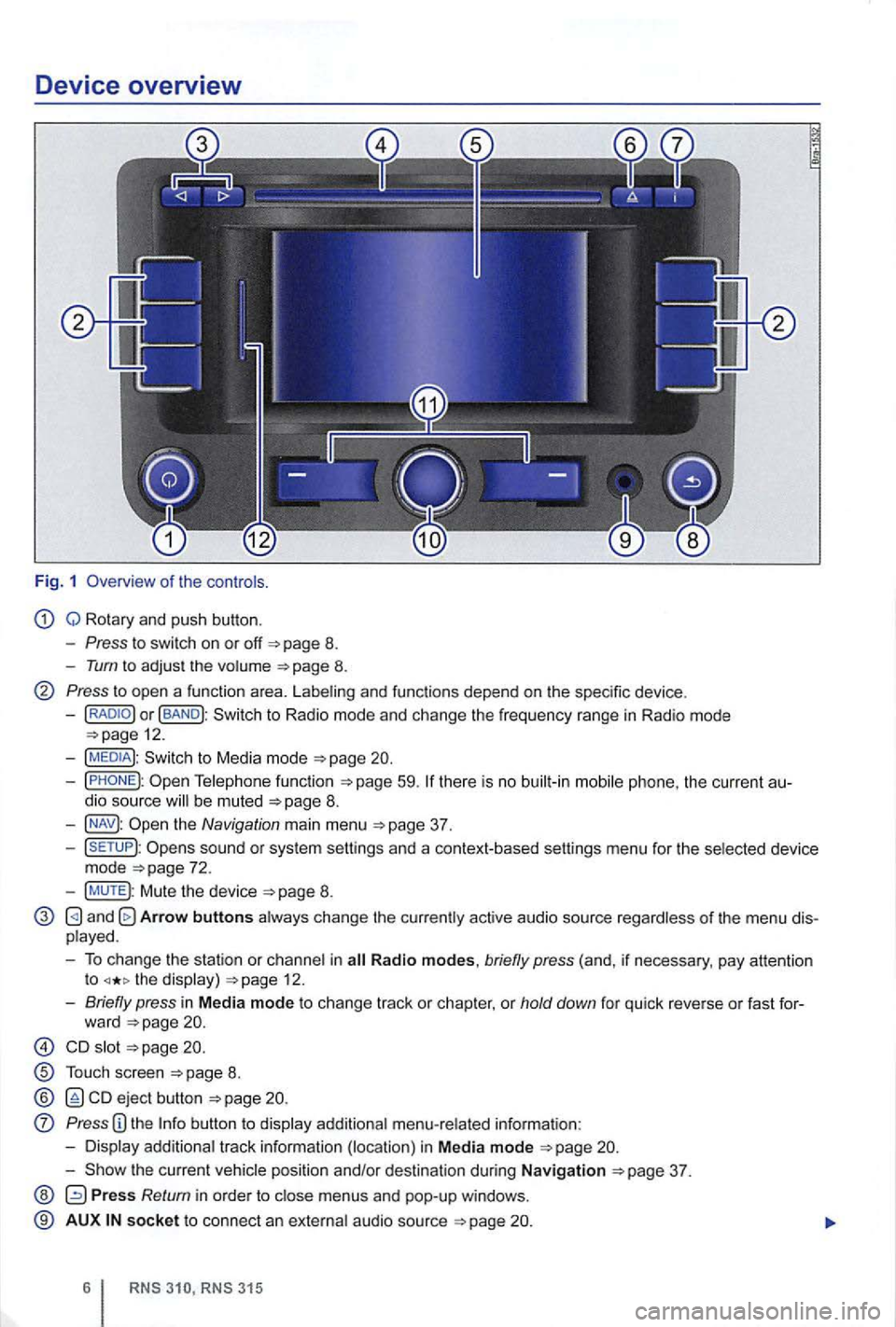
Device overview
Fig. 1 Overv iew of the co ntro ls.
Q Rotary and push button.
- Press to swi tch on or off 8.
-Tum to adjus t the volume 8.
Press to open a functio n area. Labe ling and functions depend on the spec ific device .
-BAND
59.
the Navigation main menu
sound or sys tem sett ings and a context-based settings menu for the se lected device
mode
Mute the device
and Arrow buttons a lways change the currently active audio source regardless of the menu dis
p layed .
- To change the station or cha n
nel in the display) 12.
-Briefly press in M ed ia mode to change track or chapter, or hold down for qu ick reve rse or fast for-
ward
s lot
T ouch screen
ejec t b utton
Press
the current vehicle position and/or desti nation during Navigation
Press Return in orde r to m enus and pop-up windows .
® AUX so cke t t o connect an externa l audio source
Page 24 of 516
Operation basics
Introduction
. . . . . . . . . . . . 9
Additional displays and options . . . . . . . . . . . . 9
Funct ion buttons and device buttons
........
Therefore Volkswagen recommends reset
ting the device to the factory settings via the sys
tem settings when first used
Device overview
Multi-function steering to change tracks
or stations manual , chapt er Vehicle overvi ew
Switching on or off
page 3 and note the introductory information on page 8.
1 to
minutes (timeout).
3 15
A screen is sufficien t to operate the device .
Due to coun try-sp ecific requirements , some functions are not
Operating a cause noise in the speakers .
some vehicles with park distance control, the lowered when shifting into reverse.
Anti-theft coding
The anti-theft code number remains stored in the
in
a differen t vehicle,
battery was disconnected , switch on
the ignition before switching on the device .
Page 25 of 516
Changing the default volume
on page 3 and note the introductory informa
adjustments are indica te d on th e screen by a Meanwhile , d evice operatio n is blocked.
the device is mu ted (display:
Turn the volum e contro l Q counterclockwise is displayed.
ava ilab le on the devic e, br iefly press the !MUTE 1
on pag e 3 and note the
display s ca n be sho wn only after a co mplete
s yst em start of the radio naviga tio n syste m. T
he curr
ently played media source is stopped
wh ile the device is mu ted .
Please lower the volume befo re switching to another audio source if the base volume of an aud io source was increased considerably.
Country-dependent function button omission
Based on m arket specific conditions , it is poss ible
that not the fu nctions described in this manua l
a re exec utable , a nd the function buttons on the
scr een may be displayed differently than described
Depending on the vehicle, adju stments of air con
d itioning settings or displays regarding factory -in
z
1l no p h o ne pac kag e is
Introduction
Page 28 of 516
Audio mode
Radio mode
Introduction
. . . . . . . . . . . . . . . . . . . . . . . . . . . . . . . . . . 14 selecting a station frequency . . . . . . 14
station to the station preset buttons . . 16
Accessing stations stored on station preset
buttons . . . . . . . . . . . . . . . . . . . . . . . . . . . . . . . . 16
. . . . . . . . . 17
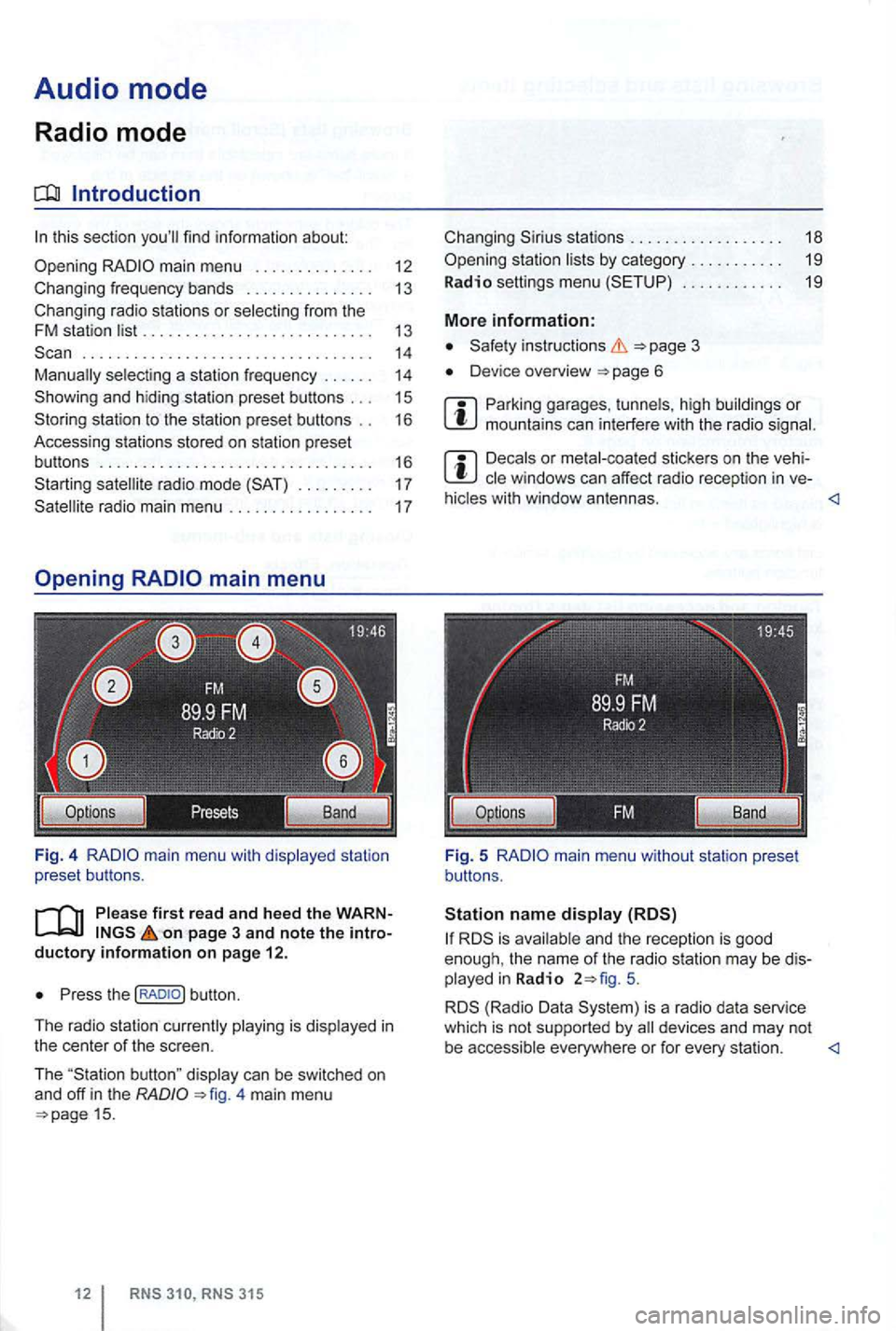
on page 3 and note the introductory info rm ation on pa ge 12.
Press the
4 main menu 15.
stations . . . . . . . . . . . . . . . . . . 18
. . . . . . . . . . . . 19
More information:
Device overview
Parking garages . tunnels , high buildings or mountains can interfere with the radio
Decals or metal-coated stickers on the vehi
hicles with window antennas.
5.
is a radio data service
which is not supported by
Page 29 of 516
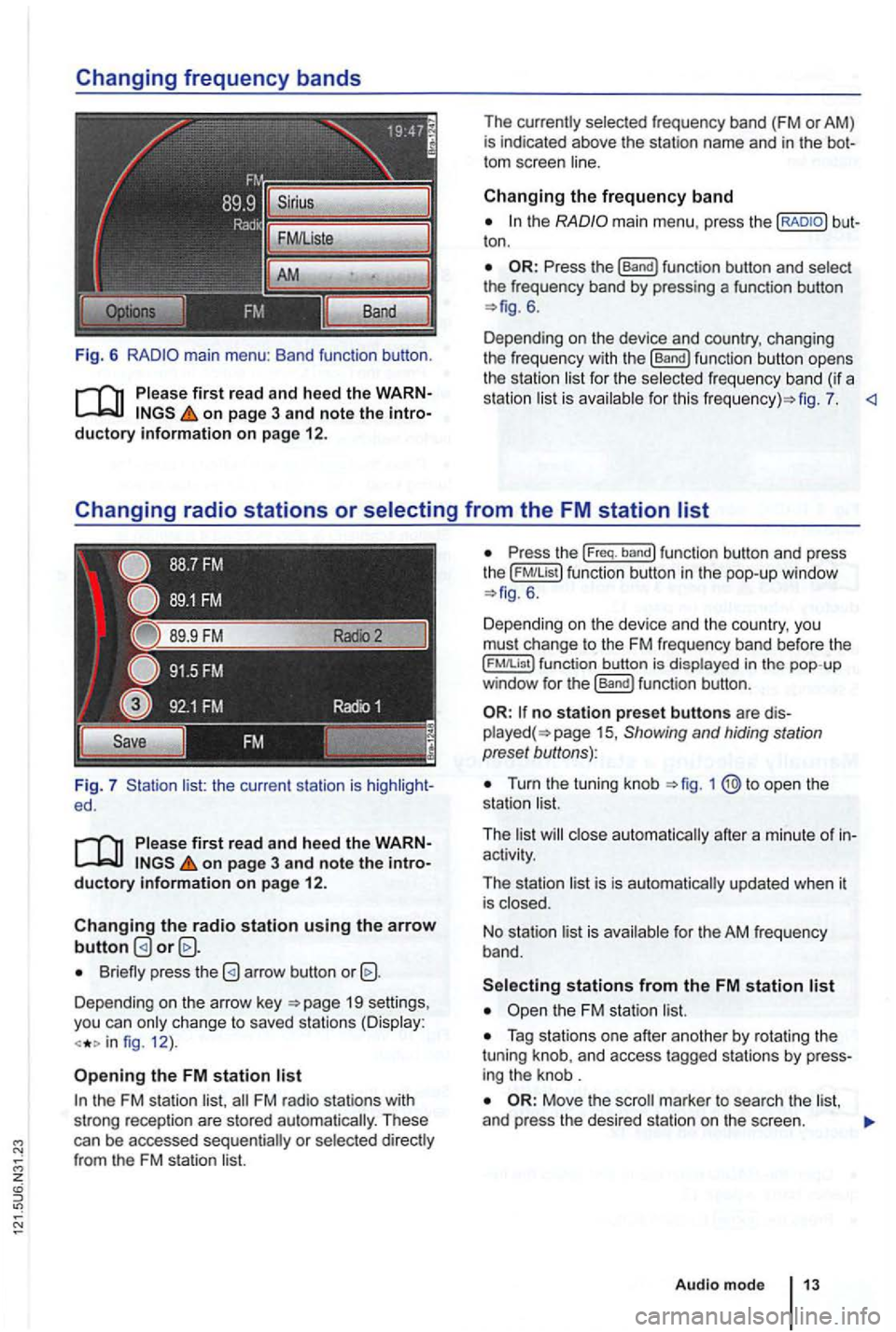
Fig. 6
Please first re ad and heed the WARNon p age 3 and note the introductory information o n p age 12.
Fig. 7 list: the current station is ed.
Please first read and hee d the WARNon pag e 3 and note the introductory information o n p ag e 12.
Changing the radio station u sing the arrow button
Briefly press the
Depending on the arrow key 19 settings,
you can only c hange to saved stations (Display:
fig. 12 ).
Opening the FM station list
the FM station list,
ton .
6.
Depending on the device and country, changing
the freque ncy with the
[Band) function button opens
the station li st for the selected fr eque ncy band (if a
station list is ava ilab le for th is fig . 7.
the ( FM!List ) function button in the pop- up window 6 .
Depending on th e device and the country, you
must change to the FM frequency band before the
function button is displayed in the pop-up
window for the (Band) funct ion button .
no station preset butto ns are 15 , Showing and hiding station
preset buttons):
Turn the tuning knob
activity.
The station list is is automatically updated when it
is closed.
No stat ion list is available for the AM frequen
cy band.
Tag stations one after another by rotating the
tuning knob, and access tagged stations by
Move the
Audio m ode
Page 31 of 516
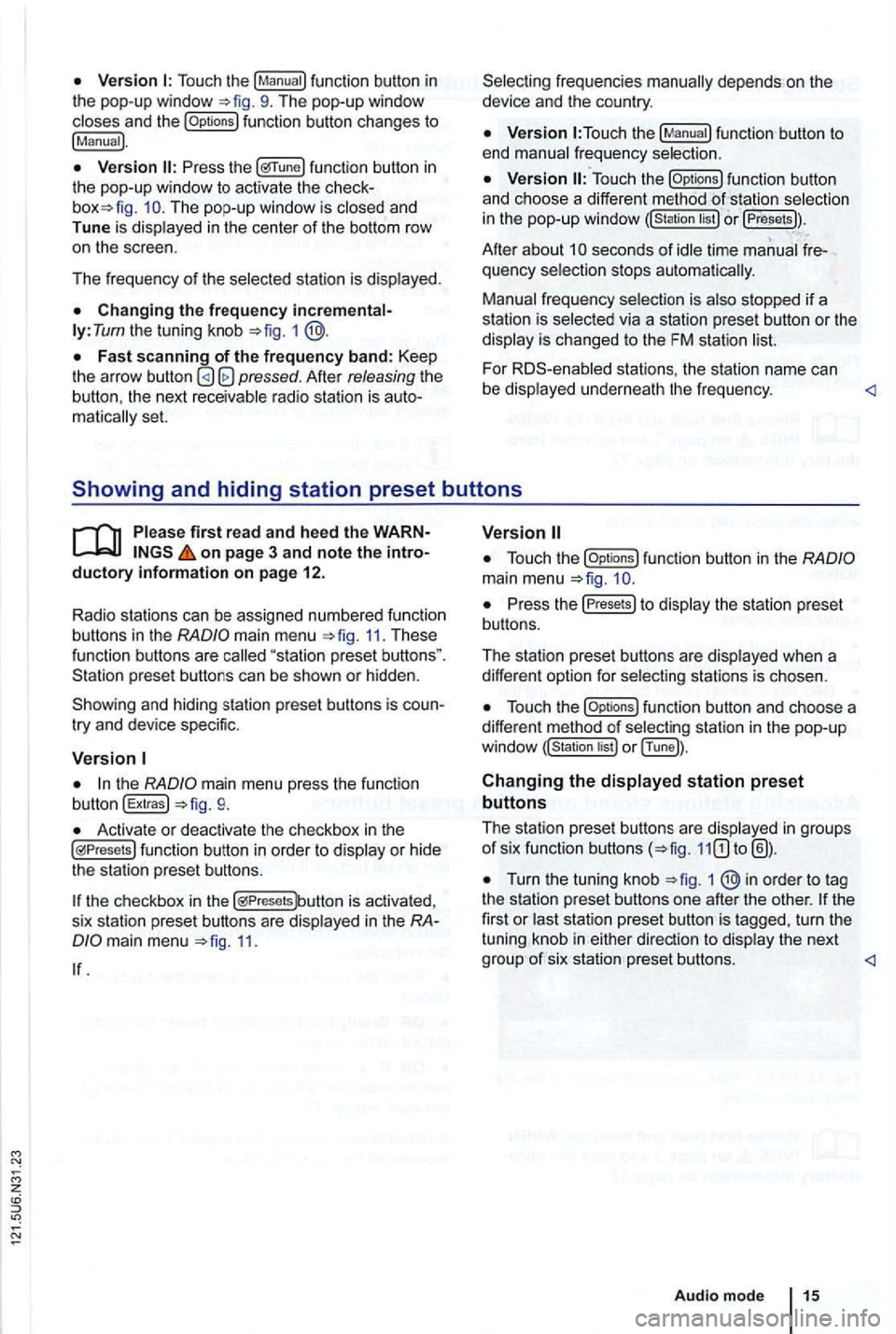
Touch the
function button changes to
!Manual).
func tion button in the pop-up window to activ ate the The pop-up window is closed and
Tune is dis played in the center of the bottom row
o n the scree n.
Th e frequency of th e selected stati
on is displayed.
ly: Tum the tuning knob =>fig. 1
Afte r releasing the the next receivable radio station is matica lly set.
function button to
end manual frequency selection.
function button
and ch oose a differe nt method selectio n
in the pop-up windo w or !Presets)).
Afte r about seconds of idle time manual quency selection stops automa tica lly.
Manual frequency selection is also stopped if a
s tation is selec ted via a station preset button or the
display is changed to the FM station
For stations , the statio n name can
be displaye d un derne ath the fr e qu ency.
main menu 11. These function buttons are
try and device specific.
the mai n menu press the function
button !Extras!
Activate or deactivate the checkbox in th e functio n button in order to display or hid e
the station preset butto ns.
the checkbox in the is activa ted ,
s ix sta tion prese t buttons are disp layed in the
11.
function button in the
Press the Presets to display th e s tation pre se t
bu ttons.
The station preset buttons are disp layed when a
diffe ren t option for select
ing stations is chosen.
funct ion button and choose a
different method of selec ting station in the pop -u p
or !Tune]).
Changing the displayed station preset
buttons
The station pres et button s are disp layed in groups of six function buttons
Turn the tuning knob 1 ®in order to tag
the statio n preset butto ns one afte r the othe r. turn the
tuning knob in either
Page 32 of 516
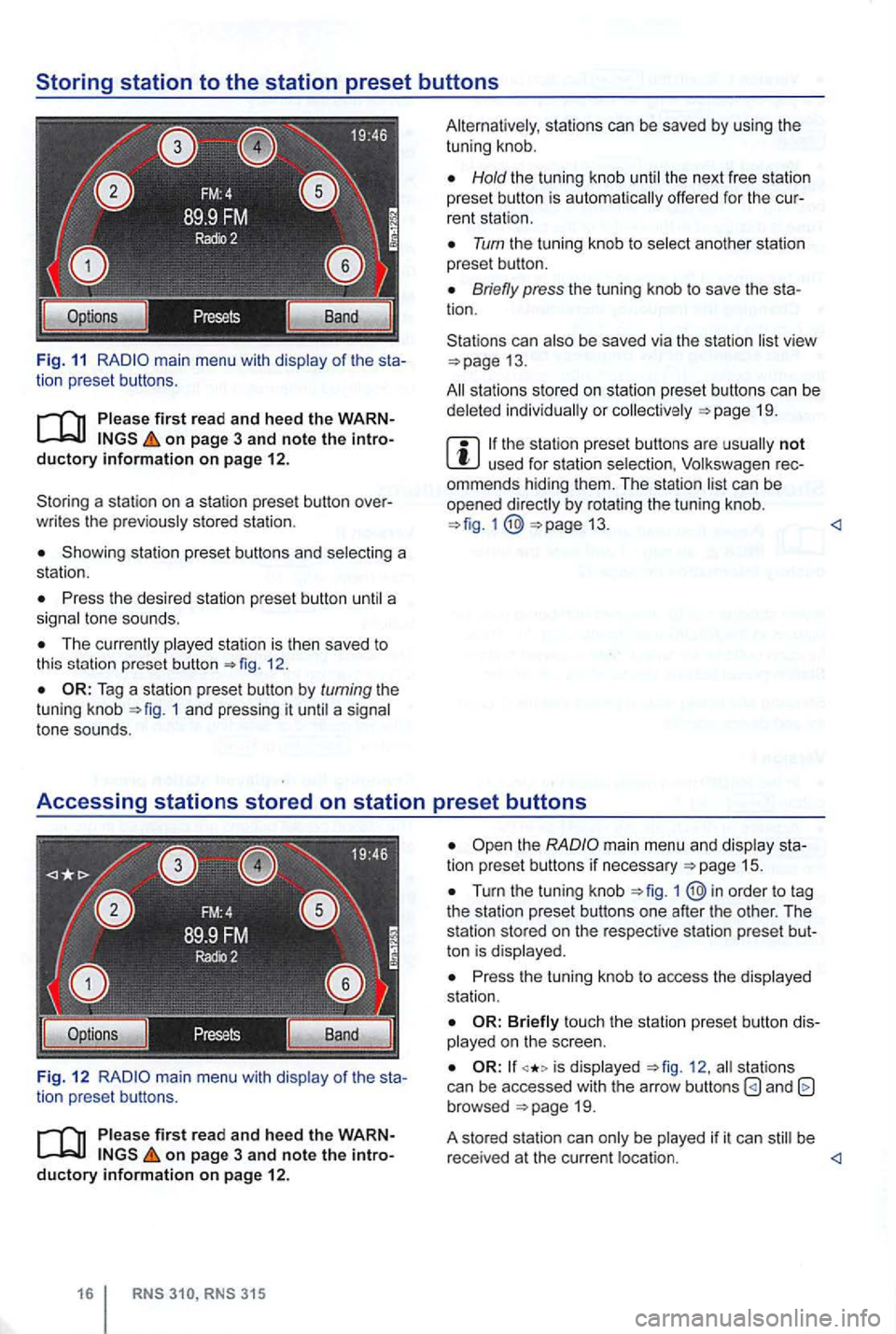
Fig. 11 main menu with of the sta
tion preset button s.
on page 3 and note the introductory information on pag e 12.
Storin g a sta ti o n on a station preset button over
w rit es the
stored statio n .
Showing station preset buttons and
Press the desi red stat ion pres et button
Th e 12.
1 and pressing it a tone sounds.
Fig. 12
of the sta
tion prese t buttons.
firs t r ead a nd heed the WARN on page 3 and note the introductory information on page 12 .
Hold the tun ing knob the next free statio n
preset button is offe red for the cur
rent stati on .
Turn the tu ning kn ob to
Briefly press the tuning knob to save the sta
tion.
Stations can
view 13.
sta tions stored on station preset butto ns can be or 19.
not used for station rec
ommends hiding them. T he station by rotating the tun ing knob. 13.
Turn the tuning knob 1
Press the tuning knob to access the station .
touch the station preset b utton diso n the scree n.
is 12 . stat ion s
can be accessed with the arrow buttons and browsed
be be
r ece ived at the cu rrent
Page 34 of 516
The method for stor ing and accessing preset stations is the same as in Radi o mode 12.
Changing
on page 3 and note the introductory information on page 12.
Changing stations using the arrow buttons
Press one of the arrow buttons on the device 1 switch to the next station in the se
lected category .
is displayed , only the stations saved on the
station preset buttons are browsed through
16.
Configuring station selection options
Press the options 14.
Activate the Presets
1
Chan nel List
315
The radio stations are respo nsible for
Fig. 15 Sta tion list of
stations from the station list
19.
Browse the list and tag the desired station by turning the tuning knob. Then press the tuning
knob to access the station.
Press 1 ® button to close the sta
tion list.
T he list
close automat ically after a pe riod of in
activity .
The method for starting and ending 12 .
Page 35 of 516
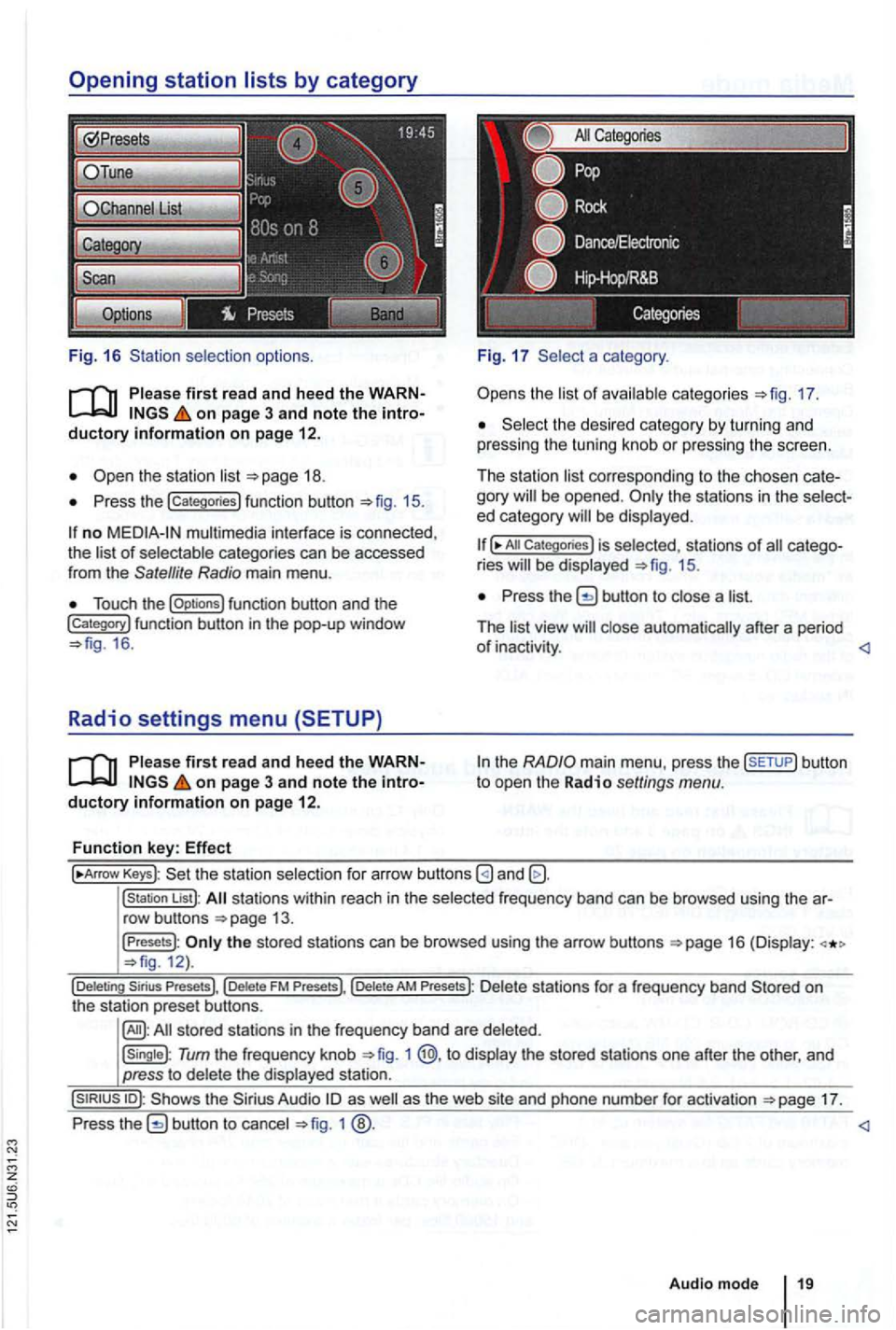
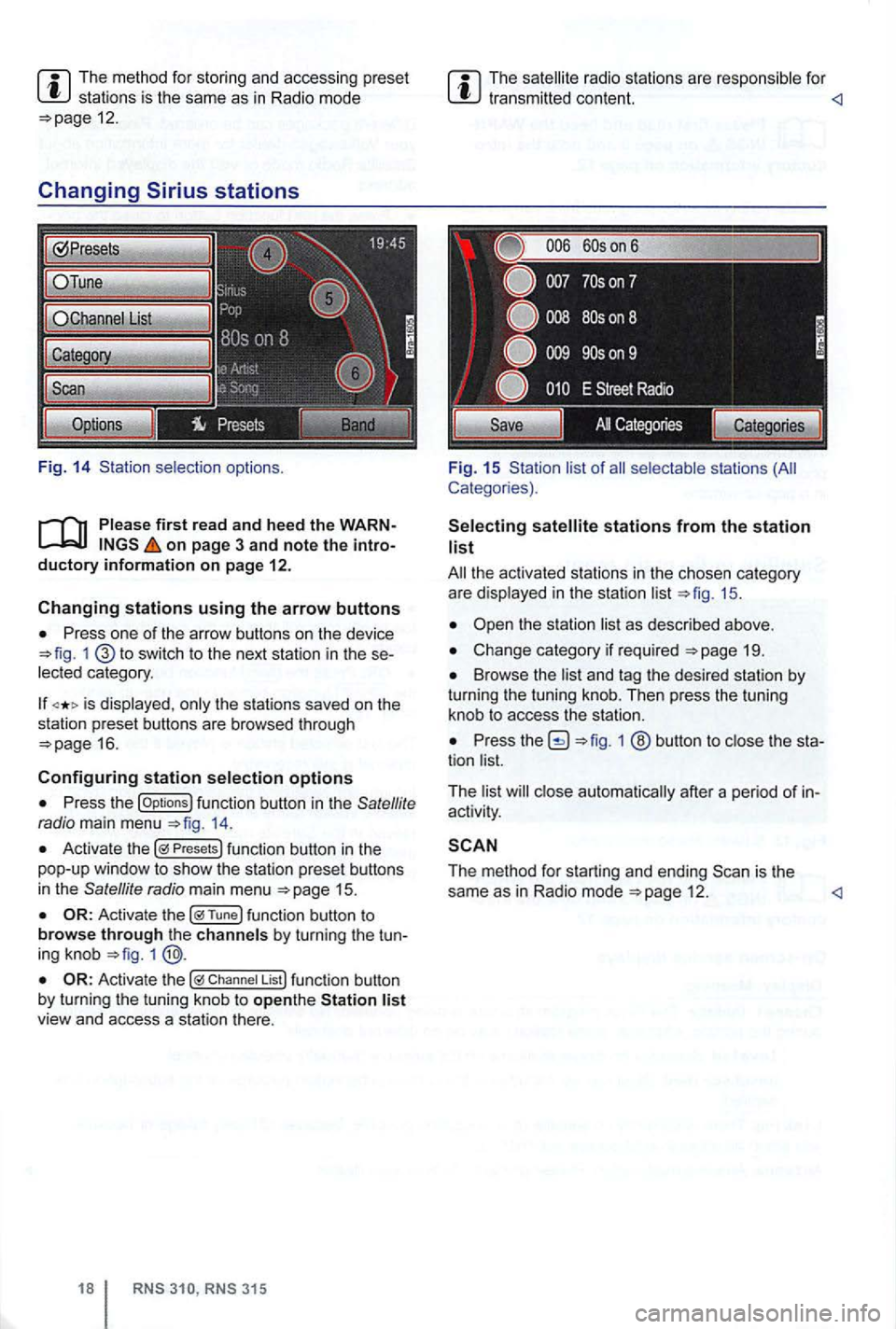
Fig. 16 selection options.
on page 3 and note the
Press the !categories) function button 15.
no multimedia interface is connected,
the of categories can be accessed
from the Satellite Radio main menu .
Touch the !Options) function button and the !Category) function button in th e pop-up window 16 .
Radio settings menu (SETUP)
on page 3 and note the
a category .
the 17.
the desi red category by turn in g and
pressing the tuning knob or pressing the screen.
The station
corre sponding to the chosen be opened . ed category
All Categories) is selected, stat ions of ries 15.
Press the button to a
The
the
Keys): the statio n selectio n for arrow buttons
!station List): stations within reach in the frequ ency band can be browsed using the
the stored stations can be browsed using the arrow buttons 12).
Tum the frequency knob 1 @,to the stored stations one after the other, and
press to
17.
Press
1
Audio mode
Page 41 of 516
first read and heed the on page 3 and note the ductory information on page
through an ed via (for a phone)
can be through the speakers. via the radio-navigation system is
audio source must support the
A2DP or AVRCP
in equipped with a factory -installed phone age that supports this function . To
responding owner's Cell
Phone Package.
Pairing and connec ting is done via the radio
audio
the directions in the owner 's
Redu ce
To change to
Bl uetooth function
button 26.
Aud io mode is indicated on the screen
by Bl uetooth Audio 25 .
The
o f t he be adjusted to match the of the other audio sources
activating audio
some devices ,
After the audio
transmission , a pop-up window opens.
Request fo r confir mation of aud io
BT-Audio Audio mode must be
swi tched to
Audio transmission, as
audio source is
started or s topped automatically by switc hing to
addition , track dio navigation system 's arrow keys 1
25.
the connection is broken . the radio
navigation system switches to
media source.
th e that dio ed .
Radio mode, press the sETUP) button .
Press the
Press the
Tag the device connected and press
the connect) funct ion butt on.
Read and manufacturer of the
Because of the number of audio sources , it canno t be teed that
audio source, warning and service tones, suc h as touch
tones on a
Do not connect radio nav igation system at the same time for
music
interface , as this to on the
ing the use of can be obtained from the