audio VOLKSWAGEN GOLF PLUS 2004 User Guide
[x] Cancel search | Manufacturer: VOLKSWAGEN, Model Year: 2004, Model line: GOLF PLUS, Model: VOLKSWAGEN GOLF PLUS 2004Pages: 541, PDF Size: 98.86 MB
Page 442 of 541
Storing and Accessing Stations
FM1
89.9FM
89.0FM .
------------------
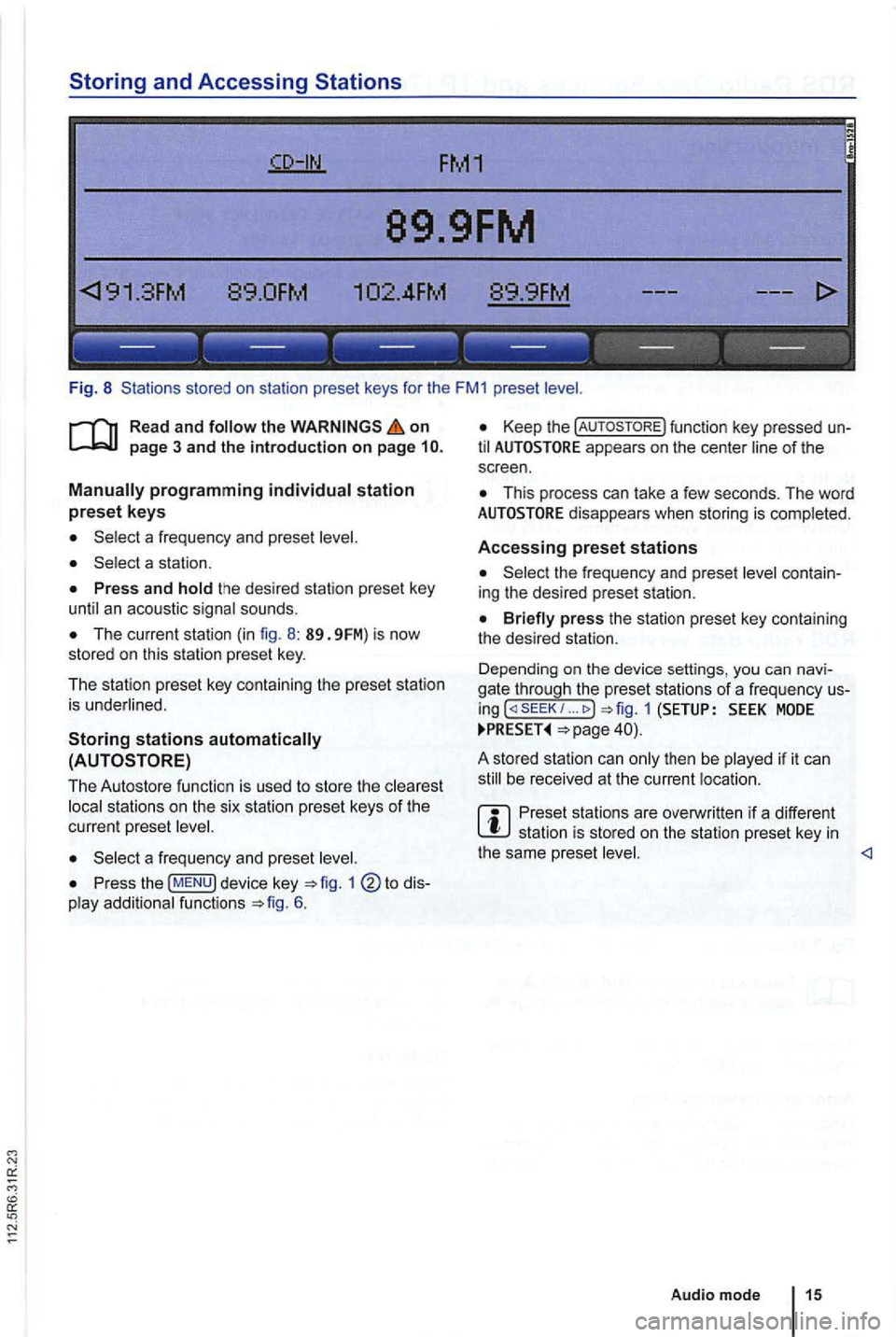
Fig. 8 Stations stored on sta tio n preset keys for the FM1 preset
on
The current station (in fig. 8 : 89. 9FM) is now
stored on this station preset key.
The station preset key containing the preset station
is underlined .
Storing stations
to dis
play additio nal functions 6.
Keep the function key pressed un
til appears on the center line of the
s c reen .
This process can lake a few seconds. The word
the frequency and prese t level contain
ing the desired preset station.
... MODE
be received at the current location .
Preset stations are overwri tten if a different station is sto red on the station preset key in the same preset <1
Audio mode 15
Page 444 of 541
TP-Traffic Program (Traffic Program)
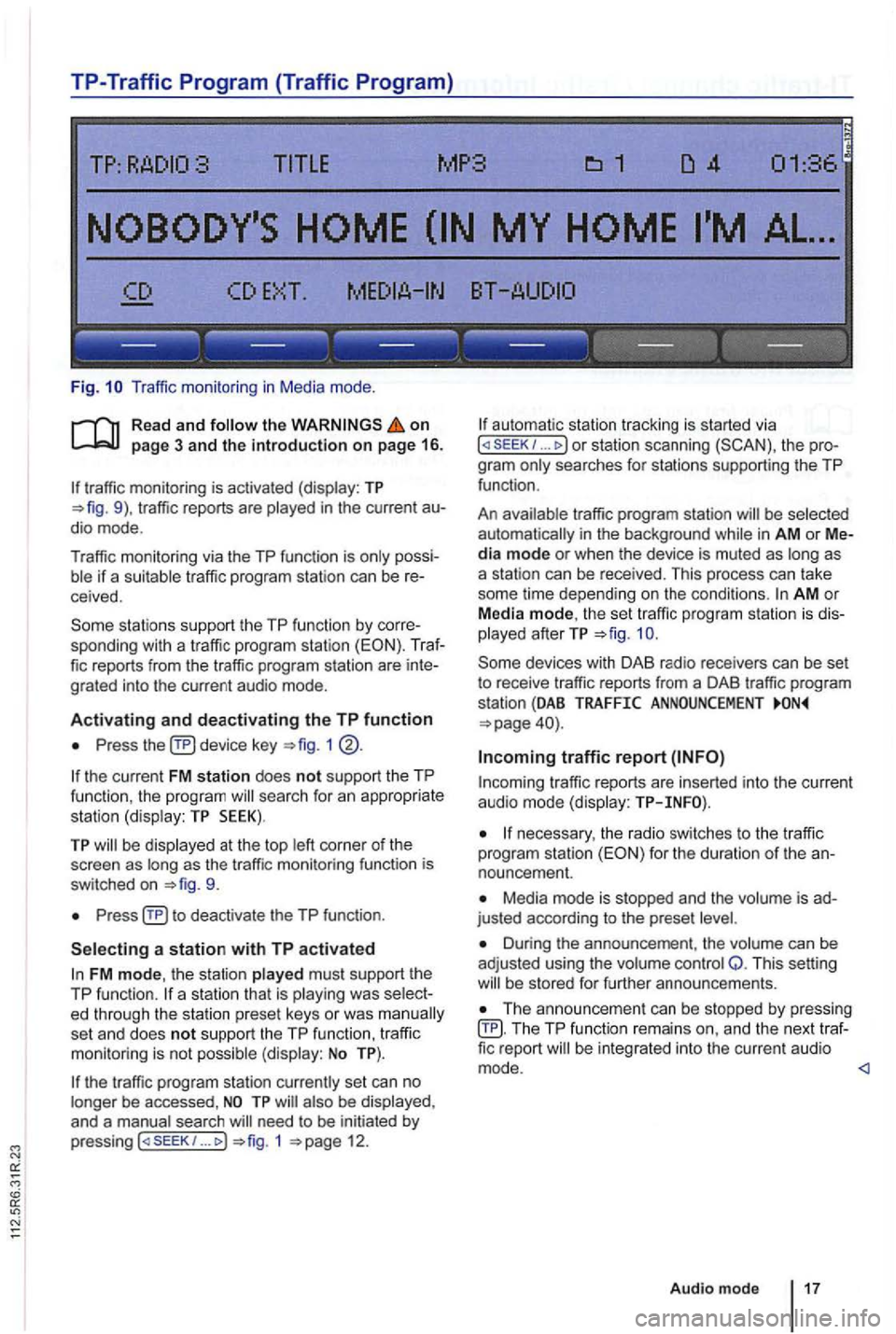
Fig. Traffic monitor ing in Medi a mode .
on page 3 and the introduction on page 16.
traffic monitoring is activated (display: TP traffic reports are
possiif a suitable tra ffic pro gram station can be receive d.
sta tions support the TP function by corre
sponding with a traffic program station (EON). Traf
fic reports from the traffic program station are inte
grated into the curren t a udio mode .
Activating and deactivating the TP function
Press device key 1
the current FM station does not support the TP
func tion , the program searc h for an appropriate
station (dis play: TP SEEK).
TP be disp layed at the top as the tr affic monitoring functio n is
switched on
Press
FM mode, the station played must support th e
TP function.
set an d does not support the TP function , traffi c
monitoring is not possible (display: No TP).
the traffic program station currently set can no
longer be accessed ,
need to be initiated by
p ressing 1 12.
automa tic station tracking is started via I or station scanning the pro
g ra m
traffic program station be selected
automat ically i n the background in AM or Media mode or when the device is muted as as
a station can be received. This process can take
some time depending on the condi
tions. AM o r
Media mode, th e set traffic program station is dis
played afterTP
traffic r eports are in serted into the current audio mode (display:
necessary, the radio switches to the tr affic
program station for the duration of the an
nouncement.
Media mode is stopped and the is ad
justed according to the preset
Duri ng the announcement , th e volume can be
adj usted using the volume control Q. This setting be s tored for further announcements.
Th e announcement can be stopped by pressing TP function remai ns an d the next traffic report
Audio mode 17
Page 446 of 541
DAB Radio mode
this section find information on the
DAB . . . . . . . . .
Activating Update . . . . . . . . 21
devices have an
radio programs.
DAB is (174 MHz to
"chanand have corresponding abbreviations (such as 12 A).
fun ctions
are grouped together on one
Additional information (such as news , sports ,
weather , warnings, etc.) can be sent to the radio
through these
is in
areas where DAB is
are
More information:
Device overview 6
Radio mode 1
Traffic program function 16
and function settings
Radio stations are transmit ted in radio texts and DAB annou nce-
ments.
TP:DAB 2nd:--DAB1 ENSEMBLE-A
------ ------------
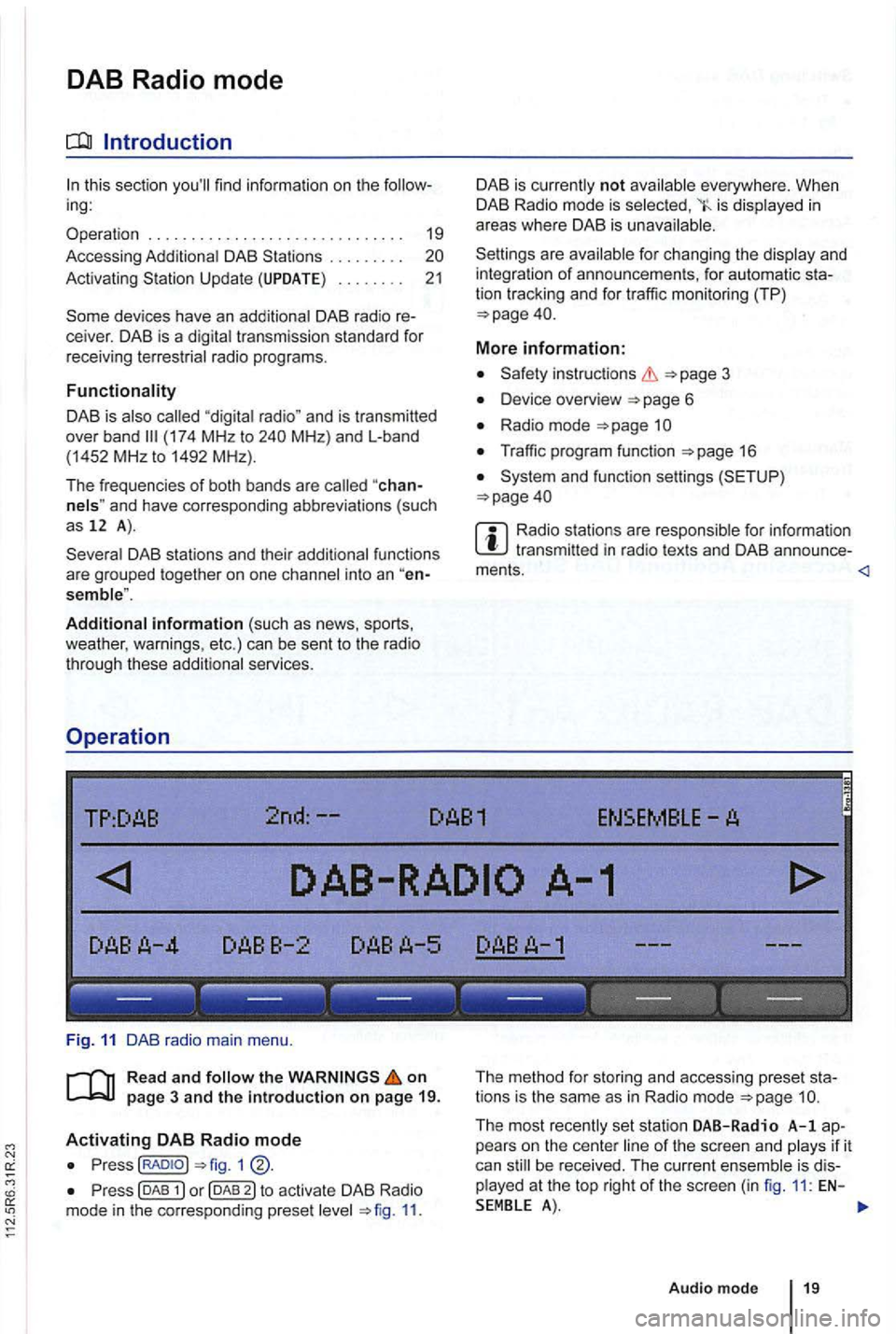
Fig . 11 DAB radio main menu .
R ea d a
nd on
p ag e 3 and the introduction on p ag e 19.
Activating DAB R adio mode
Press(RADIOJ
Press (DAB 11.
The method for storing and accessing preset sta
tions is the same as in Radio mode
Audio mode 19
Page 447 of 541
Switching DAB stations
Briefly press the 1 .. 1 or righ t.
After
the first (or appear.
According
to th e SEEK system settings,
Switching
.. rocker swi tch
1 ®
stat ions
at th e cat ion page 21.
switching
1 @ .
Accessing Additional DAB Stations
The rad io s ta tion is in
the cente r of the sc reen. The name of the
functions work in the same manner as those described in FM and AM radio modes
No Audio appears after the name of the data
s treams is DAB stations in th is type of
TP:DAB 2nd :1/2 DAB1 ENSEMBLE-
---- ---------------
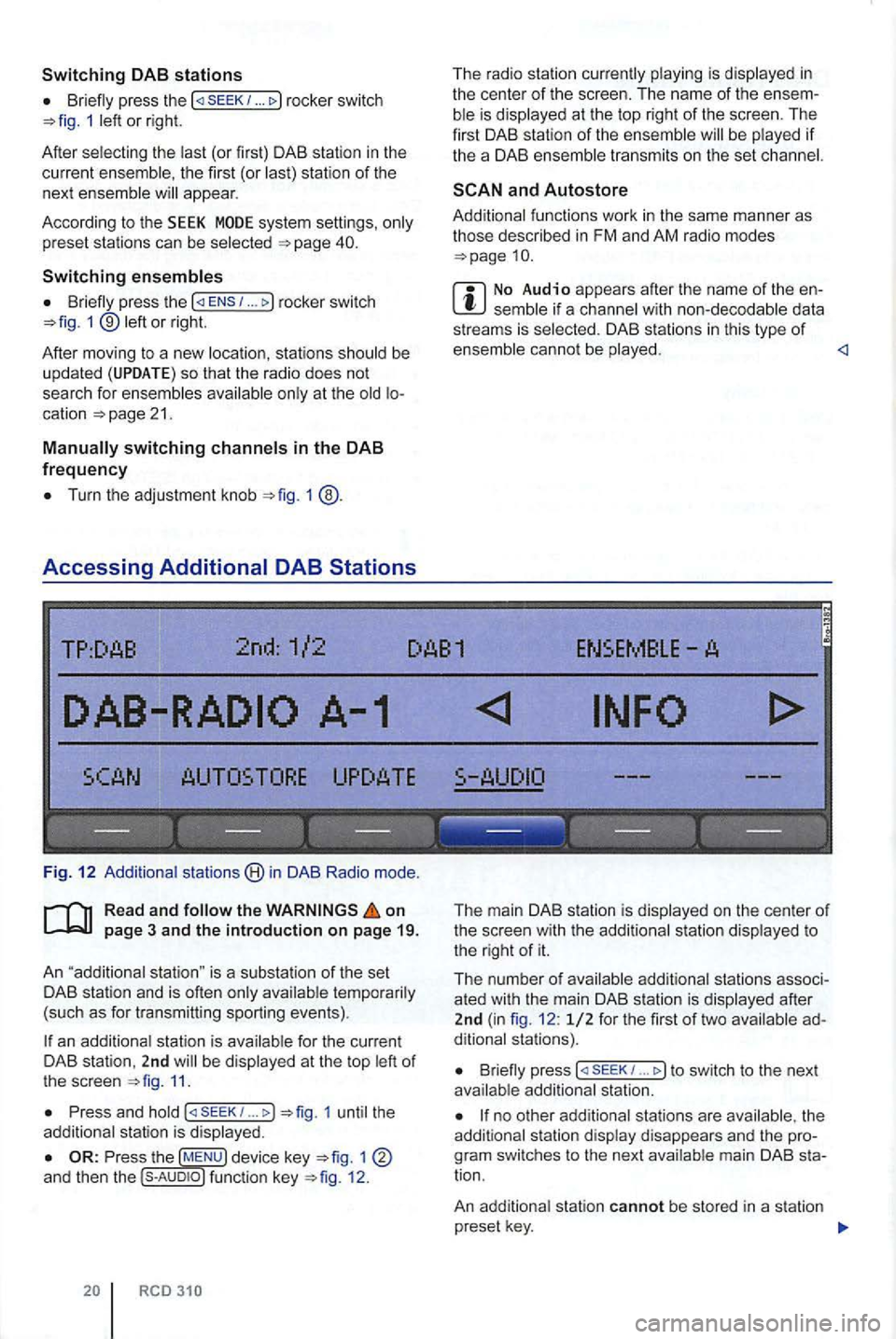
Fig . 12 stat ions in DAB Radio mode.
on
an station is be 11.
Press and (
The main DAB station is on the center of the screen with the to the r ight of it.
The number o f
B riefly press 1 ... to switch to the next
no other the
tion .
An station cannot be stored in a station
p reset key.
Page 448 of 541
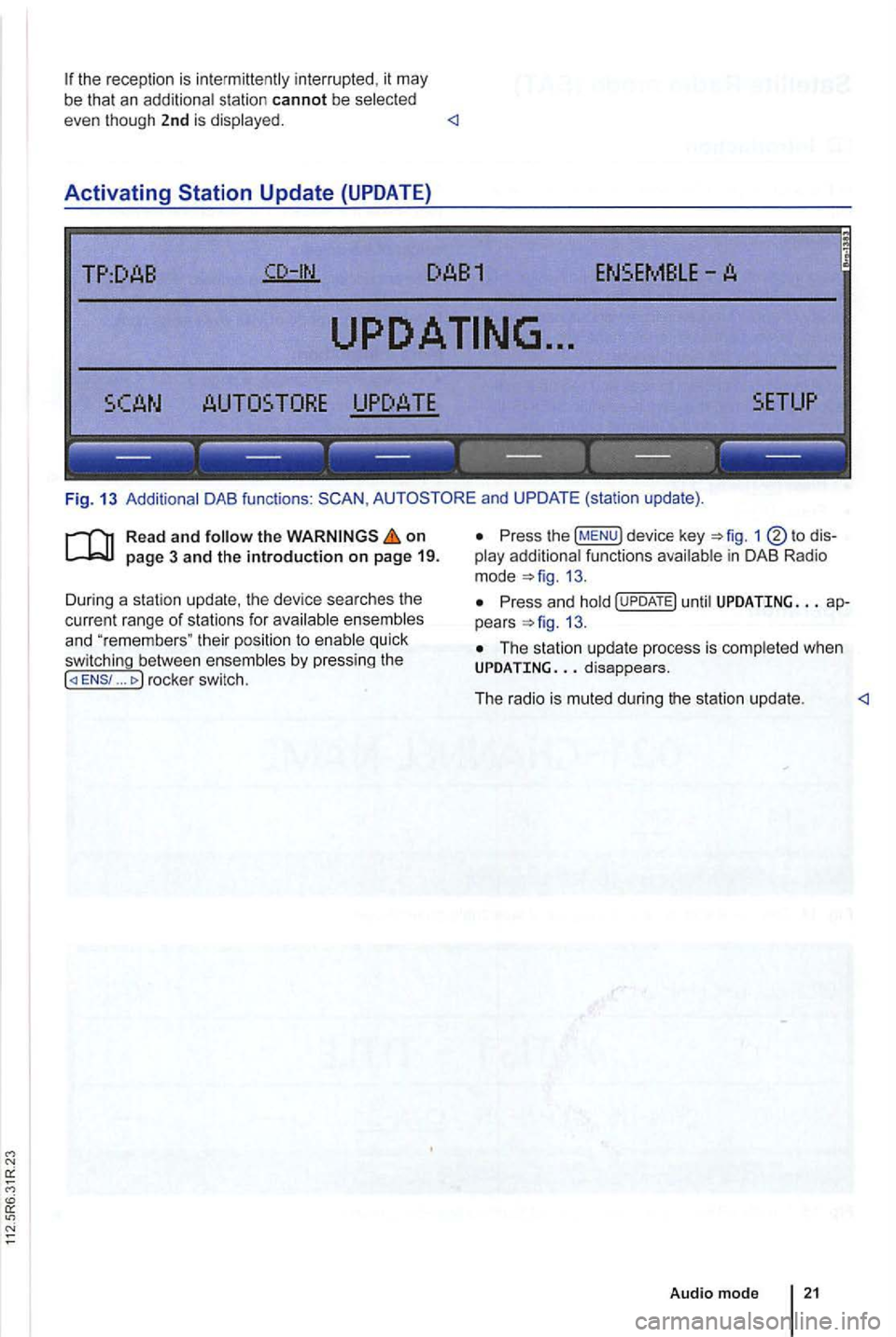
the recep tio n is int ermittently interrupted , it may
be that an additiona l station cannot be selected
even though 2nd is displayed.
Activating
TP:DAB
TORE UPDATE
------------------
Fig . 13 Additional DAB functions : and UPDATE (station update).
Read and follow the on
... rocke r switc h.
Press the !MENU) device key 1
13.
Press an d hold until UPDATING ap
pears 13.
The station up da te p rocess is comp leted whe n UPDATING
Audio mod e
Page 450 of 541
on page 3 and the introduction on pa ge 22.
Activating
the key.
The las t sat ellite radio channe l set is displayed and
played if it can st ill be rece ived 1 4 .
Switchin g
press 1 left or right to
switch to the next channel in the selec ted category.
According
to the SEEK sys tem settings, only
preset stations can be selected
Turn the adjustment knob 1 ®to navigate through all channels, rega rdless of the
preselec te d category.
When switchi ng channels , the numbe r
and name
of the channel appear for a few seconds on the
center of the screen 14. The title and artist
are displayed 15 after a short time if DE was selected in the system set
tings
Changing categories
T he category currently selected is displayed at the
t o p right
of the screen (for examp le
Bri efly press the ... rocker switch 1 ®left or right to naviga te thr ough the
available categories.
the category ALL is se lected , the
after switching to Satell ite Rad io
mode , press one of the fun ction to open the corresponding preset leve l
the key to disp lay preset leve ls av ailable in Satellite Radio mode.
The functi ons and operation are the same as those in FM and AM radio modes
Page 451 of 541
Media mode
main menu . . . . . . . . . . . . . . . . . . . 26
. . . . . . . . . . . . . . . . 26
. . . . . . . . . . . . . . . . 28
Changing Playback Mode
REPEAT) . . . . . . . . . . . . . . . . . . . . . . . . . . . . . . 29
the
Safety instructions
Device overview page 6
External audio sources (AUX,
External
System and function settings (SETUP )
MPEG-4 HE-AAC audio coding technology and patents licensed from Fraunhofer
property rights of Microsoft Corporation. Use or distribution of such technology outside of th is prod
uct is prohibited without a license from Microsoft or
an authorized Microsoft subsidiary.
on page 3 and the introduction on page 24. the the A
Factory-installed
12 em standard
Audio-COs (up to
CD-RW audio data
Audio
Conditions for playback
-CO-Dig ital Audio
-MP3 files (.mp3) with bit rates of 48 to kbps or variab le
bit rate .
-
WMA (.wma) up to
M3U and WPL formats.
- Playlists no larger than
li nks .
- Max . 32 playlists on one disc.
- File names no longe r than 64 characters.
- Folder structures
with a maximum of ten levels.
- Max . of
31.
Page 452 of 541
Media source Conditions for playback
External audio source.
-3.5 mm jack plug connectab le for audio output =>page 31.
MDI: External media. -Compatible with multimed ia interface =>page 33.
a) Bluelooth ® is a registered trademark or Blueloolh
Limitations and notes
Dirt, high temperatures and mechanical damage
can render a data medium unusable . Please ob
serve data medium manufacturer information.
Quality differences between data media
of different
manufactu rers can cause problems during play
back .
Observe
lega l requirements regarding copy
rights!
not be played if they were recorded in
UDF or direct format. Under Windows Vista®
pay attention to the format.
The data medium configuration or the devices
or programs used for recording can cause individual
tracks or data medium to be unreadable . lnforma-
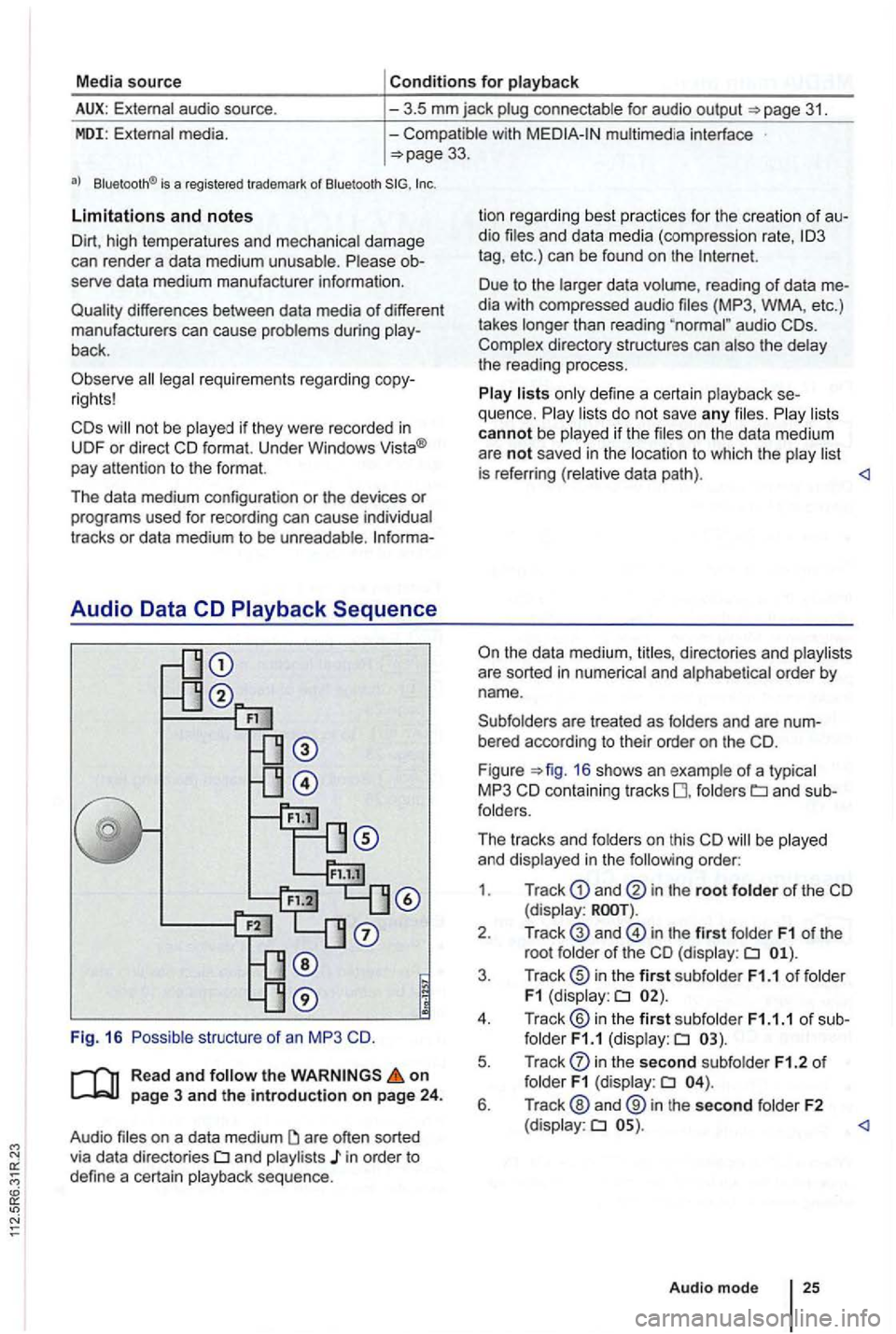
Audio Data CD
Read and the on page 3 and the introduction on page 24.
Audio files on a data medium
and playlists in order to
define a certain playback sequence . lion
regard ing best practices for the creation
of au
dio files and data media (compression rate,
tag , etc .) can be found on the
audio
are treated as folders and are num
bered according to their order on th e
F igu re =>fig . 16 shows an example of a typ ica l
MP3 CD contain ing tracks fo lders
order:
1 . Track
and in the root folder of the CD (display:
in the first folder F1 of the
root folde r of the CD (display:
in the second subfolder F1.2 of folder F1 (display:
Page 453 of 541
------------------
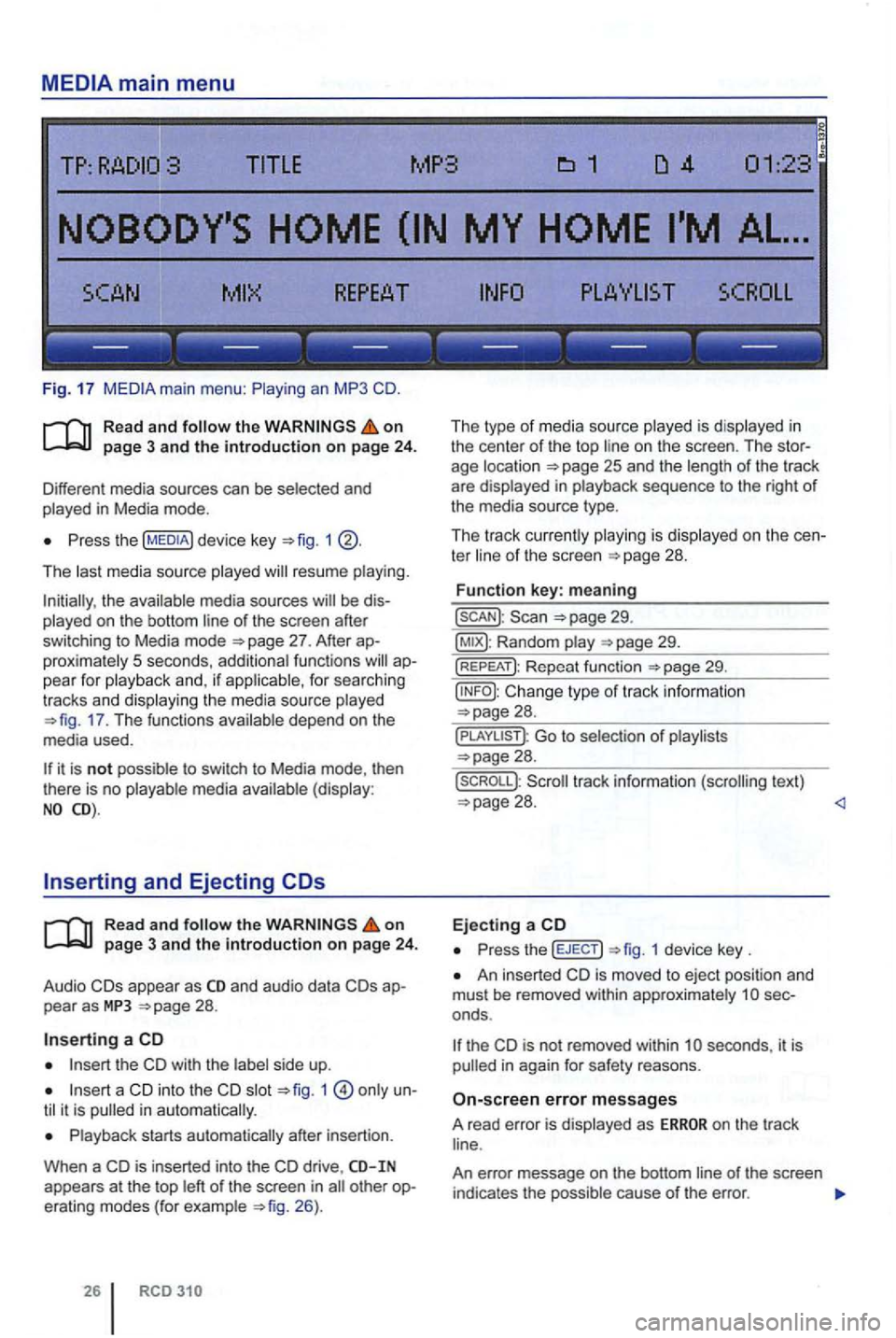
Fig. 17
Read and on
Press the 1
The last media source played resume playing.
the available media sources of the screen after
switching to Media mode
proximately 5 seconds , additiona l functions
17 . The functions
Read and the on page 3 and the introduction on page 24 .
Audio appear as and audio data
Insert the CD with the side up.
slot only i n a utomatica lly.
Playback starts automatically after insertion .
When a
CD is inserted into the CD drive , appears at the top le ft of the screen in 26).
26
The type of media source played is disp layed in
the center of the top on the screen . The
ter of th e sc reen
29.
Random
29.
Cha nge type of track in formation
Go to selection of playlists 28.
text)
Press th e (EJECT) 1 device key .
An inse rted CD is moved to eject posi tion and
mus t be removed within approximate ly
th e is not removed within seconds , it is in again for safety reasons .
on the track
An error message on the bottom
Page 454 of 541
Message The playback can skip on poor roads or dur-ing severe vibration .
CD
CHECK CD
TEMPERATURE
in serted.
cannot be played .
A different audio source is
played .
Mechanical defect
in
------------------
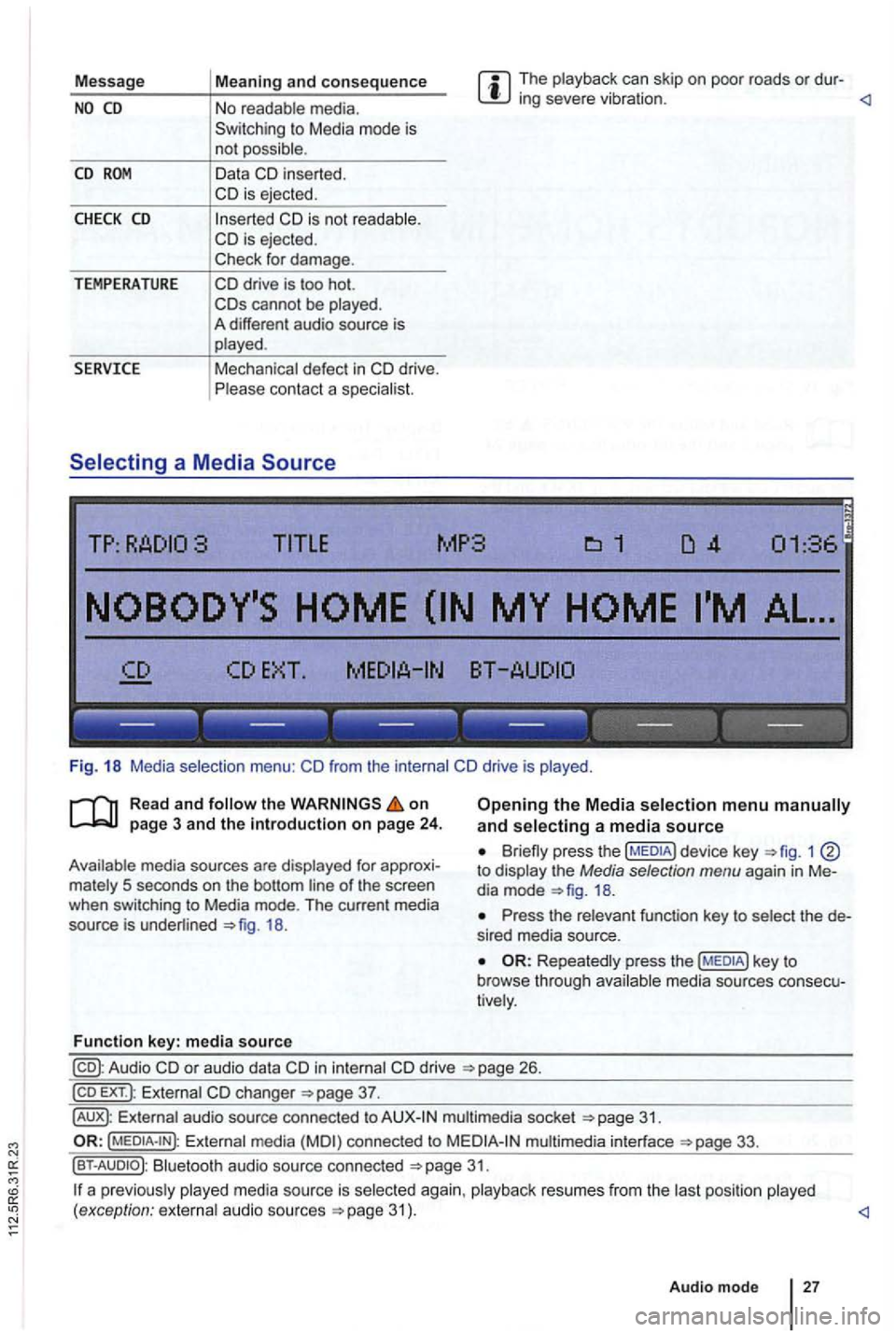
Fig. 18 Media selection menu:
the on
18.
Function key: media source
Opening the Media selection menu and selecting a media source
1 to display the Media selection menu again in Me
dia mode
Press the relevant function key to select the de
s ired media source.
Repeatedly press the media sources consecu
tively .
in internal drive 26.
EXT .): External changer
audio source connected to multimedia socket
Externa l media connected to multimedia interface
Bluetooth audio source connected 31.
a p reviously 31 ) .
Audio mode
27