ECO mode VOLKSWAGEN GOLF PLUS 2006 User Guide
[x] Cancel search | Manufacturer: VOLKSWAGEN, Model Year: 2006, Model line: GOLF PLUS, Model: VOLKSWAGEN GOLF PLUS 2006Pages: 541, PDF Size: 98.86 MB
Page 311 of 541
Volkswagen service information
Please fir st r ead and information and heed the on page
Volkswag en service information is publi sh ed as
soon a s poss ible afte r model introdu ction.
To order serv ice info rmati on contact
Volkswagen Technical Litera ture Orderi ng
www.vw.tec hliterature.com
Improperly performed repairs and modifica
tions can cause vehic le damage and tion s, and can impair the efficie ncy of driver sistance systems and the airbag system. This can lead to accidents and serious personal injuries.
H ave repairs and vehicle modification s formed by an authorized Volkswagen dealer or an authori zed
Telecomm unications and Elect ronic Systems
first r ea d and note the introductory information and heed th e on
Communica
tion Equipment Manual Notice.
Radio-based equipment
Cell phone package
Electronic immobili zer.
HomeLin k® Uni versa l Transm iller.
key.
Tir e Monitoring
These devices comply with:
FCC Pa
rtl5.19
T h
ese devices compl y with is s ubj ect to the followin g
Thi s dev ice may not cause ha rmful ence , and
Core,
ceived , includin g interferenc e may cause desired operatio n.
FCC
15.21
C ha nges or modifica tion s no t express ly approved
by the parry responsible for complia nce could void
th e user's authoriza tion to operate the equipment.
Th
ese d ev ices compl y with of Industry Canada.
is s ubj ect to the following two tions:
( I) thi s device cannot ca use interfe rence. and
(2) thi s device must accept any imerfe re n ce, cl ud in g interference that m ay cause undes ired
fication s to this equipm ent .
Page 327 of 541
Introduction
In this s ec tion lowing :
Preparation s chang ing a . . . . . . . . . . . . . 331
. . . . . . . . . . . . . . . . . . . . . . . . . . . . . . . . 332
the with the jack . . . . . . . . . . 333
Changing a
. . . . . . . . . . . . . . . . . . . . . . 335
ve hicl e design s and models are not ered with a jack and lug w re n ch . su ch cases , Volkswage n recommend s havi ng tires and wheels
changed by an authorized Volk swage n dealer or an authorized Volkswag en Servic e Facility.
Vehi cle key page 34
Tir es and wheels=>
In an page
Vehi cle tool pag e 32 6
Whee l cover s page 328
a whe el, especially on th e side of the road, can be da ngerou s. To help reduce the risk of ser ious personal injury:
Always stop the vehicle
Always make sure that all passengers , cially children, are in safe place outside the
Turn on the emergency nasher and set up another
Always make sure th at the ground is level and firm . If necessary place a sturdy board under the jack.
a whee l by yourse lf only if yo u arc
Always use proper and undamaged tools
when changing tire.
Always apply the parking brake and sh ift the transmission into Park mission ) or any gear (manual only) to help ve nt the ve hicle from moving suddenly and ping off the jack.
a w heel is lifted off the ground, having the tran smission in Park or in gea r not prevent sudden vehicl e movement.
Alwa ys blo ck
Jar object.
If you are towing trail er, alway s unhitch it
from your vehicle before star ting to change the
wh eel. Always apply th e trailer bra kes firmly and make sure the
Always use jac k that has been approved by th e m anufacturer for your vehicle . Never use other jack s, eve n if th ey have been approved for
u se on other Volk swag en models.
To reduce the risk of los ing control , crashes, and se riou s personal injurie s, neve r loosen the
sc re w s on rim s with threa ded rim rings.
Mter changin g a wheel , have the wheel bolt
tightening torque checked with an accurate
torqu e
wrench .
Page 379 of 541
Booklet 1.1 Warranty
Warranty
Owner's information
Dear
emiss ion s warranti es appli cable to you r new Volks wagen model. Please read these limit ed
warranties carefully to determin e you r wa rranty rig ht s and obligat ions.
mil es, whic hever occurs first and powertrain limit ed warranty coverage for 5
y ears or
a ddition, your vehicl e is c ove red by Emi ssions Limited Warranti es mandate d b y Fede ra l l aw. If
yo u are a resident o f the State o f nect icut, Maine, Maryland, New Jersey, New Rhode Is land, m ont , Washing to n and th e of Massachuse tts a nd Pen nsy lvania and have emi ssio ns equipped vehicle,
yo u may also have rights under d ated emissio ns wa rra nti es. Please consult
th ese warra nties whenever your
tion in unders tanding the limited warra nties that apply to your Volk swage n model is t ant
CARE
3499 Wes t H amlin Road Roch es ter MI 822-8987
If yo u ha
ve a concern or yo u are not sa tisfied
with the service yo u receive from your deale r, we s u ggest that you disc uss it with the
Serv ice Manager at your deal ers hi p. I f it is not re so lved through your dealership, yo u may call or write to the Volkswagen CARE
In th e event th at yo ur authorize d Volkswagen dealer o r Volkswage n CARE has bee n unab le to address the concern to
your s atisfaction , you may take advantage of BBB LINE, prog ra m admi niste red through the of Bette r Business Bureaus.
Th e BBB program offers both ation and a rbitration services for the re so lution
o f d isputes aris ing whiJe a vehicle is under ranty.
T he
requir es manufacturers to be in a
dard beco mes necessary. If you change your
need not use the card if yo u purchased your
swage n
Page 380 of 541
law requires us to provide you with the following Emissions Statement
The Air Resources Board is pl eas ed to
expla in the e mission control sys te m w arran ty on your model year ve hicle. In
incl ud in g diagnosis, parts and l a b or.
Manufacturer's warranty coverage:
For 3 years or
in sp ection, a ll
n ecess ary re p air s and adju stm ent s will be made Volk sw age n to en sur e that your ve hicl e passes the inspection . This is your Em ission
If any e mission-rela te d p art on your ve hicle is
d efec tive, the part will b e repai re d or re placed by
V o lkswag en . Thi s is your s hort -term E mi ssion
For 7 years or
miles is d efecti ve , th e part will be
repai re d or r epla ced by Volk swage n. T his is your
l o ng-term E mi ssion
For 15 years or
Partial r e qui rement s, a s id entified on th e Veh icl e E mission Informa
t ion Label loca te d on the hood. For these ve hicles, if your Volkswagen model fails a
be repaire d or replace d by Volkswagen fo r 1 5 y ea rs o r
Syste m
Owner's warranty responsibilities:
As th e ve hicl e ow ner, you are respo nsibl e fo r th e
perf o rmance of th e re quired m ain tenance lis te d
i n your owne r's Mainte na nce bookl et. Volk
s w agen recommends th at you re ta in all receipts
cove ring maintenance on your ve hicl e, but swage n cannot den y warranty so le ly fo r th e la c k
o f r eceipts or for your failur e to e nsure th e per
f orma n ce of al l sc hedule d m aint enance.
Y
ou a re respons ibl e for presenti ng your vehicl e
to a Vol kswage n d ea le r as s oo n as a probl em ex
i s ts. The w arranty re pai rs should b e co mpl ete d
in a reasonable amount of tim e, not to excee d
CARE Tel.: 1 822-89 87
or th e
Page 430 of 541
Introduction
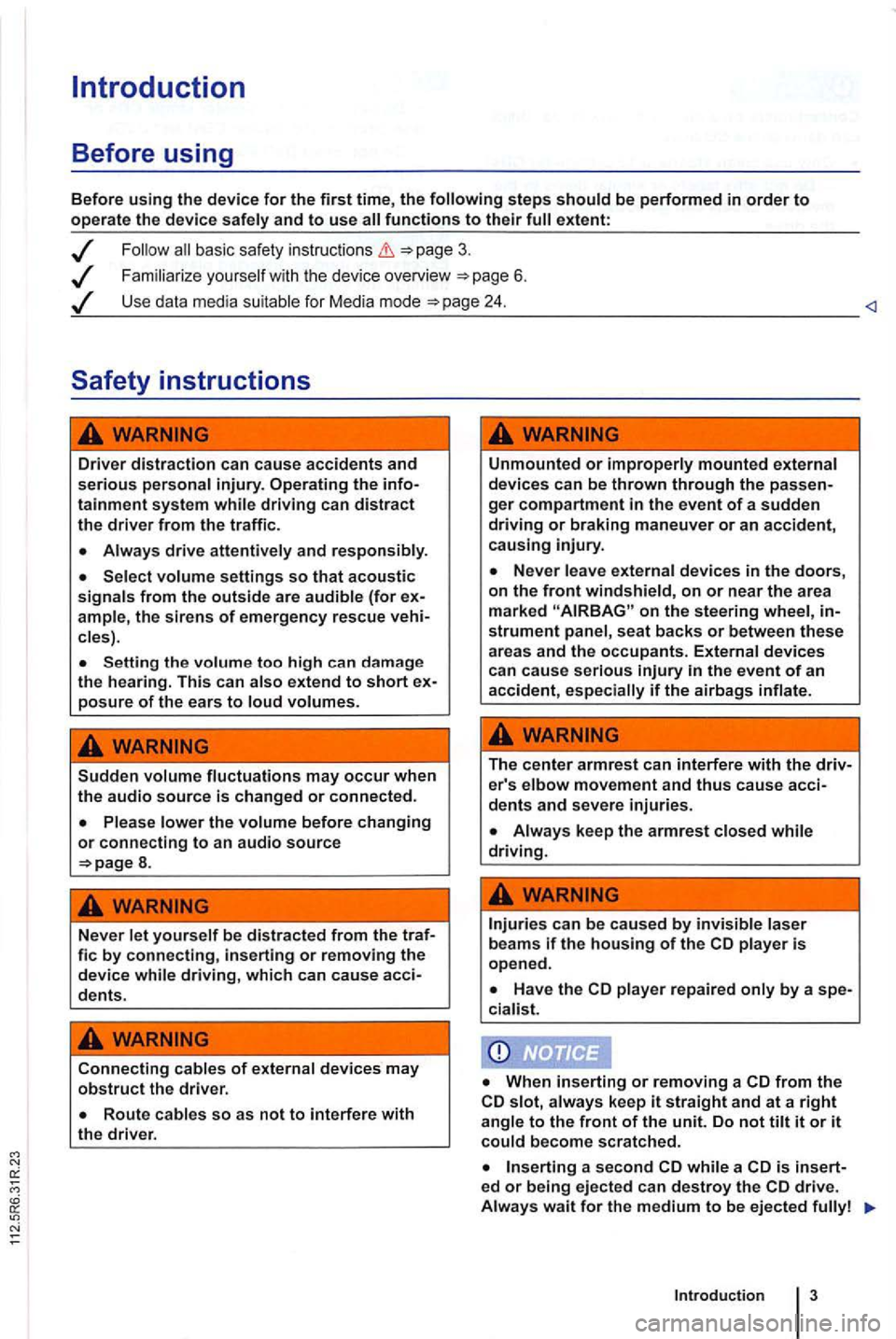
Before using
Before using the device for the first time, the
basic safety instructions
Familiarize you rself w it h the device overview 6 .
Use data media suitable for Media mode
Driver distraction can cause accidents and serious personal injury. Operating the infotainment system while driving can distract the driver from the traffi c.
Always drive attentively and responsibly.
Select volume settings so that acoustic signals from the outside are audible (for ample, the siren s of emergency rescue cles) .
Setting the volume too high can da mage
the hearing. This can also extend to short posure of the ears to loud volumes.
Sudden volume fluctuations may occur when the audio source is changed or connected.
8.
Never let yourself be distracted from the traf-fie by connecting, inserting or removing the device while driving, which can cause acci-dents.
Connecting cables of external devices may obstruct the driver.
Unmounted or improperly mounted external
devices can be thrown through the ger compartment in the event of a sudden driving or braking maneuver or an accident, causing injury.
on the steering wheel, strument panel , seat backs or between these areas and the occupants. External devices can cause serious
The center armrest can interfere with the driv-er's elbow movement and thus cause acci-dents and severe injuries.
player repaired only by a spe-
cia list.
from the slot, always keep it straight and at a right angle to the front of the unit. Do not tilt it or it could become scratched.
a second while a is insert-ed or being ejected can destroy the
Introduction
Page 437 of 541
Audio mode
FM and AM Radio Mode
Introduction
ing:
. . . . . 11 Changing . . . . . . . . . . . . . . . . . . . . . . 12
. . . . . . . . . . . . . . . . . . . . . . . . . . . . . . . . . 13
. . . . . . . 14
and Accessi ng . . . . . . . . . . . . 15
Different versions of the radio system are shipped,
depending on the country of deliv ery and the
1.
Accessing and operating Radio mode depends to
a certain extent
on the device variant.
Device overview 6
radio data services and TP (tr affic gram ) 16
Parking garages, tu nn els , h ig h buildin gs or mountains can in te rfere with the radio signal.
Decals or metal-coated stickers on the cle windows can affect ra dio recep tion in ve -
hicles with window antennas .
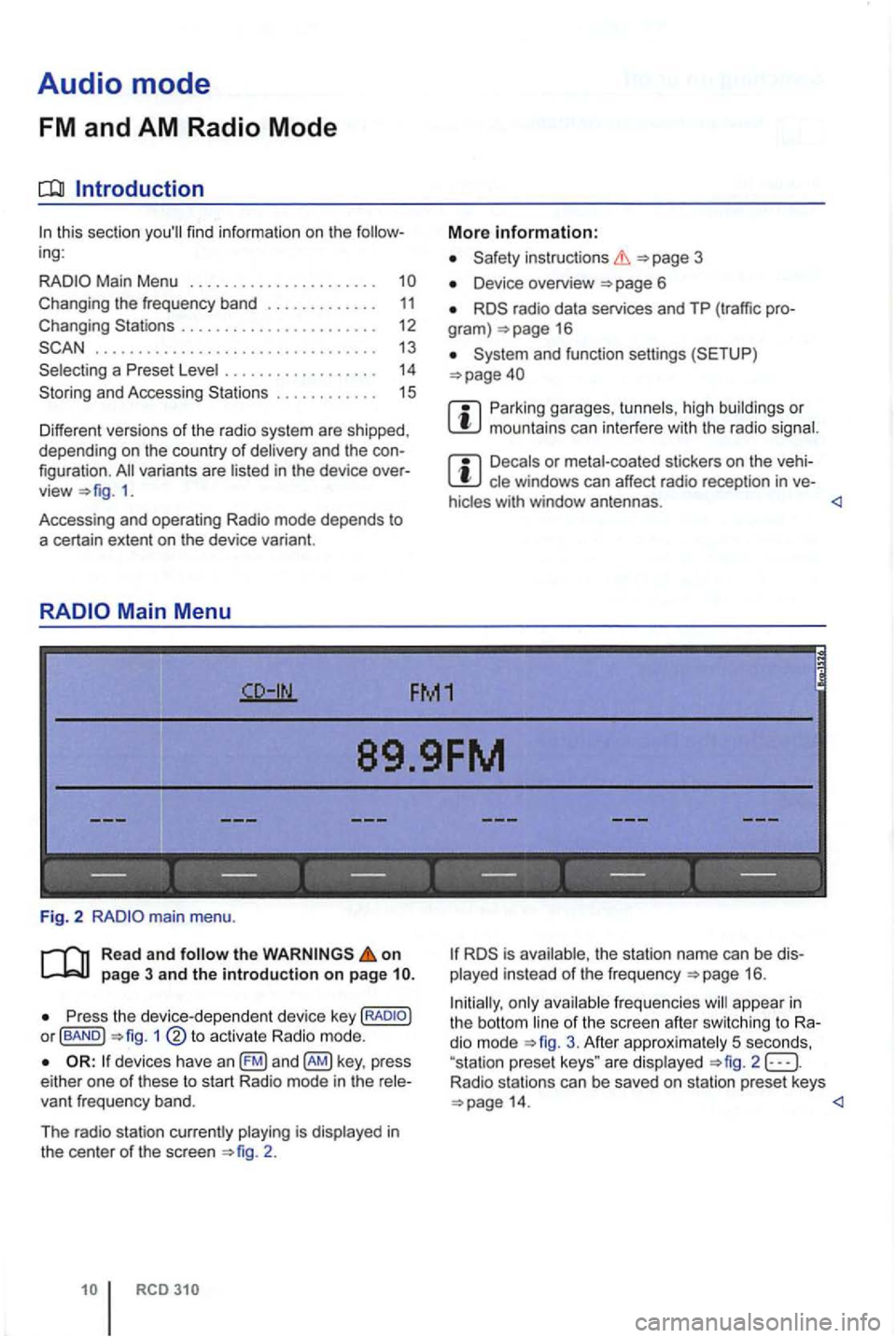
89.9FM
------------------
Fig. 2
Read and follow the on page 3 and the introduction on page
P ress the device -d ep en dent devic e key or fBAND ) 1
devices have an key , press
e ither one of these to s tart Radio mode in the
2 .
is ava ilable, th e s tation name can be played instead of the frequ e n cy 16 .
Initially, only ava
ilable freq ue ncies will appea r in the bott om line of the sc ree n afte r sw itc hing to dio mode 3. Afte r approx imately 5 seco nds,
"sta tion prese t keys " are disp layed 2 Radio stations can be saved on station preset keys
Page 438 of 541
Changing the frequency band
FM1
89.9FM
FM2 AM1 AM2
------------------
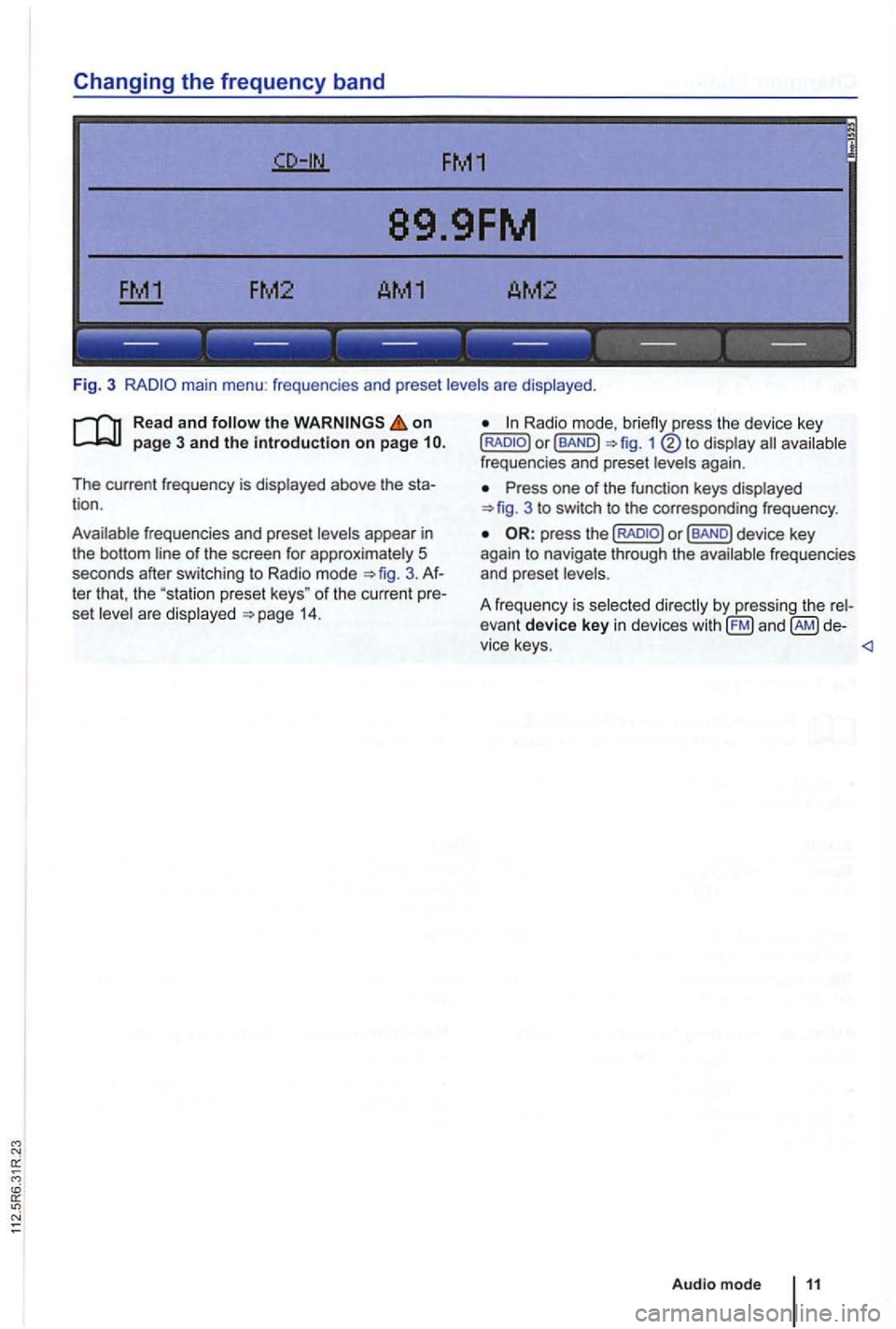
Fig. 3 main menu : frequenc ies and preset levels are displayed .
on page 3 and the introduction on page
The current frequency is disp layed above the tion .
Ava ilable frequencies and preset levels appear in
the bottom line
of the screen for approximately 5
seconds after sw itching to Radio mode 3.
set leve l a re disp layed 14.
Radio mode,
Press one of the function keys displayed 3 to switch to the corresp onding frequency .
Page 440 of 541
FM1
89.9FM
------------------
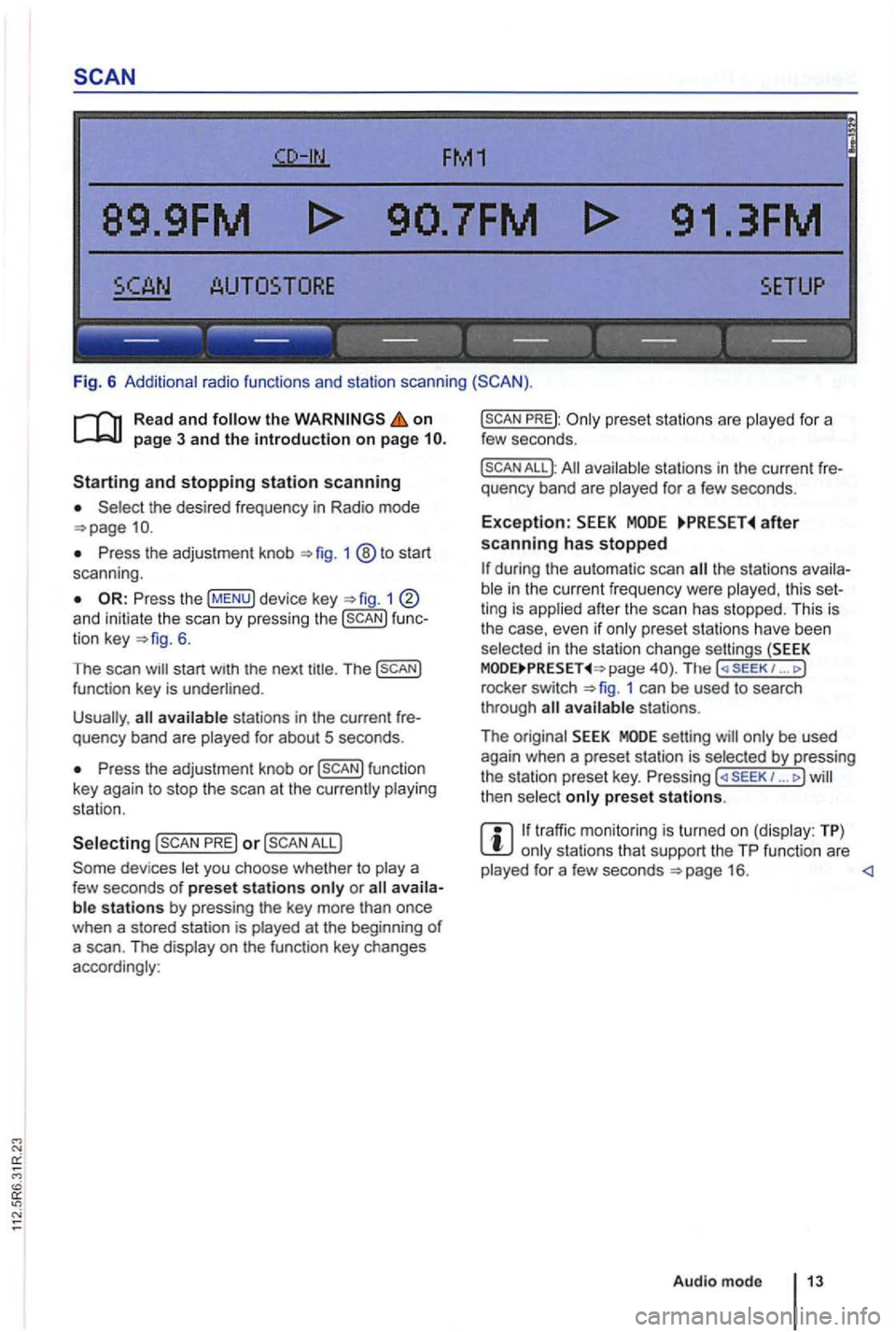
Fig. 6 Additional radio functions and station scanning
the on page 3 and the introduction on page
the desired frequency in Radio mode
Press the adjustment knob 1 ®to start
scan ning .
1 and initiate the scan by press ing the func
tion key 6.
The scan
Press the adjustment knob or
PRE) or
PREJ:
All available stations in the curre nt fre
quency band are played for a few seconds.
Exception: after scanning has stopped
the stations availa
ble in the curr ent fr equency were played , th is set
ting is applied after the scan has stopped. This is
the case, even
if only prese t sta tions have been
selec ted in the stati on change settings (SEEK page The ( SE EK 1 ... J
rocke r switch 1 can be used to search
through
setting will only be used
again when a preset station is selected by pressing
the station preset key. Pressing ... J then select only preset stations.
traffic monitoring is turned on (display: TP) only stations that support the TP function are
played for a few seconds
Page 441 of 541
89.9FM
FM2 AM1 AM2
------------------
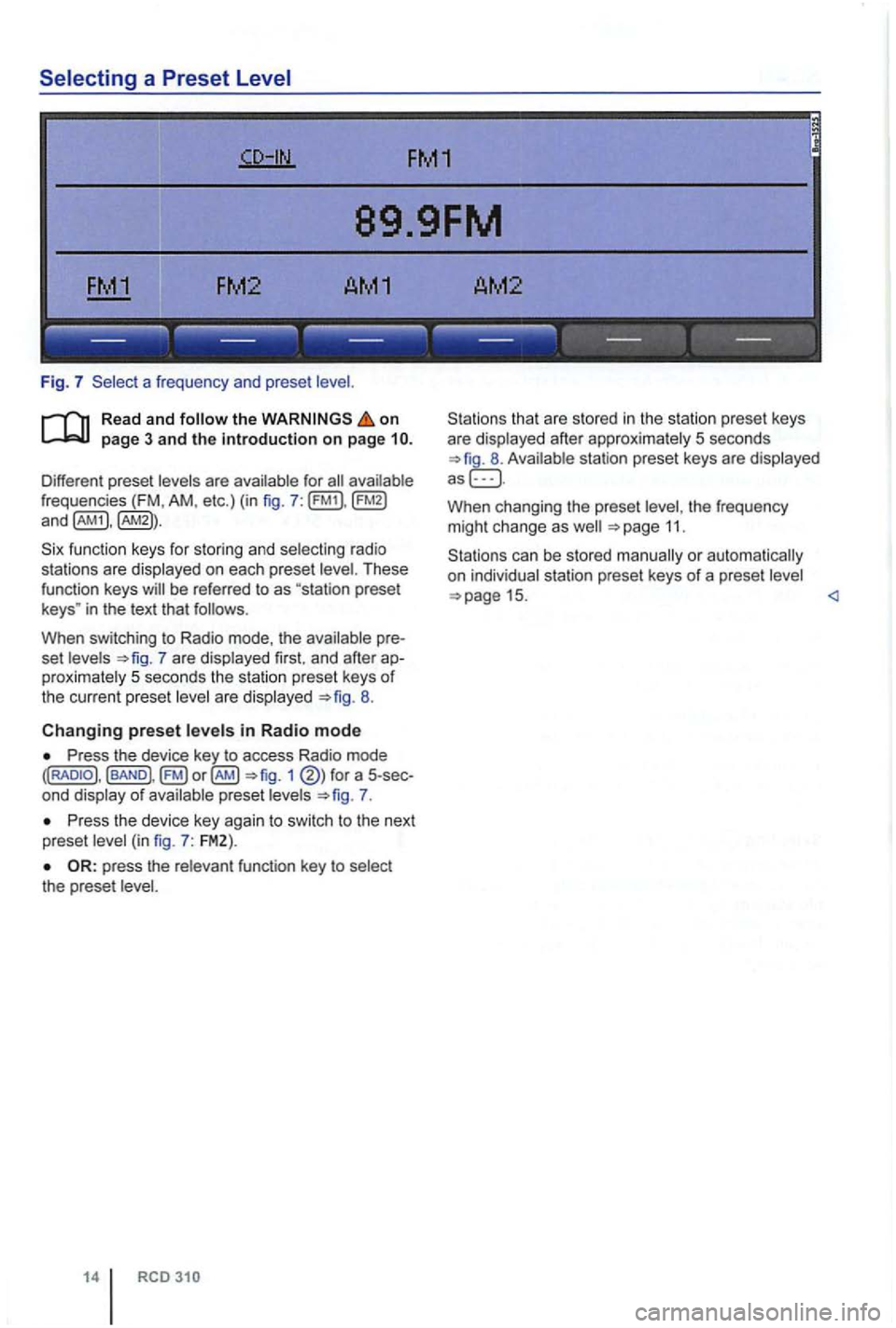
Fig. 7 a frequen cy and prese t
on
frequencies (FM , AM , etc.) (in fig . 7 :
fu nction keys for storing and selecting ra di o
sta tions are displayed on each preset
in the text that follows .
When switching to Radio mode, the
7 are displayed first. and afte r proximately 5 seconds the station preset keys of the current preset are displayed 8.
Changing preset in Radio mode
Press the device key to access Radio mode 1 of preset 7.
P ress th e device key agai n to swi tc h to the next
preset
the prese t
14
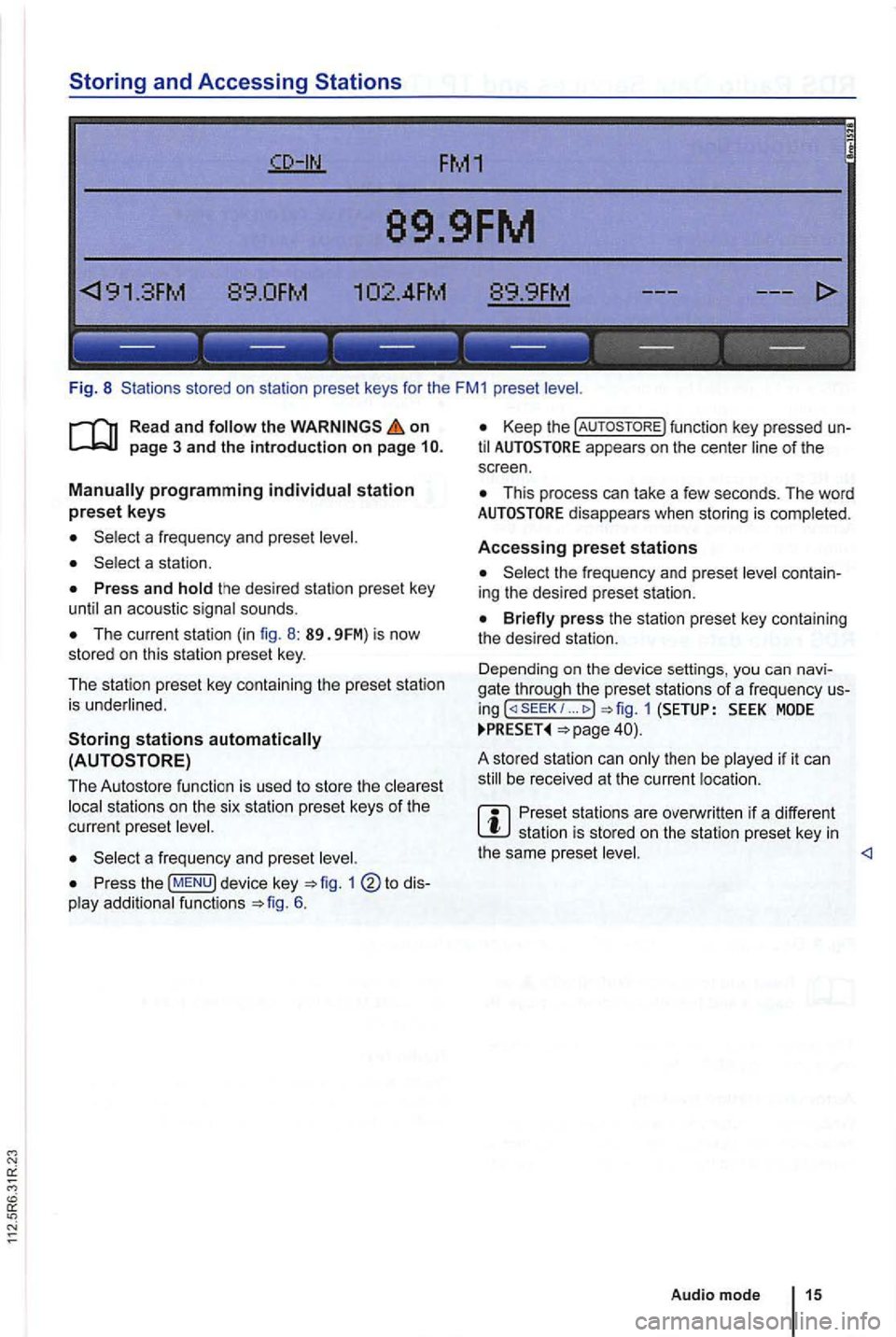
that are sto red in the statio n preset keys
are displayed after approxima tely 5 seconds
W hen changing the preset the frequency
m ight ch ange as 11.
Page 442 of 541
Storing and Accessing Stations
FM1
89.9FM
89.0FM .
------------------
Fig. 8 Stations stored on sta tio n preset keys for the FM1 preset
on
The current station (in fig. 8 : 89. 9FM) is now
stored on this station preset key.
The station preset key containing the preset station
is underlined .
Storing stations
to dis
play additio nal functions 6.
Keep the function key pressed un
til appears on the center line of the
s c reen .
This process can lake a few seconds. The word
the frequency and prese t level contain
ing the desired preset station.
... MODE
be received at the current location .
Preset stations are overwri tten if a different station is sto red on the station preset key in the same preset <1
Audio mode 15