button 2x VOLKSWAGEN GOLF PLUS 2006 Owners Manual
[x] Cancel search | Manufacturer: VOLKSWAGEN, Model Year: 2006, Model line: GOLF PLUS, Model: VOLKSWAGEN GOLF PLUS 2006Pages: 541, PDF Size: 98.86 MB
Page 10 of 541
Instrument cluster:
- Instr
uments .................................. o o o............ 16
- Disp lay ............................ o o 16
-Warning and in dicator lig hts ............... ..... o o o ... 13
Lever for windshi eld wip er and washer ........ o o
-Imermittent o pe rat ion for windshi eld wip ers .
-wiping" 1x
- W
indshield
- Rear window wip er
- Aut om ati c wipe/wash rea r
-Lever with buttons for the Volkswagen Information
Ignit ion lock or starter butto n (Keyless Ent ry .............
..... ........................................................ .......
Lever for adjustable s teering wheel ........................... o o
Horn (o nl y work s w hen the ign ition is sw itched o n)
Driver front airbag ............................... ........... o o o
o o
Pa ssenger compartment 8 9
172
179
56
Page 17 of 541
this section informa tion on the lowing:
Instrument overview ...............•.........
Displays
Compass .................................. .
Service reminder displ
ay
More information:
Warn ing and indi cator page 13
in the ins trument
16
17
19
Display of th e se lec ted gea rs (a utoma tic trans
m iss ion) p age 179
reminder Bookle t Wnrbooklet.
Driver di strn ction con en usc nccidcnts and seriou s personal injury.
Never usc the buttons in the in strument clus te r driving .
first read and no te the imroductory informati on and heed th e on page 16.
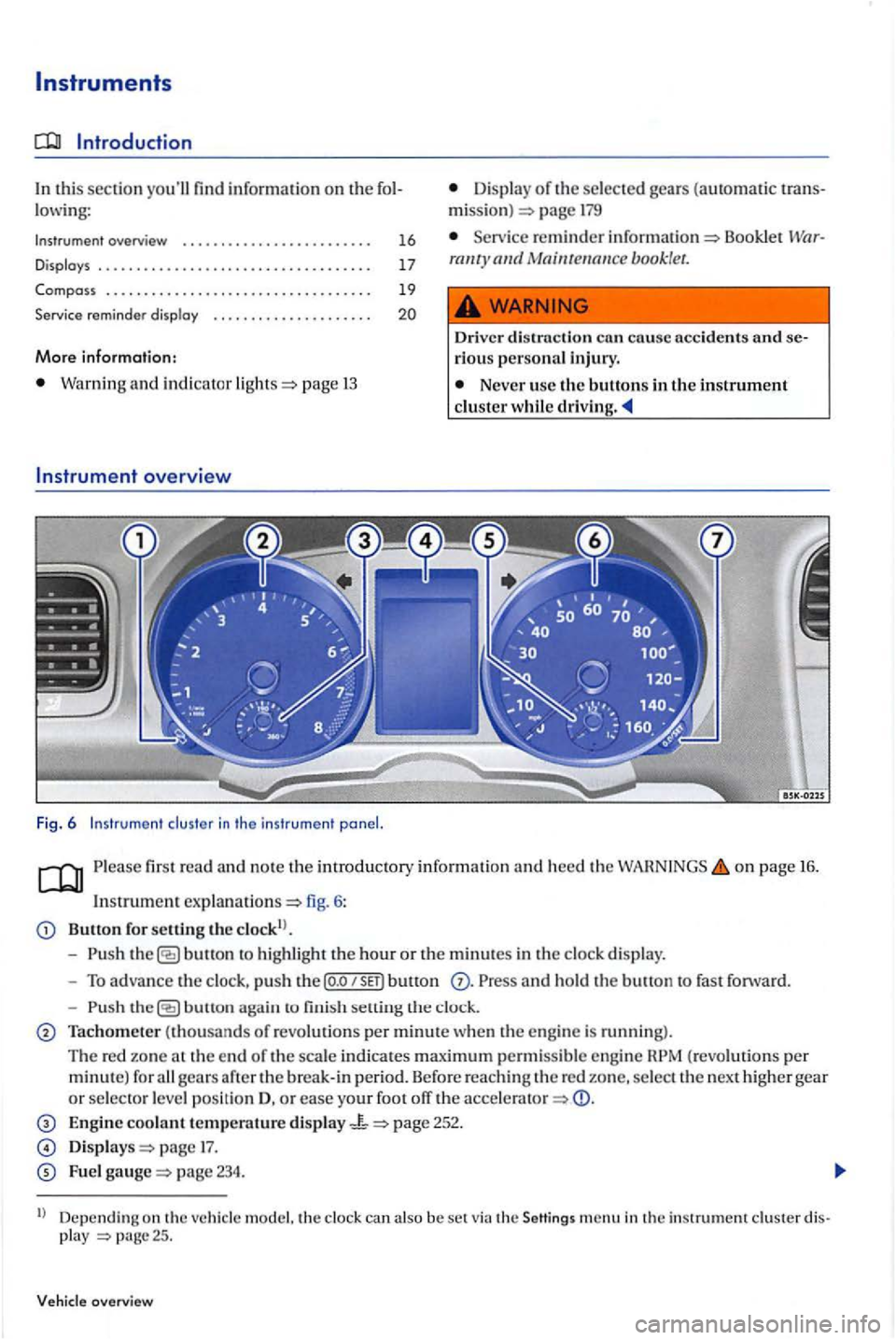
In strum ent
Button for setting the clo ck!).
- Push
button to hi ghli ght the hour or the minut es in the clo ck di splay.
- To advance the clock , pu sh t
he P ress a nd hold th e buu o n to fast fo rward.
-
button aga in to fini sh se llin g th e clock.
Tachometer (thousands of revolut io ns per minute w hen the engine is running).
The re d zo ne at th e e nd of th e scale indica tes maximu m permis s ible eng in e gears
page 17.
Fue l page 234.
ll Depending on th e ve hicle model. th e clock can also be set via the Seltings menu in th e instrument clus ter disp lay
Page 18 of 541
Speedometer.
Reset button for the trip odometer di spl ay (trip).
Note
To help prevent engin e damage, never let the engine speed shown by th e tachometer go into the re d zo ne (warning zone).
first read and note th e introductory
o n page 16.
Dep ending on the vehicl e model, different infor
mati on m ay be shown in the in strument cluster page fig. 6
Warning and information al texts
Odometer displays
Time
Outs id e temperatur e
display
l ever page 179
Gear r ecommen dation (manual tran smi ssion) 179
Type of notifica
tion color Explanation
Up
-shifting early into the nex t higher gea r saves fuel and r educes engine
M ulti -function display (MFD) and menus fo r
diff ere n t page 21
reminder pag e
Seco ndary sp ee d (Settings menu) p age 21
Warning
and informational texts
The status of variou s ve hicle functions and com
p onents is monitored when the ignition is swit ch ed on and w hil e dri ving. Malfunctions are
indi cated by red and yellow warning symbols w ith
t ex t m essage s in the in strument clu ster dis pla y 13). In som e ca se s, they may als o be s ig
naled acou stically . Th e di splay can va ry depending on the instrument clu ste r model.
wa rning
m essage R
e d
malfu nc tion and correct cause. Get ex pe rt help.
malfun ction as soo n as possibl e. Facilit y for ass istance as nee ded.
In
formation rega rdin g diff ere nt vehicl e operation s.
Outside
temperature display
The odornecer indicates the total distance driven
b y the vehicl e. A
t
outsid e tempe ratures below +39 (+4 (icy road warning) appears in
th e disp lay. Th e symbol flas hes at first. then stays on Th e trip odometer (tr ip ) indi cates the distanc e
dri ven sin ce the od omete r was la st reset. T he las t digit indicates mil e mete rs ). When the vehicle is not mo vin g or when you are
driving at very low speeds, th e te mp erature dis-
16 17
Page 19 of 541
playe d m ay be slightly hi gher the
is from { to +122
cated in the instrument clu ste r pag e 19.
lec tor leve r po sition may be s hown in th e disp la y
in addition th e respective gear bein g use d.
Gear re commendation (manual transmission)
While the vehicle is movin g, a fuel eco nomy gear
recomme ndation is ind icate d in the in strument
clu ste r p age 179.
Secondary speed display (mph or km/h)
While drivin g, in addition to the speedomete r play, th e vehicl e speed can b e shown in measurem ent unit {mph or km /h ) in the ment clu ste r d is play. T o do thi s, se lec t th e
Seco ndary sp ee d menu item in pagc21.
For vehicles wit ho ut a m enu displa y in the ment cluste r:
th e engine.
button three tim es. The odometer
in dica to r in th e in strument clu ste r di sp lay flas h es .
the (o.o SET) bu tton once. Instead of th e odom eter reading. or
Thi s th e secondary sp ee d di splay. To d eac tiva te. follow th e same pro cedure.
overview
Failur e to hee d warnin g light s and instrument cluster text messages can cause the ve hicl e to break down in traffic and res ult in a colli sion and
se riou s personal injury .
Never ignore warning lights or tex t INGS.
Always stop the vehicle as soo n as it is safe to do so.
A broken down veh icle presents high dent risk for itself and Sw itch on gency flash e rs and se t up a w arnin g tr iangle to warn oncoming
Park the vehicle at and where no ly ti c co nverte r and exhaust sys te m can come into contact witl1 flammable materials under
th e vehicl e, s u ch as dry brus h, spilled fuel ,
e tc.
yo u usc the temperature disp lay to
t ell yo u about frost condition s, remember that road s can even icc ov er at temperatures above
+39 {+4 {ice warning) is not
Neve r rel y exclusively on the o utside ature disp lay.
Note
Failure to heed warning lights or tex t WARNINGS
ca n res ult in vehicle damage.
The in strument cluste r disp lays and their rangement may vary dep e nding on th e hide model and e ng in e ve rs ion. For disp lay s
witho ut wa rnin g and in formation messages, fun ction s are only s igna le d w ith indicator lights .
there arc multipl e wa rnin g m ess age s, the sy mbo ls are dis p layed one aft er anothe r for
seve ra l se conds in orde r of importan ce. The bol s are di splay ed un til the cause has been correc ted.
Page 21 of 541
Service reminder
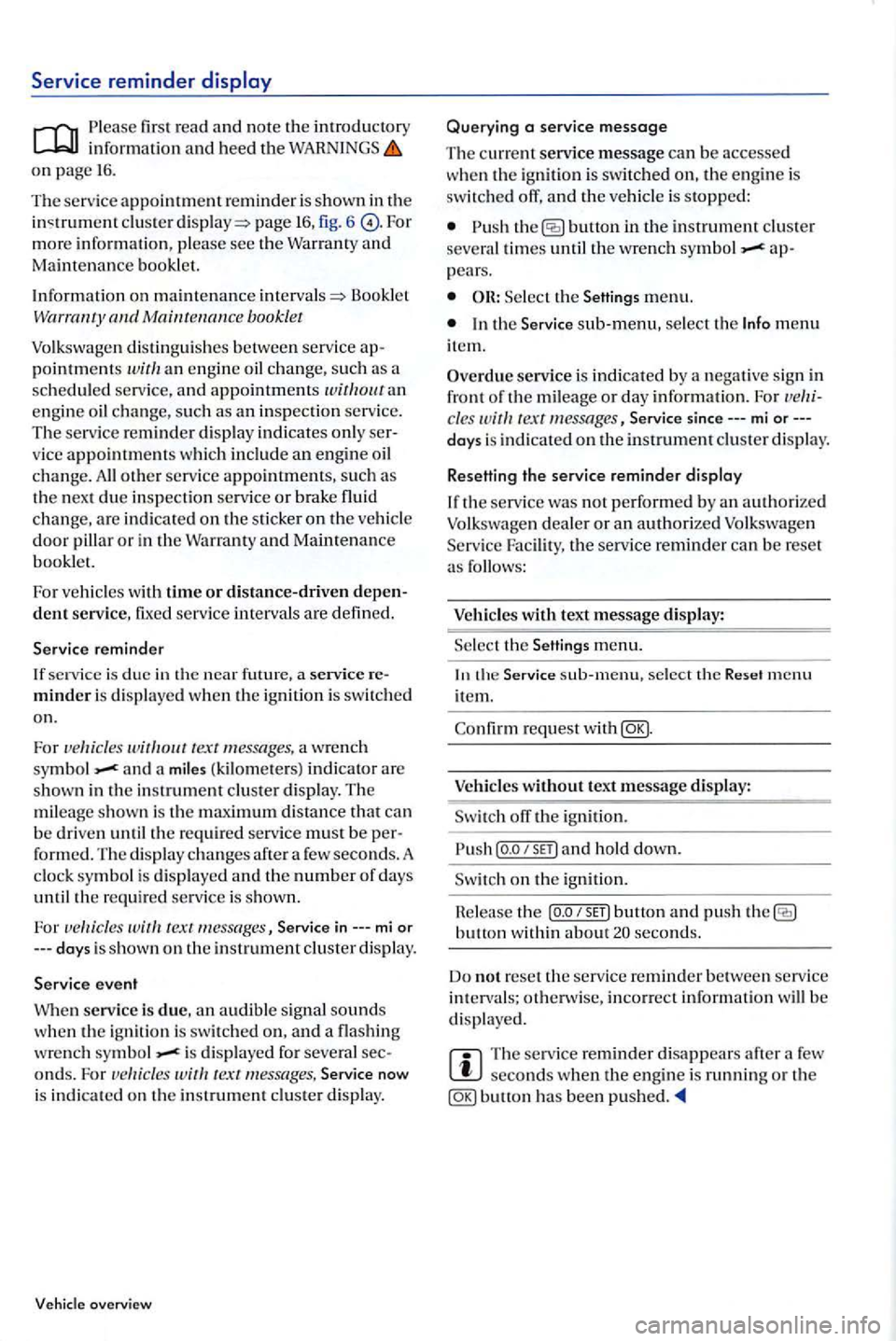
first read and note the introdu ctory information and heed the WARNINGS on page 16.
The service appointment reminder is shown in the clus te r page 16, fig. 6 more information, please see the Warranty and Maintenance booklet.
Information on
maintenance Booklet booklet
Volkswagen distinguishes between serv ic e appointments an engin e oil change, such as an in spection serv ice. The service reminder di splay indicates only ser
vice appointme nt s w hi ch includ e an engine oil change. All o th er serv ice appointments, su ch as the n ex t due inspection serv ice or brake fluid
change, are indi cated on the sticker on the veh icle
door pillar or in th e Warranty and Maintenance booklet.
For vehicles with
time or distance-driven depen
d ent service, fixed service intervals are defined.
Service reminder
If se rv ic e is due in the near future ,
a wrench and a miles (kilomete rs) indicator are shown in the in strument cluster display . The
mil eage shown is the m aximum distance can
b e dri ven until the require d service must be form ed . Th e di spla y changes after a few seconds. A
clock symbol is displayed and the number of days
until the re quired service is show n.
For
i s dis pla yed for severa l seconds. For Service now
i s indi cated on the instrument cluster display.
overview
Querying a service message
The current service message can b e accessed
whe n the ig niti on is switched on, the engine is
switched off, and the vehicl e is stopped:
button in the instrument clu ste r
seve ral times until the wrench appears.
Select th e Settings menu.
In the Service sub-menu, se lec t th e Info menu item.
Overdue service is indicated by a negative sig n in
front of the mil eage or day info rm ation. Fo r cles Service since---mi or--days is indi cated on the instrument cluster displa y.
Resetting the service reminder dis
play
If the service was not performed by an authorize d Volkswagen dealer or an authorized Volk swagen
Serv ice Facilit y, the service reminder can be reset as follows:
Veh icl
es with text message display:
Se lec t th e
menu.
the sub-menu, select the Reset menu ite m.
request with
off the ig nition.
lea se th e button and push button withi n about seconds.
Do
not reset the service r eminde r betwe en serv ice intervals; otherwise, incorrect information will be display ed.
The se rvice reminder disappear s afte r a seconds when the engi ne is running or the bullon has been pushed .
Page 22 of 541
th is sec tion you'll find information on the fo l
l owi ng:
Menu structure -overview . . . . . . . . . . . . . . . . . . . . 21
Using menus in th e instrument cluster . . . . . . . . . . . 22
Main menu ... .... ....................•.....
MFD menu (Multi -function disploy)
Settings
menu ........... ......... .•..•.....
Convenience menu ....... ............... .
lights &
co nvenience settings ................. .
23
24
25
26
27
27
W he n the ig nition is sw itch ed on, different disp lay functions can be accessed via the m enus.
ve hicl es with the m ulti -fun ctio n steerin g w heel, the re are no buttons fo r the information sys te m on the w indshi eld wiper l ever. The multi-functi on
d is pl ay is controlled onl y w ith the buttons on the
multi -fun ction steerin g wheel.
The number of menus in the in strument clu ste r
d is p lay dep ends on the e lec tronic s and equipment on the ve hicl e.
Menu structure -overview
Please firs t read and note the in tr od uctory informati on and heed the on page 21.
Multi-function display (MFD) =>page 24
Trave l time
fu el con sumptio n
Average fuel consumptio n
H a nge
D is tan
ce
A ve rage speed
Digit al speed displ ay
temperature
S peed wa rnin g
Audio
=> Bookl et Radio o r=> Booklet Nav igation sys te m
Nav igation=> Booklet
package
A ny authorize d can ad d o r m odify
functions d ep endin g your ve hicle's trim le ve l and optional e qui pm ent.
m enu item s can onl y be ac cessed whe n the
ve hicl e is not movi ng.
As lon g as a priority warning m essage is dis
pla yed, no m enus can be accessed. order to dis
pla y m enus, first co nfirm warning messages with button.
More information:
Outside mirrors=> page
Driver distract ion can cause ac cid ents and serious personal inju ry.
Never access menus when the ve hicl e is
Assistant
light
status page 23
Settings
=> page 25
M ulti-fun cti on displ ay (MFD) data
- Traveltime
-
-Average s p eed
- Digita l s p
eed display
- Oil te m pe
rature
Spee d warning
page 26
- D
oor opening function
Page 23 of 541
Auto matic close
Autom atic open
- Doo r opening fun cti on 2)
Manual
A
uto mati c
-
-Window operation
All
Dri ve r
- Mirr or l
owering func tion I
- Mirror adjustment
Syn chronous
Indi vidual
Factory settin g
Using menus in the instrument cluster
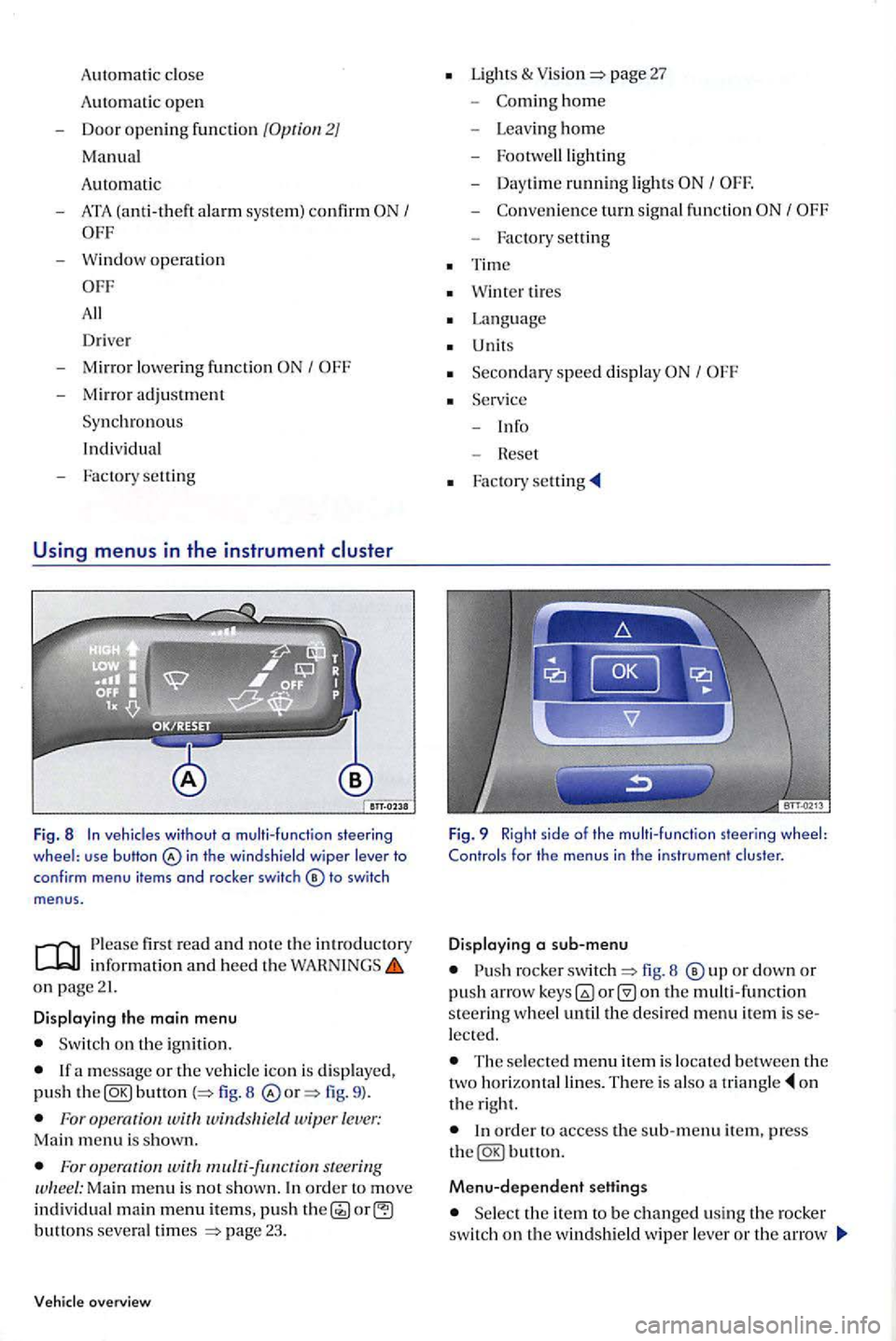
Fig. 8 In veh icles without o multi-function steering wheel: use button in th e windshield wiper lever to
conf irm menu items and rocker switch
firs t read and n o te th e in trodu ctory
on page21.
Displaying the main menu
Switch on the ignition.
button 8 fig. 9 ).
For wit windsltield wiper lever: Main menu is shown.
For s teering Ma in menu is no t show n. In ord er t o move individual main menu items, push button s severa l times page 23.
overview
Lights & page 27
-hom e
- Leav ing ho m e
- Footwe lllig
hting
- Day time ru
nning light s I
-turn signal fun ction
- Factory setting
Tim e
Wint er tires
Language
U nits
Seco n
dary speed displa y I
Fig. 9 Right side of the multi-function steering wheel: Controls for the menus in the instrument cluster.
Displaying a sub-menu
rocke r fig. 8 o r down or push arro w on the multi -function s teerin g w heel until the desired menu item is lected.
The selecte d m enu item is locate d b etween the
two horizonta l lines. The re is also a o n
t h e right.
Menu-dependent settings
Se lect the ite m to be changed usin g th e rocker switch on the windshield wipe r lever or th e arrow
Page 27 of 541
sub-menu
first read and note the introduc to ry information and heed the o n page 21.
C onve nience m enu Functi on
Door unlock
lndiv. door unlock: When
the ve hicl e is unl ocked with th e ve hicl e key, only th e 1/ d river door is unlocked. All doors an d the hatch open only after page38 button is push ed secon d time.
Auto
Lock . doors and the rear hat c h lock automatic all y a speed of about mph (16 km /h ). To unlo ck when the vehicle is not moving, press t h e power locking syste m b u!!on or take the ke y out of the ign itio n.
Aut o
Unlock : doors and the rear hatch unlock automatically when the key is
ta ken our of th e ign ition .
Depending upon the setup, w hen the vehicle is un locked with the vehicle key, the following doors are u nlocked:
I> All doors: All door s are unlocked.
I> lndiv. d oo r: see a bove /.
Door unlock I> Veh . side: The doors on the d rive r sid e are unlocked .
Manu of ve hicles wit h th e dri ver door unlock s the drive r door an d those d oo rs on th e page38 sid e w here r e la te d ve hicl e key is located.
I> In di vidual: the driver door is unloc ked. ve hicle s w ith
page 38.
Automat ic Auto
Lockor Auto Unloc k: Door unlock
ATA co nfir m acknowledgment for the activat io n of th e anti-th eft alarm sys tem page 38.
W
ind ow opera tio n w indow se!!i ngs: When unlocking or locking, windows can be open ed or closed . The opening feature can only be activa ted for the driver door page48.
M irror dow n
Tilts passenger mirror clow n when backing u p so yo u can see curb
menu.
Page 35 of 541
In this sec tion find informa tion on th e
key s . . . . . . . . . . . . . . . . .
. . . 3 5
Indicator
. . . . . . 36
R ep lacing the battery . . . . . . . . . . . . . . . . . . . . 36
Synchronizing the . . . . . . . . . . . 3 7
More information:
Se tting s in the Volk s wa gen In fo rm ation Sys te m page21
p age 38
Start ing a nd stopping the page 172
Co nsumer pag e
Em erge ncy clo sin g and page 322
Imprope r u se of vehi cle keys can r esult in riou s personal injury.
Always tak e th e key with you wh en you lea ve
th e vehicle. It ca n b e use d to start th e e ngine and operate ve hicl e sys te m s s uch as th e po wer
keys
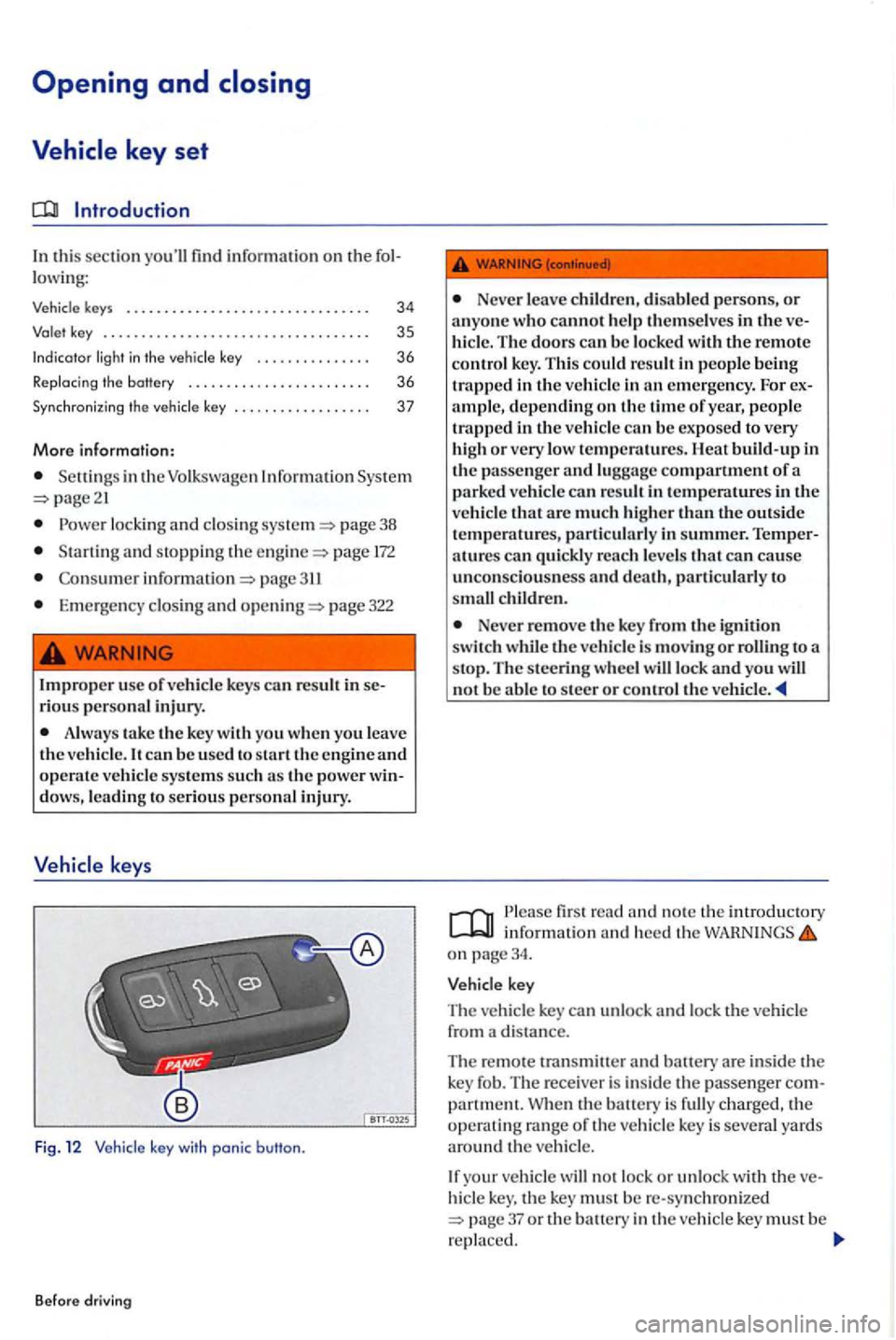
Fig. 1 2 Vehicl e key with panic button.
B efo re drivin g
Neve r leave childr en , di sabl ed p ersons, or a nyo ne wh o cannot help the m se lves in the hicle. The doors ca n b e lo ck ed with the remote
contro l k ey. Thi s could result in pe ople bein g
trapp ed in the ve hicl e in em erg en cy . F or depending on th e tim e of year, p eopl e
trapp ed in the ve hicl e can be ex po sed to very
hi gh or very low temperatures. Heat build -up in
th e passe nger and luggage compartment of a
p a rk ed ve hicle can res ult in temperatures in the
ve hicl e th at are much higher th an th e outside temperatures, part ic ul arl y in summer. atures can qui ckly reac h leve ls that can unco nsciou sn ess and death, particul arl y to c hildr en.
Never remove the key fro m the ig niti on switch th e vehicl e is moving or ro lling to a
s top. The s tee rin g w heel will lock and yo u no t be able to steer o r co ntro l th e veh icle.
fir s t r ead and no te th e in troduc tory in fo rm ation and heed the on page34.
key
The vehicle key can unl ock and lock th e vehicl e
from a di stance.
The remo te tran sm itte r
and batt ery are inside th e
k ey fo b. Th e receiver i s in side the passe nge r
hicle key , th e key mu st b e re-sy nchro ni ze d 37 or the battery in the vehicle key must b e
r epla ced.
Page 36 of 541
Folding the key bit in or out
Press ing page 34, fig. releases the
k ey bit.
To
fold th e key bit
this button in emergencies! After pushin g th e button, the horn will sound and the turn signal s will the button aga in to
sw itch off the panic fe ature.
Replacement keys
The ve hicl e id entifi cation number is required to
ge t a replacement k ey or an additiona l vehicle key.
No more th an eight ve hicl e keys , w hi ch have been
cut. coded and syn chroni zed can be used with your ve hicle .
E a c h n
ew key contains a microchip and must be coded w ith the data from the ve hicle's electroni c immobilizer. A key will not work if it does not co n
t a in a mi crochip o r co ntains a chip that is not coded, even if the key bit was cut co rrectly.
You can obtain additional or duplicate remote co ntrol keys from authorize d Volkswagen dealers,
authorize d Volkswage n Service Facilities and from certain indep end ent repai r facilities and locksmiths which are qualifi ed to make these remote control keys.
Eac h key must be programmed to wo rk with your pag e 37.
key
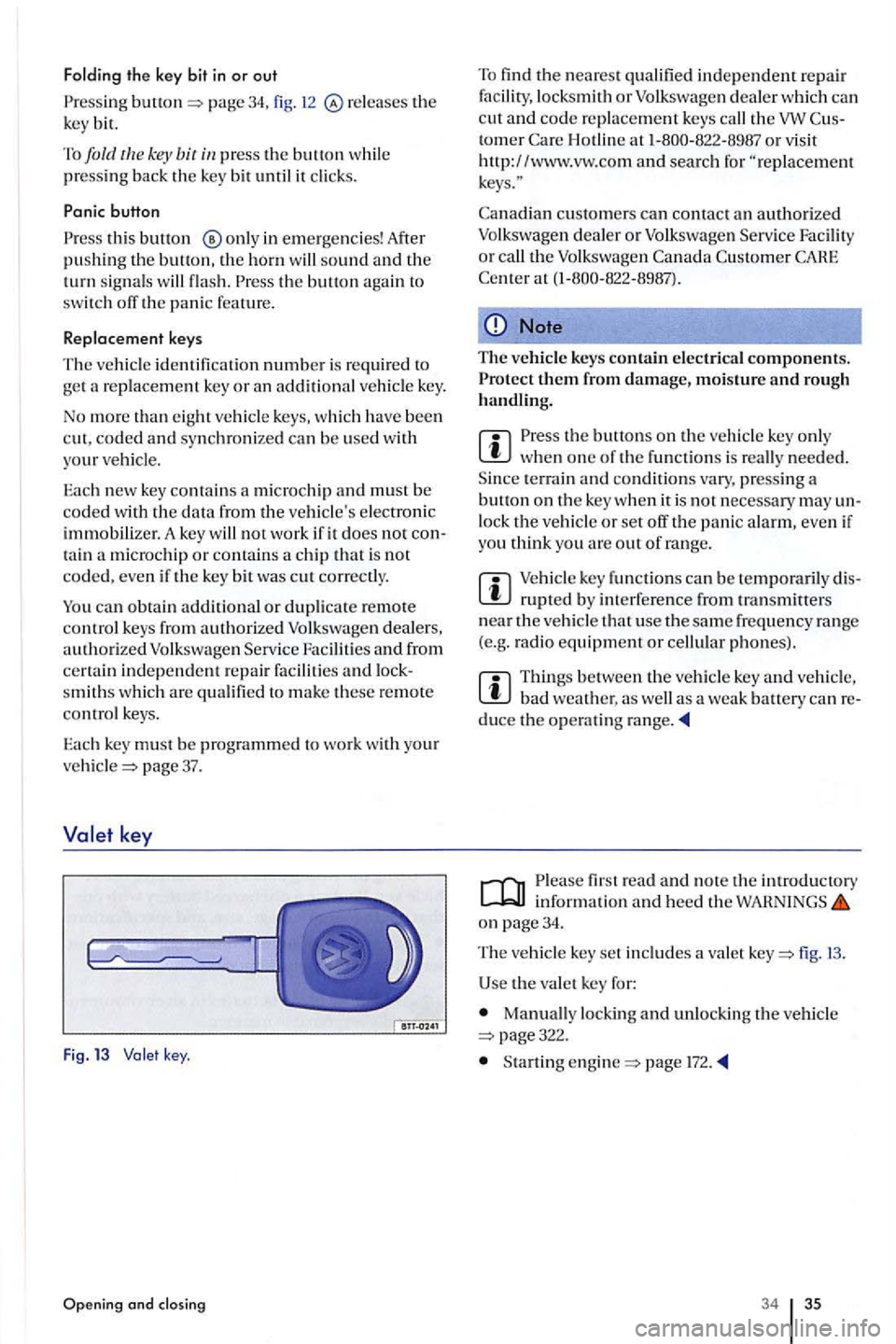
Fig . 13 key .
Opening and closing
To find the nearest qualifi ed ind ep endent repair fac ility, locksmith or Volkswag en d eal er w hi ch ca n
c ut and co de re placement keys call the tomer H otlin e at
cu stomers can contact an authorized Volkswagen dea ler or Volksw age n Serv ice Facility or call the Volk swage n
Note
The vehicle keys contain electrica l components.
the buttons on the ve hicl e key onl y when one of th e fun ctions is re all y needed .
S ince terrain and condition s vary , pressing a button on the key whe n it is not ne cess ary may un
l ock the vehicle or set off the panic alarm, eve n if
yo u think yo u are out of rang e.
m key fun ctions can be te mporaril y dis
bad weather. as well as a weak battery can reduce the operating range.
fir st read and note the introductory information and heed the WAHNINGS on page 34.
The ve hicl e key set includes a valet fig.
U se the va le t key for:
Manually locking and unlock ing the v ehicle page322.
Startin g page l72.
34 35