Mobile VOLKSWAGEN GOLF PLUS 2007 User Guide
[x] Cancel search | Manufacturer: VOLKSWAGEN, Model Year: 2007, Model line: GOLF PLUS, Model: VOLKSWAGEN GOLF PLUS 2007Pages: 541, PDF Size: 98.86 MB
Page 405 of 541
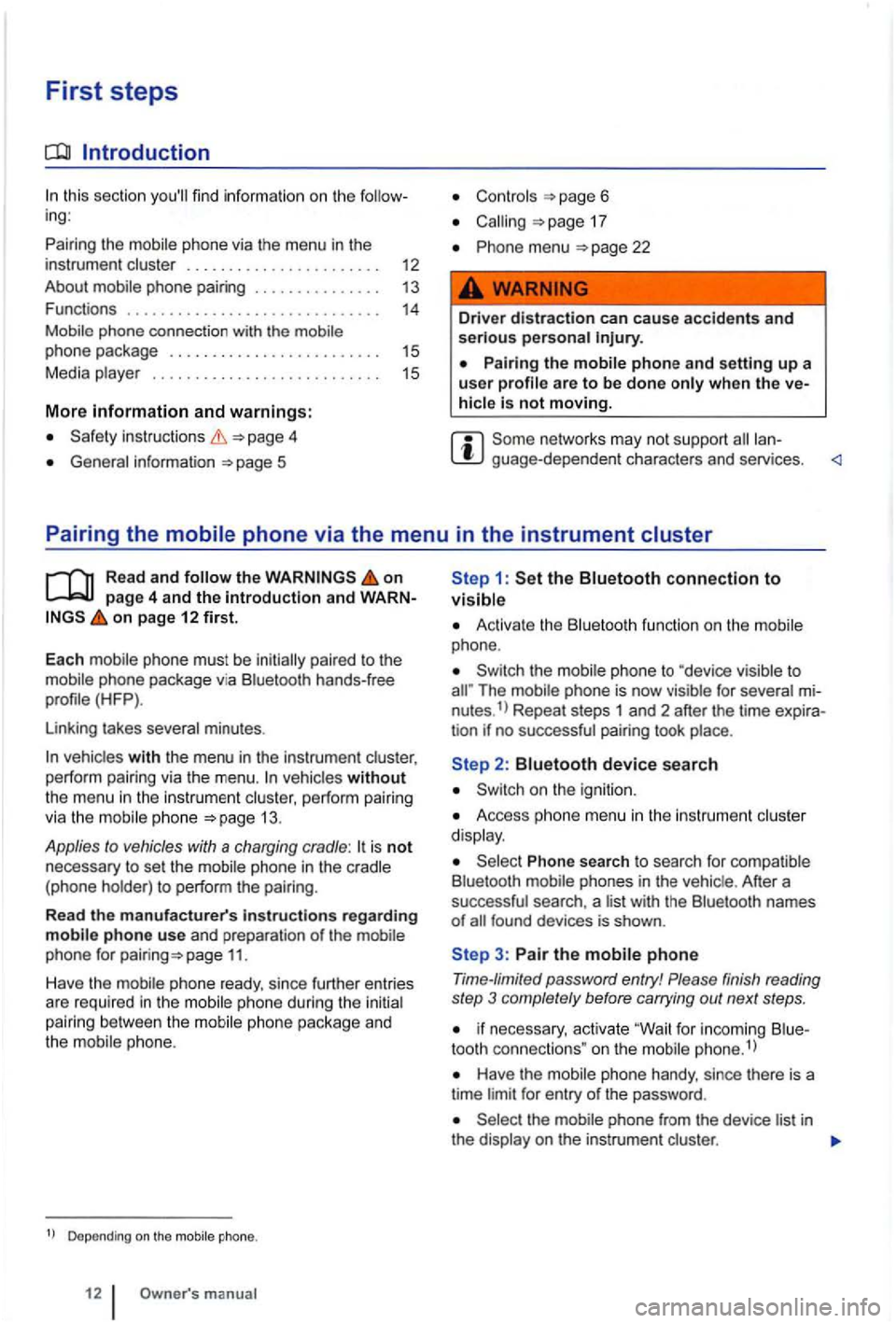
First steps
Introduction
this section
and warnings:
inst ructions 4
General information 5
Controls page 6
17
menu 22
Driver distraction can cause accidents and serious persona l
hicle is not moving.
guage -depend ent chara cters and services .
Pairing the
Read and on page 4 and the introduction and on page 12 first.
E
ach mobile phone must be initia lly paired to the
mo bile phone packag e via Bl uetooth hands-free
profile (HFP
).
Linking takes several minutes .
vehicles without the menu in the instrument cluster, perform pairing
via the mobi le phone 13 .
Applies to vehicles with a charging cradle: is not necessary to set the
phone package and
the mobile phone.
Depending on the
1: the Bluetooth connection to visible
Activate the Bluetoot h function on the mobile
phone.
Th e mobile phone is no w visible for several nutes.1> Repeat steps 1 and 2 after the time tion if no successful pairing took place.
Access ph one menu in the ins trum ent cluster
d isp lay.
Phone search to search for comp atible
B luetooth phones in the vehic le . After a
successful search , a l ist with the Bluetoot h names of
3: Pair the mobile phone
Time-limited password entry! Please finish reading
step 3 completely before carrying out next steps .
if n ecessary, activate "Wait for inco ming tooth connec tions " on the mobile phone.1
)
Have the mobile phone handy, since there is a
time limit for entry of the password .
phone from the device list in the display on the instrumen t cluster .
Page 406 of 541
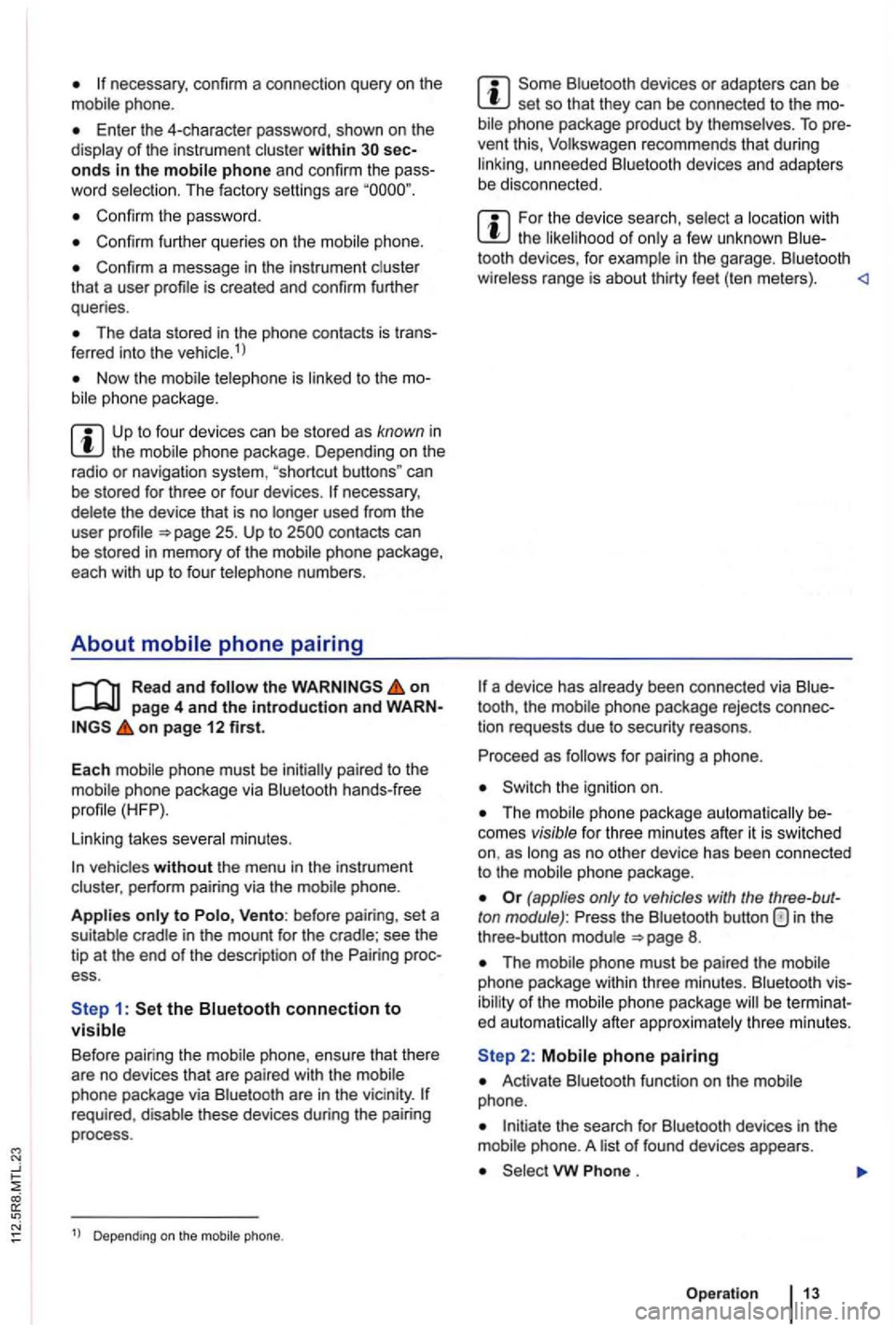
phone.
Enter the 4-character password, shown on th e
display of the instru ment cluster within onds in the mobile phone and confirm the
Confirm the passwo rd .
Confirm further queries on the mobile phone.
Confirm a message in the instrument cluster
tha t a user
The data stored in the phone contacts is 1 l
Now the
the mobile phone package . D epending on the
radio or naviga tion system , "shortcut buttons" can
be stored for three or four devices .
the on page 4 and the introduction and on page 12 first.
Each mobile phone must be initially paired to the
mobile phone package via Bluetooth hands-free
Linking takes several minutes.
vehicles without the menu in the instrument
cluster , perform pairing via the mobile phone.
Applies only to Vento: before pairing , set a
suitable cradle in the mount for the cradle ; see the
t ip at the end of the description of the ess.
Bluetoo th devices or adapters can be set so that they can be connected to the bil e phone package product by themse lves . To
For the device search , select a location with the likelihood of only a few unknown
a device has already been connected via
for pairing a phone .
Switch the ignition on.
phone package automatically comes visible for three minutes after it is swi tc hed as long as no other device has been connected
to the mobile phone package .
(applies only to vehicles with the ton module) : in the
three -button module 8.
The mobile phone must be paired the mobile
phone package within thre e m inutes . Bluetoo th
of the
Activate Bluetooth function on the mobile
phone .
Initiate the search for Bluetooth devices in the
mobile phone. A list of f ound devices appears.
VW .
Operatio n
Page 407 of 541
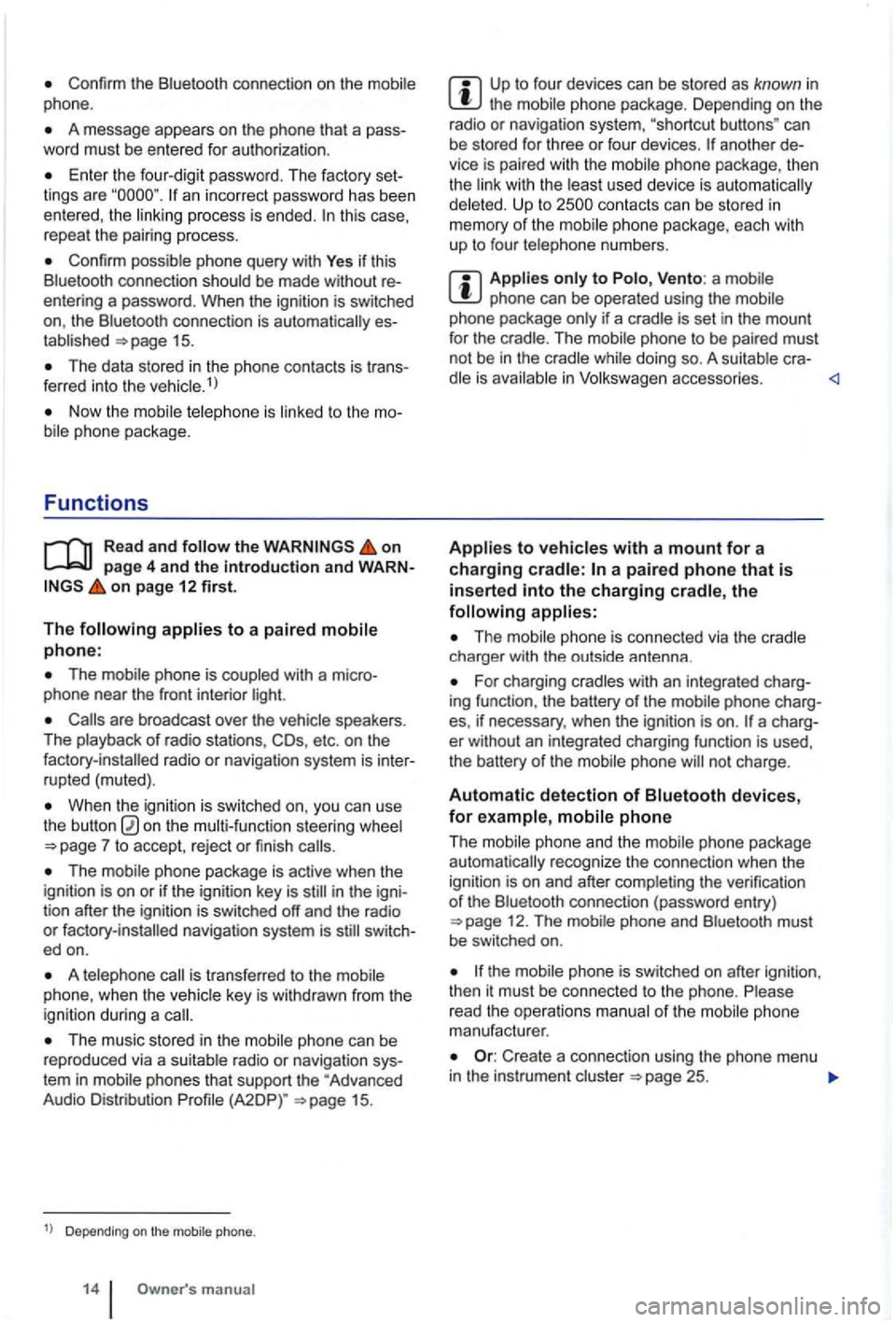
Confirm the Bluetooth connection on the phone.
A message appears on the phone that a pass
word must be entered for authoriza tion .
Enter the four-dig it password . T he factory set
lings are an incorrect password has been entered, the this case,
repeal the pairing process.
Confirm possible phone query with Yes if thi s
Blue tooth connect ion sh ould be made without
entering a password . When the ignitio n is switched
on, the Bluetoo th connec tion is
15.
The data stored in the phone contac ts is tr ans
ferred into the ve hicle.1
)
on page 4 and the introduction and WARNon page 12 first.
The
The mobil e phone is coupled with a micro
phone near the front interior light.
are broadcast over the speakers.
The playback of radio stations, COs, etc . on the
When the igniti on is sw itched on, you can use
the button on the steering wheel
The mobile phone package is active when the
ignition is on or if the ignition key is in the igni
tion after the ignition is switched off and the radio or switc h
ed on.
A is transfe rred to the
The music stored in the phone can be
reproduced via a su itable radio or navigat ion sys
tem in mobile phones that support the "Advanced
Audio Distribution
Depending on the mobile phone.
m anual
Up to fou r dev ices can be stored as known in the mobile phone package. Depending on the
radio or navigat ion system, "shortcut buttons " can
be stored for three or four devices.
anothe r
Up to
phone can be operated using the if a cradle is set in the mount
for the crad le. The phone to be paired must
not be in the while doing so. A cra-in
The charger with the outside antenna .
For charging cradles with an integrated charg
ing function , the battery of the mobile phone charg
es, if necessary, when the
ignition is on .
phone and the mobile phone package recognize the connection when the
igni tion is on and after the verification of th e Bluetooth connection (password entry ) 12. The
phone
manufacturer.
Create a connec tion using the phone menu in the instrument cluster 25.
Page 408 of 541
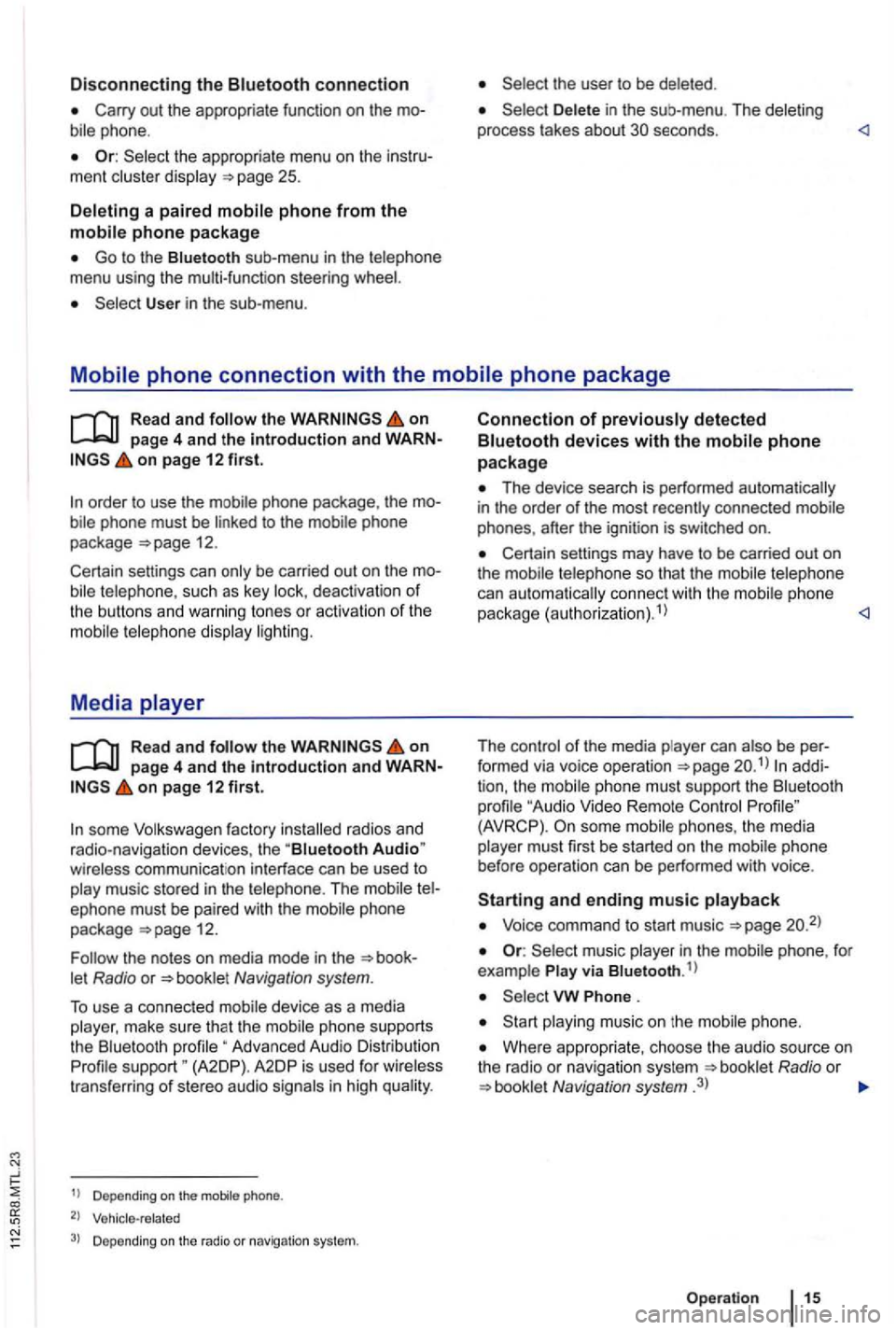
Disconnecting the connection
Or: the appropriate menu on the ment
a paired
Go to the sub -menu in the menu using the multi-function steeri ng
User in the sub-menu .
in the sub-me nu . The
on page 4 and the introduction and on page 12 first.
such as key deact ivatio n of the buttons and warning tones or activation of the
Media
the on page 4 and the introduction and on page 12 first.
some factory radios and
radio-navigation devices, the "Biuetooth Audio"
The phone
package =>page 12.
Navigation system.
To use a connected device as a media
Advanced Audio Distribution support " (A2DP). A2 DP is used for trans fer ring of stereo audio
1
) D epe ndin g on the mobile phone.
2) Vehicle-related
3) Depending on the radio or navigation system.
Connection of
Th e device search is performed automatically
in the order of the most recently connected phones, after the ignition is switched on.
Certain settings may have to be carried out on
the
can aut omat ically connect with the phone
package (authorizat ion).1
)
The
phone must support the " Audio Video Remote (AVRCP) . phones , the media must first be started on the
and ending music
Voice command to start music =>page
music in the
Phone .
music on the
Where appropria te , choose the audio source on
t he radio or navigation system Radio or Navigation system .3)
Op eration
Page 410 of 541
Introduction
page 12 find information on the ing: Voice operation
Initiating , accepting , rejecting or end ing a 17 Phone menu 22
Functions while . . . . . . . . . . . . . . . . . . . 18
. . . . . . . . . . . . . . . . .
Safety instruct ions
General information Use of a mobile phon e or its functions
Controls 6
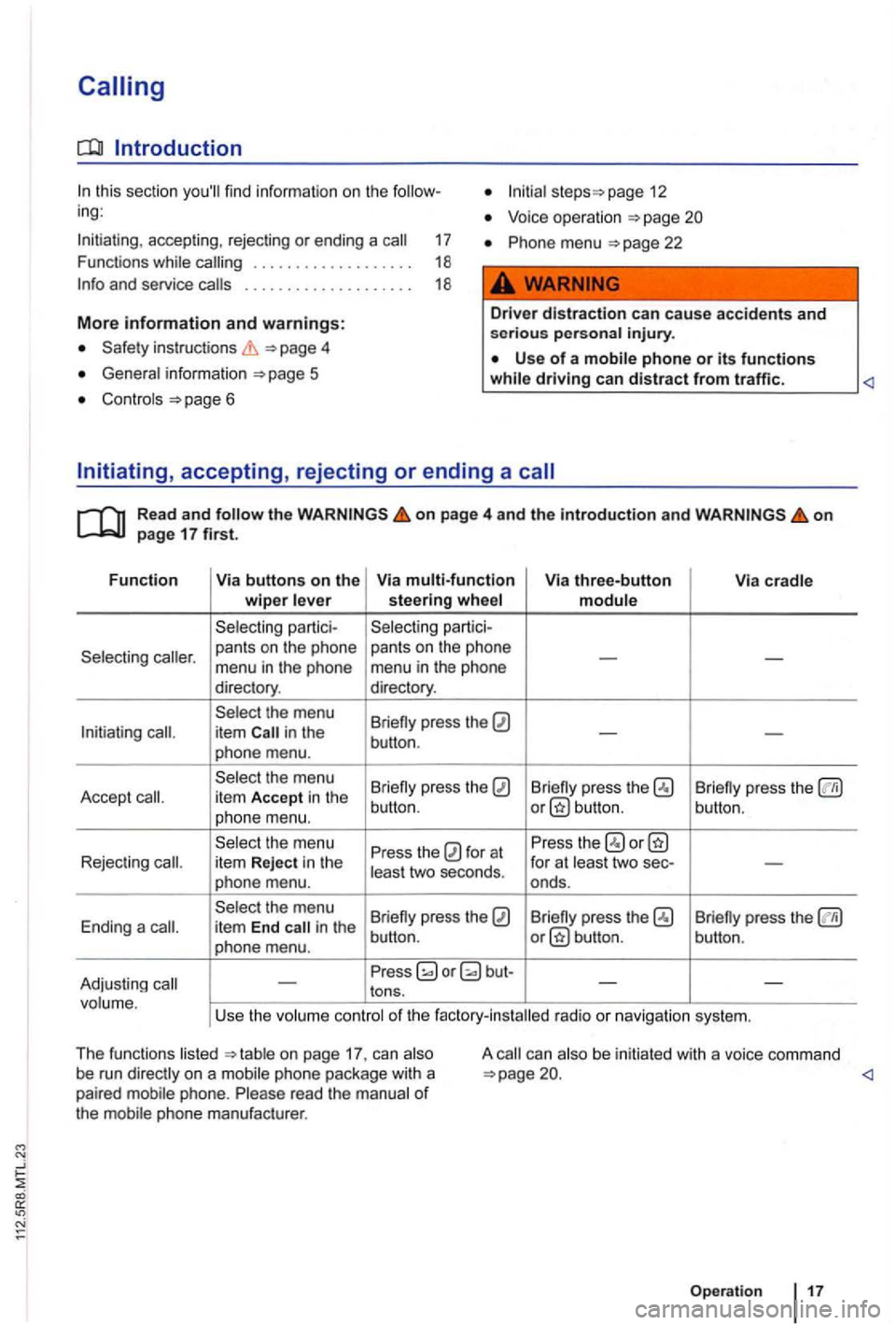
Initiating, accepting, rejecting or ending a
Read and the o n page 4 and the introduction and on page 17 first.
Function Via buttons on the Via multi-function Via three-button
Via cradle wiper lever steerin g w hee l module
Selecting partici- Selecting
partici-
Selecting
-menu in the phone menu in the phone
directory . directory.
Select the menu
Briefly press the
in the -phone menu. button
.
Se lect the menu
Briefly press the
Briefly press the Briefly press the Accept item Accept in the
phone menu. button
. button.
button.
Select the menu
Press the
for at Press
the item Reject in the
least two seconds . for
at least two sec--phone menu. onds.
Select the menu
Briefly press the
Briefly press the Ending a it em End in the
phone menu. butto n.
Press
on page 17. can on a mobile phone package with a
paired mobile phone. Ple ase read the manua l of the mobile phone manufacturer . A
be
initiated with a voice command
Operation
Page 415 of 541
Phone menu
Introduction
this section you'll find information on the follow
ing :
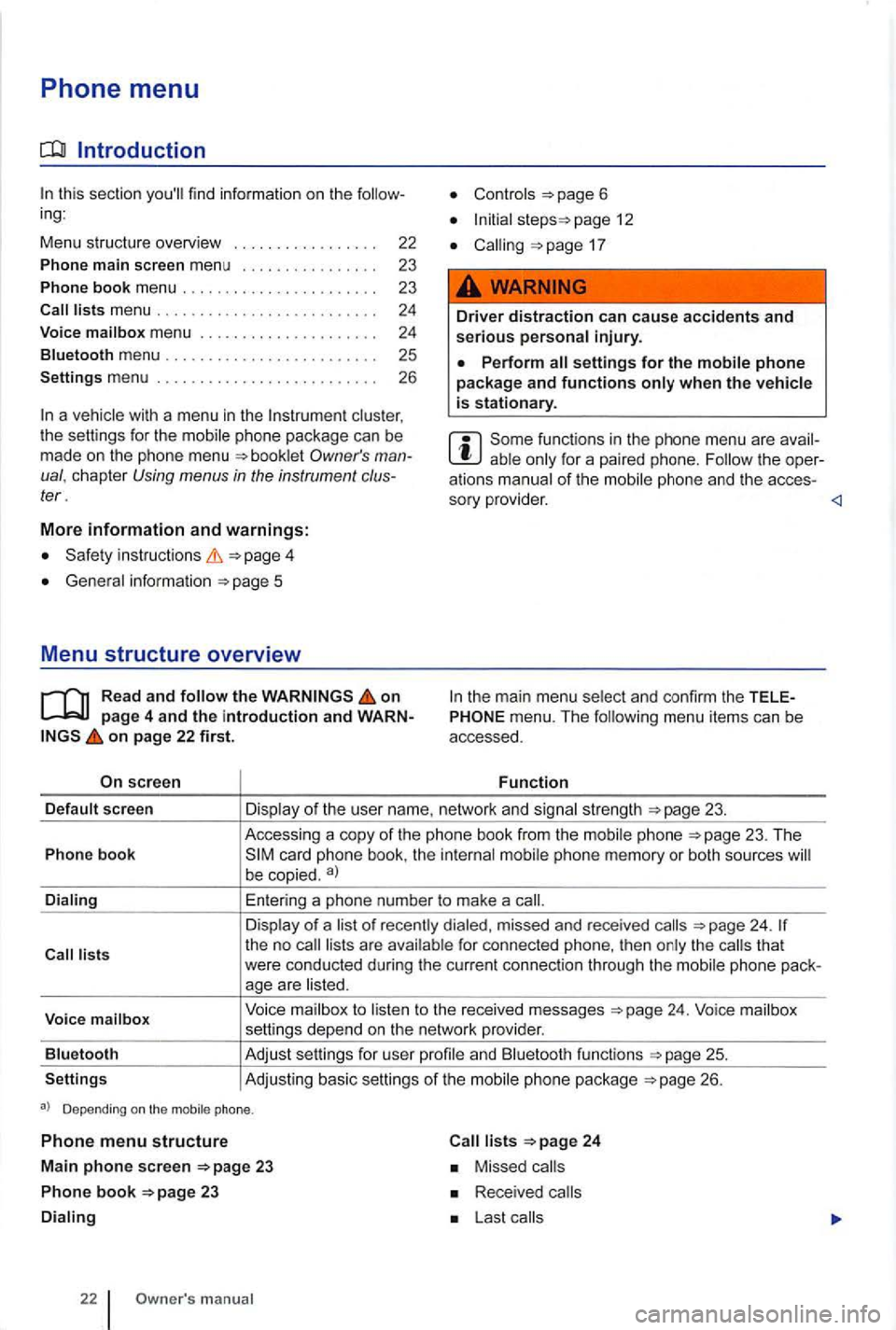
Menu stru cture overv i
ew
Phone main screen menu
Phone book menu ... .
clus ter ,
t he sett ings for the mobile phone package can be
made on the phone menu
instructions
Gene ral information
on page 4 and the introduction and WARNon page 22 first.
screen
page 12
17
Driver distraction can cause accidents and serious personal injury.
Perform settings for the mobile phone package and functions
for a paired phone. Follow the oper
a tions manual of the
menu. The following menu items can be
accessed.
Function
sc reen
Voice mailb ox
Blu etooth
Settings Accessing
a copy
of th e pho ne book from the phone 23. The
be copied . a)
Enter ing a phone number to make a
of recently dialed, missed and rece iv e d 24. for connected phone, then the that
were conducted during the current connection through the
to to the received messages
and Bluetooth functions
26.
Depending on the mobile phone.
Phone menu structure
Main phone screen 23
Ph on e book 23
22 m anual
24
Missed
Received
Page 417 of 541
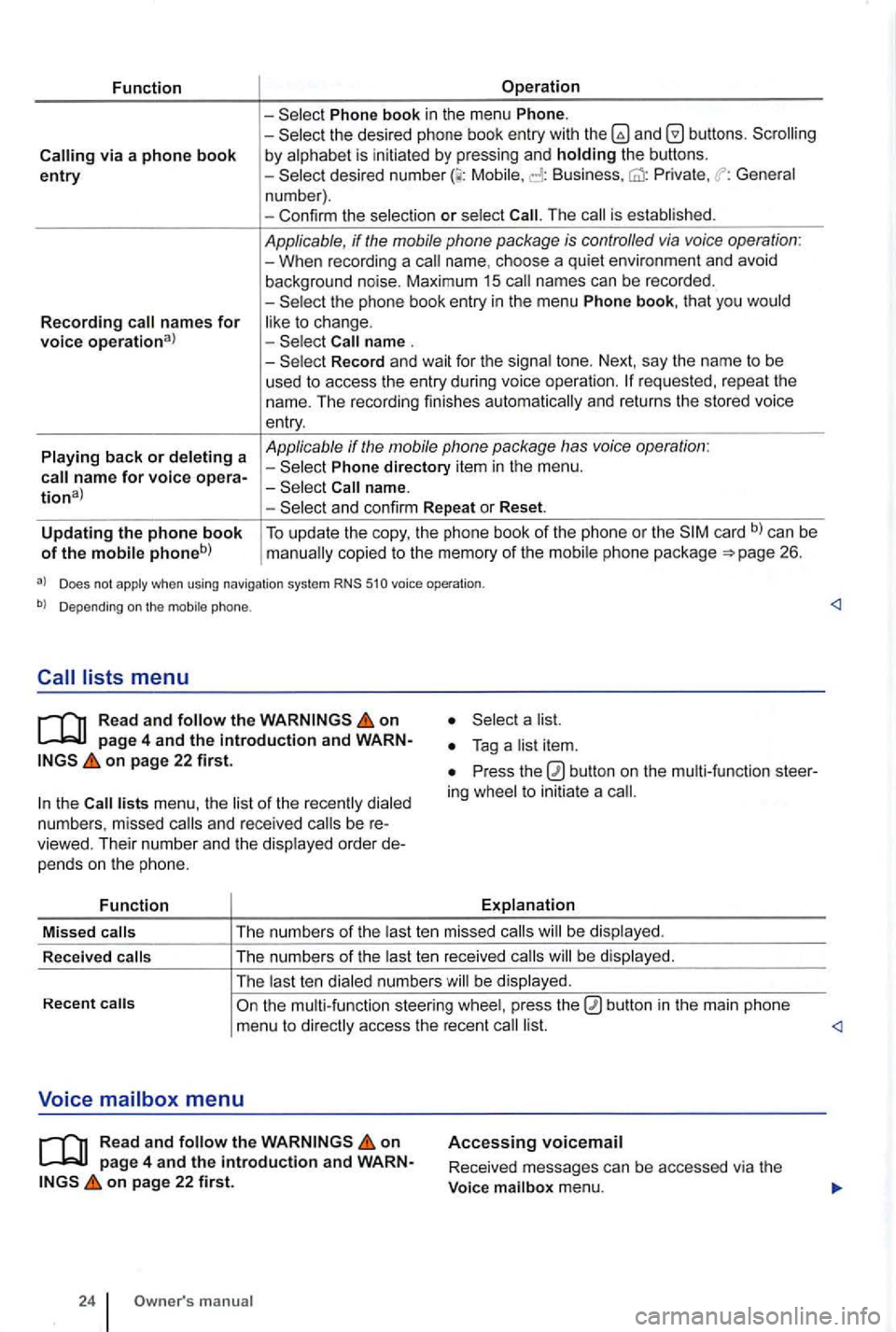
Function
via a phone book entry
Recording names for voice operational
Playing back or deleting a
Operation
Phone book in the menu Phone. -the desired phone book entry with and by alphabet is initiated by pressing and holding the buttons. -Mobile, Business, Private , General
n um ber) .
- Con firm the selec tio n
or select The is established .
Applicable, if the mobile phone package is controlled via voice operation : -When recording a name. choos e a qui et environ ment and avoid
background noise. Maximum 15 names can be recorded .
-
Record and wait for the signa l tone. Next, say the name to be
used t o access the entry during voice ope rati on .
Phone directory item in the menu .
and confirm Repeat or Reset.
Updating the phone book of the mobile phoneb) To update the copy, the phone book of the phone or the card b) can be copied to the memory of the mobil e ph one pac kage 26.
a) Does not apply when using navigation system RNS 510 voice operation .
b) Depending on the mobile phone.
Read and follow the on
on page 22 first.
the lists menu , the list of the rece ntl y dialed
numb ers , missed and rece ived be viewed. Their numb er and the disp layed order pe nd s o n the p hone.
Function
a list.
Press the ing whee l to initiat e a
Explanation
Missed
calls T
he numb ers of the last te n mis sed calls be dis pl ayed .
R ece
ived calls The
numbers of the last ten re ceived b e displayed .
The last t en dialed numbe rs w ill be display ed.
Recent
on page 4 and the introduction and on page 22 first.
24 manua l
Accessing voicemail
Received messages can be accessed via the
Voice mailbox menu.
Page 418 of 541
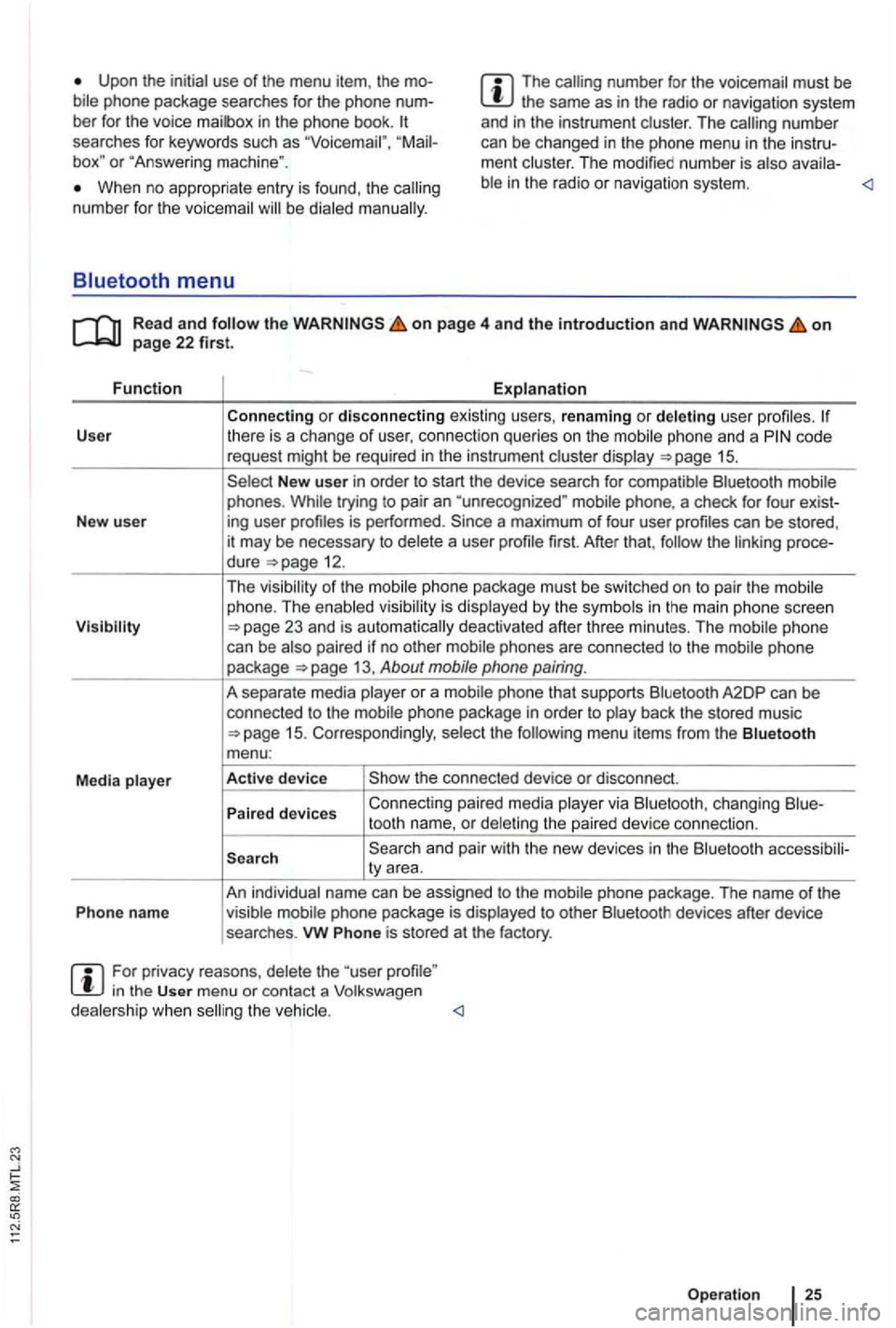
Upon the initial use of the menu item, the bile phone package searches for the phone
box" or "Answe ring mach ine ".
The number for the voicemai l must be the same as in the radio or naviga tion system
and in the instrument clust er. T he number
can be changed in the ph one menu in the instrument cluster. The modi fied number is atso availa-
When no appropriate entry is found, th e num ber for the voicemail be dialed
on page 4 and the introduction and on
code
request might be required in the instrumen t cluste r disp lay
New user in order to start the device search for compatible Bluetooth mobile
phones . While trying to pair an "unre cognized " mobile phone, a check for four exist-
New user ing user
first. After that, the linking proce-
dure
1 5 . Corresponding ly , selec t the
and pair with the new devices in the Bluetooth accessibili-
ty area.
An individual name can be assigned to the mobi le phone package . The name
of the
Phon e name visible mobile phone package is displ ayed to other Bluetoo th devices after device
searches .
vw Phone is stored at the factory.
For privacy reasons , delete the "user in the User menu or contact a Volkswagen
dealersh ip whe n
Page 458 of 541
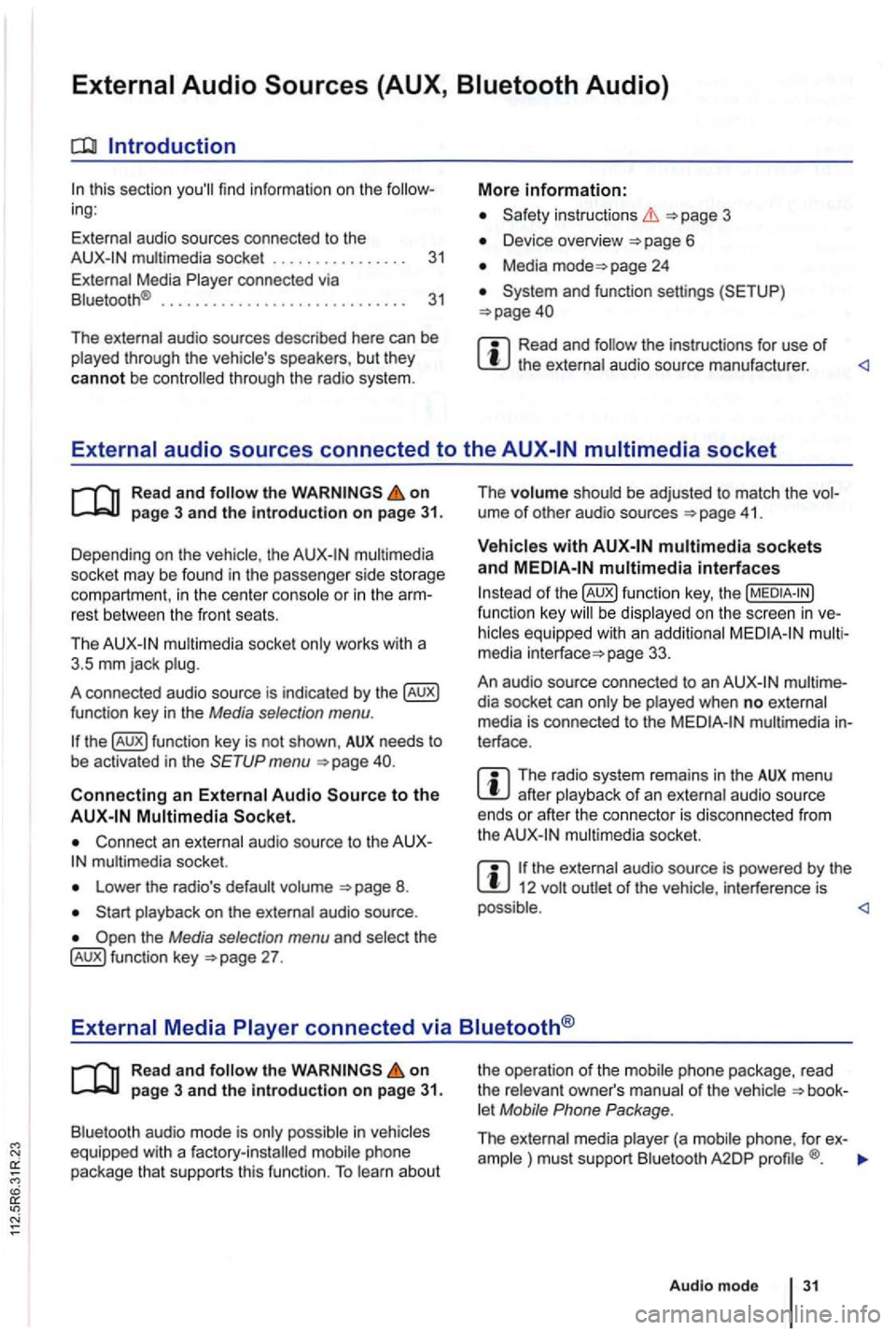
Introduction
this sec tio n find infor m atio n on the ing:
External audio sources connected to the instructio ns 3
Device overview
Media page 24
Read and the instructions for use of
Read and on
multimedia
socke t may be found in the passe nge r side storage
compart ment, in the cent er conso le
or in the rest between the front seats.
Th e
mul timedia socket only wor ks with a
3 .5 mm jack plug.
A co nnected audio source is indic ated by the
menu
Connect an external audio source to the mu ltimedia socket.
Lowe r the radio's default volume
the Media selection menu and selec t th e 27 . The
volume shoul
d be adjusted to match the ume of othe r aud io sources 41 .
multimedia interfaces
of function key, the be display ed on the screen in
page 33.
An audio source con nected to an
dia socket can only be played when no exte rnal
media is con nected to the multimedia terface .
The radio system remains in the AUX menu after playba ck of an exte rnal audio source
ends or afte r the connecto r is disconnecte d from
the
the ext ernal audio source is powered by the 12 volt
Read and the on page 3 and the Introduction on page 31.
Bluetooth audio mode is onl y possible in let Mobile Phone Package .
The external media pla yer (a mob ile phone , for ex-
ample ) must supp ort Blu etoo th A2DP
Audio mod e 31
Page 473 of 541
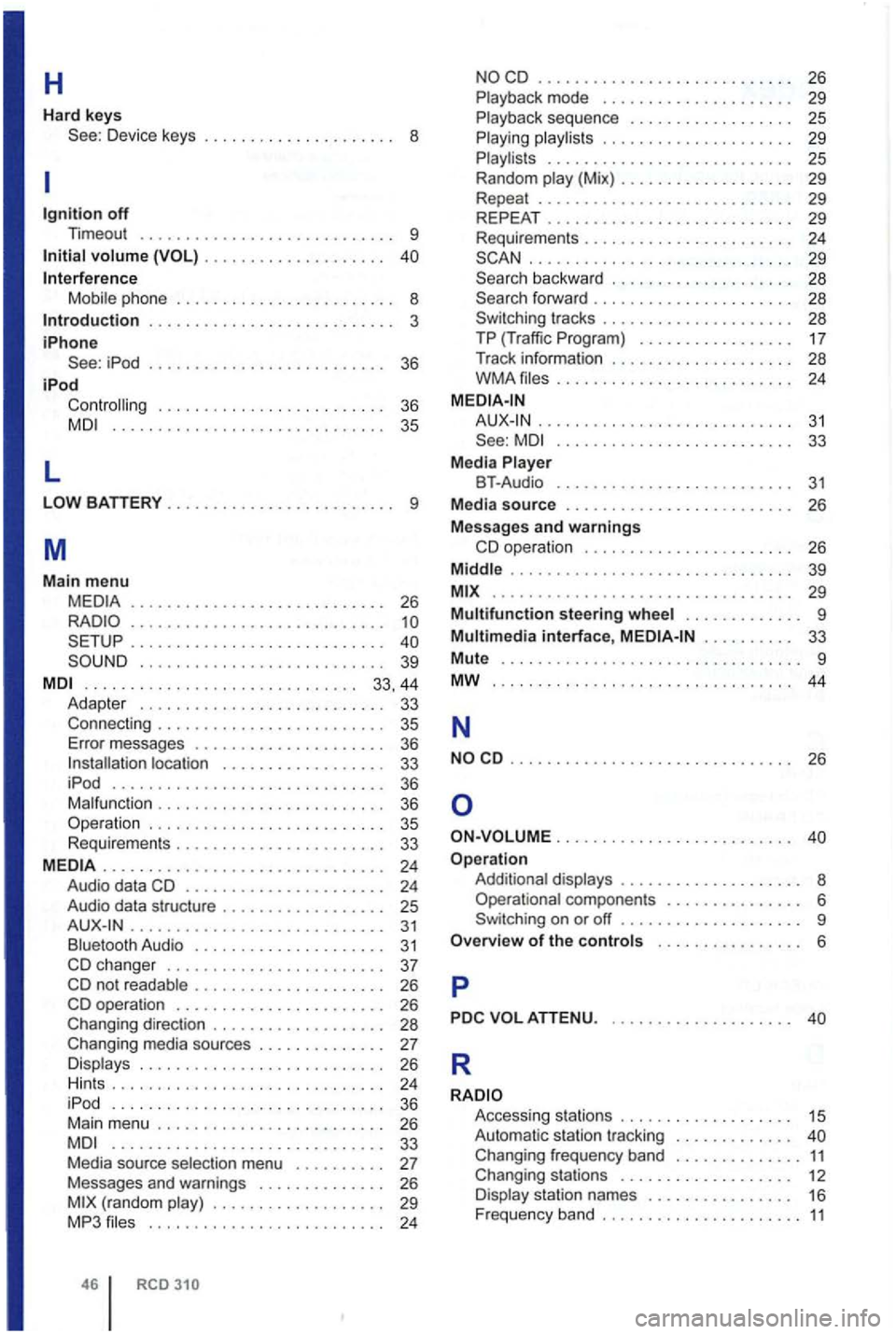
H
Hard keys Device keys . . . . . . . . . . . . . . . . . . . . . 8
off Timeout ............................ 9
volume . . . . . . . . . . . . . . . . . . . .
Mobile ph one . . . . . . . . . . . . . . . . . . . . . . . . 8 . . . . . . . . . . . . . . . . . . . . . . . . . . . 3
iPhone iPod . . . . . . . . . . . . . . . . . . . . . . . . . . 36
iPod . . . . . . . . . . . . . . . . . . . . . . . . . 36 .............................. 35
L
............................ 26
............... ............. ..... ..........•........... 39
. . . . . . . . . . . . . . . . . . . . . . . . . . . . . . 33, 44 Adapter . . . . . . . . . . . . . . . . . . . . . . . . . 33 Connecti ng . . . . . . . . . . . . . . . . . . . . . . . 35 Error messages . . . . . . . . . . . . . . . . . . . . . 36 . . . . . . . . . . 33 iPod .............................. 36 Malfunction . . . . . . . . . . . . . . . . . . . . . . 36
. . . . . . . . . . . . . . . . 33
......... ................•..... 24 Audio data . . . . . . . . . . . . . . . . . . . . . . 24 Audio data stru cture . . . . . . . . . . . . . . . . . 25 . . . . . . . . . . . . . . . . . . . . . . . . . . . 31 Bluetooth Audio . . . . . . . . . . . . . . . . . . . . 31 . . . . . . . 37 . . . . . . . . . . . . . . 26 . . . . . 26 Changing direction . . . . . . . . . . . . . . . . . 28
Changing media sources . . . . . . . . . . . . . . 27 Displays . . . . . . . . . . . . . . . . . . . . . . . . . . . 26 Hints ... ........................... 24
iPod .............................. 36 Mai n menu . . . . . . . . . . . . . . . . . . . . . . . . . 26 .........................•.... 33 Media source selection menu . . . . . . . . . . 27 Messages and warnings . . . . . . . . . . . . . . 26 (random play) . . . . . . . . . . . . . . . . . . . 29 MP3 .......................... 24
46 RCD
............................ 26 Playback mode . . . . . . . . . . . . . . . . . . . . 29 P layback sequence . . . . . . . . . . . . . . . . . . 25 Playing playl is ts . . . . . . . . . . . . . . . . . . . . . 29 Playlis ls . . . . . . . . . . . . . . . . . . . . . . . . . . . 25 Random play (Mix) . . . . . . . . . . . . . . . . . . 29 Repeat ............................ 29 REPEAT 29 Requirements . . . . . . . . . . . . . . . . . . . . . . 24 ...............•............. 29 backward . . . . . . . . . . . . . . . . . . . . 28
tracks . . . . . . . . .
.......................... 33 Media Player BT-Audio . . . . . . . . . . . . . . . . . . . . . . . . . 31 Media source . . . . . . . . . . . . . . . . . . . . . . . . 26
Messages and warnings
39
.................. ............... 29
Multifunction steering wheel . . . . . . . . . . . . . 9
Multimedia interface, . . . . . . . . . . 33
Mute ................................. 9
MW 44
N
............................... 26
. . . . . . . . . . . . . . . . . . . . . . . . .
Addi tional displays . . . . . . . . . . . . . . . . . . . . 8 Opera tional componen ts . . . . . . . . . . . . . . . 6
. . . . 6
p
R
Access ing stations . . . . . . . . . . . . . . . . . . . 15 Automatic tr acking . . . . . . . . . . . . . Changing frequency band 11 Changing stations . . . . . . . . . . . . . . . . . . . 12 Display station names . . . . . . . . . . . . . . . 16 Freq uency band . . . . . . . . . . . . . . . . . . . . 11