gearbox VOLKSWAGEN GOLF PLUS 2011 Owner´s Manual
[x] Cancel search | Manufacturer: VOLKSWAGEN, Model Year: 2011, Model line: GOLF PLUS, Model: VOLKSWAGEN GOLF PLUS 2011Pages: 138, PDF Size: 49.24 MB
Page 76 of 138
Downloaded from www.Manualslib.com manuals search engine Sele1:• r
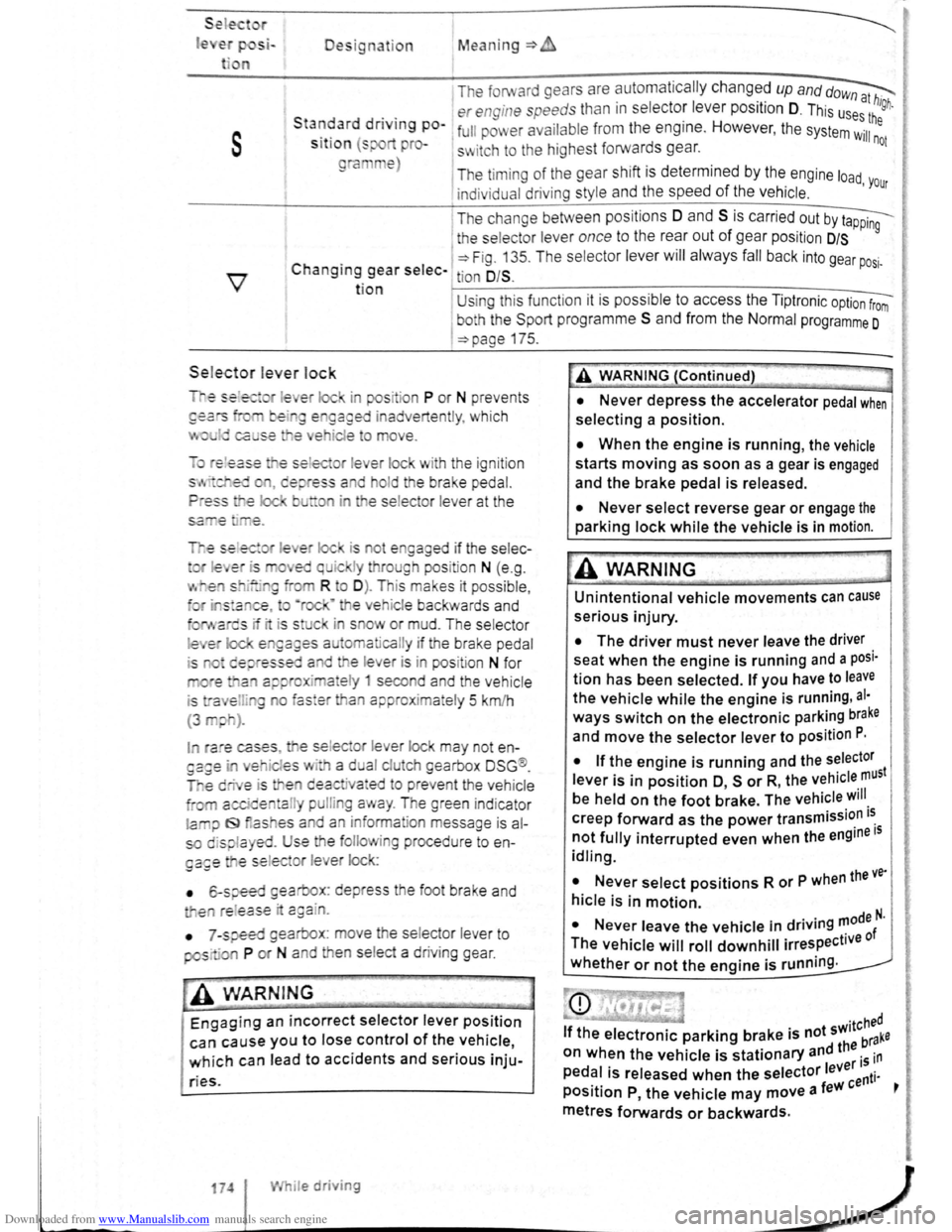
le Designation Mean ing=>
1 The forward gears are automa tic ally changed up and dow~
. . er engine speeds than in s electo: leve r position D. This us~:! high.
s
Sta~~ard dnvtng po-1 full pm er ava ilabl e from the eng1ne. However , the system Wil:he
S lt lo n (s pro-s~ itch to the highest forwards gear. not
ra e)
The timi ng of the gear shift is determined by the engine load
indivi dual driving style and the speed of the vehicle . 'Your
I T he change between positions 0 and S is carried out by t~
1 the selecto r lever once to the rear out of gear pos it ion D/S 9
C . 1 ~Fig. 13 5. T he se lec tor lever will alwa ys fall back into gear po .
h angtng gear selec- tion O/S . SI·
t ion U sing thi s funct ion it is possible to access the Tipt ronic option from
I
bo h the Spo rt programm e S and from the Normal programme 0
=>page 175.
Sele.ctor le ver lock
is ot e gaged if the selec-
I ra e cases , e se lec or lever lock may not en
es · a d al clu eh gearbox DSG ®.
e deactiva•ed to preve nt the vehicle
a l pulli g a ay . The green ind icator
la iJ f9 as es a d an inform ation message is al
so displa yed. Use the folio ing procedu re to en
ga£e e se lec or l e er lock:
• 6-speed gearbox: depress the foot brake and
e re l
ease · c:gain.
•
7 -speed gearbox : move he se lector lever to
pos· ·a P or N and en se lect a driv ing gear .
-• ·----
A WARNIN G
Engaging an incorrect selector lever position
can cause you to lose control of the vehicle,
which can lead to accidents and serious inju-
ries.
174 I While driving
A WARNING (Continued)
• Never depress the accelerator pedal when
selecting a position.
• When the engine is running, the vehicle
starts moving as soon as a gear is engaged
and the brake pedal is released.
• Never select reverse gear or engage the
parking lock while the vehicle is in motion.
A WARNING
Unintentional vehicle movements can cause
serious injury.
• The driver must never leave the driver
seat when the engine is running and a posi·
tion has been selected. If you have to leave
the vehicle while the engine is running , al·
ways switch on the electronic parking brake
and move the selector lever to position P.
I
• If the engine is running and the selector
lever is in position O, s or R, the vehicle must
be held on the foot brake. The vehicle will
creep forward as the power transmission i~
not fully interrupted even when the engine IS
idling.
• Never select positions R or P when the ve·
hicle is in motion.
N I . . d . . ..,0de N. • ever eave the vehicle m nv.ng '" f
The vehicle will roll downhill irrespective 0
whether or not the engine is running .
Page 77 of 138
Downloaded from www.Manualslib.com manuals search engine rfl If tho lo vo r Is move d accid entally to N when
L!J dr iving , take yo ur foot off the accele rato r.
WiJil fo r tile e ng in e ~~v s in t~e ne utral po sitio n be-
fo re solo ctin g a pos1!1o n agam.
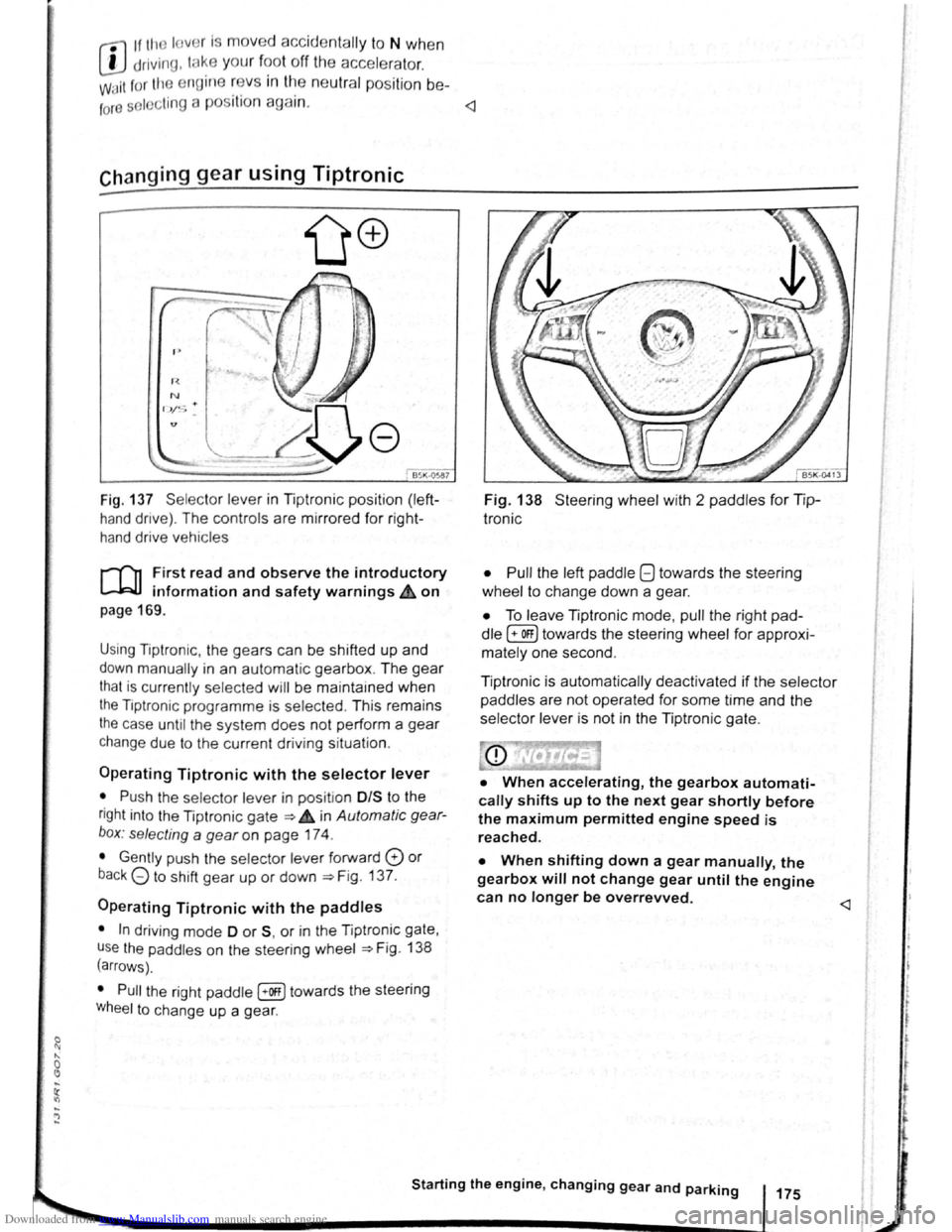
Fig. 137 Se lecto r leve r in Tiptronic position (left
hand drive) . The controls are mirrored for right
hand drive vehicles
rT'n F irst read and observe the introductory
L-.W.I information and safety warnings.& on
page 169 .
Using Tiptronic , the ge ars can be shifted up and
down manually in an automat ic gearbox . The gear
that is currently selected will be maintained when
the Tiptronic programme is selected . This remains
the case until the system does not perform a gear
change due to the current driv ing situation .
Operating Tiptronic with the selector lever
• Push the selector lever in pos it ion 0/S t o the
right into the Tiptronic gate ~ 4 in Automatic gear
b o x: selecting a
gear on page 174 .
• Gently push the selecto r lever forward 0 or
back G to shift gear up or down ~Fig. 137.
Operating Tiptronic with the paddles
• In driving mode 0 or S, or in the Tiptronic gate,
u se
the paddles o n the steering wheel ~Fig. 138
(arrows) .
• Pull the right paddle [+Off] towards the steering
Wheel to change up a gea r.
Fig. 138 Steer ing wheel with 2 padd les for Tip
Ironic
• Pull
the left paddle 8 towards the stee ring
whe el to cha nge down a gea r.
• To leave Tiptronic mode, pull the right pad
dle (+OFF) towa rds the steering whee l for approxi
mat ely one second .
Tiptronic is
automatically deactivated if the selector
paddles
are not operated for some time and the
selector lever is not in the Tiptronic gate.
• When accelerating, the gearbox automati
cally shifts up to the next gear shortly before
the maximum permitted engine speed is
reached.
• When shifting down a gear manually, the
gearbox will not change gear until the engine
can no longer be overrevved.
l t t
t
r
Page 78 of 138
Downloaded from www.Manualslib.com manuals search engine riving with an automatic gearbox
r-T'n First read and observe t h e introductory
L-..kJJ information and safety warnings~ on
page 169.
The gearbox changes th e forwa rd gears up and
down automat ic a lly .
Driving down hills
The steeper the gradi ent, the lower the gear you
will need . Lower gears increase the braking effect
of the engine . Never allow the vehicle to roll down
mountains or hills in the neutral position N.
• Reduce your speed.
• Push the selector lever from posit ion D t o the
r i
ght into the Tiptron ic gate ~page 175.
• Gently push the selector le ver to the rear to
change down gear.
• OR: shift down a gear using the padd les on the
s te
erin g wheel ~page 175 .
Stopping the vehicle and pulling away when
driving uphill
The steeper the incline, the lower the gear you will
need.
If you wish to stop the vehic le or pu ll away when
driv ing uphill you should use the Auto -Ho
ld func
tion
~page 196.
When you stop the vehicle on an incl ine and the
vehicle remains in gear , the vehicle must always
be prevented fro m rolling by depress ing the brake
pedal or
by applying the electron ic park ing brake .
The brake pedal or the electronic parking brake
should
not be released until you pull away ~CD.
Freewheel driving with dual clutch gearbox
DSG®
In
freewheel mode, the momentum of the vehicle is
used to save fuel with a foresighted driving style.
The engine is declutched and no longer brakes the
vehicle -the vehicle can
roll out over a longer dis
t a nce.
Switch-on condit io n: the selector lever must be in
positio n D.
Triggering freewheel driving
• Select the Eco driving mode from the Driving
Mode Selection menu ~page 248 .
• Remove foot from accelerator pedal. The en
gine
w ill be disengaged and run in freewheel
mode. The vehicle rolls without the braking effect
of the eng ine .
Cancelling freewheel mode
• Press the bra e pedal brieny or pull the 1 ft.
hand paddle G towards the stee ring wh 1.
Kick-down
The kickdown function enab~~s ma imum accelera.
tion in the selec tor lever pos1t1ons D and S, or in
th e Tiptron ic posi tio n.
If the acce lerator pedal is d epre ssed fully. the gear.
box will automat ically sh ift to a lower gear, depend
ing on the speed and engine revs. This will make
use of the full veh icle acceleration ~ Lt.
The gearbox does not shift up to the next gear until
the engine reaches the maximum engine s
peed for
the gear.
When the
Eco driving mode is sel ected in vehicles
with Driving Mode Selection ~page 248 and the
accelerator is depressed
fully beyond the pressure
point, the engine output is automatically regulated
to ensure maximum vehicl e acceleration .
Launch control programme
The launch control programme enables maximum
accelerat ion from a stand ing start .
• Switch off TCS ~page 179.
• Depress and hold the brake pedal with your left
foot.
• Move the selector lever to position S, or into the
Tiptronic position. Alte rnatively , select the Sport
driving mode in vehi cles with Driv ing Mode Selec
tion ~page 248 .
• With your right foot, depress the accelerator un
til the engines speed reaches approximately
3,200 rpm.
• Take your left foot off the brake ~ ~. The vehi
cle will start with maximum acceleration.
• Switch the TCS back on after accelerat ion.
A WARNING
Rapid acceleration can cause loss of traction
and skidding, particularly on slippery roads .
This can cause you to lose control of the ~e
hicle, which can lead to accidents and sen·
ous injuries.
• Always adjust your driving style in ac·
cordance with the flow of traffic.
• Only use kickdown or fast acceleration if
visibility, weather road and traffic conditions ' t permit, and other road users are not put a
risk due to the acceleration and the driving
style.
,
Page 79 of 138
Downloaded from www.Manualslib.com manuals search engine • Please note that the driven wheels can
\start to spin and the vehicle can skid If the
lCS i w1tched off, especially If the road Is
slippery.
•
Switch the TCS back on after acceleration.
attempt to stop it from rolling back by depress·
lng the accelerator while a position is still se
lected. The automatic gearbox could overheat
and be damage d .
• Never allow the vehicle to roll In posi tion N ,
particularly If the Ignition is s w itched off. The
automatic gearbox w ill not be lubricated and
could be damaged .
r-'('n F irst read and observe the introductory
L-Wl Information and safety warnings .&. on
page 169 .
Emergency programme
There is a fault in the system if all the displays on
the mstrument clu ste r for the se lector le ve r posi
tions have a light background. The automatic gear
box is running in an emergency programme. The
vehicle can still be driven in the eme rg ency pro
gramme, but only at reduced speed and not in all
gear s.
In vehicles with a dual clutch gearbox DSG®, y o u
may
no longer be able to select reverse gear.
In all cases the automatic gearbox should be
checke d
by a qualified workshop immediately.
Overheating of the dual clutch gearbox
DSG®
The dual clutch gearbox can overheat when th e
vehicle pulls off re
gularly, travels at a crawl for long
penods, or in s
top and go traffic . Gearbox over- .
heating
is i ndi cate d by the w arning lamp 0 and tn
some cases by a text m essage in the instrument
cluste r d1splay . An acoustic warni ng may also be
heard . Stop the ve hi cle and allow th e gea rbox to
cool down
~CD.
The vehicle will not move forwards or
backwards even though a gear has been
selected
If the veh1cle w11l not move in the requi red direc
tio n, the system may have selected the pos1tion m
correctly Depress the bra e pedal and reselect the
pOSitiOn
If th e vehicle st1ll does not move tn the requ1red di
re ction , th ere IS a system fault. Seek expert assis
tance and have the system checked
• If the display indicates that the gearbox is
overheating for the first time, the vehicle will
have to be parked safely or driven faster than
20 km/h (12 mph) .
• If the text message and acoustic warning
are repeated approximately every 10 seconds,
the vehicle must be parked safely immediately
and the engine switched off. Allow the gearbox
to cool down.
•
In order to prevent damage to the gearbox,
you should not drive on unti l the acousti c
warning stops. You should not pull away or
drive the vehicle at very low speeds while the
gearbox is overheated.
' 177
~
l
I
i
t
Page 82 of 138
Downloaded from www.Manualslib.com manuals search engine Aut mall wit h-o n of the electronic
p ar kin IJr ke If n o t activated properly whe n
th drlv r I av s the v ehicle
I h e .lec,lr uni park ing br ake s wit ch es itsel f on au
lortmlh ,RIIy In the fu llowlng Insta nces wh en the
JrivP-r I . avqs Ill v hlt,le :
• Wlr
t1 tile v hicl Is in gea r posi trons 0, S or R ,
ur If ll r lo t.! o r I v r Is I n t11e T ip tro nic posi tion
• Wl r c n tl re lgr rlll un is s wit ch d o n
• Wi 1 rt tire V l li c le Is s tatio na ry
• If ll re driv r uoor Is o pe n .
rn rge ncy braking function
1 11 n 1 rg on y br kin g fun ction sho uld only be
u s
d In those sit u atio ns wh ere the vehicle cannot
be slurped u ln g the foot br ake ~ &!
• Pull and hold the 8 butt on ~Fig. 14 0 to br ake
tir e ve hl
le sharply. An aco ustic sig na l ca n b e
hoa rd at the sa me lime.
•
T o sto p the br ak ing proced ure, re lease the§
b utt on or d epress th e acce le ra to r pedal.
The Incorrect use of the electronic parking
brake can cause accidents and serious inju
ries.
P arking
r-f11 First read and observe the introductory
l-J,.:JJ Information and safety warnings A on
page 179.
P lea e adhere to re leva nt legisla tion when stop
p in g
a nd pa rk in g your ve h icle .
S
topping the vehicle
Th e ta p s ho uld only be carr ied out in t he speci
flo d o rd or.
• Sto p the ve hi cle o n a sui tab le s urface ~ &,
• Depress a nd ho ld th e br ake ped al u ntil th e e n
gi ne ha
stoppe d .
• Swit ch o n the electr onic pa rking brake
. ~ pnye 18 1.
• With a n auto m atic gea rbox, move the selecto r
lo ve r to pos ition P .... #..
• Swit ch off th e engi ne a nd take your foo t off the
br ake pedal.
• Rem ove th a ve hi cle k e y from t he ignit ion lock .
• rurn the stee ring wheel s lig htly if necessa ry to
engage th e vtee ring lo ck mec h anism .
While driving
• The electronic parking brake should ne
be used to brake the vehicle, except in em '>'er
gencies. The braking distance is considerae.r .
bly longer as only the rear wheels are braked.
Always use the foot brake.
• Never activate the accelerator from the en.
gine compartment if a position or gear has
been selected and the engine is running. The
vehicle could move, even if the electronic
parking brake is applied.
m In veh rcles with a manual gea rbox: v. hen the
l..!J clu tch peda l is released a nd t he accelera
pedal depr essed at th e sa me time , th e e lectron
parkin g bra ke will be re leased autom aticall y
m If th e ve hicl e ba ttery is flat it w ill not be po~<:
L!J ble to re lease th e e lectro nic parking bra e.
U se
jump lead s =:>page 370 .
m Some norses ma y be hea rd wh en the elec·
W Iron ic p ark in g b ra ke is sw itch ed on or ff.
r::l If th e e le ctron ic park in g b ra ke has not been
W used fo r a long period , th e s ys te m will carry
out occa siona l automa tic a nd acou stic check s
when the ve hicl e is pa rk ed .
• With a m anu al gearbox , se lect 1st gea r for f.at
groun d and u phill incl in es , or re ve rse ge ar ()(
downh ill incl ines , a nd then r elease e dutch.
• Ple a se ensur e t hat all o ccup an s. i n pa
ch ildren , lea ve th e ve h icl e.
laf
• Take a ll ve hicl e ke ys with yo u w en you tea 'e
th e ve h icl e.
• lock the ve h icle .
Additional points for ascending and
descending inclines
Be fore SVIitchin g off th e e ng in e , turn e s eeriP:1
wheel so that th e fron t wheels w ill roll aga i st me
kerb if the parked ve icle start s to mo e.
• Whe n fa cing downhill , turn tl e ~s SO tf'\3!
they fa ce e ke rb.
•
Whe n fa cing up ill , turn e omeels so IP8t tt
<
1821
---------------------- ------~~
Page 84 of 138
Downloaded from www.Manualslib.com manuals search engine ~S~ta~~~st~o~p~s~y~s~te~m~--------------------------------------
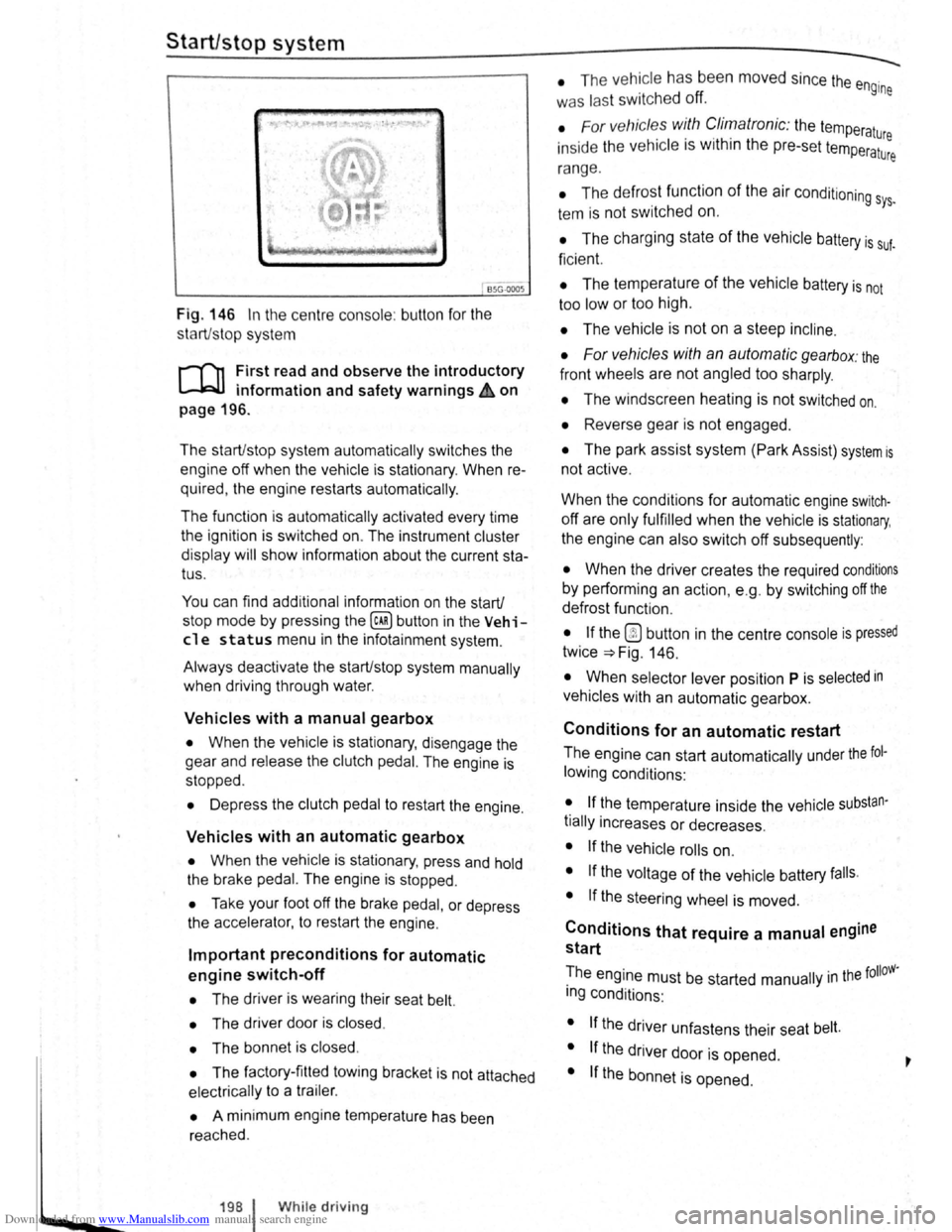
BSG-0005
Fig. 146 In the centre consol e: butt on for the
s tart/s top syst em
r-T'n First read and observe the introductory
L-lcJJ information and safety warnings .&. on
page
196.
The start/stop system automatically switches the
engine off when the vehicle is stationary . When re
quired , the engine restarts automatically .
The function is automatically activated every time
the ignit ion is switched on. The instrument cluster
display will show information about the current sta
tus .
You can find additional information on the start/
stop mode by pressing
the~ button in the Vehi
cl e status menu in the infota inment system .
Always deactivate the start/stop system manually
when driving through water.
Vehicles with a manual gearbox
• When the vehicle is stat ionary , d isengage the
g e
ar and release the clutch pedal. The engine is
stopped .
• Depress the clutch pedal to restart the engine .
Vehicles with an automatic gearbox
• When the vehicle is stationary , press and hold
the brake pedal. The engine
is stopped.
• Ta ke your foot off the brake pedal, or depress
the acce lerator, to restart the engine .
Important preconditions for automatic
engine switch-off
• The driv er is wearing their seat belt.
• The driver door is closed .
• The bonnet is closed .
• The factory-fitted towing bracket is not attached
ele ctrically to a trailer .
• A minimum engine temperature has been
rea ched .
198 I While driving
• The ve hicle has been moved since the engine
was las t switc he d off.
• F or v ehicle s with Climatronic: the temperatu
inside the ve hicle is within the pre-set temperat~~e
ra nge .
• The de frost function of the air conditioning sys.
tem is not switched on.
• The charging state of the vehicle battery is suf.
ficient.
• The temperature of the vehicle battery is not
too
low or too high .
• The vehicle is not on a steep incline.
• For vehicles with an automatic gearbox: the
front wheels are not angled too sharply .
• The windscreen heating is not switched on.
• Reverse gear is not engaged .
• The park assist system (Park Assist) system is
not active .
When the condit ions
for automatic engine swit ch
off are only fulfilled when the vehicle is stationary,
the engine can also switch off subsequently :
• When the driver creates the required conditions
by performing an action , e .g . by switching off the
defrost function .
• If the @ button in the centre console is pressed
twice ~Fig. 146.
• When selector lever position P is selected in
vehicles with an automatic gearbox.
Conditions for an automatic restart
The engine can start automatically under the fol
lowing conditions :
• If the temperature inside the vehicle substan
tially increases or decreases .
• If the vehicle rolls on.
• If the voltage of the vehicle battery falls.
• If the steering wheel is moved.
Conditions that require a manual engine
start
The engine must be started manually in the folloW·
ing conditions :
• If the driver unfastens their seat belt.
• If the driver door is opened .
• If the bonnet is opened.
Page 85 of 138
Downloaded from www.Manualslib.com manuals search engine Activating and deactivating the start/stop
system manually
• Press the 0 button in the centre console
~Fig. 146.
• If the start/stop system has been deactivated,
the indicator lam p in the button lights up.
The engine will start if the vehicle is in stop mode
when the system is deactivated manually.
Start/stop
mode when adaptive cruise
control (ACC) is active
The engine will be switched off after the adaptive
cruise control (ACC) has brought the vehicle to a
standstill with an active braking intervention
~page 226.
In the following instances, the engine will restart
when the ACC is active:
• If the accelerator is depressed.
• When the ACC has resumed speed and dis
tance control.
• If the vehicle ahead has moved on.
The brake servo and the electromechanical
steering will not function if the engine is
switched off.
• Never allow the vehicle to roll if the engine
is switched off.
• The start/stop system must be deactivated
if work is to be carried out in the engine com
partment.
Downhill driving assistant
rf'n First read and observe the introductory
~ information and safety warnings £ on
page 196.
The downhill driving assistant in veh icles with an
~utomatic gearbox helps when braking and travel
ling downhill ~ £. The downhill driving assistant
uses the braking power of the engine .
The automatic gearbox selects the best gear for
t~e circums tances by taking the steepness of the
h1l.l and the current speed into consideration. To do
th1s the selector lever must be in position D or S.
The downhill driving assistant is not active in Tip
Ironic mode .
As the downhill driving assistant can only shift
down as far as the 3rd gear, it may be necessary
to activate the Tiptronic mode when driving down
If the start/stop system is used in very high
outside temperatures over a long period, the
vehicle battery can be damaged.
m In some cases, it may be necessa ry to restart
L!J the engine manually. F ollow any correspond
ing messag es on the instrument cluste r display.
m The start/stop system is automatically activa
L!J ted when the Eco driving mode is selected in
vehicles that have Driving Mode Selection
~page 248 .
select the 2nd or 1st gear manually in order to
make use of the braking effect of the engine and to
relieve the brakes .
Activating the downhill driving assistant
automatically:
• If the incline is greater than approximately 6%.
• AND: if the selector lever is in position 0 or s.
• In addition, if the CCS or ACC is switched
off: if the vehicle speed is less than approximately
80 km/h (50 mph) or the brake pedal is depressed.
• In addition if the CCS or ACC is active: if the
stored speed is exceeded .
Driver
assist systems 199
..
Page 113 of 138
Downloaded from www.Manualslib.com manuals search engine . ,~~t ral dification s to the vehicle , e .g .
~ :·.
9 t o e i le or making alteration s to the
~.': d tri , can impair the function of the ACC.
~ ·· ra~ od ifict ton s s hould therefore only be
t y a qualified workshop . Vo lkswage n
e s using a Vo lkswagen dealership for
, ec y erformed repair s to the front end of the
·~"· •e can a lter t h e posit ion of the radar sensor ~I
. e re r e im pair the funct ion of the ACC . R e-
.. ~i , should there fore only be carried out by a
,__a11 ed wo shop . Volk swagen recommends us-
1 sv agen dealersh ip for this purpose .
Switch off the ACC if you suspect that the radar
sensor has been damaged or its position has
been altered. This can help to prevent further
damage. Have the radar sensor realigned.
• The radar sensor could be moved if it is hit,
for example in parking manoeuvres. Readjust
ing the sensor could impair the performance of
the system or cause it to be switched off .
• Repair work on the radar sensor will require
special knowledge and tools. Volkswagen rec
ommends using a Volkswagen dealership for
this purpose.
• Remove snow with a brush, and remove ice
preferably with a solvent-free de-icer spray. <1
Operat ing adaptive cruise control (ACC)
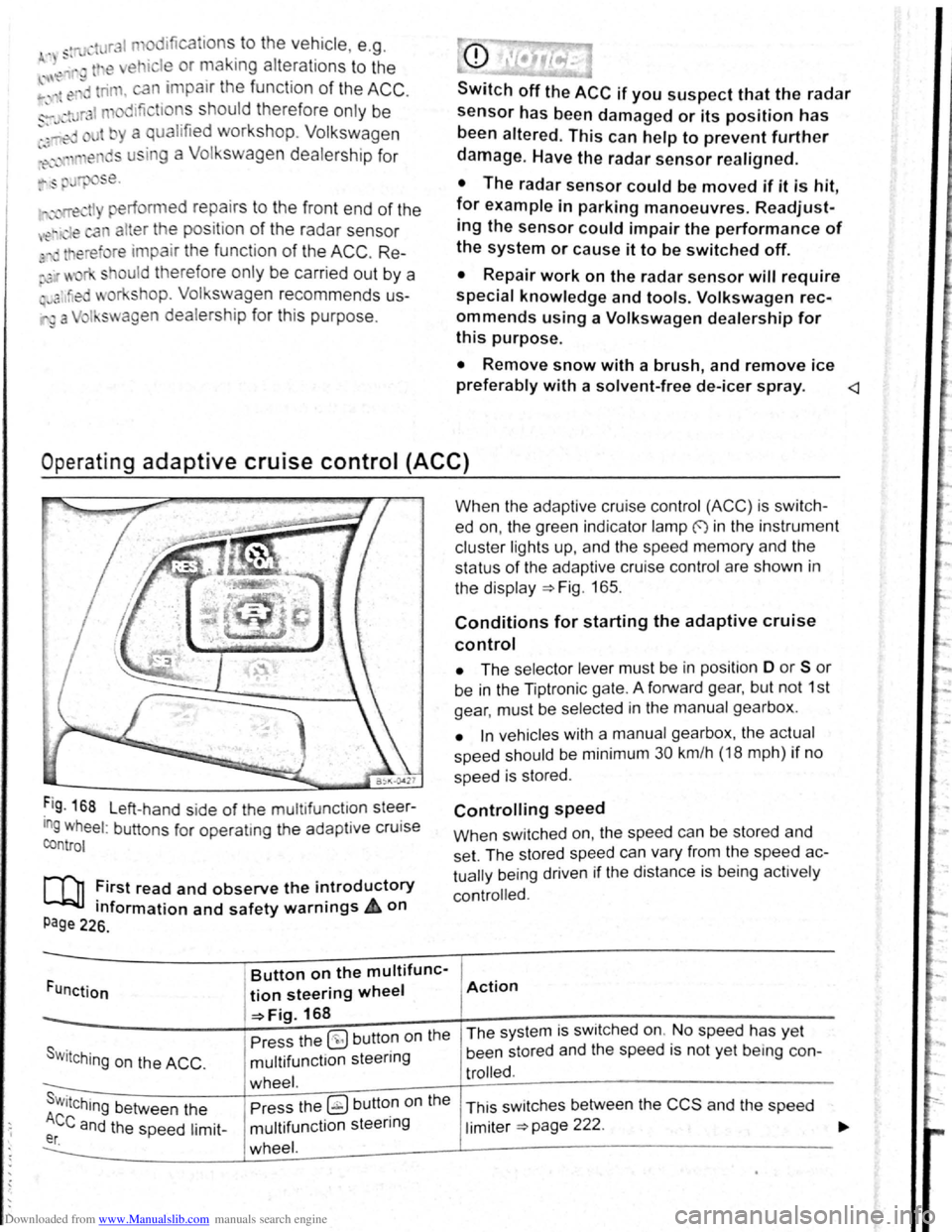
Fig . 168 L eft-hand side of the mu ltifunctlon steer
ing wheel: buttons for operatmg the adaptive cruise
control
[Q] :irst read and observe the i~troductory
tnformation and safety warnrngs 4 on
Page 226.
Funct ion
Button on the multifunc-
tion steering wheel
-=>Fig. 168
Pre ss the
(9 but ton on the
S w i
tching on the ACC . multifunction steering
wheel. s . Press the ~ button on the Wttching between the
Ace and the speed limit-multifunction steering er. wheel.
When the adapt ive cruise control (ACC) is switch
ed on, the green indicator lamp f) in the instrument
c
luste r lights up, and the speed memory and the
status
of the adaptive cruise contro l are shown in
the disp la y ~Fig. 165.
Conditions for starting the adaptive cruise
control
• The selector lever must be in position D or S or
be in the Tiptron ic gate. A forward gear, but not 1st
gear , must be selected
in the manu al gearbox .
• In vehicles with a manual gearbox , the actual
speed should be minimum 30 km /h (18 mph) if no
speed is stored .
Controlling speed
When switched on, the speed can be stored and
set. The stored speed can vary from the speed
ac
tually
being driven if the distance is b ein g act ively
controlled.
Action
The system is switched on. No speed has yet
been stored and the speed is not yet being con-
trolled.
This sw itches between the CCS and the speed
limiter ~page 222 .
Page 117 of 138
Downloaded from www.Manualslib.com manuals search engine I ation to standstill (only vehicles with pece er )
rnatic gearbox 3uto hicle travelling ahead brakes to a standst1ll ,
If a ;~c will also brake your vehicle to a s tands till.
~:e vehicle is then he ld stationary by th e brakes.
Stationary phase (only vehicles with
autornatic gearbox)
If the adap tive cruise control has decele ra t d the
vehicle to a standstill, the adapt.ive cruise contr o l
will not be switched off automatically wh en the
brake pedal is depressed .
The electronic parking brake will be activated auto4
matically and the adap tive cruise control will be
switched off if one of the following situations occurs
while the vehicle is stationary:
• The safety be lt is unfastened .
• The driver's door is opened.
• The ignition is switched off.
• The stationary phase lasts longer than approxi4
mately 3 minutes .
Driving off after a stationary phase (only
vehicles with automatic gearbox)
After a stationary phase, the adaptive cruise con
trol can start the vehicle moving automatically as
soon as the vehicle in front begins to move again.
Overtaking
If the turn signal is activated when starting an over
taking manoeuvre , the adaptive cruise control ac
celerates the vehicle automatically and thus re
duces the distance to the vehicle in front.
If you move your vehicle into the overtaking lane
and there is no vehicle ahead of you , the ACC will
automatically increase the speed to your set level
and maintain it.
Acceleration can be stopped at any point
by de
Pressing the brake pedal or pressing the @ button
on the multifunction steering wheel ~page 229.
When driving through bends
While dr iving through bends, the radar sensor may
sometimes lose the ve hicle travelling ahead or
rnay r eac t to a ve hicle in the next lane
; Fig. 169 A. In such situations, the vehicle might
.
ecel e rate unnec essarily or not react to the veh icle
In front. In this case the driver must override the
Abcc by depressing the accelerator, or interrupt the rak· lng procedure by depressing the brake peda l
or Pressing the ~ button on the multifunction
ste · ~ enng wh eel ~page 229.
Driving In tunn I
Th rnd~u nso r run .tton mt y lH n slt11.l clln tun ·
n Is. Sw1tch off th ACC m tunn I•
Narrow v e hlcl
situation
nd · zl -z g tr ff c
Vehicles with special load or p cl
equipment
Any load or cc sari th, t pr
trude from tile sld , r r or ov r 111 r o f o f th v •
hicle m y no t be d t et d y th ACC .
Swit ch
off the ACC wh n tt1 v 'hi cl ~h ld h e
special lo d or sp ci I equi pm nt o r whil ov rt ;Jk·
ing such vehic les. If req uir d. brak th v hi I
yourself.
When othe r vehicles change lane
V ehicles that are ve ry close whon th y mov Into
your lane can onl y be do tec t d by th r d. r s n
sors when they h ave moved Into the s nsor r ng
This w ill resul t in a late r action by th dap tiv
cruise control
F1g. 17 0 C. If r quir d , br ke th e
vehicl e your self.
Stationary vehicles
The ACC do es not de tec t st tionary obj cts durin
a journey , such as st tion ary traffic
or a ve hi cl
th at has brok en down .
If a stationary ve hi cle is hidd en behind a ve hi cle
th at h as been detected by
the adap tive cruis e con
trol and this vehic le turns off the road or changes
la ne , the adaptive cruise contr ol will not be ble to
re ac t to the s ta tion ary vehicle Fig.
170 D. If re-
quired, brake the vehic le yourself.
Oncoming vehicles and vehicles crossing
your path
The adap tive cruise contro l does not react to ap
proaching vehicles or v ehicles crossing your p th.
Metal
objects
M eta l objects, such as tracks In the road or m et 1
plates used in roadworks, can confuse the radar
sensor and cause in correc t reactions from the
adap tive cr uise con trol.
..,..
Driver assist systems 233
Page 128 of 138
Downloaded from www.Manualslib.com manuals search engine J J
' ·, ' '~
' i '
traff ic c ond itions allow, briefly take your foot
When accle rator to activate the newly selected off the . . .
9 mode fo r the eng me. dnvm
daptive chassis control (DCC)
~h·le the vehicle is in motion , the DCC constantly
d.
1
sts the suspensio n characteristics to match the
a J~ surface and the cu rrent driving situation, in
~~~ordance with the preset vehicle setti ngs.
If there is a fault in the DCC, th e ~ symbol appears
in the instrument cluste r display along with the
message Fault: damper control.
Steering
In Sport mode, power steerin~ is r~duced and the
effort required to stee r the vehicle mcreases. The
vehicle's driving response becomes more agile.
Powertrain (engine and gearbox)
The engine and gearbox will give either a more dy
namic or more balanced response to the move
ment of the accelerato r, depending on th e selec ted
driving mode . In vehicles with an automatic gear
box, the gear shift po ints and the coasting mode
will also change . An active cruise contro l sys tem
(CCS) can affec t the acceleration response.
Adaptive Cruise Control (ACC)
When the ACC is active, accele ratio n and deceler
ation of the vehicle becomes more ecological or
sporty.
Dynamic bend lighting and automatic main
beam assist
The dynamic bend lighting and the automatic main
beam assist will give either a more dynamic or
more balanced respo nse to the current driving sit
uation, depe nding on the selected driving m ode.
Air conditioning system
In Eco mode , the air cond itio ning will be set to run
even more economica lly.
Displaying the driving mode
• Ensure that the ignition is switched on.
• Press the Driving Mode Selection button(~ MOD£)
~Fig. 177 . The Driving Mode Selec tio n menu ap
~ears in the infotainment system display. The ac
tive driving mode is selected .
• Touch the (Informa tion ) function button to disp lay
additional information about the current driving
rnode.
..,...,_ . _ ..
-
Selecting the driving mode
• Ensure that the igniti on 1s swit c hed on.
• Press the Driving Mode Se lection button (t:'t wooe)
~Fig. 177 and touch the fun ction button for the se·
lected driving mode in the lnfota inm ent system dis
pla y.
The selec te d driving mode
will re m ain set e ve n a f
t e r the ignition has bee n swi tc he d off . Th e las t acti ·
va ted driving mode will be assigned to the ve hic le
key that h as been use d.
Changing the driving mode can alter the vehi
cle handling. Never allow Driving Mode S elec
tion to tempt you into taking any risks when
driving.
• Always adapt your speed and driving style
to suit visibility, weather, road and traffic con
ditions.
It A WARNING . ~
Failure to observe illuminated w arning lamps
and text messages can lea d to your vehicle
breaking down in traffic, and can cause acci
dent and serious injury.
• Never ignore any illuminated warning
lamps or text messages.
• Stop the vehicle as soon as possible and
when safe to do so.
---
Failure to observe illuminated indicator lamps
and text messages can lead to your vehicle be
ing damaged.
r::l The Eco mode is blocked when the ve hicle is
l!J towi ng a trai le r. If the vehi cle is in Eco mode
when a trailer is hitched and electrica lly connected
to the towing
ve hicle via th e trailer socket. the sys
tem will automatica lly swi tch to
Normal mode.
r::l In vehicles with an automa tic gearbox, the
l!J system automatically switches to gear posi
tion S when the
Sport drivin g mode is se lected .
The syste m aut omatically switches to
gear position
E when the
Eco driving mode is se lected .
r::l The driver can adjust certain vehicle fun c
l!J tions irrespective of the selected driving
mode . For examp le, the driver can swi tc h to
gear
position
S wh en the Eco driving mode is selected.
r::l In some model ve rsions the highest speed of
l!J th e veh ic le ca n only be achie ved in the Nor-
mal or Sport driving modes.