stop start VOLKSWAGEN GOLF PLUS 2012 User Guide
[x] Cancel search | Manufacturer: VOLKSWAGEN, Model Year: 2012, Model line: GOLF PLUS, Model: VOLKSWAGEN GOLF PLUS 2012Pages: 541, PDF Size: 98.86 MB
Page 192 of 541
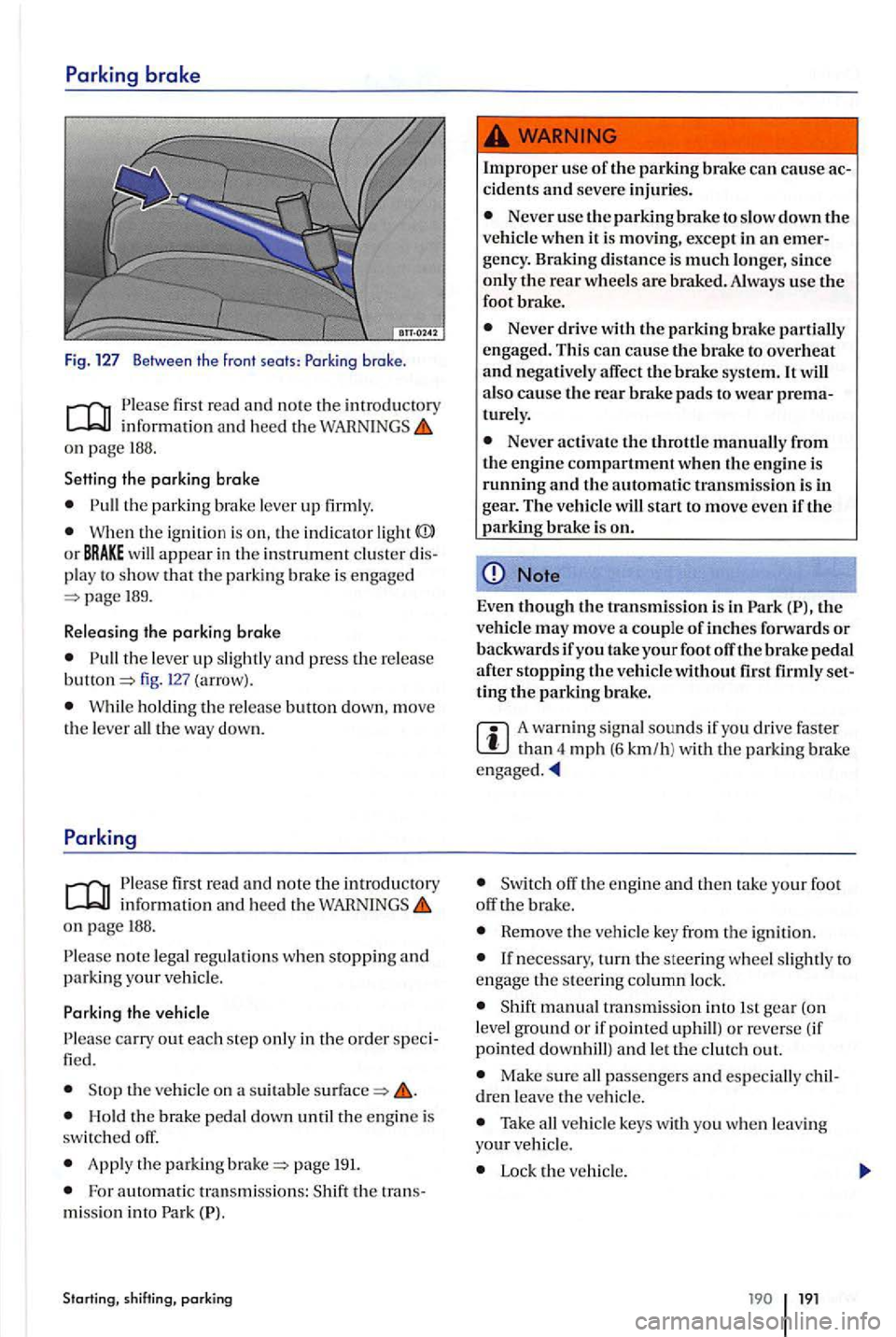
first read and note the imrod uctory
on pag e 188.
Setting the parking brake
the parkin g br ake lever up firml y.
Wh en th e ignitio n is on, the in dicator light
189.
R e leasing the parking
brake
the lever up slightl y and press the release fig. (arrow).
W hil e ho ldin g th e re lease butt on down, move
t h e leve r all th e way down.
info rmatio n and hee d th e on page 188.
n o te lega l regulations when stopping and parking your veh icle.
th e vehicle on a suitabl e
Hold th e brak e pedal dow n until the engin e is
switc h ed off.
App ly the parking page 191.
Fo r a utomatic tra nsmiss ions: th e tra ns
mi ssio n in to Park
Starting, shift ing, parking
Improper use of the parking brake ca n cause ac cidents and seve re injurie s.
Never use the pa rkin g brake to slow down the ve hicl e when it is moving , except in an emer
gency . Braking distance is much longe r, since only the rear wheels are brak ed. Always use the
foot brake.
Never drive with the parking brake partiall y
engage d. Thi s can cause the brake to overheat and negatively affect the brake syste m. It also cause the rea r brake pads to wea r prematurely.
Never acti va te t he throttl e manually from
th e e ngin e compartment when th e engine is running and the automatic tra n smissio n is in gear. The ve h icl e w ill start to move eve n iftl1 e parking brake is on.
Note
Even t11ough the transmi ssio n is in th e
ve hicl e may move a couple of inches forward s or backwar ds if you take your foot off the brake pedal after s toppin g the vehicle without set
ting tl1e parking brake.
A wa rning sig nal sounds if yo u driv e faste r th an 4 mph (6 km/h ) w ith th e parking brake
off the engin e and th en tak e yo ur foot
off brak e.
Rem ove the veh icle ke y from th e ign ition .
manual transm iss ion in to 1 st gea r (on
l evel ground or if pointed uphill) o r re ve rse (if
point ed
Make sure all passengers and esp ecially children leave th e ve hicle.
Take all ve h icle keys with you w he n le a vin g your ve hicl e.
Lock the ve hicl e.
19 1
Page 194 of 541
Brake booster
Th e brak e boo ste r w ork s o
nly wh en the engi ne is
running . It increa se s th e forc e on the brake s above and beyond the pre ssure put on th e brake pedal by
the driver.
If the brake booster is not working, or if th e ve hicl e
ha s to be towed, you have to push th e brak e
p ed a l hard er to make up for the lack of booster
New brake pads do not provide maximum braking performance.
New brake pads do not have the best ping power for the first km) and must be You can compensate for the slightl y reduced braking force by putting more pressure on the brake pedal.
Drive with
Never follow otl1er vehicles too closely or put yourself into other sit uation s that might require sudden, hard braking ,especially when the brake pads have not been broken
Overheated brakes
When driving downhill , the brakes have to
work es pecially hard and heat up quickly.
Before driving downhill, es peciall y on th at are long or steep, alwa ys reduce s peed and shift into lower gear (manual or automatic
transmission) so that the engine he lp s to brake
the vehicl e. Othenvise, the brake system cou ld
ov erheat and pos sibly u se the brakes
w hen yo u need them to slow the v ehicl e down
m ore or to stop.
A damaged front spoiler or a non- standard spoiler can reduce airflow to the brakes and
Starting, shifting, parking
Wet brakes or brakes witl1 icc or road salt
react slow er and n eed lo n ger stoppin g tances.
Ca refully apply the brakes to test th em.
Always dry brak es and clean off ice and salt
coat ings with a few cautious
tions permit.
Driving when the booster is no t working
in creases stopping distances and can cause dent s and seriou s personal injuries.
Never le t the vehicl e coast when the en gine is
switc hed off.
If the brake booster is not working (such as
w he n the vehicle is bein g towed), a lot more pedal force is needed to slow down and stop.
Note
Neve r the by keeping your foot on the to brak e.
Constant pressure on the brake pedal can make th e brakes overheat. This sub stantially reduce
braking performance, increase stopping di stan ce, and can cause co mpl ete failure of th e brake
s y stem.
Before driving downhill, especially on that are long or steep, always reduce speed and shift into lower gear (manua l or automati c
When th e front brake s are serviced , you should have the rea r brake pads inspected
rized Volksw agen deal er or au th orize d Volkswa gen
Service Facility vis uall y insp ec t th e pads through
th e o pe nin gs in the wh eel rim s or from nea th tl1e ve hicle. If n ecess ary, the wheels ca n be
t ake n off for a mor e thorou gh
192 193
Page 204 of 541
first r ead and n ote th e introducto ry in forma ti o n o n page
Hill Hold help s keep th e vehicl e from rollin g back
w ard s w hen sta rtin g out on a hill , for example aft er
s topping at a lig h l. don 't h ave to appl y
and r e le ase the parkin g brak e whi le dep re ss in g the For Hill Hold to work . th e e ng in e m ust
b e runni ng and the veh icle mus t b e in First Gea r or R eve rse (m anual tran smissio n) o r in Driv e (DJ. Dri ve (S), o r Reve rse (R) (a utomatic trans
mi ssion) and yo u must usc the foo t b ra ke to ho ld
th e ve hi cle befo re
force yo u u sed to pre ve nt the ve hicl e
from moving. This g ives you tim e to take your foo t
off the brake, le t t h e clu tc h out on a m anual t ran s
m ission ve hicle . and gently depress the acc ele r- a
to r to
p edal and ge t the ve hicl e moving
a ga in w ithin this time, the brake s will and the ve hicle will roll downhill. Furtherm ore , if re qu ire m en t f or e nga gin g Hill Hold is no lo nge r
m et while the vehicle is s toppe d, Hill Hold di sengages, the in dicator light in the butto n goes out,
a nd the brakes are automatically re leased and will no lo nge r h old the ve hicl e.
The intelligent technolo gy of
The llillllold feature cannot h old the ve hicl e
in all start situ ations ( for example, if the
surface is icy or s lip pery ).
Ho ld can only help keep the ve hicl e from mov ing fo r l ess than two seconds. Af te r tha t, the
b rakes be re lease d and the ve hicl e can roll
d ow n the hill .
Hill Hold is activated outomoli colly when the following conditions ore all met at the some tim e
I to 3 mus t b e m et a t the sa m e time:
M
anua l tran smissio n Automatic transmission
H old the stoppe d ve hicle on a n in cline w ith th e foot brake o r park in g brak e.
2.
3.
The e ngine must be run ning
if uphill o r in Revers e if headed
d o w nhill; you must hold th e clutch down and the foo t brak e must b e d ep ressed to keep th e
ve hicle from mo ving.
R elease the brake as yo u let the clutch out an d
g e ntl y de press the accelerator.
Hill Hold is imm ediat ely deactivated :
As soon an y re qu ire m en t liste d unde r page is a cti ua te d auto matically follo win g con d itio ns ar e time is no longe r m el.
If the engin e is not runnin g smoothl y or there
a rc e ng in e malfun ctions.
D river assista nce systems
A n autom atic transmissio n ve hicle must b e in
H e vc rse (R). Dr iv e (D ), or S po rt Drive ( S) and th e foot brak e m ust be d epresse d to keep the
ve hicle from movin g.
R el
ease the brake as yo u gentl y depress t11e celc rnt or.
If th e e ng in e s tall s or is swi t c he d off.
Vehicles ruitl1 automatic If you m ove the selector lever i nt o N eutral (N).
Vehicl es autom ati c tran smission: If a tir e docs no t h ave eno ug h ro ad contac t (s uch as w hen the ve hicle is tippe d or at an
Page 352 of 541
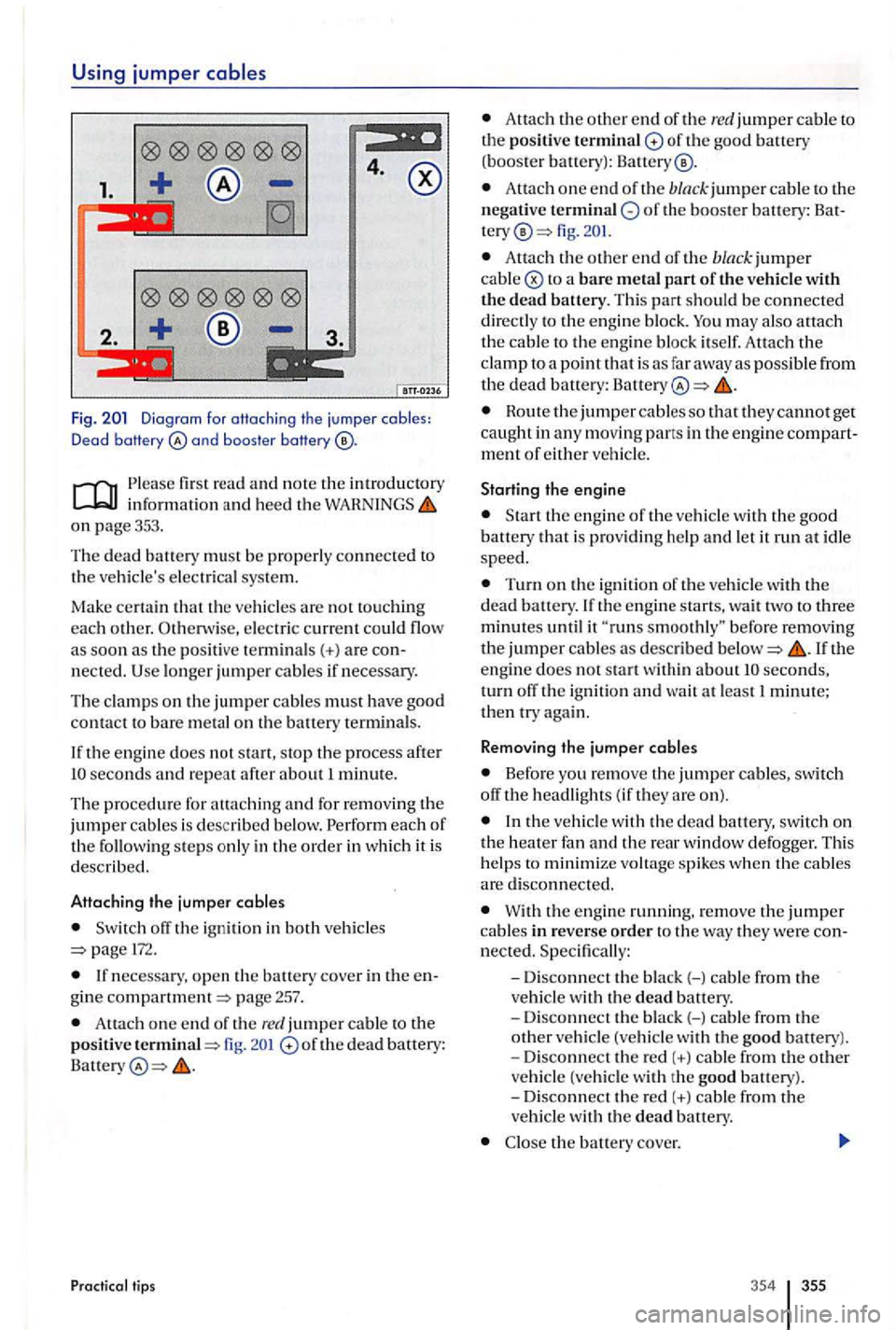
Using jumper
4.
1.
2.
Fig. and boos te r baHery
informat ion and heed the on page 353.
Th e
dead battery must be properly connected to
th e ve hicle's electri cal sys tem.
Ma
ke certain
pos iti ve termin als(+) a re
the engine does not start, stop the process after seconds and repeat after about 1 minute.
Th e procedu re for attach ing
and for removing the jumper cables is desc ribed below.
off the ign ition in both vehicle s 172.
gine compartment=> page 257.
Attach one end o f th e red jumper cable to the positive termina l=> fig. of th e dead battery:
Pr actical tips
Atta ch the o ther end of the re d jumper cable to th e positive terminal of the good battery (booster battery):
Attach one e nd of the black jumper cable to th e
n egative of the booste r battery : fig.
Attac h the oth er e nd of the bla ck jumper cable
may also attach the cable to the e ng in e bl oc k itself. Attach the clamp to a poi nt that is as far away as possible from the dead battery: Battery
Route the jumper cable s so that they cannot get caught in a ny moving pans in th e engine ment of either vehicle.
Starting the engine
is prov idi ng h elp and let it run at i dle speed.
Turn on the ign ition of the ve hicle with the dead battery.
seconds, turn off th e ignition and wa it at least 1 minute; then try again.
Remo ving the jumper cables
Before yo u remove the jumper cables , switch
off the headligh ts ( if they are on).
the ve hicl e w ith the dead battery, switch on the heater fan and the rear window defogger. This
h elp s to minimize voltag e spikes when the cables are disconne cted.
With the engin e running. remove the jumper cable s in reverse order to the way they we re
the bauery cove r.
354 355
Page 354 of 541
Tow-starting and towing
Introduction
In thi s sec tion you'll find informati on on the low ing:
ti ps on towin g your vehicle . . . . . . . . . . . . . . . . . . . 357
Installing the towing eye in the fron t . . . . . . . . . . . . . 358
In stalling the towing eye in the rear . . . . . . . . . . . . . 359
Driving tips while towing . . . . . . . . . . . . . . . . . . . . . .
Ob serve lega l regulations tow -startin g and
t ow ing.
For technical rea sons: A vehicle with dead battery must never be towed;
Engin e control and emissio n control system page315
Never tow a vehicle without any electrica l
power.
Neve r remove the vehicle key from the
first r ea d and no te th e introductory inf ormation and heed the WARNINGS on page357.
Towing eye; bar
A to w ing eye is includ ed in your vehicl e's tool kit.
Thi s ca n b e inserted in a th rea ded h ole in the front bumper a nd use d whe n your ve hicl e is bei ng
t owed by an o th er ve hicle.
Towing a veh icle change s th e way it handles and brake s. To help reduce the risk of an accident and serious personal injury, note the following:
The driver of the ve hicl e that is being towed:
-
need to
press harder on the brak e pedal to slow down or stop. Always be alert so as not to rear-end the towing vehicle.
-
You will have to use conside rably more
force to turn the steerin g whee l because the power steering is not working.
The driver of the ve hicl e that is doing the towing:
- Accelerate gradually
and gently and avoid
jerking movements.
- Do
not brake hard or stee r sharply.
- Brake earlier
and more gently than in normal driving.
Note
Be careful not to damage the paint when stalling and removing the eye and the cove r for the threaded hole behind the bumper.
Unburned fuel can get into the catalytic verter during towing and damage it.
The tow rope s ho uld be nexib le e no ug h to help
protect both v ehicle s from damage . thetic fiber rope or simil ar rope.
A tta ch th e
tow rope or tow bar onl y to the towing
eye included in the vehicl e tool kit for thi s
the transmission in Ne utra l (N).
Do not tow faster than mph km /h ).
D o not tow more than miles
Page 372 of 541
Trailer towing. . . . . . . . . . . . . . . . . . . . . . . . . . 152
Fire extingu is her . . . . . . . . . . . . . . . . . . . . 154
Technica l require ments.............. 153
Transporting . . . . . . . . . . . . . . . . . . . . . . . . . . 137
Dr iv ing tips . . . . . . . . . . . . . . . . . . . . . . . . .
Tread depth . . . . . . . . . . . . . . . . . . . . . . . . . . . 286
Tread wear . . . . . . . . . . . . . . . . . . . . . . . . . . . . 292
Trip
odomet e r . . . . . . . . . . . . . . . . . . . . . . . . . . 16
Tro ubleshooting . . . . . . . . . . . . . . . . . . . . . . . 318
Turn signa l leve r . . . . . . . . . . . . . . . . . . . . . . . 122
u
Undercoating .......................... 268
Unidirec t
ional tires .................... 293
Unlocking
Rear hatch . . . . . . . . . . . . . . . . . . . . . . . . . . . 46 Vehicle .............................. 39
Upholstery . . . . . . . . . . . . . . . . . . . . . . . . . . . .
Cleanin g fabr ic tr im . . . . . . . . . . . . . . . . . 271
C leaning uphols tery . . . . . . . . . . . . . . . . . 271
Leatherett e . . . . . . . . . . . . . . . . . . . . . . . . . 273
Lockin g from th e outsid e .............. 39
action in case of breakdown
Stopping on an up hill grade . . . . . . . . . . 192
Un locking and l ock ing from the inside .
Battery acid ......................... 259
Battery runs dow n . . . . . . . . . . . . . . . . . . .
Disch arges...................... 174,321
Disconnecting . . . . . . . . . . . . . . . . . . . . . .
In stallation location ................. 257
Jump-start . . . . . . . . . . . . . . . . . . . . . . . . . . 355
. . . . . . . . . . . . . . . . . . . . . . . . 259
R ep l
acement. . . . . . . . . . . . . . . . . . . . . . . .
Leather. . . . . . . . . . . . . . . . . . . . . . . . . . . . . 272
Leatherette . . . . . . . . . . . . . . . . . . . . . . . . . 273
mirror s . . . . . . . . . . . . . . . . . . . . . 265 components .................. 274 was her . . . . . . . . . . . . . . . . . . . . . . . 264
R
eplacing wip er b lades . . . . . . . . . . . . . . 266
Serv ice posit ion . . . . . . . . . . . . . . . . . . . . .
S pecial considerations . . . . . . . . . . . 263, 264
U ndercoatin g ....................... 268
Uph ols tery . . . . . . . . . . . . . . . . . . . . . . . . . .
271
Vehicle pain t.. . . . . . . . . . . . . . . . . . . . . . . 267 Washing by hand. . . . . . . . . . . . . . . . . . . . 263
Wash ing the ve hicle . . . . . . . . . . . . . . . . . 263
W i
ndows . . . . . . . . . . . . . . . . . . . . . . . . . . . 265
W i
ndshi eld -int egrated antenna ....... 312
Woo d trim . . . . . . . . . . . . . . . . . . . . . . . . . . 274
374 375
Page 436 of 541
Switching on or off
Read and on page 3 and the in troduction on page 8.
order to:
the device on automatically.
the device off automatically .
Operation
1Br iefly press the rotary and push button.
When ignition key is removed , the device switches off
matically after about minutes (time out).
the vehicle key into the ignition switch.
The device is switched on auto matically if it was switched on when the ignition key was previously removed .
Rem ove the vehicle key from the ignition switch.
Th e system starts after being switched on. The
most recent audio source is play ed back at the
ume last used as long as the volume does not ceed the preset or
Anti-theft coding
Th e anti-theft coding code numb er remains stored in the vehicle after initial input (conven ience radio
coding). The anti-theft coding needs to be
other vehicle (display: first SAFE, then and Please contact your Volkswagen dealer in
th is case .
START
Energy management
the battery was disco nnec ted , please
sw itch on the ignition before switchin g o n the
the battery system voltage
the battery BATTERY and appear briefly. The device
switches off automatically.
Adjusting the Basic Volume
Read and the on page 3 and the introduction on page 8.
order to: Operation
In crease volume . Turn the volume control 1right or press the button on the multifunct ion steer ing wheel
left
o r pre ss the button
The device is muted at (Display : and the
cur rent media source is stopped.
vo lume settings and adjustments can be
preset .
Please lower the volume before switc hing to another aud io source if th e base volume of an audio source was increased conside rably.
Introduction 9
Page 440 of 541
FM1
89.9FM
------------------
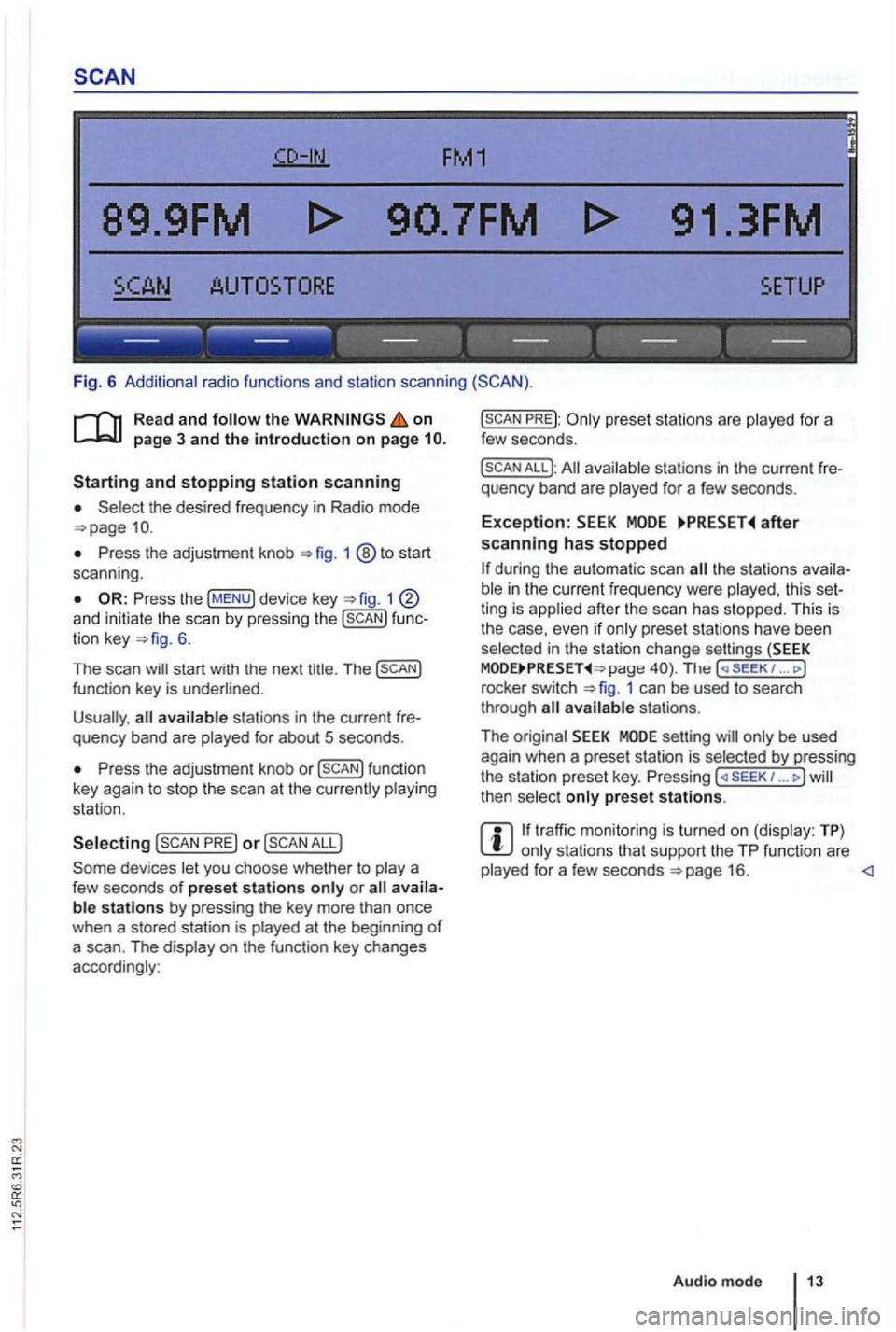
Fig. 6 Additional radio functions and station scanning
the on page 3 and the introduction on page
the desired frequency in Radio mode
Press the adjustment knob 1 ®to start
scan ning .
1 and initiate the scan by press ing the func
tion key 6.
The scan
Press the adjustment knob or
PRE) or
PREJ:
All available stations in the curre nt fre
quency band are played for a few seconds.
Exception: after scanning has stopped
the stations availa
ble in the curr ent fr equency were played , th is set
ting is applied after the scan has stopped. This is
the case, even
if only prese t sta tions have been
selec ted in the stati on change settings (SEEK page The ( SE EK 1 ... J
rocke r switch 1 can be used to search
through
setting will only be used
again when a preset station is selected by pressing
the station preset key. Pressing ... J then select only preset stations.
traffic monitoring is turned on (display: TP) only stations that support the TP function are
played for a few seconds
Page 444 of 541
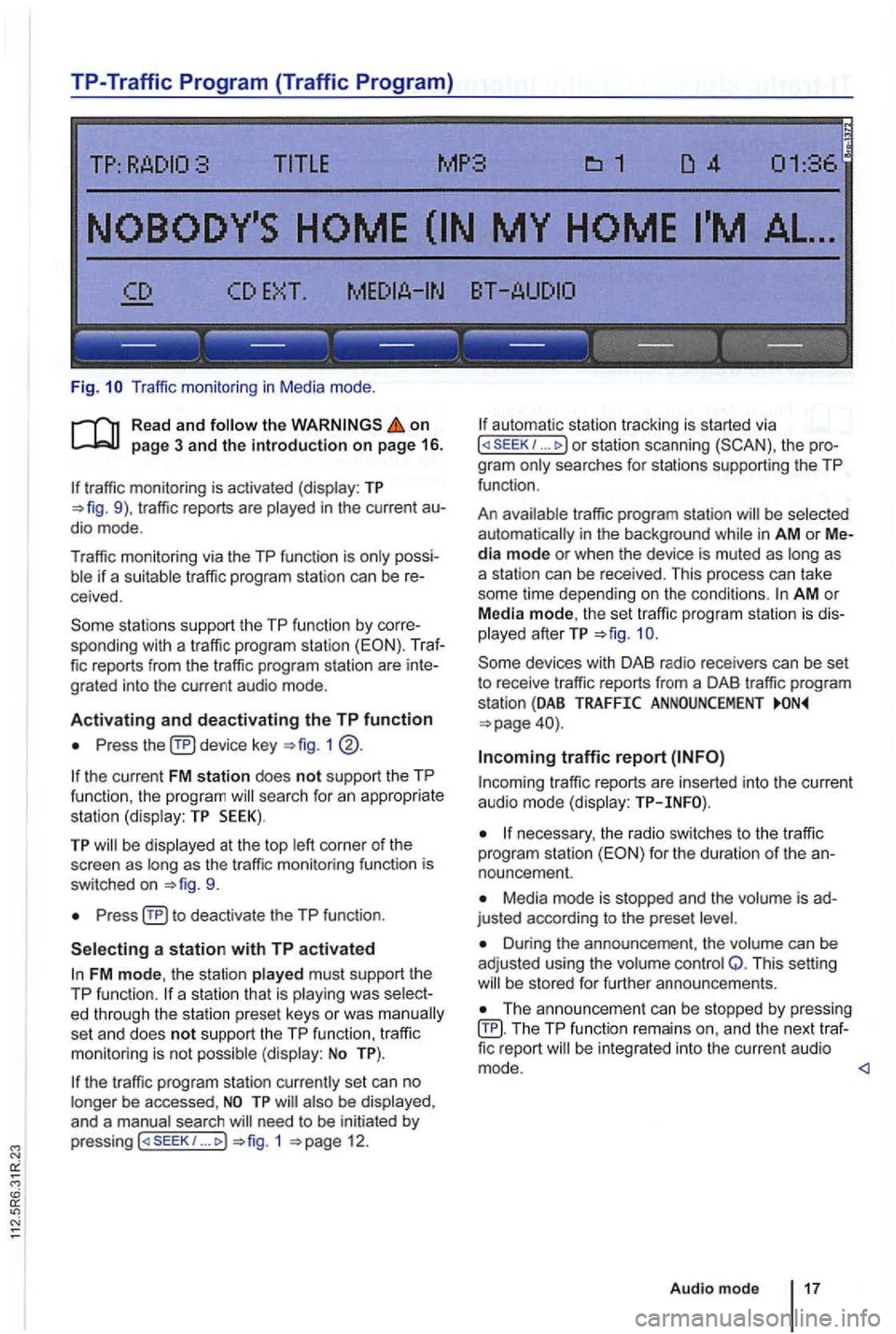
TP-Traffic Program (Traffic Program)
Fig. Traffic monitor ing in Medi a mode .
on page 3 and the introduction on page 16.
traffic monitoring is activated (display: TP traffic reports are
possiif a suitable tra ffic pro gram station can be receive d.
sta tions support the TP function by corre
sponding with a traffic program station (EON). Traf
fic reports from the traffic program station are inte
grated into the curren t a udio mode .
Activating and deactivating the TP function
Press device key 1
the current FM station does not support the TP
func tion , the program searc h for an appropriate
station (dis play: TP SEEK).
TP be disp layed at the top as the tr affic monitoring functio n is
switched on
Press
FM mode, the station played must support th e
TP function.
set an d does not support the TP function , traffi c
monitoring is not possible (display: No TP).
the traffic program station currently set can no
longer be accessed ,
need to be initiated by
p ressing 1 12.
automa tic station tracking is started via I or station scanning the pro
g ra m
traffic program station be selected
automat ically i n the background in AM or Media mode or when the device is muted as as
a station can be received. This process can take
some time depending on the condi
tions. AM o r
Media mode, th e set traffic program station is dis
played afterTP
traffic r eports are in serted into the current audio mode (display:
necessary, the radio switches to the tr affic
program station for the duration of the an
nouncement.
Media mode is stopped and the is ad
justed according to the preset
Duri ng the announcement , th e volume can be
adj usted using the volume control Q. This setting be s tored for further announcements.
Th e announcement can be stopped by pressing TP function remai ns an d the next traffic report
Audio mode 17