adjust VOLKSWAGEN ID.4 2020 Owner´s Manual
[x] Cancel search | Manufacturer: VOLKSWAGEN, Model Year: 2020, Model line: ID.4, Model: VOLKSWAGEN ID.4 2020Pages: 417, PDF Size: 6.31 MB
Page 224 of 417
 and 12-inch\
(12”) versions.1
Time. 2
Privacy status displ")
Overview and control elements
Please refer to and on page 218.
Fig. 123
Ov erview: display and operating unit of the 10-inch (10”) and 12-inch\
(12”) versions.1
Time. 2
Privacy status display, signal strength
display of the eSIM and number of noti-
fications. 3
Home button: .
4
Status display for seat heating and seat
v
entilation. 5
Sensor field (Infotainment system on or
off). 6
Touch slider for temperature. 7
Touch slider for volume. 8
Views (current view is highlighted). 9
Temperature display (adjustment via 6
). 10
Scroll bar and marking for additional
window. 11
Control centre. 12
Function buttons for main menus. 13
Screen (touchscreen). Further information and tips for oper-
ating the Inf
otainment system are pro-
vided on
Page 246 of 417
Starting navigation
1. Touch .
2.
Touch the desired contact and address
data.
3. Touch
Start.
OR: touch .
NOTICE
If the address data of a contact is out-of-
date, na
vigation will still be performed to the
stored address. Make sure that the address of
the contact is up-to-date. Adding charging stops automatically
To automatically add charging stops, activ
ate
the automatic planning of necessary charging
stations along the route in the route options .
In the settings you can enter the desired
method of payment at the charging stations.
Depending on the selection and the a
vailable
data, suitable charging stations will be plan-
ned along the route in the map view.
The charging limit for the vehicle can be ad-
justed in the main menu
Vehicle .
Selecting alternativ
e charging stations Instead of the automatically planned charg-
ing stations, you can also select alternativ
e
charging stations for the planned routes.
1. Enter or select the desired destination.
2. Touch
Start.
3. Open the route plan.
4. Touch a planned charging station in the route plan.
Details of the planned charging station
are displayed.
5. Touch
Show more charging stations.
The location of additional nearby charg-
ing stations will be shown on the map.
6. Touch an alternative charging station nearby on the map or in the list.
Details of the alternative charging sta-
tion are displayed. 7. Touch
Charge here.
OR touch:
Add as stopover.
The previously planned charging station will
be replaced by the newly selected charging
station and the route adjusted accordingly.
If you select
Add as stopover, the selected
charging station will be kept if the
route is changed. Traffic information
Please refer to and on page 218 and
at the start of the chapter on page 238.
The Inf
otainment system automatically re-
ceives detailed traffic information when con-
nected to the Internet. This information is in-
dicated by symbols and colouring of the road
network on the map.
Receipt of traffic information depends
on the privacy settings set. No traffic
information is received in offline mode
Page 324 of 417
Replacing the 12-volt vehicle battery
The 12-
volt vehicle battery has been devel-
oped to suit the conditions of its installation
location and has special safety features. If
a 12-volt vehicle battery has to be replaced,
discuss the electromagnetic compatibility,
size and necessary servicing, output and safe-
ty requirements for the new 12-volt vehicle
battery with a Volkswagen dealership before
purchase. The ventilation opening of the 12-
volt vehicle battery must always be on the
negative terminal side: the ventilation open-
ing on the positive terminal side must always
be sealed.
Only maintenance-free 12-volt vehicle bat-
teries compliant with the standards
TL 825 06 and VW 7 50 73 should be used.
These standards must be dated October 2014
or later.
Always have the 12-volt vehicle battery re-
placed by a qualified workshop, as the vehicle
electronics must be adapted as part of the
replacement process. Only qualified work-
shops have the technology required to carry
out this adjustment correctly. Volkswagen
recommends that the 12-volt vehicle battery
is replaced by a Volkswagen dealership.
Disconnecting the 12-volt vehicle battery
Please observe the following if the 12-volt
vehicle battery has to be disconnected from
the electrical system in the vehicle:
Page 365 of 417
Customers in Europe, Asia, Australia, Africa,
Central and South America:
Please contact a V
olkswagen dealership or
qualified workshop or register on the erWin
online portal (electronic repair and workshop
information):
https://erwin.volkswagen.de
Customers in North America and Canada:
To order printed service information please
contact:
Volkswagen Technical Literature Ordering
Center
literature.vw.com
You can also register online in the erWin in-
ternet portal:
https://erwin.vw.com
Vehicles with special auxiliary equipment or
body parts
Auxiliary equipment and second stage manu-
facturers must ensure that the equipment
and bodies (conversions) adhere to the stipu-
lated environmental laws and regulations,
particularly the EU directive 2000/53/EC con-
cerning end-of-life vehicles and EU directive
2003/11/EC concerning the restriction on the
marketing and use of certain dangerous sub-
stances and preparations.
The vehicle owner must keep all assembly
documentation for these conversions and
pass it on to the scrapping company upon ve-
hicle handover if the vehicle is scrapped. This
is intended to facilitate environmentally re-
sponsible disposal for all vehicles, including
refitted vehicles.
Windscreen repairs
To function properly, some items of equip-
ment require an electrical or electronic mod-
ule, which is located on the inside of the
windscreen near the interior mirror. If the
windscreen has been damaged in the viewing
field of the electrical or electronic module,
e.g. by stone impact, the windscreen must be
replaced. Repairing the crack can lead to mal-
function or functional faults in the equip-
ment. After changing the windscreen, the camera
and sensors must be adjusted and calibrated
by a qualified workshop.
Impairment or damage to sensors and cam-
eras
Incorrectly perf
ormed repairs, structural
changes to the vehicle, e.g. lowering the sus-
pension, retrofitted add-on parts or changes
to the trim can lead to sensors and cameras
being displaced or damaged. This can also be
caused by collisions when parking, or also
even by minor damage such as stone impacts
on the windscreen.
The area in front of and around the sensors
and cameras must not be covered by stickers,
additional headlights, trim frames for number
plates or similar. Observe the position of sen-
sors and cameras on the vehicle
Page 371 of 417
cle do not interact in any other ways than
those described here, in particular the de
vice
does not actively access vehicle data. The
type of further data processing depends on
the app provider. The settings that you can
adjust here depend on the app in question
and the operating system on your mobile de-
vice.
Online services
If your vehicle is equipped with a connection
to a mobile network, your vehicle will be able
to exchange data with other systems. The ve-
hicle can be connected to a mobile network
using a transmitter and receiver unit in the
vehicle or using your own mobile device. This
mobile network connection enables you to
use online functions. This includes online
services and apps provided by Volkswagen or
other third-party providers.
Manufacturer services
In the case of Volkswagen online services,
Volkswagen describes the respective func-
tions in a suitable place, e.g. in a separate
service description or on an Internet page,
and the associated privacy information is
provided. Personal data may be required in
order to provide online services. For this, data
is exchanged over a secure connection, e.g.
using the designated IT systems of the manu-
facturer. Any collection, processing and use
of personal data that goes beyond the provi-
sion of the service takes place exclusively ac-
cording to legal regulations, contractual
agreements or the necessary permission.
You can activate and deactivate the services
and functions, some of which are subject to
a fee and in some cases also disable the vehi-
cle
Page 401 of 417
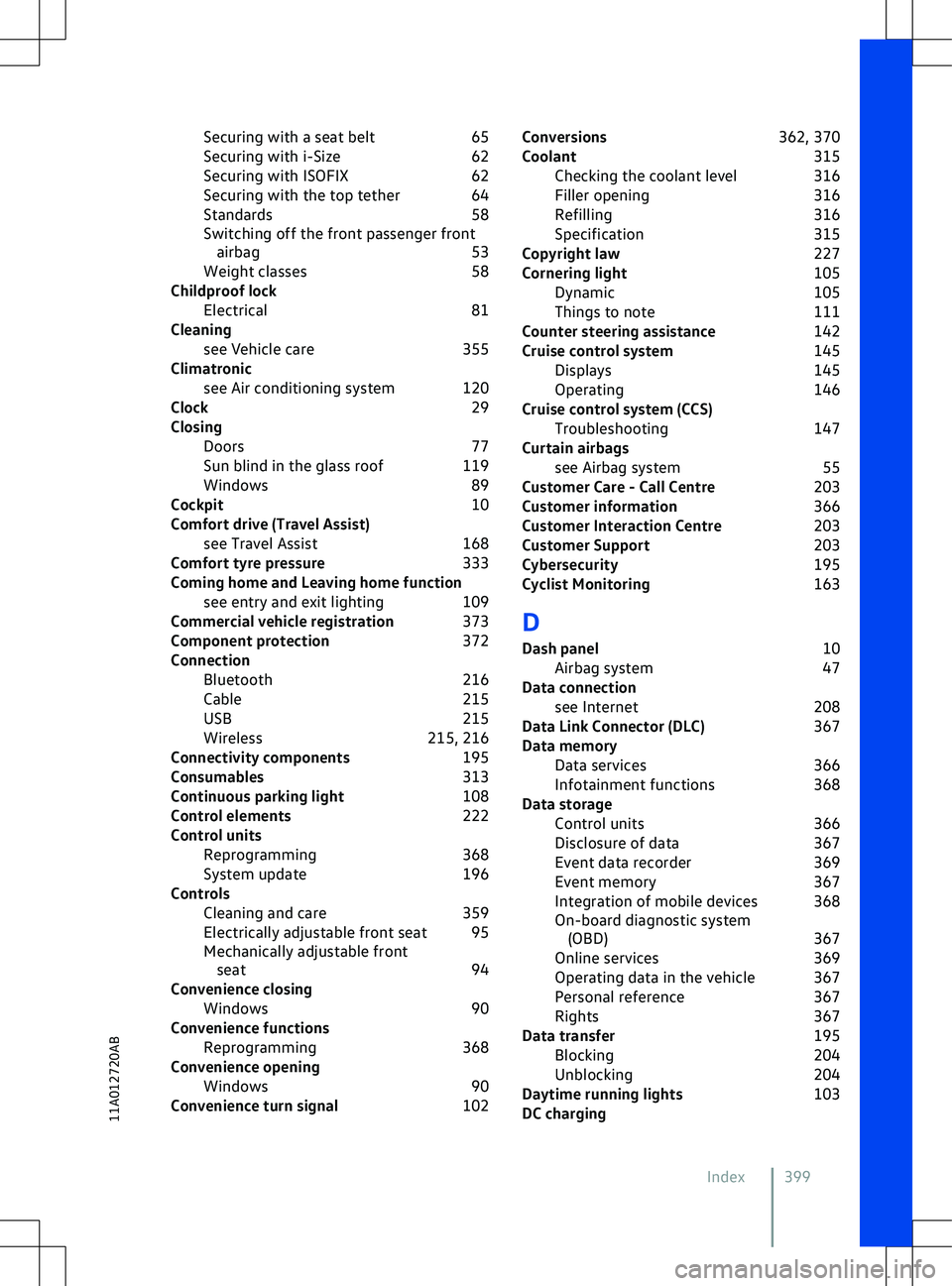
Securing with a seat belt
65
Securing with i-Size 62
Securing with ISOFIX 62
Securing with the top tether 64
Standards 58
Switching off the front passenger front airbag 53
Weight classes 58
Childproof lock Electrical 81
Cleaning see Vehicle care 355
Climatronic see Air conditioning system 120
Clock 29
Closing Doors 77
Sun blind in the glass roof 119
Windows 89
Cockpit 10
Comfort drive (Travel Assist) see Travel Assist 168
Comfort tyre pressure 333
Coming home and Leaving home function see entry and exit lighting 109
Commercial vehicle registration 373
Component protection 372
Connection Bluetooth 216
Cable 215
USB 215
Wireless 215, 216
Connectivity components 195
Consumables 313
Continuous parking light 108
Control elements 222
Control units Reprogramming 368
System update 196
Controls Cleaning and care 359
Electrically adjustable front seat 95
Mechanically adjustable front seat 94
Convenience closing Windows 90
Convenience functions Reprogramming 368
Convenience opening Windows 90
Convenience turn signal 102Conversions
362, 370
Coolant 315
Checking the coolant level 316
Filler opening 316
Refilling 316
Specification 315
Copyright law 227
Cornering light 105
Dynamic 105
Things to note 111
Counter steering assistance 142
Cruise control system 145
Displays 145
Operating 146
Cruise control system (CCS) Troubleshooting 147
Curtain airbags see Airbag system 55
Customer Care - Call Centre 203
Customer information 366
Customer Interaction Centre 203
Customer Support 203
Cybersecurity 195
Cyclist Monitoring 163
D
Dash panel 10
Airbag system 47
Data connection see Internet 208
Data Link Connector (DLC) 367
Data memory Data services 366
Infotainment functions 368
Data storage Control units 366
Disclosure of data 367
Event data recorder 369
Event memory 367
Integration of mobile devices 368
On-board diagnostic system ( OBD) 367
Online services 369
Operating data in the vehicle 367
Personal reference 367
Rights 367
Data transfer 195
Blocking 204
Unblocking 204
Daytime running lights 103
DC charging
Index 399
11A012720AB
Page 404 of 417
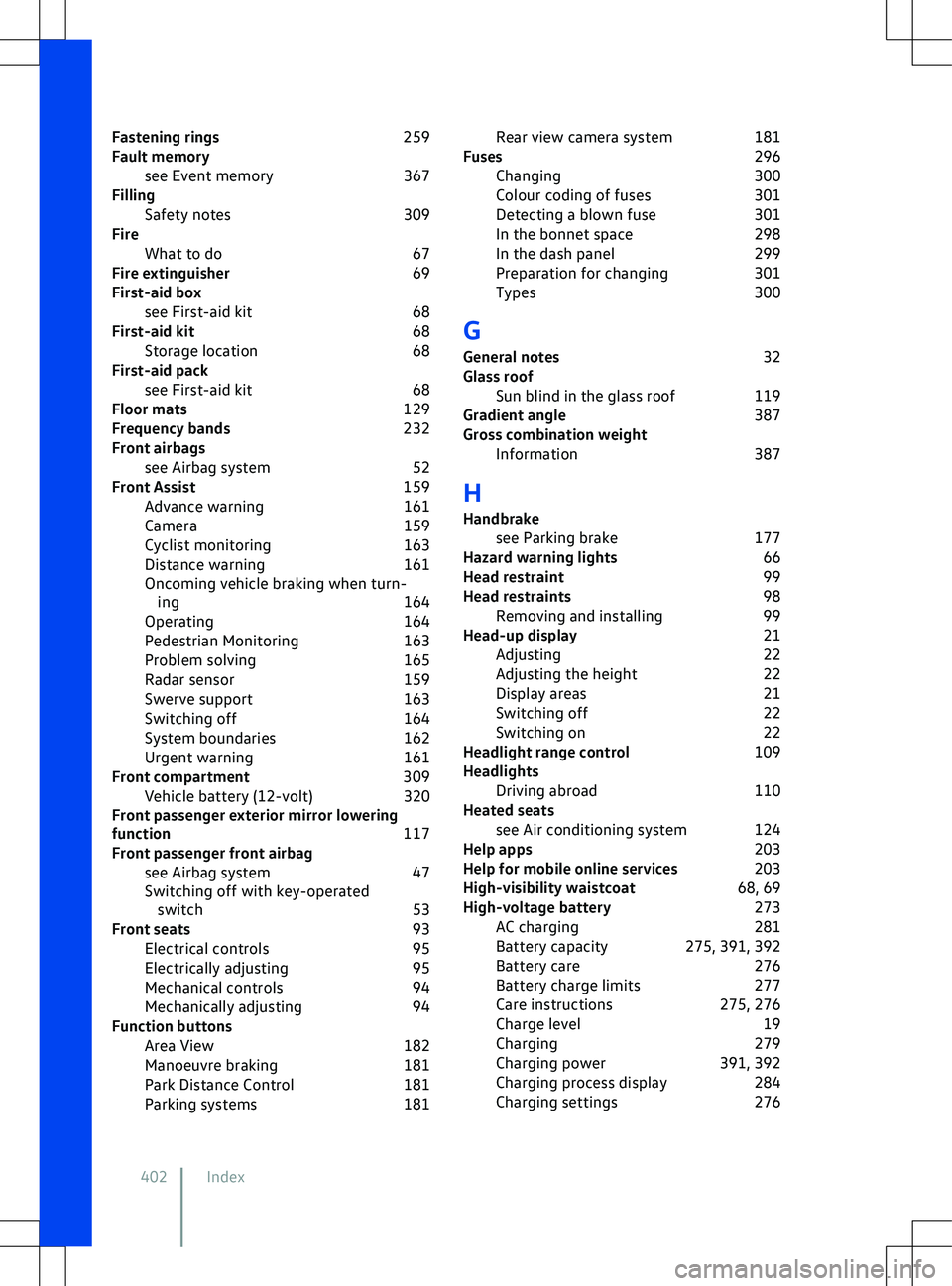
Fastening rings
259
Fault memory see Event memory 367
Filling Safety notes 309
Fire What to do 67
Fire extinguisher 69
First-aid box see First-aid kit 68
First-aid kit 68
Storage location 68
First-aid pack see First-aid kit 68
Floor mats 129
Frequency bands 232
Front airbags see Airbag system 52
Front Assist 159
Advance warning 161
Camera 159
Cyclist monitoring 163
Distance warning 161
Oncoming vehicle braking when turn- ing 164
Operating 164
Pedestrian Monitoring 163
Problem solving 165
Radar sensor 159
Swerve support 163
Switching off 164
System boundaries 162
Urgent warning 161
Front compartment 309
Vehicle battery (12-volt) 320
Front passenger exterior mirror lowering
function 117
Front passenger front airbag see Airbag system 47
Switching off with key-operated switch 53
Front seats 93
Electrical controls 95
Electrically adjusting 95
Mechanical controls 94
Mechanically adjusting 94
Function buttons Area View 182
Manoeuvre braking 181
Park Distance Control 181
Parking systems 181Rear view camera system
181
Fuses 296
Changing 300
Colour coding of fuses 301
Detecting a blown fuse 301
In the bonnet space 298
In the dash panel 299
Preparation for changing 301
Types 300
G
General notes 32
Glass roof Sun blind in the glass roof 119
Gradient angle 387
Gross combination weight Information 387
H Handbrake see Parking brake 177
Hazard warning lights 66
Head restraint 99
Head restraints 98
Removing and installing 99
Head-up display 21
Adjusting 22
Adjusting the height 22
Display areas 21
Switching off 22
Switching on 22
Headlight range control 109
Headlights Driving abroad 110
Heated seats see Air conditioning system 124
Help apps 203
Help for mobile online services 203
High-visibility waistcoat 68, 69
High-voltage battery 273
AC charging 281
Battery capacity 275, 391, 392
Battery care 276
Battery charge limits 277
Care instructions 275, 276
Charge level 19
Charging 279
Charging power 391, 392
Charging process display 284
Charging settings 276
402 Index
Page 410 of 417
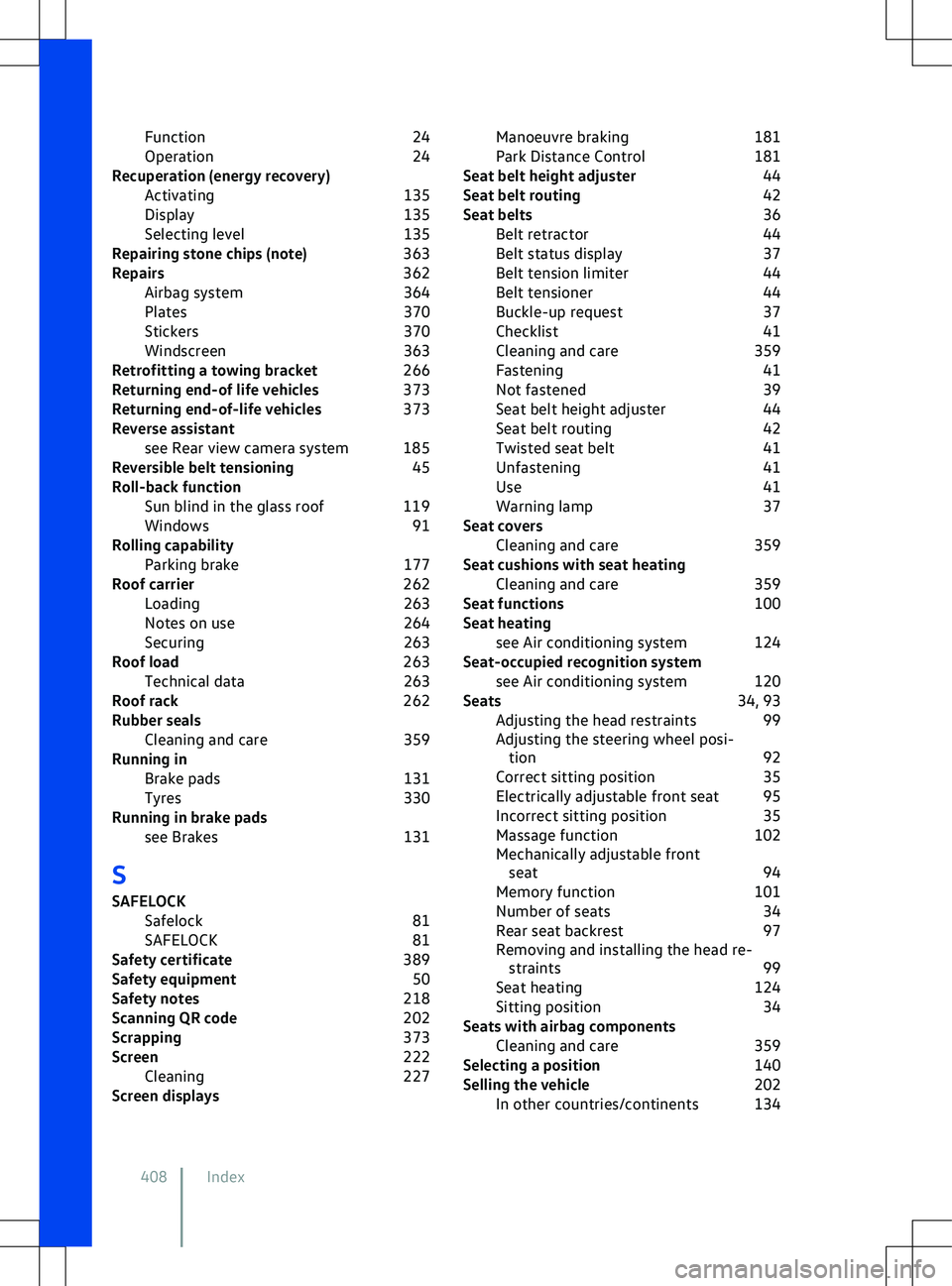
Function
24
Operation 24
Recuperation (energy recovery) Activating 135
Display 135
Selecting level 135
Repairing stone chips (note) 363
Repairs 362
Airbag system 364
Plates 370
Stickers 370
Windscreen 363
Retrofitting a towing bracket 266
Returning end-of life vehicles 373
Returning end-of-life vehicles 373
Reverse assistant see Rear view camera system 185
Reversible belt tensioning 45
Roll-back function Sun blind in the glass roof 119
Windows 91
Rolling capability Parking brake 177
Roof carrier 262
Loading 263
Notes on use 264
Securing 263
Roof load 263
Technical data 263
Roof rack 262
Rubber seals Cleaning and care 359
Running in Brake pads 131
Tyres 330
Running in brake pads see Brakes 131
S
SAFELOCK Safelock 81
SAFELOCK 81
Safety certificate 389
Safety equipment 50
Safety notes 218
Scanning QR code 202
Scrapping 373
Screen 222
Cleaning 227
Screen displays Manoeuvre braking
181
Park Distance Control 181
Seat belt height adjuster 44
Seat belt routing 42
Seat belts 36
Belt retractor 44
Belt status display 37
Belt tension limiter 44
Belt tensioner 44
Buckle-up request 37
Checklist 41
Cleaning and care 359
Fastening 41
Not fastened 39
Seat belt height adjuster 44
Seat belt routing 42
Twisted seat belt 41
Unfastening 41
Use 41
Warning lamp 37
Seat covers Cleaning and care 359
Seat cushions with seat heating Cleaning and care 359
Seat functions 100
Seat heating see Air conditioning system 124
Seat-occupied recognition system see Air conditioning system 120
Seats 34, 93
Adjusting the head restraints 99
Adjusting the steering wheel posi- tion 92
Correct sitting position 35
Electrically adjustable front seat 95
Incorrect sitting position 35
Massage function 102
Mechanically adjustable front seat 94
Memory function 101
Number of seats 34
Rear seat backrest 97
Removing and installing the head re- straints 99
Seat heating 124
Sitting position 34
Seats with airbag components Cleaning and care 359
Selecting a position 140
Selling the vehicle 202
In other countries/continents 134
408 Index
Page 411 of 417
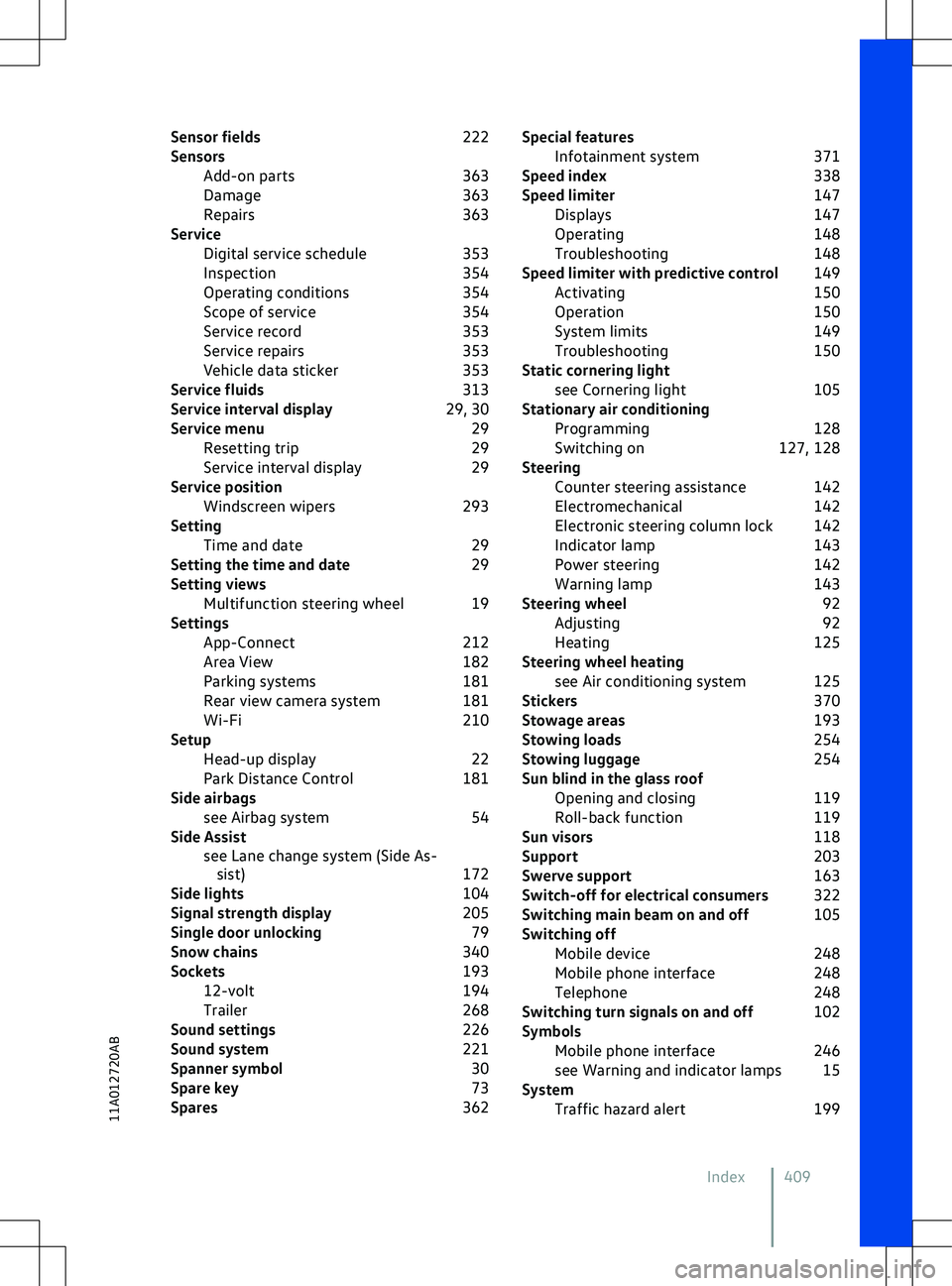
Sensor fields
222
Sensors Add-on parts 363
Damage 363
Repairs 363
Service Digital service schedule 353
Inspection 354
Operating conditions 354
Scope of service 354
Service record 353
Service repairs 353
Vehicle data sticker 353
Service fluids 313
Service interval display 29, 30
Service menu 29
Resetting trip 29
Service interval display 29
Service position Windscreen wipers 293
Setting Time and date 29
Setting the time and date 29
Setting views Multifunction steering wheel 19
Settings App-Connect 212
Area View 182
Parking systems 181
Rear view camera system 181
Wi-Fi 210
Setup Head-up display 22
Park Distance Control 181
Side airbags see Airbag system 54
Side Assist see Lane change system (Side As-sist) 172
Side lights 104
Signal strength display 205
Single door unlocking 79
Snow chains 340
Sockets 193
12-volt 194
Trailer 268
Sound settings 226
Sound system 221
Spanner symbol 30
Spare key 73
Spares 362Special features
Infotainment system 371
Speed index 338
Speed limiter 147
Displays 147
Operating 148
Troubleshooting 148
Speed limiter with predictive control 149
Activating 150
Operation 150
System limits 149
Troubleshooting 150
Static cornering light see Cornering light 105
Stationary air conditioning Programming 128
Switching on 127, 128
Steering Counter steering assistance 142
Electromechanical 142
Electronic steering column lock 142
Indicator lamp 143
Power steering 142
Warning lamp 143
Steering wheel 92
Adjusting 92
Heating 125
Steering wheel heating see Air conditioning system 125
Stickers 370
Stowage areas 193
Stowing loads 254
Stowing luggage 254
Sun blind in the glass roof Opening and closing 119
Roll-back function 119
Sun visors 118
Support 203
Swerve support 163
Switch-off for electrical consumers 322
Switching main beam on and off 105
Switching off Mobile device 248
Mobile phone interface 248
Telephone 248
Switching turn signals on and off 102
Symbols Mobile phone interface 246
see Warning and indicator lamps 15
System Traffic hazard alert 199
Index 40911A012720AB
Page 415 of 417
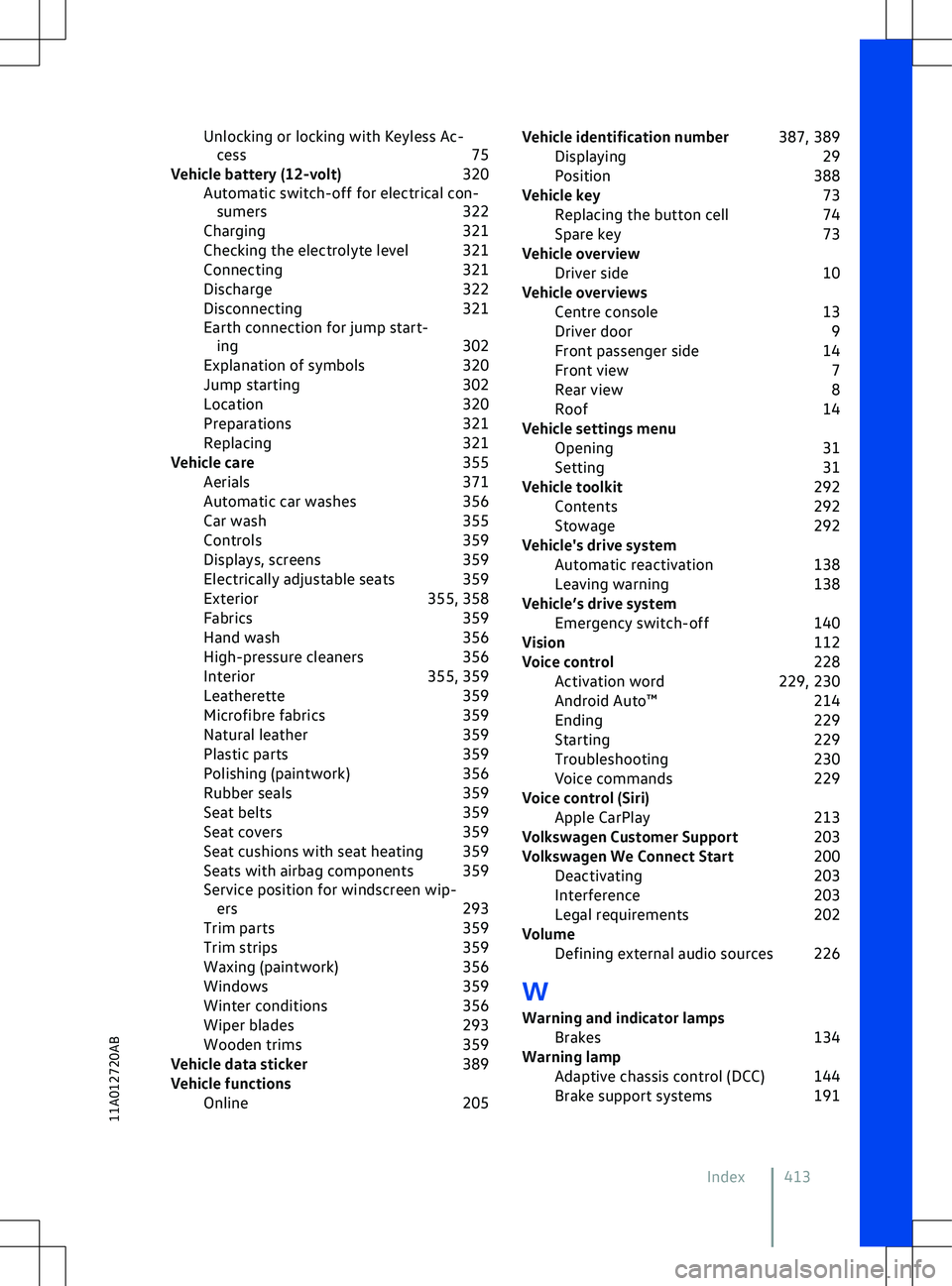
Unlocking or locking with Keyless Ac-
cess 75
Vehicle battery (12-volt) 320
Automatic switch-off for electrical con- sumers 322
Charging 321
Checking the electrolyte level 321
Connecting 321
Discharge 322
Disconnecting 321
Earth connection for jump start- ing 302
Explanation of symbols 320
Jump starting 302
Location 320
Preparations 321
Replacing 321
Vehicle care 355
Aerials 371
Automatic car washes 356
Car wash 355
Controls 359
Displays, screens 359
Electrically adjustable seats 359
Exterior 355, 358
Fabrics 359
Hand wash 356
High-pressure cleaners 356
Interior 355, 359
Leatherette 359
Microfibre fabrics 359
Natural leather 359
Plastic parts 359
Polishing (paintwork) 356
Rubber seals 359
Seat belts 359
Seat covers 359
Seat cushions with seat heating 359
Seats with airbag components 359
Service position for windscreen wip- ers 293
Trim parts 359
Trim strips 359
Waxing (paintwork) 356
Windows 359
Winter conditions 356
Wiper blades 293
Wooden trims 359
Vehicle data sticker 389
Vehicle functions Online 205Vehicle identification number
387, 389
Displaying 29
Position 388
Vehicle key 73
Replacing the button cell 74
Spare key 73
Vehicle overview Driver side 10
Vehicle overviews Centre console 13
Driver door 9
Front passenger side 14
Front view 7
Rear view 8
Roof 14
Vehicle settings menu Opening 31
Setting 31
Vehicle toolkit 292
Contents 292
Stowage 292
Vehicle