VOLKSWAGEN ID.4 2020 Owner´s Manual
ID.4 2020
VOLKSWAGEN
VOLKSWAGEN
https://www.carmanualsonline.info/img/18/40249/w960_40249-0.png
VOLKSWAGEN ID.4 2020 Owner´s Manual
Page 16 of 417
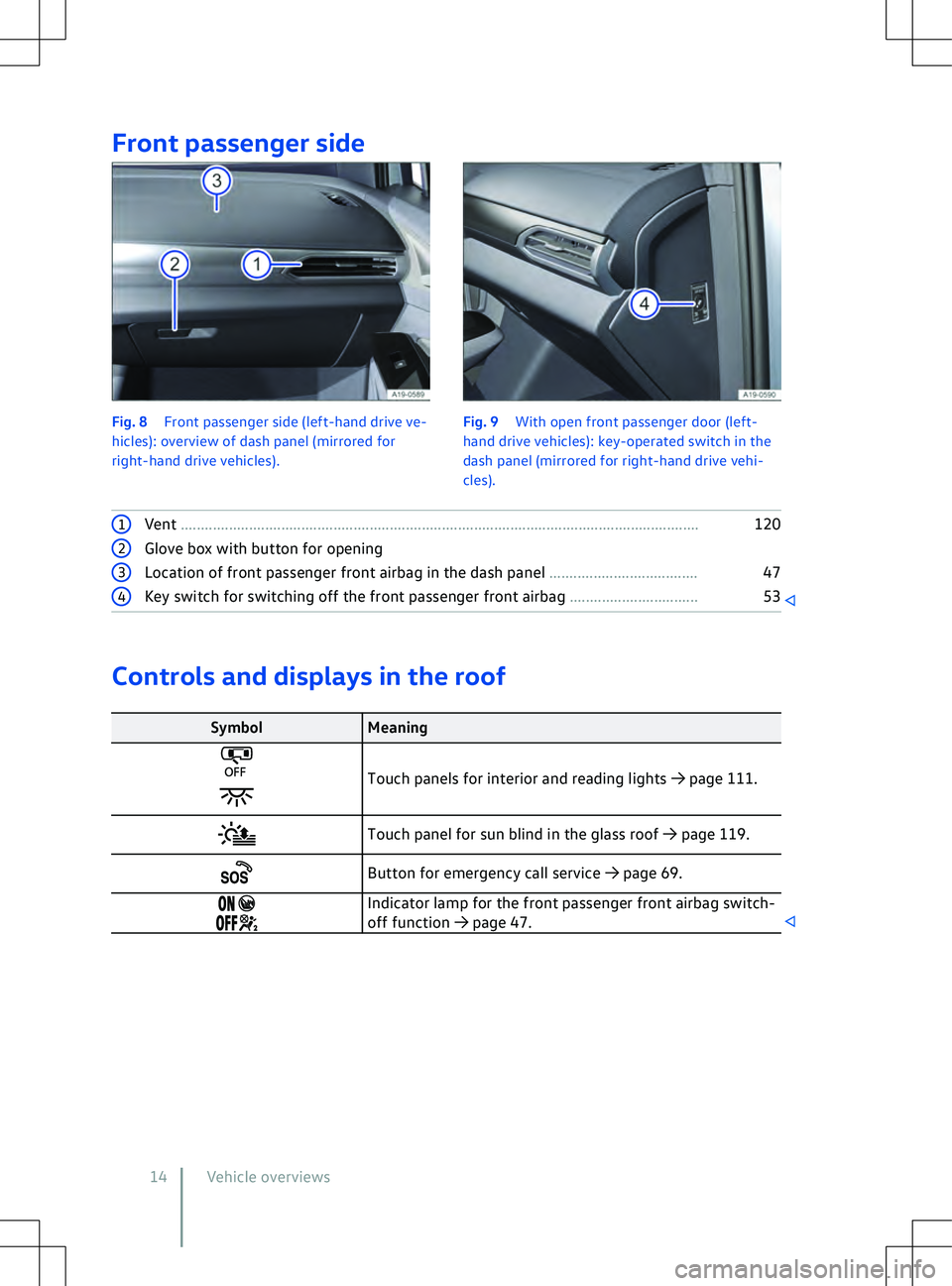
Front passenger side
Fig. 8
Front passenger side (left-hand drive ve-
hicles): overview of dash panel (mirrored for
right-hand drive vehicles). Fig. 9
With open front passenger door (left-
hand driv e vehicles): key-operated switch in the
dash panel (mirrored for right-hand drive vehi-
cles). 1
Vent ........................................................................\
......................................................... 1202
Glove box with button for opening 3
Location of front passenger front airbag in the dash panel ..................................... 474
Key switch for switching off the front passenger front airbag ................................ 53Controls and displays in the roof
Symbol
Meaning Touch panels for interior and reading lights
Page 75 of 417
Opening and closing
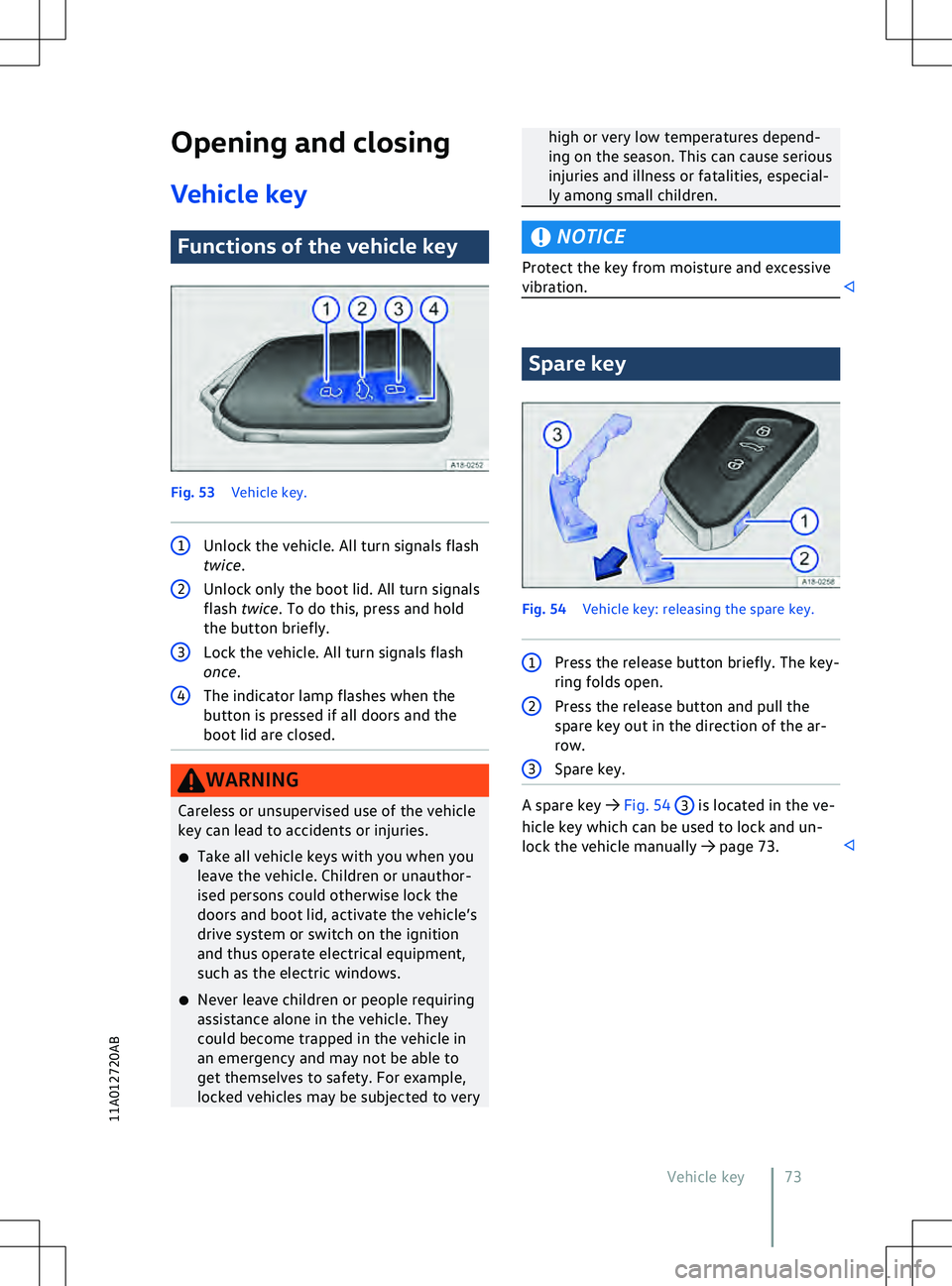
V ehicle key Functions of the vehicle key
Fig. 53
V
ehicle key. 1
Unlock the vehicle. All turn signals flash
twice. 2
Unlock only the boot lid. All turn signals
flash twice . To do this, press and hold
the button briefly. 3
Lock the vehicle. All turn signals flash
once. 4
The indicator lamp flashes when the
button is pressed if all doors and the
boot lid are closed. WARNING
Careless or unsupervised use of the vehicle
key can lead to accidents or injuries.
x Take all v
ehicle keys with you when you
leave the vehicle. Children or unauthor-
ised persons could otherwise lock the
doors and boot lid, activate the vehicle
Page 76 of 417
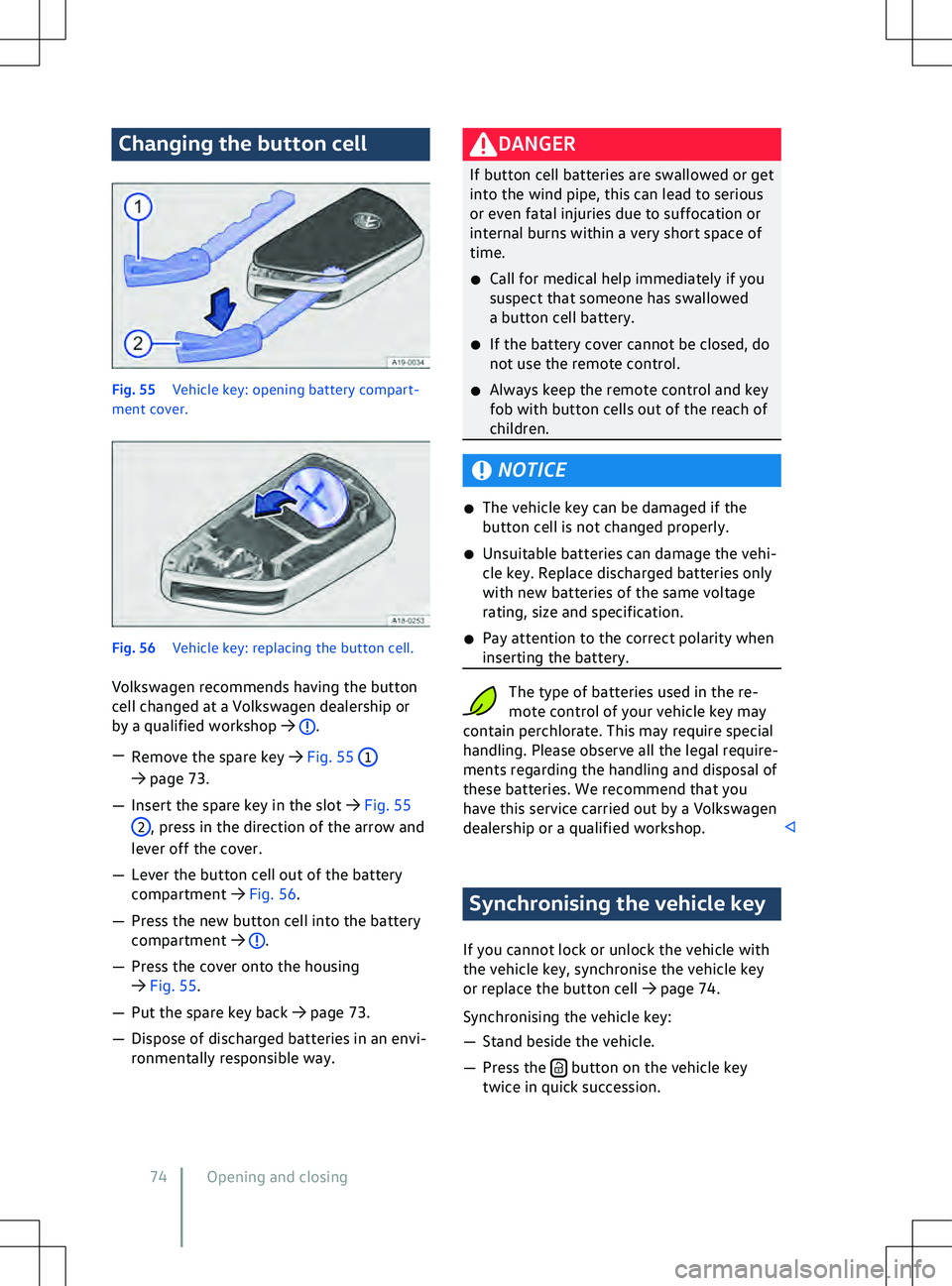
Changing the button cell
Fig. 55
Vehicle key: opening battery compart-
ment cover.Fig. 56
V
ehicle key: replacing the button cell.
Volkswagen recommends having the button
cell changed at a Volkswagen dealership or
by a qualified workshop
Page 78 of 417
set in the Vehicle menu in the Infotainment
system.
If the Keyless Access function is deactivated,
the functions of the system may be restric-
ted.
Unlocking the vehicle
Page 79 of 417
All turn signals flash four times
The v
ehicle key used last is still in the vehicle.
Page 85 of 417
cess if the 12-volt vehicle battery or button
cell in the v
ehicle key is weak or discharged.
The vehicle can be locked or unlocked man-
ually
Page 89 of 417
Pressing the button again will move the
boot lid back to its starting position.
Signal tones
If the boot lid is opened or closed from the
v
ehicle interior or with the vehicle key,
acoustic signals will sound.
Changing and storing the opening angle
If the area behind or above the vehicle is
smaller than the path of the boot lid, the
opening angle of the boot lid can be changed.
Page 142 of 417
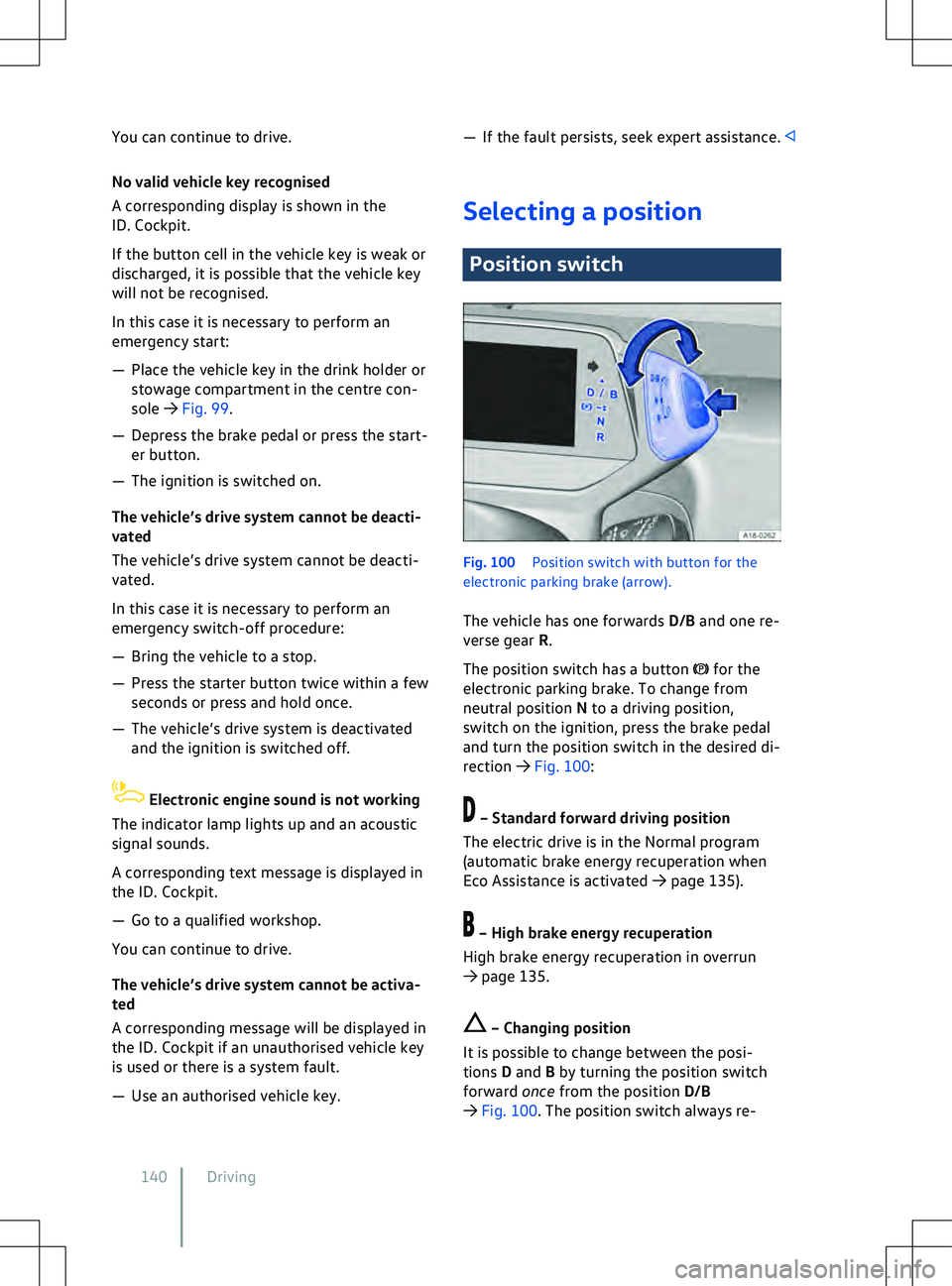
You can continue to drive.
No v
alid vehicle key recognised
A corresponding display is shown in the
ID. Cockpit.
If the button cell in the vehicle key is weak or
discharged, it is possible that the vehicle key
will not be recognised.
In this case it is necessary to perform an
emergency start:
Page 219 of 417
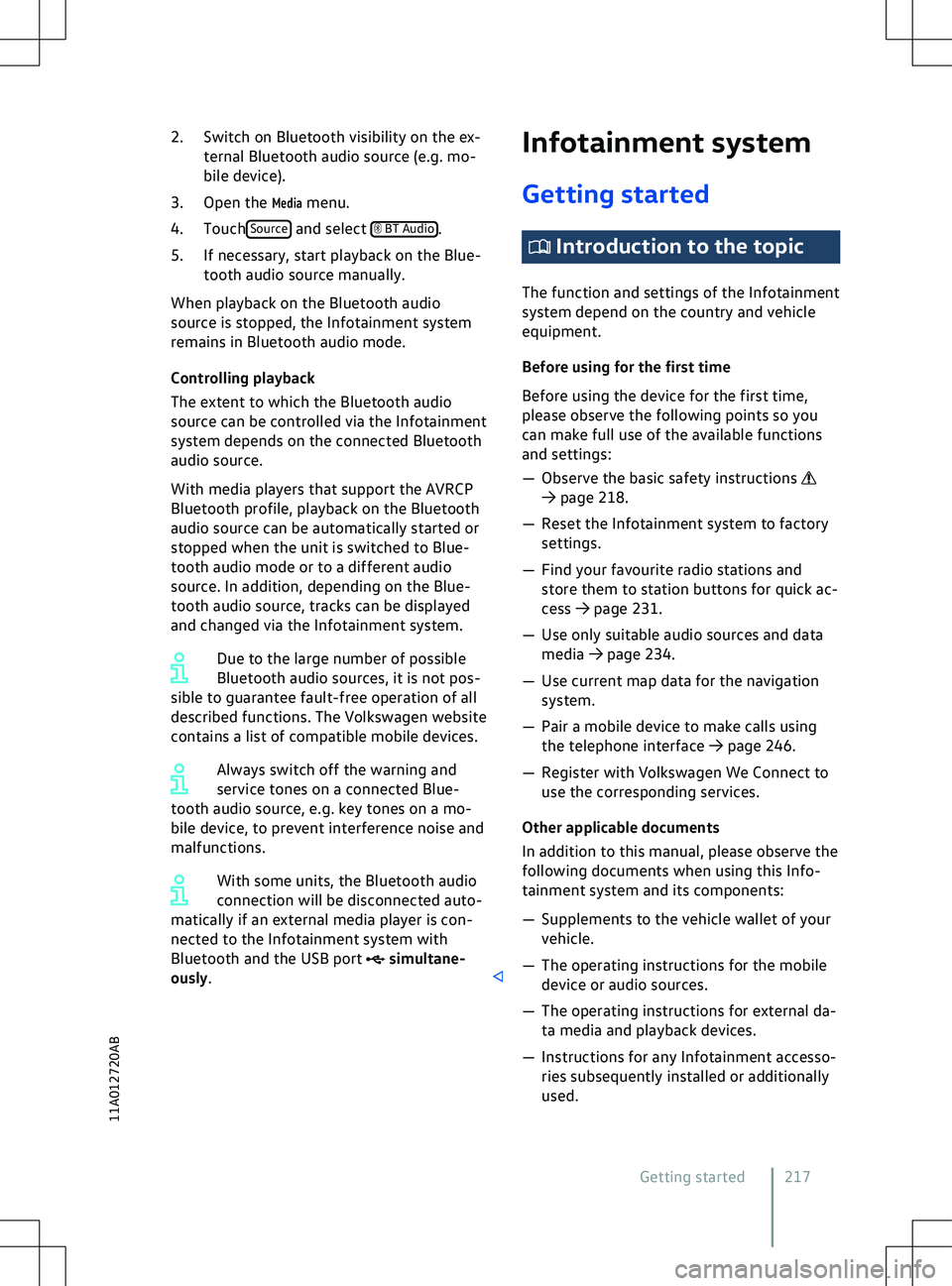
2. Switch on Bluetooth visibility on the ex-
ternal Bluetooth audio source ( e.g. mo-
bile device).
3. Open the
Media menu.
4. Touch Source and select BT Audio
.
5.
If necessary, start playback on the Blue-
tooth audio source manually.
When playback on the Bluetooth audio
source is stopped, the Infotainment system
remains in Bluetooth audio mode.
Controlling playback
The extent to which the Bluetooth audio
source can be controlled via the Infotainment
system depends on the connected Bluetooth
audio source.
With media players that support the AVRCP
Bluetooth profile, playback on the Bluetooth
audio source can be automatically started or
stopped when the unit is switched to Blue-
tooth audio mode or to a different audio
source. In addition, depending on the Blue-
tooth audio source, tracks can be displayed
and changed via the Infotainment system.
Due to the large number of possible
Bluetooth audio sources, it is not pos-
sible to guarantee fault-free operation of all
described functions. The Volkswagen website
contains a list of compatible mobile devices.
Always switch off the warning and
service tones on a connected Blue-
tooth audio source, e.g. key tones on a mo-
bile device, to prevent interference noise and
malfunctions.
With some units, the Bluetooth audio
connection will be disconnected auto-
matically if an external media player is con-
nected to the Infotainment system with
Bluetooth and the USB port simultane-
ously. Infotainment system
Getting started Introduction to the topic
The function and settings of the Inf otainment
system depend on the country and vehicle
equipment.
Before using for the first time
Before using the device for the first time,
please observe the following points so you
can make full use of the available functions
and settings:
Page 393 of 417
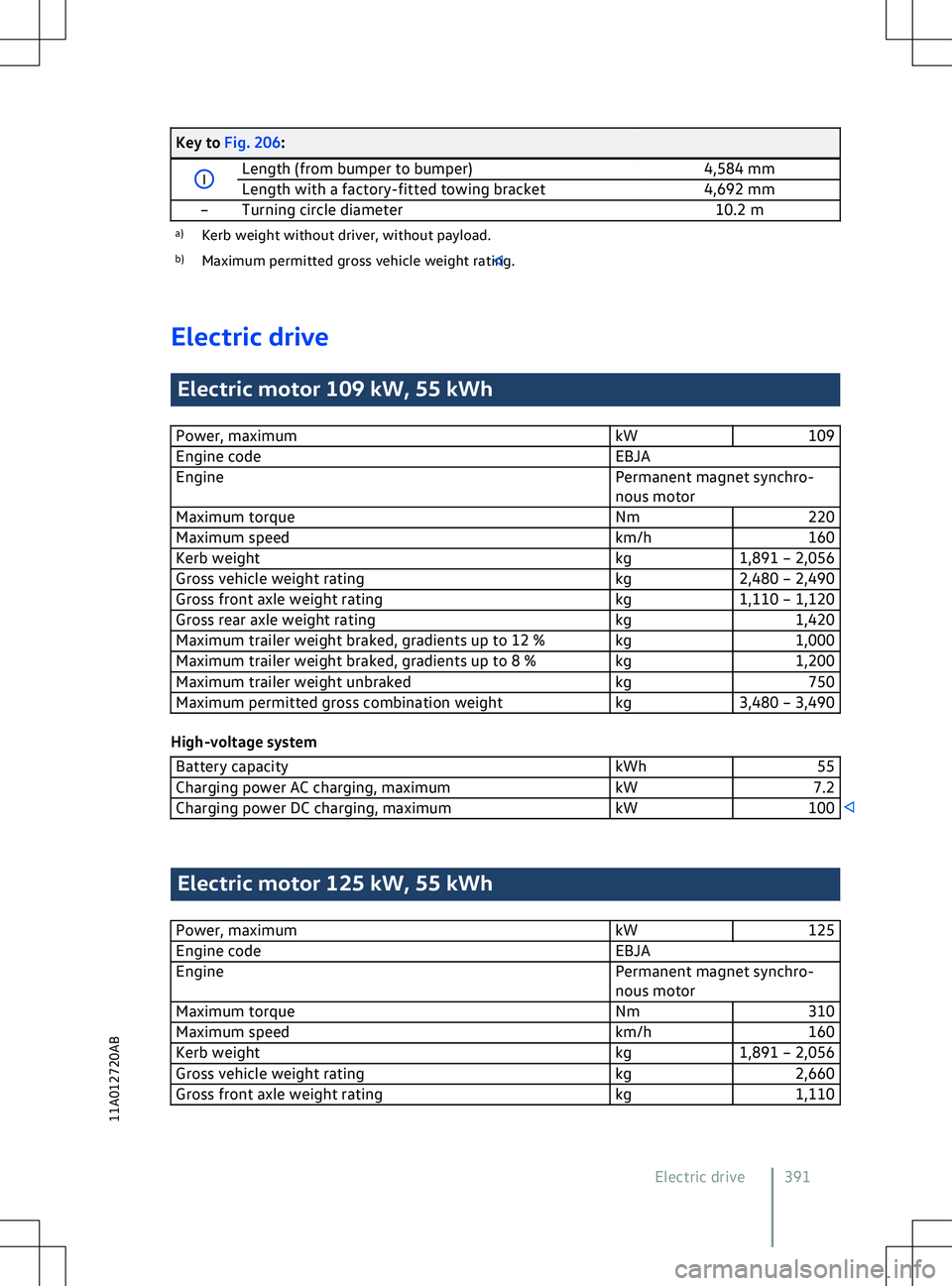
Key to Fig. 206:
I
Length (from bumper to bumper)
4,584 mm
Length with a factory-fitted towing bracket 4,692 mm