VOLKSWAGEN ID.5 2022 Service Manual
ID.5 2022
VOLKSWAGEN
VOLKSWAGEN
https://www.carmanualsonline.info/img/18/55710/w960_55710-0.png
VOLKSWAGEN ID.5 2022 Service Manual
Page 255 of 417
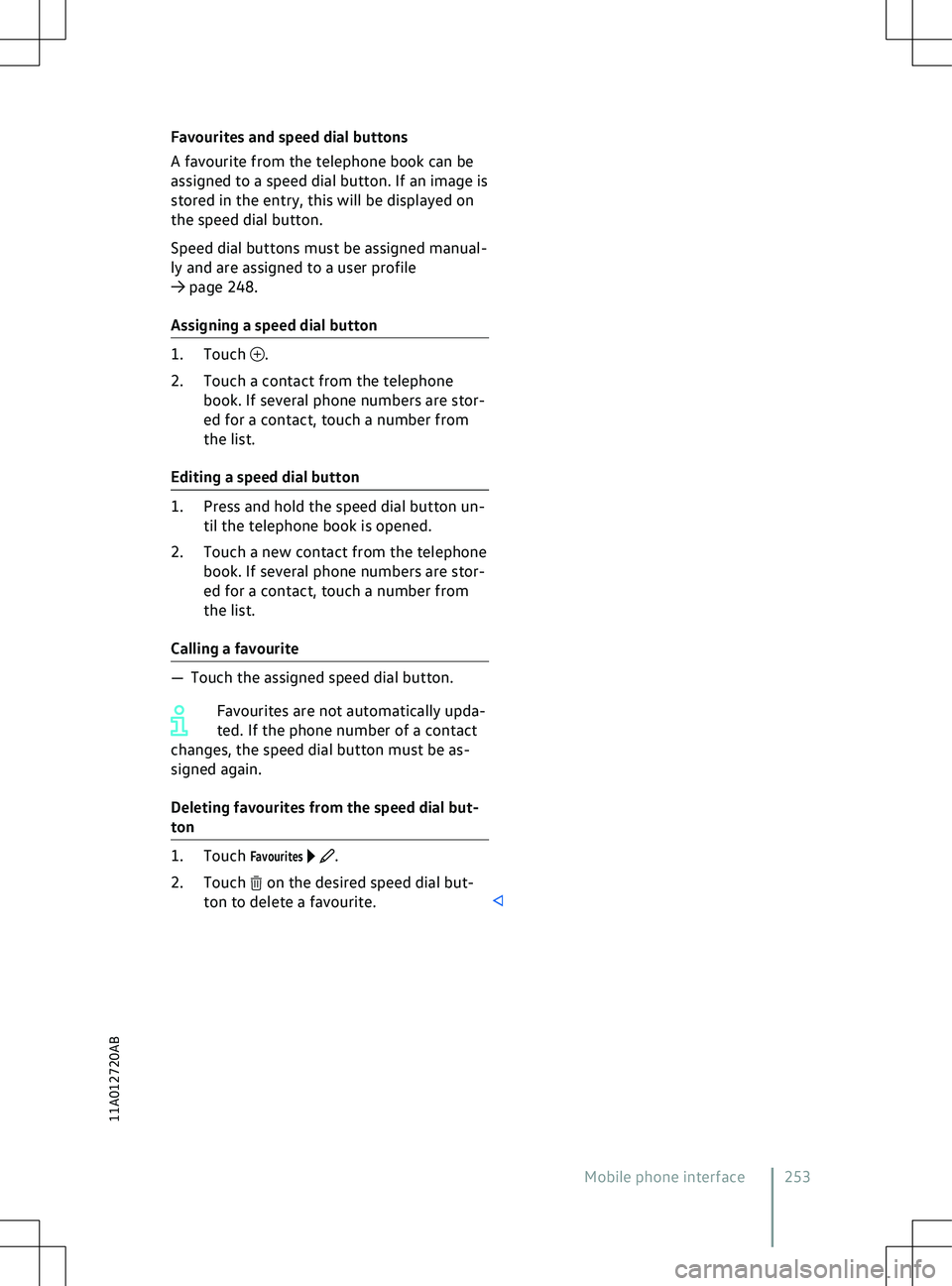
Favourites and speed dial buttons
A fa
vourite from the telephone book can be
assigned to a speed dial button. If an image is
stored in the entry, this will be displayed on
the speed dial button.
Speed dial buttons must be assigned manual-
ly and are assigned to a user profile
Page 279 of 417
ordinates of the vehicle have been
recognised.
Timer-controlled charging Menu f
or a departure time. First open
the Overview
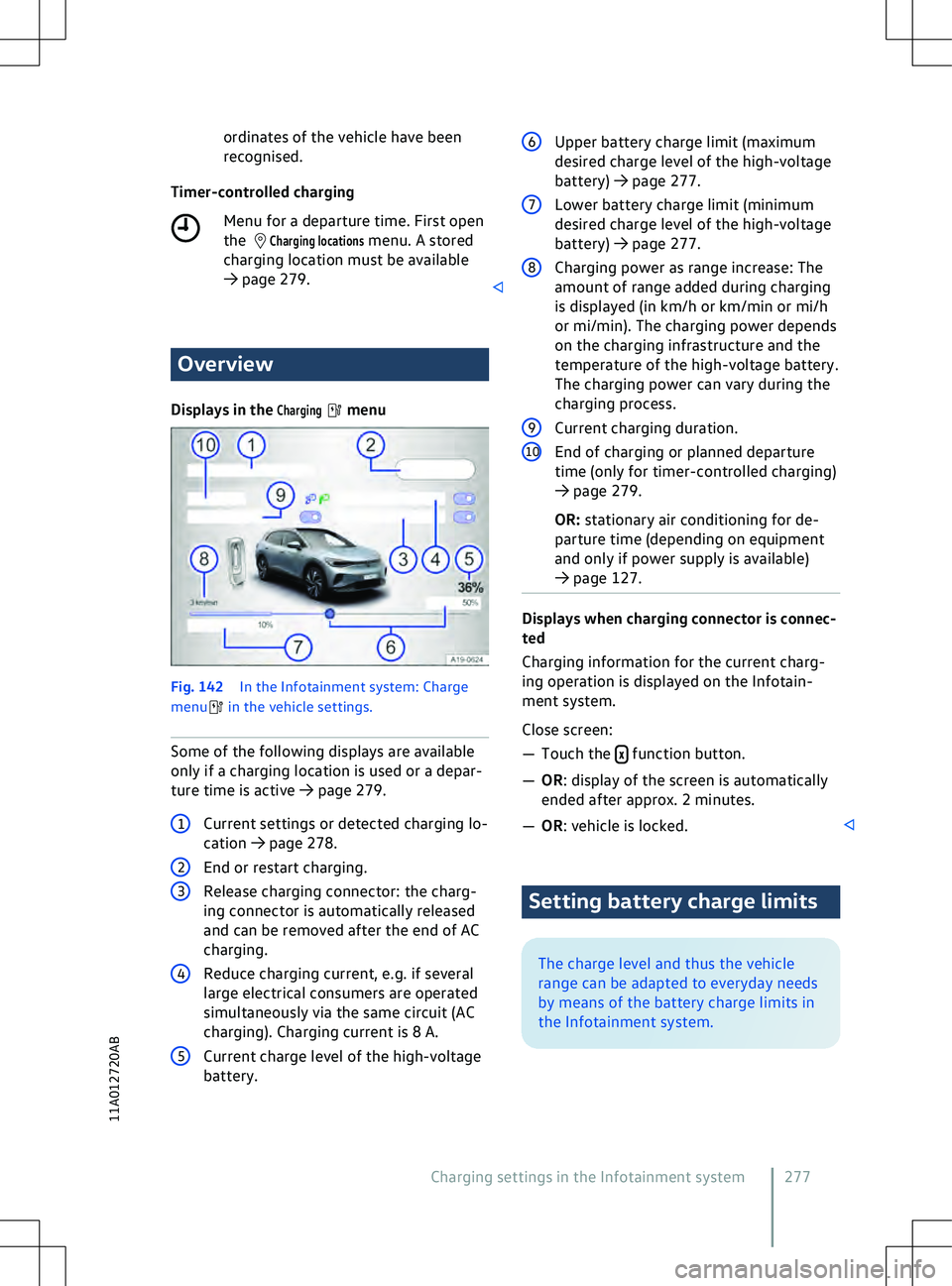
Displays in the
Charging menu
Fig. 142
In the Inf
otainment system: Charge
menu in the vehicle settings.
Some of the f ollowing displays are available
only if a charging location is used or a depar-
ture time is active
Page 284 of 417
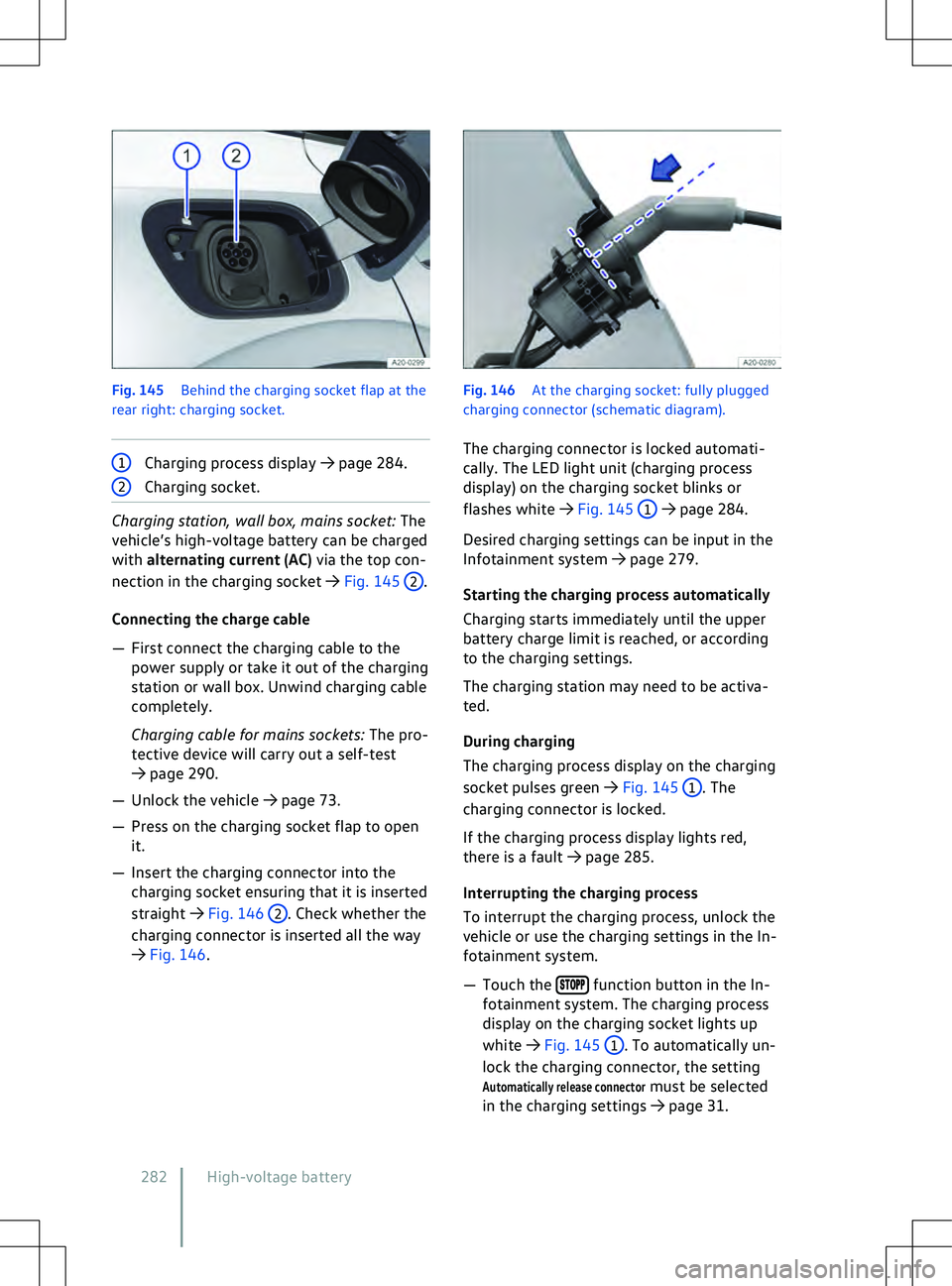
Fig. 145
Behind the charging socket flap at the
rear right: charging socket. 1
Charging process display
Page 288 of 417
There is a fault in range calculation. Go to
a qualified workshop.
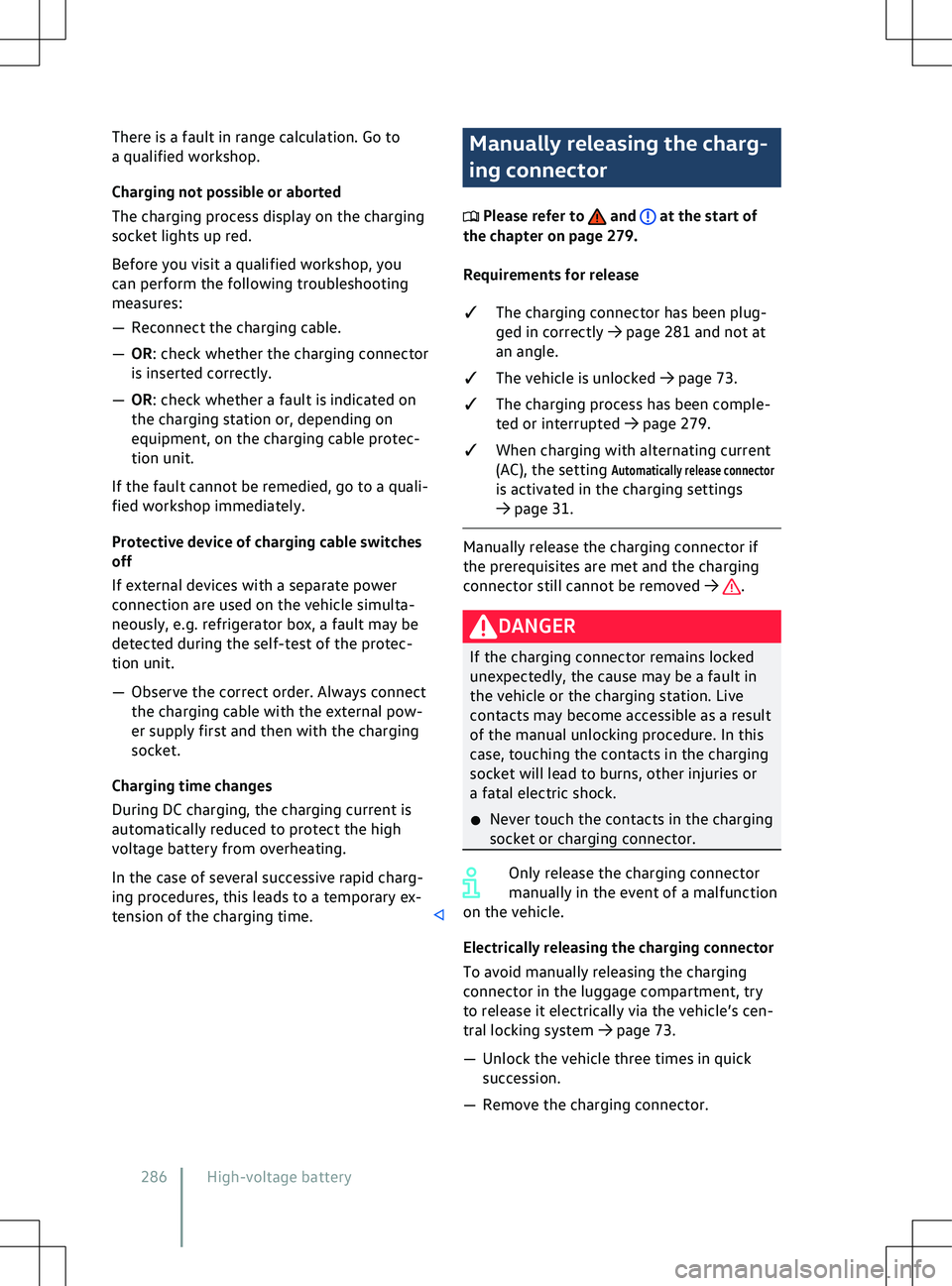
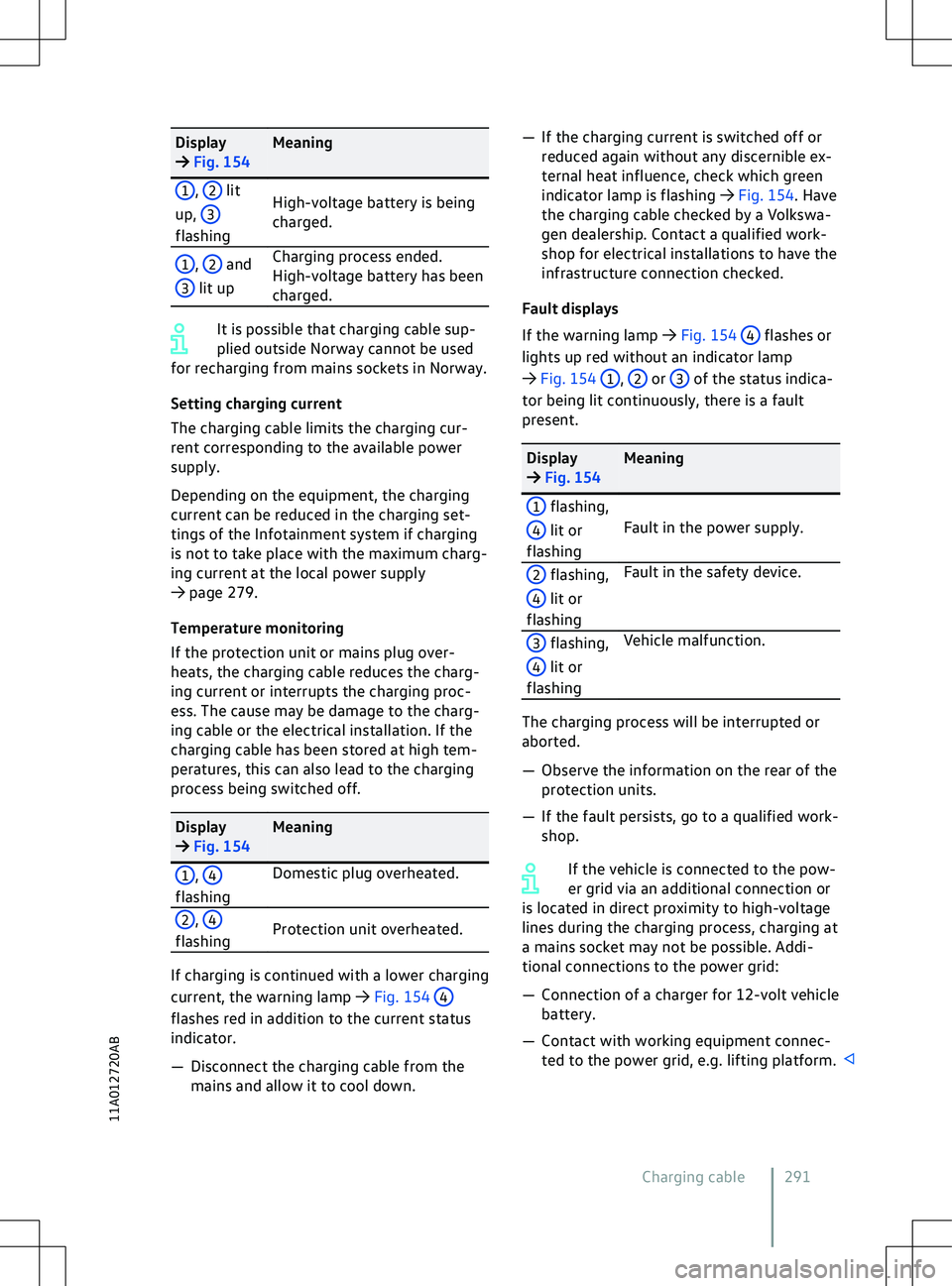
Charging not possible or aborted
The charging process display on the charging
socket lights up red.
Bef
ore you visit a qualified workshop, you
can perform the following troubleshooting
measures:
Page 293 of 417
Page 326 of 417
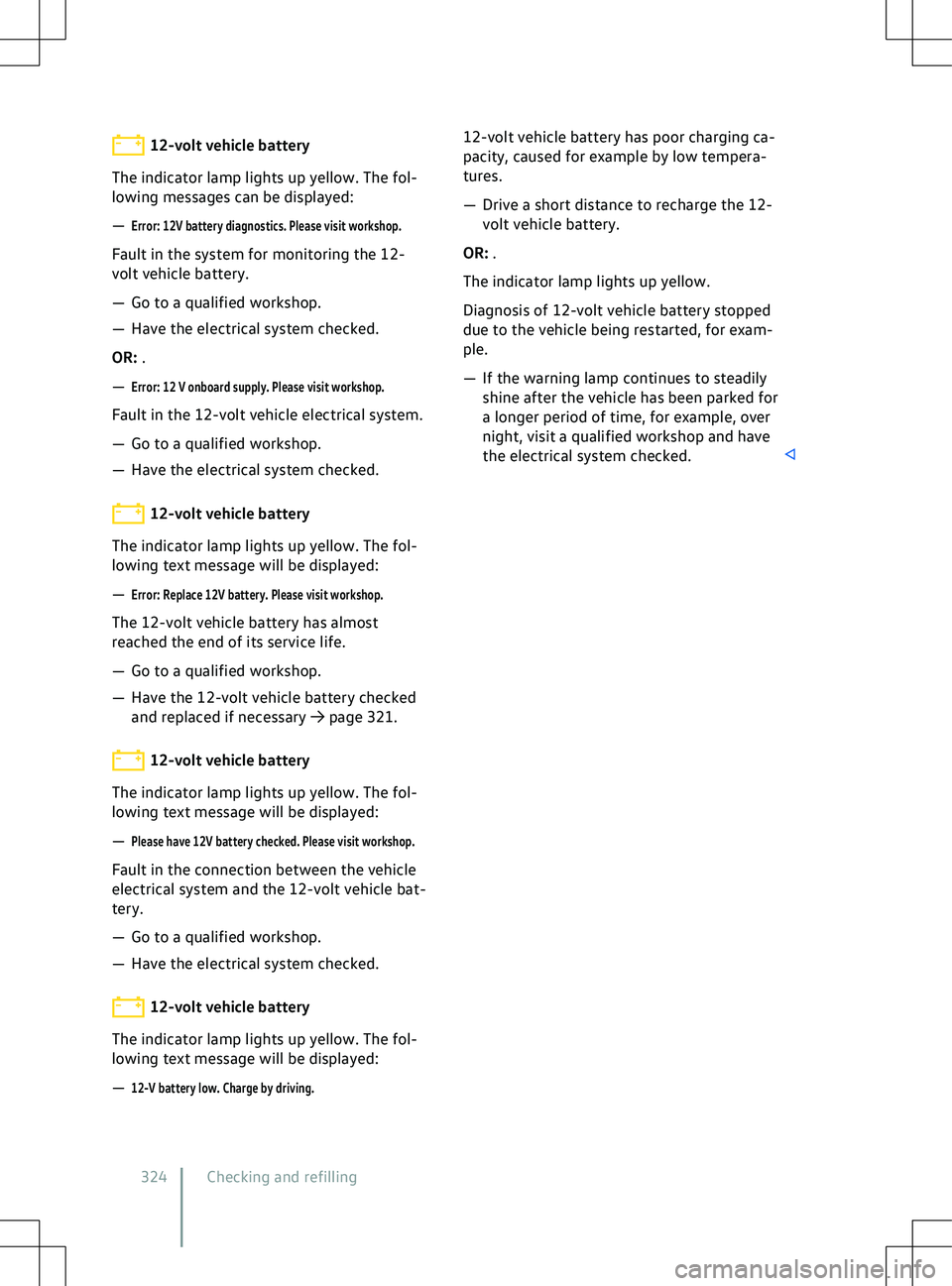
12-volt vehicle battery
The indicator lamp lights up yellow. The fol-
lowing messages can be displayed:
Page 356 of 417
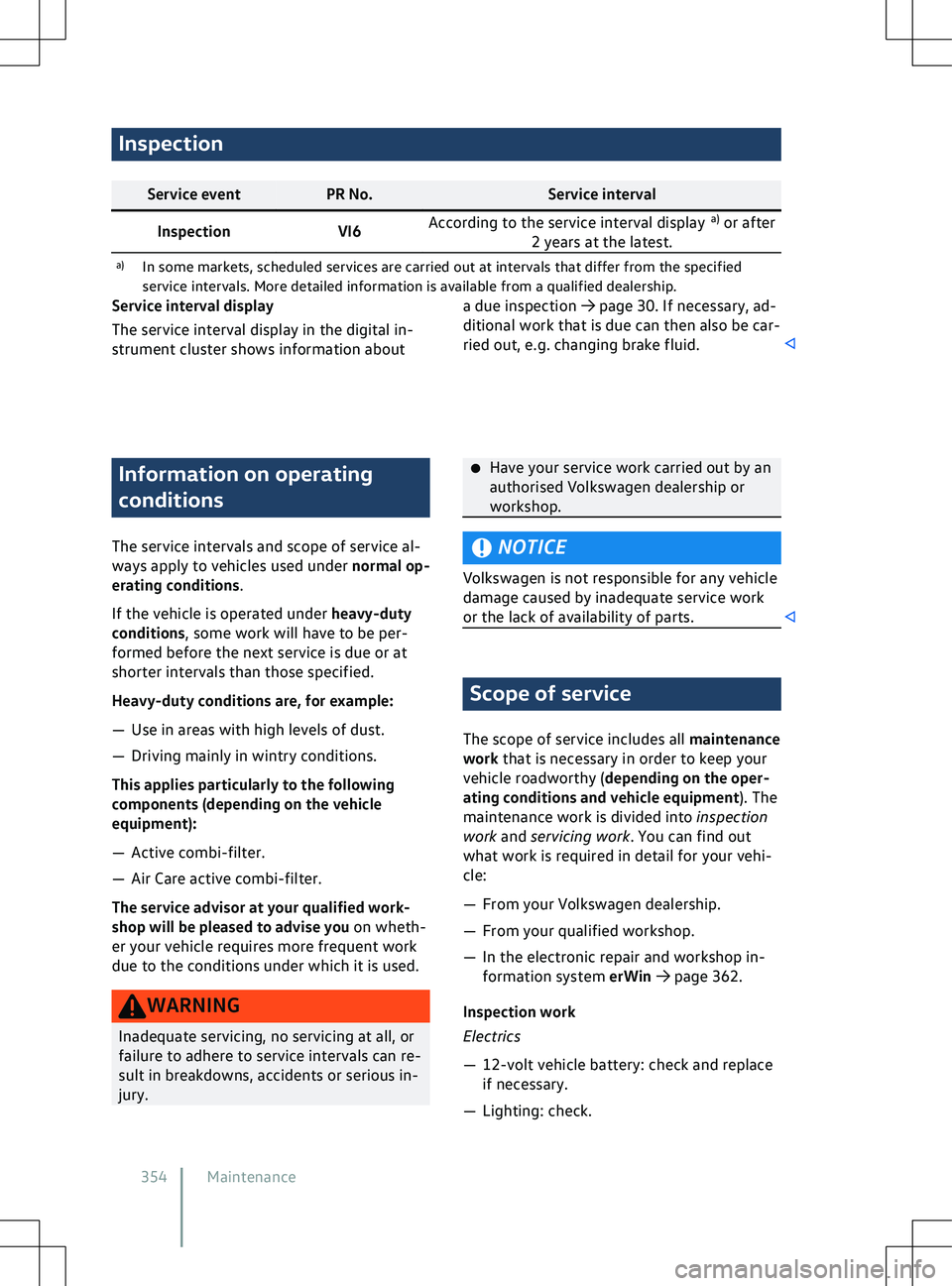
Inspection
Service event
PR No. Service interval
Inspection VI6According to the service interval display
a)
or after
2 years at the latest.
a) In some markets, scheduled services are carried out at interv als that differ from the specified
service intervals. More detailed information is available from a qualified dealership. Information on operating
conditions
The service interv
als and scope of service al-
ways apply to vehicles used under normal op-
erating conditions.
If the vehicle is operated under heavy-duty
conditions, some work will have to be per-
formed before the next service is due or at
shorter intervals than those specified.
Heavy-duty conditions are, for example:
Page 390 of 417
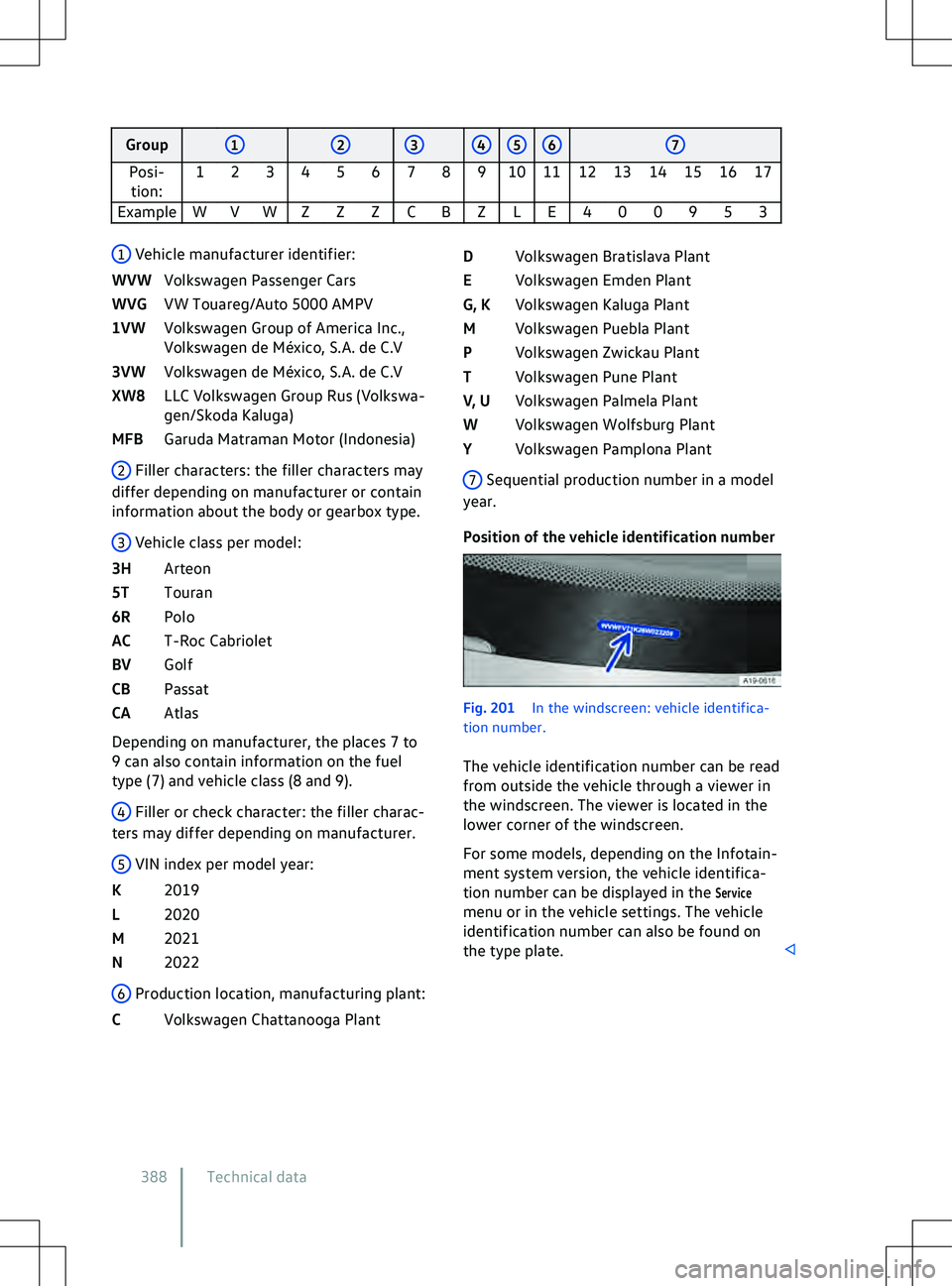
Group
2 3 4 5 6 7
Posi- tion: 1 2 3 4 5 6 7 8 9 10 11 12 13 14 15 16 17
Example W V W Z Z Z C B Z L E 4 0 0 9 5 3 Fig. 201
In the windscreen: v ehicle identifica-
tion number.
The vehicle identification number can be read
from outside the vehicle through a viewer in
the windscreen. The viewer is located in the
lower corner of the windscreen.
For some models, depending on the Infotain-
ment system version, the vehicle identifica-
tion number can be displayed in the
Servicemenu or in the vehicle settings. The vehicle
identification number can also be found on
the type plate. Technical data
Page 392 of 417
area of the luggage compartment. Depending
on the v
ehicle equipment, the vehicle data
sticker is affixed under the luggage compart-
ment trim on the luggage compartment wall
or luggage compartment floor, in the spare
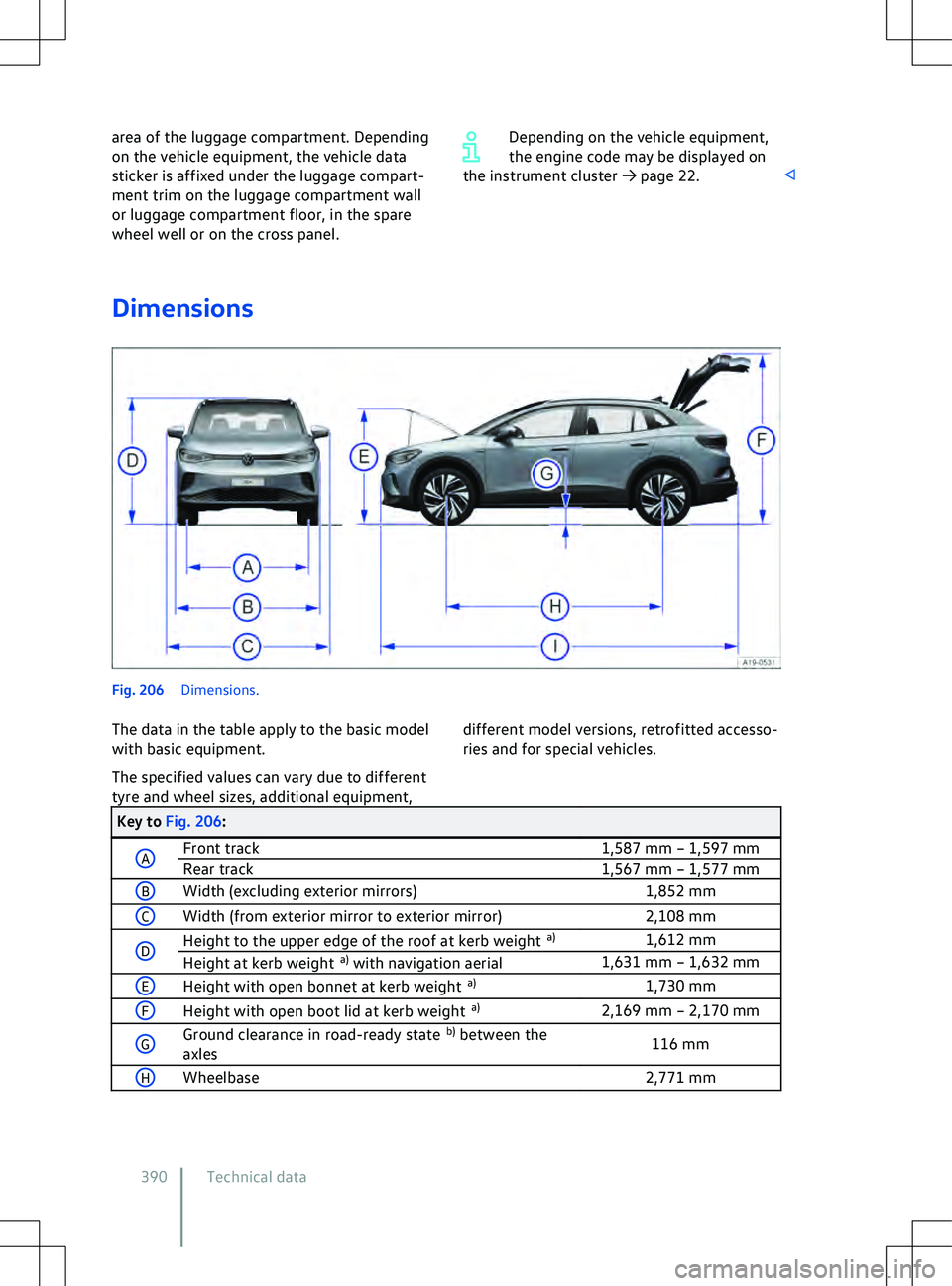
wheel well or on the cross panel. Depending on the vehicle equipment,
the engine code may be displayed on
the instrument cluster
Page 399 of 417
Battery charge limits
277
Belt retractor 44
Belt status display see Seat belts 37
Belt tension limiter 44
Belt tensioner 44
Disposal 45
Service and disposal 45
Bench seat 97
Bicycle carrier Fitting on the ball coupling 267
Black ice warning 23
Bluetooth 216
Profile 216
Bonnet Closing 312
Display 313
Opening 312
Warning lamp 313
Bonnet space Preparations 311
Safety notes 309
Boot see Luggage compartment 254
Boot lid 84
Closing 88
Closing automatically 88
Driving with an open boot lid 133
Electrically closing 86
Electrically opening 86
Opening 87
Opening automatically 87
Brake Assist system 190
Brake blending 191
Brake energy recuperation (energy recov-
ery) 134
ECO assistance 136
Brake fluid 318
Specification 319
Brake servo 189, 190
Brake support systems 189
ABS 189
BAS 189
EDL 189
ESC 189
TCS 189
XDS 189
Brake system Malfunction 134
Brakes 189
Brake fluid 318Brake fluid level
319
Brake pads 131, 134
Brake support systems 189
Changing the brake fluid 319
Electromechanical brake servo 190
Electronic parking brake 177
Emergency braking function 178
Parking brake 177
Running in brake pads 131
Braking intervention Automatic 182
Damage minimisation 182
Break recommendation Switching on and off 25
Breakdown Making your vehicle safe 66
Breakdown set 348
Check after driving for 10 mi- nutes 351
Contents 349
Inflating the tyre 350
Preparations 350
Sealing the tyre 350
When not to use 348
Buckle-up request see Seat belts 37
Bulb failure see Changing bulbs 295
Button cell Replacing in the vehicle key 74
C
Camera 159
Cameras Add-on parts 363
Damage 363
Repairs 363
Car wash Parking brake 177
Vehicle care 355
Car2X communication 198
Switching on and off 199
System limits 199
Troubleshooting 200
Care see Vehicle care 355
CCS see Cruise control system 145
Central airbag see Airbag system 56
Central locking
Index 39711A012720AB