ignition VOLKSWAGEN JETTA 2008 Owner's Guide
[x] Cancel search | Manufacturer: VOLKSWAGEN, Model Year: 2008, Model line: JETTA, Model: VOLKSWAGEN JETTA 2008Pages: 477, PDF Size: 77.6 MB
Page 409 of 477
Booklet 3.2 Tips and Ad vic e
Attach the tow-rope or the tow-bar only to th e
tow ing eyes provid ed .
D riv in g s ty le
T ow ing require s some exper ie nc e, es pecia lly
when using a tow -rope. Both driv ers should be
familiar w it h th e tec hn iqu es required for tow ing.
In ex perienced drivers should not try to tow an
o th er ve hicle.
Do not pu ll to o hard w ith th e towing vehicle and
a vo id j erking the tow- rope . When tow in g on an
unpa ved road, there i s alway s
risk of over
l oad ing and damaging the an ch orage points .
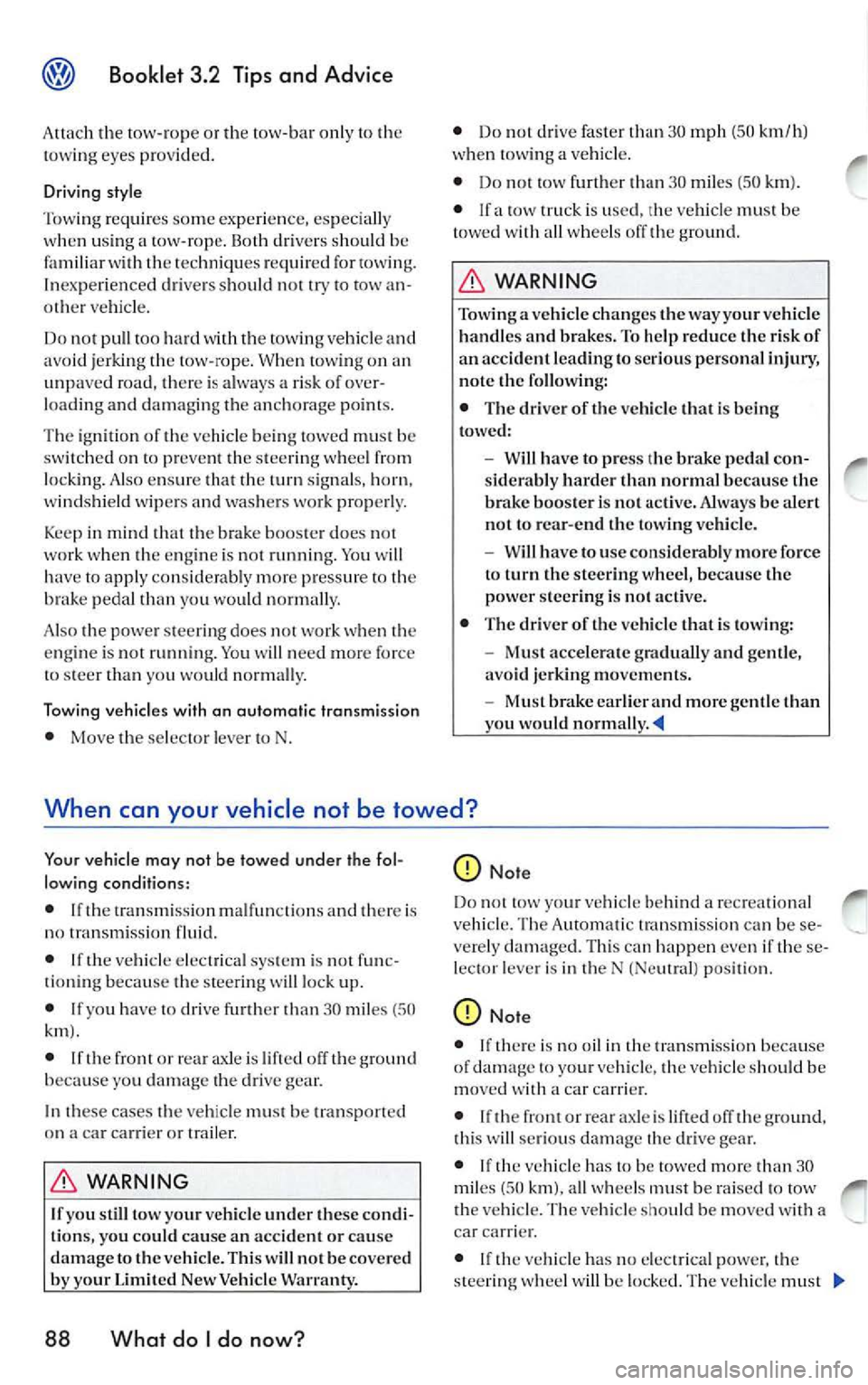
T he ignition oft he ve hicle be in g towed must be
s witched on to prevent the stee ring whee l fro111
lo ck ing. Also ensur e that the turn signals, horn,
windshield wipers and wash ers work properl y.
Keep in mind that the brake b ooste r d oes not
work when th e e ngine is not running. You will
hav e to apply considerably more pressure to th e
brak e pedal than you wou ld nor111a lly.
A lso the pow er stee rin g do es not work when the
e n g in e is not running. You will n eed m ore for ce
to stee r than you would norma lly.
Tow in g ve hicl es w it h an aut om atic tran smi ssio n
• Move the se lec tor leve r to N. •
Do not drive fa ster than 30 mph (50 km/h)
wh en towing a ve hicl e.
• Do not tow further t han
3 0 111iles (50 km ).
• lfa tow tru ck i s use d, th e ve hicle must be
tow ed with a ll w heels off the ground .
WARNING
Towing a vehicle c hange s th e way yo ur vehi cle
h an dles a nd br akes. To help re du ce t he risk of
an acci den t lead ing to se rious persona l injury,
no te th e fo llow ing:
• T he dr ive r of t he ve hicle t hat is be ing
towe d:
- Will h ave to p ress th e bra ke peda l con
s id era bly harder than no rm al beca use th e
b ra ke boos te r i s not a cti ve. Always be alert
no t to rear-end the tow ing ve hicle .
- Will h ave to use cons idera bly more fo rce
t o t urn th e steerin g w hee l, b eca use th e
power steer ing is not active.
• The driver o f the ve hicle that is tow ing:
- Must accelera te grad ually a nd ge ntle,
avo id je rkin g m oveme nts.
- Must b ra ke ear lier a nd more gentle t han
yo u wo uld norm ally
When can your vehicle not be towed?
Yo ur ve hicle m ay no t be towe d un der the fo l
l ow ing con ditions:
• If th e tran sm iss ion mal fun cti o ns and there is
no tran smis sion flui d.
• I f th e veh icle e lectr ical sys tem is not func
ti o nin g beca use the s tee ring will lock up.
• If yo u ha ve to driv e fu rth er th an 30 mile s (5 0
• If the front or rea r axl e is off th e ground
because you dama ge th e gea r.
In the se cases the vehicl e mu st be transport ed
o n a car c arrie r or trailer.
WARNING
If you still tow your ve hicle un der these co ndi
tio ns, you could ca use an acci dent or ca use
d am age to th e ve hicle. Thi s w ill n ot b e covere d
by your Limit ed New Ve hicle Warra nty .
88 Wha t do I do no w?
Do no t tow your ve hicl e beh ind a re cre a tional
vehicle . The Automatic transmi ssio n can be se
ve re ly damaged. This can happ en even if these
l ec to r lever is in th e N (Ne utral) pos ition.
• If th ere is no oil in th e tra nsmi ssio n because
o f dama ge to yo ur vehicle , th e veh icl e s hould b e
mo ved with a ca r carrier .
• If th e front or rear axle is lift ed off th e grou nd,
thi s will serio us dama ge the dr ive gea r.
• If th e veh icl e ha s to be towe d more than 30
mi les (5 0
all whee ls must be rai sed to tow
t he vehicle. The vehicle should be m oved with a
car carrier .
• If vehicle has no e lec trica l po we r, th e
s te erin g will be locked. The ve hicle must
Page 440 of 477
Booklet 3.4 P remi um Sound System
.0, WARNING (conti nued )
• Us e the Sound System only if road , traffic
an d weath er cond itions permit and you will
not be distracted from your driving.
Important information
Operating the Sound System while driving
D rivi ng on today 's road s demands th e full atten
ti o n of the driver.
The w ide range of sophisti cate d eq uipm ent de
tail s of modern car radio s offer not onl y a vas t
so urce of entertainmen t, but also import ant in
form ation reg arding t raffic updates, road condi
t ions, wea ther repo rts. etc.
Bu t re mem ber, you should onl y operate the
ra di o system wit h its num erous fe atures when
th e traffic situ atio n rea lly
in "Con
tro ls" on page 2.
For examp le, c hangin g CDs o r re ading song t i
tl es on a CD case or in th e rad io display when
drivi ng is o ften the ca use of aut o acc idents .
You s hould also set th e vo lume of your radio
sys tem so that yo u ca n h ear s ig n als from other
dr iv ers at a ny tim e.
Convenience radio coding For tec hn ical reason s. the conve nience radio
c oding is not ava ila bl e for all vehicle models.
In the past, it used to be tha t yo u had to manu
a lly recode t he radio wheneve r th e uni t was re
m oved from the ve hicle (for example, if th e unit
was removed to be repaired). or whenever the
veh icle battery was disco nnected (for examp le,
if yo u brou ght yo ur v ehicl e in to t he deale rship
for service a nd it was necessary to dis con nect
t he bauery). In eith er case , the power sup ply to
th e unit was cut off.
T hat has all ch anged w ith the new conven ie n ce
radio cod ing f un cti on: Once t he co de number
ha s bee n ent ered. it
will th en sy nchro nize itse lf
w ith "its" vehicl e!
.0, WARNING (co ntinu ed)
• Always set volume leve ls so that you can
clearly hear horns , si rens and oth er warning
sounds outside the vehicle .
If the power supp ly has been interrupted , the
radio will automa tically c hec k to see if it i s s till in
vehicle after the ignition has been switched
on . If this hap pen, th e radio will be ready for use
af ter just a few seconds.
It is th erefo re no longer necessary to d isengage
th e e lect ronic lock manuall y!
If t11e rad io ha s been in s ra ile d in anot her ve hicl e,
how ever, the electronic lock ha ve to be dis
engaged manually.
If
SAFE ap pea rs i n the disp lay a fter switchin g the
rad io on , it can then only be operated aga in afte r
entering tJ1e co rrect code
=> pa ge 34.
External CD changer1l
You also have the option of installin g a Ge nuine
Vo lkswagen CD Changer. Ask your authoriz ed
Vo lkswagen dealer about thi s optio n.
The CD change r is in stalle d in the front armres t
co mp artment. It is "re mote controlled" by th e
radio unit.
It allow s you ro load up to 6 CDs. See => page 32 for furt her information.
Vo lkswage n dea ler s have a ll the informa tion
conce rning in stallin g th e CD c hange r.
Tip s
• Please note tha t it em s marked with an as
t e ri sk(*) may be standard on ce rtain m odels , op
tional on otJ1 ers or no t ava ilabl e on yo ur model.
Always ch eck with your authorized Volkswage n
deale r to see if the feat ure or item ap plies to your
mod el.
• The radio code numb er and the radio seria l
numb er ca n be found on th e "Radio Card" at the
beg inning of the
Lit erature . ._
I) Availa ble as a fa cto ry install ed opt ion, or your author ized Volkswagen dealer can install the oplional C D
c h anger for you. A lways chec k with yo ur a utho rize d Vol kswage n deale r if th is op tio n i s ava ilab le fo r yo ur
model.
Quick overview 5
Page 442 of 477
Booklet 3.4 Premium Sound System
Radio I CD
Radio
ON /OFF Button
88.3 89.1 94.1
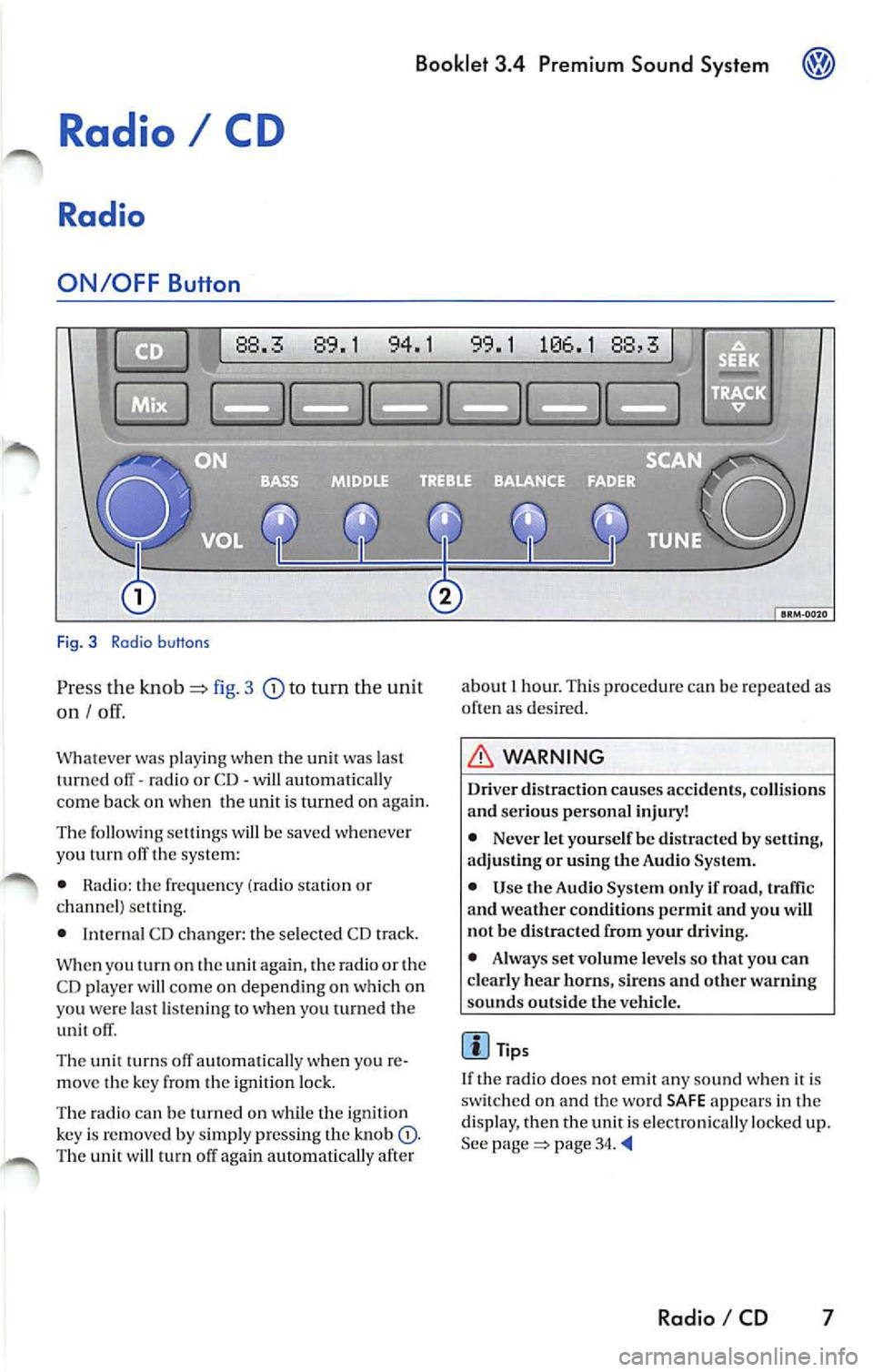
Fig. 3 Radio b uttons
Pr ess the knob fig. 3 to turn the unit
on I
Whatever was playing when the uni! was las!
turned off -radio or CD -will automaticall y
come back on when the unit is turned on again.
The foll owing se lling s will b e saved whenever
yo u tu m off the system:
• Rad io: the frequen cy (ra dio s tat ion or
c h an nel) se ttin g.
• Interna l CD c han ger : the se lected CD track.
W hen you
on the again , th e ra di o or the
CD player w ill co me on depend ing on which on
yo u wer e la st li ste nin g
when you turn ed the
unit off .
The uni! turn s off au!Omati ca lly w hen you re
m ove the key fro m the ign ition lock.
The radio can be turn ed on wh ile th e ignition
key is rem oved b y simpl y pressing the kn ob
88,3
about 1 hour. This procedure can be re p eate d as
o ften as des ired .
WARNING
Dri ver distraction causes accid ents, collision s
and ser ious personal injury!
• Never let yourse lf be distr acted by setting,
a djusting or using the Audio System.
• Use the Audio System only if road, traffic
and weather conditions p ermit and you will
not b e distracted from your driving .
• Alwa ys set vo lum e le vel s so that you can
clearly hear horns, sir ens and other warning
s ounds outside the vehicl e.
Tips
If th e radio does not emit any so un d w hen it is
sw itched on and the word SAFE appears in the
display, then the unit i s electronica lly lock ed u p.
See
page 34.
Radio I CD 7
Page 473 of 477
Booklet 3.4 Premium Sound System
External CD changer 32
F
Fader control 13
FLDR button 25
FM presets 9
ID number 15
Ignition lock 7
Illumination 36
Important information 5
Interference suppress ion 36
K
Key 7
L
LOAD button 20
M
Manual Radio Station search 11
Maximum power output 36
Middle control 12
MIX
does it mean when MIX appears in
the display when
I am playing a CD? 2 1
Wha t does it mean with MIX CD appears
in the disp lay when I
am playing a
CD? 26
Mix mode 21, 26
MP3 25
MP3 player operation 25
N
NO DISC 21, 24
NO MAGAZINE 21
0
ON I OFF 7
38 Alphabetical index
p
Preset button s 10
Preset scan
11
Q
Quick overvi ew 2
R
Radio 7
Radio Card Where should
I keep my Rad io Card? 5
Radio code numb er 5
Replacement 35
Roof mount ed antennas 35
s
SAFE What does it mean w hen "SAfE" ap-
pears in the display? 5
SAT button 15 Sa tellite Digital Radio Service 13
Satellite Radio D igital Serv ice
Ho w the system works?
13
Satellite radio providers 13
SCAN function 11
SCAN/TUNE button 11
SEEK/TRACK Button 11
Se lecting a category 16
Selecting a chan nel 16
Se lecting folders 25
Se lectin g tracks 27
Service 35
S iriu s
ID Numb er 15
Skip through the files in the same folder 27
S kip through the same track 23, 28
Sound setti ng 12
Speed Vo lume Co ntro l (S VC )
SVC (Speed Volume Contro l) 8
Station buttons 10
Station selection 36
Sto ring a channel 15
System information 19
Siriu s message s 19
XM messages 19