3.1 VOLKSWAGEN JETTA 2009 Owners Manual
[x] Cancel search | Manufacturer: VOLKSWAGEN, Model Year: 2009, Model line: JETTA, Model: VOLKSWAGEN JETTA 2009Pages: 477, PDF Size: 77.6 MB
Page 397 of 477
Booklet 3.2 Tips and Advice
Applies to vehicles, with power roof
Emergency closing of power roof
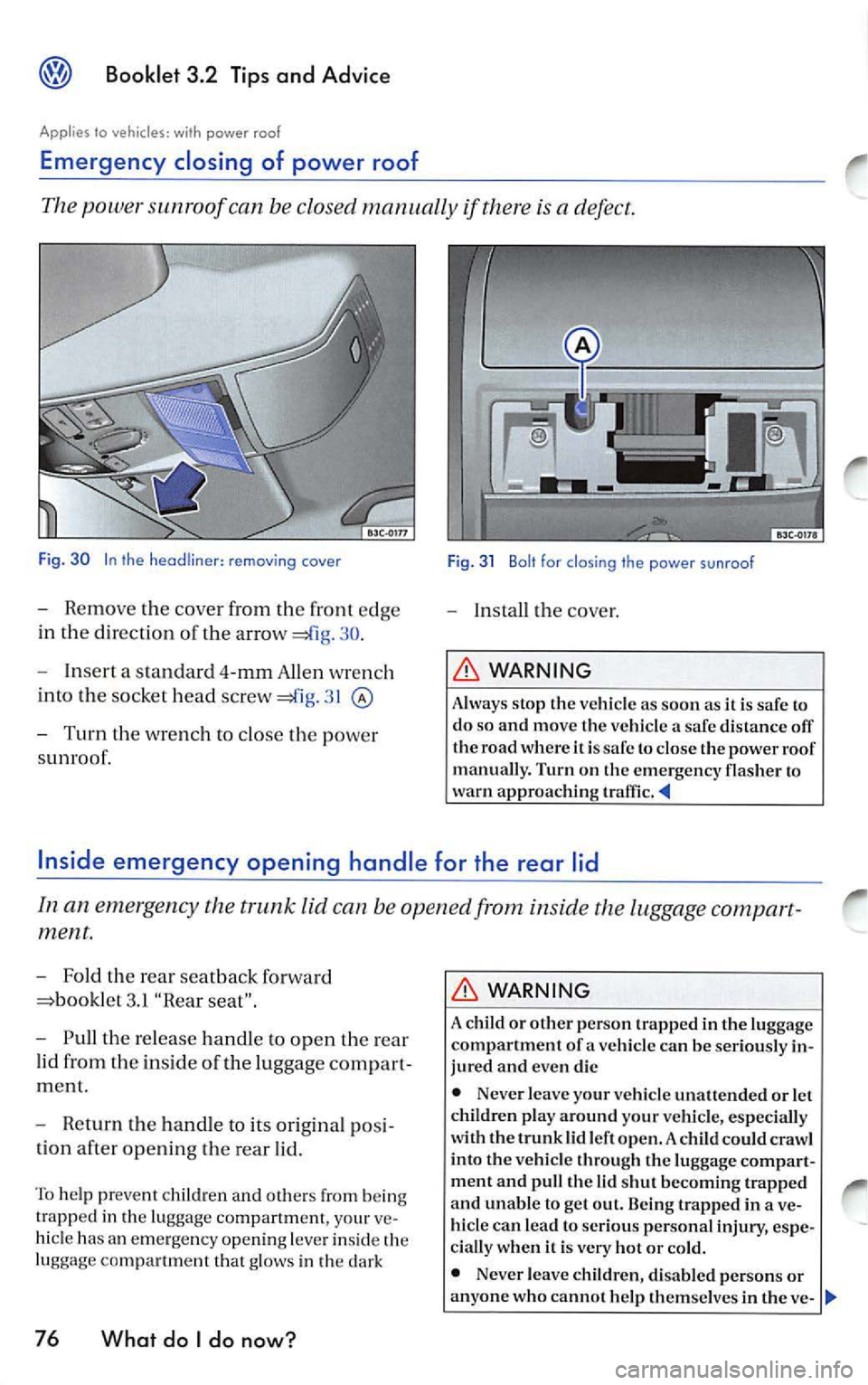
The power sunroof can be closed manually if there is a defect.
Fig. 30 In the removing cover
-Remo ve th e cove r from the front edge
in th e dire cti on of the a rrow
30 .
- Insert a standa rd 4-mm Allen w re n ch
into th e s ocket head screw
31
- Turn the w re n ch to cl ose the power
s unro of.
Fig. 31 Bolt for closing the power sunroof
-Insta ll the cover.
WARNING
Always stop th e vehicle as soon as it is safe to
do so and move the ve hicle a safe distance off
th e road where it is safe to close the pow er roof
manuall y. T urn on the em ergency flasher to
wa rn appro achin g
can b e op en ed from insid e the luggage compart
ment.
- Fold the rea r seatbac k forwa rd
3.1 "Rear seat".
- Pull the release han dle to open the re ar
lid from the inside of the luggage co mpart
m ent.
- R eturn the handl e to its ori gina l po si
ti o n af te r op enin g the rear lid.
To help pr eve nt ch ildre n and oth ers from being
trapped in the lu ggag e compartment, y our ve
hi cle has an em erg e ncy opening le ve r in sid e th e
lu gg age co m pa rtm ent th at g low s in the dark
76 What do I do now?
WARNING
A c hild or other perso n trapped in the luggage
compartment of a vehicle can be serio usly in
ju red and even die
• Never leave yo ur vehicl e un att end ed or let
c hildr en play a round your vehicl e, es pecia lly
w ith th e tru nk lid lef t open. A chil d could cra wl
into the vehicl e throu gh th e luggage compart
ment and pu ll the lid shut becomin g trap ped
and un able lo get out. Being trapped in ave
hicl e ca n lead to serio us pers onal injury , espe
ci ally wh en it is very ho t or cold.
• Never leave child ren, disabled p erso ns or
a n yone who ca nnot help themselv es in th e ve-
Page 455 of 477
® Booklet 3.4 Premium Sound System
Tips
Always hold the CD either by the center or by the
out er edge with the print ed sid e facing up.
LOAD button
The internal CD changer is operated easily and convenient ly usin g the cont rols
on the radio.
It allows you to load up to six CD's.
FM 1
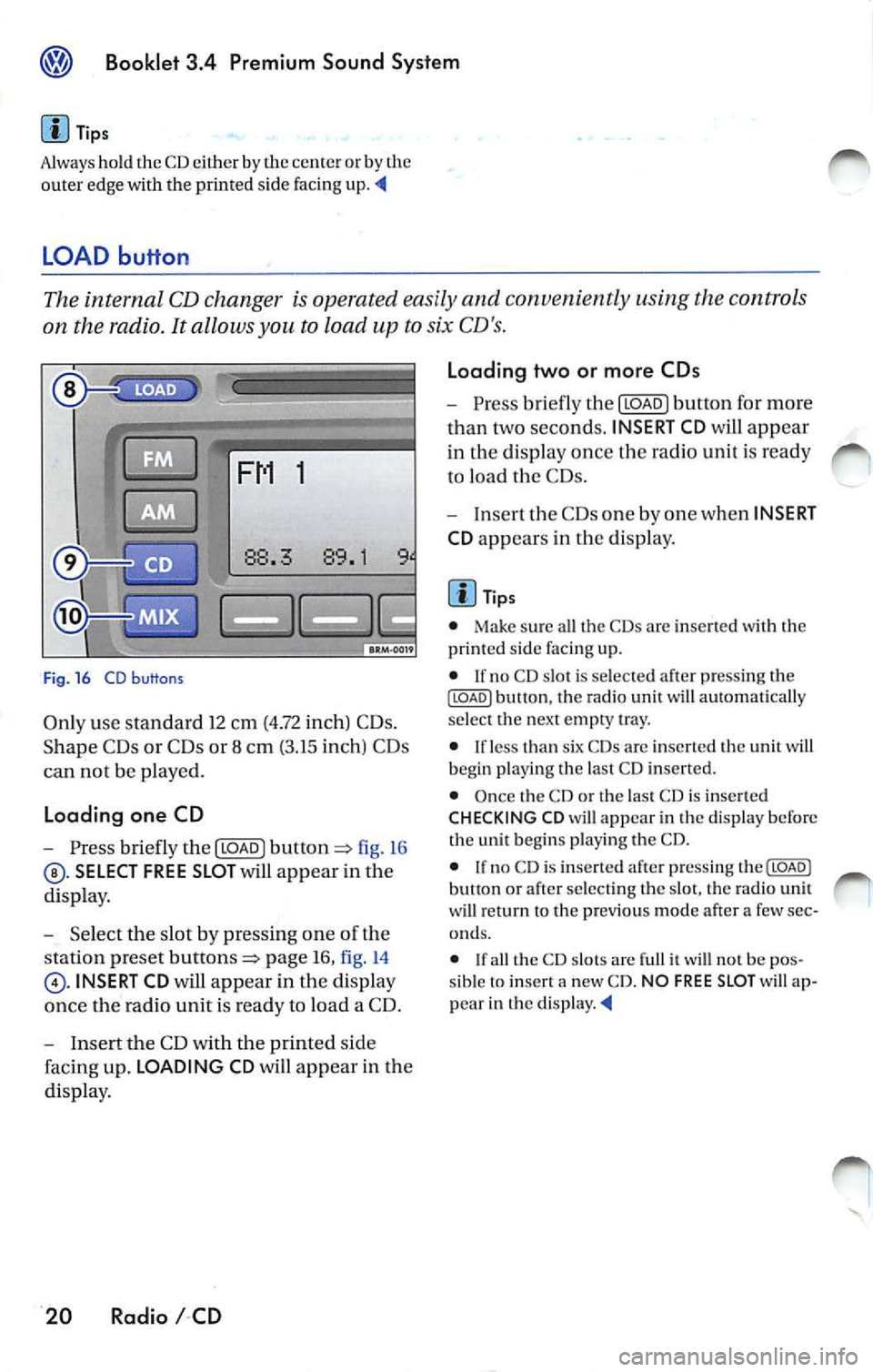
Fig . 16 CD b uttons
Only use standa rd 12 cm (4.72 inch) CD s.
Shape C Ds or CDs or 8 cm (3.15 inch) CDs
can not be played.
Loading one CD
- Press briefly the I LOAD J fi g. 16
SELECT FREE SLOT will appear in the
di spla y.
- Selec t th e slot by pressing one of t he
s tation pr eset
page 16, fig. 14
INSERT CD will app ear in the disp lay
once th e radio unit is read y to load a CD.
- I nse rt the CD with the printed side
faci ng up. LOADING CD will app ear in the
di splay .
20 Radio I CD Loading two or more CDs
-
Press briefly the I LOAD J button for more
t h an two second s. INSERT CD
will app ear
in the display once t he rad io unit i s ready
to load the CDs.
- Inse rt th e CDs one by one when INSERT
CD app ears in the di splay.
Tips
• Make sur e all the CDs arc inse rted wi th the
printed side facing up.
• If no CD slot is se lected a fter pressing th e
ILOADJ button, the rad io unit will automat ica lly
selec t the nex t empty tray.
• I f le ss than six CDs are inser te d th e uni t will
b egi n playi ng the last C D inserted.
• Once the CD or th e las t CD is inserted
CHECKING CD will appea r in the di spl ay before
the unit b egins playing the CD.
• If no C D is inserted afte r press ing th e(LOADJ
b utt on or after select ing the slot , the rad io unit
w ill r eturn to the p rev iou s m ode after a few sec
o nd s.
•
th e CD slot s are full it w ill not be pos
sib le to insert a new CD . NO FREE SLOT w ill ap
pear in th e
Page 460 of 477
Booklet 3.4 Premium Sound System ®
MP3
MP3 player operation
The interna l CD-C hanger also allows you to play
CD-Rs co ntaining MP3 data. Howeve r, t he re
flectivity rate must be 60
% or high er.
D iff ere nt kind s of info rmation (e.g. name of the
so ng and artist) may appear in th e di sp lay
during MP3 player operation
On ly use s tandar d 12 cm (4.72 in ch) CDs. The
s h ape d CDs or 8 cm (3.15 inch ) CDs can not b e
p layed.
Tips
• The u nit ca n only play either discs con
taining audio or MP 3 data. If a CD co ntaining
both audio and M P3 data is inserted, an error
message will appear in the display and the CD
will be automatica lly ejected ..
• The ex terna l CD changer • can not play dis cs
co ntainin g MP3 files.
<4
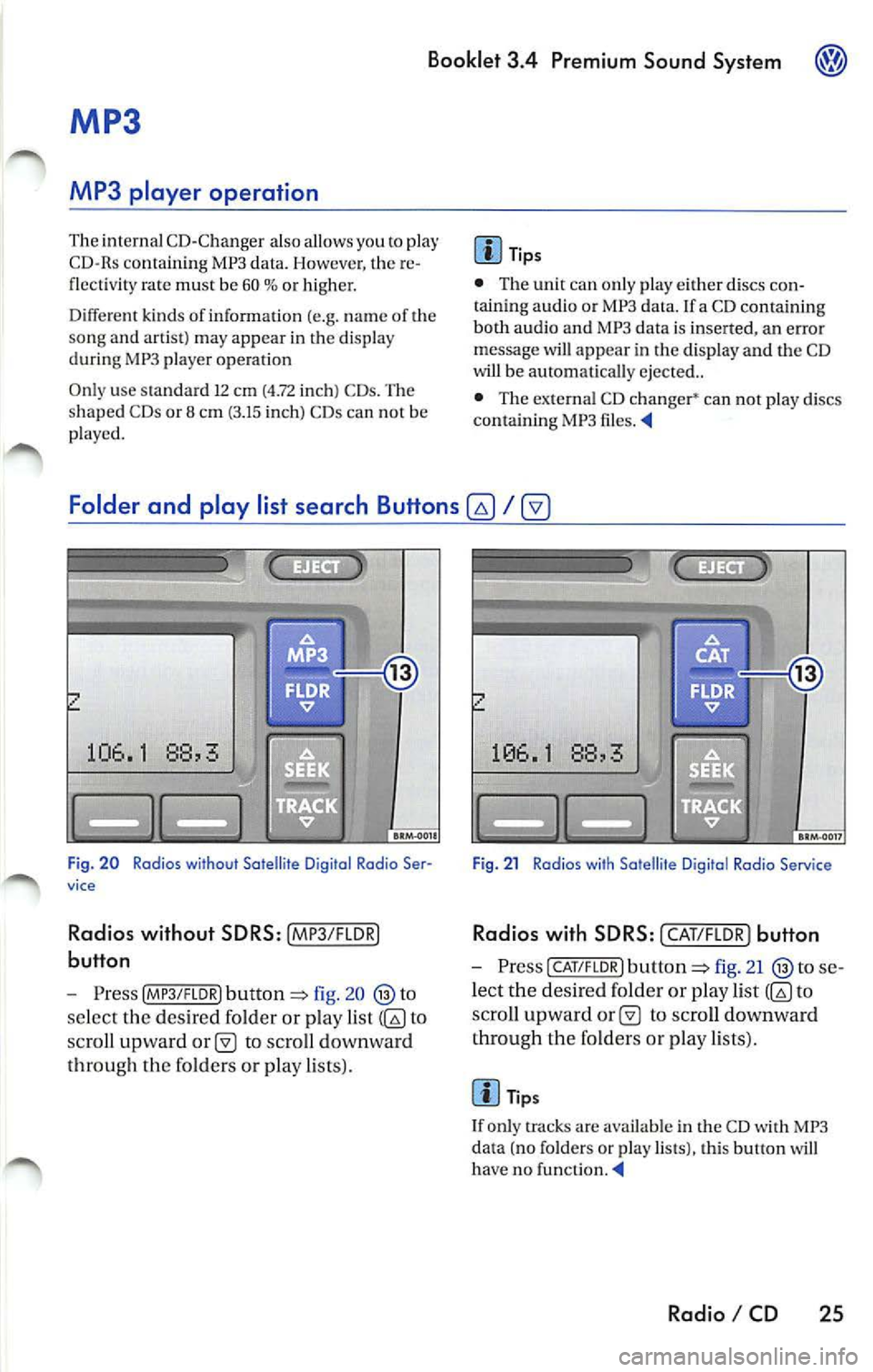
Folder and play list search Buttons
fig. 20
se lect the des ired folder or play list to
sc ro ll upward
to scro ll downward
th roug h th e fo lders or pla y lists).
Fig . 21 Radios with Satellite D igital Rodia Service
Rad ios with SD RS: I CAT/F LOR) button
- Press CAT/FLOR l fig. 21 se
l ec t the desired folder or p lay list
to
s cro ll upward
to scro ll downward
th rough the fo lder s or p lay lists) .
Tips
I f only tracks are availab le in the CD with MP3
da ta (no folders or play lists), this button will
ha ve no funct ion . ._
Radio I CD 25
Page 468 of 477
Booklet 3.4 Premium Sound System ®
Tips
• Whe n
external CD changer is selected
EXT will appear in the radio display.
• The LED s above the slot buttons I to 6 will
stay on
to indi cate that there is a CD inside the
s lo t.
• It is po ssible to reproduce Howeve r the reproduction depends on th e terial quality of the CD .
• Always inser t the CD with the prin ted s ide
fac ing up . •
Make sure the CDs are prop erly install ed in
the CD changer. Also, make su re the CDs are
moved from the slot before you close the rest, otherwise you cou ld damage th e CDs.
• Only use standard
12 cm (4.72 inch) CDs. T he
s h ap ed CDs or 8 cm (3.15 in ch) CDs can not be
played.
• If no CD slot is se lected after pressing the
LOAD button, the radio unit will automatically
select the next empty tray .
• I f the ejected CD is not removed from the slot
in t he next
15 secon ds, it will be pulled back tomat ically into the CD slot to prevent damage
and the eject mod e will be
Tips for operating your internal CD-Changer and external CD
Changer
To assu re a sound reproduction of the highest
quality, u se on ly CDs which are clean and free of
sc ratch es or any other type of damage.
Do not u se tran sparent
Wa re availabl e in the
market. Use of these CDs w ill cause th e changer
improp erl y load.
If yo u are going
to make your own CDs, do not
s tick an adhesive labe l on the CD itself. The heat
Preventive measures for laser units.
Laser devices are divided into safety classes I 4.
Your VOLKSWAGEN CD ch an ger conforms to
safety class I.
The laser used in cla ss l is so low a nd so we ll
s hield ed, that no danger exi sts wi th proper
usage . generated
by the CD play er ca n loosen t he
sive label, which then coud come off and and
jam up the unit. This could result in a costly
pair. Use a marker labe l your CDs in stead.
Always sto re CDs in tl1eir cases whe n you are not
li stening to th em.
Neve r leave CDs in direct
Note
Never remove the cover from the uni t. The unit
doc s not contain any parts that can b e serviced
b y the use r.
Radio I CD 33