safe VOLKSWAGEN JETTA 2009 Owners Manual
[x] Cancel search | Manufacturer: VOLKSWAGEN, Model Year: 2009, Model line: JETTA, Model: VOLKSWAGEN JETTA 2009Pages: 477, PDF Size: 77.6 MB
Page 442 of 477
Booklet 3.4 Premium Sound System
Radio I CD
Radio
ON /OFF Button
88.3 89.1 94.1
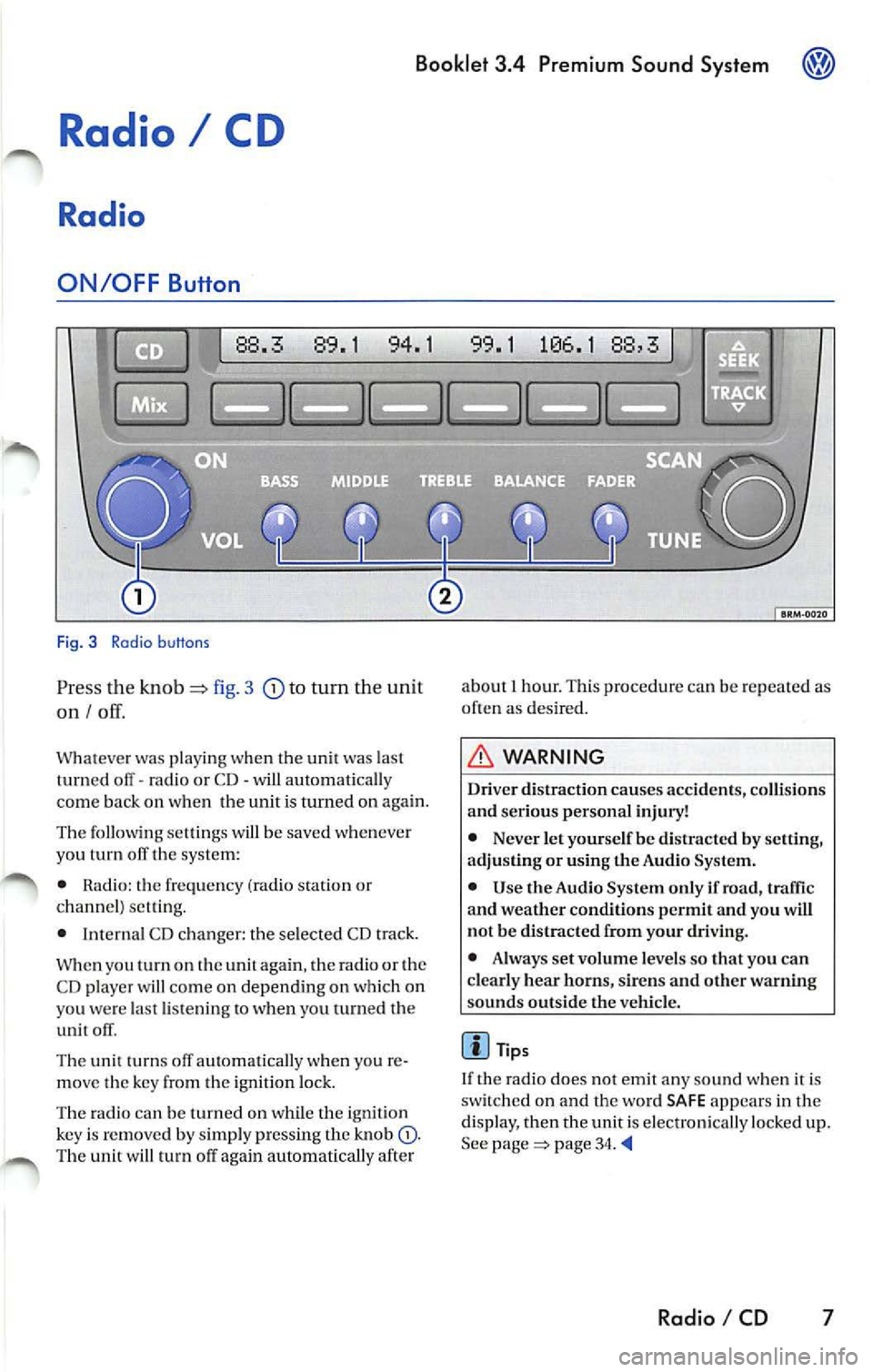
Fig. 3 Radio b uttons
Pr ess the knob fig. 3 to turn the unit
on I
Whatever was playing when the uni! was las!
turned off -radio or CD -will automaticall y
come back on when the unit is turned on again.
The foll owing se lling s will b e saved whenever
yo u tu m off the system:
• Rad io: the frequen cy (ra dio s tat ion or
c h an nel) se ttin g.
• Interna l CD c han ger : the se lected CD track.
W hen you
on the again , th e ra di o or the
CD player w ill co me on depend ing on which on
yo u wer e la st li ste nin g
when you turn ed the
unit off .
The uni! turn s off au!Omati ca lly w hen you re
m ove the key fro m the ign ition lock.
The radio can be turn ed on wh ile th e ignition
key is rem oved b y simpl y pressing the kn ob
88,3
about 1 hour. This procedure can be re p eate d as
o ften as des ired .
WARNING
Dri ver distraction causes accid ents, collision s
and ser ious personal injury!
• Never let yourse lf be distr acted by setting,
a djusting or using the Audio System.
• Use the Audio System only if road, traffic
and weather conditions p ermit and you will
not b e distracted from your driving .
• Alwa ys set vo lum e le vel s so that you can
clearly hear horns, sir ens and other warning
s ounds outside the vehicl e.
Tips
If th e radio does not emit any so un d w hen it is
sw itched on and the word SAFE appears in the
display, then the unit i s electronica lly lock ed u p.
See
page 34.
Radio I CD 7
Page 468 of 477
Booklet 3.4 Premium Sound System ®
Tips
• Whe n
external CD changer is selected
EXT will appear in the radio display.
• The LED s above the slot buttons I to 6 will
stay on
to indi cate that there is a CD inside the
s lo t.
• It is po ssible to reproduce Howeve r the reproduction depends on th e terial quality of the CD .
• Always inser t the CD with the prin ted s ide
fac ing up . •
Make sure the CDs are prop erly install ed in
the CD changer. Also, make su re the CDs are
moved from the slot before you close the rest, otherwise you cou ld damage th e CDs.
• Only use standard
12 cm (4.72 inch) CDs. T he
s h ap ed CDs or 8 cm (3.15 in ch) CDs can not be
played.
• If no CD slot is se lected after pressing the
LOAD button, the radio unit will automatically
select the next empty tray .
• I f the ejected CD is not removed from the slot
in t he next
15 secon ds, it will be pulled back tomat ically into the CD slot to prevent damage
and the eject mod e will be
Tips for operating your internal CD-Changer and external CD
Changer
To assu re a sound reproduction of the highest
quality, u se on ly CDs which are clean and free of
sc ratch es or any other type of damage.
Do not u se tran sparent
Wa re availabl e in the
market. Use of these CDs w ill cause th e changer
improp erl y load.
If yo u are going
to make your own CDs, do not
s tick an adhesive labe l on the CD itself. The heat
Preventive measures for laser units.
Laser devices are divided into safety classes I 4.
Your VOLKSWAGEN CD ch an ger conforms to
safety class I.
The laser used in cla ss l is so low a nd so we ll
s hield ed, that no danger exi sts wi th proper
usage . generated
by the CD play er ca n loosen t he
sive label, which then coud come off and and
jam up the unit. This could result in a costly
pair. Use a marker labe l your CDs in stead.
Always sto re CDs in tl1eir cases whe n you are not
li stening to th em.
Neve r leave CDs in direct
Note
Never remove the cover from the uni t. The unit
doc s not contain any parts that can b e serviced
b y the use r.
Radio I CD 33
Page 469 of 477
Booklet 3.4 Premium Sound System
Anti-Theft Coding
Convenience radio coding
For techni cal reason s, the convenience radio
coding is not a vailable for all vehicle models .
In the past , it u sed to be that you h ad to manu
ally reco de th e rad io whe neve r the unit was re
moved from the veh icle (fo r examp le, if the unit
wa s removed to be repa ired), or whenever the
vehicle battery was disconnected (for example ,
if you brought yo ur vehicle in to the dealership
for service and it was necessary to disconnect
the banery ). In either case , th e power supply to
t he unit was cut off.
That ha s all ch anged with th e new conve nien ce
radio coding function: Once the code number
has been inplll in the rad io, i t w ill then synchro
nise itself wi th "it s" veh icle!
I f th e curr ent supply has been interrupted the
radio will automaticall y ch eck to see if it is still in
Canceling the Electronic Lock
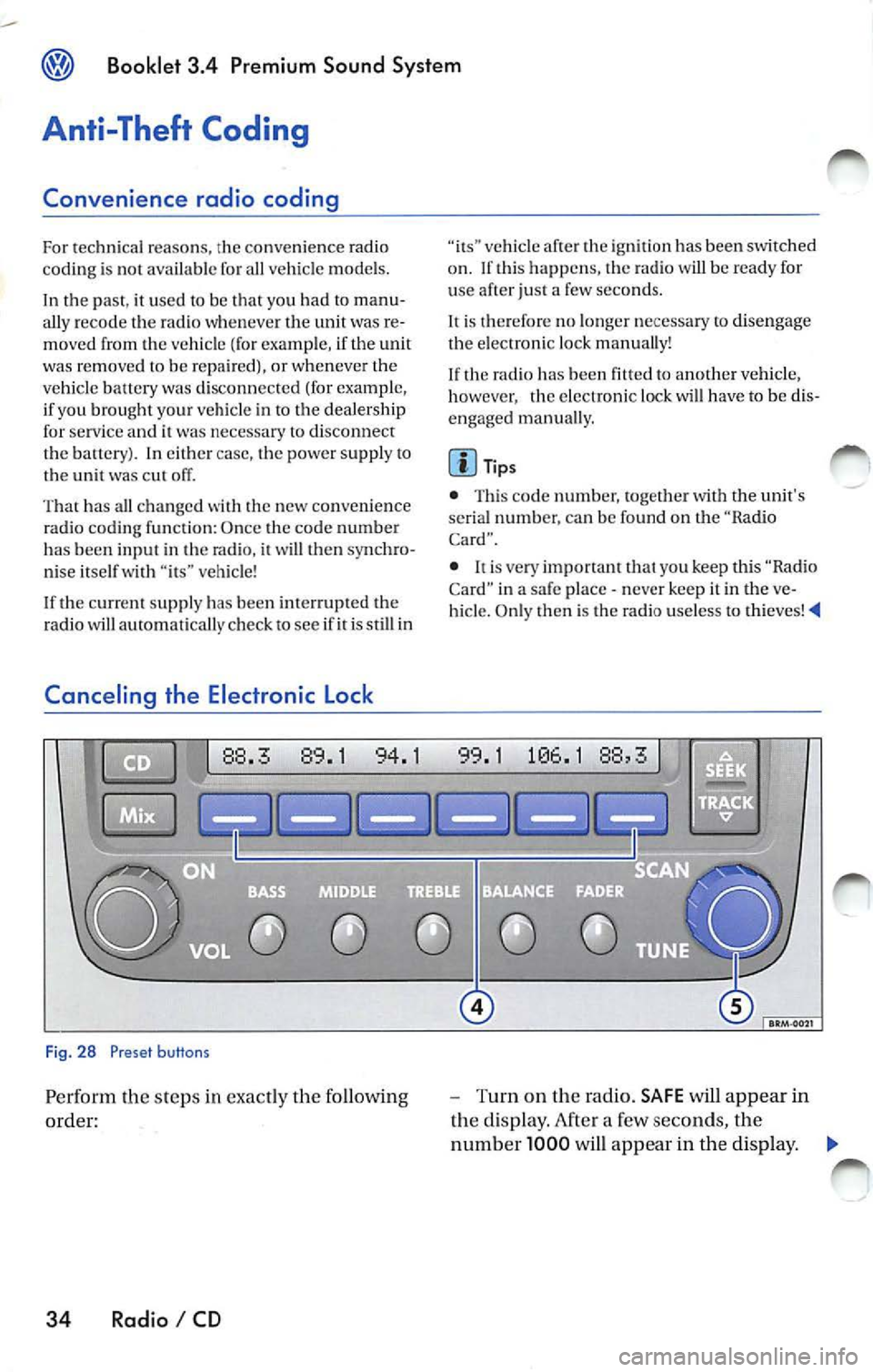
Fig. 28 Preset buttons
Pe rform th e steps in exact ly the fo llowing
order:
34 Radio I CD
vehicle af te r th e ig niti on has been switched
o n . If thi s happ ens, the radio will be read y for
u se after just a few seco nds.
It is therefore no longe r n ecess ary to disengag e
the e lectro nic lock manua lly!
If the radio has been
to another vehicle,
however , the electronic lock will have to be dis
engaged manua lly.
Tip s
• This code number, togeth er w ith the unit's
se rial numb er. ca n be found on the "Ra dio
Card".
• never keep it in the ve
hicle. Only then is th e radio use less to thieves!
-Turn on the radio. SAFE will appear in
the disp lay. After a few seconds, the
numb er 1000 will appear in the display. ._
Page 470 of 477
Booklet 3.4 Premium Sound System ®
-Use the radio stat io n pr ese t button s 1 to
4
page 34, fig. 28 to ent er the code
numb er fo un d on your R adio Card. Use
pre set button
l to ent er t he fir st digit in the
code numb er. U se button 2 to en te r the
seco nd digit , e tc. Th e valu e range for each
of the 4 di git s is O ... 9. T he digit will in
c rease by l eac h tim e you tap the pr ese t
bu tton. The number r etu rns to O afte r 9.
- After you finish ent ering th e code, press
the sta tion p reset button below
word
OK in th e di spl ay. It usual ly is th e las t sta
tion pre set button. You w ill hear a n au
dibl e signa l.
-If you have en te red t he co de number
c orr ect ly, a radio frequency will app ear in
th e d isp lay.
Wrong Code Number
lfyou have accide ntally ent ered a wrong code
number , SAFE will ap pear in th e di spl ay and
th en the number 1000 will app ear.
Yo u can re p ea t the procedu re agai n on e time .
T he num ber of attempt s will app ear in the dis
p lay. lf you acci dent all y ent er a wrong code
number a seco nd tim e
SAFE will appea r in the
d isp lay.
lfth e wrong cod e number i s enter ed aga in, th e
uni t w ill be di sab le d for about I hour. Lea ve th e
unit O N for this hour . After th e hour has
e la p se d, the numb er of att em pts will stop bei ng
displayed and you can cancel th e elec tronic lock
once again.
Remembe r, the cycle i s ...
• 2 attempt s
• one hour lo cked.
Tips
If y ou loose your Rad io Card, contact yo ur au
t ho riz ed VO LKSWAGEN
ered by a re pl ace ment pa rts warra nty. This re
pl acement serv ice w ill not b e availab le, how
eve r, it th e unit h ousing is damaged or if un au- th
oriz ed per sons have att empt ed to make re
pair s.
Antenna Care
Th e an tenna i s des ig n ed to achieve optim al per
fo rmance with the radio and is located at a pos i
tion where reception is good and su sce pti bili ty
to int erfer ence is low.
Ve hicle s equ ipped wi th antenna s emb edd ed in
t he winds hield o r backlights offer the furth er ad
vantages o f being completely pro tec te d f rom
damage and wear.
No antenna car e is r equir ed for vehicles
e quipped with roof moun te d
Radio I CD 35
Page 473 of 477
Booklet 3.4 Premium Sound System
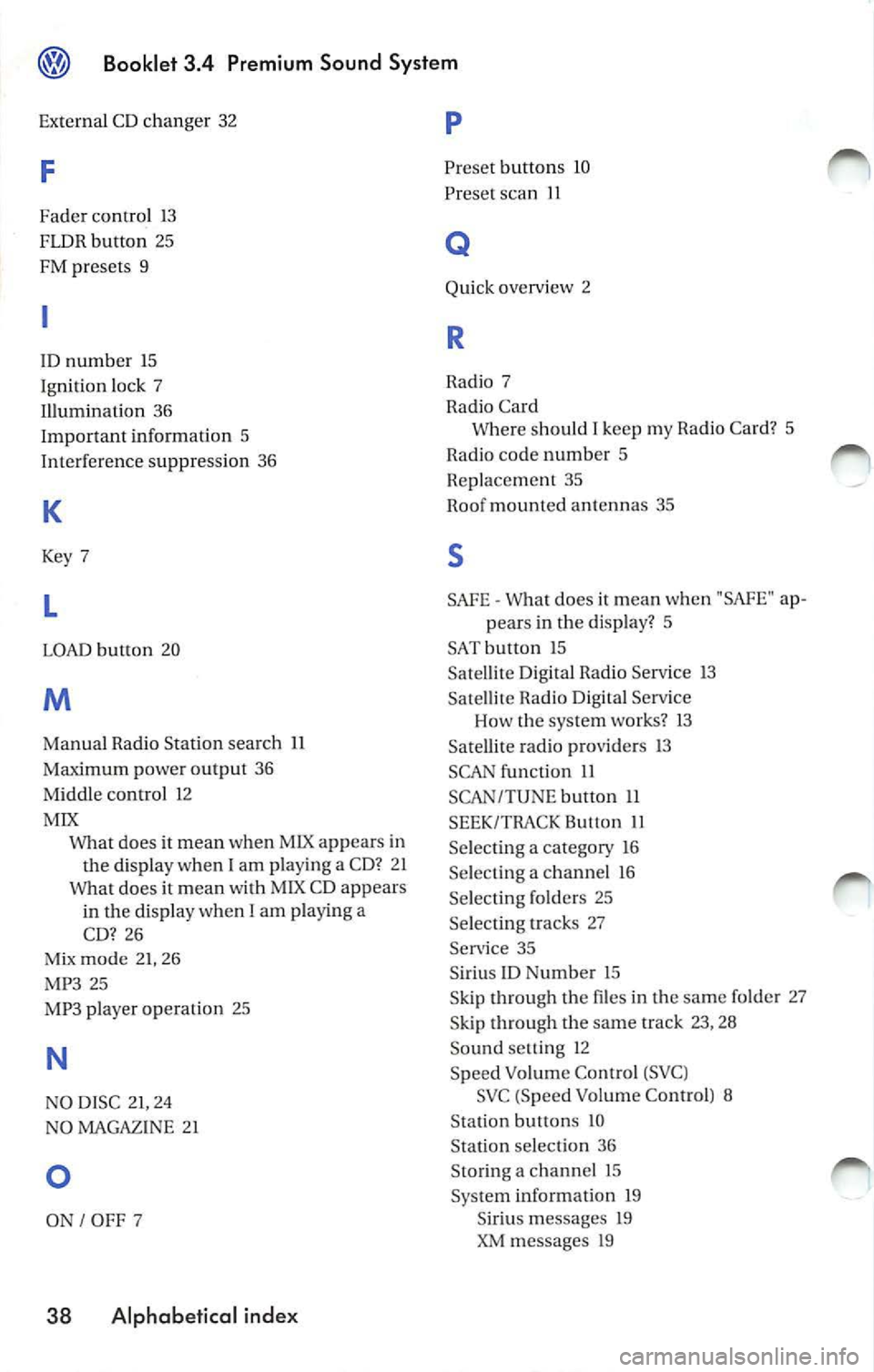
External CD changer 32
F
Fader control 13
FLDR button 25
FM presets 9
ID number 15
Ignition lock 7
Illumination 36
Important information 5
Interference suppress ion 36
K
Key 7
L
LOAD button 20
M
Manual Radio Station search 11
Maximum power output 36
Middle control 12
MIX
does it mean when MIX appears in
the display when
I am playing a CD? 2 1
Wha t does it mean with MIX CD appears
in the disp lay when I
am playing a
CD? 26
Mix mode 21, 26
MP3 25
MP3 player operation 25
N
NO DISC 21, 24
NO MAGAZINE 21
0
ON I OFF 7
38 Alphabetical index
p
Preset button s 10
Preset scan
11
Q
Quick overvi ew 2
R
Radio 7
Radio Card Where should
I keep my Rad io Card? 5
Radio code numb er 5
Replacement 35
Roof mount ed antennas 35
s
SAFE What does it mean w hen "SAfE" ap-
pears in the display? 5
SAT button 15 Sa tellite Digital Radio Service 13
Satellite Radio D igital Serv ice
Ho w the system works?
13
Satellite radio providers 13
SCAN function 11
SCAN/TUNE button 11
SEEK/TRACK Button 11
Se lecting a category 16
Selecting a chan nel 16
Se lecting folders 25
Se lectin g tracks 27
Service 35
S iriu s
ID Numb er 15
Skip through the files in the same folder 27
S kip through the same track 23, 28
Sound setti ng 12
Speed Vo lume Co ntro l (S VC )
SVC (Speed Volume Contro l) 8
Station buttons 10
Station selection 36
Sto ring a channel 15
System information 19
Siriu s message s 19
XM messages 19