ignition VOLKSWAGEN JETTA 2009 User Guide
[x] Cancel search | Manufacturer: VOLKSWAGEN, Model Year: 2009, Model line: JETTA, Model: VOLKSWAGEN JETTA 2009Pages: 477, PDF Size: 77.6 MB
Page 216 of 477
Booklet 3.1 Controls and Equipment
Applies to vehicles: H ighline instrumen t cluster and multi-function steering wheel
Example of using the menus with the mult i- function steering wheel
All menus in the i nstrwnen t cluster can be used following the steps described here.
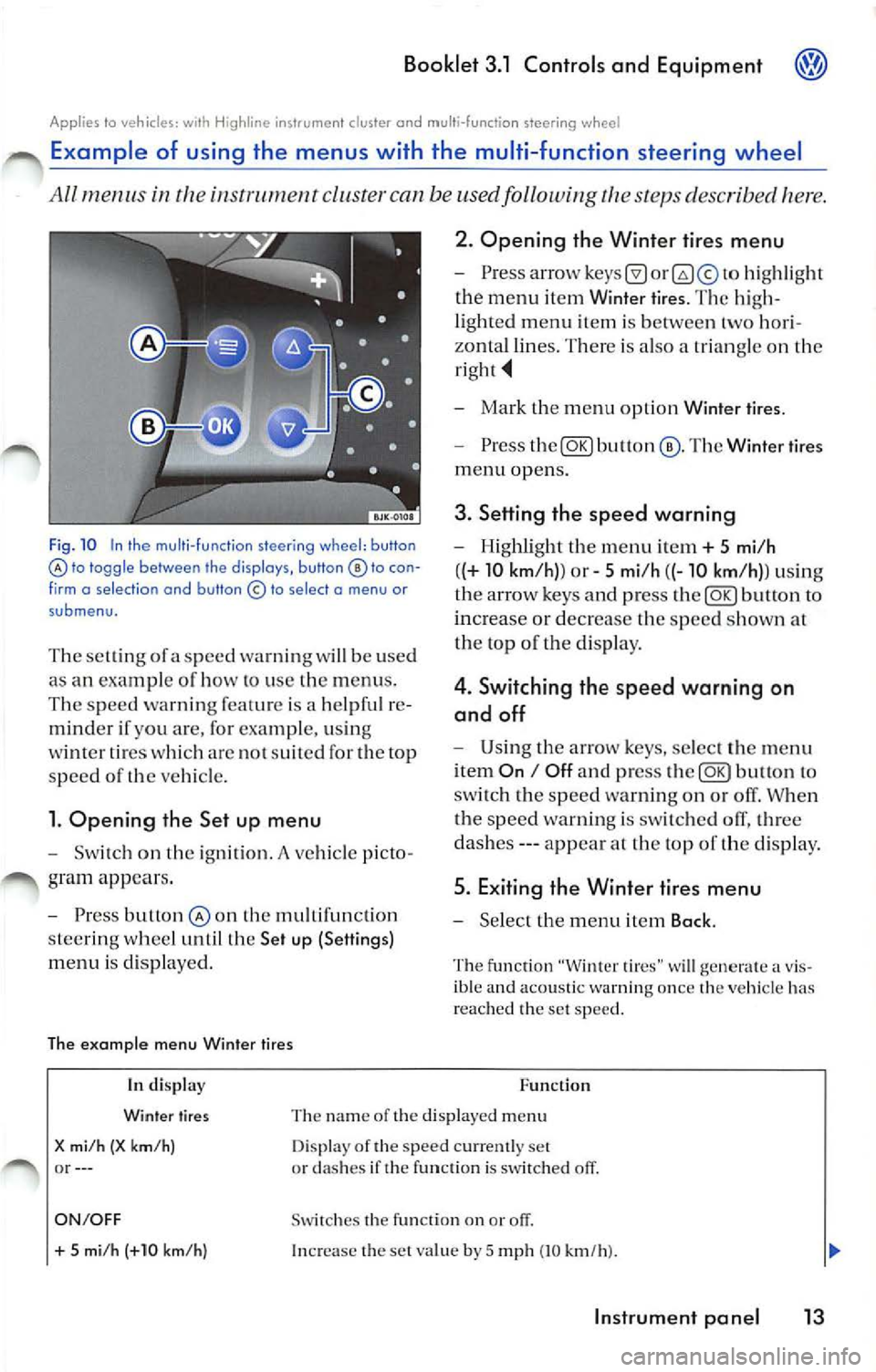
Fig . 10 In the multi -fu nction steering wh eel: button lo toggle between the disp lays, button to con
f irm o se lect ion and button © to select o menu or
submenu.
T he se lling of a speed warning w ill be used
as an exam pie of how lo use the menus .
The speed warn ing feat ure is a helpfu l re
minder if you are, for example, usi ng
wi nter ti res whi ch arc no t suit ed for th e top
s p ee d of
ve hicle.
l. Opening the Set up menu
Switch on the ignition. A ve hicle p icto
gram appea rs .
Press butlon the mult ifunct io n
s tee rin g whee l until the Set up (Settings)
menu is disp layed.
The example menu Winter tires 2. Opening the Winter
tires menu
hig hli ght
the menu item Winier tires. The hig h
li ghted menu item is between two hori
zonta l lines. Th ere is also a trian gle on the
Mark the m enu opt ion Wint er tire s.
Press The Winter tires
menu opens.
3. Setting th e speed warning
Highlight th e menu it em+ 5 mi/h
( (+
10 km /h )) or 5 mi /h ((-10 km /h)) usi ng
th e ar row keys and p ress
butto n to
increa se or decrease the speed s how n at
th e top of t he di sp lay.
4 . Switching the speed warning on
and off
U sing th e arrow keys , select th e menu
i tem
On I Off a nd press to
sw itch the sp ee d wa rnin g on o r off. When
t h e s peed warnin g is swi tched olT, three
da she s --- appea r at the top of the disp lay .
5. Exiting the Winter tires menu
Se lect the m enu item Back .
The fu nction "Winter tires" w ill generate a v is
ible and acoustic warn ing once the ve hicl e has
r eac hed th e set speed .
In di splay
Winter tires
X mi /h (X km/ h) or--- Function
Th e na m e of the displaye d m enu
D isp lay of the speed cur ren tly set
or dashes if the function is switched off.
ON/OFF Swi tc h es the fu nction on or
+ 5 mi /h (+10 km/h ) In crease the set va lue by 5 mp h (10 km/h ).
Instrument pan el 13
Page 221 of 477
Booklet 3.1 Controls and Equipment
Func tion
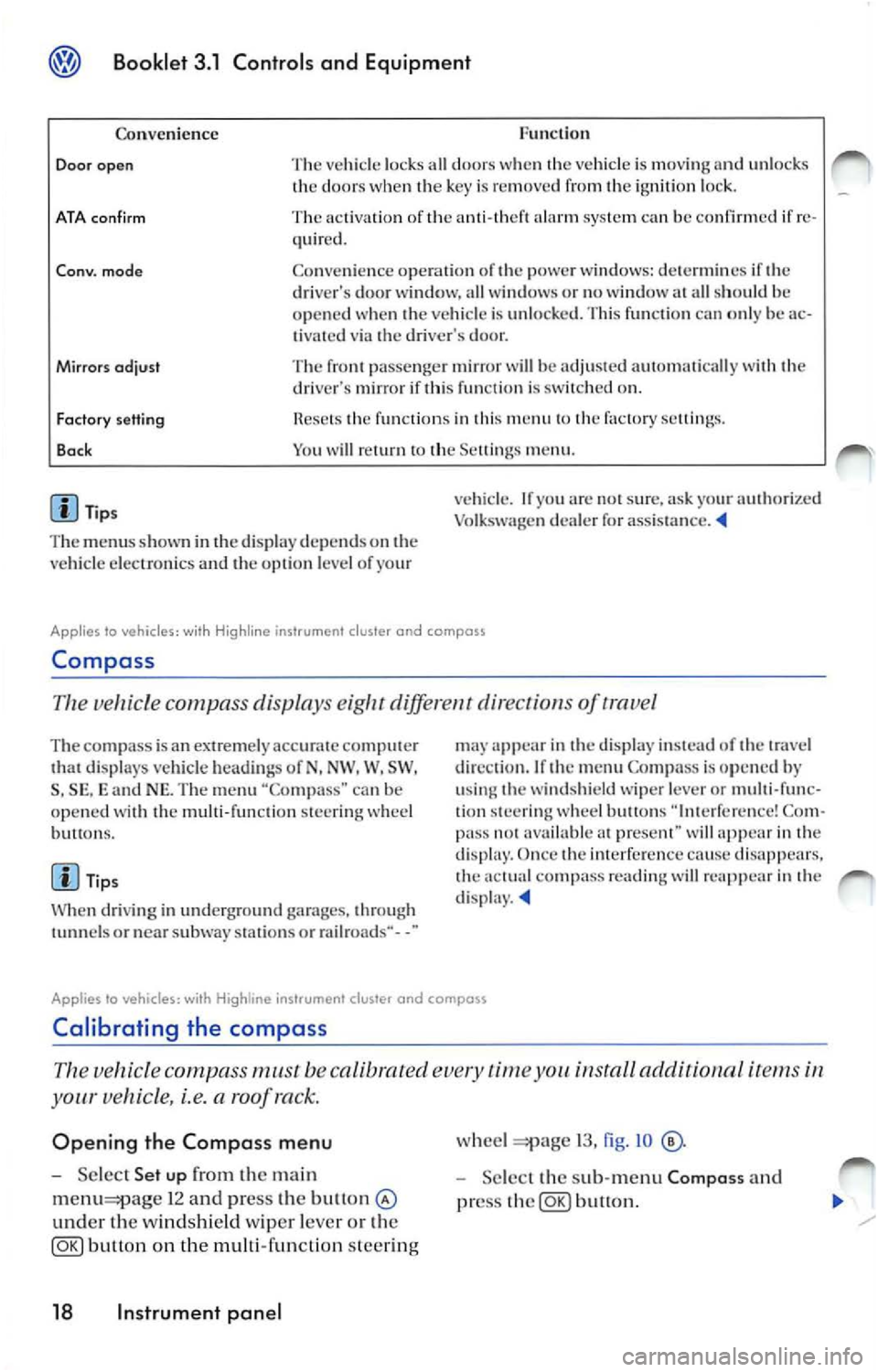
Co nven ience
Door open The vehicl e lock s all door s w he n th e vehicle is mov ing and unl ocks
th e door s w hen key is re mo ved fr om ignition loc k.
ATA con firm The activati on of ala rm sys te m ca n be confirmed if re
quir ed .
Co nv. mode Co nve nien ce opera tio n of powe r w ind ows: dete rm in es if dri ver's door wi ndow, all w indows o r no window all sh ould h e
o p en ed when ve hicle is unlo cked. Thi s fun ctio n ca n o nly be ac
t ivated via dr iver's door.
Mirrors odjust The pa sse nger mir ror will be adju ste d au to mati cally wit h dri ve r's mirror if thi s fun cti o n is on.
Factory setting
Bo ck fun ctio n s in thi s m en u factory sellin gs.
Y o u w ill
m enu .
Tip s
T he m enu s show n in
displ ay depends on ve hicl e elec troni cs and o pti on l eve l of yo ur v
ehicl e. If
arc s ur e, ask yo ur authori zed
Vo lk sw age n dealer for assis ta nce .
Applies lo vehicles: wi th Hig hline ins trument cluster and compass
Compa ss
Th e ve hicle c ompa ss displa ys diff ere nt dir ect of trave l
The com pass is a n extremely ac curat e comput er di spl ays veh icle hea di ng s of N, NW . W, SW ,
S , SE , and NE. Th e m enu "Co mpa ss" can b e
op en ed wit h th e mu lti-fun cti on stee ring w hee l
bu H ons.
Ti ps
W hen dri vi ng in und erg round garages, throug h
or nea r subwa y stat ions o r rail roads·· - -"
app ear in displa y in stead of tr ave l
di rec tio n. If
m enu Compa ss is op en ed by
u sing w ind shi eld wipe r lever or multi-func
tion stee rin g w hee l butto ns Co m
pa ss avai lable prese nt" wi ll in dis p lay. Once imerfer cn ce cause dis appears. co mp ass rea ding will re app ear in d isp lay.
Applies to vehicles: with instrument cluster and compass
Calibrating the compass
vehicle compass must be calibrated time install aclditionnl i te m s
your vehicle, i.e. a roof ra ck.
Opening the Compass menu
Se lec t Set up the ma in
1 2 and press the bu11on
und er th e windsh ie ld wiper leve r o r th e
button on the multi-func tion steer ing
18 Instrument panel
wheel 13, fig . IO
Selec t th e sub-m enu Composs and
pr ess
button.
Page 228 of 477
Booklet 3.1 Controls and Equipment
If the warning light ligh ts up again after d rivi ng
o n for a sh o rt dis tan ce, stop the vehicle and
swi tch off the engine. C onta ct an authorized
V olk swa gen deal er or a qualifi ed wor ksh op.
WARNING
Stop! Before working in the engine compart
ment, always read and heed all WARNINGS
3.2 "Working in the engine com
partment. " The engine compartment of any
motor vehicle is a pot entially dangerou s area
and can cause serious personal injury.
WARNING
Hot steam or coo lant can cause serious burns.
• Never open the engine hood if you sec
steam or coo lant escapi ng from the engine
compartment. Always wa it until you no longer
sec or hea r steam or coo lant escap ing from the
engi ne.
• Always let the en gi ne to cool down com
pletely before carefully open ing the engine
h ood. Hot components w ill burn skin on co n
tact.
• When the engine has cooled down and you
are ready to open the engine hood:
R emove the key from the ignition.
Engine oil pressure 9=:7:
WARNING (continued)
Apply the parking brake firmly and put
the selector in P (Park, automatic trans
mis sion) or Neutral (manual transmis
s ion) .
Keep c hildren a nd oth ers away from the
vehicle.
• Never reach into the area around or touch
the radiato r fan. Contact with the blades can
re sult in serious persona l injury.
• Alway s remember that the radiator fan is
temperature-contro lled and can t urn on sud
den ly - even when the engine has been
switched
for a longer period of tim e and the
k ey has been removed from the ignition.
• Never unscrew the coolant expansio n tank
ca p when the engine is hot. A hot engine will
h eat the coolant and put it under pressure . Re
moving a ca p that is under pressure can result
in serious personal injury and/or burns.
• Alw ays protect face, hands and arms from
h ot escap ing coo lant or steam by cover ing the
cap w ith a large, thick rag.
• Turn the cap slowly and very carefully in a
co unt er-clockwise direction while applying
light downward pres sure on the top of the cap.
• Never sp ill antifreeze or coo lant on the ex
haust system or hot engine parts. Under some
co ndit ions, the ethylene g lyco l in engine
coo lant can catch fire.
This warning symbol indicat es that the en gin e oil pressure is low.
I f thi s wa rning symbo l s tart s to flas h. an d thr ee
w arning s sound , sw itch th e e ngin e and ch ec k
th e oi l leve l. Top off with en gin e oil if necessary
3.2 "Tip s an d Adv ic e" , ch ap te r "E n
g in e o il."
The follo win g inform ation text is disp la ye d:
ST OP Oil p ressure Engin e off Owner 's manual!.
If th e sy mb ol fl as hes eve n though the oil l eve l is
co rrec t, do 11 01 drive on. D o not le t th e engine
idl e. Co nta ct a n authori zed Vo lksw age n d eale r
or a qua lified wo rksh op .
Tip s
Th e oil pre ssure wa rnin g symbol is not an oil
l eve l ga uge. Check the o il leve l reg ularl y, pre fe r
a bl y every time you get gas .
Instrument panel 25
Page 231 of 477
@ Booklet 3.1 Controls and Equipment
Electronic Stabilization Program {ESP) I Anti-slip regulation ASR
This warning light monitors the Elect ronic Stabil iza tion or th e Anti-slip
regulation.
The warnin g light has the follow ing functi ons:
• It light s up when the ignition i s switched on
and sh ou ld turn off aga in afte r about 2 seconds.
• It flashes whe n the ESP/ASR is activa ted
w hen dri ving.
• It will li gh t up cont inuou sly if th ere is a ma l
f un ction in th e ESP/ASR.
• It
will ligh t up continuou sly if th e ESP/ASR is
sw itch ed off =:pag e 91. •
It w ill also light up if a fa ult sh o uld occur in
the ABS because th e ESP/AS R operates in con
jun cti on w ith the AJ3S.
If th e warning ligh t light s up and stays on a fter
th e e ngin e is
thi s may mean that th e
c ontro l sys tem has tem porarily switch ed o ff the
fu ncti on . In thi s case the ESP/ASH ca n be reac ti
vated by sw itchin g th e ig niti on off and then on
again. If the wa rnin g lig ht goes out, thi s m ea ns
t he sys tem is fully functiona l.
Brake system I Parking brake or BRAKE
The warnin g light lights up if the parking brake is applied, if the brake level
is too low or if there is a malfunction in the brake system .
This warning light or BRAK E lights up if
• the park ing brake is o n
If yo u dri ve faster than 3 mph (5 km /h } w ith the
parking brake on, the follo win g m essage will ap
pear in the in strum ent cluster di spl ay :
Handbrake on!. An ac oustic wa rnin g is a lso
give n.
• If th e brake flu id leve l is too
3.2, chap te r "J3rake fluid"
The infor matio n text disp layed in the instru
m ent cluste r di sp lay is : STOP! Brake fluid
Owner's manual!.
This warn ing light can l ight up t ogether with the
ant i- locki ng bra ke system warni ng lig ht
27 .
WARNING
• Stop! Before workin g in the en gine com
partment always r ead and heed all warnings
3.2, chapter "Working in the engin e
compa rtment." The en gi ne compa rtment of
any motor vehicl e is a pot enti all y dangerou s
area and can cause serious personal injury.
28 Instrument panel
ir1 WARN ING (co ntin ued)
• Drivin g with bad brake s can cause a colli
s ion and seriou s per sona l injury.
• If the brak e warning symb ol BRAKE or
docs not go out, or if it l ights up when drivin g,
the brak e fluid leve l in the r eservoir i s too low
o r th ere's a malfun ction in the brake system.
Imm ediat ely stop driving and get profe ssional
assista nce
3.2, chapter "13 rake
fluid ".
• If the brak e warn ing sy mbol BRAK E or
ligh ts up at the same time as the ABS warning
light the ABS may not be working prope rly
a nd the rear whee ls cou ld lock up
und er
hard braking . R ea r whee l brak e lock-up can
ca use loss o f vehicl e control. If you beli eve
that it i s safe to do so , go imm ediat ely to the
near est auth orized Volkswagen dealer or
qualified works hop a nd h ave the brak e syste m
in spe cted. Dri ve slow ly and avoid sudden
h ard brake application .
• If the ABS warn ing light does not go out o r
if it come s on whil e driving , th e AB S sys te m i s
not working properly. The vehicle can then be
s topped onl y with stand ard brake s (w ithout
A BS ). Co ntact Your authorized Volkswage n
or qualified workshop as soo n as
po ssible ...
Page 232 of 477
Booklet 3.1 Controls and Equipment @
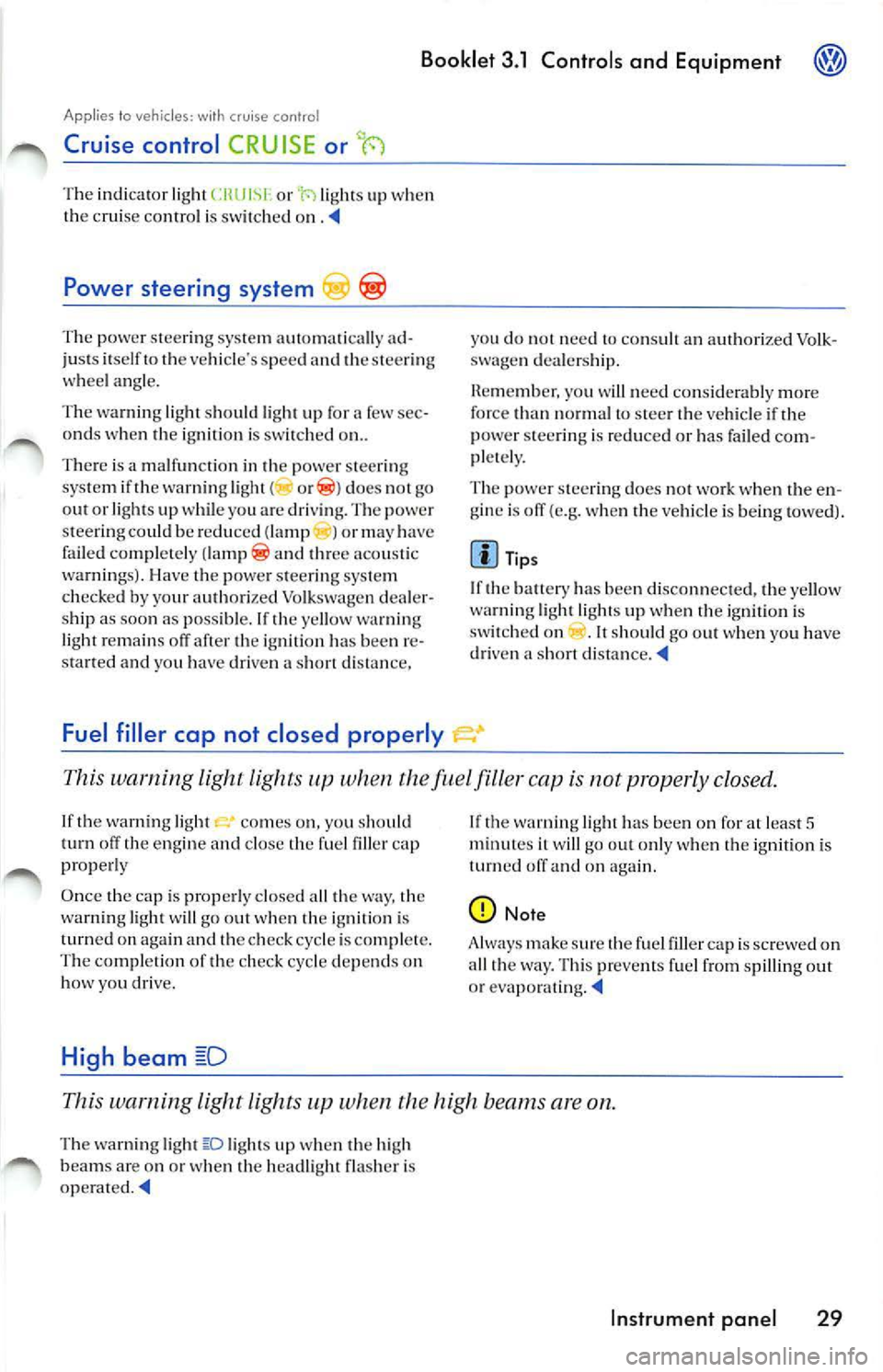
Applies lo veh icles: with cruise con tro l
Cruise control CRUISE or t-)
The indicator lig ht or ·r.i li g hts up when
the cruise contro l is sw itched
Powe r steering system
The pow er steeri ng syste m automatica lly ad
ju sts itself to the vehicle 's spee d and the steer ing
w heel angl e.
Th e wa rnin g light sh o uld ligh t up for a few sec
o nd s w hen th e ignition is sw itch ed on ..
T here is a m alfun ctio n in the power steering
sys te m i f th e warn ing light (
does 1101 go
o ut or ligh ts u p w hile yo u are dri vin g. The power
s te eri ng cou ld be re du ced (lamp ) or may have
fa iled co mpl etely
a nd thr ee aco usti c
wa rnin gs) . Ha ve th e powe r steering syste m
ch ecked by your au thori zed Volkswagen dea ler
s h ip as soo n as poss ible. If t he yellow wa rning
light r em ain s off afte r the ig niti on has been re
and you have driven a distance,
Fuel filler cap not closed properly
you do not n eed to an auth orize d Vo lk
s wag en d ea le rs hi p.
you nee d co nsid era bly m ore
for ce than norm al to stee r th e ve hicl e if th e
p ower ste ering is re duc ed or has failed com
pl etel y.
T he power steer ing do es not
w hen th e e n
gin e is off (e.g. wh en th e ve hicl e is being towed).
Tip s
If th e ban ery has bee n disconne cted, the ye llow
wa rning light li ghts up when the ig niti on is
s w itch ed on . I t shou ld go out when yo u h ave
dri ven a sh ort
This warning light lights when the filler cap is not prop erly closed .
If th e warn ing light come s on, you sh ou ld
turn th e e ngin e and th e fue l filler cap
p rope rly
Once the cap is prope rly close d all the way , th e
warn ing light will go out when th e ig n itio n is
turn ed on aga in and the ch ec k cycle is co mpl ete.
The comp le tion of the ch ec k cycle depend s on
how you d riv e.
High beam
If th e warnin g light ha s been o n for at leas t 5 it w ill go o ut onl y w hen th e ig niti on i s
turn ed and on aga in.
Note
A lways make sure the fue l filler ca p i s sc rewed on
a ll th e way. This pr eve nts fu el fr om spilling out
o r
This warning lig ht li ghts when th e hi gh beams are on.
The warn ing ligh t lights up wh en th e high
b ea ms are o n or when the head light flas her is
Instrument panel 29
Page 236 of 477
Booklet 3.1 Controls and Equipment
WAR NING (c on tinued)
hicl e th at a re mu ch hi gh er th an th e outsid e
t e mp eratur es, parti cul arl y in summ er. T e m
pe rature s can quickl y reac h leve ls th at ca n
ca use un consci ou sn ess a nd dea th, p articu
l a rl y to
children.
• Neve r remove
key from steer ing loc k
w hil e th e ve hicl e is m ovi ng or w hile it i s ro llin g
t o a s to p. Th e stee rin g w hee l co lumn
will lock
u p a nd yo u will not b e a ble to stee r or contro l
th e ve hicle.
Not e
• Never leave any veh icle keys in sid e th e ve
hi cle. En try by unau tho rized perso ns cou ld
har m th e vehicle or yo ur vehicle could b e stole n.
A lways take th e keys with you wheneve r you
l e a ve yo ur vehicle.
• Unsuitable ba tter ies ca n dama ge the remote
contro l key. Rep lace use d batteries
new
o ne s of the sa me vol tage and same s ize.
Resetting the remote control key
32, fig. 15 (blue
area).
• When yo u unlock your vehicl e with the re
mote control, you have 30 seco nds to open
door or the rear lid. If you do not, t he ve hicle w ill
a u tomatically r elock itse lf. T his safery re lock fea
ture prevent s you from leav ing your veh icl e un
lock ed.
• lfthe remote control doe s not work, it may
have to be synchro niz ed again
33.
• I f you try to u se the remote control severa l
t im es outs id e its effect ive range, the remote con
tro l m ay not work and will h ave to be re se t
33.
• Use t he remo te co ntrol o nly if you in te nd to
u se one o f th e fun ctions . Since terra in and con
dition s may vary, pressing the rem ote ma y un
lock th e ve hicle or set off the panic function even
think your are out of range.
• You can
up to 4 remote controls for
your vehicl e.
The remote key has to be reset if it does not lock or unlock the vehicle .
Switch on the ignition a nd leave the key
i n t he ignition lock.
U nlock the dr iver's door ma nua lly by
in se rting t he mas ter key with remo te co n
tro l in t he dr iver's door lock .
Press t he un loc k k ey 32, fig. 14
in t he remo te co ntrol o nce.
Remove the key from th e ign ition lock .
Close the doo r and check if th e remote
co ntro l is res et.
Tip s
The remote control key will h ave to be reset if
yo u press t he bu tton tim es outs ide effect ive a nd t he vehicle can no longer be
loc ked or unlock ed u sing t he re mote.
Opening and closing Keys 33
Page 245 of 477
Booklet 3.1 Controls and Equipment
Power roof
App lies to vehic les: with powe r roof
Opening and closing the power roof
can open and close the power roof using the rotary control when the ignition
is switc hed on.
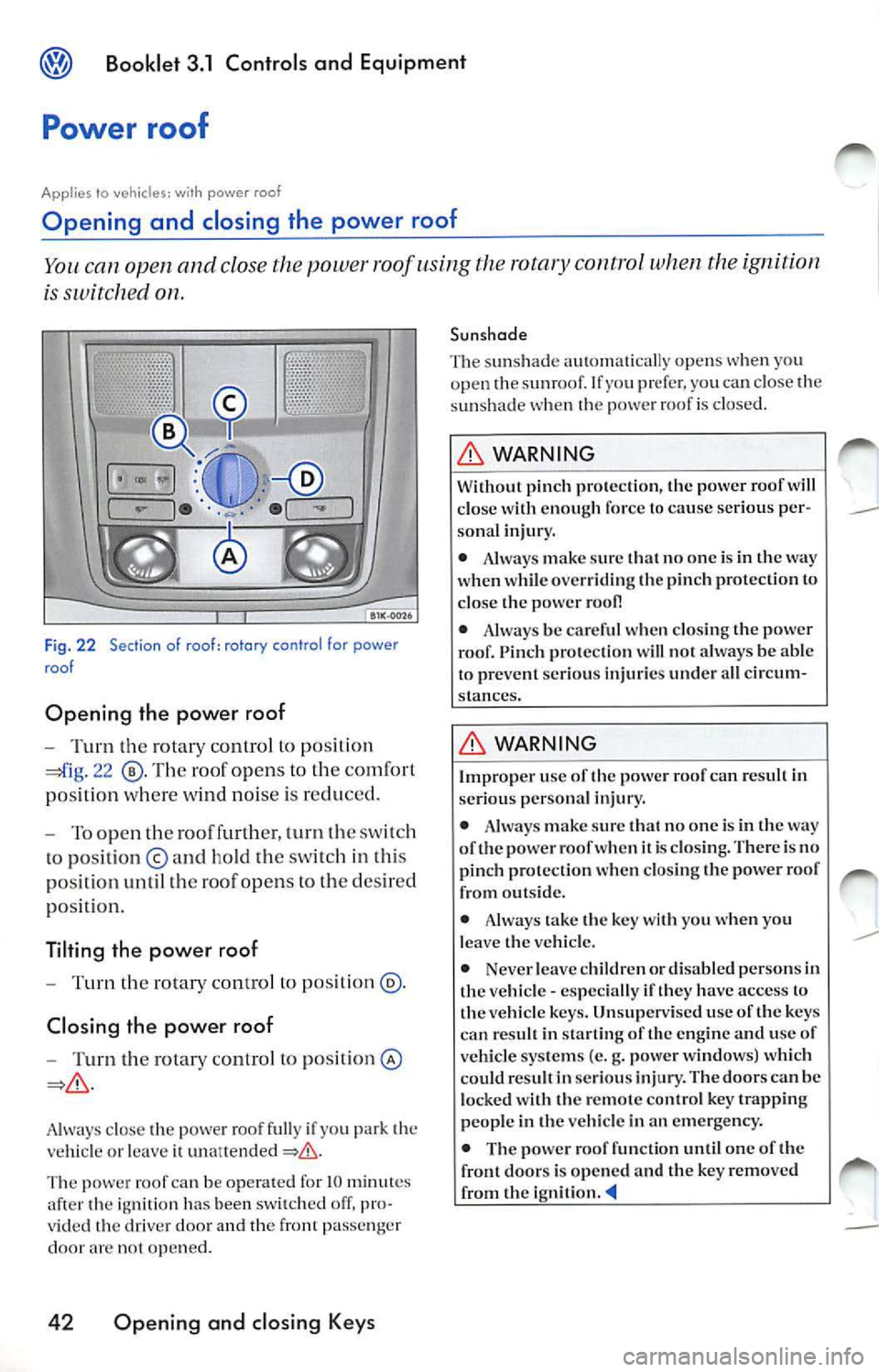
Fi g. 22 Section of roof : rotory control for power
roo f
Opening the power roof
Turn th e rotar y control to pos ition
22 Th e roof opens to th e co mfort
po sition where wi nd noise is re duced.
To open the roo f furthe r, turn the swi tc h
to po sition © and ho ld th e sw itch in thi s
po sition until th e roo f opens
the des ired
po sit ion.
Tilting the power roof
Turn the rotary control to position @.
Closi ng the power roof
Turn the rota ry control to pos ition ©
Always close powe r roo f full y if you p ark vehicl e or leave
The powe r roof can be operat ed for IO m inut es
after the ig nition has been sw itch ed off , pro
v ided
dri ver doo r and the fron t pa sse nger
door arc op en ed.
42 Opening and closing Keys
Sunshade
Th e sunsh ad e au toma tically opens
you
o pen sunro of. prefe r. yo u c an cl ose the
s un shad e roof is closed.
WARNING
W ith out pinc h prote ction, the power roof will close wi th enough force to cause serious per-so nal injury.
• Always make sure that n o one is in the way
when wh ile overriding the pinc h prot ection
close powe r
• Alway s be carefu l when clo sing the power
roof. Pinc h prot ection will not a lways be able
to pr event ser ious injuri es under all cir cum
s tances.
WARNING
Imp roper use the powe r roof can resu lt in
se riou s per sonal injury.
• Always make sur e th at no one is in
way
of t he pow er roof when is clos ing. There is no
pinch protection whe n closing the power roof
from outside .
• Always take the key with you when you
l eave the ve hicle.
• Neve r leave children or disabled persons in
the vehicle - especia lly
have access to
the vehicle keys. Unsuperv ised use of the keys
can result in sta rtin g of the eng ine a nd u se of
ve hicle systems (e.g. power windows) w hich
could resu lt in seriou s inj ury . The door s can be
l ocked with the remote con tro l key trappin g
peop le in th e vehicle in an emergency .
• The pow er r oof function until one of the
front doors is opened and the key removed
from the ignition.
Page 249 of 477
Booklet 3.1 Controls and Equipm ent
Lights and a clear view
Light s
Switching the lights on and off
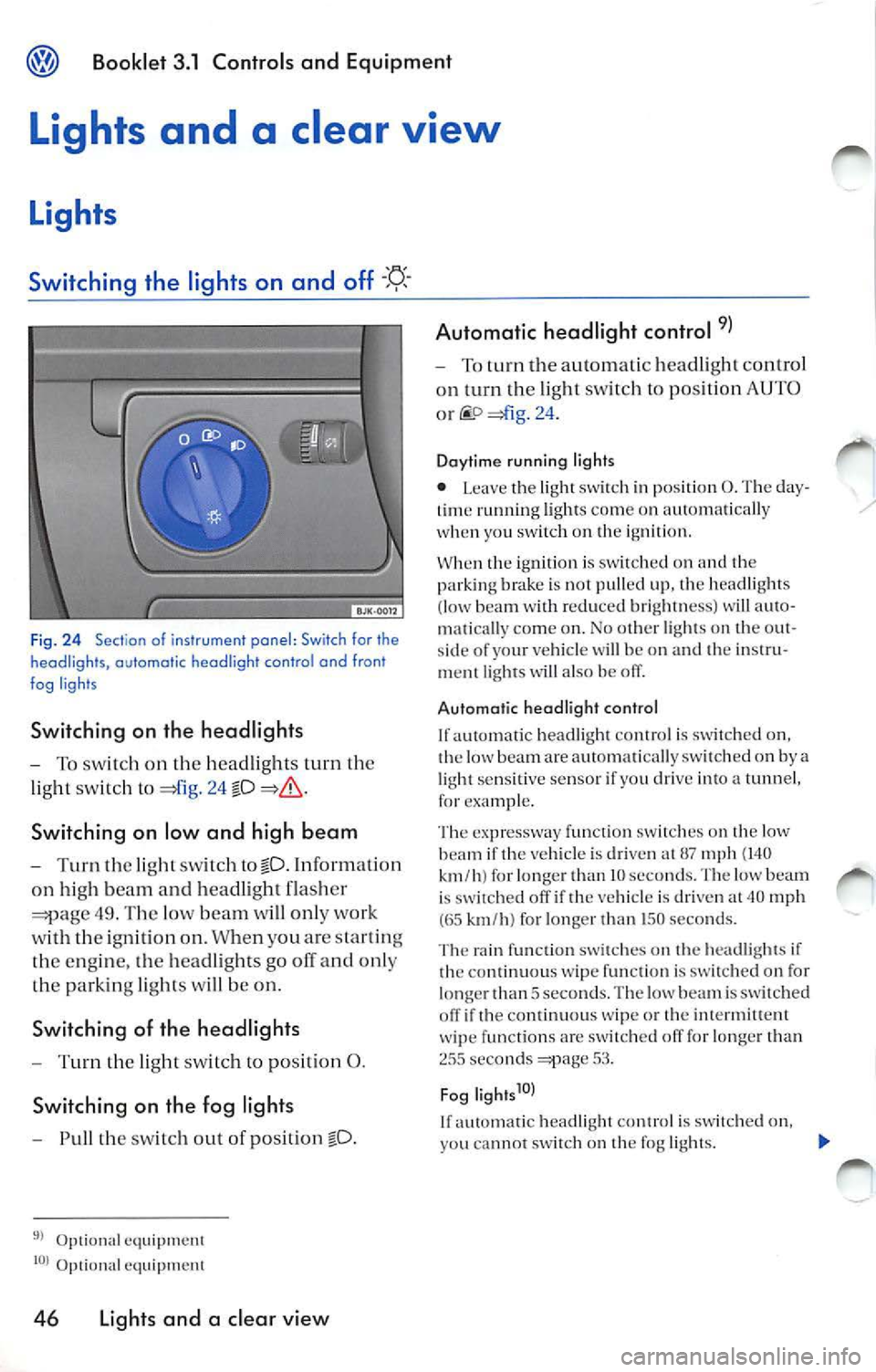
Fig. 24 Sectio n of i nstrument panel : Switch for the
headligh ts, automatic headlight contr o l and fron t
fog ligh ts
S w itching on the h eadl ights
T o sw itch on the head lig hts turn the
lig ht sw it c h to
24 fD
Switching on low and high b eam
T urn the lig ht sw itch tofD. Informati on
on hig h bea m and head light flas her
49 . Th e low beam will only wor k
with the ignition on. When you are startin g
th e engine, the hea dlights go ofT and only
the park in g lights will be on.
Switchin g of th e he adli ght s
Turn the ligh t sw itc h to posit ion 0.
S witchin g on th e fo g light s
Pull the switch ou t of po sit ion fD.
Optional equipm ent
Optiona l e quipment
46 Li ght s a nd a cl ea r vi ew Automatic headlight cont
rol
To turn the au tomatic headl ig ht control
o n tu rn th e lig ht sw itch to posit ion
AUTO
o r =)fig . 24 .
Da ytim e runni ng l ig hts
• L eave the light swi1ch in posit ion 0. The day
t im e ru nning ligh ts come on automa tica lly
when you switch o n the ignilion.
When 1he ignition is sw i1che
( low beam with r edu ced bri gh 111e ss) will au 10-
111a 1ica lly come on. No
lighls on the o ut
s ide of your vehicle will be on and 1h e in s1ru
men1 ligh ts will also be off.
Automatic hea dli g ht co ntrol
lfau10ma1ic headligh 1 co n1r ol is swi1c hed on,
th e low beam are auloma tica lly sw ilched on by
light sens it ive senso r if you drive in to tunne l,
for exam ple.
T he expre ssway func1io n swi 1c h es o n 1h e lo w
beam if 1he vehicle is dri ven al
mph (140 km /h ) for lon ger 1han IO seco nds. T he low beam
i s swi1ched off if 1he vehicle is dri ven 40 mph (65 km /h ) for lo n ge r th an 150 seco nds.
Th e rain fu nction switch es on the hea dlig ht s if
1h e
wipe function is swi tc h ed on for
long er 1h an 5 sec ond s. The low beam i s switched
o ff if th e co n1inuou s wipe o r 1he in1ermitt ent
w ip e funct ions are sw i1ch ecl
for lo nge r 1han seco nds 53.
Fog lig ht s
If a u1omatic hea dli gh 1 con ! rol is sw i1c hed on,
yo u canno t sw i1c h on 1h e fog ligh1 s.
Page 267 of 477
Booklet 3.1 Controls and Equipment
WARNING
• Never adjust the driver or front passenger
seat while the vehicle is in motion. While ad
ju stin g your seat, you could adjust your seat to
an incorrect sitting position. Adjust your seat
before driving
or when th e vehicle is not
moving.
• The elect rical front seat adju stment also
work s with the ignition off. Therefore, chil
dren sh ould never be lef t unattended in the
vehicle -ther e is a risk of injury!
• Exercise caut ion when adjustin g the seat
height or fonvard/backward position. Care
l ess use of the front seat adjustment co ntrols
can cause injuri es.
WARNING (continued)
• To reduce the risk of personal injury in an
accident, front seat passenge rs must never
ride in a moving vehicle w ith the seat back re
clined. Safet y belt s offer prote ction only when
th e seatback is upright and belt s are properl y
po sition ed on the bod y. The more Lheseatback
i s re clined, the greate r th e risk of personal in
ju ry from an out of position safety belt.
avoid damaging the e lec trical co mp onen ts of
th e front seat, do not knee l on the sea t or apply
dir ect pressure at a sing le po int to the seat
cu shi on a nd
Applies to vehicles: wilh electrically adjustable fronts seat and memory buttons
Memory for driver 's s eat
Use memory buttons on dri ver seat to sto re to three diffe rent positions
for
seat.
••••
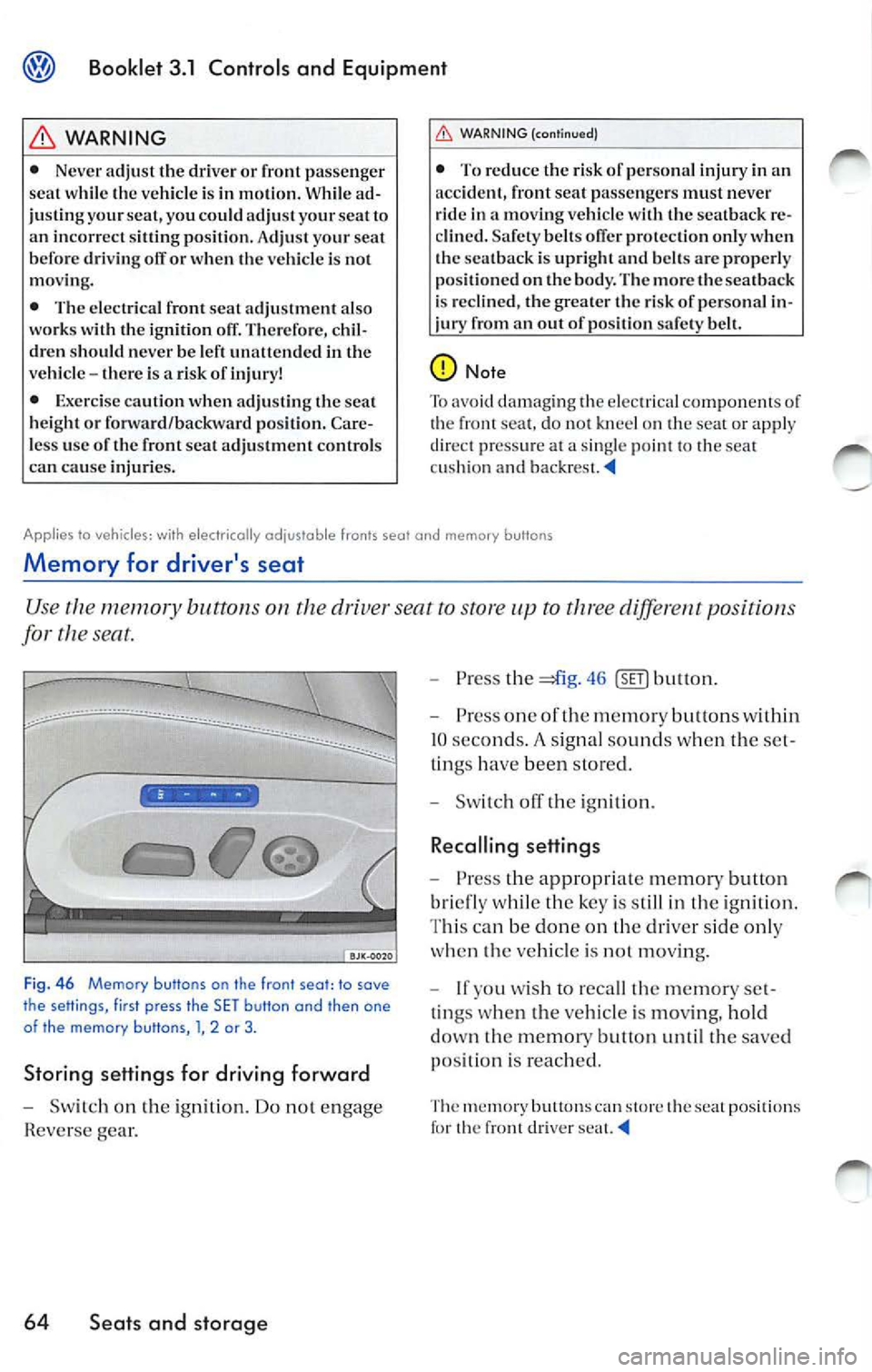
F ig. 46 Memory buttons on the front seot: to sove
the setlings, first press the SET butlon and then one
of the memory butlons , l, 2 or 3 .
Storing settings for driving forward
-Sw itch on the igniti on. Do not en gage
Rever se gear.
64 Seats and storage
-Press the =*i g. 46
bri efly whil e the key is s till in the ignition .
T hi s ca n be don e on the driver side only
whe n th e ve hicle is
moving.
- lfyou w ish to reca ll the memor y set
t ings whe n the vehicle is moving, hold
dow n the memory button until the sa ve d
p osit ion is reac hed .
The m em ory butt ons ca n sto re th e sea t positions th e fron t d river
Page 268 of 477
Booklet 3.1 Controls and Equipment
Appl ies to vehicles: with electrically adjusta ble fron ts sea t an d memory bu ttons
Assigning dr iver seat settings to a remote control key
S eat settings can be assigned to each remote control key so that the driver seat is
automatically adjusted to fit a particular driver's size and height.
Ass igning remote control keys
-Do not take more than 10 second s when
performing steps 1-4, othe rw ise the re
mote control key will not be assign ed and
your setting s will not be stored .
- Adju st y our seat and a ssign the adjust
ments to a memory button.
Applies to vehicles: with seat heating
Heated front seats
-Remove the key from the ignition lock.
- Push the unlock symbol
32,
14 the remote contro l twice . You
will hear an acou sti c s igna l to let you k now
that the seat positions have be en ass ign ed.
The remote key is s et. •
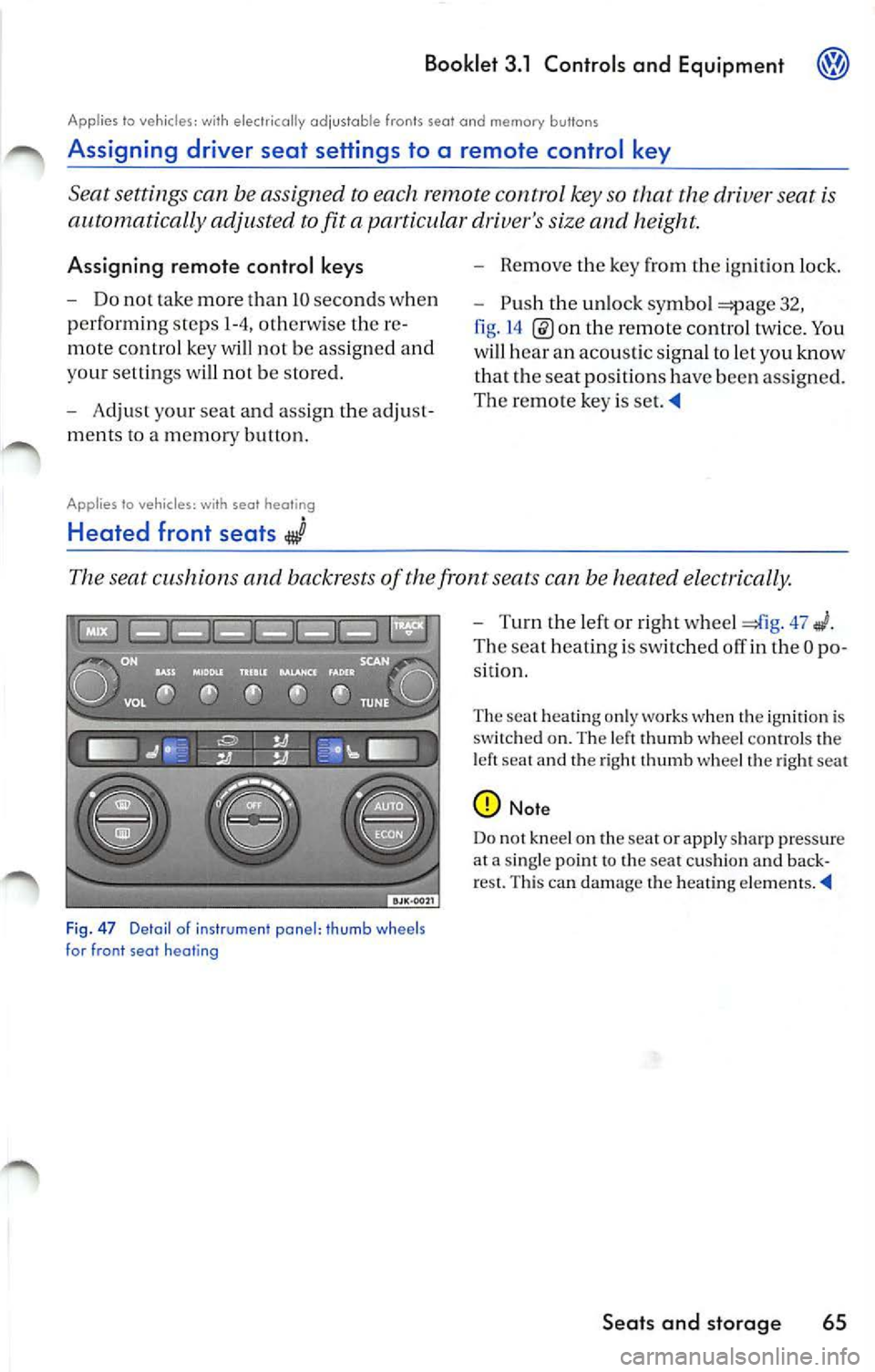
The seat cushions and backrests of the front seats can be heated electrically.
Fig. 47 Detai l o f i ns trume nt panel : thu mb w heels
for front seat h eating
- Turn rhe left or right whe el 47
Th e se at heating i s switch ed off in the O po
s it ion.
Th e se at heating only work s when the ignition is
s wit ch ed on. Th e le ft thumb whe el co ntrol s the
l e ft sea t and the right thumb whee l th e right seat
Note
D o no t kneel on the se at or apply sharp pressur e
at a sing le point to the seat cu shi on and back
re st. Thi s can dama ge th e heating ele m en ts. •
Seats and storage 65