Instrument panel VOLKSWAGEN JETTA 2010 User Guide
[x] Cancel search | Manufacturer: VOLKSWAGEN, Model Year: 2010, Model line: JETTA, Model: VOLKSWAGEN JETTA 2010Pages: 477, PDF Size: 77.6 MB
Page 212 of 477
Booklet 3.1 Controls and Equipment
Applies to veh icles: with multi- function indicato r (MFI)
Multi -Function Indicator (MFI)
The Mu lti-Function Indicator (MF !) shows you various t ravel data.
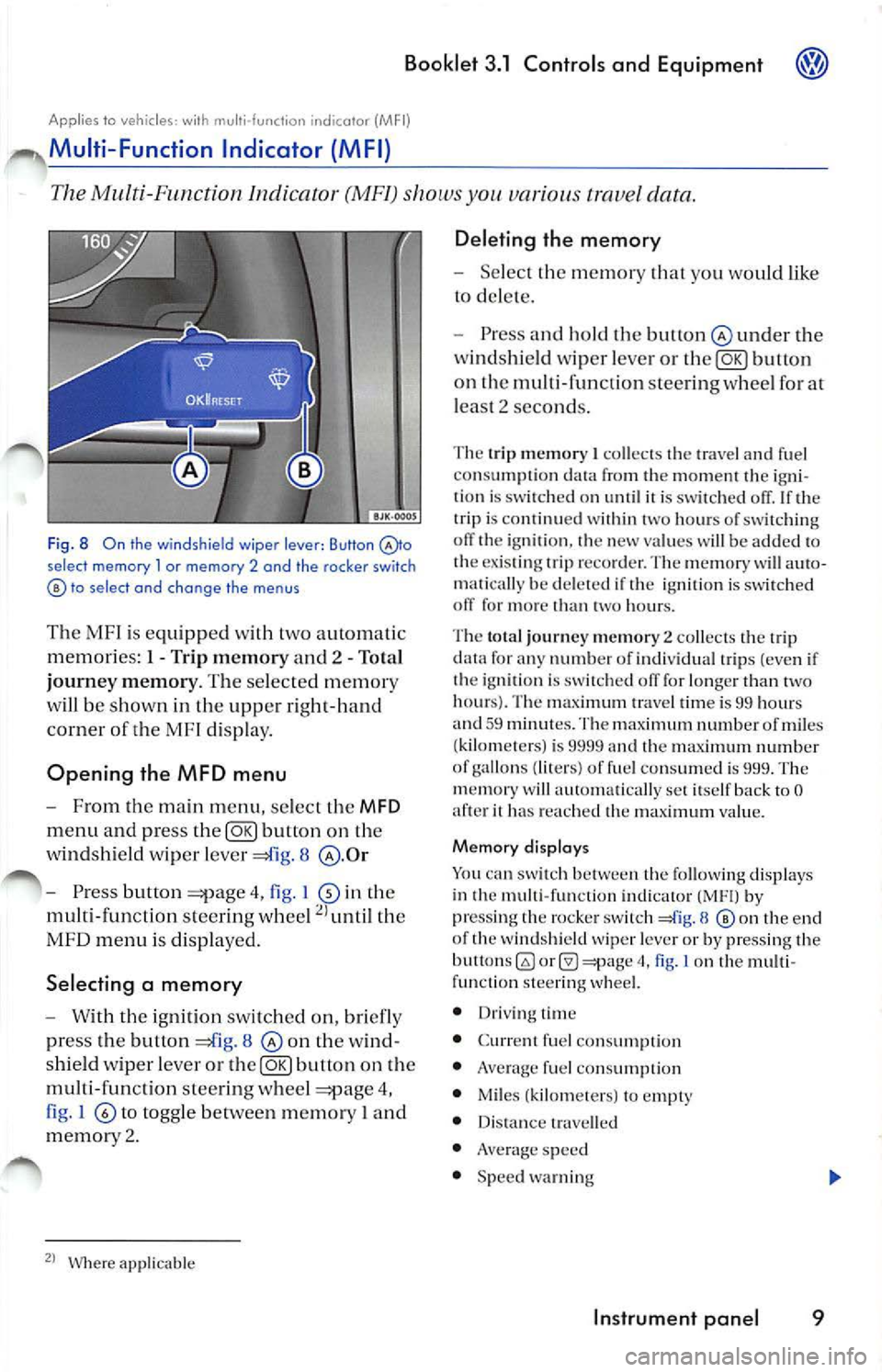
F ig. 8 On the windshie ld wiper lever: Button selec t memory l or memory 2 and the rocker switch to se lect and cha nge the menus
The MF I is e qu ipped with two autom ati c
m em ories: 1 -Trip memory and 2 - Total
j ourney memory . The se lec te d m emor y
w ill be shown in th e uppe r right-h an d
co rner of th e M Fl disp lay.
Opening the MFD menu
- From the m ain menu , se lec t th e MFD
m enu and press button o n the
w ind sh ield wip er leve r
8
-Pres s button 4, fig . I in th e
multi-fun ctio n stee rin g whee l
the
MFD menu i s di sp layed.
Selecting a memory
- With th e ignit ion switch ed on , bri efl y
pr ess the button
8 on th e w in d
s hield wiper leve r or
button on th e
multi-fun cti on stee ring w hee l
4,
fi g . I
to to ggle betwee n m emor y I a nd
m emor y 2.
Where appli cab le
Deleting the memory
- Selec t th e m emor y you wo uld like
to de le te.
- Press and ho ld th e bu tton
und er the
w ind shi eld wip er leve r or
butt on
o n th e multi-f unct io n stee rin g w hee l fo r at
l eas t 2 sec ond s.
The trip m emory I co llec ts th e tra vel and fu el
co nsumpt io n fr om the m om ent the ig n i
tion is sw itc h ed on unt il it is sw itch ed If th e
trip is co ntinu ed within two hours o f sw itc hing
off the ig niti on , th e new valu es w ill be add ed to
th e ex is tin g trip reco rder. Th e m em ory w ill aut o
m atica lly be dele te d i f th e ign ition is sw itc h ed
off for more t han two hour s.
Th e tot al journe y m em ory
2 coll ects th e trip
data for any numb er o f indi vidua l trip s (eve n if
th e ig niti on is sw itched off for lo nge r than two
hour s}. The max imum travel time is 99 hour s
and
5 9 minu tes. The m ax imum number of mi les
{ kilo mete rs) is 999 9 an d the maxim um numb er
of gall ons (lit ers } of f uel co nsum ed is 999. The
m emory will au to mati cally se t itse lf ba ck to
0 it ha s reach ed th e m ax imum value.
Memory di splay s
You can sw itch b etwee n the fo llow ing display s
in th e mult i-f un ction indica tor by
pre ssing th e rocke r switch 8 the end
o f th e windsh ield wiper leve r or by pr ess ing the
bull ons
(0 4, fig. I on the multi
f un cti on stee ring whee l.
• Driv in g tim e
• Curr en t f uel con sumpti on
•
fue l co nsumpti on
• Miles ( kilom ete rs) to empt y
• Dista nce trav ell ed
• Ave rag e sp ee d
• Spee d warnin g
Instrument panel 9
Page 214 of 477

Booklet 3.1 Control s and Equipment
• Wh en th e ve hicle is stat io nar y or tra vellin g at
ve ry lo w sp ee ds, the te mp era tur e di sp la ye d m ay
b e sli ghtl y hi gher th an th e actua l o ut side te m -as res ult of th e heat r adi ate d fr om th e
Applies to vehicles : With Highline o r Midline instrument cluster
Warning or information te xt in the disp lay
Malfun ction s are s hown in th e di spl ay wa rnin g light s a nd warning infor
m ation me ssages.
Fig . 9 Warn ing text in the display of a Midline in st rumen t cluster: STO P Oi l pressure
T he sys te m run s a c hec k on ce rtai n co mpo nem s
an d fun cti on s w hen th e ig niti on is sw itc hed on
an d whil e the ve hicle is m ov ing. Fun ction al 111 al
f un cti on s are indi cate d by sy mbols w ith warn
in gs a nd in form ation t exts in th e di sp lay. An
ac ou sti c w arnin g is give n in certain cases. The
scree n may vary according to th e ve rs ion of th e
in strum ent cluste r yo ur vehicle has.
Warning symbo ls
Th ere ar e re d warnin g sy111bols (p riority I) and
ye llo w warnin g sy mb ols ( prior ity 2).
E xamp les of priority
1 wa rning s (red)
• Bra ke sys te m symb ol
or wi th th e
wa rnin g tex t STOP Broke fluid Owner 's manual!
• Coo lant symbol
with the w arnin g STOP Check coolant! Owner's manual!
• En gin e oil pr essure sy mbol
't=:r: with the
w arnin g text STOP Oil pressure engine off!
Owner's manual!.
If one o f the se malfun ction s occ urs, th e wa rnin g
li g ht will flas h or lig h t u p and will be acco 111pa
ni ecl b y three acoustic warning s. This is a clan
ger wa rnin g. Pull off th e roa d where it is sa fe
a nd sw itch off the e ng in e i111m edi ate ly . Co nta ct
your auth ori zed Vo lkswagen dea ler or a q uali
fi ed wo rks hop imm edia te ly and h ave the m al
fun ctio n r epa ired .
I f severa l priorit y
wa rnin gs are detec ted at th e
sa me tim e, the symb ols w ill ap pe ar one aft er th e
o th er fo r abo ut 2 seco nd s at a tim e.
a se t
ti 111e , th e in fo rm ati on tex t wi ll disap pear, how
eve r th e sy mbo l w ill app ear in th e dis pl ay a nd
s tay on as a re 111ind er for yo u to have the m al
f un cti on r epai red.
lo ng as pri or ity I wa rnin g is sh own in the
di sp lay, yo u will not be abl e to see an y o ther
m en us
7.
Examples of priority 2 warnings (yellow):
• Fu el sy mb ol with th e in fo rm ation tex t
Pl ease refuel!
• Windshie ld was her flui d sy mb ol with th e
i n fo rm atio n tex t Top up wa sh fluid!.
•
p ad sy 111b ol with inform atio n tex t
Check broke pods!
• Imm obili zer sy mb ol with th e info rmati on
tex t Immobilizer active!
If one o f th ese situ ations occ urs,
wa rnin g
sy mb ol li ght s up, an d yo u wi ll hear one acou stic
warning . C hec k th e c ause as soon as poss ible.
If seve ral p riorit y
wa rnin gs arc detec te d at th e
sa me tim e, th e sy mb ols di spl aye d on e aft er
th e oth er fo r ab out 2 seco nds at a tim e. a
se t tim e, th e inf ormati on te xt w ill disa ppe ar,
ho weve r the symb ol w ill app ear at the sid e of th e
di sp lay a nd stay on
a re 111ind er fo r yo u t o
c h eck th e c ause as so on as poss ible .
Pr ior ity 2 warnin g m essa ges will n ot be sh ow n
until all Priority I warnin g m ess ages have bee n
co rrec te d!
Instrument panel 11
Page 215 of 477
Booklet 3.1 Controls and Equipment
Information text
In ad dition 10 warnin g message s give n on a maJ .
fun ction , yo u w ill r ece ive inform ati on in th e di s
pla y on procedur es or will be asked to do some
thin g. Tips
So me indicat ed onl y by the
warning light s in the in strum ent du ste r w ith out
warning o r inf ormat ion tex 1s. If yo u
not sur e,
a sk you r auth ori zed Vo lkswage n dealer for
WARNING
Fun ction
C han ges to 1he multi -fun ctio n indi cat or (MFI)
9
In forr na1i on about t he c urrenl radi o mode
appear in th e dis
pla y.
Thi s m enu op lion
on ly be s how n in those vehicles equi pp ed Naviga tion Sys te m . T he Nav igat ion Sys te m mu st b e sw i1ched
on.T urn signals an d pro ximity bar s be sh ow n if th e rou te ass is
t a n ce func tio n is ac1i ve. The sc ree n is s im ilar to 1he symbol s shown
in th e Nav iga tion Sys1e111
3.2 .
Th e dir ect io n of trave l (co mp ass) and the nam e of the curr ent s1r ee 1
will b e show n if 1he rout e ass is ta nce fun ction is 1101 ac1ive.
Thi s m en u sh ows c urrent warnin g and informal io n tex ts
15.
The m enu opti on fl ashes if warni ng o r in form ati on t exts are to be
read.
Se lling s for th e time , spee d wa rnin g fo r w inter tires, la n guag e,
unit s, co mpass, ligh ls
& vis ion and conve nien ce .
Tip s
Driver distracti on ca n cause accident s and se
rious persona l injur y. Th
e m enu s sho wn in the di sp lay depe nds o n th e
ve hicl e elec troni cs a nd the op tion le vel of yo ur
ve hicle. If you are not sur e, a sk yo ur authori zed
Vo lkswage n dea le r for
• Neve r se lec t menu s when the vehicle is
moving.
12 Instrument panel
Page 217 of 477
Booklet 3.1 Controls and Equipment
Function
In di splay
5 mi /h (-10 km/h)
Bock Dec reases t he se t va lue by 5 mph (10 km /h }.
Th e
Winter tires men u is close d and th e las t d is pla yed menu is
o pene d.
Tips
The m en us s ho wn in t he di spl ay dep end s on th e
veh icle elec tronic s an d th e o ption leve l of your
App lies lo ve hicles: wi th H igh line i nstr u ment cluster
ve hi cle. If you a re not s ure, as k yo ur authori zed
Vo lkswage n dea ler for as sis ta nce.
Example of using the menus with the windshield wiper lever
All menus in the cluste r can be used following the steps described here.
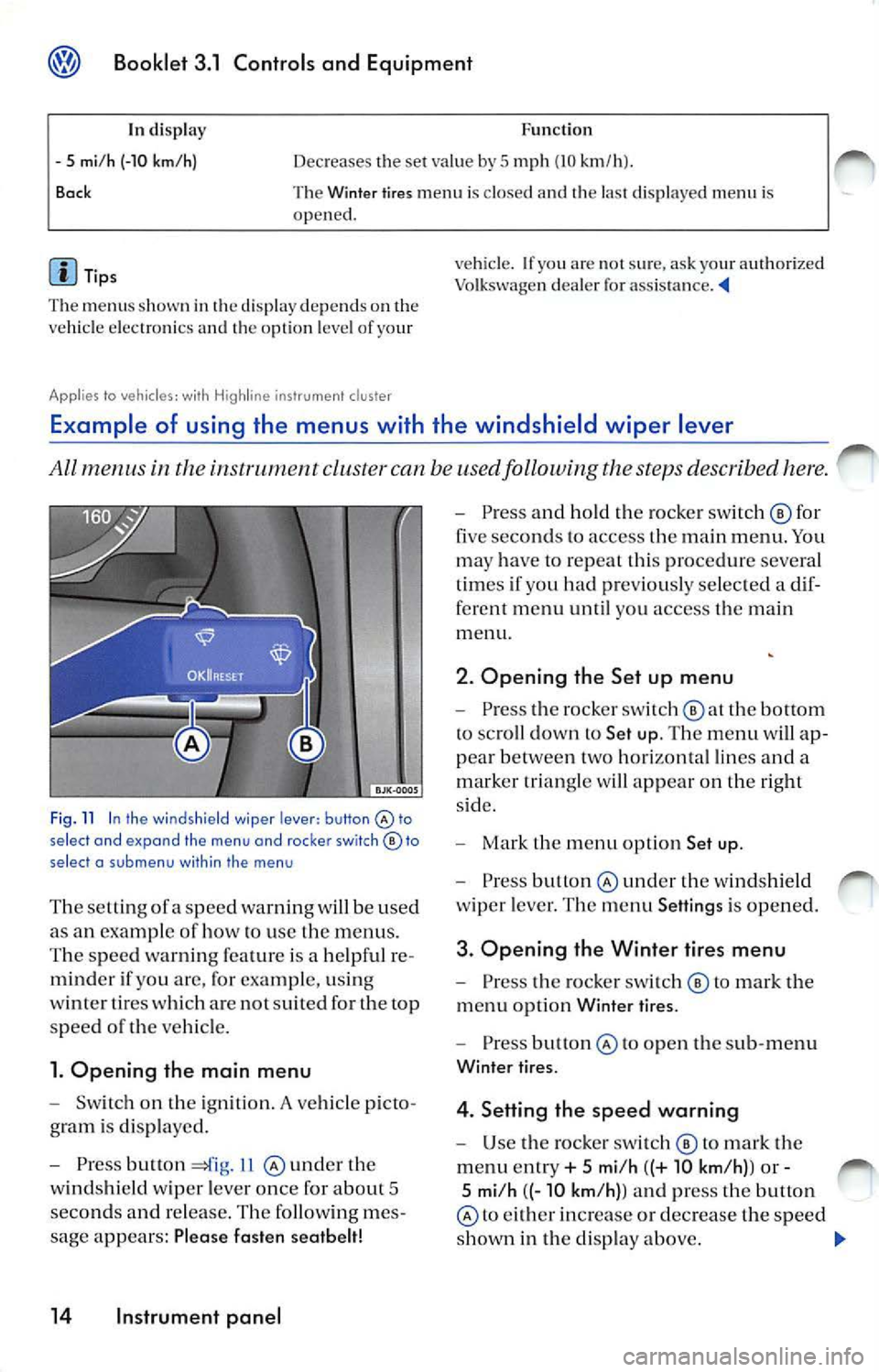
Fig . 11 In the wind shield wiper lever: button select and expand the menu and roc ker switch© to
select a su b m enu with in the men u
The se tting ofa sp eed warnin g will be used
as an examp le of how to use the menu s.
T he s pee d wa rnin g fe atu re is a help ful re
mind er if yo u are, for exa mpl e, u sin g
w int er tires w hich are not suit ed for the top
spee d
the ve hicl e.
1. Opening the main menu
Switch on the ig ni tion. A vehicle p icto
g ram is di spl aye d.
Press button 11 und er th e
w in ds hield wiper leve r o nce for abou t 5
seco nds and re lease . The followin g me s
sage appears: Plea se fasten seatbelt!
14 Instrument panel
Press an d hold the ro cke r sw itch © for
five seco nds to access the m ain men u. Yo u
ma y have to repeat this pro cedur e severa l
t im es if you had pr eviously se lec ted a dif
ferent me nu until you access the main
m enu.
2. Opening the Set up menu
Press the rocker switch the bottom
to sc roll dow n to Set up. The menu will ap
p ea r betwee n two hori zon ta l lin es and a
m arker tr ia n gle w ill app ear on the right
s id e.
Mark the m en u opt io n Set up .
Press under the w indshi eld
w ip er leve r. Th e m enu Setting s is opened.
3. Opening the Winter tires menu
Pr ess the ro cke r swi tc h © to m ark the
m enu opti on Wint er ti res.
Pre ss to o pen th e sub-m enu
Winter tir es.
4. Setting the speed warning
U se the ro cker sw itch © to mark the
m enu ent ry + 5 mi/h ((+ 10 km /h) ) or -
5 mi/h ((- 10 km /h) ) a nd press the button
to eith er in crease or de crease the spe ed
s h ow n in th e di sp lay above.
Page 218 of 477
Booklet 3.1 Controls and Equipment
5. Switching th e spee d warning on
and off
U se the ro cker switc h © to select
m enu point ON I OFF an d pr ess th e
bu tton @
sw itc h th e spe ed warnin g ei
on o r off. Thr ee das hes ---app ear al
t h e top of th e di sp lay if th e sp ee d wa rning
is sw itch ed off.
Th e ex amp le menu Winter tires
6. E xiting the Winter t ires menu
Sc roll dow n to Back and pre ss butt on
The function "Wi nter tire s" w ill gen erate a vis
ib le an d aco ustic wa rning on ce the ve hicle has
r eac hed the set sp eed.
In disp lay
Wi nter tires
X mi /h (X km /h )
or --- Func
tio n
Th e name of th e di sp layed men u
D is pl ay of th e s pee d curr entl y se t
o r clas hes if th e function is sw itc h ed off.
ON/ OFF Swit c h es th e fun ctio n on or off.
+ 5 mi/ h (+1 0 km /h )
- 5 mi/h (-10 km /h )
B ock I
n crease the set va lu e by
5 mph (10 km /h ).
Decreases the set va lue by
5 mp h (10 km /h ).
T he W inter tires m en u is cl osed a nd the las t di spl aye d menu i s
ope ned.
d is p la y depe nds o n th e
ve hicl e e lectro nics and th e op tio n leve l o f yo ur
Vehicle status menu
vehicle. If yo u are not sur e, ask your Vo lkswagen dea le r fo r ass is ta nce . ._
Thi s m enu will disp lay warning or information text s.
Op eni ng the Veh icl e status m enu
Se lec t Vehicle statu s men u and press
b u tto n
14 , fig . 11 @ und er th e
w indshie ld wipe r leve r.
O r
Pr ess but ton 13 , fi g. 10 th e
mul ti-func tion stee rin g w hee l
unt il th e
Veh icl e s tatu s menu i s di sp laye d.
Where applicabl e P
ri ori ty
2 warning s and i nformatio n tex ts w ill
d issa pea r from the disp la yed automatica lly af te r
so me time, but the y w ill be s tored in th e Vehi cle
s ta tu s m enu .
I f th ere are no priorit y
I warnin gs, then the pri
or ity 2 wa rnin gs will appear one af ter th e oth er.
If th ere are no prio rit y
I or priority 2 wa rnin gs
p rese nt, OK or N o en try w ill appea r in th e
d is pl ay . ._
Instrument panel 15
Page 219 of 477
Bookle t 3.1 Controls and Equipm ent
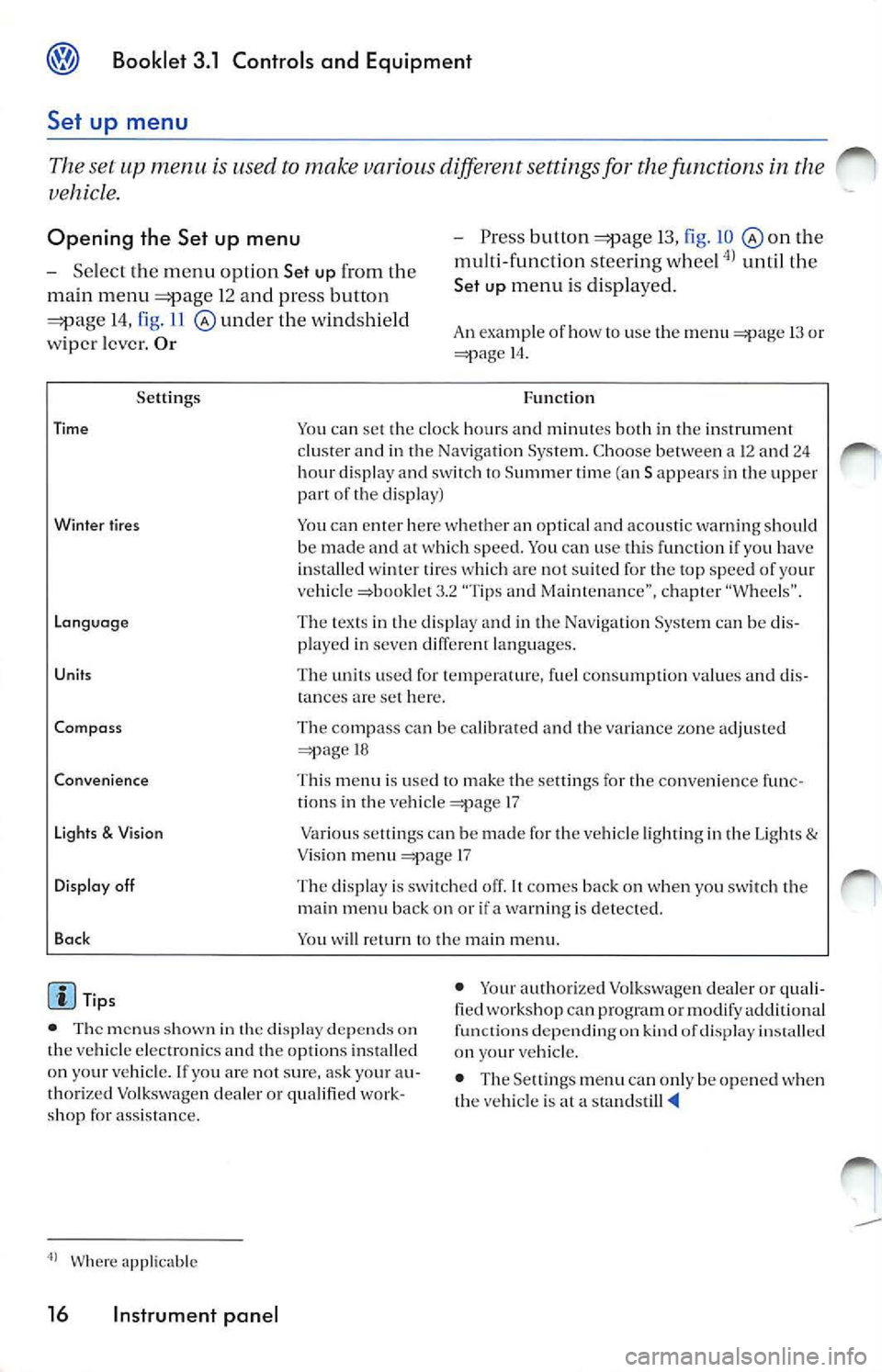
Set up menu
Th e se t up m enu u se d to mak e variou s diff ere nt setting s fo r th e function s in th e
ve hicl e.
Opening th e Set up menu - Press butto n 13, fig . 10 th e
m ult i- fun cti on stee ring w hee l
unti l th e
Set
u p m en u i s dis p la ye d.
- Se
lect th e m enu opti on Set up fr om th e
ma in menu
1 2 a nd press button
14, fig . 11 und er th e wi ndshie ld
w ipe r le ver. Or An examp le of how use the m enu 13 or 14 .
Se ttings
Tim e
Wint er tire s
L ang uag e
Unit s
Co mpa ss
Co nve nience
Li ght s
& Vis io n
D isplay off
Ba ck
Tip s F
un cti on
Yo u can set the clock hou rs a nd min utes both in th e in strum ent
cl uster a nd in t he Navig ation Sys te m . C hoose be twee n a 12 a nd 2 4
h ou r d is p lay a nd switc h
Summ er tim e (an S ap pears in th e up per of the d isp lay)
Yo u ca n en te r h ere w hether an opt ica l an d aco usti c warn ing s hould
be made an d at w hic h speed. You can use th is fun ctio n if yo u have
i n sta lled wi nte r tir es w hic h a re not su ited fo r th e to p spe ed of your
ve hicl e =>boo klet 3 .2 "Tips a nd Ma inten an ce", ch ap ter "W hee ls" .
T he tex ts in th e dis pl ay a nd in th e Nav igat io n Sys tem ca n be di s
p layed in seven diffe rent lan guages.
T he unit s use d for te m perature, fue l co nsu mpt io n va lues an d dis
t ances
set here .
Th e co mpass c an be calib ra te d and th e va ria nce zo ne adj uste d
18
T hi s m en u is use d
to make t he se ttin gs fo r the convenience f unc
ti o ns in t he ve hicle 17
Va rious se tlings can be m ade f or th e ve hicle ligh ti ng in th e Lig hts
& Vis io n m enu 17
T he dis play is sw itc hed off .
co mes bac k on when yo u sw itch th e
m ain men u back on or if a wa rning is detec ted.
You w ill ret urn
th e m ain m enu.
• T he m enu s shown in th e display dep ends on
th e ve hicle elec tro nics and th e op tio ns in stall ed
o n yo ur ve hicl e. lfyo u are no t sur e, ask yo ur au
th ori ze d Vo lk swage n dea ler o r qu alifi ed wo rk
s h op fo r ass is ta n ce . •
Your autho rize d Vo lkswage n dea le r or qu ali
fied works hop can p rogra m or mo dify ad dition al
fu nct ions depen ding o n kin d of dis play
on your ve hicl e.
• The Settings men u ca n onl y be o pened when
th e veh icl e is at a sta nd still
Wher e app licable
16 Instrument panel
Page 220 of 477
Booklet 3.1 Controls and Equipment
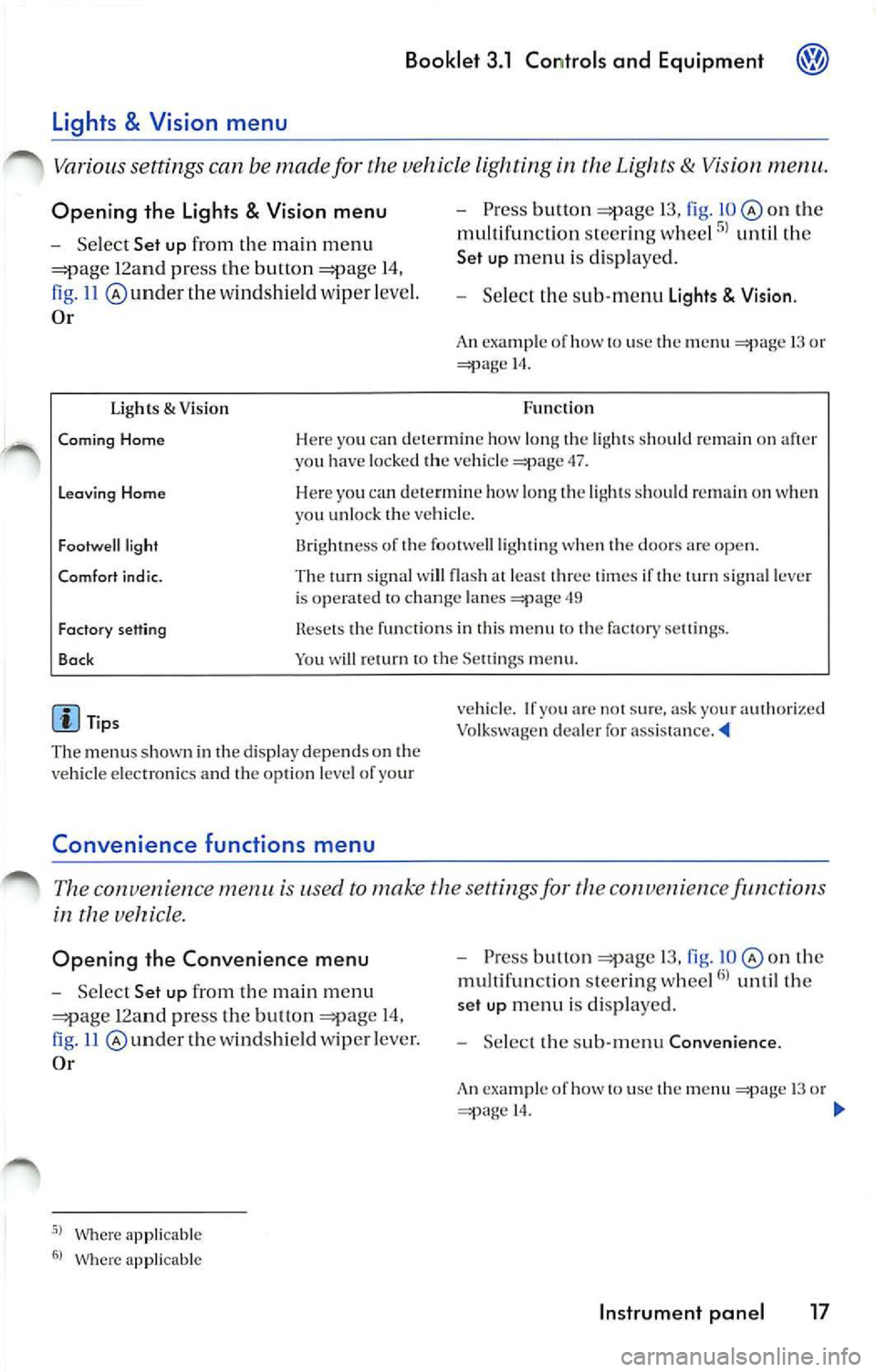
Opening the Lights & Vision menu
Select Set up from the main m enu
12a nd pr ess the button 14,
ll @ underthe wind shi eld wip er leve l.
Or
Ugh ts & Visio n
Pre ss button 13, fig . on the
multi fun cti on stee ring whee l
until th e
Set up menu i s dis pl aye d.
Selec t th e sub -m enu Lights Visio n.
An ex ampl e of how to use th e menu 13 o r 14.
Fun cti on
Coming Home Her e yo u ca n dete rmi ne how long the light s should remain on aft er
yo u h ave loc ked th e ve hicle 47.
Leavin g Home Here yo u ca n dete rmin e how l ong th e lig ht s s ho uld on when
y o u unlo ck th e veh icl e.
Fo otwe ll light
Comfort i nd ic. 13rightn ess of th e footwell ligh ting when t he doo rs are op en.
Th e tum sig nal w ill fla sh at leas t thr ee tim es if the turn sign al lever
i s o pera ted to chan ge lan es
49
Fact ory sett ing
Bac k Rese ts th e funct io ns in thi s m enu to th e fa cto ry se tting s.
Yo u will return to th e Se ttings m enu .
Tip s
The menu s shown in the dis pla y depend s on the
ve hicl e elec tron ics and th e opti on l evel of yo ur
Convenience functions m enu
ve hicle. If yo u ar e no t sur e. ask your aut ho ri ze d
Vo lkswagen deal er fo r ass is ta nce. '4
The con venien ce is used to make th e sett ings fo r the conve 11 ie n ce function s
in the
Opening the Convenience menu
Select Set up from the m ain m enu
12an d pr ess the but ton 14,
11 und er th e w indsh ie ld wipe r leve r.
Or
Where ap plicable
Wher e app licable
P ress bu lion 13, fig. o n th e
mu lt ifun ctio n stee rin g w hee l
unt il th e
set up m enu i s di spl ayed .
Selec t th e sub-m enu Convenience .
An exa mpl e of h ow to use th e 13 o r 14.
Instrument panel 17
Page 221 of 477
Booklet 3.1 Controls and Equipment
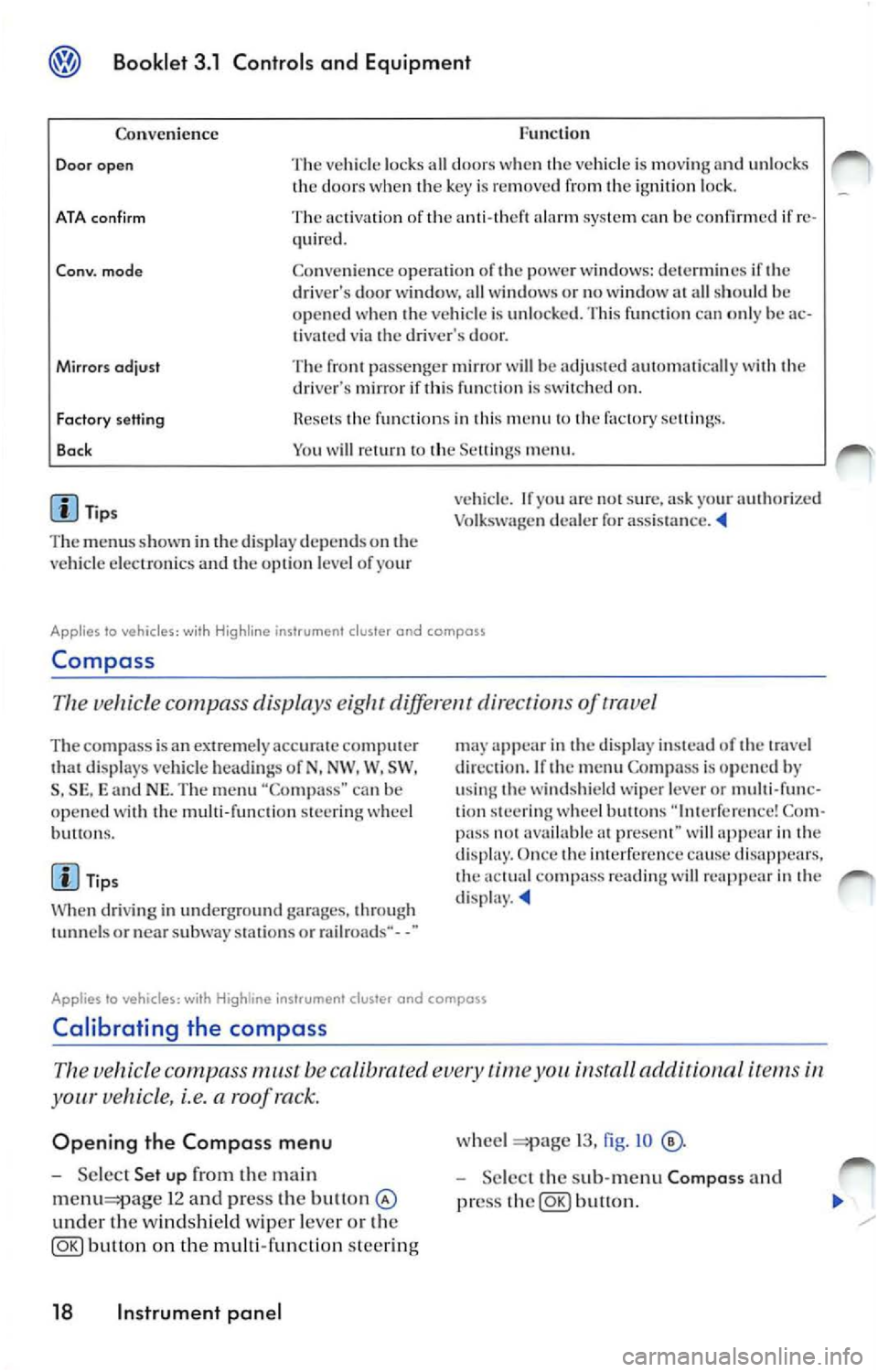
Func tion
Co nven ience
Door open The vehicl e lock s all door s w he n th e vehicle is mov ing and unl ocks
th e door s w hen key is re mo ved fr om ignition loc k.
ATA con firm The activati on of ala rm sys te m ca n be confirmed if re
quir ed .
Co nv. mode Co nve nien ce opera tio n of powe r w ind ows: dete rm in es if dri ver's door wi ndow, all w indows o r no window all sh ould h e
o p en ed when ve hicle is unlo cked. Thi s fun ctio n ca n o nly be ac
t ivated via dr iver's door.
Mirrors odjust The pa sse nger mir ror will be adju ste d au to mati cally wit h dri ve r's mirror if thi s fun cti o n is on.
Factory setting
Bo ck fun ctio n s in thi s m en u factory sellin gs.
Y o u w ill
m enu .
Tip s
T he m enu s show n in
displ ay depends on ve hicl e elec troni cs and o pti on l eve l of yo ur v
ehicl e. If
arc s ur e, ask yo ur authori zed
Vo lk sw age n dealer for assis ta nce .
Applies lo vehicles: wi th Hig hline ins trument cluster and compass
Compa ss
Th e ve hicle c ompa ss displa ys diff ere nt dir ect of trave l
The com pass is a n extremely ac curat e comput er di spl ays veh icle hea di ng s of N, NW . W, SW ,
S , SE , and NE. Th e m enu "Co mpa ss" can b e
op en ed wit h th e mu lti-fun cti on stee ring w hee l
bu H ons.
Ti ps
W hen dri vi ng in und erg round garages, throug h
or nea r subwa y stat ions o r rail roads·· - -"
app ear in displa y in stead of tr ave l
di rec tio n. If
m enu Compa ss is op en ed by
u sing w ind shi eld wipe r lever or multi-func
tion stee rin g w hee l butto ns Co m
pa ss avai lable prese nt" wi ll in dis p lay. Once imerfer cn ce cause dis appears. co mp ass rea ding will re app ear in d isp lay.
Applies to vehicles: with instrument cluster and compass
Calibrating the compass
vehicle compass must be calibrated time install aclditionnl i te m s
your vehicle, i.e. a roof ra ck.
Opening the Compass menu
Se lec t Set up the ma in
1 2 and press the bu11on
und er th e windsh ie ld wiper leve r o r th e
button on the multi-func tion steer ing
18 Instrument panel
wheel 13, fig . IO
Selec t th e sub-m enu Composs and
pr ess
button.
Page 223 of 477
® Booklet 3.1 Controls and Equipment
In display Function
-1 Z
one
Ba ck Dec
reases the se t va lue by I
Th e Compass m enu is cl osed and the last displayed menu is ope ned.
Tips
The menu s sho wn in the disp lay dep end s on th e
ve hicl e electro nics and the o ption leve l of your
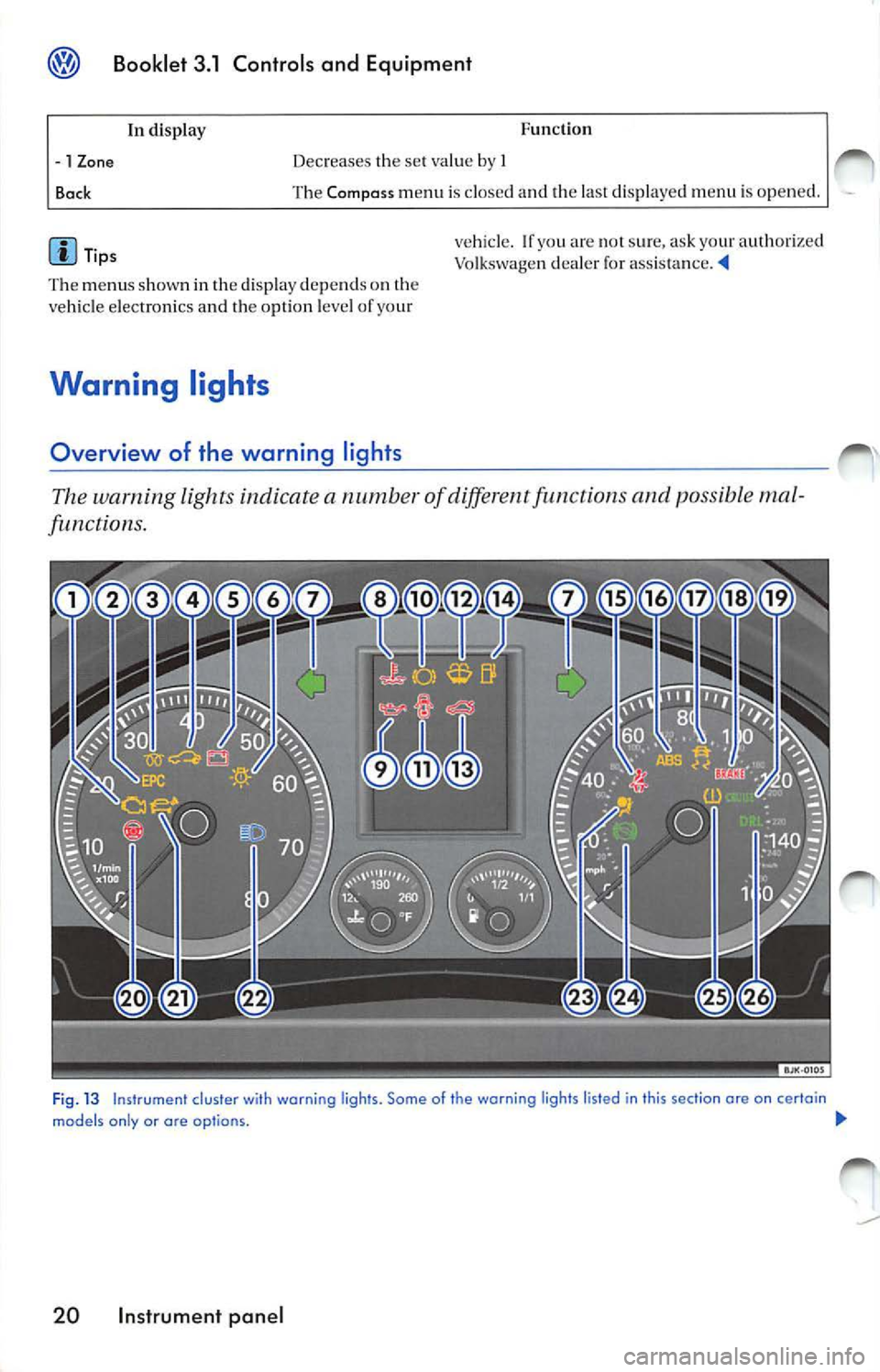
Warning lights
Overview of the warning lights
vehicle. If yo u are no t s ure, ask your authorize d
Vo lkswage n dealer for
The warning light s indicate a numb er of diff ere n t functions and possibl e mal
functions.
Fi g. 13 Instrument cluster wi th warning ligh ts. Some of the warning lights listed in this section ore on certain
models only or are op tio ns. !JI,,
20 Instrument panel
Page 227 of 477
Booklet 3.1 Controls and Equipment
Generator
This warning light signal s a m alfun ction in ge nerator.
Th e w arni ng lig ht lig ht s up when th e ig niti on
i s sw itch ed on . It sh ould go o ut when th e e ngin e
s tart s runnin g.
If th e w arnin g ligh t
lights up while driv ing .
t h e ge nera to r i s no lo nge r ch a rgi ng th e ba ucry.
Burned-out light bulb
Yo u sh ou ld imm ed ia tely drive 1 0 q u al ifie d d eale rs hip .
I l owever, you sh o uld avoid usin g elec tr ic a l
is no t ab so lut ely necessa ry be
cau se w ill d rain th e ba ttery furth er.
The warning light lights a bul b exte rior li ghtin g is
T he w arnin g lig ht light s up when a bulb i n vehicl e's exte ri or light in g is no t
Turn
Th e warnin g light fla sh es w hen sig nal s ar e bein g use d.
Depen ding on w hich tu rn signa l is opera ted, ei
th er th e lef t or in dicato r la mp fl ashes.
Bo th indi cato r light s w ill flas h at th e sam e tim e the em erge ncy wa rnin g light s are
sw itch ed on.
I f one tu rn sig nal fa ils, th e in dica to r l amp will
s tart flas hin g tw ice as
Engine coolant level I temperatu re
Th e warning symbo l li ght s if th e coolant is too high or if
coolant l eve l is too low .
There is a fault if:
• The wa rning symbol do es not go out again a few seco nds.
• Th e warning symb ol li g ht s up or fl ashes
w hil e th e ve hicle is m ov in g. Thr ee wa rnings
Thi s m ean s that eith er th e coo la nt leve l is too
l ow or coolant t emp eratur e is hi gh .
C oo lant level too low
The followin g information tex t is di spla yed: STOP Check coolant Owner's manual! 3.2 "Tip s and Advice" , c h apt er
"C oolant "
24 Instrument panel
Fir st l ook at th e coo la nt te mp eratur e gauge. If
t h e nee dle is in th e no rmal ran ge, top ofTw ith
coo lant at
ea rliest
Coo lant temperature too high
The fo llow ing in form atio n t ext is di spla yed: ST OP Check coolant Owner's manual!.
lo ok a t the coo la nt gau ge. The is 1 00 high if the need le is
over 10 th e far ri ght on th e di al. Stop the veh icle, olT the engi ne and wait for it to cool
down. Chec k th e coo lant level.
I f
coo la nt leve l is corr ect, th e ove rheat ing
m ay be cau sed b y fa n C hec k th e
r a diat or fa n fuse and have re pla ced if neces
s a ry 3 .2 'Tip s and /\dvi ce", c h apt er
" Fu ses".