ECO mode VOLKSWAGEN JETTA 2010 Owner's Manual
[x] Cancel search | Manufacturer: VOLKSWAGEN, Model Year: 2010, Model line: JETTA, Model: VOLKSWAGEN JETTA 2010Pages: 477, PDF Size: 77.6 MB
Page 439 of 477
Booklet 3.4 Premium Sound System
-CD Mode: Yo u can select an indi
v idu al C D in the internal CD
chan ger trays or in the externa l
CD c hang er•
briefl y pre ssing
the corre spondin g button s
Use buttons to select a tray
in th e C D chan ger when loading
or ejecting a CD.
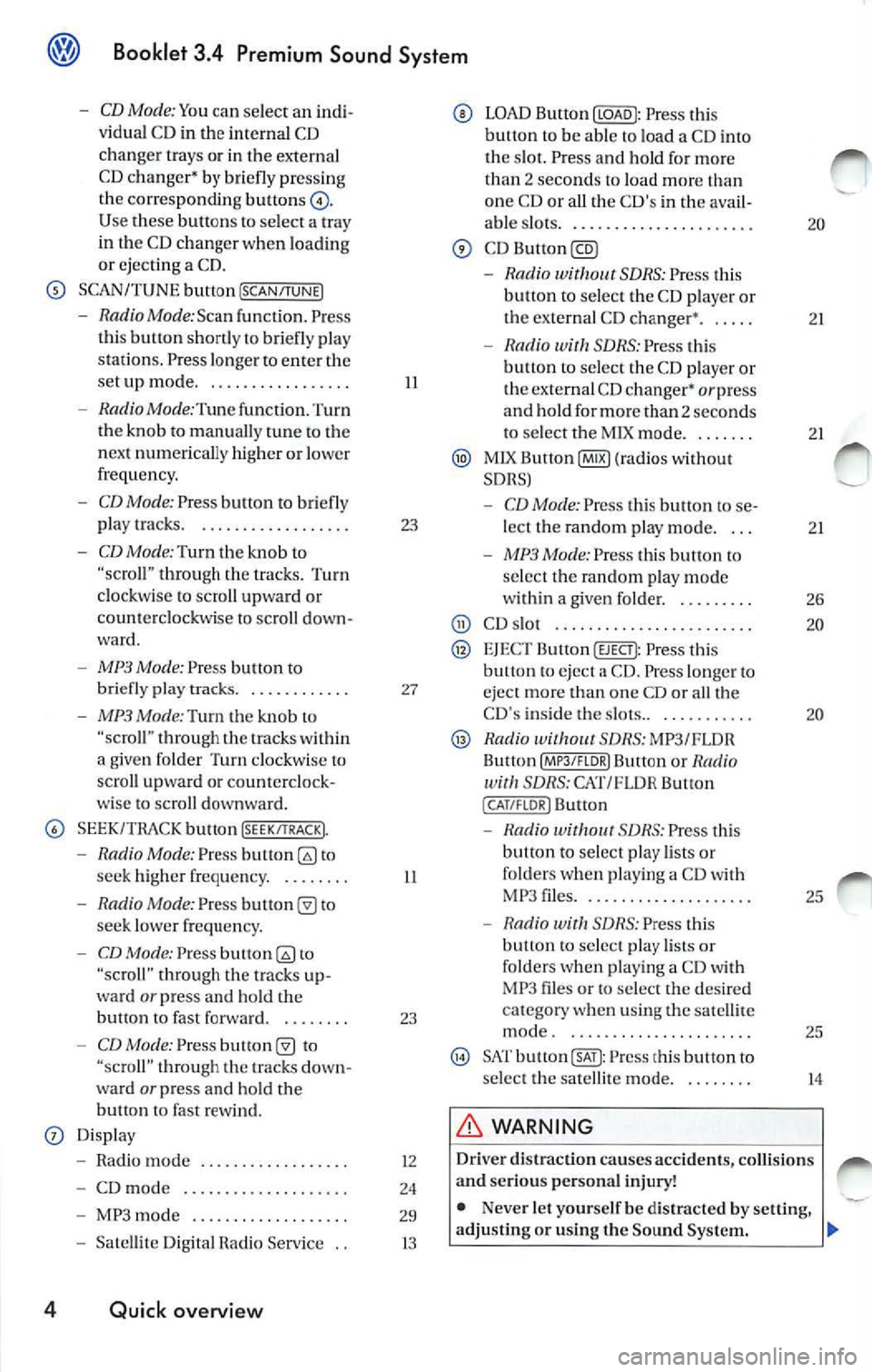
SCAN/TUNE button [SCAN/TUNEJ
- RadioMode:Scan func tion. Press
th is button shortly to briefly pla y
st ations . Pre ss longe r to ent er the
se tup mode ...... ... ... ..... .
- Radio Mode :Tune function. Turn
the knob to manually tune to the
n ex t numerically higher or lowe r
frequency.
- CD Mode: Press button to briefly
play tracks. . .... ...... ...... .
-CD Mode: Turn th e kno b to through the trac ks. Turn
clockwise to scro ll upward or
coun te rclockwise to sc roll down
ward .
-MP3 Mode: Press button to
briefly pla y tra cks. . .......... .
- MP3 Mode:Turn the knob "scro ll" thro ugh the within
a give n folder Turn clockw ise lo
scro ll upwa rd or counterclock
wise to scroll downward.
SEEK/TRACK bu tton !SEEK/TRACK).
-Radio Mode: Press to
seek high er freque ncy. . ...... .
- Radio Mode: Pres s to
seek lower frequ en cy.
- CD Mode: Press to
"scroll" through the tracks up
ward
or press and hold the
bullon fast forward. . ...... .
-CD Mode: Press "scroll" t hrough tracks down
wa rd or press and ho ld the
button fast rew ind.
Displ ay
- Radio mode ..... ..... ..... .. .
- CD mod e .. ....... .......... .
- MP3 mode .......... ........ .
- Satelli te Di git al Radio Service ..
4 Quick overview
II
23
27
II
23
12
24
29
13
LOAD Button Press this
button to be able load a CD i nto
tl1 e s lot. Press a nd hold fo r mo re
th an
2 sec ond s to load more one CD or all the C D's in th e ava il-
able s lots .. ......... ....... .... .
-Rad io SDRS : Press t his
button to select the CD playe r or
the externa l CD changer •. . ....
- Radio SDRS : Press this
b utt on to selec t th e CD playe r o r
the external CD changer•
or press
and hold for more than 2 seconds
to select tl1e M IX mode ...... . .
MlX Button@IB) (ra dios wi thout
SDRS)
- CD Mode: Pres s thi s butt on to se
lect the random p lay mode. . ..
- MP3 Mode: Press this button to
se lec t the random play mode
w ith in a given folder. . ...... . .
CD s lot .... ............... ... ..
EJEC T Button (EJECT): Press this eject a CD . Press lo nger eject more than one CD or all th e
CD 's inside the slots.. . .. ....... .
Radio SDRS: MP3/FLOR
Bu llon Butt on or Radio SDRS: CAT/FL OR Button
( CAT /FLOR I Button
-S DRS : Press thi s
button to select play lists or
folde rs w hen p lay ing a CD wit h
MP 3 files .... ..... ........... .
- Radio with SDRS: Press this
button to select play lists o r
fo lders w hen pl aying a CD with
MP3 files or to select the de sir ed
c at egory when using the satell ite
mode . ... ... ..... .......... .
SAT Press this button to
s elect the satellit e mode.
WARNING
20
21
2 1
2 1
26
20
20
25
25
14
Driv er di straction causes accidents , collision s
a nd serious personal injury!
• Nev er let yourse lf be distra cted by setting,
adjusting or using the Sound System .
Page 440 of 477
Booklet 3.4 P remi um Sound System
.0, WARNING (conti nued )
• Us e the Sound System only if road , traffic
an d weath er cond itions permit and you will
not be distracted from your driving.
Important information
Operating the Sound System while driving
D rivi ng on today 's road s demands th e full atten
ti o n of the driver.
The w ide range of sophisti cate d eq uipm ent de
tail s of modern car radio s offer not onl y a vas t
so urce of entertainmen t, but also import ant in
form ation reg arding t raffic updates, road condi
t ions, wea ther repo rts. etc.
Bu t re mem ber, you should onl y operate the
ra di o system wit h its num erous fe atures when
th e traffic situ atio n rea lly
in "Con
tro ls" on page 2.
For examp le, c hangin g CDs o r re ading song t i
tl es on a CD case or in th e rad io display when
drivi ng is o ften the ca use of aut o acc idents .
You s hould also set th e vo lume of your radio
sys tem so that yo u ca n h ear s ig n als from other
dr iv ers at a ny tim e.
Convenience radio coding For tec hn ical reason s. the conve nience radio
c oding is not ava ila bl e for all vehicle models.
In the past, it used to be tha t yo u had to manu
a lly recode t he radio wheneve r th e uni t was re
m oved from the ve hicle (for example, if th e unit
was removed to be repaired). or whenever the
veh icle battery was disco nnected (for examp le,
if yo u brou ght yo ur v ehicl e in to t he deale rship
for service a nd it was necessary to dis con nect
t he bauery). In eith er case , the power sup ply to
th e unit was cut off.
T hat has all ch anged w ith the new conven ie n ce
radio cod ing f un cti on: Once t he co de number
ha s bee n ent ered. it
will th en sy nchro nize itse lf
w ith "its" vehicl e!
.0, WARNING (co ntinu ed)
• Always set volume leve ls so that you can
clearly hear horns , si rens and oth er warning
sounds outside the vehicle .
If the power supp ly has been interrupted , the
radio will automa tically c hec k to see if it i s s till in
vehicle after the ignition has been switched
on . If this hap pen, th e radio will be ready for use
af ter just a few seconds.
It is th erefo re no longer necessary to d isengage
th e e lect ronic lock manuall y!
If t11e rad io ha s been in s ra ile d in anot her ve hicl e,
how ever, the electronic lock ha ve to be dis
engaged manually.
If
SAFE ap pea rs i n the disp lay a fter switchin g the
rad io on , it can then only be operated aga in afte r
entering tJ1e co rrect code
=> pa ge 34.
External CD changer1l
You also have the option of installin g a Ge nuine
Vo lkswagen CD Changer. Ask your authoriz ed
Vo lkswagen dealer about thi s optio n.
The CD change r is in stalle d in the front armres t
co mp artment. It is "re mote controlled" by th e
radio unit.
It allow s you ro load up to 6 CDs. See => page 32 for furt her information.
Vo lkswage n dea ler s have a ll the informa tion
conce rning in stallin g th e CD c hange r.
Tip s
• Please note tha t it em s marked with an as
t e ri sk(*) may be standard on ce rtain m odels , op
tional on otJ1 ers or no t ava ilabl e on yo ur model.
Always ch eck with your authorized Volkswage n
deale r to see if the feat ure or item ap plies to your
mod el.
• The radio code numb er and the radio seria l
numb er ca n be found on th e "Radio Card" at the
beg inning of the
Lit erature . ._
I) Availa ble as a fa cto ry install ed opt ion, or your author ized Volkswagen dealer can install the oplional C D
c h anger for you. A lways chec k with yo ur a utho rize d Vol kswage n deale r if th is op tio n i s ava ilab le fo r yo ur
model.
Quick overview 5
Page 449 of 477
Booklet 3.4 Premium Sound System
Activate your Satellite Radio Service
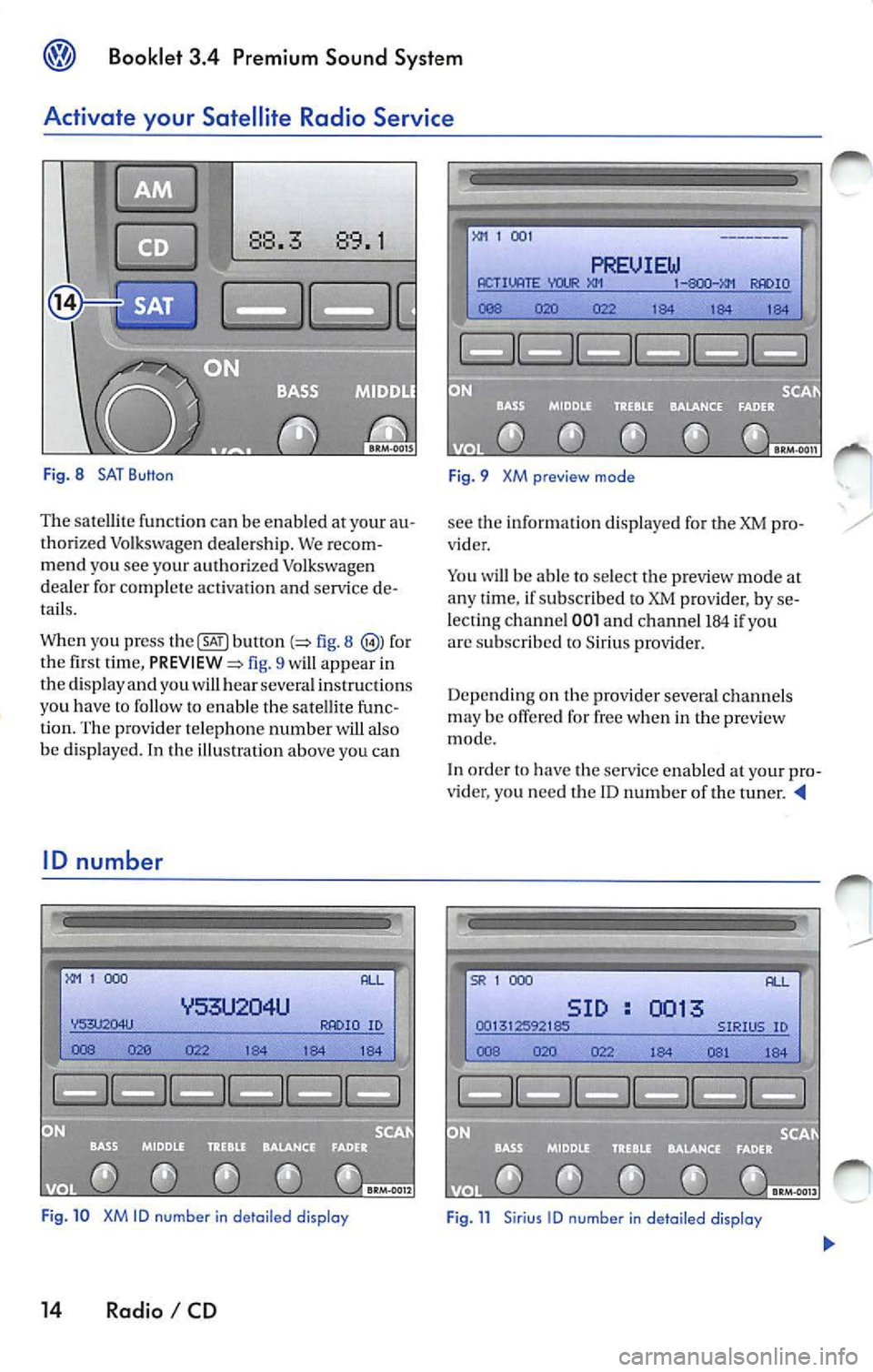
Fig. 8 SAT Button
The sate llite functio n ca n be en abled at your au
tho rized Volkswagen deale rs h ip. We recom
me nd you see your aut horized Volkswage n
de aler for complete activatio n an d service de
tails.
When you press
b utl on fig. 8 for
the fi rst tim e, fig. 9 will app ear in
the disp lay a nd you wi ll hear sever al ins truc tions
yo u h ave
to fo llow to enab le t he sa te lli te fu nc
tion. The prov ide r telep hone number w ill also
be d isp layed. In the illu stratio n above you can
ID number
1 000
ID
Fig . 10 XM ID number in de tail ed display
14 Radio I CD
1 00 1
PREUIEW ACTIVATE IO
184 1 84 184
F ig. 9 XM preview mode
see the informat io n d isplaye d for the XM pro
vider .
Yo u will be able to select t he p review mode at
a n y ti me , if su bscribed to XM prov ider, by se
lecting channel
001 a nd ch an ne l 184 if yo u
arc s ubscribed to Sirius provide r.
Depe nd in g on th e provi der sever al ch an ne ls
m ay be offe red for free w hen i n th e preview
mode.
In order
have the serv ice enable d your pro
v ider, you nee d t he ID n um ber of the t uner.
SR 1 000
SID 0013
Page 450 of 477
Booklet 3.4 Premium Sound System
To show the ID number in the display
-Before en ab lin g, press button
pa ge 14, fig. 8 The ID number wi ll
appear in the di spla y.
- After enabling, turn the
!SCAN/TUNE !
button page 10, fig. 5 until channel
000 is di sp layed
XM ID
Thi s number i s an eight character a lphanumeri c
numb er. Firs t, th e m essage RADIO ID will appear
in the di spl ay, then the eight-c haracter
ID number. Th edis pl aywi ll alt ernat e automatically
aft er a few seco nds.
SAT button
88.3 89.1
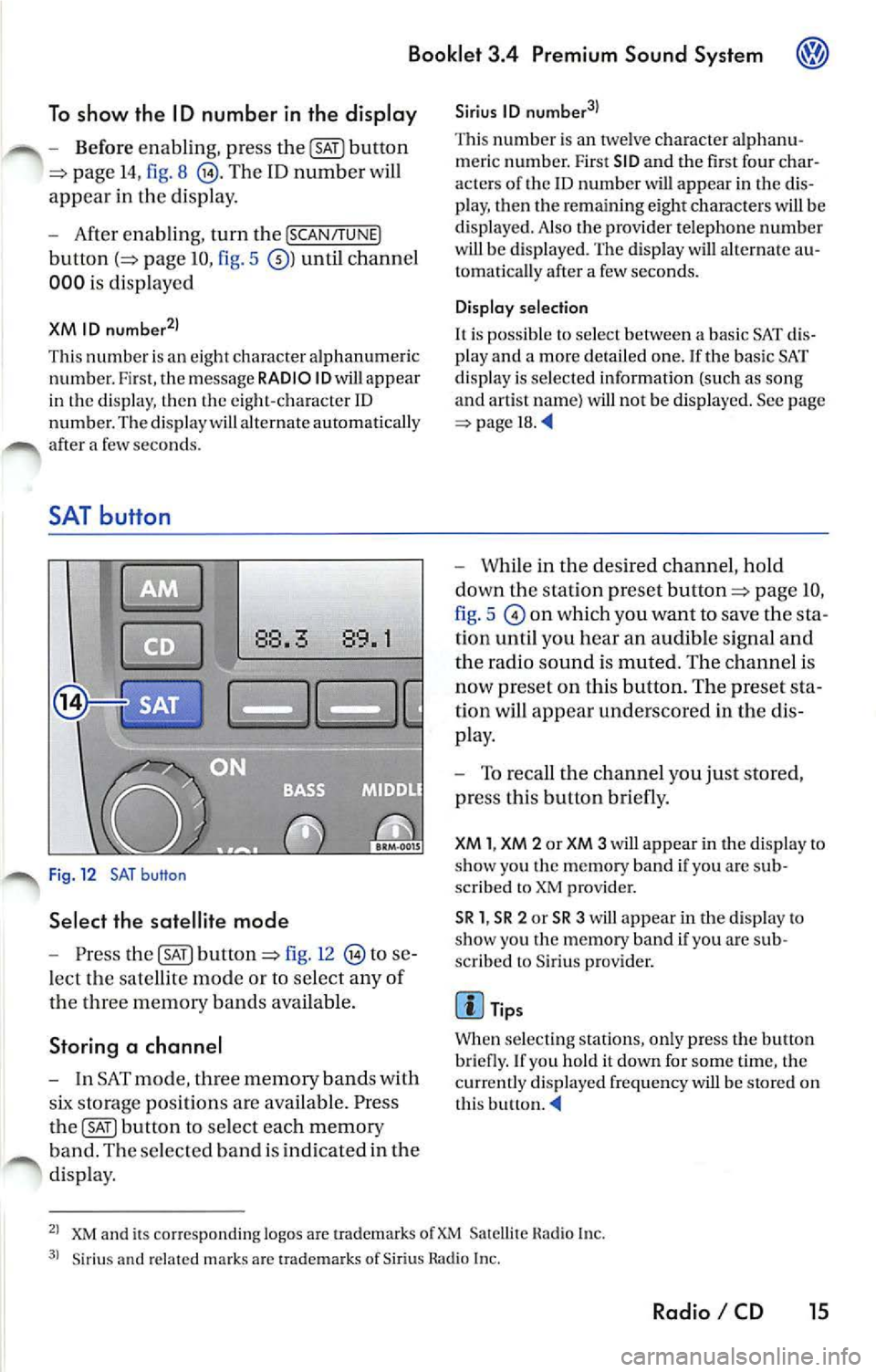
Fig. 12 SAT button
Select the satellite mode
- Press button fig. 12 to se
l ect the sate llite mode or to se lec t any o f
d 1e thr ee memory b and s ava ilab le.
Storing a channel
- In SAT mode , memo ry band s w ith
storage position s are availabl e. Pre ss
button to select each memory
b an d. Th e se lec te d b and is in dic ated in the
di spla y.
Sirius ID
Thi s numb er is an twe lve character alphanu
m er ic numb er. First SID and the fir st four char
acter s of the
ID number will app ear in the dis
p lay, then the re m ainin g eight characte rs will be
di splaye d. Also the pro vider t elephon e numb er
w ill be displ aye d. The displa y will alternate au
tomati cally af te r a few second s.
Display selection
It is po ssibl e to select betwe en a ba sic SAT dis
pl ay a nd a mor e deta il ed one. If the basi c SAT
di spla y is se lec te d information (such as song
and artis t nam e) will not be displa yed. See page
=> page 18.
- While in the desired channel , h old
down the stat ion pre set
page IO,
fig . 5
on which you want to save the sta
tion until you hear an audible sign al and
th e radio sound is muted. Th e ch annel i s
now preset on this button. The pre set sta
tion will appear underscored in the di s
p lay.
- To reca ll th e c hannel you ju st sto re d,
pr ess this button briefly.
XM 1, XM 2 or XM 3 will appear in the d isplay to
s h ow you Lhc m emo ry band if you arc sub
sc rib ed to XM provider.
SR 1 , SR 2 or SR 3 will a ppear in the disp lay to
s ho w yo u the memory band if you arc s ub
sc rib ed to Sir iu s prov ider.
Tip s
Wh en se lec ting station s, onl y press the butt on
bri efly. If yo u h old it down for some tim e, the
c ur re ntly displ ayed frequ en cy will b e stor ed on
t h is butlon.
XM and its co rr es pon ding logos are uademark s Satellite Hadi o In c.
Siriu s an d related ma rk s ar c tra dem ark s of Sir iu s Rad io In c.
Radio I CD 15
Page 453 of 477
Booklet 3.4 Premium Sound System
SAT display selection
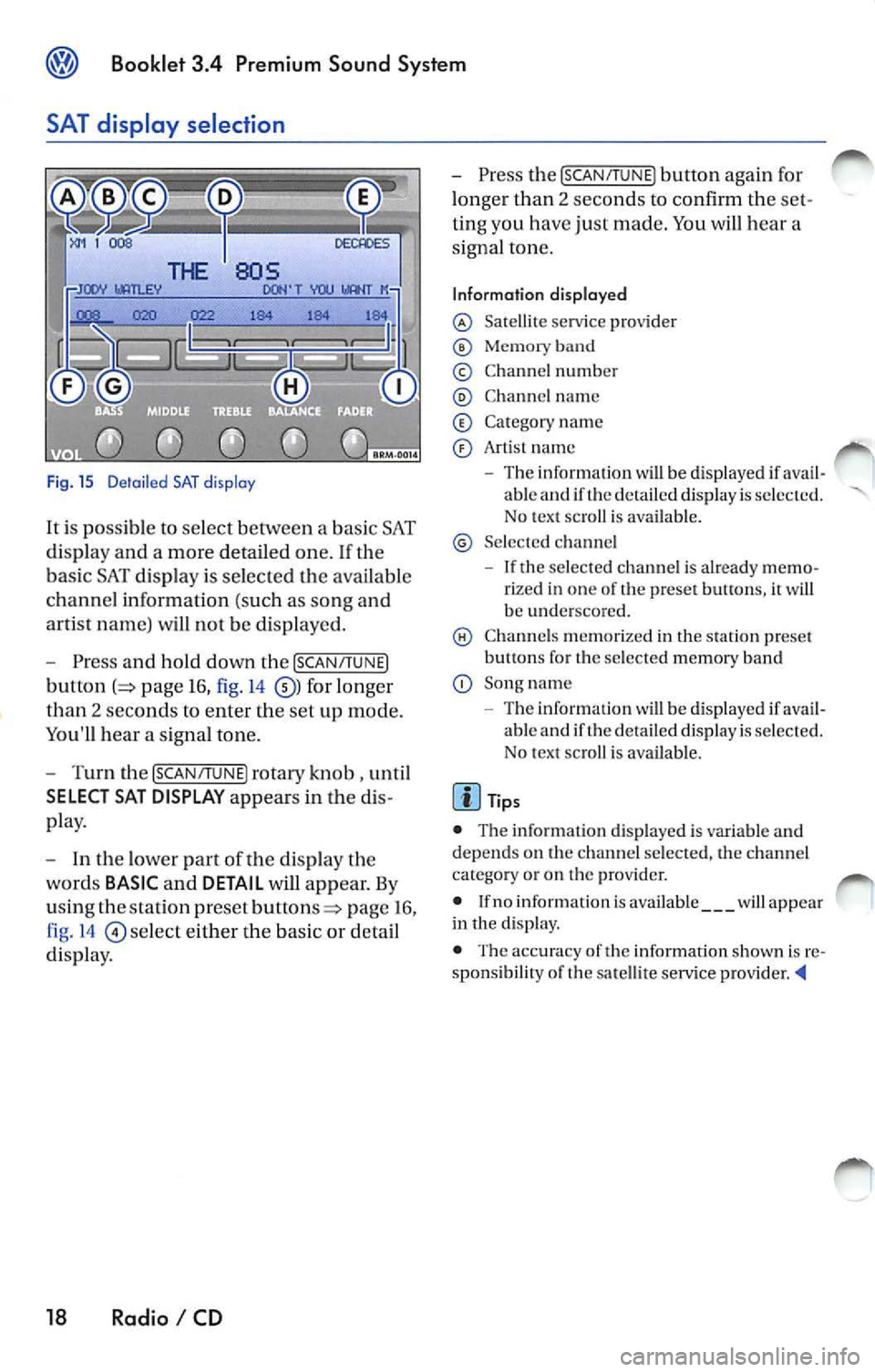
Fig. 15 D etail ed SAT disp lay
It i s possible to select between a bas ic SAT
di spl ay an d a more detailed one .
If the
ba sic SAT displa y is sel ecte d the availab le
channe l information ( such as song and
arti st nam e) will not b e displayed.
Press and hold down the [SCAN /TUNE]
button page 16, fig. 14 for longer
than 2 seco nds to enter th e se t up mode.
You'll hear a signal tone.
Turn th e [SCAN/T UNE] rotary knob , unti l
SELECT SAT DISPLAY appears in the
pla y.
In th e lo wer part of the di spl ay the
wo rds
BASIC and DETAIL will appear. By
u sing th e sta tion pre set
p age 16 ,
fig . 14
se lec t eit her the ba sic or detai l
di spla y.
18 Radio I CD
Press the [SCAN /TUN El button again for
l onger than 2 seco nds to confirm th e
ting you have just made. You will hear a
signa l ton e.
Information displayed
Satellit e service provider
Memor y band
© Chann el n um ber
C hann el name
C at egory nam e
Art is t name
The inform ation w ill be displayed if able and if the detail ed di spla y is s ele cted.
No tex t sc roll is ava ilab le.
S el ecte d ch anne l
If the se lec ted c hannel is already rize d in one of th e prese t button s, it wi ll
b e und ersco re d.
C hann els m em or ized in the sta tion preset
b utt ons fo r th e se lecte d memory band
Song name
- Th e information
will be di splayed if ava il
ab le and if th e de ta iled displa y is se lec te d.
N o tex t sc roll is av ail able.
• The inform ation d is p layed is var iable and
dep ends o n the channel sele cted, the c hann el
c ate gory or o n th e prov ider.
• If no inform ation is av ailabl e
will app ear
in th e displ ay.
• The acc ura cy of the information shown is
sponsibilit y of th e sa te llit e serv ice pro vider
Page 456 of 477
Booklet 3.4 Premium Sound System
CD button
-Press the@button page 20, fig. 16
when you wan t to li ste n to the CD
pl aye r or to select an externa l CD changer •
if ava ilabl e.
Tips
• If no disc is lo aded in int ernal CD
c h anger you wi ll hear an a udibl e signal, and NO
C D
w ill app ear in th e disp lay.
M ix Mode bu tton
• If no disc is loaded in th e interna l C D
c h anger but there is a disc loaded in the ex terna l
C D changer •, t he exte rnal CD change r mode
w ill be selec ted.
• If neither a disc is loaded in internal CD
c h anger nor the external CD change r is ava ilab le
you
w ill hear an aud ible s igna l, a nd NO CD will app ear in th e display. '4
When you select MIX, the CD tracks will be played in random order.
Radios without SRDS: Playing tracks
in random order
-Press bu tton page 20, fig. 16
for more than 2 second s. MIX-CD a p
pears in the disp lay. Pr ess
again to stop the random play operat ion.
Radios with SRDS: Playing tracks in
random order
- Press the@button for more than 2
page 20, fig.16 MIX-CD
appe ars in the di splay. Press th e@button
aga in for more th an 2 seco nds agai n to
s top th e random play operat ion.
Select the type of random play mode
- Press and hold do wn the ISCA N/TU NEI
button :=> page 16, fig .14 long er than
2 seco nds to enter the set up mod e. You
w ill hear a signal tone. -
Pres s th e
!SCAN/TUN El button briefly,
until
SELECT MIX MODE appears in the
disp lay.
- In the lowe r part of the display the
words FLOR,
MAG will appear. By
u sing th e s tatio n pre set but tons=> page 16,
fig . 14
be low th ese wo rds se lect the
of scan operation you wan t.
- Press the
ISCAN/TUNEI button again for
l onge r than 2 seconds to confirm the set
t in g yo u have just made. You
will hear a
signa l tone.
Type of random play mode
• page 25
• CD -th e random play mode occ urs only
through the tracks of th e cu rrent disc , MIX-CD
ap pea rs in th e display.
• MAG -th e random play mode occ urs th rough
a ll th e i nserted discs in th e internal CD ch anger
o r in Lh e externa l C D
if availab le. MIXMAG ap pear s in th e di splay. '4
Radio I CD 21
Page 461 of 477
Booklet 3.4 Premium Sound System
Mix Mode button
The MIX mode causes the tracks the disc to b e played random order .
1
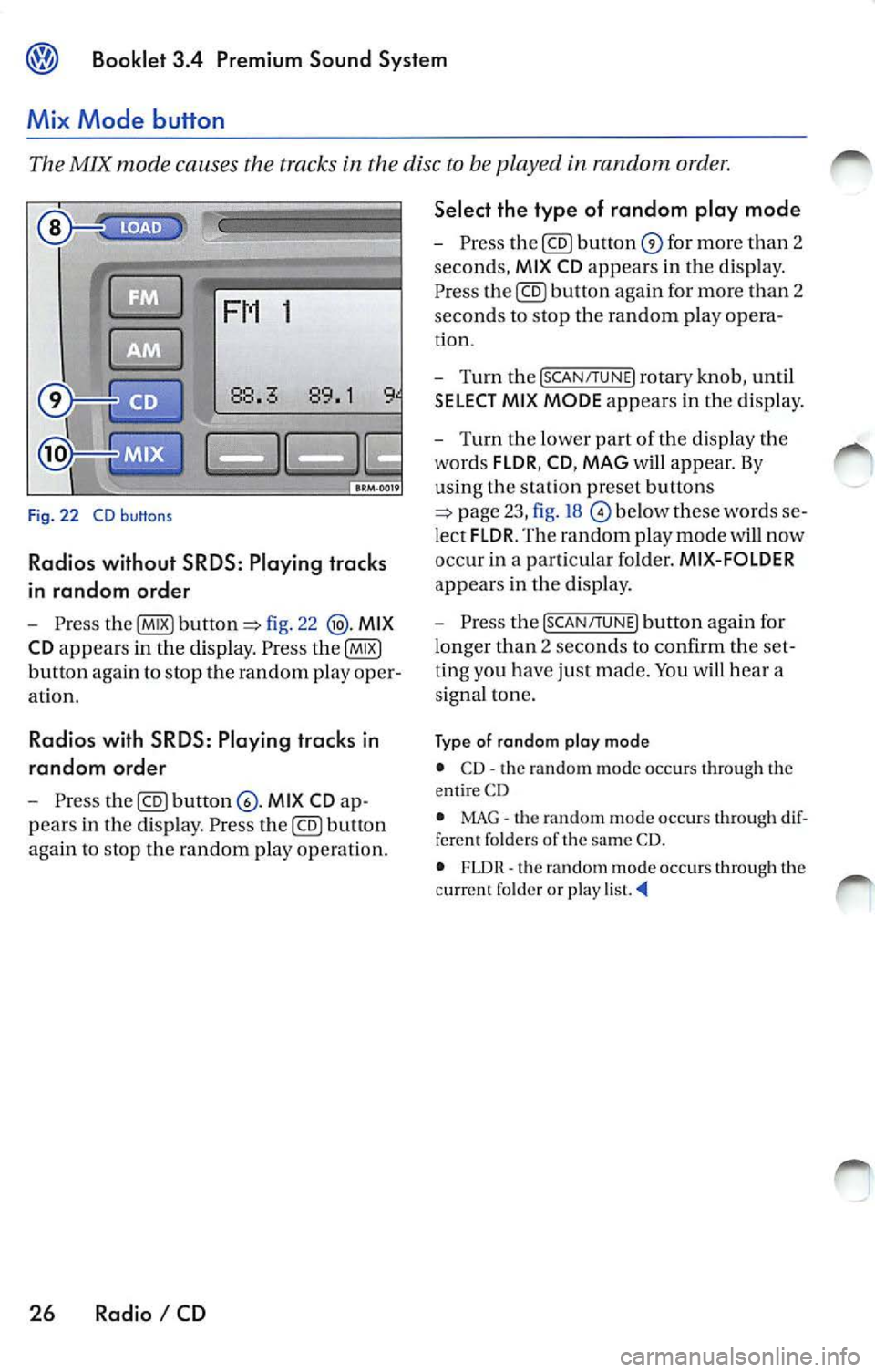
Fig. 22 CD buttons
Radios without SRDS: Play ing tracks
in random order
Pre ss fig. 22 MIX
CD
appears in the dis pl ay . P ress
button again to stop th e random play oper
at io n .
Radio s with SRDS : Playing tracks in
random ord er
Press MI X CD
pears in the disp lay . Pre ss button
again to stop the random play op eration.
26 Radio I CD Select the type of random play mode
-
Press for mor e than 2
seconds,
MI X CD appears in th e d is p lay.
P re ss
again for more than 2
sec ond s to stop th e random play opera -
tion.
- Turn the [SCAN/TUNE] rotary knob , u ntil
SELECT MI X MODE appears in the dis play.
- T urn the lower part of th e dis p la y the
words
FLDR , CD , MAG w ill appear. By
us in g th e s ta tion pr eset buttons
below th ese words
lec t FLDR . The random play mode will now
occ ur in a part ic u la r fo lder.
MIX-FOLDER
appears in the disp lay .
- Pres s the
[SCAN/TUNE] button aga in for
l onger than 2 se conds to confirm the
ting you h ave just made. You hea r a
s igna l ton e.
Ty p e of rando m plo y mod e
• CD· th e random mode oc cur s through th e
e ntir e CD
• MAG
the random mode oc cur s through fere nt folder s of the sa me CD.
• FLDR th e rando m mode occurs throug h the
c urrent f older or play
Page 463 of 477
![VOLKSWAGEN JETTA 2010 Owners Manual Booklet 3.4 Premium Sound System
Track search Buttons
"Scroll" through the same track (Fast
Forward /Fast R ev ie w)
- Press and hold the !SEEK/TRACK ] button
page fig . 2 to scro ll](/img/18/55686/w960_55686-462.png "VOLKSWAGEN JETTA 2010 Owners Manual Booklet 3.4 Premium Sound System
Track search Buttons
\"Scroll\" through the same track (Fast
Forward /Fast R ev ie w)
- Press and hold the !SEEK/TRACK ] button
page fig . 2 to scro ll")
Booklet 3.4 Premium Sound System
Track search Buttons
"Scroll" through the same track (Fast
Forward /Fast R ev ie w)
- Press and hold the !SEEK/TRACK ] button
page fig . 2 to scro ll upwards or
downwards
trough the same track.
The track elapsed time appears in the
upper left corne r of the d isp lay.
Information displayed
Fig. 24 SCAN/ TUNE button
MP3 display selection
It is possible to select betwee n a basic MP3 dis
play and a more detailed one. If th e bas ic MP3
display is selec ted the file informat ion (such as
s ong and artist name) w ill not be displayed.
• Press and ho ld down
(SCAN/TUNE) butt on fig. 24 for longer than 2 seconds to ent er
the set up mode. You will hear a sig nal tone.
• Turn the
(SCAN/TUNE) rotary knob, un til SELEC T MP3 DISPLAY appears i n the display.
• In
low er part of the display words BASIC and DETAIL will appear. By usi ng th e s ta
tion pr eset bu tto ns © select eith er the bas ic o r
deta il di splay.
• Press the
SCAN/TUNE buu on again fo r
long er th an 2 second s to confirm the setting
you've just made . Yo u will hear a signa l tone.
28 Radio I CD
-Release t he button to stop skipp ing
through the track.
Text sc roll select ion
You can decide whether the available informa
tion in the MP3 file is scrolled or not in the di s
play.
• Press and hold down the
(SCAN/TUNE) button
for longer than 2 seconds to enter the set u p
mode. You w ill hear a signal tone.
• Turn the
(SCAN/T UNE) rotary knob,
station preset buttons © select eith er ON or OFF.
• Press the (SCAN/TUNE) button again for longer
th an 2 seco nds to confirm the settin g yo u've just
made. You'll hear a signal to ne.
• If yo u decide to scroll the fil e information
follow ing warn ing will appear in the d isplay: CAUTION! THIS MAY CAUSE DRIVER
DISTRACTION.
Page 465 of 477
Booklet 3.4 Premium Sound System
Error displays when playing MP3 music with the CD player
The following err or messages can b e displayed:
NOCD
No disc in the CD ch an ge r.
PLEASE CHECK CD
There is a problem with the in serted CD. The CD
i s automatica lly ejec te d .
ROM
A CD ROM has bee n in serte d into the ch anger.
The CD is automatic ally ejected.
About MP3
Except for personal enjoyment, duplicati ng
data or distributing, transferring or copying it, whether for free or for a fee , withou t the permis
sion of the copyright holder i s strict ly prohib
i t ed by the Copyright Act and by internationa l
treaty.
What is
MP3
MP3 (MPEG audio layer 3) is a compress ion
stan dard prescribed by the ISO and MEG.
MP3 files contain compressed audio data. MP3
encoding is capable of compress ing the audio
da ta at extremely hi gh ratios , shrinki ng mu sic
file s by as mu ch as one-tent h their original size.
The MP3 forma t rea lizes su ch high compre ssion
ratios by elimi nating th e sounds that are either
in audible to t he hum an ear or ma sked b y other
sounds.
How to create
MP3 files
The soft wa re use d to create MP3 files is wide ly
so ld from var ious sourc es. For d etail s on cre
atin g MP3 files, re fer to the owner's manual for
t hat so ftwa re.
The MP 3 files that can be played by this device
ha ve the file extension "MP3". Files wit h no ex
tension can not be played back .
Cor respon ding File Syste ms
T hi s unit support s discs formatted
ISO
9660. It a lso can p lay back d iscs in Jolie t standard
30 Radio I CD
FAIL
Th e CD is dirty, scratc hed or inserted upside
down. T he CD is auto mati cally ejected. If the
p roblem pers ist s after reload ing the CD the next
CD avai lable will be reproduced and error mes
s age FAIL will appea r in the correspo nding CD
s lo t in
display.
HARDWARE ERROR
The CD chan ger mechanism is malfunctioning.
Tips
If the unit still malfunctions, contact your au
thori zed Vo lkswagen dealer for assistance.
which conforms to ISO 9660. However , some
time s the file names, fo lder nam es, etc. are not
displayed correct ly.
P lease
in to account the follow ing points:
• When creati ng a CD the burner software
mu st be set up to burn a Mode
1 CD ROM type
disc. Mode 2 CD ROM XA can not b e pla yed
back.
• Multi-session discs can not be played back
by this unit.
• Remembe r tha t th e audio quality depends
o n th e
rate" used to create the MP3
file .
• Make sure the crea ted disc is finalized. Your
CD burner softwar e has an option to fina lize the
disc.
• Whe n nam ing you r MP3 file s, use short file
nam es (no more than 64 char acters).
• We recommend th at you use onl y one word
to name t he folde rs (i.e. Fold er_A) and t hat yo u
do not repeat the same fold er name throughout
the CD. This cou ld cause t he rad io un it not
to recognize the file path .
• When creat ing an MP3 disc, use no more
than 99 fo lder s. Altho ugh thi s unit can support
up
to 255 folders , finding the files yo u wa nt t o
p lay w ill be mor e difficult if you have used man y
Page 469 of 477
Booklet 3.4 Premium Sound System
Anti-Theft Coding
Convenience radio coding
For techni cal reason s, the convenience radio
coding is not a vailable for all vehicle models .
In the past , it u sed to be that you h ad to manu
ally reco de th e rad io whe neve r the unit was re
moved from the veh icle (fo r examp le, if the unit
wa s removed to be repa ired), or whenever the
vehicle battery was disconnected (for example ,
if you brought yo ur vehicle in to the dealership
for service and it was necessary to disconnect
the banery ). In either case , th e power supply to
t he unit was cut off.
That ha s all ch anged with th e new conve nien ce
radio coding function: Once the code number
has been inplll in the rad io, i t w ill then synchro
nise itself wi th "it s" veh icle!
I f th e curr ent supply has been interrupted the
radio will automaticall y ch eck to see if it is still in
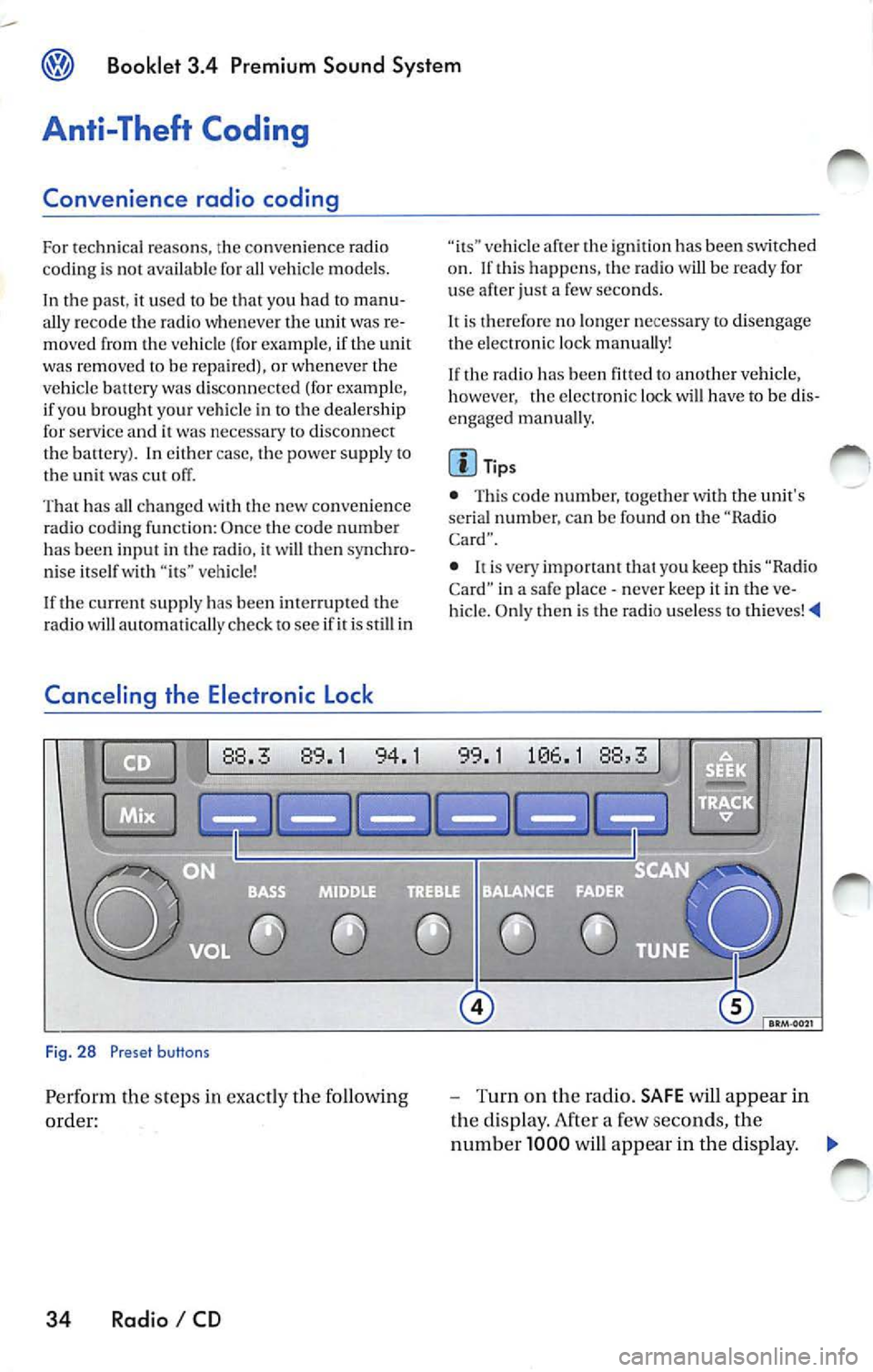
Canceling the Electronic Lock
Fig. 28 Preset buttons
Pe rform th e steps in exact ly the fo llowing
order:
34 Radio I CD
vehicle af te r th e ig niti on has been switched
o n . If thi s happ ens, the radio will be read y for
u se after just a few seco nds.
It is therefore no longe r n ecess ary to disengag e
the e lectro nic lock manua lly!
If the radio has been
to another vehicle,
however , the electronic lock will have to be dis
engaged manua lly.
Tip s
• This code number, togeth er w ith the unit's
se rial numb er. ca n be found on the "Ra dio
Card".
• never keep it in the ve
hicle. Only then is th e radio use less to thieves!
-Turn on the radio. SAFE will appear in
the disp lay. After a few seconds, the
numb er 1000 will appear in the display. ._