ESP VOLKSWAGEN PASSAT 2002 User Guide
[x] Cancel search | Manufacturer: VOLKSWAGEN, Model Year: 2002, Model line: PASSAT, Model: VOLKSWAGEN PASSAT 2002Pages: 483, PDF Size: 78.54 MB
Page 309 of 483
Booklet 3.2 Volkswagen Telematics by
syste m comes from the factory with
vo ice r
espo nses to your com mands to
firm tha t the sys te m correctl y understood the
command o r number yo u i nte nded . F or ex-
Retrieving your number
Perso nal
yo u ch a nge to tone response, a di git tone
w
ill resp ond in stead of th e vo ice. All othe r
-butto n or contac t
at 1-888-4 -0nStar (1-888-
466-7827).
-
Ask your Adv iso r to pro
v id e yo u
the telephon e number f or
yo
ur
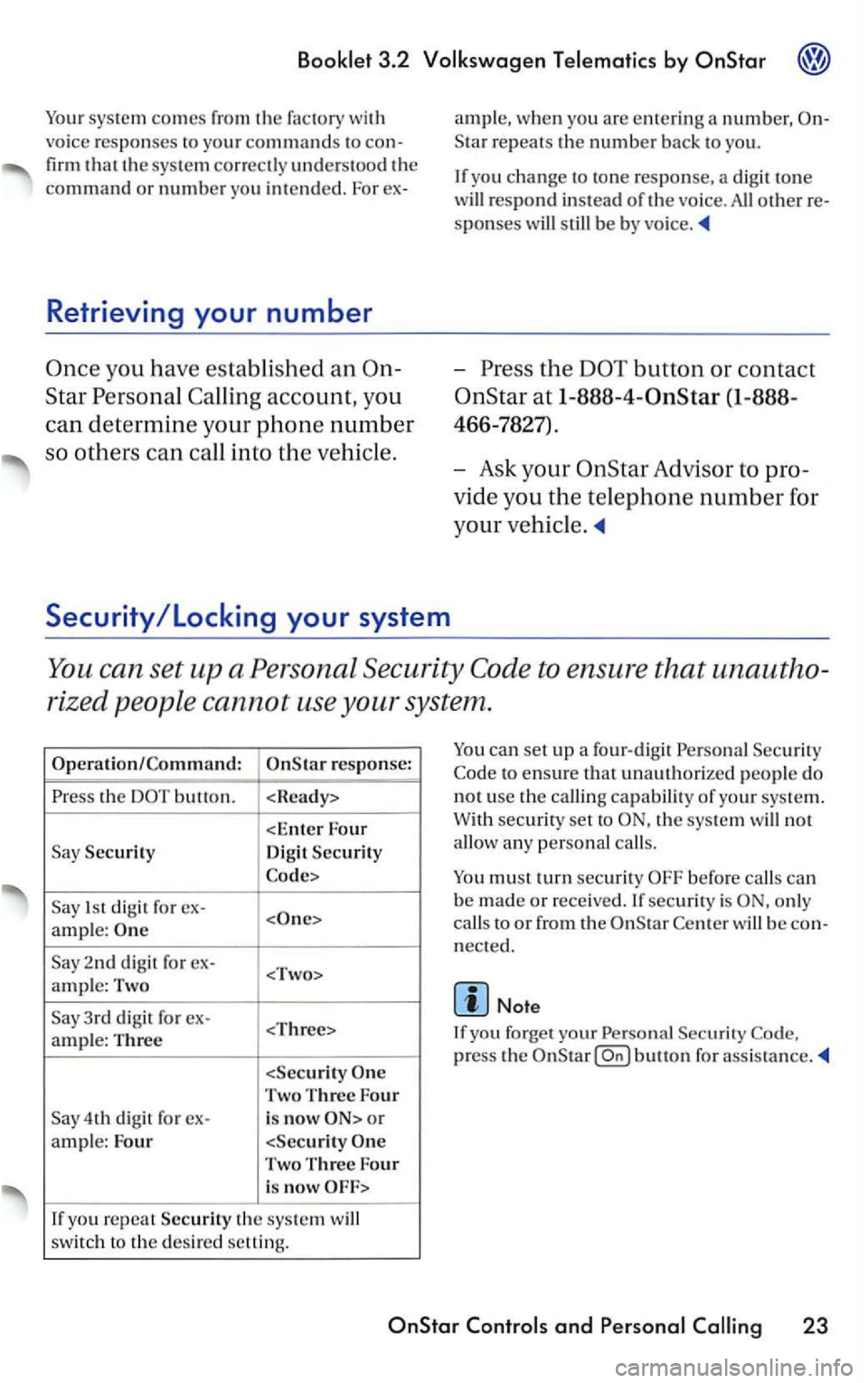
You can se t up a Perso na l Sec urity to en sure t hat una utho
ri
zed p eople cann ot u se your system .
th e
Security
Dig it Security
1s t d igit f o r ex-
ample:
2nd di git fo r ex-
Two Three Four
4th digit fo r ex-is now o r
a m ple: Four
you re p ea t Security th e sys te m will
sw itc h t o the desir e d setting.
can set up a fo ur-d ig it Persona l Sec urit y
to ensure that unauthorize d p eople do
n o t u
se the c alli ng capabilit y o f yo ur sys te m.
W ith
secu rity set to th e sys te m will no t
allo w a ny person al calls.
o nl y
c a
lls to o r from th e w ill be nect ed.
Note
If yo u f orget your Pe rsonal
press the
and Per sonal 23
Page 315 of 483
Bookle t 3.2
Applies to
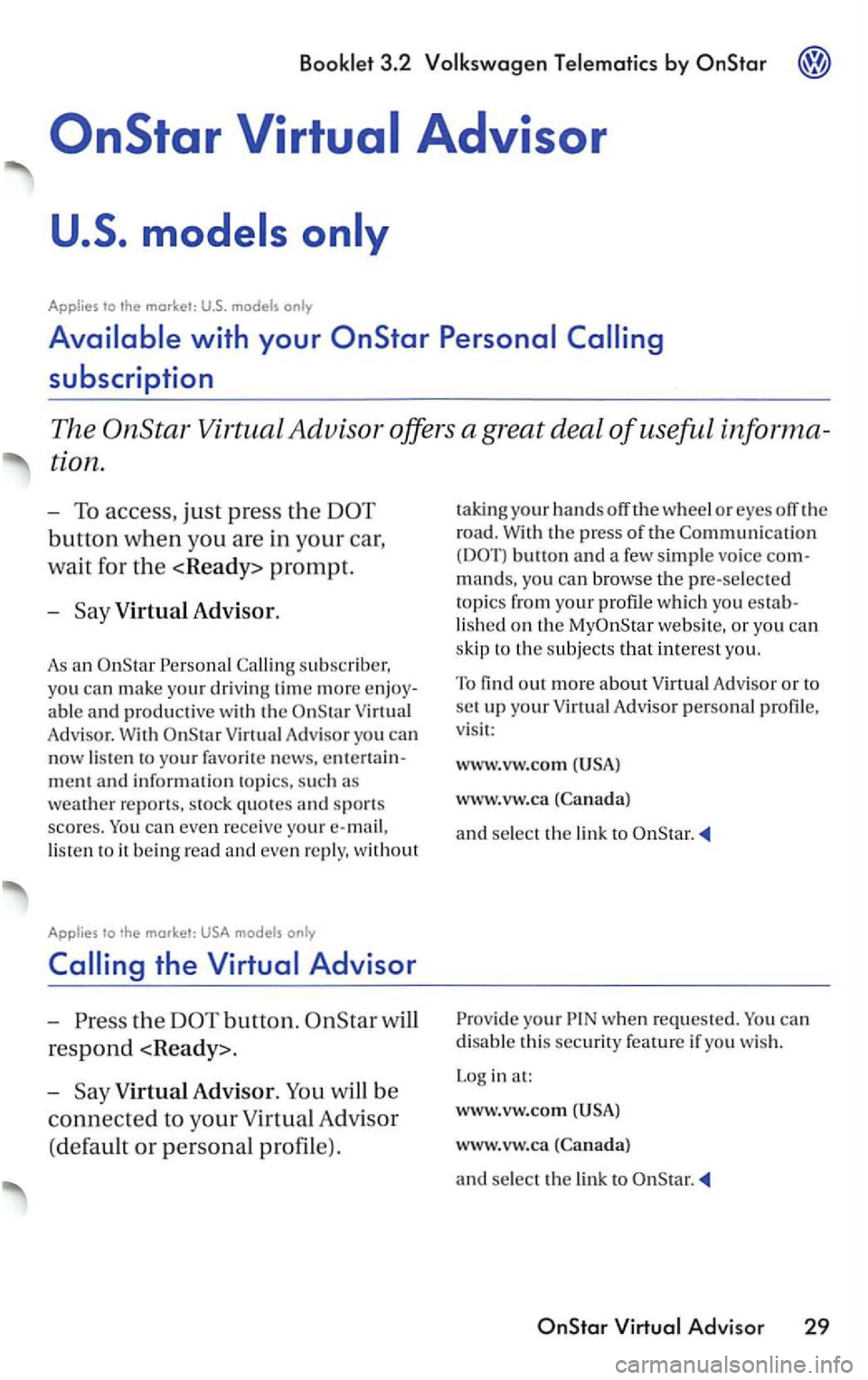
Virtual Advisor.
As an
Adv isor. With
lis te n to it b ein g read and even re ply, without
Applies to only
the button.
respond
-
V irtual Advisor.
w heel or eyes off the
road.
With the press of the butto n and a few simple vo ice com
mands, yo u can browse the pre-selec te d
topi
cs from your profile whic h you establis h e d on the we bsit e, or you can
s kip to
the subjects that interes t yo u.
To
find out more about Virtu al Adv isor or to set up your Virtual Advisor person al profile,
v isi t:
www.vw.com
www.vw.ca
and select the link to
your when reques ted. You can
disable this securi ty feature if yo u wis h .
L og in at:
www.v w.com
www.vw.ca
and select the lin k to
Page 318 of 483
3.2 by OnStar
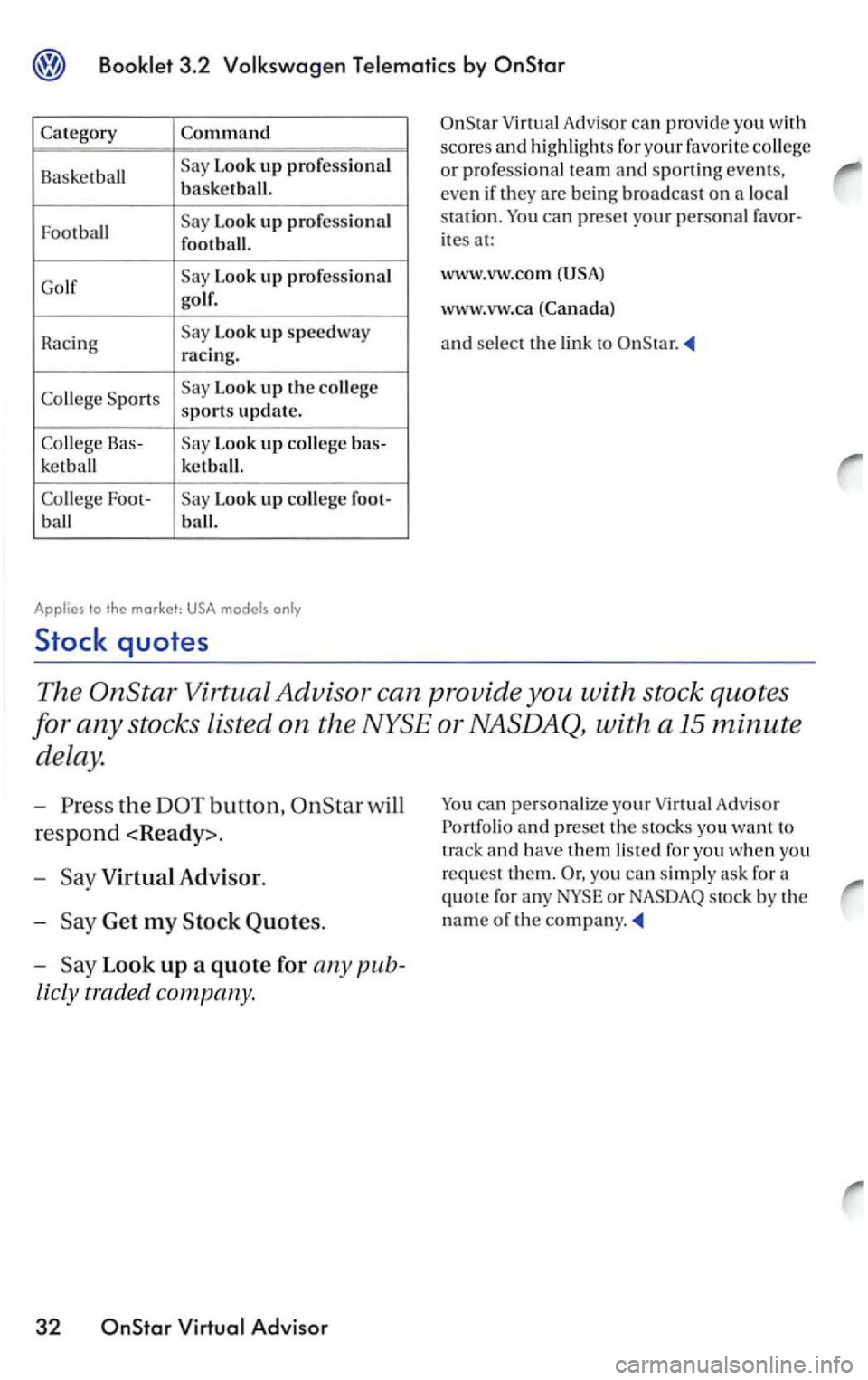
Category Command
Basketball Look up professional
basketball.
Football
Look up professional
football .
Go lf
Look up professional
golf .
Racing
Look up speedway racing.
Co
llege Sports Look up the
Look up bas-
ketb all
kctbal
l.
College Foot-Look up
ites at:
www.vw.com
www .vw .ca (Canada)
a
nd se lect the
The
the
respond
-
Get my Stock Quotes.
-
Look up a quote for any pub
licly traded company .
32 OnStar
you can simply ask for a
quote for any
Page 319 of 483
by OnStar
Applies to the market:
The
the
Get my News.
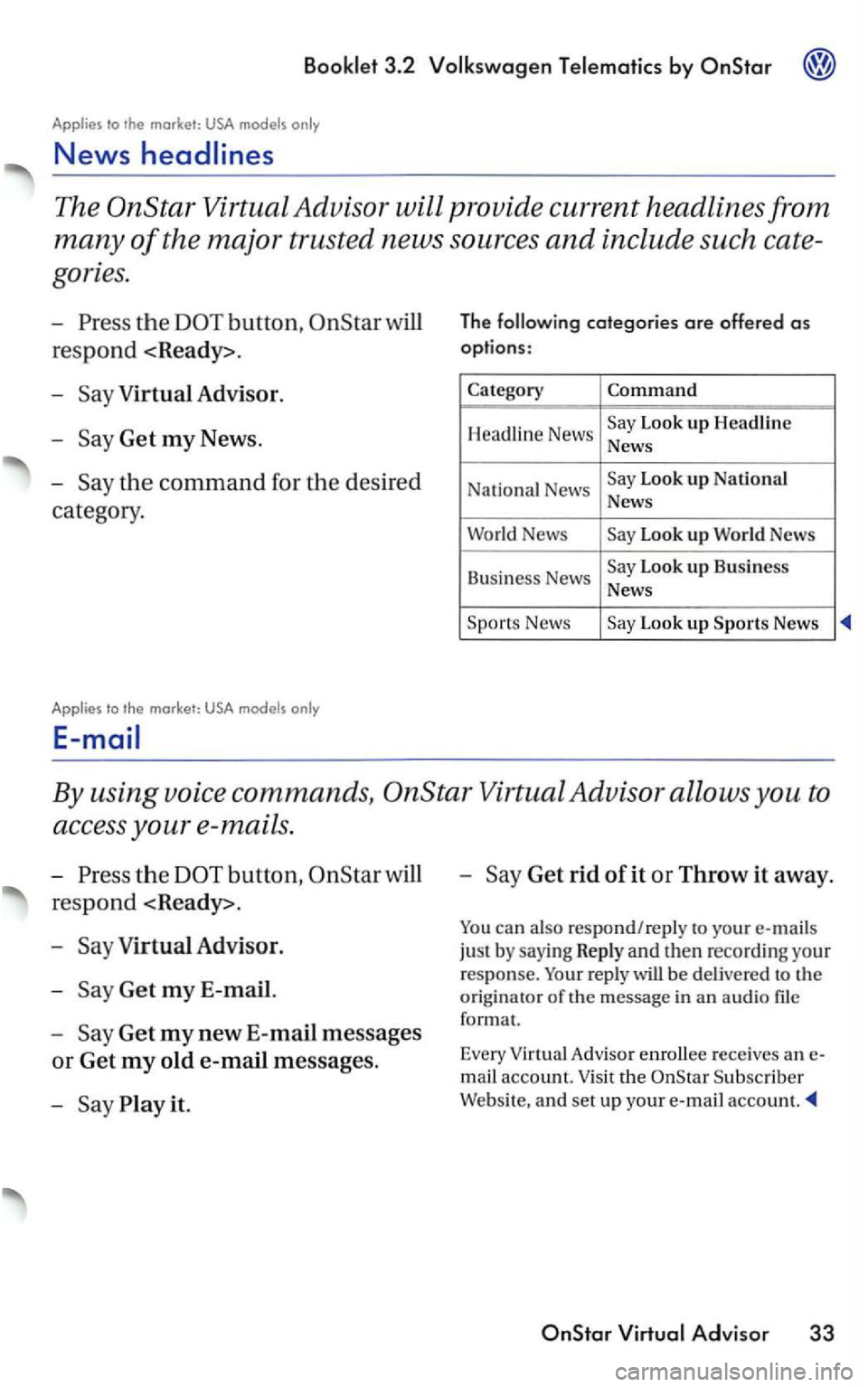
The categories are offered as
options :
Category Command
Headline News Look up Headline
News
Na ti
onal News Look up National News
World News Look up Wor ld
Business News Look up Business News
Look up Sports News
By using voice commands, OnStar Virtual Advisor allows you to
access your e-mails.
button,
respond
Get my new E-mail messages
or Get my old e-mail messages .
Say
Get rid of it or Throw it away.
You can also respond/reply to your e-mails
ju st by sayi ng R
eply and then recording your response. Your reply will be delivered to the
originator
of the message in an au d io format.
Every
Adviso r enrollee receives an
m ail account. Visit the Subscriber
Website, and set up your e-mail account.
OnStar
Page 320 of 483
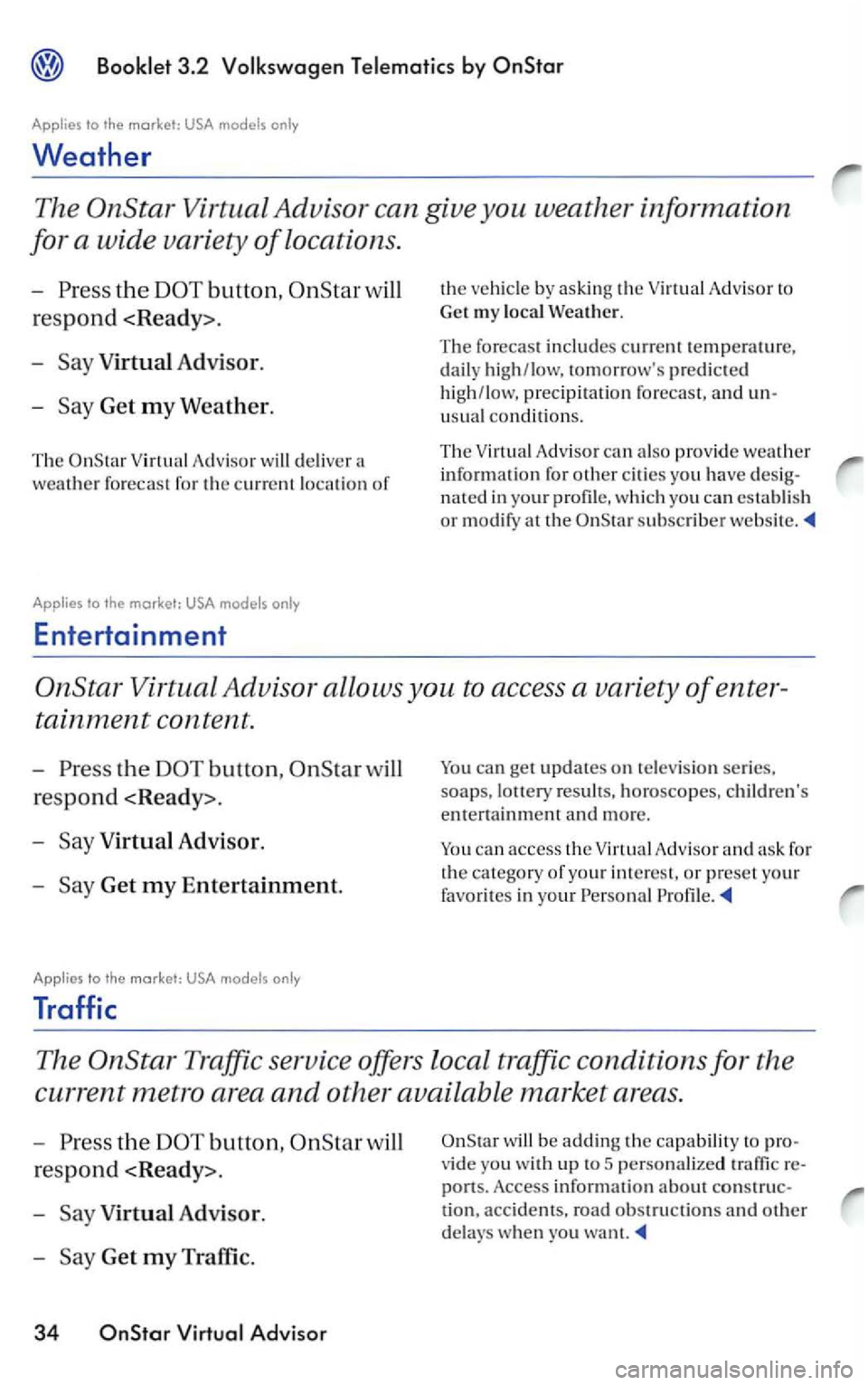
3.2
Applies to the market: USA
Weather
The
button, will
respond
-
Virtual Adv isor.
-Get my Weather.
The Virtual Adviso r w ill delive r a
weather forecast for the c urre nt location of
Applies to the
Advisor to
Get my l
ocal Weat her.
The forecast includes current temperatu re, daily high/low. tomorrow's predicted
h ig h /low, precipi tation forecast, and
usu al conditions.
T he V irtu al A dvi
sor can also provid e weather
i nfo rmation fo r other ci ties yo u have
nated in yo ur profil e, whi ch yo u can establis h
or m odify at th e subscrib er websit e.
the
Get my Entertainment.
Applies to the market: USA models
Traffic
You can get updates on te lev ision seri es,
soaps, result s. horoscopes, children's
entertainment and more .
You can access the A dvisor
The
the button,
respond < Ready>.
-Virtual Advisor.
-
wil l be adding the capabilit y to
vide yo u w ith up to 5 personalize d
ports. Access information about tion, accidents, road obstruc ti o ns and othe r
delays when yo u want.
Page 325 of 483
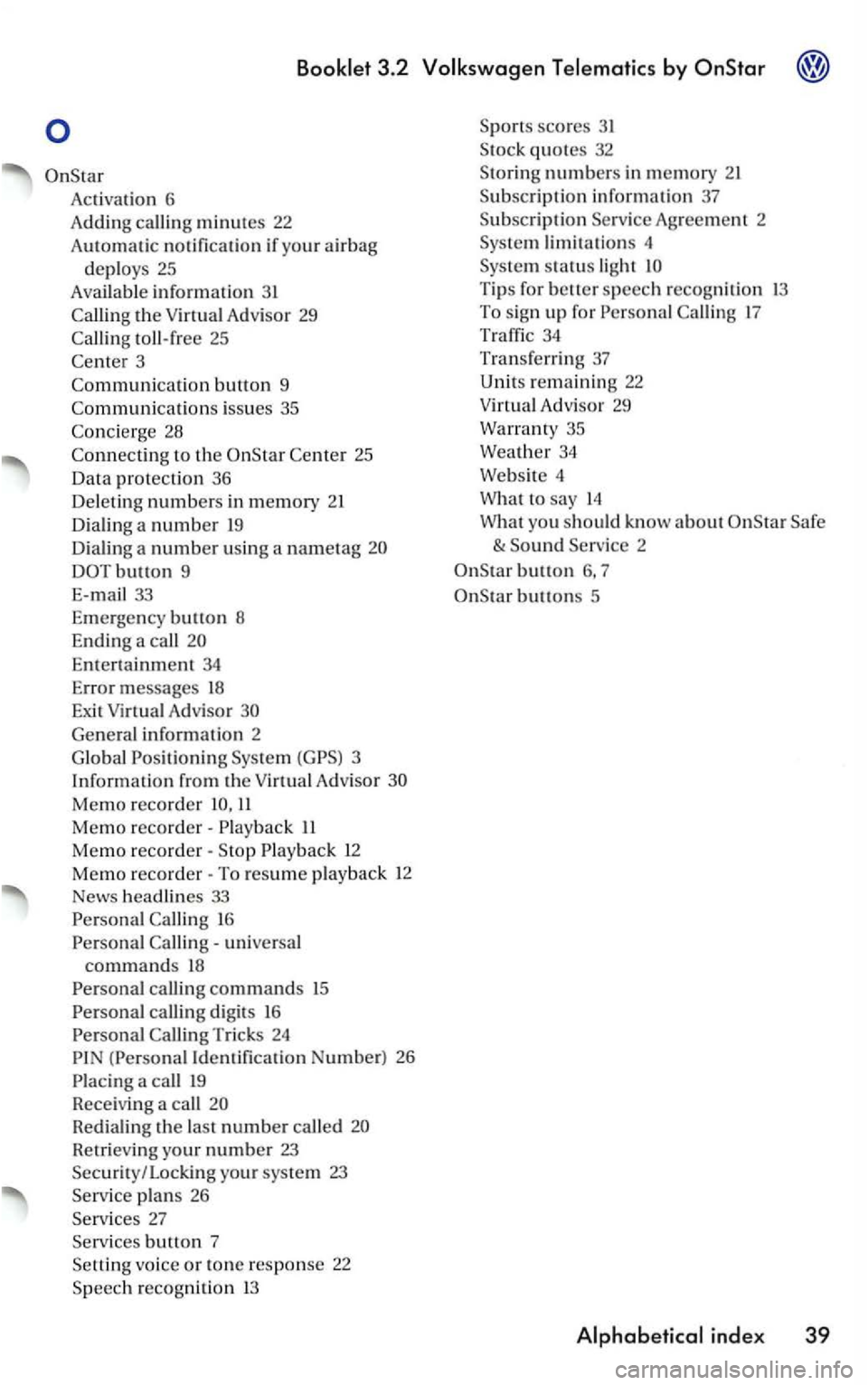
Activatio n 6
A ddin g call i
ng minutes 22
Au t
omatic notification if yo ur air bag
deploys 25
Available information 3 1
toll-free 25
3
Co mmuni
catio n button 9
Co
mmunicati o ns iss ues 35
to the 25
Da ta pro tection 36
De le ti
ng n umbers in memory 21
D ia lin g a num be r
19
D ia li n g a number using a nametag
DOTbutton 9
E-ma
il 33
E m erge ncy bu
tton 8
End ing a
call
En te rt ai nment 34
Error messages 18
Exit Virtual Advisor
Ge nera l informatio n 2
G lo bal Positio n
ing Virtu a l A d visor
Memo recorder 11
Memo reco rder· II
Memo reco rder· 12
Memo reco rder· To resume play back 12
News headlines 33
16
universa l commands 18
calling digits 16
(Personal Iden tifica tion Number) 26
Redialing the last n umber called
Ret rievi ng you r number 23 Security / Locking your system 23
plans 26
b utto n 7
vo ice or tone response 22
scores 31
numbers in mem ory
Agreement 2
li m it a tions 4
Tip s for better speech recogniti on 13 To sig n up for 17
34
Tr an sferri ng 37
Unit s rem aining 22
Virtua l Adv isor 29
Warran ty 35
Weat h
er 34
Webs ite 4
What
to say 14
W hat you
should know a bout
button 6, 7
buttons 5
Page 326 of 483
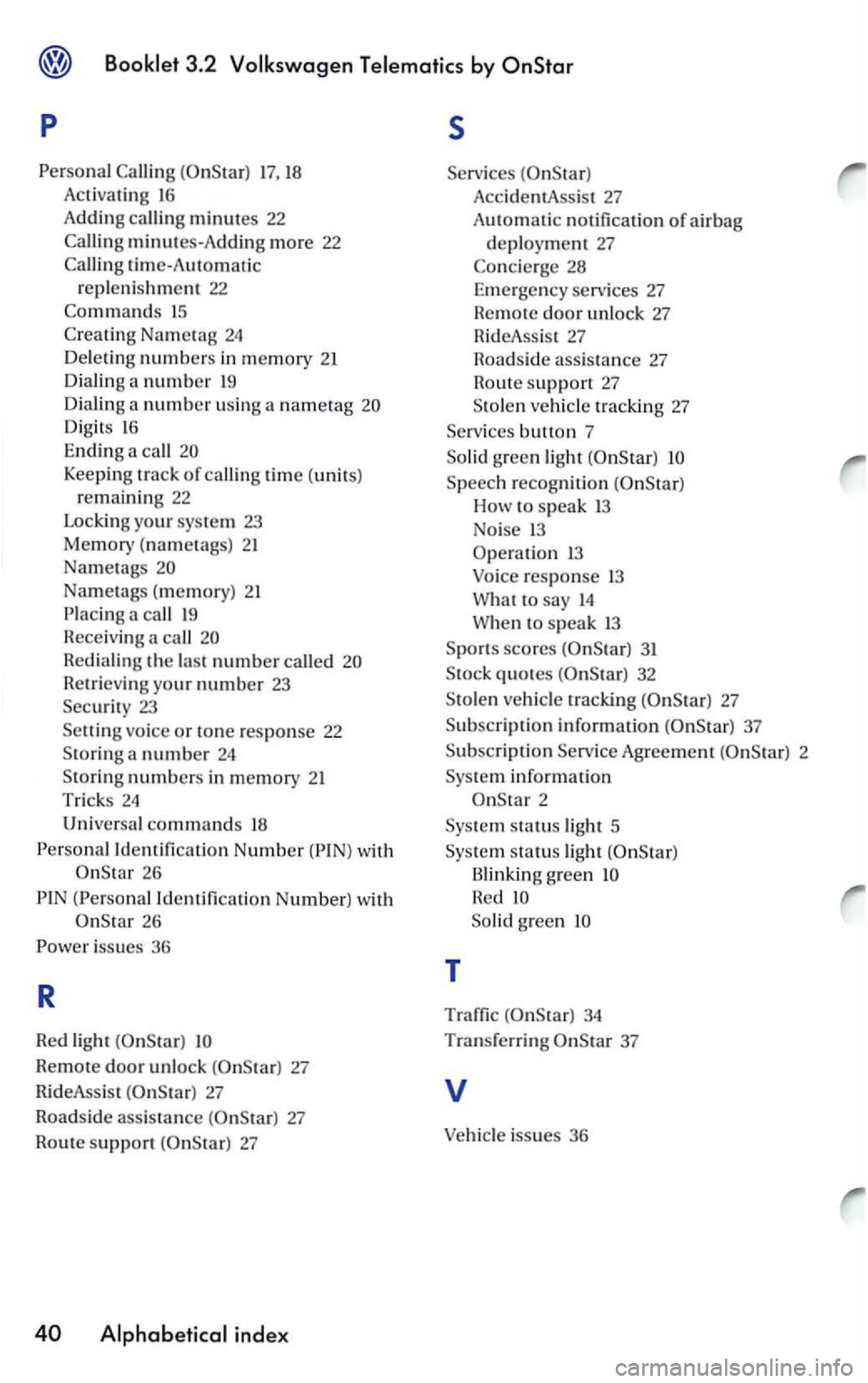
p s
17, 18 Acti va tin g 16
Adding calli ng minutes 22
minutes-A dd in g m ore 22
tim e-Automatic
r e pl eni shmen t 22
15
Digits 16
Ending a call
Keeping track of callin g time (units)
r e m ain ing 22
Lockin g your sys te m 23
Memory (nametags) 21
Na met
ags
Na metags ( memory) 21
call
R edi aling the la st numbe r called
R etrieving yo ur numbe r 23
Securi t y 23
vo ice or tone response 22
S toring a number 24
Sto rin g numbers in memory 21
Trick s 24
Univers al commands 18
Id entification Number 26
(Persona l I dentificatio n Number) w ith
26
Remote door unlock 27
Rid eAss is t
27
Roadside assis ta nce 27
Rout e support
Acc identA ssis t 27
AutOmatic no tificatio n of ai r bag
d epl oy ment 27
Speech recogniti on
How speak 13
No i
se 13
Operati o n 1 3
Voice r
esponse 13
What to say 14
W he n to speak 13
S p o rt s
scores 31
S tock quotes
Agreem ent 2
Sys te m i
nformation
2
Sys te m st
atus light 5
Sys
tem s tatu s light
Blinking g reen
So lid green
T
Traffic 34
Tra n sferri n g 37
v
Vehicle issues 36
Page 327 of 483
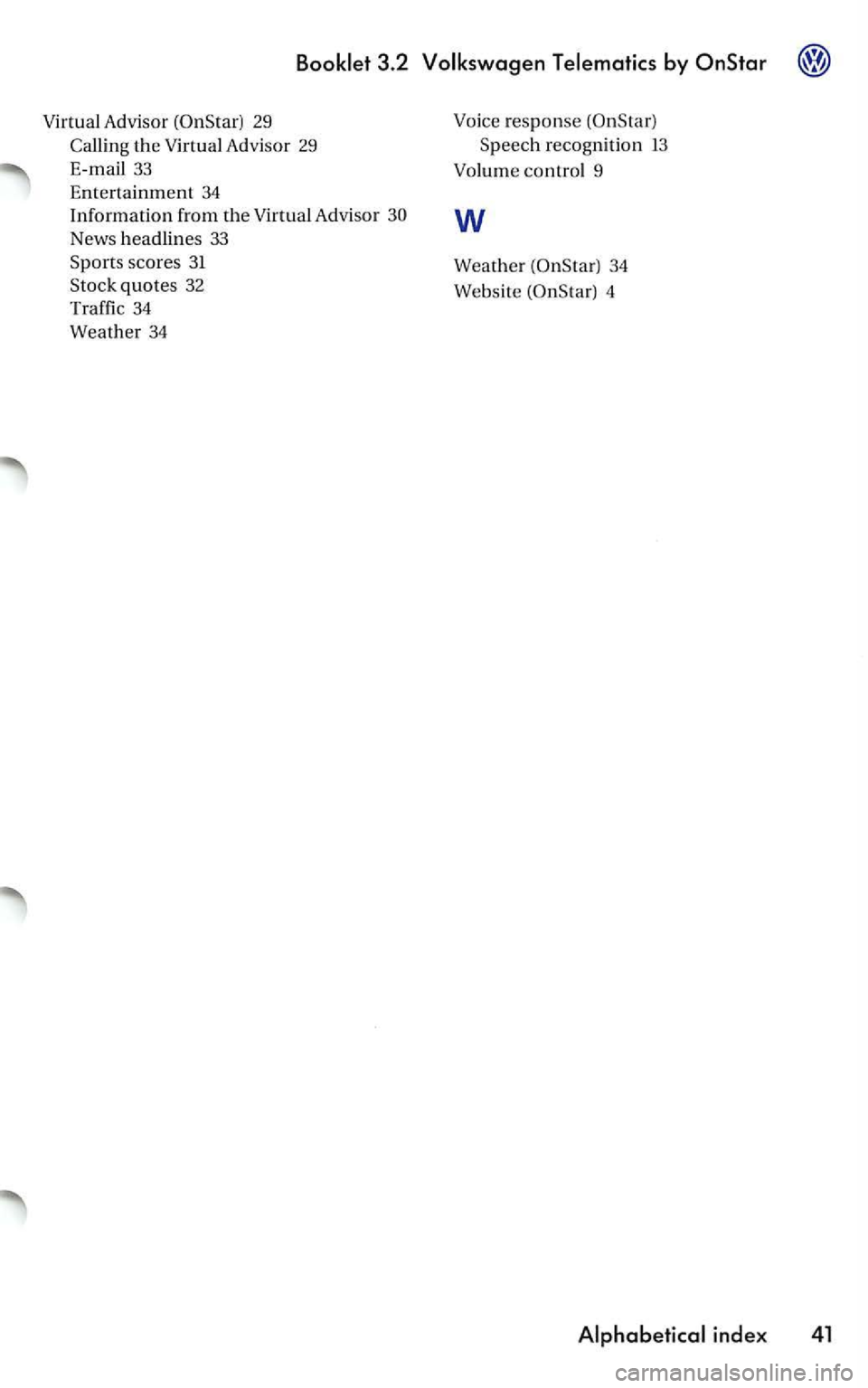
3.2
Advisor 29
Callin g the Advisor 29
33
Entertainment 34 Information from the Advisor
News headlines 33 Spo rts scores 31
Stock quotes 32
Traffic
34
Weather 34
response
34
Website
4
Page 343 of 483
PREMIUM
What you see in the
Appears when Dolby® Noise Reducti on is
selected.
-
Appears when metal cassettes are played.
-
Shows you which side of the tape is current
ly be ing played.
See page
Noise Reduction
and the are trademarks of
For optimal sound reproduction, we recom
mend or
minutes
cassettes). cassett es are espe
F or very high (above F Remember. the temperature inside your car
can be much higher than the outside tem
perature .
Also, avoid exposing cassettes to direct
sunlight. The best
idea is to store cassettes
in their original cases.
If the sound
of the cassette has a muffled
quality after the unit has been used for a rel
atively long period (about
Page 376 of 483
Various factors influence fuel consumption:
engine wear. brakes
and tires, environmen
tal impact.
T his chapter addresses some of these
points.
Your
warm up.
When the engine is idling, it takes a very
long time to warm
up. Moreover. during
warm-up, both engine wear and exhaust
gas emissions are very high. Therefore, be
ready to drive
off immediately after starting
the engine and avoid high engine speeds.
Avoid
Upshift as early as possible -do not drive at unnecessarily high engine speeds.
The highest fuel economy and the least di
sturbance to the environment are attained
when you drive at l
ow engine speeds and in
the highest possible gear.
For example , fuel consumption is twice
as high in 2nd gear as it is in the highest gear.
Downshift only when the engine is no longer running smoothly.
Depending on the transmission you have.
you can normally drive in the highest gear at
25 to 37 mph
(40 to km
Avoid driving at high speed.
Fuel consumption, exhaust emissions and
engine noise increase disproportionately at
high speeds.
you drive at approximately
three quarters of top speed, fuel consump
tion
be reduced by one half. Never drive
faster than the posted speed limit and wea
ther condit ions permitting.
Drive as smoothly as possible and keep a lookout ahead.
Unnecessary accelerating and braking in
crease fuel consumption and disturb the en
vironment.
Switch off your engine if you are caught in a traffic jam. This sa
ves fuel and reduces emissions.
The
Heavy traffic, especially in large cities
w ith many traffic lights.
Stop-and-go driving, especially short di
stances so that the engine never warms up as it should.
Driving in heavy, slow moving traffic in low gear so that the engine speed is relati
vely high when compared to the distance
driven.
Plan your trips ahead of time. Organize your trips to include several errands and to avoid heavy traffic.
course. there are some conditions that affect fuel consumption that you can't
control.
For example, fuel consumption increases in
the wint er or under difficult conditions
(bad roads. towing a trailer. etc.).
DRIVING AND