engine run VOLKSWAGEN PASSAT 2010 Owners Manual
[x] Cancel search | Manufacturer: VOLKSWAGEN, Model Year: 2010, Model line: PASSAT, Model: VOLKSWAGEN PASSAT 2010Pages: 392, PDF Size: 4.1 MB
Page 12 of 392
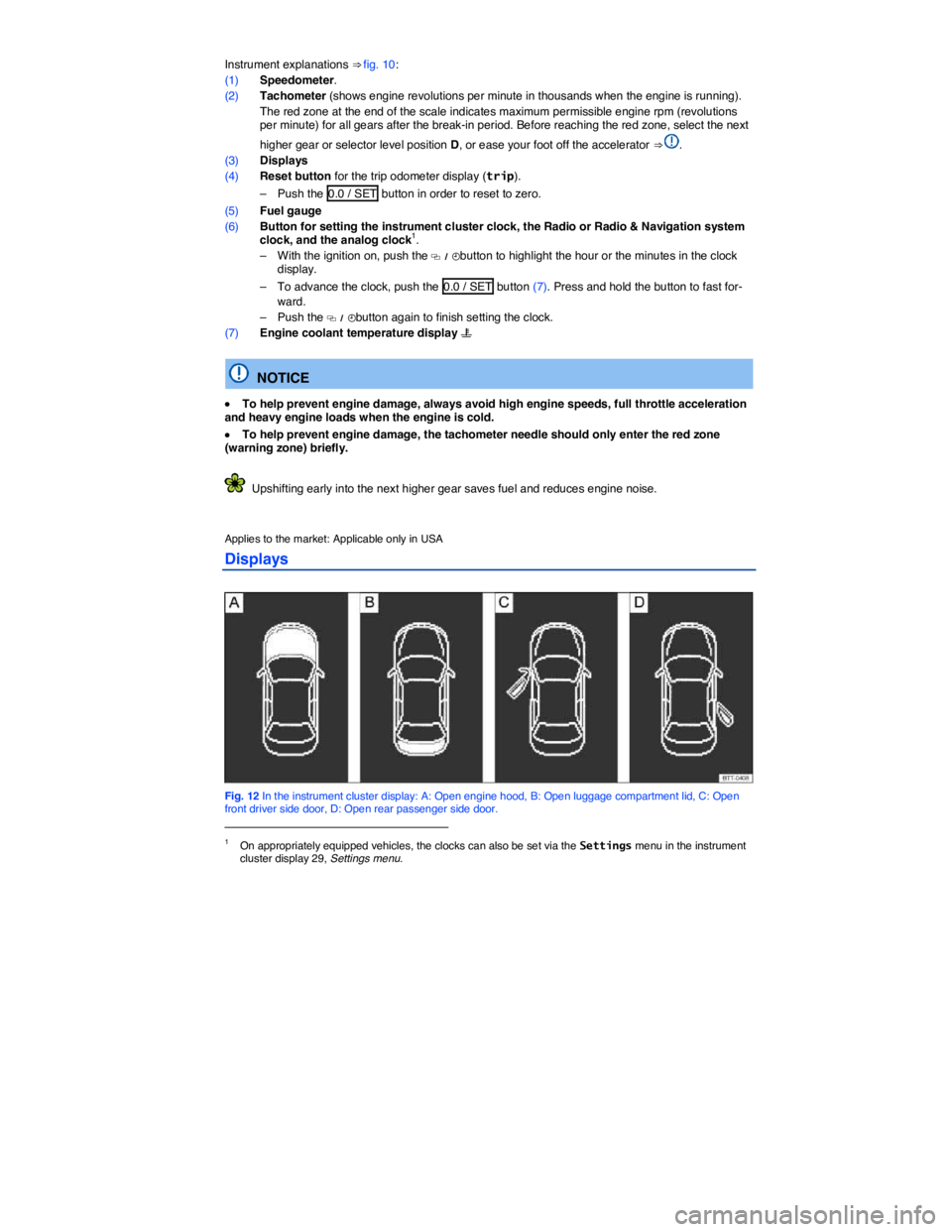
Instrument explanations ⇒ fig. 10:
(1) Speedometer.
(2) Tachometer (shows engine revolutions per minute in thousands when the engine is running).
The red zone at the end of the scale indicates maximum permissible engine rpm (revolutions per minute) for all gears after the break-in period. Before reaching the red zone, select the next
higher gear or selector level position D, or ease your foot off the accelerator ⇒ .
(3) Displays
(4) Reset button for the trip odometer display (trip).
– Push the 0.0 / SET button in order to reset to zero.
(5) Fuel gauge
(6) Button for setting the instrument cluster clock, the Radio or Radio & Navigation system clock, and the analog clock1.
– With the ignition on, push the
Page 25 of 392

To display the distance driven on trips 1 and 2, select the Route item in the MFI menu (MFI >
Route). Press the OK button (⇒ fig. 16) to toggle between Route 1 and Route 2 (trip 1 and trip 2).
Push and hold the OK button to manually reset a trip memory to zero.
1 Single trip memory
The memory accumulates and stores information about distance driven and fuel used from the time the ignition was switched on until the time it was switched off. If the ignition stays off for 2 hours or more, stored information is automatically deleted. If the trip is continued within 2 hours after the ignition was switched off, the new values are added.
2 Total trip memory
The memory displays and stores the accumulated driving and fuel consumption data of any number of single trips up to a total driving time of 99 hours and 59 minutes, and up to a total distance of 9,999 miles (9,999 km), depending on the instrument cluster version. If one of the maximum values is exceeded, then the memory is automatically cleared and starts again from 0.
Possible MFI menu displays
The following displays can be accessed in the MFI menu if enabled under Settings > MFI data. Displays that are not enabled will not appear.
Display Function
Travel time Driving time in hours (h) and minutes (min) corresponding to trip memories 1 and 2 (toggle).
Consumption --.- mpg Current fuel consumption in miles per gallon (l/100 km) while driving. When units are set to miles, dashes appear instead of a number when the engine is running and the vehicle is standing still. When units are set to kilometers, the display shows liters consumed per hour when the engine is running and the vehicle is standing still.
Consumption --.- l/100 km
Av. consumption --.- mpg Average fuel consumption in miles per gallon (l/100 km) on trips per trip memories 1 and 2 (toggle) is displayed once the vehicle has been driven about 330 feet (100 m). Until then, dashes appear instead of a number. The value displayed is updated every 5 seconds. Av. consumption --.- l/100 km
Range Estimated distance in miles (km) that the vehicle can go with the fuel left in the tank the way you are currently driving. Takes account of the current fuel consumption, among other things.
Range b Diesel engines only: Estimated distance in miles (km) that the vehicle can go with the AdBlue left in the tank. Visible only when the AdBlue range has fallen to less than 1500 mi or 2400 km.
Route Distance driven in miles (km) per trip memories 1 and 2 (toggle).
Average speed
Average speed on trips per trip memories 1 and 2 (toggle). Displayed once the vehicle has been once the vehicle has been driven about 300 feet (100 m). Until then, dashes appear instead of a number. The value displayed is updated every 5 seconds.
0 speed Digital display of current vehicle speed.
Oil temp. Current engine oil temperature (digital display; 3.6 liter engine only).
Speed warning --- mph When the set speed (from 20–155 mph or 30–250 km/h) is exceeded, an acoustic warning sounds, and a visual message may also appear in the
Page 119 of 392
NOTICE
To help prevent damage to the wiper blades and the wiper motor when it is cold outside, always make sure that blades are not frozen to the windshield before operating the wipers. Using the service position can be helpful in cold weather so the wipers do not freeze to the windshield, Windshield wiper service position.
x If the ignition is switched off while the wipers are running, the wipers will continue at the same wiping speed when the ignition is switched on again. Frost, ice, snow, leaves, and other objects on the windshield can damage the wipers and the wiper motor.
x Remove snow and ice from the wipers before you begin driving.
x If the wiper blades freeze to the windshield, loosen them carefully. Volkswagen recommends using a deicing spray.
NOTICE
Never switch on the windshield wipers when the windshield is dry because the windshield can be scratched.
The windshield wipers work only if the ignition is switched on and the engine hood is closed. The windshield wipers turn off automatically when the engine hood is opened.
The intermittent wiping for the front windshield depends on the driving speed. The higher the speed, the faster the wipers move.
If the wiper blades freeze to the windshield, loosen them carefully. Volkswagen recommends using a deicing spray.
Windshield wiper functions
Page 202 of 392
WARNING
To reduce the risk of serious personal injury when starting and running the vehicle's engine:
x Never start the engine or let it run in a confined or enclosed area. Engine exhaust contains carbon monoxide, a poisonous, colorless, and odorless gas. Carbon monoxide can cause unconsciousness and death.
x Never leave the vehicle unattended with the engine running. The vehicle could move suddenly or some other unexpected event could occur, resulting in property damage or personal injury.
x Never use starting assist fluids. Starting fluids can explode and can cause a “run-away” vehicle condition.
WARNING
The vehicle exhaust system and the catalytic converter or diesel particulate filter get very hot. They can cause fires and serious personal injury.
x Never park the vehicle where the hot exhaust system or catalytic converter could ignite flammable materials, such as brush, leaves, dry grass, spilled fuel, etc.
x Never apply additional undercoating or rust proofing on or near the exhaust manifold, exhaust pipes, catalytic converter, diesel particulate filter, or heat shields.
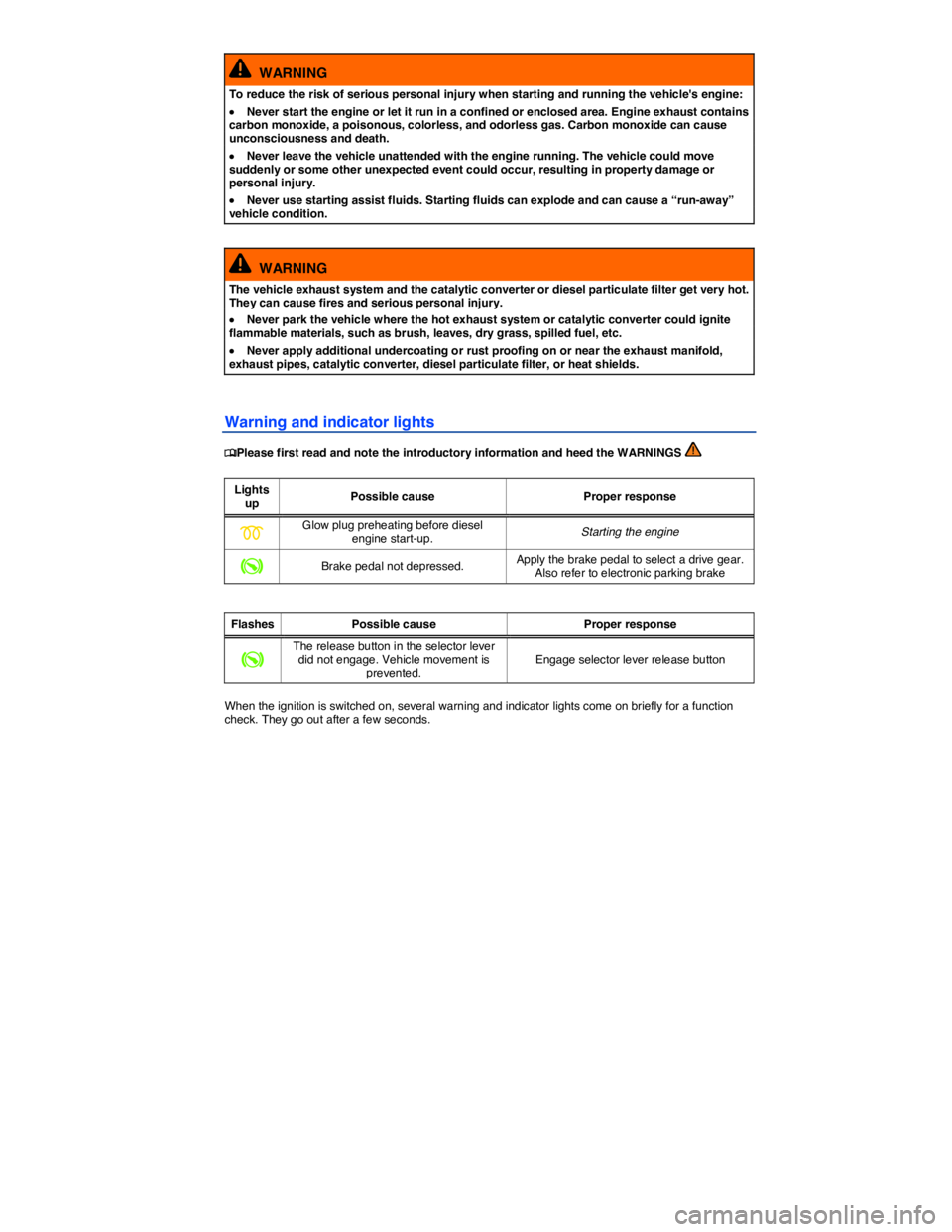
Warning and indicator lights
Page 204 of 392
WARNING
Improper use of vehicle keys can result in serious personal injury.
x Always take the key with you when you leave the vehicle. The engine can be started and vehicle systems such as the power windows can be operated, leading to serious personal injury.
x Never leave children, disabled persons, or anyone who cannot help themselves in the vehicle. The doors can be locked with the remote control vehicle key. This could result in people being trapped in the vehicle in an emergency. For example, depending on the time of year, people trapped in the vehicle can be exposed to very high or very low temperatures.
x Heat build-up in the passenger and luggage compartment of a parked vehicle can result in temperatures in the vehicle that are much higher than the outside temperatures, particularly in summer. Temperatures can quickly reach levels that can cause unconsciousness and death, particularly to small children.
x Never remove the key from the ignition switch while the vehicle is moving or rolling to a stop. The steering wheel will lock and you will not be able to steer or control the vehicle.
Leaving the key in the ignition for a long time when the engine is not running will drain the vehicle battery.
Leaving the selector lever for a long period of time in any position other than Park (P) when the ignition is switched off can drain the vehicle battery.
On automatic transmission vehicles, the vehicle key can be removed from the ignition switch only when the transmission is in Park (P). You may have to press the release button on the transmission selector lever to put the lever into Park (P).
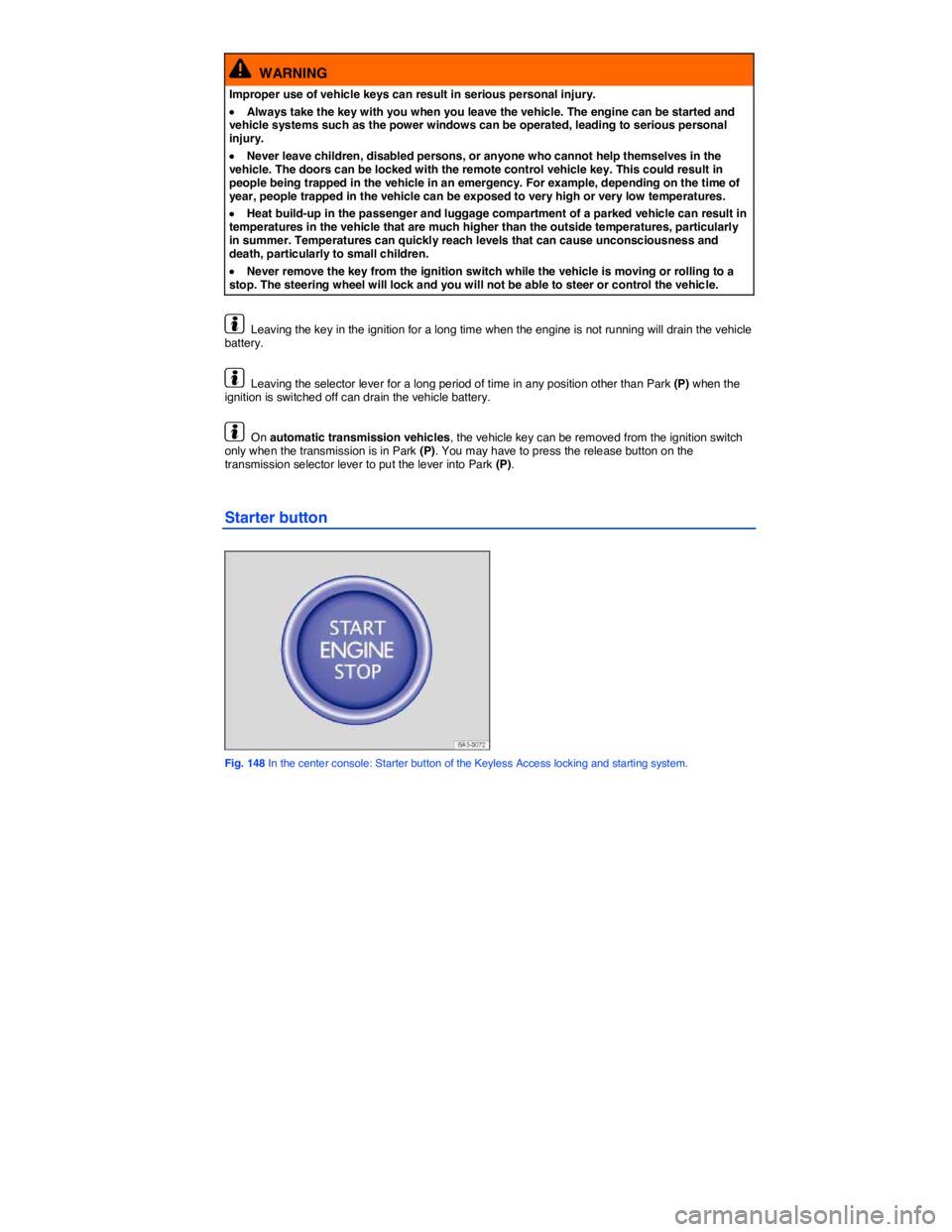
Starter button
Fig. 148 In the center console: Starter button of the Keyless Access locking and starting system.
Page 206 of 392
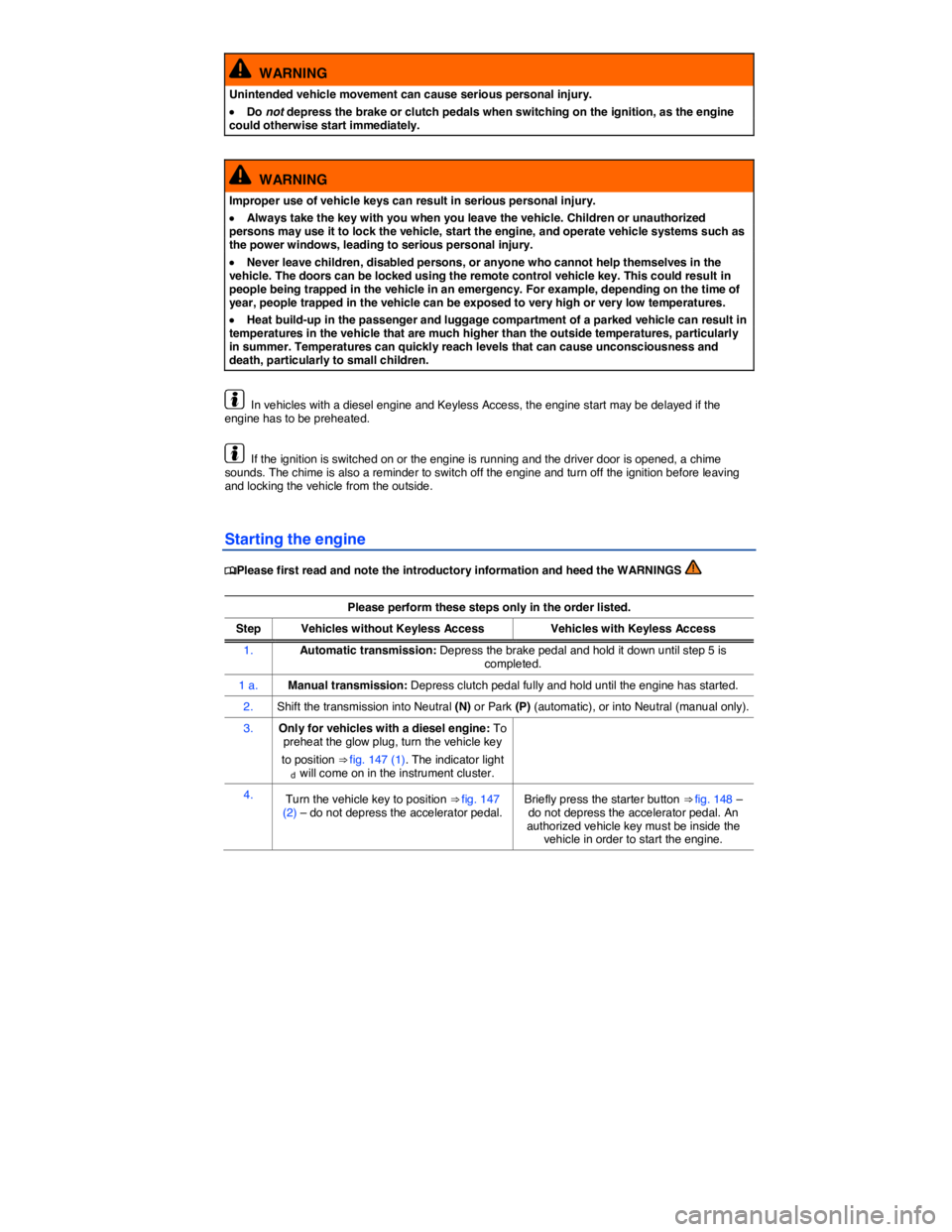
WARNING
Unintended vehicle movement can cause serious personal injury.
x Do not depress the brake or clutch pedals when switching on the ignition, as the engine could otherwise start immediately.
WARNING
Improper use of vehicle keys can result in serious personal injury.
x Always take the key with you when you leave the vehicle. Children or unauthorized persons may use it to lock the vehicle, start the engine, and operate vehicle systems such as the power windows, leading to serious personal injury.
x Never leave children, disabled persons, or anyone who cannot help themselves in the vehicle. The doors can be locked using the remote control vehicle key. This could result in people being trapped in the vehicle in an emergency. For example, depending on the time of year, people trapped in the vehicle can be exposed to very high or very low temperatures.
x Heat build-up in the passenger and luggage compartment of a parked vehicle can result in temperatures in the vehicle that are much higher than the outside temperatures, particularly in summer. Temperatures can quickly reach levels that can cause unconsciousness and death, particularly to small children.
In vehicles with a diesel engine and Keyless Access, the engine start may be delayed if the engine has to be preheated.
If the ignition is switched on or the engine is running and the driver door is opened, a chime sounds. The chime is also a reminder to switch off the engine and turn off the ignition before leaving and locking the vehicle from the outside.
Starting the engine
Page 207 of 392
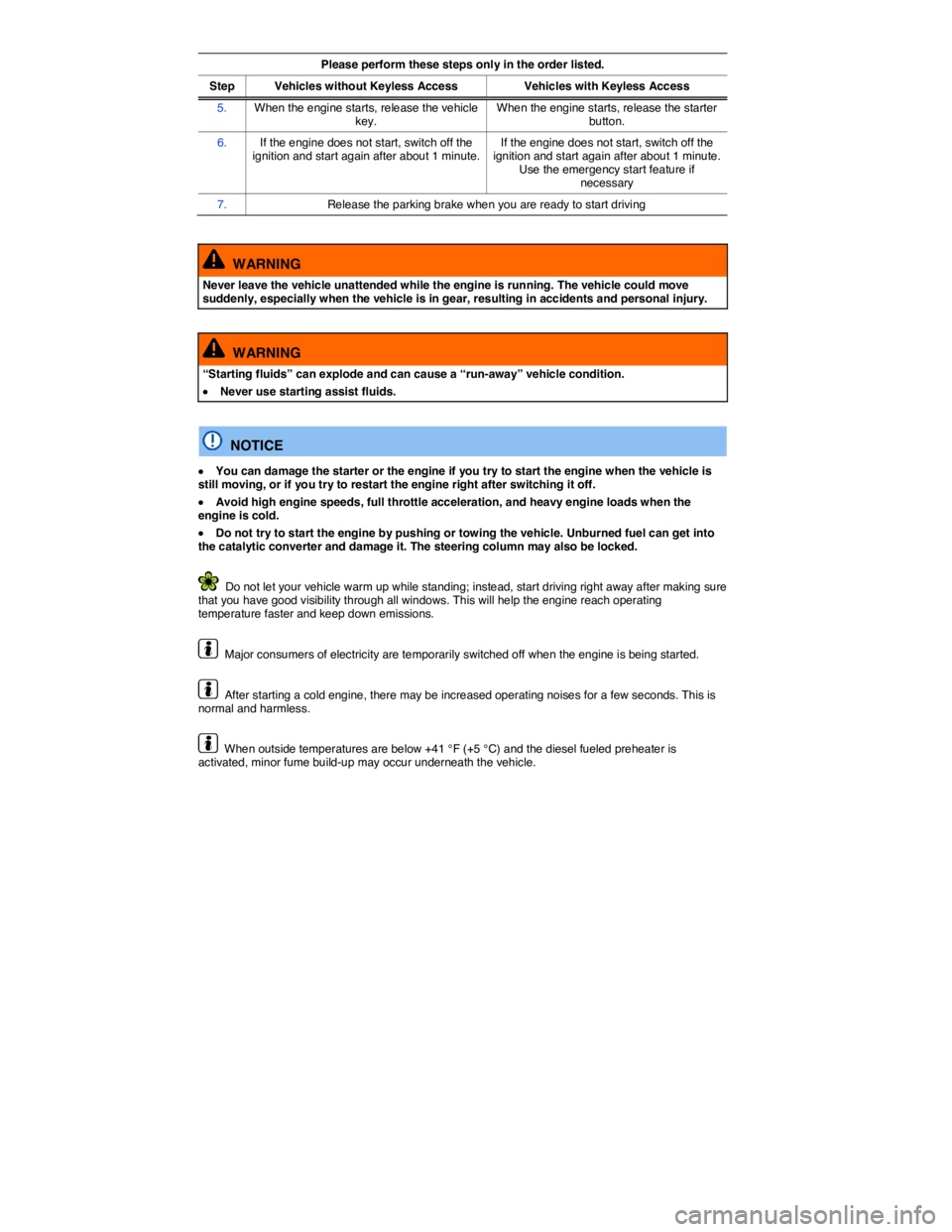
Please perform these steps only in the order listed.
Step Vehicles without Keyless AccessVehicles with Keyless Access
5. When the engine starts, release the vehicle key. When the engine starts, release the starter button.
6. If the engine does not start, switch off the ignition and start again after about 1 minute.If the engine does not start, switch off the ignition and start again after about 1 minute. Use the emergency start feature if necessary
7. Release the parking brake when you are ready to start driving
WARNING
Never leave the vehicle unattended while the engine is running. The vehicle could move suddenly, especially when the vehicle is in gear, resulting in accidents and personal injury.
WARNING
“Starting fluids” can explode and can cause a “run-away” vehicle condition.
x Never use starting assist fluids.
NOTICE
x You can damage the starter or the engine if you try to start the engine when the vehicle is still moving, or if you try to restart the engine right after switching it off.
x Avoid high engine speeds, full throttle acceleration, and heavy engine loads when the engine is cold.
x Do not try to start the engine by pushing or towing the vehicle. Unburned fuel can get into the catalytic converter and damage it. The steering column may also be locked.
Do not let your vehicle warm up while standing; instead, start driving right away after making sure that you have good visibility through all windows. This will help the engine reach operating temperature faster and keep down emissions.
Major consumers of electricity are temporarily switched off when the engine is being started.
After starting a cold engine, there may be increased operating noises for a few seconds. This is normal and harmless.
When outside temperatures are below +41 °F (+5 °C) and the diesel fueled preheater is activated, minor fume build-up may occur underneath the vehicle.
Page 209 of 392

2. Press the V button twice in a row (2).
The turn signals will blink each time you press a button. The parking lights come on during the remote start, Lights.
Ending the remote start
Press button (2), (3), or (4) in the vehicle key to switch the engine off.
Automatic stop or remote start not possible
If one of the following conditions occurs, the remote start feature will stop, the engine will be switched off automatically, or the engine will not start:
x The vehicle is unlocked, Power locking and closing system.
x The engine hood or luggage compartment lid is opened, Power locking and closing system.
x The selector lever is in not in Park (P), Shifting.
x A vehicle key is in the ignition.
x The brake pedal or accelerator pedal is depressed.
x The fuel level drops down to “Reserve” while the engine is running in the remote start mode, Refueling.
x The vehicle battery is too weak or is dead, Vehicle battery.
x The warning flasher switch is pressed, In an emergency.
x The engine Malfunction Indicator Light (MIL), Indicator lights, Indicator lights was on when the vehicle was last parked before activating the remote start mode.
Driving after a remote start
You cannot drive the vehicle if the engine was started with the remote start feature or if the engine is running in remote start mode. To be able to drive, you must first switch the remote started engine off with the vehicle key or the starter button and then start it again with the vehicle key in the ignition lock or with the starter button.
Page 210 of 392
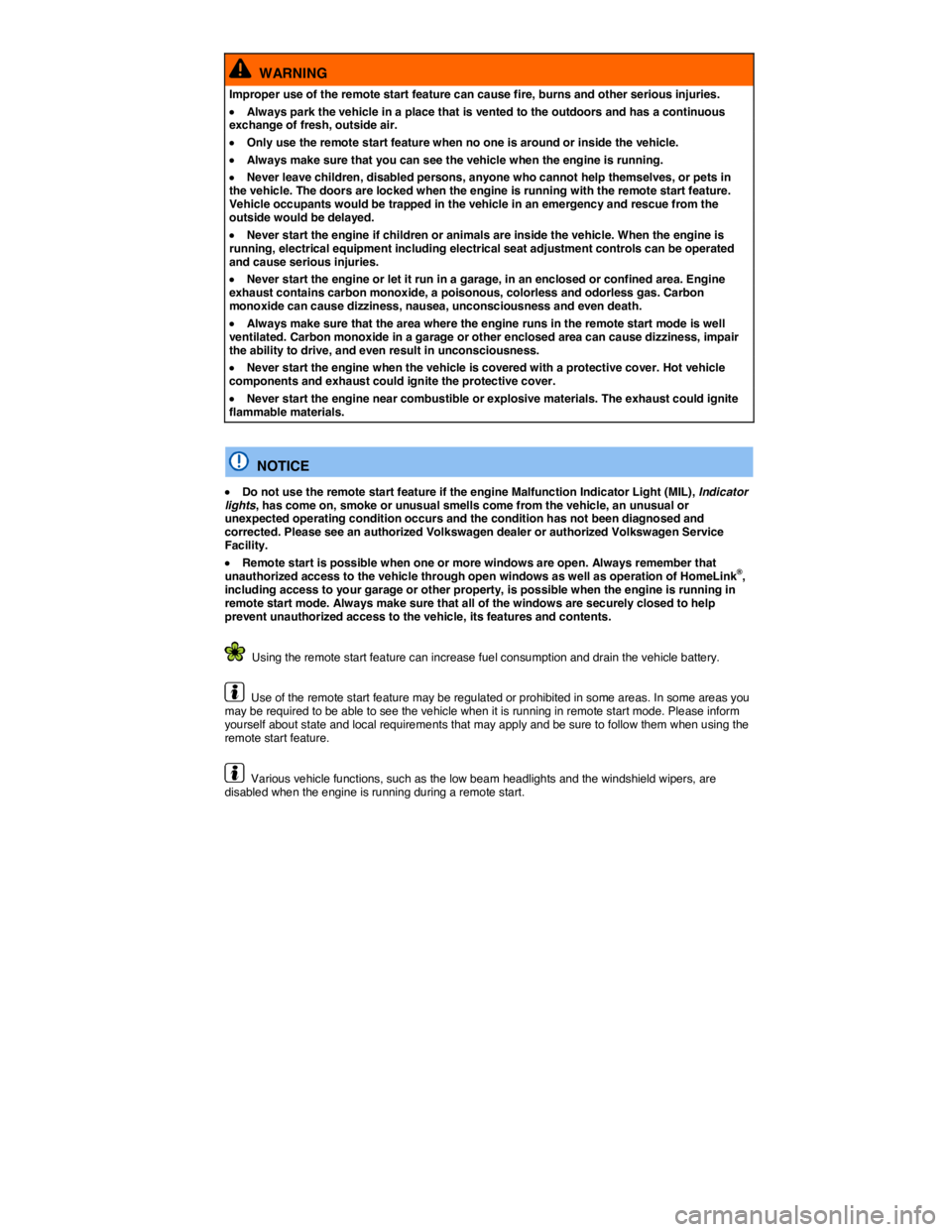
WARNING
Improper use of the remote start feature can cause fire, burns and other serious injuries.
x Always park the vehicle in a place that is vented to the outdoors and has a continuous exchange of fresh, outside air.
x Only use the remote start feature when no one is around or inside the vehicle.
x Always make sure that you can see the vehicle when the engine is running.
x Never leave children, disabled persons, anyone who cannot help themselves, or pets in the vehicle. The doors are locked when the engine is running with the remote start feature. Vehicle occupants would be trapped in the vehicle in an emergency and rescue from the outside would be delayed.
x Never start the engine if children or animals are inside the vehicle. When the engine is running, electrical equipment including electrical seat adjustment controls can be operated and cause serious injuries.
x Never start the engine or let it run in a garage, in an enclosed or confined area. Engine exhaust contains carbon monoxide, a poisonous, colorless and odorless gas. Carbon monoxide can cause dizziness, nausea, unconsciousness and even death.
x Always make sure that the area where the engine runs in the remote start mode is well ventilated. Carbon monoxide in a garage or other enclosed area can cause dizziness, impair the ability to drive, and even result in unconsciousness.
x Never start the engine when the vehicle is covered with a protective cover. Hot vehicle components and exhaust could ignite the protective cover.
x Never start the engine near combustible or explosive materials. The exhaust could ignite flammable materials.
NOTICE
x Do not use the remote start feature if the engine Malfunction Indicator Light (MIL), Indicator lights, has come on, smoke or unusual smells come from the vehicle, an unusual or unexpected operating condition occurs and the condition has not been diagnosed and corrected. Please see an authorized Volkswagen dealer or authorized Volkswagen Service Facility.
x Remote start is possible when one or more windows are open. Always remember that unauthorized access to the vehicle through open windows as well as operation of HomeLink®, including access to your garage or other property, is possible when the engine is running in remote start mode. Always make sure that all of the windows are securely closed to help prevent unauthorized access to the vehicle, its features and contents.
Using the remote start feature can increase fuel consumption and drain the vehicle battery.
Use of the remote start feature may be regulated or prohibited in some areas. In some areas you may be required to be able to see the vehicle when it is running in remote start mode. Please inform yourself about state and local requirements that may apply and be sure to follow them when using the remote start feature.
Various vehicle functions, such as the low beam headlights and the windshield wipers, are disabled when the engine is running during a remote start.
Page 212 of 392

After the engine has been switched off, the radiator fan in the engine compartment may keep running for several minutes, or may start running after the vehicle has been parked for a while, even if the ignition is switched off and the vehicle key has been removed. The radiator fan shuts off automatically when the engine has cooled down enough.
Electronic immobilizer