menu VOLKSWAGEN PASSAT CC 2015 1.G User Guide
[x] Cancel search | Manufacturer: VOLKSWAGEN, Model Year: 2015, Model line: PASSAT CC, Model: VOLKSWAGEN PASSAT CC 2015 1.GPages: 578, PDF Size: 8.42 MB
Page 33 of 578

Lights &
Vision menu
Function
Coming
Home
Set how long the headlights and inside lights stay on
after locking or unlocking the vehicle. Feature can
also be switched on or off
Leaving
Home
Footwell
light
Set footwell lighting brightness or switch this feature
on or off.
Conv. turn
sig.
Enable/disable convenience turn signal (lane change
feature). When the feature is enabled, the turn signal
flashes at least 3 times when the turn signal is tapped
Factory
setting
Resets the functions in the Lights & Vision submenu
back to the factory settings.
Back The display returns to the Settings menu.
Personal convenience settings
Page 34 of 578

▪ Mirror down
Settings / Lights & Vision menu
▪ Coming Home / Leaving Home
▪ Convenience turn signal (lane change feature)
The stored settings are recalled when the ignition is switched on.
Please also see information about the memory seat ⇒ Seat functions.
Page 151 of 578
mation System. If your vehicle is not equipped with the Lights & Vi-
sion menu, the convenience turn signal feature can be deactivated
by an authorized Volkswagen dealer or authorized Volkswagen Ser-
vice Facility.
WARNING
Improper use of high beams can distract and blind others,
causing accidents and serious injuries.
The turn signal light works only when the ignition is switched on.
The emergency flasher works even when the ignition is switched off
⇒ In an emergency.
The indicator light flashes twice as fast if a turn signal bulb is
burned out.
High beams can only be switched on when the low beams are on.
Switching lights on and off
Fig. 86 Headlight switch next to the steering wheel. A: Vehicles with
fog lights. B: Vehicles without fog lights.
Page 155 of 578

Automatic headlight control (!54/)
Automatic headlight control is a convenience feature only and cannot
always recognize all lighting and driving situations.
If the light switch is in the !54/ position, both vehicle lighting and in-
strument and switch lighting are automatically switched on and off in
the following situations ⇒ :
Automatic activation: Automatic deactivation:
If the low-light sensor registers
darkness, for example when driv-
ing through a tunnel.
If sufficient brightness is regis-
tered.
If the rain sensor recognizes rain
and switches the windshield wip-
ers on.
If the windshield wipers have not
moved for several minutes.
Adaptive Front Lighting System (AFS)
The Adaptive Front Lighting System works only with the low beams
switched on and only at speeds above about 6 mph (10 km/h). The
swivel-mounted lamps automatically improve road illumination during
cornering.
On vehicles equipped with the Adaptive Front Lighting System, the
feature is switched on and off via the Assistants menu in the instru-
ment cluster display ⇒ Volkswagen Information System.
Page 158 of 578
The delay period can be adjusted in 10 second intervals and the
function can be switched on and off in the Lights & Vision menu ⇒
Volkswagen Information System.
If the “Coming home” feature is switched on and the driver door is
opened, no warning chime will sound to alert you that the lights are
still on.
Instrument panel lighting and headlight range adjustment
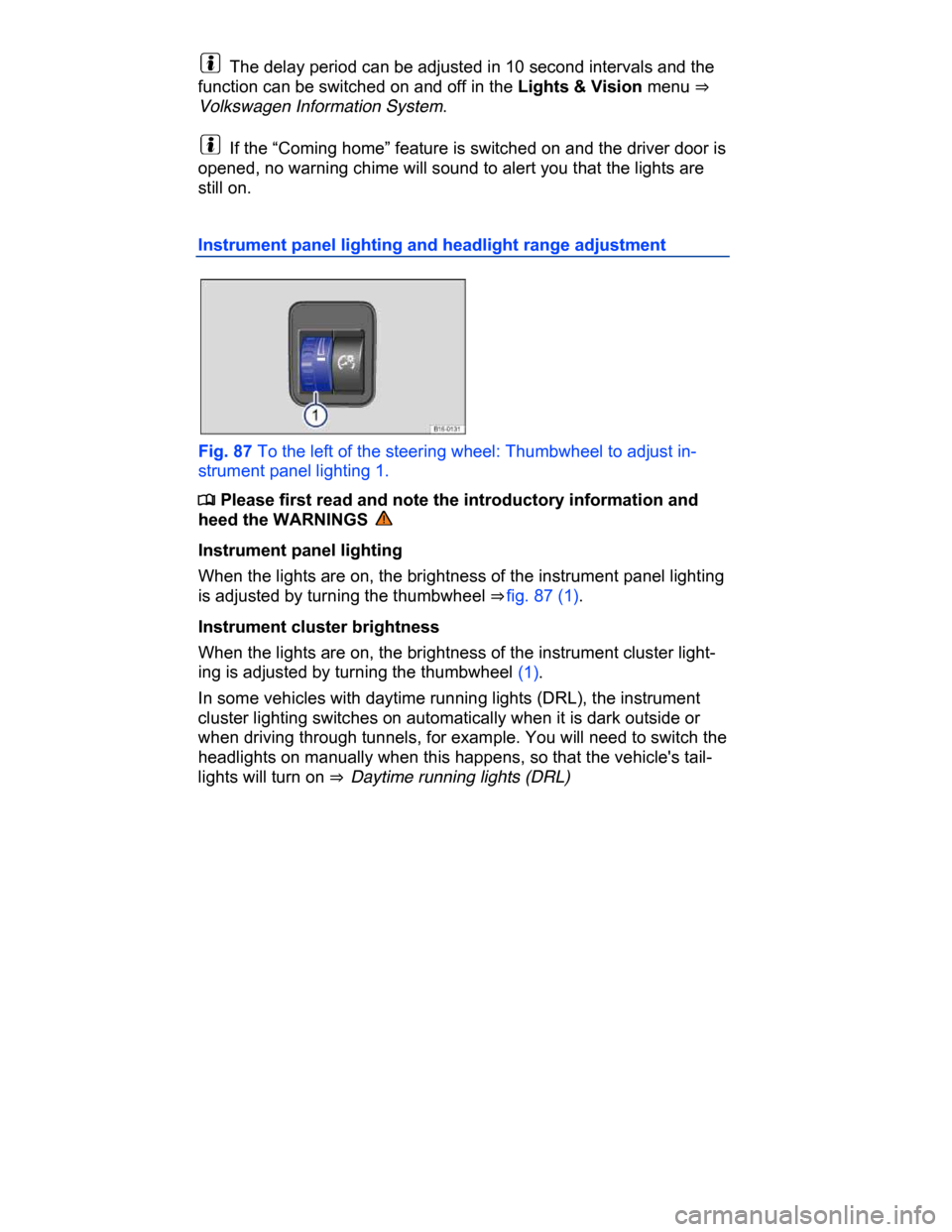
Fig. 87 To the left of the steering wheel: Thumbwheel to adjust in-
strument panel lighting 1.
Page 180 of 578

Turn the adjusting knob to the L position.
Adjust the left outside mirror. The right (passenger) outside mirror
will automatically adjust at the same time.
If needed, correct the position of the right mirror by turning the ad-
justing knob to the R position.
Auto-dimming outside mirror on the driver side
Some models are equipped with an auto-dimming outside mirror,
which is controlled together with the auto-dimming inside mirror ⇒
Inside mirror.
Memory for front passenger side mirror (when backing up)
On vehicles equipped with memory seats ⇒ page 136, Memory seats,
the passenger side mirror settings for backing up can be stored as
follows:
Choose the remote control vehicle key that will be used with the
settings about to be made.
Unlock the vehicle with that remote control vehicle key.
Set the electronic parking brake.
Switch on the ignition.
Activate the function Mirror down in the Settings - Convenience
menu.
Turn the adjusting knob for the side mirrors to the R position.
Shift the transmission into Reverse (R).
Adjust the passenger outside mirror for a clear view of the curb, for
example.
The adjusted mirror position is automatically stored and assigned
to the vehicle key used to unlock the vehicle. The preselected posi-
tion will be recalled when the key assigned to that mirror adjustment
position is used again.
Recalling passenger side mirror settings
Turn the adjusting knob for the side mirrors to the R position.
Shift the transmission into reverse gear with the ignition switched
on.
The mirror moves back to the regular position when the vehicle
moves forward faster than about 10 mph (15 km/h) or the adjusting
knob is turned to the O or L position.
Page 253 of 578
ter tire performance decreases with age – independent of the tread
profile depth.
When using winter tires:
Obey state and country-specific legal requirements.
Install winter tires on all 4 wheels.
Use winter tires only under wintry road conditions.
Only use winter tires with dimensions approved for the vehicle.
Use only winter tires of the same tire belt design, the same dimen-
sions (tread circumference), and the same tread design.
Follow speed restrictions according to the winter tire's speed rating
code letter ⇒ .
Speed restrictions
Winter tires are certified up to a top speed identified by speed rating
code letters on the side wall ⇒ Tire labeling.
In some vehicle models it is possible to set a speed warning in the
menu in the instrument cluster display ⇒ Volkswagen Information
System.
Top speed rating and tire inflation pressure for V winter tires depend
on the engine installed in your vehicle. Be sure to ask you authorized
Volkswagen dealer or authorized Volkswagen Service Facility about
the maximum permissible speed and the required tire inflation pres-
sure for the winter tires that you plan to use.
WARNING
Driving faster than the maximum speed for which the winter
tires on your vehicle were designed can cause sudden tire fail-
ure including a blowout and sudden deflation, loss of control,
crashes and serious personal injuries.
Winter tires have a maximum speed rating that may be lower
than your vehicle's maximum speed.
Never drive faster than the maximum speed for which the
winter tires installed on your vehicle are rated because tires
that are driven faster than their rated speed can fail suddenly.
Never exceed the maximum load rating for the winter tires
installed on your vehicle.
Page 373 of 578

(1) Display the menu () or hide the menu (
Page 422 of 578
For vehicles with the 3.6 liter engine, the engine oil temperature can
be displayed in the Volkswagen Information System MFI menu ⇒ MFI
menu (Multi-Function Indicator).
WARNING
Failure to heed warning lights and instrument cluster text mes-
sages can cause the vehicle to break down in traffic and result
in a collision and serious personal injury.
Never ignore warning lights or text WARNINGS.
Always stop the vehicle as soon as it is safe to do so.
NOTICE
Failure to heed warning lights or text WARNINGS can result in
vehicle damage.
Engine oil specifications