buttons VOLKSWAGEN PASSAT SEL PREMIUM 2014 User Guide
[x] Cancel search | Manufacturer: VOLKSWAGEN, Model Year: 2014, Model line: PASSAT SEL PREMIUM, Model: VOLKSWAGEN PASSAT SEL PREMIUM 2014Pages: 392, PDF Size: 4.1 MB
Page 90 of 392

Recalling settings for driver seat and outside mirrors
x Briefly press the appropriate memory button when the vehicle is not moving, the ignition is switched off, and the driver door is open.
x OR: If the ignition is switched on and the driver door is closed, press and hold the appropriate memory button until the stored position is reached.
x The passenger-side outside mirror automatically adjusts back from the position stored for backing up when the vehicle moves forward at about 10 mph (15 km/h) or more or when the rotary knob is rotated from R into a different position.
Assigning driver seat and outside mirror settings to a vehicle key
The memory function of all vehicle keys is disabled when the vehicle is first delivered from the factory.
To enable vehicle key memory function:
x Unlock the driver door.
x Press and hold a memory button until memory position is reached.
x Press and hold the unlock button 0 on the vehicle key and then press the desired memory button at the same time within about 3 seconds. A chime sounds to confirm activation.
To disable vehicle key memory function:
x Press and hold the SET button.
x Press and hold the unlock button 0 on the vehicle key and the desired memory button at the same time within about 10 seconds. A chime sounds to confirm deactivation.
Assigning settings to an additional vehicle key
x Follow the instructions, Assigning driver seat and outside mirror settings to a vehicle key to assign the driver seat and outside mirror settings to the vehicle key.
x Unlock the vehicle with the same vehicle key.
x Adjust driver seat and outside mirrors.
x Lock the vehicle with locking button 1 in the vehicle key to store the settings.
Once the settings are stored, the driver seat and the outside mirrors move to the stored positions whenever the vehicle is unlocked with the vehicle key open button 0 and the driver door is opened. If two people use the vehicle, each of them should always use the key in which his or her personal settings have been stored.
Initializing the memory seats
The memory system must be initialized by an authorized Volkswagen dealer, an authorized Volkswagen Service Facility, or another qualified workshop in certain situations, for instance, if a new driver seat is installed.
Initializing clears all memories and assignments of the memory seat. After that, memory buttons can be reprogrammed and assigned to a vehicle key.
x Open the driver door but do not enter the vehicle.
x Adjust the seats from the outside.
x Move the angle of the backrest forward as far as it will go.
x Release the backrest adjustment switch and press it again until you hear a chime sound.
Cancellation conditions when storing settings for the memory buttons
When one of the following conditions is met, the storing process will be cancelled:
x The vehicle battery is weak or dead.
x The SET button is pressed again within about 10 seconds.
x The seat position is readjusted within about 10 seconds after pressing the SET button.
Page 192 of 392
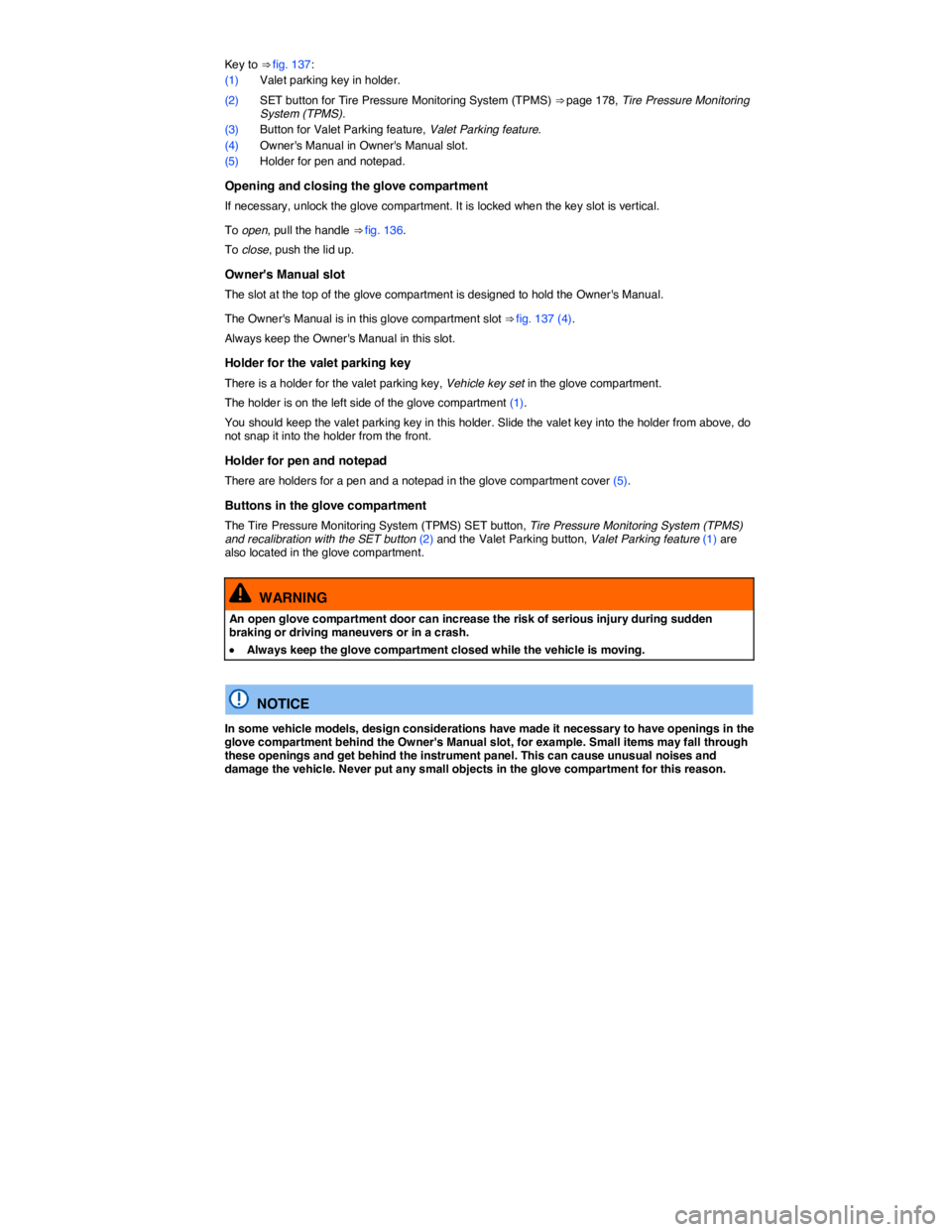
Key to ⇒ fig. 137:
(1) Valet parking key in holder.
(2) SET button for Tire Pressure Monitoring System (TPMS) ⇒ page 178, Tire Pressure Monitoring System (TPMS).
(3) Button for Valet Parking feature, Valet Parking feature.
(4) Owner's Manual in Owner's Manual slot.
(5) Holder for pen and notepad.
Opening and closing the glove compartment
If necessary, unlock the glove compartment. It is locked when the key slot is vertical.
To open, pull the handle ⇒ fig. 136.
To close, push the lid up.
Owner's Manual slot
The slot at the top of the glove compartment is designed to hold the Owner's Manual.
The Owner's Manual is in this glove compartment slot ⇒ fig. 137 (4).
Always keep the Owner's Manual in this slot.
Holder for the valet parking key
There is a holder for the valet parking key, Vehicle key set in the glove compartment.
The holder is on the left side of the glove compartment (1).
You should keep the valet parking key in this holder. Slide the valet key into the holder from above, do not snap it into the holder from the front.
Holder for pen and notepad
There are holders for a pen and a notepad in the glove compartment cover (5).
Buttons in the glove compartment
The Tire Pressure Monitoring System (TPMS) SET button, Tire Pressure Monitoring System (TPMS) and recalibration with the SET button (2) and the Valet Parking button, Valet Parking feature (1) are also located in the glove compartment.
WARNING
An open glove compartment door can increase the risk of serious injury during sudden braking or driving maneuvers or in a crash.
x Always keep the glove compartment closed while the vehicle is moving.
NOTICE
In some vehicle models, design considerations have made it necessary to have openings in the glove compartment behind the Owner's Manual slot, for example. Small items may fall through these openings and get behind the instrument panel. This can cause unusual noises and damage the vehicle. Never put any small objects in the glove compartment for this reason.
Page 249 of 392

In order to Operation
Deactivate display by driving forward: Drive forward faster than about 10 mph (16 km/h).
Screen
Function buttons on the screen ⇒ fig. 167:
(1) Display or hide the menu bar.
(2) Turn off the rearview camera screen.
(3) Turn off the sound.
(4) Adjust display: brightness, contrast, color (for vehicles with navigation unit).
Special considerations
1) Do not use Rear Assist in the following situations:
– When an incorrect or unclear image is displayed, such as when there is poor visibility or the lens is dirty.
– If the area behind the vehicle cannot be seen clearly or completely.
– If the rear of the vehicle is heavily loaded.
– When the luggage compartment lid is open.
– If the driver is not familiar with the system.
– If the position or angle of the camera has changed, such as after a rear-end collision. Have the system checked by an authorized Volkswagen dealer or an authorized Volkswagen Service Facility.
2) Examples of optical distortion by the camera
The Rear Assist camera displays only two-dimensional images. Recesses and protruding objects on the ground or protruding parts on other vehicles are difficult or impossible to identify due to the lack of depth of field.
Objects or another vehicle may seem closer or farther away on the screen than they really are:
– When driving from a level surface onto an upward or downward slope.
– When driving up or down a slope onto a level surface.
– If the rear of the vehicle is heavily loaded.
– When approaching protruding objects. These objects can disappear from the field of view when backing up.
Cleaning the camera lens
Keep the camera lens clean and free of snow and ice:
x Engage the parking brake.
x Wet the camera lens with a commercially available alcohol-based glass cleaner and clean with a
dry cloth ⇒ .
x Remove snow with a brush.
x Remove ice with deicer spray ⇒ .
Page 254 of 392
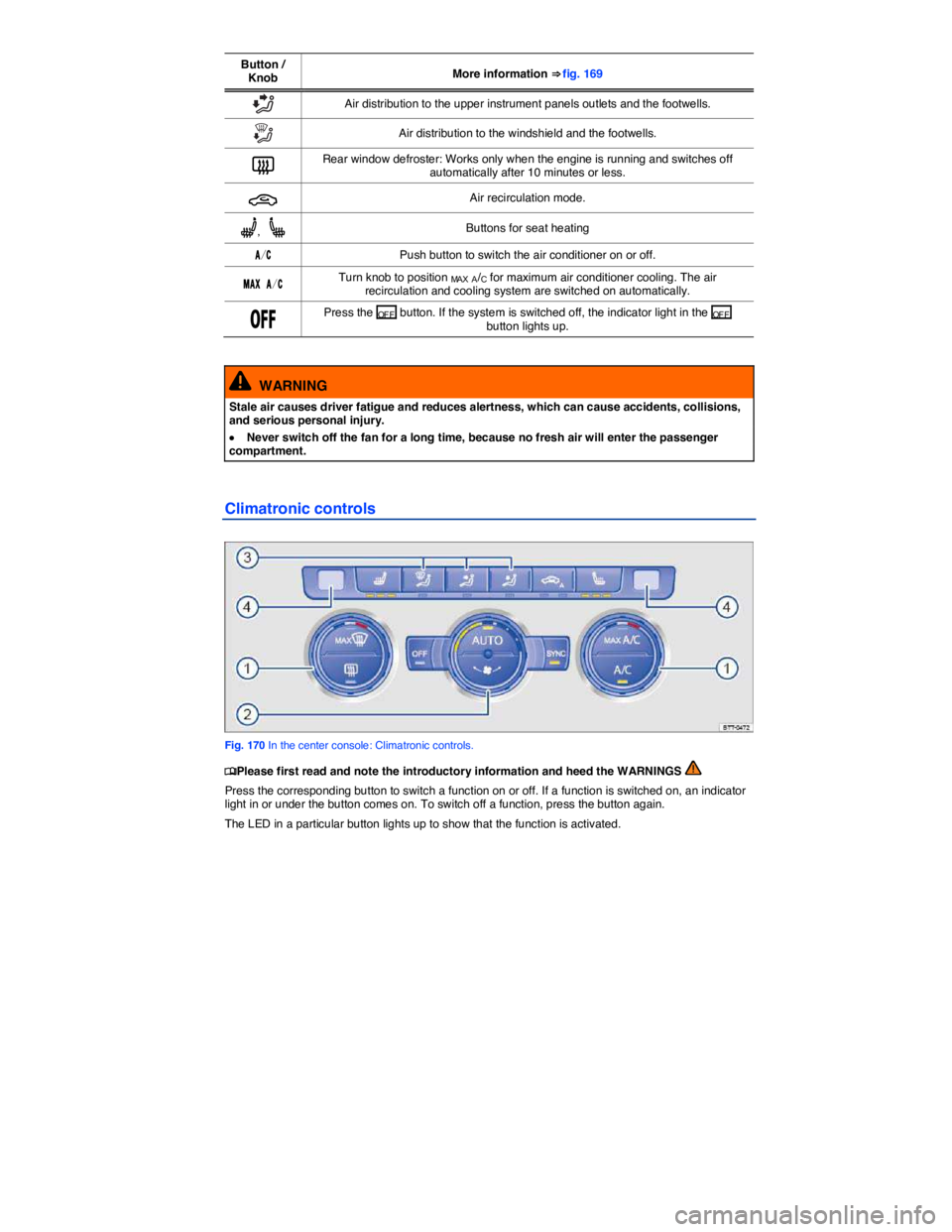
Button / Knob More information ⇒ fig. 169
O Air distribution to the upper instrument panels outlets and the footwells.
u Air distribution to the windshield and the footwells.
= Rear window defroster: Works only when the engine is running and switches off automatically after 10 minutes or less.
3 Air recirculation mode.
A, [ Buttons for seat heating
!/# Push button to switch the air conditioner on or off.
-!8 !/# Turn knob to position MA X A/C for maximum air conditioner cooling. The air recirculation and cooling system are switched on automatically.
/&& Press the OF F button. If the system is switched off, the indicator light in the OF F button lights up.
WARNING
Stale air causes driver fatigue and reduces alertness, which can cause accidents, collisions, and serious personal injury.
x Never switch off the fan for a long time, because no fresh air will enter the passenger compartment.
Climatronic controls
Fig. 170 In the center console: Climatronic controls.
Page 337 of 392

341
Frequently asked questions
If you suspect a malfunction or vehicle damage, read and follow the following advice before contacting an authorized Volkswagen dealer or an authorized Volkswagen Service Facility. You may also find helpful information under “Characteristics” and “Checklist” in the index.
Description Possible causes, among others Possible remedy
Engine does not start.
Vehicle battery dead. – Perform jump-start– Charge vehicle battery
The wrong vehicle key is used. Use a valid vehicle key
Fuel level too low. Refuel
AdBlue fill level too low. Refill AdBlue
Vehicle cannot be locked or unlocked using vehicle key.
– Battery in the remote control vehicle key dead. – Too far away from vehicle (out of range). – Buttons have been pressed too many times.
– Replace the battery in the remote control vehicle key – Move closer to vehicle. – Synchronize vehicle key. – Lock or unlock vehicle manually
Unusual noises. Cold engine, braking assist systems, electronic steering column lock. Check the “Noises” entry in the index.
Odd driving behavior.
Assistance systems activated. Check the “Assistance systems” entry in the index.
DSG® Direct Shift Gearbox too hot. Stop vehicle as soon as you can do so safely
Outside mirrors move when vehicle is unlocked. Convenience settings are stored. Correct convenience settings
Front seats cannot be adjusted with power controls.
Vehicle battery dead. Charge vehicle battery
Fuse blown. Check fuse and replace if necessary
Features do not work as described in this manual.
Settings were adjusted in the Volkswagen Information System.
Check and reset to factory settings if necessary
Headlights do not light up the road as they should.
– Headlights adjusted too high.– Light bulbs burned out. – Low beams not switched on.
– Have the headlight range adjusted by an authorized Volkswagen dealer or an authorized Volkswagen Service Facility. – Change light bulbs – Switch on low beams
Electrical consumers do not work.
Vehicle battery charge too low. Charge vehicle battery
Remaining fuel level too low. Refuel
Fuse blown. Check fuse and replace if necessary
Fuel consumption higher than indicated.
– Short hauls. – “Jumpy” accelerator pedal.
– Avoid short distance driving. – Drive defensively. – Accelerate smoothly.
Electrical loads switched on. Switch off unnecessary loads.
Page 339 of 392

341
Frequently asked questions
If you suspect a malfunction or vehicle damage, read and follow the following advice before contacting an authorized Volkswagen dealer or an authorized Volkswagen Service Facility. You may also find helpful information under “Characteristics” and “Checklist” in the index.
Description Possible causes, among others Possible remedy
Engine does not start.
Vehicle battery dead. – Perform jump-start– Charge vehicle battery
The wrong vehicle key is used. Use a valid vehicle key
Fuel level too low. Refuel
AdBlue fill level too low. Refill AdBlue
Vehicle cannot be locked or unlocked using vehicle key.
– Battery in the remote control vehicle key dead. – Too far away from vehicle (out of range). – Buttons have been pressed too many times.
– Replace the battery in the remote control vehicle key – Move closer to vehicle. – Synchronize vehicle key. – Lock or unlock vehicle manually
Unusual noises. Cold engine, braking assist systems, electronic steering column lock. Check the “Noises” entry in the index.
Odd driving behavior.
Assistance systems activated. Check the “Assistance systems” entry in the index.
DSG® Direct Shift Gearbox too hot. Stop vehicle as soon as you can do so safely
Outside mirrors move when vehicle is unlocked. Convenience settings are stored. Correct convenience settings
Front seats cannot be adjusted with power controls.
Vehicle battery dead. Charge vehicle battery
Fuse blown. Check fuse and replace if necessary
Features do not work as described in this manual.
Settings were adjusted in the Volkswagen Information System.
Check and reset to factory settings if necessary
Headlights do not light up the road as they should.
– Headlights adjusted too high.– Light bulbs burned out. – Low beams not switched on.
– Have the headlight range adjusted by an authorized Volkswagen dealer or an authorized Volkswagen Service Facility. – Change light bulbs – Switch on low beams
Electrical consumers do not work.
Vehicle battery charge too low. Charge vehicle battery
Remaining fuel level too low. Refuel
Fuse blown. Check fuse and replace if necessary
Fuel consumption higher than indicated.
– Short hauls. – “Jumpy” accelerator pedal.
– Avoid short distance driving. – Drive defensively. – Accelerate smoothly.
Electrical loads switched on. Switch off unnecessary loads.