door lock VOLKSWAGEN POLO 2015 Owner´s Manual
[x] Cancel search | Manufacturer: VOLKSWAGEN, Model Year: 2015, Model line: POLO, Model: VOLKSWAGEN POLO 2015Pages: 100, PDF Size: 4.14 MB
Page 7 of 100
Downloaded from www.Manualslib.com manuals search engine 12/29/2015Bedienungsanleitung < Service & Zubehör < Volkswagen Deutschland
4/32
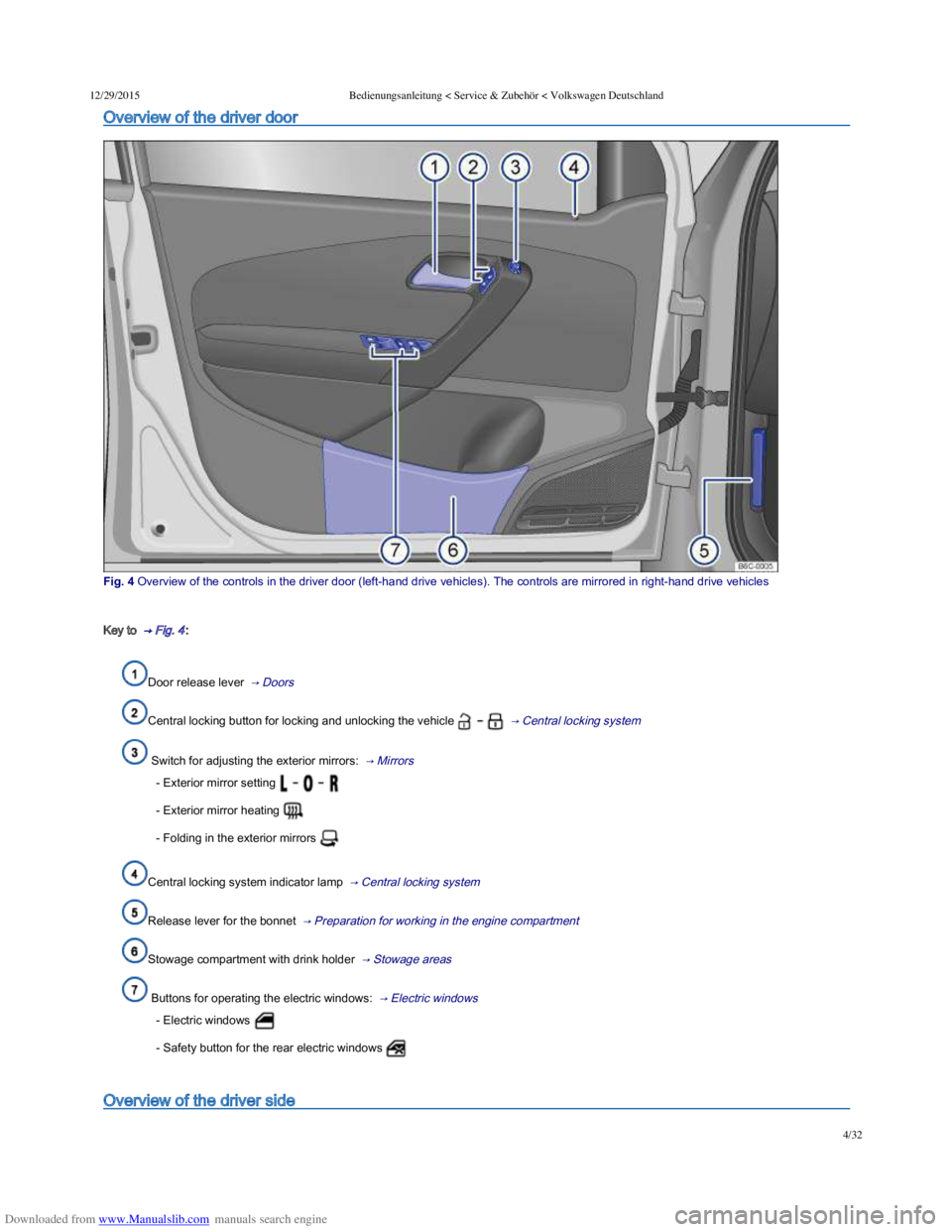
Overview of the driver door
Fig. 4 Overview of the controls in the driver door (lefthand drive vehicles). The controls are mirrored in righthand drive vehicles
Key to → Fig. 4 :
Door release lever → Doors
Central locking button for locking and unlocking the vehicle → Central locking system
Switch for adjusting the exterior mirrors: → Mirrors
- Exterior mirror setting
- Exterior mirror heating
- Folding in the exterior mirrors
Central locking system indicator lamp → Central locking system
Release lever for the bonnet → Preparation for working in the engine compartment
Stowage compartment with drink holder → Stowage areas
Buttons for operating the electric windows: → Electric windows
- Electric windows
- Safety button for the rear electric windows
Overview of the driver side
Page 18 of 100
Downloaded from www.Manualslib.com manuals search engine 12/29/2015Bedienungsanleitung < Service & Zubehör < Volkswagen Deutschland
15/32
Speedometer
Setting button for the clock → Time 1).
Reset button for the trip recorder display (trip).
- Press the button to reset to 0.
Coolant temperature display → Coolant .
Fuel gauge → Filling the tank .
Changing up a gear early will help to save fuel and minimise engine noise.
The fuel gauge is located in the lower field of the display → Fig. 10 ② or in the speedometer → Fig. 11 ⑦ .
1) In some versions of the vehicle, it may be possible to adjust the clock settings using the Settings menu on the instrument cluster display
→ Volkswagen information system .
Displays
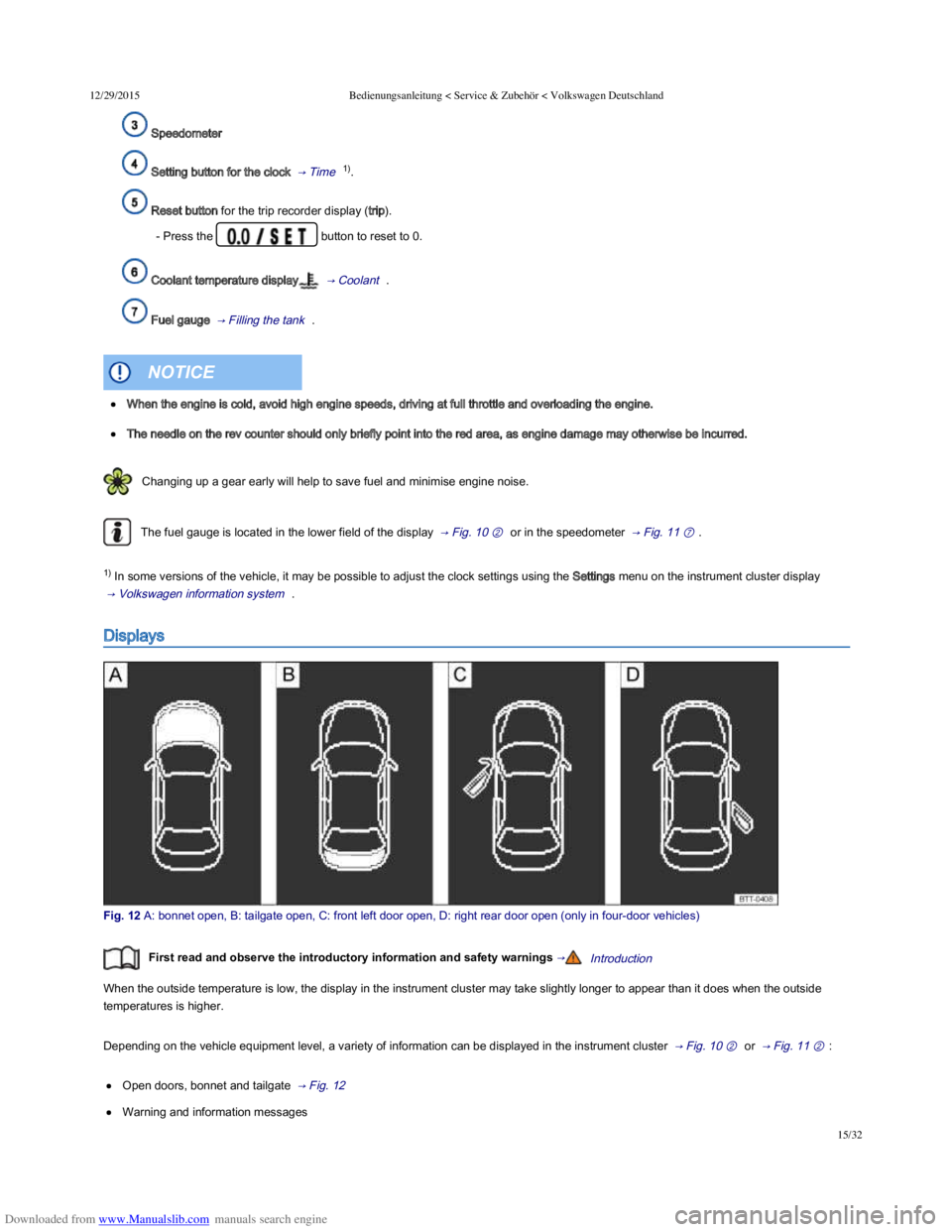
Fig. 12 A: bonnet open, B: tailgate open, C: front left door open, D: right rear door open (only in fourdoor vehicles)
First read and observe the introductory information and safety warnings →Introduction
When the outside temperature is low, the display in the instrument cluster may take slightly longer to appear than it does when the outside
temperatures is higher.
Depending on the vehicle equipment level, a variety of information can be displayed in the instrument cluster → Fig. 10 ② or → Fig. 11 ② :
Open doors, bonnet and tailgate → Fig. 12
Warning and information messages
When the engine is cold, avoid high engine speeds, driving at full throttle and overloading the engine.
The needle on the rev counter should only briefly point into the red area, as engine damage may otherwise be incurred.
NOTICE
Page 19 of 100
Downloaded from www.Manualslib.com manuals search engine 12/29/2015Bedienungsanleitung < Service & Zubehör < Volkswagen Deutschland
16/32
Mileage displays
Time
Radio and navigation information ⇒ BookletRadio, or ⇒ BookletNavigation system,
Telephone information ⇒ BookletNavigation system, or ⇒ BookletRadio/navigation system,
Outside temperature
Compass display
Selector lever positions → Changing gear
Gear change indicator → Changing gear
Driving data display (multifunction display (MFD)) and menus for various settings → Volkswagen information system
Service interval display → Service interval display
Speed warning for winter tyres
Start/stop system status display → Pull-away assist systems
Status display for active cylinder management (ACT®) → Driving with respect for the environment
Engine code
Fuel gauge → Filling the tank
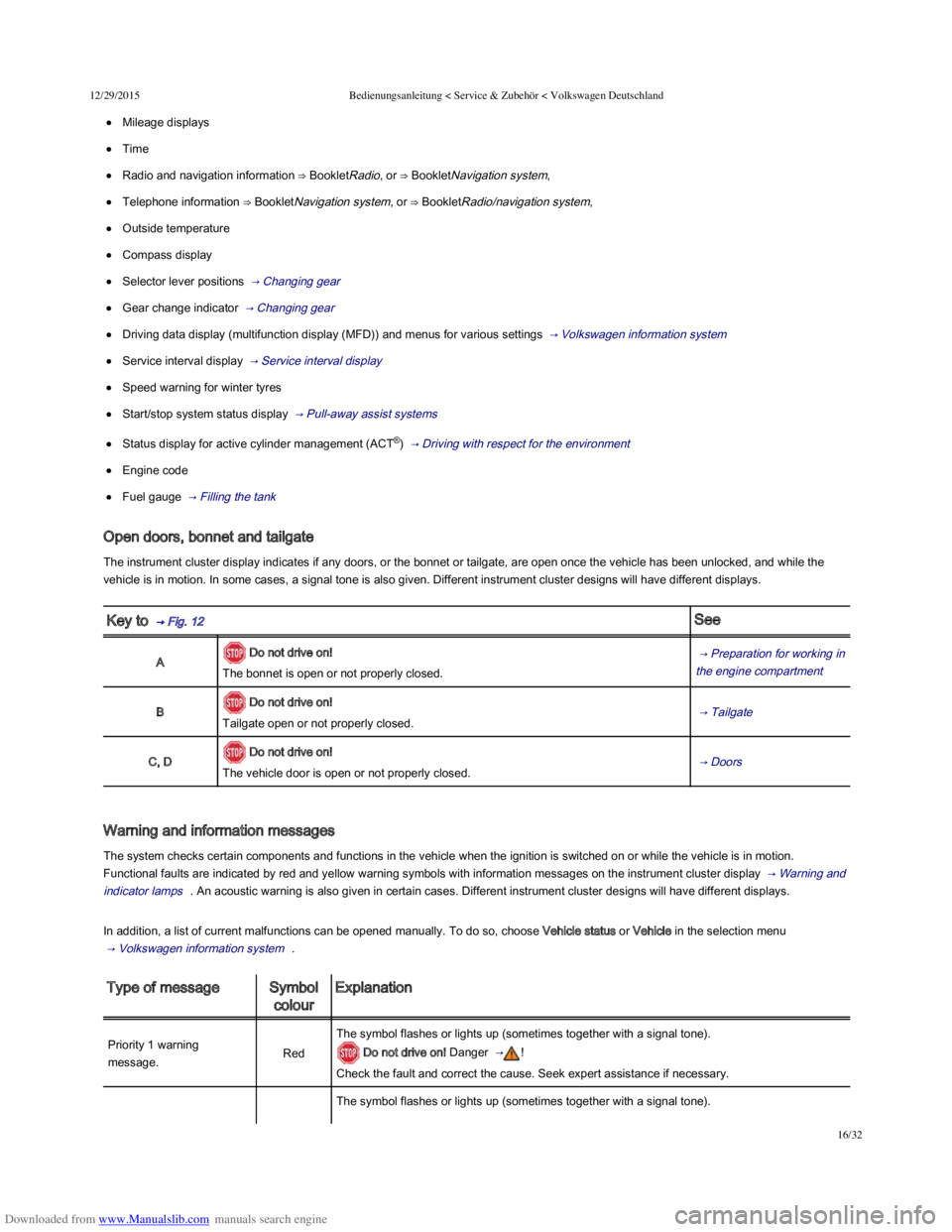
Open doors, bonnet and tailgate
The instrument cluster display indicates if any doors, or the bonnet or tailgate, are open once the vehicle has been unlocked, and while the
vehicle is in motion. In some cases, a signal tone is also given. Different instrument cluster designs will have different displays.
Key to → Fig. 12 See
A Do not drive on!
The bonnet is open or not properly closed.
→ Preparation for working in
the engine compartment
B Do not drive on!
Tailgate open or not properly closed. → Tailgate
C, D Do not drive on!
The vehicle door is open or not properly closed. → Doors
Warning and information messages
The system checks certain components and functions in the vehicle when the ignition is switched on or while the vehicle is in motion.
Functional faults are indicated by red and yellow warning symbols with information messages on the instrument cluster display → Warning and
indicator lamps . An acoustic warning is also given in certain cases. Different instrument cluster designs will have different displays.
In addition, a list of current malfunctions can be opened manually. To do so, choose Vehicle status or Vehicle in the selection menu
→ Volkswagen information system .
Type of messageSymbol
colour
Explanation
Priority 1 warning
message.Red
The symbol flashes or lights up (sometimes together with a signal tone).
Do not drive on! Danger → !
Check the fault and correct the cause. Seek expert assistance if necessary.
The symbol flashes or lights up (sometimes together with a signal tone).
Page 32 of 100
Downloaded from www.Manualslib.com manuals search engine 12/29/2015Bedienungsanleitung < Service & Zubehör < Volkswagen Deutschland
29/32
Driver assistance
Front Assist (area monitoring
system)
The following systems can be activated or deactivated:
– Area monitoring system,
– Advance warning,
– Distance warning display.
→ Area
monitoring system
(Front Assist)
Driver Alert SystemActivation or deactivation of the Driver Alert System.
→ Driver Alert
System
(recommendation
for rest breaks)
Parking/manoeuvring,ParkPilot
Activation or deactivation of automatic activation of the
ParkPilot.
→ ParkPilot The following functions can be set:
– Front and rear volume,
– Front and rear tone,
– Audio volume reduction.
Lights
Light Assist
The following systems can be activated or deactivated:
– Automatic dipped headlights (when raining),
– Lane change flash.
→ Lights
The following functions can be set:
– Switch-on time for automatic headlight control,
– Travel mode (right-hand or left-hand drive).
Interior lightingSetting the instrument and switch lighting
Coming Home/Leaving Home
function
The following functions can be set:
– Duration that the Coming Home function is switched on,
– Duration that the Leaving Home function is switched on,
Mirror and wipers
MirrorsActivating and deactivating the folding-in function when
parking. → Mirrors
Wipers
The following systems can be activated or deactivated:
– Automatic wipe function when raining,
– Rear window wipers in reverse gear.
→ Windscreen
wipers and
washer
Opening/closingCentral locking
Setting door unlocking. → Central locking
system Activation or deactivation of automatic locking.
Instrument cluster–
The following systems can be activated or deactivated:
– Current fuel consumption,
– Average fuel consumption,
– Top-up volume,
– Convenience consumers,
– Eco tips,
– Travel time,
– Distance,
– Average speed,
– Digital speed display,
– Speed warning function,
– Oil temperature.
→ Volkswagen
information
system
The following data can be reset:
– Driving data since start,
– Driving data long-term.
The following functions can be set:
– Clock time source (manual, GPS),
– Time,
Page 44 of 100
Downloaded from www.Manualslib.com manuals search engine 12/29/2015Bedienungsanleitung < Service & Zubehör < Volkswagen Deutschland
9/136
Introduction
This chapter contains information on the following subjects:
→ Vehicle key
→ Indicator lamp in the vehicle key
→ Replacing the battery
→ Synchronising the vehicle key
Additional information and warnings:
Settings in the Volkswagen information system → Volkswagen information system
Central locking system → Central locking system
Starting and stopping the engine → Starting and stopping the engine
Consumer information → Consumer information
Manual opening and closing → Manual opening and closing
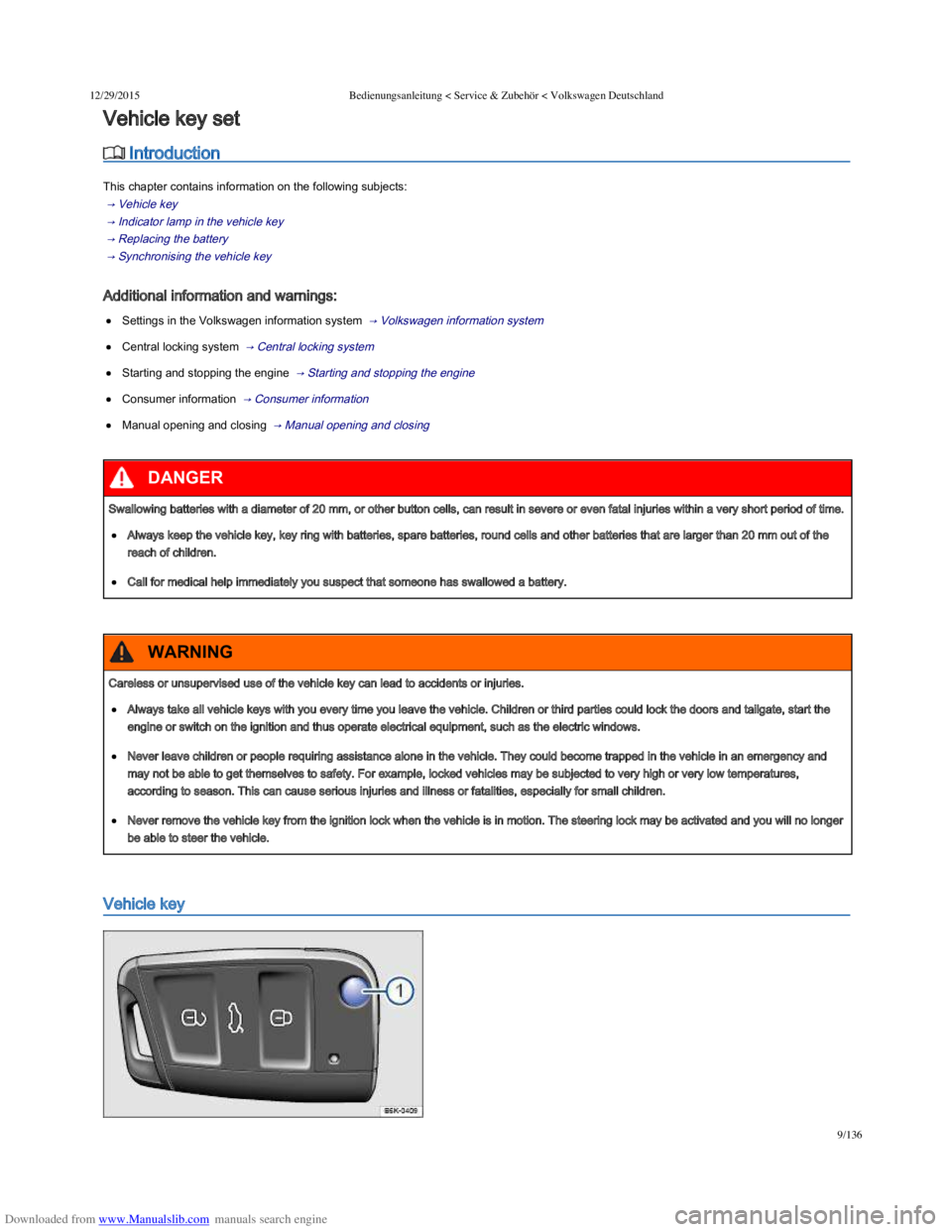
Vehicle key
Vehicle key set
Swallowing batteries with a diameter of 20 mm, or other button cells, can result in severe or even fatal injuries within a very short period of time.
Always keep the vehicle key, key ring with batteries, spare batteries, round cells and other batteries that are larger than 20 mm out of the
reach of children.
Call for medical help immediately you suspect that someone has swallowed a battery.
DANGER
Careless or unsupervised use of the vehicle key can lead to accidents or injuries.
Always take all vehicle keys with you every time you leave the vehicle. Children or third parties could lock the doors and tailgate, start the
engine or switch on the ignition and thus operate electrical equipment, such as the electric windows.
Never leave children or people requiring assistance alone in the vehicle. They could become trapped in the vehicle in an emergency and
may not be able to get themselves to safety. For example, locked vehicles may be subjected to very high or very low temperatures,
according to season. This can cause serious injuries and illness or fatalities, especially for small children.
Never remove the vehicle key from the ignition lock when the vehicle is in motion. The steering lock may be activated and you will no longer
be able to steer the vehicle.
WARNING
Page 47 of 100
Downloaded from www.Manualslib.com manuals search engine 12/29/2015Bedienungsanleitung < Service & Zubehör < Volkswagen Deutschland
12/136
Replacing the battery
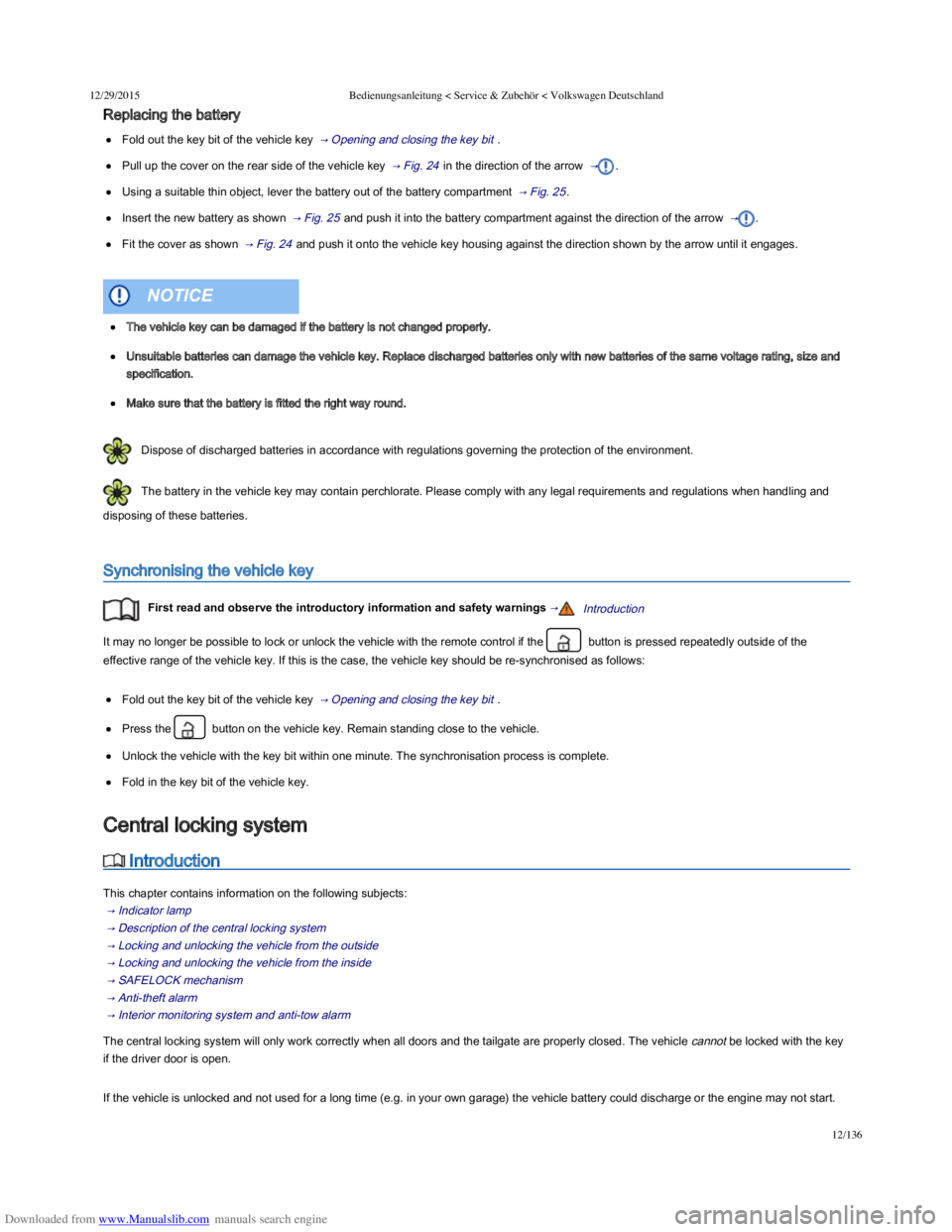
Fold out the key bit of the vehicle key → Opening and closing the key bit .
Pull up the cover on the rear side of the vehicle key → Fig. 24 in the direction of the arrow → .
Using a suitable thin object, lever the battery out of the battery compartment → Fig. 25 .
Insert the new battery as shown → Fig. 25 and push it into the battery compartment against the direction of the arrow → .
Fit the cover as shown → Fig. 24 and push it onto the vehicle key housing against the direction shown by the arrow until it engages.
Dispose of discharged batteries in accordance with regulations governing the protection of the environment.
The battery in the vehicle key may contain perchlorate. Please comply with any legal requirements and regulations when handling and
disposing of these batteries.
Synchronising the vehicle key
First read and observe the introductory information and safety warnings →Introduction
It may no longer be possible to lock or unlock the vehicle with the remote control if the button is pressed repeatedly outside of the
effective range of the vehicle key. If this is the case, the vehicle key should be re-synchronised as follows:
Fold out the key bit of the vehicle key → Opening and closing the key bit .
Press the button on the vehicle key. Remain standing close to the vehicle.
Unlock the vehicle with the key bit within one minute. The synchronisation process is complete.
Fold in the key bit of the vehicle key.
Introduction
This chapter contains information on the following subjects:
→ Indicator lamp
→ Description of the central locking system
→ Locking and unlocking the vehicle from the outside
→ Locking and unlocking the vehicle from the inside
→ SAFELOCK mechanism
→ Anti-theft alarm
→ Interior monitoring system and anti-tow alarm
The central locking system will only work correctly when all doors and the tailgate are properly closed. The vehicle cannot be locked with the key
if the driver door is open.
If the vehicle is unlocked and not used for a long time (e.g. in your own garage) the vehicle battery could discharge or the engine may not start.
The vehicle key can be damaged if the battery is not changed properly.
Unsuitable batteries can damage the vehicle key. Replace discharged batteries only with new batteries of the same voltage rating, size and
specification.
Make sure that the battery is fitted the right way round.
NOTICE
Central locking system
Page 48 of 100
Downloaded from www.Manualslib.com manuals search engine 12/29/2015Bedienungsanleitung < Service & Zubehör < Volkswagen Deutschland
13/136
Additional information and warnings:
Exterior views → Exterior views
Infotainment system → Infotainment system
Vehicle key set → Vehicle key set
Doors → Doors
Tailgate → Tailgate
Electric windows → Electric windows
Electric panorama sliding/tilting roof → Electric panorama sliding/tilting glass roof
Mirrors → Mirrors
Towing a trailer → Towing a trailer
Cleaning and caring for the vehicle exterior → Caring for and cleaning the vehicle exterior
Manual opening and closing → Manual opening and closing
Indicator lamp
First read and observe the introductory information and safety warnings →Introduction
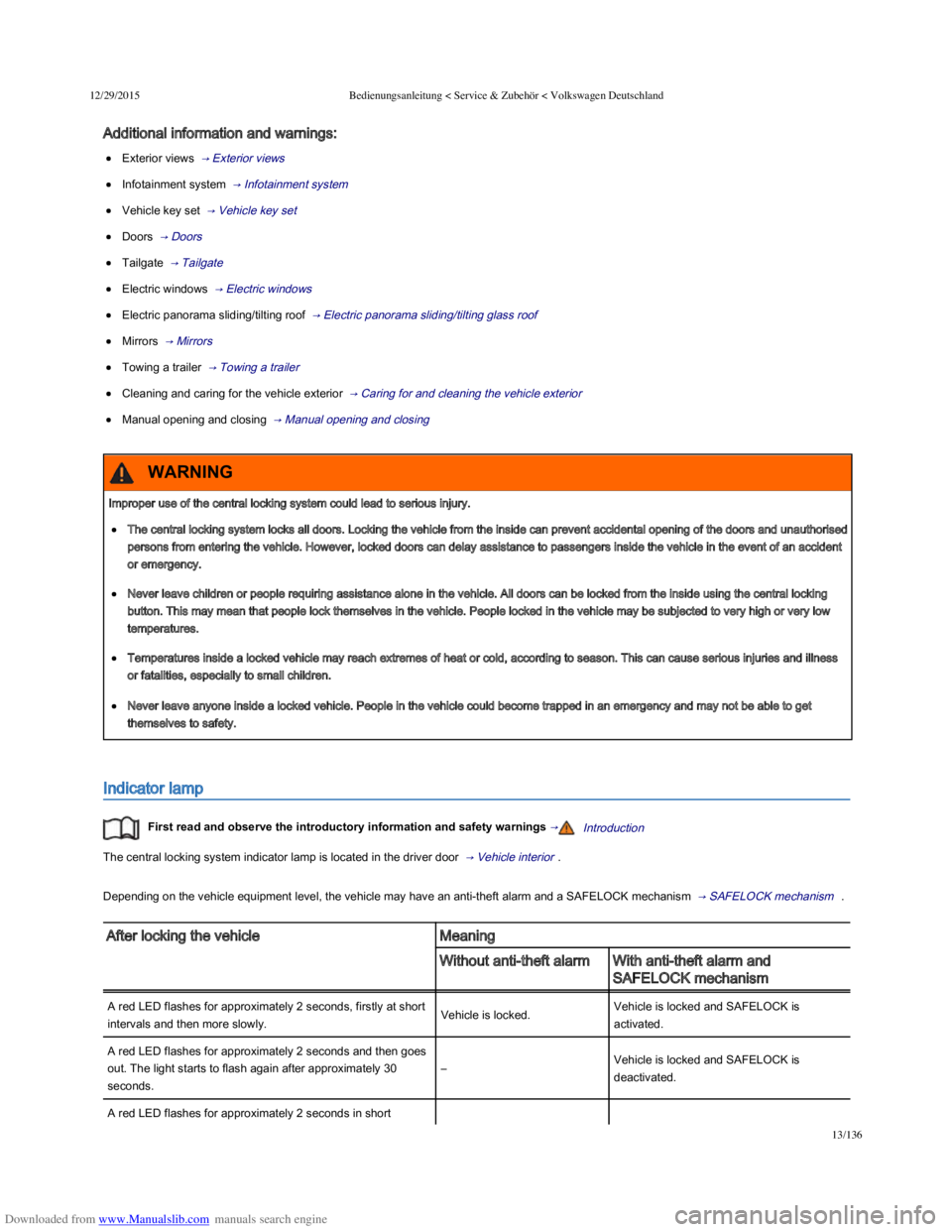
The central locking system indicator lamp is located in the driver door → Vehicle interior .
Depending on the vehicle equipment level, the vehicle may have an anti-theft alarm and a SAFELOCK mechanism → SAFELOCK mechanism .
After locking the vehicleMeaning
Without anti-theft alarmWith anti-theft alarm and
SAFELOCK mechanism
A red LED flashes for approximately 2 seconds, firstly at short
intervals and then more slowly.Vehicle is locked.Vehicle is locked and SAFELOCK is
activated.
A red LED flashes for approximately 2 seconds and then goes
out. The light starts to flash again after approximately 30
seconds.
–Vehicle is locked and SAFELOCK is
deactivated.
A red LED flashes for approximately 2 seconds in short
Improper use of the central locking system could lead to serious injury.
The central locking system locks all doors. Locking the vehicle from the inside can prevent accidental opening of the doors and unauthorised
persons from entering the vehicle. However, locked doors can delay assistance to passengers inside the vehicle in the event of an accident
or emergency.
Never leave children or people requiring assistance alone in the vehicle. All doors can be locked from the inside using the central locking
button. This may mean that people lock themselves in the vehicle. People locked in the vehicle may be subjected to very high or very low
temperatures.
Temperatures inside a locked vehicle may reach extremes of heat or cold, according to season. This can cause serious injuries and illness
or fatalities, especially to small children.
Never leave anyone inside a locked vehicle. People in the vehicle could become trapped in an emergency and may not be able to get
themselves to safety.
WARNING
Page 49 of 100
Downloaded from www.Manualslib.com manuals search engine 12/29/2015Bedienungsanleitung < Service & Zubehör < Volkswagen Deutschland
14/136
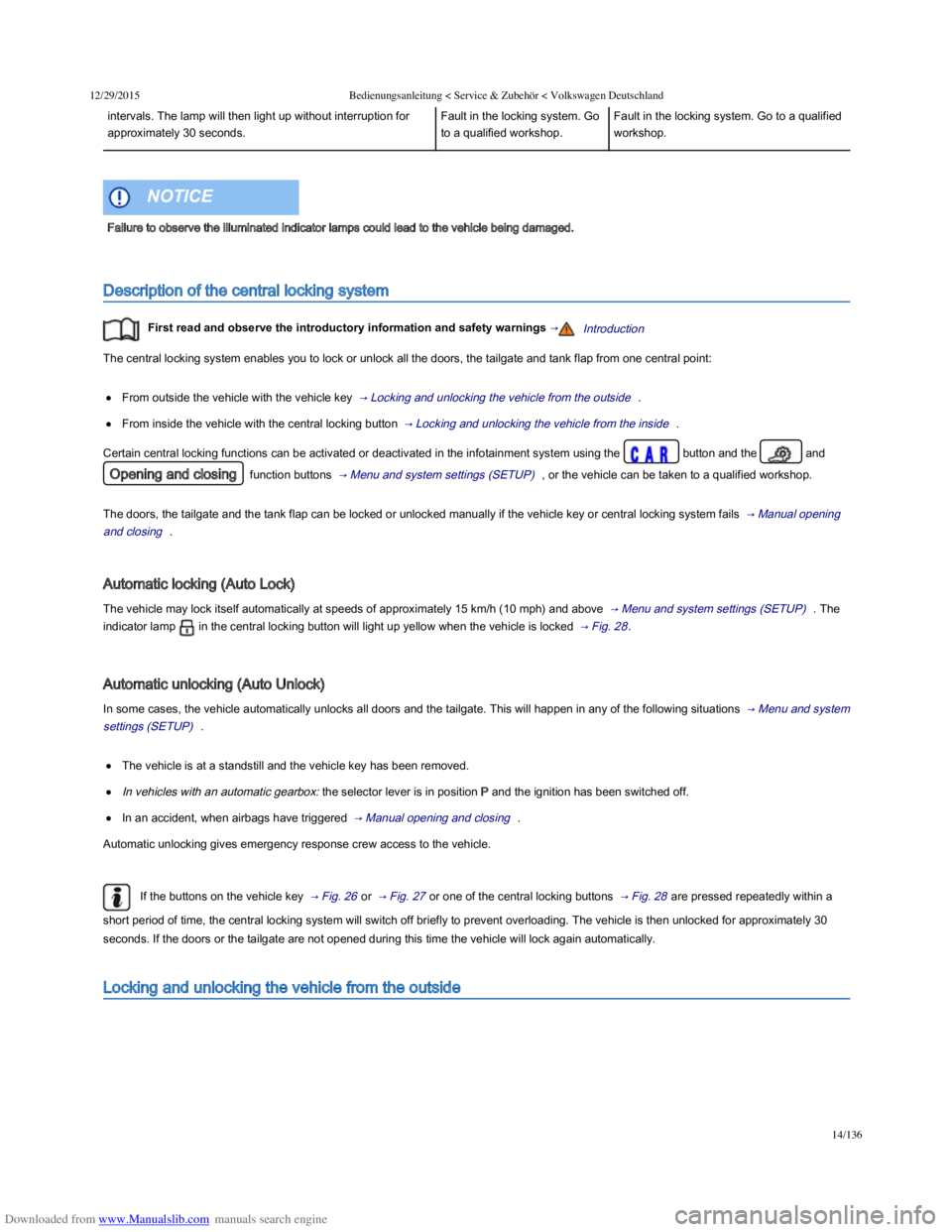
intervals. The lamp will then light up without interruption for
approximately 30 seconds.
Fault in the locking system. Go
to a qualified workshop.
Fault in the locking system. Go to a qualified
workshop.
Description of the central locking system
First read and observe the introductory information and safety warnings →Introduction
The central locking system enables you to lock or unlock all the doors, the tailgate and tank flap from one central point:
From outside the vehicle with the vehicle key → Locking and unlocking the vehicle from the outside .
From inside the vehicle with the central locking button → Locking and unlocking the vehicle from the inside .
Certain central locking functions can be activated or deactivated in the infotainment system using the button and the and
Opening and closing function buttons → Menu and system settings (SETUP) , or the vehicle can be taken to a qualified workshop.
The doors, the tailgate and the tank flap can be locked or unlocked manually if the vehicle key or central locking system fails → Manual opening
and closing .
Automatic locking (Auto Lock)
The vehicle may lock itself automatically at speeds of approximately 15 km/h (10 mph) and above → Menu and system settings (SETUP) . The
indicator lamp in the central locking button will light up yellow when the vehicle is locked → Fig. 28 .
Automatic unlocking (Auto Unlock)
In some cases, the vehicle automatically unlocks all doors and the tailgate. This will happen in any of the following situations → Menu and system
settings (SETUP) .
The vehicle is at a standstill and the vehicle key has been removed.
In vehicles with an automatic gearbox: the selector lever is in position P and the ignition has been switched off.
In an accident, when airbags have triggered → Manual opening and closing .
Automatic unlocking gives emergency response crew access to the vehicle.
If the buttons on the vehicle key → Fig. 26 or → Fig. 27 or one of the central locking buttons → Fig. 28 are pressed repeatedly within a
short period of time, the central locking system will switch off briefly to prevent overloading. The vehicle is then unlocked for approximately 30
seconds. If the doors or the tailgate are not opened during this time the vehicle will lock again automatically.
Locking and unlocking the vehicle from the outside
Failure to observe the illuminated indicator lamps could lead to the vehicle being damaged.
NOTICE
Page 50 of 100
Downloaded from www.Manualslib.com manuals search engine 12/29/2015Bedienungsanleitung < Service & Zubehör < Volkswagen Deutschland
15/136
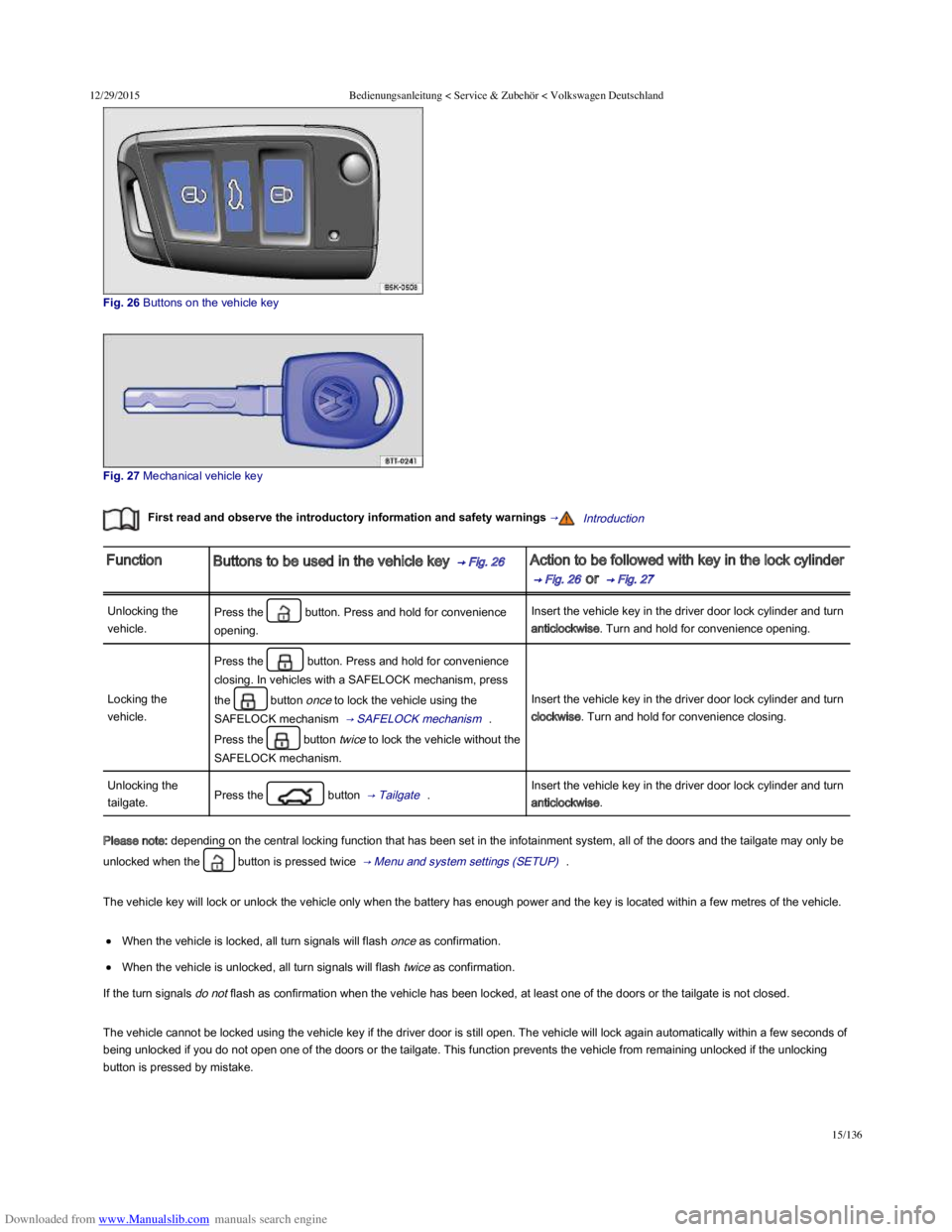
Fig. 26 Buttons on the vehicle key
Fig. 27 Mechanical vehicle key
First read and observe the introductory information and safety warnings →Introduction
FunctionButtons to be used in the vehicle key → Fig. 26 Action to be followed with key in the lock cylinder
→ Fig. 26 or → Fig. 27
Unlocking the
vehicle.
Press the button. Press and hold for convenience
opening.
Insert the vehicle key in the driver door lock cylinder and turn
anticlockwise. Turn and hold for convenience opening.
Locking the
vehicle.
Press the button. Press and hold for convenience
closing. In vehicles with a SAFELOCK mechanism, press
the button once to lock the vehicle using the
SAFELOCK mechanism → SAFELOCK mechanism .
Press the button twice to lock the vehicle without the
SAFELOCK mechanism.
Insert the vehicle key in the driver door lock cylinder and turn
clockwise. Turn and hold for convenience closing.
Unlocking the
tailgate.Press the button → Tailgate .Insert the vehicle key in the driver door lock cylinder and turn
anticlockwise.
Please note: depending on the central locking function that has been set in the infotainment system, all of the doors and the tailgate may only be
unlocked when the button is pressed twice → Menu and system settings (SETUP) .
The vehicle key will lock or unlock the vehicle only when the battery has enough power and the key is located within a few metres of the vehicle.
When the vehicle is locked, all turn signals will flash once as confirmation.
When the vehicle is unlocked, all turn signals will flash twice as confirmation.
If the turn signals do not flash as confirmation when the vehicle has been locked, at least one of the doors or the tailgate is not closed.
The vehicle cannot be locked using the vehicle key if the driver door is still open. The vehicle will lock again automatically within a few seconds of
being unlocked if you do not open one of the doors or the tailgate. This function prevents the vehicle from remaining unlocked if the unlocking
button is pressed by mistake.
Page 51 of 100
Downloaded from www.Manualslib.com manuals search engine 12/29/2015Bedienungsanleitung < Service & Zubehör < Volkswagen Deutschland
16/136
Convenience opening and closing
See: Electric windows – Functions → Electric windows .
See: Function of the electric panorama sliding/tilting roof → Electric panorama sliding/tilting glass roof .
Depending on the mirror function set in the infotainment system, the exterior mirrors fold out again when the vehicle is unlocked using the
button → Mirrors .
Locking and unlocking the vehicle from the inside
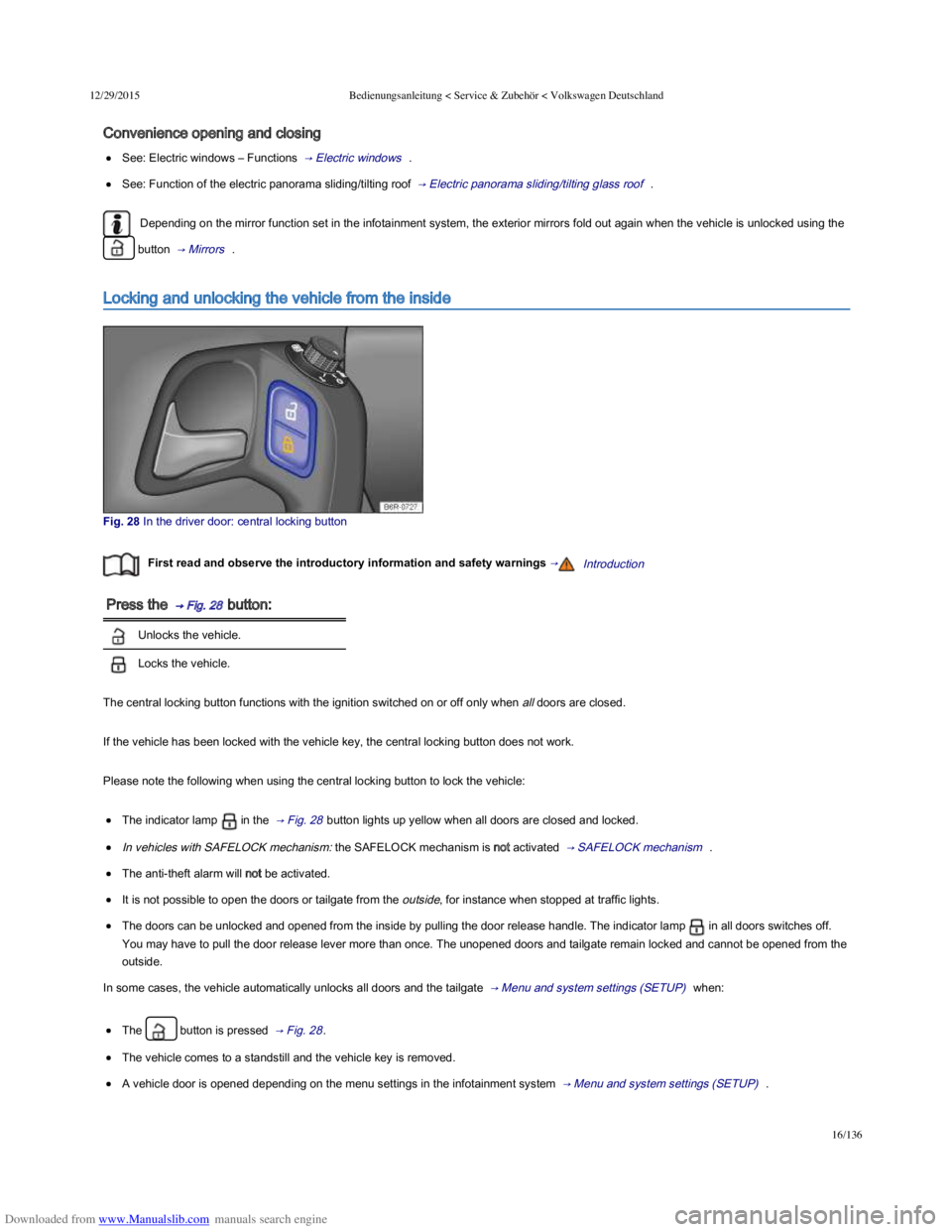
Fig. 28 In the driver door: central locking button
First read and observe the introductory information and safety warnings →Introduction
Press the → Fig. 28 button:
Unlocks the vehicle.
Locks the vehicle.
The central locking button functions with the ignition switched on or off only when all doors are closed.
If the vehicle has been locked with the vehicle key, the central locking button does not work.
Please note the following when using the central locking button to lock the vehicle:
The indicator lamp in the → Fig. 28 button lights up yellow when all doors are closed and locked.
In vehicles with SAFELOCK mechanism: the SAFELOCK mechanism is not activated → SAFELOCK mechanism .
The anti-theft alarm will not be activated.
It is not possible to open the doors or tailgate from the outside, for instance when stopped at traffic lights.
The doors can be unlocked and opened from the inside by pulling the door release handle. The indicator lamp in all doors switches off.
You may have to pull the door release lever more than once. The unopened doors and tailgate remain locked and cannot be opened from the
outside.
In some cases, the vehicle automatically unlocks all doors and the tailgate → Menu and system settings (SETUP) when:
The button is pressed → Fig. 28 .
The vehicle comes to a standstill and the vehicle key is removed.
A vehicle door is opened depending on the menu settings in the infotainment system → Menu and system settings (SETUP) .
SAFELOCK mechanism