ignition VOLKSWAGEN T-ROC 2018 User Guide
[x] Cancel search | Manufacturer: VOLKSWAGEN, Model Year: 2018, Model line: T-ROC, Model: VOLKSWAGEN T-ROC 2018Pages: 502, PDF Size: 8.58 MB
Page 39 of 502
or Fig. 21until the desired menu option is
marked. A frame appears around the selected option.
Press the button Fig. 21to make the required changes. A tick indicates that the particular
system or function is active.
Returning to menu selection
Press the or button Fig. 21
If warning messages about malfunctions are displayed when the ignition is switched on, it may not
be possible to adjust some settings as described, or the information display may appear differently.
If this is the case, take the vehicle to a qualified workshop to have the malfunction rectified.
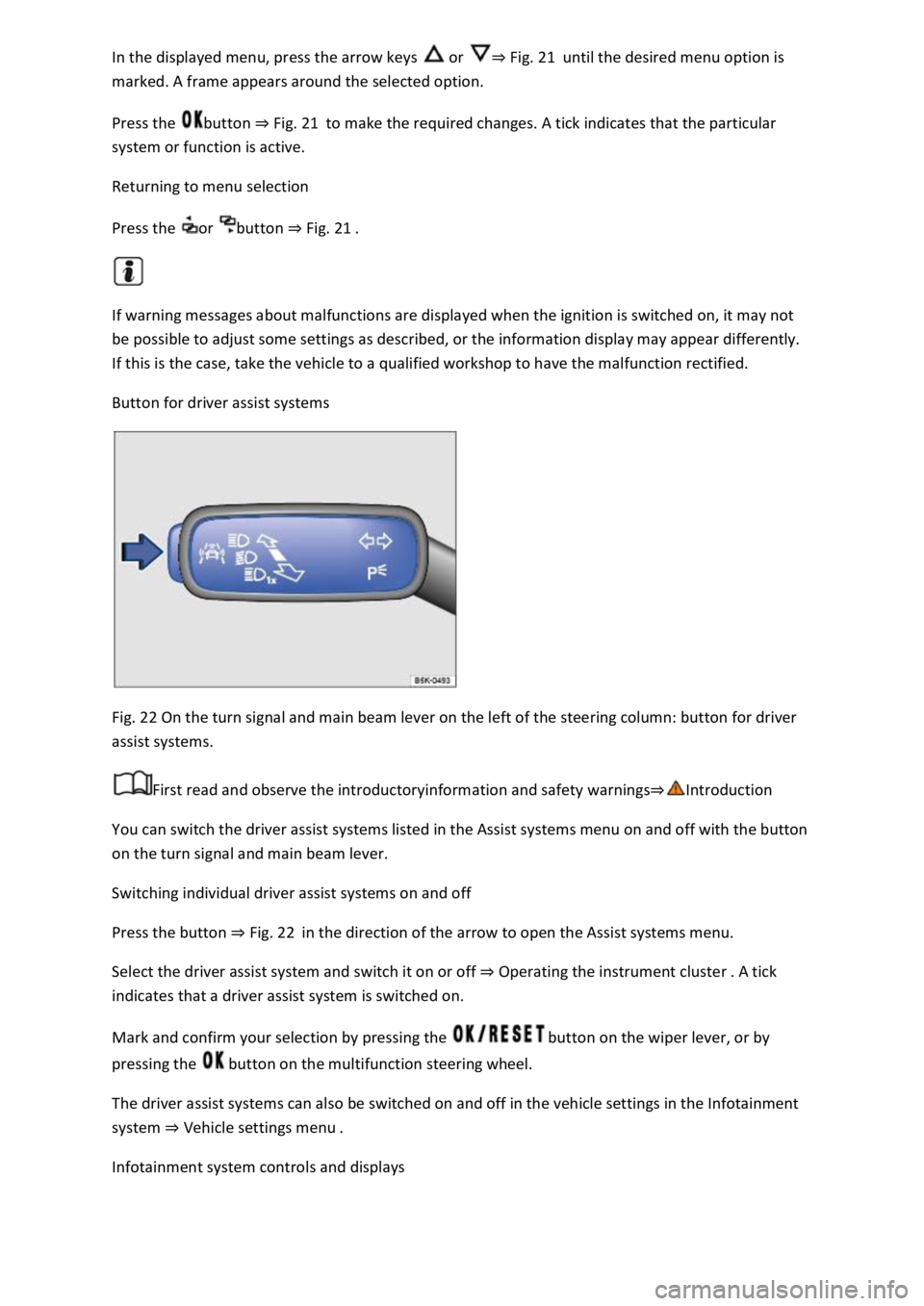
Button for driver assist systems
Fig. 22 On the turn signal and main beam lever on the left of the steering column: button for driver
assist systems.
First read and observe the introductoryinformation and safety warnings
You can switch the driver assist systems listed in the Assist systems menu on and off with the button
on the turn signal and main beam lever.
Switching individual driver assist systems on and off
Press the button Fig. 22in the direction of the arrow to open the Assist systems menu.
Select the driver assist system and switch it on or off Operating the instrument cluster
indicates that a driver assist system is switched on.
Mark and confirm your selection by pressing the button on the wiper lever, or by
pressing the button on the multifunction steering wheel.
The driver assist systems can also be switched on and off in the vehicle settings in the Infotainment
system Vehicle settings menu
Infotainment system controls and displays
Page 41 of 502
When you start the engine after the 12-volt vehicle battery has been totally discharged or changed,
you may find that system settings (time, date, personal convenience settings and programming) and
user accounts have been changed or deleted. Check and correct the settings as necessary once the
12-volt vehicle battery has been sufficiently charged.
Vehicle settings menu
First read and observe the introductoryinformation and safety warnings
You can switch individual functions and systems on and off and make settings in the vehicle settings
of the Infotainment system.
Opening the Vehicle settings menu
Switch on the ignition.
Switch on Infotainment system if necessary.
Press the button or function button.
Touch the Vehicle and function buttons to open the Vehicle settings menu.
Touch the corresponding function buttons to open additional menus in the Vehicle settings menu or
to make settings in the menu options.
If the checkbox in the function button is ticked , the respective function is switched on.
Touch the function button to return to the previous menu.
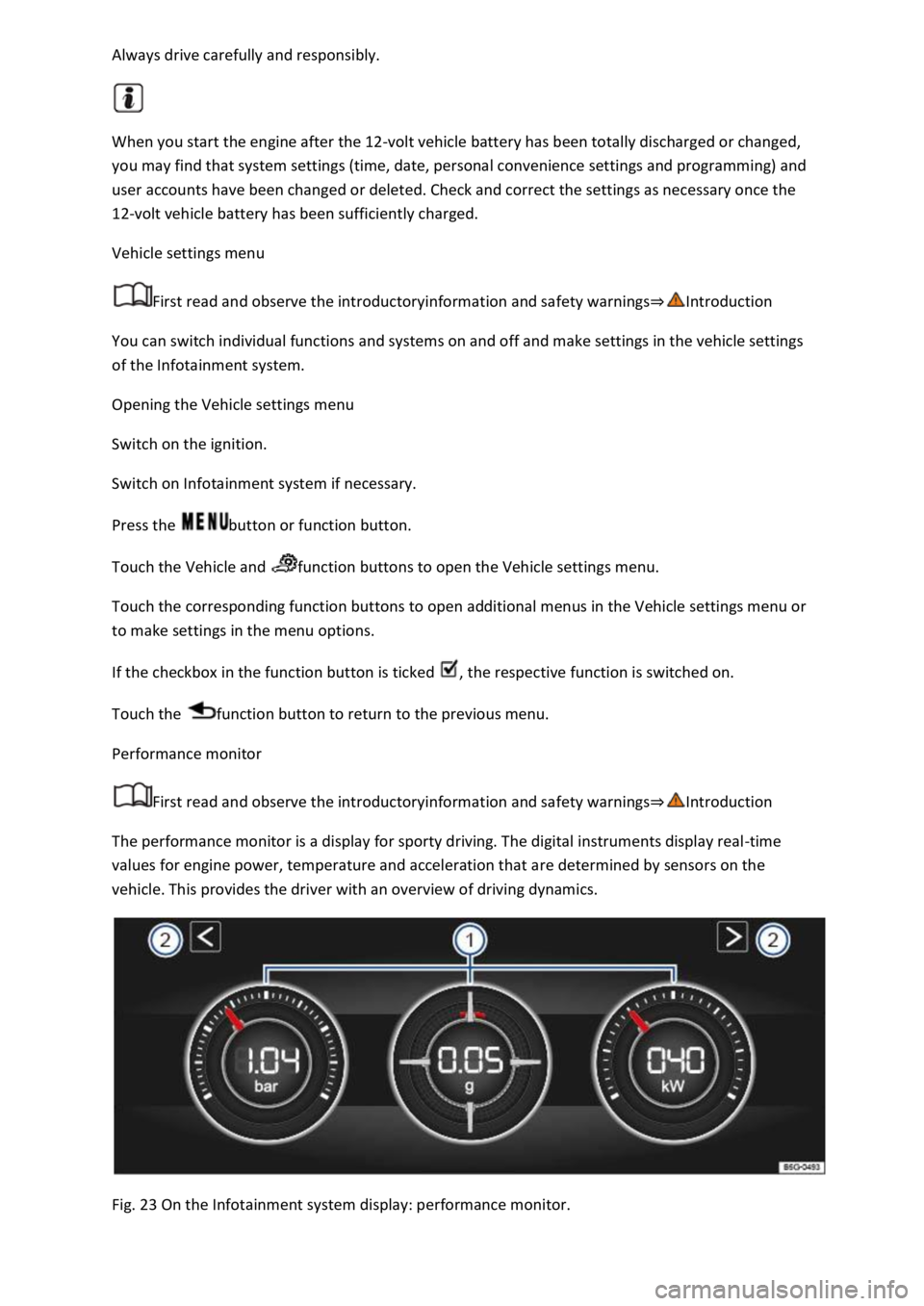
Performance monitor
First read and observe the introductoryinformation and safety warnings
The performance monitor is a display for sporty driving. The digital instruments display real-time
values for engine power, temperature and acceleration that are determined by sensors on the
vehicle. This provides the driver with an overview of driving dynamics.
Fig. 23 On the Infotainment system display: performance monitor.
Page 44 of 502
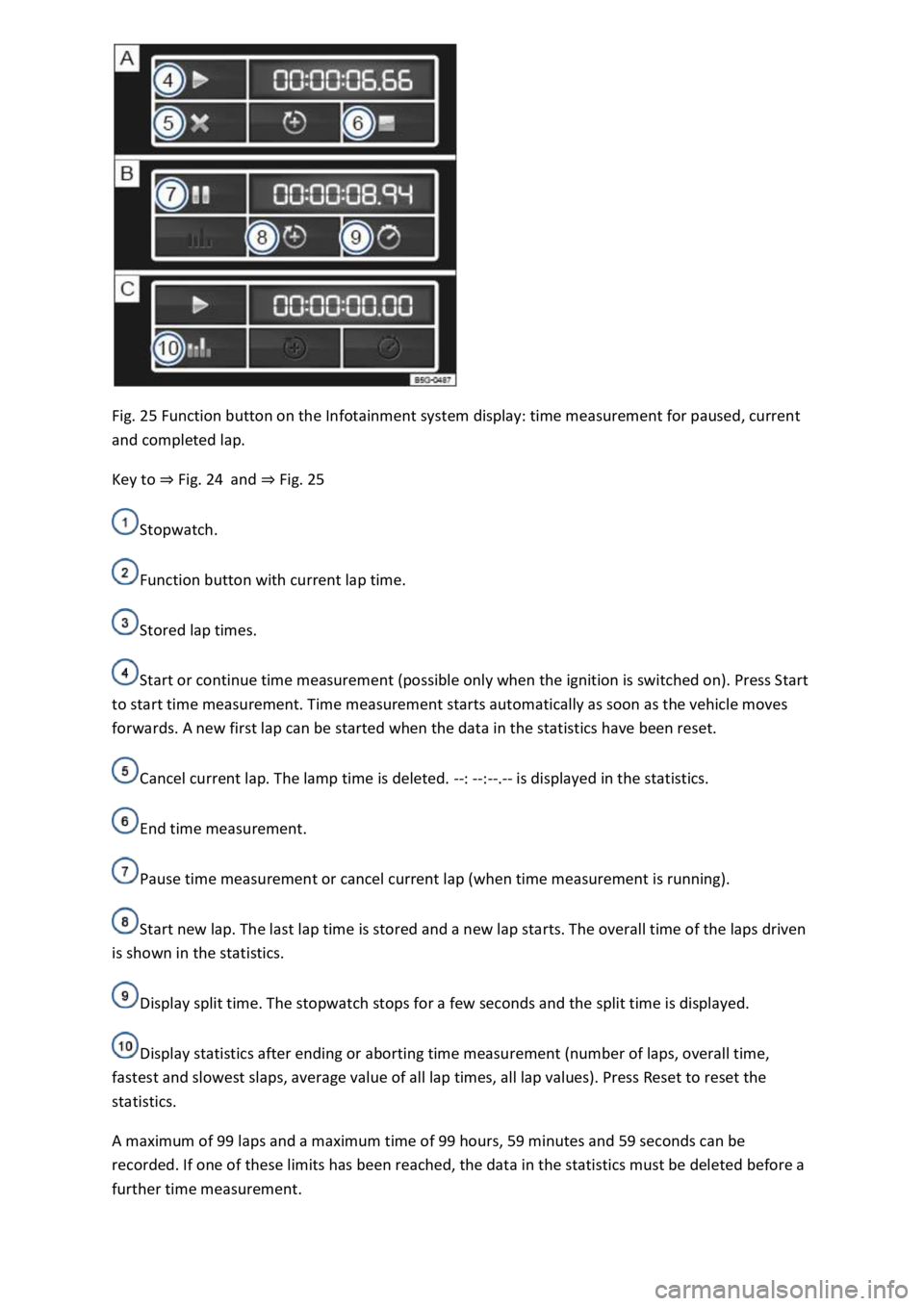
Fig. 25 Function button on the Infotainment system display: time measurement for paused, current
and completed lap.
Key to Fig. 24and Fig. 25
Stopwatch.
Function button with current lap time.
Stored lap times.
Start or continue time measurement (possible only when the ignition is switched on). Press Start
to start time measurement. Time measurement starts automatically as soon as the vehicle moves
forwards. A new first lap can be started when the data in the statistics have been reset.
Cancel current lap. The lamp time is deleted. --: --:--.-- is displayed in the statistics.
End time measurement.
Pause time measurement or cancel current lap (when time measurement is running).
Start new lap. The last lap time is stored and a new lap starts. The overall time of the laps driven
is shown in the statistics.
Display split time. The stopwatch stops for a few seconds and the split time is displayed.
Display statistics after ending or aborting time measurement (number of laps, overall time,
fastest and slowest slaps, average value of all lap times, all lap values). Press Reset to reset the
statistics.
A maximum of 99 laps and a maximum time of 99 hours, 59 minutes and 59 seconds can be
recorded. If one of these limits has been reached, the data in the statistics must be deleted before a
further time measurement.
Page 45 of 502
Press the MENU button or function button, depending on the version of the Infotainment system.
Touch the Vehicle function button.
Touch the Selection function button.
Touch the Sport function button. The performance monitor is displayed.
Touch one of the arrow buttons Fig. 23
You can change between the lap timer and performance monitor at any time using the arrow
buttons Fig. 23Fig. 24
Measuring lap times
The stopwatch measures the lap time in two areas:
The red needle and the numerical value in the centre show the running time in seconds. The smaller
display in the inner area shows minutes and hours.
The display on the right side shows the current lap time with an accuracy of 1/100 seconds. There is
no difference between the stopwatch and lap times if there are not yet any laps with split times
stored in the lap timer.
WARNING
Avoid operating the lap timer when the vehicle is in motion if possible.
Make lap timer settings and access statistics only when the vehicle is stationary.
When the vehicle is in motion, use the lap timer only in driving situations which are easy to control.
Personalisation
First read and observe the introductoryinformation and safety warnings
The personalisation function allows personalised vehicle settings, such as air conditioning system,
instrument cluster or lighting settings, to be saved in a user account. Four user accounts are
available. Users are identified by the vehicle keys upon unlocking the vehicle. A user account is
assigned to each vehicle key.
Changes to the settings will be assigned to the active user account and saved upon locking the
vehicle or changing the user account.
Welcome and user account selection
When personalisation is activated, the name of the current user account appears on the instrument
cluster display for approximately ten seconds after you switch on the ignition.
During this time, you can select a user account using the buttons on the wiper lever or multifunction
steering wheel Infotainment system controls and displays
Page 46 of 502

User management and settings
When the ignition is switched on, you can use the Personalisation menu in the Infotainment system
for user management and to make settings. The menu can be accessed via the vehicle settings in the
Infotainment system.
Changing the user account
You can select the user account either via the Personalisation menu or via the Vehicle status menu.
Manually assigning vehicle keys to user accounts
You can assign a vehicle key to the currently active user account. For this purpose, select Manual key
assignment.
Automatically assigning vehicle keys to user accounts
If you have selected Automatic key assignment, the following vehicle key is assigned to the user
account upon changing the user account:
Vehicles without Keyless Access: vehicle key used to unlock the vehicle.
Vehicles with Keyless Access: vehicle key that is identified first by the personalisation function
when you open the driver door.
Personalised vehicle settings
Opening and closing (single door unlocking, window convenience opening etc.)
Light and vision (daytime running lights, cornering light, lane change flash etc.)
Settings for air conditioning system
Active driver assist systems
Driving profile selection
Multifunction display and instrument cluster (selection of displays)
Infotainment system (display brightness and station sorting)
A new vehicle key will be assigned to the current user account. To assign the vehicle key to a
different user account, select the required user account and manually assign it to the vehicle key.
Safety
Page 56 of 502
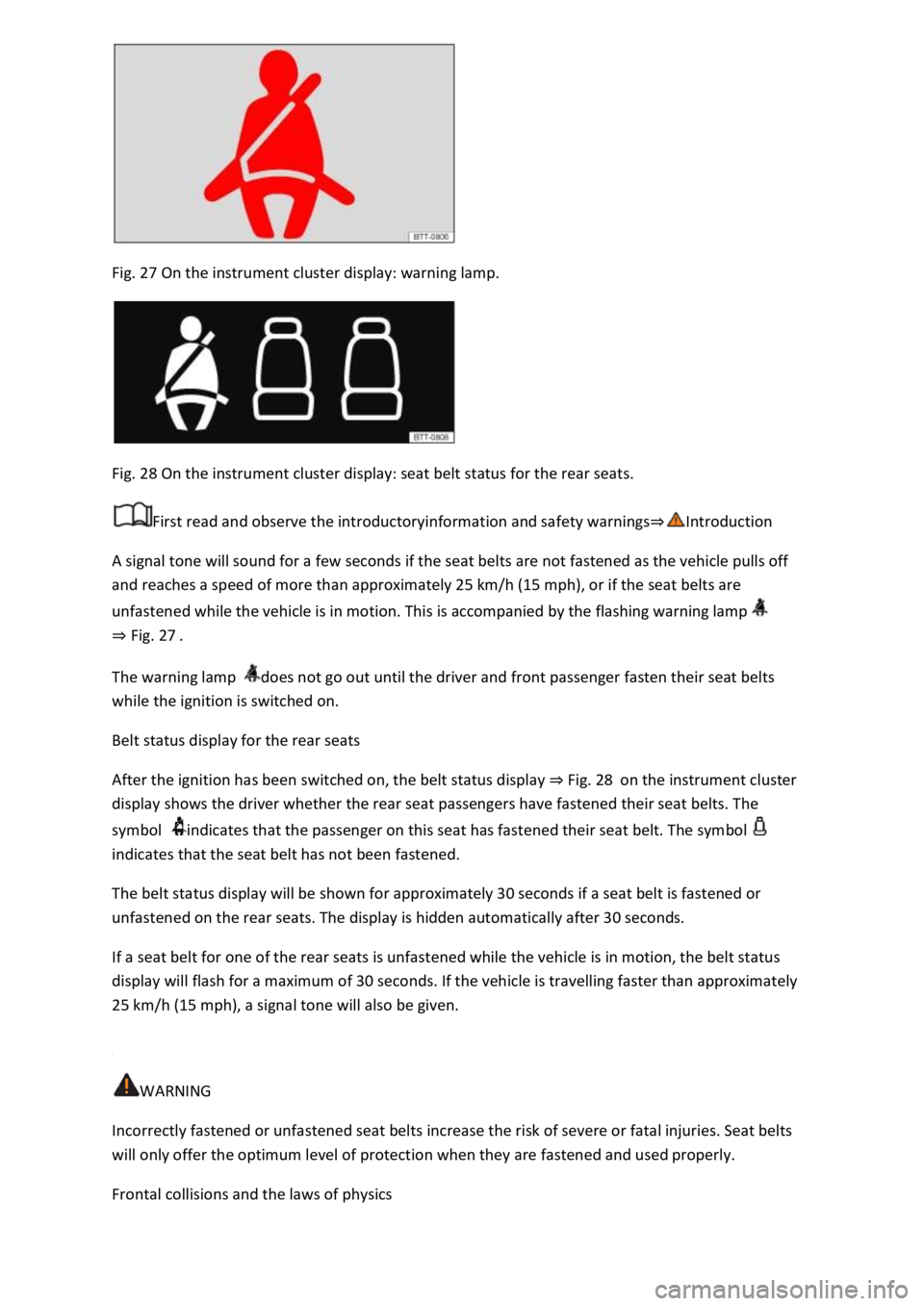
Fig. 27 On the instrument cluster display: warning lamp.
Fig. 28 On the instrument cluster display: seat belt status for the rear seats.
First read and observe the introductoryinformation and safety warnings
A signal tone will sound for a few seconds if the seat belts are not fastened as the vehicle pulls off
and reaches a speed of more than approximately 25 km/h (15 mph), or if the seat belts are
unfastened while the vehicle is in motion. This is accompanied by the flashing warning lamp
Fig. 27
The warning lamp does not go out until the driver and front passenger fasten their seat belts
while the ignition is switched on.
Belt status display for the rear seats
After the ignition has been switched on, the belt status display Fig. 28on the instrument cluster
display shows the driver whether the rear seat passengers have fastened their seat belts. The
symbol indicates that the passenger on this seat has fastened their seat belt. The symbol
indicates that the seat belt has not been fastened.
The belt status display will be shown for approximately 30 seconds if a seat belt is fastened or
unfastened on the rear seats. The display is hidden automatically after 30 seconds.
If a seat belt for one of the rear seats is unfastened while the vehicle is in motion, the belt status
display will flash for a maximum of 30 seconds. If the vehicle is travelling faster than approximately
25 km/h (15 mph), a signal tone will also be given.
WARNING
Incorrectly fastened or unfastened seat belts increase the risk of severe or fatal injuries. Seat belts
will only offer the optimum level of protection when they are fastened and used properly.
Frontal collisions and the laws of physics
Page 70 of 502
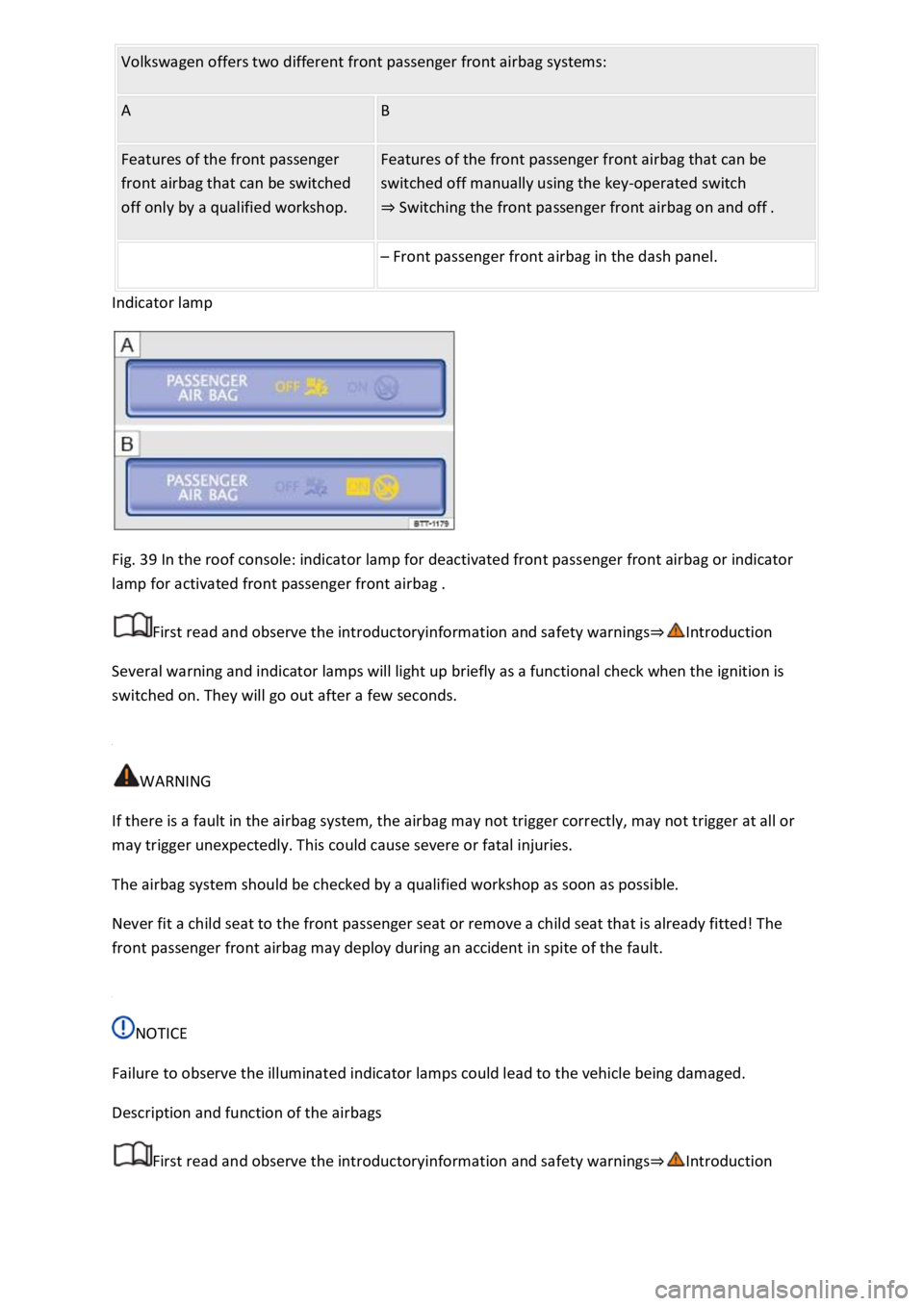
Fig. 39 In the roof console: indicator lamp for deactivated front passenger front airbag or indicator
lamp for activated front passenger front airbag .
First read and observe the introductoryinformation and safety warnings
Several warning and indicator lamps will light up briefly as a functional check when the ignition is
switched on. They will go out after a few seconds.
WARNING
If there is a fault in the airbag system, the airbag may not trigger correctly, may not trigger at all or
may trigger unexpectedly. This could cause severe or fatal injuries.
The airbag system should be checked by a qualified workshop as soon as possible.
Never fit a child seat to the front passenger seat or remove a child seat that is already fitted! The
front passenger front airbag may deploy during an accident in spite of the fault.
NOTICE
Failure to observe the illuminated indicator lamps could lead to the vehicle being damaged.
Description and function of the airbags
First read and observe the introductoryinformation and safety warnings
Page 74 of 502

Open the door on the front passenger side.
Fold the key bit of the vehicle key all the way out Vehicle key
Insert the key bit into the key-operated switch on the dash panel Fig. 42until you feel the second
point of resistance. Around three quarters of the key bit should be inserted in the key switch at this
point
Turn the vehicle key, without using force, to the position .
Remove the vehicle key from the key-operated switch and fold away the key bit
The PASSENGER AIR BAG indicator lamp in the upper section of the centre console lights up
and goes out after approximately 60 seconds Indicator lamp
Close the door on the front passenger side.
Check that the PASSENGER AIR BAG indicator lamp in the upper section of the centre
console does not light up when the ignition is switched on Indicator lamp
Disabling the front passenger front airbag
Switch off the ignition.
Open the door on the front passenger side.
Fold the key bit of the vehicle key all the way out Vehicle key
Insert the fully folded-out key bit of the vehicle key into the key-operated switch in the dash panel
Fig. 42up to the second point of resistance. Around three quarters of the key bit should be
inserted in the key switch at this point
Turn the vehicle key, without using force, to the position .
Remove the vehicle key from the key-operated switch and fold away the key bit
Close the door on the front passenger side.
The PASSENGER AIR BAG indicator lamp in the upper section of the centre console lights
up continuously when the ignition is switched on Indicator lamp
Indication that front passenger front airbag is disabled
A deactivated front passenger front airbag is indicated only by the continuously lit
PASSENGER AIR BAG indicator lamp in the upper section of the centre console (
lights up yellow continuously) Indicator lamp
If the PASSENGER AIR BAG indicator lamp in the upper section of the centre console does
not light up continuously or lights up together with the indicator lamp in the instrument cluster
display, do not fit a child restraint system on the front passenger seat for safety reasons. The front
passenger front airbag could trigger during an accident.
Page 75 of 502

The front passenger front airbag should be switched off only in exceptional circumstances.
To prevent damage to the airbag system, switch the front passenger front airbag on and off only
when the ignition is switched off.
It is the driver's responsibility to ensure that the key-operated switch is set to the correct position.
Switch off the front passenger front airbag only if in exceptional circumstances a child seat is fitted
on the front passenger seat.
Switch the front passenger front airbag back on again as soon as the child seat on the front
passenger seat is no longer being used.
WARNING
Do not leave the vehicle key in the key switch while driving.
Strong vibrations may cause the vehicle key to turn in the key switch, which could cause the front
passenger front airbag to be activated.
Untimely inflation of the front passenger front airbag could lead to serious or fatal injuries.
NOTICE
If the key bit is not inserted far enough, the key switch could be damaged when the key is turned.
NOTICE
Do not leave the vehicle key in the key switch, as this could result in damage to the interior door
trim, dash panel, key switch or vehicle key when the front passenger door is closed.
Safe transport of children
Introduction
This chapter contains information on the followingsubjects:
Types of child seat
Fitting and using child seats
Securing systems
Securing a child seat with ISOFIX
Securing child seats with a seat belt
Page 86 of 502
When pushing the vehicle by hand, do not press on the tail light clusters, the rear spoiler or large
panels. This could damage the vehicle and the rear spoiler could become detached.
The 12-volt vehicle battery will discharge if the hazard warning lights are left on over a long period of
time even when the ignition is switched off.
Depending on the vehicle equipment, the brake lights flash rapidly if you brake sharply or initiate full
braking at a speed of more than 80 km/h (50 mph). This is a particularly effective way of attracting
the attention of vehicles behind you. If you then continue to brake, the hazard warning lights will be
switched on automatically at speeds under approximately 10 km/h (6 mph). Once you start to
accelerate, the hazard warning lights will switch off again automatically.
Equipment for an emergency
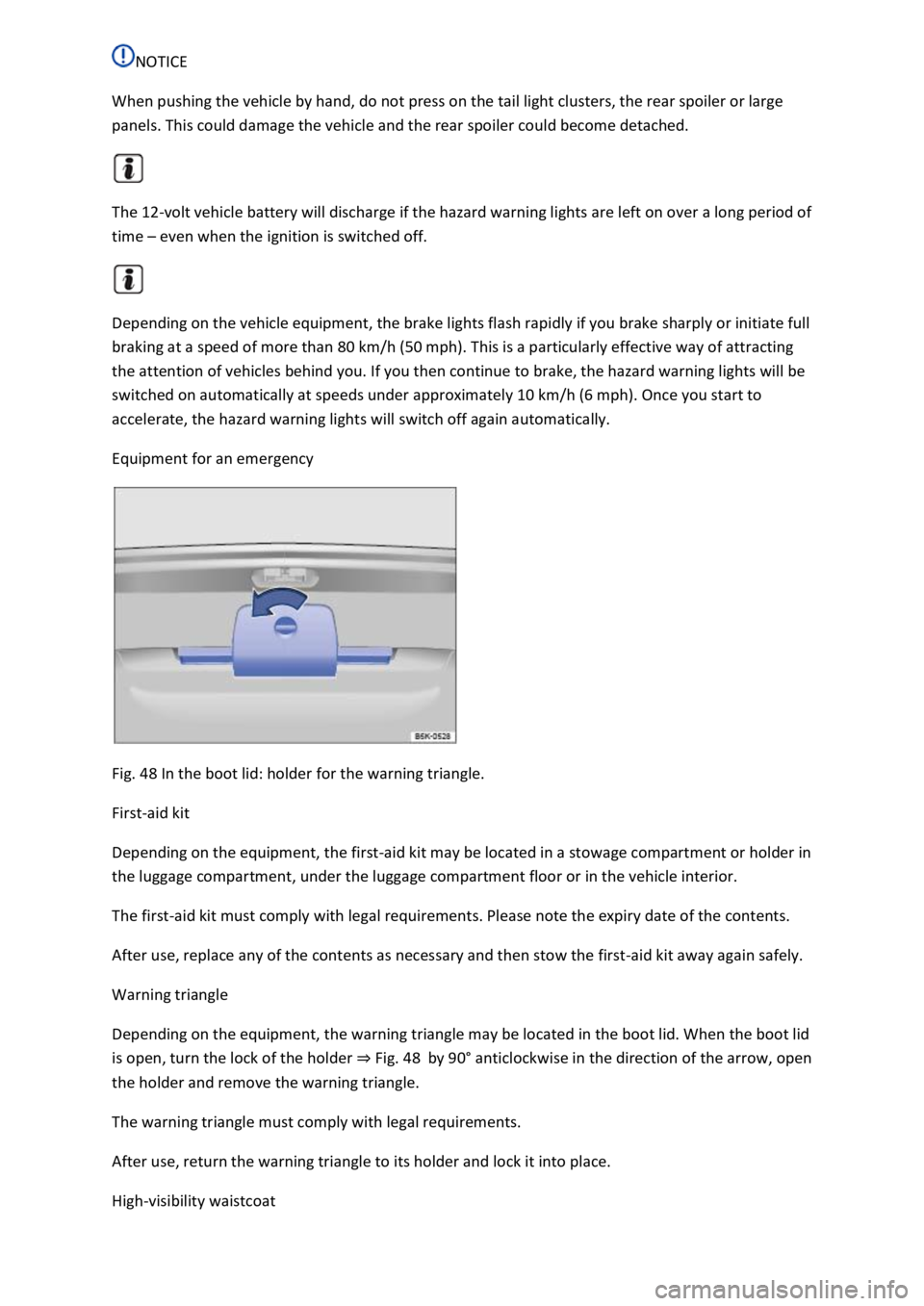
Fig. 48 In the boot lid: holder for the warning triangle.
First-aid kit
Depending on the equipment, the first-aid kit may be located in a stowage compartment or holder in
the luggage compartment, under the luggage compartment floor or in the vehicle interior.
The first-aid kit must comply with legal requirements. Please note the expiry date of the contents.
After use, replace any of the contents as necessary and then stow the first-aid kit away again safely.
Warning triangle
Depending on the equipment, the warning triangle may be located in the boot lid. When the boot lid
is open, turn the lock of the holder Fig. 48by 90