Service VOLKSWAGEN T-ROC 2018 Owner's Manual
[x] Cancel search | Manufacturer: VOLKSWAGEN, Model Year: 2018, Model line: T-ROC, Model: VOLKSWAGEN T-ROC 2018Pages: 502, PDF Size: 8.58 MB
Page 172 of 502

file Driving profile selection and 4MOTION Active Control
Avoid driving at full throttle
Never drive the vehicle at its top speed. The drag coefficient increases at excessively high speeds.
This in turn increases the force needed to move the vehicle.
Reduce idling
Pull away immediately with low engine speeds. If you are stopped for a long period, do not allow the
engine to idle but switch it off, e.g. when in a traffic jam or at a railway crossing.
In vehicles with an activated start/stop system, the engine can switch off automatically when the
vehicle is stopping and when the vehicle is stationary Start/stop system
Refuel moderately
A full fuel tank increases the weight of the vehicle. A fuel tank that is half or two thirds of the way
full is sufficient for journeys in urban traffic in particular.
Avoid short journeys
A cold engine has very high fuel consumption. The optimum operating temperature is reached only
after driving a few kilometres. The fuel consumption is above average at very low ambient
temperatures, e.g. in winter Fig. 97
Carry out regular maintenance
Regular maintenance is an essential prerequisite for economical driving and increases the service life
of the vehicle.
Observe the tyre pressures
Low tyre pressures does not just mean greater wear, but also increase the rolling resistance of the
tyres and thus the fuel consumption. Use optimised rolling resistance tyres.
Adjust the tyre pressure according to the load. Observe the information on the tyre pressure sticker
Useful information about wheels and tyres
Tyre Pressure Loss Indicator or Tyre Pressure Monitoring System Tyre monitoring system
Use low viscosity engine oils
Fully synthetic engine oils with a low viscosity decrease frictional resistance in the engine and are
distributed better and more quickly, especially during cold starts.
Do not drive with unnecessary loads in the vehicle
You can reduce fuel consumption by clearing out the luggage compartment before setting off, for
example by removing empty drink crates or unused child seats.
To keep the vehicle's air resistance as low as possible, remove any add-on parts and equipment such
as ski racks, bicycle racks and roof carriers once you have finished using them.
Save electrical energy
Page 180 of 502

instructions should be followed Safety
If the vehicle is going to be sold in another country or used in another country for an extended
period, the legal requirements applicable in that country must be observed.
In some cases, certain equipment will have to be fitted or removed and functions deactivated. The
scope of services and service types could also be affected. This is particularly important if the vehicle
is driven in another climate region for a long period of time.
Because different frequency bands are used in different countries, the factory-fitted Infotainment
system may not work in other countries.
NOTICE
Volkswagen is not responsible for any vehicle damage caused by low-quality fuel, inadequate
servicing work or non-availability of Genuine Parts.
Volkswagen cannot be held responsible if the vehicle does not comply with or only partly complies
with the relevant legal requirements in other countries and continents.
Troubleshooting
Unusual braking behaviour
The warning lamp lights up red.
A text message may also be displayed.
The vehicle does not brake in the usual way or the braking distance is longer than normal.
There is a malfunction in the brake system.
Go to the nearest qualified workshop without delay.
Drive at low speed and be prepared for longer braking distances and the need to apply increased
pedal pressure.
Brake pad wear indicator
The indicator lamp lights up yellow.
Front brake pads are worn.
Go to a qualified workshop immediately.
All brake pads should be checked and renewed as necessary.
Page 280 of 502

wheels can spin even when brake support systems are active, and this can lead to a loss of control of
the vehicle.
WARNING
The effectiveness of ESC can be reduced considerably if other components and systems which affect
driving dynamics are not serviced properly or are not functioning properly. This also applies, but not
exclusively, to the brakes, tyres and other named systems.
Please always bear in mind that modifications and changes to the vehicle can affect the way brake
support systems operate.
Alterations to the suspension or the use of non-approved wheel and tyre combinations can affect
the function of brake support systems and reduce their effectiveness.
Suitable tyres support the effectiveness of ESC.
WARNING
Driving without the brake servo can considerably increase the braking distance and thus cause
accidents and serious injuries.
Never switch the engine or ignition off while the vehicle is in motion.
If the brake servo does not function or the vehicle is being towed, the brake pedal will have to be
depressed more forcefully as the braking distance will be increased due to the lack of assistance for
the brake system.
Switching the TCS on and off
Switch off the traction control system (TCS) if the vehicle does not have sufficient traction:
When driving in deep snow or on loose surfaces.
When rocking the vehicle free if it is stuck.
Then switch on TCS again.
Switching TCS on and off
TCS can be switched off and on in the Infotainment system Infotainment system controls and
displays
When the TCS is switched off, the yellow indicator lamp lights up on the instrument cluster
display.
As soon as the TCS starts regulating, the indicator lamp flashes yellow.
Troubleshooting
Page 292 of 502

Place the subwoofer carefully in the rim base. The tip of the arrow symbol FRONT on the subwoofer
must face forwards.
Plug in connector Fig.
0until it audibly engages.
Screw the handwheel Fig.
0onto the threaded pin in the opposite direction to the arrow
until the subwoofer is properly secured.
Place the variable luggage compartment floor on the floor covering.
Installing the subwoofer (type 2)
Place the subwoofer carefully in the rim base. The tip of the arrow symbol FRONT Fig.
0on
the subwoofer must face forwards.
Plug in connector Fig. 1
0until the catch audibly engages.
Screw the handwheel Fig.
0onto the threaded pin in the opposite direction to the arrow
until the subwoofer is properly secured.
Place the variable luggage compartment floor on the floor covering.
Mobile online services
Volkswagen Car-Net
Introduction
This chapter contains information on the followingsubjects:
Legal requirements
Deactivating Car-Net services
Service impairment or interruption
Apps
Volkswagen Car-Net is not available in all countries and is subject to country-specific limitations on
duration of use.
Volkswagen Car-Net allows you to communicate with your vehicle in order to exchange data,
request information or control functions.
In order to be able to use Volkswagen Car-Net, the vehicle has to be ordered with Car-Net and
factory-fitted with the system. Depending on the service or service portfolio, Volkswagen Car-Net
can be operated via the factory-fitted Infotainment system, via a Car-Net portal on the Internet or
using a mobile device.
Information about the Volkswagen Car-Net services, applications, availability, compatible mobile
devices and service portfolio, as well as service descriptions, are available on the Volkswagen
website:
In Europe and Japan: www.volkswagen.com/car-net
Page 293 of 502

hina: www.vwcarnet.com.cn
Before using the Volkswagen Car-Net services for the first time, please read and observe the
information in the relevant service description. This will quickly help you to become familiar with the
services and make you aware of potential risks to yourself and others, and how to avoid them.
WARNING
Accidents and injuries can occur if the driver is distracted.
Always drive carefully and responsibly.
WARNING
Failure to observe the information in the service description can lead to your vehicle breaking down
in traffic, and can cause accidents and serious injuries.
Always use the most up-to-date edition of the relevant service descriptions which is available on the
Volkswagen website.
WARNING
The following conditions can make it impossible to make a telephone call, run a Volkswagen Car-Net
service or transfer data:
If your current location is in an area with no or insufficient mobile communications and GPS
reception. This can also include tunnels, streets with tall buildings, garages, multi-storey car parks,
underpasses, mountains and valleys.
If you are in an area with sufficient mobile communications and GPS reception but the
telecommunications provider's mobile network is overloaded, out of order or unavailable.
If the components in the vehicle required for the services and data transmission are damaged, not
working or do not have sufficient electrical power.
The battery for the mobile device is empty, does not have a sufficient charge level or has no more
call credit.
WARNING
Using computers and mobile devices in public or non-secured LAN and WLAN networks can lead to a
loss of control over your Volkswagen Car-Net services.
In addition to the usual precautionary measures to be taken when using the Internet, you should
protect your computer and mobile device with suitable anti-virus software and regularly update its
signatures.
Page 294 of 502
-Net portal, your computer and mobile device against misuse.
WARNING
Applications and Volkswagen Car-Net services which are unsuitable or faulty or that are used
incorrectly can cause damage to the vehicle, accidents or serious injury.
Never make changes to applications or Volkswagen Car-Net services.
NOTICE
Volkswagen is not responsible for damage to the vehicle caused by poor quality or faulty third-party
applications, insufficient programming of applications, insufficient network strength, loss of data
during transmission or through misuse of your computers, tablets or mobile devices.
Legal requirements
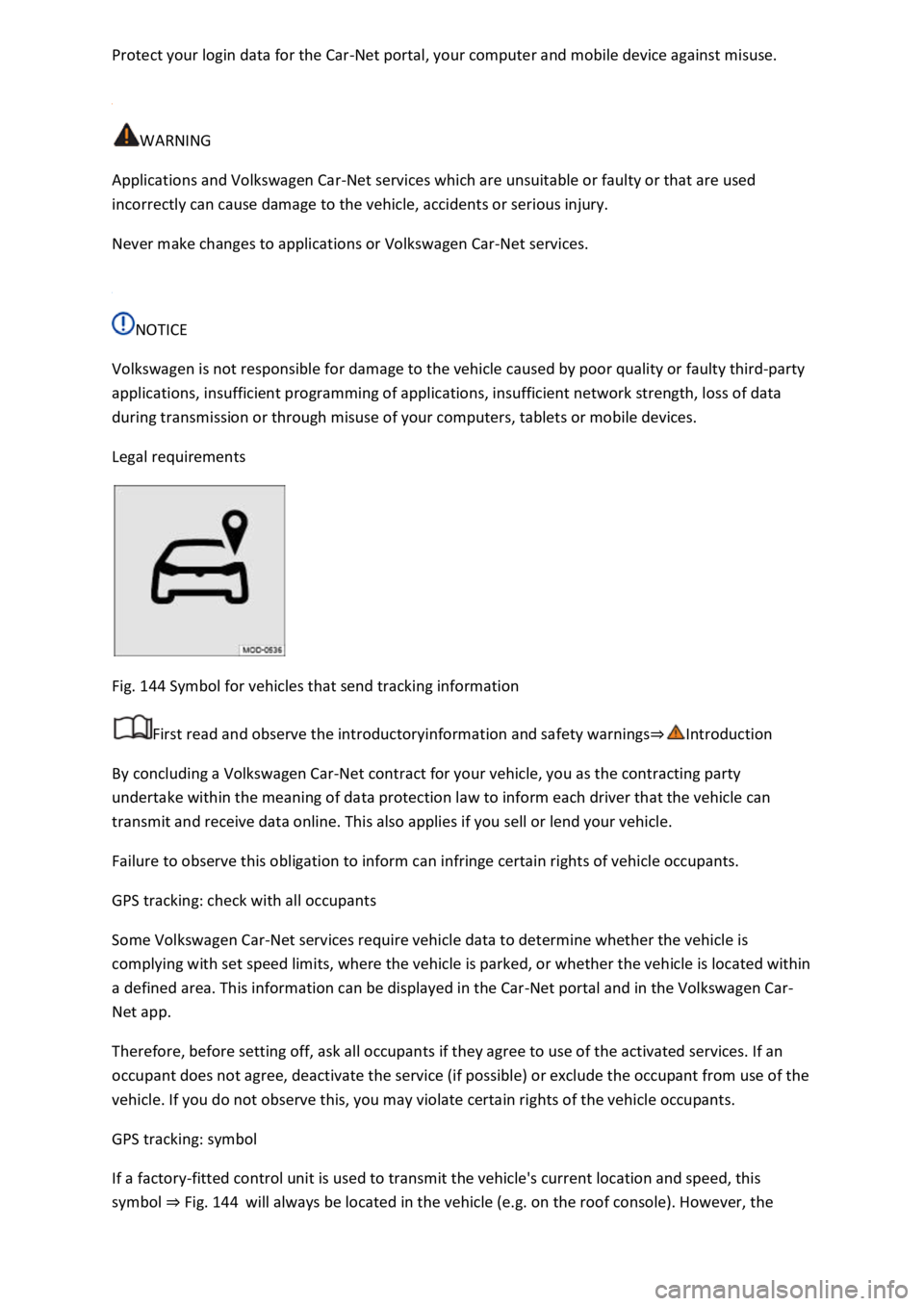
Fig. 144 Symbol for vehicles that send tracking information
First read and observe the introductoryinformation and safety warnings
By concluding a Volkswagen Car-Net contract for your vehicle, you as the contracting party
undertake within the meaning of data protection law to inform each driver that the vehicle can
transmit and receive data online. This also applies if you sell or lend your vehicle.
Failure to observe this obligation to inform can infringe certain rights of vehicle occupants.
GPS tracking: check with all occupants
Some Volkswagen Car-Net services require vehicle data to determine whether the vehicle is
complying with set speed limits, where the vehicle is parked, or whether the vehicle is located within
a defined area. This information can be displayed in the Car-Net portal and in the Volkswagen Car-
Net app.
Therefore, before setting off, ask all occupants if they agree to use of the activated services. If an
occupant does not agree, deactivate the service (if possible) or exclude the occupant from use of the
vehicle. If you do not observe this, you may violate certain rights of the vehicle occupants.
GPS tracking: symbol
If a factory-fitted control unit is used to transmit the vehicle's current location and speed, this
symbol Fig. 144will always be located in the vehicle (e.g. on the roof console). However, the
Page 295 of 502
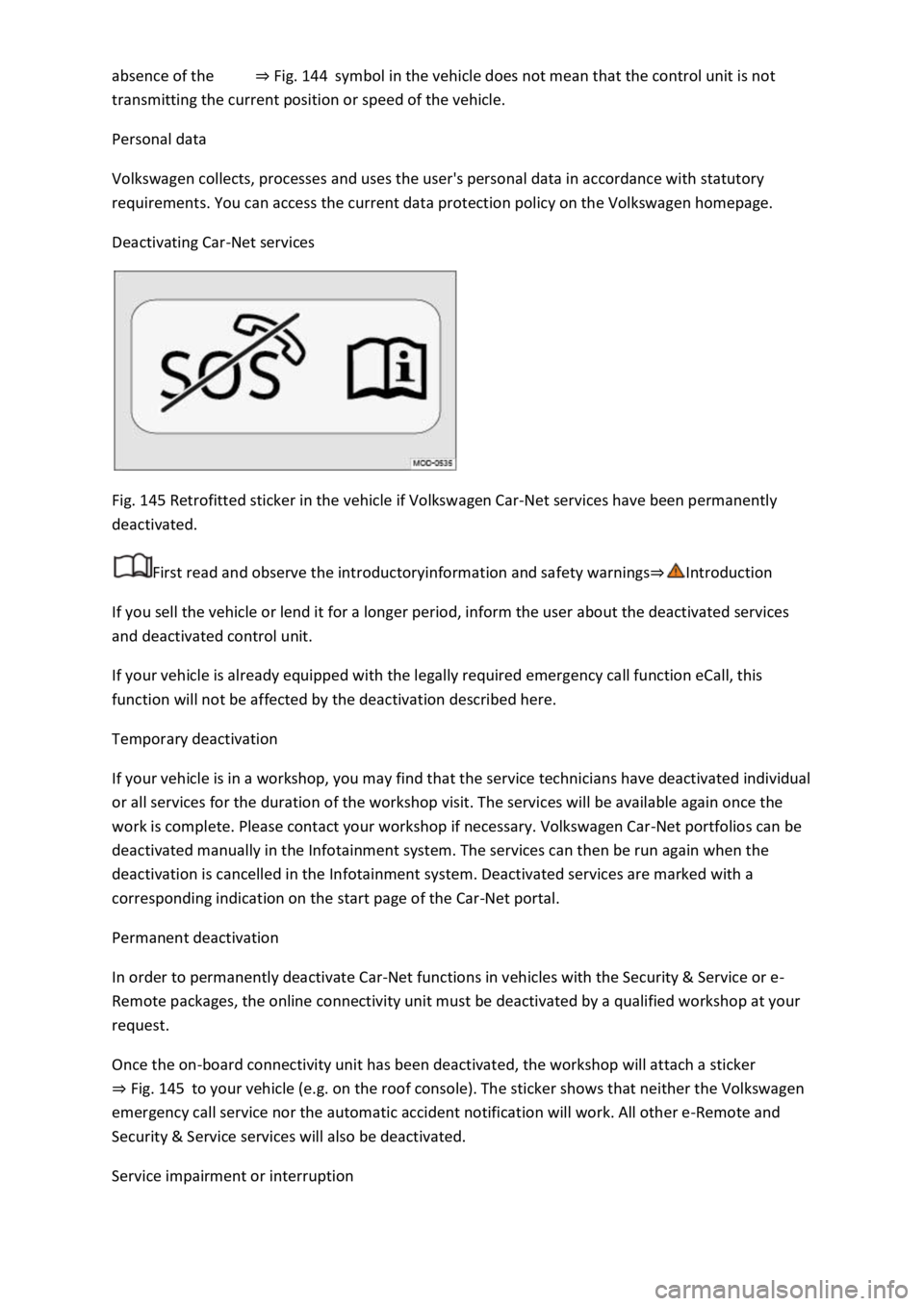
Fig. 144symbol in the vehicle does not mean that the control unit is not
transmitting the current position or speed of the vehicle.
Personal data
Volkswagen collects, processes and uses the user's personal data in accordance with statutory
requirements. You can access the current data protection policy on the Volkswagen homepage.
Deactivating Car-Net services
Fig. 145 Retrofitted sticker in the vehicle if Volkswagen Car-Net services have been permanently
deactivated.
First read and observe the introductoryinformation and safety warnings
If you sell the vehicle or lend it for a longer period, inform the user about the deactivated services
and deactivated control unit.
If your vehicle is already equipped with the legally required emergency call function eCall, this
function will not be affected by the deactivation described here.
Temporary deactivation
If your vehicle is in a workshop, you may find that the service technicians have deactivated individual
or all services for the duration of the workshop visit. The services will be available again once the
work is complete. Please contact your workshop if necessary. Volkswagen Car-Net portfolios can be
deactivated manually in the Infotainment system. The services can then be run again when the
deactivation is cancelled in the Infotainment system. Deactivated services are marked with a
corresponding indication on the start page of the Car-Net portal.
Permanent deactivation
In order to permanently deactivate Car-Net functions in vehicles with the Security & Service or e-
Remote packages, the online connectivity unit must be deactivated by a qualified workshop at your
request.
Once the on-board connectivity unit has been deactivated, the workshop will attach a sticker
Fig. 145to your vehicle (e.g. on the roof console). The sticker shows that neither the Volkswagen
emergency call service nor the automatic accident notification will work. All other e-Remote and
Security & Service services will also be deactivated.
Service impairment or interruption
Page 296 of 502

Even when the above-mentioned requirements for using the services are met, the functionality of
the Car-Net services can be impaired or interrupted due to factors that lie outside the control of
Volkswagen AG. Such factors include in particular:
s.
The telecommunications provider has changed the mobile telecommunication standard for
transferring mobile data, e.g. from UMTS to EDGE or GPRS
An existing mobile telecommunications standard has been shut down by the telecommunications
provider.
Impairment or interruption to mobile and GPS reception, e.g. due to high speeds, solar storms,
weather, landscape, interfering devices or intensive use of the mobile network in the relevant cells.
Restricted availability, completeness or correctness of information provided by third parties, e.g.
maps.
Countries where Volkswagen Car-Net services are not available.
Apps
First read and observe the introductoryinformation and safety warnings
The Volkswagen Car-Net app can execute Volkswagen Car-Net services in the vehicle and provide
information.
Volkswagen App-Connect allows content from Volkswagen apps and third party apps on mobile
devices to be shown on the Infotainment system screen.
There may be problems with compatibility with third party apps.
A wide range of applications may be available and they may be vehicle-specific and country-specific
o depend on
availability of services offered by third parties.
We are unable to guarantee that the available apps can be run on all mobile devices and all
operating systems.
Applications offered by Volkswagen can be changed, discontinued, deactivated, reactivated and
expanded without prior notice.
Transporting items
Stowing luggage and loads
Cargo and luggage can be transported in the vehicle, on a trailer Technical requirementsand on
the roof Roof carrier
Stowing luggage safely in the vehicle
Always distribute any loads in the vehicle as evenly as possible.
Page 307 of 502

The vehicle height exceeds the required clearance height, e.g. in a garage.
NOTICE
Always remove the roof carrier before driving through an automatic car wash.
The height of the vehicle is changed by the installation of a roof carrier and the load secured to it.
Check and compare the height of the vehicle with clearance heights, e.g. for underpasses and garage
doors.
The roof carrier and its load must not obstruct you from opening and closing the glass roof and the
boot lid. The roof aerial must also remain unaffected.
Driving with a fitted roof carrier will increase air resistance and thus increase fuel consumption.
Trailer towing
Introduction
This chapter contains information on the followingsubjects:
Technical requirements
Fitting the removable ball head
Removing the ball head
Notes on towing a trailer
Loading the trailer
Driving with a trailer
Trailer stabilisation
Retrofitting a towing bracket
The vehicle can be used to tow a trailer if it has the required technical equipment for this. The
additional trailer load will affect the amount of wear, fuel consumption and performance of the
vehicle and, in certain circumstances, could shorten the service intervals.
Driving with a trailer not only places an extra load on the vehicle, but also requires increased
concentration on the part of the driver.
Vehicles with start/stop system
When using towing brackets that were not retrofitted by Volkswagen, the start/stop system must be
deactivated manually using the button in the centre console before towing a trailer, and it must
remain deactivated for as long as a trailer is being towed
Page 311 of 502
Never connect the trailer's electrical system directly to the electrical connections of the tail light
clusters or to other power sources. Use only suitable connectors to supply power to the trailer.
Towing a trailer places additional demands on the vehicle. Volkswagen recommends additional
services between the normal inspection intervals if the vehicle is used frequently for towing a trailer.
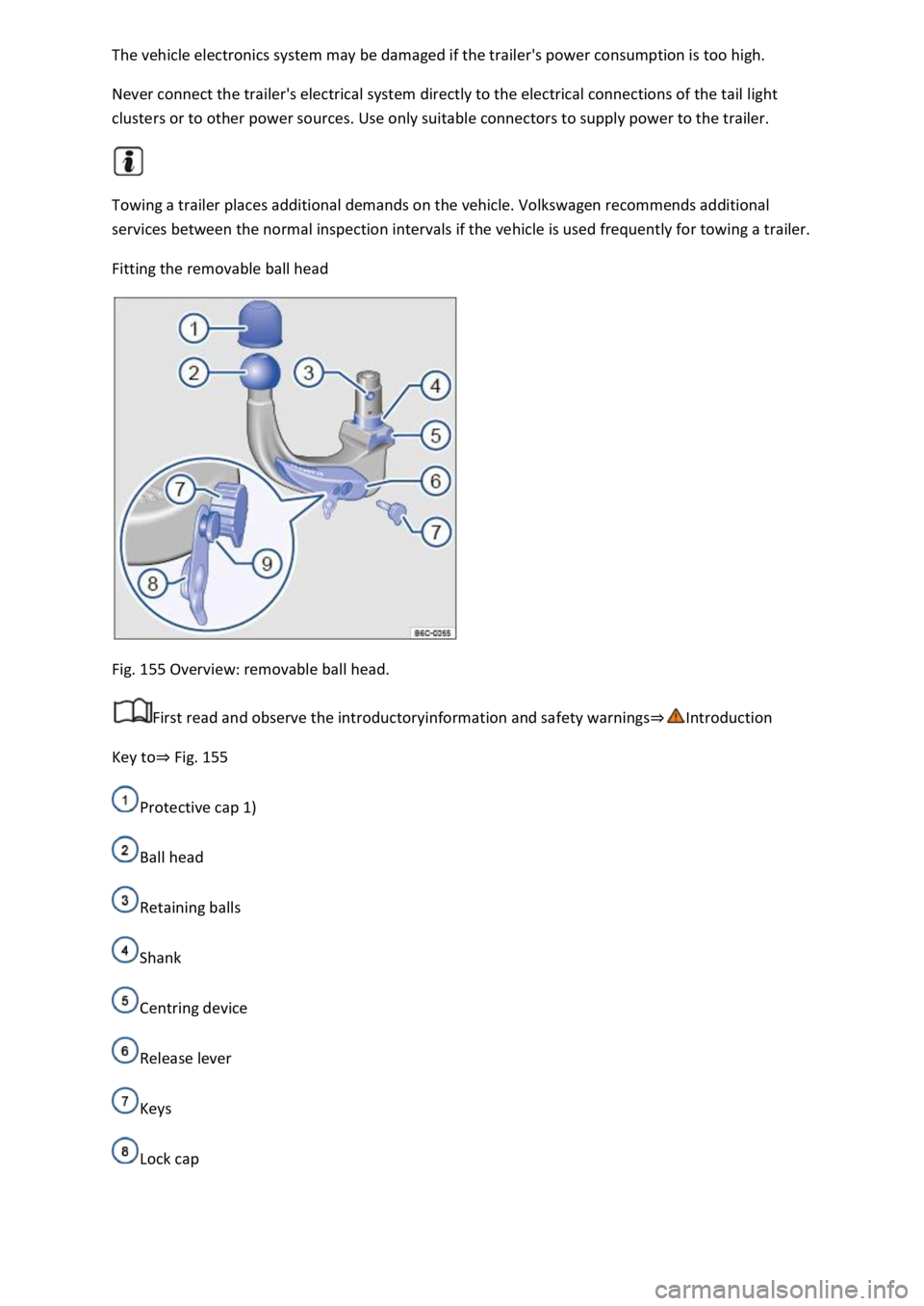
Fitting the removable ball head
Fig. 155 Overview: removable ball head.
First read and observe the introductoryinformation and safety warnings
Key toFig. 155
Protective cap 1)
Ball head
Retaining balls
Shank
Centring device
Release lever
Keys
Lock cap