Pressure VOLKSWAGEN TIGUAN 2011 Owners Manual
[x] Cancel search | Manufacturer: VOLKSWAGEN, Model Year: 2011, Model line: TIGUAN, Model: VOLKSWAGEN TIGUAN 2011Pages: 435, PDF Size: 4.23 MB
Page 26 of 435

– Digital speed display
– Speed warn. (speed warning)
– Back
▪ Convenience
– ATA confirm
– Central locking
Auto unlock
Unlock doors
– Window op. (Window operation)
Off
All
Driver
Back
– Mirror adjust
Individually
Both mirrors
Mirror down (vehicles with memory seats)
Back
– Factory setting
▪ Lights / Vision
– Coming home
– Leaving home
– Footwell light
– Conv. turn sig. (convenience turn signal)
– Factory setting
– Back
▪ Time
– Hours
– Minutes
– 24 hr. mode
– Daylight save
– Back
▪ Snow tires (winter tires)
– On
– + 5 mph
– - 5 mph
– Back
▪ Compass (vehicles without navigation system)
– Zone
– Calibrate
– Back
▪ Units
– Temperature
– Consump./ dist.
– Back
▪ Tire pressure
– Store
Page 30 of 435

Settings menu Function
MFI Data Enable the features you want to be available under the MFI menu in the instrument cluster display
Compass Calibrating the compass on vehicles without a factory-installed navigation system. To calibrate, follow instructions in the instrument cluster display
Convenience Convenience function settings
Lights & Vision Vehicle lighting settings
Time Set hours and minutes for the instrument cluster clock and in the Radio Navigation System clock. The digital clocks can be set to show the time in 12 or 24 hour format. Resetting clocks to daylight savings time or standard time.
Snow tires Set up visual and acoustic speed warning. Use the feature only when winter tires are installed that have a speed rating less than top vehicle speed.
Units Set units for temperature, fuel consumption and distances should be displayed (for example, whether to show distance driven in miles or kilometers).
Tire pressure Reset the tire pressure, for example after replacing tires.
Service Display service messages or reset service interval display.
Factory setting Resets the functions in the Settings menu to the default factory settings.
Convenience sub-menu
Page 46 of 435

Tire inflation pressure label
A tire inflation pressure label is on the driver door jamb ⇒ page 176, Tires and wheels.
Fuel grade sticker
An information sticker listing the correct fuel grade for your vehicle ⇒ page 289, Refueling.
Engine data
Page 85 of 435
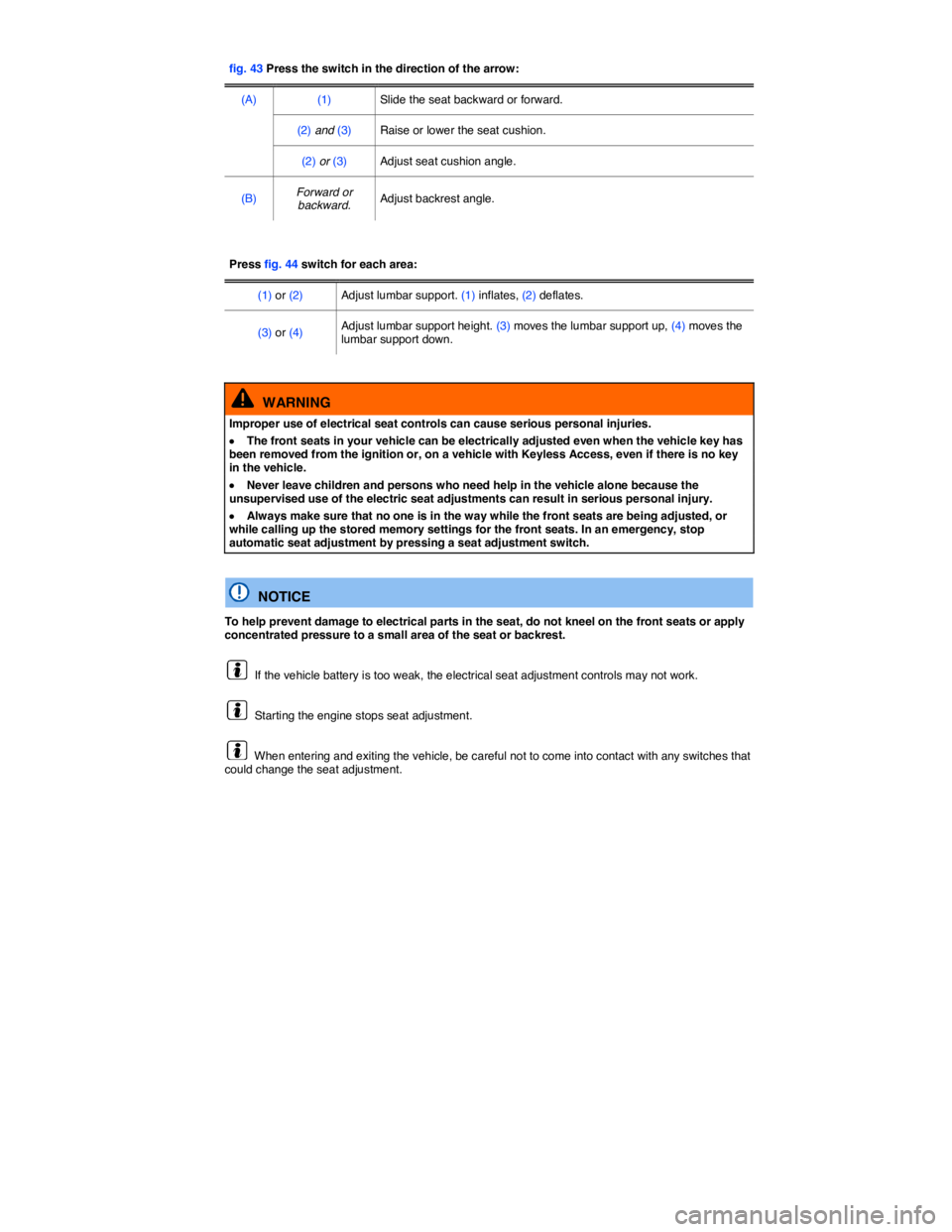
fig. 43 Press the switch in the direction of the arrow:
(A) (1) Slide the seat backward or forward.
(2) and (3) Raise or lower the seat cushion.
(2) or (3) Adjust seat cushion angle.
(B) Forward or backward. Adjust backrest angle.
Press fig. 44 switch for each area:
(1) or (2) Adjust lumbar support. (1) inflates, (2) deflates.
(3) or (4) Adjust lumbar support height. (3) moves the lumbar support up, (4) moves the lumbar support down.
WARNING
Improper use of electrical seat controls can cause serious personal injuries.
x The front seats in your vehicle can be electrically adjusted even when the vehicle key has been removed from the ignition or, on a vehicle with Keyless Access, even if there is no key in the vehicle.
x Never leave children and persons who need help in the vehicle alone because the unsupervised use of the electric seat adjustments can result in serious personal injury.
x Always make sure that no one is in the way while the front seats are being adjusted, or while calling up the stored memory settings for the front seats. In an emergency, stop automatic seat adjustment by pressing a seat adjustment switch.
NOTICE
To help prevent damage to electrical parts in the seat, do not kneel on the front seats or apply concentrated pressure to a small area of the seat or backrest.
If the vehicle battery is too weak, the electrical seat adjustment controls may not work.
Starting the engine stops seat adjustment.
When entering and exiting the vehicle, be careful not to come into contact with any switches that could change the seat adjustment.
Page 95 of 435

Function Action for seat heating ⇒ fig. 55
Switch on: Press the A or e button. Seat heating is switched on to maximum.
Adjusting heating level: Press the button A or e repeatedly until the desired heating level is set.
Switch off: Press the button A or e repeatedly until all indicator lights in the button are off.
Special seat heating features
On the driver side the seat heating will resume at the setting that was set when the ignition was switched off. However, this feature only works if the ignition is switched back on within 10 minutes.
People suffering from a low level of perceived pain or a lowered awareness of pain as from
medication, paralysis, or chronic illness (e.g. diabetes) should NEVER use the seat heating feature ⇒
.
The use of seat heating by persons with these conditions could result in burns to the back, buttocks, and legs that may take a long time to heal and may never heal completely. If you have any of these conditions, you should take regular breaks and get out of the vehicle, particularly on long trips. Consult your doctor for advice regarding your specific condition.
WARNING
Certain medical conditions, such as paralysis and diabetes, and certain medications, can increase the risk of serious burns when the seat heating feature is switched on.
x Vehicle occupants who have a low level of perceived pain or a lowered awareness of pain can receive serious burns to the back, buttocks, and legs that take a long time to heal or may never heal completely.
x Never use the seat heating feature if you or your passengers are at risk of being burned because of a medical condition. Take regular breaks and get out of the vehicle, particularly on long trips. Consult your doctor for advice regarding your specific condition.
x Never let exposed skin remain in contact with the seat upholstery when the seat heating is being used.
WARNING
A wet seat can cause the seat heating to malfunction and increase the risk of serious burns.
x Always make sure the seats are dry before using the seat heating.
x Never sit on the seat with wet clothes.
x Never put damp or wet things including clothes on the seat.
x Never spill liquids on the seats.
NOTICE
x To help prevent damage to electrical and other parts in the seat, do not kneel on the front seats or apply concentrated pressure to a small area of the seat or backrest.
Page 110 of 435

Expectant mothers must always wear the lap portion of the safety belt as low as possible across the pelvis and below the rounding of the abdomen – throughout the pregnancy. The safety belt must lie
flat against the body to avoid pressure against the abdomen ⇒ fig. 68.
Adjusting safety belt height
The safety belt position can be adjusted using the following features:
x Safety belt height adjusters for the front seats.
x Front seats with height adjustment.
WARNING
Improperly positioned safety belts can cause serious personal injury in an accident or a sudden braking maneuver.
x Always make sure that all vehicle occupants are correctly restrained and stay in a correct seating position whenever the vehicle is being used.
x Safety belts offer optimum protection only when the seat backrest is upright and belts are correctly positioned on the body.
x A loose-fitting safety belt can cause serious injuries by shifting its position on your body from the strong bones to more vulnerable soft tissue and cause serious injury.
x The shoulder belt portion of the safety belt must be positioned over the middle of the occupant's shoulder and never across the neck or throat.
x The safety belt must lie flat and snug on the occupant's upper body.
x Never wear the shoulder part of the safety belt under your arm or otherwise out of position.
x The lap portion of the safety belt must be positioned as low as possible across the pelvis and never over the abdomen. Make sure the belt lies flat and snug against the pelvis. Pull on the safety belt to tighten if necessary.
x Expectant mothers must always wear the lap portion of the safety belt as low as possible across the pelvis and below the rounding of the abdomen.
x Do not twist the belt when attaching it. If you cannot untwist a twisted safety belt, wear it anyway, but make sure the twisted part is not in contact with your body. Have the problem corrected right away by an authorized Volkswagen dealer or authorized Volkswagen Service Facility.
x Never hold the safety belt away from your body with your hand.
x Never wear belts over rigid or breakable objects, such as eye glasses, pens or keys.
x Never modify the position of the belt using comfort clips, loops or similar devices.
x If you have a physical impairment or condition that prevents you from sitting properly on the seat with the safety belt properly fastened, special modifications to your vehicle may be necessary.
x Contact your authorized Volkswagen dealer or authorized Volkswagen Service Facility or call the Volkswagen Customer CARE Center at 1-800-822-8987 for information about possible modifications to your vehicle.
Page 169 of 435

The trailer load and tongue weight on the type identification plate for the trailer hitch are only test values. The vehicle-specific figures are often lower than these values. In some countries, but generally not in the United States, the vehicle-specific figures are listed in the official vehicle documents. Specifications in official vehicle documents always take precedence.
To help ensure optimum handling and driving safety, Volkswagen recommends always using the maximum permissible tongue weight. If the tongue weight is too low, the vehicle and trailer will not handle as well.
Tongue weight increases the load on the rear axle and, in turn, reduces the remaining load your
vehicle can carry ⇒ Determining the correct load limit.
Combined towing weight
Combined towing weight is the weight of the loaded towing vehicle plus the weight of the loaded trailer.
This vehicle has not been designed to tow a Class II trailer and must never be retrofitted to tow a Class II trailer. Always make sure that your vehicle has been designed to tow the trailer you want to use and that it is legal to tow the trailer where you will be driving.
Loading the trailer
The weight distribution in the vehicle and trailer must be balanced. Use the maximum permissible tongue weight and make sure that the load in the trailer is evenly distributed and that it is not front-heavy or tail-heavy:
x Distribute the load in the trailer so that heavy objects are directly above the axle or as close as possible to the axle.
x Secure loads properly on the trailer.
Tire pressure
Always follow the trailer manufacturer's tire pressure recommendations for the trailer tires.
When towing, inflate the towing vehicle's tires to the maximum permissible pressure listed on the tire
pressure label ⇒ Tire inflation pressure.
WARNING
Exceeding the gross weight ratings for axle, tongue, vehicle, trailer or combined weight can cause accidents and serious personal injury.
x Never exceed the specified values.
x Never let the actual weights at the front and rear axles exceed the Gross Axle Weight Rating. Never let the combined front and rear weights exceed the Gross Vehicle Weight Rating.
WARNING
Trailer loads that are not properly secured can shift when the vehicle is moving or braking and suddenly change the way the vehicle handles, causing accidents and severe injuries.
x Always load the trailer properly.
x Always secure the load properly with suitable, undamaged straps that can be tightened so that the load cannot shift.
Page 177 of 435

WARNING
New tires or tires that are old, worn or damaged cannot provide maximum control and braking performance.
x Improper care and handling of tires and wheels can reduce driving safety and cause accidents and severe injuries.
x Install only radial tires of the same make, the same dimensions (tread circumference), and similar tread profile on all 4 wheels.
x New tires tend to be slippery and must be broken in. Always drive with special care for the first 350 miles (560 km) to help reduce the risk of losing control, a collision, and serious personal injuries.
x Check tire inflation pressure regularly when the tires are cold and always maintain the prescribed tire pressure. Low tire pressure can cause tires to get too hot, resulting in tread separation, sudden loss of pressure, and blowouts. Tires with excessively low pressure flex (bend) more, which can cause the tire to overheat and fail suddenly without warning.
x Check tires regularly for wear and damage.
x Never drive with worn or damaged tires (for example, tires with punctures, cuts, cracks, blisters, or bumps). Driving with worn or damaged tires can lead to loss of vehicle control, sudden tire failure including blowouts and sudden deflation, crashes, and serious personal injuries.
x Have worn or damaged tires replaced immediately.
x Never exceed the maximum speed rating or the maximum load rating of the tires on your vehicle.
x The effectiveness of the driver assistance systems and the braking support systems depends on the tire traction.
x If you notice unusual vibration or if the vehicle pulls to one side when driving, always stop as soon as it is safe to do so and check the wheels and tires for damage.
x To reduce the risk of losing control, crashes, and serious personal injuries, never loosen the bolts on wheels with bolted rim rings.
x Never mount used tires on your vehicle if you are not sure of their past use. Old, used tires and wheels may have damage that cannot be seen that can lead to sudden tire failure and loss of vehicle control.
x Tires age even if they are not being used and can fail suddenly, especially at high speeds, causing loss of vehicle control, accidents, and severe personal injuries. Tires that are more than 6 years old can be used only in an emergency and even then only with special care and at low speed.
For technical reasons it is usually not possible to use wheel rims from other vehicles. Even wheel rims from the same model may not fit properly. Check with an authorized Volkswagen dealer or authorized Volkswagen Service Facility if necessary.
Page 181 of 435
x The tread depth of new tires can differ between tire models and manufacturers because of different design features and tread design.
Replacing tires
x Tires should be replaced in pairs and not individually (both front tires or both rear tires at the same
time) ⇒ .
x Replace tires only with tires that have the same specifications, including width and diameter, load and top speed rating as the tires approved by Volkswagen for your vehicle and model.
x Never use tires that are larger or wider than the dimensions of the tires approved by Volkswagen for your vehicle and model. Larger tires could scrape and rub on the vehicle body or other parts of the vehicle.
Tire Pressure Monitoring System (TPMS) considerations: The Tire Pressure Monitoring System (TPMS) must be recalibrated whenever you remove and remount or change any wheel or tire on the vehicle, even if the reinstalled or replacement wheels and tires are identical to those that were
removed and even if the tire pressure does not change ⇒ Tire Pressure Monitoring System (TPMS).
WARNING
New tires tend to be slippery and must be broken in.
x Always drive with special care for the first 350 miles (560 km) to help reduce the risk of losing control, a collision, and serious personal injuries.
WARNING
Tires must have the required clearance. Tires that do not have enough clearance can rub against parts of the vehicle body, suspension, and brake system, causing brake system failure, tread delamination, and sudden blowouts.
x Always make sure that new tires are not larger than the tires approved for your vehicle and that the new tires do not rub against parts of the vehicle.
NOTICE
x When switching to different tires, make certain the valves are not damaged.
x Never drive without valve stem caps. The valves could be damaged.
Always dispose of old tires in accordance with legal requirements.
If the replacement wheel is different from the tires that you have mounted on your vehicle — for example, winter tires, wider, low-profile tires, or a compact spare — only use the replacement wheel for a short time and drive cautiously.
x Replace it with a tire matching the others on your vehicle as soon as possible.
Although tire size specifications can be the same, the actual dimensions may differ from those nominal values for different tire makes, or the tire contours may be significantly different.
Page 182 of 435
Tire inflation pressure
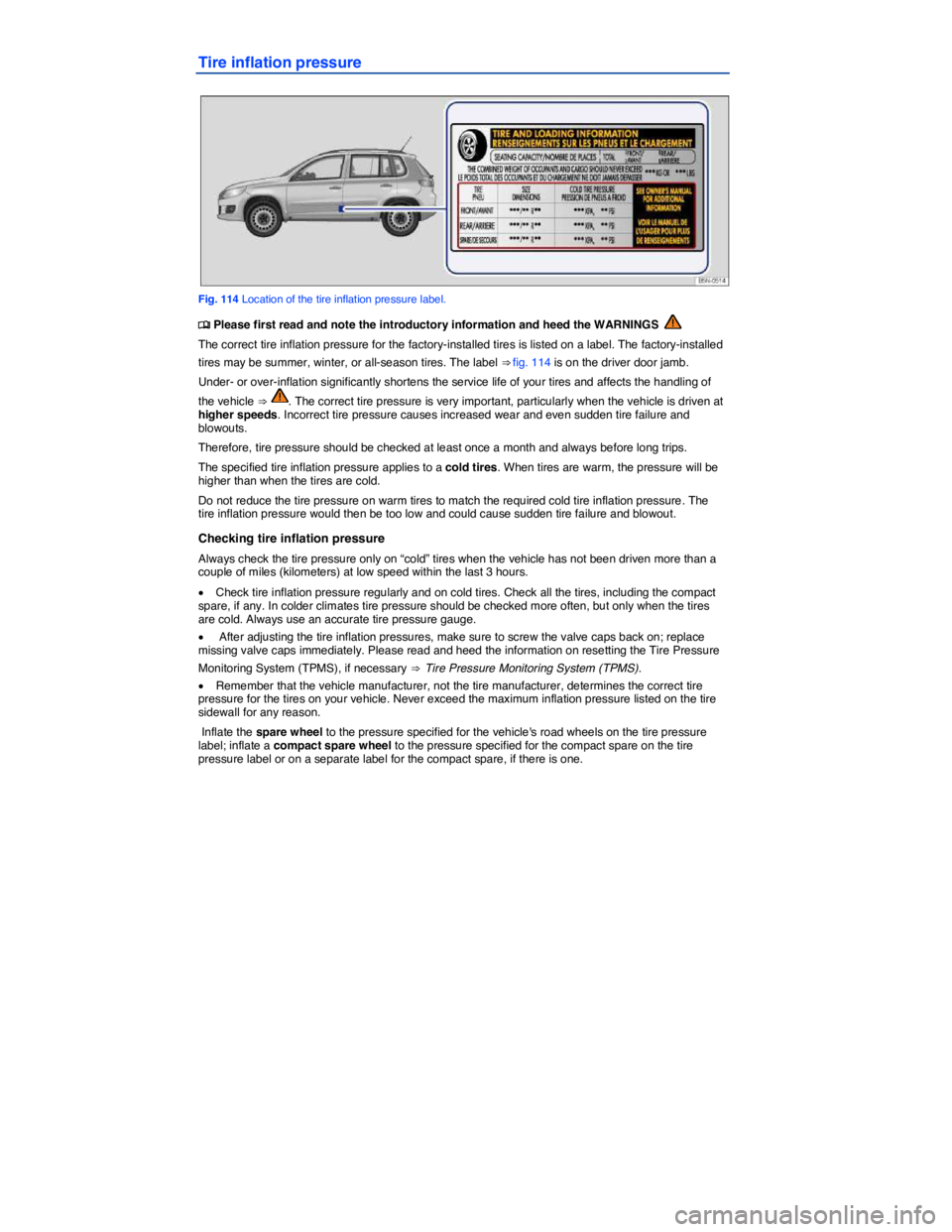
Fig. 114 Location of the tire inflation pressure label.