display VOLKSWAGEN TIGUAN 2015 Owner´s Manual
[x] Cancel search | Manufacturer: VOLKSWAGEN, Model Year: 2015, Model line: TIGUAN, Model: VOLKSWAGEN TIGUAN 2015Pages: 435, PDF Size: 6.19 MB
Page 267 of 435
Display
Different cruise control versions are available. The stored speed is shown in the instrument cluster display on some equipment versions.
Status fig. 149
(A) Cruise control temporarily deactivated. Stored speed in small numbers.
(B) System malfunction. See an authorized Volkswagen dealer or an authorized Volkswagen Service Facility.
(C) Cruise control activated. No speed stored in memory.
(D) Cruise control is active. Stored speed in large numbers.
Indicator lights
Lights up Possible cause
% Cruise control is regulating the speed. #25)3%
When the ignition is switched on, several warning and indicator lights come on briefly for a function check. They go out after a few seconds.
WARNING
Failure to heed warning lights and instrument cluster text messages can cause the vehicle to break down in traffic and result in a collision and serious personal injury.
x Never ignore warning lights or text WARNINGS.
x Always stop the vehicle as soon as it is safe to do so.
NOTICE
Failure to heed warning lights or text WARNINGS can result in vehicle damage.
Cruise control operation
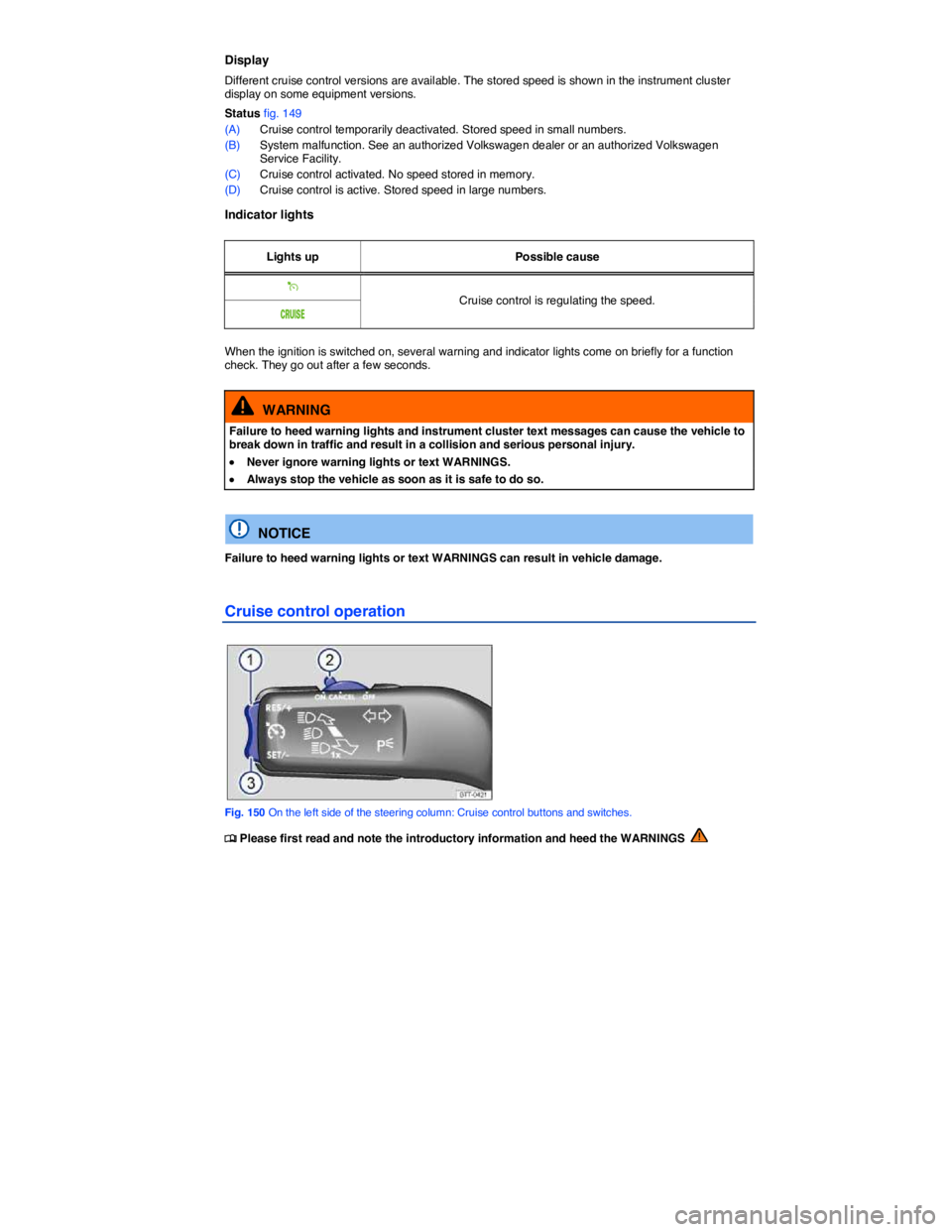
Fig. 150 On the left side of the steering column: Cruise control buttons and switches.
Page 270 of 435
NOTICE
x The camera shows only two-dimensional images on the screen. Due to the lack of depth of field, it may be difficult or impossible to identify protruding objects or recesses in the road, for example.
x Things like thin rods, fences, posts, and trees may not be detected by the camera and could damage the vehicle.
Operation
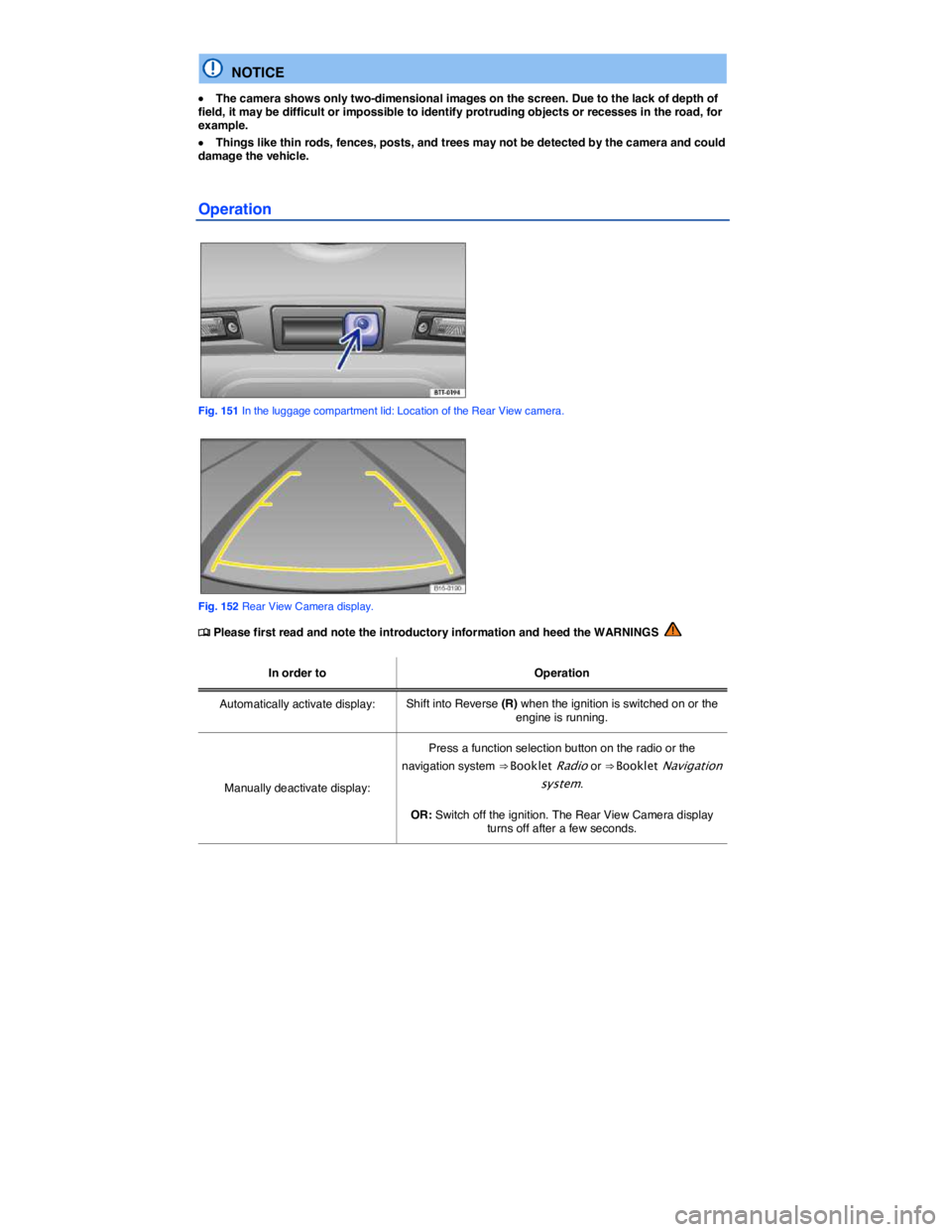
Fig. 151 In the luggage compartment lid: Location of the Rear View camera.
Fig. 152 Rear View Camera display.
Page 271 of 435

In order to Operation
Switch off display by shifting out of Reverse (R): The display switches off after about 10 seconds.
Deactivate display by driving forward: Drive forward faster than about 10 mph (15 km/h).
Special considerations
1) Do not use the Rear View Camera system in the following situations:
– When an incorrect or unclear image is displayed, such as when there is poor visibility or the lens is dirty.
– If the area behind the vehicle cannot be seen clearly or completely.
– If the rear of the vehicle is heavily loaded.
– When the luggage compartment lid is open.
– If the driver is not familiar with the system.
– If the position or angle of the camera has changed, such as after a rear-end collision. Have the system checked by an authorized Volkswagen dealer or an authorized Volkswagen Service Facility.
2) Examples of optical distortion by the camera
The Rear View Camera system displays only two-dimensional images. Recesses and protruding objects on the ground or protruding parts on other vehicles are difficult or impossible to identify due to the lack of depth of field.
Objects or another vehicle may seem closer or farther away on the screen than they really are:
– When driving from a level surface onto an upward or downward slope.
– When driving up or down a slope onto a level surface.
– If the rear of the vehicle is heavily loaded.
– When approaching protruding objects. These objects can disappear from the field of view when backing up.
Cleaning the camera lens
Keep the camera lens clean and free of snow and ice:
x Engage the parking brake.
x Switch on the ignition.
x Select the Reverse (R) gear.
Page 275 of 435
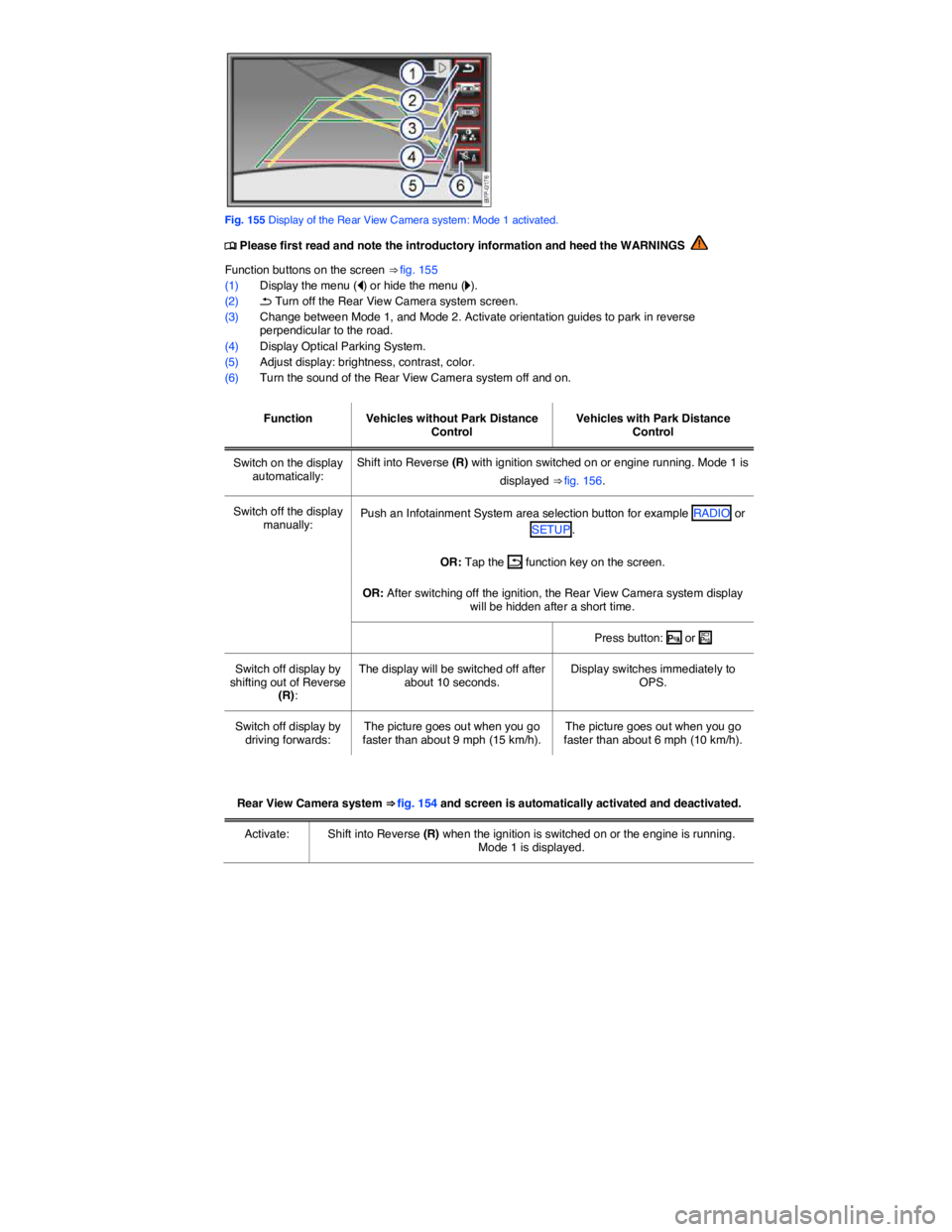
Fig. 155 Display of the Rear View Camera system: Mode 1 activated.
Page 276 of 435

Rear View Camera system ⇒ fig. 154 and screen is automatically activated and deactivated.
Deactivate: Accelerate. OR: Drive forward briefly. OR: Press the MEDIA selection button of the navigation system
⇒ Booklet Navigation system.
Special considerations
1) Do not use Rear View Camera system in the following situations:
– When an incorrect or unclear image is displayed, such as when there is poor visibility or a lens is dirty.
– If the area behind the vehicle cannot be seen clearly or completely.
– If the rear of the vehicle is heavily loaded.
– If the rear hatch is open.
– If the driver is not familiar with the system.
– If the position or angle of the camera was changed, such as after a rear-end collision, have the system checked by an authorized Volkswagen dealer or an authorized Volkswagen Service Facility.
2.) Examples of optical deception by the camera:
The Rear View Camera system provides only two-dimensional images. Recesses and protruding objects on the ground or protruding parts on other vehicles are difficult or impossible to identify due to the lack of depth of field.
Objects or another vehicle may seem closer or farther away on the screen than they really are.
– When driving from a level surface onto an upward or downward slope.
– When driving up or down a slope onto a level surface.
– If the rear of the vehicle is heavily loaded.
– When approaching protruding objects. These objects can disappear from the field of view when backing up.
Cleaning the camera lens
Keep camera lens clean and free from snow and ice.
x Engage the parking brake.
x Switch on the ignition.
x Select the Reverse (R) gear.
Page 283 of 435

Button / Knob More information: Climatronic ⇒ fig. 159.
Temperature (1) Left and right sides of the vehicle can be set to different temperatures. Turn the knob to set the temperature. The temperature is displayed on the outer ring.
Page 285 of 435

Climatronic: Changing the temperature unit on the factory-installed Radio or Radio & Navigation system display
For vehicles with a Premium instrument cluster: The inside and outside temperatures can be displayed in either Fahrenheit (F) or Celsius (C). Select Units
Press the !