brake sensor VOLKSWAGEN TIGUAN 2017 Owner´s Manual
[x] Cancel search | Manufacturer: VOLKSWAGEN, Model Year: 2017, Model line: TIGUAN, Model: VOLKSWAGEN TIGUAN 2017Pages: 341, PDF Size: 9.14 MB
Page 186 of 341
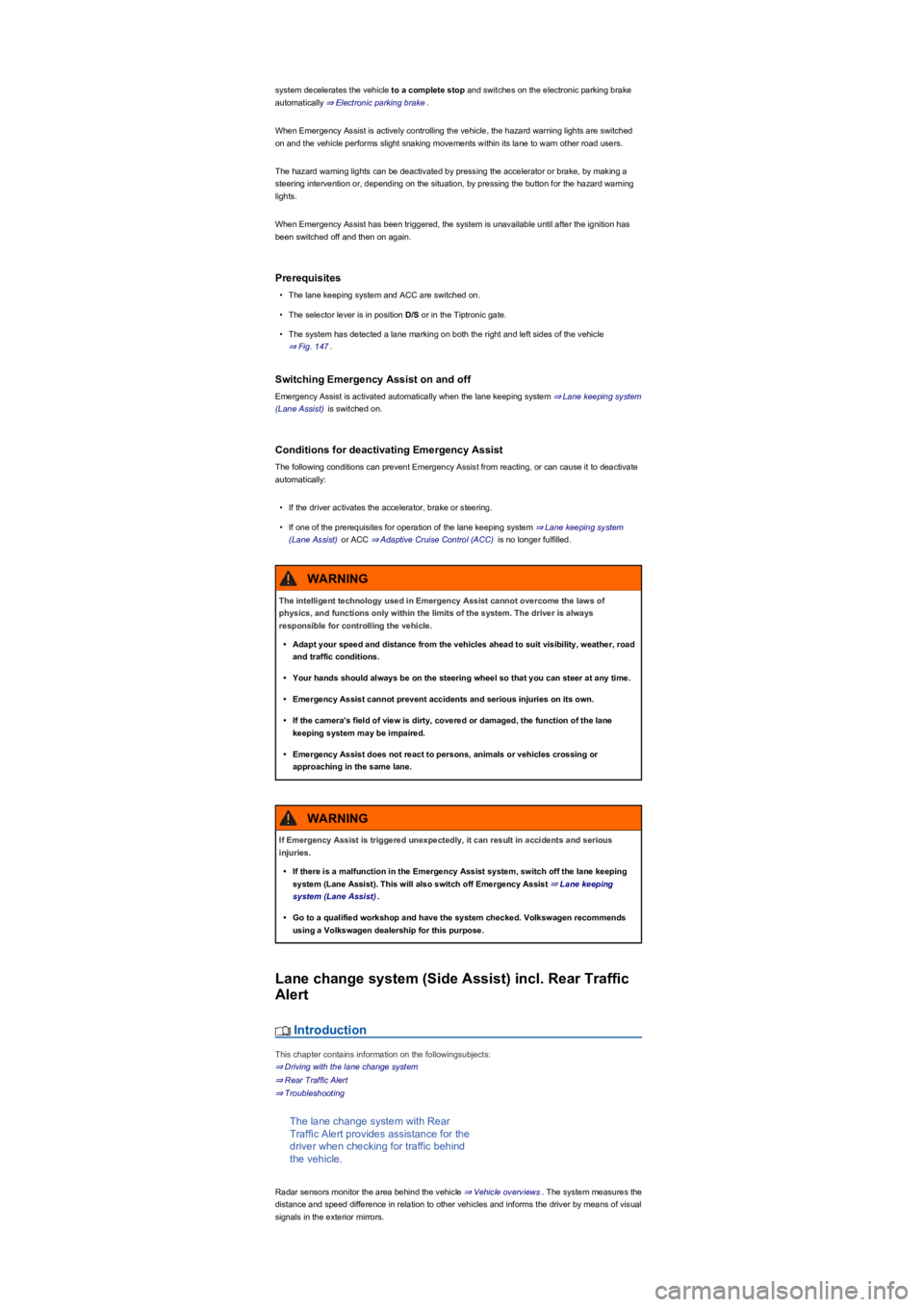
system decelerates the vehicle to a complete stop and switches on the electronic parking brake
automatically ⇒ Electronic parking brake.
When Emergency Assist is actively controlling the vehicle, the hazard warning lights are switched
on and the vehicle performs slight snaking movements within its lane to warn other road users.
The hazard warning lights can be deactivated by pressing the accelerator or brake, by making a
steering intervention or, depending on the situation, by pressing the button for the hazard warning
lights.
When Emergency Assist has been triggered, the system is unavailable until after the ignition has
been switched off and then on again.
Prerequisites
•The lane keeping system and ACC are switched on.
•The selector lever is in position D/S or in the Tiptronic gate.
•The system has detected a lane marking on both the right and left sides of the vehicle
⇒ Fig. 147.
Switching Emergency Assist on and off
Emergency Assist is activated automatically when the lane keeping system ⇒ Lane keeping system
(Lane Assist) is switched on.
Conditions for deactivating Emergency Assist
The following conditions can prevent Emergency Assist from reacting, or can cause it to deactivate
automatically:
•If the driver activates the accelerator, brake or steering.
•If one of the prerequisites for operation of the lane keeping system ⇒ Lane keeping system
(Lane Assist) or ACC ⇒ Adaptive Cruise Control (ACC) is no longer fulfilled.
Lane change system (Side Assist) incl. Rear Traffic
Alert
Introduction
This chapter contains information on the followingsubjects:
⇒ Driving with the lane change system
⇒ Rear Traffic Alert
⇒ Troubleshooting
The lane change system with Rear
Traffic Alert provides assistance for the
driver when checking for traffic behind
the vehicle.
Radar sensors monitor the area behind the vehicle ⇒ Vehicle overviews. The system measures the
distance and speed difference in relation to other vehicles and informs the driver by means of visual
signals in the exterior mirrors.
The intelligent technology used in Emergency Assist cannot overcome the laws of
physics, and functions only within the limits of the system. The driver is always
responsible for controlling the vehicle.
•Adapt your speed and distance from the vehicles ahead to suit visibility, weather, road
and traffic conditions.
•Your hands should always be on the steering wheel so that you can steer at any time.
•Emergency Assist cannot prevent accidents and serious injuries on its own.
•If the camera's field of view is dirty, covered or damaged, the function of the lane
keeping system may be impaired.
•Emergency Assist does not react to persons, animals or vehicles crossing or
approaching in the same lane.
WARNING
If Emergency Assist is triggered unexpectedly, it can result in accidents and serious
injuries.
•If there is a malfunction in the Emergency Assist system, switch off the lane keeping
system (Lane Assist). This will also switch off Emergency Assist ⇒ Lane keeping
system (Lane Assist).
•Go to a qualified workshop and have the system checked. Volkswagen recommends
using a Volkswagen dealership for this purpose.
WARNING
Page 189 of 341
•OR: depending on the vehicle equipment, by means of the button for the driver assist systems
⇒ Button for driver assist systems.
•OR: depending on the vehicle equipment, in the Driver assistance menu in the Infotainment
system ⇒ Operation and display in the Infotainment system.
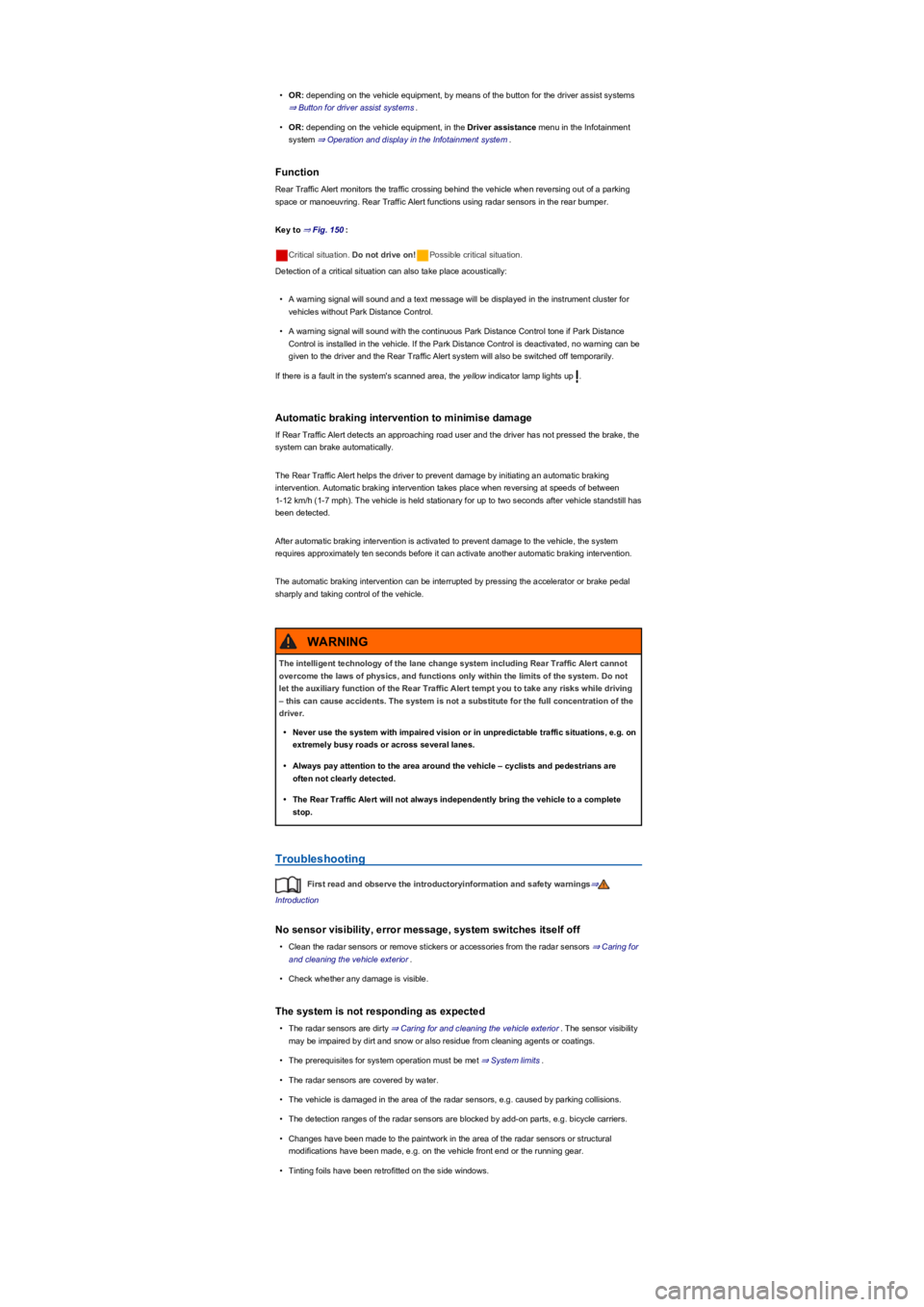
Function
Rear Traffic Alert monitors the traffic crossing behind the vehicle when reversing out of a parking
space or manoeuvring. Rear Traffic Alert functions using radar sensors in the rear bumper.
Key to ⇒ Fig. 150:
Critical situation. Do not drive on!Possible critical situation.
Detection of a critical situation can also take place acoustically:
•A warning signal will sound and a text message will be displayed in the instrument cluster for
vehicles without Park Distance Control.
•A warning signal will sound with the continuous Park Distance Control tone if Park Distance
Control is installed in the vehicle. If the Park Distance Control is deactivated, no warning can be
given to the driver and the Rear Traffic Alert system will also be switched off temporarily.
If there is a fault in the system's scanned area, the yellow indicator lamp lights up .
Automatic braking intervention to minimise damage
If Rear Traffic Alert detects an approaching road user and the driver has not pressed the brake, the
system can brake automatically.
The Rear Traffic Alert helps the driver to prevent damage by initiating an automatic braking
intervention. Automatic braking intervention takes place when reversing at speeds of between
1-12 km/h (1-7 mph). The vehicle is held stationary for up to two seconds after vehicle standstill has
been detected.
After automatic braking intervention is activated to prevent damage to the vehicle, the system
requires approximately ten seconds before it can activate another automatic braking intervention.
The automatic braking intervention can be interrupted by pressing the accelerator or brake pedal
sharply and taking control of the vehicle.
Troubleshooting
First read and observe the introductoryinformation and safety warnings⇒
Introduction
No sensor visibility, error message, system switches itself off
•Clean the radar sensors or remove stickers or accessories from the radar sensors ⇒ Caring for
and cleaning the vehicle exterior.
•Check whether any damage is visible.
The system is not responding as expected
•The radar sensors are dirty ⇒ Caring for and cleaning the vehicle exterior. The sensor visibility
may be impaired by dirt and snow or also residue from cleaning agents or coatings.
•The prerequisites for system operation must be met ⇒ System limits.
•The radar sensors are covered by water.
•The vehicle is damaged in the area of the radar sensors, e.g. caused by parking collisions.
•The detection ranges of the radar sensors are blocked by add-on parts, e.g. bicycle carriers.
•Changes have been made to the paintwork in the area of the radar sensors or structural
modifications have been made, e.g. on the vehicle front end or the running gear.
•Tinting foils have been retrofitted on the side windows.
The intelligent technology of the lane change system including Rear Traffic Alert cannot
overcome the laws of physics, and functions only within the limits of the system. Do not
let the auxiliary function of the Rear Traffic Alert tempt you to take any risks while driving
– this can cause accidents. The system is not a substitute for the full concentration of the
driver.
•Never use the system with impaired vision or in unpredictable traffic situations, e.g. on
extremely busy roads or across several lanes.
•Always pay attention to the area around the vehicle – cyclists and pedestrians are
often not clearly detected.
•The Rear Traffic Alert will not always independently bring the vehicle to a complete
stop.
WARNING
Page 200 of 341
•Changes have been made to the paintwork around the camera or the construction has been
modified, e.g. vehicle front end or the running gear.
Response to all circumstances
•Switch off the system temporarily.
•Check whether any of the causes described below apply.
•You can switch the system back on again once you have rectified the cause of the problem.
•If the system still fails to respond as expected, have the system checked by a qualified
workshop.
Park Assist
Introduction
This chapter contains information on the followingsubjects:
⇒ Prerequisites
⇒ Looking for a parking space
⇒ Driving into a parking space
⇒ Driving out of a parking space
⇒ Troubleshooting
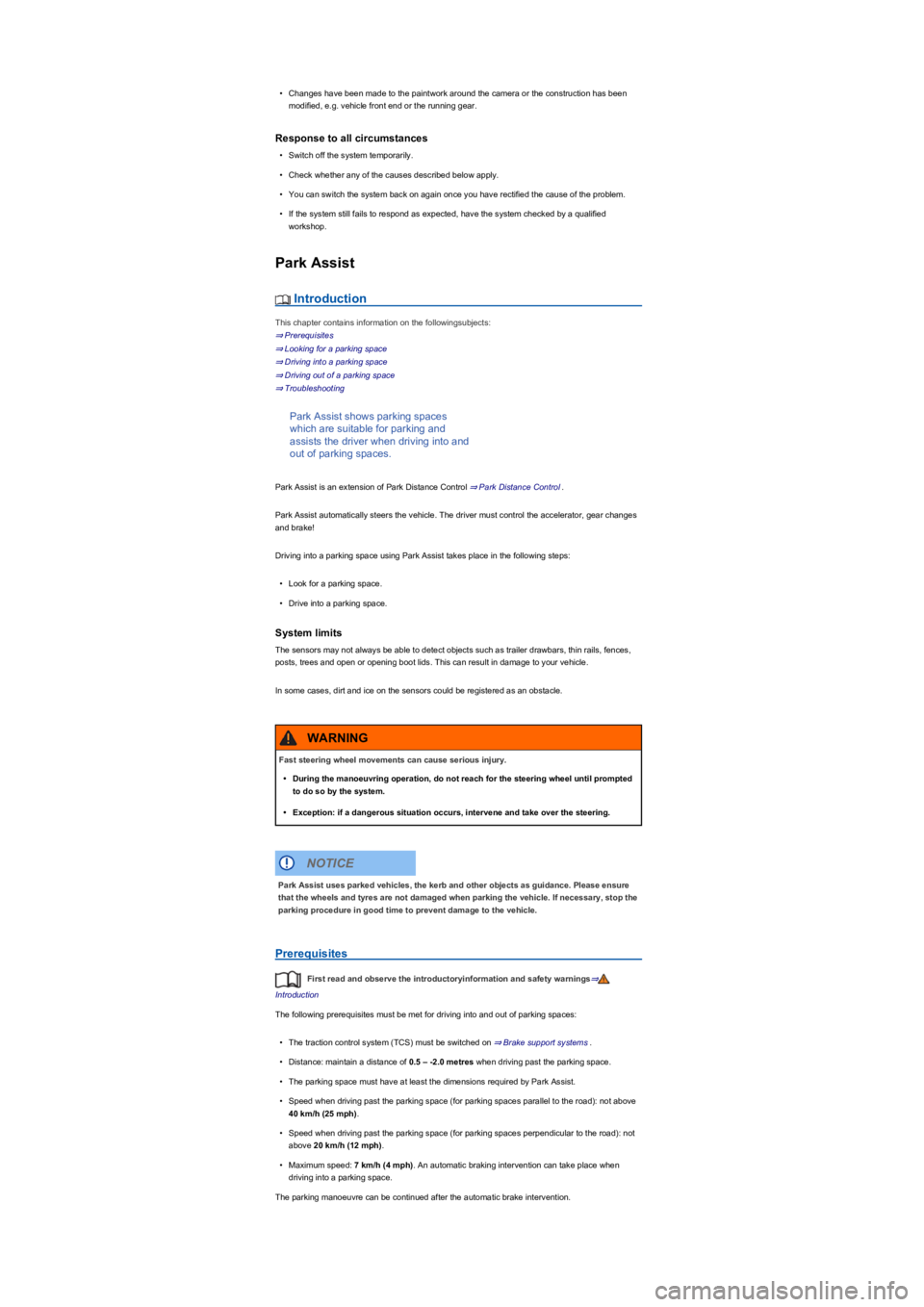
Park Assist shows parking spaces
which are suitable for parking and
assists the driver when driving into and
out of parking spaces.
Park Assist is an extension of Park Distance Control ⇒ Park Distance Control.
Park Assist automatically steers the vehicle. The driver must control the accelerator, gear changes
and brake!
Driving into a parking space using Park Assist takes place in the following steps:
•Look for a parking space.
•Drive into a parking space.
System limits
The sensors may not always be able to detect objects such as trailer drawbars, thin rails, fences,
posts, trees and open or opening boot lids. This can result in damage to your vehicle.
In some cases, dirt and ice on the sensors could be registered as an obstacle.
Prerequisites
First read and observe the introductoryinformation and safety warnings⇒
Introduction
The following prerequisites must be met for driving into and out of parking spaces:
•The traction control system (TCS) must be switched on ⇒ Brake support systems.
•Distance: maintain a distance of 0.5 – -2.0 metres when driving past the parking space.
•The parking space must have at least the dimensions required by Park Assist.
•Speed when driving past the parking space (for parking spaces parallel to the road): not above
40 km/h (25 mph).
•Speed when driving past the parking space (for parking spaces perpendicular to the road): not
above 20 km/h (12 mph).
•Maximum speed: 7 km/h (4 mph). An automatic braking intervention can take place when
driving into a parking space.
The parking manoeuvre can be continued after the automatic brake intervention.
Fast steering wheel movements can cause serious injury.
•During the manoeuvring operation, do not reach for the steering wheel until prompted
to do so by the system.
•Exception: if a dangerous situation occurs, intervene and take over the steering.
WARNING
Park Assist uses parked vehicles, the kerb and other objects as guidance. Please ensure
that the wheels and tyres are not damaged when parking the vehicle. If necessary, stop the
parking procedure in good time to prevent damage to the vehicle.
NOTICE
Page 203 of 341
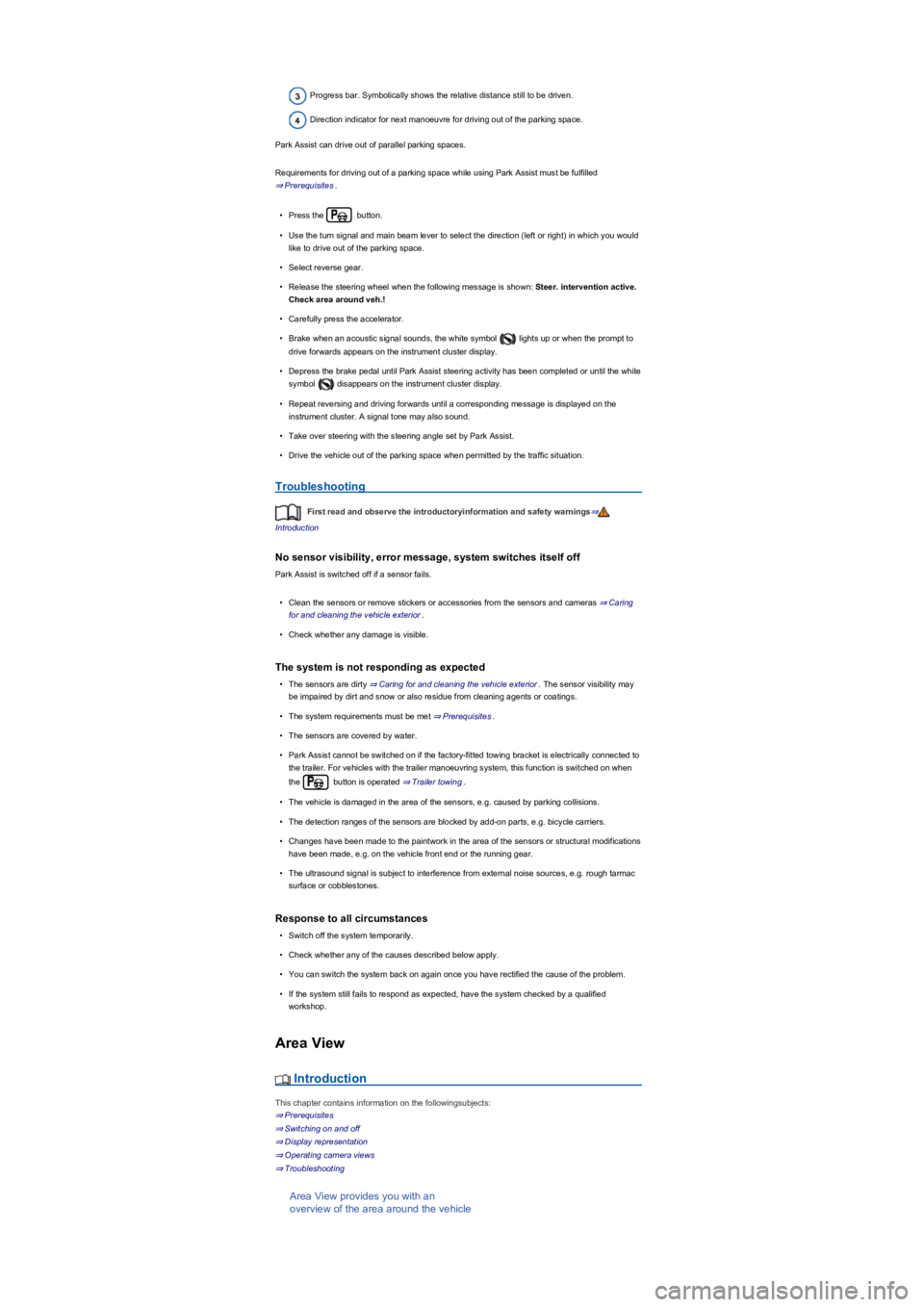
Progress bar. Symbolically shows the relative distance still to be driven.
Direction indicator for next manoeuvre for driving out of the parking space.
Park Assist can drive out of parallel parking spaces.
Requirements for driving out of a parking space while using Park Assist must be fulfilled
⇒ Prerequisites.
•Press the button.
•Use the turn signal and main beam lever to select the direction (left or right) in which you would
like to drive out of the parking space.
•Select reverse gear.
•Release the steering wheel when the following message is shown: Steer. intervention active.
Check area around veh.!
•Carefully press the accelerator.
•Brake when an acoustic signal sounds, the white symbol lights up or when the prompt to
drive forwards appears on the instrument cluster display.
•Depress the brake pedal until Park Assist steering activity has been completed or until the white
symbol disappears on the instrument cluster display.
•Repeat reversing and driving forwards until a corresponding message is displayed on the
instrument cluster. A signal tone may also sound.
•Take over steering with the steering angle set by Park Assist.
•Drive the vehicle out of the parking space when permitted by the traffic situation.
Troubleshooting
First read and observe the introductoryinformation and safety warnings⇒
Introduction
No sensor visibility, error message, system switches itself off
Park Assist is switched off if a sensor fails.
•Clean the sensors or remove stickers or accessories from the sensors and cameras ⇒ Caring
for and cleaning the vehicle exterior.
•Check whether any damage is visible.
The system is not responding as expected
•The sensors are dirty ⇒ Caring for and cleaning the vehicle exterior. The sensor visibility may
be impaired by dirt and snow or also residue from cleaning agents or coatings.
•The system requirements must be met ⇒ Prerequisites.
•The sensors are covered by water.
•Park Assist cannot be switched on if the factory-fitted towing bracket is electrically connected to
the trailer. For vehicles with the trailer manoeuvring system, this function is switched on when
the button is operated ⇒ Trailer towing.
•The vehicle is damaged in the area of the sensors, e.g. caused by parking collisions.
•The detection ranges of the sensors are blocked by add-on parts, e.g. bicycle carriers.
•Changes have been made to the paintwork in the area of the sensors or structural modifications
have been made, e.g. on the vehicle front end or the running gear.
•The ultrasound signal is subject to interference from external noise sources, e.g. rough tarmac
surface or cobblestones.
Response to all circumstances
•Switch off the system temporarily.
•Check whether any of the causes described below apply.
•You can switch the system back on again once you have rectified the cause of the problem.
•If the system still fails to respond as expected, have the system checked by a qualified
workshop.
Area View
Introduction
This chapter contains information on the followingsubjects:
⇒ Prerequisites
⇒ Switching on and off
⇒ Display representation
⇒ Operating camera views
⇒ Troubleshooting
Area View provides you with an
overview of the area around the vehicle
Page 234 of 341
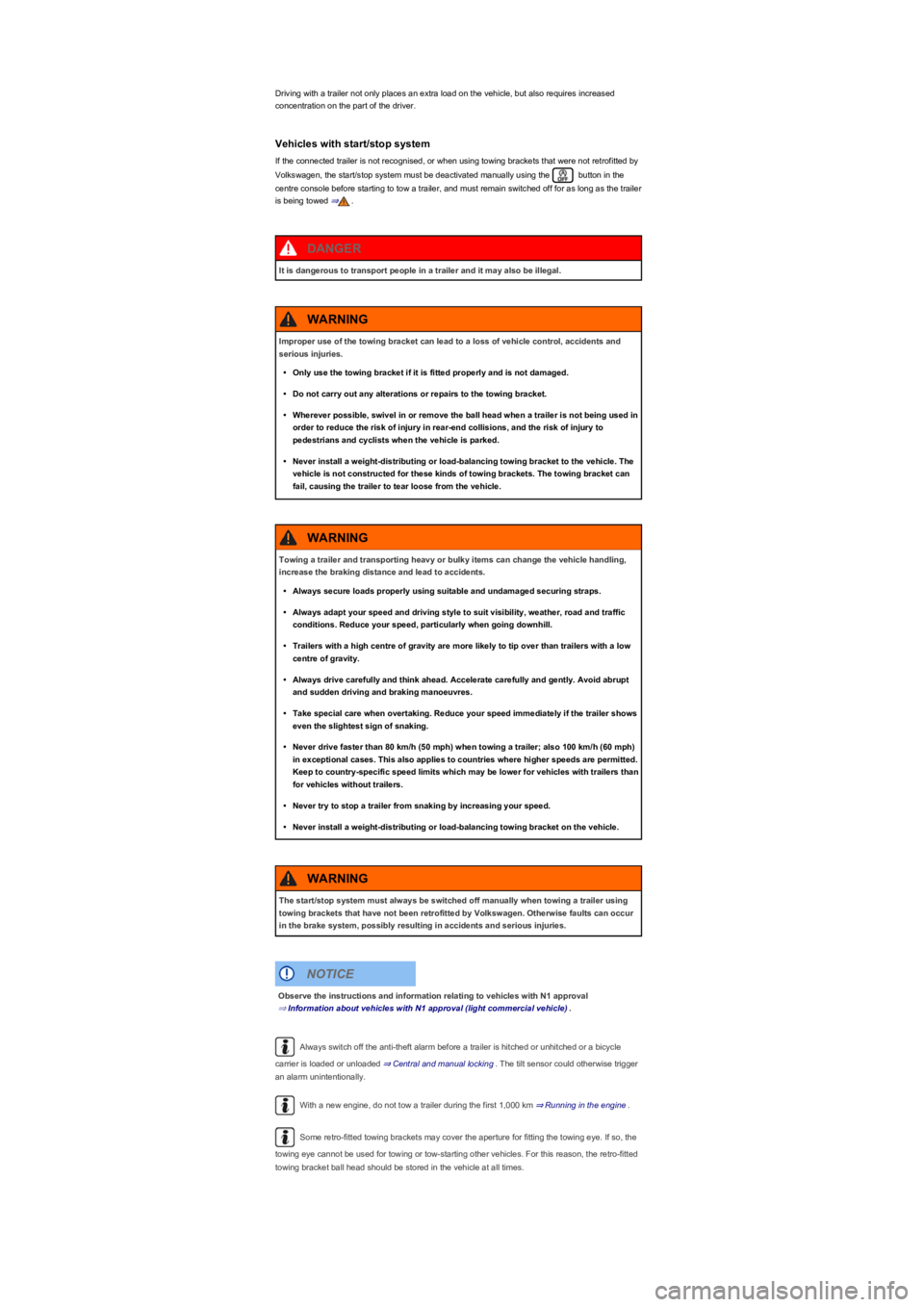
Driving with a trailer not only places an extra load on the vehicle, but also requires increased
concentration on the part of the driver.
Vehicles with start/stop system
If the connected trailer is not recognised, or when using towing brackets that were not retrofitted by
Volkswagen, the start/stop system must be deactivated manually using the button in the
centre console before starting to tow a trailer, and must remain switched off for as long as the trailer
is being towed ⇒.
Always switch off the anti-theft alarm before a trailer is hitched or unhitched or a bicycle
carrier is loaded or unloaded ⇒ Central and manual locking. The tilt sensor could otherwise trigger
an alarm unintentionally.
With a new engine, do not tow a trailer during the first 1,000 km ⇒ Running in the engine.
Some retro-fitted towing brackets may cover the aperture for fitting the towing eye. If so, the
towing eye cannot be used for towing or tow-starting other vehicles. For this reason, the retro-fitted
towing bracket ball head should be stored in the vehicle at all times.
It is dangerous to transport people in a trailer and it may also be illegal.
DANGER
Improper use of the towing bracket can lead to a loss of vehicle control, accidents and
serious injuries.
•Only use the towing bracket if it is fitted properly and is not damaged.
•Do not carry out any alterations or repairs to the towing bracket.
•Wherever possible, swivel in or remove the ball head when a trailer is not being used in
order to reduce the risk of injury in rear-end collisions, and the risk of injury to
pedestrians and cyclists when the vehicle is parked.
•Never install a weight-distributing or load-balancing towing bracket to the vehicle. The
vehicle is not constructed for these kinds of towing brackets. The towing bracket can
fail, causing the trailer to tear loose from the vehicle.
WARNING
Towing a trailer and transporting heavy or bulky items can change the vehicle handling,
increase the braking distance and lead to accidents.
•Always secure loads properly using suitable and undamaged securing straps.
•Always adapt your speed and driving style to suit visibility, weather, road and traffic
conditions. Reduce your speed, particularly when going downhill.
•Trailers with a high centre of gravity are more likely to tip over than trailers with a low
centre of gravity.
•Always drive carefully and think ahead. Accelerate carefully and gently. Avoid abrupt
and sudden driving and braking manoeuvres.
•Take special care when overtaking. Reduce your speed immediately if the trailer shows
even the slightest sign of snaking.
•Never drive faster than 80 km/h (50 mph) when towing a trailer; also 100 km/h (60 mph)
in exceptional cases. This also applies to countries where higher speeds are permitted.
Keep to country-specific speed limits which may be lower for vehicles with trailers than
for vehicles without trailers.
•Never try to stop a trailer from snaking by increasing your speed.
•Never install a weight-distributing or load-balancing towing bracket on the vehicle.
WARNING
The start/stop system must always be switched off manually when towing a trailer using
towing brackets that have not been retrofitted by Volkswagen. Otherwise faults can occur
in the brake system, possibly resulting in accidents and serious injuries.
WARNING
Observe the instructions and information relating to vehicles with N1 approval
⇒ Information about vehicles with N1 approval (light commercial vehicle).
NOTICE
Page 261 of 341
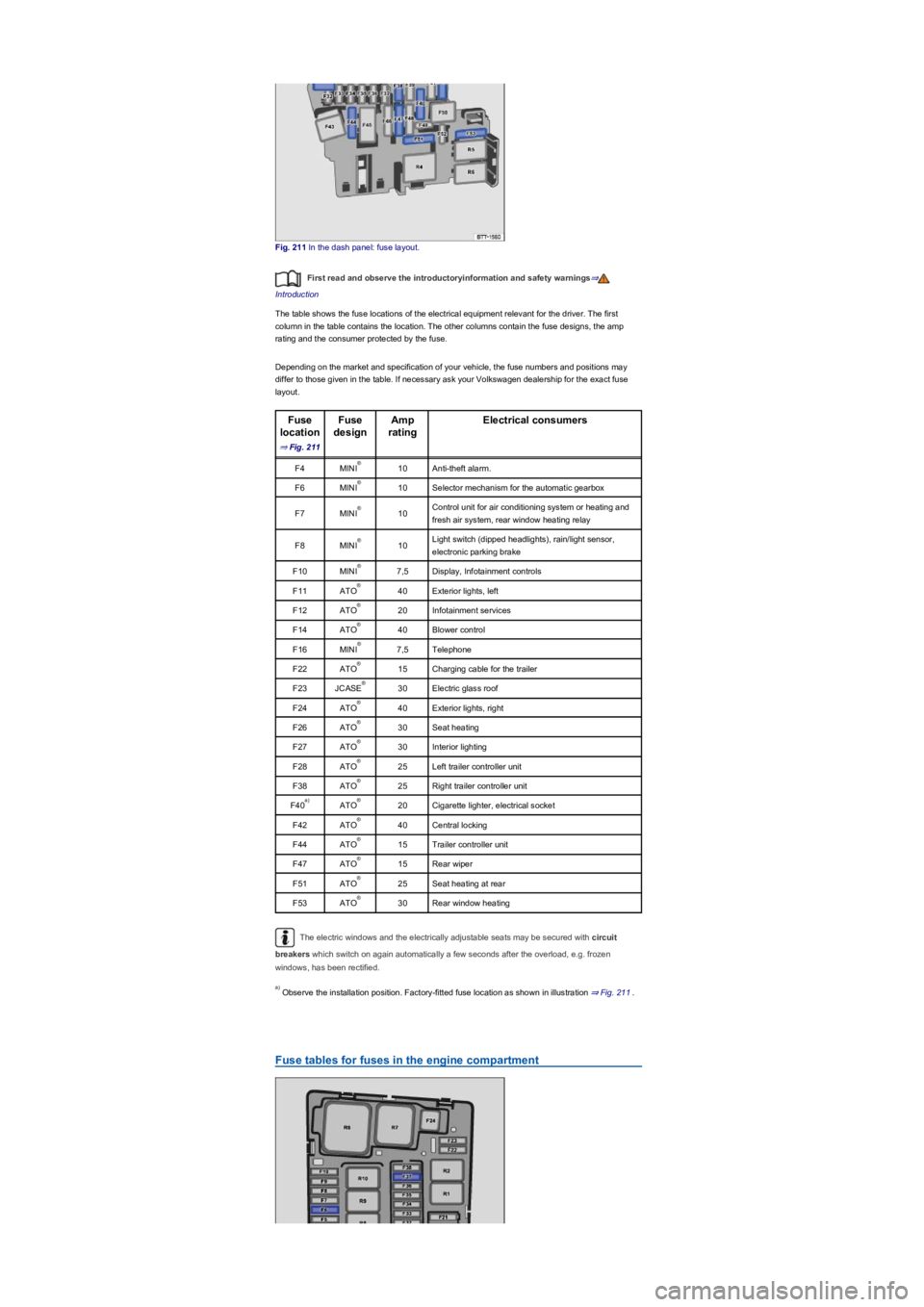
Fig. 211 In the dash panel: fuse layout.
First read and observe the introductoryinformation and safety warnings⇒
Introduction
The table shows the fuse locations of the electrical equipment relevant for the driver. The first
column in the table contains the location. The other columns contain the fuse designs, the amp
rating and the consumer protected by the fuse.
Depending on the market and specification of your vehicle, the fuse numbers and positions may
differ to those given in the table. If necessary ask your Volkswagen dealership for the exact fuse
layout.
Fuse
location
⇒ Fig. 211
Fuse
design
Amp
rating
Electrical consumers
F4MINI10Anti-theft alarm.
F6MINI10Selector mechanism for the automatic gearbox
F7MINI10Control unit for air conditioning system or heating and
fresh air system, rear window heating relay
F8MINI10Light switch (dipped headlights), rain/light sensor,
electronic parking brake
F10MINI7,5Display, Infotainment controls
F11ATO40Exterior lights, left
F12ATO20Infotainment services
F14ATO40Blower control
F16MINI7,5Telephone
F22ATO15Charging cable for the trailer
F23JCASE30Electric glass roof
F24ATO40Exterior lights, right
F26ATO30Seat heating
F27ATO30Interior lighting
F28ATO25Left trailer controller unit
F38ATO25Right trailer controller unit
F40ATO20Cigarette lighter, electrical socket
F42ATO40Central locking
F44ATO15Trailer controller unit
F47ATO15Rear wiper
F51ATO25Seat heating at rear
F53ATO30Rear window heating
The electric windows and the electrically adjustable seats may be secured with circuit
breakers which switch on again automatically a few seconds after the overload, e.g. frozen
windows, has been rectified.
Observe the installation position. Factory-fitted fuse location as shown in illustration ⇒ Fig. 211.
Fuse tables for fuses in the engine compartment
®
®
®
®
®
®
®
®
®
®
®
®
®
®
®
®
a)®
®
®
®
®
®
a)
Page 262 of 341
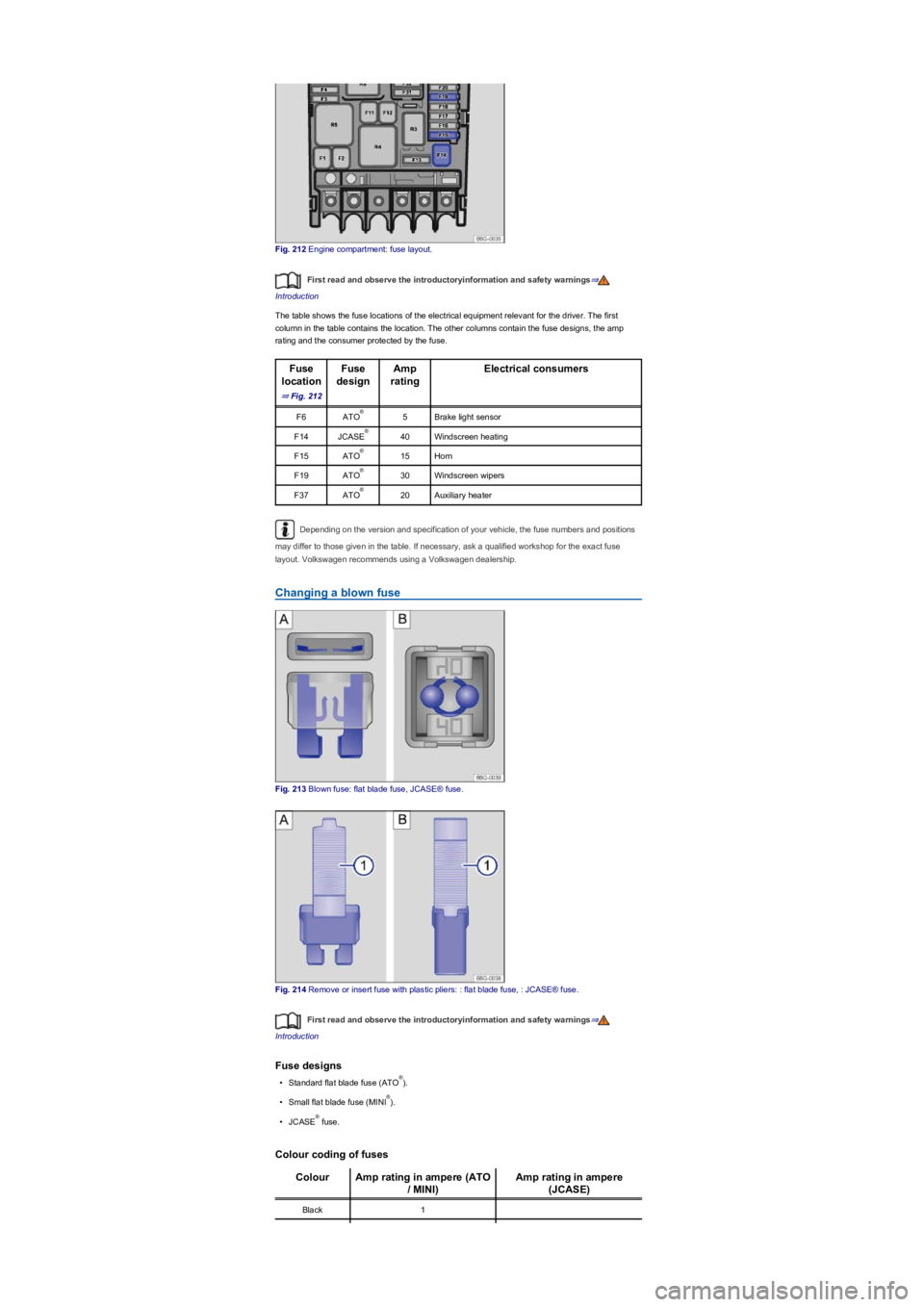
Fig. 212 Engine compartment: fuse layout.
First read and observe the introductoryinformation and safety warnings⇒
Introduction
The table shows the fuse locations of the electrical equipment relevant for the driver. The first
column in the table contains the location. The other columns contain the fuse designs, the amp
rating and the consumer protected by the fuse.
Fuse
location
⇒ Fig. 212
Fuse
design
Amp
rating
Electrical consumers
F6ATO5Brake light sensor
F14JCASE40Windscreen heating
F15ATO15Horn
F19ATO30Windscreen wipers
F37ATO20Auxiliary heater
Depending on the version and specification of your vehicle, the fuse numbers and positions
may differ to those given in the table. If necessary, ask a qualified workshop for the exact fuse
layout. Volkswagen recommends using a Volkswagen dealership.
Changing a blown fuse
Fig. 213 Blown fuse: flat blade fuse, JCASE® fuse.
Fig. 214 Remove or insert fuse with plastic pliers: : flat blade fuse, : JCASE® fuse.
First read and observe the introductoryinformation and safety warnings⇒
Introduction
Fuse designs
•Standard flat blade fuse (ATO).
•Small flat blade fuse (MINI).
•JCASE fuse.
Colour coding of fuses
ColourAmp rating in ampere (ATO
/ MINI)
Amp rating in ampere
(JCASE)
Black1
®
®
®
®
®
®
®
®
Page 291 of 341
•Open the Vehicle settings menu in the Infotainment system.
•Touch the Tyres function button.
•Touch the SET function button.
•When all four tyre pressures correspond to the required values, touch the Confirm function
button.
After an extended driving time with driving at different speeds, the system will automatically learn
the new values and monitor them.
•If the tyre pressures have been changed.
•If one or more wheels have been changed.
•If the wheels have been swapped round, e.g. from front to rear ⇒ Rotating wheels front to rear.
The Tyre Pressure Loss Indicator stops working if there is a fault in the ESC or ABS ⇒ Brake
support systems.
After a warning about the tyre pressure being too low, switch the ignition off and then back
on again. The Tyre Pressure Loss Indicator can only then be re-synchronised.
Tyre Pressure Monitoring System
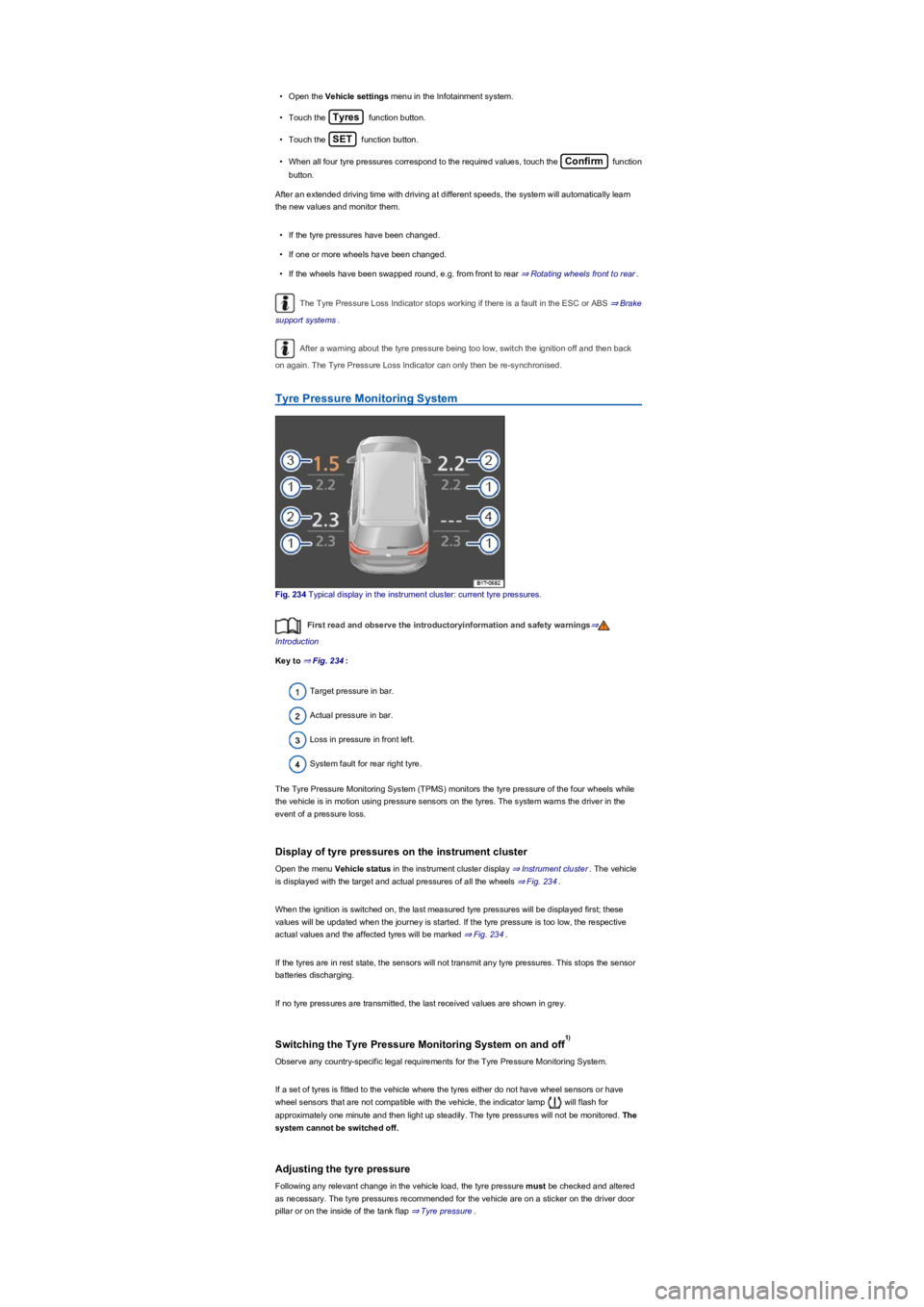
Fig. 234 Typical display in the instrument cluster: current tyre pressures.
First read and observe the introductoryinformation and safety warnings⇒
Introduction
Key to ⇒ Fig. 234:
Target pressure in bar.
Actual pressure in bar.
Loss in pressure in front left.
System fault for rear right tyre.
The Tyre Pressure Monitoring System (TPMS) monitors the tyre pressure of the four wheels while
the vehicle is in motion using pressure sensors on the tyres. The system warns the driver in the
event of a pressure loss.
Display of tyre pressures on the instrument cluster
Open the menu Vehicle status in the instrument cluster display ⇒ Instrument cluster. The vehicle
is displayed with the target and actual pressures of all the wheels ⇒ Fig. 234.
When the ignition is switched on, the last measured tyre pressures will be displayed first; these
values will be updated when the journey is started. If the tyre pressure is too low, the respective
actual values and the affected tyres will be marked ⇒ Fig. 234.
If the tyres are in rest state, the sensors will not transmit any tyre pressures. This stops the sensor
batteries discharging.
If no tyre pressures are transmitted, the last received values are shown in grey.
Switching the Tyre Pressure Monitoring System on and off
Observe any country-specific legal requirements for the Tyre Pressure Monitoring System.
If a set of tyres is fitted to the vehicle where the tyres either do not have wheel sensors or have
wheel sensors that are not compatible with the vehicle, the indicator lamp will flash for
approximately one minute and then light up steadily. The tyre pressures will not be monitored. The
system cannot be switched off.
Adjusting the tyre pressure
Following any relevant change in the vehicle load, the tyre pressure must be checked and altered
as necessary. The tyre pressures recommended for the vehicle are on a sticker on the driver door
pillar or on the inside of the tank flap ⇒ Tyre pressure.
1)
Page 296 of 341
Volkswagen recommends replacing tyres that are older than 6 years with new tyres. This also
applies for tyres which appear to still be in good condition and whose tread depth has not yet
reached the minimum value stipulated by legislation ⇒.
Winter and all-year tyres also largely lose their effectiveness through ageing – regardless of the
remaining tread depth ⇒ Winter tyres.
The age of each tyre can be determined using the manufacturing date ⇒ Tyre lettering and tyre
type.
Storing tyres
Always store tyres in a cool, dry and preferably dark place. Do not store tyres mounted on the rim
vertically.
Any tyres not fitted on rims should be kept in suitable sleeves to protect against dirt and should be
stored vertically (standing on the tread).
New tyres
•Drive particularly carefully for the first 600 km with new tyres as the tyres have to be run in.
Tyres that have not been run in have reduced grip ⇒ and braking effect ⇒.
•All four wheels must be fitted with tyres of the same type, size, and the same tread pattern.
Replacing tyres
•Always replace tyres at least on an axle-by-axle basis ⇒.
•Old tyres should only be replaced by tyres that have been approved by Volkswagen for the
vehicle type.
•Never use tyres with an effective size that is larger than Volkswagen-approved tyres.
Re-adapting the Tyre Pressure Loss Indicator
The Tyre Pressure Loss Indicator must be recalibrated each time one or more wheels are replaced.
This also applies for changing the wheels round, e.g. from the front to the rear ⇒ Tyre monitoring
systems.
Vehicles fitted with a Tyre Pressure Monitoring System
If you wish to replace factory-fitted wheels, make sure that the new wheels are equipped with
sensors that are compatible with the Tyre Pressure Monitoring System ⇒ Tyre Pressure Monitoring
System. The vehicle must be driven at a speed of over 25 km/h (15 mph) for an extended period so
that the new wheels can be recognised.
Volkswagen recommends that a new valve set and set of seals is used every time the sensors are
replaced or modified.
Further information on the Tyre Pressure Monitoring System ⇒ Tyre monitoring systems.
Corrosive liquids and other substances can cause visible and invisible damage to the
tyres, which can cause the tyre to burst.
•Always keep chemicals, oils, lubricants, fuel, brake fluid and other corrosive
substances away from the tyres.
WARNING
Even if they have not been used, old tyres can suddenly lose pressure or burst, especially
at high speeds, and thus cause accidents and serious injuries.
•Avoid using tyres that are more than six years old. If you have no alternative, drive
slowly and with extra care at all times.
WARNING
New tyres will have to be run in as they will initially have reduced grip and braking effect.
•Drive particularly carefully for the first 600 km in order to prevent accidents and
serious injury.
WARNING
Page 301 of 341
Removing the spare wheel
•Open the boot lid.
•Raise or fold forward the luggage compartment floor ⇒ Boot lid.
•Pull the wedge of the locating element ⇒ Fig. 239① upwards and out.
•Unscrew the handwheel in the middle of the spare wheel ② anticlockwise fully and remove the
spare wheel.
Storing the removed wheel
•Open the boot lid and raise the luggage compartment floor or fold it forwards.
•Place the removed wheel into the spare wheel well with the rim facing downwards so that the
central hole in the rim positioned exactly above the threaded pin.
•Screw the handwheel ⇒ Fig. 239② clockwise onto the threaded pin until the replaced wheel is
firmly secured.
•Insert the locating element wedge ① into the slot of the threaded pin so that the handwheel can
no longer be turned.
If the spare wheel tyre is not the same as the tyres that are mounted on
the vehicle
If the spare wheel tyre differs from the other tyres on the vehicle, the spare wheel must be used
only in the event of a tyre failure and for a short time ⇒.
Follow these guidelines:
•Do not drive faster than 80 km/h (50 mph).
•Avoid full acceleration, sudden braking and fast driving through bends in the road.
•Do not use snow chains on the temporary spare wheel ⇒ Snow chains.
•The tyre pressure must be checked as soon as possible after fitting the spare wheel or
temporary spare wheel ⇒ Tyre pressure.
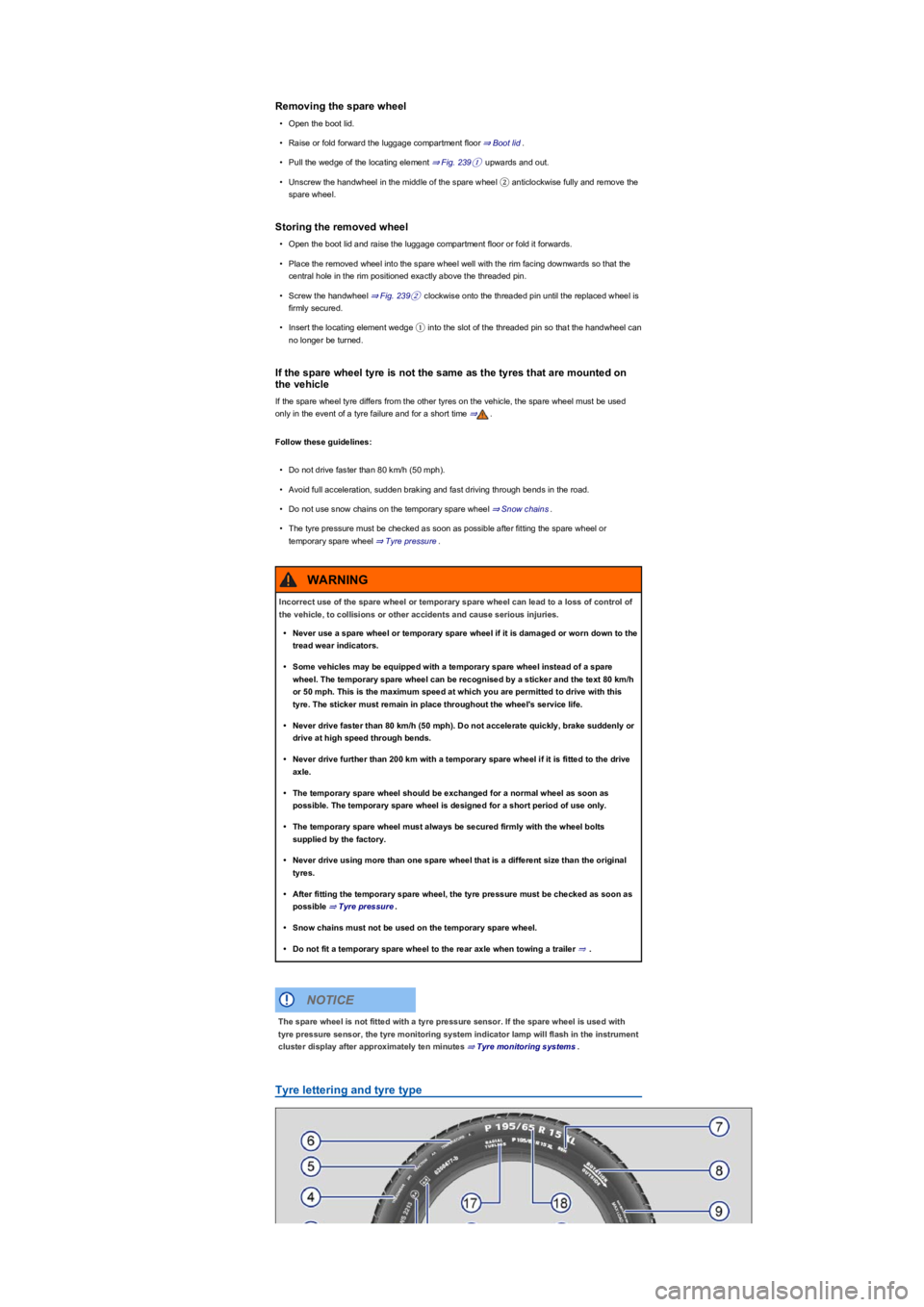
Tyre lettering and tyre type
Incorrect use of the spare wheel or temporary spare wheel can lead to a loss of control of
the vehicle, to collisions or other accidents and cause serious injuries.
•Never use a spare wheel or temporary spare wheel if it is damaged or worn down to the
tread wear indicators.
•Some vehicles may be equipped with a temporary spare wheel instead of a spare
wheel. The temporary spare wheel can be recognised by a sticker and the text 80 km/h
or 50 mph. This is the maximum speed at which you are permitted to drive with this
tyre. The sticker must remain in place throughout the wheel's service life.
•Never drive faster than 80 km/h (50 mph). Do not accelerate quickly, brake suddenly or
drive at high speed through bends.
•Never drive further than 200 km with a temporary spare wheel if it is fitted to the drive
axle.
•The temporary spare wheel should be exchanged for a normal wheel as soon as
possible. The temporary spare wheel is designed for a short period of use only.
•The temporary spare wheel must always be secured firmly with the wheel bolts
supplied by the factory.
•Never drive using more than one spare wheel that is a different size than the original
tyres.
•After fitting the temporary spare wheel, the tyre pressure must be checked as soon as
possible ⇒ Tyre pressure.
•Snow chains must not be used on the temporary spare wheel.
•Do not fit a temporary spare wheel to the rear axle when towing a trailer ⇒.
WARNING
The spare wheel is not fitted with a tyre pressure sensor. If the spare wheel is used with
tyre pressure sensor, the tyre monitoring system indicator lamp will flash in the instrument
cluster display after approximately ten minutes ⇒ Tyre monitoring systems.
NOTICE