sport VOLKSWAGEN TIGUAN 2017 Owner´s Manual
[x] Cancel search | Manufacturer: VOLKSWAGEN, Model Year: 2017, Model line: TIGUAN, Model: VOLKSWAGEN TIGUAN 2017Pages: 341, PDF Size: 9.14 MB
Page 132 of 341
situations should be avoided that create a heavy load on the brakes, e.g. when driving up close to
the vehicle ahead.
The rate of wear of the brake pads depends to a great extent on the conditions under which the
vehicle is operated and the way in which the vehicle is driven. If the vehicle is used for regular
urban trips, short journeys, and is driven with a sporty driving style, the brake pads must be
regularly checked by a qualified workshop.
When driving with wet brakes, for example after driving through water, after heavy rainfall or after
washing the vehicle, the braking effect may be delayed as the brake discs will be wet, or possibly
iced up (in winter). The brakes must be dried as quickly as possible by careful braking at higher
speed. Please ensure that no following vehicle and no other road user is put at risk as a result of
this action ⇒.
Any salt layer accumulating on the discs and pads will delay the braking effect and increase the
braking distance. If the brakes on the vehicle have not been applied for a long time on roads that
have been gritted with salt, the layer of salt must be reduced through careful braking ⇒.
Corrosion on the brake discs and dirt in the brake pads are facilitated through long periods of
inactivity, low mileage and low load levels. If the brake pads have been hardly used, or if they are at
all corroded, Volkswagen recommends that the brake discs and brake pads be cleaned by braking
strongly several times from high speed. Please ensure that no following vehicle and no other road
user is put at risk as a result of this action ⇒.
Brake servo
The brake servo will only function when the engine is running and reinforces the pressure applied
by the driver on the brake pedal.
If the brake servo is not functioning or the vehicle is being towed, the brake pedal will have to be
depressed more forcefully as the braking distance will be increased due to the lack of assistance for
the brake system ⇒.
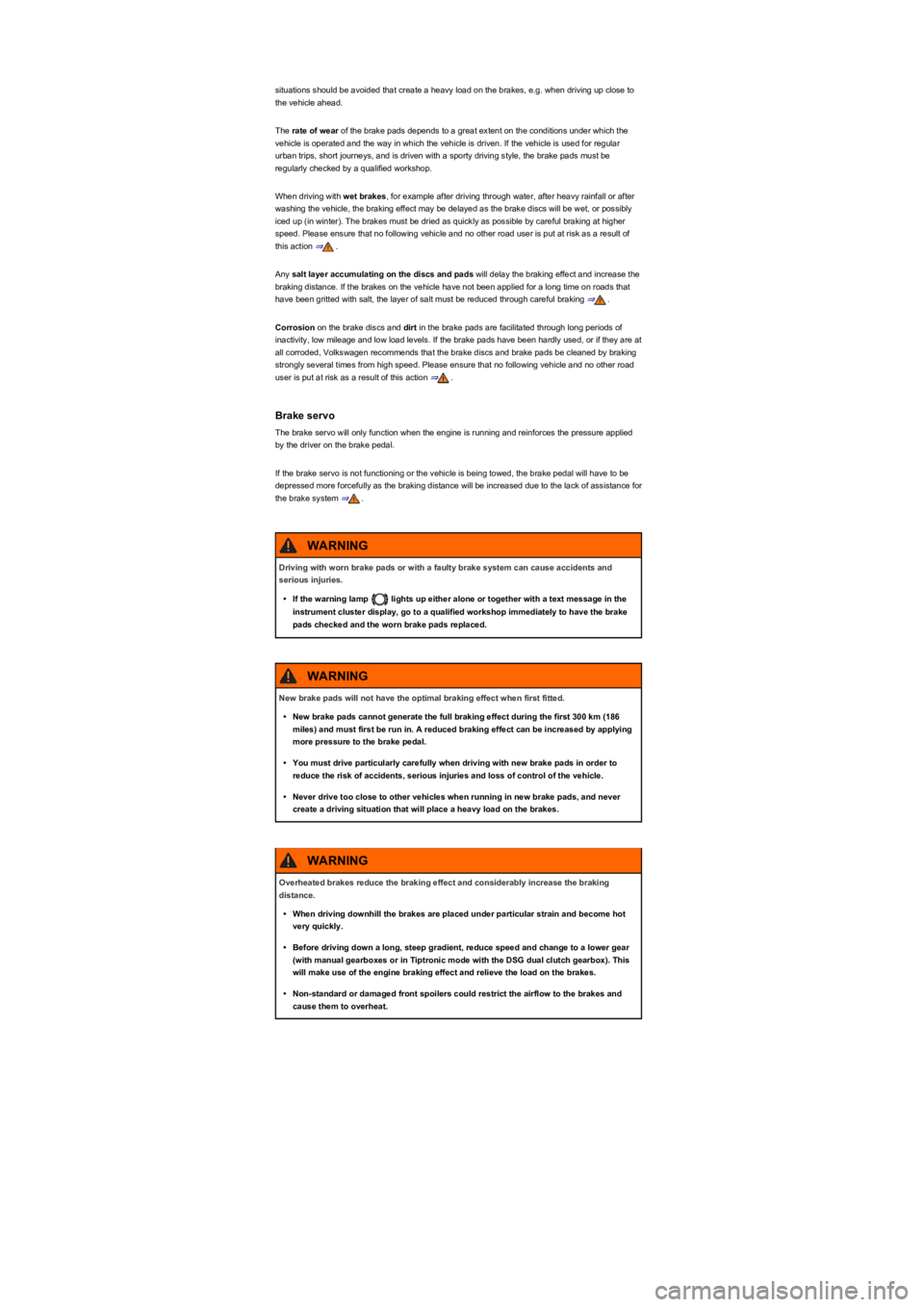
Driving with worn brake pads or with a faulty brake system can cause accidents and
serious injuries.
•If the warning lamp lights up either alone or together with a text message in the
instrument cluster display, go to a qualified workshop immediately to have the brake
pads checked and the worn brake pads replaced.
WARNING
New brake pads will not have the optimal braking effect when first fitted.
•New brake pads cannot generate the full braking effect during the first 300 km (186
miles) and must first be run in. A reduced braking effect can be increased by applying
more pressure to the brake pedal.
•You must drive particularly carefully when driving with new brake pads in order to
reduce the risk of accidents, serious injuries and loss of control of the vehicle.
•Never drive too close to other vehicles when running in new brake pads, and never
create a driving situation that will place a heavy load on the brakes.
WARNING
Overheated brakes reduce the braking effect and considerably increase the braking
distance.
•When driving downhill the brakes are placed under particular strain and become hot
very quickly.
•Before driving down a long, steep gradient, reduce speed and change to a lower gear
(with manual gearboxes or in Tiptronic mode with the DSG dual clutch gearbox). This
will make use of the engine braking effect and relieve the load on the brakes.
•Non-standard or damaged front spoilers could restrict the airflow to the brakes and
cause them to overheat.
WARNING
Page 146 of 341
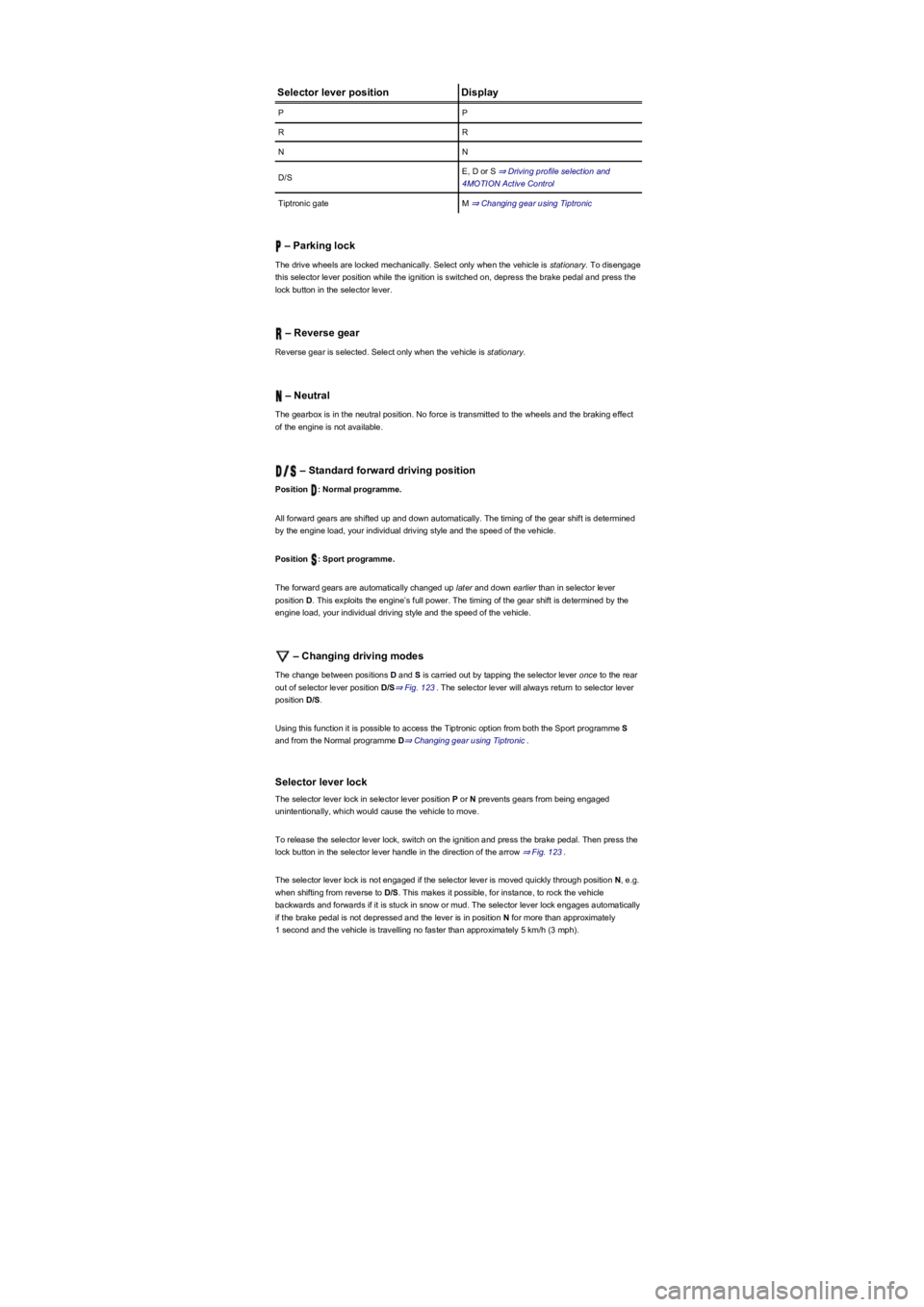
Selector lever positionDisplay
PP
RR
NN
D/SE, D or S ⇒ Driving profile selection and
4MOTION Active Control
Tiptronic gateM ⇒ Changing gear using Tiptronic
– Parking lock
The drive wheels are locked mechanically. Select only when the vehicle is stationary. To disengage
this selector lever position while the ignition is switched on, depress the brake pedal and press the
lock button in the selector lever.
– Reverse gear
Reverse gear is selected. Select only when the vehicle is stationary.
– Neutral
The gearbox is in the neutral position. No force is transmitted to the wheels and the braking effect
of the engine is not available.
– Standard forward driving position
Position : Normal programme.
All forward gears are shifted up and down automatically. The timing of the gear shift is determined
by the engine load, your individual driving style and the speed of the vehicle.
Position : Sport programme.
The forward gears are automatically changed up later and down earlier than in selector lever
position D. This exploits the engine’s full power. The timing of the gear shift is determined by the
engine load, your individual driving style and the speed of the vehicle.
– Changing driving modes
The change between positions D and S is carried out by tapping the selector lever once to the rear
out of selector lever position D/S⇒ Fig. 123. The selector lever will always return to selector lever
position D/S.
Using this function it is possible to access the Tiptronic option from both the Sport programme S
and from the Normal programme D⇒ Changing gear using Tiptronic.
Selector lever lock
The selector lever lock in selector lever position P or N prevents gears from being engaged
unintentionally, which would cause the vehicle to move.
To release the selector lever lock, switch on the ignition and press the brake pedal. Then press the
lock button in the selector lever handle in the direction of the arrow ⇒ Fig. 123.
The selector lever lock is not engaged if the selector lever is moved quickly through position N, e.g.
when shifting from reverse to D/S. This makes it possible, for instance, to rock the vehicle
backwards and forwards if it is stuck in snow or mud. The selector lever lock engages automatically
if the brake pedal is not depressed and the lever is in position N for more than approximately
1 second and the vehicle is travelling no faster than approximately 5 km/h (3 mph).
Page 149 of 341
If the accelerator pedal is depressed fully, the gearbox will automatically shift to a lower gear,
depending on the speed and engine revs. This will make use of the full vehicle acceleration.
The gearbox does not shift up to the next gear until the engine reaches the maximum engine speed
for the gear.
When the Eco driving profile is selected in vehicles with driving profile selection ⇒ Driving profile
selection and 4MOTION Active Control and the accelerator is depressed fully beyond the pressure
point, the engine output is automatically regulated to ensure maximum vehicle acceleration.
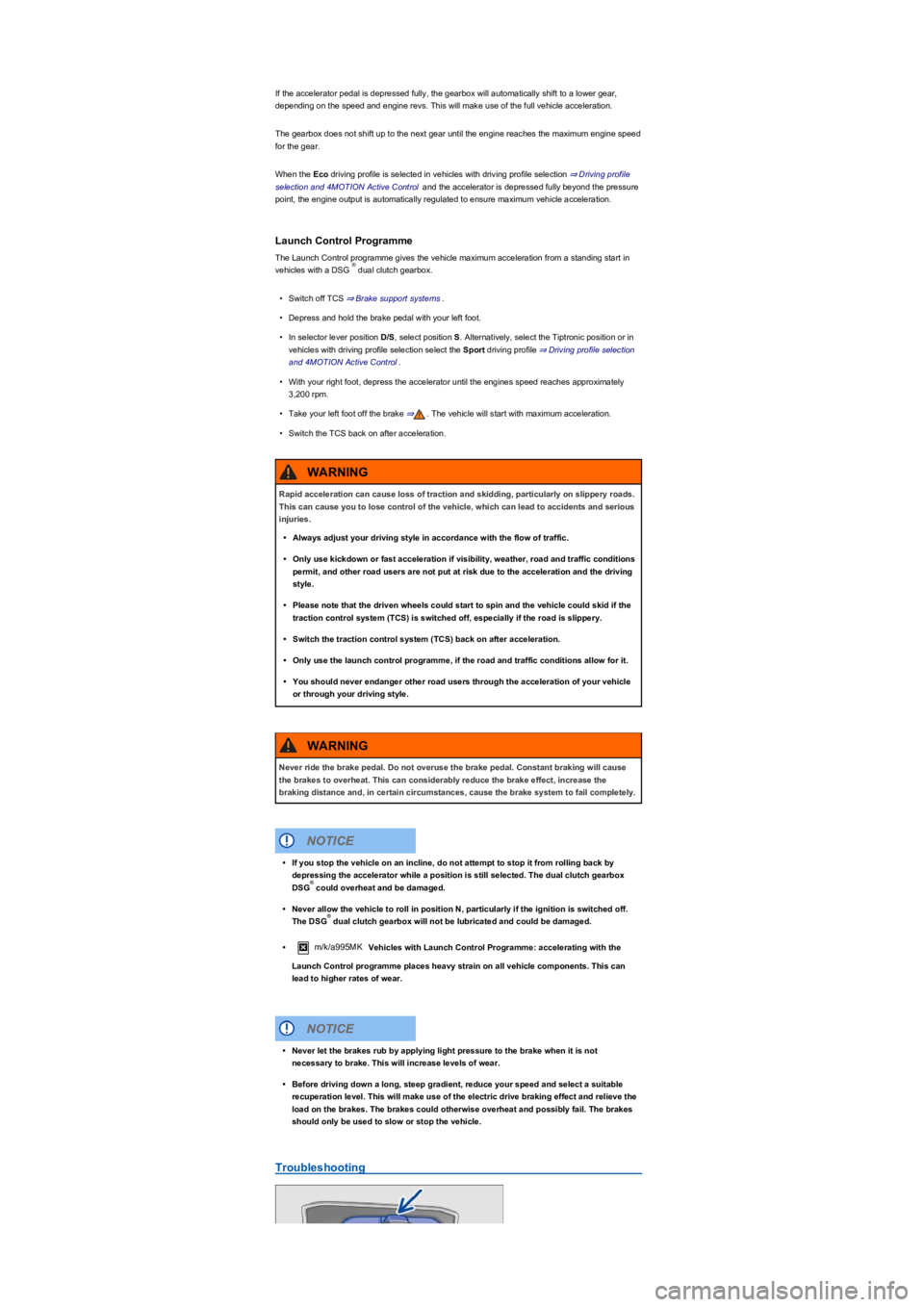
Launch Control Programme
The Launch Control programme gives the vehicle maximum acceleration from a standing start in
vehicles with a DSG dual clutch gearbox.
•Switch off TCS ⇒ Brake support systems.
•Depress and hold the brake pedal with your left foot.
•In selector lever position D/S, select position S. Alternatively, select the Tiptronic position or in
vehicles with driving profile selection select the Sport driving profile ⇒ Driving profile selection
and 4MOTION Active Control.
•With your right foot, depress the accelerator until the engines speed reaches approximately
3,200 rpm.
•Take your left foot off the brake ⇒. The vehicle will start with maximum acceleration.
•Switch the TCS back on after acceleration.
Troubleshooting
®
Rapid acceleration can cause loss of traction and skidding, particularly on slippery roads.
This can cause you to lose control of the vehicle, which can lead to accidents and serious
injuries.
•Always adjust your driving style in accordance with the flow of traffic.
•Only use kickdown or fast acceleration if visibility, weather, road and traffic conditions
permit, and other road users are not put at risk due to the acceleration and the driving
style.
•Please note that the driven wheels could start to spin and the vehicle could skid if the
traction control system (TCS) is switched off, especially if the road is slippery.
•Switch the traction control system (TCS) back on after acceleration.
•Only use the launch control programme, if the road and traffic conditions allow for it.
•You should never endanger other road users through the acceleration of your vehicle
or through your driving style.
WARNING
Never ride the brake pedal. Do not overuse the brake pedal. Constant braking will cause
the brakes to overheat. This can considerably reduce the brake effect, increase the
braking distance and, in certain circumstances, cause the brake system to fail completely.
WARNING
•If you stop the vehicle on an incline, do not attempt to stop it from rolling back by
depressing the accelerator while a position is still selected. The dual clutch gearbox
DSG could overheat and be damaged.
•Never allow the vehicle to roll in position N, particularly if the ignition is switched off.
The DSG dual clutch gearbox will not be lubricated and could be damaged.
•m/k/a995MK Vehicles with Launch Control Programme: accelerating with the
Launch Control programme places heavy strain on all vehicle components. This can
lead to higher rates of wear.
NOTICE
®
®
•Never let the brakes rub by applying light pressure to the brake when it is not
necessary to brake. This will increase levels of wear.
•Before driving down a long, steep gradient, reduce your speed and select a suitable
recuperation level. This will make use of the electric drive braking effect and relieve the
load on the brakes. The brakes could otherwise overheat and possibly fail. The brakes
should only be used to slow or stop the vehicle.
NOTICE
Page 154 of 341
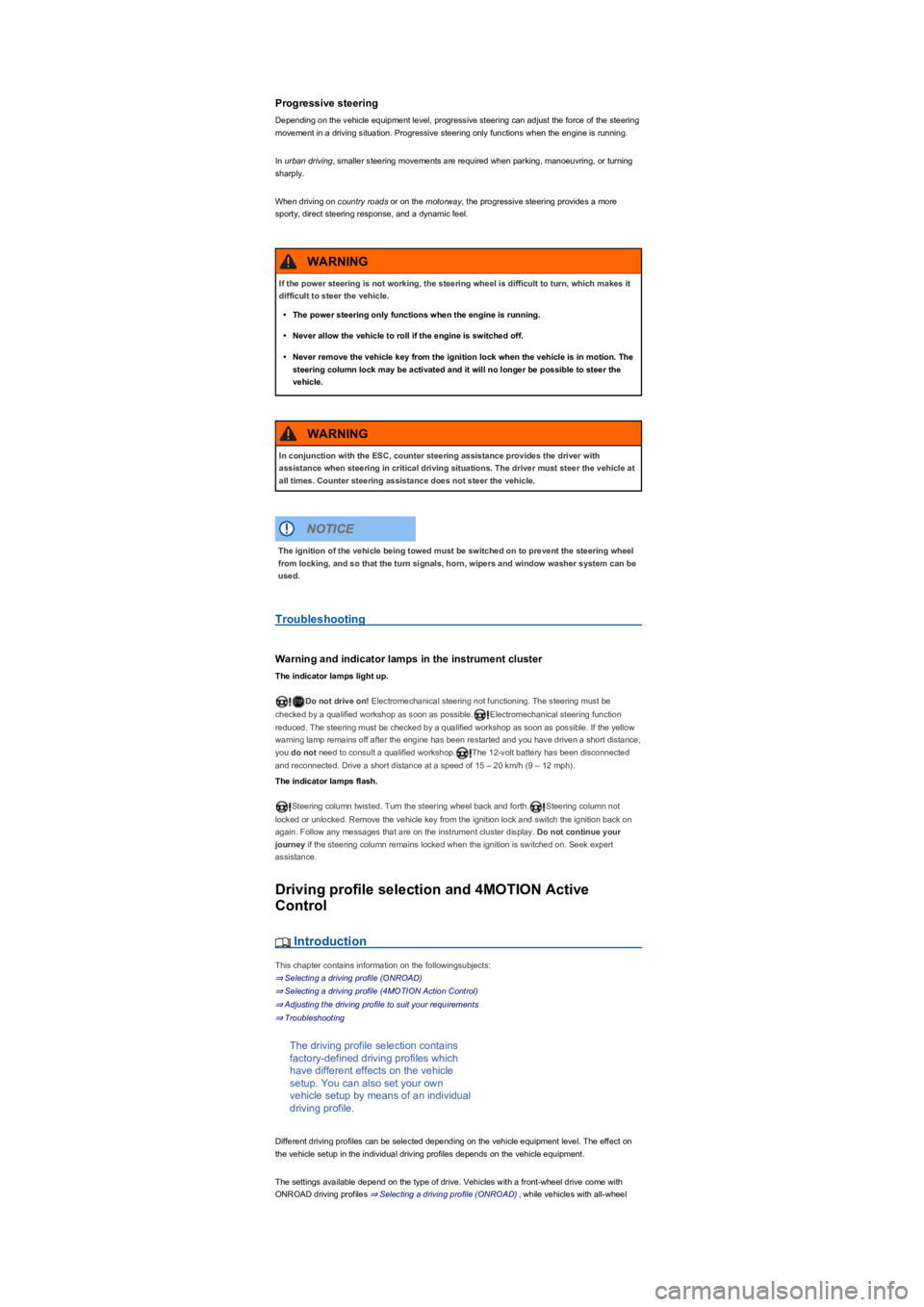
Progressive steering
Depending on the vehicle equipment level, progressive steering can adjust the force of the steering
movement in a driving situation. Progressive steering only functions when the engine is running.
In urban driving, smaller steering movements are required when parking, manoeuvring, or turning
sharply.
When driving on country roads or on the motorway, the progressive steering provides a more
sporty, direct steering response, and a dynamic feel.
Troubleshooting
Warning and indicator lamps in the instrument cluster
The indicator lamps light up.
Do not drive on! Electromechanical steering not functioning. The steering must be
checked by a qualified workshop as soon as possible.Electromechanical steering function
reduced. The steering must be checked by a qualified workshop as soon as possible. If the yellow
warning lamp remains off after the engine has been restarted and you have driven a short distance,
you do not need to consult a qualified workshop.The 12-volt battery has been disconnected
and reconnected. Drive a short distance at a speed of 15 – 20 km/h (9 – 12 mph).
The indicator lamps flash.
Steering column twisted. Turn the steering wheel back and forth.Steering column not
locked or unlocked. Remove the vehicle key from the ignition lock and switch the ignition back on
again. Follow any messages that are on the instrument cluster display. Do not continue your
journey if the steering column remains locked when the ignition is switched on. Seek expert
assistance.
Driving profile selection and 4MOTION Active
Control
Introduction
This chapter contains information on the followingsubjects:
⇒ Selecting a driving profile (ONROAD)
⇒ Selecting a driving profile (4MOTION Action Control)
⇒ Adjusting the driving profile to suit your requirements
⇒ Troubleshooting
The driving profile selection contains
factory-defined driving profiles which
have different effects on the vehicle
setup. You can also set your own
vehicle setup by means of an individual
driving profile.
Different driving profiles can be selected depending on the vehicle equipment level. The effect on
the vehicle setup in the individual driving profiles depends on the vehicle equipment.
The settings available depend on the type of drive. Vehicles with a front-wheel drive come with
ONROAD driving profiles ⇒ Selecting a driving profile (ONROAD), while vehicles with all-wheel
If the power steering is not working, the steering wheel is difficult to turn, which makes it
difficult to steer the vehicle.
•The power steering only functions when the engine is running.
•Never allow the vehicle to roll if the engine is switched off.
•Never remove the vehicle key from the ignition lock when the vehicle is in motion. The
steering column lock may be activated and it will no longer be possible to steer the
vehicle.
WARNING
In conjunction with the ESC, counter steering assistance provides the driver with
assistance when steering in critical driving situations. The driver must steer the vehicle at
all times. Counter steering assistance does not steer the vehicle.
WARNING
The ignition of the vehicle being towed must be switched on to prevent the steering wheel
from locking, and so that the turn signals, horn, wipers and window washer system can be
used.
NOTICE
Page 155 of 341
drive come with additional OFFROAD driving profiles ⇒ Selecting a driving profile (4MOTION
Action Control).
The driving profile can be changed when the vehicle is stationary or while driving ⇒. After
selecting a driving profile, the vehicle settings (excluding engine settings) are switched to the new
profile mode immediately. When traffic conditions allow, briefly take your foot off the accelerator to
activate the newly selected driving profile for the engine.
Some settings can be stored in the user accounts of the personalisation function and
therefore change when the user account changes ⇒ Personalisation.
Selecting a driving profile (ONROAD)
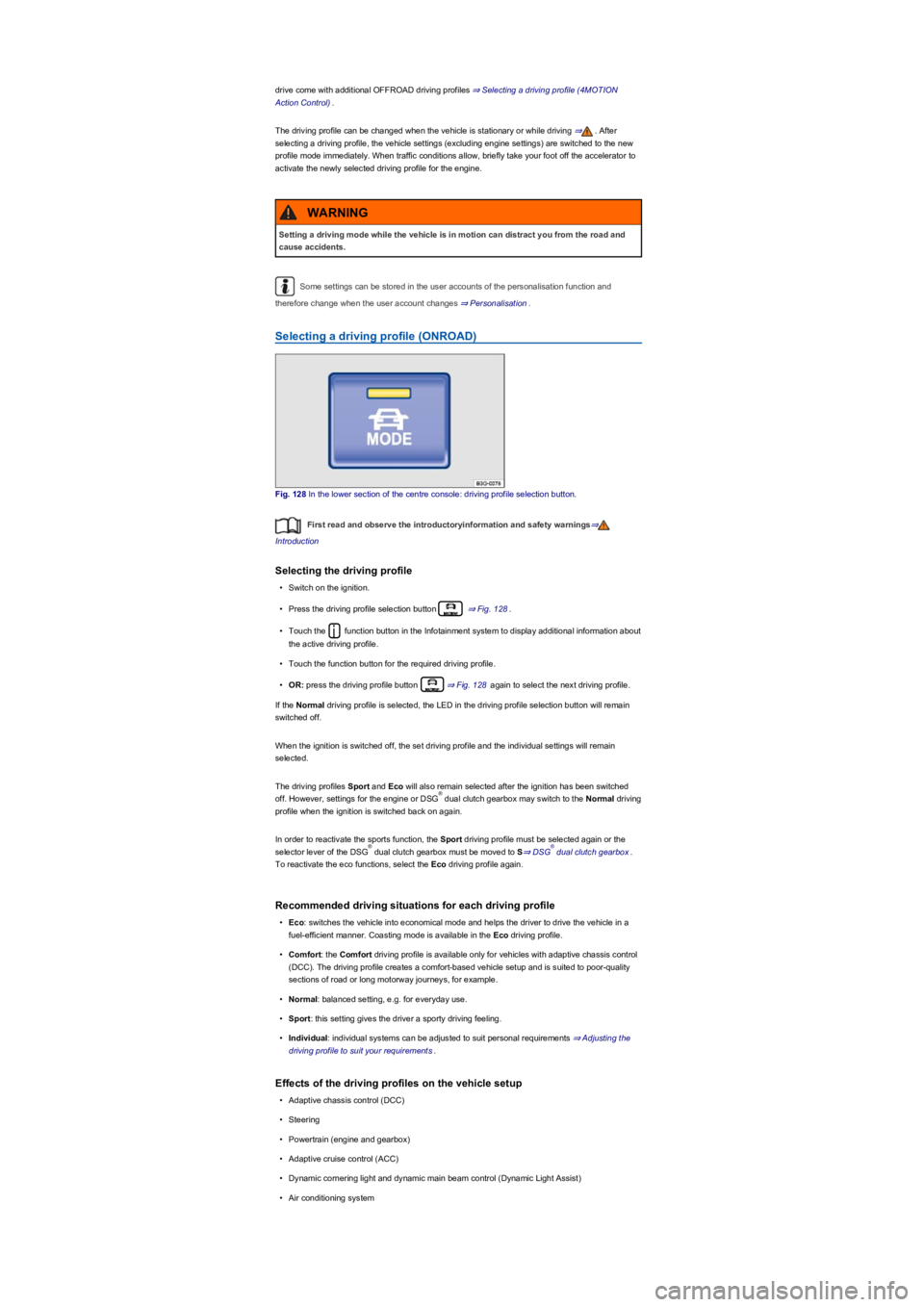
Fig. 128 In the lower section of the centre console: driving profile selection button.
First read and observe the introductoryinformation and safety warnings⇒
Introduction
Selecting the driving profile
•Switch on the ignition.
•Press the driving profile selection button ⇒ Fig. 128.
•Touch the function button in the Infotainment system to display additional information about
the active driving profile.
•Touch the function button for the required driving profile.
•OR: press the driving profile button ⇒ Fig. 128 again to select the next driving profile.
If the Normal driving profile is selected, the LED in the driving profile selection button will remain
switched off.
When the ignition is switched off, the set driving profile and the individual settings will remain
selected.
The driving profiles Sport and Eco will also remain selected after the ignition has been switched
off. However, settings for the engine or DSG dual clutch gearbox may switch to the Normal driving
profile when the ignition is switched back on again.
In order to reactivate the sports function, the Sport driving profile must be selected again or the
selector lever of the DSG dual clutch gearbox must be moved to S⇒ DSG dual clutch gearbox.
To reactivate the eco functions, select the Eco driving profile again.
Recommended driving situations for each driving profile
•Eco: switches the vehicle into economical mode and helps the driver to drive the vehicle in a
fuel-efficient manner. Coasting mode is available in the Eco driving profile.
•Comfort: the Comfort driving profile is available only for vehicles with adaptive chassis control
(DCC). The driving profile creates a comfort-based vehicle setup and is suited to poor-quality
sections of road or long motorway journeys, for example.
•Normal: balanced setting, e.g. for everyday use.
•Sport: this setting gives the driver a sporty driving feeling.
•Individual: individual systems can be adjusted to suit personal requirements ⇒ Adjusting the
driving profile to suit your requirements.
Effects of the driving profiles on the vehicle setup
•Adaptive chassis control (DCC)
•Steering
•Powertrain (engine and gearbox)
•Adaptive cruise control (ACC)
•Dynamic cornering light and dynamic main beam control (Dynamic Light Assist)
•Air conditioning system
Setting a driving mode while the vehicle is in motion can distract you from the road and
cause accidents.
WARNING
®
®®
Page 156 of 341
•Proactive occupant protection system
In vehicles with a DSG dual clutch gearbox, the system automatically changes to gear
position S when the Sport driving profile is selected. The system automatically switches to gear
position D when the Eco driving profile is selected. Since coasting is active in the Eco driving
profile, the gearbox programme E is additionally displayed on the instrument cluster display.
The driver can adjust certain vehicle functions irrespective of the selected driving profile. For
example, the driver can switch to gear position S when the Eco driving profile is selected.
Selecting a driving profile (4MOTION Action Control)
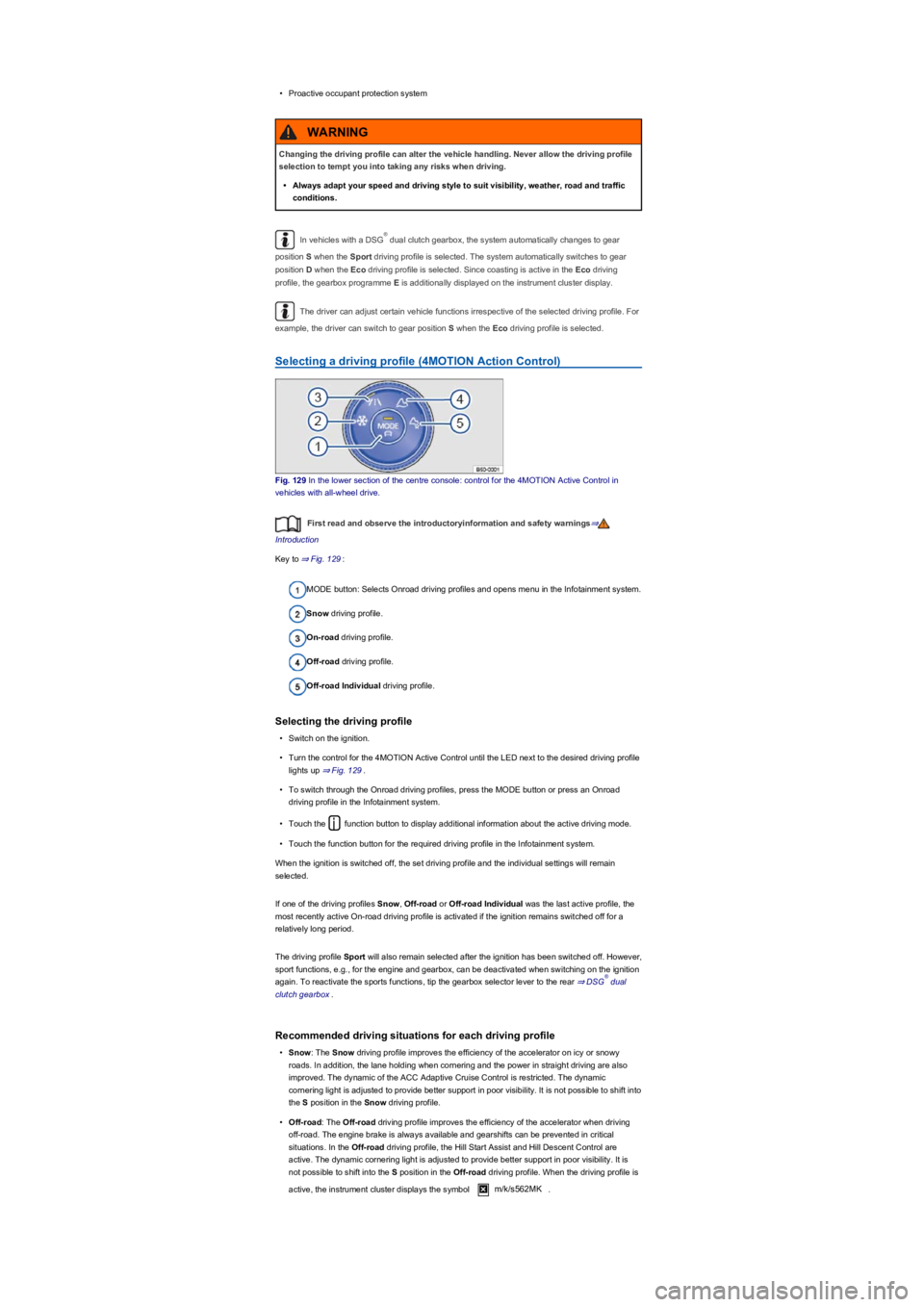
Fig. 129 In the lower section of the centre console: control for the 4MOTION Active Control in
vehicles with all-wheel drive.
First read and observe the introductoryinformation and safety warnings⇒
Introduction
Key to ⇒ Fig. 129:
MODE button: Selects Onroad driving profiles and opens menu in the Infotainment system.
Snow driving profile.
On-road driving profile.
Off-road driving profile.
Off-road Individual driving profile.
Selecting the driving profile
•Switch on the ignition.
•Turn the control for the 4MOTION Active Control until the LED next to the desired driving profile
lights up ⇒ Fig. 129.
•To switch through the Onroad driving profiles, press the MODE button or press an Onroad
driving profile in the Infotainment system.
•Touch the function button to display additional information about the active driving mode.
•Touch the function button for the required driving profile in the Infotainment system.
When the ignition is switched off, the set driving profile and the individual settings will remain
selected.
If one of the driving profiles Snow, Off-road or Off-road Individual was the last active profile, the
most recently active On-road driving profile is activated if the ignition remains switched off for a
relatively long period.
The driving profile Sport will also remain selected after the ignition has been switched off. However,
sport functions, e.g., for the engine and gearbox, can be deactivated when switching on the ignition
again. To reactivate the sports functions, tip the gearbox selector lever to the rear ⇒ DSG dual
clutch gearbox.
Recommended driving situations for each driving profile
•Snow: The Snow driving profile improves the efficiency of the accelerator on icy or snowy
roads. In addition, the lane holding when cornering and the power in straight driving are also
improved. The dynamic of the ACC Adaptive Cruise Control is restricted. The dynamic
cornering light is adjusted to provide better support in poor visibility. It is not possible to shift into
the S position in the Snow driving profile.
•Off-road: The Off-road driving profile improves the efficiency of the accelerator when driving
off-road. The engine brake is always available and gearshifts can be prevented in critical
situations. In the Off-road driving profile, the Hill Start Assist and Hill Descent Control are
active. The dynamic cornering light is adjusted to provide better support in poor visibility. It is
not possible to shift into the S position in the Off-road driving profile. When the driving profile is
active, the instrument cluster displays the symbol m/k/s562MK.
Changing the driving profile can alter the vehicle handling. Never allow the driving profile
selection to tempt you into taking any risks when driving.
•Always adapt your speed and driving style to suit visibility, weather, road and traffic
conditions.
WARNING
®
®
Page 157 of 341
•Off-road Individual: Enhanced version of the off-road driving profile that can be adjusted to the
driver's needs ⇒ Adjusting the driving profile to suit your requirements. When the driving profile
is active, the instrument cluster displays the symbol m/k/s562MK.
•Onroad:The Onroad driving profile enables you to choose between Eco, Comfort, Normal,
Sport and Individual.
Adjusting the driving profile to suit your requirements
First read and observe the introductoryinformation and safety warnings⇒
Introduction
Selecting the Individual driving profile
•Switch on the ignition.
•Switch on the Infotainment system.
•Press the driving profile selection button or turn the control for 4MOTION Active Control
until the LED next to the Onroad driving profile ⇒ Fig. 129③ lights up.
•Touch the Change function button to open the Individual menu.
Selecting the Off-road Individual driving profile
•Switch on the ignition.
•Switch on the Infotainment system.
•If necessary, turn the control ⇒ Fig. 129 for the 4MOTION Active Control until the LED next to
the Off-road Individual driving profile ⇒ Fig. 129⑤ lights up.
•If the Off-road Individual driving profile is already selected, press the MODE button on the
control ⇒ Fig. 129.
•Touch the Change function button to open the Individual menu.
Troubleshooting
First read and observe the introductoryinformation and safety warnings⇒
Introduction
Fault in adaptive chassis control (DCC): go to a qualified workshop and have the system checked.
If there is a fault in the adaptive chassis control (DCC), the message Fault: damping control may
be shown on the instrument cluster display.
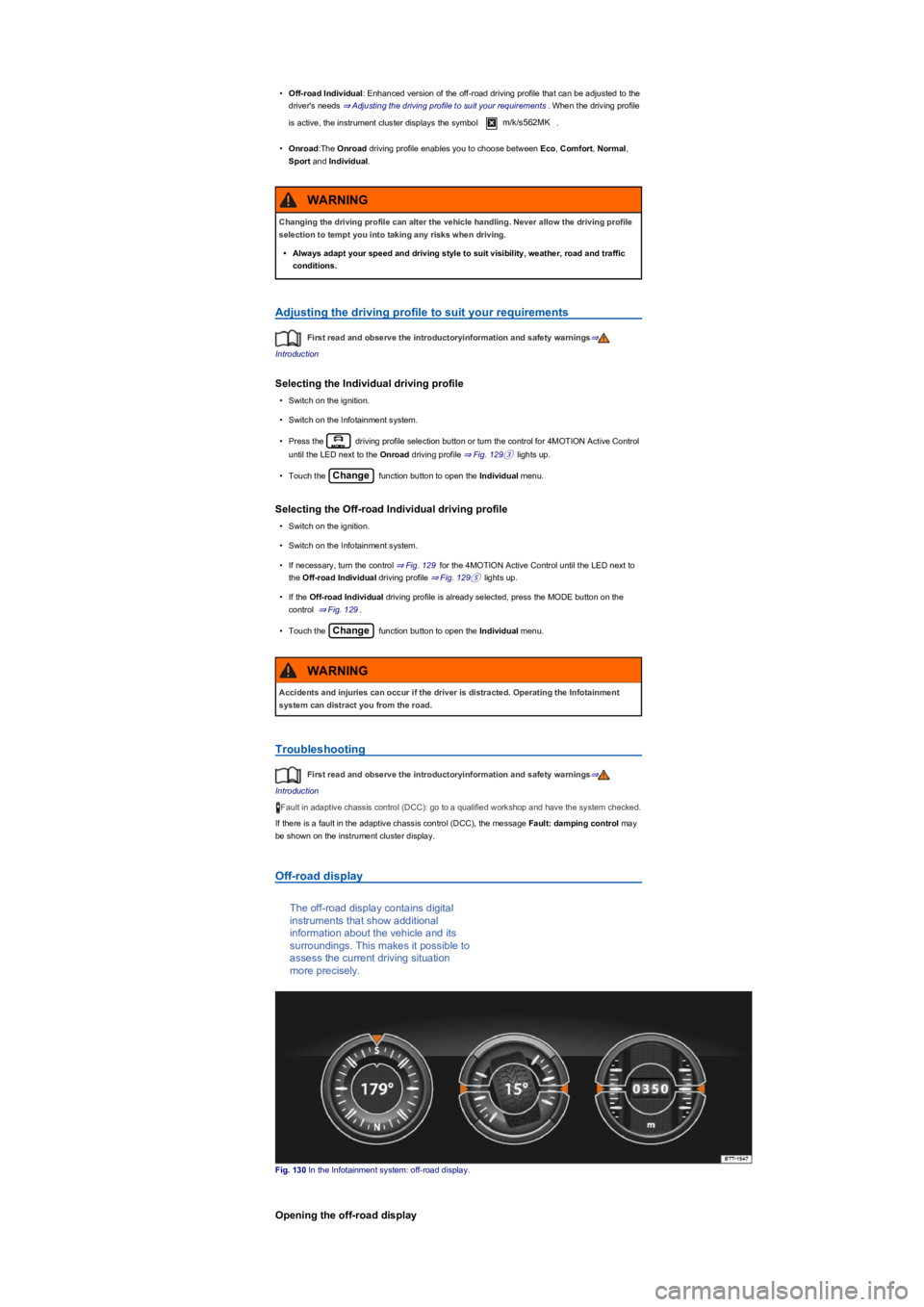
Off-road display
The off-road display contains digital
instruments that show additional
information about the vehicle and its
surroundings. This makes it possible to
assess the current driving situation
more precisely.
Fig. 130 In the Infotainment system: off-road display.
Opening the off-road display
Changing the driving profile can alter the vehicle handling. Never allow the driving profile
selection to tempt you into taking any risks when driving.
•Always adapt your speed and driving style to suit visibility, weather, road and traffic
conditions.
WARNING
Accidents and injuries can occur if the driver is distracted. Operating the Infotainment
system can distract you from the road.
WARNING
Page 159 of 341
The driver can use 4MOTION Active Control to activate a variety of vehicle settings in an all-wheel
drive vehicle as required ⇒ Selecting a driving profile (4MOTION Action Control).
Checklist
Before driving for the first time, take the following steps so you can operate and drive the
vehicle safely off-road:
Observe the basic safety notes Safety notes for driving off-road.
Familiarise yourself with the vehicle controls.
Check and adjust the seat position Sitting position and fasten the seat belts Seat belts.
Check distance to steering wheel and adjust Steering.
Always wear suitable, well-fitting shoes that provide good grip for your feet when using the
pedals.
Safety notes for driving off-road
First read and observe the introductoryinformation and safety warnings⇒
Introduction
The intelligent vehicle technology cannot overcome the laws of physics, and functions
only within the limits of the system. Despite input from the ABS, adverse terrain can cause
instability through locked wheels – e.g. if you brake hard when driving on a loose gravel
road. The ESC system will have difficulty stabilising the vehicle in these circumstances.
WARNING
Driving off-road can be dangerous and could cause accidents, serious injury, damage to
the vehicle and also a vehicle breakdown far from any assistance.
•Never select a dangerous route and never take risks that could endanger you and your
passengers. If you cannot drive on or if you are in any doubt about the safety of the
route, turn round and choose another route.
•Even terrain that looks harmless can be difficult and dangerous, and could get you and
your passengers into difficulties. It is preferable to walk over the terrain before driving
over it.
•You should drive particularly carefully and think ahead when driving off-road. If you
drive too fast or if a driving manoeuvre is unsuccessful this could result in serious
injuries and vehicle damage.
•Never drive faster than the current terrain, road conditions, traffic and weather allow.
•Never drive too fast along embankments, ramps or slopes. This could cause the
vehicle to lose contact with the ground. If this happens, you will be unable to steer and
will lose control of the vehicle.
•If the vehicle does lose contact with the ground, always point the front wheels straight
ahead. If the wheels are not pointing straight ahead when the vehicle lands, it could roll
over.
•Terrain might look harmless, but there could be hidden dangers. Potholes, hollows,
ditches, precipices, obstacles, shallows, soft and boggy surfaces are often not
recognisable as such and can be covered either fully or partly by water or grass or
branches lying on the ground. Inspect terrain on foot.
WARNING
Sporty SUVs are subject to a considerably higher risk of rolling over than normal road
passenger vehicles ⇒ Explanation of some technical terms.
•In the event of an accident, vehicle occupants not wearing seat belts are subjected to a
considerably higher risk of fatal injury than those wearing seat belts.
•The vehicle has a higher centre of gravity and is more prone to rolling over than a
normal on-road vehicle which is unsuited for off-road driving.
•Never drive too fast, especially when driving through bends, or carry out any extreme
driving manoeuvres.
•Always adjust your speed and driving style to the terrain.
•Luggage and other items transported on the roof of the vehicle raise the centre of
gravity and will make the vehicle more likely to roll over.
WARNING
Page 183 of 341
Driving with the lane keeping system
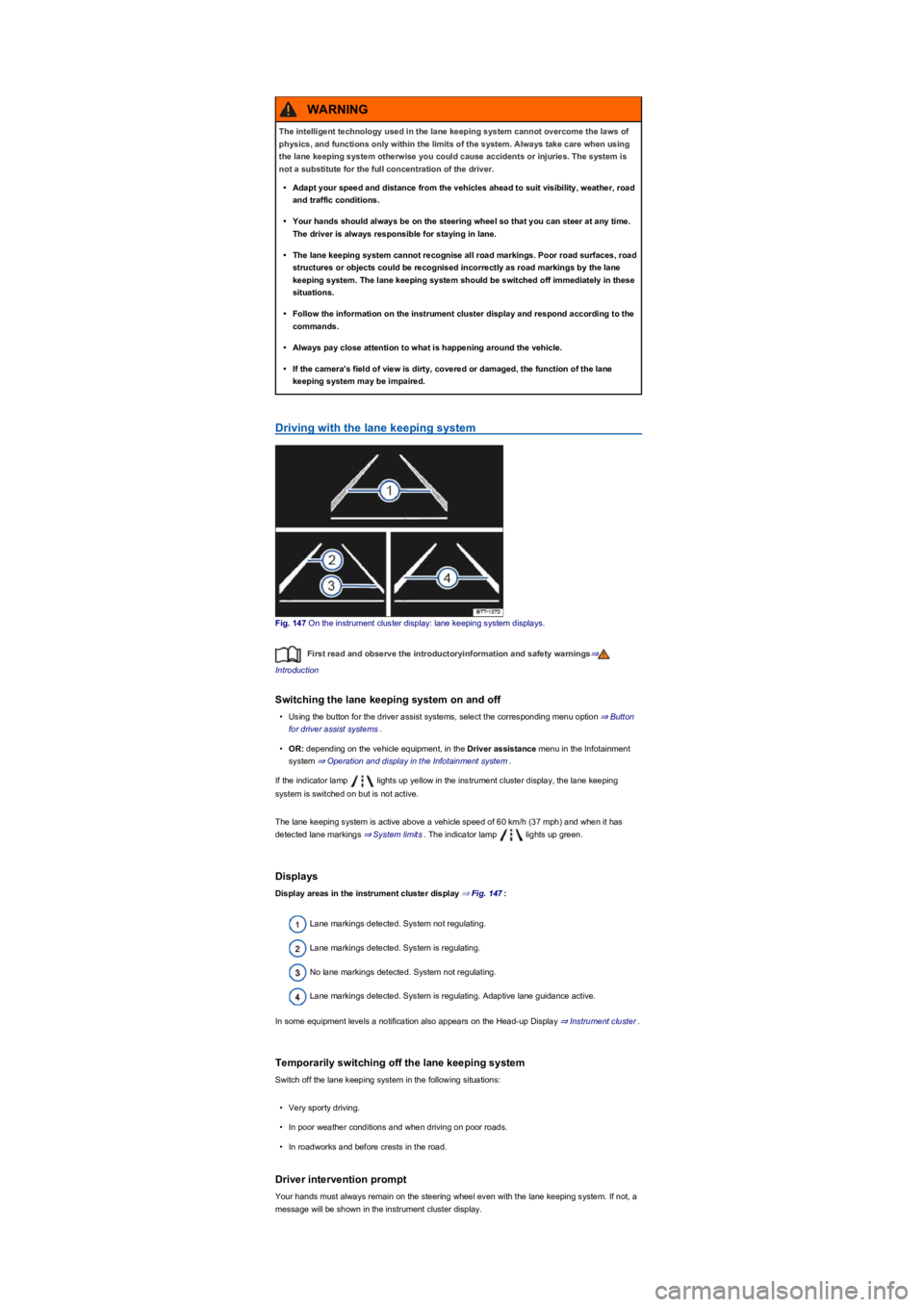
Fig. 147 On the instrument cluster display: lane keeping system displays.
First read and observe the introductoryinformation and safety warnings⇒
Introduction
Switching the lane keeping system on and off
•Using the button for the driver assist systems, select the corresponding menu option ⇒ Button
for driver assist systems.
•OR: depending on the vehicle equipment, in the Driver assistance menu in the Infotainment
system ⇒ Operation and display in the Infotainment system.
If the indicator lamp lights up yellow in the instrument cluster display, the lane keeping
system is switched on but is not active.
The lane keeping system is active above a vehicle speed of 60 km/h (37 mph) and when it has
detected lane markings ⇒ System limits. The indicator lamp lights up green.
Displays
Display areas in the instrument cluster display ⇒ Fig. 147:
Lane markings detected. System not regulating.
Lane markings detected. System is regulating.
No lane markings detected. System not regulating.
Lane markings detected. System is regulating. Adaptive lane guidance active.
In some equipment levels a notification also appears on the Head-up Display ⇒ Instrument cluster.
Temporarily switching off the lane keeping system
Switch off the lane keeping system in the following situations:
•Very sporty driving.
•In poor weather conditions and when driving on poor roads.
•In roadworks and before crests in the road.
Driver intervention prompt
Your hands must always remain on the steering wheel even with the lane keeping system. If not, a
message will be shown in the instrument cluster display.
The intelligent technology used in the lane keeping system cannot overcome the laws of
physics, and functions only within the limits of the system. Always take care when using
the lane keeping system otherwise you could cause accidents or injuries. The system is
not a substitute for the full concentration of the driver.
•Adapt your speed and distance from the vehicles ahead to suit visibility, weather, road
and traffic conditions.
•Your hands should always be on the steering wheel so that you can steer at any time.
The driver is always responsible for staying in lane.
•The lane keeping system cannot recognise all road markings. Poor road surfaces, road
structures or objects could be recognised incorrectly as road markings by the lane
keeping system. The lane keeping system should be switched off immediately in these
situations.
•Follow the information on the instrument cluster display and respond according to the
commands.
•Always pay close attention to what is happening around the vehicle.
•If the camera's field of view is dirty, covered or damaged, the function of the lane
keeping system may be impaired.
WARNING
Page 185 of 341
Traffic Jam Assist is not active (the indicator lamp for the lane keeping
system lights up yellow)
•As soon as one of the conditions indicated on ⇒ Technical requirements for using Traffic Jam
Assist is no longer fulfilled.
•If one of the conditions for the proper functioning of the lane keeping system is no longer
fulfilled ⇒ Lane keeping system (Lane Assist).
•If one of the conditions for the proper functioning of the Adaptive Cruise Control (ACC) is no
longer fulfilled ⇒ Adaptive Cruise Control (ACC).
Switch off Traffic Jam Assist in the following situations
Traffic Jam Assist should always be switched off in the following situations due to system
limitations:
•When a high level of concentration is required by the driver.
•Very sporty driving.
•In poor weather conditions, e.g. snow or heavy rain.
•Poor road conditions.
•Driving through road works.
•In urban areas.
If Traffic Jam Assist does not function as described in this chapter, do not use the system
and go to a qualified workshop.
If there is a fault in the system, visit a qualified workshop and have the system checked.
Emergency Assist
Emergency Assist detects a lack of
activity on the part of the driver and can
keep the vehicle in lane automatically,
or brake the vehicle to a standstill if
required. The system can therefore
actively help to prevent an accident.
Emergency Assist is an extension of the lane keeping system (Lane Assist) ⇒ Lane keeping
system (Lane Assist), and combines this function with the Adaptive Cruise Control (ACC)
⇒ Adaptive Cruise Control (ACC). Please therefore read both these chapters and observe the
information about the system limits and warnings.
Description
If there is no driver activity, Emergency Assist prompts the driver to take control of the vehicle again
by visual and acoustic warnings and by braking jolts.
If the driver remains inactive, the system automatically controls the accelerator, brake and steering
to slow the vehicle down and keep it in lane ⇒. If there is sufficient stopping distance, the
The intelligent technology of Traffic Jam Assist cannot overcome the laws of physics, and
functions only within the limits of the system. Always take care when using Traffic Jam
Assist as you could otherwise cause accidents or injuries. The system is not a substitute
for the full concentration of the driver.
•Adapt your speed and distance from the vehicles ahead to suit visibility, weather, road
and traffic conditions.
•Do not use Traffic Jam Assist in urban traffic.
•Do not use Traffic Jam Assist in poor visibility, on steep or winding roads, or on
slippery road surfaces e.g. on snow, ice, wet roads, loose chippings or flooded roads.
•Never use Traffic Jam Assist off-road or on unsurfaced roads. Traffic Jam Assist is
designed solely for use on surfaced roads.
•Traffic Jam Assist does not react to persons, animals or vehicles crossing or
approaching in the same lane.
•If the speed reduction achieved by Traffic Jam Assist is insufficient, brake the vehicle
immediately by depressing the foot brake.
•If the vehicle starts to roll unintentionally after the driver has been prompted to take
control of the vehicle, brake the vehicle immediately using the foot brake.
•If a prompt instructing the driver to take control of the vehicle appears on the
instrument cluster display, take control of the vehicle immediately.
•Your hands should always be on the steering wheel so that you can steer at any time.
The driver is always responsible for staying in lane.
•The driver must be prepared to take control of the vehicle (by accelerating or braking)
at all times.
WARNING