tow VOLKSWAGEN TIGUAN 2017 Owner´s Manual
[x] Cancel search | Manufacturer: VOLKSWAGEN, Model Year: 2017, Model line: TIGUAN, Model: VOLKSWAGEN TIGUAN 2017Pages: 341, PDF Size: 9.14 MB
Page 82 of 341
•Stand behind the centre of the bumper.
•Move your foot and shin quickly towards the bumper. The shin must be placed in the upper area
of the sensor, and the foot in the lower area ⇒ Fig. 73.
•Then quickly move your foot and shin away from the sensor area again. The boot lid will then
open.
The boot lid will lock again automatically, provided that the vehicle was locked beforehand and as
long as there is no valid vehicle key inside the vehicle.
Activating or deactivating Easy Open
You can activate and deactivate Easy Open in the Vehicle settings menu in the Infotainment
system ⇒ Operation and display in the Infotainment system.
Automatically closing the boot lid (Easy Close)
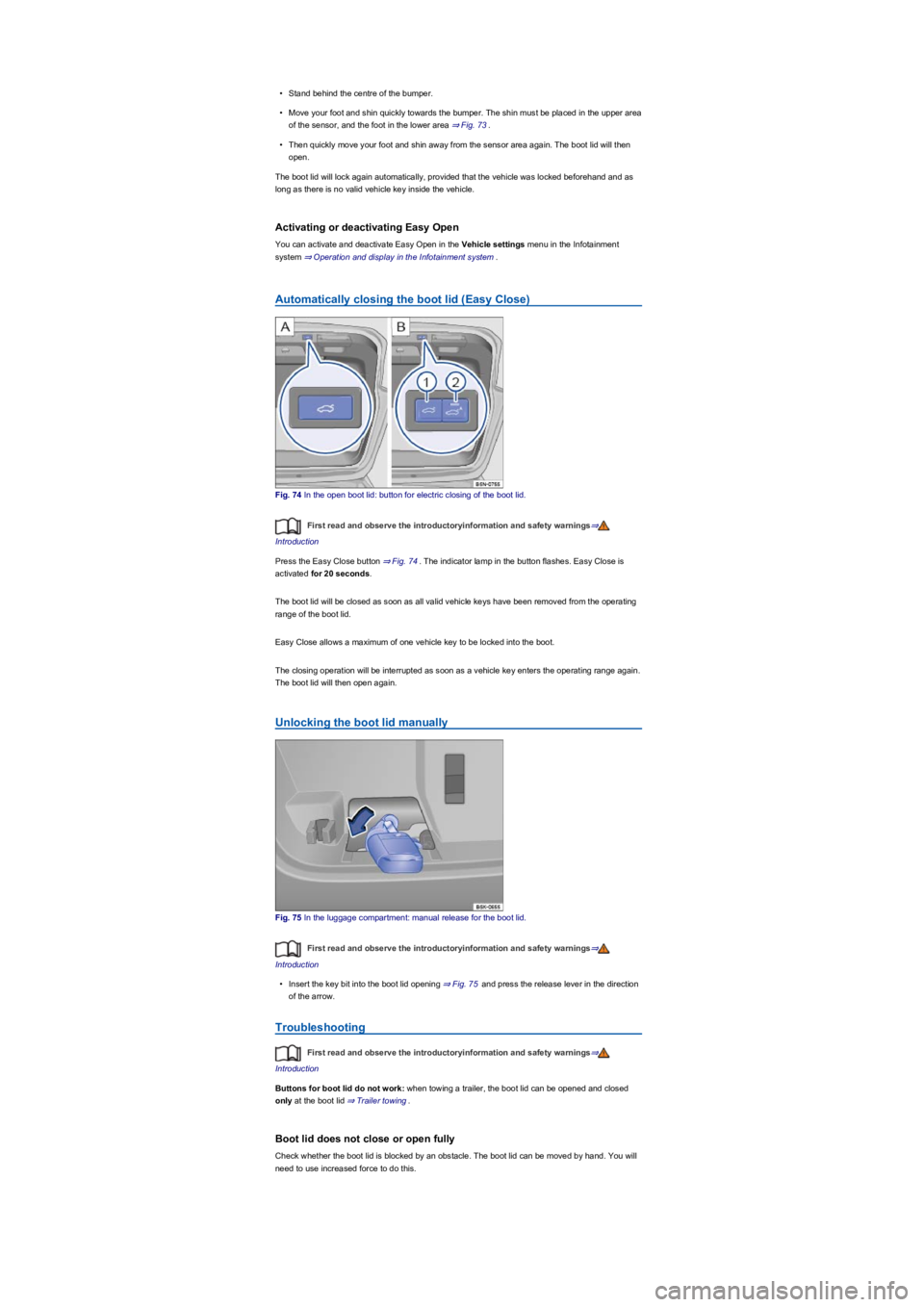
Fig. 74 In the open boot lid: button for electric closing of the boot lid.
First read and observe the introductoryinformation and safety warnings⇒
Introduction
Press the Easy Close button ⇒ Fig. 74. The indicator lamp in the button flashes. Easy Close is
activated for 20 seconds.
The boot lid will be closed as soon as all valid vehicle keys have been removed from the operating
range of the boot lid.
Easy Close allows a maximum of one vehicle key to be locked into the boot.
The closing operation will be interrupted as soon as a vehicle key enters the operating range again.
The boot lid will then open again.
Unlocking the boot lid manually
Fig. 75 In the luggage compartment: manual release for the boot lid.
First read and observe the introductoryinformation and safety warnings⇒
Introduction
•Insert the key bit into the boot lid opening ⇒ Fig. 75 and press the release lever in the direction
of the arrow.
Troubleshooting
First read and observe the introductoryinformation and safety warnings⇒
Introduction
Buttons for boot lid do not work: when towing a trailer, the boot lid can be opened and closed
only at the boot lid ⇒ Trailer towing.
Boot lid does not close or open fully
Check whether the boot lid is blocked by an obstacle. The boot lid can be moved by hand. You will
need to use increased force to do this.
Page 83 of 341
The drive switches off automatically in order to prevent overheating if the boot lid is operated too
frequently in a short space of time. Until the drive has cooled down the boot lid can be opened and
closed by hand using more force than usual.
The boot lid must be closed by hand if the 12-volt vehicle battery or fuse is disconnected or faulty.
Vehicle turn signals flash four times
Check whether the vehicle key is still in the vehicle.
Boot lid is stiff
At outside temperatures below freezing point, the opening mechanism cannot always lift the
partially opened boot lid automatically. If this happens, guide the boot lid further up by hand.
Sensor-controlled luggage compartment opener (Easy Open) is not
working
•Easy Open works only when the ignition is switched off.
•Clean the sensors in the rear bumper.
•The towing bracket is swivelled out ⇒ Trailer towing.
•A towing bracket has been retrofitted to the vehicle ⇒ Trailer towing.
•During heavy rain, Easy Open may be deactivated in order to prevent accidental activation.
Automatic closing (Easy Close) is not working
•Switch off the ignition and close the driver door.
•The boot lid must be at least half-closed.
•Unhitch the trailer ⇒ Trailer towing.
•There is more than one vehicle key in the luggage compartment.
•Press the Easy Close button again.
Windows
Introduction
This chapter contains information on the followingsubjects:
⇒ Opening and closing windows
⇒ Electric window roll-back function
⇒ Troubleshooting
Opening and closing windows
First read and observe the introductoryinformation and safety warnings⇒
Introduction
The buttons are located in the doors ⇒ Driver door.
Open windows: press the button. Close windows: pull the button.Press to disable the
electric window buttons in the rear doors.
The windows can still be operated using the buttons in the doors for a short time after the ignition
has been switched off, provided that the driver door and front passenger door are not opened.
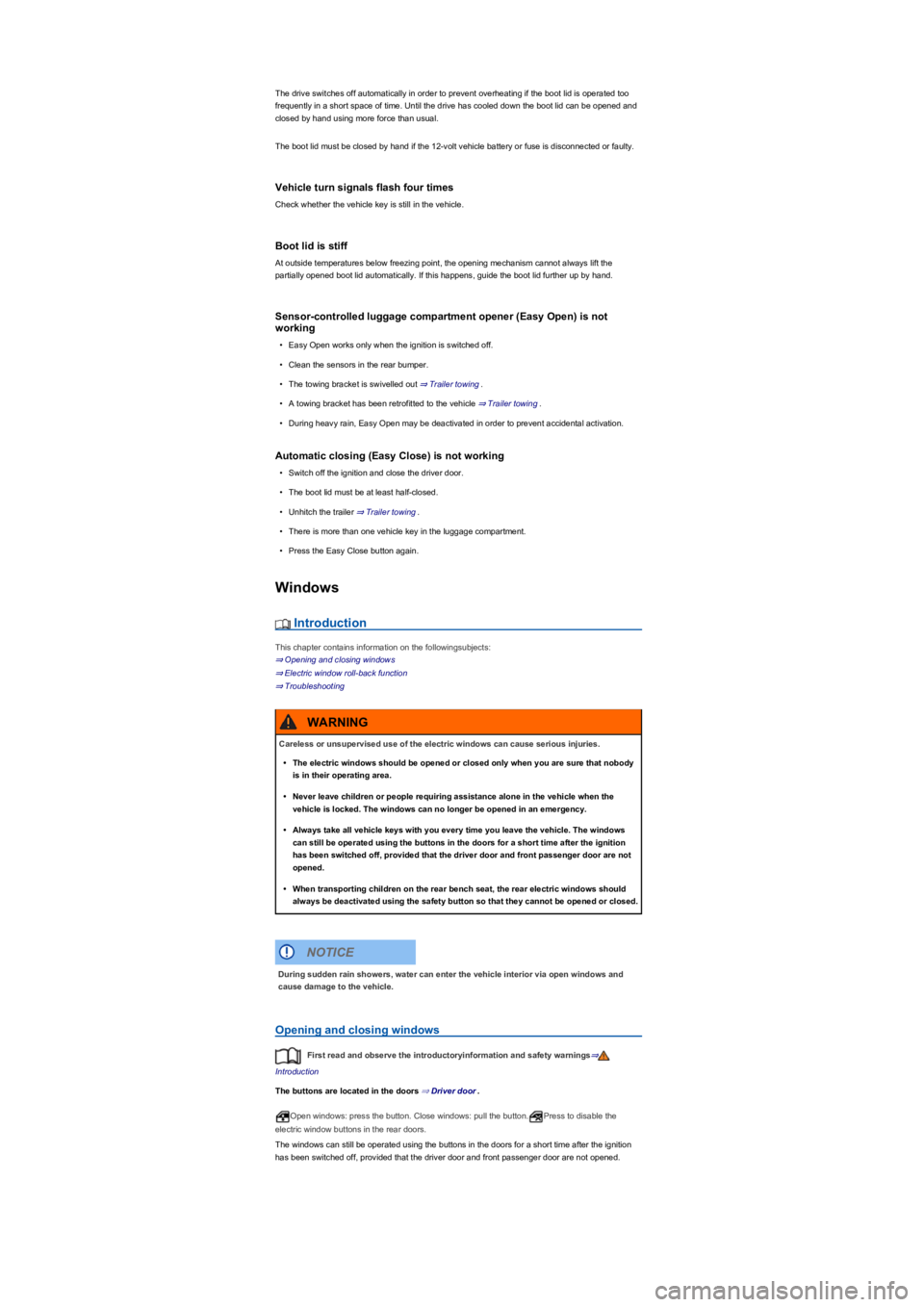
Careless or unsupervised use of the electric windows can cause serious injuries.
•The electric windows should be opened or closed only when you are sure that nobody
is in their operating area.
•Never leave children or people requiring assistance alone in the vehicle when the
vehicle is locked. The windows can no longer be opened in an emergency.
•Always take all vehicle keys with you every time you leave the vehicle. The windows
can still be operated using the buttons in the doors for a short time after the ignition
has been switched off, provided that the driver door and front passenger door are not
opened.
•When transporting children on the rear bench seat, the rear electric windows should
always be deactivated using the safety button so that they cannot be opened or closed.
WARNING
During sudden rain showers, water can enter the vehicle interior via open windows and
cause damage to the vehicle.
NOTICE
Page 88 of 341
Seats and head restraints
Front seats
Introduction
This chapter contains information on the followingsubjects:
⇒ Mechanically adjusting the front seat
⇒ Electrically adjusting the front seat
⇒ Folding the front passenger seat backrest forwards
The following section describes the options for adjusting the front seats. Always ensure that the
correct sitting position is adjusted ⇒ Sitting position.
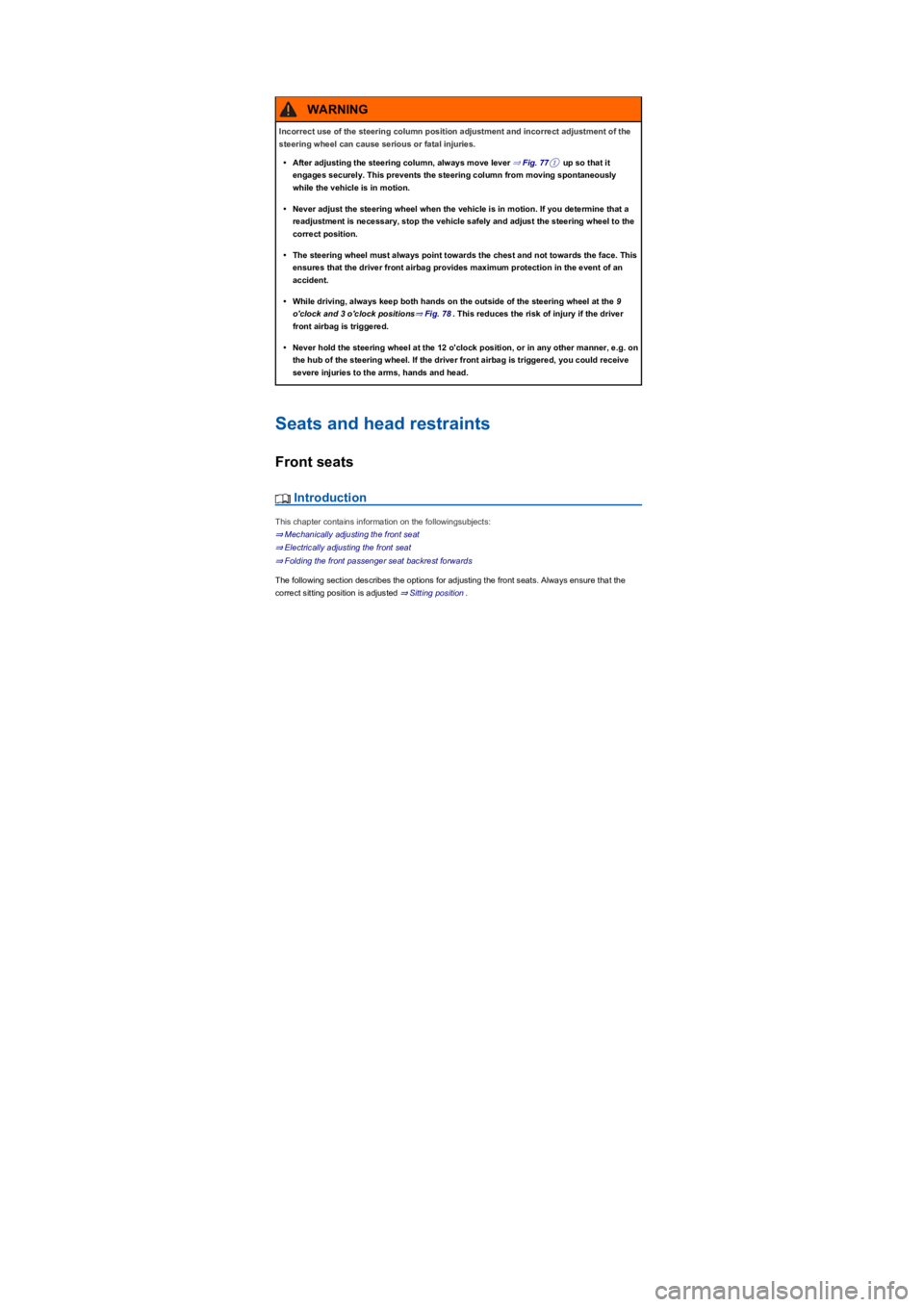
Incorrect use of the steering column position adjustment and incorrect adjustment of the
steering wheel can cause serious or fatal injuries.
•After adjusting the steering column, always move lever ⇒ Fig. 77① up so that it
engages securely. This prevents the steering column from moving spontaneously
while the vehicle is in motion.
•Never adjust the steering wheel when the vehicle is in motion. If you determine that a
readjustment is necessary, stop the vehicle safely and adjust the steering wheel to the
correct position.
•The steering wheel must always point towards the chest and not towards the face. This
ensures that the driver front airbag provides maximum protection in the event of an
accident.
•While driving, always keep both hands on the outside of the steering wheel at the 9
o'clock and 3 o'clock positions⇒ Fig. 78. This reduces the risk of injury if the driver
front airbag is triggered.
•Never hold the steering wheel at the 12 o'clock position, or in any other manner, e.g. on
the hub of the steering wheel. If the driver front airbag is triggered, you could receive
severe injuries to the arms, hands and head.
WARNING
Page 89 of 341
Mechanically adjusting the front seat
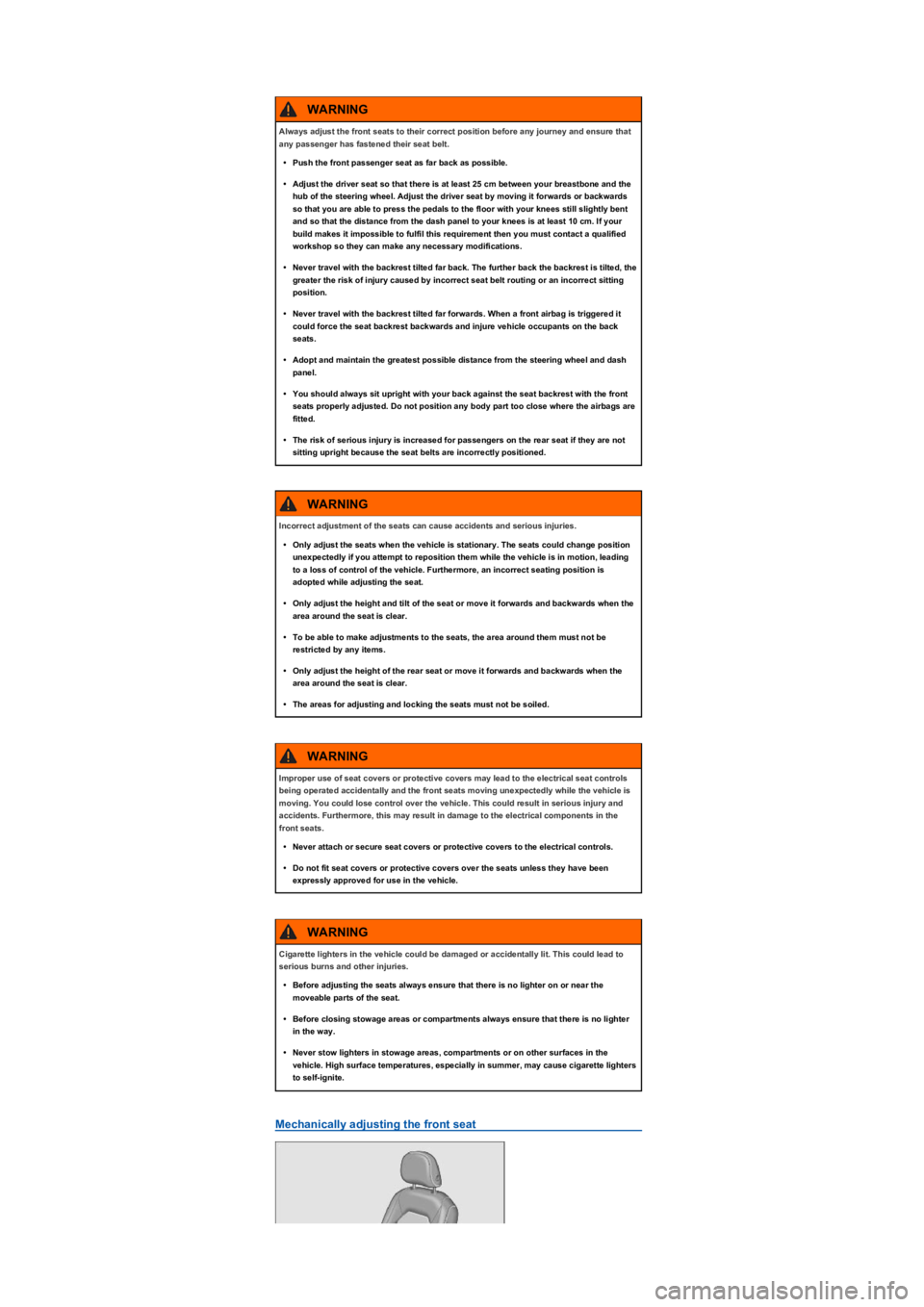
Always adjust the front seats to their correct position before any journey and ensure that
any passenger has fastened their seat belt.
•Push the front passenger seat as far back as possible.
•Adjust the driver seat so that there is at least 25 cm between your breastbone and the
hub of the steering wheel. Adjust the driver seat by moving it forwards or backwards
so that you are able to press the pedals to the floor with your knees still slightly bent
and so that the distance from the dash panel to your knees is at least 10 cm. If your
build makes it impossible to fulfil this requirement then you must contact a qualified
workshop so they can make any necessary modifications.
•Never travel with the backrest tilted far back. The further back the backrest is tilted, the
greater the risk of injury caused by incorrect seat belt routing or an incorrect sitting
position.
•Never travel with the backrest tilted far forwards. When a front airbag is triggered it
could force the seat backrest backwards and injure vehicle occupants on the back
seats.
•Adopt and maintain the greatest possible distance from the steering wheel and dash
panel.
•You should always sit upright with your back against the seat backrest with the front
seats properly adjusted. Do not position any body part too close where the airbags are
fitted.
•The risk of serious injury is increased for passengers on the rear seat if they are not
sitting upright because the seat belts are incorrectly positioned.
WARNING
Incorrect adjustment of the seats can cause accidents and serious injuries.
•Only adjust the seats when the vehicle is stationary. The seats could change position
unexpectedly if you attempt to reposition them while the vehicle is in motion, leading
to a loss of control of the vehicle. Furthermore, an incorrect seating position is
adopted while adjusting the seat.
•Only adjust the height and tilt of the seat or move it forwards and backwards when the
area around the seat is clear.
•To be able to make adjustments to the seats, the area around them must not be
restricted by any items.
•Only adjust the height of the rear seat or move it forwards and backwards when the
area around the seat is clear.
•The areas for adjusting and locking the seats must not be soiled.
WARNING
Improper use of seat covers or protective covers may lead to the electrical seat controls
being operated accidentally and the front seats moving unexpectedly while the vehicle is
moving. You could lose control over the vehicle. This could result in serious injury and
accidents. Furthermore, this may result in damage to the electrical components in the
front seats.
•Never attach or secure seat covers or protective covers to the electrical controls.
•Do not fit seat covers or protective covers over the seats unless they have been
expressly approved for use in the vehicle.
WARNING
Cigarette lighters in the vehicle could be damaged or accidentally lit. This could lead to
serious burns and other injuries.
•Before adjusting the seats always ensure that there is no lighter on or near the
moveable parts of the seat.
•Before closing stowage areas or compartments always ensure that there is no lighter
in the way.
•Never stow lighters in stowage areas, compartments or on other surfaces in the
vehicle. High surface temperatures, especially in summer, may cause cigarette lighters
to self-ignite.
WARNING
Page 93 of 341
Adjusting the rear bench seat
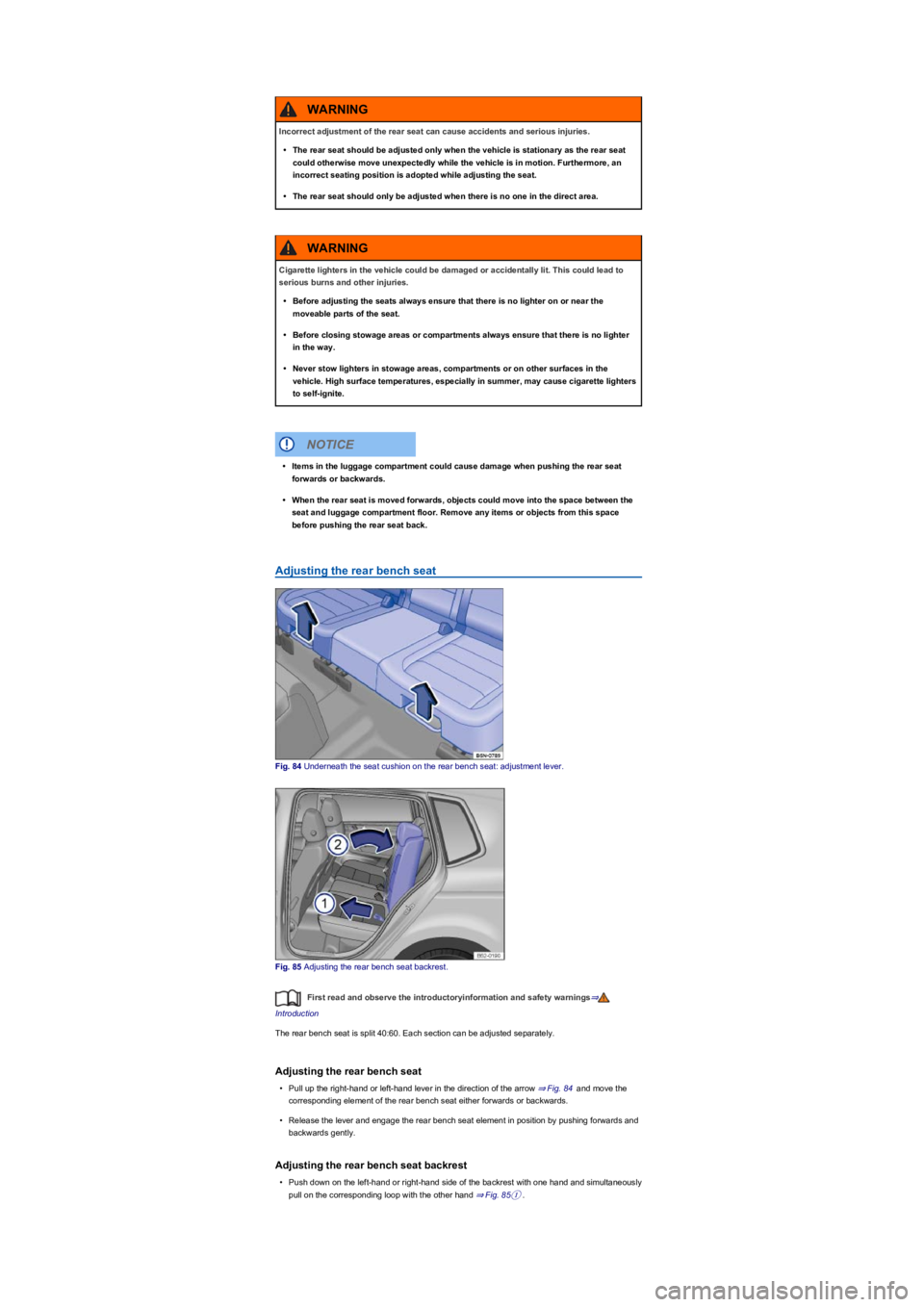
Fig. 84 Underneath the seat cushion on the rear bench seat: adjustment lever.
Fig. 85 Adjusting the rear bench seat backrest.
First read and observe the introductoryinformation and safety warnings⇒
Introduction
The rear bench seat is split 40:60. Each section can be adjusted separately.
Adjusting the rear bench seat
•Pull up the right-hand or left-hand lever in the direction of the arrow ⇒ Fig. 84 and move the
corresponding element of the rear bench seat either forwards or backwards.
•Release the lever and engage the rear bench seat element in position by pushing forwards and
backwards gently.
Adjusting the rear bench seat backrest
•Push down on the left-hand or right-hand side of the backrest with one hand and simultaneously
pull on the corresponding loop with the other hand ⇒ Fig. 85①.
Incorrect adjustment of the rear seat can cause accidents and serious injuries.
•The rear seat should be adjusted only when the vehicle is stationary as the rear seat
could otherwise move unexpectedly while the vehicle is in motion. Furthermore, an
incorrect seating position is adopted while adjusting the seat.
•The rear seat should only be adjusted when there is no one in the direct area.
WARNING
Cigarette lighters in the vehicle could be damaged or accidentally lit. This could lead to
serious burns and other injuries.
•Before adjusting the seats always ensure that there is no lighter on or near the
moveable parts of the seat.
•Before closing stowage areas or compartments always ensure that there is no lighter
in the way.
•Never stow lighters in stowage areas, compartments or on other surfaces in the
vehicle. High surface temperatures, especially in summer, may cause cigarette lighters
to self-ignite.
WARNING
•Items in the luggage compartment could cause damage when pushing the rear seat
forwards or backwards.
•When the rear seat is moved forwards, objects could move into the space between the
seat and luggage compartment floor. Remove any items or objects from this space
before pushing the rear seat back.
NOTICE
Page 100 of 341
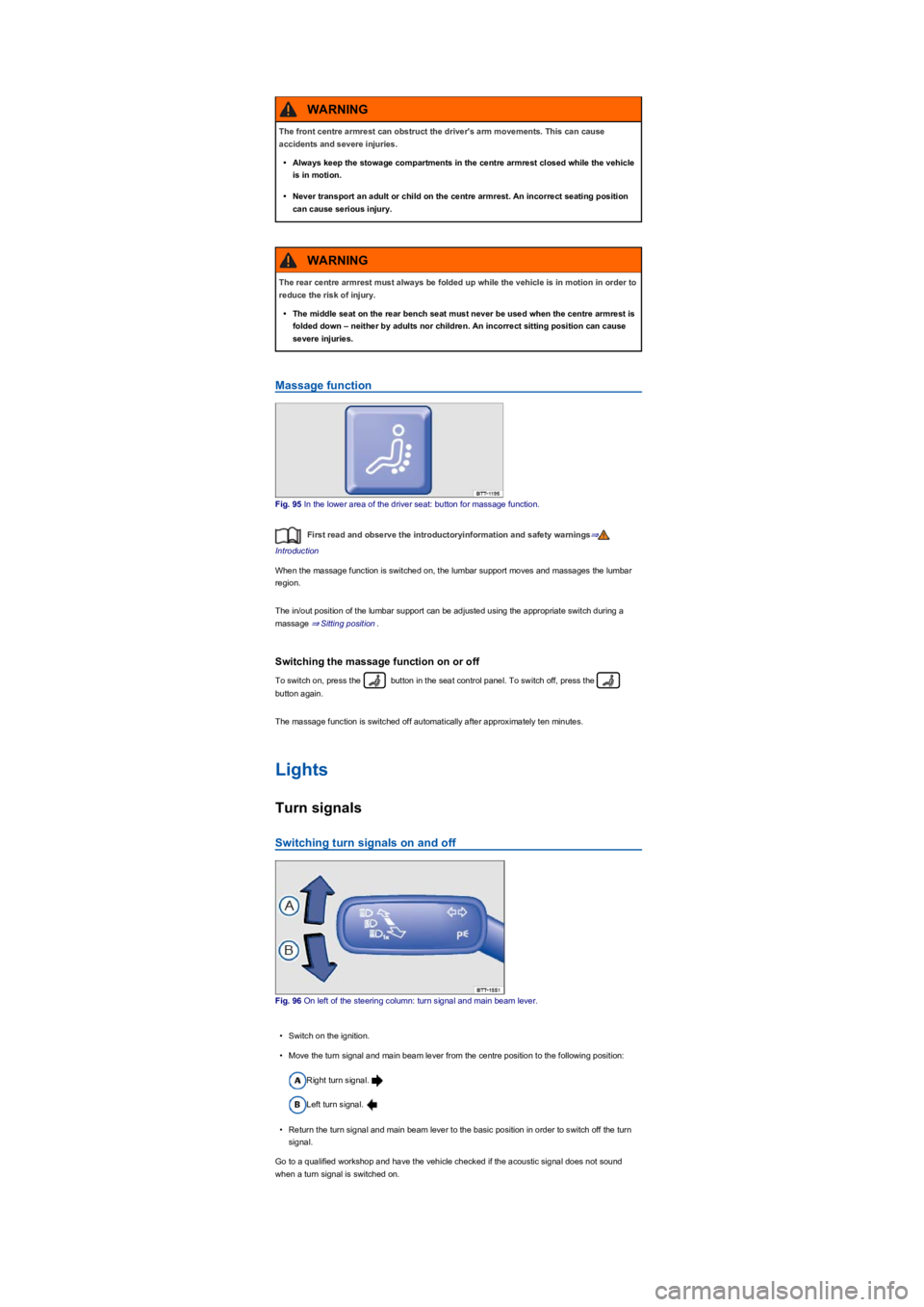
Massage function
Fig. 95 In the lower area of the driver seat: button for massage function.
First read and observe the introductoryinformation and safety warnings⇒
Introduction
When the massage function is switched on, the lumbar support moves and massages the lumbar
region.
The in/out position of the lumbar support can be adjusted using the appropriate switch during a
massage ⇒ Sitting position.
Switching the massage function on or off
To switch on, press the button in the seat control panel. To switch off, press the
button again.
The massage function is switched off automatically after approximately ten minutes.
Lights
Turn signals
Switching turn signals on and off
Fig. 96 On left of the steering column: turn signal and main beam lever.
•Switch on the ignition.
•Move the turn signal and main beam lever from the centre position to the following position:
Right turn signal.
Left turn signal.
•Return the turn signal and main beam lever to the basic position in order to switch off the turn
signal.
Go to a qualified workshop and have the vehicle checked if the acoustic signal does not sound
when a turn signal is switched on.
The front centre armrest can obstruct the driver's arm movements. This can cause
accidents and severe injuries.
•Always keep the stowage compartments in the centre armrest closed while the vehicle
is in motion.
•Never transport an adult or child on the centre armrest. An incorrect seating position
can cause serious injury.
WARNING
The rear centre armrest must always be folded up while the vehicle is in motion in order to
reduce the risk of injury.
•The middle seat on the rear bench seat must never be used when the centre armrest is
folded down – neither by adults nor children. An incorrect sitting position can cause
severe injuries.
WARNING
Page 102 of 341
When reverse gear is engaged, the cornering light on both sides of the vehicle switches on
to provide better illumination of the area when manoeuvring.
Switching the fog lights on and off
•Switching on the front fog lights : Pull the light switch ⇒ Fig. 97 out to the first stopper.
The indicator lamp in the light switch lights up green.
•Switching on the rear fog lights : pull the light switch all the way out. The indicator lamp
in the instrument cluster lights up yellow.
•To switch the fog lights off, press in the light switch or move it to position .
If the automatic headlights are switched on and the front or rear fog lights are
switched on, the dipped beam headlights will also be switched on irrespective of the current light
conditions outside.
In vehicles with a factory-fitted towing bracket: the vehicle's rear fog lights are switched off
automatically if a trailer with rear fog lights is electrically connected to the vehicle ⇒ Trailer towing.
Light functions
Side lights
If the light switch is in position both headlights light up with side lights together with parts of
the tail light clusters, number plate lighting and the buttons in the centre console and the dash
panel. The daytime running lights also switch on when the ignition is switched on.
If the vehicle is not locked from outside (when the ignition is switched off) the continuous parking
light on both sides of the vehicle switches on automatically after ten minutes to reduce 12-volt
vehicle battery discharge ⇒ Switching the parking lights on and off.
Automatic headlights
When the light switch is in position , the vehicle lighting and the instrument and switch
lighting will switch on and off automatically depending on the light conditions. When the lights are
switched on, the indicator lamp in the light switch lights up yellow.
The automatic headlight control function is merely an aid and will not always be able to detect all
driving situations.
In vehicles with a corresponding equipment level, the switch-on time for automatic headlight control
can be adjusted in the Infotainment system in the Vehicle settings menu ⇒ Operation and
display in the Infotainment system.
Cornering light
When cornering slowly or travelling around very tight bends, a static cornering light is switched on
automatically.
Accidents and serious injuries can occur if roads are not sufficiently illuminated and other
road users have difficulty seeing the vehicle, or cannot see it at all.
•The light assist functions are designed to provide assistance only. The driver is
responsible for making sure that the vehicle lights are switched on correctly.
•Always switch the dipped beam headlights on if it is dark, raining or visibility is poor.
WARNING
The side lights or daytime running lights are not bright enough to illuminate the road
ahead and to ensure that other road users are able to see you.
•Always switch the dipped beam headlights on if it is dark, raining or visibility is poor.
•The rear lights will not be switched on with the daytime running lights. If the rear lights
are not switched on, the vehicle may not be visible to other road users if it is dark,
raining, or if visibility is poor.
WARNING
The automatic headlights function ( ) switches the dipped beam headlights on and
off only when there is a change to the level of brightness.
•Switch on the dipped beam headlights manually if this is necessary due to particular
weather conditions, e.g. fog.
WARNING
Page 103 of 341
Dynamic cornering light (AFS)
Swivelling lamps automatically improve the lighting of the road when cornering, and even when you
are not driving round a corner. The dynamic cornering light only works at speeds above
approximately 10 km/h (6 mph) and when the dipped beam headlights are switched on.
In vehicles with a corresponding equipment level, the dynamic cornering light can be activated and
deactivated in the Infotainment system in the Vehicle settings menu ⇒ Operation and
display in the Infotainment system:
Signal tones if lights are not switched off
If the key is removed from the ignition lock and the driver door is opened, a signal tone will sound in
the following situations:
•If the parking light is switched on.
•The light switch is in position or .
When the Coming Home function is switched on, no signal tone will be given as a reminder that a
light is still switched on when leaving the vehicle.
Some settings can be stored in the user accounts of the personalisation function and
therefore change automatically when the user account changes ⇒ Personalisation.
Main beam
Switching main beam on and off
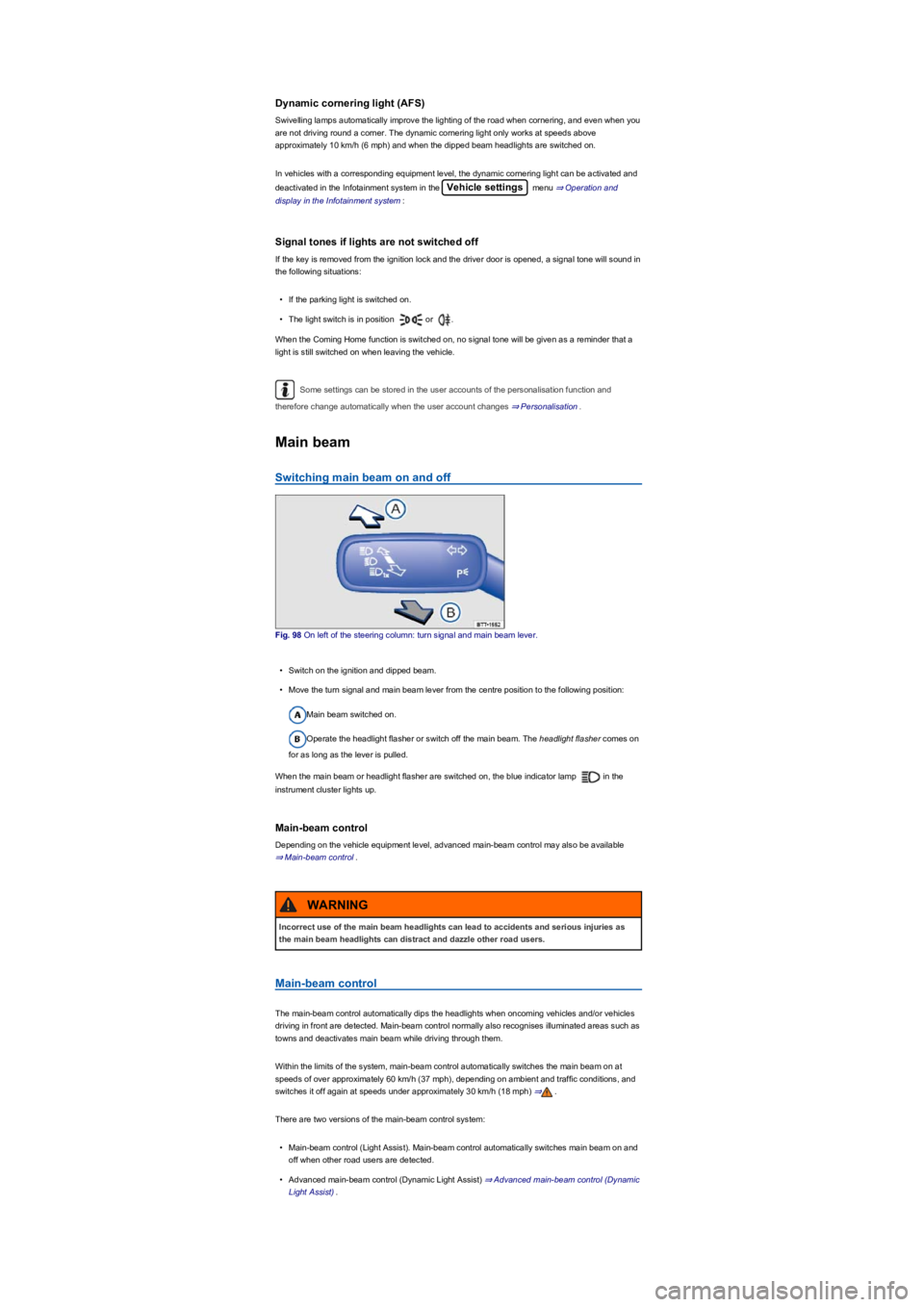
Fig. 98 On left of the steering column: turn signal and main beam lever.
•Switch on the ignition and dipped beam.
•Move the turn signal and main beam lever from the centre position to the following position:
Main beam switched on.
Operate the headlight flasher or switch off the main beam. The headlight flasher comes on
for as long as the lever is pulled.
When the main beam or headlight flasher are switched on, the blue indicator lamp in the
instrument cluster lights up.
Main-beam control
Depending on the vehicle equipment level, advanced main-beam control may also be available
⇒ Main-beam control.
Main-beam control
The main-beam control automatically dips the headlights when oncoming vehicles and/or vehicles
driving in front are detected. Main-beam control normally also recognises illuminated areas such as
towns and deactivates main beam while driving through them.
Within the limits of the system, main-beam control automatically switches the main beam on at
speeds of over approximately 60 km/h (37 mph), depending on ambient and traffic conditions, and
switches it off again at speeds under approximately 30 km/h (18 mph) ⇒.
There are two versions of the main-beam control system:
•Main-beam control (Light Assist). Main-beam control automatically switches main beam on and
off when other road users are detected.
•Advanced main-beam control (Dynamic Light Assist) ⇒ Advanced main-beam control (Dynamic
Light Assist).
Incorrect use of the main beam headlights can lead to accidents and serious injuries as
the main beam headlights can distract and dazzle other road users.
WARNING
Page 107 of 341
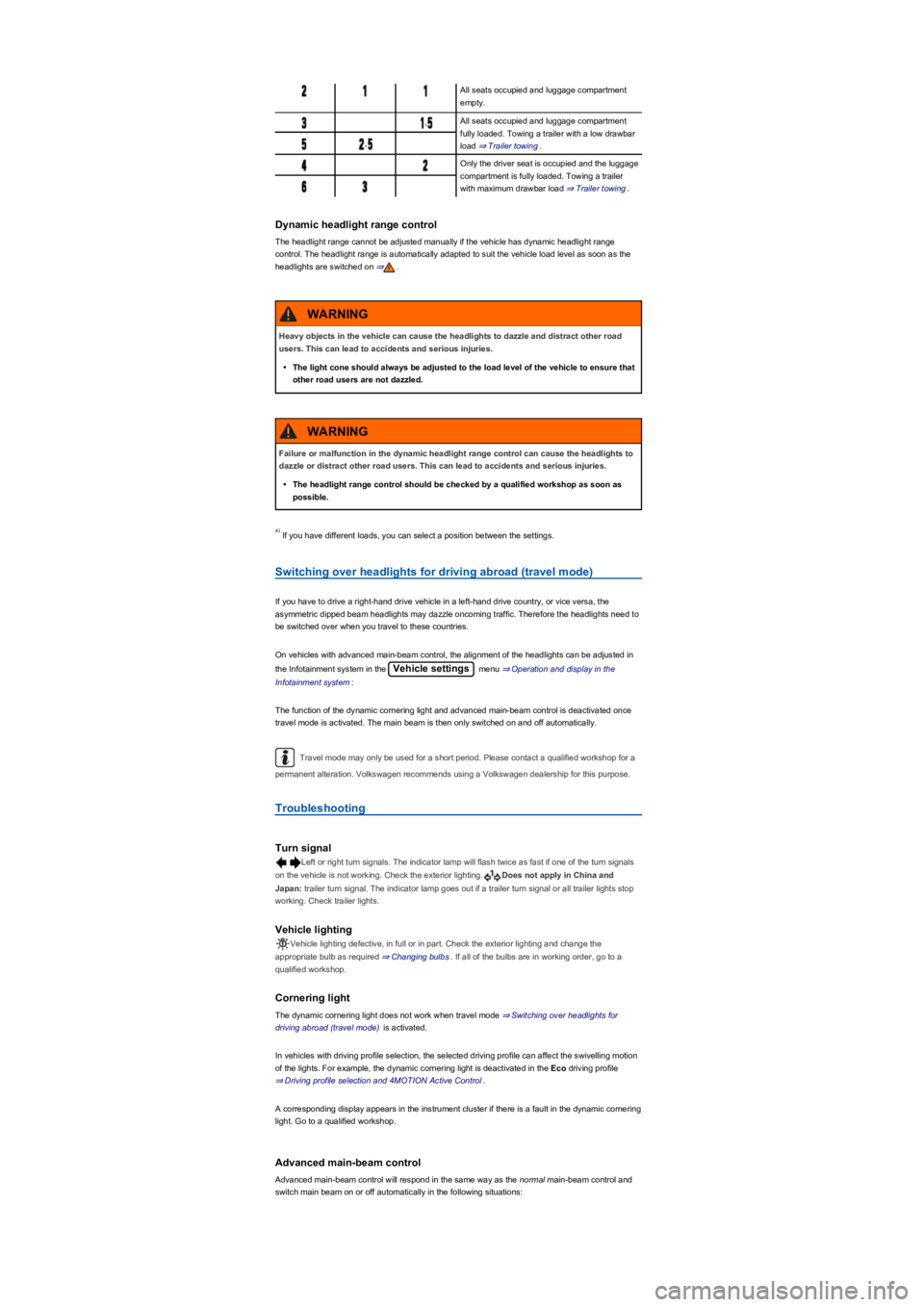
All seats occupied and luggage compartment
empty.
,All seats occupied and luggage compartment
fully loaded. Towing a trailer with a low drawbar
load ⇒ Trailer towing.,
Only the driver seat is occupied and the luggage
compartment is fully loaded. Towing a trailer
with maximum drawbar load ⇒ Trailer towing.
Dynamic headlight range control
The headlight range cannot be adjusted manually if the vehicle has dynamic headlight range
control. The headlight range is automatically adapted to suit the vehicle load level as soon as the
headlights are switched on ⇒.
If you have different loads, you can select a position between the settings.
Switching over headlights for driving abroad (travel mode)
If you have to drive a right-hand drive vehicle in a left-hand drive country, or vice versa, the
asymmetric dipped beam headlights may dazzle oncoming traffic. Therefore the headlights need to
be switched over when you travel to these countries.
On vehicles with advanced main-beam control, the alignment of the headlights can be adjusted in
the Infotainment system in the Vehicle settings menu ⇒ Operation and display in the
Infotainment system:
The function of the dynamic cornering light and advanced main-beam control is deactivated once
travel mode is activated. The main beam is then only switched on and off automatically.
Travel mode may only be used for a short period. Please contact a qualified workshop for a
permanent alteration. Volkswagen recommends using a Volkswagen dealership for this purpose.
Troubleshooting
Turn signal
Left or right turn signals. The indicator lamp will flash twice as fast if one of the turn signals
on the vehicle is not working. Check the exterior lighting.Does not apply in China and
Japan: trailer turn signal. The indicator lamp goes out if a trailer turn signal or all trailer lights stop
working. Check trailer lights.
Vehicle lighting
Vehicle lighting defective, in full or in part. Check the exterior lighting and change the
appropriate bulb as required ⇒ Changing bulbs. If all of the bulbs are in working order, go to a
qualified workshop.
Cornering light
The dynamic cornering light does not work when travel mode ⇒ Switching over headlights for
driving abroad (travel mode) is activated.
In vehicles with driving profile selection, the selected driving profile can affect the swivelling motion
of the lights. For example, the dynamic cornering light is deactivated in the Eco driving profile
⇒ Driving profile selection and 4MOTION Active Control.
A corresponding display appears in the instrument cluster if there is a fault in the dynamic cornering
light. Go to a qualified workshop.
Advanced main-beam control
Advanced main-beam control will respond in the same way as the normal main-beam control and
switch main beam on or off automatically in the following situations:
Heavy objects in the vehicle can cause the headlights to dazzle and distract other road
users. This can lead to accidents and serious injuries.
•The light cone should always be adjusted to the load level of the vehicle to ensure that
other road users are not dazzled.
WARNING
Failure or malfunction in the dynamic headlight range control can cause the headlights to
dazzle or distract other road users. This can lead to accidents and serious injuries.
•The headlight range control should be checked by a qualified workshop as soon as
possible.
WARNING
a)
Page 108 of 341
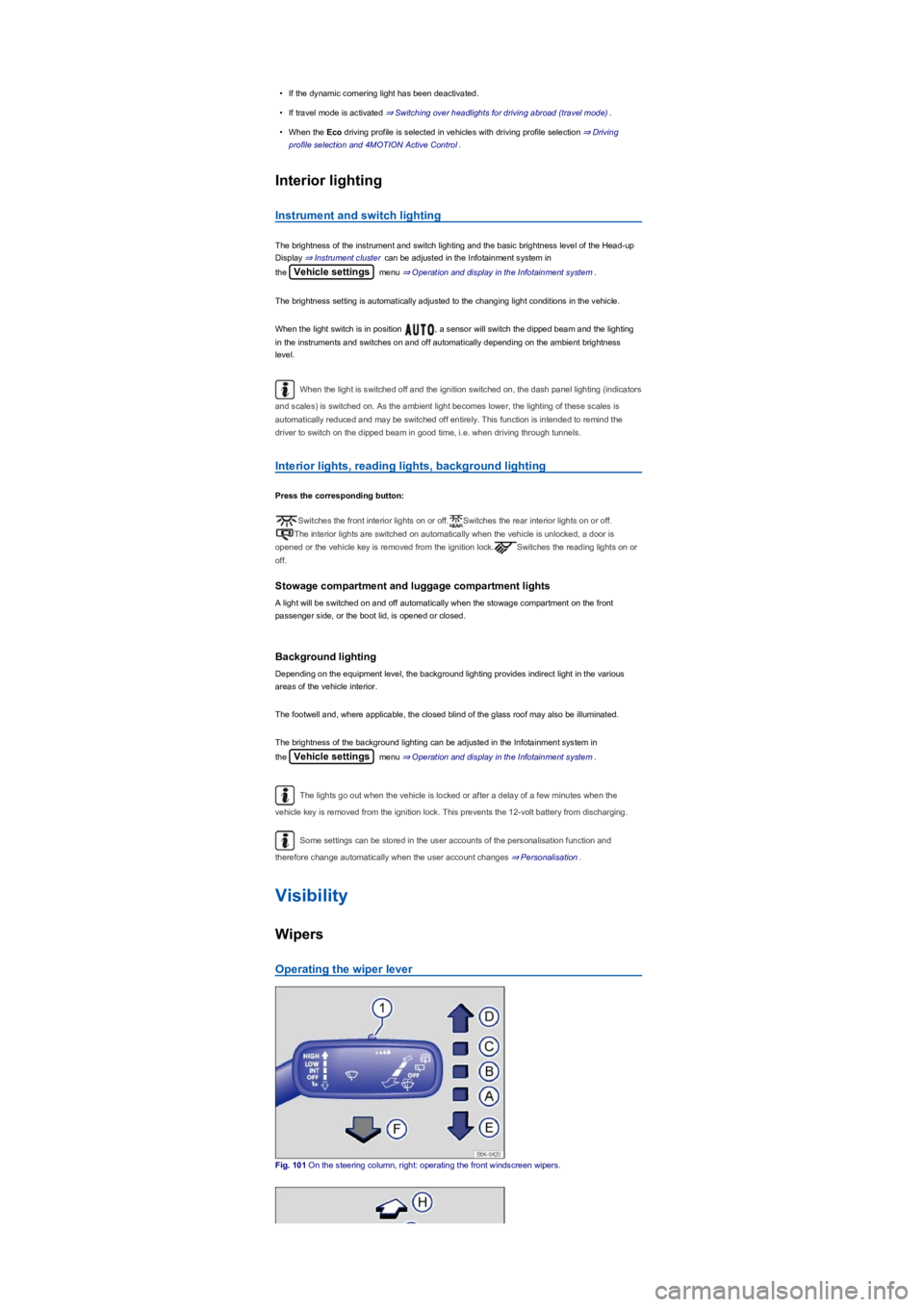
•If the dynamic cornering light has been deactivated.
•If travel mode is activated ⇒ Switching over headlights for driving abroad (travel mode).
•When the Eco driving profile is selected in vehicles with driving profile selection ⇒ Driving
profile selection and 4MOTION Active Control.
Interior lighting
Instrument and switch lighting
The brightness of the instrument and switch lighting and the basic brightness level of the Head-up
Display ⇒ Instrument cluster can be adjusted in the Infotainment system in
the Vehicle settings menu ⇒ Operation and display in the Infotainment system.
The brightness setting is automatically adjusted to the changing light conditions in the vehicle.
When the light switch is in position , a sensor will switch the dipped beam and the lighting
in the instruments and switches on and off automatically depending on the ambient brightness
level.
When the light is switched off and the ignition switched on, the dash panel lighting (indicators
and scales) is switched on. As the ambient light becomes lower, the lighting of these scales is
automatically reduced and may be switched off entirely. This function is intended to remind the
driver to switch on the dipped beam in good time, i.e. when driving through tunnels.
Interior lights, reading lights, background lighting
Press the corresponding button:
Switches the front interior lights on or off.Switches the rear interior lights on or off.
The interior lights are switched on automatically when the vehicle is unlocked, a door is
opened or the vehicle key is removed from the ignition lock.Switches the reading lights on or
off.
Stowage compartment and luggage compartment lights
A light will be switched on and off automatically when the stowage compartment on the front
passenger side, or the boot lid, is opened or closed.
Background lighting
Depending on the equipment level, the background lighting provides indirect light in the various
areas of the vehicle interior.
The footwell and, where applicable, the closed blind of the glass roof may also be illuminated.
The brightness of the background lighting can be adjusted in the Infotainment system in
the Vehicle settings menu ⇒ Operation and display in the Infotainment system.
The lights go out when the vehicle is locked or after a delay of a few minutes when the
vehicle key is removed from the ignition lock. This prevents the 12-volt battery from discharging.
Some settings can be stored in the user accounts of the personalisation function and
therefore change automatically when the user account changes ⇒ Personalisation.
Visibility
Wipers
Operating the wiper lever
Fig. 101 On the steering column, right: operating the front windscreen wipers.