wheel VOLKSWAGEN TIGUAN 2017 Owner´s Manual
[x] Cancel search | Manufacturer: VOLKSWAGEN, Model Year: 2017, Model line: TIGUAN, Model: VOLKSWAGEN TIGUAN 2017Pages: 341, PDF Size: 9.14 MB
Page 89 of 341
Mechanically adjusting the front seat
Always adjust the front seats to their correct position before any journey and ensure that
any passenger has fastened their seat belt.
•Push the front passenger seat as far back as possible.
•Adjust the driver seat so that there is at least 25 cm between your breastbone and the
hub of the steering wheel. Adjust the driver seat by moving it forwards or backwards
so that you are able to press the pedals to the floor with your knees still slightly bent
and so that the distance from the dash panel to your knees is at least 10 cm. If your
build makes it impossible to fulfil this requirement then you must contact a qualified
workshop so they can make any necessary modifications.
•Never travel with the backrest tilted far back. The further back the backrest is tilted, the
greater the risk of injury caused by incorrect seat belt routing or an incorrect sitting
position.
•Never travel with the backrest tilted far forwards. When a front airbag is triggered it
could force the seat backrest backwards and injure vehicle occupants on the back
seats.
•Adopt and maintain the greatest possible distance from the steering wheel and dash
panel.
•You should always sit upright with your back against the seat backrest with the front
seats properly adjusted. Do not position any body part too close where the airbags are
fitted.
•The risk of serious injury is increased for passengers on the rear seat if they are not
sitting upright because the seat belts are incorrectly positioned.
WARNING
Incorrect adjustment of the seats can cause accidents and serious injuries.
•Only adjust the seats when the vehicle is stationary. The seats could change position
unexpectedly if you attempt to reposition them while the vehicle is in motion, leading
to a loss of control of the vehicle. Furthermore, an incorrect seating position is
adopted while adjusting the seat.
•Only adjust the height and tilt of the seat or move it forwards and backwards when the
area around the seat is clear.
•To be able to make adjustments to the seats, the area around them must not be
restricted by any items.
•Only adjust the height of the rear seat or move it forwards and backwards when the
area around the seat is clear.
•The areas for adjusting and locking the seats must not be soiled.
WARNING
Improper use of seat covers or protective covers may lead to the electrical seat controls
being operated accidentally and the front seats moving unexpectedly while the vehicle is
moving. You could lose control over the vehicle. This could result in serious injury and
accidents. Furthermore, this may result in damage to the electrical components in the
front seats.
•Never attach or secure seat covers or protective covers to the electrical controls.
•Do not fit seat covers or protective covers over the seats unless they have been
expressly approved for use in the vehicle.
WARNING
Cigarette lighters in the vehicle could be damaged or accidentally lit. This could lead to
serious burns and other injuries.
•Before adjusting the seats always ensure that there is no lighter on or near the
moveable parts of the seat.
•Before closing stowage areas or compartments always ensure that there is no lighter
in the way.
•Never stow lighters in stowage areas, compartments or on other surfaces in the
vehicle. High surface temperatures, especially in summer, may cause cigarette lighters
to self-ignite.
WARNING
Page 90 of 341
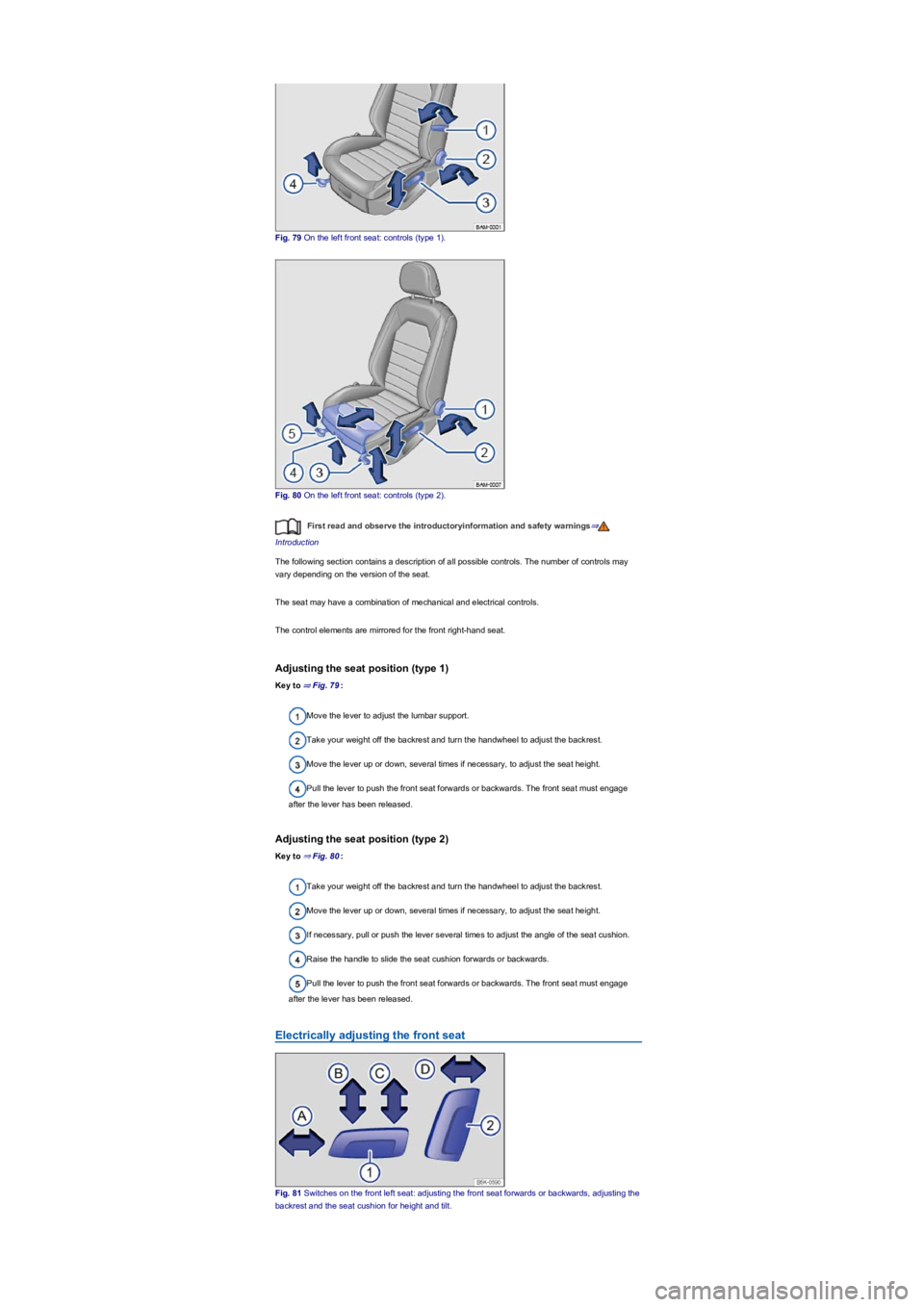
Fig. 79 On the left front seat: controls (type 1).
Fig. 80 On the left front seat: controls (type 2).
First read and observe the introductoryinformation and safety warnings⇒
Introduction
The following section contains a description of all possible controls. The number of controls may
vary depending on the version of the seat.
The seat may have a combination of mechanical and electrical controls.
The control elements are mirrored for the front right-hand seat.
Adjusting the seat position (type 1)
Key to ⇒ Fig. 79:
Move the lever to adjust the lumbar support.
Take your weight off the backrest and turn the handwheel to adjust the backrest.
Move the lever up or down, several times if necessary, to adjust the seat height.
Pull the lever to push the front seat forwards or backwards. The front seat must engage
after the lever has been released.
Adjusting the seat position (type 2)
Key to ⇒ Fig. 80:
Take your weight off the backrest and turn the handwheel to adjust the backrest.
Move the lever up or down, several times if necessary, to adjust the seat height.
If necessary, pull or push the lever several times to adjust the angle of the seat cushion.
Raise the handle to slide the seat cushion forwards or backwards.
Pull the lever to push the front seat forwards or backwards. The front seat must engage
after the lever has been released.
Electrically adjusting the front seat
Fig. 81 Switches on the front left seat: adjusting the front seat forwards or backwards, adjusting the
backrest and the seat cushion for height and tilt.
Page 101 of 341
Convenience turn signal
To operate the convenience turn signal, push the turn signal and main beam lever up or down to
the point where you meet resistance and then release the lever. The turn signal flashes 3 times.
To cancel the convenience turn signal, immediately move the lever in the opposite direction up to
the pressure point and then release it.
The convenience turn signal can be activated and deactivated in the Infotainment system in
the Vehicle settings menu ⇒ Operation and display in the Infotainment system:
The hazard warning lights also work when the ignition is switched off ⇒ In an emergency.
Some settings can be stored in the user accounts of the personalisation function and
therefore change automatically when the user account changes ⇒ Personalisation.
Vehicle lighting
Switching lights on and off
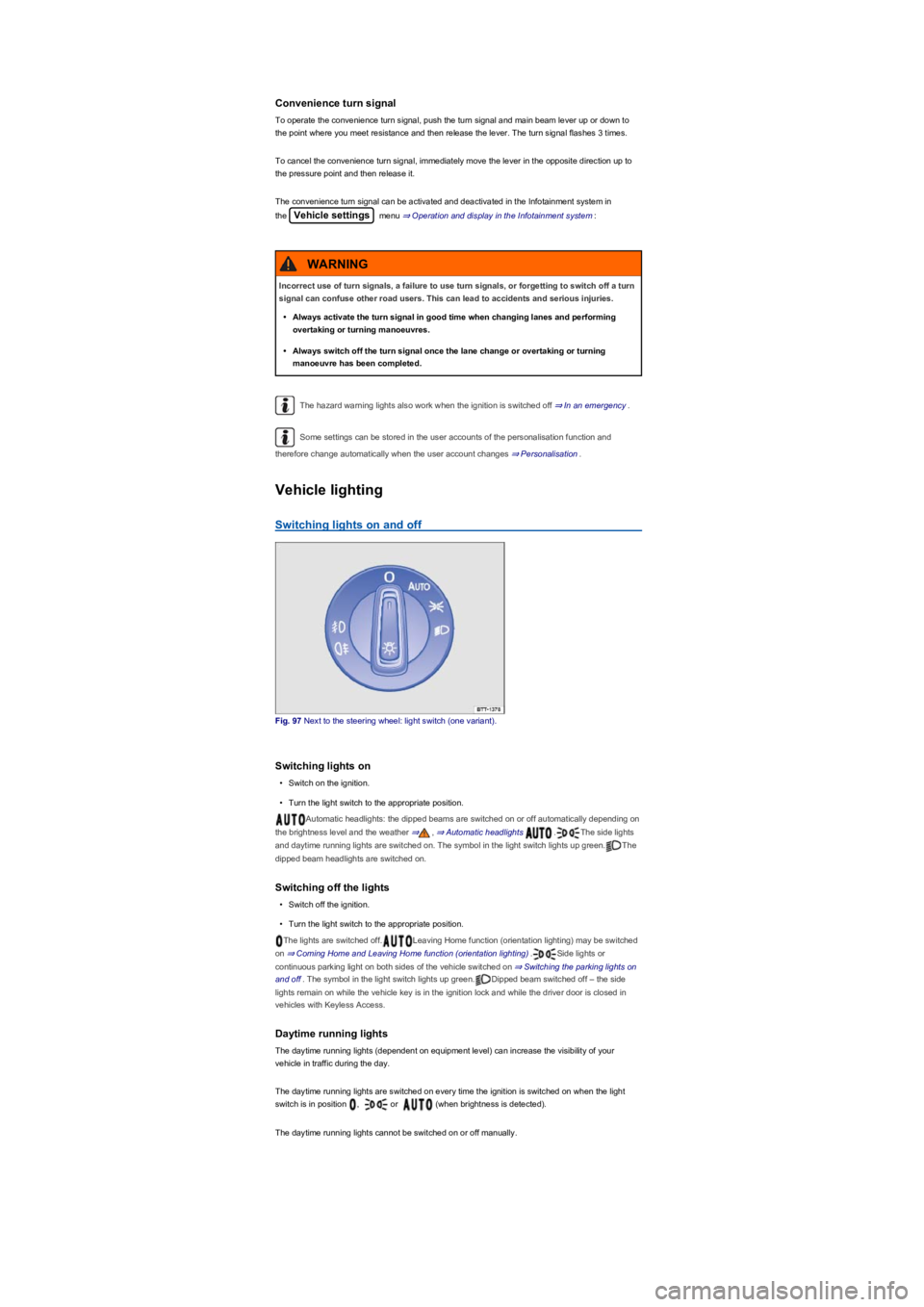
Fig. 97 Next to the steering wheel: light switch (one variant).
Switching lights on
•Switch on the ignition.
•Turn the light switch to the appropriate position.
Automatic headlights: the dipped beams are switched on or off automatically depending on
the brightness level and the weather ⇒, ⇒ Automatic headlights .The side lights
and daytime running lights are switched on. The symbol in the light switch lights up green.The
dipped beam headlights are switched on.
Switching off the lights
•Switch off the ignition.
•Turn the light switch to the appropriate position.
The lights are switched off.Leaving Home function (orientation lighting) may be switched
on ⇒ Coming Home and Leaving Home function (orientation lighting).Side lights or
continuous parking light on both sides of the vehicle switched on ⇒ Switching the parking lights on
and off. The symbol in the light switch lights up green.Dipped beam switched off – the side
lights remain on while the vehicle key is in the ignition lock and while the driver door is closed in
vehicles with Keyless Access.
Daytime running lights
The daytime running lights (dependent on equipment level) can increase the visibility of your
vehicle in traffic during the day.
The daytime running lights are switched on every time the ignition is switched on when the light
switch is in position , or (when brightness is detected).
The daytime running lights cannot be switched on or off manually.
Incorrect use of turn signals, a failure to use turn signals, or forgetting to switch off a turn
signal can confuse other road users. This can lead to accidents and serious injuries.
•Always activate the turn signal in good time when changing lanes and performing
overtaking or turning manoeuvres.
•Always switch off the turn signal once the lane change or overtaking or turning
manoeuvre has been completed.
WARNING
Page 106 of 341
Switching on the Coming Home function
m/k/a999MKNot in China
•Switch off the ignition.
•Operate the headlight flasher for approximately one second.
The Coming Home lighting is switched on when the driver door is opened. The switch-off delay
starts when the last vehicle door or the boot lid has been closed.
Switching on the Coming Home function
m/k/a999MKOnly in China
•Switch off the ignition.
The Coming Home lighting is switched on when the light switch is in position and the
rain/light sensor detects that it is dark.
The switch-off delay starts when the last vehicle door or the boot lid has been closed.
Switching off the Coming home function
•Automatically after the set switch-off delay has elapsed.
•OR: automatically if a vehicle door or the boot lid is still open approximately 30 seconds after
switching on.
•OR: turn light switch to position .
•OR: switch on the ignition.
Switching on the Leaving home function
•Unlock the vehicle when the light switch is in position and the rain/light sensor detects
that it is dark.
Switching off the Leaving home function
•Automatically after the switch-off delay.
•OR: lock the vehicle.
•OR: turn light switch to position .
•OR: switch on the ignition.
Some settings can be stored in the user accounts of the personalisation function and
therefore change automatically when the user account changes ⇒ Personalisation.
Headlights
Headlight range control
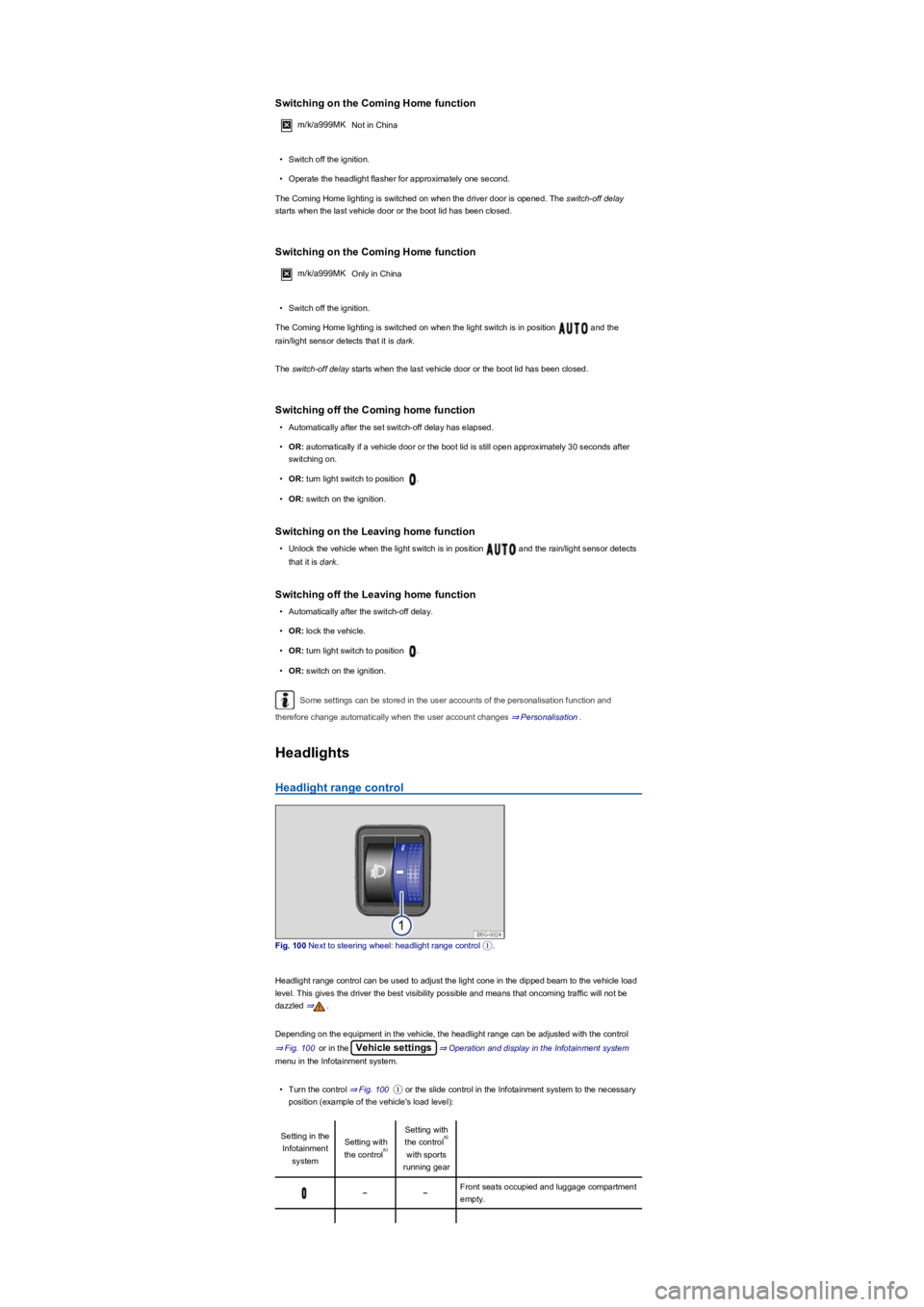
Fig. 100 Next to steering wheel: headlight range control ①.
Headlight range control can be used to adjust the light cone in the dipped beam to the vehicle load
level. This gives the driver the best visibility possible and means that oncoming traffic will not be
dazzled ⇒.
Depending on the equipment in the vehicle, the headlight range can be adjusted with the control
⇒ Fig. 100 or in the Vehicle settings⇒ Operation and display in the Infotainment system
menu in the Infotainment system.
•Turn the control ⇒ Fig. 100① or the slide control in the Infotainment system to the necessary
position (example of the vehicle's load level):
Setting in the
Infotainment
system
Setting with
the control
Setting with
the control
with sports
running gear
Front seats occupied and luggage compartment
empty.
a)
a)
Page 115 of 341
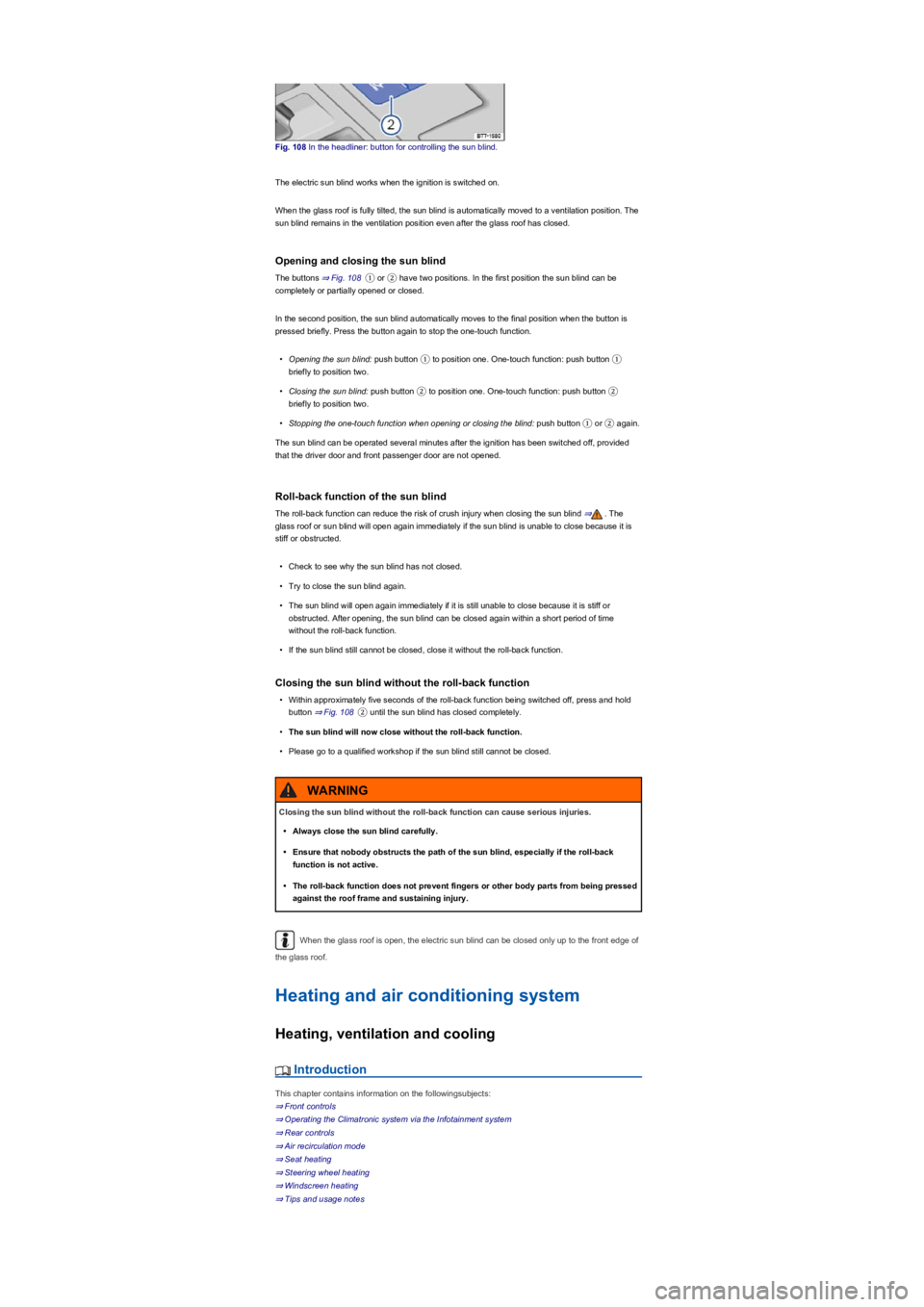
Fig. 108 In the headliner: button for controlling the sun blind.
The electric sun blind works when the ignition is switched on.
When the glass roof is fully tilted, the sun blind is automatically moved to a ventilation position. The
sun blind remains in the ventilation position even after the glass roof has closed.
Opening and closing the sun blind
The buttons ⇒ Fig. 108① or ② have two positions. In the first position the sun blind can be
completely or partially opened or closed.
In the second position, the sun blind automatically moves to the final position when the button is
pressed briefly. Press the button again to stop the one-touch function.
•Opening the sun blind: push button ① to position one. One-touch function: push button ①
briefly to position two.
•Closing the sun blind: push button ② to position one. One-touch function: push button ②
briefly to position two.
•Stopping the one-touch function when opening or closing the blind: push button ① or ② again.
The sun blind can be operated several minutes after the ignition has been switched off, provided
that the driver door and front passenger door are not opened.
Roll-back function of the sun blind
The roll-back function can reduce the risk of crush injury when closing the sun blind ⇒. The
glass roof or sun blind will open again immediately if the sun blind is unable to close because it is
stiff or obstructed.
•Check to see why the sun blind has not closed.
•Try to close the sun blind again.
•The sun blind will open again immediately if it is still unable to close because it is stiff or
obstructed. After opening, the sun blind can be closed again within a short period of time
without the roll-back function.
•If the sun blind still cannot be closed, close it without the roll-back function.
Closing the sun blind without the roll-back function
•Within approximately five seconds of the roll-back function being switched off, press and hold
button ⇒ Fig. 108② until the sun blind has closed completely.
•The sun blind will now close without the roll-back function.
•Please go to a qualified workshop if the sun blind still cannot be closed.
When the glass roof is open, the electric sun blind can be closed only up to the front edge of
the glass roof.
Heating and air conditioning system
Heating, ventilation and cooling
Introduction
This chapter contains information on the followingsubjects:
⇒ Front controls
⇒ Operating the Climatronic system via the Infotainment system
⇒ Rear controls
⇒ Air recirculation mode
⇒ Seat heating
⇒ Steering wheel heating
⇒ Windscreen heating
⇒ Tips and usage notes
Closing the sun blind without the roll-back function can cause serious injuries.
•Always close the sun blind carefully.
•Ensure that nobody obstructs the path of the sun blind, especially if the roll-back
function is not active.
•The roll-back function does not prevent fingers or other body parts from being pressed
against the roof frame and sustaining injury.
WARNING
Page 117 of 341
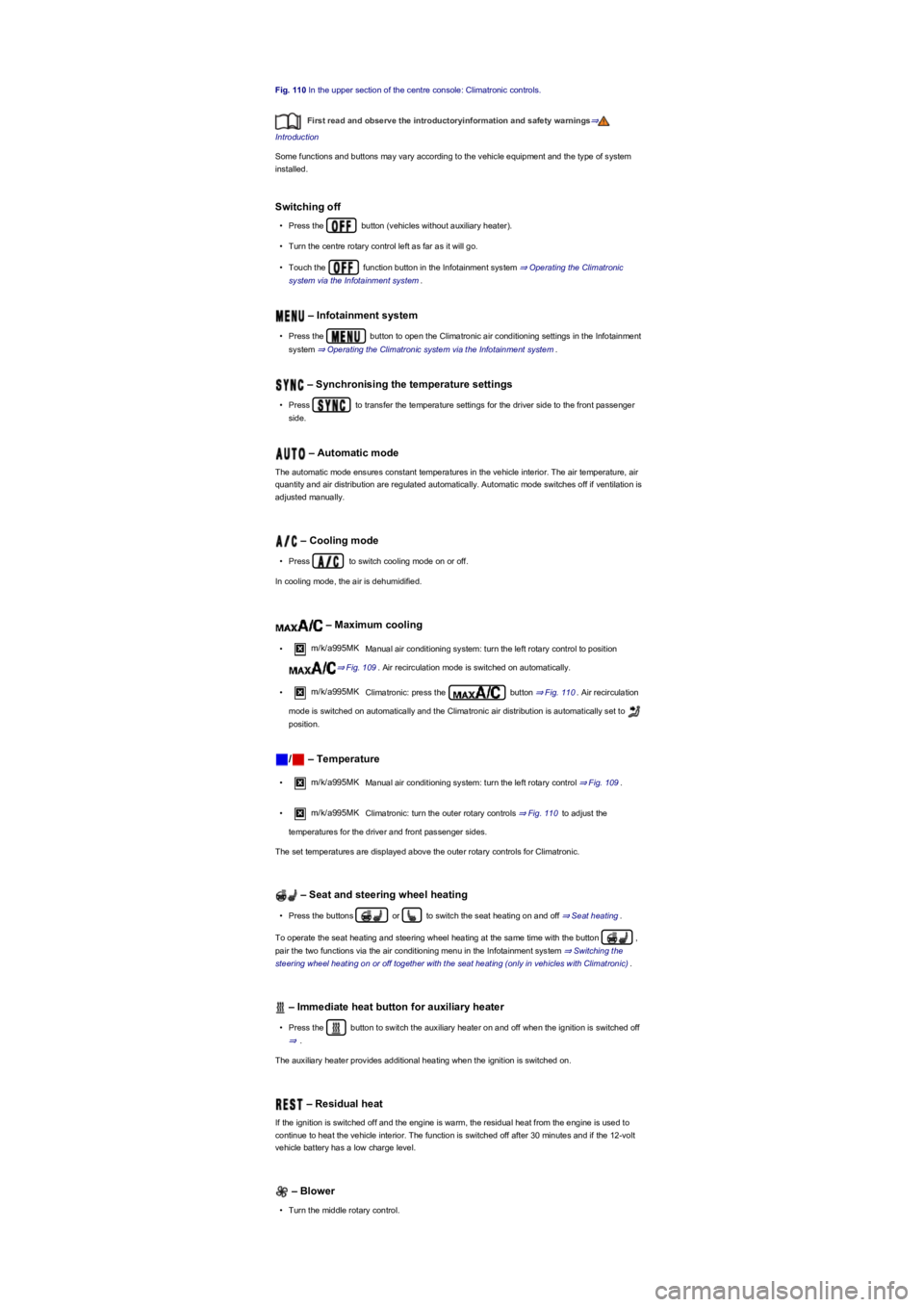
Fig. 110 In the upper section of the centre console: Climatronic controls.
First read and observe the introductoryinformation and safety warnings⇒
Introduction
Some functions and buttons may vary according to the vehicle equipment and the type of system
installed.
Switching off
•Press the button (vehicles without auxiliary heater).
•Turn the centre rotary control left as far as it will go.
•Touch the function button in the Infotainment system ⇒ Operating the Climatronic
system via the Infotainment system.
– Infotainment system
•Press the button to open the Climatronic air conditioning settings in the Infotainment
system ⇒ Operating the Climatronic system via the Infotainment system.
– Synchronising the temperature settings
•Press to transfer the temperature settings for the driver side to the front passenger
side.
– Automatic mode
The automatic mode ensures constant temperatures in the vehicle interior. The air temperature, air
quantity and air distribution are regulated automatically. Automatic mode switches off if ventilation is
adjusted manually.
– Cooling mode
•Press to switch cooling mode on or off.
In cooling mode, the air is dehumidified.
– Maximum cooling
•m/k/a995MK Manual air conditioning system: turn the left rotary control to position
⇒ Fig. 109. Air recirculation mode is switched on automatically.
•m/k/a995MK Climatronic: press the button ⇒ Fig. 110. Air recirculation
mode is switched on automatically and the Climatronic air distribution is automatically set to
position.
/ – Temperature
•m/k/a995MK Manual air conditioning system: turn the left rotary control ⇒ Fig. 109.
•m/k/a995MK Climatronic: turn the outer rotary controls ⇒ Fig. 110 to adjust the
temperatures for the driver and front passenger sides.
The set temperatures are displayed above the outer rotary controls for Climatronic.
– Seat and steering wheel heating
•Press the buttons or to switch the seat heating on and off ⇒ Seat heating.
To operate the seat heating and steering wheel heating at the same time with the button ,
pair the two functions via the air conditioning menu in the Infotainment system ⇒ Switching the
steering wheel heating on or off together with the seat heating (only in vehicles with Climatronic).
– Immediate heat button for auxiliary heater
•Press the button to switch the auxiliary heater on and off when the ignition is switched off
⇒.
The auxiliary heater provides additional heating when the ignition is switched on.
– Residual heat
If the ignition is switched off and the engine is warm, the residual heat from the engine is used to
continue to heat the vehicle interior. The function is switched off after 30 minutes and if the 12-volt
vehicle battery has a low charge level.
– Blower
•Turn the middle rotary control.
Page 119 of 341
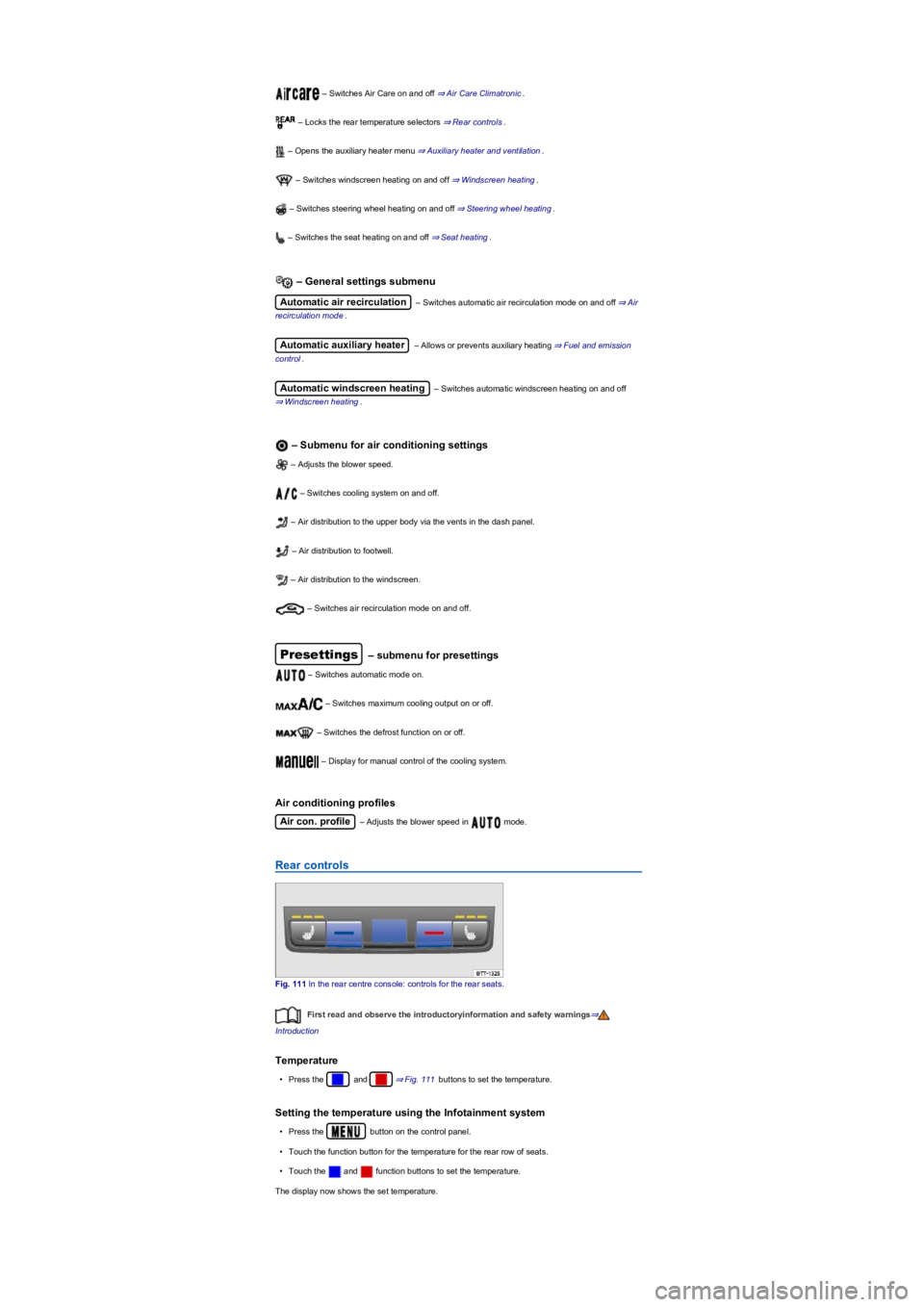
– Switches Air Care on and off ⇒ Air Care Climatronic.
– Locks the rear temperature selectors ⇒ Rear controls.
– Opens the auxiliary heater menu ⇒ Auxiliary heater and ventilation.
– Switches windscreen heating on and off ⇒ Windscreen heating.
– Switches steering wheel heating on and off ⇒ Steering wheel heating.
– Switches the seat heating on and off ⇒ Seat heating.
– General settings submenu
Automatic air recirculation – Switches automatic air recirculation mode on and off ⇒ Air
recirculation mode.
Automatic auxiliary heater – Allows or prevents auxiliary heating ⇒ Fuel and emission
control.
Automatic windscreen heating – Switches automatic windscreen heating on and off
⇒ Windscreen heating.
– Submenu for air conditioning settings
– Adjusts the blower speed.
– Switches cooling system on and off.
– Air distribution to the upper body via the vents in the dash panel.
– Air distribution to footwell.
– Air distribution to the windscreen.
– Switches air recirculation mode on and off.
Presettings – submenu for presettings
– Switches automatic mode on.
– Switches maximum cooling output on or off.
– Switches the defrost function on or off.
– Display for manual control of the cooling system.
Air conditioning profiles
Air con. profile – Adjusts the blower speed in mode.
Rear controls
Fig. 111 In the rear centre console: controls for the rear seats.
First read and observe the introductoryinformation and safety warnings⇒
Introduction
Temperature
•Press the and ⇒ Fig. 111 buttons to set the temperature.
Setting the temperature using the Infotainment system
•Press the button on the control panel.
•Touch the function button for the temperature for the rear row of seats.
•Touch the and function buttons to set the temperature.
The display now shows the set temperature.
Page 121 of 341
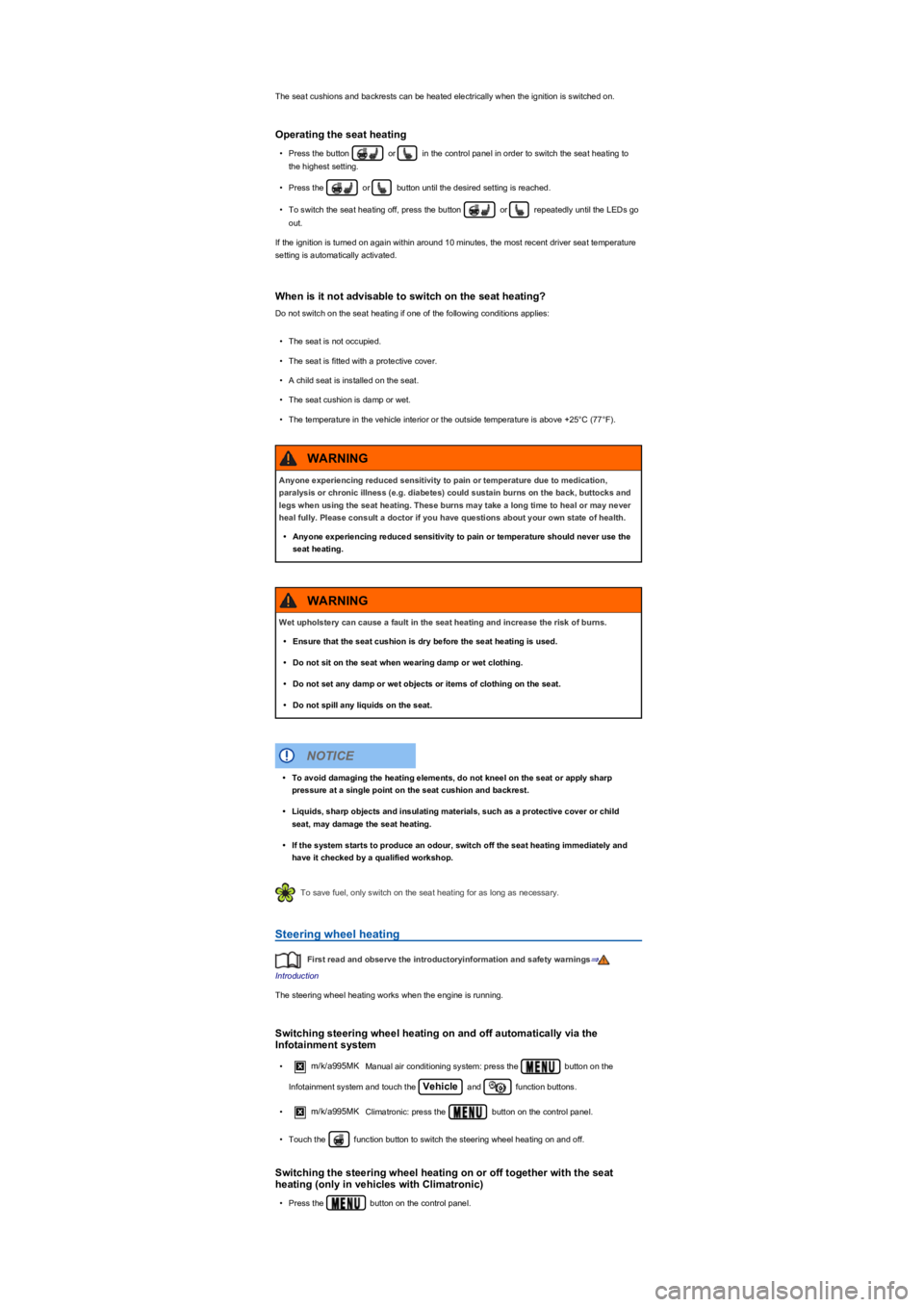
The seat cushions and backrests can be heated electrically when the ignition is switched on.
Operating the seat heating
•Press the button or in the control panel in order to switch the seat heating to
the highest setting.
•Press the or button until the desired setting is reached.
•To switch the seat heating off, press the button or repeatedly until the LEDs go
out.
If the ignition is turned on again within around 10 minutes, the most recent driver seat temperature
setting is automatically activated.
When is it not advisable to switch on the seat heating?
Do not switch on the seat heating if one of the following conditions applies:
•The seat is not occupied.
•The seat is fitted with a protective cover.
•A child seat is installed on the seat.
•The seat cushion is damp or wet.
•The temperature in the vehicle interior or the outside temperature is above +25°C (77°F).
To save fuel, only switch on the seat heating for as long as necessary.
Steering wheel heating
First read and observe the introductoryinformation and safety warnings⇒
Introduction
The steering wheel heating works when the engine is running.
Switching steering wheel heating on and off automatically via the
Infotainment system
•m/k/a995MKManual air conditioning system: press the button on the
Infotainment system and touch the Vehicle and function buttons.
•m/k/a995MKClimatronic: press the button on the control panel.
•Touch the function button to switch the steering wheel heating on and off.
Switching the steering wheel heating on or off together with the seat
heating (only in vehicles with Climatronic)
•Press the button on the control panel.
Anyone experiencing reduced sensitivity to pain or temperature due to medication,
paralysis or chronic illness (e.g. diabetes) could sustain burns on the back, buttocks and
legs when using the seat heating. These burns may take a long time to heal or may never
heal fully. Please consult a doctor if you have questions about your own state of health.
•Anyone experiencing reduced sensitivity to pain or temperature should never use the
seat heating.
WARNING
Wet upholstery can cause a fault in the seat heating and increase the risk of burns.
•Ensure that the seat cushion is dry before the seat heating is used.
•Do not sit on the seat when wearing damp or wet clothing.
•Do not set any damp or wet objects or items of clothing on the seat.
•Do not spill any liquids on the seat.
WARNING
•To avoid damaging the heating elements, do not kneel on the seat or apply sharp
pressure at a single point on the seat cushion and backrest.
•Liquids, sharp objects and insulating materials, such as a protective cover or child
seat, may damage the seat heating.
•If the system starts to produce an odour, switch off the seat heating immediately and
have it checked by a qualified workshop.
NOTICE
Page 122 of 341
•Touch the function button.
•Touch the Steering wheel & seat heating linked function button to pair the steering
wheel heating with the seat heating.
•Press the button to switch the steering wheel heating on or off with the seat heating.
Selecting a temperature setting (only in vehicles with Climatronic)
•Press the button on the control panel.
•Touch the function button.
•Touch the Setting function button to select a temperature setting.
Three temperature settings are available. The selected setting is saved when the ignition is
switched off. The temperature setting for the steering wheel heating is unrelated to the temperature
setting for the seat heating.
Switch-off conditions
The steering wheel heating will be switched off automatically if one of the following conditions is
met:
•Seat heating for the driver's seat switched off (if
Steering wheel & seat heating linked is active).
•Power consumption too high.
•Fault in steering wheel heating system.
Windscreen heating
First read and observe the introductoryinformation and safety warnings⇒
Introduction
The windscreen heating works when the engine is running.
Manual windscreen heating
•m/k/a995MKManual air conditioning system: press the button on the
Infotainment system and touch the Vehicle and Settings function buttons.
•m/k/a995MKClimatronic: press the button on the control panel.
•Touch the function button to switch windscreen heating on or off.
The windscreen heating switches itself off depending on the outside temperature or after 8 minutes
at the latest.
Automatic windscreen heating
The windscreen heating switches on automatically if there is a risk of condensation building up on
the windscreen or windows.
•Press the button on the control panel.
•Touch the function button in the Infotainment system.
•Touch the Automatic windscreen heating function button to switch automatic
windscreen heating on or off.
The automatic windscreen heating is also active when the air conditioning system is switched off.
Windscreen heating using the defrost function
The windscreen heating will be switched on when the defrost function is switched on and a sensor
detects that the windscreen may mist up.
Switch-off conditions
The windscreen heating switches itself off if one of the following conditions is met:
•Power consumption too high.
•Fault in air conditioning system.
•Specified time has elapsed.
Tips and usage notes
First read and observe the introductoryinformation and safety warnings⇒
Introduction
The following tips and operating information will help you use the system correctly.
Page 129 of 341
m/k/a995MK Vehicles with DSG dual clutch gearbox: the selector lever must be in the
Tiptronic position ⇒ Changing gear using Tiptronic.
No recommended gear is indicated if the most suitable gear is already selected. The currently
selected gear is displayed.
Information on cleaning the particulate filter
The engine management system recognises when the particulate filter is becoming saturated and
supports regeneration of the particulate filter by recommending the most suitable gear when driving.
Compared with normal driving, this may mean driving with an increased engine speed ⇒ Particulate
filter.
Driving in the correct gear can help to reduce fuel consumption.
Gear-change indicator display goes out when the clutch is depressed in vehicles with a
manual gearbox or when Tiptronic position is deselected in vehicles with a DSG dual clutch
gearbox.
Driving economically
First read and observe the introductoryinformation and safety warnings⇒
Introduction
The fuel consumption, pollution and
wear of the engine, brakes and tyres
are reduced by an appropriate driving
style. A few tips are provided below
which will help you protect the
environment and also save money.
Fig. 116 Fuel consumption in litres per 100 km at two different outside temperatures.
Think ahead when driving
The fuel consumption will increase if you do not adopt a steady driving style. Keeping a close eye
on the traffic can help to avoid frequent acceleration and braking. Keeping a sufficient distance from
the vehicle in front will help you anticipate the driving situation.
Use the cruise control system where possible ⇒ Cruise control system (CCS).
With a gear engaged, allow the vehicle to come to a halt by itself to make use of the engine braking
effect, e.g. when approaching traffic lights.
Using freewheeling
m/k/a995MKVehicles with a DSG dual clutch gearbox: When the selector lever is in
position D/S and neither the accelerator nor the brake pedal is depressed, the vehicle will roll
(coast) with practically no energy being consumed.
With the engine-off coasting function, the engine is not just disengaged, but is also switched off.
Driving with DSG dual clutch gearbox ⇒ Driving with DSG dual clutch gearbox.
Change gears in an energy-saving way
Shifting up early at an engine speed of 2,000 rpm will save energy. Do not drive gears to the limit
and avoid high revs.
The gear-change indicator is only designed to assist the driver and cannot replace the
driver's own judgement.
•The driver has full responsibility for selecting the correct gear in all situations (e.g.
when overtaking, driving up and down hills ⇒ Trailer towingand when towing a trailer).
CAUTION
®
®®