radio media VOLKSWAGEN TIGUAN 2017 Owner´s Manual
[x] Cancel search | Manufacturer: VOLKSWAGEN, Model Year: 2017, Model line: TIGUAN, Model: VOLKSWAGEN TIGUAN 2017Pages: 341, PDF Size: 9.14 MB
Page 28 of 341
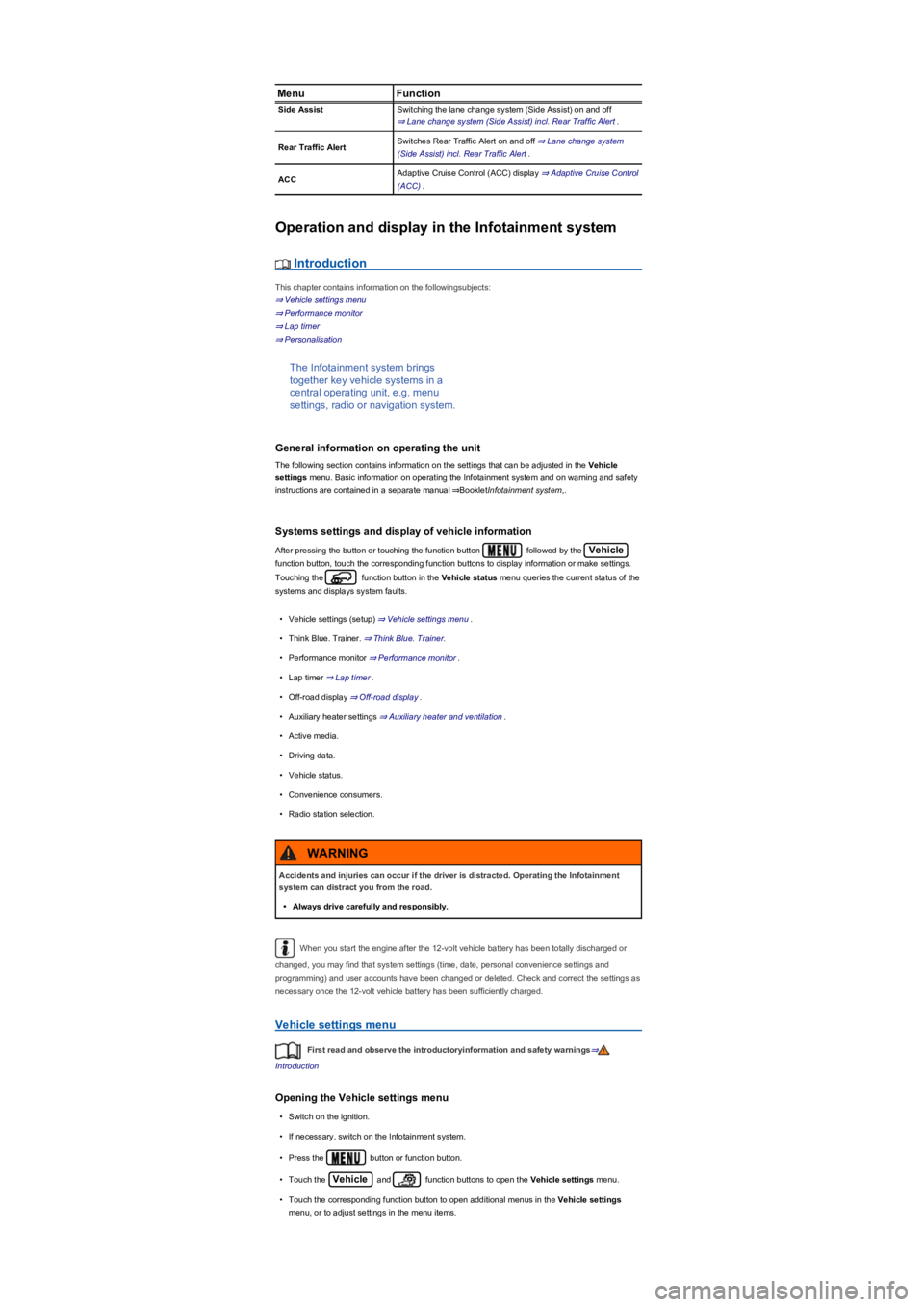
MenuFunction
Side AssistSwitching the lane change system (Side Assist) on and off
⇒ Lane change system (Side Assist) incl. Rear Traffic Alert.
Rear Traffic AlertSwitches Rear Traffic Alert on and off ⇒ Lane change system
(Side Assist) incl. Rear Traffic Alert.
ACCAdaptive Cruise Control (ACC) display ⇒ Adaptive Cruise Control
(ACC).
Operation and display in the Infotainment system
Introduction
This chapter contains information on the followingsubjects:
⇒ Vehicle settings menu
⇒ Performance monitor
⇒ Lap timer
⇒ Personalisation
The Infotainment system brings
together key vehicle systems in a
central operating unit, e.g. menu
settings, radio or navigation system.
General information on operating the unit
The following section contains information on the settings that can be adjusted in the Vehicle
settings menu. Basic information on operating the Infotainment system and on warning and safety
instructions are contained in a separate manual ⇒BookletInfotainment system,.
Systems settings and display of vehicle information
After pressing the button or touching the function button followed by the Vehicle
function button, touch the corresponding function buttons to display information or make settings.
Touching the function button in the Vehicle status menu queries the current status of the
systems and displays system faults.
•Vehicle settings (setup) ⇒ Vehicle settings menu.
•Think Blue. Trainer. ⇒ Think Blue. Trainer.
•Performance monitor ⇒ Performance monitor.
•Lap timer ⇒ Lap timer.
•Off-road display ⇒ Off-road display.
•Auxiliary heater settings ⇒ Auxiliary heater and ventilation.
•Active media.
•Driving data.
•Vehicle status.
•Convenience consumers.
•Radio station selection.
When you start the engine after the 12-volt vehicle battery has been totally discharged or
changed, you may find that system settings (time, date, personal convenience settings and
programming) and user accounts have been changed or deleted. Check and correct the settings as
necessary once the 12-volt vehicle battery has been sufficiently charged.
Vehicle settings menu
First read and observe the introductoryinformation and safety warnings⇒
Introduction
Opening the Vehicle settings menu
•Switch on the ignition.
•If necessary, switch on the Infotainment system.
•Press the button or function button.
•Touch the Vehicle and function buttons to open the Vehicle settings menu.
•Touch the corresponding function button to open additional menus in the Vehicle settings
menu, or to adjust settings in the menu items.
Accidents and injuries can occur if the driver is distracted. Operating the Infotainment
system can distract you from the road.
•Always drive carefully and responsibly.
WARNING
Page 293 of 341
Driving on unpaved roads for long periods, or a sporty driving style, can temporarily
deactivate the Tyre Pressure Loss Indicator. The indicator lamp shows the malfunction, but
disappears if the road conditions or driving style change.
Troubleshooting for the Tyre Pressure Monitoring System
First read and observe the introductoryinformation and safety warnings⇒
Introduction
Lit up
•Do not drive on!
•Check all wheels for exterior damage or foreign bodies that have entered the tyres.
•Check the tyre pressure for all tyres ⇒ Tyre pressure.
•Change the wheel or drive at a low speed to the nearest qualified workshop.
•Check and adjust the tyre pressure for all tyres ⇒ Tyre pressure.
•Change the wheel or drive at a low speed to the nearest qualified workshop.
•Avoid long journeys and high speeds as long as the warning is displayed.
•Check ⇒ Tyre pressure and adjust the tyre pressure for all tyres.
Flashes
•Switch off or avoid any disruptive sources, e.g. two-way radios, remote controls or children's
toys.
•Switch the ignition off and then back on again. If the problem persists, seek expert assistance.
Differing tyre pressures or tyre pressures that are too low can cause tyre damage, tyre
failure, loss of vehicle control, accidents, serious injury and death.
•If the indicator lamp lights up, stop the vehicle as soon as possible and check all
the tyres ⇒ Useful information about wheels and tyres.
•Different tyre pressures or tyre pressures that are too low can increase wear on the
tyres, reduce vehicle stability and increase the braking distance.
•Differing tyre pressures or tyre pressures that are too low can cause sudden tyre
failure and lead to a tyre bursting and the loss of control over the vehicle.
•The driver is responsible for the correct tyre pressure of all tyres on the vehicle. The
recommended tyre pressure can be found on a sticker ⇒ Tyre pressure.
•The tyre monitoring system cannot function correctly until all cold tyres have the
correct tyre pressure.
•The pressure in all tyres must always be appropriate to the vehicle load ⇒ Tyre
pressure.
•Always inflate all tyres to the correct tyre pressure before every journey ⇒ Tyre
pressure.
•If the vehicle is driven with insufficient tyre pressure, this results in greater tyre flexing.
This could warm up the tyre to such an extent that the tread may separate and the tyre
could burst. This could cause the driver to lose control of the vehicle.
•High speeds and overloading of the vehicle may cause the tyres to heat up to such an
extent that the tyre bursts, leading you to lose control of the vehicle.
•If the tyre pressure is too low or too high, the tyres will wear prematurely and the
vehicle will not handle well.
•If the tyre is not flat and it is not necessary to change the wheel immediately, drive at
low speed to the nearest qualified workshop and check and correct the tyre pressure
⇒ Useful information about wheels and tyres.
WARNING
Page 326 of 341
Mobile communication in the vehicle
Electromagnetic radiation
If a mobile telephone or radio device is used without being connected to the external aerial, the
electromagnetic radiation will not be optimally directed to the outside of the vehicle. Increased
levels of radiation in the vehicle interior can occur in particular in the event of poor reception, e.g. in
rural areas. This could constitute a health hazard ⇒.
Depending on the equipment, you may be able to use a suitable mobile phone interface to connect
the mobile telephone to the external aerial ⇒BookletInfotainment system,. The connection quality is
improved and the range of the mobile communication device is increased.
Using a telephone
Many countries require a hands-free system to be used when using a telephone inside the vehicle,
e.g. via a Bluetooth connection. Before use, secure the mobile telephone to a suitable bracket ⇒
or stow it in a storage compartment so that it cannot slip around, e.g. in the centre console.
Use a compatible mobile telephone if the mobile phone interface uses the remote SIM Access
Profile (rSAP) technology.
Two-way radios
Observe legal regulations and the manufacturer's operating instructions for operation of two-way
radios. Approval is required for retrofitting two-way radio systems.
Ask your Volkswagen dealership for further information on installation of two-way radio systems.
Customer information
Incorrect repairs and modifications can cause malfunctions and damage to the vehicle
and impair the effectiveness of the airbag system. This can result in accidents and serious
or even fatal injuries.
•Repairs and modifications to your vehicle should only be carried out by a qualified
workshop.
•Airbag modules cannot be repaired. They must be replaced.
•Never use recycled airbag components or components that have been taken from end-
of-life vehicles in your vehicle.
WARNING
Modifications to the vehicle's suspension, including the use of unsuitable tyre/rim
combinations, can cause the airbag system to work differently and increase the risk of
serious or fatal injuries in the event of an accident.
•Never install any components in the suspension system that do not have the same
characteristics as the original factory-fitted components.
•Never use tyre/rim combinations that have not been approved by Volkswagen.
WARNING
®
Mobile telephones which are loosely placed in the vehicle or not properly secured could
be flung through the vehicle interior and cause injuries during a sudden driving or braking
manoeuvre, or in the event of an accident.
•Secure any mobile telephones and accessories located beyond the deployment zone of
the airbags, or stow them safely.
WARNING
If mobile telephones or two-way radios that are not connected to an external aerial are
used, electromagnetic radiation in the vehicle could exceed limit values and thus be a
health hazard for drivers and other vehicle occupants. This also applies to external aerials
which have not been correctly installed.
•Keep a distance of at least 20 cm between a device's aerial and an active medical
implant, e.g. a pacemaker.
•Do not carry an operational device close to or directly above an active medical implant,
e.g. in a breast pocket.
•Switch off the device immediately if you suspect it may be interfering with an active
medical implant or any other medical device.
WARNING