buttons VOLKSWAGEN TOUAREG 2012 Owner's Manual
[x] Cancel search | Manufacturer: VOLKSWAGEN, Model Year: 2012, Model line: TOUAREG, Model: VOLKSWAGEN TOUAREG 2012Pages: 684, PDF Size: 6.36 MB
Page 263 of 684
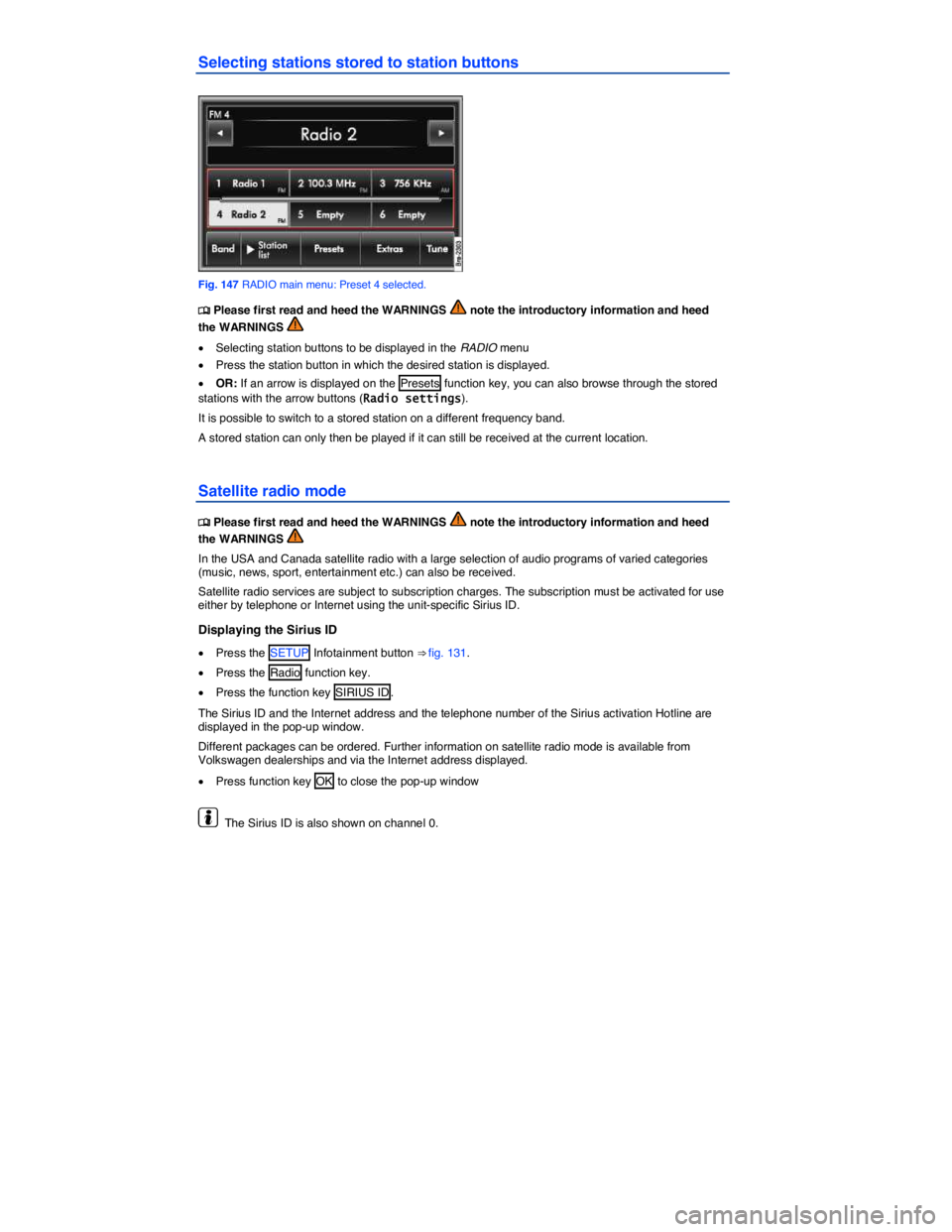
Selecting stations stored to station buttons
Fig. 147 RADIO main menu: Preset 4 selected.
Page 268 of 684

Function key: Effect
Category/channel no. : In the category view arranged according to
channel number.
Delete preset list : When Delete all is pressed, all stations and channels
stored to station buttons are deleted.
Page 373 of 684

Function key: Effect
o: Open the number pad to enter a telephone number
Call lists : Opens a pop-up window for selection of a call list for calls
missed, dialed or received on the telephone control
SMS31: Opens a pop-up window with the following options:
Inbox : Displays received SMS.
Templates : Selection of available templates for sending SMS.
Extras : Opens a pop-up window with the following options:
Display off : Switches off the display. Press one of the Infotainment
buttons or the screen to switch on again.
Conference details29: Opens a list of the parties in a current confer-
ence call
Mute : Switches the microphone off during a telephone call, so that the
person on the line cannot hear what is being said in the vehicle.
]: Opens the telephone directory of the paired mobile phone to select a
telephone number
31 Dependent on mobile phone and country.
Page 379 of 684
You can save telephone numbers in the telephone control from calls that have been missed, dialed or received in the vehicle. Depending on the mobile phone model, call lists stored on the mobile phone could also be displayed.
x In the PHONE main menu, press the Call lists function key.
x Open a call list by pressing it in the pop-up window.
Function key: Effect
Missed calls : Missed calls.
Dialed Numbers : Dialed telephone numbers.
Received calls : Received calls.
Incoming calls rejected with the ^ function key are stored in the call list of received calls33.
If a telephone number is stored in the telephone directory, the stored name is displayed instead of the telephone number.
x Press a telephone number or a name on the screen to dial it.
x Press the H function key to edit the telephone number or use it further.
Call lists are always specific to a user profile
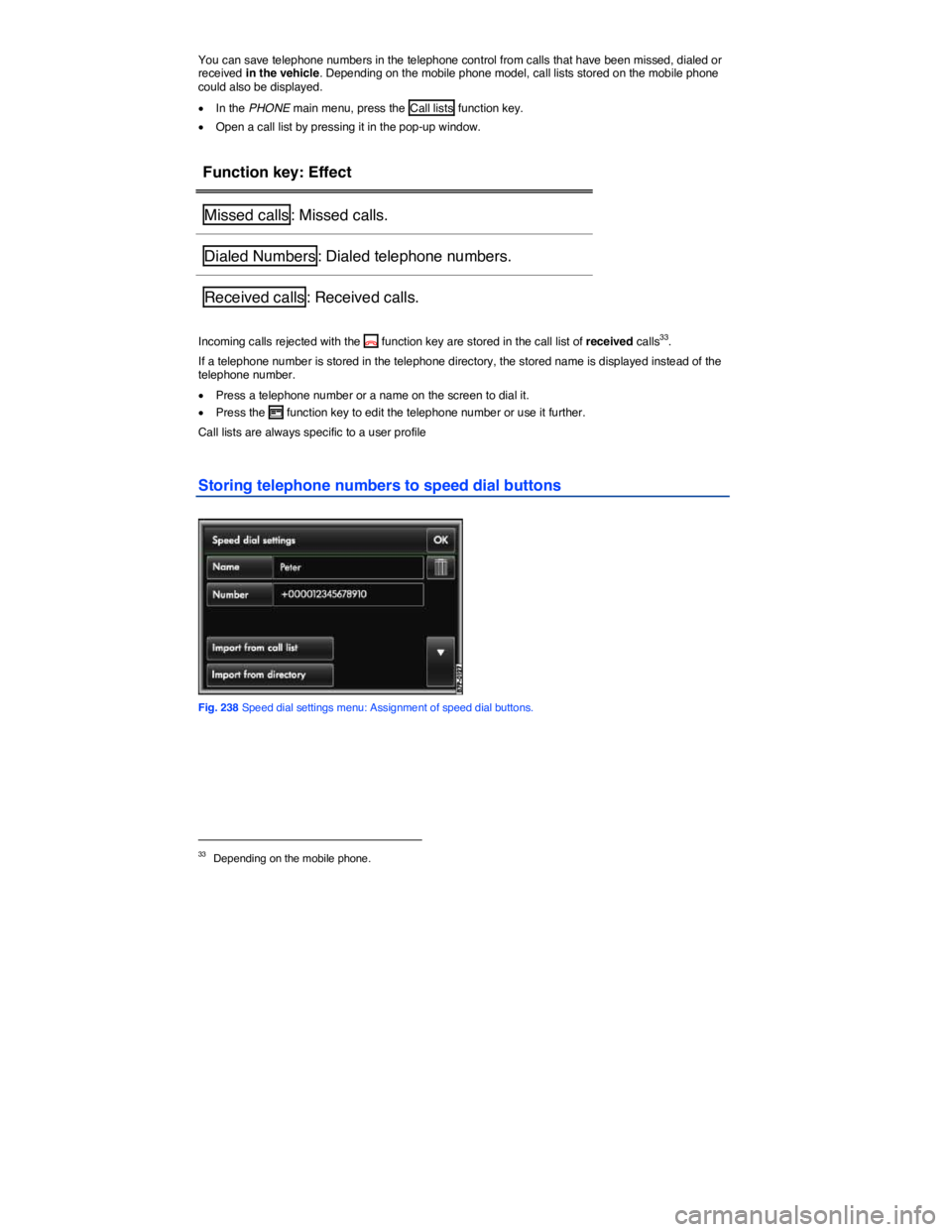
Storing telephone numbers to speed dial buttons
Fig. 238 Speed dial settings menu: Assignment of speed dial buttons.
33 Depending on the mobile phone.
Page 386 of 684

Function key: Effect
Telephone ID38: Display of IMEI (telephone ID, serial number). If a mobile
phone is paired via Bluetooth rSAP or a SIM card is inserted in the SIM
card reader, the telephone ID of the telephone control will be displayed. If
a mobile phone is paired via Bluetooth HFP, the telephone ID of the mo-
bile phone is displayed ⇒ Bluetooth profiles.
Call options : Function settings for telephone calls that are made via the
telephone control
SIM PIN settings38: Setting for use of the SIM PIN for the connection with
a mobile phone.
Speed dial buttons : Set the telephone numbers for the speed dial buttons
SMS settings38: Setting for receiving and sending SMS from the vehicle.
Call forwarding38: Setting for forwarding incoming calls.
Automatic network selection38: Available mobile phone networks are dis-
played and can be selected. Logging on may not be possible due to re-
strictions for the SIM card being used. If the user profile is changed, the
setting is reset to automatic if necessary.
Switch off telephone38: Switch the telephone control on or off.
Call options
Page 493 of 684

Function With the ignition switched on
Vehicles without Park
Distance Control
Vehicles with Optical
Parking System
Switch on the
display
automatically:
Shift into Reverse (R)
Mode 1 is displayed in the factory-installed radio or naviga-
tion system ⇒ fig. 285.
Additionally, the mini-OPS
will be displayed on the left
edge of the factory-installed
radio or navigation system
screen.
Switch off the
display
automatically:
Turn off the ignition
OR: Drive forward faster
than about 9 mph (15 km/h),
or longer than about 10
seconds.
OR: Immediately after shift-
ing out of Reverse (R).
OR: about 10 seconds after
shifting out of Reverse (R).
Hide the
Rear Assist
display:
Press one of the factory-installed radio or navigation sys-
tem buttons or tap the O function key.
The display will hide after about 10 seconds.
OR: Tap the function key •.
The OPS will be displayed
full-screen.
Show the
Rear Assist
display
again:
Shift into another gear position then back into Reverse (R).
OR: Tap the function key
Z.
Page 628 of 684

Frequently asked questions
If you suspect a malfunction or vehicle damage, read and follow the following advice before contacting an authorized Volkswagen dealer or an authorized Volkswagen Service Facility. You may also find helpful information under “Characteristics” and “Checklist” in the index.
Description Possible causes
among others Possible remedy
Engine does not
start.
Vehicle battery dead. – Perform jump-start
– Charge vehicle battery
The wrong remote
control vehicle key is
used.
Use a valid remote control
vehicle key
Fuel level too low. Refuel
AdBlue fill level too
low. Refill AdBlue
Vehicle cannot be
locked or unlocked
using remote con-
trol vehicle key.
– Battery in remote
control vehicle key
dead.
– Too far away from
vehicle.
(out of range).
– Buttons have been
pressed too many
times.
– Replace battery
–. Move closer to vehicle.
– Synchronize remote con-
trol vehicle key
– Lock or unlock vehicle
manually
Unusual noises.
Cold engine, brake-
assistance systems,
electronic parking
brake.
Check the “Noises” entry in
the keyword index.
Odd driving behav-
ior.
Assistance systems
activated.
Check the “Assistance sys-
tems” entry in the keyword
index.
Driver seat and
outer mirrors move
Convenience settings
are stored.
Correct convenience set-
tings