VOLKSWAGEN TOUAREG 2012 Workshop Manual
TOUAREG 2012
VOLKSWAGEN
VOLKSWAGEN
https://www.carmanualsonline.info/img/18/55725/w960_55725-0.png
VOLKSWAGEN TOUAREG 2012 Workshop Manual
Page 246 of 684
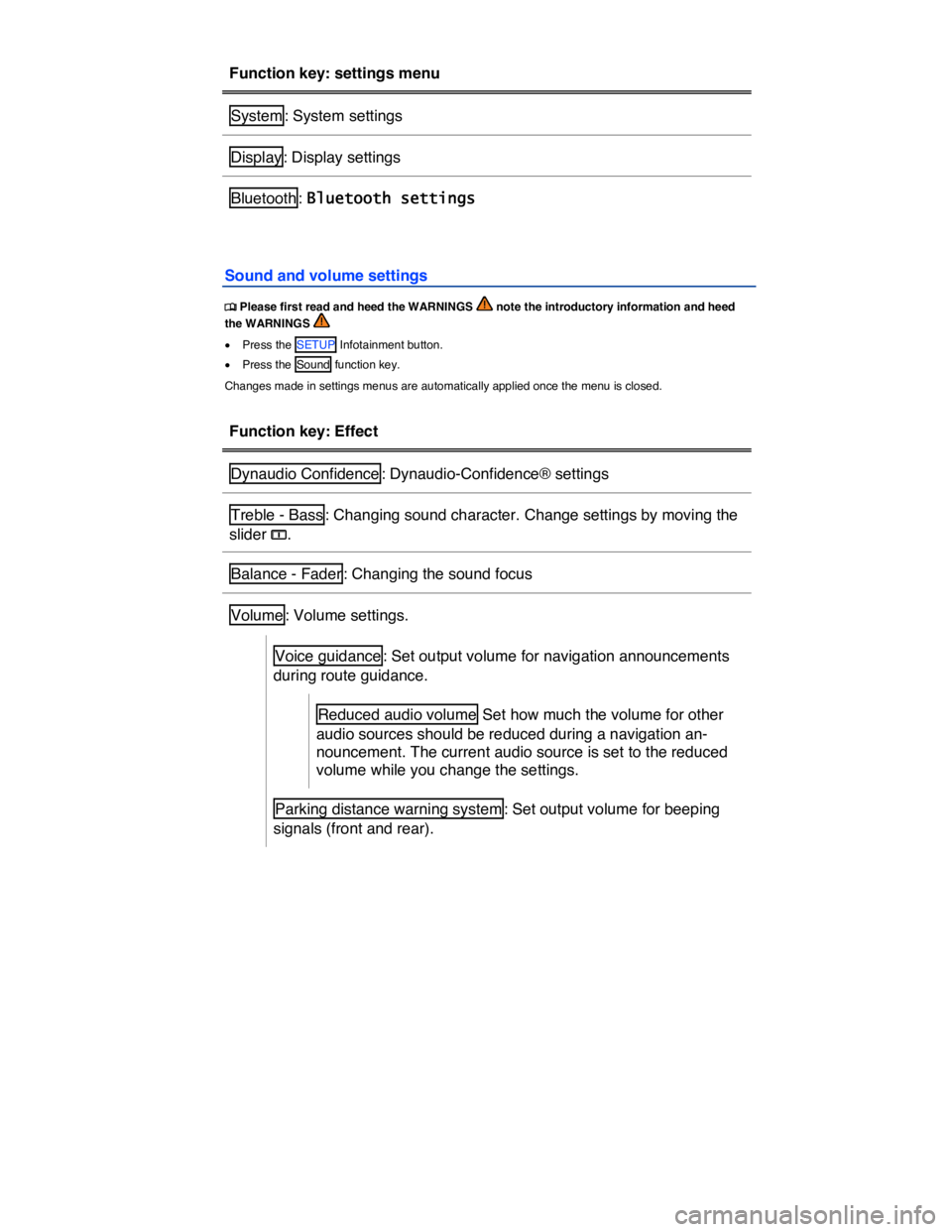
Function key: settings menu
System : System settings
Display : Display settings
Bluetooth : Bluetooth settings
Sound and volume settings
Page 247 of 684

Function key: Effect
Reduced audio volume : Set how much the volume for other
audio sources should be reduced while a beeping signal
sounds. The current audio source is set to the reduced vol-
ume while you change the settings.
Telephone5: Set output volume for telephone calls in the vehicle.
= Speed-dependent volume adjustment : If the speed-dependent volume
(GALA) is activated, the audio volume is automatically raised as the vehi-
cle speed increases.
When speed-dependent volume is switched on in vehicles with Dynaudio
Confidence®, the volume of individual frequencies is automatically raised
or reduced depending on the road noise caused by the rising vehicle
speed. This “reduces” the road noise in the vehicle.
Changing the sound focus (balance and fader) using the vehicle diagram
x Press the Balance - Fader function key.
The crosshair in the vehicle diagram shows the current sound focus in the vehicle interior.
x Place your finger on the crosshair and, without lifting it off, drag it across the screen. Lift your finger off the screen once the sound focus is in the required position (Moving objects).
x OR: Press the point in the interior view where you want the sound focus to be.
x OR: Move the sound focus step by step by pressing the arrow buttons on the left of the screen.
Press the function key between the arrow buttons to return the sound focus to the center of the interior view.
Dynaudio Confidence®
Additional settings are available if the vehicle is equipped with the RNS 850 and Dynaudio.
x In the Sound settings main menu, press the Dynaudio Confidence main menu.
Function key: Effect
Dynaudio Presets : Set sound profile and tone color.
Individual : Move slider ? to change setting for tone color.
5 Only when a mobile phone or a SIM card is connected to the Infotainment System ⇒ page 360.
Page 248 of 684
Function key: Effect
Authentic , Soft , Dynamic , Speech : Press to select sound profile.
Surround : Set level of surround effect.
System settings
Page 249 of 684
Function key: Effect
GPS : Use Time zone GMT to select the time and date. Time and
Date are then disabled for manual entry.
Manual : Time and date can be entered manually by pressing Time
and Date . Time zone GMT is then disabled.
Time : Set the time by pressing the arrow buttons ` or a and confirm
change with OK .
Time zone GMT : Press the
Page 250 of 684
x Press the SETUP Infotainment button.
x Press the Display function key.
Function key: Effect
Brightness : Set brightness level of screen.
= Confirmation tone : Switch the confirmation tone for pressing of a func-
tion key on.
Day/night : Define map display settings.
Day : Map view remains in bright daytime design.
Night : Map display remains in dark night time design.
Automatic : Daytime or night time design of the map view changes as
the low beam headlights are switched on and off.
Page 253 of 684
Function key: Effect
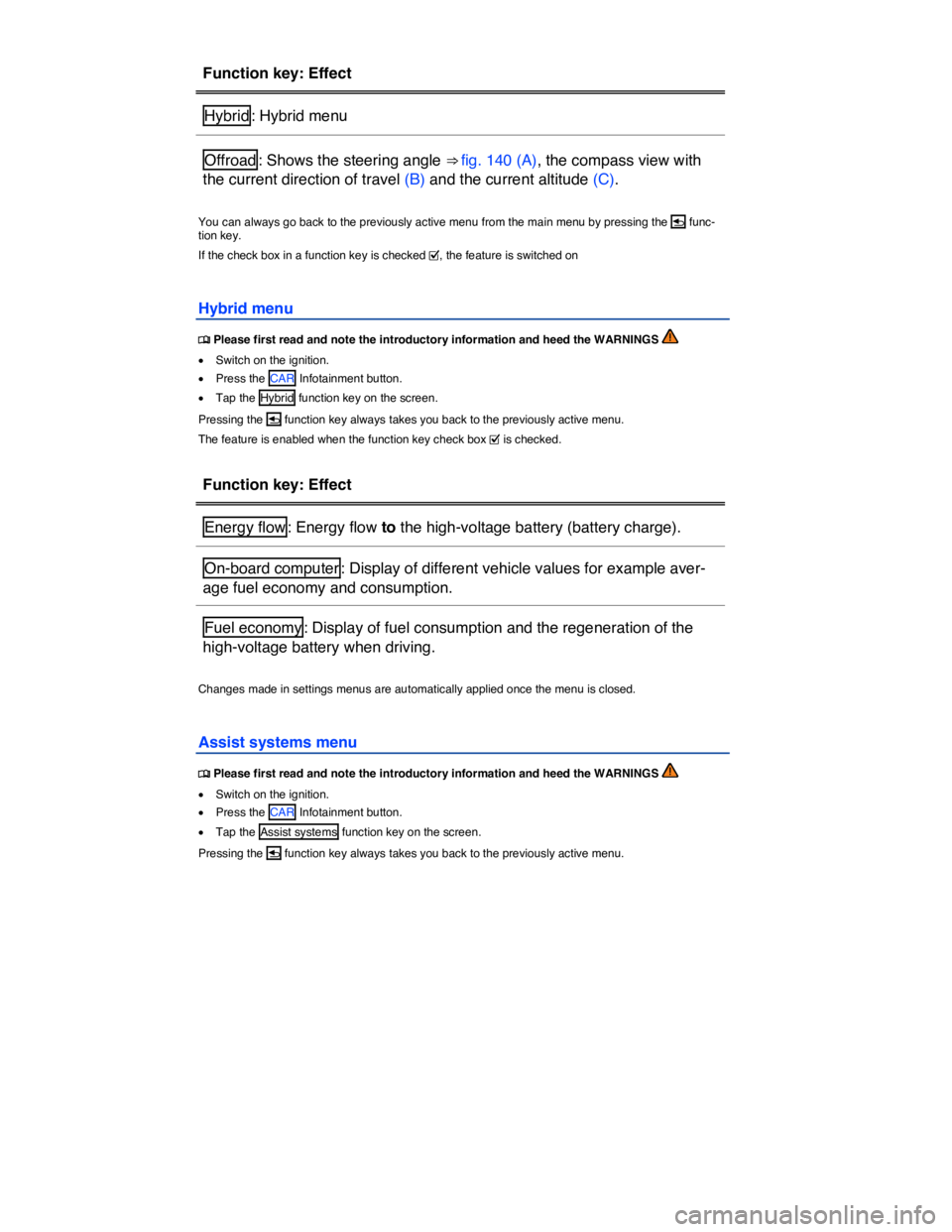
Hybrid : Hybrid menu
Offroad : Shows the steering angle ⇒ fig. 140 (A), the compass view with
the current direction of travel (B) and the current altitude (C).
You can always go back to the previously active menu from the main menu by pressing the
Page 254 of 684
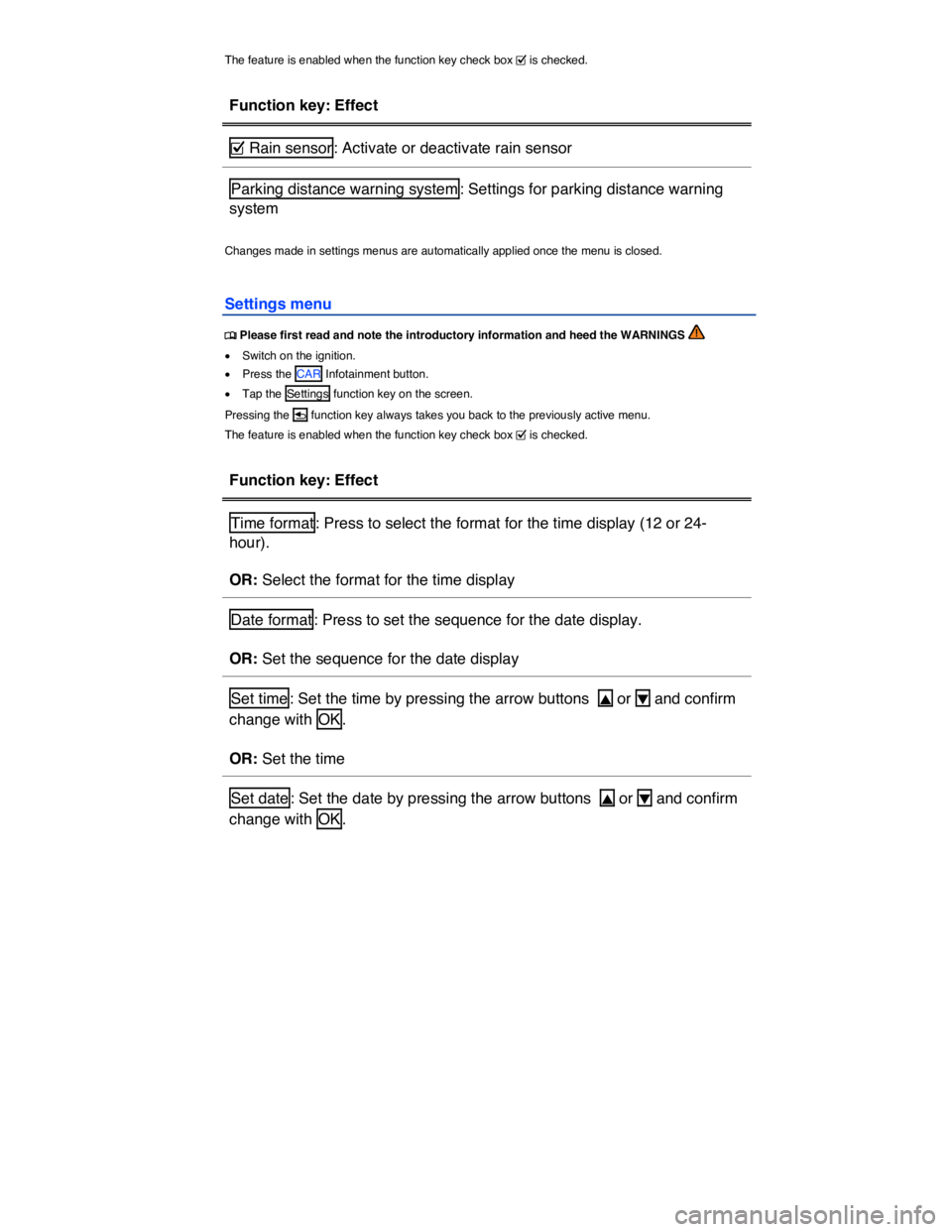
The feature is enabled when the function key check box = is checked.
Function key: Effect
= Rain sensor : Activate or deactivate rain sensor
Parking distance warning system : Settings for parking distance warning
system
Changes made in settings menus are automatically applied once the menu is closed.
Settings menu
Page 255 of 684
Function key: Effect
OR: Set the date
Units : Set units for displays in the vehicle.
OR: Set units for displays in the vehicle
Service/inspection : Settings for the Service reminder display and the ser-
vice position of the windshield wipers. Display of current oil level
⇒ page 587 and service messages.
OR: Service menu.
Lights and vision : Settings for lighting outside the vehicle and inside the
passenger compartment
Instrument cluster : Settings for the instrument cluster
Seat settings : Settings for the front seats
Vehicle key : Settings for convenience closing
Central locking : Settings for the central locking system
Garage door opener : Settings for the garage door opener
Vehicle ID/Number of keys : Display of vehicle chassis number and num-
ber of authorized remote control vehicle keys
Tire pressure monitoring : Settings for the Tire Pressure Monitoring Sys-
tem (TPMS)
Changes made in settings menus are automatically applied once the menu is closed.
Service menu
Page 256 of 684
x Press the CAR Infotainment button.
x Tap the Service function key on the screen.
x OR: Tap the Settings and then tap the Service/inspection function key on the screen.
Display of current oil level and service messages
Pressing the
Page 259 of 684
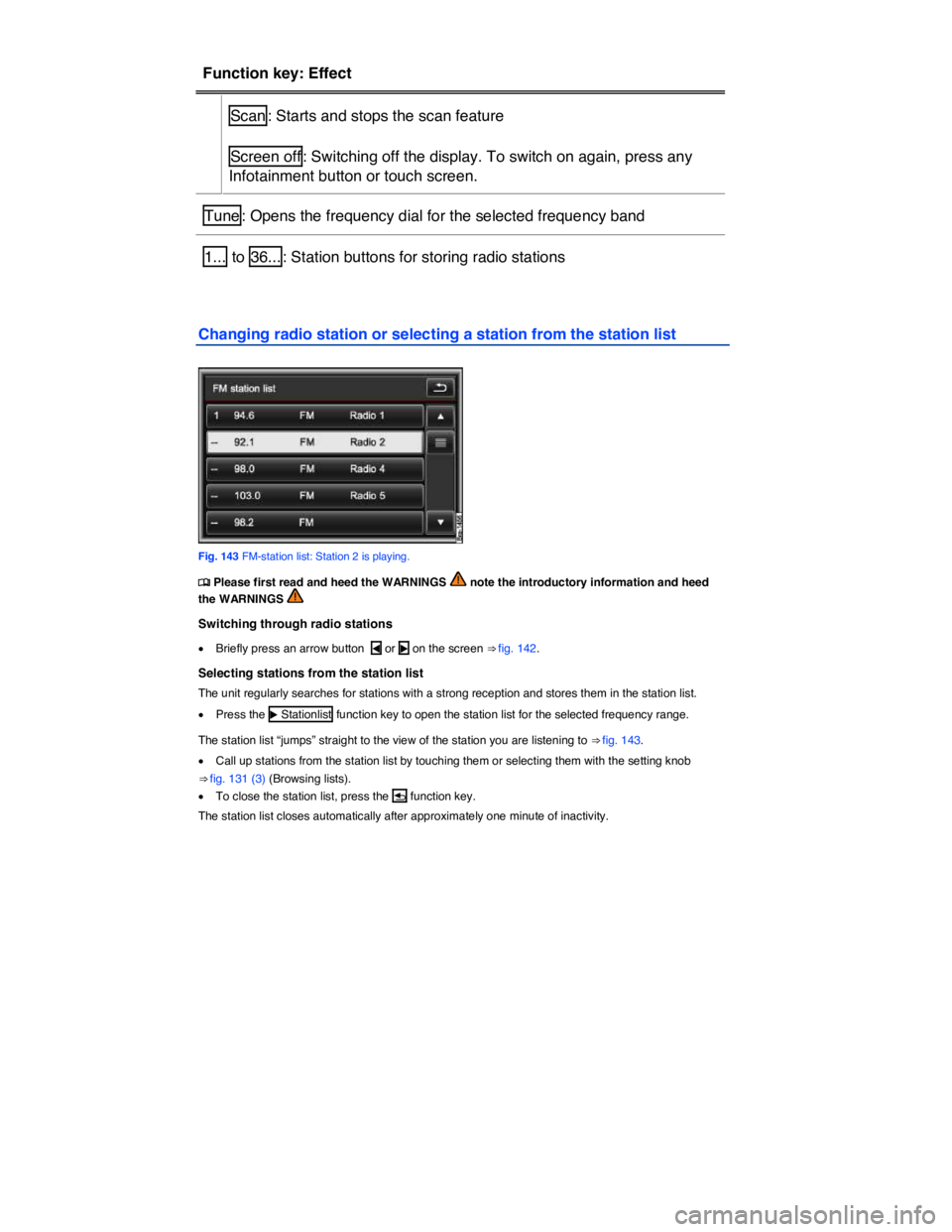
Function key: Effect
Scan : Starts and stops the scan feature
Screen off : Switching off the display. To switch on again, press any
Infotainment button or touch screen.
Tune : Opens the frequency dial for the selected frequency band
1... to 36... : Station buttons for storing radio stations
Changing radio station or selecting a station from the station list
Fig. 143 FM-station list: Station 2 is playing.