fix VOLKSWAGEN TOUAREG 2014 2.G Owners Manual
[x] Cancel search | Manufacturer: VOLKSWAGEN, Model Year: 2014, Model line: TOUAREG, Model: VOLKSWAGEN TOUAREG 2014 2.GPages: 620, PDF Size: 9.4 MB
Page 29 of 620

Safety Compliance Certification Label
A safety certificate affixed to the door jamb in the driver door confirms that at time of production all necessary safety standards and requirements of the traffic safety agency of the respective country were met. The month and year of production as well as the vehicle identification number may be listed as well.
Radiator fan and high voltage warning sticker
A warning sticker about the radiator fan and the high voltage of the electrical system is located in the engine compartment next to the engine hood release. The vehicle ignition system complies with the Canadian standard ICES-002.
Tire inflation pressure label
A tire inflation pressure label is on the driver door jamb ⇒ Tires and wheels.
Additional high-voltage warning labels
Your vehicle also has additional warning labels that warn again touching high-voltage components
⇒ Hybrid drive.
Engine data
Page 300 of 620

Function key: Effect
Create new telephone numbers : Opens an input window where you can enter a telephone number manually.
Create business navigation destination : Opens a menu where you can select a navigation destination for the “Business P” favorites category or convert a stored mailing address into a navigation destination
Create business mailing address : Opens a menu to enter a mailing address manually in input windows.
Create private navigation destination : Opens a menu where you can select a navigation destination for the “Private T” favorites category or convert a stored mailing address into a navigation
destination ⇒ page 307.
Create private mailing address : Opens a menu to enter a mailing address manually in input windows.
Read contact : The voice command stored under Last name and First name is read out
⇒ page 234.
= Private contact : The directory entry is only displayed when the corresponding user profile is loaded. If the check box = is cleared, the directory entry is transferred to the general user profile and is always displayed
If the prefix Create ... is not displayed in a function key, corresponding information is already stored.
This information is displayed below the function key (such as in : Business navigation destination ).
Press the function key to display or modify the stored information ⇒ fig. 195.
Converting mailing addresses into navigation destinations
Information that is stored as Business mailing address or Private mailing address can be converted into navigation destinations, such as the telephone directory entries of a connected mobile phone.
x Press the Create private navigation destination or Create business navigation destination button.
x Press the Create navigation destination function key.
The mailing address is converted into a navigation destination in the Infotainment System and
displayed in the Address entry menu where it can be edited further ⇒ page 287.
x Touch the OK function key.
The mailing address is now stored as a navigation destination. The navigation destination is displayed and can be edited again.
x Press the E function key to close the menu.
Page 558 of 620
Checklist
Carry out the following steps in the order listed before starting to inflate a tire ⇒ :
1. If you have a flat tire, move it as far away from traffic as possible. Park the vehicle on a flat, level surface at a safe spot.
2. Apply the electronic parking brake ⇒ Braking and parking.
3. Automatic transmission: Shift the transmission into Park (P) ⇒ Shifting.
4. Stop the engine and remove the key from the ignition switch ⇒ Starting and stopping the engine.
5. Have all passengers exit and go to a safe place, such as behind the guard rail.
6. Switch on emergency flashers and put up the warning triangle ⇒ In an emergency. Observe all legal requirements.
7. Check whether a repair with the tire mobility set is possible ⇒ Tire sealant must not be used:.
8. If towing a trailer: Unhitch the trailer from the vehicle and park the trailer properly.
9. If the luggage compartment is loaded: Remove the luggage.
10. Remove the tire mobility set from the luggage compartment.
11. Affix the label ⇒ fig. 326 (2) from the tire mobility set on the dashboard in the driver's field of vision.
12. The foreign object (screw or nail, for example) should not be removed from the tire!
WARNING
Disregarding the safety-related checklist may lead to accidents and serious injuries.
x Always review and follow the checklist. Follow accepted safety practices and use common sense.
Sealing and inflating the tire
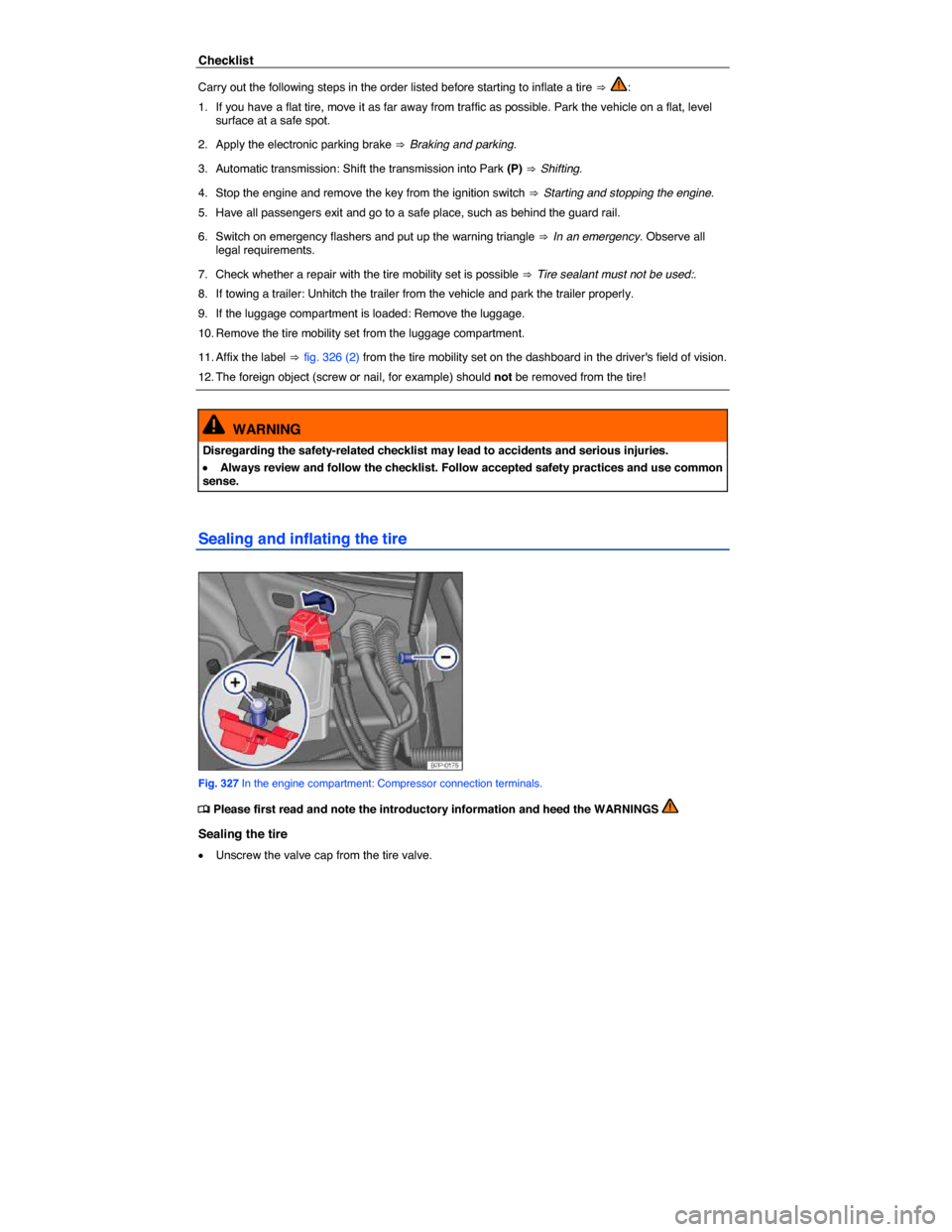
Fig. 327 In the engine compartment: Compressor connection terminals.