VOLKSWAGEN TOUAREG 2017 Owner´s Manual
TOUAREG 2017
VOLKSWAGEN
VOLKSWAGEN
https://www.carmanualsonline.info/img/18/40252/w960_40252-0.png
VOLKSWAGEN TOUAREG 2017 Owner´s Manual
Page 321 of 684
x Touch the OK function key.
The mailing address is now stored as a navigation destination. The navigation destination is displayed and can be edited again.
x Press the E function key to close the menu.
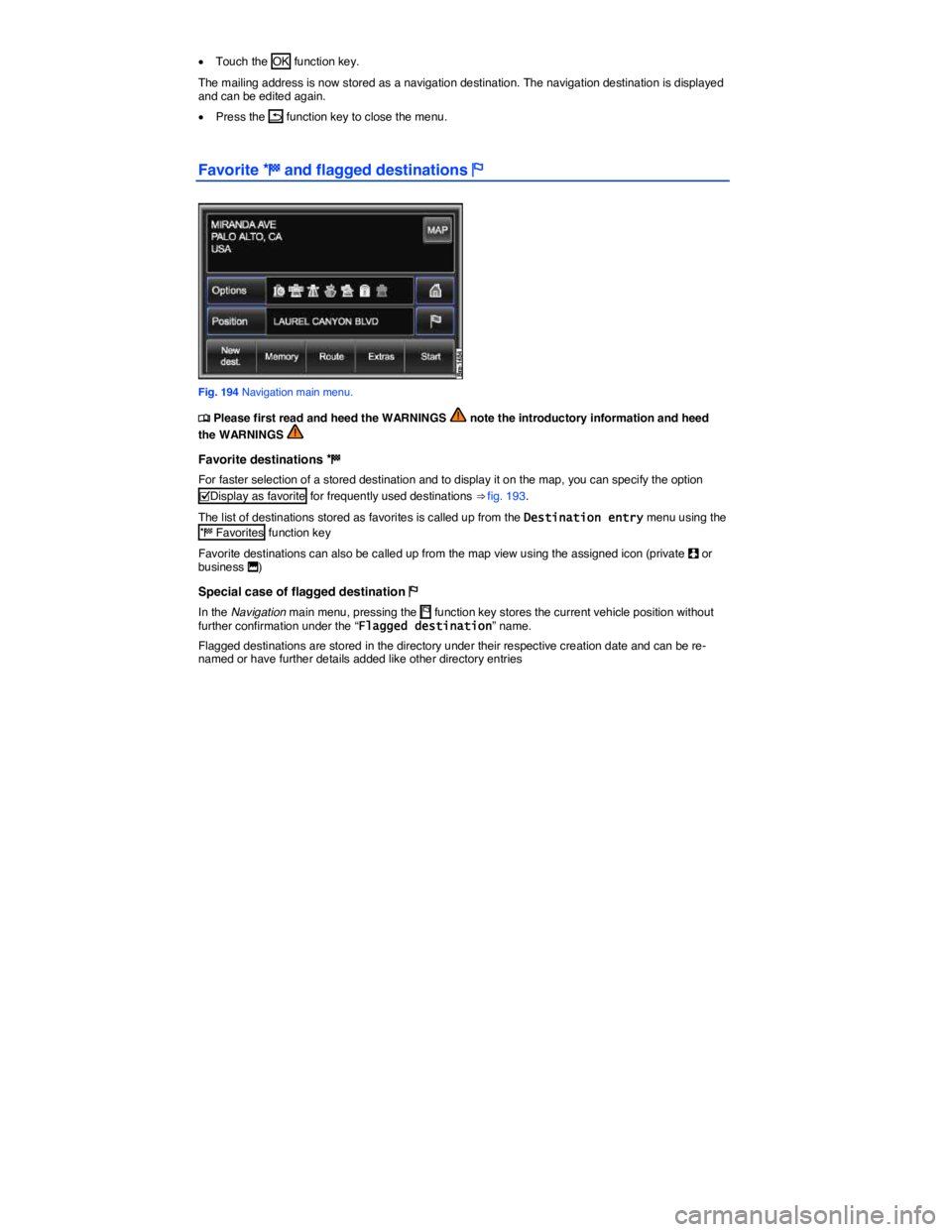
Favorite ) and flagged destinations $
Fig. 194 Navigation main menu.
Page 323 of 684
In some cases, an imported contact still needs to be converted for the navigation system
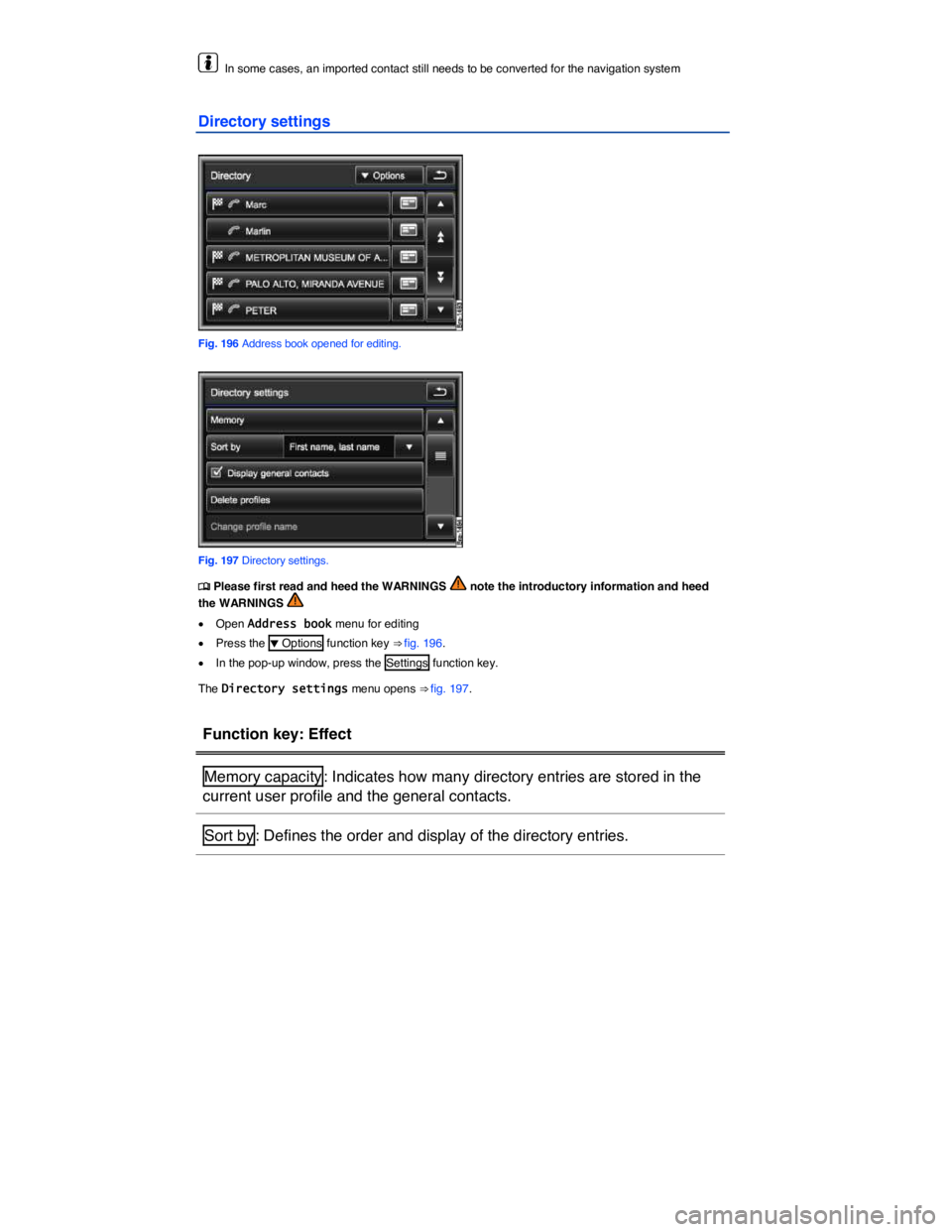
Directory settings
Fig. 196 Address book opened for editing.
Fig. 197 Directory settings.
Page 324 of 684
Function key: Effect
= Show general contacts : Directory entries that are not assigned to a user
profile are also displayed
Delete profiles : Press the profile to be deleted in the list of stored user
profiles and accept the confirmation dialog with Delete .
Change profile name15: Renames currently loaded profile in an input win-
dow
Read name tags16: Reads out recorded name tags
Delete name tags16: Deletes recorded name tags
Import directory15: Starts an immediate import of directory entries from a
connected mobile phone to the directory.
Import contacts : Imports navigation data (VCards) from an inserted data
medium into the directory
Export contacts : Copies selected directory entries on an inserted data
medium
15 Only active when a mobile phone or a SIM card is currently connected to the Infotainment System
⇒ page 360.
16 Only active if name tags have been recorded for directory entries ⇒ page 240.
Page 328 of 684
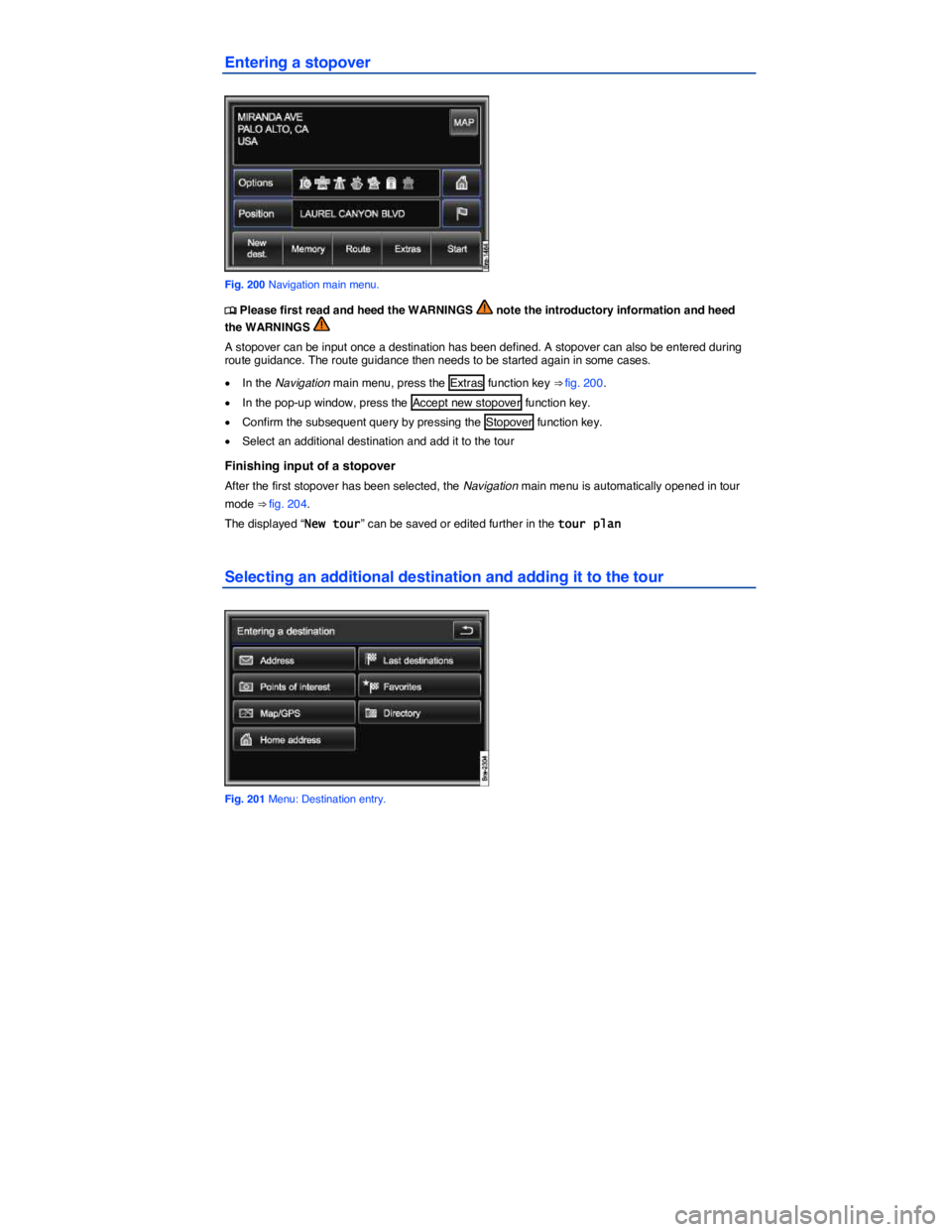
Entering a stopover
Fig. 200 Navigation main menu.
Page 330 of 684
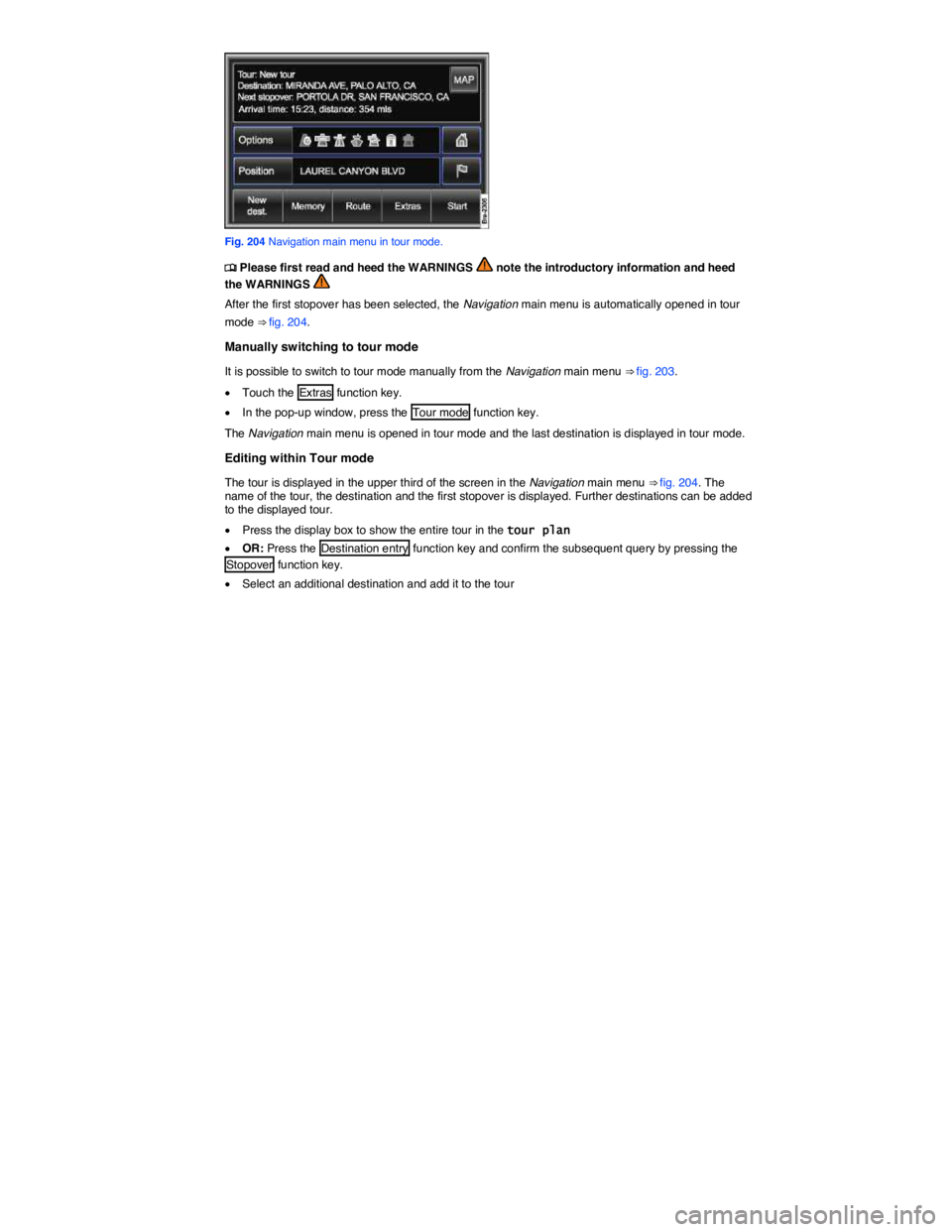
Fig. 204 Navigation main menu in tour mode.
Page 334 of 684
Waypoint navigation (Off-road mode)
Page 335 of 684
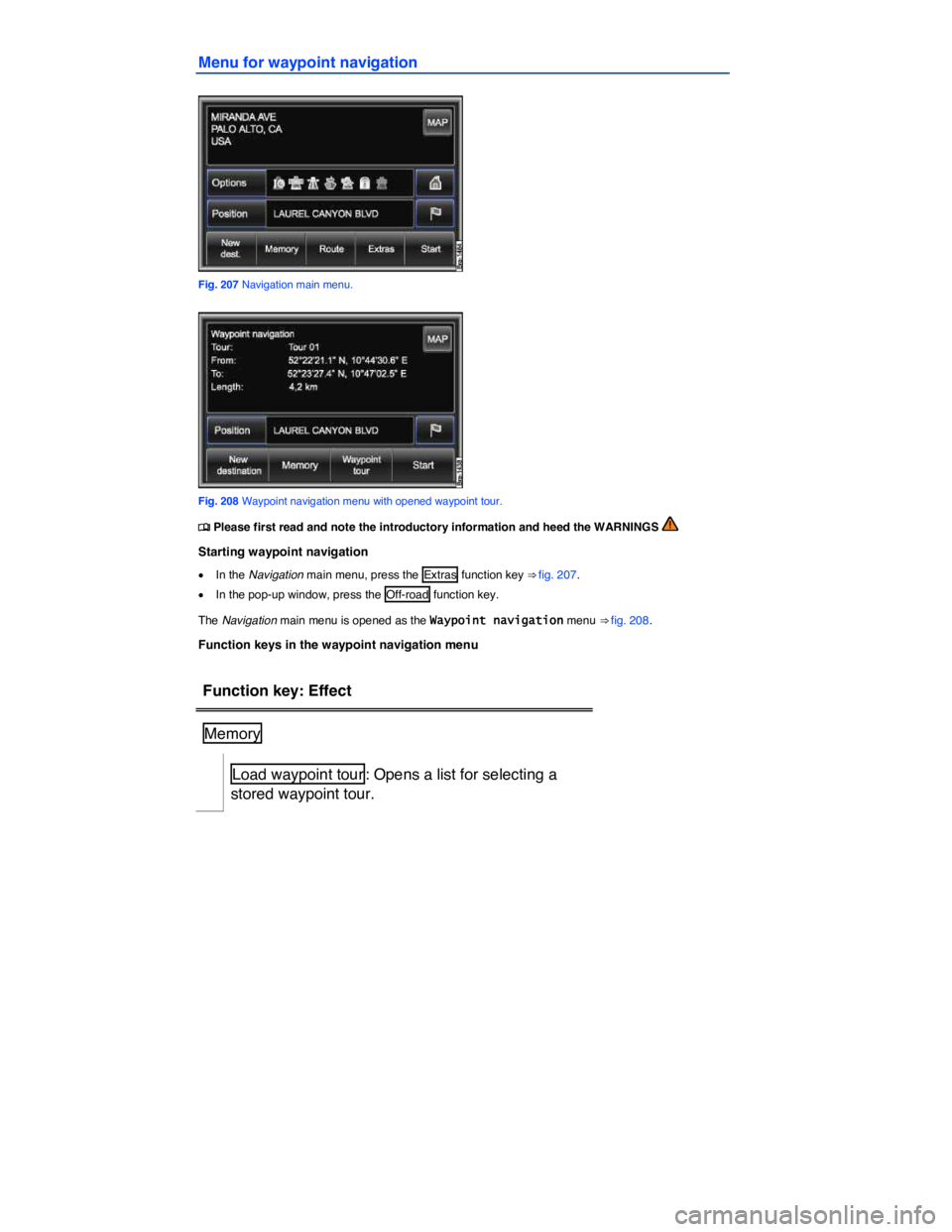
Menu for waypoint navigation
Fig. 207 Navigation main menu.
Fig. 208 Waypoint navigation menu with opened waypoint tour.
Page 336 of 684
Function key: Effect
Manage tour memory : Opens a menu for renaming
or deleting stored waypoint tours.
Waypoint tour
New waypoint tour : Starts plotting a waypoint tour
Exit waypoint mode : Closes waypoint navigation.
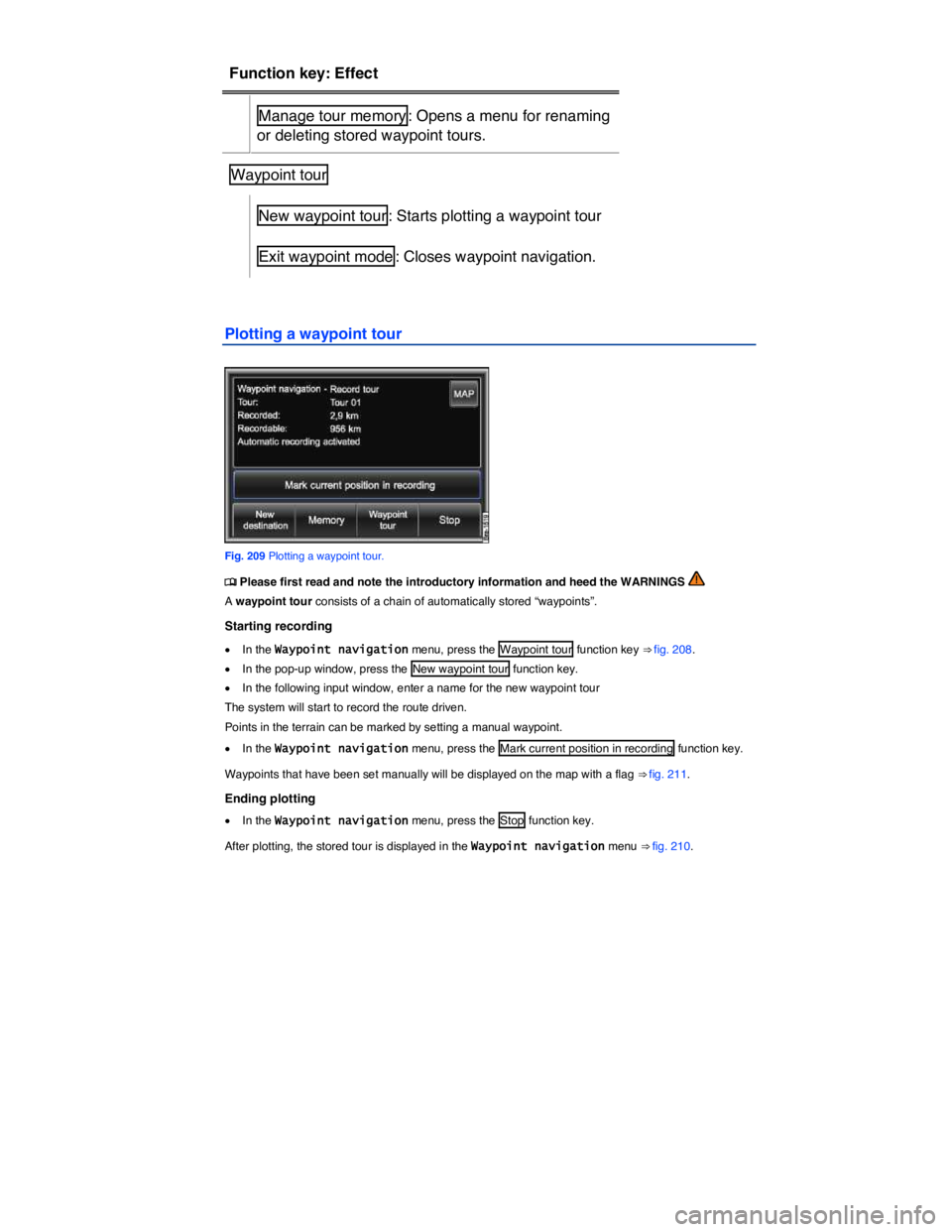
Plotting a waypoint tour
Fig. 209 Plotting a waypoint tour.
Page 337 of 684
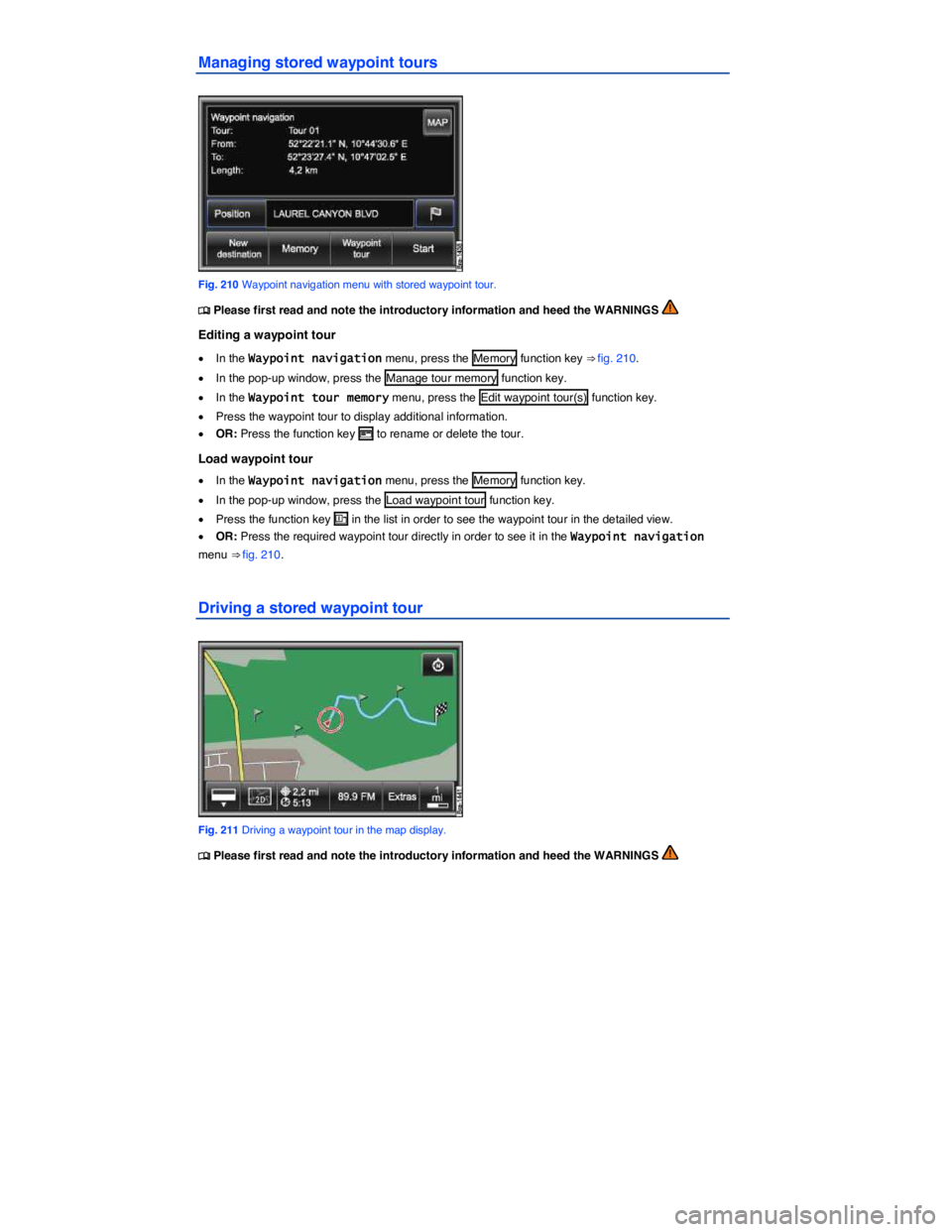
Managing stored waypoint tours
Fig. 210 Waypoint navigation menu with stored waypoint tour.
Page 338 of 684

Starting route guidance
Before you start a waypoint tour, drive to the immediate vicinity of the required starting point.
x Load stored waypoint tour
x In the Waypoint navigation menu, press the Start function key ⇒ fig. 210.
x In the following menu, select how the waypoint tour should be driven.
“Starting” off in a stored route is not detected by the system automatically.
Function key: Effect
Reverse waypoint tour : Reverses the direction of the displayed waypoint
tour to be driven.
From nearest : Will start the waypoint tour from the nearest waypoint.
Start whole tour : Will start the entire waypoint tour. In the menu that fol-
lows you will have to select how the start point of the waypoint tour should
be reached.
On road : The start point for the route guidance will be reached using
public roads as far as possible.
Off-road : The start point for route guidance will be reached in off-road
mode and any available roads will not be used.
When route guidance starts, the system will switch to the map view.
An audible signal is given when the starting point of the waypoint tour has been reached.
During route guidance
Characteristics of the terrain are ignored during route guidance. A driving recommendation will be given about 55 yards (50 meters) before reaching a turning point. You should therefore drive slowly and follow recommendations for turning as far as possible!
Changes in the direction of travel will be given in relation to the current direction of travel, such as “Please travel in direction 9 o'clock!”.
The tendency of the direction of travel will be shown in the instrument cluster display using arrows.
Stopping route guidance
x Press the Infotainment button NAV in the map display to open the Waypoint navigation menu.
x Press the Stop function key.